


Published:
Short version: If chaos keeps winning your week, this guide gives you a weekly planning routine for busy adults that turns noise into calm. You will capture loose ends, pick only what matters, block time around energy, and leave buffers so real life still fits. The result is a steadier week you can trust.
Key takeaways from a weekly reset
- Start with one consistent 60-minute reset. Keep it the same day and time.
- Brain-dump everything, then choose a few high-impact wins. Less is more.
- Time-block your must-dos around your best energy windows.
- Leave buffers. Plans fail when every slot is packed.
- Review once midweek. Fix the plan, not your willpower.
- Use simple tools you will open daily. Paper or digital both work.
- Protect rest and movement like appointments. Energy fuels results.
Why a weekly planning system lowers stress (and works better than daily scrambling)
Planning reduces guesswork. It also moves ideas out of your head and onto a page. Because your brain does better at solving problems than at holding dozens of reminders, you feel lighter once tasks live in a trusted list. In addition, a weekly reset lets you choose a few wins before the calendar fills with other people’s plans.
Research supports this. “Implementation intentions” (simple if-then plans) boost follow-through on goals by linking an action to a time and trigger (Gollwitzer, 1999). In parallel, cognitive offloading research shows that writing information down frees mental resources for thinking (Risko & Gilbert, 2016). Finally, broad stress surveys keep finding that uncertainty and workload drive anxiety for many adults, and clear plans can help reduce that pressure by restoring a sense of control (American Psychological Association, Stress in America).
You can scan the source material here: APA: Stress in America, Gollwitzer on implementation intentions, and Risko & Gilbert on cognitive offloading.
There is another reason weekly beats daily: decisions. When you decide key outcomes once per week, you avoid dozens of small, in-the-moment choices. That reduces decision fatigue. As a result, you follow your plan more often. Also, a weekly view exposes trade-offs you cannot see on a daily page, like how one long meeting day demands a lighter evening.
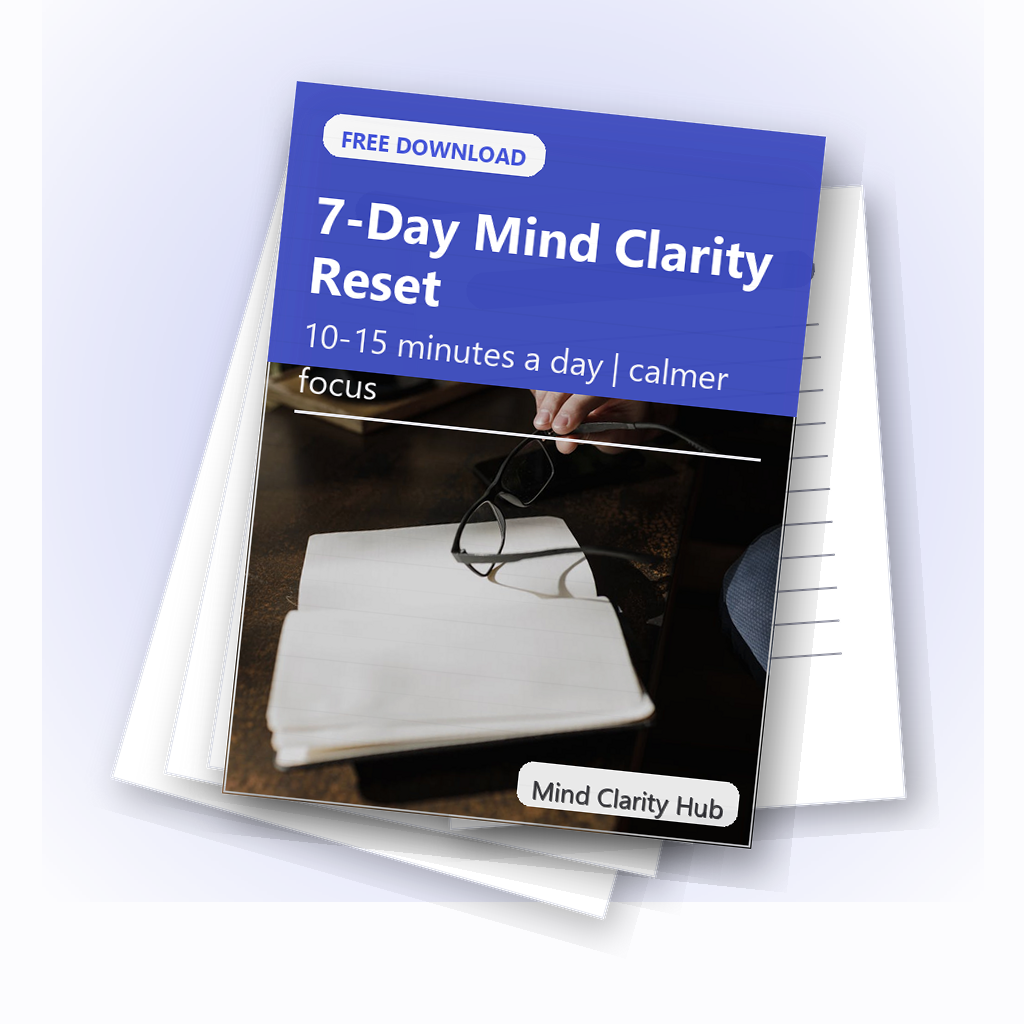
A simple reset you can stick with
Daily actions, gentle structure, and a clear next-step plan – free PDF.
Quick answer: your one-hour weekly reset
Here is the fast structure you can reuse every week.
- Collect (10 min): Inbox-zero sweep, notes, voicemails, sticky notes, brain dump.
- Clarify (10 min): Turn each note into a clear next step or drop it.
- Choose (10 min): Pick 3 work wins and 2 life wins for the week.
- Block (15 min): Time-block your wins and anchor events first. Add buffers.
- Prep (10 min): Set up materials, checklists, and if-then plans.
- Protect (5 min): Add a midweek review and one recovery block.
Start with a simple weekly planning routine for busy adults you can finish in 60 minutes. Then adjust once it feels automatic.
What does a weekly planning routine for busy adults include?
It includes six parts you repeat. You collect inputs, clarify tasks, select priorities, block time, prep tools, and protect energy. Each part is short. Also, each part has a clear output you can see on paper or screen.
- Collect: One place where you capture everything.
- Clarify: Every item is either a task, a date, a note, or trash.
- Choose: A small set of weekly outcomes that matter.
- Block: Calendar time that matches energy and focus windows.
- Prep: Files, links, checklists, and meeting agendas ready.
- Protect: Buffers, sleep, meals, and movement planned.
How long should a weekly planning routine for busy adults take?
About one hour is enough for most people. However, you can do a 30-minute “lite” reset in crunch weeks, or a 90-minute deep reset when you are starting fresh or after a big change.
Where should a weekly planning routine for busy adults live?
Pick one home base you open every day. For example, a paper weekly planner, a simple notes app, or a calendar-plus-task app. In addition, keep a visible place for a weekly snapshot (a printed page, a pinned note, or a widget). Therefore, you do not need to hunt for your plan.

Description and source: Close-up of an open planner with glasses. Photographer: Jess Bailey Designs. Licensed via Pexels: view original.
The 60-minute weekly review, step by step
This weekly planning routine for busy adults breaks the hour into clear blocks. Use a timer. Also, stop each step when the timer ends. Momentum matters more than perfection.
1) Collect: empty your head and inboxes (10 minutes)
Do a quick sweep of email, messages, and voicemails; pull in sticky notes, receipts, and stray pages; then brain dump anything still on your mind. Write fast and avoid sorting yet. Output: one list of everything that has your attention.
2) Clarify: convert inputs into next steps (10 minutes)
Turn vague notes into direct actions, dates, or drops. Use short verbs like “email Alex,” “draft intro,” or “order filters.” If a task looks bigger than 60–90 minutes, split it into smaller chunks you can finish in one block. Output: a clean tasks-and-dates list.
3) Choose: pick 3 work wins and 2 life wins (10 minutes)
Less is kinder to your future self. Therefore, choose only what moves the needle. You can use the Eisenhower Matrix to sort items by importance and urgency.
| Quadrant | What it means | Examples | Action |
|---|---|---|---|
| Important & Urgent | High impact, time-bound | Client deadline, filing forms | Do first, time-block early |
| Important & Not Urgent | High impact, flexible | Strategy draft, training | Protect blocks; big weekly wins |
| Not Important & Urgent | Low impact, noisy | Most pings and quick asks | Delegate or set limits |
| Not Important & Not Urgent | Low impact, flexible | Random browsing, busywork | Delete or batch later |
Output: five headline outcomes for the week that fit your life.
4) Block: map time around your energy (15 minutes)
Time-block your five wins first. Then fit meetings, errands, and chores around them. Because energy matters more than minutes, place deep work in your best focus window and admin in lighter hours.
| Day | Focus window | Anchor events | Deep work block | Admin block |
|---|---|---|---|---|
| Mon | 8:30–11:00 | 1:1 at 2:00 | Project A draft | Inbox + errands |
| Tue | 9:00–11:30 | Team standup 9:00 | Proposal build | Invoices |
| Wed | 8:00–10:30 | Client call 1:00 | Analysis | Docs + filing |
| Thu | 9:00–11:00 | On-site 3:00 | Strategy write | Follow-ups |
| Fri | 9:00–10:30 | Wrap 3:00 | QA + review | Planning + clean up |
Output: calendar holds for your most important work plus buffers.
5) Prep: set triggers that make action easy (10 minutes)
Open the tabs, files, and brief notes you will need for each block; write a one-line if-then for each key task (for example, “If it’s 9:00 Monday, then start Project A outline”); and gather materials into one folder or tray. Output: your future self can start each block in under one minute.
6) Protect: add buffers, sleep, and movement (5 minutes)
Insert 15-minute breathing room after deep work; plan one walk, stretch, or short workout most days; and hold a midweek 15-minute review to reset the plan. Output: a week that cares for your body and fixes small slips fast. For healthy sleep targets by age, see the CDC overview (CDC: How Much Sleep Do I Need?).
Flow: Collect → Clarify → Choose → Block → Prep → Protect. Midweek: run a 15-minute micro-review and adjust blocks, not goals. End of week: reflect for 10 minutes and keep what worked.
Design note: Keep it simple and visible. Use a soft-neutral background, navy accents, and short labels so it is readable on mobile.
What tools make a weekly planning routine for busy adults easier?
Use the tools you already open. Also, keep the stack small. One calendar, one task list, and one notes spot is plenty. Calendar: Google Calendar, Outlook, or a paper weekly planner; Tasks: a paper list, Apple Reminders, Microsoft To Do, or Todoist; Notes: Apple Notes, Google Keep, Notion, or a notebook.
Tip: Pin your weekly snapshot at the top of your task app or print it and keep it by your keyboard.

Description and source: Overhead workspace with clipboard planner and tools. Photographer: Ron Lach. Licensed via Pexels: view original.
Inside your weekly review: how to choose priorities
Pick outcomes, not chores. Because outcomes are specific results, they guide your choices when time runs short. Write them as results (for example, “Send proposal draft to Mia” rather than “Work on proposal”). Limit to five for the week—more is fantasy. Finally, check alignment with your bigger goals and roles.
Time-blocking in your weekly planning system without losing flexibility
Blocks should be firm on intention and loose on method. Therefore, name the block for the outcome you chose, but allow optional paths to get there. Also, protect one empty block daily to catch what slips.
If you want a simple tool to keep blocks visible, see our guide to time blocking apps and pick one you will actually open every day.
| Block name | Goal | Length | Backup plan |
|---|---|---|---|
| Proposal draft | Outline and first section | 90 min | Outline only + schedule 45 min Friday |
| Client prep | Slides v1 | 60 min | Agenda + key points if time runs short |
| Admin sweep | Inbox to 20, pay two bills | 45 min | Inbox to 50 + flag bills for tomorrow |
Templates: 30-, 60-, and 90-minute weekly resets
Your life changes week to week. As a result, keep three versions of your reset.
30-minute “lite” reset (when time is tight)
Collect (5) → Clarify (5) → Choose 2 work wins + 1 life win (5) → Block (10) → Protect (5). Use a 30-minute weekly planning routine for busy adults in hectic weeks. It keeps momentum without the pressure.
60-minute standard reset (most weeks)
Collect (10) → Clarify (10) → Choose 3+2 (10) → Block (15) → Prep (10) → Protect (5). This is the steady version to run for several months.
90-minute deep reset (after big changes)
Collect (15) → Clarify (15) → Choose (15) → Block (20) → Prep (15) → Reflect (10). Use after a role change, a product launch, or a move so you can clear backlog and re-aim.
Make your weekly reset stick with simple science
Small structures go a long way. For example, if-then cues (“If it is 8:30 Monday, then open the budget sheet”) raise the chance you start the task. Also, writing down your plan offloads it from memory so your brain has room to think. Finally, protect sleep and recovery because energy supports focus and mood.
For quick references: implementation intentions help follow-through (APA PsycNet); cognitive offloading reduces memory load (Trends in Cognitive Sciences); sleep is a core input for self-control and health (CDC Sleep); and habits tend to improve with prompts, practice, and patience (NIH News in Health).
Handle curveballs: keep your weekly review on track
Expect change. That is why you add buffers and a midweek review. Because you review midweek, you can move blocks, drop one win if needed, and still protect what matters. When a surprise lands, pause, check your five wins, and make one change at a time.
Use the “swap, shrink, or shift” rule. Swap tasks across blocks; shrink scope (for example, “outline only”); or shift to a backup slot. Protect anchors. Sleep, meals, movement, and one deep-work block stay put. Document the change. Writing the new plan helps your brain let the old one go.
Midweek micro-review: a 15-minute weekly review that saves your plan
Set a midweek timer. First, glance at your five wins. Cross out anything that no longer matters. Second, drag blocks to better spots or shorten them to protect momentum. Third, add one recovery block for catch-up. End by writing a one-line intention for the next day. You just rescued the week without starting from scratch.
Adapt your plan to any work style
Remote or hybrid: Guard your freshest focus window. Batch meetings into one or two afternoons so you still get long creation blocks. Keep a printed weekly snapshot in view to avoid tab-hopping.
On-site or office-heavy: Use commute time for light admin or learning. Block your top outcome for the first hour on your least meeting-heavy days. Put buffer zones around back-to-back meetings.
Shift work or variable schedules: Map energy, not clock time. After night shifts, plan recovery first. Use shorter 20–40 minute blocks and a rotating weekly snapshot so you always see the next two to three days.
Example weekly plans (three common schedules)
If you are not sure how to translate “wins” into a real calendar, use these examples as starting points. The goal is not to copy them perfectly. The goal is to see how a weekly planning routine for busy adults turns priorities into protected time and realistic buffers.
| Schedule | 3 work wins | 2 life wins | How to time-block | Buffer rule |
|---|---|---|---|---|
| Remote knowledge worker | Ship draft, prep one meeting, clear inbox to 20 | Two workouts, one meal plan | One 90-minute deep block Mon/Tue/Thu; admin late | Keep one empty 45-minute overflow block daily |
| Office + meetings | One decision doc, one stakeholder follow-up, one weekly report | Two walks, one home reset | Deep work in first hour on 2 lighter-meeting days | Block 15 minutes after every meeting cluster |
| Shift / variable week | Two small project moves, one admin sweep | Sleep catch-up, one family plan | Plan in 20–40 minute blocks tied to energy windows | Build “recovery first” holds after late shifts |
Notice the pattern: you always protect one “real work” block, you always name what “done” looks like, and you always leave space for life to interrupt you. That is why the system stays calm even when your week is not.
Audit meetings and your calendar
Meetings crowd out the work that moves outcomes. In your review, ask: Which meetings can I skip, shorten, or combine? Which need a tighter agenda? Then send one polite note each week to improve a single meeting: propose a clear purpose, a timebox, or an async option. Over a month, you free hours without friction.
Coordinate with family without friction
Pick a 10-minute home huddle on Sunday night. Share the week’s five wins, big events, and who covers what. Add two “life anchors” to your calendars (for example, a shared dinner and a walk). Keep the talk short and clear. This reduces midweek surprises and last-minute scrambles.
Digital hygiene for a calmer weekly planning system
Notifications shape your week more than you think. During deep-work blocks, silence all but true emergencies. Batch chat and email twice a day. Set inbox rules to auto-label newsletters and receipts. Keep your task app and calendar clean: archive done items, delete duplicate reminders, and pin only the weekly snapshot. Less screen noise means more steady focus.
When you miss the weekly reset: restart fast
It happens. If you skip your reset, do a 10-minute rescue: collect the top loose ends, choose one work win and one life win, and block a single 45-minute focus slot. Then book a proper reset for the next day. Momentum returns when the next step is obvious.
Make your weekly reset overwhelm-friendly (when your brain is overloaded)
When you are fried, the goal is not a perfect plan. The goal is a plan you can start. Use these friction reducers so the reset feels lighter than avoidance:
- Lower the bar: use the 30-minute template and plan just 2 work wins + 1 life win.
- Make it visible: write your wins on paper or a sticky note and keep it where you work.
- Write “just start” steps: for each deep-work block, write the first 2 minutes (open doc, write three bullets, send one email).
- Use movement as a reset: when attention drifts, stand up, drink water, and restart a 10-minute timer.
- Protect recovery first: if sleep is off, plan around health anchors before extra projects.
If you have ADHD or another condition that affects attention, a clinician can help tailor strategies to your needs. This guide is general education, not medical advice.
Weekly reset mistakes and easy fixes
- Overfilling the week. Fix: Choose fewer wins. Add buffers on purpose.
- Using too many tools. Fix: One calendar, one task app, one notes app.
- Skipping the midweek review. Fix: 15 minutes on Wednesday to reset.
- Vague tasks. Fix: Write clear verbs and outcomes.
- Ignoring energy. Fix: Put deep work in your best hours.
- Planning projects instead of next actions. Fix: Turn “Work on taxes” into “Find W‑2” or “Email CPA”. Smaller steps reduce resistance.
- Not knowing what goes on the calendar. Fix: Calendar is for time-sensitive work, deep blocks, and appointments. The task list is for everything else.
- No restart ritual. Fix: End each block by writing the next line you will do when you return. Starting becomes automatic.
- Leaving no “overflow” time. Fix: Add one catch-up block daily. If you do not need it, use it for a quick win or rest.
Do not turn the weekly planning routine for busy adults into a long meeting. Keep it short, sharp, and repeatable.
Track simple metrics to improve your weekly review
Check only a few signals each week. Because data drives change, the right small numbers will show you what to fix. Note your completion rate (did you finish your 3+2 wins?), focus hit rate (how many deep-work blocks started on time), carryover (which tasks moved forward), and energy notes (how sleep and movement affected focus). Review these on Friday for five minutes and pick one tweak for next week.
FAQ: your biggest questions, answered
Is Sunday or Monday better for the weekly reset?
Either is fine. Sunday gives you a calm start and Monday brings fresher context. Pick one and stick with it for a month.
Can a weekly reset work if my job is all meetings and fire drills?
Yes. A weekly planning routine for busy adults still helps if your job is reactive. Block shorter wins, protect one deep-work block, and use a midweek reset.
What if I never finish the plan from my weekly review?
Shrink it. Choose fewer outcomes, halve task scopes, and add bigger buffers. Also, move deep work into your best hours.
Weekly planning system: paper or digital—what works best?
Use the one you will open daily. Paper reduces distraction. Digital helps search and sharing. Many people use paper for the weekly snapshot and digital for tasks.
How do I plan family, health, and home in a weekly reset?
Add them to your five wins. Protect sleep, meals, and two movement blocks. Therefore, work supports life instead of pushing it out.
More guides for a calmer, focused week
Want hand-picked reading to sharpen focus and routines? See our Books hub for practical titles and takeaways. Also, explore honest opinions in the Reviews hub when you want a second look before you read. If you want a guided reset you can work through week by week, see The Work‑Life Reset Workbook.
Sources and further reading
- American Psychological Association. Stress in America (2023)
- Gollwitzer, P. (1999). Implementation intentions (APA PsycNet record)
- Risko, E. F., & Gilbert, S. J. (2016). Cognitive offloading. Trends in Cognitive Sciences
- Harvard Business Review: How to Prioritize Your Work
- CDC: How Much Sleep Do I Need?
- NIH News in Health: Breaking Bad Habits
- CDC: ADHD Basics
Try the weekly planning routine for busy adults for four weeks. Because small, steady systems beat heroic sprints, you will likely feel calmer by the second cycle. Finally, keep the parts that work and drop what does not. That is how you build a plan you trust.
Helpful resources for your next step
Affiliate disclosure: As an Amazon Associate, Mind Clarity Hub may earn from qualifying purchases at no extra cost to you. Use this link only if it genuinely helps your planning.
If A Weekly Planning Routine for Busy Adults Who Need More Calm is a routine you want to keep using, a simple workbook, planner, or desk tool can make the steps easier to repeat.
Compare related planners, workbooks, and organization tools on Amazon.
