


Published:
If you lead a team and feel buried by pings, you are not alone. This adhd-friendly email batching system for team leads gives you a clear path to keep response times fair while protecting deep work. You will use three short daily email blocks, triage labels that make choices easy, canned responses to move fast, and simple inbox guards so noise stays low without missing urgent items.
Key takeaways
- Use three daily batches (Morning Triage, Midday Reply, Late-Day Close) with clear goals and strict start/stop.
- Apply triage labels: 2‑min (do now), Delegate (hand off), Schedule (plan it). Never reread the same message twice.
- Turn off default email pop-ups. Allow only VIP senders and on-call routes to break through.
- Preload canned replies for the top 10 requests so you can reply in under 30 seconds.
- Publish your team’s response norms (SLA, escalation path) to reduce “is this urgent?” confusion.
Why an ADHD-friendly email batching system for team leads lowers stress
Constant email checking drains focus. Experimental field research found that limiting checks reduced daily stress compared with checking as usual. In one study, participants who batched checks felt less stressed and more in control of their time. Another randomized field trial showed that batching smartphone notifications three times per day improved attention and mood, while turning all notifications off increased anxiety for many people. The message is simple: fewer, planned checks beat always-on — and “none at all” is not the answer for a manager who supports a team.
- Evidence that fewer checks reduce stress: Kushlev & Dunn (2015).
- Evidence that batching notifications boosts control: Fitz et al. (2019).
- Interruptions slow knowledge work: see foundational work on attention and task switching by Gloria Mark et al..
For many team leads, especially those who struggle with working memory or impulsive context switching, batching reduces decision points. You make a plan once. Then you follow it. Short, predictable sessions are easier to enter and to finish. That lowers mental load. It also reduces the urge to “just peek,” which often becomes 15 lost minutes.
Managers cannot simply mute every channel. People need you. Batching gives you a stable rhythm while VIP and incident rules cover real risks. Your nervous system learns that nothing bad happens when you wait 90 minutes to check. Over a few days, this calm routine pays you back with steadier focus, fewer re-reads, and a kinder mood at the end of the day.
What is an adhd-friendly email batching system for team leads?
It is a simple, three-block day with tight guardrails. Each block has a purpose, a time cap, and a short checklist so your brain does not have to renegotiate rules each time.
Free download: 7-Day Mind Clarity Reset
A short daily reset you can actually stick with (no fluff).
- Morning Triage (15–20 min): Clear new mail with labels. Reply only to sub‑2‑minute items.
- Midday Reply (30–40 min): Work through the “Schedule” label. Draft or paste canned replies. Book next steps.
- Late-Day Close (15–20 min): Tie off Delegated items, send nudges, and set tomorrow’s first task.
Because the rules are explicit, you spend less energy deciding and more time doing. You do not need to be perfect. You only need to be consistent.
ADHD-safe email batching for managers: the 3-block day
Here is the simplest way to place the three blocks during a standard workday. Shift by 30–60 minutes to match your team’s rhythm.
- Block 1 — Morning Triage: 9:15–9:35
- Block 2 — Midday Reply: 12:30–1:10
- Block 3 — Late-Day Close: 4:15–4:35
If you cover multiple time zones or an on-call rotation, add a micro-check (2–3 minutes) at the top of each hour you are on-call only to look for the agreed “urgent” signals, then step out again.
Build a neurodivergent-friendly email routine
Make it simple, visual, and consistent. Put each batch on your calendar with a bold color. Add the checklist in the calendar description so you see it every time. Use the same labels and reply templates across your inbox and phone, so no matter where you check from, the rules are the same.
Team lead email batching workflow: roles and SLAs
Managers worry that batching slows responses. The fix is to share norms. Post a short “email and escalation policy” in your team space. Keep it kind and clear.
- Standard email SLA: Replies within one business day. Most replies happen in the two daytime batches.
- Urgent within 2 hours: Use “URGENT:” in subject and ping in chat with the word “Escalation”.
- Emergencies (prod down, safety): Call the on-call number or trigger the incident channel.
Then make the path visible. Pin it in your chat. Add the key sentence to your email signature if that fits your culture. Remind partners during hand-offs. A simple line such as, “I check email in planned batches; for urgent items use ‘URGENT:’ + chat ping,” creates safety for both sides.
Tell your team that you run an adhd-friendly email batching system for team leads so you can protect deep work and still be dependable. When people know the rules, they stop guessing and start trusting. Over time, fewer messages will claim to be urgent. The signal improves because the path is clear.
Make choices easy with triage labels
The fastest inbox is the one with only three choices. Use these triage labels in every batch. Touch each message once.
| Label | What it means | Examples |
|---|---|---|
| 2‑min | Reply or act in under two minutes, now. | “Yes, approved.” “Looks good.” “Here’s the link.” |
| Delegate | Hand off with context and a due date. | Forward to ops with 2 bullets and a date. |
| Schedule | Needs >2 minutes. Plan it in the Midday Reply block or book a task. | Draft a brief, review a doc, summarize a meeting. |
Rules that stick:
- If it is a 2‑min reply, do it now. Do not move it.
- If you delegate, add a date and ask for confirmation. Star it or add “Waiting” so it surfaces at Close.
- If you schedule, create a task or calendar slot right away. Then archive the message so the inbox stays light.
Inbox guards for a neurodivergent-friendly email routine
Default notifications are too loud for thoughtful work. Build guards that allow only defined exceptions.
- Turn off new mail alerts for your desktop and phone.
- Allow VIP senders (your manager, critical stakeholders) to break through.
- Route true incidents through a separate channel with push + sound while on-call.
Set these once, then forget them.
- Gmail: Use filters + labels and turn off desktop notifications in Settings. Docs: Create rules/filters and Desktop notifications.
- Outlook: Use Rules, Focused Inbox, Categories, and Quick Steps. Docs: Rules and Focused Inbox.
- Slack or Teams: Set Do Not Disturb and keywords. Docs: Slack notifications & DND.
- Devices: Use Focus / Do Not Disturb to silence email except VIPs. Docs: Apple Focus, Android Do Not Disturb, Windows Focus Assist.
These guardrails make an adhd-friendly email batching system for team leads reliable. Urgent items still reach you; the rest waits for your next batch. To help your brain switch modes, add a tiny “pre-flight”: close chat, open your email tool, set a 15–40 minute timer, and keep only one browser tab open. When the timer ends, stop. This boundary trains focus and keeps the routine from creeping.
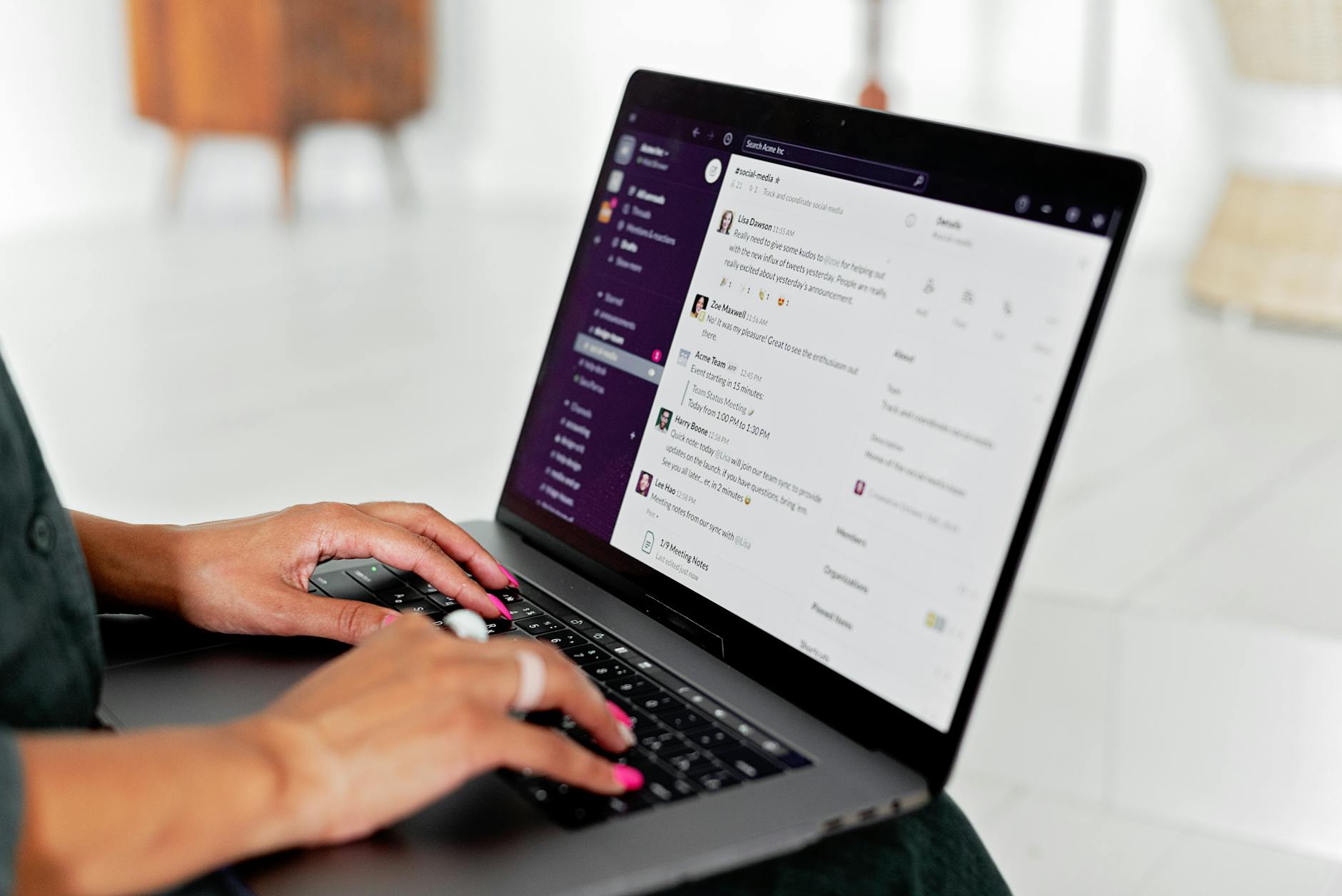
Set up Gmail for your ADHD-friendly email batching system for team leads
Here is how to wire Gmail so your adhd-friendly email batching system for team leads runs on rails. You will create labels, filters, and templates. Then you will turn off pop-ups.
Start small. Create one filter for VIPs and one for newsletters. Test each by sending yourself a sample message. In the filter builder, use “Search” first to preview results before you click “Create filter.” Pick label colors that pop. Keep the three triage labels pinned near the top. At the end of each batch, star any “Waiting” item that needs a later nudge. On Friday, scan your filters and archive stale promos so focus stays clean.
Labels to create
- 2‑min
- Delegate
- Schedule
- Waiting
- VIP
Sample Gmail filters (copy the idea, adjust to your org)
| If this… | Then do this… | Why it helps |
|---|---|---|
| From: your manager AND subject has your project name | Apply label: VIP; Mark as Important; Never send to spam | VIPs can break through Focus modes if you allow VIP alerts. |
| Subject starts with: URGENT: OR [INCIDENT] | Star it; Apply label: VIP; Skip the inbox for non-urgent newsletters | Makes real incidents visible while your other filters keep noise low. |
| From: noreply@ OR marketing@ OR contains “unsubscribe” | Skip Inbox; Apply label: Newsletters | Removes bulk mail from your decision space. |
| To: team-leads@yourcompany.com | Apply label: Schedule | Shared updates go to your Midday Reply block. |
| From: your direct reports | Apply label: Team; Mark Important | Team emails are easy to scan during batches. |
Docs: Create Gmail filters and labels. Templates: Create email templates. Notifications: Desktop notifications.
Gmail canned responses you can paste today
- Approve (2‑min): “Approved. Proceed as outlined. If a blocker appears, ping me in chat.”
- Not now (Schedule): “Thanks for the context. I’ve added this to today’s Midday Reply block. Expect an update by [time/day].”
- Delegate: “Thanks. I’m handing this to [Name] who owns [area]. They’ll reply by [date]. I’ll stay looped for decisions.”
- Meeting deflector: “Could we confirm by email first? If we still need to meet, please add a 15‑minute slot with 3 goals.”
- Doc request: “Please link the doc and note the decision you need. I’ll review in my next email batch.”
Save these under Templates so you can insert with two clicks or a shortcut. Tiny scripts like this make an adhd-friendly email batching system for team leads feel fast without burning decision energy.
Team lead email batching workflow: Outlook steps
Outlook has strong tools for your routine: Rules, Categories, Focused Inbox, and Quick Steps. Use them to run your adhd-friendly email batching system for team leads with fewer clicks.
Quick Steps are the secret sauce. Build one that applies “Delegate,” moves the email to a “Delegated” folder, and CCs you. Build another that applies “Schedule” and creates a To‑Do flag. With one click each, you reduce friction and keep decisions uniform. Train Focused Inbox for a week by moving low‑value mail to “Other.” On mobile, match categories and notifications so the same rules apply wherever you check.
Outlook setup checklist
- Create Categories: 2‑min (green), Delegate (orange), Schedule (blue), Waiting (gray), VIP (red).
- Turn on Focused Inbox and train it by moving newsletters to Other.
- Add Quick Steps: “Delegate + Move + CC Me,” “Schedule + Move to To‑Do,” and “Reply with Template.”
Sample Outlook rules
| Condition | Action | Note |
|---|---|---|
| From manager OR subject has your project code | Assign Category: VIP; Mark as Important; Play sound (optional) | Allows VIP alerts during Focus Assist if configured. |
| Subject begins with URGENT: or [INCIDENT] | Assign Category: VIP; Move copy to a “Hot” folder | Hot folder is your on-call scan source. |
| From listserv or contains “unsubscribe” | Move to “Newsletters”; Mark as Read | Bulk mail never clogs Focused Inbox. |
| From direct reports | Assign Category: Team; Keep in Focused Inbox | Makes team mail easy to scan in batches. |
Docs: Outlook Rules, Quick Steps, Focused Inbox.
What belongs in each batch of your team lead email batching workflow
Use the same checklist every day so your brain can relax into the routine.
Morning Triage (15–20 minutes)
- Scan new messages. Apply 2‑min, Delegate, or Schedule. Reply only to 2‑min items.
- Forward any “Delegate” with a due date and context. Add “Waiting.”
- Book time or tasks for all “Schedule” items. Archive the original emails.
Midday Reply (30–40 minutes)
- Open the “Schedule” label/folder. Work top to bottom.
- Use canned replies to move fast. Attach links, decisions, and dates.
- Stop on time. Leave anything unfinished for tomorrow’s Midday block.
Late-Day Close (15–20 minutes)
- Check “Waiting.” Send short nudges if needed.
- Confirm tomorrow’s first 30 minutes of deep work.
- Close the day: inbox at zero or a low number you can name.
If you finish early, stop and step away. If you run out of “Schedule” items, review the Team label or plan tomorrow. When you are on-call, add the 2‑minute hourly scan for the “Hot” folder only. These small rules keep your day stable.
Three-Batch Workflow
- Morning Triage — 15–20m: Label 2‑min / Delegate / Schedule; reply only to 2‑min.
- Midday Reply — 30–40m: Work “Schedule”; use canned replies; book next steps.
- Late-Day Close — 15–20m: Review “Waiting”; send nudges; prep tomorrow.
Guardrails: No inbox between blocks. Only VIP/incident can break through.
Sample batch-block calendar template
Copy this into your calendar notes or task tool. This makes your adhd-friendly email batching system for team leads visible and hard to forget.
| Day | Morning Triage | Midday Reply | Late-Day Close | Notes |
|---|---|---|---|---|
| Monday | 09:15–09:35 | 12:30–13:10 | 16:15–16:35 | Staff sync at 10:00; use canned updates. |
| Tuesday | 09:15–09:35 | 12:30–13:10 | 16:15–16:35 | On-call 13:00–15:00; add 2‑min scans hourly. |
| Wednesday | 09:15–09:35 | 12:30–13:10 | 16:15–16:35 | 1:1s afternoon; keep Midday tight. |
| Thursday | 09:15–09:35 | 12:30–13:10 | 16:15–16:35 | Review backlog in Midday block first. |
| Friday | 09:15–09:35 | 12:30–13:10 | 16:00–16:20 | Week wrap: send weekly summary. |
Announce your team lead email batching workflow policy
Share this short note in your team channel and pin it:
“I run email in three short daily batches to protect deep work and support you well. Most emails get replies by end of day. If something is urgent, start the subject with ‘URGENT:’ and ping me in chat. For incidents, use the incident channel or call on-call. Thank you for helping us respond fast to the right things.”
Clarity helps everyone. It also reduces anxiety for team members who worry they are being ignored. If you work with external partners who live in email, adapt the message and include the phone or on-call route. For teams with heavy CC culture, add: “Please avoid FYI CCs unless action is needed.” That line alone can cut dozens of low‑value emails each week.
ADHD-safe email batching for managers: guardrails that stick
- Calendar blocks are non‑negotiable. Treat them like meetings with yourself.
- Close your inbox between batches. If you must peek, use a 2‑minute timer.
- Keep the three labels visible at all times. Hide everything else behind the “More” fold.
- Use a small reward after each batch: a walk, tea, or music. Positive loops matter.
What about chat and meetings?
Batching email is easier when you also tame chat and calendar noise.
- Set chat status to “Heads down” during deep work. Use DND except for VIP/incident.
- Decline or shorten recurring meetings without clear outcomes. Offer a template update instead.
- Bundle 1:1 notes and status updates in a single weekly doc. Reduce off-cycle emails.
Respect that brains vary. Some teammates do best with clear labels and brief, written updates. Others need a quick call. Keep the rules, but allow small, humane tweaks. Use neutral language like “batch,” “guardrails,” and “signals.” That framing avoids blame, supports neurodivergent colleagues, and makes the workflow easier to adopt.
Tool walkthrough: see one smart Outlook trick
This short video shows a practical rule flow that pairs well with batching. Watch and then add one Quick Step today.

FAQ: ADHD-friendly email batching system for team leads
Here are straight answers to common questions from managers who try batching for the first time.
Won’t batching slow me down with stakeholders?
No. Most stakeholders want clear expectations. When you share SLAs and escalation paths, people trust your system. The Midday Reply block keeps projects moving. VIP/incident rules catch the rest.
How do I handle true emergencies?
Define “urgent” with your team. Use clear subject tags like “URGENT:” and a chat ping. During on-call windows, add a 2‑minute hourly scan for the Hot folder. Otherwise, do not keep the inbox open.
What if my executive replies at 11 p.m.?
Do not mirror unhealthy hours unless agreed for on-call. Reply in your next batch unless the executive used the urgent path. If late-night replies are expected, add a fourth micro-batch in the evening with a 10‑minute cap.
How do I avoid falling behind?
Keep the Midday block sacred. Reduce meeting load where possible, and answer common asks with templates. Review your filters every Friday to keep noise out. Spend the final 5 minutes of Close on “Waiting.”
Can I customize times for different time zones?
Yes. Slide the three blocks so at least one falls in your team’s shared overlap. If you cover APAC and AMER, use an early Morning Triage and a later Close. Keep the Midday Reply near your team’s main overlap.
Is an adhd-friendly email batching system for team leads too rigid?
No. It is flexible by design. You can shift block times or add a short fourth check during launches. The point is to make decision rules and guardrails visible so you do not rely on willpower.
How to review and improve your system
- Weekly: Check your VIP list and filters. Remove one noisy sender or rule each week.
- Monthly: Audit your canned replies. Update phrasing and add one new template.
- Quarterly: Share your norms with new stakeholders. Ask, “What would make this smoother for you?”
Measure what matters so you can see progress. Track three simple numbers for two weeks: average response time during business hours, count of emails you processed per batch, and number of inbox peeks outside batches. Look for a steady drop in off‑batch peeks and a rise in messages handled per Midday block. If response time slips, add five minutes to Midday or prune one recurring meeting. Small, steady tweaks beat big swings.
Quick reference: setup links
Evidence on batching and stress: Kushlev & Dunn (2015); batching notifications field trial: Fitz et al. (2019); interruptions research: Mark et al.; Gmail filters and templates: Filters, Templates; Outlook rules and Quick Steps: Rules, Quick Steps; device focus modes: Apple Focus, Android DND, Windows Focus Assist.
Next steps to use your ADHD-friendly email batching system for team leads
Block your three batches for the next two weeks. Add the triage labels. Load five canned replies. Then review how it felt. Because this adhd-friendly email batching system for team leads is simple and visible, you will feel the relief fast. If you want deeper frameworks for building calm routines, explore our curated books hub or check practical tools in our reviews. Start today with one small change and protect your next hour of focus.
Helpful resources for your next step
Affiliate disclosure: As an Amazon Associate, Mind Clarity Hub may earn from qualifying purchases at no extra cost to you. Use this link only if it genuinely helps your planning.
If ADHD-Friendly Email Batching System for Team Leads is a routine you want to keep using, a simple workbook, planner, or desk tool can make the steps easier to repeat.
Compare related planners, workbooks, and organization tools on Amazon.
