


Published:
A minimal capture kit is a deliberately small set of tools, one card, one voice shortcut, one quick-add inbox, that lets you grab an idea in under five seconds wherever it shows up. The goal is not to organize thoughts. The goal is to lose fewer of them. This guide walks through what belongs in a minimal capture kit, what stays out, and the routing rules that move raw ideas into a system you actually trust. The approach stays practical, non-clinical, and built around digital clarity, attention management, and remote-work focus rather than diagnosis or treatment.
Key takeaways
- A minimal capture kit is a three-surface system: a physical card, a voice shortcut, and a single quick-add inbox.
- The kit reduces friction because each tool handles a different context, walking, driving, keyboard access.
- Routing rules decide where every captured idea lands within the same day so the inbox never grows stale.
- The kit works best when the three surfaces share one short label format, so search and retrieval stay cheap.
- Keep the kit small. A minimal capture kit that requires setup is not minimal.
What a minimal capture kit actually is
Most productivity advice treats capture as one tool. A notes app. A notebook. A voice memo. In practice, capture happens in three contexts that rarely overlap. You are walking and your hands are full. You are at a keyboard and your hands are free. You are driving or in a meeting and you need hands-free speed. A minimal capture kit is a small, intentional set of tools that covers all three contexts without overlap.
The name matters. The word minimal signals a constraint: you are choosing what to leave out, not what to add. The word capture signals the only job: get the idea out of your head and into a place you trust. The word kit signals portability: the tools travel with you, not the other way around. Keep that frame in mind whenever a new app tries to earn a spot.
The published description of Just A Capture Kit, a lightweight Chrome extension, sums up the spirit well: it is described as a minimal desktop recorder for routine automation that saves a new file on a fixed cadence. The same principle applies here. A minimal capture kit saves a new idea on a fixed cadence, every time one shows up, without asking you to think about which app to open.
The three surfaces that make a minimal capture kit work
A working minimal capture kit has exactly three surfaces. Each one covers a context the other two cannot cover well. Resist the urge to add a fourth surface until you have used the three for at least thirty days.
Free download: 7-Day Mind Clarity Reset
A short daily reset you can actually stick with (no fluff).
Surface 1: a physical capture card
The card is the oldest, most reliable surface in the kit. It works when your phone is in another room, when your laptop is closed, or when you simply want to think without a screen. A standard index card, a small Moleskine pocket notebook, or a single folded piece of paper all qualify. The medium does not matter. The constraint does: you must be able to grab it, write one line, and put it back in under five seconds.
The card earns its spot because writing by hand forces a single useful compression. Long sentences do not fit. Half-formed ideas do not survive the act of writing them down by hand. That compression is the feature, not a bug. The card is a filter that turns fuzzy thoughts into the shortest possible version of themselves.
Keep the card in the same pocket as your keys. Keep a backup card in the bag you actually carry. If the card lives in a drawer, the kit has already failed.
Surface 2: a voice shortcut
The voice shortcut is the fastest surface in the kit. It works while driving, while walking with bags in both hands, and in the first thirty seconds after a meeting ends. The shortcut should open a single voice-to-text target with one phrase. Examples that work well across platforms include phrases like “capture idea,” “new thought,” or a custom phrase tied to a personal assistant routine.
The voice shortcut earns its spot because typing has a minimum cost. Even a fast typer needs five seconds to unlock a phone, open an app, and start a new note. A voice shortcut removes that cost entirely. The idea is recorded before attention drifts.
Pick the voice shortcut and never change it. A capture shortcut you have to remember is a capture shortcut you will not use.
Surface 3: a quick-add inbox
The quick-add inbox is the only digital surface in the kit. It catches ideas that arrive at a keyboard, on a desktop, or whenever the phone is already in your hand and a card is not. The inbox must support a single keyboard shortcut that opens a new entry in under one second. Popular choices include a plain text file in a synced folder, a task manager with a global quick-add key, or a lightweight note app pinned to the system tray.
The quick-add inbox earns its spot because digital tools are the only ones available when you are already at a screen. Capture happens at the screen far more often than people admit. The kit should match that reality.
Set the keyboard shortcut. Use it for thirty days before judging whether the inbox is fast enough.
What to leave out of a minimal capture kit
A minimal capture kit fails most often because of what is added, not what is missing. The list below names the tools that look like capture tools but quietly cost more attention than they save.
| Tempting addition | Why it looks useful | Why it usually hurts the kit |
|---|---|---|
| Multiple notes apps | Each app has a slightly different feature. | Choice at capture time is friction. The kit loses ideas instead of saving them. |
| A fancy smart pen | It digitizes handwriting automatically. | Setup, charging, and pairing add latency. The card stays faster. |
| A voice memo app with folders | It organizes by project. | You have to choose a folder before recording. That choice is friction. |
| An AI summarizer | It cleans up the capture automatically. | Summarization requires trust, and trust requires review. The kit stops being one-touch. |
| A second physical notebook | One for work, one for personal. | Two notebooks means you have to remember which one is in your pocket. |
The rule is simple. If a tool asks you to make a decision before it saves the idea, the tool does not belong in the minimal capture kit. Save it for the routing step instead.
How to design the label format for retrieval
A minimal capture kit without a label format becomes a graveyard. A label format is the smallest possible amount of metadata that lets you find an idea later without re-reading every entry. Keep the format short. Keep the format stable. Use the same format across all three surfaces.
One label format that works across the card, voice shortcut, and quick-add inbox uses four short fields. The format is the date, a one-letter context tag, a one-letter project tag, and a three-word title. For example, an entry written on a Tuesday about a home office lighting idea for the Mind Clarity Hub might read: 0904 W M lighting-idea-short-throw. The W is for walk, the M is for mind clarity. The three-word title is short enough to fit on a card and clear enough to search for.
Practice the format for one week. After that week, the label format becomes automatic and the kit stays minimal.
Context tags that earn their keep
Context tags answer one question: where was I when this idea showed up? The most useful set is short. Pick four or five and stop.
- W: walking or outdoors.
- K: at a keyboard.
- V: voice, hands-free.
- M: in a meeting.
- R: reading, listening, or watching something.
Context tags pay off when you batch-process the inbox. A stack of W tags points to ideas worth reviewing on a walk. A stack of K tags points to ideas that already have rough shape and need typing time.
Project tags that earn their keep
Project tags answer a different question: which area of life does this idea serve? Use one letter per project and keep the list under twelve. Beyond twelve, the labels become harder to remember than the ideas themselves.
- M: Mind Clarity Hub work.
- P: personal life, health routines, and home.
- F: family, friends, and shared plans.
- L: learning, reading, and study.
- $: money, bills, and finance tasks.
Project tags pay off when you plan a week. The inbox tells you which projects are quiet and which ones are loud, without opening any single note.
Routing rules: how a minimal capture kit actually gets used
The kit saves ideas. Routing rules decide what happens next. Without routing rules, the inbox grows into a guilt pile and the kit quietly stops being used. With routing rules, the inbox empties on a known schedule and the kit stays trustworthy.
A routing rule is a short instruction that says: if a captured idea has tag X, move it to destination Y within Z days. The rule has to be specific enough to act on without re-reading the idea. A vague rule like “review weekly” is not a rule, it is a wish.
A simple three-destination routing map
Most ideas belong in one of three destinations after capture. Keep the destinations small. A minimal capture kit works best when the destinations are obvious.
- Today: the idea has a clear next action and that action fits in the next 24 hours.
- This week: the idea is real but needs a block of focused time to develop.
- Someday: the idea is interesting but has no clear next action yet.
The routing happens at the same time every day. Pick a trigger: after the last meeting, before lunch, or right before closing the laptop. The trigger matters more than the time. A trigger tied to a habit sticks; a time on a calendar does not.
The one-touch rule
The routing pass touches each captured idea exactly once. Read the entry. Choose the destination. Move it. Do not rewrite it. Do not polish it. Do not research it. The act of rewriting pulls attention away from the routing pass and the inbox stops emptying.
If an idea needs rewriting, it does not belong in the routing pass. Park it in a separate working folder and schedule a real block of time. The minimal capture kit is for triage, not production.
A daily routine that keeps the kit healthy
A minimal capture kit only works if the routine around it works. The routine below is a 10-minute daily pass that keeps all three surfaces honest. Run it for thirty days before changing anything.
- End of day, 3 minutes: empty the card. Either move each line into the quick-add inbox or photograph the card and trash the paper. The card has to be empty by sleep, or it stops feeling safe to write on.
- End of day, 4 minutes: route the quick-add inbox. Apply the three-destination routing map to every entry. Move today’s items to the task list, this week’s items to the calendar, someday items to a single review folder.
- End of day, 3 minutes: scan the voice shortcut history. Voice entries often arrive slightly fuzzy, so the scan is where they get a clean label. A 30-second voice memo that gets a one-line title becomes searchable. A 30-second voice memo without a title becomes noise.
The 10-minute cost is real, but it is fixed. Without the routine, the cost grows without bound, because the inbox fills faster than attention can drain it.
Weekly and monthly review for a minimal capture kit
The daily routine keeps the inbox small. The weekly review keeps the system honest. The monthly review keeps the kit minimal.
Weekly review: 20 minutes
The weekly review runs once a week at a fixed time. Saturday morning works for most readers because it sits between the working week and the family week. The review has three passes.
- This week’s items: every idea routed to “this week” gets a real calendar block. If the block cannot fit, the idea moves to someday. Wishful scheduling is the most common failure mode for a minimal capture kit.
- Someday review: scan the someday folder. Promote anything that now has a next action. Trash anything that has sat untouched for sixty days.
- Project noise check: count the project tags in the week’s captures. If one project has captured more than half the ideas, the kit is doing strategy work that the project plan should be doing. Push the loudest project back into the project plan and shrink its tag list.
Monthly review: 30 minutes
The monthly review is where the kit stays minimal. Three questions decide what the kit looks like next month.
- Which surface earned its keep? Keep the surfaces that produced more than half the captures. Drop or replace any surface that produced less than ten percent. The minimal capture kit adapts to actual use, not imagined use.
- Did any context or project tag go unused? Remove it. An unused tag is clutter. A smaller tag list is faster to apply and easier to remember.
- Did the label format still fit on the card? If not, shorten it. A label that does not fit the card does not survive a walk.
The monthly review is also the right time to read the queue of captured ideas that turned into real outcomes. A small log of “ideas that became X” is more useful than any metric, because it tells you whether the kit is doing its job.
Adapting the kit to remote work, focused blocks, and travel
The three-surface design holds up across common work contexts, but each context shifts the weights. The kit below is the same kit, just dialed differently.
Remote work shifts
Remote work inflates the quick-add inbox because more ideas arrive at the keyboard. Two adjustments keep the kit honest.
- Cap the quick-add inbox at 30 entries. Anything past 30 forces a routing pass. The cap is a built-in pressure release for the loudest surface.
- Add a meeting tag to the context list. A separate tag for meeting-captured ideas makes them easier to triage, because meetings tend to generate ideas that need a real decision attached.
Focused-block shifts
A deep-work block produces almost no captures, which is exactly the point. The kit should be quiet during focus. Two adjustments protect the quiet.
- Move the card out of reach during focus blocks. Out of sight, out of mind, and the block stays deep.
- Disable the voice shortcut during scheduled focus. Voice shortcuts that fire mid-block are the most common reason a 90-minute focus block becomes a 60-minute block.
Travel shifts
Travel inflates the physical card because hands and screens are busy. Two adjustments keep travel captures safe.
- Replace the card with a slightly larger field-notebook during long trips. A bigger surface accepts longer thoughts, which is what travel tends to produce.
- Photograph the card at the end of every travel day. The photograph becomes the routing buffer until the quick-add inbox is reachable again.
Common mistakes that break a minimal capture kit
The kit breaks in predictable ways. Each mistake has a known fix. Run the list when the kit starts to feel heavier than it should.
| Symptom | Likely cause | Quick fix |
|---|---|---|
| The card is full and you keep postponing emptying it. | The routing pass slipped past one day. | Move the routing pass to a habit trigger, not a clock time. |
| Voice memos pile up unlistened. | The voice shortcut lacks a label step. | Add a one-line title requirement at the moment of capture. |
| The quick-add inbox has 200 entries. | The kit expanded to include rewriting. | Move rewriting to a working folder and cap the inbox at 30. |
| You stopped using the card. | The card is in a drawer, not a pocket. | Tape the card to the back of your phone. |
| You stopped using the voice shortcut. | The shortcut phrase is too long to remember. | Shorten the phrase to two syllables. |
| Labels are inconsistent. | The format was never practiced enough. | Run the label format for one week on every capture, no exceptions. |
A minimal capture kit checklist
Use the checklist below before declaring a kit “built.” Every box has to be checked, or the kit is not yet minimal.
- One physical card lives in the same pocket as your keys.
- One voice shortcut phrase is set and tested once a week.
- One quick-add inbox is openable with a single keyboard shortcut.
- The label format fits on a single line of the card.
- Context tags are capped at five letters you actually remember.
- Project tags are capped at twelve letters you actually remember.
- The routing pass is tied to a habit trigger, not a clock time.
- The one-touch rule is enforced during the routing pass.
- The weekly review has a fixed weekday.
- The monthly review has a fixed date.
If any box is unchecked, the kit is still in setup. Setup is not capture. Return to this checklist at the end of each monthly review.
How this guide was researched
This guide is built from published sources: official guidance, operator or manufacturer documentation, and independent published references. It is research, not first-hand testing, travel, or ownership by this site. Where a label format, routing rule, or surface design is described, the underlying patterns are drawn from widely published productivity literature and from the descriptions of capture tools that appear on official app stores and vendor documentation. Confirm any tool-specific shortcut, keyboard binding, or feature with the provider’s current documentation before relying on it, since platforms change defaults over time.
Frequently asked questions
What is a minimal capture kit?
A minimal capture kit is a small set of tools for grabbing ideas quickly in three contexts: walking, keyboard access, and driving/meeting.
How is a minimal capture kit different from a notes system?
A minimal capture kit focuses on capturing ideas instantly, while a notes system may require more setup and organization.
How many tools belong in a minimal capture kit?
A minimal capture kit includes three tools: a physical card, a voice shortcut, and a quick-add inbox.
Does a minimal capture kit replace a task manager?
No, a minimal capture kit captures ideas, not tasks; a task manager helps organize actionable items.
What if I capture an idea but forget to route it?
Ideas in a minimal capture kit are routed automatically, so forgetting to route them is not an issue.
Is a minimal capture kit useful for remote work?
Yes, a minimal capture kit is useful for remote work as it allows capturing ideas quickly in various contexts without needing a physical workspace.
Sources and further reading
- Just A Capture Kit, Chrome Web Store listing: https://chromewebstore.google.com/detail/just-a-capture-kit/gkikibfhnnckplolhkgdiegdgeloabob
- Collaborative Capture: Leveraging Minimal Studio Space for Maximum Output, IS&T Archiving Conference (2019): https://library.imaging.org/archiving/articles/16/1/art00006
- Pexels photographer attribution, Amar Preciado, image 12096460: https://www.pexels.com/photo/a-man-in-striped-shirt-fixing-the-camera-lens-12096460/
Last reviewed: September 2026. Editorial responsibility: Mind Clarity Hub editorial team. This article is informational and does not provide diagnosis, treatment, or clinical advice.
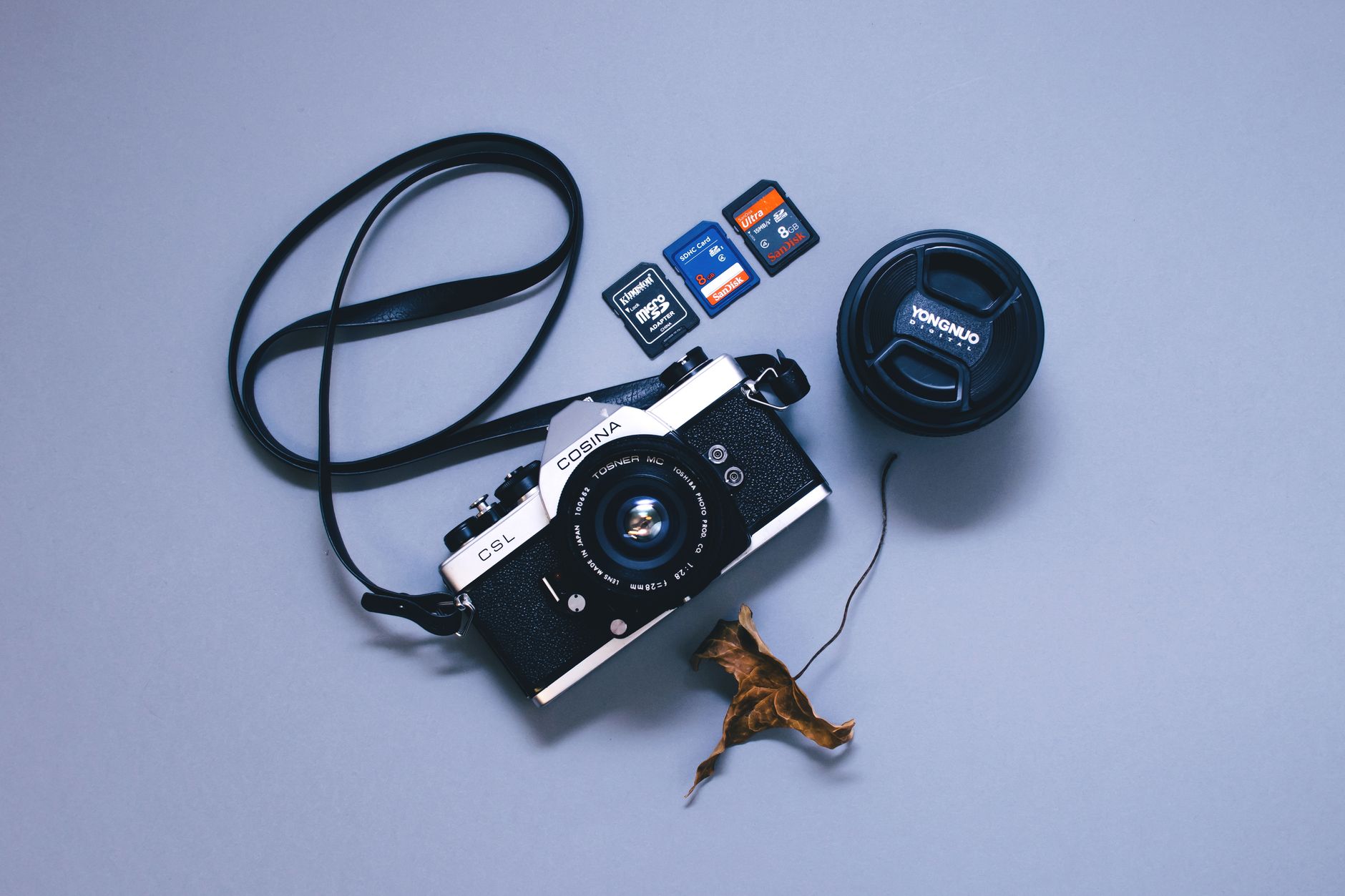

Minimal capture kit routing decision
- Idea arrives during a walk or outdoors → physical card → photo and route the same evening.
- Idea arrives while driving or in a meeting → voice shortcut → title and label at capture time.
- Idea arrives at a keyboard → quick-add inbox → route by the one-touch rule.
- Every idea ends in one of three destinations: Today, This Week, or Someday.
Helpful resources for your next step
Affiliate disclosure: As an Amazon Associate, Mind Clarity Hub may earn from qualifying purchases at no extra cost to you. Use this link only if it genuinely helps your planning.
If Build a Minimal Capture Kit for Ideas on the Go is a routine you want to keep using, a simple workbook, planner, or desk tool can make the steps easier to repeat.
Compare related planners, workbooks, and organization tools on Amazon.
