
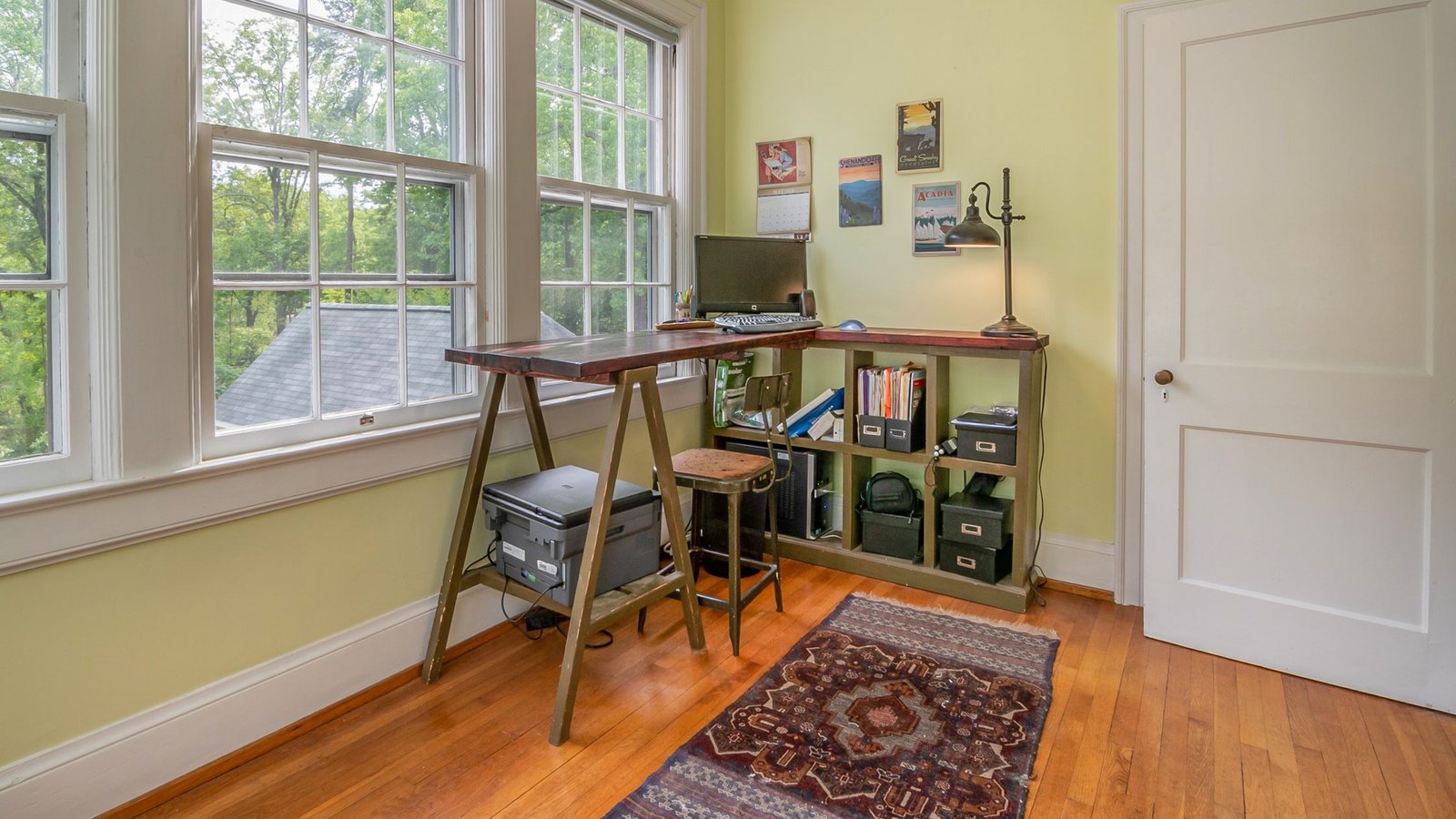
...

Tag: parenting

  • Set Up a Family Morning Launchpad by the Front Door

    Set Up a Family Morning Launchpad by the Front Door

    When mornings feel like a scramble, a clear home base fixes a lot fast. This guide walks you through a family morning launchpad station setup by the front door. You will learn where to put it, what to include, how to keep it safe, and how to reset it each week so it keeps working—without adding more clutter or rules you cannot keep.

    Quick answer: What your launchpad needs

    • Hooks by person, placed at kid height and adult height.
    • Labeled bins or cubbies for shoes, sports, and library items.
    • A safe charging dock for phones, tablets, and school devices.
    • One grab-and-go checklist posted where eyes land.
    • A tiny staging surface for forms, keys, and today-only items.
    • A weekly reset so out-of-place items do not pile up.

    What is a family morning launchpad?

    A launchpad is a small, repeatable system near the exit that holds only the things you need to leave the house on time. It is not a full mudroom. It is a tight zone with clear parking spots for coats, bags, shoes, devices, and a short checklist. When done right, it cuts decision-making and moves steps into the night before, so mornings can run on rails.

    Because it is simple, you can adjust it for seasons, sports, and school changes without rebuilding your whole entry. And because it is visible, it trains kids and adults through the day to return items to their home base.

    Where should you put your family morning launchpad station setup by the front door?

    Place your system in the first safe, open space you hit when you enter, and the last space you pass before you exit. If your front door is the main exit, use that wall. If your family uses a garage door or side door, put the system there instead. The key is visibility and friction: you should not need to walk across the house to park bags and charge devices.

    To size the space, stand in the doorway and turn left and right. You want a minimum of one wall stud for hooks, 24–36 inches of floor width for bins, and a small surface (12–36 inches) for a list and a drop tray. If you live in a small apartment, you can convert the back of the door with an over-the-door rail and a slim shoe rack. If you rent, removable adhesive hooks and a narrow cart can do a lot of work.

    • Ideal height for kid hooks: 36–48 inches from the floor.
    • Ideal height for adult hooks: 60–70 inches from the floor.
    • Keep the walkway clear: leave at least 36 inches to pass.

    If you must share space with a living room, use quiet colors and repeat one shape (all black hooks, all white bins) so it blends in. A neat look helps everyone use it because it feels finished rather than chaotic.

    In most homes, the most effective choice is the family morning launchpad station setup by the front door because it sits at the exact decision point: “Do I have everything?”

    What components do you need in a family morning launchpad?

    Every home is different, but the parts are the same. In the family morning launchpad station setup by the front door, think in zones: vertical (hooks), ground (bins), power (charging), and brain (checklist).

    Hooks by person

    • One hook per daily bag or coat, with a name label above each hook.
    • Place kid hooks at kid height. Add a second hook for seasonal items (hat/umbrella).
    • Use wall anchors or mount into studs so hooks hold real weight.

    Labeled bins or cubbies

    • One bin per person for shoes. One shared bin for “return-to-school/library.”
    • Use open bins (no lids). Lids add friction and attract piles.
    • Label the front and the top edge so labels are visible from above and straight on.

    Charging dock (safe and simple)

    • One power strip with surge protection, placed on a shelf or console—never under a rug.
    • Short, color-coded cables: one per device type. Use cable clips to stop droop.
    • Post a tiny card with the nightly charge rule: “Plug in by 8:00 p.m.”

    Grab-and-go list

    • One laminated checklist at kid-eye level, one line per item, with check boxes.
    • Keep it short (6–8 items). Split by weekday vs. sports day if needed.
    • Use a dry-erase marker on a string so the marker never walks away.

    Also add a small catchall tray for keys and today-only forms. If you add more than that, the system bloats and fails. Keep it tight and obvious.

    Console-height surface with list and charging dock for a family morning launchpad station setup by the front door
    A small console-height surface can hold your posted checklist and a safe charging dock. Photo: Engin Akyurt via Pexels.

    Front-door layout at a glance

    Use this visual to sketch your own wall. If your wall is narrow, stack Zones A and B vertically and put Zone D (bins) just to one side so the walkway stays clear. If you are in a rental, use removable hooks and a slim cart to create Zones C and D without drilling.

    In small homes, this picture is the whole plan: a compact family morning launchpad station setup by the front door that is visible, safe, and friction-free.

    How to set it up step by step

    1. Measure and mark. Mark stud locations, walkway clearance, and a 30–36 inch width for bins. Tape the outline for one day to check flow.
    2. Choose your anchors. If you have studs, use wood screws. If not, use heavy-duty wall anchors rated for coats and bags. Follow the package rating.
    3. Install hooks by person. Place them left to right by the order people leave. Add name labels above each hook. Kids at 36–48 inches, adults higher.
    4. Place bins. Put shoe bins under the matching hooks. Add a shared “returns” bin at the end—library, permission slips, borrowed items.
    5. Set the charging dock. Put a surge-protected power strip on the console. Clip cables so each device has a home. Label cables with names or device type.
    6. Post the checklist. Keep it short. Example: Water, Homework, Device, Lunch, Weather Gear, Keys. Laminate and hang with a marker.
    7. Run a test night. Stage all bags, charge devices, and pull tomorrow’s shoes. In the morning, time how long it takes to exit.
    8. Tune the friction. If anything takes more than one reach, move it. The more you can do with eyes and hands in one place, the smoother your start.

    These steps can be done in one afternoon. Once placed, your family morning launchpad station setup by the front door becomes the default path every school day.

    How do you keep the charging dock safe?

    Charging is convenient at the door, but it must be safe. Use a surge-protected strip, avoid stacking adapters, and keep cords visible and untangled. Never run cords under rugs or pinch them in doors. If your devices use lithium-ion batteries, follow simple best practices: charge on a hard surface, avoid damaged cords, and unplug devices when fully charged.

    • Use UL-listed surge protectors and replace them every few years if worn.
    • Keep the strip off the floor to avoid puddles and salt from shoes.
    • Do not charge devices in a tightly closed cabinet.

    For more on safe charging and lithium-ion battery basics, see the National Fire Protection Association guidance on battery safety and charging best practices.

    Good cable management also reduces tripping. Use clips and short cables so nothing loops across the walkway. Safety keeps your family morning launchpad station setup by the front door both useful and worry-free.

    Helpful sources: NFPA: Lithium-ion battery safety · National Safety Council: Backpack safety · Harvard Center on the Developing Child: Executive function · American Academy of Pediatrics: Routines for kids

    What should go on the grab-and-go list?

    Keep your list short and specific. You want items a child can scan in five seconds while they stand at the door. If your items change by season or by activity, print two small lists and flip them with a magnet: “School Day” and “Practice Day.” Use simple words or icon stickers for non-readers.

    Example Morning Checklist (Elementary)
    Check Item Notes
    Backpack Homework folder inside
    Water bottle Filled and sealed
    Lunch/snack In insulated bag
    Device Charged, in sleeve
    Weather gear Coat/hat or umbrella
    Shoes Tied/Velcro set
    Practice Day Add-ons
    Check Item Notes
    Uniform In a mesh bag
    Shoes/cleats In the shared returns bin
    Equipment Labeled with name
    Snack Non-perishable
    Teen/Adult Add-ons
    Check Item Notes
    Keys/wallet In the tray
    Work badge Clipped to bag
    Headphones Charged
    Planner Open to today

    Post only one list at the launchpad. If you have different lists by day, keep them on one laminated sheet with two columns. This keeps the wall clean and readable.

    When your list lives inside the family morning launchpad station setup by the front door, you turn last-minute “Where’s my…?” into a 10-second scan and go.

    Set up bags so they are safe and light

    Right-sized bags matter. Heavy bags slow kids, make them set the bag down, and then it gets left behind. Keep backpack weight under 10–15% of body weight, and use both shoulder straps. Store only daily items in the bag; overflow goes to a shelf near the launchpad, not in the bag.

    • Put the heaviest items closest to the back.
    • Use a simple folder system: one “To school,” one “To home.”
    • Check Friday afternoons for papers and trash before the weekly reset.

    Source: National Safety Council on backpack safety and American Occupational Therapy Association tips.
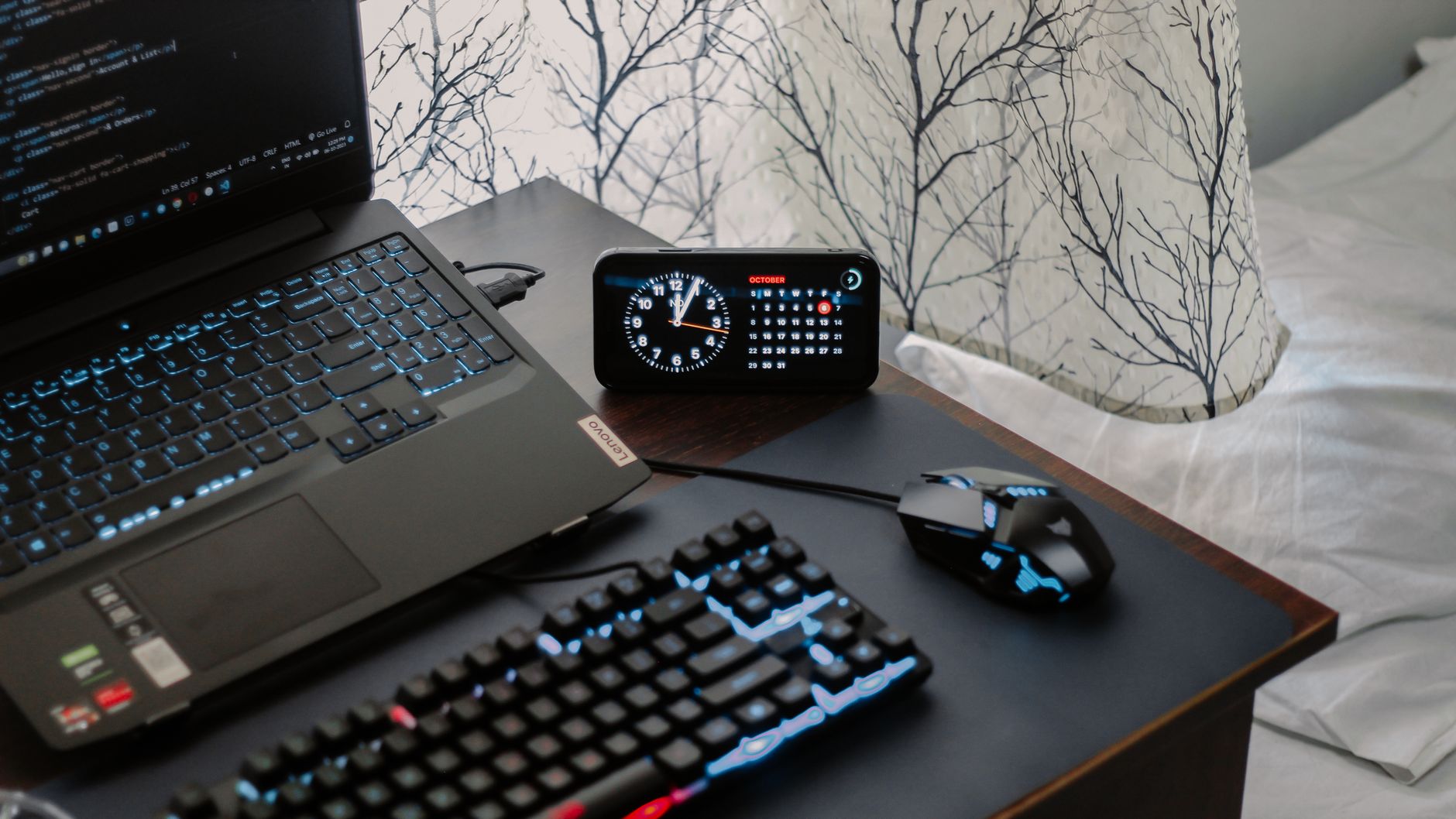
    Tidy charging surface with labeled cables near an entryway
    Keep charging on a hard surface with short, labeled cables. Photo: Arjunn. la via Pexels.

    How long will setup take and what does it cost?

    You can build a clean starter launchpad in an afternoon with a small budget. If you prefer higher-end hardware, you can install a more permanent system in a weekend.

    Time and Budget Planner
    Option What You’ll Do Time Approx. Cost
    Starter (rental-friendly) Adhesive hooks, two open bins, surge strip, printed list 2–3 hours $40–$80
    Standard Stud-mounted hooks, 3–4 bins, console shelf, surge strip with clips 3–5 hours $120–$220
    Built-in look Wall rail with hooks, labeled cubbies, mounted list frame, cord channel 1 weekend $250–$450

    Most families see the biggest gains from the standard option. It adds just enough structure to make the system obvious and durable without turning the entry into a workshop.

    What weekly reset keeps it working?

    Pick one time—Friday after school or Sunday evening. Set a 15-minute timer. Turn on music. Do the same reset every week so it sticks.

    1. Empty each bin and shake out dirt. Return only current shoes.
    2. Clear the tray. File or recycle old forms. Put new forms in “returns.”
    3. Check charging cables and strip. Replace any frayed cables.
    4. Swap seasonal items (gloves out, umbrella in) as the weather changes.
    5. Wipe surfaces. Quick wins feel good and keep the zone inviting.
    6. Refresh the checklist if next week has field trips or tryouts.

    Make it a tiny family ritual: the weekly reset for the family morning launchpad station setup by the front door is how the whole system stays lean and reliable.

    How do you train kids (and adults) to use it?

    • Micro-habit: “Bags on hooks, shoes in bins, devices on dots.” Repeat the same seven words after school for two weeks.
    • Model once, watch once. Show the move. Watch the move. High-five. Keep it light.
    • Use names, not blame. “Jada’s hook is waiting.” Short, neutral cues invite action.
    • Make it a game. Two-minute “beat the buzzer” at night. Stopwatch for fun, not pressure.
    • Keep the list visible. Eyes up, scan the boxes, then go.

    As a result, the family morning launchpad station setup by the front door becomes “just how we do it,” not a new chore. The wall teaches the habit so you do not have to.

    Why isn’t my launchpad working yet?

    If the system is in place but mornings still slip, check these common friction points.

    • Too many items on the list. Cut to six non-negotiables. Move the rest to evening prep.
    • Bins have lids. Remove lids. Open bins win.
    • Hooks are too high. Lower kid hooks. If kids cannot reach, they will not use them.
    • Charging is hidden. Make cables easy to find and re-dock with one hand.
    • Nothing is labeled. Add names to hooks and bins. Labels end debates.
    • No weekly reset. Put it on the calendar. Fifteen minutes protects the system.

    Fix one thing at a time. Each small tune unlocks the next improvement. Soon the family morning launchpad station setup by the front door will feel natural and fast.

    Why this simple setup works

    Clear visual zones reduce choices and hold attention in the moment. That is helpful for every brain, and can be especially kind to executive function on busy mornings. Short, repeatable lists reduce forgetfulness because they free working memory, and nightly charging prevents device scramble at the door. Simple systems also make help possible: a partner, sitter, or grandparent can step in and use the same checklist without a crash course.

    For an overview of why structure, cues, and repetition support smoother mornings, see the Harvard Center on the Developing Child’s primer on executive function and the American Academy of Pediatrics’ advice on daily routines for kids.

    Optional tools that help (keep them simple)

    • Dry-erase board or a magnetic frame for your list.
    • Label maker or painter’s tape and a marker.
    • Short, braided phone and tablet cables in different colors.
    • Low-profile surge protector with an on/off switch.

    Affiliate disclosure: Some links in this guide may be affiliate links. If you buy through them, Mind Clarity Hub may earn a commission at no extra cost to you.

    If you need an all-in-one starter, an entryway organizer with hooks and a small shelf can speed setup: Browse entryway organizers with hooks. Choose open cubbies and sturdy hooks. Avoid units that force doors or lids between you and your gear.

    FAQs

    What if I do not have space for a family morning launchpad station setup by the front door?

    Use the back of the door: an over-the-door hook rail, a flat shoe rack on the floor, and a magnetic frame for the checklist. Add a tiny wall pouch for forms and keys. You get the same flow in just a few inches.

    How do I keep the area from looking cluttered?

    Limit colors and shapes. Use matching hooks and two bin colors max. Hide brand labels on bins. Keep the list clean with big text and few words.

    Is it okay to charge devices overnight by the door?

    Yes, if you keep devices on a hard surface with a surge protector and avoid trapped heat. Follow safety tips from the NFPA and replace worn cables.

    How do I handle winter gear without a mudroom?

    Add a second low hook per child and one tall umbrella hook. Use a breathable mesh bin for hats and gloves. Rotate extras to a closet so the wall stays lean.

    How do I adapt for neurodivergent kids?

    Keep the list very short with icons. Use bold labels and one-hook-one-item rules. Practice at night when pressure is low. Celebrate small wins.

    Can I move a family morning launchpad station setup by the front door for seasons?

    Yes. Keep the core (hooks, bins, list, charging) and swap seasonal items. In summer, park sunscreen and hats. In winter, add gloves and boots trays.

    What if the walkway is narrow?

    Go vertical: stack the list above hooks and use a single row of narrow bins. Keep at least 36 inches clear for safe passage.

    Put it all together

    Start small. Install hooks, place two bins, post a six-line list, and set a safe charging dock. Run it for a week. Then add only what you miss. When your family morning launchpad station setup by the front door is obvious, safe, and reset weekly, mornings stop being a scramble and start feeling smooth.


    Image credits: Featured photo by Curtis Adams via Pexels. Body photos by Engin Akyurt and Arjunn. la via Pexels. Used under the Pexels License.


  • An ADHD-Friendly Morning Routine for Work‑From‑Home Parents

    An ADHD-Friendly Morning Routine for Work‑From‑Home Parents

    If you are juggling home life, kids, and a laptop, you may need an ADHD-friendly morning routine for work-from-home parents that is simple, repeatable, and forgiving. This guide shows you how to design a routine with time-boxed blocks, external prompts, and clear kid handoff checkpoints so you can start calm and focused, even on messy days. Put plainly, this ADHD-friendly morning routine for work-from-home parents trades willpower for visible cues and short wins.

    Key takeaways for an ADHD morning routine for WFH parents

    • Use short time-boxed blocks (15–45 minutes) and switch contexts on a cue, not on a whim.
    • Place external prompts where your eyes and hands are: door tags, sticky notes, phone alarms, and visual checklists.
    • Define kid handoff checkpoints with simple scripts so everyone knows what happens next.
    • Stack one new habit onto an existing anchor instead of trying to overhaul everything at once.
    • Keep a reset plan for late starts. You can still win the morning after a wobble.

    How to use this ADHD morning routine for WFH parents guide

    Start with the quick answer below. Then choose one time-box menu, add two or three prompts, and pick your kid handoff checkpoints. Finally, print or save the one-page checklist and test the routine for five mornings. Because ADHD is variable, expect to adjust. Small knobs beat big levers. And yes, the same steps fit an ADHD-friendly morning routine for work-from-home parents whether you have toddlers or teens—only the block size shifts.

    What makes an ADHD-friendly morning routine for work-from-home parents work?

    Three design choices do most of the heavy lifting:

    1. Time-boxed blocks: You decide what happens for the next block and set a visible end. The end is your cue to switch.
    2. External prompts: You reduce reliance on memory and motivation by letting your environment nudge you.
    3. Kid handoff checkpoints: You define two or three moments where care shifts, and you script them in advance.

    The aim is friction reduction, not perfection. In addition, each block should be small enough to start without dread and short enough to end before attention collapses.

    Quick-start for an ADHD morning routine for WFH parents (choose your block size)

    Pick a block size based on your morning bandwidth. Then run 3–4 blocks in order. Also add prompts and handoffs as shown later. This quick-start flow nests inside an ADHD-friendly morning routine for work-from-home parents so you can ramp up without overhauling your whole day.

    Block size Block 1 Block 2 Block 3 Optional Block 4
    15 minutes Wake + water + meds Kid prep (clothes/breakfast) Desk warm-up (inbox zero to 5 emails) First deep task start
    25 minutes Wake + move + plan 3 Kid handoff + tidy sweep First work sprint Buffer or commute-to-desk ritual
    45 minutes Family + breakfast + anchor chores Calendar check + priority slice Deep work #1 Admin + reset

    Tip: Pre-decide what a win looks like for each block. For example, “Warm-up means open project, write a 2-sentence plan, and start the doc.”

    Why time-boxing helps ADHD mornings

    Time-boxing sets a clear start and stop and turns time into a friendly guardrail. Because you can see the end, starting gets easier. And when the block ends, you have permission to switch without guilt. Research and expert guidance suggest that structure, external supports, and simple rules help adults manage ADHD symptoms and daily tasks (NIMH; CDC; CHADD). Timeboxing is also a well-studied productivity approach in knowledge work (Harvard Business Review).

    How many blocks should you run?

    Most parents do well with 3–4 blocks. However, if sleep was poor or kids need more care, run 2 blocks and call it a win.

    External prompts for an ADHD morning routine for WFH parents

    Prompts are tiny cues that replace memory. Place them where you look and where you reach. Keep them obvious, not clever.

    • Door tag: “On a call—back at :15” with a movable clock hand.
    • Cook timer or phone timer on a stand at eye level.
    • Sticky note at the laptop hinge with your first verb: “Draft 3 bullets.”
    • Checklist by the coffee maker with three morning steps.
    • Calendar banner: “Handoff to partner” at 8:15 with a chime.
    Prompt Where it lives What it cues
    Door tag Office door handle Kid boundary + return time
    Sticky verb Laptop hinge First 30 seconds of work
    Timer on stand Desk corner Block start/stop without app hopping
    Checklist card By coffee maker Wake ritual + meds + water
    Calendar chime Phone + watch Handoff checkpoint
    ADHD-friendly morning routine for work-from-home parents: coffee and a laptop set for the first time-box.
    Place prompts where you look. A timer, a sticky verb, and your calendar chime can carry you through the first block. Photo: Vlada Karpovich (Pexels).

    Image source: Pexels: Close-up photo of laptop by Vlada Karpovich

    Kid handoff checkpoints for an ADHD morning routine for WFH parents

    Two or three predictable checkpoints make mornings calmer. Each checkpoint includes a time range, a role, and a one-line script. Therefore, everyone knows what happens next. This keeps the spine of an ADHD-friendly morning routine for work-from-home parents intact even when the house is noisy.

    Time Checkpoint Lead adult Script
    7:15–7:25 Breakfast finish You “We clear plates and choose clothes now. Timer says 5.”
    7:30–7:40 Get-dressed sprint Partner “I’m the helper. When the song ends, we meet by shoes.”
    7:45–7:55 Backpack check You “Show-and-tell? Water? Lunch? High-five to the door.”
    8:00 Door/desk split Partner “I’ve got school drop. You’ve got desk warm-up.”

    If you solo parent, compress to two checkpoints and use audio prompts. For example, play the same 3-minute song for the get-dressed sprint and end with the backpack script.

    Design your first block: wake, warm, and win

    Block 1 should be short, kind, and obvious. Because mornings are fragile, you want one easy motion to start. Use this builder. It plugs directly into an ADHD-friendly morning routine for work-from-home parents without adding pressure:

    • Anchor: What already happens? (Coffee? Kid wake-up? Dog walk?)
    • Attach: Add one 60-second task you care about (water + meds, 3 breaths, open blinds).
    • Advance: One tiny step toward your first work win (open doc + title it; write 2 bullets).

    This gives you momentum with minimal thinking. It also prevents “wandering starts” that eat 20 minutes.

    Example: 25-minute Block 1

    • 00:00–03:00 Coffee + water + meds
    • 03:00–06:00 Open laptop + title today’s doc
    • 06:00–20:00 Family breakfast + backpack check
    • 20:00–25:00 Two-sentence work plan on a sticky

    Build the full routine in 6 steps

    1. Pick your block size. Choose 15, 25, or 45 minutes based on kid needs and sleep.
    2. Map 3–4 blocks. Use the quick-start table as a draft template.
    3. Add prompts. One door tag, one timer, one sticky verb, and one calendar chime.
    4. Set handoff checkpoints. Decide the script and time range for each.
    5. Print the checklist. Hang it near your coffee or desk.
    6. Run for five days. Adjust one knob at a time (block size, prompt, or script).

    Visual checklist for an ADHD morning routine for WFH parents

    Tip: Right-click and print this section to PDF for a fridge-ready version. You can also copy the headings into a notes app and check them off each day.

    Habit stacking ideas for an ADHD morning routine for WFH parents

    Stack new actions onto anchors you already do. Because your brain expects the anchor, the new step rides along.

    • After pouring coffee, read your 2-sentence plan.
    • When you open the blinds, start the 25-minute timer.
    • After the backpack check, place a door tag with your return time.
    • When you sit, type three verbs in your document title to start motion.
    • After the first work sprint, stand, drink water, and reset the timer.

    Late start reset for an ADHD morning routine for WFH parents

    Use a 15-minute reset protocol:

    1. Set a 5-minute tidy timer. Clear two hotspots you see from your desk.
    2. Set a 5-minute kid sprint. Clothes on, teeth, shoes by door.
    3. Set a 5-minute desk warm-up. Open the doc and write the first paragraph ugly.

    Then resume your next planned block. Therefore, a late start still lands a win.

    When kids need you during an ADHD morning routine for WFH parents

    Build micro-handoffs inside each block. For example, run 10 minutes of kid focus, then 10 minutes of desk focus. Use a song as the switch cue and keep the door tag honest about return times. Also keep snacks and activity kits ready so you can pivot without losing the plan.

    How long should an ADHD-friendly morning routine for work-from-home parents take?

    Most homes do well with 60–120 minutes total, split into short blocks. If your windows are smaller, compress to two blocks and add an afternoon micro-block for admin. Progress beats perfect timing.

    Example menus for an ADHD morning routine for WFH parents

    90-minute window (3 × 25 minutes + 15 min buffer)

    Flow: Coffee + water + meds → Backpack check → Write 2 bullets; next, kid handoff + tidy sweep → Desk warm-up; then, first deep task sprint → Calendar glance → Message partner; finally, buffer for snack, stretch, bathroom, and timer reset.

    60-minute window (2 × 25 minutes + 10 min buffer)

    Flow: Breakfast → Clothes → Open doc and title it; next, door/desk split → 15-minute focused start; buffer for water and quick dishes before meetings.

    45-minute window (1 × 25 + 1 × 15 + 5 min buffer)

    Flow: Kid prep sprint → Timer → Backpack check; then, desk warm-up → Send one message that moves a task; quick stretch and reset in the buffer.

    Prompts that protect focus (and sanity)

    Use these low-friction prompts to keep attention on rails:

    • Place a stand-alone kitchen timer at eye height so you do not unlock your phone.
    • Use a door tag with a magnetic pointer to show next return time.
    • Keep a small whiteboard with your three morning verbs, not nouns.
    • Turn on Do Not Disturb for the first two blocks and allow only handoff chimes.

    These prompts support the core aim of an ADHD-friendly morning routine for work-from-home parents: reduce choices and make the next step obvious.

    Parent in a calm home office following a visual checklist while sipping coffee.
    A calm start often comes from a visible checklist and short, kind blocks. Photo: Lucie Liz (Pexels).

    Image source: Pexels: A woman with a cup sitting in front of a laptop by Lucie Liz

    Handoff scripts for an ADHD morning routine for WFH parents

    Use simple, repeatable phrases and the same tone daily. For example: “Timer says five. Then we pick shoes.” Another steady line is “We do breakfast, backpack, door in that order.” Music works too: “When the song ends, we meet at the hallway star.” Finally, keep boundaries visible: “I’m back at :25. The card shows it.”

    Healthy anchors for an ADHD morning routine for WFH parents

    Keep wellness simple in the morning. Water at wake helps; place the cup by your phone at night. Light exposure also settles the body—open blinds or step outside for 60 seconds if possible. Two slow breaths while the coffee brews calm the start. A short stretch when you stand to reset the timer can ease stiffness without derailing momentum.

    Adults with ADHD often benefit from structure and environmental supports rather than sheer willpower alone (CHADD; NIMH). Also, building tiny, consistent anchors can help reduce friction across days.

    Evidence-informed strategies, in plain language

    • Implementation intentions: Turning “I should” into “If it’s 7:30, then I start the 25-minute block” helps turn goals into actions (HBR on timeboxing).
    • Environmental cues: Visible prompts and pre-positioned tools reduce working-memory load (CDC ADHD facts).
    • Small wins: Short, achievable starts build momentum and reduce overwhelm (CHADD adult ADHD resources).

    Mistakes to avoid in an ADHD morning routine for WFH parents

    • Starting with a 2-hour block on day one. Instead, start with 15–25 minutes.
    • Relying on memory for handoffs. Use a chime and a door tag.
    • Stacking six new habits at once. Add one at a time.
    • Skipping the tiny work step. A 30-second start beats a perfect plan.

    Tech setup for an ADHD-friendly morning routine for work-from-home parents

    Set up tools so they help, then get out of the way. To run an ADHD-friendly morning routine for work-from-home parents without distraction, keep tech simple and visible.

    Timer: Use a single-purpose timer or a widget pinned to your desktop. Big digits beat clever apps. Place it at eye height so you never need to unlock your phone.

    Calendar: Add two recurring events: “Handoff window” and “Deep-start block.” Give each a distinct sound. Consistent chimes become fast cues.

    Do Not Disturb: Schedule DND for Blocks 1–2. Allow only calls from school and your partner, plus the handoff chime. This trims noise without missing what matters.

    Document pin: Pin a single “Today” document to your dock or taskbar. First action each day: open it and add three verbs. This makes the very first step obvious.

    Desk tray: Keep your charger, headphones, notebook, and sticky notes in one tray. You can “commute to desk” in 30 seconds and clear it just as fast.

    Three scenarios using an ADHD morning routine for WFH parents

    Scenario A: Toddler at home. You run 25-minute blocks with micro-handoffs inside each. First, wake + water + meds + tiny work step. Next, 10 minutes of kid play on the floor, then 10 minutes at the desk while a song plays. Finally, a snack handoff and a quick desk warm-up. The pattern holds, even if the content shifts.

    Scenario B: School-age kids. You anchor the morning with the backpack check and a door/desk split. The first block covers breakfast and a tiny work start. The handoff window comes next. Your third block is the first deep sprint before the first meeting. Because the chime is fixed, everyone knows when the switch happens.

    Scenario C: Teen schedule. Start earlier with a 15-minute Block 1. You still do water + meds and open the doc. Teens self-manage with a shared checklist on the fridge. Use Block 2 as a quiet house reset and Block 3 as a focused sprint. Because the steps are light, the system survives late buses and surprise forms.

    Troubleshooting map for an ADHD morning routine for WFH parents

    If Block 1 keeps slipping: Shrink it to 10 minutes and pick one verb. Add light—open blinds—as the first motion. Then grow by five minutes next week.

    If email hijacks Block 3: Move the inbox to Block 4 or after lunch. In Block 3, start by writing two ugly sentences in the main doc before any app opens.

    If handoffs feel tense: Practice scripts at a calm time, not during the rush. Set the chime five minutes early so the switch is unhurried.

    If kids interrupt anyway: Keep a visible “return at :15” door tag and a small basket of activities outside the door. Meet the need quickly, then point to the tag and the timer.

    If motivation dips mid-week: Celebrate small wins out loud. For instance, “We did backpack checks three days in a row.” Then keep the next morning small and kind.

    Two-week test plan for an ADHD morning routine for WFH parents

    During this test, protect the spine of your ADHD-friendly morning routine for work-from-home parents: block size, prompts, and handoffs. Change only one knob at a time so you can see what works.

    Day Focus tweak What you measure
    Mon–Tue Choose block size Did you start on time? Y/N
    Wed–Thu Add prompts Did you switch on the chime? Y/N
    Fri Write scripts Did handoffs feel calmer? 1–5
    Mon–Tue Adjust one block Did the first task move? Y/N
    Wed–Thu Tune buffer Did you reset without drift? 1–5
    Fri Review Keep, tweak, or drop one element

    Can I make this work in a tiny apartment?

    Yes. Use vertical cues and silence phones. A door tag, a timer on the windowsill, and a backpack basket by the door do most of the work. Also, store work tools in a single tray so you can create and clear a desk in under two minutes.

    Keep momentum in an ADHD morning routine for WFH parents

    At the end of Block 3, do a one-minute checkpoint. First, write the next three verbs. Next, set the return time on the door tag. Then, stand, drink water, and reset the timer. This tiny loop preserves flow without inviting rabbit holes.

    Partner scripts for an ADHD morning routine for WFH parents

    Coordinate with brief, neutral lines. Text at 7:40: “Switch in 5. I take desk. You take door.” Add a shared calendar label—“Handoff window 7:45–8:00”—with alerts at five minutes before and on time. Keep a shared note that lists the order: “Breakfast → Dress → Backpacks → Door/Desk split.”

    Progress markers in an ADHD morning routine for WFH parents

    Day 1: You ran two blocks and used at least one prompt. Day 3: Kids repeat one script before you say it. Day 5: Your first work sprint starts without email. Week 2: You reset after a late start without scrapping the day.

    Research and references for these strategies

    Guidance in this article reflects widely accepted support strategies for adults with ADHD and evidence-informed productivity methods. For further reading, see NIMH on ADHD, CDC ADHD facts, CHADD adult resources, and HBR on timeboxing.

    FAQ

    How long should an ADHD-friendly morning routine for work-from-home parents last before the first meeting?

    Aim for 60–90 minutes split into short blocks. If your schedule is tight, 30–45 minutes with one deep-start block is enough to build momentum.

    What is the fastest way to start when I feel overwhelmed?

    Use the 60-second start: water + meds, open the doc, write two ugly sentences. Then set a 10–15 minute timer and keep your eyes on the verbs.

    How do I stop checking email or socials in the first block?

    Pre-write a sticky with your first action, put the phone in another room, and use a stand-alone timer. Also, keep Do Not Disturb on until the end of Block 2.

    What if my child’s needs change each day?

    Use ranges for checkpoints (e.g., 7:30–7:40) and a backup mini-block for care spikes. Because your plan expects change, it bends without breaking.

    How do I adjust if I share custody or have rotating schedules?

    Create two versions of the routine with the same prompts and scripts. Only the block times shift. Therefore your brain sees a familiar pattern either week.

    Your next step toward an ADHD morning routine for WFH parents

    Pick one time-box size, add two prompts, and write one kid handoff script. Then print the checklist and run the plan for five days. To keep traction, name the “win” for Block 1 before bed. This helps you start the ADHD-friendly morning routine for work-from-home parents on rails. For deeper structure and reading, visit the Mind Clarity Hub books hub and our latest reviews to choose a guide you can work through next.


    Last reviewed: This guide is educational and practical. It does not diagnose or treat any condition. For personal medical advice, consult a qualified clinician.

    Helpful resources for your next step

    Affiliate disclosure: As an Amazon Associate, Mind Clarity Hub may earn from qualifying purchases at no extra cost to you. Use this link only if it genuinely helps your planning.

    If An ADHD-Friendly Morning Routine for Workâ Fromâ Home Parents is a routine you want to keep using, a simple workbook, planner, or desk tool can make the steps easier to repeat.

    Compare related planners, workbooks, and organization tools on Amazon.