...

Tag: productivity apps

  • Top Picks: Best Habit Tracking Apps for Daily Routines

    Top Picks: Best Habit Tracking Apps for Daily Routines

    Top Picks: Best Habit Tracking Apps for Daily Routines

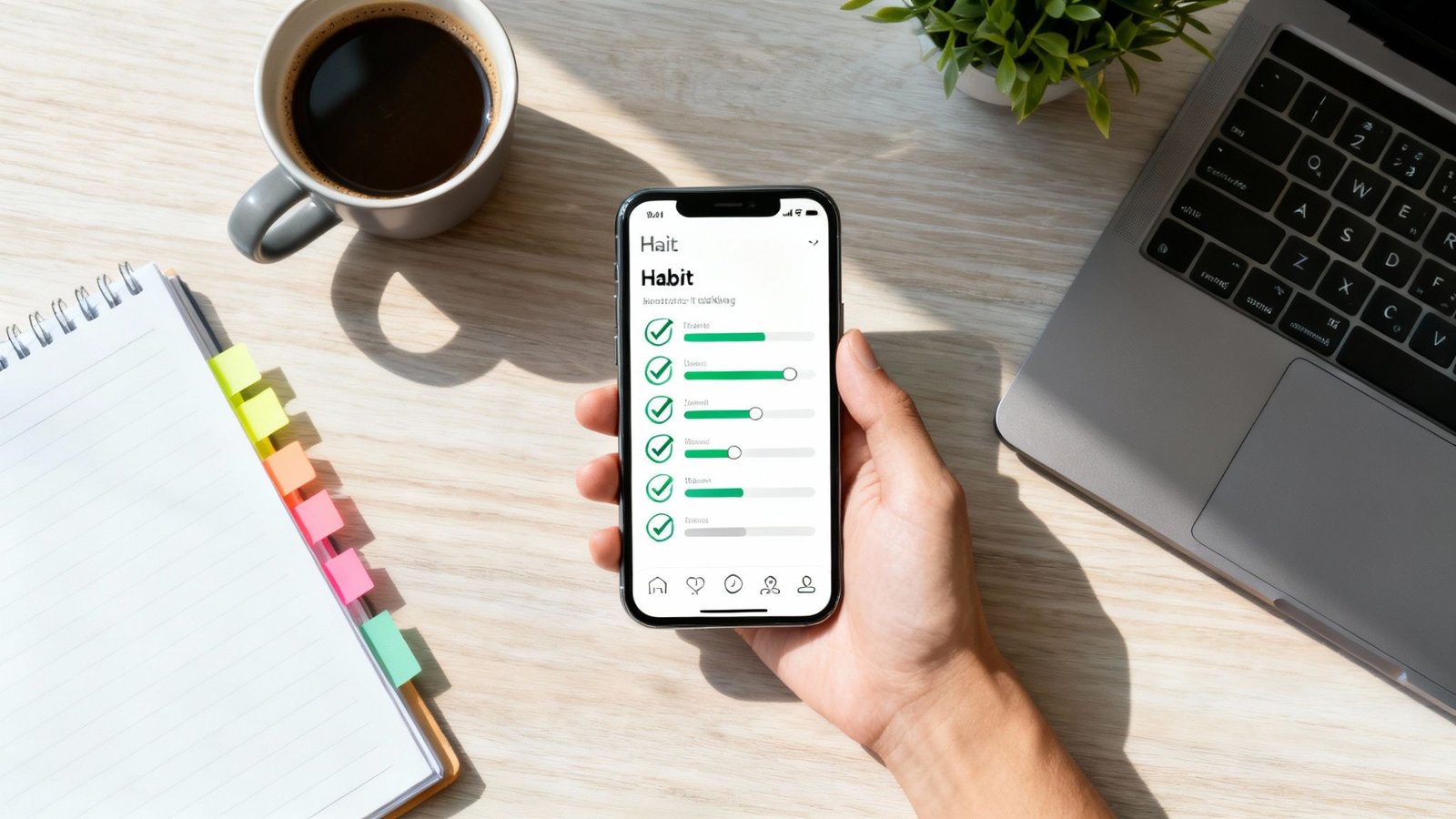
    Establishing new habits can feel like an uphill battle. Whether you’re a professional aiming for deep work, a student managing deadlines, or anyone trying to recover from digital burnout, the initial motivation often fades. This is where the best habit tracking apps become powerful allies, not just for accountability, but for how they interact with your brain’s reward system.

    Behavioral psychology research shows that small, consistent wins create positive feedback loops in the brain. When you check off a task, your brain releases a small amount of dopamine, a neurotransmitter linked to motivation and reward. This reinforces the behavior, making you more likely to repeat it. A well-designed app visualizes this progress, turning abstract goals into tangible streaks and data points that build momentum. For example, seeing a 10-day streak for “morning walk” provides the immediate, structured feedback our brains crave, which is often missing when we rely on willpower alone.

    Disclosure: This article contains affiliate links. If you make a purchase through these links, we may earn a small commission at no extra cost to you. This helps support our work in creating valuable content.

    How to Choose the Best Habit Tracking Apps for Your Goals, Routine, and Motivation Style

    This comprehensive guide moves beyond generic feature lists to help you find the right tool for your specific needs. We’ve analyzed the top apps, focusing on their suitability for different user types, from busy entrepreneurs to those seeking a healthier screen-time balance. Understanding how these tools fit into the broader landscape of the latest digital habit trends can provide valuable perspective as you choose your system.

    Inside, you’ll find detailed breakdowns of each app, including:

    • Honest pros and cons based on real-world use.
    • Practical implementation tips and onboarding templates.
    • Screenshots, pricing details, and direct links to download.

    Our goal is to equip you with a system that sticks, helping you build focus and achieve your goals one day at a time.

    This article is for educational purposes only and is not a substitute for professional medical or psychological advice, diagnosis, or treatment. If you are experiencing challenges with anxiety, depression, ADHD, burnout, or sleep, please consult a qualified healthcare provider.

    1. Apple App Store: Discovering the Best Habit Tracking Apps on iOS

    For anyone integrated into the Apple ecosystem, the App Store is the essential first stop for finding the best habit tracking apps. It’s not a single app, but rather the primary, secure marketplace for discovering, purchasing, and managing a vast library of tools designed for iOS, iPadOS, macOS, and watchOS. This centralized hub provides a trusted environment to explore top-tier options like Streaks, Habitify, and Strides.

    Apple App Store habit tracking apps page

    The platform excels in user trust and convenience. Every transaction is handled through your Apple ID, streamlining subscriptions, one-time purchases, and even refund requests. This unified system eliminates the need to manage separate billing details for each app you try.

    Key Features and User Experience

    Apple’s App Store stands out for its curation and robust user-feedback systems. Editorial spotlights and curated collections often highlight innovative or effective habit trackers, helping you discover apps you might otherwise miss.

    Practical Tips for Effective Use:

    • Utilize App Privacy Labels: Before downloading, check the “App Privacy” section on any app’s page. This transparent report details what data the app collects, helping you make informed decisions aligned with your personal privacy standards.
    • Leverage Family Sharing: If an app supports it, use Family Sharing to share a single purchase with up to five family members, making premium tools more affordable.
    • Read Recent Reviews: Sort user reviews by “Most Recent” to get a current perspective on an app’s performance, latest updates, and any emerging bugs. A real-world example would be checking recent reviews for a habit app after a major iOS update to see if users are reporting any new bugs.

    Pros:

    • High standards for security and user privacy
    • Centralized platform for billing, trials, and reviews
    • Excellent discovery tools like curated lists and editor’s picks

    Cons:

    • Limited to Apple devices only
    • Direct feature-by-feature comparison between apps is difficult

    Website: apps.apple.com

    2. Google Play Store: A Hub for the Best Habit Tracking Apps on Android

    For the millions of Android users, the Google Play Store is the definitive starting point for finding the best habit tracking apps. It serves as the official and secure marketplace for a massive variety of applications compatible with Android phones, tablets, and Wear OS devices. This centralized platform is home to everything from minimalist, open-source options like Loop to feature-rich suites like HabitNow and TickTick.

    Google Play Store with a search for best habit tracking apps

    The store streamlines the entire app management experience. All purchases, subscriptions, and refund requests are handled directly through your Google account, providing a simple and unified billing system. This convenience is extended through features like the Family Library, which allows for sharing paid app purchases with family members.

    Key Features and User Experience

    The Google Play Store’s main advantage is its immense and diverse selection, offering tools for every possible budget and use case. The platform also provides clear details on app permissions, update frequency, and user reviews to help you make informed choices.

    Practical Tips for Effective Use:

    • Check App Permissions: Before installing, review the “Permissions” section on an app’s page to understand what data and device features it needs to access. For example, if a simple habit tracker asks for access to your contacts, it’s a red flag that it might not align with your privacy comfort level.
    • Filter for New and Updated Apps: Use search filters to find recently updated apps. This often indicates active development and better support from the creators.
    • Utilize the Wishlist Feature: Save interesting habit trackers to your wishlist to compare them later or wait for a potential sale before purchasing.

    Pros:

    • Vast selection of apps, including many high-quality free and open-source options
    • Simple installation, billing, and refund process across all Android devices
    • Family Library makes it easy to share paid apps

    Cons:

    • App quality can vary significantly, requiring more user research
    • Discovery of hidden gems can be challenging without strong editorial curation

    Website: play.google.com

    3. Strides: One of the Best Habit Tracking Apps for Goal Setters

    For users who want to go beyond simple streak counting, Strides offers a powerful and flexible framework for goal achievement. It’s designed for those who need more than just a binary “yes/no” tracker, providing four distinct tracking models to fit nearly any objective. This makes it one of the best habit tracking apps for quantifying progress on complex professional goals, personal finance targets, or fitness benchmarks.

    Strides habit tracking dashboard on iOS showing a goal and habit tracker overview with clear progress bars, streak counts, charts for daily/weekly completion, multiple tracked goals, and a clean, organized interface designed for monitoring habits over time.

    The platform’s strength lies in its analytical depth. Each goal gets its own dashboard with charts, calendars, and progress lines, allowing you to visualize momentum. According to behavioral research, this type of detailed, immediate feedback can be a powerful motivator, as it activates the brain’s reward system and links daily actions to long-term success. If you’re interested in the connection between visual progress and motivation, you can learn more about dopamine’s role in goal pursuit.

    Key Features and User Experience

    Strides stands out with its four versatile tracker types: Habit (for building good or bad habits), Target (to reach a goal by a specific date), Average (to track a value over time), and Project (to complete milestones). The guided SMART goal setup workflow helps you define clear, actionable objectives from the start.

    Practical Tips for Effective Use:

    • Use the ‘Project’ Tracker for Complex Goals: A real-world example would be breaking down a large goal like “launch a website” into smaller, manageable milestones (e.g., “buy domain,” “design logo,” “write content”) within a single tracker to see the full picture.
    • Set Pace Lines: For ‘Target’ goals, use the pace line feature to see if you are on, ahead, of, or behind schedule, allowing for timely course correction.
    • Review Your Dashboard Weekly: Dedicate time each week to review the all-in-one dashboard to identify patterns, celebrate wins, and adjust your strategy for the upcoming week.

    Pros:

    • Strong analytics and reporting for serious goal tracking
    • Four flexible tracker types for any kind of goal
    • Clear SMART goal configuration and templates

    Cons:

    • iOS-centric with no native Android app
    • Can feel overly complex for very simple habit tracking

    Website: stridesapp.com

    4. Streaks: A Top Contender for Best Habit Tracking Apps on Apple Devices

    For users deeply embedded in the Apple ecosystem who value simplicity and a singular focus, Streaks is a top-tier habit tracker. It’s built around the “don’t break the chain” methodology, a concept popularized in productivity circles. This provides a visually satisfying and straightforward way to build consistency. As one of the best habit tracking apps for minimalists, it forgoes complex analytics for a clean, distraction-free interface that excels at one thing: maintaining your momentum.

    Streaks habit tracking app interface showing a clean iPhone habit dashboard with colored habit tiles, daily checkmarks, streak counters, progress circles, reminders, and weekly progress summaries in a simple, visually motivating layout.

    Streaks stands out with its one-time purchase model, a refreshing alternative to the subscription-heavy app market. All your data syncs seamlessly across iPhone, iPad, Mac, and Apple Watch via iCloud, ensuring your progress is always up to date. This approach provides a polished and reliable experience without recurring fees.

    Key Features and User Experience

    The app’s design is its greatest strength, offering a highly polished and intuitive experience that makes logging habits quick and easy. Its deep integration with Apple Health is a significant advantage, automatically completing health-related goals like “Walk 10,000 steps” or “Practice mindfulness” by pulling data directly from your Health app or Apple Watch. Setting up these automated trackers helps reinforce positive behaviors and aligns perfectly with broader goals for self-improvement.

    Practical Tips for Effective Use:

    • Leverage Health Integration: A great example is connecting Streaks to the Health app to automate tracking for your daily step count. This reduces manual entry and ensures accuracy, making the habit feel effortless to log.
    • Customize Your Dashboard: Use the wide range of icons and color themes to create a visually motivating dashboard that you enjoy looking at daily.
    • Use the Apple Watch App: The companion Apple Watch app is excellent for logging habits on the go, providing quick access and complications for your watch face.

    Pros:

    • One-time purchase with no ongoing subscriptions
    • Minimal, highly polished design that is easy to navigate
    • Excellent integration with Apple Health, iCloud, and Apple Watch

    Cons:

    • Limited to Apple devices with no native Android or web version
    • Lacks advanced analytics or reporting features found in other apps

    Website: streaks.app

    5. Habitify: Cross-Platform Support in a Habit Tracking App

    For users who refuse to be tethered to a single device, Habitify stands out as one of the best habit tracking apps due to its true cross-platform availability. It offers a seamless experience across iOS, Android, macOS, and the Web, ensuring your habit data is always in sync, no matter which device you’re using. This makes it an ideal choice for professionals and students who switch between a phone, tablet, and computer throughout their day.

    Habitify habit tracking app interface showing a minimalist habit dashboard with daily habits, streak counts, completion checkmarks, progress rings, reminders, and weekly/monthly analytics charts in a clean, modern design.

    Habitify goes beyond simple check-ins by providing detailed analytics and progress reports. Its interface cleanly organizes habits by time of day (Morning, Afternoon, Evening), which helps in structuring routines. From a psychological standpoint, this “habit stacking” technique reduces cognitive load by linking new habits to existing parts of your day. This is especially useful for anyone looking to build a consistent schedule, as discussed in this guide on how to create a morning routine.

    Key Features and User Experience

    Habitify’s strength lies in its blend of simplicity and powerful features. The app allows for deep customization, from setting specific goals for each habit (e.g., read 20 pages) to integrating with Apple Health and Google Fit for automated tracking of health-related goals. It also supports automation through an API, Zapier, and IFTTT for advanced users.

    Practical Tips for Effective Use:

    • Use the Journaling Feature: For each habit completion, add a quick note. For instance, if your habit is “meditate for 10 minutes,” you could note “felt distracted today” or “felt very calm.” This provides context to your progress and helps you identify what makes a habit stick.
    • Leverage Time-of-Day Grouping: Organize your habits into Morning, Afternoon, and Evening blocks to create a structured daily flow and reduce decision fatigue.
    • Explore Challenges: Join community or private challenges to stay motivated. Competing with friends or family can add a powerful layer of social accountability.

    Pros:

    • Excellent multi-platform support including a dedicated web app
    • Detailed analytics, charts, and progress reports
    • Powerful reminder system and automation integrations

    Cons:

    • Pricing has changed in the past; always verify the current subscription cost inside the app or on the App Store page
    • Some advanced features may require the premium version

    Website: https://habitify.me

    6. Habitica: Gamify Your Goals with This Unique Habit Tracking App

    For those who find traditional to-do lists uninspiring, Habitica transforms habit building into a role-playing game (RPG). This unique platform gamifies your tasks, turning daily routines and goals into quests where you level up a custom avatar, earn in-game currency, and collect gear. It’s one of the best habit tracking apps for anyone motivated by progress bars, rewards, and a sense of adventure, leveraging the same psychological principles of variable rewards that make video games engaging.

    Available on the web and mobile, Habitica allows you to battle monsters with friends by completing your real-life tasks. This social accountability mechanic, where your party takes damage if someone misses their goals, adds a powerful layer of external motivation that many other apps lack.

    Key Features and User Experience

    Habitica’s core strength lies in its ability to make productivity feel less like a chore and more like a game. The platform divides tasks into Habits, Dailies, and To-Dos, each affecting your character’s health and experience points differently.

    Practical Tips for Effective Use:

    • Join a Guild and a Party: Find a guild related to your goals (e.g., “Productivity,” “Fitness”) to share strategies. A real-world scenario is forming a small party with coworkers to tackle a shared project, adding social accountability to professional goals.
    • Balance Risk and Reward: Set challenging but achievable goals. If tasks are too hard, your avatar will constantly lose health, which can be demotivating. Start small and increase the difficulty as you build momentum.
    • Customize Your Rewards: Create custom in-game rewards that translate to real-life treats, like “Watch one episode of a show” or “30 minutes of free time,” to link virtual success with tangible breaks. This method can also be an effective part of learning how to reset your brain after intense focus periods.

    Pros:

    • Highly motivating RPG system for gamers and creative individuals
    • Strong community features with guilds, parties, and challenges
    • Robust free version with cross-platform synchronization

    Cons:

    • The gamified interface can feel cluttered or overwhelming for minimalists
    • Focus is more on task completion than detailed data tracking

    Website: habitica.com

    7. Coach.me: A Habit Tracker with Human Accountability

    For those who find that digital tools alone aren’t enough, Coach.me introduces a powerful human element to the habit-building process. It combines a free, straightforward habit tracker with a marketplace of professional coaches, making it one of the best habit tracking apps for users who thrive on external accountability and expert guidance. The platform is built on behavioral science principles showing that consistent support can dramatically improve follow-through.

    .

    Key Features and User Experience

    While the habit tracker itself is basic, the real value lies in the layered accountability system. You can receive encouragement from the community, get targeted advice through Q&A forums, or hire a coach for personalized support.

    Practical Tips for Effective Use:

    • Start with Community Support: Before hiring a coach, engage with the free community features. For example, if your goal is “meditate daily,” join the meditation group and give “props” to others. This small act of social engagement can boost your own commitment.
    • Ask Specific Questions in Q&A: Instead of a generic question, ask something specific like, “What’s the best way to handle mid-day energy slumps without caffeine?” to get actionable advice from experienced community members and coaches.
    • Vet Coaches Carefully: If you decide to hire a coach, read their reviews, check their credentials, and consider a short-term plan first to ensure a good fit.

    Pros:

    • Human accountability from a coach can significantly boost adherence
    • The core habit tracking app is completely free to use
    • Flexible coaching categories and plan options suit different goals

    Cons:

    • Hiring a coach adds a significant ongoing cost
    • The quality of coaching can vary depending on the individual

    Website: coach.me

    8. TickTick: An All-in-One Task and Habit Tracking App

    For users who want their habits to live alongside their daily tasks and schedules, TickTick offers a powerful all-in-one solution. It’s a comprehensive productivity app that seamlessly integrates a to-do list, calendar, Pomodoro timer, and a dedicated habit tracker into a single, unified interface. This approach is ideal for professionals and students who want to see how their habits fit into the broader context of their daily responsibilities without switching between multiple apps.

    TickTick app interface showing the habit tracker and task manager side-by-side, with a daily checklist, habit streak counters, scheduled tasks, calendar view, and productivity stats in a clean, organized layout.

    TickTick’s strength lies in its ecosystem. With robust apps available for iOS, Android, Windows, macOS, and the web, it provides a mature, cross-platform experience that ensures your tasks and habits are always in sync. This makes it one of the best habit tracking apps for those who work across different devices throughout their day.

    Key Features and User Experience

    TickTick makes habit formation a natural part of your workflow. The habit module is straightforward, allowing you to track streaks, view logs, and see basic stats, which is often sufficient for users whose primary goal is consistency rather than deep data analysis.

    Practical Tips for Effective Use:

    • Use the Pomo Timer for Habits: Connect your habit-building with focused work sessions by using the built-in Pomodoro timer. For a real-world scenario, you could set a timer for a 25-minute reading habit directly within the app, ensuring you remain focused and get credit for your habit.
    • View Habits in the Calendar: Enable the calendar view for your habits to visually plan when you’ll work on them, just like you would with any other appointment or task.
    • Integrate Habits with To-Do Lists: Create a specific list or tag for habit-related tasks, such as “Prepare gym bag,” to link your daily actions directly to your long-term goals.

    Pros:

    • All-in-one productivity suite combines tasks, habits, and calendars
    • Excellent cross-platform synchronization across all major devices
    • Integrated Pomodoro timer helps build focus-related habits

    Cons:

    • Habit tracking features are less advanced than dedicated apps
    • Lacks in-depth analytics and data export capabilities

    Website: ticktick.com

    9. Loop Habit Tracker: A Privacy-First Habit App for Android

    For Android users who prioritize privacy and simplicity, Loop Habit Tracker is a standout choice. It is a completely free, open-source application that operates entirely offline, meaning it requires no account, no internet connection, and contains absolutely no ads or trackers. This dedication to user privacy and minimalist design makes it one of the best habit tracking apps for those who want a powerful tool without any data-sharing concerns.

    Loop Habit Tracker analytics interface showing a habit progress chart with streak count, completion rate, weekly/monthly trends, and a simple clean dashboard summarizing consistency over time.

    The app is celebrated for its lightweight feel and powerful analytics. It uses a sophisticated formula to calculate the strength of your habits over time, providing more nuanced feedback than a simple streak counter. Psychologically, this focus on consistency rather than perfection helps users build sustainable routines without the pressure of maintaining a flawless record, which can prevent the “all-or-nothing” thinking that derails many habit-building efforts.

    Key Features and User Experience

    Loop Habit Tracker offers a clean, straightforward interface that is easy to navigate. Its core strength lies in its detailed charts and statistics, which visualize your progress and help you understand when and how you are building your habits.

    Practical Tips for Effective Use:

    • Analyze Your Habit Score: Pay attention to the “Habit Score” for each goal. This metric provides a more holistic view of your consistency than a simple checkmark. For example, if you miss a day after a long streak, your score will dip slightly but won’t reset to zero, encouraging you to get back on track.
    • Use the Widgets: Place the app’s customizable widgets on your home screen for at-a-glance progress tracking and quick check-ins, which reduces the friction of opening the app.
    • Export Your Data: Since the app is completely offline, you can export your data as a CSV or SQLite database file to create your own backups or perform custom analysis.

    Pros:

    • Completely free, open-source, and ad-free
    • Works entirely offline with no account required
    • Advanced analytics and habit strength scores
    • Lightweight and battery-friendly

    Cons:

    • Only available on Android devices
    • Lacks cloud sync and cross-platform support

    Website: loophabits.org

    10. Way of Life: A Visual and Fast Habit Tracking App

    Way of Life is a long-standing and respected iOS app that excels at simplicity and visual feedback. It is built around a straightforward yes/no or skip logging system, making daily check-ins incredibly fast. This design is ideal for users who want to see powerful trend data without getting bogged down in complex configurations, making it one of the best habit tracking apps for those focused on consistency.

    Way of Life habit tracking app charts page

    The app’s core strength lies in its color-coded charts and graphs, which provide an at-a-glance overview of your progress over weeks and months. This visual reinforcement helps you quickly identify patterns in your behavior, making it easier to stay motivated or adjust your strategy. It’s a tool designed for rapid data entry and insightful reflection.

    Key Features and User Experience

    Way of Life stands out by prioritizing speed and clarity over an exhaustive feature list. Its simple interface allows you to log an entire day’s habits in just a few seconds, which significantly reduces the friction often associated with daily tracking.

    Practical Tips for Effective Use:

    • Use the Notes Feature: While the logging is binary, you can add notes. For a real-world scenario, you could use this to provide context for why you succeeded or missed a habit (e.g., “Skipped gym – felt unwell,” or “Woke up early – felt great”).
    • Leverage Tagging: Organize habits with tags like “Health,” “Work,” or “Mindfulness.” This allows you to filter your charts and analyze specific areas of your life.
    • Customize Your Dashboard: Arrange your habits on the main screen based on priority or time of day to make your daily check-in even more efficient.

    Pros:

    • Extremely fast yes/no logging for minimal daily friction
    • Powerful charts and visualizations for identifying long-term trends
    • Established app with a history of reliability and updates

    Cons:

    • Primarily focused on iOS and Apple Watch
    • Less suited for tracking quantitative habits (e.g., number of pages read)

    Website: apps.apple.com/us/app/way-of-life-habit-tracker/id393159800

    11. Everyday: A Visually Motivating Habit Tracker

    Everyday is a beautifully simple “don’t break the chain” habit tracker designed for visual learners. It transforms your progress into a colorful grid, making it incredibly motivating to see your streaks grow over time. This platform is perfect for anyone who wants a minimalist, board-style view of their habits without the complexity of more feature-heavy apps. It’s available on Web, iOS, Mac, and Apple Watch, ensuring your data syncs seamlessly.

    Everyday habit tracker board view showing a calendar-style grid of daily check-ins, colorful habit tiles, streak indicators, and progress marks for consistent routines.

    The core appeal of Everyday lies in its visual feedback loop. Neuroscience tells us that our brains are wired to recognize patterns. Seeing an unbroken chain of colored squares provides a powerful, immediate sense of accomplishment that reinforces consistent action. The design philosophy is intentionally focused, stripping away distractions to help you concentrate solely on maintaining momentum.

    Key Features and User Experience

    Everyday excels at making habit tracking an enjoyable and aesthetically pleasing process. The unified board gives you an at-a-glance overview of all your commitments, while the color-coding helps distinguish different habits instantly. This makes it one of the best habit tracking apps for those who thrive on visual cues.

    Practical Tips for Effective Use:

    • Utilize Skip Logic: For habits that aren’t daily, like working out three times a week, use the “skip” function. This allows you to maintain your streak on rest days, preventing unfair breaks in the chain. This is a great real-world feature for building sustainable, non-daily routines.
    • Color-Code Strategically: Assign specific colors to categories of habits (e.g., green for health, blue for work). This makes your board easier to read and helps you visually balance your efforts.
    • Review Your Stats: Periodically check the intuitive streak and progress statistics to identify patterns. You might notice your consistency dips on certain days, offering insights for adjustment.

    Pros:

    • Clean, motivating visuals that make consistency rewarding
    • Very easy to onboard and maintain with a simple interface
    • Multi-platform sync across web, desktop, and mobile

    Cons:

    • Feature set is intentionally limited compared to more robust apps
    • Pricing tiers and in-app purchase options can vary by platform

    Website: everyday.app

    12. Product Hunt: Discovering the Newest Habit Tracking Apps

    For those looking to discover the next big thing in productivity, Product Hunt is the go-to discovery platform. It’s not a single app but an active community hub where new and innovative habit trackers launch daily. This makes it an invaluable resource for finding niche tools that solve specific problems, often before they hit the mainstream app stores. It provides a direct line to the creators and a vibrant community of early adopters.

    Best habit tracking apps — Product Hunt homepage showing newly launched apps and trending products in a clean feed layout.

    The platform thrives on community curation. New apps are upvoted, commented on, and discussed, providing immediate social proof and real-world feedback. Instead of acting as a store, Product Hunt aggregates these launches and links directly to official websites and app stores, centralizing the discovery process for tech enthusiasts and anyone searching for the best habit tracking apps.

    Key Features and User Experience

    Product Hunt’s strength lies in its dynamic, user-driven ecosystem. The daily feed of new products, combined with filters for categories like “Productivity” and platforms like “iOS” or “Android,” allows you to find cutting-edge tools tailored to your specific needs.

    Practical Tips for Effective Use:

    • Check the Comments Section: Read the discussions on an app’s launch page. A great real-world application of this is finding honest feedback about bugs or feature requests directly from early adopters, which is invaluable for vetting a new tool.
    • Follow Collections: Users often curate collections like “Habit Trackers” or “Mental Wellness Apps.” Following these can help you discover vetted tools you might have missed.
    • Search by “Habit”: Use the search bar to look for terms like “habit,” “goals,” or “routine” to find a comprehensive list of relevant apps that have launched on the platform.

    Pros:

    • Excellent for discovering new, innovative, or specialized habit trackers
    • Community feedback and upvotes help vet early-stage products
    • Direct interaction with app creators is often possible

    Cons:

    • Not a direct storefront; it links out to external sites for installation
    • The quality and longevity of newly launched apps can vary significantly

    Website: www.producthunt.com

    Editor’s Take: What Actually Works with Habit Tracking Apps

    After reviewing dozens of apps and the behavioral science behind them, here’s the honest summary: The best habit tracking app isn’t about features, it’s about reducing friction. The app that works is the one you actually open and use every single day. For most people, this means choosing simplicity over complexity.

    Who is this for? Habit tracking apps are best for individuals who already have a clear idea of what they want to change but struggle with consistency and motivation. They provide the structure and positive reinforcement (that little dopamine hit from checking a box) that our brains need to build new neural pathways.

    What truly works:

    1. Starting Small: Don’t track 10 habits. Track one. Master it for 30 days, then add another. This aligns with research on cognitive load and willpower.
    2. Visual Feedback: Apps like Streaks and Everyday are effective because their primary feedback mechanism—the unbroken chain—is incredibly motivating and easy to understand at a glance.
    3. Integration: For busy professionals, an all-in-one like TickTick is often more practical because it lives where you already work, reducing the need to juggle multiple apps.

    Important Caveats: These apps are tools for accountability, not magic wands. They cannot create motivation out of thin air. They are also not a substitute for professional help for conditions like ADHD, anxiety, or depression. If you’re struggling with underlying mental health challenges, these tools can be a helpful supplement, but they are not a treatment.

    Top 12 Habit-Tracking Apps Comparison

    ItemCore featuresUX / Quality (★)Value & Price (💰)Target (👥)Unique selling point (✨ / 🏆)
    Apple App StoreUnified marketplace, reviews, cross-device apps, trials & refunds★★★★★💰 App-specific pricing; centralized billing👥 iPhone/iPad/Apple Watch users🏆 High trust, curated spotlights & privacy labels ✨
    Google Play StoreLarge Android catalogue, permissions, family & refunds★★★★☆💰 Wide free options; billing via Google👥 Android & Wear OS users✨ Broad selection incl. indie/open-source apps
    Strides4 tracker types, SMART workflows, charts & reports★★★★★💰 Freemium/subscription (app-specific)👥 Serious goal-trackers, professionals🏆 Deep analytics & SMART templates ✨
    StreaksStreak-focused tracking, Apple Health & Watch, iCloud sync★★★★★💰 One-time purchase (no recurring fee)👥 Minimalists who love streaks (Apple users)🏆 Polished, distraction-free streak UX ✨
    HabitifyCross-platform sync, advanced reminders, automations★★★★☆💰 Freemium/subscription; web + app tiers👥 Multi-device users wanting consistency✨ Web + mobile parity, Zapier/IFTTT integrations 🏆
    HabiticaGamified habits, avatars, guilds, rewards & challenges★★★★☆💰 Free core; optional subscriptions/group plans👥 Gamers & socially motivated users✨ RPG-style motivation & active community 🏆
    Coach.meFree tracker + coaching marketplace, community props★★★☆☆💰 Free tracker; coaching = paid hourly/subscriptions👥 Users wanting human accountability✨ One-on-one coaching marketplace
    TickTickTasks + habits, Pomodoro, calendar, collaboration★★★★★💰 Freemium; premium for advanced features👥 Users who want integrated task + habit system🏆 All-in-one productivity suite (Pomodoro + calendar) ✨
    Loop Habit TrackerOpen-source, offline, privacy-first, charts★★★★☆💰 Free (no ads), community-driven👥 Privacy-minded Android users✨ GPLv3 open-source; F‑Droid availability 🏆
    Way of LifeYes/no logging, color-coded trends, fast check-ins★★★★☆💰 Paid app / in-app tiers (check store)👥 Users needing ultra-fast daily logging✨ Extremely quick logging + powerful trend visuals
    EverydayColored board view, streaks, skip logic, multi-platform★★★★☆💰 Freemium / in-app purchases👥 Visual learners and streak-motivated users✨ Board-style visual streaks; motivating UX 🏆
    Product HuntLaunches/discovery, upvotes, comments, links to stores★★★☆☆💰 Free to browse; links out to purchase/install👥 Early adopters, product discoverers✨ Live community feedback & trending discovery
    Apple App Store (Way of Life listing)(App Store listing) fast yes/no logging, trends★★★★☆💰 App purchase or IAP via App Store👥 iOS users wanting quick logs✨ Longstanding app with robust trend charts

    Final Thoughts on the Best Habit Tracking Apps

    Navigating the crowded digital landscape to find the best habit tracking apps can feel overwhelming, but the journey is ultimately about self-discovery and intentionality. We’ve explored a dozen powerful tools, from the gamified world of Habitica to the minimalist elegance of Streaks and the data-rich insights of Strides. The core takeaway is that the “perfect” app doesn’t exist; instead, the most effective tool is the one that aligns seamlessly with your unique personality, lifestyle, and cognitive wiring.

    The true power of these applications lies not in their features, but in their ability to act as external triggers and reward systems. They leverage established behavioral science principles, like the habit loop (cue, routine, reward) and the concept of “atomic habits,” to make consistency more achievable. By providing visual feedback and celebrating small wins, they tap into the brain’s dopamine pathways, reinforcing positive behaviors and building momentum one day at a time. This digital scaffolding can be the crucial difference between a fleeting intention and a lasting, identity-shaping habit.

    Key Takeaways and Your Next Steps

    Before you download the first app that catches your eye, pause and reflect on what you truly need. Your goal is to choose a partner in your self-improvement journey, not just another notification to ignore.

    Here’s a simplified decision-making framework to guide you:

    • For the Data-Driven Professional: If you thrive on charts, graphs, and detailed progress reports, your best options are Strides or Habitify. These apps provide the granular feedback necessary to optimize your routines for peak performance.
    • For the Simplicity Seeker: If your goal is to reduce digital friction and focus on pure consistency, the minimalist design of Streaks or the open-source clarity of Loop Habit Tracker will serve you best. They are designed to get you in and out quickly.
    • For the Motivation-Hungry Gamer: If you need a dose of fun and external accountability to stay engaged, the RPG-style mechanics of Habitica are unparalleled. Turning your to-do list into a quest can be a powerful motivator.
    • For the All-in-One Organizer: If you want to integrate your habits with your daily tasks, projects, and calendar, TickTick is the undisputed champion. It consolidates your entire productivity system into a single, cohesive interface.

    Start Small With Keystone Habits (Then Use Your App to Lock In the Routine)

    Once you’ve made your choice, the real work begins. Start small. Resisting the urge to track ten new habits at once is critical. Neuroscience shows that our capacity for willpower and cognitive load is finite. Pick one or two keystone habits, like “meditate for five minutes” or “walk for 15 minutes after lunch,” and commit to them for 30 days. Use the app’s reminder and widget features to create unavoidable environmental cues.

    Remember, these tools are simply a means to an end. The ultimate objective is to internalize these behaviors until they become automatic. The best habit tracking apps are the ones you eventually no longer need because the routine has become an intrinsic part of who you are. Embrace the process, be patient with your progress, and celebrate every small victory along the way.


    Disclaimer: This article is for informational and educational purposes only. It is not intended to be a substitute for professional medical or psychological advice, diagnosis, or treatment. Always seek the advice of your physician or other qualified health provider with any questions you may have regarding a medical condition. The article may contain affiliate links, which means we may earn a commission if you purchase through our links, at no extra cost to you.

    If you’re looking to build a deeper, more resilient system for focus and productivity beyond just tracking habits, explore the resources at Mind Clarity Hub. We offer neuroscience-backed courses and templates that help you design a holistic system for deep work, mental clarity, and sustainable achievement. Discover how to create an environment where your best habits can thrive at Mind Clarity Hub.

    Frequently Asked Questions (FAQ)

    1. What is the best habit tracking app overall?
    There isn’t one habit app that’s best for everyone, because the right pick depends on what you need. If you want something simple and visually motivating on Apple devices, Streaks is a strong option. For a more data-driven approach with analytics, Strides stands out. Android users who care about privacy often love Loop Habit Tracker. If you’re looking for an all-in-one productivity system, TickTick is one of the most complete choices.

    2. Are habit tracking apps actually effective?
    Yes, they can be highly effective. According to behavioral psychology, they work by providing immediate positive reinforcement (visual streaks, checkmarks), creating accountability, and making abstract goals tangible. This leverages the brain’s reward system (dopamine release) to strengthen new neural pathways, making the habit more automatic over time.

    Best Free Habit Tracking Apps You Can Start Using Today

    3. Is there a good free habit tracking app?
    Absolutely. Loop Habit Tracker (Android) is completely free, open-source, and ad-free. Habitica offers a robust free version with its core gamification features. Many other apps like Strides and Habitify have freemium models that are sufficient for tracking a few habits.

    4. Can a habit app help with anxiety or ADHD?
    While these apps can be a supportive tool for building routines that may help manage symptoms (e.g., a consistent meditation practice or exercise schedule), they are not a substitute for medical or psychological treatment. If you are struggling with anxiety, ADHD, or other mental health conditions, it is crucial to consult with a qualified healthcare professional. This article is for educational purposes only.

    5. How many habits should I track at once?
    Neuroscience suggests that our willpower and executive function are limited resources. For the best results, start with just one or two “keystone habits”—small actions that can lead to broader positive changes. Overloading yourself with too many new habits at once is a common reason for failure. Master one before adding another.

    Stay Consistent With the “Don’t Break the Chain” Method

    6. What is the “don’t break the chain” method?
    It’s a simple but powerful productivity technique. For each day you complete your desired habit, you mark an ‘X’ on a calendar. After a few days, you’ll have a chain of X’s. Your only job is to not break the chain. Apps like Streaks and Everyday digitize this concept, making it visually motivating.

    7. Is it better to have a habit tracker on my phone or a physical journal?
    This is a personal preference. Phone apps offer convenience, automated reminders, and data analytics. Physical journals can be more mindful, free from digital distractions, and creatively fulfilling. The best system is the one you will use consistently. Some people use both—a journal for reflection and an app for daily check-ins.

    How the Best Habit Tracking Apps Keep You Consistent

    8. What makes a habit tracking app good for motivation?
    A good motivational app provides clear, immediate, and positive feedback. Features like satisfying animations, streak counters, progress charts, and gamified elements (like in Habitica) tap into the brain’s desire for reward and progress, making the process feel less like a chore and more like a game.

    9. How long does it take to form a habit using an app?
    The old “21 days” myth is an oversimplification. Research from University College London suggests it can take anywhere from 18 to 254 days for a new behavior to become automatic, with the average being around 66 days. The complexity of the habit and individual differences play a huge role. The app is a tool to help you stay consistent through this formation period.

    10. Do any of these apps work on a desktop or web browser?
    Yes. Habitify, TickTick, Habitica, and Everyday all offer excellent web and/or desktop applications that sync seamlessly with their mobile counterparts. This is ideal for users who spend a lot of time on a computer and want to manage their habits without picking up their phone.

    Explore the Mind Clarity Hub Library

    Practical books on focus, digital habits, resilience, and building a calmer mind.

    The Power of Clarity — book cover

    The Power of Clarity

    Unlock mental focus, build momentum, and create the life you were meant to live.

    View book →
    AI & ChatGPT for Beginners — book cover

    AI & ChatGPT for Beginners

    No PhD needed — a 2025 guide to AI, prompts, and productivity without coding.

    View book →
    Zen in the Digital Jungle — book cover

    Zen in the Digital Jungle

    Mindfulness for a chaotic world.

    View book →
    The Slow Reset — book cover

    The Slow Reset

    Mindful living in a fast-paced world.

    View book →
    Perfectly Imperfect — book cover

    Perfectly Imperfect

    Stop self-criticism, set boundaries, and embrace the real you.

    View book →
    Reclaiming Silence — book cover

    Reclaiming Silence

    A dopamine detox guide to finding peace in a noisy world.

    View book →
    The Focused Freelancer — book cover

    The Focused Freelancer

    Productivity, pricing & positioning for independents in 2025.

    View book →
    ChatGPT Side Hustle System — book cover

    ChatGPT Side Hustle System

    Launch your AI-driven online business in 30 days.

    View book →
    Burnout, Interrupted — book cover

    Burnout, Interrupted

    A proven path to restore energy and reclaim your life.

    View book →
    Attention Unleashed — book cover

    Attention Unleashed

    Focus strategies for the distracted mind.

    View book →
    Side Hustle Launchpad — book cover

    Side Hustle Launchpad

    Your quick-start guide to extra income.

    View book →
    Digital Clarity — book cover

    Digital Clarity

    Rewire your brain, escape dopamine traps & regain focus.

    View book →
    Break the Scroll — book cover

    Break the Scroll

    Reduce screen time and take back control of your life.

    View book →
    Climate Compassion — book cover

    Climate Compassion

    Transform eco-anxiety into empowered action.

    View book →
    Village Mentality — book cover

    Village Mentality

    The power of community for mental wellness.

    View book →
    Restful Nights — book cover

    Restful Nights

    Overcoming sleep anxiety in a 24/7 world.

    View book →
    Connected Again — book cover

    Connected Again

    Combat loneliness and build meaningful relationships.

    View book →
    Focus Recharged — book cover

    Focus Recharged

    Mastering attention and productivity in the digital era.

    View book →
    Marketing Magic with ChatGPT — book cover

    Marketing Magic with ChatGPT

    AI-powered content, campaigns, and copywriting to grow faster.

    View book →
    The 6-Figure Creator — book cover

    The 6-Figure Creator

    Turn knowledge into passive income with books, courses & AI.

    View book →
    Burnout Breakthrough — book cover

    Burnout Breakthrough

    Reset your work-life balance and thrive in 2025.

    View book →
    The Emotionally Intelligent Man — book cover

    The Emotionally Intelligent Man

    A modern guide to self-awareness and communication.

    View book →
    AI Personalized Wellness — book cover

    AI Personalized Wellness

    Create your custom health plan with data-driven habits.

    View book →
    Everyday AI Made Easy — book cover

    Everyday AI Made Easy

    Use ChatGPT and smart tools to simplify life.

    View book →
    Money Mindfulness — book cover

    Money Mindfulness

    A financial wellness guide for Gen Z & Millennials.

    View book →
    Startup Smarter with AI — book cover

    Startup Smarter with AI

    ChatGPT strategies and tools to grow your business.

    View book →
    ChatGPT for Writers & Creators — book cover

    ChatGPT for Writers & Creators

    Unlock AI-powered brainstorming, drafting & editing.

    View book →
  • The 12 Best AI Tools for Productivity in 2026: Work Smarter, Not Harder

    The 12 Best AI Tools for Productivity in 2026: Work Smarter, Not Harder

    The 12 Best AI Tools for Productivity in 2026: Work Smarter, Not Harder

    Jeremy Jarvis — Mind Clarity Hub founder
    Mind Clarity Hub • Research-aware focus & digital wellness

    In a typical workday, the human brain juggles an endless stream of tasks, notifications, and deadlines. This constant context-switching creates a heavy “cognitive load,” a term from psychology describing the mental effort used in our working memory. When cognitive load is too high, focus shatters, creativity stalls, and burnout looms. The very technology meant to connect us often becomes the primary source of our distraction.

    But what if technology could be part of the solution? A new generation of AI tools for productivity offers a powerful way to offload the repetitive, administrative, and data-heavy tasks that consume our mental energy. By strategically automating and delegating this work to intelligent systems, we can free up precious cognitive resources. This isn’t about simply doing more, faster; it’s about reclaiming the mental space required for deep thinking, problem-solving, and meaningful work.


    Key Takeaways:

    • Reduce Cognitive Load: AI tools can automate routine tasks, freeing up your mental bandwidth for high-value work.
    • Actionable Guidance: This guide provides practical workflows, pros/cons, and quick-start tips for each tool, not just feature lists.
    • Focus on Intentional Use: Learn to select and implement AI to enhance focus and reduce digital burnout, rather than adding to the noise.

    Affiliate Disclosure: Please note that some links in this article are affiliate links. If you make a purchase through them, we may earn a small commission at no extra cost to you. This helps support our research and writing.

    This comprehensive resource list is designed to help you find the right platforms for your specific needs. We’ll move beyond the hype to offer a realistic look at how these tools perform in the real world. You’ll find curated analysis organized by use-case, including writing, task automation, research, and calendar triage. For a deeper dive into the market, explore some of the leading AI chatbot platforms, many of which offer powerful productivity features. Each recommendation includes screenshots, direct links, and honest assessments to help you make an informed decision and build a more focused, effective workflow.

    1. Using OpenAI’s ChatGPT as an AI Tool for Productivity

    As one of the most recognizable AI tools for productivity, ChatGPT serves as an exceptional starting point for anyone new to AI-powered workflows. It excels as a general-purpose assistant, adept at drafting emails, creating outlines for reports, summarizing dense articles, and even generating code snippets to automate simple tasks. Its conversational, chat-based interface makes it incredibly intuitive to use, lowering the barrier to entry for beginners.

    A screenshot of the OpenAI ChatGPT interface, an example of AI tools for productivity.

    The platform operates on a freemium model. The free tier provides access to a highly capable model, perfect for everyday tasks and experimentation. For more demanding users, the paid plans (like Plus and Team) unlock access to more advanced models (like GPT-4), which offer superior reasoning, creativity, and accuracy, along with higher usage limits and faster response times. For those just getting started, our beginner’s guide to ChatGPT can help you get up to speed quickly.

    When integrating ChatGPT into academic or professional writing, a common concern is originality and detection. Users often ask whether Turnitin can detect ChatGPT and understanding the nuances of AI-generated text is crucial for maintaining integrity.

    Key Details & Recommendations

    • Best Use Case: Quick content generation, brainstorming, summarizing, and data cleanup.
    • Pros: Very easy to start using, reliable uptime, and constant feature updates from OpenAI.
    • Cons: Access to the most powerful models requires a paid subscription, and it lacks the advanced organizational controls found in enterprise-specific AI suites.
    • Pricing: A robust free version is available. Paid plans start at $20/month for individuals, offering access to more advanced models and features.
    • Website: https://chat.openai.com

    2. Microsoft Copilot: One of the Best Integrated AI Tools for Productivity

    For knowledge workers deeply embedded in the Microsoft ecosystem, Copilot represents one of the most powerful native AI tools for productivity. Instead of being a standalone application, it is integrated directly into the fabric of Microsoft 365 apps like Word, Excel, PowerPoint, and Outlook. This allows you to draft documents, summarize email threads, generate presentation outlines, and analyze spreadsheet data without ever leaving your workflow. Its key advantage is its ability to access and reason across your own business data, such as your calendar, emails, and files, with enterprise-grade security.

    A screenshot of the Microsoft Copilot plans and pricing, an example of AI tools for productivity.

    Copilot is designed for seamless integration, which helps reduce the context-switching that often leads to mental exhaustion. By keeping AI assistance within the applications you already use, it can help streamline tasks and minimize distractions. Managing this constant connectivity is key to preventing digital fatigue, a form of burnout. Understanding how to recover from digital fatigue is crucial for maintaining long-term productivity and well-being. The platform operates on a subscription basis, requiring a compatible Microsoft 365 plan to unlock its full potential.

    Key Details & Recommendations

    • Best Use Case: Drafting, rewriting, and summarizing within Microsoft 365 apps; analyzing internal business data.
    • Pros: Deep, native integration with existing M365 documents and calendars; enterprise-grade security and admin policies.
    • Cons: Full features require a paid Microsoft 365 subscription; the learning curve can be steep for advanced scenarios.
    • Pricing: Requires a Microsoft 365 Business Standard/Premium or E3/E5 license. Copilot Pro for individuals is $20/month, and Copilot for Microsoft 365 for business is $30/user/month.
    • Website: https://www.microsoft.com/en-us/microsoft-365-copilot/pricing/individuals

    3. Google AI Pro: Gemini as an AI Tool for Productivity

    For those deeply embedded in the Google ecosystem, the AI Pro plan transforms familiar applications like Gmail, Docs, and Sheets into powerful AI tools for productivity. Instead of switching to a separate application, Gemini is integrated directly into your existing workflow. This allows you to draft and refine emails in Gmail, brainstorm and structure documents in Docs, or analyze data and create formulas in Sheets using simple, natural language prompts. The seamless integration is its biggest advantage, reducing friction and keeping you focused within your primary work environment.

    A screenshot of Google AI features integrated into Google Workspace, showcasing AI tools for productivity.

    The offering extends beyond core Workspace apps to include advanced research capabilities with NotebookLM and AI-powered features in Google Search. This makes it a comprehensive suite for users who conduct extensive research and need to synthesize information directly into their documents and presentations. The plan also bundles a significant amount of Google One storage, adding practical value. While the features are powerful, it’s important to note that availability and specific functionalities can vary by region and the chosen plan, with heavier usage potentially requiring upgrades.

    Key Details & Recommendations

    • Best Use Case: Users who heavily rely on Google Workspace (Gmail, Docs, Sheets) for their daily tasks and want AI assistance directly within those apps.
    • Pros: Excellent, smooth integration for Google Workspace users; strong research, document drafting, and email management experience.
    • Cons: Features and availability can differ by region and plan; intensive use may require a higher-tier plan or additional credits.
    • Pricing: The Google One AI Premium plan, which unlocks these features, starts around $19.99/month, and often includes a trial period.
    • Website: https://one.google.com/about/ai-premium

    4. Anthropic’s Claude: An AI Tool for Productivity and Deep Reasoning

    Anthropic’s Claude has rapidly established itself as a powerful contender among AI tools for productivity, particularly for tasks requiring deep reasoning and the analysis of extensive documents. Where some models struggle with maintaining context over long conversations or large files, Claude excels. It’s an ideal assistant for professionals who need to synthesize information from lengthy research papers, legal contracts, or complex technical manuals, providing concise and accurate summaries or answering detailed questions about the content.

    The platform is built with a strong emphasis on safety and clarity, making its responses reliable and easy to follow. Anthropic offers a clear progression of plans, starting with a capable free version and scaling up to Pro and Team tiers. The paid plans unlock models with larger context windows and higher usage limits, catering to individuals with demanding workflows and organizations needing enterprise-grade features like advanced administrative controls. This makes Claude a versatile tool, suitable for both solo researchers and large, collaborative teams.

    Key Details & Recommendations

    • Best Use Case: Analyzing and summarizing long documents, technical writing, and complex reasoning tasks.
    • Pros: Exceptional performance with long-context information, strong reasoning capabilities, and a clear upgrade path for teams.
    • Cons: The API is billed separately from the consumer chat subscriptions, and some features may have regional or device-specific availability.
    • Pricing: A free version is available. The Claude Pro plan is $20/month, with custom pricing for Team and Enterprise tiers.
    • Website: https://claude.ai

    5. Perplexity: A Research-Focused AI Tool for Productivity

    For professionals and researchers who need verifiable, source-backed information, Perplexity stands out among AI tools for productivity. It functions as an “answer engine,” moving beyond traditional search by providing direct, conversational answers complete with in-line citations. This makes it invaluable for fact-checking, drafting research briefs, or quickly understanding complex topics without sifting through pages of search results. Its ability to analyze uploaded files (like PDFs) and web pages allows you to ask direct questions about specific documents, streamlining analysis.

    Perplexity is built on a freemium model that is generous for casual use. The free tier offers a powerful research experience, while the Pro plan unlocks access to more advanced models like GPT-4 and Claude 3, offers more extensive file upload capabilities, and provides unlimited “Pro” searches for deeper, more comprehensive inquiries. This tiered system makes it an accessible yet powerful tool for anyone from students to enterprise teams needing grounded, accurate AI assistance. For organizations, enterprise-level plans add crucial security and administrative controls like SSO and SCIM provisioning.

    Key Details & Recommendations

    • Best Use Case: Quick, evidence-based research, document analysis, and generating content that requires verifiable sources.
    • Pros:** Strong citation-backed results for fast, verifiable research; clean, intuitive interface; simple pricing for individuals and teams.
    • Cons: Advanced features and heavier usage of the most powerful models require a paid subscription; its conversational agent features are still evolving compared to dedicated chatbots.
    • Pricing: A capable free version is available. The Pro plan is $20/month for individuals, unlocking advanced models and higher usage limits.
    • Website: https://www.perplexity.ai

    6. Notion AI: Centralizing Your Productivity Workflow

    Notion elevates the concept of a connected workspace by embedding powerful AI tools for productivity directly within its ecosystem of docs, tasks, and wikis. This integration is its key differentiator; instead of switching to a separate AI app, you can draft content, summarize meeting notes, autofill database properties, and get answers from your knowledge base without leaving your current page. This seamless workflow is designed to reduce context switching, a common productivity drain that increases cognitive load on the brain.

    A user managing their workspace in Notion, an example of AI tools for productivity.

    The platform offers a suite of AI features, including in-document assistance and a powerful enterprise search that can synthesize information from across your entire workspace. Newer features like AI Agents (currently in beta) promise to automate more complex, multi-step workflows. By keeping your notes, project plans, and AI assistant in one centralized location, Notion helps you maintain momentum and concentration. For those looking to optimize their work environment to minimize distractions, these insights on how to focus better at work can be a game-changer.

    Business and Enterprise tiers enhance this with critical administrative controls like SSO, advanced permissions, and audit logs, making it a viable option for teams that require security and oversight alongside powerful AI capabilities.

    Key Details & Recommendations

    • Best Use Case: Centralizing knowledge management, project tasks, and AI-powered content creation in a single platform.
    • Pros: Significantly reduces app-switching by combining notes, tasks, and AI; mature collaboration and knowledge management features.
    • Cons: Advanced AI capabilities and essential admin features are locked behind paid tiers; some of the most promising AI features are still in limited beta.
    • Pricing: A free plan is available for personal use. Paid plans with Notion AI start at $8 per user/month (billed annually).
    • Website: https://www.notion.so/pricing

    7. Grammarly: An Essential AI Tool for Writing Productivity

    Long before generative AI became a household term, Grammarly established itself as an essential AI-powered writing assistant. It goes far beyond simple spell-checking, serving as a comprehensive tool to improve clarity, tone, and grammatical correctness across virtually any platform you write on. From emails and documents to social media posts, it integrates seamlessly to provide real-time feedback, making it one of the most practical AI tools for productivity for daily professional and academic communication.

    Grammarly's homepage, showcasing it as one of the essential AI tools for productivity.

    Grammarly operates on a freemium model, with a highly capable free version that covers critical grammar and spelling errors. The paid plans, like Premium and Business, unlock advanced features such as tone adjustments, fluency suggestions, full-sentence rewrites for clarity, and plagiarism detection. More recently, the platform has integrated generative AI features that can help compose, reply, and reformat text with simple prompts, directly within the applications you already use. For teams, the Business and Enterprise tiers add style guides to ensure brand consistency across all company communications.

    Key Details & Recommendations

    • Best Use Case: Real-time editing for emails, documents, and web-based writing to improve clarity, grammar, and tone.
    • Pros: Extremely low-friction and integrates everywhere you write (browser, desktop apps). Enterprise options offer excellent team-wide style governance.
    • Cons: Offline functionality is limited. Some of the most powerful generative AI and analytical features are reserved for higher-tier paid plans.
    • Pricing: A robust free version is available. Premium plans start at $12/month (billed annually), with custom pricing for Business and Enterprise tiers.
    • Website: https://www.grammarly.com

    8. Zapier: Connecting Apps with AI for Maximum Productivity

    Zapier elevates automation to a new level by acting as the connective tissue between the thousands of applications you already use. As one of the most powerful AI tools for productivity, it allows you to build custom, automated workflows called “Zaps” without writing a single line of code. You can create triggers and actions that link apps like Slack, Google Sheets, and your CRM, so a new lead in one system automatically creates a task and sends a notification in another, drastically reducing manual data entry.

    Zapier’s interface for building AI-powered automations, an example of AI tools for productivity.

    The platform is expanding its AI capabilities with beta features like Zapier Central, an AI workspace where you can build, teach, and run AI agents to handle even more complex, multi-step tasks across its vast library of over 7,000 integrations. This moves beyond simple if-then automation into more dynamic, intelligent process management. Understanding how to connect these systems is a core concept when you learn how to use AI for productivity effectively. The pay-as-you-grow model makes it accessible for individuals and scalable for large enterprises.

    Key Details & Recommendations

    • Best Use Case: Automating repetitive multi-app workflows, data transfer between systems, and creating AI agents to manage complex business processes.
    • Pros: Enormous integration catalog covering almost any popular app, no-code interface is accessible to non-developers, and enterprise-grade security options.
    • Cons: Costs can scale quickly with high task volume or complex agent usage, and intricate workflows may require careful setup and monitoring to avoid errors.
    • Pricing: A free plan is available for basic automations. Paid plans with more tasks and advanced features start at $19.99/month (billed annually).
    • Website: https://zapier.com/pricing

    9. Airtable AI: A Database-Driven AI Tool for Productivity

    For teams managing complex projects, Airtable elevates the simple spreadsheet into a powerful, AI-enhanced database platform. It stands out among AI tools for productivity by integrating AI directly into structured data workflows. Users can build custom internal applications for tasks like CRM, content calendars, or project management, and then use Airtable AI to automate processes like classifying customer feedback, summarizing project notes, translating text, or generating content based on database records.

    An example of an AI workflow in Airtable, one of the top AI tools for productivity.

    Airtable AI operates on a transparent credits-based model, where each plan tier includes a set number of AI credits. This allows teams to predict and manage their usage for AI-powered automations. For organizations, the Business and Enterprise plans provide crucial administrative controls, including model governance, which allows them to select specific AI providers for their workflows. This combination of no-code app building and integrated, controllable AI makes it an enterprise-grade solution for scaling productivity.

    Key Details & Recommendations

    • Best Use Case: Building custom internal tools, automating data-driven workflows, and managing structured information like content pipelines or sales leads.
    • Pros: Highly scalable from simple tables to complex internal applications, and a transparent AI credit model with strong administrative controls on higher tiers.
    • Cons: AI-heavy automations can deplete credits quickly, and the most powerful features are locked behind the more expensive Business and Enterprise plans.
    • Pricing: A free plan exists with limited features. Paid plans start at $20 per seat/month (billed annually), with AI credits included in each tier.
    • Website: https://airtable.com

    10. Jasper: A Marketing-Focused AI Tool for Productivity

    Where general-purpose chatbots excel at broad tasks, Jasper is one of the most specialized AI tools for productivity designed specifically for marketing and business content creation. It helps teams produce consistent, on-brand assets at scale by leveraging features like a centralized Brand Voice and a Knowledge Base, which stores facts about your products and services. This ensures every blog post, social media update, or email campaign aligns with your company’s messaging.

    A screenshot of Jasper AI's pricing page, an example of AI tools for productivity.

    Jasper moves beyond simple text generation with its multi-asset “Canvas” and marketing agents, which help orchestrate entire campaigns from a single brief. For businesses concerned with security and governance, its SOC 2 compliance provides an added layer of trust. This focus on repeatable, high-quality output makes it a powerful asset for content teams looking to improve their workflow. If you want a deeper look at its creative capabilities, our guide on how to use AI for writing offers relevant insights.

    Key Details & Recommendations

    • Best Use Case: Marketing teams creating consistent, on-brand content like blog posts, ad copy, and social media campaigns.
    • Pros: Purpose-built for team collaboration with excellent brand consistency controls and campaign-level tools.
    • Cons: Less suited for general productivity tasks outside of marketing; advanced business features often require contacting sales.
    • Pricing: Plans are tailored for teams and businesses, starting at $39/month (billed annually) for the Creator tier.
    • Website: https://www.jasper.ai/pricing

    11. Google Workspace Marketplace: A Hub for AI Productivity Tools

    For those already embedded in the Google ecosystem, the Google Workspace Marketplace is the ideal hub for discovering vetted AI tools for productivity that integrate directly into your existing workflow. Instead of being a single tool, it’s a centralized app store where you can find and install third-party add-ons for Gmail, Docs, Sheets, and Slides. This allows you to augment your favorite Google apps with specialized AI capabilities, from advanced grammar checkers in Docs to AI-powered email assistants in Gmail.

    An image of the Google Workspace Marketplace, showcasing various apps and AI tools for productivity.

    The platform’s strength lies in its seamless integration and security. You can browse add-ons by category, read reviews, and install them with a single click. For organizations, system administrators can manage and deploy approved apps domain-wide, ensuring everyone has access to the same tools while maintaining security protocols. While many high-quality apps require separate subscriptions, a significant number offer freemium versions or free trials, making it easy to experiment and find the right fit before committing.

    Key Details & Recommendations

    • Best Use Case: Extending the functionality of Google Workspace apps (Gmail, Docs, Sheets) with specialized, integrated AI features.
    • Pros: Safe, centralized discovery and installation for Workspace tools, and easy domain-wide deployment for teams and organizations.
    • Cons: The quality and pricing of add-ons vary significantly by vendor, and the best tools often require separate paid subscriptions.
    • Pricing: The marketplace itself is free to browse. Apps are a mix of free, freemium, and subscription-based, with many offering free trials.
    • Website: https://workspace.google.com/marketplace

    12. G2: Comparing and Reviewing AI Tools for Productivity

    Before committing to a new subscription, it’s wise to see what real users are saying. G2 serves as a critical vetting platform, offering a comprehensive directory of AI tools for productivity, specifically through its detailed category pages like “AI Writing Assistants.” It aggregates verified user reviews, satisfaction scores, and feature comparisons, allowing you to evaluate multiple tools side-by-side. This is invaluable for making an informed decision before investing time and money.

    The platform is designed for professional evaluation, with filters that let you sort tools by company size, industry, and specific features. This helps you move beyond marketing claims and see how a tool actually performs in a real-world business context. While reading, pay close attention to reviews from users with similar roles or company sizes to your own for the most relevant insights.

    G2 is a free resource for buyers, though it’s important to remember that some vendor listings may be sponsored. Always cross-reference pricing information directly on the vendor’s site, as the snapshots on G2 can sometimes lag behind official updates. Its true strength lies in providing the social proof and detailed feedback needed for procurement, stakeholder buy-in, or simply choosing the best personal productivity app.

    Key Details & Recommendations

    • Best Use Case: Comparing competing AI tools, vetting software before purchase, and gathering user feedback for procurement decisions.
    • Pros: Access to a large database of verified user reviews, helpful comparison grids, and useful filters for finding relevant feedback.
    • Cons: Some listings are sponsored which can influence visibility, and pricing data may not always be current.
    • Pricing: Free to browse and compare reviews.
    • Website: https://www.g2.com/categories/ai-writing-assistant

    Editor’s Take: What Actually Works with AI Productivity Tools?

    The hype around AI can be deafening, but what’s the real-world impact? For most professionals, the biggest, most immediate wins come from tools that integrate directly into existing workflows. Microsoft Copilot and Google’s AI Pro (Gemini) are prime examples. They reduce the mental friction of switching apps, which is where a lot of time and focus is lost. If your day is spent in Office or Google Workspace, start there.

    For broader tasks like research and content drafting, ChatGPT remains the most versatile entry point due to its ease of use and vast community support. However, for serious research, Perplexity is a game-changer because its cited answers save immense fact-checking time.

    Who is this advice best for? If you’re a solopreneur or small business owner, a combination of a general chatbot (ChatGPT or Claude) and an automation tool like Zapier will likely provide the highest ROI. Enterprise teams should look at platform solutions like Notion, Airtable, or the native AI in their Microsoft/Google suite for better security and administrative control.

    Important Caveats: No AI tool is a “set it and forget it” solution. Outputs always require human review for accuracy, tone, and context. Furthermore, privacy is a real concern; avoid inputting sensitive personal or proprietary company data into public AI models unless you have a specific enterprise agreement that guarantees data privacy.

    Top 12 AI Productivity Tools Comparison

    ToolCore use & key features ✨Quality / Experience ★Value & Pricing 💰Target audience 👥Standout strength 🏆
    OpenAI — ChatGPT✨ Chat-based drafting, summaries, brainstorming, code snippets★★★★☆ reliable, fast updates💰 Free + paid tiers (Pro for best models)👥 Beginners, creators, general users🏆 Broad ecosystem & tutorials
    Microsoft Copilot (Microsoft 365)✨ Native AI in Word/Excel/Outlook, workflow agents, enterprise controls★★★★☆ deep app integration💰 Paid (M365 required for full features)👥 Knowledge workers, enterprises🏆 Best for native Office workflows
    Google — AI Pro (Gemini)✨ Gemini across Gmail/Docs/Sheets, NotebookLM, Search AI★★★★☆ strong research & drafting💰 💰 Bundled plans / credits model👥 Google Workspace users & researchers🏆 Research + search integration
    Anthropic — Claude✨ Long-context reasoning, model selector, team controls★★★★☆ careful, safety-focused💰 Pro → Max; API billed separately👥 Researchers, teams needing long context🏆 Long-context reasoning & safety
    Perplexity✨ Citation-first AI search, file/URL analysis, evidence-backed answers★★★★☆ source-linked, fast research💰 Free + Pro for advanced models👥 Researchers, professionals needing citations🏆 Best for verifiable, cited answers
    Notion (Notion AI & Agents)✨ Docs + DBs + embedded AI, meeting notes, agents★★★★☆ cohesive workspace UX💰 Freemium → Paid business tiers👥 Teams and knowledge workers🏆 Reduces app-switching (notes+AI)
    Grammarly (Pro/Enterprise)✨ Clarity, tone, grammar, brand/style controls★★★★★ very low friction writing UX💰 Freemium → Pro / Enterprise👥 Professionals, students, teams🏆 Best for daily writing polish
    Zapier (Automation + AI Agents)✨ 7,000+ integrations, AI-assisted Zaps & agents★★★★☆ mature automation UX💰 Tiered pricing; costs scale with usage👥 Non-developers automating workflows🏆 Largest no-code integration catalog
    Airtable (with Airtable AI)✨ No-code DBs, AI credits, automations & apps★★★★☆ flexible for ops & CRM💰 Paid plans + AI credits packs👥 Ops teams, PMs, content teams🏆 Structured apps + transparent AI credits
    Jasper✨ Brand voices, campaigns, knowledge bases, agents★★★★☆ marketing-focused experience💰 Paid (team/enterprise pricing)👥 Marketing teams & agencies🏆 Purpose-built for scalable content
    Google Workspace Marketplace✨ Discover/install AI add-ons for Workspace apps★★★★☆ centralized app discovery💰 Mix of free, freemium, paid add-ons👥 Workspace admins & orgs🏆 Domain-wide deployment & control
    G2 — AI Writing Assistants (reviews)✨ Verified reviews, comparison grids, pricing snapshots★★★★☆ helpful for procurement💰 Free to browse; vendor pricing varies👥 Buyers, procurement, stakeholders🏆 Real-user reviews for vetting tools

    Putting It All Together: Your Next Steps with AI Productivity Tools

    We’ve explored a comprehensive landscape of AI tools for productivity, from the conversational powerhouses like ChatGPT and Claude to specialized automators like Zapier and integrated workspace assistants in Notion and Microsoft Copilot. The sheer volume of options can feel overwhelming, but the goal isn’t to adopt every tool. The true power lies in strategically selecting and integrating the few that align perfectly with your unique workflow, professional goals, and cognitive style.

    The central theme is not about replacing human intellect but augmenting it. These tools are force multipliers. They can compress hours of research into minutes with Perplexity, refine a rough draft into a polished document with Grammarly, or manage the relentless flood of emails and calendar invites, freeing up your most valuable resource: your focused attention. As we’ve seen, the most significant productivity gains come from offloading tedious, repetitive, or cognitively draining tasks, which, from a neuroscience perspective, helps conserve executive function for deep, creative, and strategic work.

    Your Blueprint for AI-Powered Productivity

    So, where do you begin? The journey from awareness to adoption requires a thoughtful approach. Don’t fall into the trap of “shiny object syndrome,” where you constantly switch tools without ever mastering any. Instead, follow a deliberate process to find what truly works for you.

    Here’s a practical action plan to get started:

    1. Identify Your Biggest Bottleneck: Before you even look at a tool, look at your workday. Where do you lose the most time? Is it drafting initial reports? Managing your inbox? Summarizing long meetings? Pinpoint the one or two most significant friction points in your daily routine. This is your starting point.
      • Mini-Scenario: A project manager realizes she spends 4-5 hours per week manually compiling status updates from different team members. Her bottleneck is repetitive information gathering.
    2. Match the Tool to the Task: Refer back to the categories in this article. If writing is your bottleneck, start by experimenting with a free version of Jasper or the built-in features of ChatGPT. If project management feels chaotic, explore how Airtable AI or Notion AI can structure your data and automate status updates.
      • Mini-Scenario: The project manager decides to pilot Airtable. She sets up a simple base where team members can log updates. She then uses an Airtable AI automation to summarize all new entries every Friday morning and draft an update email.
    3. Start Small with a Pilot Project: Choose one tool and commit to using it for a specific, low-stakes project for one week. For example, use Perplexity for all your research for a single presentation, or use Claude to summarize every meeting transcript for a week. This focused trial prevents overwhelm and provides clear data on its effectiveness.
    4. Evaluate and Iterate: At the end of your pilot, ask critical questions. Did this tool save me time? Did it reduce cognitive load? Was the output quality high enough? Were there any privacy concerns? Based on your answers, decide whether to fully integrate the tool, try a different one, or stick with your old workflow.

    The Human Element in an AI World

    Ultimately, the most sophisticated AI tools for productivity are only as effective as the human guiding them. Your ability to ask the right questions, provide clear context, and critically evaluate the output remains the most crucial skill. Think of yourself as the conductor of an orchestra; AI provides powerful instruments, but you are the one who creates the symphony.

    AI tools for productivity: Work Smarter, Reclaim Focus, and Do Your Best Creative Work

    By embracing these technologies thoughtfully, you can design a more focused, efficient, and fulfilling work life. You can reclaim mental energy once spent on mundane tasks and reinvest it into the creative, innovative work that truly matters. The future of productivity isn’t about working harder; it’s about working smarter, and with the right AI partners, you are better equipped than ever to do just that.


    Disclaimer: This article is for educational purposes only and is not a substitute for professional medical or psychological advice, diagnosis, or treatment. The content is not intended to be a substitute for professional advice and does not make claims about diagnosing or treating conditions like ADHD, anxiety, or burnout. Some links may be affiliate links, meaning we may earn a commission if you make a purchase.


    Build the Focus Foundations That Make AI Tools Work (Mind Clarity Hub)

    If you’re looking to build the foundational habits of focus and clarity that make these AI tools truly effective, explore the resources at Mind Clarity Hub. Our programs provide science-backed systems to help you manage digital distractions and optimize your attention, creating the perfect mental environment for deep, AI-augmented work. Learn more at Mind Clarity Hub.

    Frequently Asked Questions About AI Tools for Productivity

    1. What are AI tools for productivity?

    AI tools for productivity are software applications that use artificial intelligence, like machine learning and natural language processing, to automate tasks, streamline workflows, and enhance human capabilities. They can help with writing, research, data analysis, scheduling, and project management, ultimately saving time and reducing cognitive load.

    2. Are AI productivity tools difficult to learn?

    Most modern AI tools are designed with user-friendly interfaces. Many, like ChatGPT or Grammarly, are very intuitive and can be used effectively within minutes. While some platforms with advanced automation features (like Zapier or Airtable) have a steeper learning curve, they typically offer extensive tutorials and no-code builders to make them accessible.

    3. Can these AI tools replace human jobs?

    While AI can automate repetitive tasks, they are best viewed as augmentation tools that enhance human skills, not replace them. They excel at processing data and handling routine work, which frees up humans to focus on strategic thinking, creativity, and complex problem-solving—areas where human intellect remains superior.

    4. How much do AI tools for productivity typically cost?

    Pricing varies widely. Many of the best AI tools operate on a “freemium” model, offering a capable free version with paid plans for advanced features, higher usage limits, or team collaboration. Individual pro plans often range from $10 to $30 per month, while business and enterprise plans are priced per user and can be significantly higher.

    5. Are my data safe when using these AI tools?

    Data privacy is a critical consideration. Reputable AI companies have security policies in place, but it’s essential to read them. For sensitive information, always opt for enterprise-grade tools that offer features like data encryption, SOC 2 compliance, and clear policies that prevent your data from being used to train public models. Avoid inputting confidential data into free, public versions of AI tools.

    6. Which AI tool is best for writing assistance?

    For general writing clarity, grammar, and tone, Grammarly is a top choice due to its seamless integration. For generating marketing content at scale with brand consistency, Jasper is specifically designed for that purpose. For brainstorming and drafting, general-purpose tools like ChatGPT and Claude are excellent.

    7. How can AI help with project management?

    AI tools like Notion and Airtable integrate AI directly into project management workflows. They can automate task creation, summarize meeting notes, generate project status reports, and organize data based on natural language commands, helping teams stay aligned and reduce administrative overhead.

    8. What is the difference between a general AI chatbot and a specialized AI tool?

    A general AI chatbot (e.g., ChatGPT) is a versatile tool that can handle a wide range of tasks, from writing code to answering general knowledge questions. A specialized AI tool (e.g., Perplexity for research, Jasper for marketing) is optimized for a specific function, often providing more refined features, better workflow integration, and higher-quality results for its niche.

    9. Can I integrate AI tools with the software I already use?

    Yes, integration is a key strength of many AI productivity tools. Zapier is a leader in connecting thousands of different apps. Additionally, platforms like Microsoft Copilot and Google’s Gemini are built directly into their respective office suites, while the Google Workspace Marketplace offers add-ons for deep integration.

    10. How do I choose the right AI tool for my needs?

    Start by identifying your biggest time-consuming task or bottleneck. Is it writing emails, conducting research, or managing data? Then, look for a tool specifically designed to address that pain point. Use the free trials offered by most services to test a few options before committing to a paid subscription to ensure it fits your workflow.

    Explore the Mind Clarity Hub Library

    Practical books on focus, digital habits, resilience, and building a calmer mind.

    The Power of Clarity — book cover

    The Power of Clarity

    Unlock mental focus, build momentum, and create the life you were meant to live.

    View book →
    AI & ChatGPT for Beginners — book cover

    AI & ChatGPT for Beginners

    No PhD needed — a 2025 guide to AI, prompts, and productivity without coding.

    View book →
    Zen in the Digital Jungle — book cover

    Zen in the Digital Jungle

    Mindfulness for a chaotic world.

    View book →
    The Slow Reset — book cover

    The Slow Reset

    Mindful living in a fast-paced world.

    View book →
    Perfectly Imperfect — book cover

    Perfectly Imperfect

    Stop self-criticism, set boundaries, and embrace the real you.

    View book →
    Reclaiming Silence — book cover

    Reclaiming Silence

    A dopamine detox guide to finding peace in a noisy world.

    View book →
    The Focused Freelancer — book cover

    The Focused Freelancer

    Productivity, pricing & positioning for independents in 2025.

    View book →
    ChatGPT Side Hustle System — book cover

    ChatGPT Side Hustle System

    Launch your AI-driven online business in 30 days.

    View book →
    Burnout, Interrupted — book cover

    Burnout, Interrupted

    A proven path to restore energy and reclaim your life.

    View book →
    Attention Unleashed — book cover

    Attention Unleashed

    Focus strategies for the distracted mind.

    View book →
    Side Hustle Launchpad — book cover

    Side Hustle Launchpad

    Your quick-start guide to extra income.

    View book →
    Digital Clarity — book cover

    Digital Clarity

    Rewire your brain, escape dopamine traps & regain focus.

    View book →
    Break the Scroll — book cover

    Break the Scroll

    Reduce screen time and take back control of your life.

    View book →
    Climate Compassion — book cover

    Climate Compassion

    Transform eco-anxiety into empowered action.

    View book →
    Village Mentality — book cover

    Village Mentality

    The power of community for mental wellness.

    View book →
    Restful Nights — book cover

    Restful Nights

    Overcoming sleep anxiety in a 24/7 world.

    View book →
    Connected Again — book cover

    Connected Again

    Combat loneliness and build meaningful relationships.

    View book →
    Focus Recharged — book cover

    Focus Recharged

    Mastering attention and productivity in the digital era.

    View book →
    Marketing Magic with ChatGPT — book cover

    Marketing Magic with ChatGPT

    AI-powered content, campaigns, and copywriting to grow faster.

    View book →
    The 6-Figure Creator — book cover

    The 6-Figure Creator

    Turn knowledge into passive income with books, courses & AI.

    View book →
    Burnout Breakthrough — book cover

    Burnout Breakthrough

    Reset your work-life balance and thrive in 2025.

    View book →
    The Emotionally Intelligent Man — book cover

    The Emotionally Intelligent Man

    A modern guide to self-awareness and communication.

    View book →
    AI Personalized Wellness — book cover

    AI Personalized Wellness

    Create your custom health plan with data-driven habits.

    View book →
    Everyday AI Made Easy — book cover

    Everyday AI Made Easy

    Use ChatGPT and smart tools to simplify life.

    View book →
    Money Mindfulness — book cover

    Money Mindfulness

    A financial wellness guide for Gen Z & Millennials.

    View book →
    Startup Smarter with AI — book cover

    Startup Smarter with AI

    ChatGPT strategies and tools to grow your business.

    View book →
    ChatGPT for Writers & Creators — book cover

    ChatGPT for Writers & Creators

    Unlock AI-powered brainstorming, drafting & editing.

    View book →