...

Tag: productivity system

  • Second Brain Method: How to Build Your Digital Mind for Clarity & Productivity

    Second Brain Method: How to Build Your Digital Mind for Clarity & Productivity

    Feel like you’re drowning in a sea of notes, bookmarked articles, and ideas that vanish as quickly as they appear? If your digital life feels scattered across a dozen apps and notebooks, you’re not just disorganized—you’re experiencing a completely normal side effect of modern life.

    Our brains simply weren’t built to handle the constant flood of information we face every day. From a neuroscience perspective, this creates cognitive overload, jamming our limited working memory. This is where building a second brain comes in. It’s a method for externalizing your thoughts to regain focus and clarity.

    Disclosure: This article contains affiliate links. If you make a purchase through these links, we may earn a small commission at no extra cost to you. This helps support our work in creating valuable content.

    Taming Information Overload with the Second Brain Method

    The second brain method is a system for creating a trusted, external place for your ideas, notes, and resources. Think of it as an extension of your own mind. It’s designed to cut through the mental clutter. This frees up your biological brain to do what it does best: think, solve problems, and connect ideas.

    It’s not about hoarding information. Instead, it’s about building an organized, searchable knowledge base that actually serves you. This structured approach can be a powerful tool for anyone looking to achieve greater focus, as detailed in my book, The Power of Clarity.
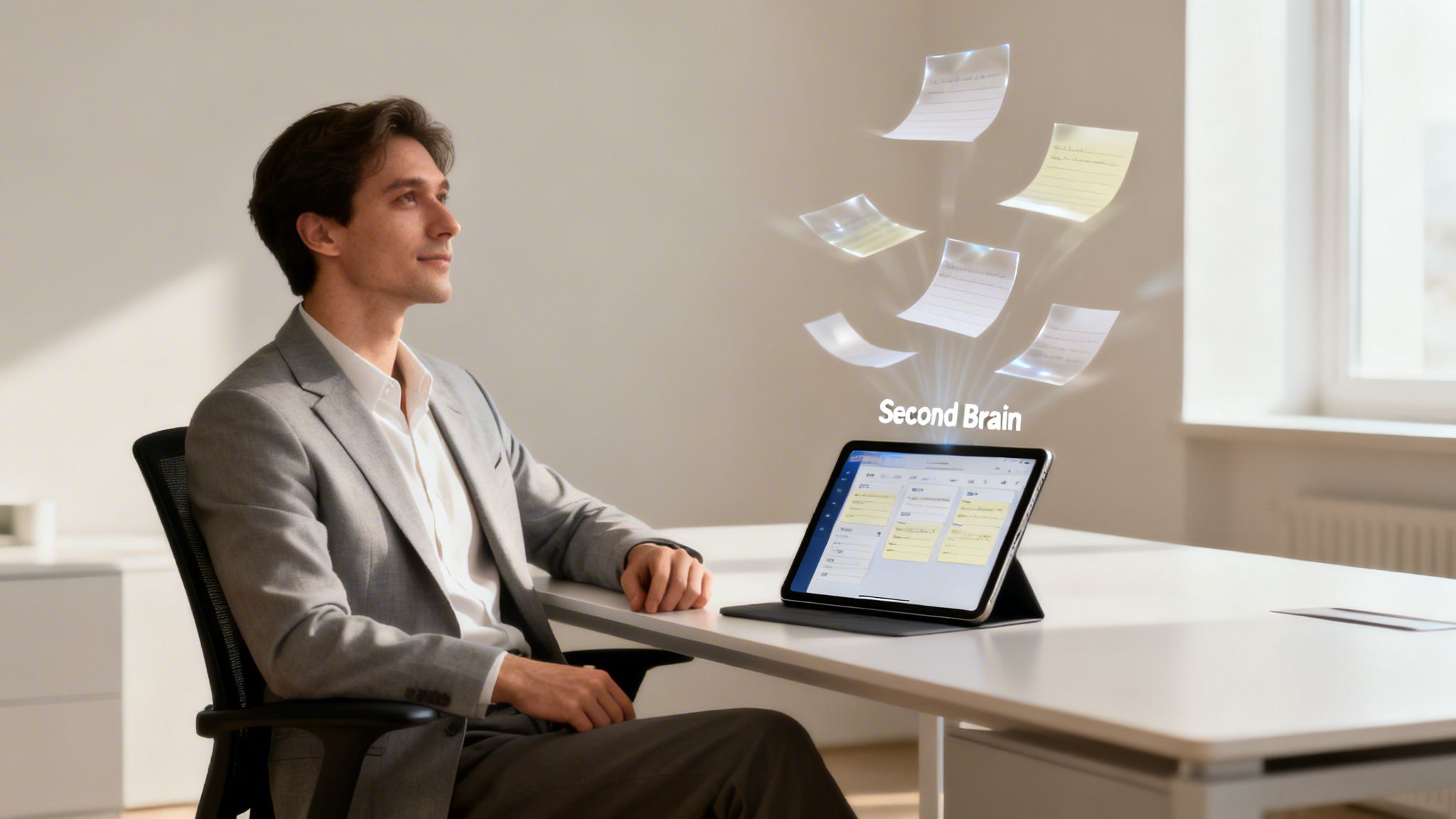
    Second brain method shown by a man in a suit using a tablet with digital notes and a “Second Brain” label floating above.

    alt=”An American man in a suit uses a tablet to interact with his digital second brain method system.”

    From a brain science perspective, this process directly counters cognitive overload. Our working memory—the mental scratchpad we use for moment-to-moment thinking—is incredibly limited. When we try to hold onto every stray thought and project detail, that workspace gets jammed. Consequently, our ability to think deeply and creatively plummets.

    If that feeling is all too familiar, you can explore our guide on what cognitive overload is and how to manage it.

    Why Our Brains Need Help: The Second Brain Method Solution

    The sheer volume of information has exploded. Until the year 1900, the sum of human knowledge was estimated to double roughly every century. Today, it doubles about every 13 months. No one can keep all of that in their head. Therefore, a system becomes a necessity, not a luxury.

    Real-World Example: Imagine a marketing manager juggling three big projects. They have client feedback buried in emails and creative sparks from a podcast. They also have market research saved as random PDFs. Without a central system, these valuable insights stay disconnected and are easily lost. This can lead to feelings of overwhelm and even contribute to burnout, a topic I cover in Burnout Interrupted. A second brain acts as a hub to connect those dots. It frees the manager from the stress of trying to remember it all. This allows them to focus on high-level strategy and execution. This is the core benefit: moving from remembering to creating.

    The Four Pillars of the Second Brain Method

    This whole system is built on four simple, repeatable steps, easily remembered by the acronym CODE:

    • Capture: Get in the habit of saving what resonates. This could be anything—quotes, meeting notes, articles, or shower thoughts. The key is to have a quick, reliable way to get it out of your head.
    • Organize: Structure that information for action, not just for storage. This is where a simple framework like PARA (Projects, Areas, Resources, Archives) shines. It helps you sort notes based on how you’ll use them.
    • Distill: Find the essence of what you’ve saved. You don’t want to re-read entire articles later. Highlight key points and summarize core insights in your own words. Your future self can then grasp the value in seconds.
    • Express: Put your knowledge to work. Use your curated insights to create something new. This could be a report, a blog post, a presentation, or a smarter solution to a problem.

    By practicing these four steps, you turn passive information consumption into an active creative process. You build a personal knowledge asset that grows more valuable over time. This helps you move toward your goals with far more clarity and a lot less stress.

    Mastering Effortless Capture with the Second Brain Method

    The whole Second Brain system hinges on one simple habit: effortless capture. If saving an idea, a link, or a thought feels like work, you just won’t do it. The goal is to make capturing feel like a reflex, not a chore.

    This starts with picking the right tools. Not the most complex ones, but the ones that are always in arm’s reach. Digital apps like Notion, Evernote, or Obsidian are popular for a reason: they sync everywhere. That means your system is ready whether you’re at your desk or waiting for a coffee.

    Real-World Example: You’re listening to a podcast while walking your dog. A brilliant idea for a work project strikes you. Instead of trying to remember it, you use a voice memo app on your phone to dictate the thought immediately. The memo saves to your digital inbox. The idea is captured safely without interrupting your walk or causing anxiety about forgetting it.

    Calming Capture Anxiety with Your Second Brain

    Have you ever had a brilliant idea pop into your head, told yourself you’d remember it later, and then felt that sinking feeling as it slipped away? Behavioral research calls the mental tax of trying to remember everything “cognitive load.” This constant effort can subtly increase stress and anxiety.

    Our brains are for having ideas, not for holding them. As soon as you build a capture system you actually trust, you offload that burden. You’re essentially telling your brain the idea is safe and won’t be lost. This one act can quiet a surprising amount of background mental noise, freeing you up to focus.

    A dependable system doesn’t just organize your thoughts; it calms the part of your brain that’s worried about losing them. This frees up cognitive resources for deeper, more creative thinking.

    Setting Up Your Capture Toolkit

    To make this real, you need a “capture anywhere” setup. You should never have to stop and think about how to save something, only that you should.

    Here’s what a simple but powerful toolkit could look like:

    • On Your Computer: A dedicated app like Notion works great. Pair it with a web clipper extension for your browser. This lets you instantly save articles, links, and screenshots without derailing your workflow.
    • On Your Phone: Make sure your chosen app has a fast, reliable mobile version. Widgets are perfect for one-tap access to a new note. And don’t sleep on voice-to-text; it’s a game-changer for capturing ideas hands-free.
    • For Analog Ideas: Sometimes the best ideas start with pen and paper. A simple habit tracker journal on your desk is perfect for jotting down daily thoughts. You can always snap a photo of the page later and send it into your digital inbox.

    alt=”An American person at a desk quickly captures an idea for their second brain method.”

    What Should You Capture in Your Second Brain?

    The short answer is simple: anything that resonates. Don’t filter yourself. Don’t overthink it. The point of capture isn’t to build a pristine, perfectly curated library from day one. It’s about gathering the raw materials that spark your curiosity and intellect.

    Toss these kinds of things into your inbox:

    • Quotes that make you pause and think.
    • Screenshots of compelling designs or charts.
    • Links to articles or videos you want to explore later.
    • Those random shower thoughts or “aha!” moments.
    • Quick, actionable notes from meetings or calls.
    • Highlights and annotations from the books you’re reading. If you’re looking for a solid framework for this, check out our guide on how to take notes from a book effectively.

    Ultimately, mastering capture is about building trust. Once you truly believe that every valuable piece of information has a safe home, you give your brain permission to let go. This allows you to focus on what’s right in front of you. It’s a foundational habit that paves the way for the clarity and creative output I detail in my book, Focus Recharged.

    Organizing Your Second Brain with the PARA Method

    Just capturing ideas isn’t enough. Without a simple, intuitive way to organize everything, your second brain can quickly turn into a digital junk drawer. It becomes a place where good ideas go to be forgotten. This is where the PARA method comes in.

    Developed by Tiago Forte, PARA is a refreshingly simple system for organizing your digital information. It stands for Projects, Areas, Resources, and Archives. The genius here is that it sorts information based on how actionable it is, not by some rigid category. This tweak alone makes your notes immediately more useful.

    The goal is to get thoughts out of your head and into a trusted system with as little friction as possible.
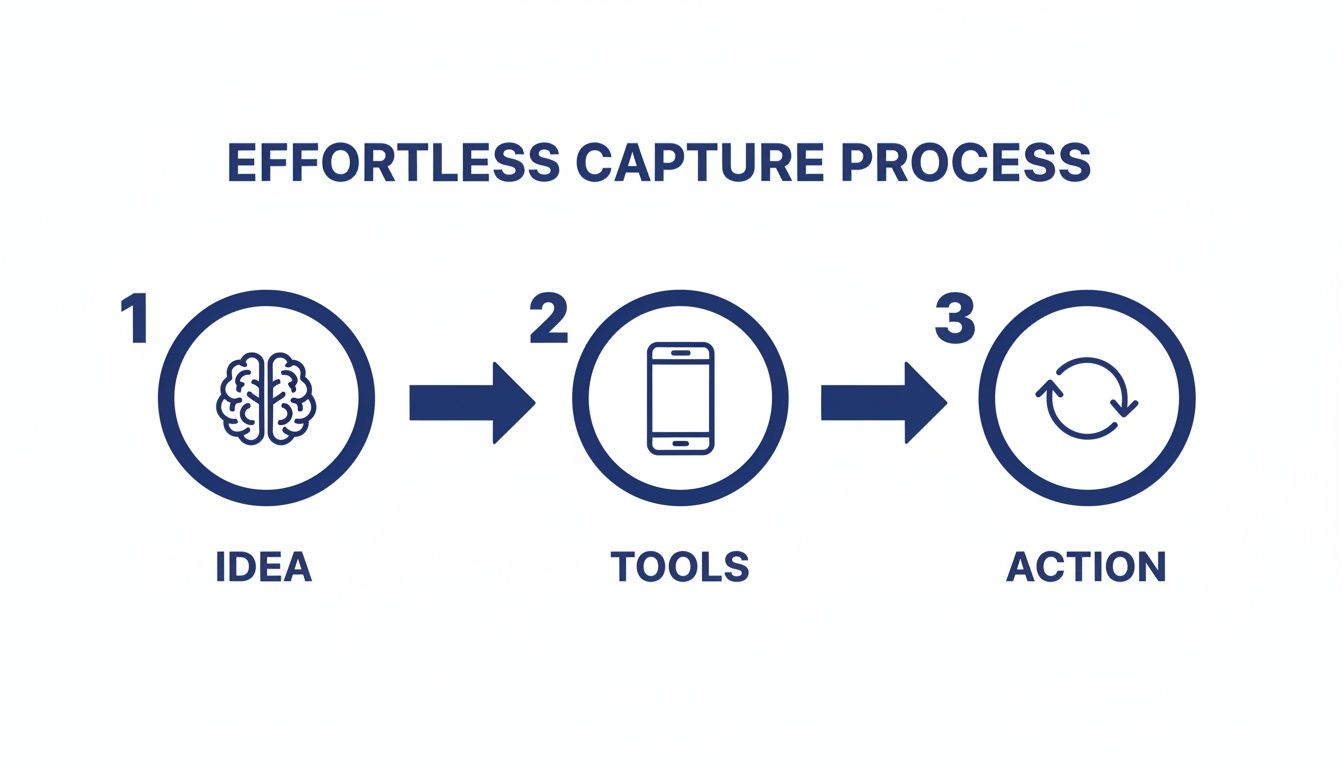
    An infographic illustrating the effortless capture process: Idea (brain), Tools (smartphone), and Action (refresh icon).

    This visual captures the core habit: moving a thought from your mind (Idea) through a device you trust (Tool) and into your system (Action). Then, it’s ready to be sorted using PARA.

    Breaking Down the PARA Categories for Your Second Brain

    Really understanding the difference between these four categories is the key to making the whole system click. It’s not about creating dozens of folders. Instead, it’s about having four main buckets that tell you where something belongs based on how you plan to use it.

    Here’s a quick breakdown to make the distinctions clear.

    Understanding The PARA Method At A Glance

    Category

    Definition

    Real-World Example

    ProjectsShort-term efforts with a specific goal and deadline.Complete website redesign, Plan family vacation, Finish online course.
    AreasLong-term responsibilities or standards you want to maintain.Finances, Health & Wellness, Professional Development, Home Management.
    ResourcesTopics of ongoing interest or themes you are researching.AI productivity, Stoic philosophy, Coffee brewing techniques, Digital marketing trends.
    ArchivesInactive items from the other three categories.Completed projects, outdated areas, resources you no longer need.

    This structure is dynamic, meaning information flows naturally between the categories. When a project is done, its folder moves to Archives. If a resource becomes critical for an ongoing responsibility, its notes might shift into an Area. This flexibility keeps your second brain from becoming stale.

    PARA in Action: A Freelance Writer’s Scenario

    Let’s make this concrete. Imagine you’re a freelance writer named Alex who wants to better manage their workflow.

    • Projects: Alex has a folder for “Client X Blog Post Series,” due next month. Inside are research articles, interview notes, and draft outlines. Another project is “Update Professional Portfolio,” which has a clear end date.
    • Areas: Alex maintains an “Area” called “Business Finances” to track invoices and expenses—an ongoing responsibility. Another Area is “Client Relationships,” which holds notes from recurring calls and client preferences.
    • Resources: Alex is curious about productivity, so they have a “Resource” folder named “AI Writing Tools.” Here, they save articles and tutorials. It’s just a topic of interest, not tied to a specific project.
    • Archives: Last year’s “Client Y Website Copy” project folder now lives in Archives. The project is finished, but the information is still searchable if Alex ever needs it. This system is key for creative professionals, a focus of my book The Focused Freelancer.

    By organizing this way, Alex knows exactly where to find what they need, when they need it. Active work is in Projects. Ongoing standards are in Areas. And general knowledge is in Resources. If you’re looking for more ways to structure your thoughts, you might find our guide on how to organize your thoughts for greater clarity helpful.

    Keeping Your PARA System Lean and Effective

    The most common mistake people make is over-categorizing. You really don’t need a folder for every single topic under the sun. Keep your top-level folders limited to just Projects, Areas, Resources, and Archives.

    The goal of PARA isn’t to create a perfect, museum-quality filing cabinet. It’s to reduce the friction between having a thought and knowing where to put it. Fewer choices mean faster organization and less decision fatigue, a key psychological principle for building sustainable habits.

    The widespread adoption of this system speaks volumes. Tiago Forte’s Building a Second Brain has sold over 400,000 copies worldwide. This isn’t just a fleeting trend; it shows that people are finding real, lasting value in frameworks like PARA. Exploring various efficient note taking systems can significantly boost your personal knowledge management. Ultimately, PARA helps you build a second brain that actively serves you.

    Turning Your Notes Into Actionable Insights

    So you’ve started capturing and organizing. That’s a huge first step. But a second brain filled with unread articles and raw notes is just a prettier junk drawer. It feels productive, but it doesn’t create anything on its own.

    The real magic happens when you move from passive collection to active creation. This is where the last two steps of the CODE framework, Distill and Express, come in. This is how you make your knowledge work for you.
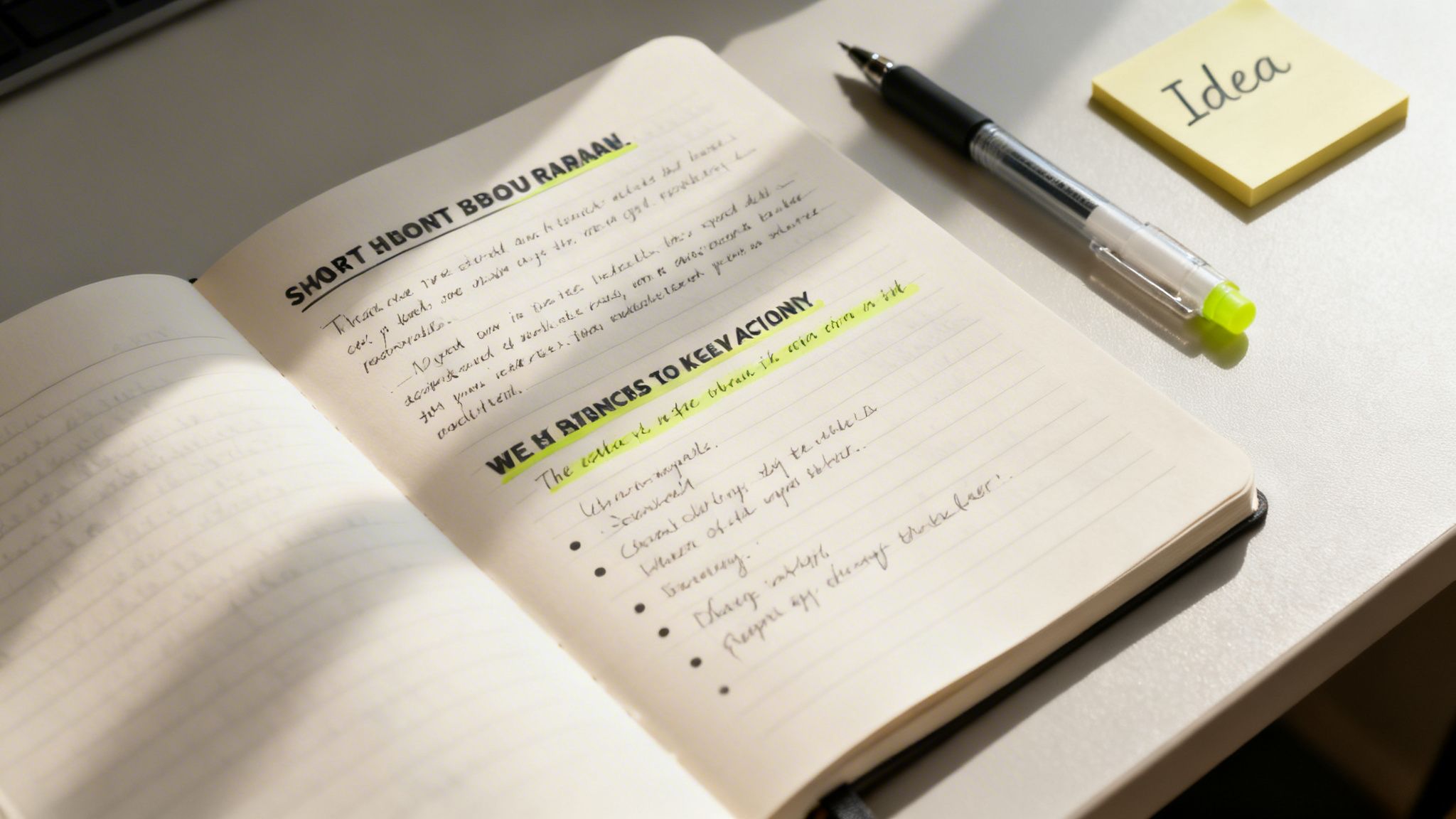
    Second brain method shown in an open notebook with handwritten notes, a pen, and a yellow “Idea” sticky note.

    The goal is to turn your notes into springboards for action. Don’t let them become a mausoleum of forgotten ideas.

    Finding the Essence with Progressive Summarization

    The key technique for distilling your notes is Progressive Summarization. It’s a simple, multi-layered way to make a dense wall of text instantly scannable for your future self. Instead of re-reading an entire article every time, you can grab its essence in seconds.

    The best part? It unfolds naturally over time, whenever you happen to revisit a note.

    • Layer 1: The Bold Pass. The first time you review a captured note, just bold the most interesting sentences. This first pass immediately draws your eye to what mattered most in the moment. Simple.
    • Layer 2: The Highlight Pass. Sometime later, you might open that note again. This time, read only the bolded sentences and highlight the absolute best parts among them. You’re finding the gems within the gems.
    • Layer 3: The Executive Summary. Finally, after reviewing your highlights, write a one or two-sentence summary at the top of the note in your own words. This is the ultimate distillation, the core idea you can grab and use.

    This layered approach is a gift to your future, frazzled brain. You can engage with a note at any level—glance at the summary for the gist, scan the highlights for key points, or read the bolded text for more context. It’s designed for speed.

    When you build this habit, every piece of information in your second brain becomes more valuable. If you want to go deeper on making ideas stick, our guide on how to retain what you read is a great next step.

    From Distilled Notes to Creative Expression

    With a library of distilled, summarized notes, the final step—Express—stops feeling so intimidating. You’re no longer staring at a blank page. You’re assembling pre-built intellectual legos that you’ve already polished.

    Real-World Example: Let’s say a content creator named Sarah wants to write an article on “AI productivity.”

    Her workflow is now completely different:

    1. Search: Sarah opens her notes app and searches for the tag “#AI.”
    2. Review: In minutes, she skims the executive summaries of a dozen relevant notes she’s progressively summarized. No re-reading entire articles.
    3. Assemble: She drags the most potent highlighted quotes, bolded statistics, and her own summary insights into a new outline.
    4. Connect: Seeing all the key ideas in one place, she spots a new connection between two notes. That becomes the unique angle for her article.
    5. Create: With a rich outline full of distilled insights, writing the actual blog post becomes a much simpler task of connecting the dots.

    This process turns creation from a daunting chore into a manageable assembly project. She isn’t just regurgitating information; she’s using her curated knowledge to form new, original insights. The key to making this a real practice is scheduling it. Using a time blocking planner can help you carve out dedicated “creation sessions” each week.

    Enhancing Your Second Brain Method with AI

    The classic Second Brain method gives you a rock-solid foundation for managing knowledge. However, modern technology offers a powerful way to accelerate the process. Think of artificial intelligence as an intellectual partner—a tool that helps you process, connect, and retrieve information faster than ever before.

    This isn’t about replacing your thinking. It’s about augmenting it.

    AI tools can supercharge every single step of the CODE framework. Before you even capture an article, you could ask an AI tool to generate a quick summary. This simple step helps you decide if the full text is even worth saving. This makes your capture process smarter from the very beginning.

    Real-World Example: Imagine asking your digital system, “What are the common themes between my notes on stoicism and my notes on project management?” AI-integrated note-taking apps are already making this a reality. They can scan your entire knowledge base, spot hidden connections, and suggest relationships you might have missed. This turns your Second Brain from a passive archive into an active collaborator.

    Mindful Integration of AI into Your Workflow

    As these tools become more common, it’s critical to use them mindfully. The goal is to assist your thinking, not outsource it. This means creating an environment that supports deep focus, even when you’re using AI. Something as simple as putting on a pair of noise canceling headphones can help you block out distractions. This practice of managing your environment is a key concept in my book, Digital Clarity.

    This focused approach is more important than ever. AI adoption is exploding; nearly one in five Americans now use AI daily. A staggering 75% of employed adults have used AI tools in the last six months. Knowledge workers are weaving these tools into their Second Brain workflows to speed up pattern recognition. You can learn about the state of consumer AI to see just how fast this is moving.

    Practical AI Workflows for Your Second Brain

    Getting started with AI doesn’t have to be a massive project. You can begin with a few simple, high-impact workflows that save you time and deepen your insights right away.

    Here are a few practical ways to begin:

    • Automated Tagging: Many modern apps can look at your notes and automatically suggest relevant tags. This one feature can save a surprising amount of organizational time.
    • Intelligent Search: Move beyond basic keyword searches. Start using natural language to ask your Second Brain real questions. For example, “Show me all notes from last year related to marketing that mention budget constraints.”
    • Content Repurposing: Feed your distilled notes on a topic to an AI. Then, ask it to generate a first draft of a blog post, a social media thread, or a presentation outline. You provide the core insights; the AI handles the initial grunt work.
    • Idea Generation: Feeling stuck? Use an AI as a brainstorming partner. Give it a few of your core ideas and prompt it to suggest alternative angles, counterarguments, or related topics you haven’t considered.

    Having a well-organized Second Brain is a massive advantage here. It provides the structured, high-quality data that AI models need to produce genuinely relevant and useful outputs. Your curated knowledge becomes the fuel for the AI engine.

    To get even more out of this, you might explore some of the best AI content creation tools that can help you process information more efficiently. If you want to go deeper on this topic, check out our guide on how to use AI for productivity.

    Editor’s Take

    The Second Brain method is genuinely transformative for knowledge workers, creators, or anyone feeling buried under information. Its real power lies in building an external system you trust. Once you stop trying to hold every idea in your head, the background hum of anxiety starts to fade. This frees up an incredible amount of mental space for the deep thinking that actually matters.

    Who is it best for? This system is ideal for people who work with ideas—writers, marketers, researchers, students, and entrepreneurs. If your job involves synthesizing information to create something new, this is for you.

    What actually works? The PARA organization system is the most immediately useful part. It just makes sense. However, the true, long-term benefit comes from the consistent habit of “Progressive Summarization.” Distilling your notes over time is what turns your archive into a powerhouse of usable insights.

    Important Caveats: This is not a magic bullet. It requires upfront effort and the discipline to capture information consistently. If you already find complex digital tools draining, you might be better off with a simple productivity journal. Also, I recommend mastering the core habits of CODE and PARA before adding the complexity of AI tools. Get the foundation right first.

    Key Takeaways

    • Externalize Your Mind: The core idea is to offload information from your biological brain into a trusted digital system. This reduces cognitive load and frees up mental resources for creativity and problem-solving.
    • Follow the CODE Framework: Use this four-step process as your workflow: Capture what resonates, Organize for action, Distill the essence, and Express your ideas.
    • Organize for Action with PARA: Structure your digital life into four simple categories: Projects (active goals), Areas (ongoing responsibilities), Resources (topics of interest), and Archives (inactive items).
    • Distillation is Key: Use Progressive Summarization (bolding, highlighting, summarizing) to make your notes more valuable and easily scannable for your future self.
    • AI is a Supercharger, Not a Replacement: Leverage AI tools to speed up tasks like summarizing, tagging, and finding connections, but always keep your human curation and critical thinking at the center of the process.

    Disclaimer: This article contains affiliate links, which means we may earn a small commission if you make a purchase at no extra cost to you. The content provided here is for educational and informational purposes only. It is not intended as a substitute for professional medical or psychological advice, diagnosis, or treatment. Always seek the advice of your physician or other qualified health provider with any questions you may have regarding a medical or mental health condition.

    Frequently Asked Questions (FAQ)

    1. What is the best app to start a second brain?

    There’s no single “best” app. The right tool is the one that feels most intuitive to you. Popular choices include Notion (for flexibility and customization), Evernote (for simple, powerful capture and search), and Obsidian (for connecting ideas through backlinks). The most important factor is choosing an app you will use consistently.

    2. How is the second brain method different from just taking notes?

    Traditional note-taking is often passive collection. The Second Brain method is an active system designed for action and creation. It emphasizes organizing notes based on their actionability (using the PARA method) and distilling them over time to make them more useful. The goal is not just to store information, but to connect ideas and produce new work.

    3. Can I use a physical notebook for my second brain?

    Absolutely. An analog system, like using a dedicated notebook or journal, is excellent for focused, distraction-free thinking. Many people use a hybrid approach: a physical notebook for brainstorming and daily notes, and a digital app for long-term storage, searchability, and storing web content. Using a great ergonomic keyboard can also make the digital part of this process much more comfortable.

    4. How long does it take to build a second brain?

    You can set up the basic structure (choosing an app and creating your four PARA folders) in less than an hour. However, building a truly valuable second brain is a continuous practice, not a one-time project. The system grows and becomes more powerful as you consistently build the habit of capturing and distilling information over weeks and months.

    5. What if I feel overwhelmed by my existing notes? Should I organize them all at once?

    No, do not try to organize everything at once. This is a common mistake that leads to burnout. Start fresh with the PARA system. Create your new folders and begin putting new information into them. Only migrate and organize old notes on an as-needed basis—when you need to refer to something specific from your old system. This makes the transition manageable and much less intimidating. For a deeper look at managing digital overwhelm, check out my book on Reclaiming Silence.
  • Build Your Ultimate Focus Portal to Boost Productivity

    Build Your Ultimate Focus Portal to Boost Productivity

    Affiliate Disclosure: This post may contain affiliate links. If you make a purchase through these links, we may earn a small commission at no extra cost to you. This support helps us continue to create valuable content.

    A focus portal is your personalized, distraction-free command center. It’s not a single app you download. Instead, it is an entire environment you build. This integrated system of digital tools and daily routines is designed to protect your attention and make deep work possible.

    What Is a Focus Portal and Why You Need One Now

    Ever feel like you’re drowning in a sea of open tabs? Are scattered to-do lists and a never-ending inbox overwhelming you? You’re not alone. This digital chaos drains your mental energy through constant context-switching. Neuroscience research shows this process overloads the prefrontal cortex, the part of your brain responsible for planning and decision-making.

    A focus portal is your defense against that overload. It’s a dedicated space, both digital and mental, that you engineer for concentration. Instead of reacting to a constant barrage of alerts, you create a system that serves your goals. This allows you to proactively engage with your most important work.

    This isn’t just a personal productivity hack; it mirrors a major shift happening in the business world. Companies are scrambling to build centralized hubs for collaboration, with the global enterprise portal market projected to hit USD 93.82 billion by 2035. Why? They know that cutting through the information overload plaguing 70% of digital workers is essential for survival.

    The Science Behind a Dedicated Focus Space

    Your brain thrives on cues. When you consistently use a specific digital setup for demanding work, you create powerful psychological associations. Behavioral psychology refers to this as “context-dependent learning.” The environment you’re in helps you recall information and get into the right state of mind.

    By designing a focus portal, you’re essentially telling your brain: “This is the place where we concentrate.”

    This approach helps you drop into the state of intense concentration we explore in our guide on what is deep work. Creating this intentional space reduces the cognitive load of deciding what to do next. It also fights the temptation of multitasking. Studies show multitasking can slash your productivity by as much as 40%. A simple phone lock box timer can be a great physical tool to prevent this.

    “A focus portal turns your computer from a source of constant distraction into a powerful tool for concentration. It’s about designing your environment to make focus the path of least resistance.”

    Books like The Power of Clarity and Digital Clarity dig deep into these ideas. They show how intentional systems help you escape digital burnout. When you build a focus portal, you are not just organizing your apps. You are structuring your attention and reclaiming your mental energy for what truly matters.

    This article is for educational purposes only. It is not a substitute for professional medical or psychological advice, diagnosis, or treatment. If you are experiencing symptoms of anxiety, depression, ADHD, burnout, or sleep problems, please consult a qualified healthcare provider.

    Designing Your Focus Portal Blueprint

    Before you build a house, you need a blueprint. The same is true for a powerful focus portal. Without a clear plan, your efforts can become just another source of digital clutter. It can become another well-intentioned system that gets abandoned in a week.

    A successful blueprint rests on four core pillars. They work together to create an environment where concentration can actually flourish. These pillars are not separate, but interconnected. A well-designed physical space cues your brain for the mental frameworks you’ll use. Meanwhile, your daily routines reinforce the digital boundaries you’ve set.

    The Four Pillars of an Effective Focus Portal

    A truly effective system addresses every aspect of your work life—not just the apps on your screen. Think of these four pillars as the foundation for building your personalized command center for attention.

    • The Digital Environment: This is all about curating your apps and taming notifications. It involves creating a streamlined digital workspace. It’s about deciding what gets your attention and when, instead of letting your devices choose for you.
    • The Physical Space: Your desk, chair, and even the lighting are powerful signals to your brain. Optimizing this space tells your mind, on a subconscious level, that it’s time for deep work. Using an ergonomic keyboard can reduce physical strain, helping your mind focus.
    • The Mental Framework: This is your internal operating system. It includes battle-tested strategies like time blocking and techniques for managing cognitive load. It also includes the mental models you use to approach your work.
    • Daily Routines: These are the simple rituals that bookend your day. A consistent startup and shutdown routine creates structure. It signals a clear, non-negotiable transition between “on” and “off.”

    When the digital environment is left to chance, it actively works against you. This leads to a state of constant cognitive overload.

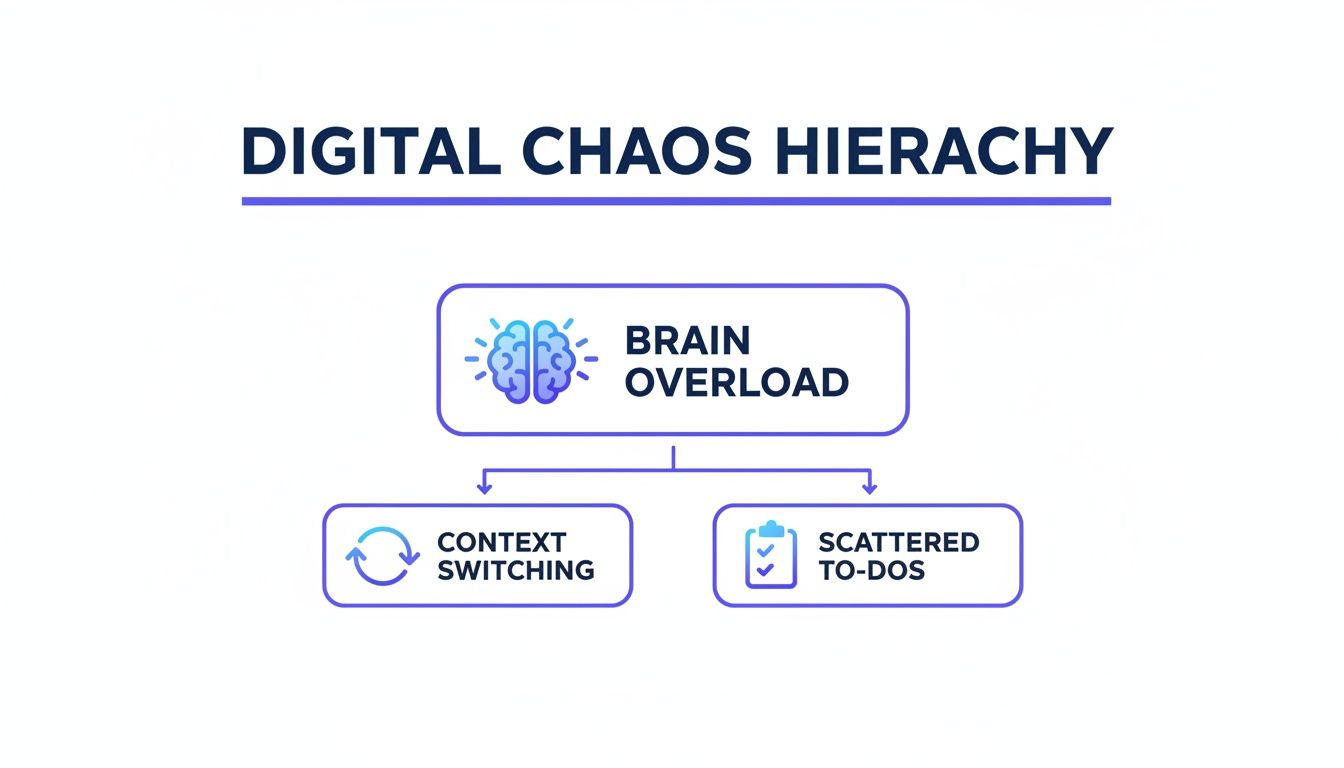
    Digital Chaos Hierarchy diagram with Brain Overload leading to Context Switching and Scattered To-Dos, illustrating the need for a focus portal.

    As you can see, the constant need to switch between tasks and manage disorganized information directly fuels mental fatigue. This makes focused work feel nearly impossible.

    Pillar 1: Your Physical Workspace

    Your physical environment is the first line of defense against distraction. Your brain is highly sensitive to external cues. Therefore, designing a workspace for focus is a non-negotiable first step. The goal here is simple: make concentration the path of least resistance.

    For example, a freelance writer might set up their desk with a good laptop stand for desk to improve posture. They could also use a pair of high-quality noise canceling headphones to block out household sounds. This simple setup creates a clear physical boundary that signals “work time” to both the writer and their family.

    Small changes, like adding a monitor light bar to reduce eye strain during long sessions, can also make a huge difference in how long you can sustain your focus.

    Your brain doesn’t like ambiguity. When your workspace is distinct and used consistently for deep work, you create a powerful habit loop that makes it easier to drop into a state of flow.

    You can find more inspiration by exploring our guide on home office organizing ideas to build the perfect physical foundation for your focus portal.

    Pillar 2: Your Digital Environment

    Next up is your digital world. You have to be intentional—even ruthless—about what apps, tabs, and notifications you allow into your awareness. The default settings on our devices are designed for corporate engagement, not for our personal productivity.

    Start by conducting a “digital audit.” Remove any apps from your phone and computer that you don’t use or that consistently pull you away from your priorities. Then, turn off all non-essential notifications. This one action alone can dramatically slash the cognitive cost of context switching.

    A graphic designer could create different browser profiles in Google Chrome for each client. For instance, one profile contains only the links, bookmarks, and logins for “Client A.” Another profile is dedicated entirely to “Client B.” This kind of segmentation prevents the mental clutter that comes from seeing irrelevant information when you’re trying to focus.

    Choosing Your Focus Portal Core Components

    To build out the physical and digital pillars, you’ll need a few core tools. The table below compares some popular options to help you decide what fits your work style. Remember, the “best” tool is always the one you’ll actually use consistently.

    Component TypePopular Option A (e.g., Notion)Popular Option B (e.g., Trello)Best For…
    Project HubNotion – A flexible, all-in-one workspace for notes, databases, and wikis.Trello – A visual, card-based system for tracking tasks through stages.Notion is great for thinkers who love building custom systems; Trello is ideal for visual, workflow-based projects.
    Task ManagementTodoist – A clean, powerful to-do list app with natural language input.A simple physical notebook or time blocking planner.Todoist excels at capturing and organizing tasks on the fly; a physical planner is better for deliberate, daily planning.
    Distraction BlockerFreedom – An app that blocks distracting websites and apps across all your devices.An under desk walking pad – A way to channel restless energy into movement instead of digital distraction.Freedom is for disciplined digital blocking; a walking pad is for those who think better while moving.
    Physical SetupAn ergonomic chair and adjustable standing desk.A simple desk with a good ergonomic mouse and external keyboard.An ergonomic setup is a long-term investment for full-time remote workers; a simpler setup works well for students or hybrid workers.

    Ultimately, don’t get stuck in analysis paralysis. Pick a simple starting stack. This could be Notion for projects, a notebook for daily tasks, and a good pair of headphones. Then, refine it as you go.

    Pillar 3: Your Mental Framework

    With your physical and digital spaces dialed in, it’s time to build your mental framework. This pillar is all about adopting strategies that align with how your brain actually works. It’s about managing your energy and attention, not just your time.

    Time blocking is a cornerstone of this framework. Instead of working from a long, overwhelming to-do list, you schedule specific blocks of time in your calendar for specific tasks. For example, a marketing manager might block 9-11 AM for “Write Weekly Report” and nothing else. This practice gives your brain the structure it craves and fiercely protects your most important work from interruptions.

    Another key mental model is recognizing the limits of your executive function. These are the brain processes responsible for planning, focusing, and resisting impulses. By reducing the number of small decisions you have to make throughout the day (like what to work on next), you conserve that precious mental resource for the work itself.

    Pillar 4: Your Daily Routines

    Finally, routines tie everything together. They provide the structure that makes your focus portal sustainable over the long haul. These are not rigid, minute-by-minute schedules. Instead, they are flexible rituals that guide your day.

    Your Startup Routine: This is a short sequence of actions you perform at the beginning of each workday. It could be as simple as brewing coffee, reviewing your plan for the day in a productivity journal, and opening only the apps needed for your first task. This ritual gently eases you into a productive state without relying on willpower.

    Your Shutdown Routine: Just as important is how you end your day. A shutdown routine might involve clearing your inbox, planning tomorrow’s top three priorities, and closing all work-related tabs. This creates a clear psychological separation between work and personal life. Consequently, it helps prevent the kind of burnout that creeps up when you never truly unplug. Getting a good night’s rest with a sleep mask blackout can also help you recharge for the next day.

    Crafting Your Digital Command Center

    Alright, let’s get practical. It’s time to build the digital heart of your focus portal: your command center. This isn’t just another dashboard; it’s your single source of truth. It is a central hub that pulls in everything you need and aggressively filters out what you don’t. Think of it as the cockpit for your productivity—designed for clarity, not clutter.

    First things first: you need to choose your hub. This doesn’t have to be complicated. It could be a clean Notion page or a visual Trello board. It could even be a simple, customized browser start page like Momentum. The goal is to create a launchpad for your day. This launchpad stops you from getting sucked into the vortex of your email inbox or social media feeds first thing.

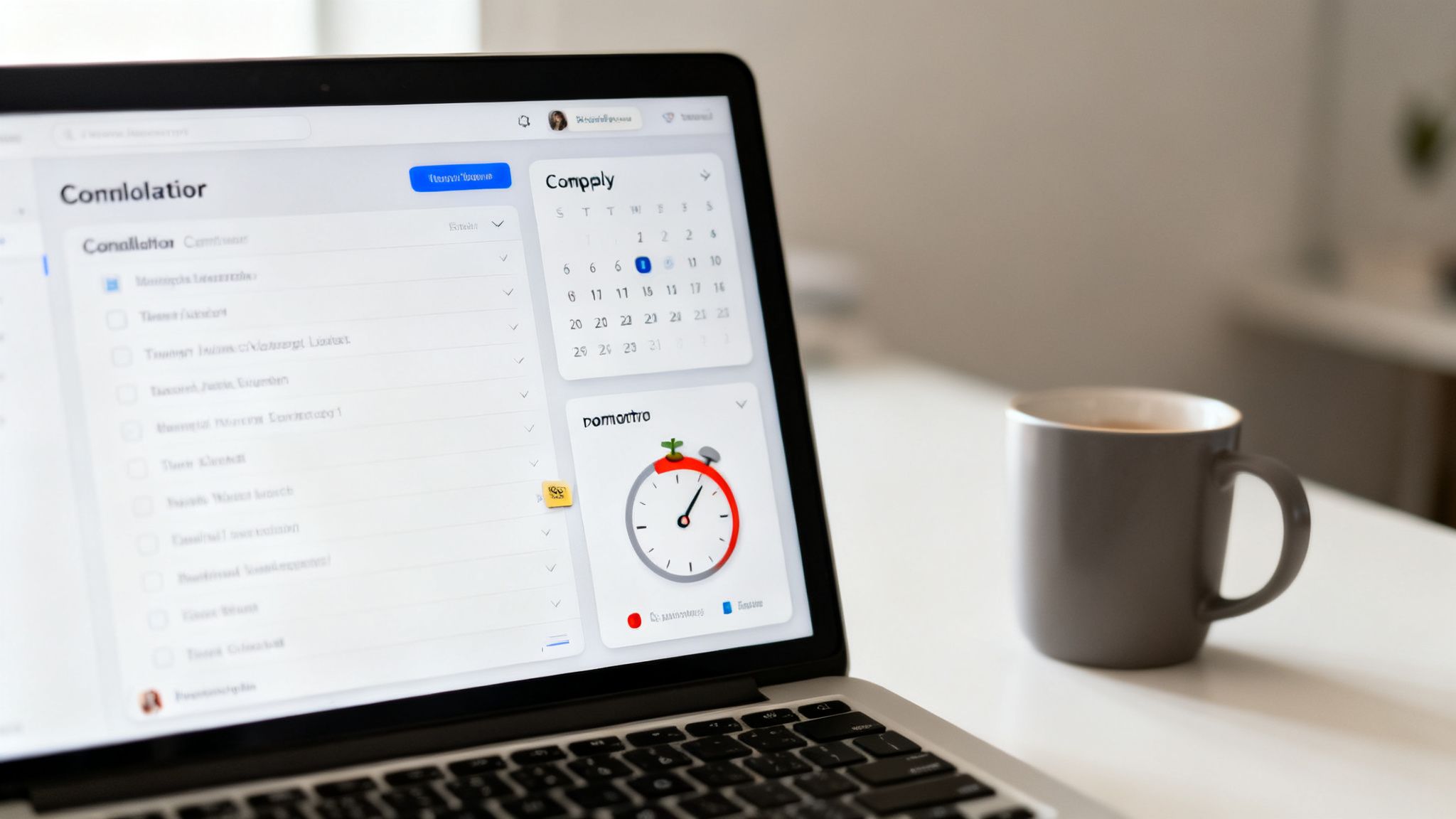
    A laptop displaying productivity apps like a to-do list, calendar, and Pomodoro timer, creating a focus portal.

    Building Your Central Hub

    Let’s ground this with a real-world example. Imagine a freelance writer juggling three main clients. Each client comes with its own tasks, deadlines, and a trail of documents. Instead of wrestling with scattered files and emails, they build a simple dashboard in Notion.

    You can streamline this kind of setup by starting with a dedicated Notion client portal template to centralize information from the get-go.

    Their dashboard might include:

    • A master task list they can filter by client.
    • Quick links to each client’s Google Drive folder.
    • An embedded calendar showing all deadlines at a glance.
    • A scratchpad section for brainstorming and rough notes.

    This simple setup means no more hunting for information. When they start their day, they open this one page. Their entire workload is visible and organized. This cuts down on the “decision fatigue” that comes from constantly figuring out what to do next.

    Taming the Notification Beast

    Once your hub is in place, the next job is to manage notifications. Uncontrolled alerts are the enemy of deep work. From a neuroscience perspective, each ping is a tiny hit of novelty. It hijacks your brain’s attention-switching network and shatters your concentration.

    Setting up “Focus Modes” on your phone (iOS) or “Focus” on Android is non-negotiable. Don’t just turn them on; customize them. Create different modes for different activities, like “Deep Work,” “Meetings,” or “Personal Time.”

    For example, a software developer’s “Deep Work” mode could block all notifications except for urgent alerts from a specific monitoring system. This creates a digital sanctuary where they can work uninterrupted for sustained periods.

    This proactive approach is so much more effective than relying on willpower to ignore the constant buzzing. You’re designing your environment to support your intentions, not test your discipline. Wearing blue light blocking glasses during these sessions can also reduce digital eye strain.

    The Power of Segmentation and Timers

    To take this a step further, segment your entire digital environment. A powerful but underused technique is creating different browser profiles. You can use them in Chrome, Edge, or Firefox for different contexts.

    Imagine a student working on their thesis while also managing a part-time job. They could have:

    1. A “Thesis” Profile: Logged into university accounts, with bookmarks only for research databases and writing tools.
    2. A “Work” Profile: Logged into their work email and project management software.
    3. A “Personal” Profile: For social media, news, and everything else.

    This separation prevents crossover distractions. When they’re in their “Thesis” profile, they won’t get a tempting YouTube recommendation or a notification from their work chat. It’s a simple way to build digital walls between the different parts of your life. A gentle analog alarm clock can signal the end of a work session without a jarring digital alert.

    Pairing this strategy with a timer solidifies the habit. Using a simple pomodoro timer, you commit to working within one profile for a 25-minute sprint. When you track these sessions in a time blocking planner, you get a clear visual record of where your attention is actually going.

    Why This Matters More Than Ever

    The need for these intentional systems isn’t just a feeling; the market reflects it. The global Focus App industry was valued at USD 745 million in 2024 and is expected to keep growing. Why? Because over 40% of knowledge workers report struggling with distractions at home.

    Research shows that structured interventions like a focus portal can boost productive time by 30-50%. This is a crucial defense against the burnout affecting a staggering 77% of workers.

    Crafting a digital command center is about taking back control. It’s the move from a reactive state, where your devices dictate your attention, to a proactive one, where your tools serve your goals. And if you’re interested in taking your efficiency even further, check out our guide on powerful https://mindclarityhub.com/ai-tools-for-productivity/ that can plug right into your new command center.

    Using AI and Automation to Sharpen Your Focus

    Let’s be honest: the last thing most of us need is another piece of tech pulling at our attention. But what if artificial intelligence could be the quiet, ruthlessly efficient assistant that powers your focus portal behind the scenes?

    The goal isn’t to chase every shiny new AI tool. Instead, it’s to build smart, simple systems that handle the busywork so you don’t have to.

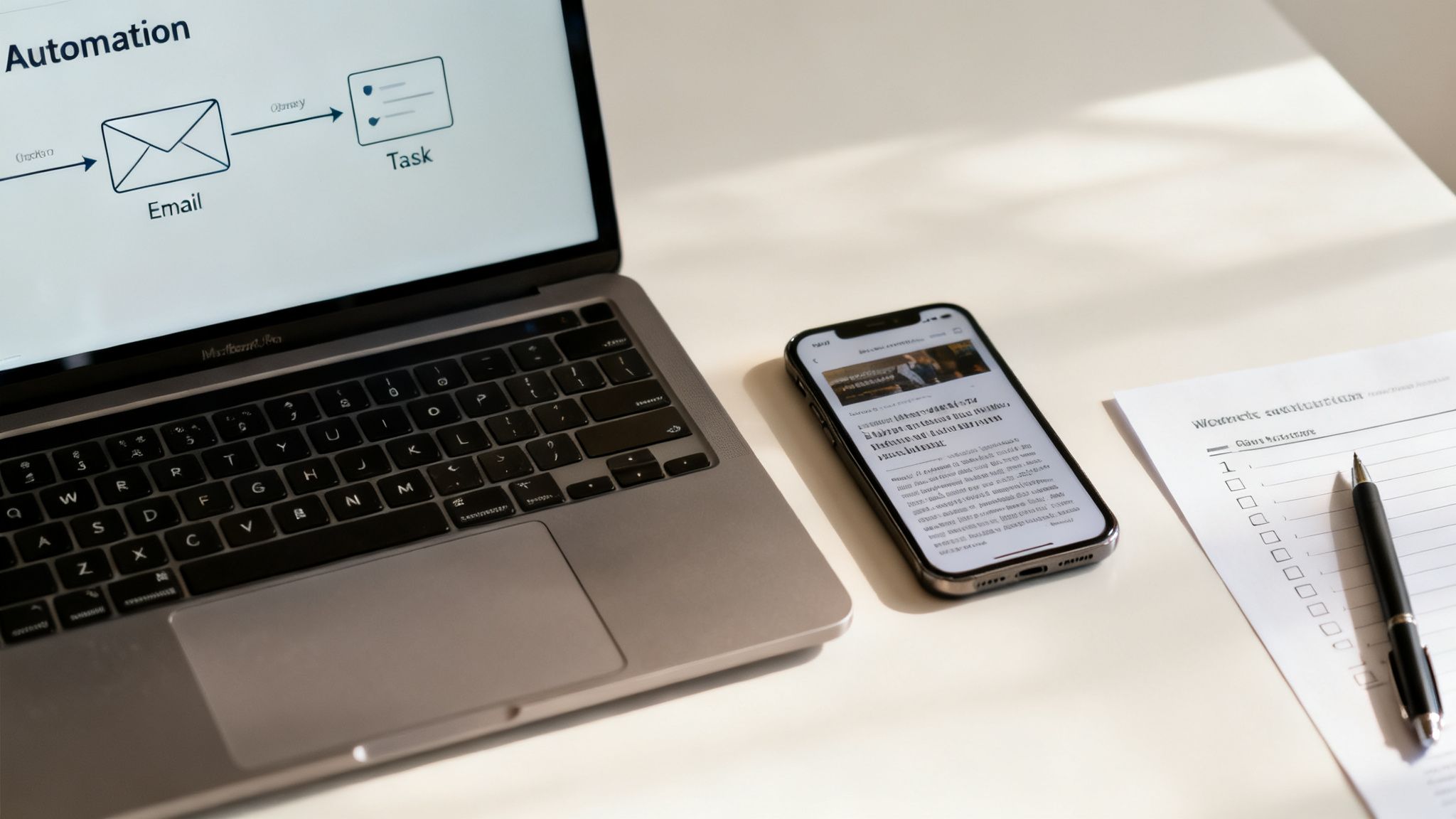
    Think about the entrepreneur who spends the first hour of every morning just sorting and triaging their inbox. By setting up a single automation with a tool like Zapier, they can have any flagged email automatically turned into a task in their project manager.

    A modern workspace with a laptop displaying an automation workflow, a smartphone, and a checklist, a key part of a focus portal.

    That one workflow might save them five hours a week. More importantly, it protects their most valuable mental energy right at the start of the day.

    Automating the Mundane to Protect Your Attention

    The core principle here is simple: delegate low-value tasks to technology. Your brain’s prefrontal cortex—the part that handles focus and complex decisions—is an easily drained resource. Every tiny, trivial choice you make, like where to save a file or how to phrase a meeting reminder, chips away at your capacity for deep work.

    AI can shoulder that load. For example, instead of spending 30 minutes wading through a dense industry report, you could use an AI tool to generate a crisp, bullet-point summary in seconds. This lets you grab the key insights without sacrificing a huge slice of your most productive time.

    Here are a few practical automations you can build into your focus portal right away:

    • Email to Task: Automatically send starred emails in Gmail directly to your task manager (like Todoist or Asana).
    • Meeting Agendas: Use an AI writing assistant to create a standard agenda template for any recurring meetings.
    • Content Summaries: Paste the URL of a long article into an AI tool and get the main points back instantly.
    • Social Media Drafts: Generate first drafts for social media posts based on your latest blog content.

    These small efficiencies add up. They create more space for the strategic thinking that actually moves the needle. You can see more examples in our guide on how to use AI for productivity.

    Building an Intelligent System That Works for You

    To make this work, it helps to understand how to compare AI models so you can pick the right tools for the job. A small business owner, for instance, could use an AI-powered scheduler to handle all their client bookings. This completely eliminates the back-and-forth emails that constantly shatter their concentration.

    This isn’t just a productivity hack; it’s a reflection of a massive shift in how work gets done. The market for digital transformation—which includes automation and AI tools—is projected to hit USD 1,864.94 billion by 2031.

    Businesses are pouring money into these systems because they know streamlined workflows are the key to growth. AI analytics, the fastest-growing part of this market, is already helping automate around 40% of routine tasks. For anyone struggling with distractions, that’s a game-changer. It helps recover much of the 23 minutes typically lost every time our focus breaks.

    By automating decision-making and routine tasks, you’re not just saving time. You are actively preserving your most valuable asset: your ability to think deeply and creatively.

    This principle is the foundation of books like Marketing Magic and The 6-Figure Creator. These books explore how intelligent systems can amplify your impact. When you build automation into your focus portal, it stops being a static organizer. It becomes a dynamic assistant that actively helps you concentrate on what truly matters.

    Maintaining and Adapting Your Focus Portal

    Your focus portal isn’t a trophy you build once and then admire on a shelf. It’s a living system, more like a garden than a sculpture. To keep it effective, you have to tend to it. You need to prune what’s no longer serving you and adapt to the changing seasons of your work and life.

    Without that regular maintenance, even the most perfectly designed system will eventually become a source of clutter itself. A cluttered system increases cognitive load, defeating the portal’s entire purpose.

    The best way I’ve found to handle this is with a simple, recurring maintenance routine. Think of it as a “weekly clarity check-in.” This is a dedicated 15-minute block you schedule every Friday afternoon. This isn’t time for doing work; it’s time for working on your work system.

    This short ritual is your best defense against “system creep.” This is the natural tendency for our digital spaces to accumulate new tools, apps, and workflows until they become bloated and inefficient. It happens to all of us. The brain’s constant desire for novelty can lead you to add things that seem helpful in the moment but ultimately just add complexity. A sunrise alarm clock can help you wake up refreshed, ready to tackle your day with a clear mind.

    The Weekly Clarity Check-In

    During your weekly review, you’ll ask yourself a few simple but powerful questions about your focus portal. The goal here is effectiveness, not perfection, so be honest with your answers.

    • Is my main dashboard getting cluttered? If your central hub looks chaotic, it’s a sign that you need to archive old projects or simplify the layout. A messy dashboard creates subtle cognitive friction every single time you look at it.
    • Are my notification rules still serving me? Did you allow alerts from a new app and forget to turn them off? Now’s the time to revisit your settings. Ensure only the most critical pings are getting through.
    • What felt difficult or frustrating this week? If you constantly struggled to find a specific file or felt distracted during a certain time of day, that’s a signal. It points directly to a friction point in your system that needs a small adjustment.

    Using a simple habit tracker journal can give you invaluable data for this review. Seeing a visual record of your work sprints, distractions, and energy levels helps you make smart, evidence-based tweaks rather than just guessing what needs to change.

    Adapting Your Portal for Different Seasons

    Your work intensity isn’t constant, and your focus portal shouldn’t be either. The system you need for a high-stakes product launch is completely different from the one you need during a quiet holiday period. The key is to be intentional about adapting it.

    A rigid system is a brittle one. The true power of a focus portal lies in its flexibility—its ability to expand and contract based on your current demands without breaking.

    During a project launch, for example, you might temporarily add a dedicated project dashboard with real-time metrics right on your portal’s homepage. In contrast, during a slower week, you could simplify your view to show only your top three long-term goals. Using a white noise machine can help maintain focus during both intense and quiet periods.

    This is all about managing your energy, not just your time. You must ensure your system supports your current mental state.

    By embracing this cycle of review and refinement, you create a resilient, evolving focus portal that supports you for the long haul. It helps you avoid the kind of system-induced overwhelm that can lead to burnout. This is a topic explored in depth in Burnout Breakthrough.

    Key Takeaways

    • A Focus Portal is a Personalized System: It’s an integrated environment, not a single app. It combines your digital tools, physical space, and daily habits to protect your attention.
    • Build on Four Pillars: A strong portal rests on your Digital Environment, Physical Space, Mental Frameworks (like time blocking), and Daily Routines (startup/shutdown rituals).
    • Your Brain Needs Cues: A dedicated space and consistent routines create powerful psychological triggers that help you enter a state of deep work more easily.
    • Automate to Conserve Energy: Use AI and automation tools to handle repetitive, low-value tasks. This saves your brain’s limited cognitive resources for high-impact work.
    • Regular Maintenance is Crucial: A focus portal requires a weekly 15-minute check-in to stay clean, effective, and aligned with your current priorities. This prevents system bloat and keeps it useful.
    • Adaptability is Key: Your portal should be flexible, changing with the demands of different projects and work seasons. A rigid system will eventually break or be abandoned.

    Editor’s Take

    Here’s the honest truth: the most effective focus portal is one that starts simple and grows with you. The specific apps you choose matter far less than the principles behind them—intention, focus, and firm boundaries.

    This system can be a game-changer for knowledge workers, students, and freelancers—really, for anyone who has some control over their digital world. But I want to be upfront: it takes a real investment of time to get it right, and it won’t run itself. You have to maintain it.

    The payoff, though? It’s more than worth it. You’re trading a bit of setup time for a massive reduction in daily stress and a huge boost in the work that actually matters. It’s a commitment that pays you back, day after day, in clarity and accomplishment. If you’re serious about deep work, this is how you start taking your attention back.

    Frequently Asked Questions About Building a Focus Portal

    We get a lot of questions about what it really takes to design and maintain a personalized focus portal. Here are some of the most common ones, with clear answers.

    1. How long does this actually take to set up?

    The initial setup can be surprisingly fast—as little as one to two hours. That’s enough time to pick your central hub, do a quick desktop clear, and set some basic notification rules. If you want to get fancier with automations, set aside a full afternoon. But remember, a focus portal is meant to evolve. Start small and make tiny improvements each week.

    2. Can I build a focus portal without buying new software?

    Absolutely. You can build an incredibly effective portal using free tools you probably already use. A Google Doc can be your central hub. Your phone’s built-in “Focus Mode” can handle notifications. A simple browser extension can block distracting sites. The principles matter more than the price tag.

    3. How do I stick with it when I get really busy?

    This is where your daily startup and shutdown routines become non-negotiable. When you’re slammed, lean on a simple, two-minute startup ritual. Just open your portal and look at your single top priority for the day. That’s it. This consistency creates a powerful habit loop that makes using your portal automatic, especially under pressure.

    4. What’s the biggest mistake people make when starting out?

    Overcomplicating it from day one. People try to build the “perfect” system with a dozen new apps and complex automations. This creates a system that’s fragile and exhausting to maintain. The best approach is to start with the simplest possible version. Only add complexity when you feel a specific pain point a new tool would solve.

    5. Is a focus portal a good fit for creative work?

    Yes, it’s practically designed for it. Creative work like writing or design demands long, uninterrupted stretches of concentration. A focus portal creates those conditions by acting as a shield against the context-switching that kills creative flow. It gives your brain the quiet space it needs to connect ideas.

    Optimizing Your Focus Portal for Different Projects

    6. How can I adapt my portal for different projects?

    A great way to handle this is through segmentation. For instance, you could create different browser profiles in Chrome for each major project, each with its own set of bookmarks and logins. Inside your central hub like Notion, create separate pages for each project and link to them from your main portal homepage. This keeps project-specific info contained.

    7. Will this system work if I have ADHD?

    While this guide isn’t medical advice, many people with ADHD find that externalizing their executive functions is a game-changer. A focus portal acts as an “external brain.” It provides the structure, visual cues, and clear priorities that can make it easier to stay on track. For some, adding a visual timer for desk can also be a fantastic tool to make time feel more concrete.

    8. How often should I tweak or update my focus portal?

    A quick, 15-minute review once a week is perfect. Use that time to clean up your dashboard, check notification settings, and ask what worked and what felt clunky. Consistent, small adjustments are far more effective than massive overhauls. This idea of refinement is a core theme in books like Attention Unleashed.

    9. Can a focus portal genuinely help with work-life balance?

    Definitely. The shutdown routine is the key. By consciously closing down your work systems and planning for tomorrow, you create a clear psychological boundary. This ritual signals to your brain that the workday is over, helping you disengage and be more present. It’s a core concept in Burnout Interrupted. A magnesium glycinate supplement might also support relaxation and sleep.

    10. What’s the very first step I should take today?

    Clear your computer’s desktop. Right now. Drag every file into a new folder named “Sort Later.” A clean desktop is a clean slate. It instantly reduces visual noise and gives you a feeling of control. It’s a simple, powerful first step toward building a space where you can actually think.


    Disclaimer: This article is for informational and educational purposes only and does not constitute medical or psychological advice. The content is not intended to be a substitute for professional medical advice, diagnosis, or treatment. It may contain affiliate links, which means we may earn a commission if you make a purchase at no extra cost to you.


    Ready to build a life with less distraction and more intention? At Mind Clarity Hub, we publish science-backed books that give you the blueprint for reclaiming your focus. Start your journey with our foundational guides.

    Explore the Books at Mind Clarity Hub