Tired of juggling sticky notes, endless browser tabs, and a scattered to-do list that only adds to your mental clutter? Finding the right system to manage your tasks is fundamental for achieving focus and sustainable productivity. From a behavioral science perspective, an disorganized system increases “cognitive load”—the mental effort required to keep track of information. This drains your brain’s resources, leaving less energy for actual work. This guide is designed to cut through that noise. We’ve curated a list of the best free task management software, moving beyond generic feature lists to give you a practical, real-world analysis of what actually works.
Best Free Task Management Software: Reviews of Trello, Asana, Notion, and the Best Picks for Every Workflow
Inside, you will find a deep dive into top-tier platforms like Trello, Asana, Notion, and more. Each review includes clear screenshots, direct links, and an honest look at both strengths and limitations. We focus on specific use cases, helping you decide which tool is best for team projects, solo deep work, student workflows, or just a simple, effective daily planner. To truly master your productivity and get the most out of these tools, consider exploring additional expert tips to improve work performance in general.
This resource is tailored for busy professionals, freelancers, and anyone feeling overwhelmed. We’ll provide attention-friendly setup tips grounded in psychological principles from Mind Clarity Hub. You’ll also find feature comparison tables to help you make a quick, informed decision. Our goal is simple: to help you find the perfect free tool that simplifies your workflow, protects your focus, and helps you get meaningful work done without the stress. Let’s find the right system for you.
A quick note: This article is for educational purposes only and is not a substitute for professional medical or psychological advice, diagnosis, or treatment. If you are struggling with burnout, anxiety, or other mental health concerns, please consult a qualified healthcare provider.
How to Choose the Best Free Task Management Software for Your Needs
Before diving into the list, it’s helpful to know what to look for. The “best” tool depends entirely on your workflow. Here’s a quick comparison to help you choose between a few top options.
Quick Comparison: Todoist vs. Trello vs. Notion
- Choose Todoist if: You need fast, simple task capture and a clean, minimalist to-do list. It’s best for individuals who want to get thoughts out of their head quickly.
- Choose Trello if: You are a visual thinker and manage projects with distinct stages (e.g., To Do, In Progress, Done). It’s excellent for small teams and content pipelines.
- Choose Notion if: You want to build a completely custom system that combines tasks with notes, wikis, and databases. It’s for those who want an all-in-one “second brain.”
Now, let’s explore the full list. Compare options in the table below to find your match.
1. Todoist: Best Free Task Management Software for Quick Capture
Todoist shines with its clean interface and remarkably fast task capture, making it a top contender for the best free task management software for busy professionals. Its core strength is the natural-language “quick add” feature. You can type “Review project brief every Friday at 10 am” and Todoist automatically creates a recurring task with the correct due date. From a neuroscience standpoint, this reduces “task initiation friction.” The easier it is to start, the more likely you are to do it, helping you build consistent habits.

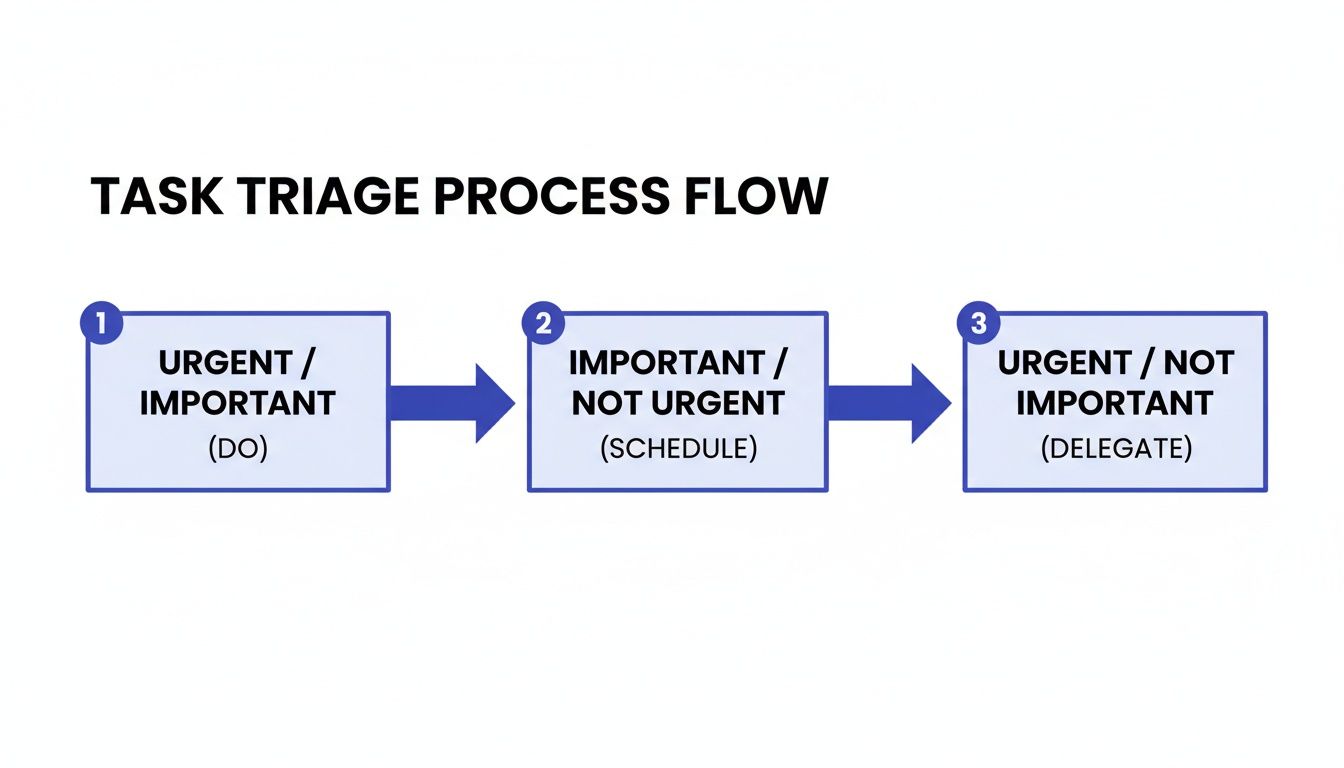
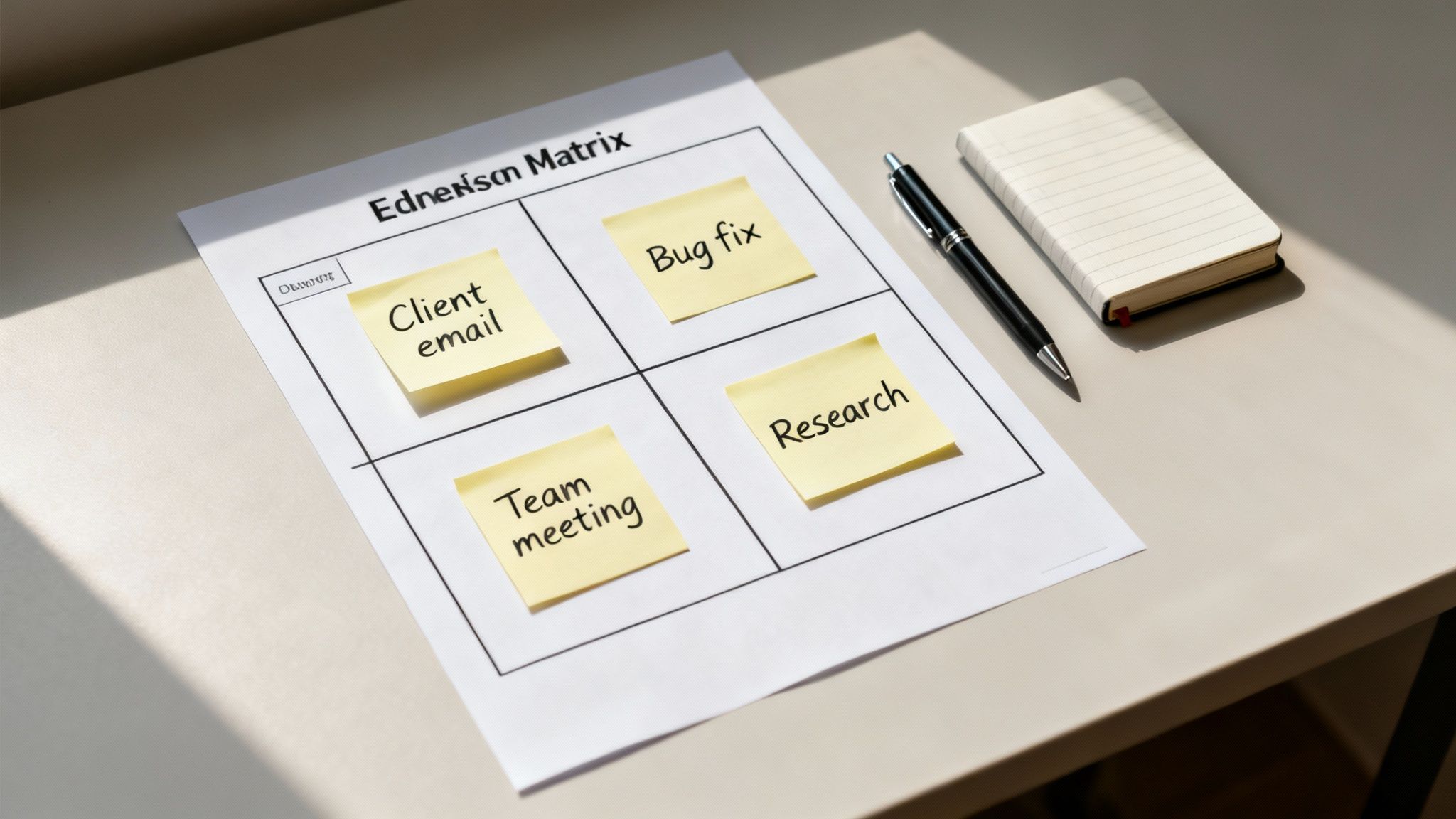
The free “Beginner” plan is surprisingly capable. It provides both list and Kanban board views, allowing you to switch between a simple checklist and a visual workflow. You also get access to priorities, labels, and a limited number of filters to organize your tasks. Using these features effectively is a key step, and you can learn more about how to prioritize tasks effectively with these simple systems.
Real-World Example: A freelance writer feels overwhelmed by client requests. Instead of a messy notepad, she uses Todoist. When a client emails a revision, she forwards the email to her Todoist project, which automatically becomes a task. This clears her inbox and her mind, letting her focus on writing.
Best For: Solo Professionals & Quick Capture
This tool is ideal for individuals who need a reliable system for personal productivity without a steep learning curve. Its excellent mobile apps ensure your tasks are always in sync, whether you’re at your desk or on the go.
- Pros: Minimalist design, reliable cross-device sync, and strong security (SOC 2 Type II compliance).
- Cons: The free tier is limited to 5 personal projects and 3 custom filters. Advanced features like a calendar layout or task duration tracking require a paid plan.
- Website: https://todoist.com/pricing
2. Microsoft To Do: Excellent Free Task Management for Microsoft Users
For those embedded in the Microsoft ecosystem, Microsoft To Do stands out as one of the best free task management software options. Its power comes from seamless integration with Outlook and other Microsoft 365 services. The “My Day” view is its standout feature. Psychologically, it leverages the “fresh start effect”—our tendency to be more motivated at the beginning of a new period (like a day). By presenting a clean slate, it encourages you to intentionally select just a few priorities, which prevents decision fatigue and overwhelm.

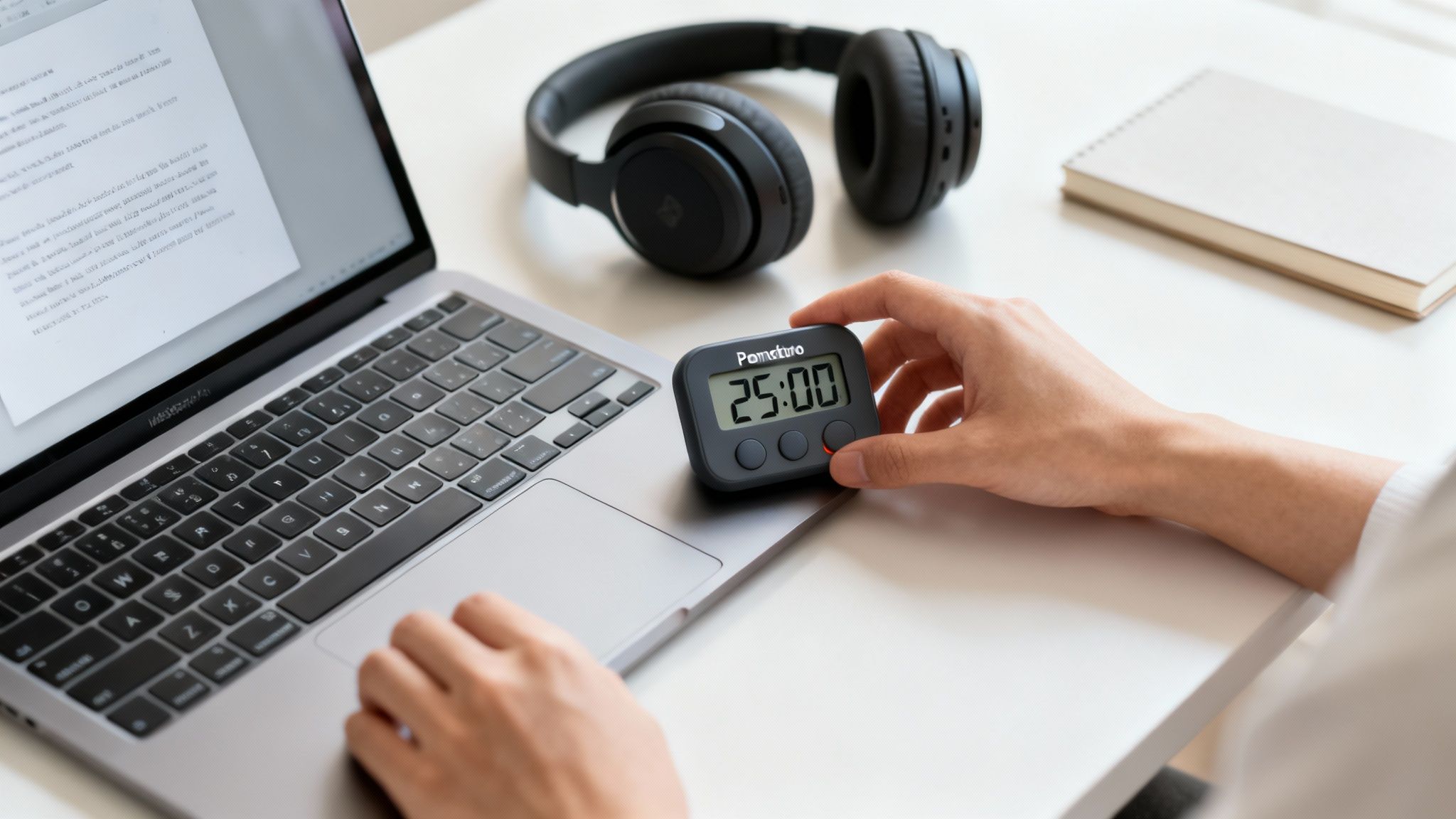
As a completely free and ad-free tool, Microsoft To Do provides remarkable value. It offers shared lists, file attachments up to 25 MB per task, and recurring task scheduling. This makes it a great choice for straightforward personal or small group collaboration. Its lightweight interface is distraction-free, helping you concentrate on single tasks. This focused approach pairs well with time management strategies, and you can discover more about what the Pomodoro Technique is and how to apply it for better focus.
Real-World Example: An office manager flags important emails in Outlook. These automatically appear as suggested tasks in their “My Day” view in To Do. They then drag the three most critical tasks to the top, creating a focused plan without ever leaving the Microsoft ecosystem.
Best For: Microsoft 365 Users & Simple Shared Lists
This app is perfect for individuals and teams who already use Outlook, Teams, or Planner. Its straightforward design and cross-platform availability make it a reliable, no-frills tool for managing daily priorities and light collaboration.
- Pros: Completely free with tight integration into Outlook/Teams, a lightweight interface that reduces distraction, and early feature access through Insider programs.
- Cons: Lacks native Kanban or timeline views. Advanced automation requires other Microsoft 365 services, limiting its power as a standalone tool.
- Website: https://to-do.microsoft.com
3. Google Tasks: The Best Free Task Management Tool for Gmail Power Users
Google Tasks earns its spot by being the most frictionless option for anyone deeply integrated into the Google Workspace ecosystem. Its power lies in its simplicity and proximity. It lives inside Gmail and Google Calendar, which reduces “context switching”—the mental cost of moving between different apps. Research shows that context switching fragments your attention and reduces productivity. By letting you turn an email into a to-do with one click, Google Tasks keeps you focused in one place.

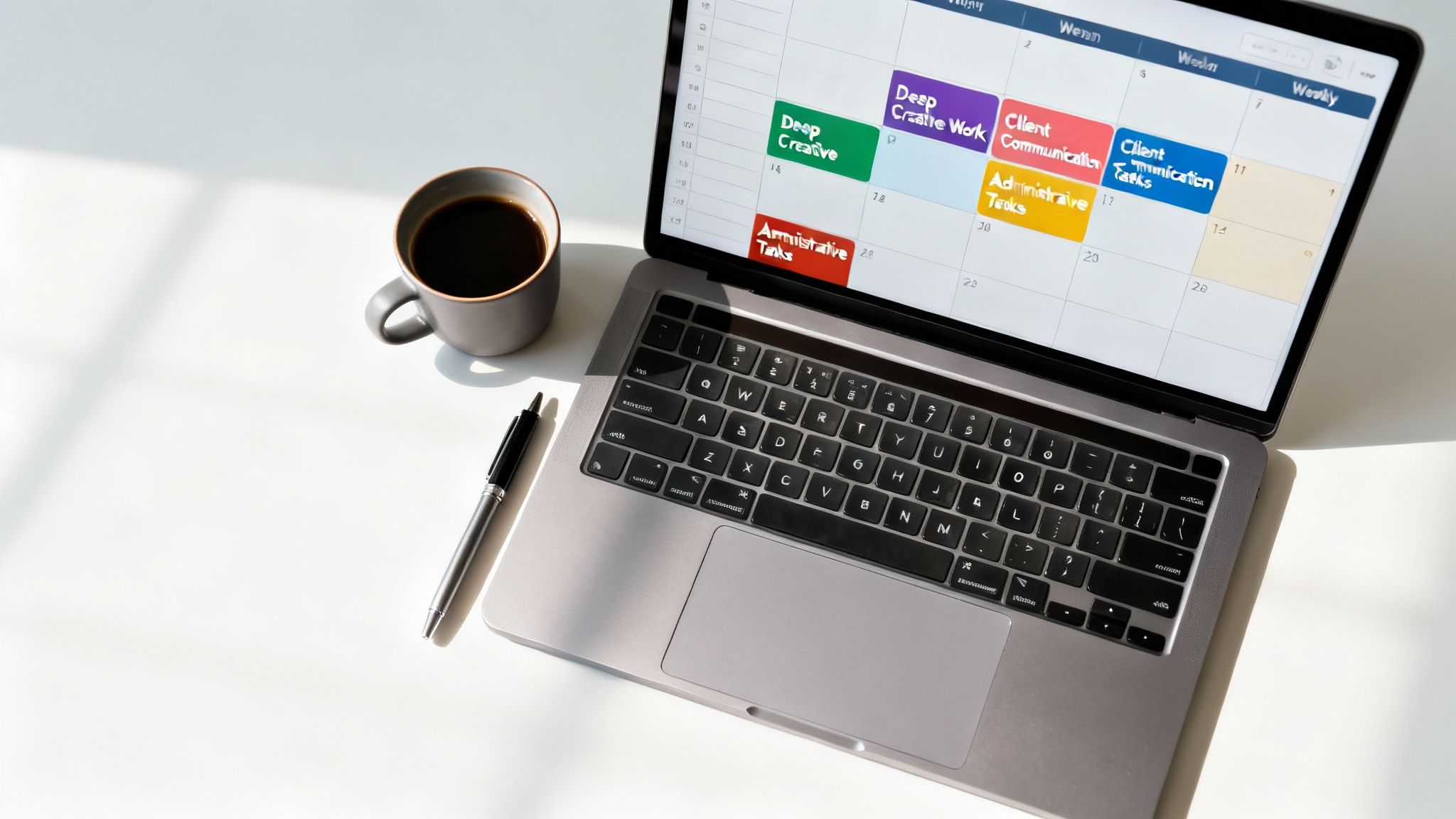
The platform is entirely free and designed for straightforward list-based organization. You can create multiple lists, add subtasks, and set due dates that appear directly on your Google Calendar. This integration is key to effective time blocking. Dragging a task from the sidebar onto your calendar to schedule a work session is a concrete action that reinforces your intention to complete it. Its minimal feature set means there is almost no learning curve, making it great for building consistent organizational habits.
Real-World Example: A student receives an email from a professor with assignment details. Instead of copying the info, they click the “Add to Tasks” button in Gmail. The task, linked to the original email, instantly appears in their sidebar. Later, they drag it onto their Google Calendar to block out study time.
Best For: Google Workspace Users & Simple Lists
This tool is perfect for individuals who primarily operate within Gmail and Google Calendar and need a simple way to manage personal to-do lists without the complexity of a full project management system.
- Pros: Completely free with no setup required; seamless integration with Gmail and Calendar reduces friction. Very low cognitive load for simple task capture.
- Cons: No Kanban boards, timelines, or advanced project views. Organizational features are limited to basic lists and subtasks.
- Website: https://workspace.google.com/products/tasks/
4. Trello: A Leader in Free Visual Task Management Software
Trello is the classic Kanban board application, a visual powerhouse that remains one of the best free task management software options for its sheer simplicity. It uses boards, lists, and cards to represent projects and tasks. This visual workflow makes it easy to see project status at a glance. This process, known as “externalizing,” offloads the mental work of tracking progress from your brain to the screen, freeing up cognitive resources for more complex thinking.

The free plan is incredibly generous. It allows for unlimited personal boards, cards, and lists. Each card can contain checklists, due dates, and attachments, turning it into a mini-hub for that task. This approach is highly compatible with building a digital second brain to organize your knowledge, as each card can hold resources related to a single idea. The free tier also includes “Power-Ups,” which add integrations and extra features to your boards.
Real-World Example: A small marketing team plans a social media campaign. They create a Trello board with lists for “Ideas,” “To Film,” “Editing,” and “Published.” Each campaign idea is a card. As they work, they drag the card across the board, giving everyone a clear, real-time view of progress.
Best For: Visual Project Management & Small Teams
Trello is perfect for anyone who thinks visually or manages projects with distinct stages. It’s especially effective for small teams, content creators tracking their production pipeline, or individuals managing multi-step personal goals.
- Pros: Highly intuitive visual organization, a generous free plan that supports core Kanban workflows, and easy onboarding for new users.
- Cons: Advanced views like Calendar, Timeline, and Table require a paid plan. The free tier limits you to 10 team boards and has some Power-Up restrictions.
- Website: https://trello.com/pricing?utm_source=openai
5. Asana: Best for Free Small Team Task Management
Asana stands out as a robust work management platform that offers one of the best free task management software plans for small-scale collaboration. Its “Personal” plan is far from basic, providing a solid foundation for organizing complex projects. You can manage unlimited tasks and projects and add up to 10 teammates on the free plan. This is a significant benefit for small group projects, where clear roles and deadlines are crucial for preventing “social loafing”—the tendency for individuals to exert less effort in a group.

The free version gives you access to list and Kanban board views. Its clear task hierarchy with subtasks helps break down large goals into manageable steps, a psychological technique that reduces overwhelm and boosts motivation. Asana’s integrations are another core strength, with over 100 free connections to tools like Google Workspace and Slack. This allows you to create a connected hub for your work. To go deeper, check out some of the best time blocking apps that can complement your Asana workflow.
Real-World Example: A student group is working on a final presentation. They use Asana to create a project, with main tasks for “Research,” “Slide Design,” and “Script Writing.” Each main task has subtasks assigned to different members with due dates, ensuring everyone knows their responsibilities.
Best For: Small Team & Group Project Coordination
Asana is perfect for small teams, student groups, or freelancers collaborating with a few clients. Its free plan provides the essential tools to track shared work and communicate effectively without needing to upgrade.
- Pros: Generous free plan with collaboration for up to 10 people, clear task hierarchy, and a strong integration ecosystem.
- Cons: The most powerful features like timelines, custom fields, and workflow automations are locked behind paid plans. The interface can feel busy for solo users.
- Website: https://asana.com/pricing?utm_source=openai
6. ClickUp: The All-in-One Free Task Management Software
ClickUp positions itself as an all-in-one work hub, making a strong case for the best free task management software for those wanting to consolidate multiple tools. Its “Free Forever” plan is remarkably generous, centralizing tasks, documents, goals, and even whiteboards. This approach reduces app-switching, which, as mentioned, fragments attention and drains mental energy. By creating a unified source of truth, ClickUp helps maintain focus and clarity for both individuals and small teams.

The free plan includes multiple views like List, Board, and Calendar. You also get access to collaborative Docs and a library of templates. This setup can be especially useful for those looking to implement structured productivity systems. For example, you can create a Doc for your weekly review and link it directly to the tasks you completed, reinforcing a habit of reflection. While the free tier limits some features like automations, it still provides a powerful foundation. Using a good laptop stand for desk can also improve your posture and focus during long sessions in any app.
Real-World Example: A startup founder uses ClickUp to manage everything. They have a project for product development (with tasks), a Doc for their business plan, and Goals to track quarterly revenue targets. Everything is in one place, giving them a high-level overview and detailed control.
Best For: Individuals & Teams Needing an All-in-One Hub
ClickUp is ideal for users who crave a single platform to manage everything from simple to-do lists to complex projects. It’s a system you can grow with, starting free and upgrading only when advanced needs arise.
- Pros: Very feature-rich free plan; centralizes tasks, docs, and comments. It scales well to paid tiers with Gantt charts, workload views, and advanced automations.
- Cons: The sheer number of features can feel overwhelming for beginners. Key functions and higher usage limits require a paid subscription.
- Website: https://clickup.com/pricing?utm_source=openai
7. Notion: The Most Flexible Free Task Management App
Notion is a powerful all-in-one workspace that goes beyond simple task lists, positioning it as a uniquely flexible choice for the best free task management software. It merges documents, wikis, and databases into a single, customizable environment. Instead of a pre-built system, Notion gives you building blocks to construct a workflow that perfectly matches your brain’s organizational style. This “scaffolding” approach allows you to build a system that feels intuitive to you, which can increase your long-term adherence to using it.

The free plan is very generous for individual use, offering unlimited pages and blocks. You can create databases with board, list, calendar, and gallery views. Its real strength is combining tasks directly with your notes and long-term goals. For example, you can have a task to “Draft blog post” nested right inside the document containing your research and outline. This reduces context-switching and keeps your focus sharp, a key principle for achieving deep work.
Real-World Example: A researcher uses Notion to build a personal knowledge base. They create a database of academic papers, each with properties like author and publication year. Within each paper’s page, they create a linked task list for “Read and Summarize” and “Extract Key Quotes.” This connects their reading directly to their action items.
Best For: Building Custom Systems & Knowledge Management
Notion is ideal for thinkers, builders, and anyone who wants to create a personalized productivity hub. If you’ve ever felt constrained by traditional to-do apps, Notion’s blank canvas offers the freedom to build exactly what you need. A good habit tracker journal can complement this by helping you build the daily routine of using your custom Notion setup.
- Pros: Extremely flexible build-your-own systems (GTD, PARA, etc.), great for combining tasks with documents, and a very capable free plan for personal use.
- Cons: The flexibility can create a steep learning curve. The free plan limits file uploads to 5 MB and reserves some advanced features for paid tiers.
- Website: https://www.notion.com/pricing
8. Jira Software (Cloud)
Jira Software stands out as a powerful issue and project tracker built for software teams, making it a unique contender for the best free task management software when disciplined workflows are paramount. Its strength lies in structured task progression. Teams can define specific states (e.g., “To Do,” “In Progress,” “In Review,” “Done”) and the rules for transitioning between them, which creates an auditable and predictable development pipeline. This is a far more robust system than a simple checklist.

The free plan generously supports up to 10 users with access to both Scrum and Kanban boards, a project backlog, and basic roadmaps. This allows small teams to manage complex sprints and visualize workflow without an initial investment. For teams leveraging the power of Jira for complex development cycles, understanding the core principles of Project Management Using Agile Methodology can further enhance its utility. The 2 GB of storage is a good starting point for documentation and attachments.
Best For: Small Software Teams & Structured Workflows
Jira is ideal for small development or technical teams that need more than a to-do list and benefit from the rigor of Agile frameworks. It provides the foundation for scalable, organized project execution.
- Pros: Excellent for teams needing states, transitions, and auditability. Scales well within the Atlassian ecosystem (Confluence, Trello).
- Cons: Overly complex for simple personal task management. The free plan has limited storage and automation runs are capped.
- Website: https://www.atlassian.com/software/jira/pricing?utm_source=openai
9. monday.com Work Management
monday.com presents a highly visual, spreadsheet-like approach to task and project management, positioning it as a strong choice for those who think in color-coded grids. Its core benefit is the polished user interface and robust template library, which significantly reduces the initial setup time. You can quickly deploy a pre-built board for anything from content calendars to simple task tracking, making it one of the best free task management software options for getting organized fast. This visual clarity can help reduce cognitive load by presenting status and ownership at a glance.

The free “Individual” plan offers the essential tools to get started. It includes customizable boards where you can assign owners, set due dates, and track progress using status columns. While limited, this plan provides a solid foundation for individuals or duos to test the platform’s core functionality. The experience is consistent across its capable web and mobile apps, ensuring you can manage your work from anywhere. For those managing complex projects, learning to break them down is a critical first move, a skill detailed in the book Focus-Recharged.
Best For: Individuals & Small Teams Testing Visual Workflows
This platform is perfect for solo users or pairs who need a visually appealing and intuitive system for basic task management. The pre-made templates are a huge plus for anyone wanting to build a structured workflow without starting from a blank slate.
- Pros: Polished interface and templates speed setup, excellent for visual thinkers, and easy to build simple status-tracking boards.
- Cons: The free plan is limited to 2 users and lacks many of the views (like Gantt and Calendar) and automations that make the platform powerful.
- Website: https://monday.com/pricing?utm_source=openai
10. Wrike
Wrike presents itself as a mature work management platform, and its free plan offers a solid entry point for small teams needing more structure than a simple to-do list. It’s a strong candidate for the best free task management software for groups transitioning from basic tools to a more organized collaborative environment. The platform is built around shared spaces where you can manage tasks, track progress in a real-time activity stream, and communicate effectively with comments and @mentions. This creates a central hub for team projects, reducing the need to chase updates through email or chat apps.

The free plan is designed to grow with you. It provides essential task and subtask management, along with access to both desktop and mobile applications to keep your work synchronized. This foundation allows teams to establish clear workflows and responsibilities without an initial investment. When projects become more complex, the path to upgrading for advanced features like Gantt charts, workload management views, and custom dashboards is straightforward. This scalability is a key advantage for teams with ambitions to scale their operations over time.
Best For: Small Teams & Future Growth
Wrike is ideal for small teams who need a central place to collaborate on projects and want a tool that can grow with them. It provides robust foundational features at no cost, with a clear upgrade path for when more advanced project management capabilities are required.
- Pros: Solid collaboration basics are available for free. It offers a clear and logical upgrade path to advanced project management features.
- Cons: The interface can feel heavier and more corporate than lighter to-do apps. Feature sets within plans can change, so it’s wise to verify current offerings before committing.
- Website: https://www.wrike.com/price/?utm_source=openai
11. MeisterTask
MeisterTask stands out with its visually appealing Kanban boards and an intuitive interface, making it an excellent choice for those who think and plan visually. It provides one of the best free task management software experiences for users who appreciate simplicity without sacrificing core functionality. Its approach is less about endless features and more about providing a frictionless path to organize work, which is ideal for preventing the overwhelm that often comes with complex tools. The free plan is robust enough for serious personal project management.

The “Basic” free plan offers unlimited tasks within a Kanban board structure, complete with desktop and mobile apps to keep you in sync. A significant advantage is the direct import tools for Trello and Asana, which drastically simplifies switching platforms. You also get a monthly quota of AI prompts to help brainstorm or refine tasks. For those focused on data security, its ISO 27001 certification and EU-based hosting provide peace of mind regarding GDPR and CCPA compliance.
Best For: Visual Planners & Small Teams
This tool is perfect for individuals or small groups who thrive on visual workflows. If you find traditional to-do lists uninspiring, the clean, drag-and-drop Kanban interface of MeisterTask offers a more engaging way to track progress from “To-Do” to “Done.”
- Pros: Beautiful, user-friendly interface; easy import from Trello and Asana; strong security and data privacy standards.
- Cons: The free plan is limited to 3 projects and 5 notes. Advanced collaboration features like user groups and permissions are reserved for paid tiers.
- Website: https://www.meistertask.com/pricing?utm_source=openai
12. Quire
Quire distinguishes itself by structuring tasks in a unique, hierarchical outline format, making it an excellent choice for projects that require deep nesting and a clear breakdown of complex goals. Its core design is built around an infinite nested task list, allowing you to map out every single sub-task related to a larger objective. This tree-like structure is perfect for deconstructing big ideas into manageable steps, a process essential for avoiding overwhelm and maintaining focus. You can then instantly switch this outline to a Kanban board view to visualize workflow progress.

The free plan is a standout, offering generous limits that make it one of the best free task management software options for small teams. It includes up to 10 members, 35 organizations, and 80 projects, which is more than enough for many startups or collaborative freelance projects. The ability to toggle between the outliner and board view provides flexibility. Using a tool like this alongside a dedicated productivity journal can help connect your high-level plans to your daily execution.
Best For: Complex Project Breakdown & Small Teams
Quire is ideal for users who think in outlines and need to break down large, intricate projects without the complexity of traditional project management software. It serves small teams and solo users who require a clear, structured approach to task organization.
- Pros: Powerful nested sub-task functionality (outliner view) and a very generous free plan for small team collaboration.
- Cons: Has a smaller integration ecosystem compared to industry leaders. The interface can feel busy if you prefer pure minimalism.
- Website: https://quire.io/pricing?utm_source=openai
Top 12 Free Task Management Tools Comparison
| App | Core features ✨ | UX & quality ★ | Price & value 💰 | Best for 👥 | Standout USP 🏆 |
|---|---|---|---|---|---|
| Todoist | Natural‑language quick‑add; Lists & Kanban; labels & 90+ integrations | Fast capture, reliable sync, excellent mobile — ★★★★ | 💰 Free (Beginner) solid; Pro for advanced views | 👥 Busy professionals & solo planners | 🏆 Rapid capture + low friction; SOC2; limited AI assist ✨ |
| Microsoft To Do | My Day, recurring tasks, attachments, Outlook tie‑ins | Lightweight, ad‑free, seamless with 365 — ★★★★ | 💰 Free with Microsoft ecosystem | 👥 Microsoft 365 users & simple shared lists | 🏆 Deep Outlook/Teams integration ✨ |
| Google Tasks | Gmail/Calendar sidebar; simple lists & subtasks | Zero‑friction capture inside Google apps — ★★★ | 💰 Free, no setup | 👥 Google Workspace users who want minimalism | 🏆 Capture tasks where you already work ✨ |
| Trello | Boards, lists, cards, templates & Power‑Ups (integrations) | Intuitive visual Kanban; easy onboarding — ★★★★ | 💰 Free core Kanban; paid for advanced views | 👥 Visual planners & small teams | 🏆 Classic Kanban simplicity & templates ✨ |
| Asana | Lists/boards, subtasks, due dates, 100+ integrations | Clear task hierarchy; strong onboarding — ★★★★ | 💰 Free Personal up to 10 collaborators; paid for timelines | 👥 Individuals & small teams needing structure | 🏆 Hierarchical tasks + collaboration basics ✨ |
| ClickUp | Tasks, docs, goals, multiple views, automations | Feature‑rich and scalable; steeper learning — ★★★★ | 💰 Generous Free Forever; paid for higher limits | 👥 Users who want an all‑in‑one productivity hub | 🏆 Centralizes tasks+docs+goals; highly extensible ✨ |
| Notion | Databases, notes, list/board/calendar views, templates | Extremely flexible; can be complex to set up — ★★★★ | 💰 Strong personal free plan; paid for heavier use | 👥 Knowledge workers and builders of custom systems | 🏆 Tasks + knowledge base in one workspace ✨ |
| Jira Software (Cloud) | Scrum/Kanban, backlog, workflows, basic roadmaps | Powerful for dev teams; steeper complexity — ★★★ | 💰 Free up to 10 users; paid for scale & automations | 👥 Development teams & disciplined workflows | 🏆 Workflow states, auditability & scale ✨ |
| monday.com | Custom boards, statuses, owners, polished templates | Polished UI; fast setup; limited free seats — ★★★★ | 💰 Free (2 seats); many views/automations paid | 👥 Individuals/pairs testing polished boards | 🏆 Rapid setup with polished templates ✨ |
| Wrike | Tasks, subtasks, real‑time stream; Gantt/workload in paid | Solid collaboration; heavier interface — ★★★ | 💰 Free basics; paid for advanced PM features | 👥 Teams ready to scale to project management | 🏆 Clear upgrade path to advanced PM ✨ |
| MeisterTask | Kanban boards, templates, Trello/Asana import tools | Attractive, simple boards; beginner‑friendly — ★★★★ | 💰 Free with project limits; Pro for more projects | 👥 Personal users & small collaborations | 🏆 Smooth migration helpers + EU hosting (GDPR) ✨ |
| Quire | Nested/hierarchical subtasks; switch tree ↔ board views | Lightweight with clear structure — ★★★ | 💰 Generous free plan; paid for limits | 👥 Users who prefer outlines & nested tasks | 🏆 Best for hierarchical task outlines ✨ |
Editor’s Take
So, what actually works? For most people starting out, Todoist is the best overall choice. Its combination of fast capture, a clean interface, and cross-platform reliability makes it the easiest system to stick with. If you are deeply embedded in the Google or Microsoft ecosystems, then Google Tasks or Microsoft To Do are phenomenal, zero-friction starting points.
However, the real power comes not from the tool, but from the habit. The best software is the one you will actually open and use every day. A key limitation is that no app can force you to do the work. Many people download a complex tool like Notion or ClickUp, spend a week building the “perfect” system, and then abandon it because it’s too cumbersome for daily use. Start simple. You can always migrate to a more powerful tool later.
Key Takeaways
- Simplicity Wins: The best free task management software is often the simplest one. Tools with low friction, like Todoist or Google Tasks, help you build consistent habits.
- Know Your Style: Visual thinkers may prefer Trello’s Kanban boards, while linear thinkers might like Quire’s outlines. Choose a tool that matches how your brain works.
- Integration is Key: If you live in Gmail or Outlook, a tool that integrates seamlessly (like Google Tasks or Microsoft To Do) will save you significant mental energy.
- Free Doesn’t Mean Weak: Generous free plans from Asana, ClickUp, and Quire offer powerful features for small teams without any cost.
- The Tool is Not the System: A task manager is just one piece of the puzzle. Combine it with habits like daily planning and weekly reviews to achieve true clarity and focus.
How to Choose Your Ideal Task Management Software: Best Option for Your Goal
Your decision should be guided by self-awareness. Before committing to a platform, take a moment to reflect on your genuine needs.
- For the Burnout-Prone Professional: Prioritize simplicity. A tool with too many bells and whistles can become another source of stress. Start with Google Tasks or Microsoft To Do. Their minimalist interfaces reduce the mental load required to get organized, aligning with principles for a calm, focused digital life as discussed in Burnout Interrupted.
- For the Deep Work Practitioner: You need a system that protects your attention. A tool like Todoist, with its strong natural language processing, allows you to quickly offload tasks. This prevents you from getting sidetracked by unrelated items. Combining this with a good pair of noise canceling headphones can create a powerful focus-enhancing environment.
- For the Collaborative Team or Student Group: Visual organization is key. Trello, Asana, and the free tiers of monday.com or ClickUp are excellent. They make it easy to see who is doing what, reducing the need for constant check-in meetings that fragment attention.
- For the Systems-Oriented Thinker: If you love building custom workflows, Notion is your playground. It’s more than a task manager; it’s a life OS. However, be mindful of the setup time. It can become a form of productive procrastination if you spend more time building the system than doing the work. A simple pomodoro timer on your desk can help you commit to focused work sessions instead.
Remember, any tool is only as effective as the habits surrounding it. Adopting one of the best free task management software options is just the first step. The real magic happens when you integrate it into a sustainable routine.
Best Free Task Management Software: Time-Block Your Day and Turn Intentions Into Action
Start by time-blocking your day. Use a time blocking planner to map out your intentions before you even open your laptop. This act of physically writing down your plan reinforces your commitment and primes your brain for focus. See the book that fits your goal to build a stronger foundation.
Ultimately, the goal is not just to manage tasks but to manage your attention and energy. These tools should serve as a calm, external brain, freeing up your mental resources for creative work. If a tool starts to feel overwhelming, it’s a sign to simplify. True productivity isn’t about doing more; it’s about doing the right things with intention and clarity.
At Mind Clarity Hub, we believe that the right systems can transform your relationship with work and technology. Our books, like The Power of Clarity, provide the neuroscience-backed frameworks to build focus and design a life of intention. Explore our resources at Mind Clarity Hub to build the mental habits that make any tool truly effective.
Frequently Asked Questions (FAQ)
1. What is the absolute best free task management software for a single person?
For a single user, Todoist is often considered the best choice. Its quick-add feature, clean interface, and reliable syncing across devices make it incredibly efficient for personal productivity. It hits the sweet spot between simplicity and power without being overwhelming.
2. Can I use free task management software for my small business?
Yes, absolutely. Tools like Asana, ClickUp, and Quire offer very generous free plans that are perfect for small businesses. Asana’s free plan allows up to 10 teammates, making it great for collaboration on shared projects and tracking team responsibilities.
3. Is Trello or Asana better for free project management?
It depends on your workflow. Trello is better for highly visual, process-driven projects (like a sales pipeline or content calendar) where moving tasks through stages is key. Asana is better for projects with complex hierarchies, where you need to break down large goals into many dependent subtasks.
4. Are there any truly free task management apps with no ads?
Yes. Microsoft To Do and Google Tasks are both 100% free and do not have any ads. Their business model is based on integrating you into their larger ecosystems (Microsoft 365 and Google Workspace), not on advertising revenue.
5. How does a task management tool help with focus and reduce stress?
A good task management tool acts as an “external brain.” By capturing all your to-dos in one trusted place, you free up mental RAM that would otherwise be spent trying to remember everything. This psychological offloading reduces cognitive load, lowers anxiety, and allows your brain to focus its energy on the task at hand rather than on remembering what’s next.