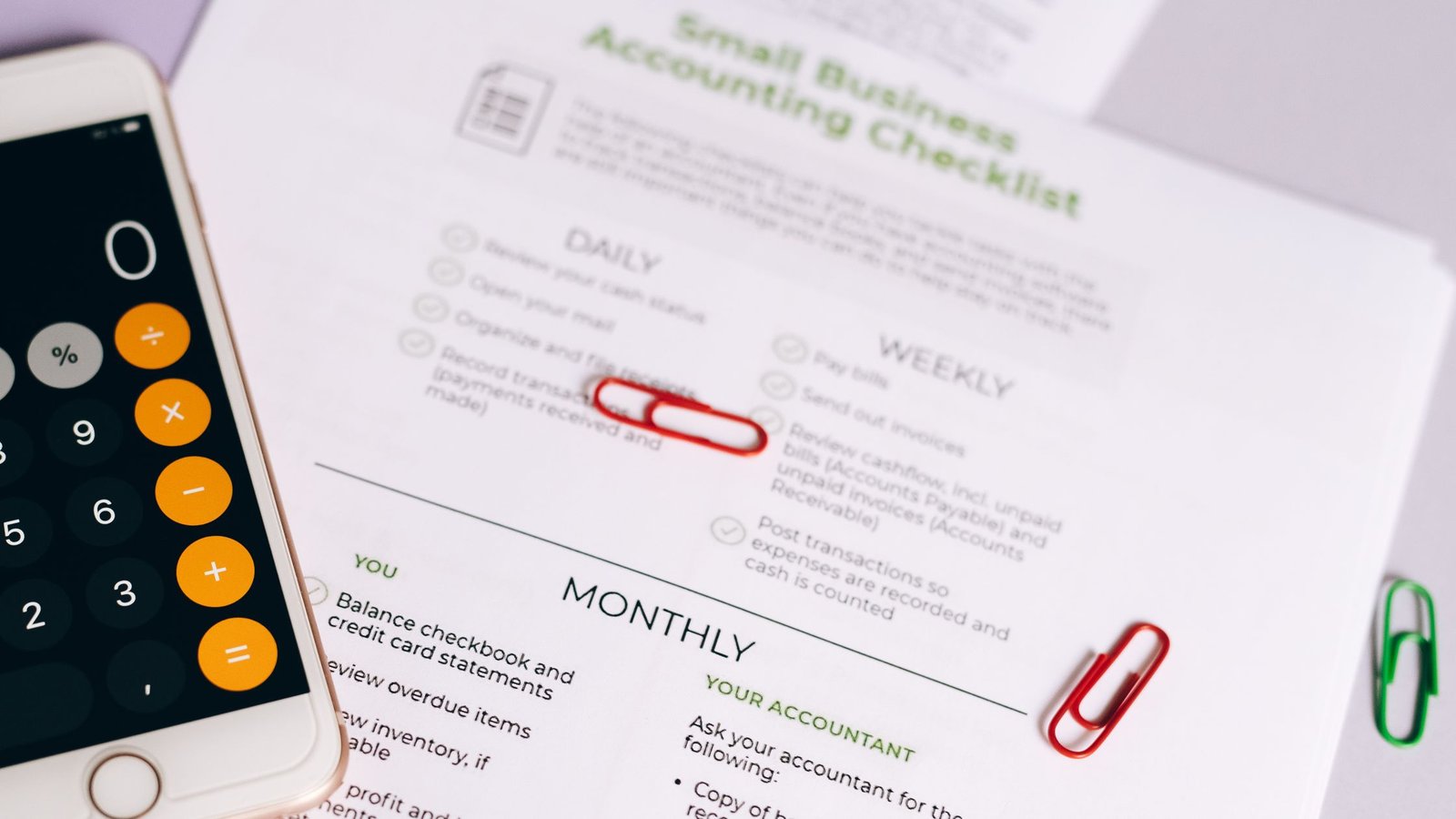
...

Tag: time blocking

  • One-Hour Life Admin Reset: Bills, Inbox, Calendar, and Next Steps

    One-Hour Life Admin Reset: Bills, Inbox, Calendar, and Next Steps

    If the loose ends of adult life keep stacking up, use this one hour life admin reset to clear bills, tame your inbox, audit your calendar, and set next steps you’ll actually keep. In 60 focused minutes, you’ll sweep the small but important tasks that steal attention and create a clean runway for your week.

    Key takeaways for your weekly life admin reset

    • Work in tight 10-minute blocks with a clear focus each block.
    • Use simple decision rules: delete, defer, do, delegate.
    • Separate β€œnext steps” from β€œnice-to-do” items to protect your future time.
    • End with 3-5 concrete follow-up appointments and reminders, not a long wish list.
    • Repeat the reset weekly or biweekly so mess never piles too high.

    What is a one hour life admin reset?

    A one hour life admin reset is a short, structured sprint to clear small tasks that weigh on your mind: unpaid bills, lingering emails, calendar conflicts, loose forms, and tiny fixes. It is not a marathon. It is a timed, practical sweep so you leave with fewer open loops and a light plan for what comes next.

    Because the window is short, you rely on rules more than willpower. You make quick calls, capture a few follow-ups, and protect your attention. This lowers decision fatigue and frees energy for the work that matters most. Research shows switching tasks comes with mental costs; fewer switches and clear rules reduce that friction (see APA on task switching and multitasking).

    In practice, it feels like clearing a jammed drawer. First, you surface what is on top. Next, you make simple β€œkeep or toss” calls. Finally, you put back only what supports the week ahead. Because the scope is small, you finish the hour with momentum rather than fatigue.

    Example: It’s Friday at 4:00 p.m. You pay two utility bills, archive 28 emails, send two quick replies, block 90 minutes Tuesday for the DMV, and set three follow-ups. You end with a lighter inbox, a settled calendar, and a dated note to handle the slower insurance claim.

    Why a 60-minute window works

    Short, time-boxed bursts help you focus and finish. You decide in advance what you will do in each block and when you will stop. This is a classic timeboxing move: define a task and bind it to a fixed, short block so you avoid perfection traps and endless rabbit holes.

    Also, constraints create clarity. When you only have 10 minutes, you stop polishing and start deciding. Because the finish line is near, it is easier to start and keep moving. You get a quick win, which builds momentum for the next block.

    In addition, β€œimplementation intentions” (the if-then plans of when and where you act) help turn intentions into actions. For example: β€œIf it’s Friday at 4:00 p.m., then I start my reset with bills.” Anchoring your reset to a cue improves follow-through. Likewise, ending with a brief β€œnext steps” ritual gives your brain closure so you can switch off more easily after work.

    Before you start: your reset kit

    Set the stage so your hour runs smooth. Silence notifications, clear your desk, and fill a glass of water. If possible, open a single browser window with only the tabs you need. Small setup moves reduce friction and help you stay on track when the timer is running.

    • Timer: set 6 blocks of 10 minutes each.
    • Short list: bills to check, inbox to triage, calendar to review, quick tasks basket.
    • Decision rules posted where you can see them.
    • Login details and 2-step verification ready for bill portals.
    • Notebook or notes app open for β€œNext Steps” and a β€œParking Lot.”
    Reset kit at a glance
    Item Why it helps Notes
    10-minute timer Creates urgency and focus Use a phone timer or a simple web timer
    Rules card Reduces decision fatigue Delete, Defer, Do, Delegate
    Secure logins Fast, safe bill management Enable 2-step verification where possible
    Notes app Capture next steps Keep β€œNext Steps” separate from β€œParking Lot”

    One hour life admin reset: 60-minute playbook

    Here is your minute-by-minute plan. Start your one hour life admin reset with a visible timer. Stop when the timer ends. If an item runs long, move on and place it in the Parking Lot with a date.

    Customize the blocks if you need to. For instance, if bills are quiet this week, shorten that block to five minutes and give the extra five to your inbox. Conversely, if your calendar is chaotic, extend the calendar audit and trim quick tasks. The rules stay the same: keep blocks short, make fast calls, and avoid rabbit holes.

    Suggested 60-minute block plan
    Minutes Focus Goal Examples
    0–5 Prep & rules Open tools, list targets, start timer Open bills, inbox, calendar tabs; rules card in view
    5–15 Bills sweep Pay/confirm 2–4 items Utilities, rent, subscriptions check, note due dates
    15–25 Inbox triage Clear 20–40 emails Delete, archive, 2-minute replies, flag 3 follow-ups
    25–35 Calendar audit Resolve conflicts and block key work Confirm meetings, add buffers, schedule errands
    35–50 Quick tasks Finish 5–10 tiny items Forms, renewals, address updates, password reset
    50–60 Next steps & close 3–5 dated follow-ups Create calendar holds and reminders, review wins

    Step 1 (0–5): Set rules and targets

    Write your top three areas: bills, inbox, calendar. Post your rules where you can see them. Decide now: when the timer buzzes, you move on. This tiny agreement with yourself keeps the hour from expanding and protects your attention.

    Step 2 (5–15): Bills sweepβ€”life admin power hour

    Open your bill accounts and recent statements. Pay or confirm what you can in this block. If a bill requires extra documents, note the item in Next Steps and move on.

    • Confirm due dates.
    • Check for surprise charges or duplicate subscriptions.
    • Set or review autopay and reminders for stable bills.

    Be careful with recurring payments. Free trials and auto-renewals can create unwanted charges if you forget to cancel. Set calendar reminders for trial end dates and review your subscriptions regularly.

    Step 3 (15–25): Inbox triage for your weekly life admin reset

    Move fast. Do not read every word of every message. Use the subject, sender, and first line to decide. Then apply your rules.

    Fast email decisions
    Action Trigger Example
    Delete Not needed, no action, or duplicate Expired sale, old newsletter, duplicate alert
    Defer Takes more than 2 minutes Form to complete, long request, research item
    Do Under 2 minutes Confirm, quick reply, file attachment
    Delegate Not yours to handle Forward with context to the right person

    For deferred emails, add a one-line next step to your list (e.g., β€œWed 10:00β€”send proof to Alex”). Then archive or snooze the message to the date you chose so it resurfaces when you can act. If you have a large backlog, search for easy wins first (for example, sort by sender or use a query like older_than:30d to archive stale notices quickly). Next, create a lightweight β€œVIP” filter so important senders never get lost.

    Step 4 (25–35): Calendar audit

    Scan the next two weeks. First, clear conflicts. Second, add buffers around demanding blocks. Third, time-box priority work and errands. Finally, confirm key meetings.

    • Block preparation time for any meeting that needs it.
    • Add 5–10 minute buffers between long calls to reset.
    • Bundle errands in one trip to avoid scattered drives.

    Time-boxing your day can help limit context switching. Short, named blocks for focused tasks protect attention and make completion likely. As you review, ask three questions: Can this be shorter? Can this move later? Can this be declined or replaced with an async update?

    Step 5 (35–50): Quick tasks

    Pull from your β€œtwo-minute” bin. Do not start anything that needs deep work. Keep items tiny. If a task grows, stop and park it with a date.

    • Renew a library card or membership.
    • Update a shipping address or profile.
    • Download and file a receipt.
    • Resend a calendar invite with the correct link.
    • Request a missing statement.

    Step 6 (50–60): Next steps and close for the one hour life admin reset

    End strong. Choose 3–5 concrete follow-ups and place them on dates and times. Then pick a day and time for your next one hour life admin reset. Take a breath. You are done.

    Two helpful add-ons: First, write a one-line summary of what you finished (this locks in the win). Second, leave yourself a short β€œstart here” note for the next session so future-you can jump in without hesitation.

    Decision rules you can trust

    Simple rules reduce mental strain. When you know the rule, you can act right away. Print this small table and keep it near your desk.

    Decision rules for life admin
    Rule Definition When to use it
    Delete Remove it permanently Not useful, not actionable, or out of date
    Defer Schedule it for the right time Needs more than 2–5 minutes or more info
    Do Finish now Under 2 minutes, low risk, high clarity
    Delegate Hand it to the right person Not your role or best done by someone else

    When in doubt, size the task. If it is under 2 minutes and low risk, do it now. If it needs thought, write a one-line next action and date it. Because the rule is simple, you avoid rethinking the same small choice over and over.

    What tools do you need?

    Use what you have. Keep it simple. A notes app for two pages (one for dated Next Steps and one for a Parking Lot), your email client with archive shortcuts and snooze, and your calendar showing the next two weeks will cover almost everything. If you prefer paper, keep a single page for Next Steps and a single page for the Parking Lot. For passwords, rely on a secure manager and turn on 2-step verification for bill sites. Above all, avoid changing tools during the reset itselfβ€”consistency beats novelty here.

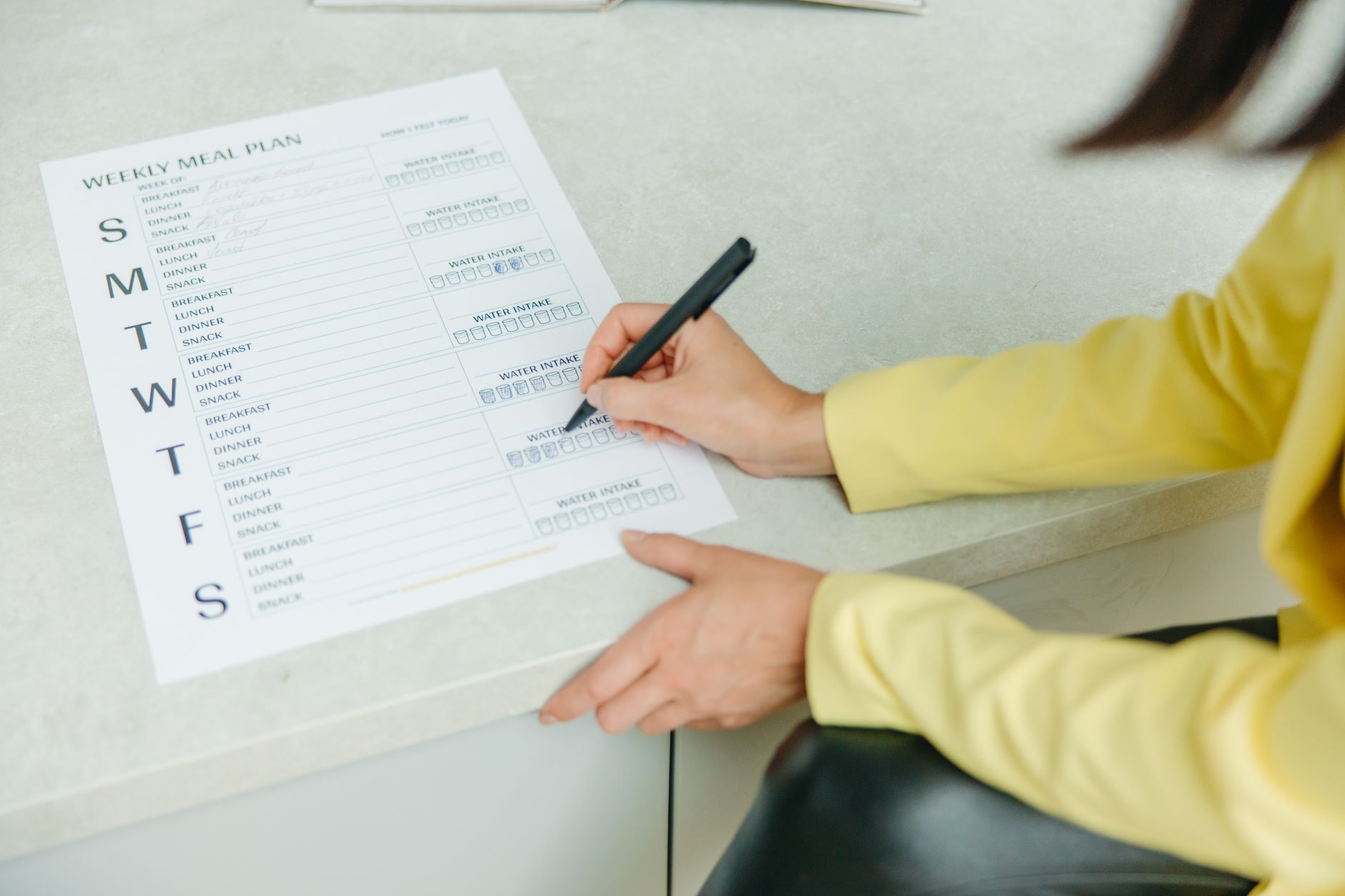
    Brief desk reset during a 60-minute life admin reset: a person pauses at a laptop with notes and glasses nearby.
    Short breaks help you protect focus. Photo by www.kaboompics.com via Pexels.

    Source: Pexels. Photographer: www.kaboompics.com.

    How should you handle bills in your reset?

    Keep bill time short and secure. Pay or schedule what you can. If a site needs you to hunt through old paperwork, stop and schedule a 20-minute follow-up. Do not let a single complex bill eat your entire hour.

    • Use 2-step verification on bill portals for added safety.
    • Set calendar reminders for trial end dates and renewals.
    • Consider autopay for stable, predictable bills; still review monthly.

    Also, be cautious with free trials and subscriptions. Many renew by default, and forgetting to cancel can cost you. Put a reminder on the date you should review the charge.

    Autopay quick guide
    Bill type Stable? Suggested action Safety note
    Fixed utilities (internet, rent) Yes Enable autopay Set a monthly β€œreview charges” reminder
    Variable services (electricity) Sometimes Consider autopay + alert Enable usage alerts to catch spikes
    Free trials / promos No Avoid autopay Set a reminder before the renewal date

    How can you triage email faster without missing important messages?

    Work top-down and apply the rules. Start with obvious deletions. Then hit 2-minute replies. Finally, flag and defer 3–5 messages that deserve focus later. Use filters to keep newsletters out of your main inbox and send billing alerts to a folder you check in your reset.

    • Unsubscribe from content you no longer read.
    • Create a β€œWaiting” label for items that need someone else’s action.
    • Use snooze to bring a message back on the date you can respond.

    For noisy lists, auto-archive newsletters with a label so you can read them on your terms. Meanwhile, pin deadlines and approvals. Because the reset is short, capture a next action for anything complex and move on.

    How do you time-box calendar work without overfilling days?

    Be realistic. Name blocks by outcome, not by effort. β€œSubmit tax form” is clear. β€œTaxes???” is vague. Add buffers before and after intense blocks. Keep at least one open hour daily for the unexpected.

    • Rename blocks as verbs: β€œCall”, β€œDraft”, β€œSubmit”, β€œPay”.
    • Place deep work before noon if your energy is higher then.
    • Batch errands into a single window once per week.

    As you place holds, think in themes: admin, calls, errands, decision time. Grouping similar work reduces the cost of switching. If a day is already packed, move a non-urgent item to your next reset instead of cramming it in.

    Quick sizing: Do it now or schedule it?
    Item type Time needed Action
    Tiny confirmation Under 2 minutes Do now
    Short form or call 5–10 minutes Finish in Quick Tasks block
    Document hunt 15–30 minutes Schedule a dated follow-up
    Complex decision 30+ minutes Park it and plan a focused session

    When should you run a one hour life admin reset?

    Pick a consistent cue so it becomes automatic. For many, Friday afternoon works well. The week is fresh in mind, and you can roll into the weekend lighter. Others prefer Monday first thing or Sunday evening. The best time is the one you protect.

    As a result, the habit forms. A repeating slot prevents pile-ups. Your brain learns that loose ends get handled soon, which reduces background stress the rest of the week. If it helps, stack the reset with something you already do (for example, right after your weekly team wrap-up).

    If your one hour life admin reset doesn’t finish everything

    That is normal. The goal is not to clear every inbox or task. The goal is to reduce clutter, make fast calls, and date the few follow-ups that matter. Perfection is not needed. Progress is.

    Therefore, use your Parking Lot. Anything that does not fit goes there with a review date. In your next reset, start by skimming that list and pulling in what still matters.

    Use an β€œexit ramp” if you feel behind: in the last minute, stop doing and write three quick linesβ€”what you finished, what you will do next, and when. This keeps the reset contained and sets up a clean restart.

    Mistakes to avoid

    • Letting one tricky bill eat 30 minutes. Stop and schedule it.
    • Turning the inbox block into a reading session. Skim, then decide.
    • Overfilling your calendar with back-to-back blocks. Leave buffers.
    • Capturing 20 β€œmaybes” as Next Steps. Choose 3–5 real ones.
    • Switching tools mid-session. Use the same simple setup each week.

    Security and privacy basics for your reset

    • Use a password manager rather than reusing passwords.
    • Turn on 2-step verification for financial and billing portals.
    • Be cautious with links in emails; go directly to the site when paying.
    • Put trial renewals and subscription checks on your calendar.
    Timer for a 60-minute life admin reset on a clean desk.
    Short, named blocks keep your reset moving. Photo by Surja Raj via Pexels.

    Source: Pexels. Photographer: Surja Raj.

    Automation you can set in 10 minutes

    Do not automate everything at once. Start small. Pick one stable bill (such as internet) to put on autopay and add a monthly β€œreview charges” reminder. Set a simple email filter so newsletters skip the inbox into a β€œRead Later” label you check on your terms. Finally, create a recurring calendar reminder called β€œSubscriptions reviewβ€”15 minutes” so renewals never sneak past you. Because you are layering these automations over a weekly reset, they make life easier without hiding important details.

    Why a one hour life admin reset reduces stress

    Life admin tasks linger as mental tabs. When you sweep them quickly and place follow-ups on dates, you close loops and reduce background tension. Short, committed plans (if-then cues) increase the odds you act. Also, limiting context switching preserves energy for deeper work later. The point is not to do everything; it is to remove friction so the right things happen at the right time.

    Lightweight templates to copy

    Use these short lines during your reset and tweak as needed: Quick replyβ€”β€œThanks for this. I’ll review and get back to you by [day].”; Delegateβ€”β€œAdding [Name] here. They’re the best person to help with this.”; Confirmβ€”β€œConfirming [meeting] on [date/time]. See you then.” Saving a few simple scripts removes typing friction and keeps your tone consistent.

    Daily micro-reset vs the one hour life admin reset

    Many people like a 10-minute daily micro-reset. It is not a replacement for your weekly life admin reset, but it can keep small items from piling up. Use it to clear a handful of messages and check tomorrow’s calendar. Meanwhile, keep the deeper cleanup and decision-making in the weekly session where it fits best.

    Optional Amazon resources

    Affiliate disclosure: Some links in this guide may be affiliate links. If you buy through them, Mind Clarity Hub may earn a commission at no extra cost to you.

    If you like paper tools, a simple undated weekly planner or a small habit tracker can make your one hour life admin reset smoother. Choose clean layouts with space for 3–5 priorities.

    Browse undated weekly planners on Amazon

    One hour life admin reset: FAQs

    How often should a one hour life admin reset happen?

    Run it weekly or every other week. Consistency matters more than the exact day. Anchor it to the same cueβ€”like Friday at 4:00 p.m.β€”so it becomes automatic.

    What if I have only 30 minutes?

    Halve the plan. Do bills for 8–10 minutes, inbox for 10–12 minutes, and a 5–8 minute Next Steps block. Still end by dating 3 follow-ups.

    Can I share the reset with a partner or roommate?

    Yes. A joint session can align bills, schedules, and errands. Keep shared tasks in one list, agree on 3–5 follow-ups, and put holds on the calendar while you are together.

    What if new urgent items pop up during the hour?

    Capture them in the Parking Lot. Only break the block if the item is truly time-sensitive and cannot wait 30–40 minutes.

    How do I stop the one hour life admin reset from growing into a big cleanup project?

    Honor the timer. Move on when time is up. If you uncover a project (like changing banks), park it and schedule a separate focused session.

    Next steps you can take today

    • Pick your weekly cue and add your first one hour life admin reset to the calendar.
    • Print or save the decision rules table.
    • Set up 2-step verification on at least one bill account.

    Helpful sources

    More guides to support your plan

    Finally, book your first slot now. Then run your one hour life admin reset this week. You will finish lighter, clearer, and ready for the work that matters most.

  • Focus Routine for Remote Work: A Simple System That Sticks

    Focus Routine for Remote Work: A Simple System That Sticks

    Remote work can be a giftÒ€”until your day becomes a blur of pings, tabs, and Ò€œquickÒ€ requests. A focus routine for remote work is a simple system you repeat each day to protect deep work, handle communication on purpose, and shut down cleanly so your brain can recover.

    Last updated: June 17, 2026.

    Key takeaways (quick win first)

    • Your focus routine for remote work needs anchors (start + end rituals), not willpower.
    • Use two focus blocks for the hardest work and two communication windows for messages and meetings.
    • Reduce task switching: finish a Ò€œnext stepÒ€ before you switch so your brain isnÒ€ℒt stuck on the old task.
    • Protect your body to protect your brain: short hourly breaks reduce discomfort and eyestrain, which helps attention last longer.
    • End the day with a shutdown checklist so tomorrow starts calmer and faster.

    What is a focus routine for remote work?

    A focus routine for remote work is a repeatable set of cues, blocks, and boundaries that keeps your attention on the right task at the right timeÒ€”without you having to Ò€œdecideÒ€ all day long. It usually includes:

    • A start ritual that turns on work mode (same place, same tools, same first step).
    • Protected focus blocks for work that needs depth (writing, design, analysis, coding, planning).
    • Communication windows for email, chat, and meetings so they do not leak into everything.
    • Microbreaks that reset your eyes, posture, and attention.
    • A shutdown ritual that closes open loops and makes tomorrow easier.

    The goal is not perfect discipline. The goal is a day that feels designed instead of reactive.

    Why a work from home focus routine breaks faster (and how to fix it)

    Remote work removes the office commute, but it also removes natural Ò€œedgesÒ€ that used to protect focus. Most focus problems in remote work come from a few predictable frictions:

    • Constant switching between tasks, tabs, and messages. Switching has a cognitive cost, even when it feels minor.
    • No shared norms about response time. If everything is urgent, nothing is deep.
    • Blurred boundaries between work space, home space, and rest space.
    • Invisible posture problems (couch work, laptop-only setups, glare) that create fatigue and distraction.

    Research on task switching suggests that when you move on before a task feels complete, part of your attention can Ò€œstick,Ò€ which makes the next task harder (often called attention residue).source The fix is not to do fewer things forever. It is to switch less often during your best focus windowsÒ€”and to switch with intention when you must.

    Quick-start: a focus routine for remote work you can set up today (30 minutes)

    If you want momentum fast, use this starter version today. It is designed to work even if your schedule is messy.

    1. Pick one Ò€œfocus seat.Ò€ Choose a place where you can work most days. Put your charger, water, and one notebook there.
    2. Choose your Ò€œfirst task.Ò€ Write one sentence: Ò€œWhen I start work, I will ______.Ò€ (Example: open project doc and write the next step.)
    3. Block two focus sessions. Put two 45Γ’β‚¬β€œ90 minute blocks on your calendar (morning + early afternoon if possible).
    4. Create two message windows. Put 15Γ’β‚¬β€œ30 minutes before lunch and 15Γ’β‚¬β€œ30 minutes late afternoon for email/chat.
    5. Set one break timer. Aim for a quick posture/eye break each hour. NIOSH notes that adding hourly 5-minute breaks can reduce discomfort and eyestrain.source
    6. End with a 5-minute shutdown. Write tomorrowÒ€ℒs first task, close tabs you do not need, and set Ò€œawayÒ€ in chat.

    That is enough to feel the difference. The rest of this guide helps you make the system stick long-term.

    If you are unsure where to place your first focus block, protect the hour when you are least likely to be interrupted instead of the hour you think you should be productive. For some people that is early morning. For parents, support roles, or shared-house schedules, it may be late morning or the first quiet stretch after lunch. A focus routine for remote work lasts longer when it fits your real day rather than an idealized one.

    How long should a focus block be when working remotely?

    Start with 45Γ’β‚¬β€œ90 minutes. Long enough to get past the warm-up phase, short enough to protect energy. For meeting-heavy roles, 30Γ’β‚¬β€œ45 minutes may be more realistic. Deep creative work can often handle 75Γ’β‚¬β€œ120 minutesÒ€”as long as you follow it with a real break.

    Not sure what to pick? Use this simple rule: choose a block length you can repeat four days a week. Consistency beats intensity.

    The Ò€œ2Γ’β‚¬β€œ2Γ’β‚¬β€œ1Ò€ system: a focus routine for remote work that sticks

    This is the easiest structure to remember and repeat:

    • 2 focus blocks for your most important work.
    • 2 communication windows for messages, email, and small admin tasks.
    • 1 shutdown ritual to close loops and end work on purpose.

    When you use this structure, your brain learns what to expect. Less deciding means less friction.

    Step 1: Set up your workspace for a remote work focus routine

    You do not need a magazine-ready office. You need a workspace that reduces tiny distractions. Use this checklist once, then keep it simple.

    • Light: put your screen perpendicular to windows to reduce glare.
    • Seat: sit so your feet are supported and your lower back has support (even a pillow helps).
    • Screen height: raise your laptop or add an external monitor so you are not hunching all day.
    • Tools: keep one pen, one notebook, and one charger within reach.
    • Noise plan: decide what you will do when the house is loud (headphones, music, a different room).

    If you want a source-backed ergonomic baseline, NIOSH offers practical guidance for working from home, including screen setup, breaks, and stress boundaries.source

    Step 2: Choose your Ò€œfocus anchorÒ€ (the start ritual)

    The start ritual is a tiny, repeatable sequence that tells your brain: Ò€œNow we focus.Ò€ Keep it shortÒ€”1 to 3 minutes.

    Try this example start ritual:

    1. Clear your desk to one open notebook and your keyboard.
    2. Write the next step for your main task (one sentence).
    3. Start a timer for your focus block.

    Important: begin with a next step, not a vague goal. Ò€œWrite outline for report section 2Ò€ beats Ò€œwork on report.Ò€

    Step 3: Protect your deep work blocks with a switch-cost rule

    Remote work creates more opportunities to switch. The routine that sticks uses one rule to reduce switching costs:

    Before you switch tasks, write a Ò€œnext stepÒ€ you will do when you return.

    This Ò€œready-to-resumeÒ€ note reduces the mental load of reopening a task later. It also helps you avoid the feeling that you must keep checking on an unfinished task.

    During your deep work block, use one of these guardrails:

    • One-tab rule: keep one primary tab/app visible; put everything else behind it.
    • Notification truce: silence non-urgent notifications until the block ends.
    • Capture list: when you remember a random task, write it in one list instead of switching to do it.

    If you need proof that switching is real, the Association for Psychological Science summarizes research suggesting productivity decreases when we frequently switch tasks because task-related memory fades.source

    Step 4: Communication windows in a focus routine for remote work

    Communication windows are short, scheduled times for email, chat, and Ò€œsmall asks.Ò€ This is how you stay responsive without staying interruptible.

    Use two windows to start:

    • Midday window (15Γ’β‚¬β€œ30 minutes): reply, schedule, triage.
    • Late afternoon window (15Γ’β‚¬β€œ30 minutes): close loops, confirm tomorrow, send updates.

    If your job requires high responsiveness, keep the windows but shorten them and add one Ò€œrapid responseÒ€ checkpoint (5 minutes) between focus blocks.

    Copy-paste status messages (so people know what to expect)

    Most interruptions happen because other people do not know your response rhythm. These short scripts make your boundaries clear while staying friendly.

    • During focus block: Ò€œIn a focus block until 10:45. If itÒ€ℒs urgent, tag me with URGENT; otherwise IÒ€ℒll reply in my 11:00 window.Ò€
    • When youÒ€ℒre heads-down on a deadline: Ò€œOn deadline today. IÒ€ℒm checking messages at 12:00 and 4:30.Ò€
    • For recurring interruptions: Ò€œCan we bundle these questions into one note? IÒ€ℒll answer them in my next message window so nothing gets missed.Ò€

    Meeting hygiene: protect focus without becoming Ò€œunavailableÒ€

    Meetings can destroy a focus routine for remote work when they land randomly across the day. You do not need fewer meetings overnightÒ€”you need meeting edges:

    • Cluster meetings: stack them back-to-back in one window (for example, 1:00Γ’β‚¬β€œ3:00) when possible.
    • Add a buffer: protect 10 minutes after each meeting for notes + next steps so the meeting doesnÒ€ℒt spill into your focus block.
    • Use an agenda rule: decline or shorten meetings that do not have a goal, an owner, and a decision.
    • Turn meetings into tasks: capture one concrete next step immediately so you can re-enter deep work faster.

    Step 5: Microbreaks that support your focus routine for remote work

    Microbreaks are not a productivity Ò€œhack.Ò€ They are a maintenance tool. Breaks reset your eyes, posture, and attentionÒ€”especially when you work on a laptop or stare at a screen all day.

    Try the simplest break pattern:

    • Every hour: stand up, change posture, and look away from the screen for a minute.
    • Once mid-morning and mid-afternoon: take a longer 5-minute movement break.
    • Lunch: take at least one real break away from your screen.

    NIOSH highlights that adding hourly 5-minute breaks on top of conventional breaks can reduce musculoskeletal discomfort and eyestrain for computer work.source

    Planner and laptop setup for a focus routine for remote work, supporting daily planning and clean shutdown habits.
    Planning plus a clear next step makes remote focus easier to repeat. Photo by Vlada Karpovich via Pexels.

    Step 6: Do a shutdown routine (so tomorrow starts calmer)

    The shutdown routine prevents Ò€œopen loopsÒ€ from haunting your evening. It also turns tomorrow into a smoother start.

    Use this 5-minute shutdown checklist:

    1. Write tomorrowÒ€ℒs first task (one sentence).
    2. Capture any loose tasks into one list (do not do them now).
    3. Close tabs you do not need tomorrow.
    4. Send one status update if someone depends on you.
    5. Set a boundary signal (chat status, calendar block, or physical cue like closing your notebook).

    This is the habit that most remote workers skipÒ€”and the one that makes the biggest difference within a week.

    A weekly reset (10 minutes) to keep your routine from drifting

    Your daily routine works best when you set it up once a week. Do this on Friday afternoon or Sunday evening:

    1. Pick your two biggest outcomes for the week (not a long list).
    2. Schedule your two focus blocks for the next workday first, then place meetings around them.
    3. Choose one Ò€œmaintenance blockÒ€ (30Γ’β‚¬β€œ60 minutes) for admin that would otherwise leak into focus time.
    4. Write one sentence for MondayÒ€ℒs first task so you start clean.

    This weekly reset is where you prevent calendar chaos before it happens.

    How to keep your focus routine for remote work when home is noisy

    Many remote routines fail because they assume ideal conditions. If you share space with family, roommates, pets, or construction noise, build a plan that adapts instead of breaking.

    Use a three-level noise plan:

    • Level 1 (normal): your usual workspace, normal expectations.
    • Level 2 (noisy): headphones + shorter focus blocks (30Γ’β‚¬β€œ45 minutes) + more frequent breaks.
    • Level 3 (chaos): switch to Ò€œlow-cognitiveÒ€ tasks (admin, reviews, scheduling) and protect your shutdown routine so tomorrow resets.

    Even on messy days, the goal is to protect one meaningful focus block. One win keeps the habit alive.

    How to tell if your focus routine is working (simple metrics that donÒ€ℒt require tracking apps)

    You do not need complicated analytics. Track three signals for one week:

    • Output: Did you finish one meaningful deliverable each day (or make visible progress)?
    • Switching: How often did you abandon a task mid-stream because of messages or Ò€œquickÒ€ checks?
    • Shutdown quality: Did you end the day with a clear first task for tomorrow?

    When output rises and switching drops, your routine is doing its jobÒ€”even if your calendar still has meetings.

    Also watch how hard it feels to begin. A strong focus routine for remote work lowers the drama of starting. You spend less time checking inboxes, rearranging tabs, or waiting to feel ready, because the routine itself becomes the cue. When the start gets easier, the system is becoming a habit instead of a rescue move.

    Common mistakes that quietly kill remote focus

    • Starting with email: it turns your day into other peopleÒ€ℒs priorities.
    • Protecting focus blocks but skipping breaks: fatigue builds and your attention collapses anyway.
    • Doing Ò€œjust one quick thingÒ€ during a block: quick switches often become long detours.
    • Leaving decisions for tomorrow morning: a missing first task makes your start slower and more anxious.

    Adjust your focus routine for remote work on hard days (low energy, anxiety, ADHD)

    A routine is only useful if you can use it when life is messy. On low-energy or high-anxiety days, shrink the routine instead of abandoning it.

    Try these adjustments:

    • Use a Ò€œstarter blockÒ€: begin with 15 minutes. When you finish, decide whether to extend to 45 minutes.
    • Lower the cognitive load: do one planning pass: Ò€œWhat is the next small step?Ò€ Then start.
    • Reduce friction: keep your tools in one place, and remove one distraction (phone in another room, fewer tabs, one to-do list).
    • Switch to Ò€œminimum viable deep workÒ€: one 30-minute block plus the shutdown checklist.

    This is still a focus routine for remote work. It keeps the habit alive, and tomorrow is easier because you never fully fell off.

    Three daily templates you can copy (pick one that fits your reality)

    Choose the template that matches your day most often. Then run it for five days before you change anything.

    Template Best for Focus blocks Communication windows Shutdown
    Maker day Writing, coding, design, deep thinking 2 Γƒβ€” 75Γ’β‚¬β€œ120 min 2 Γƒβ€” 20 min 5 min
    Mixed day Some meetings + some deep work 2 Γƒβ€” 45Γ’β‚¬β€œ75 min 2 Γƒβ€” 25 min 5Γ’β‚¬β€œ10 min
    Meeting-heavy day Calls, collaboration, support roles 2 Γƒβ€” 30Γ’β‚¬β€œ45 min (micro-focus) 3 Γƒβ€” 15 min (short triage) 5 min

    Tip: If meetings land on your focus blocks, do not abandon the routine. Shrink the blocks and protect the shutdown. A smaller routine is still a routine.

    What a real focus routine for remote work looks like across a full week

    Most routines fail because they are designed for one perfect day. Real remote work is uneven. Monday may give you a clean morning block, Wednesday may be packed with calls, and Friday may feel more like review and recovery than deep creation. The routine still works when you keep the same order: start with an anchor, protect at least one meaningful block, batch communication, recover with breaks, and shut down on purpose.

    That means your schedule can flex without your system disappearing. On a quieter day you may protect two 90-minute blocks. On a noisy or meeting-heavy day, you might run two 35-minute micro-focus blocks and still count that as a win. The goal is not a rigid calendar. The goal is a repeatable rhythm that helps your brain re-enter focused work without negotiating from scratch every day.

    If you want a deeper system after this article, pair the routine with the reading path that fits your work. Focus Recharged is the better fit when you need to rebuild attention after months of screen-driven fragmentation. The Focused Freelancer fits better when remote work also means client requests, shifting priorities, and self-managed deadlines. The article gives you the operating rhythm; the books help you deepen it.

    A visual loop: focus routine for remote work (repeatable cycle)

    This loop is the mental model behind the whole system. It keeps the day simple even when work is not.

    Troubleshooting your focus routine for remote work

    If your focus routine for remote work feels great on Monday and collapses by Thursday, you usually have one weak link. Use this table to diagnose the problem quickly.

    Problem Likely cause Fix (smallest next step)
    Focus blocks keep getting interrupted No shared expectation about response time Add two communication windows and set your status during focus blocks
    You start late every day No clear first task Write tomorrowÒ€ℒs first task during shutdown
    You feel busy but nothing finishes Too much switching Use the Ò€œnext step before switchÒ€ rule for every task change
    You crash mid-afternoon Breaks are random or skipped Add hourly posture/eye breaks + one longer movement break
    You canÒ€ℒt stop thinking about work at night No shutdown ritual Close tabs + capture loose tasks + write the first task for tomorrow

    How this routine supports long-term remote work (and why itÒ€ℒs not just Ò€œmore productivityÒ€)

    Remote work is not only a scheduling issue. It is also a sustainability issue. When boundaries disappear, many people work longer days and lose uninterrupted focus time. NIOSH notes that working from home can blur lines between work and home and can fragment focus, which can increase stressÒ€”making routines and boundaries more important, not less.source

    Research from Stanford on hybrid work also suggests that how work is structured matters for productivity and retention, reinforcing the value of intentional routines and focused time blocks.source

    Next steps: build your personal focus reading plan

    If you want a deeper, step-by-step system for rebuilding attention (especially if screens have trained your brain to switch constantly), start here:

    FAQ: focus routine for remote work

    Do I need to wake up early for a focus routine to work?

    No. The routine works when you protect your best focus windowÒ€”morning, midday, or evening. Keep the structure (focus blocks + communication windows + shutdown) and adjust the clock.

    What if my day is filled with meetings?

    Use Ò€œmicro-focusÒ€ blocks (30Γ’β‚¬β€œ45 minutes) between meetings, and protect the shutdown routine. A smaller focus routine for remote work is still effective because it reduces switching and creates daily anchors.

    Should I use Pomodoro?

    Pomodoro can help if you struggle to start. If it makes you feel rushed, increase the work interval (for example, 45 minutes) and keep the break. The best interval is the one you can repeat without burning out.

    How many communication windows do I need?

    Two works for most people. If you are in a customer-facing or support role, add a short Ò€œrapid responseÒ€ checkpoint between focus blocks (5 minutes) and keep the rest of the day protected.

    WhatÒ€ℒs the single most important habit in this system?

    The shutdown checklist. It reduces after-hours mental load and makes tomorrowÒ€ℒs start faster, which makes the whole routine easier to repeat.

    Helpful resources for your next step

    Affiliate disclosure: As an Amazon Associate, Mind Clarity Hub may earn from qualifying purchases at no extra cost to you. Use this link only if it genuinely helps your planning.

    If Focus Routine for Remote Work: A Simple System That Sticks is a routine you want to keep using, a simple workbook, planner, or desk tool can make the steps easier to repeat.

    Compare related planners, workbooks, and organization tools on Amazon.

  • A Weekly Planning Routine for Busy Adults Who Need More Calm

    A Weekly Planning Routine for Busy Adults Who Need More Calm

    Short version: If chaos keeps winning your week, this guide gives you a weekly planning routine for busy adults that turns noise into calm. You will capture loose ends, pick only what matters, block time around energy, and leave buffers so real life still fits. The result is a steadier week you can trust.

    Key takeaways from a weekly reset

    • Start with one consistent 60-minute reset. Keep it the same day and time.
    • Brain-dump everything, then choose a few high-impact wins. Less is more.
    • Time-block your must-dos around your best energy windows.
    • Leave buffers. Plans fail when every slot is packed.
    • Review once midweek. Fix the plan, not your willpower.
    • Use simple tools you will open daily. Paper or digital both work.
    • Protect rest and movement like appointments. Energy fuels results.

    Why a weekly planning system lowers stress (and works better than daily scrambling)

    Planning reduces guesswork. It also moves ideas out of your head and onto a page. Because your brain does better at solving problems than at holding dozens of reminders, you feel lighter once tasks live in a trusted list. In addition, a weekly reset lets you choose a few wins before the calendar fills with other peopleΓƒΒ’Γ’β€šΒ¬Γ’β€žΒ’s plans.

    Research supports this. ΓƒΒ’Γ’β€šΒ¬Γ…β€œImplementation intentionsΓƒΒ’Γ’β€šΒ¬Γ‚Β (simple if-then plans) boost follow-through on goals by linking an action to a time and trigger (Gollwitzer, 1999). In parallel, cognitive offloading research shows that writing information down frees mental resources for thinking (Risko & Gilbert, 2016). Finally, broad stress surveys keep finding that uncertainty and workload drive anxiety for many adults, and clear plans can help reduce that pressure by restoring a sense of control (American Psychological Association, Stress in America).

    You can scan the source material here: APA: Stress in America, Gollwitzer on implementation intentions, and Risko & Gilbert on cognitive offloading.

    There is another reason weekly beats daily: decisions. When you decide key outcomes once per week, you avoid dozens of small, in-the-moment choices. That reduces decision fatigue. As a result, you follow your plan more often. Also, a weekly view exposes trade-offs you cannot see on a daily page, like how one long meeting day demands a lighter evening.

    Quick answer: your one-hour weekly reset

    Here is the fast structure you can reuse every week.

    1. Collect (10 min): Inbox-zero sweep, notes, voicemails, sticky notes, brain dump.
    2. Clarify (10 min): Turn each note into a clear next step or drop it.
    3. Choose (10 min): Pick 3 work wins and 2 life wins for the week.
    4. Block (15 min): Time-block your wins and anchor events first. Add buffers.
    5. Prep (10 min): Set up materials, checklists, and if-then plans.
    6. Protect (5 min): Add a midweek review and one recovery block.

    Start with a simple weekly planning routine for busy adults you can finish in 60 minutes. Then adjust once it feels automatic.

    What does a weekly planning routine for busy adults include?

    It includes six parts you repeat. You collect inputs, clarify tasks, select priorities, block time, prep tools, and protect energy. Each part is short. Also, each part has a clear output you can see on paper or screen.

    • Collect: One place where you capture everything.
    • Clarify: Every item is either a task, a date, a note, or trash.
    • Choose: A small set of weekly outcomes that matter.
    • Block: Calendar time that matches energy and focus windows.
    • Prep: Files, links, checklists, and meeting agendas ready.
    • Protect: Buffers, sleep, meals, and movement planned.

    How long should a weekly planning routine for busy adults take?

    About one hour is enough for most people. However, you can do a 30-minute ΓƒΒ’Γ’β€šΒ¬Γ…β€œliteΓƒΒ’Γ’β€šΒ¬Γ‚Β reset in crunch weeks, or a 90-minute deep reset when you are starting fresh or after a big change.

    Where should a weekly planning routine for busy adults live?

    Pick one home base you open every day. For example, a paper weekly planner, a simple notes app, or a calendar-plus-task app. In addition, keep a visible place for a weekly snapshot (a printed page, a pinned note, or a widget). Therefore, you do not need to hunt for your plan.

    Open planner and glasses: a weekly planning routine for busy adults in action.
    Keep your plan visible and easy to open. Photo by Jess Bailey Designs on Pexels.

    Description and source: Close-up of an open planner with glasses. Photographer: Jess Bailey Designs. Licensed via Pexels: view original.

    The 60-minute weekly review, step by step

    This weekly planning routine for busy adults breaks the hour into clear blocks. Use a timer. Also, stop each step when the timer ends. Momentum matters more than perfection.

    1) Collect: empty your head and inboxes (10 minutes)

    Do a quick sweep of email, messages, and voicemails; pull in sticky notes, receipts, and stray pages; then brain dump anything still on your mind. Write fast and avoid sorting yet. Output: one list of everything that has your attention.

    2) Clarify: convert inputs into next steps (10 minutes)

    Turn vague notes into direct actions, dates, or drops. Use short verbs like ΓƒΒ’Γ’β€šΒ¬Γ…β€œemail Alex,ΓƒΒ’Γ’β€šΒ¬Γ‚Β ΓƒΒ’Γ’β€šΒ¬Γ…β€œdraft intro,ΓƒΒ’Γ’β€šΒ¬Γ‚Β or ΓƒΒ’Γ’β€šΒ¬Γ…β€œorder filters.ΓƒΒ’Γ’β€šΒ¬Γ‚Β If a task looks bigger than 60ΓƒΒ’Γ’β€šΒ¬Γ’β‚¬Ε“90 minutes, split it into smaller chunks you can finish in one block. Output: a clean tasks-and-dates list.

    3) Choose: pick 3 work wins and 2 life wins (10 minutes)

    Less is kinder to your future self. Therefore, choose only what moves the needle. You can use the Eisenhower Matrix to sort items by importance and urgency.

    Quadrant What it means Examples Action
    Important & Urgent High impact, time-bound Client deadline, filing forms Do first, time-block early
    Important & Not Urgent High impact, flexible Strategy draft, training Protect blocks; big weekly wins
    Not Important & Urgent Low impact, noisy Most pings and quick asks Delegate or set limits
    Not Important & Not Urgent Low impact, flexible Random browsing, busywork Delete or batch later

    Output: five headline outcomes for the week that fit your life.

    4) Block: map time around your energy (15 minutes)

    Time-block your five wins first. Then fit meetings, errands, and chores around them. Because energy matters more than minutes, place deep work in your best focus window and admin in lighter hours.

    Day Focus window Anchor events Deep work block Admin block
    Mon 8:30ΓƒΒ’Γ’β€šΒ¬Γ’β‚¬Ε“11:00 1:1 at 2:00 Project A draft Inbox + errands
    Tue 9:00ΓƒΒ’Γ’β€šΒ¬Γ’β‚¬Ε“11:30 Team standup 9:00 Proposal build Invoices
    Wed 8:00ΓƒΒ’Γ’β€šΒ¬Γ’β‚¬Ε“10:30 Client call 1:00 Analysis Docs + filing
    Thu 9:00ΓƒΒ’Γ’β€šΒ¬Γ’β‚¬Ε“11:00 On-site 3:00 Strategy write Follow-ups
    Fri 9:00ΓƒΒ’Γ’β€šΒ¬Γ’β‚¬Ε“10:30 Wrap 3:00 QA + review Planning + clean up

    Output: calendar holds for your most important work plus buffers.

    5) Prep: set triggers that make action easy (10 minutes)

    Open the tabs, files, and brief notes you will need for each block; write a one-line if-then for each key task (for example, ΓƒΒ’Γ’β€šΒ¬Γ…β€œIf itΓƒΒ’Γ’β€šΒ¬Γ’β€žΒ’s 9:00 Monday, then start Project A outlineΓƒΒ’Γ’β€šΒ¬Γ‚Β); and gather materials into one folder or tray. Output: your future self can start each block in under one minute.

    6) Protect: add buffers, sleep, and movement (5 minutes)

    Insert 15-minute breathing room after deep work; plan one walk, stretch, or short workout most days; and hold a midweek 15-minute review to reset the plan. Output: a week that cares for your body and fixes small slips fast. For healthy sleep targets by age, see the CDC overview (CDC: How Much Sleep Do I Need?).

    Weekly Calm Cycle (60 minutes)

    Flow: Collect Ã’Ò€ Ò€ℒ Clarify Ã’Ò€ Ò€ℒ Choose Ã’Ò€ Ò€ℒ Block Ã’Ò€ Ò€ℒ Prep Ã’Ò€ Ò€ℒ Protect. Midweek: run a 15-minute micro-review and adjust blocks, not goals. End of week: reflect for 10 minutes and keep what worked.

    Design note: Keep it simple and visible. Use a soft-neutral background, navy accents, and short labels so it is readable on mobile.

    What tools make a weekly planning routine for busy adults easier?

    Use the tools you already open. Also, keep the stack small. One calendar, one task list, and one notes spot is plenty. Calendar: Google Calendar, Outlook, or a paper weekly planner; Tasks: a paper list, Apple Reminders, Microsoft To Do, or Todoist; Notes: Apple Notes, Google Keep, Notion, or a notebook.

    Tip: Pin your weekly snapshot at the top of your task app or print it and keep it by your keyboard.

    Overhead workspace with a weekly planner clipboard, pens, and books to support a calm planning reset.
    Lay out simple tools before you start. Photo by Ron Lach on Pexels.

    Description and source: Overhead workspace with clipboard planner and tools. Photographer: Ron Lach. Licensed via Pexels: view original.

    Inside your weekly review: how to choose priorities

    Pick outcomes, not chores. Because outcomes are specific results, they guide your choices when time runs short. Write them as results (for example, ΓƒΒ’Γ’β€šΒ¬Γ…β€œSend proposal draft to MiaΓƒΒ’Γ’β€šΒ¬Γ‚Β rather than ΓƒΒ’Γ’β€šΒ¬Γ…β€œWork on proposalΓƒΒ’Γ’β€šΒ¬Γ‚Β). Limit to five for the weekΓƒΒ’Γ’β€šΒ¬Γ’β‚¬Βmore is fantasy. Finally, check alignment with your bigger goals and roles.

    Time-blocking in your weekly planning system without losing flexibility

    Blocks should be firm on intention and loose on method. Therefore, name the block for the outcome you chose, but allow optional paths to get there. Also, protect one empty block daily to catch what slips.

    If you want a simple tool to keep blocks visible, see our guide to time blocking apps and pick one you will actually open every day.

    Block name Goal Length Backup plan
    Proposal draft Outline and first section 90 min Outline only + schedule 45 min Friday
    Client prep Slides v1 60 min Agenda + key points if time runs short
    Admin sweep Inbox to 20, pay two bills 45 min Inbox to 50 + flag bills for tomorrow

    Templates: 30-, 60-, and 90-minute weekly resets

    Your life changes week to week. As a result, keep three versions of your reset.

    30-minute ΓƒΒ’Γ’β€šΒ¬Γ…β€œliteΓƒΒ’Γ’β€šΒ¬Γ‚Β reset (when time is tight)

    Collect (5) Ã’Ò€ Ò€ℒ Clarify (5) Ã’Ò€ Ò€ℒ Choose 2 work wins + 1 life win (5) Ã’Ò€ Ò€ℒ Block (10) Ã’Ò€ Ò€ℒ Protect (5). Use a 30-minute weekly planning routine for busy adults in hectic weeks. It keeps momentum without the pressure.

    60-minute standard reset (most weeks)

    Collect (10) Ã’Ò€ Ò€ℒ Clarify (10) Ã’Ò€ Ò€ℒ Choose 3+2 (10) Ã’Ò€ Ò€ℒ Block (15) Ã’Ò€ Ò€ℒ Prep (10) Ã’Ò€ Ò€ℒ Protect (5). This is the steady version to run for several months.

    90-minute deep reset (after big changes)

    Collect (15) Ã’Ò€ Ò€ℒ Clarify (15) Ã’Ò€ Ò€ℒ Choose (15) Ã’Ò€ Ò€ℒ Block (20) Ã’Ò€ Ò€ℒ Prep (15) Ã’Ò€ Ò€ℒ Reflect (10). Use after a role change, a product launch, or a move so you can clear backlog and re-aim.

    Make your weekly reset stick with simple science

    Small structures go a long way. For example, if-then cues (ΓƒΒ’Γ’β€šΒ¬Γ…β€œIf it is 8:30 Monday, then open the budget sheetΓƒΒ’Γ’β€šΒ¬Γ‚Β) raise the chance you start the task. Also, writing down your plan offloads it from memory so your brain has room to think. Finally, protect sleep and recovery because energy supports focus and mood.

    For quick references: implementation intentions help follow-through (APA PsycNet); cognitive offloading reduces memory load (Trends in Cognitive Sciences); sleep is a core input for self-control and health (CDC Sleep); and habits tend to improve with prompts, practice, and patience (NIH News in Health).

    Handle curveballs: keep your weekly review on track

    Expect change. That is why you add buffers and a midweek review. Because you review midweek, you can move blocks, drop one win if needed, and still protect what matters. When a surprise lands, pause, check your five wins, and make one change at a time.

    Use the ΓƒΒ’Γ’β€šΒ¬Γ…β€œswap, shrink, or shiftΓƒΒ’Γ’β€šΒ¬Γ‚Β rule. Swap tasks across blocks; shrink scope (for example, ΓƒΒ’Γ’β€šΒ¬Γ…β€œoutline onlyΓƒΒ’Γ’β€šΒ¬Γ‚Β); or shift to a backup slot. Protect anchors. Sleep, meals, movement, and one deep-work block stay put. Document the change. Writing the new plan helps your brain let the old one go.

    Midweek micro-review: a 15-minute weekly review that saves your plan

    Set a midweek timer. First, glance at your five wins. Cross out anything that no longer matters. Second, drag blocks to better spots or shorten them to protect momentum. Third, add one recovery block for catch-up. End by writing a one-line intention for the next day. You just rescued the week without starting from scratch.

    Adapt your plan to any work style

    Remote or hybrid: Guard your freshest focus window. Batch meetings into one or two afternoons so you still get long creation blocks. Keep a printed weekly snapshot in view to avoid tab-hopping.

    On-site or office-heavy: Use commute time for light admin or learning. Block your top outcome for the first hour on your least meeting-heavy days. Put buffer zones around back-to-back meetings.

    Shift work or variable schedules: Map energy, not clock time. After night shifts, plan recovery first. Use shorter 20ΓƒΒ’Γ’β€šΒ¬Γ’β‚¬Ε“40 minute blocks and a rotating weekly snapshot so you always see the next two to three days.

    Example weekly plans (three common schedules)

    If you are not sure how to translate ΓƒΒ’Γ’β€šΒ¬Γ…β€œwinsΓƒΒ’Γ’β€šΒ¬Γ‚Β into a real calendar, use these examples as starting points. The goal is not to copy them perfectly. The goal is to see how a weekly planning routine for busy adults turns priorities into protected time and realistic buffers.

    Schedule 3 work wins 2 life wins How to time-block Buffer rule
    Remote knowledge worker Ship draft, prep one meeting, clear inbox to 20 Two workouts, one meal plan One 90-minute deep block Mon/Tue/Thu; admin late Keep one empty 45-minute overflow block daily
    Office + meetings One decision doc, one stakeholder follow-up, one weekly report Two walks, one home reset Deep work in first hour on 2 lighter-meeting days Block 15 minutes after every meeting cluster
    Shift / variable week Two small project moves, one admin sweep Sleep catch-up, one family plan Plan in 20ΓƒΒ’Γ’β€šΒ¬Γ’β‚¬Ε“40 minute blocks tied to energy windows Build ΓƒΒ’Γ’β€šΒ¬Γ…β€œrecovery firstΓƒΒ’Γ’β€šΒ¬Γ‚Β holds after late shifts

    Notice the pattern: you always protect one ΓƒΒ’Γ’β€šΒ¬Γ…β€œreal workΓƒΒ’Γ’β€šΒ¬Γ‚Β block, you always name what ΓƒΒ’Γ’β€šΒ¬Γ…β€œdoneΓƒΒ’Γ’β€šΒ¬Γ‚Β looks like, and you always leave space for life to interrupt you. That is why the system stays calm even when your week is not.

    Audit meetings and your calendar

    Meetings crowd out the work that moves outcomes. In your review, ask: Which meetings can I skip, shorten, or combine? Which need a tighter agenda? Then send one polite note each week to improve a single meeting: propose a clear purpose, a timebox, or an async option. Over a month, you free hours without friction.

    Coordinate with family without friction

    Pick a 10-minute home huddle on Sunday night. Share the weekΓƒΒ’Γ’β€šΒ¬Γ’β€žΒ’s five wins, big events, and who covers what. Add two ΓƒΒ’Γ’β€šΒ¬Γ…β€œlife anchorsΓƒΒ’Γ’β€šΒ¬Γ‚Β to your calendars (for example, a shared dinner and a walk). Keep the talk short and clear. This reduces midweek surprises and last-minute scrambles.

    Digital hygiene for a calmer weekly planning system

    Notifications shape your week more than you think. During deep-work blocks, silence all but true emergencies. Batch chat and email twice a day. Set inbox rules to auto-label newsletters and receipts. Keep your task app and calendar clean: archive done items, delete duplicate reminders, and pin only the weekly snapshot. Less screen noise means more steady focus.

    When you miss the weekly reset: restart fast

    It happens. If you skip your reset, do a 10-minute rescue: collect the top loose ends, choose one work win and one life win, and block a single 45-minute focus slot. Then book a proper reset for the next day. Momentum returns when the next step is obvious.

    Make your weekly reset overwhelm-friendly (when your brain is overloaded)

    When you are fried, the goal is not a perfect plan. The goal is a plan you can start. Use these friction reducers so the reset feels lighter than avoidance:

    • Lower the bar: use the 30-minute template and plan just 2 work wins + 1 life win.
    • Make it visible: write your wins on paper or a sticky note and keep it where you work.
    • Write ΓƒΒ’Γ’β€šΒ¬Γ…β€œjust startΓƒΒ’Γ’β€šΒ¬Γ‚Β steps: for each deep-work block, write the first 2 minutes (open doc, write three bullets, send one email).
    • Use movement as a reset: when attention drifts, stand up, drink water, and restart a 10-minute timer.
    • Protect recovery first: if sleep is off, plan around health anchors before extra projects.

    If you have ADHD or another condition that affects attention, a clinician can help tailor strategies to your needs. This guide is general education, not medical advice.

    Weekly reset mistakes and easy fixes

    • Overfilling the week. Fix: Choose fewer wins. Add buffers on purpose.
    • Using too many tools. Fix: One calendar, one task app, one notes app.
    • Skipping the midweek review. Fix: 15 minutes on Wednesday to reset.
    • Vague tasks. Fix: Write clear verbs and outcomes.
    • Ignoring energy. Fix: Put deep work in your best hours.
    • Planning projects instead of next actions. Fix: Turn ΓƒΒ’Γ’β€šΒ¬Γ…β€œWork on taxesΓƒΒ’Γ’β€šΒ¬Γ‚Β into ΓƒΒ’Γ’β€šΒ¬Γ…β€œFind WΓƒΒ’Γ’β€šΒ¬Γ’β‚¬Λœ2ΓƒΒ’Γ’β€šΒ¬Γ‚Β or ΓƒΒ’Γ’β€šΒ¬Γ…β€œEmail CPAΓƒΒ’Γ’β€šΒ¬Γ‚Β. Smaller steps reduce resistance.
    • Not knowing what goes on the calendar. Fix: Calendar is for time-sensitive work, deep blocks, and appointments. The task list is for everything else.
    • No restart ritual. Fix: End each block by writing the next line you will do when you return. Starting becomes automatic.
    • Leaving no ΓƒΒ’Γ’β€šΒ¬Γ…β€œoverflowΓƒΒ’Γ’β€šΒ¬Γ‚Β time. Fix: Add one catch-up block daily. If you do not need it, use it for a quick win or rest.

    Do not turn the weekly planning routine for busy adults into a long meeting. Keep it short, sharp, and repeatable.

    Track simple metrics to improve your weekly review

    Check only a few signals each week. Because data drives change, the right small numbers will show you what to fix. Note your completion rate (did you finish your 3+2 wins?), focus hit rate (how many deep-work blocks started on time), carryover (which tasks moved forward), and energy notes (how sleep and movement affected focus). Review these on Friday for five minutes and pick one tweak for next week.

    FAQ: your biggest questions, answered

    Is Sunday or Monday better for the weekly reset?

    Either is fine. Sunday gives you a calm start and Monday brings fresher context. Pick one and stick with it for a month.

    Can a weekly reset work if my job is all meetings and fire drills?

    Yes. A weekly planning routine for busy adults still helps if your job is reactive. Block shorter wins, protect one deep-work block, and use a midweek reset.

    What if I never finish the plan from my weekly review?

    Shrink it. Choose fewer outcomes, halve task scopes, and add bigger buffers. Also, move deep work into your best hours.

    Weekly planning system: paper or digitalΓƒΒ’Γ’β€šΒ¬Γ’β‚¬Βwhat works best?

    Use the one you will open daily. Paper reduces distraction. Digital helps search and sharing. Many people use paper for the weekly snapshot and digital for tasks.

    How do I plan family, health, and home in a weekly reset?

    Add them to your five wins. Protect sleep, meals, and two movement blocks. Therefore, work supports life instead of pushing it out.

    More guides for a calmer, focused week

    Want hand-picked reading to sharpen focus and routines? See our Books hub for practical titles and takeaways. Also, explore honest opinions in the Reviews hub when you want a second look before you read. If you want a guided reset you can work through week by week, see The WorkΓƒΒ’Γ’β€šΒ¬Γ’β‚¬ΛœLife Reset Workbook.

    Sources and further reading


    Try the weekly planning routine for busy adults for four weeks. Because small, steady systems beat heroic sprints, you will likely feel calmer by the second cycle. Finally, keep the parts that work and drop what does not. That is how you build a plan you trust.

    Helpful resources for your next step

    Affiliate disclosure: As an Amazon Associate, Mind Clarity Hub may earn from qualifying purchases at no extra cost to you. Use this link only if it genuinely helps your planning.

    If A Weekly Planning Routine for Busy Adults Who Need More Calm is a routine you want to keep using, a simple workbook, planner, or desk tool can make the steps easier to repeat.

    Compare related planners, workbooks, and organization tools on Amazon.

  • ADHD-Friendly Email Batching System for Team Leads

    ADHD-Friendly Email Batching System for Team Leads

    If you lead a team and feel buried by pings, you are not alone. This adhd-friendly email batching system for team leads gives you a clear path to keep response times fair while protecting deep work. You will use three short daily email blocks, triage labels that make choices easy, canned responses to move fast, and simple inbox guards so noise stays low without missing urgent items.

    Key takeaways

    • Use three daily batches (Morning Triage, Midday Reply, Late-Day Close) with clear goals and strict start/stop.
    • Apply triage labels: 2‑min (do now), Delegate (hand off), Schedule (plan it). Never reread the same message twice.
    • Turn off default email pop-ups. Allow only VIP senders and on-call routes to break through.
    • Preload canned replies for the top 10 requests so you can reply in under 30 seconds.
    • Publish your team’s response norms (SLA, escalation path) to reduce β€œis this urgent?” confusion.

    Why an ADHD-friendly email batching system for team leads lowers stress

    Constant email checking drains focus. Experimental field research found that limiting checks reduced daily stress compared with checking as usual. In one study, participants who batched checks felt less stressed and more in control of their time. Another randomized field trial showed that batching smartphone notifications three times per day improved attention and mood, while turning all notifications off increased anxiety for many people. The message is simple: fewer, planned checks beat always-on β€” and β€œnone at all” is not the answer for a manager who supports a team.

    For many team leads, especially those who struggle with working memory or impulsive context switching, batching reduces decision points. You make a plan once. Then you follow it. Short, predictable sessions are easier to enter and to finish. That lowers mental load. It also reduces the urge to β€œjust peek,” which often becomes 15 lost minutes.

    Managers cannot simply mute every channel. People need you. Batching gives you a stable rhythm while VIP and incident rules cover real risks. Your nervous system learns that nothing bad happens when you wait 90 minutes to check. Over a few days, this calm routine pays you back with steadier focus, fewer re-reads, and a kinder mood at the end of the day.

    What is an adhd-friendly email batching system for team leads?

    It is a simple, three-block day with tight guardrails. Each block has a purpose, a time cap, and a short checklist so your brain does not have to renegotiate rules each time.

    • Morning Triage (15–20 min): Clear new mail with labels. Reply only to sub‑2‑minute items.
    • Midday Reply (30–40 min): Work through the β€œSchedule” label. Draft or paste canned replies. Book next steps.
    • Late-Day Close (15–20 min): Tie off Delegated items, send nudges, and set tomorrow’s first task.

    Because the rules are explicit, you spend less energy deciding and more time doing. You do not need to be perfect. You only need to be consistent.

    ADHD-safe email batching for managers: the 3-block day

    Here is the simplest way to place the three blocks during a standard workday. Shift by 30–60 minutes to match your team’s rhythm.

    • Block 1 β€” Morning Triage: 9:15–9:35
    • Block 2 β€” Midday Reply: 12:30–1:10
    • Block 3 β€” Late-Day Close: 4:15–4:35

    If you cover multiple time zones or an on-call rotation, add a micro-check (2–3 minutes) at the top of each hour you are on-call only to look for the agreed β€œurgent” signals, then step out again.

    Build a neurodivergent-friendly email routine

    Make it simple, visual, and consistent. Put each batch on your calendar with a bold color. Add the checklist in the calendar description so you see it every time. Use the same labels and reply templates across your inbox and phone, so no matter where you check from, the rules are the same.

    Team lead email batching workflow: roles and SLAs

    Managers worry that batching slows responses. The fix is to share norms. Post a short β€œemail and escalation policy” in your team space. Keep it kind and clear.

    • Standard email SLA: Replies within one business day. Most replies happen in the two daytime batches.
    • Urgent within 2 hours: Use β€œURGENT:” in subject and ping in chat with the word β€œEscalation”.
    • Emergencies (prod down, safety): Call the on-call number or trigger the incident channel.

    Then make the path visible. Pin it in your chat. Add the key sentence to your email signature if that fits your culture. Remind partners during hand-offs. A simple line such as, β€œI check email in planned batches; for urgent items use β€˜URGENT:’ + chat ping,” creates safety for both sides.

    Tell your team that you run an adhd-friendly email batching system for team leads so you can protect deep work and still be dependable. When people know the rules, they stop guessing and start trusting. Over time, fewer messages will claim to be urgent. The signal improves because the path is clear.

    Make choices easy with triage labels

    The fastest inbox is the one with only three choices. Use these triage labels in every batch. Touch each message once.

    Label What it means Examples
    2‑min Reply or act in under two minutes, now. β€œYes, approved.” β€œLooks good.” β€œHere’s the link.”
    Delegate Hand off with context and a due date. Forward to ops with 2 bullets and a date.
    Schedule Needs >2 minutes. Plan it in the Midday Reply block or book a task. Draft a brief, review a doc, summarize a meeting.

    Rules that stick:

    • If it is a 2‑min reply, do it now. Do not move it.
    • If you delegate, add a date and ask for confirmation. Star it or add β€œWaiting” so it surfaces at Close.
    • If you schedule, create a task or calendar slot right away. Then archive the message so the inbox stays light.

    Inbox guards for a neurodivergent-friendly email routine

    Default notifications are too loud for thoughtful work. Build guards that allow only defined exceptions.

    • Turn off new mail alerts for your desktop and phone.
    • Allow VIP senders (your manager, critical stakeholders) to break through.
    • Route true incidents through a separate channel with push + sound while on-call.

    Set these once, then forget them.

    These guardrails make an adhd-friendly email batching system for team leads reliable. Urgent items still reach you; the rest waits for your next batch. To help your brain switch modes, add a tiny β€œpre-flight”: close chat, open your email tool, set a 15–40 minute timer, and keep only one browser tab open. When the timer ends, stop. This boundary trains focus and keeps the routine from creeping.

    Manager setting up an adhd-friendly email batching system for team leads on a laptop.
    Email batching works best when the rules are visible in your calendar and inbox. Photo: Mikhail Nilov via Pexels.

    Set up Gmail for your ADHD-friendly email batching system for team leads

    Here is how to wire Gmail so your adhd-friendly email batching system for team leads runs on rails. You will create labels, filters, and templates. Then you will turn off pop-ups.

    Start small. Create one filter for VIPs and one for newsletters. Test each by sending yourself a sample message. In the filter builder, use β€œSearch” first to preview results before you click β€œCreate filter.” Pick label colors that pop. Keep the three triage labels pinned near the top. At the end of each batch, star any β€œWaiting” item that needs a later nudge. On Friday, scan your filters and archive stale promos so focus stays clean.

    Labels to create

    • 2‑min
    • Delegate
    • Schedule
    • Waiting
    • VIP

    Sample Gmail filters (copy the idea, adjust to your org)

    If this… Then do this… Why it helps
    From: your manager AND subject has your project name Apply label: VIP; Mark as Important; Never send to spam VIPs can break through Focus modes if you allow VIP alerts.
    Subject starts with: URGENT: OR [INCIDENT] Star it; Apply label: VIP; Skip the inbox for non-urgent newsletters Makes real incidents visible while your other filters keep noise low.
    From: noreply@ OR marketing@ OR contains β€œunsubscribe” Skip Inbox; Apply label: Newsletters Removes bulk mail from your decision space.
    To: team-leads@yourcompany.com Apply label: Schedule Shared updates go to your Midday Reply block.
    From: your direct reports Apply label: Team; Mark Important Team emails are easy to scan during batches.

    Docs: Create Gmail filters and labels. Templates: Create email templates. Notifications: Desktop notifications.

    Gmail canned responses you can paste today

    • Approve (2‑min): β€œApproved. Proceed as outlined. If a blocker appears, ping me in chat.”
    • Not now (Schedule): β€œThanks for the context. I’ve added this to today’s Midday Reply block. Expect an update by [time/day].”
    • Delegate: β€œThanks. I’m handing this to [Name] who owns [area]. They’ll reply by [date]. I’ll stay looped for decisions.”
    • Meeting deflector: β€œCould we confirm by email first? If we still need to meet, please add a 15‑minute slot with 3 goals.”
    • Doc request: β€œPlease link the doc and note the decision you need. I’ll review in my next email batch.”

    Save these under Templates so you can insert with two clicks or a shortcut. Tiny scripts like this make an adhd-friendly email batching system for team leads feel fast without burning decision energy.

    Team lead email batching workflow: Outlook steps

    Outlook has strong tools for your routine: Rules, Categories, Focused Inbox, and Quick Steps. Use them to run your adhd-friendly email batching system for team leads with fewer clicks.

    Quick Steps are the secret sauce. Build one that applies β€œDelegate,” moves the email to a β€œDelegated” folder, and CCs you. Build another that applies β€œSchedule” and creates a To‑Do flag. With one click each, you reduce friction and keep decisions uniform. Train Focused Inbox for a week by moving low‑value mail to β€œOther.” On mobile, match categories and notifications so the same rules apply wherever you check.

    Outlook setup checklist

    • Create Categories: 2‑min (green), Delegate (orange), Schedule (blue), Waiting (gray), VIP (red).
    • Turn on Focused Inbox and train it by moving newsletters to Other.
    • Add Quick Steps: β€œDelegate + Move + CC Me,” β€œSchedule + Move to To‑Do,” and β€œReply with Template.”

    Sample Outlook rules

    Condition Action Note
    From manager OR subject has your project code Assign Category: VIP; Mark as Important; Play sound (optional) Allows VIP alerts during Focus Assist if configured.
    Subject begins with URGENT: or [INCIDENT] Assign Category: VIP; Move copy to a β€œHot” folder Hot folder is your on-call scan source.
    From listserv or contains β€œunsubscribe” Move to β€œNewsletters”; Mark as Read Bulk mail never clogs Focused Inbox.
    From direct reports Assign Category: Team; Keep in Focused Inbox Makes team mail easy to scan in batches.

    Docs: Outlook Rules, Quick Steps, Focused Inbox.

    What belongs in each batch of your team lead email batching workflow

    Use the same checklist every day so your brain can relax into the routine.

    Morning Triage (15–20 minutes)

    • Scan new messages. Apply 2‑min, Delegate, or Schedule. Reply only to 2‑min items.
    • Forward any β€œDelegate” with a due date and context. Add β€œWaiting.”
    • Book time or tasks for all β€œSchedule” items. Archive the original emails.

    Midday Reply (30–40 minutes)

    • Open the β€œSchedule” label/folder. Work top to bottom.
    • Use canned replies to move fast. Attach links, decisions, and dates.
    • Stop on time. Leave anything unfinished for tomorrow’s Midday block.

    Late-Day Close (15–20 minutes)

    • Check β€œWaiting.” Send short nudges if needed.
    • Confirm tomorrow’s first 30 minutes of deep work.
    • Close the day: inbox at zero or a low number you can name.

    If you finish early, stop and step away. If you run out of β€œSchedule” items, review the Team label or plan tomorrow. When you are on-call, add the 2‑minute hourly scan for the β€œHot” folder only. These small rules keep your day stable.

    Sample batch-block calendar template

    Copy this into your calendar notes or task tool. This makes your adhd-friendly email batching system for team leads visible and hard to forget.

    Day Morning Triage Midday Reply Late-Day Close Notes
    Monday 09:15–09:35 12:30–13:10 16:15–16:35 Staff sync at 10:00; use canned updates.
    Tuesday 09:15–09:35 12:30–13:10 16:15–16:35 On-call 13:00–15:00; add 2‑min scans hourly.
    Wednesday 09:15–09:35 12:30–13:10 16:15–16:35 1:1s afternoon; keep Midday tight.
    Thursday 09:15–09:35 12:30–13:10 16:15–16:35 Review backlog in Midday block first.
    Friday 09:15–09:35 12:30–13:10 16:00–16:20 Week wrap: send weekly summary.

    Announce your team lead email batching workflow policy

    Share this short note in your team channel and pin it:

    β€œI run email in three short daily batches to protect deep work and support you well. Most emails get replies by end of day. If something is urgent, start the subject with β€˜URGENT:’ and ping me in chat. For incidents, use the incident channel or call on-call. Thank you for helping us respond fast to the right things.”

    Clarity helps everyone. It also reduces anxiety for team members who worry they are being ignored. If you work with external partners who live in email, adapt the message and include the phone or on-call route. For teams with heavy CC culture, add: β€œPlease avoid FYI CCs unless action is needed.” That line alone can cut dozens of low‑value emails each week.

    ADHD-safe email batching for managers: guardrails that stick

    • Calendar blocks are non‑negotiable. Treat them like meetings with yourself.
    • Close your inbox between batches. If you must peek, use a 2‑minute timer.
    • Keep the three labels visible at all times. Hide everything else behind the β€œMore” fold.
    • Use a small reward after each batch: a walk, tea, or music. Positive loops matter.

    What about chat and meetings?

    Batching email is easier when you also tame chat and calendar noise.

    • Set chat status to β€œHeads down” during deep work. Use DND except for VIP/incident.
    • Decline or shorten recurring meetings without clear outcomes. Offer a template update instead.
    • Bundle 1:1 notes and status updates in a single weekly doc. Reduce off-cycle emails.

    Respect that brains vary. Some teammates do best with clear labels and brief, written updates. Others need a quick call. Keep the rules, but allow small, humane tweaks. Use neutral language like β€œbatch,” β€œguardrails,” and β€œsignals.” That framing avoids blame, supports neurodivergent colleagues, and makes the workflow easier to adopt.

    Tool walkthrough: see one smart Outlook trick

    This short video shows a practical rule flow that pairs well with batching. Watch and then add one Quick Step today.

    If the embed does not load, watch on YouTube: Inbox a mess? Try this Outlook hack I used at Microsoft.

    Quiet home workspace with a laptop and tea for focused email batching.
    Short, calm email blocks help you keep promises and protect deep work. Photo: alleksana via Pexels.

    FAQ: ADHD-friendly email batching system for team leads

    Here are straight answers to common questions from managers who try batching for the first time.

    Won’t batching slow me down with stakeholders?

    No. Most stakeholders want clear expectations. When you share SLAs and escalation paths, people trust your system. The Midday Reply block keeps projects moving. VIP/incident rules catch the rest.

    How do I handle true emergencies?

    Define β€œurgent” with your team. Use clear subject tags like β€œURGENT:” and a chat ping. During on-call windows, add a 2‑minute hourly scan for the Hot folder. Otherwise, do not keep the inbox open.

    What if my executive replies at 11 p.m.?

    Do not mirror unhealthy hours unless agreed for on-call. Reply in your next batch unless the executive used the urgent path. If late-night replies are expected, add a fourth micro-batch in the evening with a 10‑minute cap.

    How do I avoid falling behind?

    Keep the Midday block sacred. Reduce meeting load where possible, and answer common asks with templates. Review your filters every Friday to keep noise out. Spend the final 5 minutes of Close on β€œWaiting.”

    Can I customize times for different time zones?

    Yes. Slide the three blocks so at least one falls in your team’s shared overlap. If you cover APAC and AMER, use an early Morning Triage and a later Close. Keep the Midday Reply near your team’s main overlap.

    Is an adhd-friendly email batching system for team leads too rigid?

    No. It is flexible by design. You can shift block times or add a short fourth check during launches. The point is to make decision rules and guardrails visible so you do not rely on willpower.

    How to review and improve your system

    • Weekly: Check your VIP list and filters. Remove one noisy sender or rule each week.
    • Monthly: Audit your canned replies. Update phrasing and add one new template.
    • Quarterly: Share your norms with new stakeholders. Ask, β€œWhat would make this smoother for you?”

    Measure what matters so you can see progress. Track three simple numbers for two weeks: average response time during business hours, count of emails you processed per batch, and number of inbox peeks outside batches. Look for a steady drop in off‑batch peeks and a rise in messages handled per Midday block. If response time slips, add five minutes to Midday or prune one recurring meeting. Small, steady tweaks beat big swings.

    Quick reference: setup links

    Evidence on batching and stress: Kushlev & Dunn (2015); batching notifications field trial: Fitz et al. (2019); interruptions research: Mark et al.; Gmail filters and templates: Filters, Templates; Outlook rules and Quick Steps: Rules, Quick Steps; device focus modes: Apple Focus, Android DND, Windows Focus Assist.

    Next steps to use your ADHD-friendly email batching system for team leads

    Block your three batches for the next two weeks. Add the triage labels. Load five canned replies. Then review how it felt. Because this adhd-friendly email batching system for team leads is simple and visible, you will feel the relief fast. If you want deeper frameworks for building calm routines, explore our curated books hub or check practical tools in our reviews. Start today with one small change and protect your next hour of focus.

    Helpful resources for your next step

    Affiliate disclosure: As an Amazon Associate, Mind Clarity Hub may earn from qualifying purchases at no extra cost to you. Use this link only if it genuinely helps your planning.

    If ADHD-Friendly Email Batching System for Team Leads is a routine you want to keep using, a simple workbook, planner, or desk tool can make the steps easier to repeat.

    Compare related planners, workbooks, and organization tools on Amazon.

  • Chatgpt Workflow For Daily Planning

    Chatgpt Workflow For Daily Planning

    Last updated: April 29, 2026

    If your day feels like a ping-pong match of pings, meetings, and shifting plans, this practical ChatGPT workflow for daily planning will help you turn noise into clear next steps. You will map what matters, time-block it, and review without spending all morning on the plan.

    Key takeaways

    • Plan in a short loop: capture, prioritize, estimate, block, and review.
    • Keep roles clear: you choose goals; ChatGPT drafts and checks; your calendar commits.
    • Use tight prompts, constraints, and tokens. Then edit for reality and energy.
    • Close the loop daily. Learn from slippage and adjust tomorrow’s plan.

    What is a ChatGPT workflow for daily planning?

    A ChatGPT workflow for daily planning is a repeatable, 15–25 minute loop that turns goals, tasks, and constraints into a time-blocked daily plan. You capture inputs, prioritize work, estimate effort, and draft a schedule. Then you sense-check the plan, commit the blocks to your calendar, and review at day’s end to improve tomorrow.

    Because it is a workflow, not a one-off prompt, it reduces friction and decision fatigue. Also, it frees your attention for deep work while still reacting to change.

    How does this fit with time blocking and GTD?

    Time blocking protects focus by giving each block a job. The approach matches the classic idea of planning your day before executing it, a practice advocated by productivity researchers and writers. For deeper context on the value of time blocking for focused work, see Cal Newport’s overview of the method and why it helps reduce context switching (Cal Newport).

    GTD (Getting Things Done) gives you trusted capture and clarity of next actions. You can use your GTD lists as the raw input for the plan (GTD basics). Meanwhile, prompt engineering guidance from vendors can improve the quality of your ChatGPT drafts (Microsoft Learn; OpenAI Custom Instructions).

    What do you need before you start?

    • A quick list of today’s candidates: meetings, deadlines, open loops, and 2–3 outcomes that matter.
    • Your calendar open, with room to block. If it is jammed, expect tradeoffs.
    • Access to ChatGPT (or any capable LLM) and your preferred note space.
    • Constraints ready: energy windows, hard stops, context limits, and must-do admin.
    Tablet showing a ChatGPT workflow for daily planning with a simple time-block layout.
    A light, clear layout makes your plan easier to trust. Photo: Jakub Zerdzicki via Pexels. Source: Pexels page.

    How to use this advice (and what to avoid)

    • Start small. Plan one key outcome plus 2–3 supporting blocks, not a perfect day.
    • Keep prompts short and specific. Limit scope and ask for estimates with a buffer.
    • Edit the draft. You own the plan; ChatGPT only offers a first pass.
    • Avoid dumping sensitive data. Use redacted text or summaries. Review your tool’s privacy policy first (OpenAI Privacy).
    • Close the loop. Do an honest review each evening in 5 minutes.

    Step-by-step daily loop

    Use this ChatGPT workflow for daily planning in five compact phases. The whole loop takes 15–25 minutes once you practice it.

    Phase 1 β€” Capture and clarify

    1. List hard commitments: meetings, deadlines, immovable errands.
    2. Write 1–3 outcomes that define a β€œgood day.” Keep them specific and measurable.
    3. List possible tasks that support those outcomes. Note time guesses if you have them.

    Prompt template:

    Context: I have a standard 8-hour workday with two meetings (10:00–10:30, 14:00–15:00), and a hard stop at 17:30.
    Outcomes (ranked):
    1) Ship the draft of the product update email
    2) Make progress on Q2 roadmap (finish 2 tickets)
    3) Clear finance admin backlog (30 minutes)
    Tasks on deck (rough guess):
    - Draft email (60m), edit (30m)
    - Two roadmap tickets (60m each)
    - Finance admin (30m)
    - Inbox sweep (15m)
    - Lunch (30m)
    - Walk break (15m)
    Ask: Turn this into a prioritized plan with time estimates and 20% buffer. Ask me clarifying questions if needed.

    Phase 2 β€” Prioritize and right-size

    ChatGPT will return a first pass. Now guide it to sharpen the focus. Ask for tradeoffs and cuts. For example:

    Revise the plan so the top outcome is guaranteed. If needed, cut or shrink lower-value items.
    Constraints: protect one 90-minute deep work block before noon; add 20% buffer across the day.

    Reference note: Prompts that include role, task, constraints, and output format tend to perform better than vague asks. See vendor guidance for practical patterns (Microsoft Learn).

    Phase 3 β€” Estimate and buffer

    Ask ChatGPT for estimates only if the work is well-scoped. Otherwise, give your own base estimates and ask for a buffer suggestion. A rule of thumb is a 15–30% buffer for creative or cross-team work. Keep it simple.

    Given these tasks and my past velocity, propose conservative time estimates and a single 30-minute β€œoverflow” block at 16:30.

    Phase 4 β€” Time-block the calendar

    Now move from plan to calendar. Use blocks that match the energy of the task. Put hard things earlier. Group similar work. Keep 5–10 minutes between blocks to reset. For a clear overview of time blocking’s benefits for deep work and reduced context switching, review Cal Newport’s write-up (Time blocking explained).

    Prompt template to draft blocks you will then paste into your calendar:

    Turn this prioritized plan into time blocks for 09:00–17:30 in 24-hour time.
    Rules:
    - 90m deep work on the top outcome before lunch
    - 10m buffers between blocks
    - 30m lunch at 12:30
    - 15m walk at 15:30
    Output as a table with start, end, block name, and goal.
    Core roles in a ChatGPT workflow for daily planning
    WhoOwnsExamples
    YouGoals, priorities, commitmentsPick top outcomes. Approve tradeoffs. Move blocks on the calendar.
    ChatGPTDrafts, estimates, structureSuggests order. Proposes buffers. Flags overload or conflicts.
    CalendarExecution contractHolds the blocks you commit to. Signals when to switch.

    Phase 5 β€” Review and learn

    Close the loop near day’s end. Compare the plan with what actually happened. Note where you under- or over-estimated. Then feed those notes into tomorrow’s planning prompt. This short review sharpens your future plans.

    Review prompt for 17:15:
    Compare the planned blocks with what I did (below). List 3 lessons about estimates or sequencing. Suggest one change for tomorrow’s plan.
    Data:
    - Planned vs. actual for each block
    - Interruptions and how long they took
    - Biggest win and biggest miss

    Prompts that work in the real world

    Use these short, constraint-first patterns. Edit names and times to fit your day.

    Prompt library for common planning moments
    SituationPromptOutput format
    Morning plan in 10 minutes Given these outcomes and meetings, propose a 09:00–17:30 plan with one 90m deep work block. Add 20% buffer and a 15m overflow at 16:30. Bullet plan + time table
    Midday course-correct It is 13:00. Rebuild the plan around these facts (below). Keep only what drives the top outcome. Put admin at the end or cut it. Revised table + cuts list
    Estimate reality check Here are my estimates. Apply a confidence score to each (high/med/low). Suggest one split or merge to improve flow. Table with confidence + notes
    Context protection Group tasks by context (design, writing, review). Order for minimal switching. Keep only 2 context types before lunch. Ordered groups + rationale
    End-of-day review Compare plan vs actual. Give 3 insights and one new rule for tomorrow (e.g., longer buffers, earlier deep work). Bullets + tomorrow rule

    What makes the plan realistic?

    • Protect one deep block early. Your energy is higher and interruptions are fewer.
    • Add a daily overflow block. Use it for spillover; if empty, pull a quick win.
    • Plan admin late. Keep your morning clean for work that moves the needle.
    • Use the Eisenhower lens. Ask: urgent or important? Cut what is neither (Matrix overview).
    • Match blocks to energy. Put creative or analytical work in your best hours.

    Reality checks that keep you honest

    1. Compare plan vs. actual weekly. Look for recurring 30–60 minute slips.
    2. Cut one thing daily. Replace it with margin, not another task.
    3. Use a simple rule: no more than 4 major blocks on a normal day.
    Focused person reviewing a time-blocked plan on dual screens after running a ChatGPT workflow for daily planning.
    Review builds judgment. Compare plan vs. actual while it is fresh. Photo: RDNE Stock project via Pexels. Source: Pexels page.

    Common mistakes and how to fix them

    • Over-planning: You draft 20 steps. Fix: plan at the outcome level, not micro-tasks.
    • No buffers: Your plan breaks on first contact. Fix: add 15–30% and one overflow block.
    • Vague prompts: ChatGPT guesses. Fix: state constraints, hour ranges, and a result format.
    • Too many contexts: You switch every 15 minutes. Fix: group by context and cap before lunch.
    • Calendar not updated: The plan lives in notes. Fix: commit blocks to your actual calendar.

    What about privacy and sensitive work?

    Do not paste confidential details. Summarize or mask names and numbers. Review your tool’s data use policy and team settings, especially if you work in a regulated role (OpenAI Privacy). If in doubt, keep sensitive planning in-house while still using the structure of this loop.

    How do I review a ChatGPT workflow for daily planning at day’s end?

    Keep it to five minutes:

    1. Mark blocks you finished, moved, or dropped. Note why.
    2. Log total time on the top outcome. Aim to protect it better tomorrow.
    3. Write one rule for tomorrow. For example, β€œlonger buffer before 14:00 meeting.”

    Then feed those notes into your next morning prompt so your ChatGPT workflow for daily planning improves with each pass.

    Example day: turning inputs into a clear plan

    Inputs: two meetings, one key email to ship, two roadmap tickets, and finance admin. Constraints: early deep work, 20% buffer, 17:30 stop. A solid plan might look like this:

    Sample time-blocked day
    StartEndBlockGoal
    09:0010:30Deep work β€” draft product emailShip v1 draft
    10:3010:40BufferReset
    10:4011:10MeetingTeam sync
    11:1011:20BufferNotes
    11:2012:30Ticket 1Finish scope
    12:3013:00LunchRest
    13:0013:30Edit emailPolish and schedule
    13:3014:00Inbox sweepUnblock others
    14:0015:00MeetingStakeholder review
    15:0015:30Ticket 2Push to PR
    15:3015:45WalkReset brain
    15:4516:15Finance adminReconcile
    16:1516:30BufferPrep overflow
    16:3017:00OverflowCatch spillover
    17:0017:15ReviewPlan tomorrow

    Will this still work when the day explodes?

    Yes, if you replan fast. Use a 5-minute midday course-correct. Keep the top outcome alive and protect one block to move it forward. Push admin late. If needed, cut it.

    Can I automate parts of the loop?

    You can centralize inputs and reduce copy-paste:

    • Keep a pinned morning prompt in your notes app. Paste today’s inputs under it.
    • Save your ChatGPT workflow for daily planning as text snippets so you can load it fast.
    • Export meeting times from your calendar to paste as the day’s constraints.

    Automation helps, but do not automate judgment. You still pick the top outcomes and tradeoffs.

    Accessibility: make your plan easy to scan

    • Use short block names. Lead with the verb and the object: β€œDraft email v1.”
    • Keep a single cue per block. Do not cram three goals into one hour.
    • Color-code deep work, meetings, and admin.

    Daily planning checklist

    • List hard commitments and 1–3 outcomes that define success.
    • Draft a first pass with constraints and buffers.
    • Time-block the calendar and commit.
    • Do the work. Protect the top outcome.
    • Review in 5 minutes. Log one rule for tomorrow.

    Detailed examples for different days

    Not all days look the same. Therefore, build a plan that fits the shape of your hours. Here are two clear examples you can copy and adapt.

    Manager day with many meetings

    Goal: move one strategic item while keeping the team unblocked. Constraint: meetings at 09:30–10:00, 11:30–12:00, 14:00–15:30, and 16:30–17:00. Hard stop at 17:30.

    Manager prompt:

    Given these four meetings and a hard stop at 17:30, protect one 60–75m deep block before lunch to draft the QBR outline. Add 10m buffers around meetings. Push admin late. Output a table in 24-hour time.
    Manager-style sample plan
    StartEndBlockGoal
    08:4509:15Inbox triage (strict)Unblock team
    09:1509:25BufferPrep meeting
    09:3010:001:1Coaching
    10:0010:10BufferNotes
    10:1011:25Deep work β€” QBR outlineDraft v1
    11:2511:30BufferPrep
    11:3012:00Status meetingDecide blockers
    12:0012:30LunchRest
    12:3013:00QBR editPolish v1
    13:0013:20Slack sweepRespond
    13:2013:30BufferPrep
    14:0015:30Stakeholder reviewAlign
    15:3015:45WalkReset
    15:4516:15Admin & approvalsClose loops
    16:1516:25BufferPrep
    16:3017:00Team standupPriorities
    17:0017:20OverflowCatch spillover
    17:2017:30ReviewLessons

    Notice the early deep block and frequent buffers. As a result, the plan stays stable even with many handoffs.

    Maker day with deep focus

    Goal: ship a feature draft. Constraint: long focus windows, one demo at 15:00–15:30. Hard stop at 18:00.

    Maker prompt:

    Plan two long focus blocks for feature work (90–120m each) with a short break between them. Keep meetings wrapped in buffers. Put quick admin after the demo. Output a table in 24-hour time.
    Maker-style sample plan
    StartEndBlockGoal
    09:0011:00Deep work β€” implement module AWorking code
    11:0011:15BufferStretch
    11:1512:30Deep work β€” tests & refactorGreen tests
    12:3013:00LunchRest
    13:0013:20Inbox sweep (strict)Unblock
    13:2014:40Write docsDraft page
    14:4014:55BufferPrep demo
    15:0015:30DemoFeedback
    15:3015:45WalkReset
    15:4516:15Admin & PRsReviews
    16:1517:15Deep work β€” module BFinish core
    17:1517:45OverflowCatch slips
    17:4518:00ReviewPlan tomorrow

    Here the plan clusters similar work and protects long spans. Consequently, context switches drop and throughput rises.

    Troubleshooting playbook

    When the plan drifts, fix the root cause fast. Use these quick moves and prompts.

    • Estimates were off: Split the task and re-slot the next chunk. Prompt: Split β€œDraft whitepaper” into 2 smaller blocks with clear ends. Keep the first today, move the second to tomorrow morning.
    • Urgent interrupt: Insert a short triage block, then rebuild the next two hours. Prompt: I have a P1 issue (30–45m). Rebuild 13:00–15:00 with buffers and keep one deep block alive.
    • Low energy window: Swap in shallow work. Prompt: Replace the next 45 minutes of deep work with 2 admin tasks that still support the top outcome.
    • Meeting ran long: Cut nice-to-haves and keep the top outcome. Prompt: We lost 25 minutes. Remove the lowest-value item and add a 15m overflow at 16:45.
    • Task unclear: Add a 15-minute clarify block before you start. Prompt: Write a 5-bullet mini-brief for β€œDraft outreach email” so I can start fast.

    Metrics that make the habit stick

    Track a few simple numbers. Then adjust based on facts, not feelings.

    Simple weekly metrics
    MetricHow to measureTarget
    Protected deep workTotal minutes spent in planned deep blocks180–300 min/day
    Plan vs actual deltaTotal minutes off plan (over/under)< 60 min/day
    Overflow useTimes overflow saved a slip3–5/week
    Context switchesDistinct contexts before lunch≀ 2

    Review these on Friday. Therefore, next week’s plan will start stronger.

    Team workflow and handoffs

    This loop also helps teams. Share a short daily plan so others can align. Also, use the same review questions in standup.

    Standup share template:

    Top outcome today: ____
    Deep block protected: ____ (start–end)
    Risks: ____
    Asks: ____
    Overflow plan: ____

    When plans change, post a one-line update. For example: β€œDeep block moved to 11:00–12:15 due to incident; overflow extended.” Sharing your ChatGPT workflow for daily planning summary keeps the whole group in sync without long threads.

    Advanced tips: encode constraints for cleaner prompts

    It is easier to plan when inputs are tidy. So, hand ChatGPT a small, structured block of data. Then ask for a schedule from it.

    {
      "day": "Tue",
      "work_hours": ["09:00", "17:30"],
      "meetings": [
        {"start": "10:00", "end": "10:30", "name": "Team sync"},
        {"start": "14:00", "end": "15:00", "name": "Review"}
      ],
      "outcomes_ranked": [
        "Ship v1 of product email",
        "Finish ticket #482",
        "Finance admin (30m)"
      ],
      "rules": {
        "deep_block_before_lunch": 90,
        "buffers_minutes": 10,
        "overflow_at": "16:30",
        "lunch_at": "12:30"
      }
    }

    Follow-up prompt:

    Using this JSON, propose a time-block plan in 24-hour time. Include start, end, block name, and goal. Respect the rules and add a 20% buffer overall.

    Edge cases and how to adapt

    • Travel days: Treat transit as a long block. Then schedule low-cog tasks (inbox, notes, reading). Keep one small outcome to protect momentum.
    • Meeting-only days: Add 5–10 minute buffers after each call. Use a single 30-minute slot for one tangible outcome (even a draft).
    • Half day: Cut scope in half. However, still protect one deep block, even if it is just 45 minutes.
    • On-call or support: Plan in 60–90 minute horizons. Rebuild often. Keep a rolling overflow block for spikes.

    These tweaks keep the loop alive even when conditions are rough. In short, the habit is the power, not a perfect day.

    Source notes and further reading

    FAQs

    What is the best ChatGPT workflow for daily planning?

    The best one is the one you can run in under 25 minutes. Use five phases: capture, prioritize, estimate, time-block, and review. Protect one early deep block. Add a daily overflow block. Keep admin late.

    How many blocks should I plan in a normal day?

    Plan 3–4 major blocks and a few short ones. If you need more, your blocks are too small or your scope is too wide.

    How do I handle meetings that split my day?

    Wrap meetings with buffers and use the largest open span for deep work. If the day is chopped up, focus on smaller, high-value chunks and leave big creative work for a better window.

    Can I use this with a team?

    Yes. Share the plan summary in morning standup. Align on the top outcome. Ask teammates to flag blockers and timing risks first thing.

    Should I write prompts the night before or in the morning?

    Do a light setup the evening before, but draft the final plan in the morning when energy and context are fresh.


    Next steps

    If you want a deeper, book-length walkthrough with templates and examples, explore our AI productivity books. Start with the hub to see the full range, or jump straight to our focused guide on daily planning:

    Finally, write your rules while the day is fresh. This ChatGPT workflow for daily planning is simple, flexible, and fastβ€”so you can plan with clarity and finish with focus.

    Free download: 7-Day Mind Clarity Reset preview

    Free download: 7-Day Mind Clarity Reset

    A short daily reset you can actually stick with (no fluff).

    Helpful resources for your next step

    Affiliate disclosure: As an Amazon Associate, Mind Clarity Hub may earn from qualifying purchases at no extra cost to you. Use this link only if it genuinely helps your planning.

    If Chatgpt Workflow For Daily Planning is a routine you want to keep using, a simple workbook, planner, or desk tool can make the steps easier to repeat.

    Compare related planners, workbooks, and organization tools on Amazon.

  • Unlocking Deep Work Cal Newport for Focused Success

    Unlocking Deep Work Cal Newport for Focused Success

    If your day feels like a relentless stream of emails, meetings, and notifications, you’re not alone. You’re busy, constantly switching tasks, but at the end of the day, it’s hard to point to anything of real value you’ve created. Author Cal Newport has a name for this state: shallow work.

    In contrast, deep work is the ability to focus without distraction on a cognitively demanding task. It’s the skill that allows you to learn hard things quickly and produce at an elite level. This guide is for any professional tired of a fragmented workday and ready to reclaim the focus needed to do their best work.

    Affiliate Disclosure: This article contains affiliate links. If you make a purchase through these links, we may earn a small commission at no extra cost to you. This helps support our research and writing.

    Why Deep Work Is Your Most Valuable Professional Skill

    In today’s economy, two types of people are finding massive success: those who can work creatively with intelligent machines and those who are superstars in their field. Cal Newport argues that the one skill uniting both groups is the ability to perform deep work. Shallow work is all the logistical stuff that keeps the lights on but doesn’t move the needle. Think responding to routine emails, attending status updates, or sorting digital files. These tasks create a visible hum of activity, an illusion of productivity, but they don’t generate much new value.

    Deep work is where the breakthroughs happen. It’s the focused, uninterrupted effort that produces a new business strategy, a block of clean code, or a game-changing proposal. You can find a more detailed breakdown in our complete guide on what is deep work.

    The Neuroscience of Intense Focus

    When you sink into a state of deep work, you’re not just trying harderβ€”you’re physically rewiring your brain for high performance. Behavioral research shows that this intense focus triggers a process called myelination. Myelin is a fatty tissue that wraps around your neurons, the communication pathways in your brain.

    This myelin sheath acts like insulation on an electrical wire. It allows brain signals to travel faster and with more precision.

    • Faster Thinking: Myelin helps you process complex information and connect ideas more quickly.
    • Stronger Skills: Every time you practice a skill with deep focus, you reinforce specific neural circuits. This builds thicker layers of myelin that lock in that ability.
    • Improved Retention: This enhanced neural efficiency is why you can learn difficult subjects and remember what you’ve learned far more effectively.

    This is the biological reason why just two hours of protected, deep work can produce more valuable output than eight hours of fragmented, shallow tasks. The more you practice focusing, the better your brain gets at it.

    A Skill for Long-Term Career Success

    Since it was published in 2016, Cal Newport’s book, Deep Work: Rules for Focused Success in a Distracted World, has sold nearly three million copies. That number points to a massive, unmet need for focus in a world that’s actively trying to steal it.

    Newport practices what he preaches. He famously published nine peer-reviewed academic papers in a single year. He achieved this by ruthlessly protecting his focus and eliminating distractions.

    Mastering the ability to work deeply is one of the single best ways to future-proof your career. By cultivating this skill, you’re not just getting more done. You’re making a direct investment in your most critical professional asset: your ability to think, create, and solve hard problems.

    How to Choose Your Deep Work Philosophy

    Finding time for deep work isn’t about blowing up your life and starting from scratch. Instead, Cal Newport gives us four distinct philosophies, or rhythms, for getting it done. The real work is figuring out which one actually fits the life you have right now. This isn’t about picking the β€œbest” or most intense option. It’s about an honest look at your job, your family, your personality, and your current schedule. Choosing the right approach is what makes deep work a sustainable habit instead of another failed resolution.

    Which Deep Work Philosophy Is Best for Your Lifestyle?

    Think of these four philosophies as different blueprints for building focus into your week. This table gives you a quick overview. It helps you find a starting point that feels realistic for your personal and professional demands.

    PhilosophyCore PrincipleBest ForReal-World Example
    MonasticRuthlessly eliminate or minimize all shallow work to maximize focus.Academics, novelists, or anyone with extreme professional autonomy.A scientist taking a sabbatical to write a groundbreaking paper, living in near-total isolation from email and meetings.
    BimodalClearly divide your time between long, dedicated deep work stretches and fully β€œopen” shallow work periods.Consultants, executives, or freelancers who can block out multiple days at a time.A CEO who is completely offline for two full days a week to work on long-term strategy, and fully available the other three.
    RhythmicMake deep work a simple, consistent, and repeating habit.The vast majority of professionals, parents, and anyone with a relatively predictable schedule.A programmer who blocks off 8:00 AM to 9:30 AM every single morning for coding, no exceptions. The habit is the system.
    JournalisticFit deep work into any unexpected pockets of free time you can find.Journalists, on-call doctors, or anyone with a highly unpredictable, reactive schedule.A manager whose 1:00 PM meeting is canceled uses that surprise 45 minutes to outline a quarterly report.

    Each of these strategies works, but only if it aligns with the reality of your schedule. Now, let’s break down what each of these looks like in practice.

    The Monastic Philosophy of Deep Work

    This is the most extreme and, for most of us, the most unrealistic approach. The Monastic philosophy is all about structuring your entire professional life around deep work. It requires ruthlessly cutting out the shallow stuff.

    Think of a tenured professor on sabbatical to finish a book. Or imagine a novelist who disappears into a cabin for six months. They are masters of saying β€œno” to almost everything else. While this method produces incredible results, it requires a level of autonomy that few jobs allow. For most, it’s often a temporary season, not a permanent way of living.

    The Bimodal Philosophy of Deep Work

    The Bimodal approach is a powerful compromise. Instead of being β€œall or nothing,” you divide your time into clearly defined chunks. You might dedicate a few daysβ€”or even a weekβ€”to pure, monastic-style deep work. Then, you return to a normal schedule filled with meetings and emails.

    A great example is a consultant who clears their calendar for three straight days. They do this to build a new client strategy. During that time, they are completely unavailable. For the rest of the month, they are fully accessible. This requires serious planning. But it allows for massive progress on big-picture projects. You can even use some strategies from our guide on how to use AI for productivity to help manage these complex, split schedules.

    The Rhythmic Philosophy of Deep Work

    For most people, this is the place to start. The Rhythmic philosophy is all about turning deep work into a regular, almost automatic habit. The goal is to build a consistent rhythm for focus. That way, you don’t have to spend energy deciding when to do it.

    The core idea is simple: don’t wait for inspiration to strike. Instead, make deep work a non-negotiable part of your schedule, just like a recurring meeting.

    This could be a designer who blocks out 9:00 AM to 10:30 AM every morning for creative exploration. That time is sacred. It’s on the calendar, the phone is off, and colleagues know not to interrupt. A good time blocking planner can make this method stick. It builds the habit through sheer consistency.

    This flowchart is a great tool for deciding if the tasks filling your day are truly deep, or just β€œbusy.” Recognizing the difference is the first step toward building a Rhythmic schedule.

    A flowchart illustrating the decision process for deep work versus shallow work, based on a busy day.

    As you can see, a truly open and un-busy schedule is the real gateway to performing the kind of deep work that actually moves the needle.

    The Journalistic Philosophy of Deep Work

    The Journalistic philosophy is for people whose schedules are in constant flux. The idea is to train yourself to drop into a state of deep work whenever an unexpected block of time opens up. It’s like a journalist who has to write a column on a tight deadline the moment news breaks.

    This method demands a ton of mental discipline. You have to be able to switch from a shallow, reactive mindset to a deep, focused one in an instant. For example, a project manager whose meeting is canceled could use that surprise 45-minute slot to hammer out the first draft of a project brief.

    While it’s incredibly flexible, this is the hardest philosophy to sustain. It provides the least amount of predictable, structured focus time. It requires you to be constantly β€œon alert” for opportunities. If this style is your only option, you might find valuable strategies in our library, with titles like The Focused Freelancer.

    Building a Personal Deep Work Ritual

    Knowing you need to focus is one thing. Actually doing it, day after day, is something else entirely. A personal deep work ritual is your secret weapon. It is a set of pre-planned actions you run through before every single focus session. This isn’t about white-knuckling it with willpower. It’s about creating a powerful psychological cue that tells your brain, β€œIt’s time to concentrate.”

    Think of it like an athlete’s pre-game routine. Your ritual automates the transition into a state of focus. This makes the whole process significantly easier over time. It completely removes the mental friction of figuring out how and where you’re going to get started each day.

    A minimalist desk setup for deep work, featuring a laptop, headphones, notebook, pen, and hourglass, visually representing the focused habits associated with Deep Work Cal Newport.

    Creating Your Pre-Work Ritual

    The key to a ritual that actually sticks is simplicity and consistency. It should be a short series of steps, taking no more than 5-10 minutes. You should be able to execute it without much thought. Think of it as the launch sequence for your brain.

    A strong ritual addresses three core components of a distraction-free environment: your location, your rules, and your resources.

    • Designate a Specific Location: Choose one place where you do your deep work. This could be a specific desk, a quiet corner of a library, or even a particular chair. This builds a powerful, location-based trigger that helps your brain switch gears automatically.
    • Set Clear Rules: These are your non-negotiable boundaries for the session. Common rules include turning your phone completely off (or putting it in another room), closing all unrelated browser tabs, and silencing every last notification.
    • Gather Your Resources: Before you sit down, get everything you need. This could be your laptop, a specific notebook, a glass of water, or research materials. This simple step prevents you from breaking focus later just to find something.

    An effective ritual takes advantage of habit stacking. This is a concept from behavioral psychology where you link a new habit (your ritual) to one you already have (like finishing your morning coffee). The sequence becomes automatic, reducing your reliance on fleeting motivation. This is a foundational practice, much like what you’d learn when you discover how to create a morning routine that actually works for you.

    Best for Beginners: The β€œShutdown Complete” Ritual

    Just as important as starting deep work is knowing how to stop. Cal Newport is a huge proponent of a shutdown ritual at the end of the workday. This is a clear, deliberate signal to your brain that the workday is over. It allows you to fully disengage and recharge, preventing burnout and improving sleep quality.

    A shutdown ritual prevents work from leaking into your personal time, which is crucial for preventing burnout and ensuring your brain is recharged for the next day’s deep work session.

    This ritual acts as a mental buffer. It helps you combat the Zeigarnik effect. This is a nagging psychological tendency for our brains to ruminate on unfinished tasks. By explicitly capturing and β€œparking” these tasks for later, you give your mind permission to let go. Let’s walk through what this looks like in the real world.

    A Marketing Manager’s Shutdown Ritual

    Imagine Sarah, a marketing manager. Her days are a whirlwind of meetings, emails, and creative strategy. At 5:30 PM, she kicks off her shutdown ritual to cleanly transition out of work mode.

    1. Final Task Review (5 minutes): Sarah does one last quick scan of her email inbox and task list. She jots down any urgent loose ends that need attention tomorrow morning, getting them out of her head.
    2. Update the Plan (3 minutes): Next, she opens her planner and sketches out a rough plan for the next day. A physical habit tracker journal helps her see progress over time. She makes sure to prioritize her most important deep work task right at the top.
    3. Clean the Workspace (2 minutes): She closes all browser tabs, tidies her desk, and puts her notebook away. A clean space signals a fresh start for tomorrow morning.
    4. Verbalize Completion (30 seconds): Finally, she says the phrase, β€œShutdown complete,” out loud. This simple verbal cue solidifies the transition and closes the mental loops on her workday.

    This entire process takes her less than 15 minutes, but it makes a world of difference. She can now unplug and enjoy her evening without that nagging feeling that she’s forgetting something important.

    Learning to Embrace Boredom and Beat Distraction

    In our hyper-connected world, boredom has become something we frantically avoid. The moment a quiet gap appears in our day, we instinctively reach for our phones. We search for a quick hit of novelty. This isn’t a personal failing; it’s a trained response.

    Every notification, like, and email delivers a small shot of dopamine. This is the brain chemical tied to reward and motivation. Psychology research shows this sets up a powerful feedback loop. The more we feed this loop, the more our brains crave it. This steadily erodes our ability to focus on a single, less-stimulating task. Cal Newport argues that to reclaim deep work, we must retrain our brains to tolerate periods without constant input.

    A young man walking outdoors while looking at his phone, with an β€œEmbrace Boredom” banner in view, illustrating a key idea connected to Deep Work Cal Newport and the challenge of constant distraction.

    Building Your Tolerance for Boredom

    One of Newport’s most powerful strategies is to systematically build your tolerance for being offline. Instead of trying to fight distraction in the moment, you proactively train your β€œfocus muscles” during your downtime. This makes it far easier to concentrate when it actually matters.

    You can start by intentionally scheduling blocks of time where you are completely away from screens. This isn’t about being productive. It’s about letting your mind recalibrate to a world without constant pings.

    • Schedule Internet-Free Blocks: Set specific times each day when you’re completely offline. Start smallβ€”maybe with a 30-minute block. Gradually work your way up.
    • Practice Productive Solitude: Take a walk without your phone or music. Sit in a park and just observe what’s around you. The goal is to get comfortable with the quiet hum of your own thoughts.

    This practice is about regaining control over your attention. To dig deeper into the mechanics of this mental reset, check out our complete guide on how to do a dopamine detox.

    Putting Productive Meditation into Practice

    A more advanced technique Newport calls β€œproductive meditation” isn’t about emptying your mind. Instead, you focus your full attention on a single, well-defined professional problem. You do this while your body is busy with a low-effort physical activity like walking, jogging, or commuting.

    Productive meditation trains you to hold a single thread of thought for an extended period, which is the foundational skill for all deep work. It strengthens the prefrontal cortex, the part of your brain responsible for executive functions like concentration and attention control.

    Here’s how this can look in the real world.

    A Student’s Focus Regimen

    Imagine a college student named Alex who can’t study for more than 15 minutes. He keeps getting derailed by his phone. He decides to get serious about embracing boredom to rebuild his focus.

    1. He starts with scheduled blocks. Alex carves out two 30-minute β€œno-phone” periods each evening. He uses this time to read a physical book or just tidy his room. No screens allowed.
    2. He introduces a physical barrier. After a week, he invests in a phone lock box timer. Locking his phone away for a 60-minute study session physically removes the temptation. He’s surprised to find he can focus much longer without it in his line of sight.
    3. He applies productive meditation. On his daily walk to campus, he leaves his headphones behind. Instead, he uses the time to practice productive meditation. He focuses on a tough problem from his calculus homework and mentally works through different solutions.

    Within a month, Alex’s ability to concentrate has dramatically improved. The scheduled boredom and productive meditation have rewired his brain. He can now sit for a two-hour deep work session. This skill completely changes his academic performance.

    Practical Ways to Minimize Shallow Work

    You simply can’t do deep work if your day is a chaotic mess of shallow tasks. Draining that swamp of administrative busywork and reactive communication is the first, most critical step. It creates the mental space concentration requires. But you can’t fight an enemy you can’t see. The most powerful move you can make is to get ruthless clarity on where your time actually goes.

    Scheduling every minute of your day becomes a non-negotiable tool. Using a time-blocking planner is a practice at the core of Cal Newport’s method. You map out your entire workday in advance. The real magic isn’t just organization. This process forces you to confront the truth about how much of your day is eaten by shallow distractions versus truly deep work.

    Overhead view of a desk with a blue book titled β€œMINIMIZE SHALLOW WORK,” a planner, pens, coffee, and a plant, reflecting the focused productivity ideas behind Deep Work Cal Newport.

    Reclaiming Your Time with Your Boss

    Once you have a week or two of time-blocked data, you have what you need for a productive conversation with your manager. Instead of just complaining about being busy, you can frame the discussion around value and impact.

    Try a script like this:

    β€œI’ve been tracking my time and noticed that about 60% of my week is spent on administrative tasks and reactive communication. That leaves only 40% for high-value strategic work like [mention a key project]. I’m confident that if I could shift that ratio to 60% deep work, I could deliver [mention a specific positive outcome] much faster. Could we explore ways to protect two hours each morning for this focused work?”

    This approach flips the script. It transforms your need for focus into a strategic advantage for the team. It shows initiative and a commitment to high-leverage output. To supercharge your focus, a great pair of noise canceling headphones is an excellent investment.

    How to Choose the Right Deep Work Tool

    Getting started with deep work often comes down to choosing the right tools to support your new habits. The goal isn’t to buy more stuff, but to select items that solve a specific problem. Compare options to find what suits you best.

    Tool TypeBest ForWhat to Look For
    Time Blocking PlannerVisualizing your day and committing to a schedule.Daily/hourly layouts, goal-setting pages, and durable binding.
    Pomodoro TimerBreaking work into focused intervals (e.g., 25 minutes).A simple, non-distracting interface. A visual timer for desk is great.
    Noise-Canceling HeadphonesBlocking out auditory distractions in a loud environment.Good battery life, comfort for long wear, and effective noise reduction.
    Phone Lock BoxPhysically removing the temptation of your smartphone.A simple timer mechanism and a size that fits your device.

    Taming the Email Beast

    Email is the undisputed king of shallow work. The real key to taming it is to kill the endless back-and-forth volleys that drain your day. A simple but incredibly effective technique is the process-centric reply. Instead of a vague, open-ended response, your reply should clearly outline the next steps and propose a concrete plan.

    For example, instead of just saying, β€œYes, I can help with that,” try this:

    β€œGreat. I’ve blocked out 1 PM to 2 PM tomorrow to draft the initial proposal. I’ll send it over for your review by 3 PM. Please provide any feedback by EOD so I can finalize it on Wednesday morning.”

    This one email just prevented at least three follow-up messages. It shows you’re in command and moves the task toward completion with almost zero friction. For tasks that keep popping up, you’ll want to learn more about how to automate repetitive tasks and reclaim that time for good.

    A Team Lead’s Office Hours Scenario

    Consider a team lead I worked with, Mark. He was drowning in β€œquick questions” from his direct reports all day long. These five-minute interruptions were just enough to completely destroy his ability to do any real thinking. His anxiety about constant interruptions was impacting his mood and performance.

    His solution was simple: he implemented β€œoffice hours” from 2 PM to 4 PM every day. He let his team know that all non-urgent questions should be saved for this dedicated block. Truly urgent issues could still be brought to him anytime. But the team quickly learned to batch their questions. This one small change reclaimed nearly 10 hours of focused time for Mark each week, and his strategic output shot through the roof.

    Key Takeaways on the Deep Work Cal Newport Method

    Cal Newport’s Deep Work isn’t about becoming a productivity machine. It’s a framework for reclaiming your attention. It helps you do the meaningful, high-value work that modern life so often pushes aside. If you’re ready to start, here are the core ideas to anchor your practice.

    Deep Work vs. Shallow Work: Why Focused Attention Drives Real Productivity

    • Deep Work vs. Shallow Work: Think of Deep Work as focused, single-minded concentration on something that genuinely stretches your brain. In contrast, Shallow Work is all the low-value, logistical stuffβ€”like answering quick emails or schedulingβ€”that makes you feel busy but not truly productive. The goal isn’t to eliminate shallow work, but to protect your best energy for deep work.

    • Pick a Sustainable Philosophy: You don’t have to retreat to a cabin in the woods. Newport outlines several philosophies, but the Rhythmic approach is the most practical starting point for most people. This simply means scheduling a consistent, recurring block of deep work into your daily or weekly schedule.

    • Build Your Pre-Work Ritual: Willpower is a fickle resource. A better approach is to create a simple, repeatable pre-work ritual. This could be clearing your desk, pouring a specific drink, and stating your goal for the session. This short routine signals to your brain that it’s time to focus, making the transition into deep work far more automatic.

    • Learn to Embrace Boredom: Your ability to concentrate is a muscle. Every time you pull out your phone to fill a quiet moment, that muscle weakens. To strengthen it, you have to get comfortable with being offline and unoccupied. Actively choose to resist the constant pull of digital distractions. This is how you reclaim silence in an incredibly noisy world.

    • Systematically Drain the Shallows: Deep work needs space to exist. If your day is packed wall-to-wall with meetings and minor tasks, you’ll never find the time. You have to be intentional about scheduling your entire day, setting firm boundaries around communication, and ruthlessly minimizing low-impact activities.

    • Master the Shutdown Ritual: One of the most overlooked habits is creating a β€œshutdown complete” ritual at the end of your workday. This involves reviewing your tasks, making a plan for tomorrow, and saying a specific phrase to signal the end. It gives your brain explicit permission to disengage from work, preventing burnout and ensuring you can fully recharge.


    Editor’s Take: What Really Works with Deep Work

    It’s easy to read Cal Newport’s Deep Work and get swept up in the idea of a total life overhaul. The β€œMonastic” or β€œBimodal” approaches sound incredible. But let’s be honest: for most of us, diving in headfirst is a perfect recipe for burnout and quitting after a week.

    So, where do you actually start? The most sustainable path I’ve seen is the Rhythmic method. Forget trying to find four-hour blocks right away. Instead, protect a single, recurring 60–90 minute window of focused work each day.

    This small, consistent practice is what actually builds your β€œfocus muscle” without overwhelming your schedule. For knowledge workers, developers, writers, and anyone whose success depends on untangling complex problems, that one daily block can be the difference between feeling busy and actually making progress. This approach is especially valuable for busy professionals and freelancers.

    The big catch? Deep work is rarely a solo mission in a modern workplace. If you’re in a highly reactive or collaborative role, you can’t just disappear. You have to get buy-in from your team and manager. Clearly communicate why you need this protected time and what it will help you deliver.

    The real secret to making deep work by Cal Newport work isn’t dogmatic adoption; it’s adaptation. Find the one small habit that fits your real life. Prove its value to yourself and your team, and then build from there. For a deeper dive into building this kind of focus, The Power of Clarity is a great next step.


    Disclaimer: This article is for educational and informational purposes only and does not constitute medical or psychological advice. The content is not intended to be a substitute for professional medical or psychological advice, diagnosis, or treatment. It also contains affiliate links; we may earn a small commission on purchases at no extra cost to you.

    Frequently Asked Questions About Deep Work

    1. How do I start deep work if my schedule is already packed?

    The key is to start small. Don’t try to find a four-hour block right away. Instead, use the Rhythmic philosophy. Schedule just one or two 60-minute deep work sessions into your week. Treat these appointments as non-negotiable. As you build the habit, you can gradually extend the time.

    2. Can the principles of deep work help with ADHD or anxiety?

    Many people with conditions like ADHD find that deep work structuresβ€”like creating a distraction-free environment and using ritualsβ€”can be very supportive. They reduce external stimuli that can hijack attention. However, this article is for educational purposes only. These strategies are not a substitute for professional medical or psychological care from a qualified provider. They should be used as a supplement to, not a replacement for, a treatment plan.

    3. What if my job is too reactive for long focus blocks?

    If you’re in a role that requires constant availability, the β€œMonastic” or β€œBimodal” styles are unrealistic. Your best bet is the Journalistic method. Train yourself to drop into focus mode whenever an unexpected pocket of time appears. You can also talk to your manager, framing protected time as a strategy to produce higher-value work. Start with this chapter on the Journalistic method in Newport’s book for guidance.

    4. How long does it realistically take to get good at deep work?

    Think of focus as a muscle. At first, even 20-30 minutes of uninterrupted concentration might feel difficult, and that’s normal. With consistent practice over several weeks, you will build your capacity. Most people find that 90-minute sessions start to feel comfortable and productive after about a month of dedicated effort.

    5. Is it okay to listen to music during deep work sessions?

    This is a personal preference. Some people find that instrumental music (like classical, ambient, or electronic) helps them focus by blocking out distracting noise. Research suggests certain types of audio can aid concentration. However, music with lyrics can be a cognitive distraction because it engages the language centers of your brain. Experiment to see what works for you. You may find the best tool is a pair of high-quality noise-canceling headphones with nothing playing at all.

    Free download: 7-Day Mind Clarity Reset preview

    Free download: 7-Day Mind Clarity Reset

    A short daily reset you can actually stick with (no fluff).