


Think of AI not as an author, but as a strategic partner. It’s a tool to help you brainstorm ideas, structure outlines, draft messy first versions, and polish your final work. The real magic happens when you give it clear, specific instructions (prompts) and then heavily edit the output to add your own voice, stories, and critical insights.
That’s how you make sure the final piece is authentically yours.
Disclosure: This article may contain affiliate links. If you make a purchase through these links, we may earn a small commission at no extra cost to you. This helps support our work but does not influence our content.
Beyond the Blank Page: How AI Can Augment Your Writing
We all know that feeling—staring at a blank page, the cursor blinking, while your brain feels completely overloaded. What if you could get a powerful head start without sacrificing quality or your unique voice?
This guide is about using AI for writing not as a replacement, but as a collaborator to amplify your own creativity.
This approach is really about reclaiming your focus. From a psychological perspective, when our brains face ambiguity, like an empty document, it can trigger a low-grade stress response that makes it hard to even start. Using AI to generate a rough outline or a few initial paragraphs offloads that initial cognitive burden. It helps you bypass the mental friction and jump straight into the more creative work of refining and shaping the content.
Real-World Example: Imagine you’re a marketer tasked with writing a blog post on “The Future of Digital Advertising.” The topic is so broad you don’t know where to begin. Instead of struggling, you ask an AI to generate three potential outlines. This simple step transforms an intimidating task into a manageable choice, clearing the mental fog and allowing you to start writing immediately.

A Practical Framework for AI-Assisted Writing
Let’s cut through the hype and get practical. This isn’t about letting a robot write for you; it’s about turning a daunting task into a more streamlined, creative process.
There’s a reason the global AI writing assistant market was valued at €42 billion in 2023 and is still growing. Professionals are seeing real results, with studies showing that tools like ChatGPT can help draft content up to 40% faster.
Instead of seeing AI as the writer, think of it as an intelligent assistant that handles the preliminary legwork. This frees you up for higher-level thinking. Here’s what that partnership looks like in practice:
- Brainstorming Ideas: Use AI to generate blog post titles, explore topic clusters, or find fresh angles on a familiar subject.
- Structuring Outlines: Ask the AI to create a logical flow for your article, complete with headings and subheadings you can tweak.
- Drafting Content: Generate initial paragraphs or sections to break through writer’s block and build momentum.
- Refining Your Work: Use AI to check grammar, improve sentence structure, or rephrase ideas for better clarity.
The goal is to shift from being the sole originator of every word to becoming the editor-in-chief of your content. You set the strategy, provide the core insights, and make the final creative decisions.
This collaborative method is the key to making AI work for you. If you’re just starting to explore this synergy, understanding how to apply these concepts in daily tasks is crucial. You can check out our guide on how everyday AI is made easy to see more practical applications.
By adopting this mindset, you can use AI to augment your skills and produce better content, faster.
Choosing Your AI Co-Pilot: Finding the Right Tool for Your Writing Needs
Not all AI tools are created equal. The sheer number of options can feel overwhelming, but finding the right one really boils down to your specific goals and how you already work.
Are you a marketer trying to generate blog outlines and social media copy at lightning speed? Or are you a student who needs to polish a research paper for clarity and grammar? Your answer immediately points you toward different kinds of AI assistants.
Differentiating AI Writing Assistants
The market is flooded with tools, so it helps to break them down into a few key types. Understanding these distinctions is the first step to finding something that slots into your workflow seamlessly, rather than forcing you to learn a clunky new process.
- All-in-One Platforms: Think of tools like Jasper or Koala AI as content creation command centers. They offer templates for everything from blog posts to ad copy and often include built-in SEO features. They’re fantastic if you need to produce different kinds of content at scale.
- Versatile Chatbots: General-purpose models like ChatGPT and Google Gemini are the Swiss Army knives of AI. They can brainstorm, draft, summarize, and rewrite content on almost any topic. Their strength is flexibility, but they demand more skill in crafting prompts to get exactly what you want.
- Specialized Editors: Assistants like Grammarly or WORDVICE.AI focus on refining what you’ve already written. They go far beyond basic spell-checking to offer sharp suggestions on tone, clarity, style, and conciseness. These are indispensable for that final polishing stage.
The right tool shouldn’t add friction to your process; it should reduce it. The goal is to find an AI co-pilot that helps you get into a state of flow, not one that constantly pulls you out of it with a confusing interface or irrelevant features.
A writer who gets easily distracted, for instance, might prefer a minimalist interface, while a marketing manager juggling multiple campaigns benefits from a feature-rich dashboard. To see how different options stack up, it’s worth exploring a comprehensive list of essential AI writing tools.
Comparing Popular AI Writing Tools
To give you a clearer picture, here’s a quick comparison of some leading AI writing assistants based on their best use cases and key features. This should help you pinpoint which category best aligns with your day-to-day tasks.
| AI Tool | Best For | Key Features | Ideal User |
|---|---|---|---|
| Jasper | High-volume content marketing | Brand Voice, campaign templates, SEO integration | Marketing teams, agencies |
| ChatGPT (GPT-4) | Brainstorming & versatile drafting | Advanced reasoning, code generation, flexibility | Writers, developers, students |
| Grammarly | Polishing & professional editing | Tone detection, style suggestions, plagiarism check | Professionals, academics, editors |
| Koala AI | SEO-optimized article generation | Real-time data, SERP analysis, one-click articles | Affiliate marketers, SEO specialists |
| Google Gemini | Research synthesis & multimodal input | Google Workspace integration, image analysis | Researchers, business users |
| WORDVICE.AI | Academic & technical editing | Style-specific suggestions, reference checks | Students, researchers, scientists |
Ultimately, the “best” tool is the one that feels like a natural extension of your own thinking and helps you produce better work, faster.
Matching the Tool to the Task
Let’s ground this in a few real-world scenarios.
Scenario 1: The Freelance Writer. A freelance writer needs to create five blog outlines for different clients by the end of the day. A versatile chatbot like ChatGPT is perfect here. They can fire off prompts and quickly iterate to generate structured outlines for each topic without getting bogged down.
Scenario 2: The PhD Student. A student is finalizing their thesis. They’ve already done the heavy lifting of research and writing, but the document needs to be flawless. A specialized editor like Grammarly is their best bet. It will help them catch subtle grammatical errors and improve sentence flow without touching their core arguments.
You can explore more tools tailored to specific jobs in our guide to the best AI tools for productivity.
Scenario 3: The Small Business Owner. A small business owner handles their own marketing. An all-in-one platform is a lifesaver. It lets them draft a blog post, generate social media captions from it, and write a promotional email—all from a single dashboard.
Each tool serves a distinct purpose. Knowing yours is the key.
Mastering the Art of the Prompt for Better AI Writing
The quality of your AI output is a direct mirror of your instructions. If you feed it vague, one-sentence prompts, you’ll get generic, robotic responses that are frankly useless. To get real value from these tools, you have to get good at crafting prompts.
Think of it like this: asking an AI to “write about productivity” is like telling a brilliant but inexperienced assistant to “get me a coffee.” You’ll probably get a coffee, but it won’t be the double-shot oat milk latte you actually wanted. Specificity is everything.
This isn’t just about better outputs; it’s about making your own job easier. Behavioral research shows our brains perform better with clear constraints. When you give the AI a solid framework, you’re also giving your own mind a clearer target to evaluate, which makes the editing process much faster and more focused.
The C.R.A.F.T. Method for Better Prompts
To move past basic commands, you need a system. I use the C.R.A.F.T. method—a simple framework that gives the AI all the details it needs to produce something genuinely helpful.
- C – Context: Give it the background. What does the AI need to know to understand the bigger picture? This is the “why” behind your request.
- R – Role: Assign the AI a persona. Do you need a witty marketing expert, a compassionate career coach, or a formal academic researcher? Giving it a role primes its entire response style.
- A – Action: Be painfully specific about the command. What do you want it to do? Use strong verbs like “write,” “summarize,” “brainstorm,” “compare,” or “create.”
- F – Format: Tell it exactly how you want the output structured. A bulleted list? A three-paragraph email? A markdown table? Don’t make it guess.
- T – Tone: Define the voice. Should the writing be professional, casual, empathetic, witty, authoritative, or urgent?
Think of a prompt not as a question, but as a project brief for your AI assistant. The more detail in the brief, the less revision you’ll have to do later.
From Vague to Valuable: A C.R.A.F.T. Example
Let’s put the C.R.A.F.T. method into practice. A lot of writers start with a weak prompt that gets them nowhere fast.
Weak Prompt: Write about productivity for professionals.
This prompt has no context, role, specific action, format, or tone. The AI is forced to guess, and the result will almost certainly be a bland, generic article full of tips you’ve heard a thousand times.
Now, let’s rebuild it using the C.R.A.F.T. framework.
Strong Prompt:**[Role]** Act as a productivity coach who specializes in preventing burnout. **[Context]** I'm writing a blog post for overwhelmed tech professionals who are struggling with constant distractions at work. **[Action]** Write an engaging 500-word introduction that explains the core idea of the Pomodoro Technique and gives one simple, actionable example of how to start using it today. **[Format]** Structure the intro with a compelling hook, a brief explanation of the problem (burnout/distraction), the solution (Pomodoro), and a clear transition to the rest of the post. **[Tone]** Use a compassionate yet authoritative tone.
This detailed instruction sets all the right guardrails. The AI now understands its persona, the audience, the specific task, the required structure, and the desired feeling. Getting this granular is a game-changer if you’re serious about using AI in your writing workflow. For a deeper look at this, our guide on ChatGPT for writers and creators offers more advanced techniques.
Plug-and-Play Prompt Templates for Your Writing
Getting started is always easier with a few templates. Here are some common writing tasks and C.R.A.F.T.-based prompts you can adapt for your own work.
1. Brainstorming Blog Post Titles
- Role: You are an expert SEO copywriter.
- Context: My blog post is about using AI to overcome writer’s block. The target audience is freelance writers and content creators.
- Action: Brainstorm 10 catchy, SEO-friendly blog post titles.
- Format: Present the titles in a numbered list.
- Tone: Creative and encouraging.
2. Creating a Content Outline
- Role: You are a seasoned content strategist.
- Context: I’m creating a comprehensive guide on “how to use AI for writing” for an audience that is new to these tools.
- Action: Generate a detailed outline for the guide. Include an introduction, key sections with subheadings (H2s and H3s), and a conclusion.
- Format: Use a nested bullet point list.
- Tone: Informative and structured.
3. Drafting a Social Media Post
- Role: You are a social media manager for a productivity brand.
- Context: I want to promote my new blog post, “Mastering the Art of the Prompt.”
- Action: Write a short, engaging post for LinkedIn. Include a hook, a key takeaway, and a clear call-to-action to read the full article.
- Format: A single paragraph followed by 3 relevant hashtags.
- Tone: Professional and helpful.
When you consistently use a framework like C.R.A.F.T., you train yourself to think more strategically about your inputs. That discipline directly translates into better, more usable outputs from any AI tool you use.
The Human-AI Workflow: Editing and Fact-Checking is How You Use AI for Writing
Let’s be clear: using AI for writing is a partnership, not a handoff. The first draft you get from a tool is just raw material. It’s the starting point, never the finished product. To turn that raw output into something great, it needs your critical thinking, your unique voice, and—most importantly—your verification.
Think of the AI as a junior assistant. It’s enthusiastic and incredibly fast, but it’s also prone to making things up and lacks any real-world experience. Your job is to step in as the senior editor, guiding, refining, and approving every single word before it goes public. This collaborative workflow is where you transform generic, hollow text into valuable, trustworthy content.
Layering in Your Authentic Voice
An AI-generated draft might be structurally sound, but it’s almost always emotionally empty. It has no personal anecdotes, none of your brand’s specific tone, and none of the subtle nuances that make your writing yours. The real editing process is about injecting that humanity back into the text.
Instead of just fixing a few commas, dig deeper.
- Add Personal Stories: Where can you insert a brief, relevant story from your own life? If the AI writes a generic sentence about productivity, you could add, “I remember struggling with this exact problem last year until I discovered…”
- Incorporate Specific Examples: Swap out vague examples for concrete, real-world ones. If the AI says, “using tools to stay organized,” you can change it to, “using a Trello board with columns for ‘To-Do,’ ‘In Progress,’ and ‘Done’ completely changed my weekly planning.”
- Refine the Tone: Read every sentence out loud. Does it actually sound like you? Tweak the phrasing, swap out bland words, and adjust the sentence length to match your natural cadence.
This isn’t just about fixing mistakes; it’s about claiming ownership of the content. A great way to boost your efficiency here is by structuring your creative tasks. Our guide on how to use AI for productivity dives into creating better systems for this kind of work.
Getting a better first draft makes this whole process smoother. The C.R.A.F.T. method shown below is a simple framework for giving the AI clearer instructions from the start.
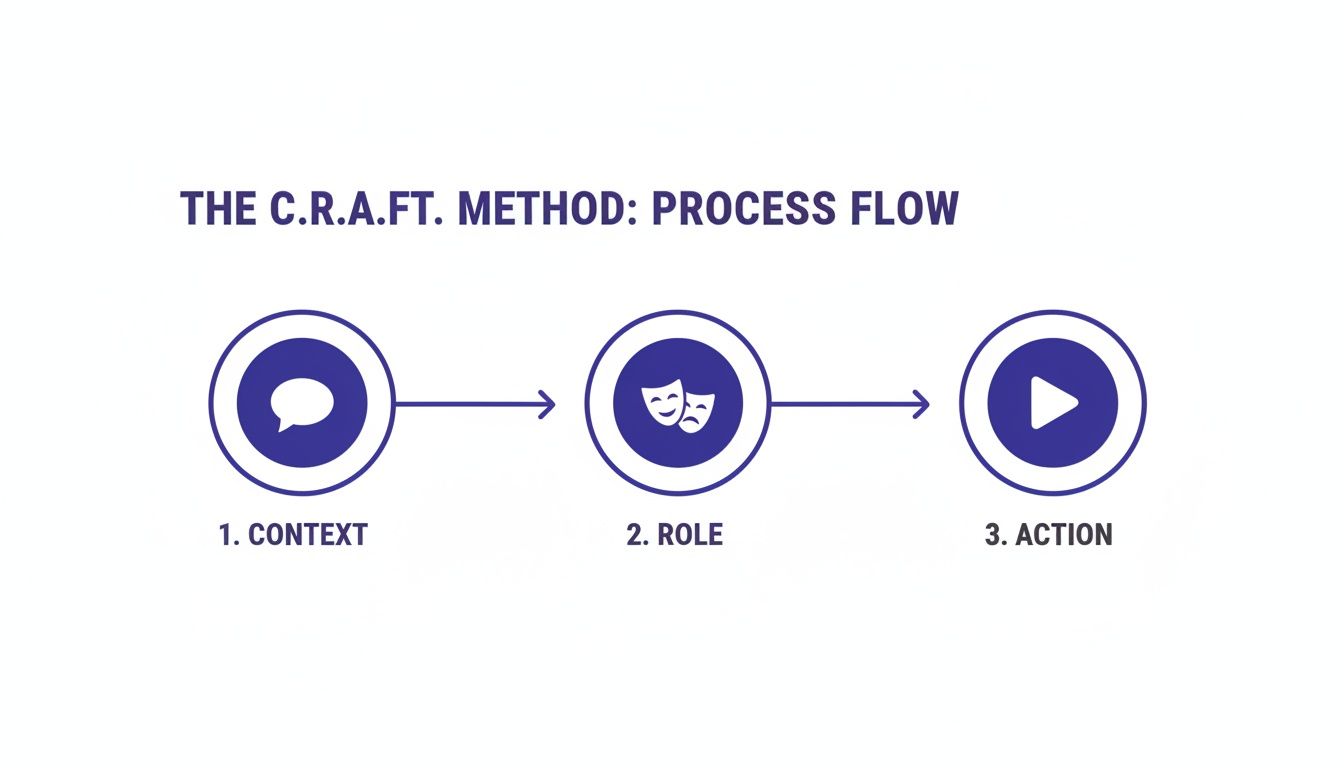
As the diagram shows, providing clear Context, assigning a Role, and defining a specific Action are fundamental to getting a more refined output right out of the gate.
The Non-Negotiable Step: Fact-Checking Everything
AI models are notorious for “hallucinating”—a polite term for making things up with complete confidence. They don’t know the difference between a fact and a fabrication; they only know how to arrange words in a statistically probable order. This makes fact-checking the single most critical part of your workflow.
One study even found that advanced AI models can produce citations for academic sources that don’t exist. Without a human in the loop, you risk publishing nonsense that can permanently damage your credibility.
Never assume any fact, statistic, name, or date from an AI is accurate. Treat every single claim as unverified until you have confirmed it with a primary, reputable source.
A Simple Review Checklist
Your review process doesn’t need to be complicated, but it does need to be systematic. Before you even think about publishing AI-assisted content, run it through this quick checklist.
Verify All Factual Claims:
- Are all statistics correct and properly attributed to a credible source (like a research paper or an official report)?
- Are the names of people, places, and organizations spelled correctly?
- Are historical dates and events accurate?
Assess for Originality and Voice:
- Does the content sound like me or my brand?
- Have I added my own unique insights, stories, or examples?
- Does the text pass a plagiarism check? (Many tools like Grammarly offer this feature).
Check for Logical Flow and Coherence:
- Do the arguments make sense and flow logically from one to the next?
- Is the overall message clear and consistent?
- Is anything confusing, contradictory, or vague?
By treating the AI’s output as a rough first draft that requires rigorous review, you get the best of both worlds: the speed of automation and the quality and integrity of human oversight. This human-in-the-loop system is the only way to use AI for writing effectively and responsibly.
Editor’s Take: What Really Works When Using AI for Writing
Let’s be honest about what AI can—and can’t—do for your writing. These tools are incredible assistants, but they aren’t magic wands that spit out perfect, nuanced content with a single click. Think of AI as an accelerator, not an author. It’s here to power you through the parts of writing that cause the most drag.
The Sweet Spot for AI Assistance
AI is brilliant at tackling the structured, repetitive grunt work that drains our creative energy. It truly excels at tasks like:
- Building the First Outline: Instead of staring into the void, you can have a solid structure to work from in seconds.
- Summarizing Dense Research: Feed it a long study or a competitor’s article and get the key takeaways without hours of reading.
- Breaking Through Writer’s Block: Stuck on a sentence? Ask for a few different ways to phrase an idea. It’s just enough to get you moving again.
The key is to treat AI as a brainstorming partner and an efficiency engine, not as the final writer. Your unique perspective, experience, and voice are what turn a generic draft into something people actually want to read.
Who Is This Really For?
This approach is a game-changer for professionals who create structured content at scale and who aren’t afraid to get their hands dirty with a heavy edit. It’s perfect for content marketers, SEO specialists, students drafting research papers, and professionals writing reports. It is not for someone expecting a finished, emotionally resonant masterpiece. The single biggest limitation of AI is its complete lack of lived experience. It can only mimic patterns, not create from genuine feeling. To make these tools work, you must be ready to edit heavily, inject your own voice, and fact-check every claim. Once you master a smart AI workflow, you’ll save time without sacrificing the authenticity that only a human can bring.
Ethical AI Use and Protecting Your Authentic Writing Voice
When you bring AI into your creative process, you also invite a new set of ethical questions. It’s not just about cranking out content faster; it’s about being responsible with these powerful tools and ensuring your unique perspective doesn’t get lost along the way. This means being transparent, guarding your data, and actively fighting to keep your writing genuinely human.

Honesty is the bedrock of ethical AI use. If a tool played a significant role in creating your content, it’s good practice to disclose that. This is especially true in academic or professional settings where originality is everything. Think of it like citing a source—it gives your audience the full picture and builds trust.
Safeguarding Your Privacy and Ideas
Let’s be clear: most public AI models use your inputs to train their systems. That means you should never paste sensitive personal data, proprietary business information, or confidential client details into a public-facing AI tool. Treat it like a postcard, not a sealed letter.
Real-World Scenario: A therapist wants to use AI to summarize session notes to spot patterns. Pasting verbatim notes into a public AI would be a catastrophic privacy breach. Instead, they must anonymize the notes, removing all names, dates, and identifying details, turning “Jane Doe felt anxious about her presentation on Tuesday” into “Patient A expressed anxiety about an upcoming work deadline.”
To use AI safely, make these practices non-negotiable:
- Anonymize Your Data: Before you ask an AI to rephrase or summarize something, strip out all names, contact details, and specific identifiers.
- Opt for Business-Grade Tools: Many AI platforms offer enterprise plans with stricter data privacy policies. These often guarantee your data won’t be used for model training.
- Avoid Public Models for Sensitive Work: For anything truly confidential, stick to offline tools or platforms with crystal-clear privacy agreements.
Remember, your prompts are conversations with a third-party server. Assume that whatever you type isn’t completely private unless the tool explicitly guarantees it is.
Keeping Your Authorial Voice Intact
The biggest fear for many writers is that AI will flatten their style into a generic, robotic mush. This is a real risk, but it’s also completely avoidable. The secret is to treat AI as an assistant, not the author. It can handle the grunt work, but you have to bring the soul. This ethical approach also means understanding the nuances of bypassing AI detection and humanizing content to maintain genuine authenticity.
Here’s a practical way to protect your voice:
- Use AI for Structure, Not Soul: Let the AI build the skeleton. Have it create an outline or summarize research. But you—and only you—are responsible for adding the heart.
- Edit for Cadence and Word Choice: Read every AI-generated sentence aloud. Does it actually sound like you? Go back and swap generic vocabulary for your go-to words.
- Inject Your “Un-Googleable” Insights: AI can only access what’s on the public internet. Your personal experiences and unique conclusions are things it can never replicate. Make sure every piece of content is packed with these elements that only you can provide.
By drawing a clear line between the mechanical and creative parts of writing, you can use AI to be more efficient without sacrificing the very thing that makes your work matter in the first place—you.
Disclaimer: This content is for educational purposes only and is not a substitute for professional medical or psychological advice. Some links in this article may be affiliate links, meaning we may earn a commission if you make a purchase at no extra cost to you.
FAQ: Your Most Common Questions About How to Use AI for Writing
1. Can AI completely replace human writers?
No, not for high-quality, authentic content. AI is a powerful assistant for tasks like brainstorming, outlining, and drafting, but it lacks genuine creativity, emotional intelligence, and lived experience. The best results come from a human-AI partnership.
2. What is the most important skill for using AI writing tools effectively?
Prompt engineering. The ability to give clear, specific, and context-rich instructions (prompts) is the single biggest factor in determining the quality of the AI’s output. A vague prompt will always yield a generic result.
3. How can I make AI-generated content sound less robotic?
The key is heavy editing. Treat the AI’s output as a rough first draft. You need to go through it to add your unique voice, personal stories, specific examples, and nuanced opinions. Reading the text aloud helps you catch awkward phrasing.
4. Are there any risks to using AI for writing?
Yes. The primary risks are factual inaccuracies (AI “hallucinations”), unintentional plagiarism, and data privacy issues. Never input sensitive or proprietary information into a public AI tool and always fact-check every single claim.
5. Will using AI make me a worse writer?
It depends on how you use it. If you rely on it as a crutch and don’t engage in the critical thinking and editing process, your skills can atrophy. However, if used as a tool to overcome writer’s block and explore ideas, it can actually enhance your creative process.
6. What’s the difference between ChatGPT and a tool like Jasper?
ChatGPT is a general-purpose conversational AI, making it a flexible “Swiss Army knife” for a wide range of tasks. Tools like Jasper are specialized platforms built specifically for content creation, often including templates, brand voice features, and SEO integrations tailored for marketers.
7. Is it ethical to use AI for writing?
Ethics in AI writing hinge on transparency and responsibility. It is generally considered ethical as long as you are not misrepresenting the work as entirely your own (especially in academic or journalistic contexts), and you take full responsibility for fact-checking and editing the final content.
8. How much should I edit AI-generated text?
A lot. A good rule of thumb is to expect to spend at least as much time editing, fact-checking, and personalizing the content as you would have spent writing the first draft yourself. Never “copy, paste, and publish.”
9. Can AI help with SEO writing?
Absolutely. AI is excellent for SEO-related tasks like keyword research, generating topic ideas, creating meta descriptions, and structuring articles with SEO-friendly headings. Tools like Koala AI are specifically designed for this purpose.
10. What is the best free AI writing tool to start with?
For beginners, the free versions of ChatGPT or Google Gemini are excellent starting points. They are incredibly versatile and allow you to practice the fundamental skill of prompt engineering without any financial commitment.
Ready to build smarter, more focused habits with practical, science-backed guidance? The books at Mind Clarity Hub offer actionable roadmaps to reclaim your attention and productivity in a distracted world. Explore the full library of guides and start your journey today.
Explore the Mind Clarity Hub Library
Practical books on focus, digital habits, resilience, and building a calmer mind.

The Power of Clarity
Unlock mental focus, build momentum, and create the life you were meant to live.
View book →
AI & ChatGPT for Beginners
No PhD needed — a 2025 guide to AI, prompts, and productivity without coding.
View book →
Zen in the Digital Jungle
Mindfulness for a chaotic world.
View book →
The Slow Reset
Mindful living in a fast-paced world.
View book →
Perfectly Imperfect
Stop self-criticism, set boundaries, and embrace the real you.
View book →
Reclaiming Silence
A dopamine detox guide to finding peace in a noisy world.
View book →
The Focused Freelancer
Productivity, pricing & positioning for independents in 2025.
View book →
ChatGPT Side Hustle System
Launch your AI-driven online business in 30 days.
View book →
Burnout, Interrupted
A proven path to restore energy and reclaim your life.
View book →
Attention Unleashed
Focus strategies for the distracted mind.
View book →
Side Hustle Launchpad
Your quick-start guide to extra income.
View book →
Digital Clarity
Rewire your brain, escape dopamine traps & regain focus.
View book →
Break the Scroll
Reduce screen time and take back control of your life.
View book →
Climate Compassion
Transform eco-anxiety into empowered action.
View book →
Village Mentality
The power of community for mental wellness.
View book →
Restful Nights
Overcoming sleep anxiety in a 24/7 world.
View book →
Connected Again
Combat loneliness and build meaningful relationships.
View book →
Focus Recharged
Mastering attention and productivity in the digital era.
View book →
Marketing Magic with ChatGPT
AI-powered content, campaigns, and copywriting to grow faster.
View book →
The 6-Figure Creator
Turn knowledge into passive income with books, courses & AI.
View book →
Burnout Breakthrough
Reset your work-life balance and thrive in 2025.
View book →
The Emotionally Intelligent Man
A modern guide to self-awareness and communication.
View book →
AI Personalized Wellness
Create your custom health plan with data-driven habits.
View book →
Everyday AI Made Easy
Use ChatGPT and smart tools to simplify life.
View book →
Money Mindfulness
A financial wellness guide for Gen Z & Millennials.
View book →
Startup Smarter with AI
ChatGPT strategies and tools to grow your business.
View book →
ChatGPT for Writers & Creators
Unlock AI-powered brainstorming, drafting & editing.
View book →