


Published:
Affiliate Disclosure: Please note that this article contains affiliate links. If you make a purchase through these links, we may earn a small commission at no extra cost to you. This helps support our work in bringing you valuable content.
Navigating university coursework, from dense research papers to weekly discussion posts, can be overwhelming. The constant pressure to produce high-quality, well-structured writing demands significant time and mental energy. This is precisely where modern technology offers a powerful advantage. The right AI writing tools for students can act as a personal academic assistant, helping you streamline your process, refine your arguments, and polish your final drafts.
This comprehensive guide is designed to cut through the noise. We will explore the best AI-powered platforms available today, moving beyond simple descriptions to provide actionable insights. You will learn how to use these tools effectively for specific academic tasks like brainstorming thesis statements, summarizing complex articles, generating accurate citations, and improving sentence clarity. We will dive into practical workflows that enhance your learning, not replace it.
For each tool, you will find a detailed analysis that includes:
- Key features and their direct application to student work.
- Best-use scenarios for essays, lab reports, and study notes.
- Pricing information with a focus on free or student-friendly options.
- Crucial academic integrity guidance to help you use AI responsibly.
Before fully integrating AI tools into your academic workflow, it is crucial to understand important considerations such as how Turnitin checks for AI. Our goal is to equip you with the knowledge to use these platforms ethically and effectively, transforming them from simple writing aids into strategic assets for academic success. Let’s explore the tools that will help you write smarter, not just faster.
1. AI & ChatGPT for Beginners — Master Everyday AI in 15 Minutes a Day
While many AI tools offer a specific function, this resource from Mind Clarity Hub provides something more fundamental: a complete, beginner-friendly system for using AI effectively and ethically. Instead of just another software to learn, AI & ChatGPT for Beginners is an action-first guide designed to build practical skills. It teaches students how to integrate AI into their study routines confidently in just 15 minutes a day.
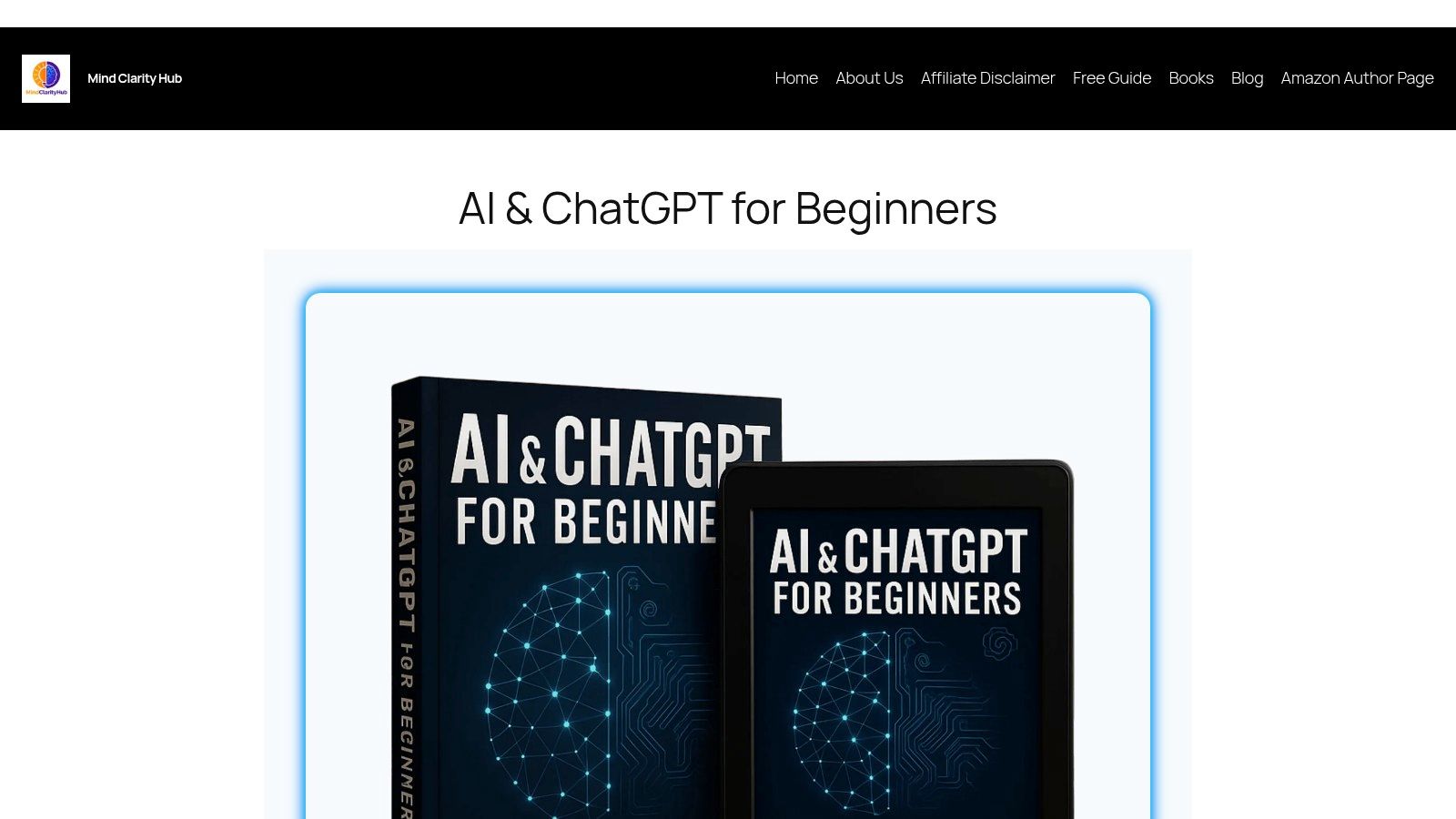
This guide stands out by focusing on workflow over software. It provides step-by-step processes for common student tasks like brainstorming essay topics, summarizing dense academic papers, and generating study notes. What truly makes it one of the best AI writing tools for students is its direct approach to academic integrity. The material offers concrete rules and examples for avoiding plagiarism, ensuring you use AI as a legitimate assistant, not a shortcut that compromises your work.
Key Strengths and Features of This AI Writing Guide
The guide’s core strength is its practical, ready-to-use content. It includes a downloadable prompt library, allowing students to immediately apply what they learn without having to invent effective prompts from scratch. This plug-and-play approach removes the initial friction many feel when starting with AI.
- Ethics-First Guidance: Moves beyond simple warnings to provide actionable frameworks for ethical AI use in an academic context.
- Time-Efficient Learning: The “15 minutes a day” model respects a busy student’s schedule, building sustainable habits rather than requiring a huge time commitment.
- Evidence-Aware Approach: Coming from Mind Clarity Hub, the content is clear and grounded in effective learning principles, aligning with companion checklists and worksheets.
This resource is ideal for non-technical students who feel overwhelmed by AI and want a trusted, structured starting point. While it’s not a deep dive for AI developers, it excels at making advanced technology accessible and genuinely useful for everyday academic challenges. You can explore the full guide and its features to see how it can enhance your study habits.
Website: https://mindclarityhub.com/ai-chatgpt-for-beginners/
2. Grammarly
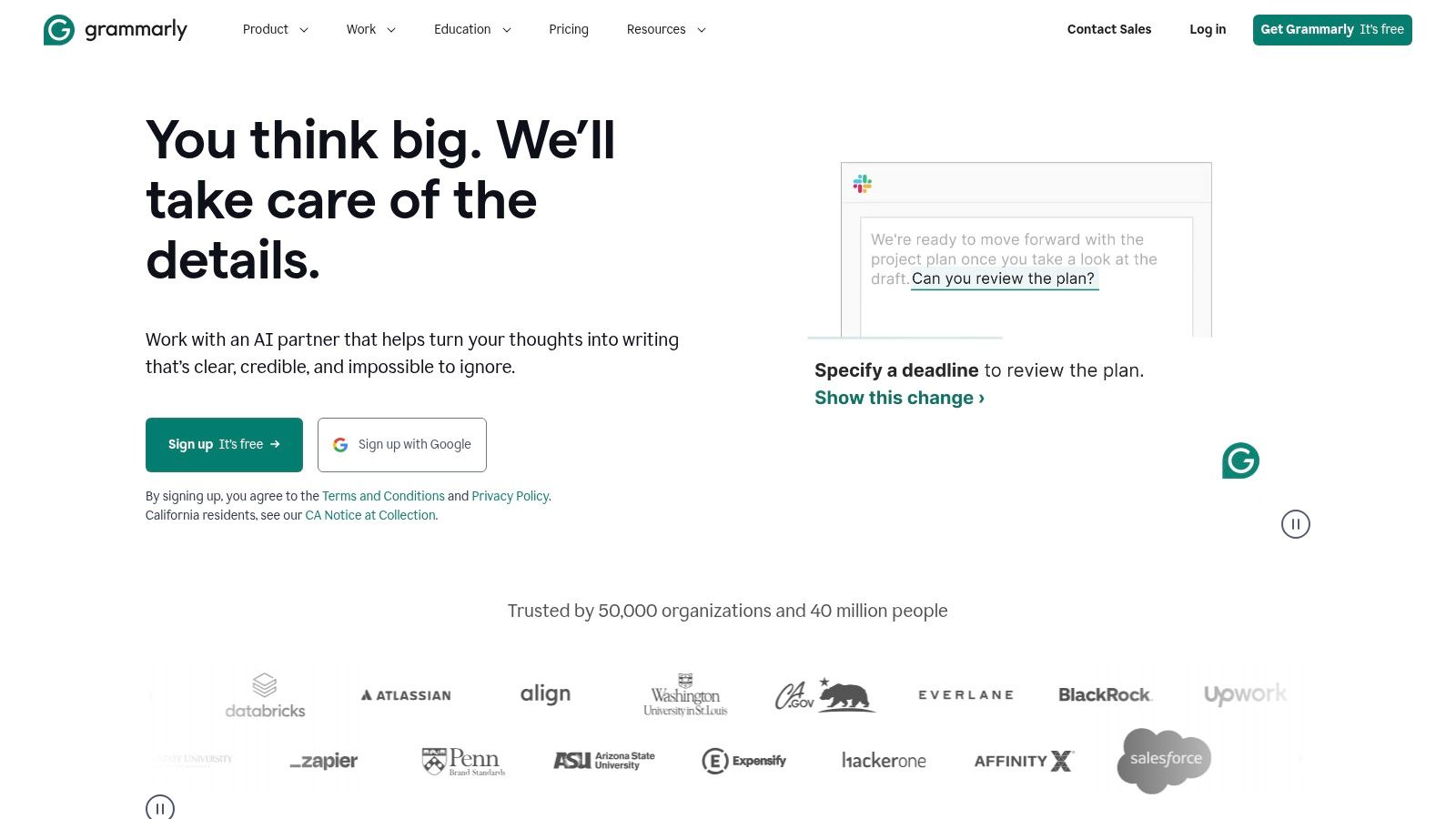
Grammarly is one of the most widely adopted AI writing tools for students and professionals, functioning as a comprehensive assistant that goes far beyond basic spell-checking. It integrates seamlessly into nearly every part of a student’s workflow, including browsers, Google Docs, and Microsoft Word. This makes it exceptionally easy to adopt without changing your existing habits. Its primary strength lies in providing real-time feedback on grammar, punctuation, clarity, and tone, helping you refine your writing as you go.
Key Features and Use Cases for This Writing Tool
Grammarly shines as a constant companion for everyday writing tasks. The free version offers robust grammar, spelling, and punctuation checks, which is a great starting point for proofreading essays and emails. For students needing more advanced support, Grammarly Premium unlocks powerful features. These include suggestions for sentence clarity, tone adjustments (e.g., making your writing sound more confident or formal), and a plagiarism checker.
The generative AI tool, GrammarlyGO, can help overcome writer’s block by brainstorming ideas, outlining essays, or rewriting convoluted sentences.
Student Workflow Tip: Install the browser extension and the Microsoft Word add-in. This ensures consistent writing support whether you’re drafting an essay in Word, participating in an online discussion forum, or writing an email to a professor. Use the tone detector to ensure your communication is appropriately formal and respectful.
Pricing and Limitations
- Free Plan: Provides fundamental grammar, spelling, and punctuation corrections.
- Premium Plan: Starts at $12/month (billed annually) and includes advanced features like clarity rewrites, tone suggestions, and plagiarism detection.
- Business Plan: Custom pricing for teams.
While its integrations are a major advantage, Grammarly can occasionally slow down very large documents. The full suite of generative AI tools and advanced checks is locked behind the paid subscription, which may be a consideration for students on a budget.
Website: https://www.grammarly.com
3. QuillBot
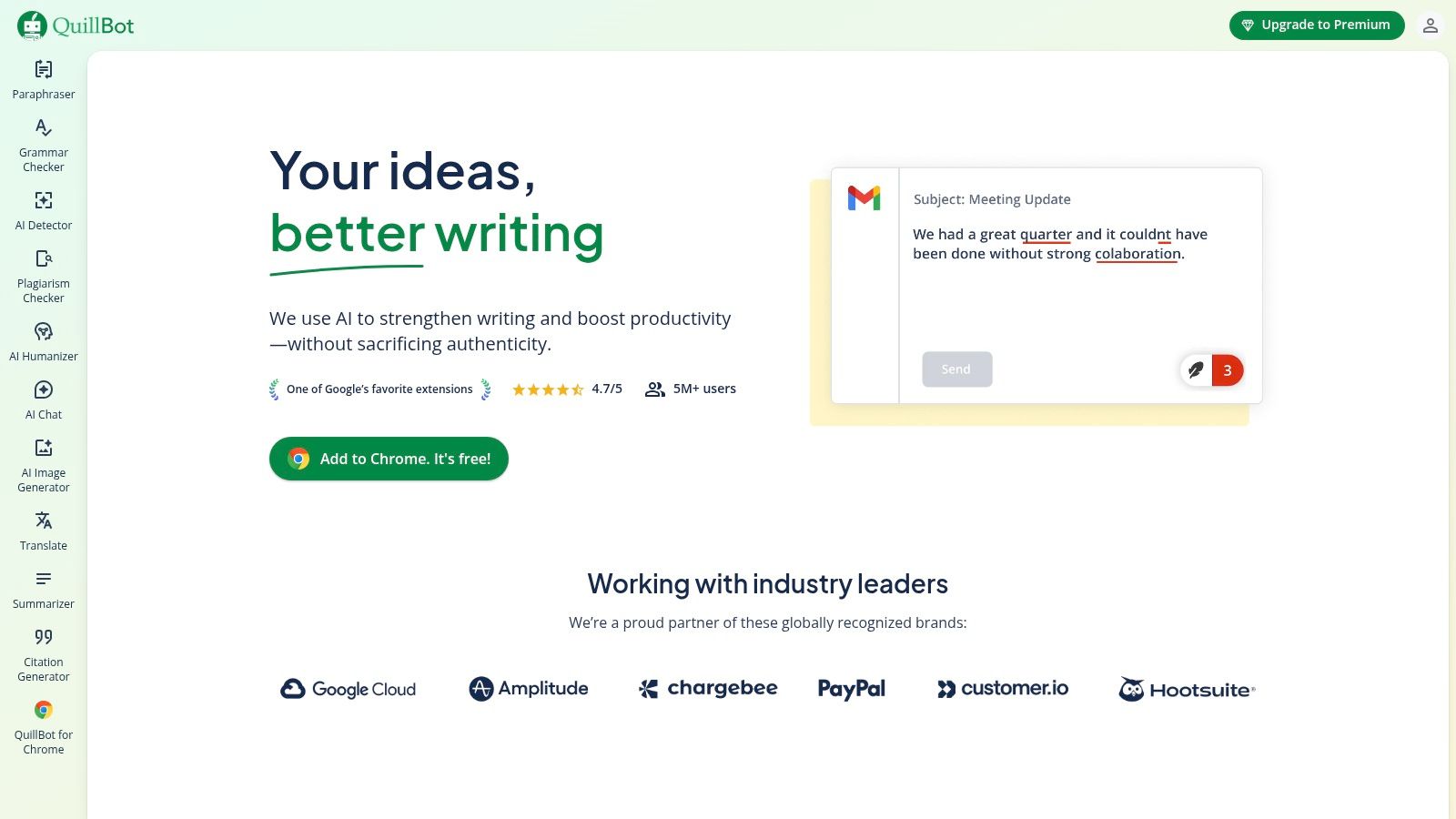
QuillBot is a highly popular AI writing tool for students, primarily known for its powerful paraphrasing and summarizing capabilities. It’s designed to help students rephrase complex sentences, condense long research articles, and improve the overall flow of their writing. Its direct integrations with browsers and Microsoft Word make it a convenient tool to incorporate into an existing academic workflow without constant tab-switching.
Key Features and Use Cases of AI Writing Software
QuillBot excels at helping students process and reformulate information. Its Paraphraser offers multiple modes (e.g., Standard, Fluency, Formal) to adjust the tone and style of text, which is useful for avoiding repetitive sentence structures in essays. The “Freeze Words” feature is particularly valuable, allowing you to prevent the tool from changing key terms or specific jargon.
The Summarizer is another standout feature, capable of condensing articles into key sentences or a concise paragraph, accelerating the research and note-taking process. While the paraphrasing function is its main draw, learning how to use AI for writing responsibly is key to maintaining your academic voice.
Student Workflow Tip: Use the Summarizer to quickly grasp the main points of dense academic papers before you read them in full. Then, use the Paraphraser to help reword your own complex ideas into clearer sentences, but always review the output to ensure it accurately reflects your original meaning and academic tone.
Pricing and Limitations
- Free Plan: Offers limited paraphrasing (125 words at a time), two writing modes, and summarization with a 1,200-word limit.
- Premium Plan: Starts at $8.33/month (billed annually) and provides unlimited paraphrasing words, more writing modes, a plagiarism checker, and higher summarizer limits.
While QuillBot is incredibly effective, its main limitation is the need for human oversight. The paraphrased text can sometimes lose nuance or sound unnatural, so it always requires a final edit to ensure quality and accuracy. The free plan’s word limits can also be restrictive for longer assignments.
Website: https://quillbot.com
4. Microsoft 365 with Copilot
For students already living in the Microsoft ecosystem, Copilot represents one of the most seamlessly integrated AI writing tools for students. Instead of adding another application to your workflow, Copilot brings AI assistance directly into the tools you use daily, like Word, PowerPoint, and OneNote. This deep integration allows the AI to draft, summarize, and rewrite content with the full context of your document, making it a powerful and intuitive academic partner.
Key Features and Use Cases of This AI Assistant
Copilot shines by embedding AI features where you need them most. In Microsoft Word, it can generate a first draft of an essay from a simple prompt, create a summary of a long research paper, or rewrite paragraphs for clarity and tone. For study sessions, Copilot in OneNote can help organize your notes and create study guides. It can even generate entire PowerPoint presentations from an outline, saving you hours on slide design.
This tight integration is a significant step forward in using AI for productivity, as it minimizes context switching and keeps you focused on your work.
Student Workflow Tip: When starting a research paper, use Copilot in Word to generate an outline based on your thesis statement. As you add sources, ask it to summarize key articles directly in your document. This keeps your research and writing in one centralized location.
Pricing and Limitations
- Copilot Pro: Starts at $20/month per user, which adds premium AI features to Microsoft 365 Personal or Family subscriptions.
- Student Promotions: Microsoft periodically offers discounts or trials for students with a valid .edu email address, so check for current offers.
The biggest limitation is the cost, as the most powerful features require a paid subscription on top of a Microsoft 365 plan. To optimize costs, some students look into options like sharing Microsoft 365 Family. Additionally, Copilot’s capabilities can vary slightly between the web and desktop versions of the apps.
Website: https://www.microsoft.com/microsoft-365
5. Google One AI (Gemini in Docs/Workspace)
For students already living within the Google ecosystem, Gemini’s integration into Workspace is a game-changer. This tool isn’t a separate app you have to open; it’s built directly into the tools you use daily like Docs, Gmail, and Slides. This native integration makes it one of the most seamless AI writing tools for students, especially for those using Chromebooks or attending schools that rely on Google Workspace for Education. It minimizes context-switching and keeps your entire workflow in one familiar place.

Key Features and Use Cases for AI in Google Docs
Gemini in Docs is excellent for the initial stages of writing. It can help you brainstorm essay topics, generate a detailed outline directly in your document, or rephrase a paragraph to improve clarity. Since it’s part of the broader Google One AI plan, higher tiers can also grant access to powerful tools like NotebookLM for research synthesis. For students, this means you can brainstorm, research, draft, and edit all within a connected environment. The platform’s privacy commitments for Workspace data provide an added layer of security for academic work.
Student Workflow Tip: Use the “Help me write” feature in a blank Google Doc to overcome writer’s block. Provide a simple prompt like, “Create an outline for an essay on the economic impact of the Industrial Revolution,” and then refine the generated structure to fit your assignment’s specific requirements.
Pricing and Limitations
- Free: Standard Google Docs features without integrated AI.
- Google One AI Premium: Starts at around $19.99/month, providing access to Gemini Advanced and integration within Workspace apps (Docs, Gmail, etc.). Often includes a free trial.
- Gemini for Education: Institutional add-on for schools and universities with custom pricing.
The primary limitation is cost, as the most useful writing features require a paid Google One AI subscription or an institutional plan provided by your school. As the service is still evolving, feature availability and model limits can change, so it’s always best to verify current eligibility and offerings.
Website: https://one.google.com
6. Notion AI
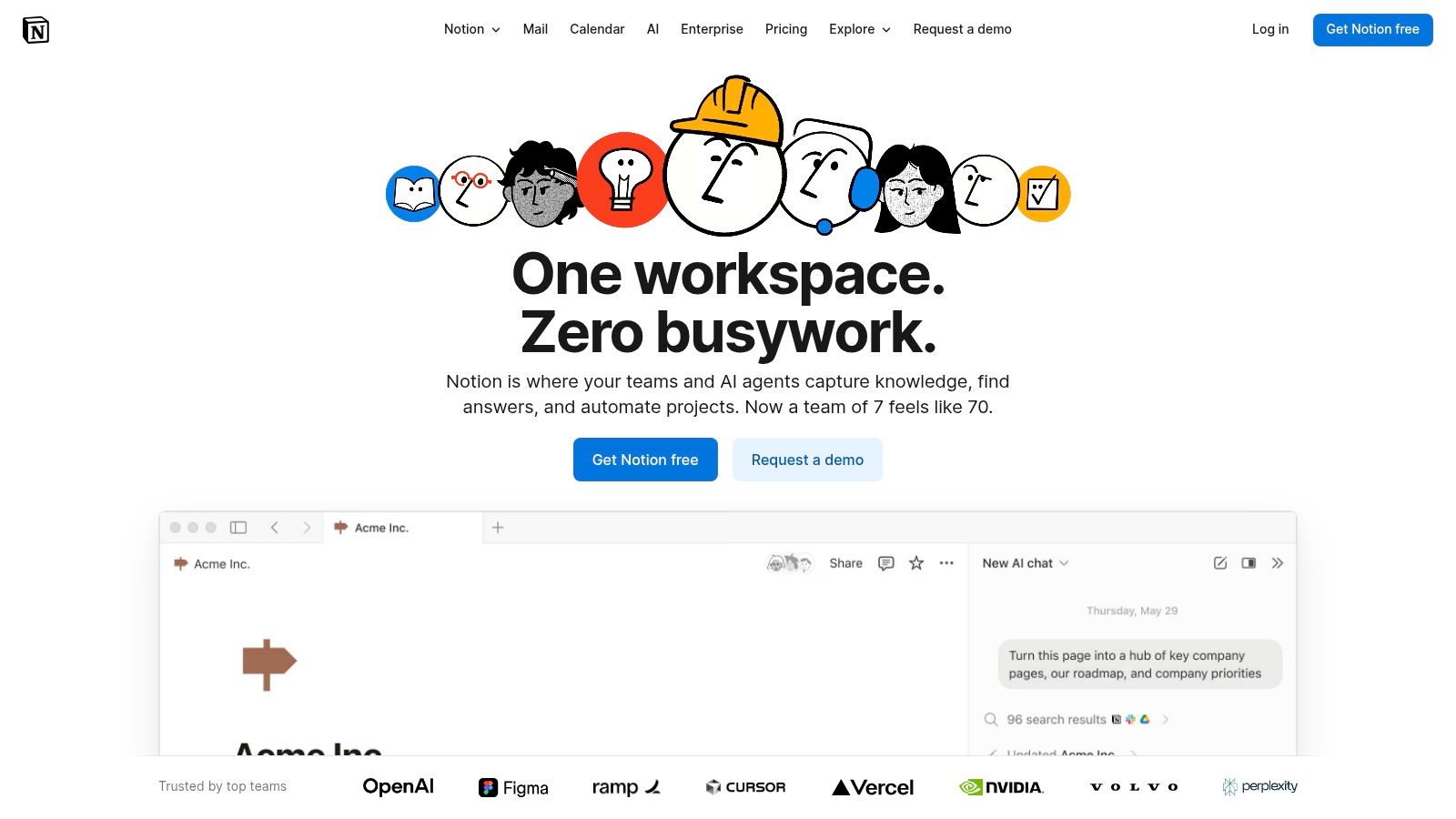
Notion has evolved from a powerful note-taking app into a fully integrated workspace, and Notion AI brings intelligent writing assistance directly into this ecosystem. It’s one of the best AI writing tools for students who want to centralize their entire academic life, from lecture notes and research databases to essay drafts and group project plans. Its key advantage is context: the AI operates within your existing notes and databases, allowing it to summarize, draft, and organize information with a deep understanding of your project.
Key Features and Use Cases of AI Writing Generators
Notion AI excels at connecting the dots between research and writing. You can use it to summarize long articles you’ve saved, generate first drafts of essays based on your outline, or brainstorm ideas for a research paper. Because it’s built into Notion’s flexible block-based editor, you can seamlessly transition from managing a task list for a group project to co-writing a report with AI assistance. Its ability to create tables, outlines, and summaries on the fly makes it invaluable for organizing complex information.
Student Workflow Tip: Create a master database for a research paper. Use database properties to track sources, authors, and themes. Paste your research notes into each entry and use Notion AI to generate a summary for each source. You can then ask the AI to draft an annotated bibliography or literature review based on those summaries.
Pricing and Limitations
- Free Plan: Includes the core Notion workspace with limited AI usage.
- Plus Plan: Starts at $8 per user/month (billed annually) with more storage and file uploads.
- Notion AI Add-on: Costs an additional $8 per user/month (billed annually) for unlimited AI access.
The primary limitation is the initial learning curve; setting up an effective Notion workspace takes time and effort. Additionally, the most powerful AI features require a paid add-on, and AI usage on the free plan is limited, resetting periodically.
Website: https://www.notion.so
7. Chegg Writing
Chegg Writing is an all-in-one academic writing dashboard designed specifically for students. It bundles several essential AI writing tools for students into a single, affordable platform. Its core function is to support the entire essay-writing process, from initial drafting and grammar checks to final plagiarism scans and citation generation. This academic focus makes it a specialized alternative to more general-purpose writing assistants.
Key Features and Use Cases for Student Papers
Chegg Writing is ideal for proofreading research papers, essays, and lab reports. Its plagiarism checker scans against billions of sources, helping you identify and correct any instances of unintentional similarity before submission. The grammar and style engine is tailored for academic writing, catching common errors students make in formal assignments.
One of its standout features is the instant citation generator, which supports thousands of styles (APA, MLA, Chicago, etc.), saving you significant time and preventing formatting mistakes. For students needing extra help, an optional expert proofreading service provides human feedback on your work. Using such a dedicated tool helps you improve focus while studying by keeping all your essential checks in one place.
Student Workflow Tip: Before submitting a major paper, run it through Chegg Writing’s plagiarism and grammar checkers as a final step. Use the citation generator as you write your bibliography to ensure every source is formatted correctly from the start, avoiding last-minute panic.
Pricing and Limitations
- Free Trial: A short free trial is available to test the platform’s features.
- Subscription: Starts at a low monthly price point aimed at students, typically around $9.95/month.
The main limitation is that its AI features are not as advanced in generative capabilities as some competitors. Furthermore, according to its terms, uploaded documents may be added to its internal database for future plagiarism comparisons, which is a critical privacy consideration for students.
Website: https://www.chegg.com/writing
8. Scribbr AI Proofreader
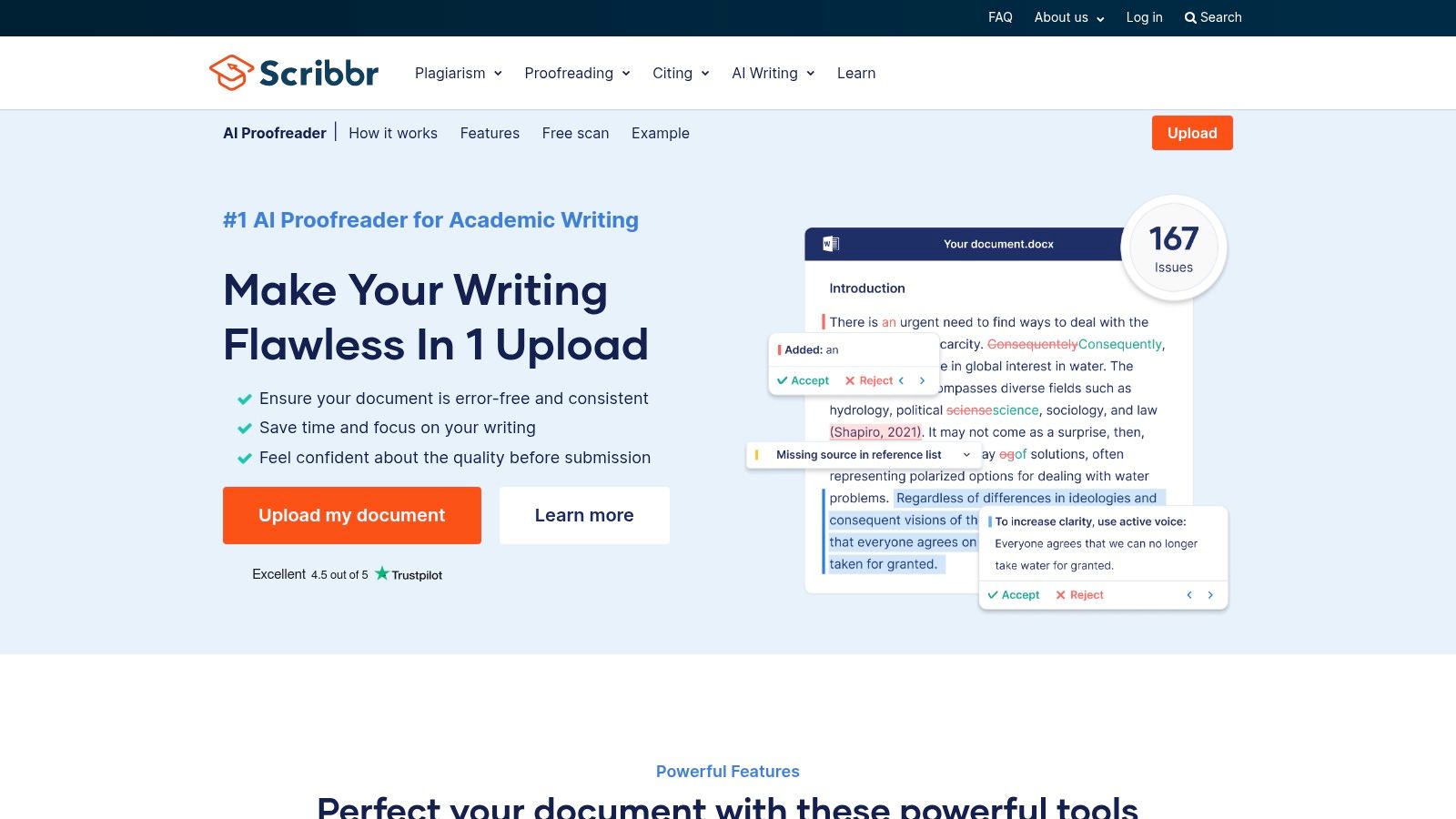
Scribbr AI Proofreader is a specialized AI writing tool for students designed specifically for academic texts. Unlike general-purpose editors, it is trained on a vast library of scholarly articles and papers, making it exceptionally good at catching errors in formal writing. Its core function is to take a finished draft and provide a clean, proofread version with all changes tracked, mimicking the process of working with a human editor.
Key Features and Use Cases for Academic Writing
The standout feature is its academic focus. Scribbr excels at correcting grammar, spelling, and punctuation while respecting the conventions of scholarly writing. Students upload their document, and the AI returns a Microsoft Word file with tracked changes. This allows for a final review where you can accept or reject each suggestion, maintaining full control over the final text. It is best used as the final step before submission.
The platform also has a strong privacy stance, stating that uploaded documents are not used to train its models and are deleted after processing. This provides peace of mind for students concerned about intellectual property.
Student Workflow Tip: Use Scribbr for your final proofreading pass after you’ve finished all your writing and editing in Google Docs or Word. Upload your completed essay to get the .docx file with tracked changes. Methodically review each suggestion to understand your common mistakes, which helps improve your writing skills over time.
Pricing and Limitations
- Free Check: Provides an initial report showing the number of errors found.
- Paid Proofread: Pricing is based on word count (e.g., around $15 for a 2,500-word essay). A plagiarism checker can be bundled for an additional fee.
Scribbr’s main limitation is that it is not an integrated writing environment; you cannot draft or edit live within the tool. It is purely for proofreading a completed document. Furthermore, features like citation checking and plagiarism detection are separate, paid add-ons rather than part of a single subscription.
Website: https://www.scribbr.com/ai-proofreader/
9. Overleaf (with AI Assist)
Overleaf is the gold standard for collaborative LaTeX editing, making it an essential platform for students in STEM, mathematics, and other technical fields. While not a general-purpose writing tool, its integration of AI makes it one of the most powerful AI writing tools for students working on complex documents like theses, lab reports, and academic papers. The platform moves the often-complex LaTeX environment to the cloud, enabling real-time collaboration similar to Google Docs.
Key Features and Use Cases of this AI Writing Platform
Overleaf’s core strength is its powerful and accessible LaTeX editor, complete with project templates that simplify document creation. The real AI power comes from the optional AI Assist add-on, powered by Writefull. This tool is specifically trained on scientific papers, providing highly relevant suggestions for academic language. It can paraphrase sentences to improve clarity, generate abstracts, and even help create properly formatted LaTeX tables and equations from plain text descriptions.
The platform also integrates with reference managers like Zotero and Mendeley, streamlining the citation process, which is crucial for academic integrity. This is far more effective than just learning how to take notes for a book and manually tracking sources.
Student Workflow Tip: Use the AI Assist feature to generate the boilerplate code for complex tables. Instead of manually writing the LaTeX, simply describe the table you need (e.g., “a three-column table with headers for Trial, Measurement, and Result”) and let the AI build the structure for you.
Pricing and Limitations
- Free Plan: Includes core collaborative editing features and limited project storage.
- Student Plan: Starts at $8/month (billed annually) and offers more storage, projects, and Dropbox integration.
- AI Assist: A paid add-on to premium plans, with pricing based on usage credits.
The primary limitation is the inherent learning curve of LaTeX itself. For students not in technical fields, a standard word processor is more suitable. Furthermore, the specialized AI features require an additional subscription on top of a paid Overleaf plan.
Website: https://www.overleaf.com
10. Writefull
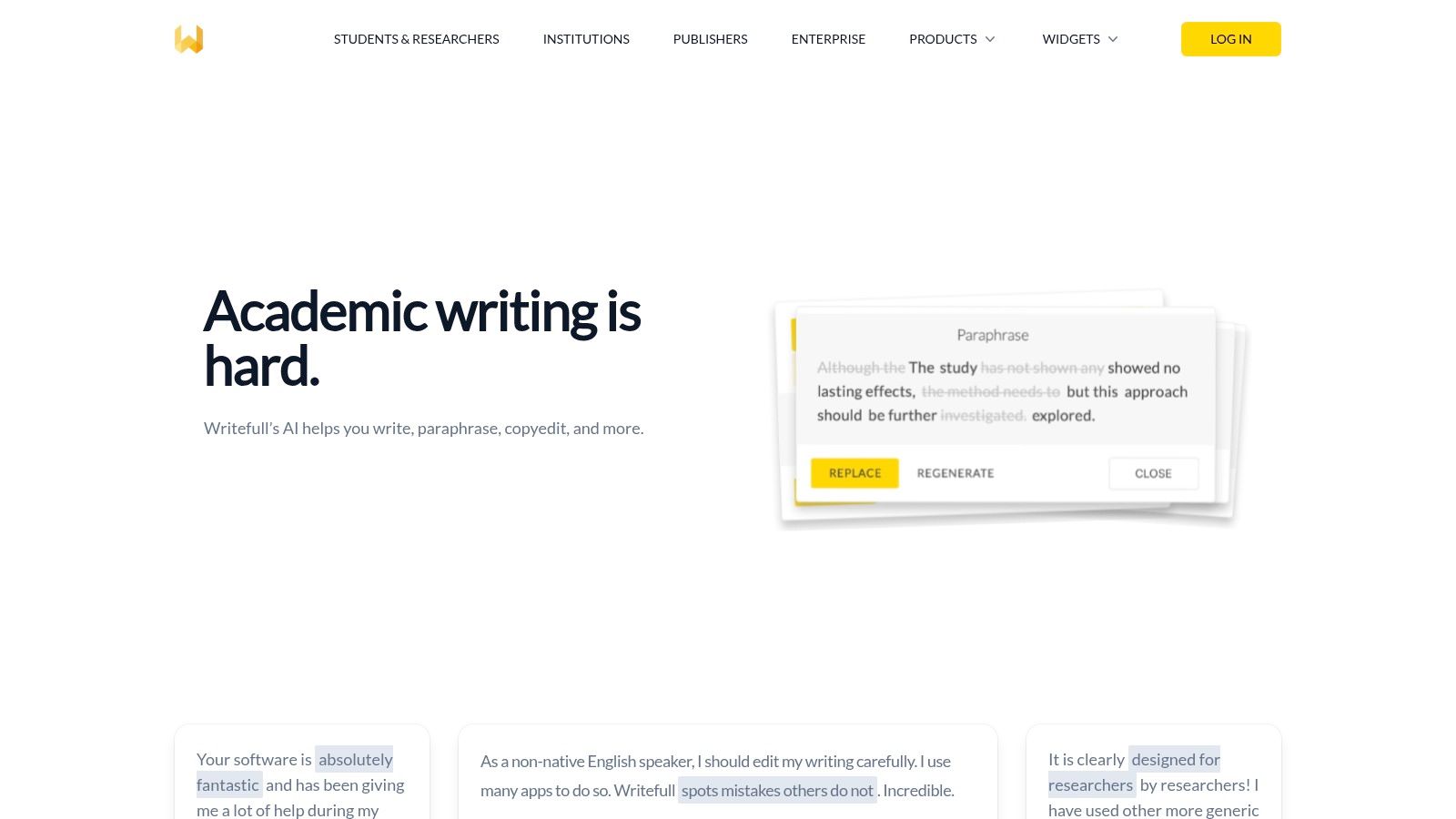
Writefull is a specialized AI writing tool for students and researchers designed specifically for academic and scientific writing. It’s trained on millions of published research papers, allowing it to provide language feedback that aligns with scholarly conventions. It integrates directly into popular academic workflows, including Microsoft Word and the LaTeX editor Overleaf, making it ideal for those working on theses, dissertations, and research articles.
Key Features and Use Cases for Research Papers
Writefull excels at refining the technical aspects of academic prose. Its core strength is offering context-aware language suggestions, ensuring your phrasing sounds natural and professional within your specific field. Features like the Sentence Palette provide common phrases used in scientific papers, helping you structure sections like the introduction or methodology. It also checks for consistency in terminology and formatting, which is crucial for long documents.
The generative AI widgets, including TeXGPT for LaTeX formulas and a tool for creating abstracts, can significantly speed up the research writing process.
Student Workflow Tip: Use the Overleaf add-on when writing a thesis or paper in LaTeX. Let Writefull’s AI handle complex table and figure generation with simple text commands, saving you valuable time on formatting. Use the “Language Search” feature to see how specific phrases are used across millions of academic papers to ensure your wording is appropriate.
Pricing and Limitations
- Free Plan: Offers basic language checks and AI features with daily usage limits.
- Premium Plan: Provides unlimited suggestions and full access to advanced AI widgets and revisions. Pricing is typically available after creating an account.
- Institutional Licenses: Many universities offer full access to their students and researchers.
Writefull is less suited for creative or general-purpose writing. Its primary focus on academic language means its suggestions might feel overly formal for essays or emails. Some advanced features are only available through the premium or institutional plans.
Website: https://www.writefull.com
11. Wordtune
Wordtune is an AI writing tool for students that focuses on rewriting and refining existing text. It acts as a powerful thesaurus and sentence restructurer, helping you find the perfect phrasing to make your ideas clearer and more impactful. Its primary function is to offer multiple alternative ways to say the same thing, allowing you to choose the option that best fits the tone and context of your assignment, whether it’s a formal essay or a casual email.

Key Features and Use Cases of AI Rewriting Tools
Wordtune is particularly effective for polishing drafts and overcoming clunky sentences. The browser extension integrates directly into platforms like Google Docs and Gmail, providing real-time suggestions to improve clarity and style. The ‘Spices’ feature is excellent for academic writing, as it can add statistical facts, counterarguments, or historical context to strengthen your points.
Its summarization tool is another key benefit, allowing you to quickly understand long research articles, PDFs, or even YouTube videos by generating concise summaries and answering questions about the content.
Student Workflow Tip: When you’ve written a paragraph that feels awkward or repetitive, highlight it and use Wordtune to see different ways to express the core idea. Use the “Summarizer” on dense academic papers before reading them to get a high-level overview, helping you focus on the most relevant sections.
Pricing and Limitations
- Free Plan: Offers a limited number of rewrites and summaries per day.
- Plus Plan: Starts around $9.99/month (billed annually) and provides unlimited rewrites, tone changes, and more daily summaries.
- Unlimited Plan: Starts at $14.99/month (billed annually) for unlimited access to all features, including the summarizer.
The free plan’s daily limits can be restrictive for students with heavy workloads. While it excels at improving existing text, it is not a generative tool for creating content from scratch, and the most powerful features are locked behind a subscription.
Website: https://www.wordtune.com
12. Hemingway Editor Plus
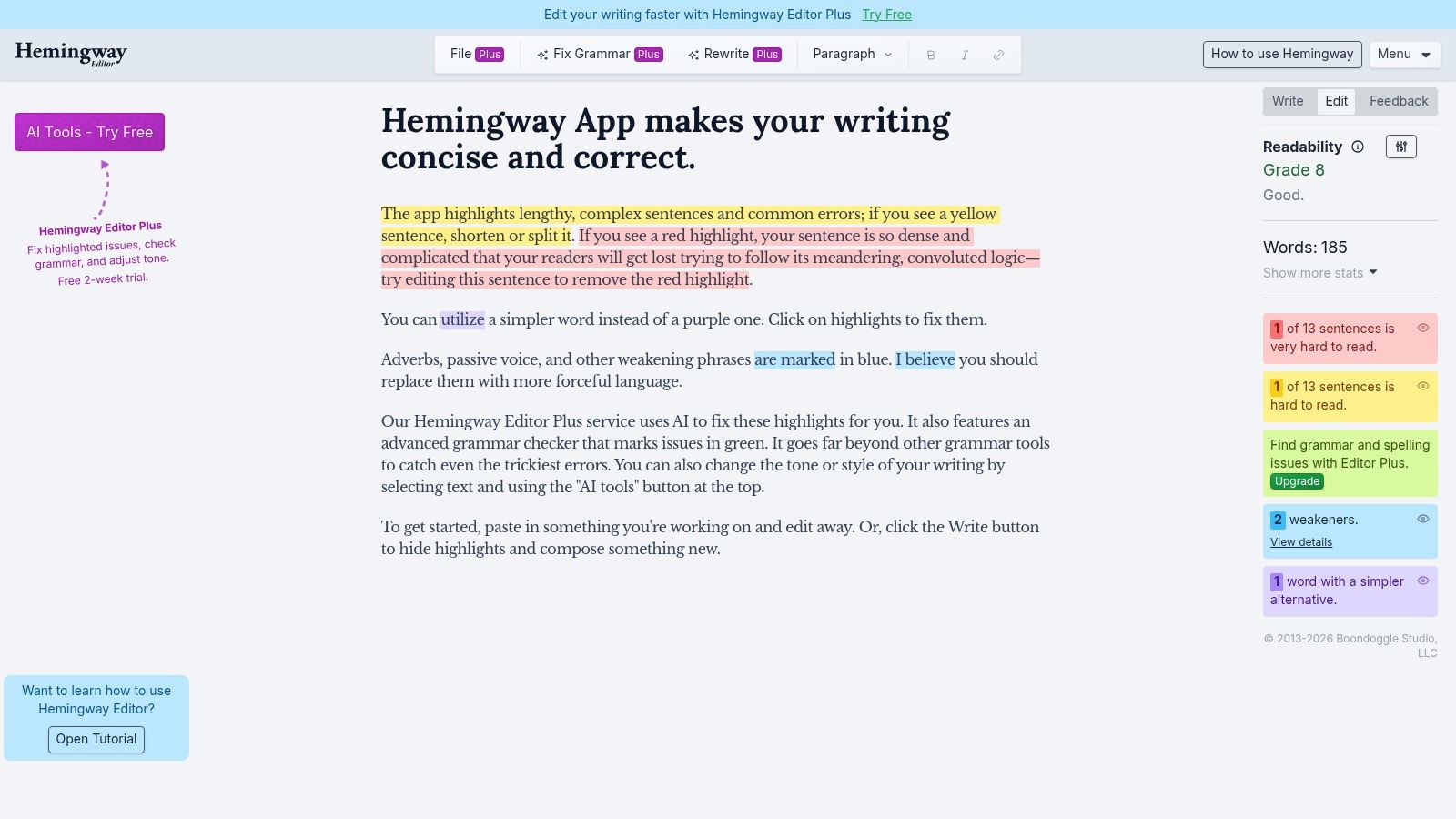
Hemingway Editor has long been a favorite for writers aiming for clear, bold, and direct prose. The “Plus” version integrates AI to enhance its core mission, making it one of the most focused AI writing tools for students who want to improve clarity and conciseness. Instead of generating long-form content, Hemingway highlights complex sentences, passive voice, and wordiness, then offers AI-powered suggestions to fix them. It acts like a strict editor focused solely on making your writing more powerful.
Key Features and Use Cases of This AI Editor
Hemingway Editor Plus is ideal for the final editing stage of an essay or report. Its color-coded highlighting system immediately flags areas for improvement, such as sentences that are hard to read or adverbs that can be cut. The AI rewrite feature allows you to select a problematic sentence and receive a clearer alternative with a single click. It also provides a readability score, helping you ensure your work is appropriate for your intended audience.
The platform is excellent for learning how to self-edit and avoid common writing pitfalls like excessive passive voice. Its distraction-free interface helps you concentrate on tightening your prose.
Student Workflow Tip: After finishing your draft in a word processor, paste the text into Hemingway for a final polish. Focus on eliminating “very hard to read” sentences and reducing passive voice. Use the AI rewrite suggestions as inspiration rather than a direct replacement to maintain your own voice.
Pricing and Limitations
- Free Version: The classic online editor is free and provides readability analysis and highlights.
- Plus Plan: Starts at $10/month and includes AI rewrites, advanced grammar suggestions, and import/export features. AI usage is capped based on the plan.
While Hemingway is exceptional for improving clarity and style, it is not a comprehensive research or citation tool. Its generative AI capabilities are limited to rewriting existing sentences, not creating new content. The AI usage caps on lower tiers mean it’s best for targeted editing rather than heavy rewriting.
Website: https://hemingwayapp.com
Editor’s Take
After reviewing these tools, a clear theme emerges: the best AI writing tools for students are those that integrate into an existing workflow rather than forcing a new one. For most undergraduates, a combination of Grammarly for real-time proofreading and QuillBot for summarizing research and rephrasing clunky sentences is a powerful and budget-friendly starting point. Students heavily invested in the Google or Microsoft ecosystems will find Gemini and Copilot incredibly useful for their seamless integration, despite the subscription cost. For STEM students, Overleaf with the Writefull AI Assist is non-negotiable; it’s simply the best-in-class for technical and LaTeX-based documents.
Who is this for? This guide is for high school and university students who want to improve the quality and efficiency of their writing without compromising academic integrity.
What actually works? Using AI for brainstorming, outlining, and final proofreading is most effective. Relying on it for full draft generation is risky and often produces generic content. Tools that specialize in one area (like Scribbr for proofreading or QuillBot for summarizing) tend to outperform all-in-one solutions in their specific niche.
Important Caveats: Always double-check AI-generated citations for accuracy. Be mindful of your school’s academic integrity policy regarding AI usage. These tools are assistants, not replacements for your own critical thinking and writing skills.
Top 12 AI Writing Tools for Students — Feature Comparison
| Tool / Title | Core features | UX / Quality (★) | Value / Price (💰) | Target (👥) | Unique selling points (✨ / 🏆) |
|---|---|---|---|---|---|
| AI & ChatGPT for Beginners | Action-first prompts, daily 15‑min workflows, downloadable prompt library | ★★★★☆ — concise, evidence-aware | 💰 Low — book + companion worksheets | 👥 Students & non‑technical users | ✨ Ethics-first prompts, plug‑and‑play prompt library; 🏆 practical learning roadmap |
| Grammarly | Real‑time grammar, tone, generative AI, wide integrations | ★★★★★ — polished, reliable | 💰 Freemium → Pro tiers | 👥 Students, professionals, writers | ✨ Broad app coverage, team style guides; 🏆 enterprise maturity |
| QuillBot | Paraphrasing modes, summarizer, plagiarism checker, extensions | ★★★★☆ — simple, student‑friendly | 💰 Affordable Premium | 👥 Students needing rewriting/summaries | ✨ Multiple paraphrase modes; strong summarizer |
| Microsoft 365 with Copilot | Copilot in Word/OneNote/PowerPoint, cloud sync, study helpers | ★★★★☆ — native Office experience | 💰 Subscription; student promos often available | 👥 Word users, campus accounts | ✨ Deep Word integration for drafting & slides |
| Google One AI (Gemini) | Gemini in Docs/Gmail/Slides, Deep Research, NotebookLM | ★★★★☆ — native Workspace workflow | 💰 Paid AI plan or institutional add‑on | 👥 Chromebook/campus Google users | ✨ Gemini native in Docs; strong Workspace privacy |
| Notion AI | Notes + DBs + AI drafting, collaboration, templates | ★★★★☆ — centralized workspace | 💰 Generous free tier; paid AI features | 👥 Students, project teams | ✨ All‑in‑one notes + projects with AI |
| Chegg Writing | Plagiarism scan, citation generator, grammar, proofreading add‑on | ★★★★☆ — academic‑focused tooling | 💰 Low monthly student price | 👥 Students writing essays/research papers | ✨ Instant citations + plagiarism checks |
| Scribbr AI Proofreader | Academic AI proofreading, .docx with tracked changes, privacy controls | ★★★★☆ — fast, scholarly edits | 💰 Pay‑per‑service; bundles available | 👥 Academic writers & thesis authors | ✨ Downloadable tracked‑change .docx; privacy policy |
| Overleaf (with AI Assist) | Collaborative LaTeX editor, templates, AI Assist add‑on | ★★★★☆ — ideal for LaTeX workflows | 💰 Free tier; AI add‑on paid | 👥 STEM students, LaTeX users | ✨ LaTeX templates + AI for equations & language |
| Writefull | Research‑trained language suggestions, Overleaf/Word integrations | ★★★★☆ — research‑tuned | 💰 Free limits; premium or institutional | 👥 Researchers & grad students | ✨ Trained on scholarly corpora; TeX tools |
| Wordtune | Rewrites with tone/length controls, summarizer, extension | ★★★★☆ — fast clarity & tone control | 💰 Freemium; paid for full features | 👥 Students polishing prose, EAL writers | ✨ Tone controls & “Spices” examples |
| Hemingway Editor Plus | Readability scoring, AI rewrites, passive voice highlights | ★★★★☆ — clarity & concision focus | 💰 Budget‑friendly | 👥 Students improving readability | ✨ Readability grade and tightness suggestions |
Key Takeaways on AI Writing Tools for Students
- Choose Based on Your Workflow: The best tool is one that fits seamlessly into your current process. If you use Microsoft Word, Copilot is a natural choice. If you use Google Docs, Gemini is ideal.
- Use AI as an Assistant, Not a Writer: Leverage these tools for brainstorming, outlining, summarizing complex texts, and proofreading. Avoid using them to generate entire essays to maintain academic integrity.
- Specialized Tools Excel: For specific tasks like academic proofreading (Scribbr) or STEM papers (Overleaf), specialized tools often outperform general-purpose ones.
- Freemium is Often Enough: For many students, the free versions of tools like Grammarly, QuillBot, and Hemingway provide sufficient power for everyday tasks.
- Always Check for Accuracy: AI can make mistakes, especially with citations and factual claims. You are ultimately responsible for the content you submit.
- Understand Your School’s Policy: Before using any AI tool, make sure you are familiar with your institution’s rules on academic integrity and AI-generated content.
Final Thoughts
Navigating your academic journey with the right support system can transform challenges into achievements. The landscape of ai writing tools for students is vast and constantly evolving, offering an incredible array of resources to enhance your work. We’ve explored a dozen powerful options, from comprehensive suites like Microsoft 365 with Copilot and Google One AI to specialized assistants like Grammarly, QuillBot, and the unique LaTeX-focused Overleaf. Each tool presents a distinct set of features designed to address specific academic pain points.
The key takeaway is that these platforms are not magic wands for instant A-plus essays. Instead, think of them as intelligent collaborators. They are most effective when used as brainstorming partners, clarity enhancers, and organizational assistants. An AI can help you untangle a complex thesis statement, rephrase an awkward sentence for better flow, or build a logical outline from a chaotic cluster of ideas. The true power lies not in letting the AI write for you, but in using it to help you think and write better.
Choosing Your Ideal AI Writing Partner
Selecting the perfect tool from this list depends entirely on your individual needs, workflow, and budget. Your decision-making process should be a personal one, guided by a few critical questions:
- What is my primary academic challenge? If you struggle with grammar and clarity, a tool like Grammarly or Writefull is a natural starting point. If brainstorming and structuring arguments is your main hurdle, a generative AI like ChatGPT, Notion AI, or Copilot might be more beneficial.
- What is my field of study? STEM students working with complex formulas and formatting will find a specialized tool like Overleaf with AI Assist indispensable. Humanities and social science students might prioritize tools like QuillBot for nuanced paraphrasing and citation management.
- How do I prefer to work? If you live inside the Google or Microsoft ecosystem, their integrated AI assistants (Gemini and Copilot) offer the most seamless experience. If you value a centralized, all-in-one workspace for notes and drafts, Notion AI is a strong contender.
How to Use AI Writing Tools for Students Without Sacrificing Academic Integrity
Remember, the goal is to augment your skills, not replace them. Always prioritize your institution’s academic integrity policies. Use these tools to check your work, generate ideas, and refine your prose, but ensure the final submission is a true reflection of your own understanding and critical thought. The most successful students will be those who learn to leverage these AI writing tools as powerful educational aids, sharpening their own intellect in the process.
Ultimately, integrating ai writing tools for students into your academic routine is about working smarter, not harder. By offloading tedious tasks like proofreading and basic formatting, you free up valuable cognitive resources. This allows you to focus on what truly matters: deep thinking, critical analysis, and developing compelling arguments. Embrace these technologies with a mindset of strategic partnership, and you will not only improve your grades but also build writing and thinking skills that will serve you long after graduation.
Disclaimer: This article is for educational and informational purposes only and does not constitute medical or psychological advice. The content is not intended to be a substitute for professional medical advice, diagnosis, or treatment. This article contains affiliate links, which means we may earn a commission if you make a purchase through our links, at no extra cost to you.
If you’re looking to build the focus and mental clarity needed to use these tools effectively, check out Mind Clarity Hub. We provide neuroscience-backed systems and routines to help you manage digital distractions and achieve deep work, ensuring your AI-powered workflow enhances your learning instead of harming it. Discover how to master your attention at Mind Clarity Hub.
Frequently Asked Questions (FAQ)
1. What are the best free AI writing tools for students?
Many of the most powerful tools offer excellent free tiers. Grammarly’s free version provides essential grammar and spelling checks. QuillBot’s free plan is great for paraphrasing and summarizing short texts. The Hemingway Editor website is also free to use for improving sentence clarity and readability.
2. Can universities detect if a student uses an AI writing tool?
Yes, universities use plagiarism and AI detection software like Turnitin, which is continuously updated to identify patterns typical of AI-generated text. It is crucial to use AI tools as assistants for brainstorming, outlining, and editing, rather than for writing entire papers, to avoid academic integrity violations.
3. Is using AI for school assignments considered cheating?
This depends entirely on your institution’s academic integrity policy. Most schools allow the use of AI for tasks like grammar checking, brainstorming, or citation formatting. However, submitting work generated entirely by AI as your own is almost always considered cheating. Always check your school’s specific guidelines.
4. How can AI writing tools for students help with research?
Tools like QuillBot and Wordtune have summarization features that can quickly condense long academic articles, helping you identify key arguments faster. Generative AI like Gemini or Copilot can help you brainstorm research questions and create initial outlines based on a topic.
5. Which AI writing tool is best for improving grammar and clarity?
Grammarly is the industry standard for real-time grammar, punctuation, and clarity suggestions. For students focused specifically on making their writing more direct and concise, the Hemingway Editor is an excellent choice.
AI Tools for STEM and Technical Writing: Best LaTeX Option for Students
6. Are there any AI tools specifically for STEM or technical writing?
Yes, Overleaf with the Writefull AI Assist add-on is the top choice for students in STEM fields. It is designed for LaTeX documents and is trained on scientific papers, providing highly relevant suggestions for technical language, equations, and formatting.
7. Can AI help me with citations and bibliographies?
Absolutely. Many tools, such as Chegg Writing and QuillBot, include built-in citation generators that support various formats like APA, MLA, and Chicago. This can save a significant amount of time and help prevent formatting errors. However, always double-check the generated citations for accuracy.
8. What is the difference between Grammarly and QuillBot?
Grammarly’s primary function is to be a proofreader and writing coach, focusing on correctness, clarity, and tone. QuillBot’s main strength is in reformulating text; it excels at paraphrasing sentences and summarizing articles. Many students use both tools for different stages of the writing process.
9. Will using an AI writing tool make my writing sound robotic?
It can, if used improperly. The key is to use AI suggestions as a starting point. Review and edit any AI-generated or rephrased text to ensure it matches your personal voice and the academic tone required for the assignment. Never accept suggestions without a critical review.
10. Is it worth paying for a premium AI writing tool?
For most students, free versions are sufficient for daily tasks. However, if you have a heavy course load with many writing assignments, a premium subscription to a tool like Grammarly Premium or QuillBot Premium can be a worthwhile investment for its advanced features, plagiarism checker, and unlimited usage.
