


Published:
This article may contain affiliate links. If you make a purchase, we may earn a small commission at no extra cost to you. Our recommendations are always based on merit and relevance.
Learning how to automate repetitive tasks isn’t about becoming a programmer overnight. It’s simpler. It is about spotting the low-value work that eats your time. This includes tasks like data entry or sorting emails. Then, you use simple tools to handle it for you. The real goal is to free your mental energy for what matters.
Editor’s Take
Automation works best when you start small. The advice in this guide is ideal for freelancers, small business owners, and professionals buried in administrative tasks. The key is to pick one high-frequency, rule-based task and automate it first. For example, saving email attachments to a specific folder. Tools like Zapier and Make are fantastic, but don’t over-automate. Rigid systems can break. Periodically review your workflows to ensure they still save you time instead of causing new problems.
The Hidden Cost of Repetitive Tasks
That feeling of being swamped by tiny chores is more than an annoyance. It’s a quiet thief of your most valuable resources: focus and energy. These seemingly harmless tasks chip away at your mental bandwidth. They leave you drained when you need to tackle important work.
From a neuroscience perspective, this constant churn creates decision fatigue. Our brains have a finite amount of cognitive resources for a given day. Every small choice consumes a piece of those reserves. Think of it like a mental budget. When repetitive tasks force hundreds of micro-decisions, your capacity for complex problem-solving shrinks. This leaves you feeling depleted.
Mini Scenario: Sarah, a marketer, spends her first hour each day sorting through a generic inbox. She decides which emails to delete, which to forward, and which to file. By the time she starts her main project—designing a new campaign strategy—her brain is already tired from making dozens of low-impact choices. Her creative thinking suffers as a result.
The Financial and Mental Toll of Manual Work
The financial impact is just as real. Mind-numbing administrative processes cost businesses around 19 working days per year for each employee. One study was staggering. It found that HR departments can spend nearly 57% of their time on manual tasks alone.
Even high-performing companies waste a full day of productivity per employee each week on redundant work. For a mid-sized company, that can add up to over 77,000 wasted hours annually. You can see the full research on HR process automation to grasp the problem’s scale.
This constant juggling also pushes you into cognitive overload. This is a state where your brain tries to process more information than it can handle. This doesn’t just hurt performance; it ramps up stress. This state puts you on a fast track to burnout. You can explore this further in our guide on what is cognitive overload.
When you frame automation as a strategy for reclaiming mental clarity, the conversation changes. It becomes a practical tool for your well-being. It’s less about learning to code and more about designing a smarter way to work.
Finding Your Best Opportunities for Automating Repetitive Tasks
Before you automate, you must know what’s worth the effort. The goal is to stop guessing and start measuring. This begins with a simple exercise I call a “task audit.” It’s a quick inventory to pinpoint recurring activities that drain your day.
The point isn’t just another to-do list; it’s about awareness. Behavioral research shows that our brains create habits to conserve energy. This means we often repeat inefficient patterns on autopilot. A task audit forces you to observe these patterns consciously. This is the first step toward changing them.
For just one week, keep a simple log of your work. A basic spreadsheet or notebook will do. You’re creating a data-driven snapshot of where your time and energy go.
Conducting Your Personal Task Audit to Automate Repetitive Tasks
To see this in action, let’s look at a few professionals. They track their work to find hidden automation gems.
- Mini Scenario 1 (Freelance Designer): She logs every step of creating a new client proposal. She notes time spent finding old templates, copying portfolio links, and manually drafting follow-up emails. She realizes this sequence happens 5-10 times a week. It eats up 30 minutes each time. This is a prime candidate for automation.
- Mini Scenario 2 (Project Manager): He tracks time spent on weekly status reports. This involves chasing updates from team members via chat. He then manually enters data into a spreadsheet. Finally, he formats it for a presentation. This single task burns two hours every Friday.
- Mini Scenario 3 (Small Business Owner): She monitors her daily social media routine. She logs time finding content and writing captions for three platforms. She also schedules each post individually. Then she replies to common questions. This “daily routine” adds up to over an hour.
These seemingly small, repetitive tasks compound. They create significant hidden costs beyond wasted minutes.
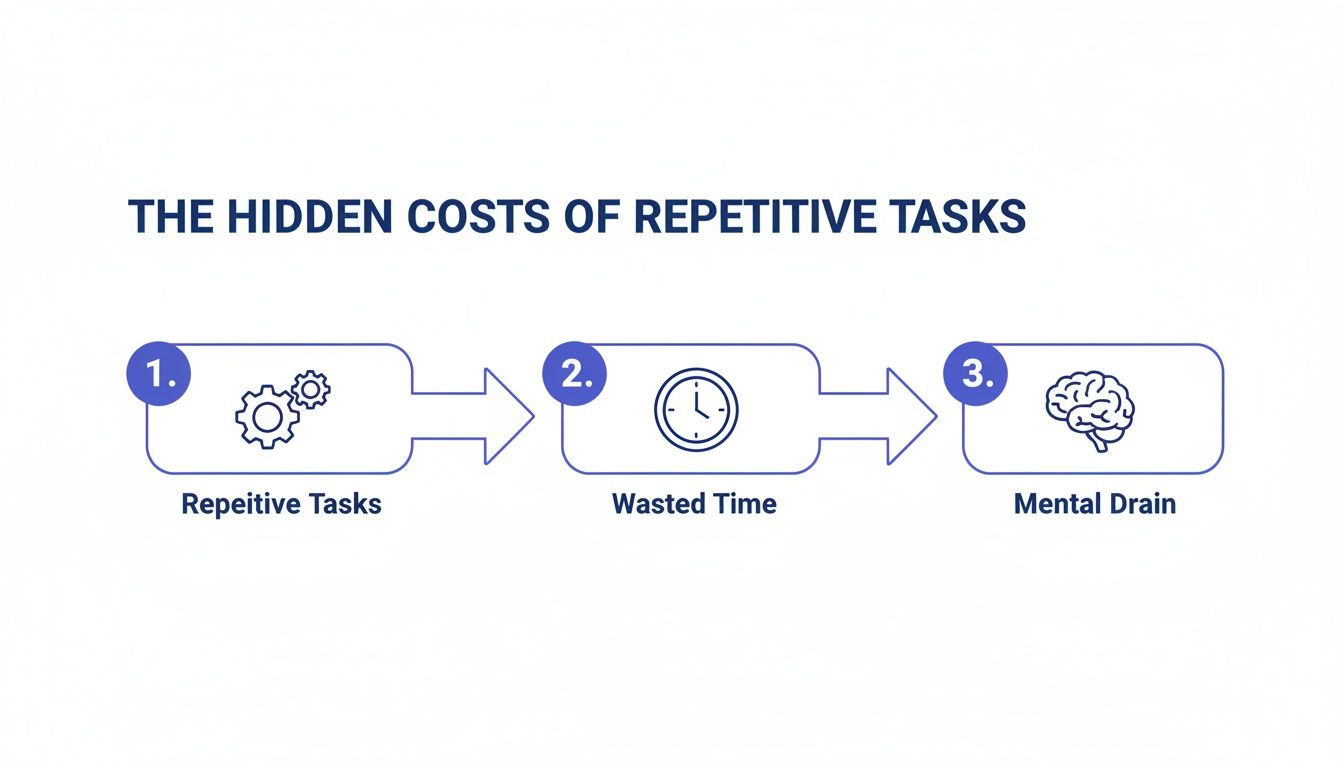
As you can see, the cycle is predictable. It starts with repetitive tasks, which lead to wasted time. The real damage is the mental drain and reduced focus. This makes your important, creative work much harder.
Scoring and Prioritizing Your Tasks
Once you have a week of data, break down larger processes. The project manager’s “status report” is actually “collecting updates,” “data entry,” and “report formatting.” This breakdown makes it easier to spot prime candidates for automation. Now, use a simple scoring system to decide what to tackle first.
Pro-Tip: Zero in on tasks that are high-frequency, rule-based (follow the same steps every time), and low-creativity. These are your quick wins.
Here’s a simple way to structure your analysis.
Task Automation Suitability Matrix
Use this matrix to score your repetitive tasks. Tasks with the highest total score are your top candidates for automation.
| Task Example | Frequency (1-5) | Time Spent (1-5) | Mental Drain (1-5) | Total Score (Out of 15) |
|---|---|---|---|---|
| Copying sales leads to a spreadsheet | 5 | 3 | 4 | 12 |
| Sending weekly reminder emails | 4 | 2 | 3 | 9 |
| Scheduling social media posts | 5 | 4 | 4 | 13 |
| Brainstorming new campaign ideas | 1 | 5 | 1 | 7 |
The tasks with the highest scores are your best targets. This method strips out emotion and gives you a logical starting point. Email management is often a high-scoring category. If that’s you, it might be worth learning how to manage email overload with targeted strategies. This audit gives you the raw material to design useful automated workflows.
Choosing the Right Tools to Automate Repetitive Tasks
Once you’ve mapped out which tasks are eating your time, find the right tools. The world of automation software can look intimidating. The good news is you don’t need to be a developer.
Many powerful tools today are built for everyone. Avoid getting bogged down by endless options. Instead, think about them in categories based on what they do. This helps you match the right solution to your specific problem.
The momentum here is undeniable. We’re seeing a massive shift. Nearly six in ten companies already use some form of process automation. A staggering 91% of organizations also report that the demand for these solutions is climbing.
Workflow Connectors: The Digital Glue
Think of workflow connectors as the central nervous system for your apps. These platforms don’t perform tasks themselves. They are intermediaries that let your software tools talk to each other.
They are the foundation for anyone learning how to automate repetitive tasks across multiple platforms.
- What they do: These tools operate on a simple “if this, then that” logic. A “trigger” in one app sets off an “action” in another.
- Best for: Connecting various cloud-based apps without a direct integration.
- Popular Examples: Zapier, Make, and IFTTT.
Mini Scenario: A consultant uses a contact form on her website. Instead of manually copying each lead, she uses Zapier. Now, when a new form is submitted (the trigger), Zapier automatically adds the person to Mailchimp and creates a new task in Trello (the actions). Zero manual entry.
This screenshot from Zapier’s homepage shows how it visually frames its power. It connects thousands of popular apps to make automation feel accessible.
The interface breaks it down into a simple, three-step flow. This reinforces that building complex workflows can be surprisingly straightforward.
Task-Specific Automation Platforms
Some tools automate one specific type of work very well. Instead of connecting apps, they master a single job. These are often the easiest entry points into automation.
These platforms are a fantastic place to start. They solve a single, common pain point without a steep learning curve.
- Social Media Schedulers (e.g., Buffer, Hootsuite): These let you plan and schedule all your social media content at once.
- Email Marketing Platforms (e.g., Mailchimp, ConvertKit): These services master automating email sequences. When someone joins your newsletter, they can automatically receive a pre-written welcome series.
Simple Scripters and Text Expanders
This category of tools offers big time-saving returns for little effort. They specialize in automating small, repetitive typing tasks.
- What they do: Text expanders let you create short snippets that expand into longer phrases or emails.
- Best for: Answering FAQs, filling out forms, or inserting common code blocks.
- Popular Examples: TextExpander, aText, and built-in keyboard shortcuts.
Mini Scenario: A customer support agent gets the same five questions daily. Instead of typing the same response each time, she creates a snippet. Now, she types “;policy” and it instantly expands into a full paragraph explaining the return policy.
My best advice? Start with one simple tool. Pick one high-impact task and find a single tool that solves that problem. This builds momentum and confidence. As you get more comfortable, exploring how to use AI for productivity can open up new avenues.
Building Your First Automated Workflow
Alright, theory is great, but the real magic happens when you see automation working. Let’s build your first automated workflow from start to finish. Our goal is simple but incredibly useful. We’re going to build a system that automatically handles new leads from a website contact form.
Instead, this workflow will instantly do three things:
- Grab the new lead’s info.
- Add that info into a new row in a Google Sheet.
- Send a personalized welcome email to the new contact.
This is a classic “quick win” automation. It saves time and kills the potential for typos.
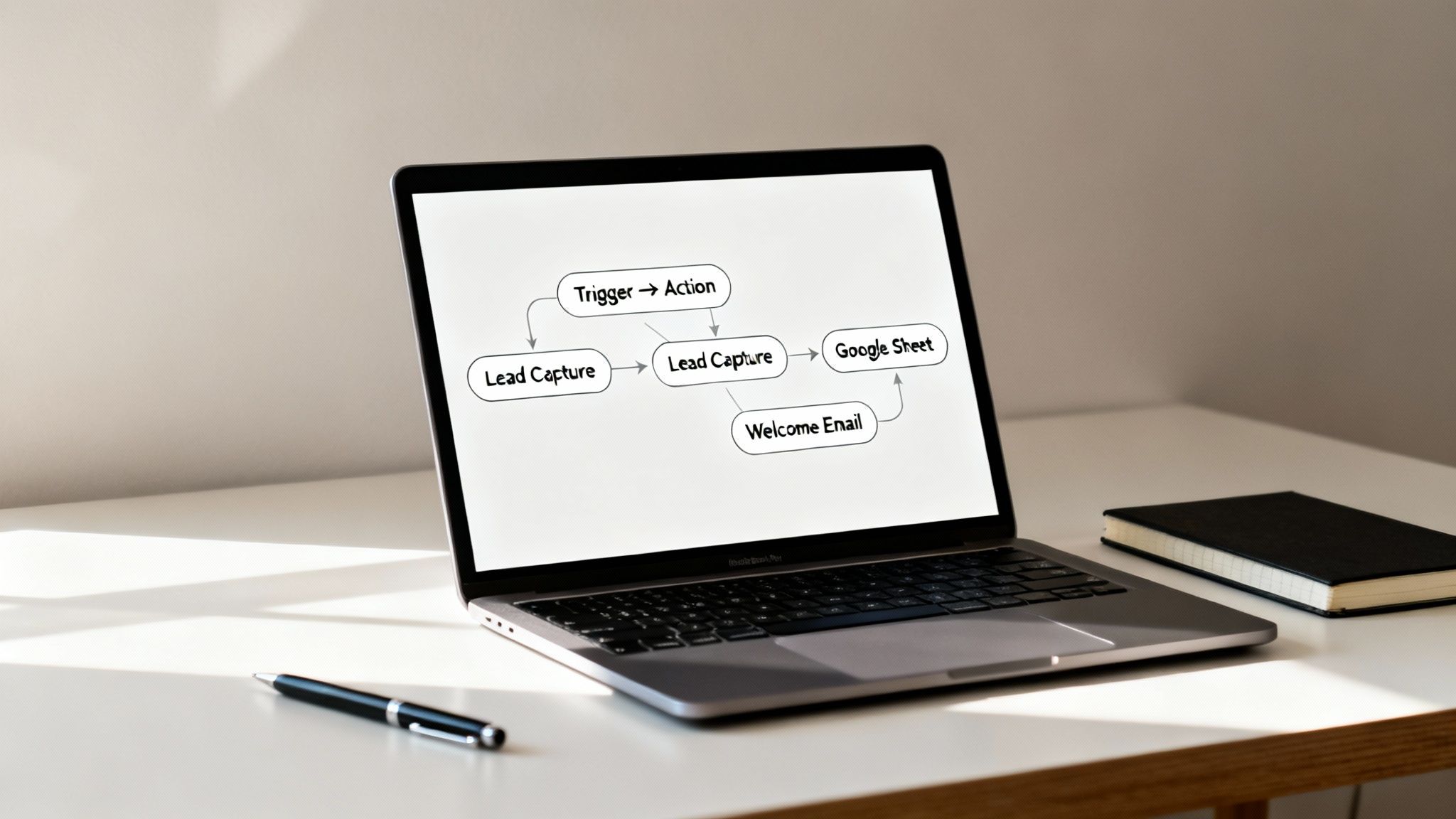
The Core Idea: Triggers and Actions
Most no-code automation platforms like Zapier or Make run on a simple principle: Triggers and Actions. Once you get this, you can automate almost anything.
- A Trigger is the event that kicks everything off.
- An Action is what your workflow does automatically once the trigger fires.
You can chain multiple actions together. For this first one, we’ll keep it simple.
Our Workflow Logic:
- Trigger: A new entry is submitted via our website form.
- Action 1: Create a new row in a specific Google Sheet.
- Action 2: Send a welcome email from our Gmail account.
This structure is the backbone of countless automations.
Setting Up the Lead Capture Workflow
Let’s walk through this using a tool like Zapier. The steps are nearly identical on other platforms. First, you pick your trigger app, like Typeform or Google Forms. After connecting your account, choose the event, like “New Entry.”
Next is mapping the data. The tool will pull in a sample submission. This is where you tell the automation where to put everything.
- Map the “Name” field to the “Contact Name” column in your sheet.
- Connect the “Email” field to the “Email Address” column.
- Link the “Message” content to a “Notes” column.
This mapping ensures your data lands in the right place, perfectly organized.
Adding the Personalized Email
With data flowing into your spreadsheet, it’s time for the welcome email. Add another step and choose your email provider as the action app. This is where you make it personal. For the “To” field, select the “Email” variable from the trigger step.
You can do the same for the email body. A simple personalization might look like this:
“Hi [Name from form submission], thanks so much for reaching out!”
The tool dynamically inserts the person’s name. The email feels human, not robotic. It’s a small touch that makes a huge difference. To take this further, our guide on AI tools for productivity explores how you can build even smarter systems.
Testing and Making Sure It Works
Before you set your workflow live, always test it. Automation tools have a built-in test feature. This is your chance to catch hiccups before they become problems.
If something breaks, it’s usually one of two things:
- Authentication Errors: An app got disconnected. Reconnecting the account almost always fixes it.
- Incorrect Data Mapping: You accidentally mapped the wrong fields. Go back and ensure everything lines up correctly.
That feeling when you get your first successful test run is a genuine win. It’s proof you can build systems that save you time and mental energy.
Measuring the True Impact of Automating Repetitive Tasks
After you automate your first few tasks, the initial win feels great. But the real benefits of learning how to automate repetitive tasks run much deeper.

Successful automation creates a powerful ripple effect. It transforms not only your output but also your mindset and well-being. It’s a shift from being reactive to proactively designing a more focused work environment.
Beyond Time Saved: The Psychological Wins
The most significant change is often psychological. By cognitively offloading routine work, you free up your brain’s prefrontal cortex. This is the part responsible for complex problem-solving and strategic thinking. Instead of burning mental energy on low-value decisions, you preserve it. This leads to less burnout, higher job satisfaction, and a renewed sense of control.
Automation is a direct investment in your focus. Every task you hand off to a system is a signal to your brain that its attention is too valuable to be wasted on mindless repetition.
Real-World Scenarios: Before and After Automation
Let’s look at how this plays out for real people.
Mini Scenario 1 (Project Manager):
- Before: She spends three hours every Friday manually pulling status updates to build a report. It’s tedious and draining.
- After: She set up a dashboard that pulls data in real-time. She now uses those three hours for mentoring junior team members. This is a high-value activity that boosts team morale.
Mini Scenario 2 (Small Business Owner):
- Before: He manually sends invoice reminders. This creates mental clutter and anxiety about cash flow.
- After: He automates the entire invoicing and reminder process. This not only improves cash flow but also removes a persistent source of stress. He can now focus on growing his business.
These shifts prove the true gain is reclaiming cognitive bandwidth. It’s about replacing mental drain with strategic impact. Many find tracking these shifts in journals for productivity helps solidify new habits.
Key Takeaways
- Start with a Task Audit: You can’t automate what you don’t measure. Track your daily tasks for one week to identify high-frequency, low-value work.
- Focus on Quick Wins: Choose simple, rule-based tasks for your first automation. Success with small tasks builds momentum for more complex workflows.
- Match the Tool to the Job: Use workflow connectors like Zapier for multi-app processes. Use task-specific tools like Buffer for single jobs like social media scheduling.
- Understand Triggers and Actions: This simple “if this, then that” logic is the foundation of most no-code automation platforms.
- Automation Frees Mental Energy: The biggest benefit isn’t just saving time; it’s reducing cognitive overload and decision fatigue, allowing you to focus on high-impact work.
- Test and Verify: Always test your automated workflows before setting them live. Periodically review them to ensure they are still effective and haven’t failed silently.
A Final Word on Making Automation Actually Work
The secret isn’t mastering complex software. It’s about starting incredibly small. Real momentum comes from getting a quick, tangible win. Focus on one or two high-impact, low-effort tasks. Think about automatically saving email attachments or sorting client emails.
This advice is for professionals, freelancers, and small business owners buried in admin work. It’s for anyone who needs practical results without a huge learning curve.
One word of caution: it’s easy to over-automate. This can create rigid systems that break when something changes. Periodically review your automated workflows to ensure they’re still helping. Don’t be afraid to tweak or scrap an automation that no longer fits.
For a deeper dive, this guide is an excellent next step: How to Automate Repetitive Tasks and Reclaim Your Time. Ultimately, think of automation as a tool for protecting your focus.
Disclaimer: This article is for educational purposes only and is not a substitute for professional medical or psychological advice. The content does not intend to diagnose, treat, or cure any condition. This site may contain affiliate links.
At Mind Clarity Hub, we focus on practical, science-backed strategies to help you reclaim your focus and build smarter workflows. Explore our library of guides and books to find step-by-step systems for calm, effective productivity. Discover your next read at https://mindclarityhub.com.
FAQ: Your Automation Questions, Answered
1. What’s a good first task to automate?
Start with something high-frequency, low-creativity, and rule-based. Good examples include saving email attachments to a cloud folder, scheduling social media posts, or copying data from a form to a spreadsheet.
2. How much do automation tools cost?
Many tools like Zapier and Make offer free plans for simple, low-volume tasks. Paid plans typically start around $20-$50 per month and scale up based on usage and features. Always begin with a free tier.
3. Is my data secure with these tools?
Reputable automation platforms use end-to-end encryption and robust security measures. However, you should also follow best practices like using strong passwords and enabling two-factor authentication.
4. What’s the difference between automation and AI?
Automation follows pre-set rules (if X happens, do Y). It’s for repetitive, predictable tasks. AI simulates human intelligence to analyze data, recognize patterns, and make predictions. AI can make automation “smarter.”
5. Can I automate tasks on my smartphone?
Yes. Many platforms like IFTTT are designed for mobile automation. You can create workflows like automatically saving photos you’re tagged in on social media or getting a notification when an important email arrives.
6. What if my automation breaks?
Most tools provide error logs to help you diagnose the problem. Common issues are disconnected apps (e.g., changed password) or incorrect data mapping. Testing your workflow thoroughly before activating it can prevent most failures.
7. Do I need to know how to code to automate tasks?
No. The vast majority of modern automation tools are “no-code” or “low-code.” They use visual, drag-and-drop interfaces, so you don’t need any programming knowledge to build powerful workflows.
8. What are the psychological benefits of automating tasks?
Automating repetitive tasks reduces cognitive overload and decision fatigue. This frees up mental resources, allowing for better focus, increased creativity, and lower stress levels, which helps prevent burnout.
9. How do I identify tasks worth automating?
Conduct a “task audit” for a week. Log your activities and note how often you do them, how much time they take, and how mentally draining they are. The tasks with the highest scores in all three areas are your best candidates.
10. Can automation help with personal life tasks?
Absolutely. You can automate personal tasks like creating a shopping list from a recipe website, getting weather alerts, logging your workouts automatically, or paying bills. The same principles of triggers and actions apply.
Explore the Mind Clarity Hub Library
Practical books on focus, digital habits, resilience, and building a calmer mind.

The Power of Clarity
Unlock mental focus, build momentum, and create the life you were meant to live.
View book →
AI & ChatGPT for Beginners
No PhD needed — a 2025 guide to AI, prompts, and productivity without coding.
View book →
Zen in the Digital Jungle
Mindfulness for a chaotic world.
View book →
The Slow Reset
Mindful living in a fast-paced world.
View book →
Perfectly Imperfect
Stop self-criticism, set boundaries, and embrace the real you.
View book →
Reclaiming Silence
A dopamine detox guide to finding peace in a noisy world.
View book →
The Focused Freelancer
Productivity, pricing & positioning for independents in 2025.
View book →
ChatGPT Side Hustle System
Launch your AI-driven online business in 30 days.
View book →
Burnout, Interrupted
A proven path to restore energy and reclaim your life.
View book →
Attention Unleashed
Focus strategies for the distracted mind.
View book →
Side Hustle Launchpad
Your quick-start guide to extra income.
View book →
Digital Clarity
Rewire your brain, escape dopamine traps & regain focus.
View book →
Break the Scroll
Reduce screen time and take back control of your life.
View book →
Climate Compassion
Transform eco-anxiety into empowered action.
View book →
Village Mentality
The power of community for mental wellness.
View book →
Restful Nights
Overcoming sleep anxiety in a 24/7 world.
View book →
Connected Again
Combat loneliness and build meaningful relationships.
View book →
Focus Recharged
Mastering attention and productivity in the digital era.
View book →
Marketing Magic with ChatGPT
AI-powered content, campaigns, and copywriting to grow faster.
View book →
The 6-Figure Creator
Turn knowledge into passive income with books, courses & AI.
View book →
Burnout Breakthrough
Reset your work-life balance and thrive in 2025.
View book →
The Emotionally Intelligent Man
A modern guide to self-awareness and communication.
View book →
AI Personalized Wellness
Create your custom health plan with data-driven habits.
View book →
Everyday AI Made Easy
Use ChatGPT and smart tools to simplify life.
View book →
Money Mindfulness
A financial wellness guide for Gen Z & Millennials.
View book →
Startup Smarter with AI
ChatGPT strategies and tools to grow your business.
View book →
ChatGPT for Writers & Creators
Unlock AI-powered brainstorming, drafting & editing.
View book →