


Using AI for productivity doesn’t mean you have to become a programmer overnight. It’s simply about handing off the repetitive, digital busywork—like summarizing reports or drafting routine emails—to an AI assistant.
This frees up your mind to focus on what humans do best: strategic thinking, creative problem-solving, and the kind of deep work that actually moves the needle.
Mind Clarity Hub is reader-supported. We may earn a small commission at no extra cost to you if you purchase through our links.
A Practical Start to Using AI for Productivity
Feeling the pressure to use artificial intelligence but not sure where to begin? You’re not alone. The secret is to stop seeing AI as some complex coding challenge and start treating it like a practical partner, ready to take on the routine tasks that drain your focus and energy.
The goal isn’t to automate your entire life in a week. It’s about getting small, immediate wins that build your confidence and cut down on digital friction. Psychologically, these small wins trigger a dopamine release in the brain’s reward system, reinforcing the new habit of delegating to AI. Think of it as offloading the tasks that fragment your attention, which helps you sidestep burnout and preserve your limited mental bandwidth for work that truly matters. This is a core idea we explore in our guide on making everyday AI easy and approachable for anyone.
This isn’t just a personal productivity hack; it’s a real economic shift. Research is already showing a clear line between AI adoption and efficiency gains. For example, a St. Louis Fed analysis found that by August 2024, 44.6% of U.S. firms were already using generative AI. That adoption contributed to a 1.3% jump in labor productivity since late 2022. It’s happening, and it’s working.

Three Core AI Productivity Workflows to Start Today
To get started without the overwhelm, it helps to see where the quickest wins are. Below are three of the most common and impactful ways people are using AI right now to reclaim their time and focus. They require no technical skill, just a willingness to delegate.
| Workflow Area | AI Application Example | Potential Time Saved Per Week |
|---|---|---|
| Email & Inbox Management | Ask AI to summarize long email threads or draft a polite “no, thank you” response. | 1-3 hours |
| Information Synthesis | Instead of reading a 20-page report, ask AI to pull out the key findings and action items. | 2-4 hours |
| Idea Organization | Feed AI your scattered brainstorming notes and ask it to organize them into a structured outline. | 1-2 hours |
By starting with these concrete workflows, you begin to build a new habit. You train your brain to spot opportunities for delegation, which frees up your best cognitive resources. It’s not about replacing your intellect—it’s about augmenting it, allowing you to operate at a higher, more strategic level.
Choosing the Right AI Tools Without the Overwhelm
The AI tool market is exploding. It’s noisy, chaotic, and it’s easy to feel like you’re already behind if you haven’t signed up for a dozen different apps.
Here’s the thing: successfully using AI for deep work isn’t about adopting every new tool that hits the market. It’s about being incredibly selective and choosing a few that solve your most annoying, specific problems. Forget the generic top-ten lists and start with a single, clarifying question:
What is the most repetitive, time-consuming task on my plate right now?
Your answer points you to your toolkit. Trying to write faster? A large language model like ChatGPT or Claude is your best bet. Need to code more efficiently or manage a complex project? A specialized tool will almost always serve you better. The goal is to build a small, integrated AI stack that actually reduces digital clutter, not adds to it.
How to Use AI Tools Based on Your Professional Goals
A marketing manager’s ideal AI setup will look nothing like a software developer’s. This is where intention saves you from chasing the newest shiny object. Instead of collecting tools, map your core responsibilities directly to specific AI capabilities.
Here’s a practical way to break it down:
- For Broad Creative & Communication Tasks: General-purpose models like ChatGPT, Claude, and Gemini are fantastic for brainstorming, drafting emails, summarizing long documents, and generating first drafts of content. They’re the Swiss Army knives of the AI world.
- For Specialized, Technical Work: This is where niche tools shine. A developer using GitHub Copilot for code completion will see massive gains. Likewise, a researcher benefits from an AI research assistant that can synthesize academic papers and complex data sets in minutes.
- For Automating Routine Processes: Look for single-purpose tools that handle repeatable tasks. This could be an AI transcription service like Otter.ai for your meetings or an AI-powered scheduler that eliminates the back-and-forth of booking calls.
The money follows the specialists. Menlo Ventures reports that companies poured a massive $37 billion into generative AI this year. Of the $7.3 billion spent on departmental AI, a staggering 55% ($4 billion) went to coding tools alone. This shows a clear trend: focused, task-specific AI is delivering huge returns by helping professionals finish projects much faster.
Real-World Scenarios for Two Professionals
Let’s look at how two very different professionals might build their AI productivity systems.
Scenario 1: The Freelance Content Strategist
A content strategist’s biggest bottlenecks are usually research, drafting, and editing. Their toolkit is all about streamlining that workflow.
- ChatGPT-4 or Claude 3: The powerhouse for brainstorming topics, creating detailed outlines, and generating first drafts.
- GrammarlyGO: Essential for refining tone, catching grammatical errors, and making sure the final copy is polished and professional.
- A Niche SEO Tool with AI: Used to analyze keyword density, suggest related topics, and optimize content for search engines.
Scenario 2: The Startup Founder
A founder is a professional juggler—handling sales, project management, and investor relations all at once. Their AI stack is built for efficiency and clear communication.
- An AI Meeting Assistant (like Otter.ai): Automatically transcribes calls, identifies action items, and creates summaries to share with the team. No more “who was supposed to do what?”
- A CRM with AI Features: Drafts follow-up emails, scores leads, and helps predict which deals are most likely to close.
- Notion AI: The perfect co-pilot for organizing meeting notes, managing project roadmaps, and instantly turning messy brainstorms into structured, actionable documents.
In both cases, the tools are chosen to solve a direct business need. This focused approach prevents tool fatigue and ensures you’re getting a real return on your investment of time and money. If you’re looking for a curated list of tools we’ve personally tested, check out our guide on the best AI tools for productivity.
A Quick Note on Privacy: Always check a tool’s data privacy policy before uploading sensitive information. Reputable services, especially the paid tiers, will explicitly state that your data is not used to train their models. Never paste confidential client information or personal data into a free, public AI tool.
Mastering the Art of the AI Prompt for Maximum Output
Getting great results from an AI is all about how you ask. A vague request leads to a generic, unhelpful answer. But a clear, well-structured prompt can turn an AI tool from a simple chatbot into a powerful collaborator, saving you hours of work.
Think of it like giving directions. “Take me downtown” is useless. “Take me to the coffee shop at 123 Main Street, avoiding the highway because it’s rush hour” gets you exactly where you need to go. The same principle applies to AI. A crucial step in mastering AI for maximum output involves understanding how to write prompts effectively.

A Powerful Framework for Perfect AI Prompts
A simple yet effective way to structure your requests is the PCTC framework. It ensures you give the AI all the information it needs to deliver high-quality, relevant results on the first try.
- Persona: Tell the AI who to be. “Act as a seasoned project manager” will produce a very different output than “Act as a friendly customer support agent.” Giving the AI a role provides it with an implicit understanding of the tone, style, and expertise required.
- Context: Give it the background information. Who is the audience? What is the goal of this task? What information is essential for it to know? The more relevant context you provide, the better the result.
- Task: State the action you want it to perform. Be explicit. Use action verbs like “summarize,” “draft,” “brainstorm,” “translate,” or “rephrase.”
- Constraints: Set the boundaries. Define the desired length (“in under 200 words”), format (“as a bulleted list”), or tone (“formal and professional”). This prevents the AI from giving you something unusable.
Let’s see this in action. A vague request might be: “write an email about our update.” The AI has no idea what to do with that.
Now, let’s use the PCTC framework to improve it:
Before: “Write an email about our update.”
After: “Act as a product manager for a SaaS app. [Persona] Write an email to our paying customers announcing a new feature called ‘Project Dashboards.’ [Context] The task is to clearly explain the feature’s three main benefits (time savings, better visibility, team collaboration) and encourage them to try it. [Task] Keep the email under 250 words and use a friendly but professional tone. Include a clear call-to-action button at the end. [Constraints]“
This detailed prompt transforms the AI from a guesser into a strategic partner. It knows its role, its audience, its goal, and its boundaries.
Iterative Prompting: The Skill of Refining
You won’t always get the perfect response on your first attempt, and that’s perfectly fine. The real skill in using AI for productivity is iterative prompting—the art of refining your requests based on the AI’s output.
Think of it as a conversation. The AI gives you a draft, and you provide feedback to steer it closer to your desired outcome. This is where you can truly tailor the output, especially for creative work. If you’re a writer, this process is invaluable; our guide on using https://mindclarityhub.com/chatgpt-for-writers-and-creators/ explores this technique in more detail.
Mini-Scenario: A Student Outlining a Paper
A student asks an AI to “outline a term paper on the Roman Empire.” The result is generic and covers thousands of years.
- Refinement 1: “Refine the outline to focus only on the economic factors leading to the fall of the Western Roman Empire.”
- Refinement 2: “Now, add three key academic sources for each section of that new outline.”
- Refinement 3: “Excellent. Reformat the entire outline as a table with columns for ‘Topic,’ ‘Key Points,’ and ‘Supporting Evidence.’”
By iterating, the student guides the AI from a vague starting point to a highly specific and useful research plan, accomplishing in minutes what might have taken hours of manual organization.
How to Use AI for Productivity Without Losing Focus
An AI tool can be your greatest productivity asset or your most tempting distraction. The difference isn’t in the technology—it’s in how you weave it into your day. Without structure, AI use invites a constant stream of novelty and task-switching that hijacks your brain’s reward system and leaves your attention in pieces.
From a neuroscience perspective, every time you jump from one task to another—like from writing a report to asking an AI a “quick question”—your brain pays a steep price. This is called context switching, and research shows it drains your prefrontal cortex, the part of the brain responsible for executive functions like focus and decision-making. The secret is to build a workflow that fiercely protects your attention.
The Power of Batching AI Tasks
Instead of letting AI pull you in a dozen different directions all day, try dedicating specific, scheduled blocks of time for all your AI-assisted work. This method, known as task batching, is incredibly effective because it groups similar activities together, letting your brain stay in one “mode” for a sustained period.
Mini-Scenario: An “AI Power Hour”
A project manager schedules an “AI Power Hour” from 9 AM to 10 AM every day. During this focused block, they knock out all their AI-related tasks at once:
- Summarize the notes from their morning meetings.
- Draft all their social media posts for the week.
- Brainstorm outlines for three upcoming blog articles.
- Clear out their inbox by drafting replies to non-urgent emails.
Once that time is up, they close the AI tools. Completely. They then shift into a period of truly uninterrupted deep work, whether that’s writing, coding, or strategic planning. This creates a powerful boundary that shuts down the reactive, dopamine-fueled impulse to “just ask the AI” whenever a small thought pops up. It’s a practical way to manage your attention and learn how to be present even when you’re using powerful digital tools.
AI Task Batching vs. Traditional Multitasking
The difference between a structured AI routine and scattered, reactive use is stark. One preserves your cognitive energy for what matters most, while the other bleeds it dry on shallow, fragmented work.
| Approach | Cognitive Impact (Neuroscience) | Productivity Outcome | Example Routine |
|---|---|---|---|
| AI Task Batching | Reduces context switching, conserving prefrontal cortex resources needed for focus and decision-making. | Higher quality output on deep work tasks; less mental fatigue at the end of the day. | 9-10 AM: AI Power Hour (emails, summaries, outlines). 10 AM-12 PM: Uninterrupted creative work. |
| Traditional Multitasking | Constantly forces the brain to reorient, increasing cognitive load and stress hormone release. | Higher error rates, superficial work, and a feeling of being busy but not productive. | Answering emails while writing a report and sporadically asking an AI for facts. |
By treating AI as a specialized tool to be used with intention—not as a constant companion—you stay in control of your focus. This simple shift ensures you are the one directing your attention, not the endless possibilities of the technology.
Advanced AI Strategies to Automate and Scale Your Work
Once you’ve gotten the hang of writing good prompts, the real fun begins. This is where you graduate from one-off AI tasks to building automated systems that work for you in the background. It’s the difference between using a calculator and building a financial model—one solves a problem now, the other solves it forever.
This next level involves connecting your favorite AI model to the other apps you live in every day. Using no-code platforms like Zapier or Make, you can build some seriously powerful workflows that link your calendar, email, and project management tools directly to an AI. This is strategic delegation, letting you multiply your impact without multiplying your hours.
Building Your First Automated AI Workflow
The idea is surprisingly simple: you set a “trigger” in one app that kicks off a series of “actions” in others. The AI just acts as the smart bridge in the middle.
Mini-Scenario: Automating Meeting Follow-ups
A small business owner or team lead could set this up in an afternoon:
- The Trigger: A new meeting with a client is saved in your Zoom cloud recordings.
- The First Action: The recording is automatically sent over to an AI transcription service.
- The AI Bridge: That transcript is then fed to an LLM (like ChatGPT or Claude) with a very specific prompt: “Summarize the key decisions and list all action items from this meeting transcript, with names.”
- The Final Actions: The AI-generated summary gets posted into a specific Slack channel, and each action item is created as a new task in Asana, neatly assigned to the right person.
Once you set this up, the entire sequence just runs. No manual effort needed. It turns a boring, multi-step admin headache into a background task that never drops the ball. For anyone looking to build out similar systems, our guide on how to startup smarter with AI digs into more workflows designed for entrepreneurs.
Introducing AI Agents for More Complex Tasks
Beyond these straightforward automations, we’re starting to see the rise of AI agents. Think of these as more autonomous systems built to handle multi-step goals with way less hand-holding. While a simple automation follows a fixed, pre-set path, you can give an agent a goal and it will figure out the steps to get there.
A content creator, for instance, could use an AI agent to handle their entire social media pipeline. They could give it a high-level goal like, “Create and schedule three Instagram posts this week based on my latest blog article.”
The agent would then get to work:
- Read and actually understand the blog post.
- Pull out three distinct, shareable ideas.
- Write compelling captions and find relevant hashtags for each one.
- Generate simple, on-brand images to go with the posts.
- Log into a social media tool and schedule them for the best times.
This is what a mindful AI workflow looks like—you batch your strategic thinking and let an autonomous system handle the grunt work of execution.
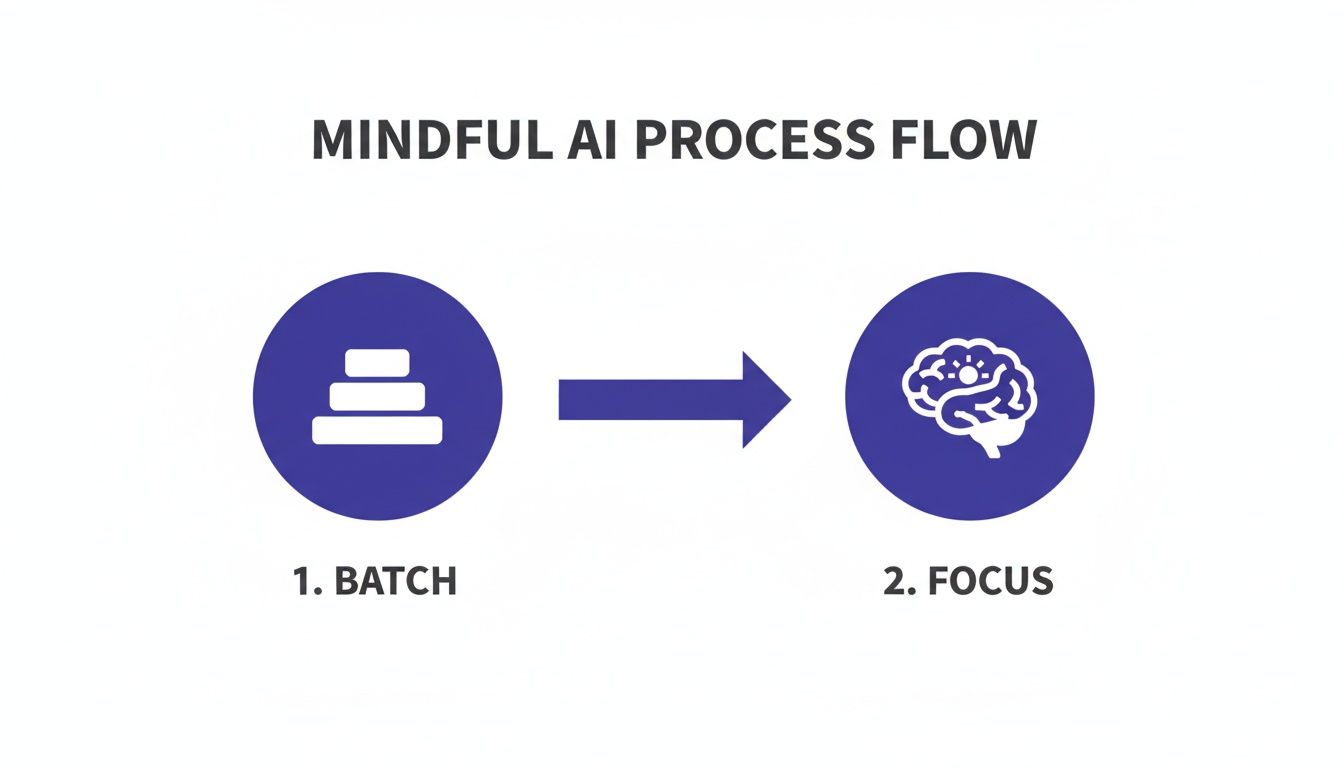
Caption: A visual representation of a mindful workflow to use AI for productivity.
Image Description: A simple flowchart diagram shows a process starting with ‘Raw Inputs (Meetings, Notes, Emails)’ flowing into an ‘AI Batch Processing’ box, which then splits into two outputs: ‘Structured Summaries & Tasks’ and ‘Focused Deep Work Time,’ illustrating a system for using AI to improve productivity.
This kind of process lets you delegate a whole chunk of related tasks to an AI, which then processes them in the background, freeing you up to stay focused on work that actually requires your full attention.
The momentum here is just undeniable, and it signals a massive shift in how work gets done. Bloomberg is forecasting the generative AI market will hit $1.3 trillion by 2032. And to underscore that, a recent report found that 57% of companies valued over $1 billion are now AI-powered, which tells you exactly where investors are placing their bets on the future of productivity.
Editor’s Take: What Really Works for AI Productivity
Let’s cut through the hype. AI is a powerful tool, but it isn’t a magic wand. After countless hours testing AI productivity workflows, here’s what actually moves the needle in the real world.
First, start small and be specific. The people who get real results with AI don’t try to automate their entire life in a single weekend. They find one tedious, soul-crushing task—like summarizing a dense report or transcribing meeting notes—and they master it. This approach gives you an immediate, tangible win. That small victory builds momentum and gives you the confidence to tackle the next thing.
Second, think of AI as a collaborator, not a replacement for your brain. It’s brilliant at generating a first draft, brainstorming a dozen different angles, or synthesizing a mountain of data. But you still have to bring your critical thinking, your domain expertise, and your unique voice to the final product. The AI gives you the raw clay; you provide the artistry and insight.
Who This Advice Is Best For
This guidance is for busy knowledge workers—professionals, entrepreneurs, and freelancers—who are generally comfortable with tech but feel buried under routine administrative or creative busywork. It’s for anyone who wants to claw back their time for deep, meaningful work.
However, this isn’t for someone looking for a completely hands-off, “set it and forget it” button. Using AI for productivity is an active, interactive process, not a passive one. You have to steer it. The timeless principle holds: garbage in, garbage out. The quality of an AI’s output is directly tied to the clarity of your input. A well-crafted prompt is the single most important factor for getting something useful back.
Ultimately, what works is a mindful, intentional approach. Choose your tools to solve specific problems, not just because they’re trending. Learn to communicate your needs clearly with effective prompts, and slot AI into a workflow that protects your focus. That’s how you actually get more done without just adding more digital noise to your life.
Disclaimer: The information in this article is for educational purposes only and is not a substitute for professional medical or psychological advice, diagnosis, or treatment. We may earn a commission from affiliate links at no extra cost to you. Always seek the advice of a qualified health provider with any questions regarding a medical condition.
FAQ: How to Use AI for Productivity
Here are a few of the most common questions people ask when they start exploring how to use AI for productivity. My goal is to give you clear, direct answers to help you build a workflow that feels effective and intentional.
Is using AI for productivity just another distraction?
AI can absolutely make you more productive, but here’s the catch: its value depends entirely on how you use it. If you treat it like a shiny new toy without a clear purpose, it will become just another digital distraction, encouraging shallow, fragmented work. The key is to see it as a specialized tool for a specific job. The people who get the most out of AI integrate it into a structured workflow, like setting aside a dedicated “AI admin block” to offload tasks. With clear boundaries, AI becomes a powerful lever for productivity.
What’s the easiest way for a total beginner to get started with AI for productivity?
The simplest and most effective way to start is to tackle one low-stakes, repetitive task that gives you an immediate return on your time. A perfect example is summarization. Find a long article, a dense report, or a lengthy email chain. Feed it to a tool like ChatGPT or Claude with a simple prompt: “Summarize the key points of this text in five bullet points.” This single action delivers a tangible win in minutes, helping you build confidence. Start small, get a quick win, and build from there.
How safe is my data when I’m using these public AI tools for productivity?
This is a critical question. The safety of your information depends entirely on the tool and your subscription level. Major services like ChatGPT and Claude offer paid business or enterprise plans with stronger privacy features, often guaranteeing your data will not be used to train their models. For any sensitive information, use a paid, secure account and always read the privacy policy. Crucial Takeaway: Never paste confidential company data or personally identifiable information (PII) into the free, public versions of AI tools.
Do I need to learn to code to use AI for productivity?
Absolutely not. While coding is essential for building custom AI models, the vast majority of today’s productivity gains come from user-friendly, no-code applications. Tools like ChatGPT, Claude, and Gemini are designed to work with natural language. This means the most important skill isn’t coding; it’s prompting—the art of giving the AI clear, specific, and context-rich instructions.
At Mind Clarity Hub, we focus on providing science-based, practical guides to help you master your focus and build sustainable productivity habits in a demanding world. Explore our library of books and resources to find the clarity you need.
Explore the Mind Clarity Hub Library
Practical books on focus, digital habits, resilience, and building a calmer mind.

The Power of Clarity
Unlock mental focus, build momentum, and create the life you were meant to live.
View book →
AI & ChatGPT for Beginners
No PhD needed — a 2025 guide to AI, prompts, and productivity without coding.
View book →
Zen in the Digital Jungle
Mindfulness for a chaotic world.
View book →
The Slow Reset
Mindful living in a fast-paced world.
View book →
Perfectly Imperfect
Stop self-criticism, set boundaries, and embrace the real you.
View book →
Reclaiming Silence
A dopamine detox guide to finding peace in a noisy world.
View book →
The Focused Freelancer
Productivity, pricing & positioning for independents in 2025.
View book →
ChatGPT Side Hustle System
Launch your AI-driven online business in 30 days.
View book →
Burnout, Interrupted
A proven path to restore energy and reclaim your life.
View book →
Attention Unleashed
Focus strategies for the distracted mind.
View book →
Side Hustle Launchpad
Your quick-start guide to extra income.
View book →
Digital Clarity
Rewire your brain, escape dopamine traps & regain focus.
View book →
Break the Scroll
Reduce screen time and take back control of your life.
View book →
Climate Compassion
Transform eco-anxiety into empowered action.
View book →
Village Mentality
The power of community for mental wellness.
View book →
Restful Nights
Overcoming sleep anxiety in a 24/7 world.
View book →
Connected Again
Combat loneliness and build meaningful relationships.
View book →
Focus Recharged
Mastering attention and productivity in the digital era.
View book →
Marketing Magic with ChatGPT
AI-powered content, campaigns, and copywriting to grow faster.
View book →
The 6-Figure Creator
Turn knowledge into passive income with books, courses & AI.
View book →
Burnout Breakthrough
Reset your work-life balance and thrive in 2025.
View book →
The Emotionally Intelligent Man
A modern guide to self-awareness and communication.
View book →
AI Personalized Wellness
Create your custom health plan with data-driven habits.
View book →
Everyday AI Made Easy
Use ChatGPT and smart tools to simplify life.
View book →
Money Mindfulness
A financial wellness guide for Gen Z & Millennials.
View book →
Startup Smarter with AI
ChatGPT strategies and tools to grow your business.
View book →
ChatGPT for Writers & Creators
Unlock AI-powered brainstorming, drafting & editing.
View book →