...

Tag: ai productivity

  • How to Write with AI for Focus and Clarity

    How to Write with AI for Focus and Clarity

    *Affiliate Disclosure: This post may contain affiliate links. If you make a purchase, we may earn a small commission at no extra cost to you.*

    That feeling of staring at a blank page while a deadline inches closer is something we all know. It’s draining. Learning how to write with AI isn’t about letting a robot take over your creativity. It’s about partnering with a tool to reclaim your focus and mental space.

    When you offload the heavy lift of a first draft, you free up your brain for the parts of writing that actually matter. These are refining your ideas, finding your unique voice, and thinking strategically about your message.

    Reclaim Your Focus: The Neuroscience of Writing with AI

    The feeling of being stuck before you’ve even typed a word is a real, well-documented struggle. It’s tied to a concept from psychology called cognitive load. This is the total amount of mental work your brain is doing at any given moment.

    When you try to generate ideas, structure an argument, and find the perfect words all at once, your cognitive load skyrockets. This is a direct path to procrastination and burnout.

    How to write with AI: a minimalist work desk with a laptop, a tablet showing β€œRECLAIM FOCUS,” an alarm clock, and coffee.

    This is where AI writing tools can be a powerful intervention. They dramatically reduce that initial cognitive burden by handling the messy first draft. Instead of wrestling with a blank screen, you get a structured starting point to react to, edit, and improve.

    Neuroscience Nugget: Your brain’s prefrontal cortex is responsible for planning, decision-making, and focus. It has a finite daily capacity. Offloading routine cognitive tasks, like drafting from scratch, frees up this critical resource. This allows for deeper creative thought. It also pushes back against that familiar feeling of being overwhelmed.

    Start Small for Big Wins When Writing with AI

    You don’t have to jump in by asking an AI to write an entire article. The best way to integrate these tools into your workflow is to start with small, low-stakes tasks. This approach builds your confidence and quickly shows you the time-saving benefits.

    Give these a try first:

    • Email Subject Lines: Ask an AI to brainstorm five different subject lines for a critical email.
    • Meeting Agendas: Feed it a few bullet points about your meeting’s goals. Then let it create a formal agenda.
    • Social Media Captions: Give it a topic and a specific tone. Then have it draft a few options to choose from.

    For example, imagine you’re a manager preparing for a weekly check-in. Instead of spending 15 minutes drafting the agenda, you can prompt the AI: β€œCreate a meeting agenda for a 30-minute team check-in. Topics are project A status, Q3 goal progress, and one team win.” This lets you focus on the meeting’s substance, not its structure.

    This method lets you get a feel for how the AI β€œthinks” without feeling intimidated. As you get more comfortable, you can hand off more complex parts of the writing process. For a deeper dive into this, check out our guide on how to use AI for productivity.

    Create a Distraction-Free Environment

    To get the most out of the focus that AI can give you, you have to protect that focus. Distractions can sabotage even the most efficient workflow. The good news is that a few simple behavioral tweaks can make a massive difference.

    For instance, a phone lock box timer is a surprisingly effective tool. It’s based on a behavioral science principle called a β€œcommitment device.” By physically locking your phone away for a set time, you eliminate the temptation to mindlessly scroll.

    This creates the ideal headspace to do the real work. That includes editing, fact-checking, and weaving your own expertise into the AI-generated draft. If you’re looking to build a business around these tools, our book, Marketing Magic: ChatGPT & AI Marketing, offers a great roadmap.

    Define Your Purpose Before You Write with AI

    Before you ever open an AI chat window, you have to know where you’re going.

    Jumping straight into a tool like ChatGPT or Jasper without a clear purpose is like starting a road trip without a map. You’ll definitely get somewhere, but it’s almost never where you intended to go. Generic inputs only ever produce generic outputs.

    This first step is all about giving the AI the context it needs to be a useful co-writer. It is not just a mindless text generator.

    When you get clear on your objective, you activate the planning and focus centers of your brain. This sharpens your judgment. It makes it easier to evaluate the AI’s suggestions and steer it in the right direction. An undefined goal leads to endless, frustrating rounds of edits.

    How to write with AI: a flat lay shows a blue notebook with β€œDefine Purpose” text, an open journal, pen, glasses, and a plant.

    Why Context Is Everything in AI Writing

    Think of an AI writing tool as an incredibly knowledgeable but inexperienced assistant. It has access to a world of information. But it doesn’t know what you need unless you tell it, specifically.

    Your purpose, audience, and desired tone are the guardrails that keep the AI on track. This has become even more critical now that AI adoption is exploding. With so many people using these tools, specificity is your best advantage.

    The AI writing tool market growth on Verified Market Research is a clear indicator of this trend. The smartest way to leverage this technology is with a hybrid workflow. Let the AI handle the initial brainstorming and messy first drafts. Then, step in to refine the output with your own expertise and voice.

    Putting Purpose into Practice with Scenarios

    How you define your goal completely changes the instructions you give an AI. Your intention is the most important part of any prompt.

    Look at how the goal shifts the entire request in these two scenarios:

    • Scenario 1: The Freelancer’s Proposal. A freelance designer is writing a project proposal for a big new client. The purpose is to persuade the client to sign a contract. The audience is a formal business executive. The tone needs to be professional, confident, and laser-focused on value.

    • Scenario 2: The Manager’s Internal Update. A team manager needs to write a weekly update for their direct reports. The purpose is to inform the team about project progress and celebrate a recent win. The audience is familiar. The tone should be encouraging, clear, and conversational.


    The core information might be similar in both cases. But the purpose, audience, and tone demand completely different outputs. Setting these intentions is a fundamental skill for clear communication. You can dig deeper by exploring some examples of effective intentions.

    A Simple Prompt Template to Get Started

    You don’t need to be a β€œprompt engineer” to give an AI good directions. Often, a single, structured sentence is all it takes.

    Prompt Template: Act as a [ROLE] writing a [FORMAT] for a [AUDIENCE] with a [TONE] tone. The goal is to [OBJECTIVE].

    Let’s apply this to our scenarios from before:

    • Freelancer: Act as an expert brand designer writing a project proposal for a potential corporate client with a professional and persuasive tone. The goal is to clearly outline the project scope and convince them to hire me.

    This level of clarity is a central theme in my book, The Power of Clarity. It prevents wasted time. It also makes sure your final piece is aligned with your goals from the very first draft. Start with this chapter to build your foundation in clear communication.

    How to Choose the Right AI Writing Tool

    The sheer number of AI writing tools out there can feel dizzying. Every week, a new app promises to revolutionize how you write. This leaves you wondering which one is actually worth your time and money. How do you pick the right one?

    It all comes down to cutting through the noise and matching a tool to your specific workflow.

    The market for these tools is growing incredibly fast. The value jumped from USD 0.39 billion in 2023 to a projected USD 1.22 billion by 2031. This rapid growth means the tools are getting smarter and more integrated into our work. For busy professionals learning how to write with AI, this means more power but also more confusion.

    Best Option for Beginners Learning to Write with AI

    To make sense of it all, it helps to think of AI writing tools in three main groups. Each is built for a different kind of job. Figuring out your primary need is the first real step.

    • All-in-One Content Platforms: Think of these as your creative Swiss Army knife. Tools like Jasper or Copy.ai handle a huge range of tasks. They are great for marketers, content creators, and business owners who need a high volume of varied content. They are also a great starting point for beginners.

    • Grammar and Style Assistants: This category includes sophisticated editors like Grammarly or ProWritingAid. They go way beyond a simple spell-check. They help you refine your tone, improve sentence clarity, and catch tricky grammar mistakes. A good habit tracker journal can help you build the routine of using these tools for every piece of writing.

    • Specialized and Integrated Tools: This group is all about specific, focused tasks. It includes single-purpose tools for things like writing headlines. It also includes AI features built into platforms you already use, like Notion AI.


    If you want to go deeper and compare a wider set of options, these comprehensive reviews of AI writing tools are a great place to start.

    How to Choose Your First AI Writing Tool

    The right choice really depends on your day-to-day work and what you’re willing to spend. A freelance writer might find an all-in-one platform is a game-changer. A manager might only need a great grammar checker to make their team-wide emails clearer. For a deeper dive, check out our guide on AI tools that can boost your productivity.

    Here’s a quick comparison to help you choose.

    Which AI Writing Tool Is Best for You?

    ToolBest ForKey FeaturePrice Point
    JasperMarketers & content teams needing varied contentβ€œBrand Voice” and advanced workflow templatesPremium
    GrammarlyStudents & professionals editing their own workAdvanced grammar, style, and tone suggestionsFreemium/Mid
    Notion AIIndividuals who already use Notion for workSeamless integration into existing documentsAdd-on/Low
    ChatGPTGeneral users needing a versatile assistantPowerful conversational ability and idea generationFreemium/Mid

    Ultimately, choosing the right tool isn’t about chasing the most features. Compare options to find the one that fits your workflow best.

    Choosing the right tool isn’t just about features. It’s about finding a partner that fits into your existing workflow without adding friction. The goal is to reduce cognitive load, not add another complex system to manage.

    For creators looking to turn these tools into a sustainable business, the strategies in The 6-Figure Creator offer practical systems for building an audience and generating income.

    The Hybrid Workflow: How to Write with AI Authentically

    If you’re trying to learn how to write with AI, forget about one-click article generation. That’s a recipe for generic, robotic content. A much better way to work is an iterative loop. You generate a piece, refine it, and then humanize it. This approach keeps you in control. It also makes sure the final piece actually sounds like you.

    Instead of prompting for a full draft, try using the AI to build a structured outline first. Once you have that β€œscaffolding” in place, you can draft one section at a time. Breaking the work into smaller chunks makes the whole process feel less overwhelming.

    The Scaffolding Technique for Authentic AI Writing

    Think of it like building a house. The AI is your expert construction crew, rapidly putting up the structural frame. But you’re the architect and the interior designer. You’re the one who adds the personality, unique stories, and expert insights. This is what turns a structure into a home.

    This hybrid model lets you use AI for what it’s great at: generating structured text, fast. It also frees you up to do what only you can do: add your distinct voice and hard-won expertise. For a deeper dive into the technicals, see resources like Buddypro’s comprehensive documentation.

    Here’s a quick real-world scenario:

    A content creator is writing a blog post about overcoming procrastination. She prompts her AI tool to create an outline with sections on common causes, psychological principles, and actionable tips. Then, for the β€œactionable tips” section, she weaves in a personal story. She talks about how she used a productivity journal to track her own habits and finally break a cycle of delay. That one personal touch makes the content instantly more relatable and trustworthy.

    A flowchart titled 'Choosing AI Tools' with three steps: All-In-One, Style (Grammar Check), and Specialized (Headline Focus).

    The flowchart above gives you a simple mental model for choosing the right tool for the job. A good workflow always starts with the right tool. This could be an all-in-one platform for drafting or a specialized assistant for polishing.

    Generating, Refining, and Humanizing Your Draft

    Once you have an AI-generated draft for a section, the real work begins. This is where you transform generic text into something genuinely valuable. For every section you draft, work through this three-part refinement process.

    1. Fact-Check Relentlessly. AI tools make mistakes. They β€œhallucinate” facts and pull from outdated sources. Your credibility is on the line, so you must verify every single statistic, claim, and reference. Never trust, always verify.

    2. Inject Your Voice. Read the text out loud. Does it sound like something you would actually say? If not, rewrite sentences, swap out jargon for simpler words, and tweak the tone until it matches your personal or brand style. A quality ergonomic keyboard can make these long editing sessions much more comfortable.

    3. Add Unique Value. This is the most critical part. What experience, story, or insight can you add that no one else can? This is what will separate your content from the thousands of other AI-assisted articles out there.


    The Productivity Payoff of a Hybrid Workflow

    Adopting this kind of hybrid workflow doesn’t just improve the quality of your writing. It also adds up to serious time savings. Workers using AI report saving an average of 5.4% of their total work hours each week. It’s no surprise that 82% of businesses now use AI for content creation to speed up production.

    By automating the most repetitive parts of the writing process, you free up mental energy for higher-value tasks. These include strategic thinking and creative problem-solving. This isn’t just about speed; it’s about reallocating your focus to what truly matters.

    Ultimately, mastering an AI-powered writing workflow means treating the AI as a capable assistant, not an author. You remain the expert in the driver’s seat. For more ideas on streamlining your work, check out our guide on how to automate repetitive tasks.

    Editor’s Take: What Actually Works When You Write with AI

    Let’s be honest. The real magic of writing with AI isn’t in getting a perfect, one-click article. Chasing that dream will only leave you with generic, soulless content that sounds like everyone else.

    The biggest win comes from using these tools as an ideation partner and a first-draft assistant. This advice is best for busy professionals, creators, and students who are comfortable with new tech but refuse to sacrifice quality for speed. If you care about your unique voice and credibility, a hybrid approach is the only way forward.

    Caveat: AI requires constant human oversight. It’s a powerful tool, but it’s also prone to errors, biases, and a complete lack of genuine emotional depth. Your job is to be the editor, the fact-checker, and the storyteller.

    The sweet spot is a workflow where you guide the AI with clear prompts, critically tear apart its output, and then infuse the final piece with your own expertise and personality. That editing phase demands serious focus. A good pair of noise-canceling headphones can make a huge difference in helping you catch subtle mistakes and truly refine your voice.

    For a practical system that puts these ideas into action, the ChatGPT Side Hustle System is a great starting point for building a repeatable, high-quality workflow.

    Key Takeaways: How to Write with AI Effectively

    • Start with Purpose: Before writing, clearly define your goal, audience, and tone. A specific prompt leads to a specific, useful output.
    • Use AI as an Assistant: Let AI handle the heavy lifting like brainstorming, outlining, and creating a messy first draft. This frees your mind for higher-level thinking.
    • Humanize Every Draft: Your voice, stories, and expertise are what make content valuable. Always edit AI-generated text to add your unique personality and insights.
    • Fact-Check Everything: AI tools can β€œhallucinate” or use outdated information. Always verify every fact, statistic, and claim to protect your credibility.
    • Choose the Right Tool for the Job: Select an AI writer based on your specific needsβ€”whether it’s an all-in-one platform for content creation or a style assistant for polishing.

    Disclaimer: This article contains affiliate links. Purchases made may earn us a small commission at no extra cost to you. The content here is for educational and informational purposes only and is not a substitute for professional medical or psychological advice, diagnosis, or treatment. Always consult a qualified health provider for any health-related questions.

    This article is for educational purposes only and is not a substitute for medical or psychological advice. If you are experiencing symptoms of anxiety, depression, ADHD, burnout, or sleep problems, please consult a qualified healthcare professional.

    Your Questions on Writing with AI Answered

    Once you start using AI in your writing workflow, the questions pop up fast. It feels exciting, but also a little uncertain. Let’s walk through some of the most common questions and get you some clear, honest answers.

    Can AI write an entire article for me?

    You can ask an AI to write a full article from a single prompt. But it’s almost always a bad idea. You’ll get a hollow shellβ€”generic, often repetitive, and lacking personal stories or unique insights. A much better approach is to treat the AI as a collaborator. Use it for the grunt work: brainstorming, outlining, or producing a messy first draft. Then, you step in as the expert to refine, fact-check, and add your distinct voice.

    Will my writing sound robotic if I use AI?

    It absolutely can, but only if you publish the raw output. AI models often lean on predictable sentence structures and overly formal language. The key to fixing this is the β€œhumanizing” edit. Read the draft aloud. Does it actually sound like you? If not, rewrite sentences, swap clunky words for simpler ones, and break up long paragraphs. Most importantly, inject your personality with anecdotes and genuine opinions.

    What are the biggest mistakes to avoid when writing with AI?

    The most common pitfalls are easy to avoid once you know them. First, never blindly trust what the AI gives you; you are the author, not the tool. Second, always fact-check everything. AI models are known to β€œhallucinate” or make up facts. Your credibility is on the line. Finally, avoid lazy prompts. Vague instructions produce vague content. Be specific about your audience, tone, and goal for better results.

    How can I ensure my content is original and avoids plagiarism?

    This is a critical part of using AI responsibly. Treat every piece of AI-generated text as a starting point, never a final product. The heavy editing and humanizing you do makes the content yours. By rewriting sentences, adding your own analysis, and structuring the narrative in your own way, you create a new work. As a final safeguard, always run your finished article through a plagiarism or originality checker for an essential layer of assurance.

    Is it ethical to use AI for professional or academic writing?

    Yes, provided you are transparent and responsible. The most important principle here is disclosure. Many universities and workplaces are developing clear guidelines, and you should always follow them. If no policy exists, the best practice is to be upfront. Consider adding a short note explaining how AI assisted your processβ€”whether for brainstorming, outlining, or first-drafting. Using AI for ideas is different from passing off its text as your own. Learn more in our guide on ChatGPT for writers and creators.

  • 12 Best AI Tools for Freelancers to Boost Productivity and Income

    12 Best AI Tools for Freelancers to Boost Productivity and Income

    Affiliate Disclosure: This article may contain affiliate links. If you make a purchase through these links, we may earn a small commission at no extra cost to you. We only recommend products we believe in.

    The freelance world is about efficiency. You’re the CEO, the marketer, the creator, and the accountant, all at once. Juggling these roles demands systems that save time and reduce mental friction. From a neuroscience perspective, constant task-switching depletes your brain’s glucose and leads to decision fatigue, making focused work difficult. This is where the right AI tools for freelancers become critical assets, not just another set of subscriptions. They can automate tedious tasks, spark creative ideas, and help you manage the business side of your work, freeing you up for the deep, focused work that clients actually pay for. To kickstart your journey and optimize your workflow, consider exploring some of the best tools for freelancers that leverage AI. However, the sheer number of options can be overwhelming, leading to more distraction.

    AI Tools for Freelancers: A Curated Guide to Top Platforms, Pricing, and Real-World Use Cases

    This guide cuts through the noise. It’s not a generic list of features. Instead, it’s a curated resource for busy professionals who value their attention. We provide a practical breakdown of top-tier AI platforms across key freelance categories. For each tool, you’ll find real-world use cases, honest pros and cons, and clear pricing. We also include screenshots and direct links to help you evaluate each option quickly. Our focus is on implementation: how to integrate these tools into your workflow without sacrificing focus. You will learn how to use AI to support your productivity, not derail it. If you’re looking for sustainable ways to improve your freelance business, this guide will help you choose the right tools for your specific needs, like those found in our book, The 6-Figure Creator: Your AI-Powered Guide to Passive Income.

    Mini-Scenario: Imagine you’re a freelance writer with three client deadlines. Instead of staring at a blank page (a common sign of cognitive overload), you use an AI tool to generate three distinct outlines in five minutes. This small step breaks the initial friction, allowing your brain’s creative networks to engage with a structured starting point, rather than an intimidating void.

    1. ChatGPT (OpenAI)

    As one of the most recognized AI tools for freelancers, ChatGPT by OpenAI serves as a powerful and versatile assistant. It excels at a wide range of tasks essential for independent professionals. You can use it to draft client emails, structure proposals, or generate creative briefs. It also helps summarize lengthy research documents into scannable bullet points, saving valuable time.

    ChatGPT Business and Team pricing plans for AI tools for freelancers

    What makes ChatGPT a strong starting point is its wide applicability. While the free version is useful, the business-focused plans provide critical privacy and administrative features. For instance, the ChatGPT Team plan ensures your business data is not used for training OpenAI’s models by default. This is a key consideration for client confidentiality. It also offers a higher message cap and access to advanced models like GPT-4, which is crucial for complex tasks. If you’re looking to leverage this for business, check out our guide on Marketing Magic.

    Best for Beginners: The All-Around Freelancer

    ChatGPT is ideal for freelancers who need a single tool to handle diverse text-based tasks. From content creation to light coding, it provides a solid foundation. Its intuitive chat interface makes it accessible even for those new to AI.

    Mini-Scenario: A freelance consultant needs to create a marketing proposal fast. They use ChatGPT to generate a standard proposal structure. Then, they ask it to β€œact as a marketing expert and flesh out the β€˜strategy’ section for a new e-commerce brand.” This transforms a two-hour task into a 30-minute review and refinement session.

    Pros:

    • Strong all-around assistant for writing, research, and ideation.
    • Team controls and enterprise-grade security options available.
    • Broad ecosystem of custom GPTs and integrations.

    Cons:

    • Heavy users on paid plans may still encounter usage limits.
    • The quality of output depends heavily on the user’s prompting skill.

    Website: https://openai.com/business/chatgpt-pricing/

    2. Grammarly

    Grammarly is an essential AI tool for freelancers focused on ensuring every piece of writing is polished and professional. It goes beyond basic spell-checking to offer comprehensive grammar, style, and tone suggestions. Behavioral research shows that clear, confident communication builds trust. For freelancers, this means faster, more confident interactions, whether you’re crafting a critical project proposal or writing blog content.

    Grammarly AI writing assistant as an AI tool for freelancers

    What makes Grammarly so effective is its seamless integration. With browser extensions, desktop apps, and mobile keyboards, its AI assistance is available almost everywhere you write. The Grammarly Business plan adds features crucial for professionals, such as a style guide to maintain brand consistency. Its generative AI features can rewrite, shorten, or expand text, saving significant editing time. This tool is perfect for refining content you’ve generated, as discussed in ChatGPT Side Hustle System.

    Best option for: The Client-Facing Professional

    Grammarly is ideal for any freelancer whose work depends on clear, error-free communication. From consultants and copywriters to virtual assistants, it acts as a reliable proofreader that catches mistakes before your clients do.

    Mini-Scenario: A virtual assistant is drafting an email to a high-value client to reschedule a meeting. Grammarly’s tone detector flags the language as β€œtoo informal.” With one click, the AI suggests a more professional phrasing, ensuring the message maintains a respectful and competent tone, strengthening the client relationship.

    Pros:

    • Fast, reliable polish for everyday professional writing.
    • Ubiquitous integrations across the tools freelancers already use.
    • Tone detector helps ensure your message lands as intended.

    Cons:

    • Deep style control is good but not fully brand-voice capable like some marketing-focused tools.
    • An internet connection is required for its most powerful features to function.

    Website: https://www.grammarly.com/

    3. Jasper

    For freelancers focused on marketing, Jasper stands out among AI tools for freelancers by specializing in brand-safe content. It’s built to create consistent, on-brand copy for repeatable tasks like ads, landing pages, and email campaigns. You can teach it your specific brand voice and upload a knowledge base, ensuring the output is accurate. This makes it ideal for producing high-volume marketing deliverables efficiently.

    Jasper AI marketing and content creation tools for freelancers

    What sets Jasper apart is its direct focus on business and marketing teams. The platform provides strong governance and security features. While its free trial and Pro plan are accessible, the Business plan unlocks advanced capabilities like custom AI β€œAgents.” These features allow you to create automated workflows for specific marketing needs, such as drafting social media calendars. This is particularly useful for freelancers managing multiple client accounts.

    Best for: The Marketing & Sales Freelancer

    Jasper is perfect for freelancers who produce a high volume of marketing content and need to maintain strict brand consistency. It excels at creating sales copy, blog posts, and social media updates.

    Mini-Scenario: A freelance social media manager needs to create 10 different ad variations for a client’s new product. Instead of writing each one from scratch, they use Jasper’s templates and Brand Voice feature. The AI generates 10 on-brand options in minutes, which the freelancer can then A/B test for performance. A great accessory for this kind of work is a good time blocking planner to schedule content creation sessions.

    Pros:

    • Excellent for repeatable, on-brand marketing deliverables.
    • Clear Pro and Business tiers with a free trial available.
    • Strong governance features and brand-specific knowledge ingestion.

    Cons:

    • Best value is realized when you fully commit your workflows to the platform.
    • The hybrid credits model for certain advanced actions can add complexity.

    Website: https://www.jasper.ai/

    4. ClickUp AI (ClickUp Brain)

    For freelancers who live inside their project management system, ClickUp AI is a game-changer. It embeds artificial intelligence directly into your tasks, documents, and workflows. This makes it one of the most integrated AI tools for freelancers, helping you manage multiple client projects without switching between apps. You can use it to draft project plans, automatically summarize meeting notes, or generate action items from a block of text.

    ClickUp AI (ClickUp Brain) add-on pricing for ai tools for freelancers

    What makes ClickUp AI powerful is its deep connection to your work. The AI Notetaker can transcribe audio, and its β€œSuper Agents” can automate entire sequences, like researching a topic and creating a task list. The AI is an optional add-on, priced per member, which lets you decide if the investment is right for your workflow. It uses a β€œSuper Credits” system for advanced actions, keeping costs tied to actual usage.

    Best for: The Project-Driven Freelancer Using AI Tools

    ClickUp AI is ideal for professionals who manage complex projects and want AI assistance within their primary workspace. If you already use ClickUp, adding its AI layer can significantly speed up planning.

    Mini-Scenario: After a client call, a freelance project manager pastes their rough notes into a ClickUp task. They highlight the text and ask the AI to β€œcreate a subtask for each action item mentioned and assign them to me.” Instantly, the administrative burden of parsing notes and creating tasks disappears, preventing items from falling through the cracks.

    Pros:

    • Deeply integrated with project planning and execution tools.
    • Flexible AI bundles and add-ons to scale as your needs grow.
    • Automates routine tasks directly within your workflow.

    Cons:

    • The credit system and feature matrix can feel complex at first.
    • Provides the best value when you fully adopt ClickUp as your central work hub.

    Website: https://clickup.com/brain/pricing

    5. Motion

    For freelancers juggling multiple clients, Motion acts as an intelligent time manager. It’s one of the most practical AI tools for freelancers because it automatically organizes your tasks and deadlines into a coherent schedule. The AI planner dynamically reshuffles your to-do list based on shifting priorities. This process of automated scheduling helps offload executive functions from your prefrontal cortex, reducing the mental energy spent on planning and preserving it for actual work.

    Motion AI productivity app as one of the best AI tools for freelancers

    What makes Motion stand out is its commitment to safeguarding deep work. Instead of just listing tasks, it finds and blocks out time in your calendar to complete them. If a meeting request conflicts with a high-priority task, the AI can suggest alternative times. This β€œset and forget” approach helps you trust that important work will get done.

    Best for: The Overwhelmed Project Juggler

    Motion is ideal for freelancers who feel scattered and struggle to protect their time. It’s perfect for those who want an automated system to build a productive daily structure. It removes the mental overhead of β€œwhat should I work on next?” so you can simply execute the plan. You might find a physical pomodoro timer on your desk helps you stick to the focus blocks Motion creates.

    Mini-Scenario: A freelance designer has three projects with competing deadlines. They input all their tasks into Motion with their respective priorities and due dates. The AI automatically builds a daily schedule, blocking out β€œdeep work” time for each project. When a last-minute client call comes in, the AI intelligently reschedules a lower-priority task to make room, ensuring no deadlines are missed.

    Pros:

    • Excellent for safeguarding deep work blocks and hitting client dates.
    • Simple β€œset and forget” scheduling reduces daily decision fatigue.
    • Integrates projects, notes, and calendar in one place.

    Cons:

    • Requires you to let Motion have significant control over your schedule to get full value.
    • The credit-based system for certain features may require some initial setup to understand.

    Website: https://www.usemotion.com/

    How to Choose: Comparing Project Management AI Tools

    FeatureClickUp AIMotion
    Primary GoalCentralize all work and enhance it with AI.Automate your schedule to protect focus time.
    Best ForFreelancers already using ClickUp for everything.Freelancers drowning in calendar chaos.
    AI FocusContent generation, summaries, task automation within projects.Intelligent time blocking and dynamic rescheduling of tasks.
    Learning CurveModerate; depends on familiarity with ClickUp.Low; designed to be β€œset and forget.”
    Next StepCompare options on their siteStart with a trial to see if it fits your style

    6. Otter.ai

    Freelancers often spend countless hours in client meetings, but capturing every detail can be a challenge. Otter.ai is one of the essential AI tools for freelancers that solves this problem by acting as a dedicated meeting assistant. It joins your calls and provides live transcription, allowing you to focus on the conversation instead of frantically typing notes.

    Otter.ai, an AI notetaker, showing its interface for AI tools for freelancers

    What makes Otter.ai stand out is its post-meeting intelligence. It automatically generates a summary, outlines key discussion points, and identifies action items. This allows you to quickly share a searchable, accurate record with clients. The AI Chat feature, available on paid plans, lets you ask specific questions about the meeting, like β€œWhat was the final budget approved?”

    Best for: Client-Facing Freelancers with Many Meetings

    Otter.ai is perfect for freelancers who manage multiple client projects and need to keep track of every conversation’s details. From discovery calls to project check-ins, it creates a reliable, shareable source of truth.

    Mini-Scenario: A freelance web developer finishes a kickoff call with a new client. Immediately after, Otter.ai provides a summary and a list of action items. The developer spends 10 minutes reviewing the summary, adds the action items to their project manager, and emails the client the transcript link for their records, ensuring everyone is aligned from day one.

    Pros:

    • Reliable meeting capture and high-quality live transcription.
    • Automated summaries and action items save significant administrative time.
    • Excellent for sharing notes with clients or team members.

    Cons:

    • Important features like AI Chat and more generous limits are on paid tiers.
    • Free and Pro plans have limits on meeting duration and monthly imports.

    Website: https://otter.ai/

    7. Fireflies.ai

    For freelancers who live in meetings, Fireflies.ai is another of the most practical AI tools for freelancers available. It joins your virtual meetings as an AI notetaker, transcribing conversations in real time. This is invaluable for discovery calls or client check-ins, as it creates a searchable, accurate record. You no longer have to split your attention between listening and typing notes.

    Fireflies.ai AI notetaker for freelancers

    What makes Fireflies.ai especially useful is how it processes the transcript. After the call, it generates AI-powered summaries, identifies key action items, and analyzes conversation metrics. Paid plans offer unlimited transcription and generous storage, a major benefit for active freelancers. It also integrates with popular CRMs, ensuring meeting outcomes flow directly into your established workflows.

    Best for: Sales-Oriented Freelancers Needing AI Notetakers

    Fireflies.ai is perfect for consultants and agency owners who need to capture every detail from client interactions. It ensures nothing gets lost in translation, from initial scope discussions to final feedback rounds. By creating an objective record, it helps manage client expectations. An ergonomic keyboard can make typing follow-up notes from the AI summaries more comfortable.

    Mini-Scenario: A freelance business coach uses Fireflies.ai to record client sessions. After each call, they use the β€œTopic Tracker” feature to find all mentions of β€œrevenue goals” or β€œteam challenges.” This allows them to quickly synthesize key themes and prepare targeted advice for the next session without re-listening to the entire hour-long recording.

    Pros:

    • Generous transcription and storage on paid tiers.
    • Automated summaries and action item detection save significant time.
    • Integrates with many CRM and project management platforms.

    Cons:

    • The meeting bot can sometimes cause friction if clients have strict security settings.
    • Advanced AI features like the AskFred assistant may require separate credits.

    Website: https://fireflies.ai/

    8. Descript

    For freelancers working with audio and video, Descript offers a completely different way to edit. It functions as an all-in-one platform for creating podcasts and videos by treating them like text documents. You simply edit the AI-generated transcript, and the corresponding media is edited automatically. This workflow makes it one of the most efficient AI tools for freelancers producing client content.

    Descript AI editor for AI tools for freelancers

    Descript’s real power comes from its AI features that save countless hours. With a single click, you can remove all filler words (β€œums” and β€œahs”) or create a studio-quality voice clone with its Overdub feature. The platform includes screen recording, remote recording for guests, and multicam support. Its collaborative features also let you share projects with clients for feedback, just like a Google Doc.

    Best for: Video/Podcast Producers and Content Creators

    Descript is the ideal choice for freelance podcasters, video editors, and content marketers who need to produce high-quality media quickly. The ability to edit by simply correcting a transcript dramatically lowers the learning curve.

    Mini-Scenario: A freelancer records a 30-minute video tutorial for a client. In Descript, they use the β€œRemove Filler Words” feature, which instantly cuts out over 50 β€œums” and β€œahs,” tightening the presentation. They also notice they misstated a key statistic. Instead of re-recording, they use Overdub to type the correct phrase, and the AI seamlessly replaces the audio with their own cloned voice. This saves hours of re-shoots and editing. Using a pair of noise canceling headphones helps with a distraction-free editing session.

    Pros:

    • Fast edit-from-transcript workflow saves hours on audio/video projects.
    • Excellent for removing filler words and cleaning up audio.
    • Flexible model picker for AI media tasks and voice cloning.

    Cons:

    • New plans use media minutes plus AI credits, which adds metering to usage.
    • Exact price points vary by tier and occasional promotions.

    Website: https://www.descript.com/

    9. Canva Magic Studio

    For freelancers who need to produce creative assets quickly, Canva’s Magic Studio integrates a suite of helpful AI tools for freelancers directly into its popular design platform. It helps you generate on-brand social media posts, pitch decks, and video thumbnails without deep design expertise. The suite includes Magic Write for text generation, Magic Design for instant layouts, and Magic Media for text-to-image or video creation.

    Canva Magic Studio AI tools for freelancers

    What makes Canva Magic Studio stand out is its accessibility. Instead of switching between separate AI image generators and design software, you can do it all in one place. The Canva Pro plan includes features like the Brand Kit, which ensures AI-generated designs align with your client’s visual identity. It also offers a content planner and smart editing tools like Magic Erase and Background Remover, which are huge time-savers.

    Best for: The Visually-Focused Freelancer

    Canva is perfect for social media managers, marketers, and consultants who need to create professional-looking visuals without the steep learning curve of Adobe. Its intuitive interface and AI features speed up everyday deliverables.

    Mini-Scenario: A freelance marketer needs to create five unique graphics for an Instagram campaign. They upload the client’s logo and brand colors to the Brand Kit. Then, using Magic Design, they simply type β€œInstagram post about a summer sale for handmade pottery.” Canva instantly generates several on-brand, editable templates, ready to post in minutes.

    Pros:

    • Extremely accessible for non-designers.
    • Speeds up the creation of everyday creative deliverables.
    • Integrates AI tools directly into the design workflow.

    Cons:

    • AI usage credits and pricing for Pro/Teams plans can vary by region.
    • Advanced brand or print projects may still require more specialized software.

    Website: https://www.canva.com/magic/

    10. Adobe Firefly

    For freelancers in creative fields, Adobe Firefly offers a specialized suite of AI tools for freelancers focused on generating commercially safe visual content. It integrates directly into the Adobe Creative Cloud ecosystem, allowing you to create images, apply generative fills, and even work on text-to-video projects from one place. The platform operates on a credit-based system, making it easy to track usage for client billing.

    Adobe Firefly premium plans and pricing for AI tools for freelancers

    What makes Firefly stand out is its commitment to commercial safety; the models are trained on Adobe Stock’s licensed library and public domain content. This provides confidence when creating assets for client projects. Features like Generative Fill in Photoshop or the standalone Firefly web app allow for quick ideation and production, speeding up workflows.

    Best for: The Creative Freelancer Using AI Tools

    Adobe Firefly is the top choice for freelance designers, illustrators, and video creators already using Adobe’s software. Its deep integration with apps like Photoshop means you can add AI-generated elements without leaving your primary workspace. This is great for extending image backgrounds, removing objects, or creating concept art.

    Mini-Scenario: A freelance graphic designer is working on a website banner. The client’s photo is too narrow for the space. Instead of stretching it, they use Photoshop’s Generative Fill, powered by Firefly. The AI intelligently extends the background scenery on both sides, perfectly matching the lighting and texture of the original image.

    Pros:

    • Designed for commercial use and integrates directly with Adobe tools.
    • Clear credit system helps freelancers manage and budget their usage.
    • Strong features for image editing, generation, and vector graphics.

    Cons:

    • The credit system can become costly for high-volume production work.
    • Provides the most value when you are already invested in the Adobe ecosystem.

    Website: https://www.adobe.com/products/firefly.html

    11. Midjourney

    For freelancers in creative fields, Midjourney stands as a top-tier AI tool for freelancers specializing in high-quality image generation. It’s excellent for creating concept art, developing unique brand styles, or producing stunning product visuals when clients need distinctive imagery quickly. The platform can generate everything from photorealistic scenes to abstract designs.

    Midjourney interface for AI tools for freelancers

    What sets Midjourney apart is its artistic output and stylistic control. While its primary workflow has been through Discord, a dedicated web interface is expanding access. Subscription plans offer β€œFast GPU” time for quick results and a β€œRelax Mode” for unlimited, albeit slower, generation. For client work, the Pro Plan is key, as it includes a β€œStealth Mode” that keeps your creations private, protecting client confidentiality.

    Best for: Visual and Brand-Focused Creatives

    Midjourney is ideal for freelancers who need to produce high-end, custom visuals without sourcing stock photos. It’s perfect for creating website hero images or initial mockups for a client’s branding project. A useful workflow is to pair it with a good laptop stand for desk to maintain proper posture during long creative sessions.

    Mini-Scenario: A branding specialist is developing a mood board for a new luxury eco-friendly brand. They use Midjourney with the prompt, β€œminimalist product photography of a glass bottle with a bamboo lid, on a mossy stone, soft morning light, hyper-realistic.” The AI produces several high-quality, unique images that perfectly capture the brand’s desired aesthetic, far beyond what’s available on stock photo sites.

    Pros:

    • Exceptional image quality with strong artistic and stylistic control.
    • Relax mode on select tiers allows for unlimited image generation.
    • Stealth mode on higher plans protects client project privacy.

    Cons:

    • The primary Discord-based workflow can have a learning curve.
    • Achieving specific results requires skill in prompt engineering and parameter use.

    Website: https://www.midjourney.com/

    12. Perplexity AI

    For freelancers whose work depends on credible research, Perplexity AI stands out among AI tools for freelancers by functioning as a conversational search engine. It provides direct answers to complex questions, complete with inline citations. This is critical for tasks like conducting market research or creating fact-checked content outlines.

    What makes Perplexity AI special is its focus on accuracy and transparency. By showing its sources, it reduces the risk of AI β€œhallucinations” and allows you to quickly verify information. The Pro plan gives access to advanced models like GPT-4 and Claude 3. It also supports file uploads, letting you ask questions about a specific document, such as a client’s brief, making it a powerful tool for focused analysis.

    Best for: The Research-Heavy Freelancer

    Perplexity AI is ideal for freelance writers, consultants, and analysts who need to quickly gather and synthesize information from trusted sources. Its ability to create outlines and generate drafts with source links saves hours of manual work.

    Mini-Scenario: A freelance content strategist needs to write a blog post on β€œthe future of AI in supply chain management.” They ask Perplexity, β€œWhat are the top 5 predicted impacts of AI on supply chains in the next 3 years, with sources?” The tool returns a concise, five-point summary, each point linked to a recent article or industry report, providing a fully-sourced, credible foundation for their article in minutes.

    Pros:

    • Source-linked answers speed up research and improve accuracy.
    • Excellent for creating outlines and fact-checked drafts.
    • Access to multiple advanced AI models on the Pro plan.

    Cons:

    • Pro plan costs slightly more than some general-purpose AI chat tools.
    • Heavy users may encounter daily limits on Pro model usage.

    Website: https://www.perplexity.ai/

    Editor’s Take: What Actually Works

    After reviewing these tools, the most impactful approach for freelancers isn’t to use everything, but to choose wisely. For most, a combination of ChatGPT (for general-purpose writing and brainstorming) and a dedicated notetaker like Otter.ai or Fireflies.ai offers the biggest immediate return on investment. These tools tackle the most time-consuming daily tasks: writing and meetings.

    Creative professionals (designers, video editors) will find Descript and Adobe Firefly to be true game-changers in their specific workflows. However, the key limitation is that AI tools are apprentices, not replacements. They produce great first drafts and handle tedious tasks well, but the final 20% of polishing, strategic thinking, and client communication still requires your human expertise. Don’t expect these tools to run your business for you; expect them to give you more time to do it well.

    Key Takeaways

    • Start with Your Biggest Pain Point: Don’t adopt an AI tool for the sake of it. Choose one that solves a real bottleneck in your freelance business, whether it’s writing, scheduling, or design.
    • AI Augments, It Doesn’t Replace: The best AI tools act as assistants. They handle the repetitive, time-consuming tasks, freeing up your cognitive energy for high-value strategic and creative work.
    • Protect Your Focus: Use techniques like time blocking to dedicate specific sessions for AI-assisted work. This prevents the constant digital noise from fragmenting your attention and derailing deep work.
    • Prioritize Integration: The most effective tools are often those that fit seamlessly into your existing workflow (e.g., ClickUp AI, Grammarly) rather than forcing you to learn a whole new system.
    • Leverage AI for Growth: Use these tools not just for efficiency, but to explore new services. A writer can use Canva to offer basic social media graphics, expanding their revenue streams with AI support like we discuss in our book, Side Hustle Launchpad.

    Disclaimer: This article contains affiliate links, which means we may earn a commission if you purchase through our links, at no extra cost to you. The content provided here is for educational and informational purposes only. It is not intended as a substitute for professional medical or psychological advice, diagnosis, or treatment. Always seek the advice of your physician or other qualified health provider with any questions you may have regarding a medical condition.

    AI Tools for Freelancers: Build a Focused, Sustainable Workflow That Supports Your Well-Being

    Ready to build a freelance career that’s not only productive but also sustainable and focused? The principles of mindful work and intentional system design are at the core of what we teach. Explore our resources, including our book The Focused Freelancer, to learn how to master your attention and build a business that supports your well-being. See the book that fits your goal.

    Frequently Asked Questions (FAQ)

    1. What are the best AI tools for freelance writers?


    For freelance writers, a combination is often best. ChatGPT or Jasper are excellent for brainstorming, outlining, and drafting initial content. Grammarly is essential for polishing final copy for grammar, style, and tone. Perplexity AI is invaluable for research-heavy articles, as it provides answers with verifiable sources.

    2. Can AI tools for freelancers help me with project management?


    Yes, absolutely. Tools like Motion use AI to automatically schedule your tasks and protect your focus time, reducing calendar chaos. If you use a comprehensive platform like ClickUp, its ClickUp AI add-on can summarize notes, generate action items, and automate tasks directly within your projects.

    3. Are AI-generated images safe to use for client work?


    This is a critical consideration. Tools like Adobe Firefly are trained on commercially safe datasets (Adobe Stock, public domain), making them a safer choice for client projects. With other tools like Midjourney, it’s crucial to purchase a plan (like the Pro Plan) that grants you commercial usage rights and use β€œStealth Mode” to protect client confidentiality. Always review the terms of service.

    4. How can I use AI tools without getting distracted?


    The key is to set boundaries. From a behavioral science standpoint, batching tasks is highly effective. Dedicate specific blocks of time in your calendar for β€œAI work” (e.g., a 30-minute block for generating social media ideas). Avoid keeping an AI chatbot open all day. This prevents it from becoming a source of constant distraction and preserves your ability to do deep, focused work.

    5. I’m feeling burned out. Can these AI tools actually help?


    Yes, if used intentionally. Burnout often stems from being overwhelmed by low-value, repetitive tasks. AI tools can automate these, such as transcribing meetings (Otter.ai), scheduling your day (Motion), or drafting routine emails (ChatGPT). By offloading this cognitive burden, you free up mental energy for the creative and strategic work you enjoy, which can help combat burnout. For more on this, our book Burnout Breakthrough offers deeper strategies.

  • How to Use AI for Productivity: A Guide to Deep Work

    How to Use AI for Productivity: A Guide to Deep Work

    How to Use AI for Productivity: A Guide to Deep Work

    Jeremy Jarvis β€” Mind Clarity Hub founder
    Mind Clarity Hub β€’ Research-aware focus & digital wellness

    Using AI for productivity doesn’t mean you have to become a programmer overnight. It’s simply about handing off the repetitive, digital busyworkβ€”like summarizing reports or drafting routine emailsβ€”to an AI assistant.

    This frees up your mind to focus on what humans do best: strategic thinking, creative problem-solving, and the kind of deep work that actually moves the needle.

    Mind Clarity Hub is reader-supported. We may earn a small commission at no extra cost to you if you purchase through our links.

    A Practical Start to Using AI for Productivity

    Feeling the pressure to use artificial intelligence but not sure where to begin? You’re not alone. The secret is to stop seeing AI as some complex coding challenge and start treating it like a practical partner, ready to take on the routine tasks that drain your focus and energy.

    The goal isn’t to automate your entire life in a week. It’s about getting small, immediate wins that build your confidence and cut down on digital friction. Psychologically, these small wins trigger a dopamine release in the brain’s reward system, reinforcing the new habit of delegating to AI. Think of it as offloading the tasks that fragment your attention, which helps you sidestep burnout and preserve your limited mental bandwidth for work that truly matters. This is a core idea we explore in our guide on making everyday AI easy and approachable for anyone.

    This isn’t just a personal productivity hack; it’s a real economic shift. Research is already showing a clear line between AI adoption and efficiency gains. For example, a St. Louis Fed analysis found that by August 2024, 44.6% of U.S. firms were already using generative AI. That adoption contributed to a 1.3% jump in labor productivity since late 2022. It’s happening, and it’s working.

    A person works on a laptop at a sunlit desk with a coffee mug and a 'Research - Reply Schedule' notebook, illustrating how to use AI for productivity.
    A focused workspace is key to learning how to use AI for productivity without distraction.

    Three Core AI Productivity Workflows to Start Today

    To get started without the overwhelm, it helps to see where the quickest wins are. Below are three of the most common and impactful ways people are using AI right now to reclaim their time and focus. They require no technical skill, just a willingness to delegate.

    Workflow AreaAI Application ExamplePotential Time Saved Per Week
    Email & Inbox ManagementAsk AI to summarize long email threads or draft a polite β€œno, thank you” response.1-3 hours
    Information SynthesisInstead of reading a 20-page report, ask AI to pull out the key findings and action items.2-4 hours
    Idea OrganizationFeed AI your scattered brainstorming notes and ask it to organize them into a structured outline.1-2 hours

    By starting with these concrete workflows, you begin to build a new habit. You train your brain to spot opportunities for delegation, which frees up your best cognitive resources. It’s not about replacing your intellectβ€”it’s about augmenting it, allowing you to operate at a higher, more strategic level.

    Choosing the Right AI Tools Without the Overwhelm

    The AI tool market is exploding. It’s noisy, chaotic, and it’s easy to feel like you’re already behind if you haven’t signed up for a dozen different apps.

    Here’s the thing: successfully using AI for deep work isn’t about adopting every new tool that hits the market. It’s about being incredibly selective and choosing a few that solve your most annoying, specific problems. Forget the generic top-ten lists and start with a single, clarifying question:

    What is the most repetitive, time-consuming task on my plate right now?

    Your answer points you to your toolkit. Trying to write faster? A large language model like ChatGPT or Claude is your best bet. Need to code more efficiently or manage a complex project? A specialized tool will almost always serve you better. The goal is to build a small, integrated AI stack that actually reduces digital clutter, not adds to it.

    How to Use AI Tools Based on Your Professional Goals

    A marketing manager’s ideal AI setup will look nothing like a software developer’s. This is where intention saves you from chasing the newest shiny object. Instead of collecting tools, map your core responsibilities directly to specific AI capabilities.

    Here’s a practical way to break it down:

    • For Broad Creative & Communication Tasks: General-purpose models like ChatGPT, Claude, and Gemini are fantastic for brainstorming, drafting emails, summarizing long documents, and generating first drafts of content. They’re the Swiss Army knives of the AI world.
    • For Specialized, Technical Work: This is where niche tools shine. A developer using GitHub Copilot for code completion will see massive gains. Likewise, a researcher benefits from an AI research assistant that can synthesize academic papers and complex data sets in minutes.
    • For Automating Routine Processes: Look for single-purpose tools that handle repeatable tasks. This could be an AI transcription service like Otter.ai for your meetings or an AI-powered scheduler that eliminates the back-and-forth of booking calls.

    The money follows the specialists. Menlo Ventures reports that companies poured a massive $37 billion into generative AI this year. Of the $7.3 billion spent on departmental AI, a staggering 55% ($4 billion) went to coding tools alone. This shows a clear trend: focused, task-specific AI is delivering huge returns by helping professionals finish projects much faster.

    Real-World Scenarios for Two Professionals

    Let’s look at how two very different professionals might build their AI productivity systems.

    Scenario 1: The Freelance Content Strategist
    A content strategist’s biggest bottlenecks are usually research, drafting, and editing. Their toolkit is all about streamlining that workflow.

    • ChatGPT-4 or Claude 3: The powerhouse for brainstorming topics, creating detailed outlines, and generating first drafts.
    • GrammarlyGO: Essential for refining tone, catching grammatical errors, and making sure the final copy is polished and professional.
    • A Niche SEO Tool with AI: Used to analyze keyword density, suggest related topics, and optimize content for search engines.

    Scenario 2: The Startup Founder
    A founder is a professional jugglerβ€”handling sales, project management, and investor relations all at once. Their AI stack is built for efficiency and clear communication.

    • An AI Meeting Assistant (like Otter.ai): Automatically transcribes calls, identifies action items, and creates summaries to share with the team. No more β€œwho was supposed to do what?”
    • A CRM with AI Features: Drafts follow-up emails, scores leads, and helps predict which deals are most likely to close.
    • Notion AI: The perfect co-pilot for organizing meeting notes, managing project roadmaps, and instantly turning messy brainstorms into structured, actionable documents.

    In both cases, the tools are chosen to solve a direct business need. This focused approach prevents tool fatigue and ensures you’re getting a real return on your investment of time and money. If you’re looking for a curated list of tools we’ve personally tested, check out our guide on the best AI tools for productivity.

    A Quick Note on Privacy: Always check a tool’s data privacy policy before uploading sensitive information. Reputable services, especially the paid tiers, will explicitly state that your data is not used to train their models. Never paste confidential client information or personal data into a free, public AI tool.

    Mastering the Art of the AI Prompt for Maximum Output

    Getting great results from an AI is all about how you ask. A vague request leads to a generic, unhelpful answer. But a clear, well-structured prompt can turn an AI tool from a simple chatbot into a powerful collaborator, saving you hours of work.

    Think of it like giving directions. β€œTake me downtown” is useless. β€œTake me to the coffee shop at 123 Main Street, avoiding the highway because it’s rush hour” gets you exactly where you need to go. The same principle applies to AI. A crucial step in mastering AI for maximum output involves understanding how to write prompts effectively.

    Close-up of hands typing on a laptop with sticky notes detailing 'Persona, Context, Task, Constraints' to illustrate how to use AI for productivity.
    Effective prompting is a core skill for anyone wanting to learn how to use AI for productivity.

    A Powerful Framework for Perfect AI Prompts

    A simple yet effective way to structure your requests is the PCTC framework. It ensures you give the AI all the information it needs to deliver high-quality, relevant results on the first try.

    • Persona: Tell the AI who to be. β€œAct as a seasoned project manager” will produce a very different output than β€œAct as a friendly customer support agent.” Giving the AI a role provides it with an implicit understanding of the tone, style, and expertise required.
    • Context: Give it the background information. Who is the audience? What is the goal of this task? What information is essential for it to know? The more relevant context you provide, the better the result.
    • Task: State the action you want it to perform. Be explicit. Use action verbs like β€œsummarize,” β€œdraft,” β€œbrainstorm,” β€œtranslate,” or β€œrephrase.”
    • Constraints: Set the boundaries. Define the desired length (β€œin under 200 words”), format (β€œas a bulleted list”), or tone (β€œformal and professional”). This prevents the AI from giving you something unusable.

    Let’s see this in action. A vague request might be: β€œwrite an email about our update.” The AI has no idea what to do with that.

    Now, let’s use the PCTC framework to improve it:

    Before: β€œWrite an email about our update.”

    After: β€œAct as a product manager for a SaaS app. [Persona] Write an email to our paying customers announcing a new feature called β€˜Project Dashboards.’ [Context] The task is to clearly explain the feature’s three main benefits (time savings, better visibility, team collaboration) and encourage them to try it. [Task] Keep the email under 250 words and use a friendly but professional tone. Include a clear call-to-action button at the end. [Constraints]β€œ

    This detailed prompt transforms the AI from a guesser into a strategic partner. It knows its role, its audience, its goal, and its boundaries.

    Iterative Prompting: The Skill of Refining

    You won’t always get the perfect response on your first attempt, and that’s perfectly fine. The real skill in using AI for productivity is iterative promptingβ€”the art of refining your requests based on the AI’s output.

    Think of it as a conversation. The AI gives you a draft, and you provide feedback to steer it closer to your desired outcome. This is where you can truly tailor the output, especially for creative work. If you’re a writer, this process is invaluable; our guide on using https://mindclarityhub.com/chatgpt-for-writers-and-creators/ explores this technique in more detail.

    Mini-Scenario: A Student Outlining a Paper
    A student asks an AI to β€œoutline a term paper on the Roman Empire.” The result is generic and covers thousands of years.

    • Refinement 1: β€œRefine the outline to focus only on the economic factors leading to the fall of the Western Roman Empire.”
    • Refinement 2: β€œNow, add three key academic sources for each section of that new outline.”
    • Refinement 3: β€œExcellent. Reformat the entire outline as a table with columns for β€˜Topic,’ β€˜Key Points,’ and β€˜Supporting Evidence.’”

    By iterating, the student guides the AI from a vague starting point to a highly specific and useful research plan, accomplishing in minutes what might have taken hours of manual organization.

    How to Use AI for Productivity Without Losing Focus

    An AI tool can be your greatest productivity asset or your most tempting distraction. The difference isn’t in the technologyβ€”it’s in how you weave it into your day. Without structure, AI use invites a constant stream of novelty and task-switching that hijacks your brain’s reward system and leaves your attention in pieces.

    From a neuroscience perspective, every time you jump from one task to anotherβ€”like from writing a report to asking an AI a β€œquick question”—your brain pays a steep price. This is called context switching, and research shows it drains your prefrontal cortex, the part of the brain responsible for executive functions like focus and decision-making. The secret is to build a workflow that fiercely protects your attention.

    The Power of Batching AI Tasks

    Instead of letting AI pull you in a dozen different directions all day, try dedicating specific, scheduled blocks of time for all your AI-assisted work. This method, known as task batching, is incredibly effective because it groups similar activities together, letting your brain stay in one β€œmode” for a sustained period.

    Mini-Scenario: An β€œAI Power Hour”
    A project manager schedules an β€œAI Power Hour” from 9 AM to 10 AM every day. During this focused block, they knock out all their AI-related tasks at once:

    • Summarize the notes from their morning meetings.
    • Draft all their social media posts for the week.
    • Brainstorm outlines for three upcoming blog articles.
    • Clear out their inbox by drafting replies to non-urgent emails.

    Once that time is up, they close the AI tools. Completely. They then shift into a period of truly uninterrupted deep work, whether that’s writing, coding, or strategic planning. This creates a powerful boundary that shuts down the reactive, dopamine-fueled impulse to β€œjust ask the AI” whenever a small thought pops up. It’s a practical way to manage your attention and learn how to be present even when you’re using powerful digital tools.

    AI Task Batching vs. Traditional Multitasking

    The difference between a structured AI routine and scattered, reactive use is stark. One preserves your cognitive energy for what matters most, while the other bleeds it dry on shallow, fragmented work.

    ApproachCognitive Impact (Neuroscience)Productivity OutcomeExample Routine
    AI Task BatchingReduces context switching, conserving prefrontal cortex resources needed for focus and decision-making.Higher quality output on deep work tasks; less mental fatigue at the end of the day.9-10 AM: AI Power Hour (emails, summaries, outlines). 10 AM-12 PM: Uninterrupted creative work.
    Traditional MultitaskingConstantly forces the brain to reorient, increasing cognitive load and stress hormone release.Higher error rates, superficial work, and a feeling of being busy but not productive.Answering emails while writing a report and sporadically asking an AI for facts.

    By treating AI as a specialized tool to be used with intentionβ€”not as a constant companionβ€”you stay in control of your focus. This simple shift ensures you are the one directing your attention, not the endless possibilities of the technology.

    Advanced AI Strategies to Automate and Scale Your Work

    Once you’ve gotten the hang of writing good prompts, the real fun begins. This is where you graduate from one-off AI tasks to building automated systems that work for you in the background. It’s the difference between using a calculator and building a financial modelβ€”one solves a problem now, the other solves it forever.

    This next level involves connecting your favorite AI model to the other apps you live in every day. Using no-code platforms like Zapier or Make, you can build some seriously powerful workflows that link your calendar, email, and project management tools directly to an AI. This is strategic delegation, letting you multiply your impact without multiplying your hours.

    Building Your First Automated AI Workflow

    The idea is surprisingly simple: you set a β€œtrigger” in one app that kicks off a series of β€œactions” in others. The AI just acts as the smart bridge in the middle.

    Mini-Scenario: Automating Meeting Follow-ups
    A small business owner or team lead could set this up in an afternoon:

    • The Trigger: A new meeting with a client is saved in your Zoom cloud recordings.
    • The First Action: The recording is automatically sent over to an AI transcription service.
    • The AI Bridge: That transcript is then fed to an LLM (like ChatGPT or Claude) with a very specific prompt: β€œSummarize the key decisions and list all action items from this meeting transcript, with names.”
    • The Final Actions: The AI-generated summary gets posted into a specific Slack channel, and each action item is created as a new task in Asana, neatly assigned to the right person.

    Once you set this up, the entire sequence just runs. No manual effort needed. It turns a boring, multi-step admin headache into a background task that never drops the ball. For anyone looking to build out similar systems, our guide on how to startup smarter with AI digs into more workflows designed for entrepreneurs.

    Introducing AI Agents for More Complex Tasks

    Beyond these straightforward automations, we’re starting to see the rise of AI agents. Think of these as more autonomous systems built to handle multi-step goals with way less hand-holding. While a simple automation follows a fixed, pre-set path, you can give an agent a goal and it will figure out the steps to get there.

    A content creator, for instance, could use an AI agent to handle their entire social media pipeline. They could give it a high-level goal like, β€œCreate and schedule three Instagram posts this week based on my latest blog article.”

    The agent would then get to work:

    • Read and actually understand the blog post.
    • Pull out three distinct, shareable ideas.
    • Write compelling captions and find relevant hashtags for each one.
    • Generate simple, on-brand images to go with the posts.
    • Log into a social media tool and schedule them for the best times.

    This is what a mindful AI workflow looks likeβ€”you batch your strategic thinking and let an autonomous system handle the grunt work of execution.

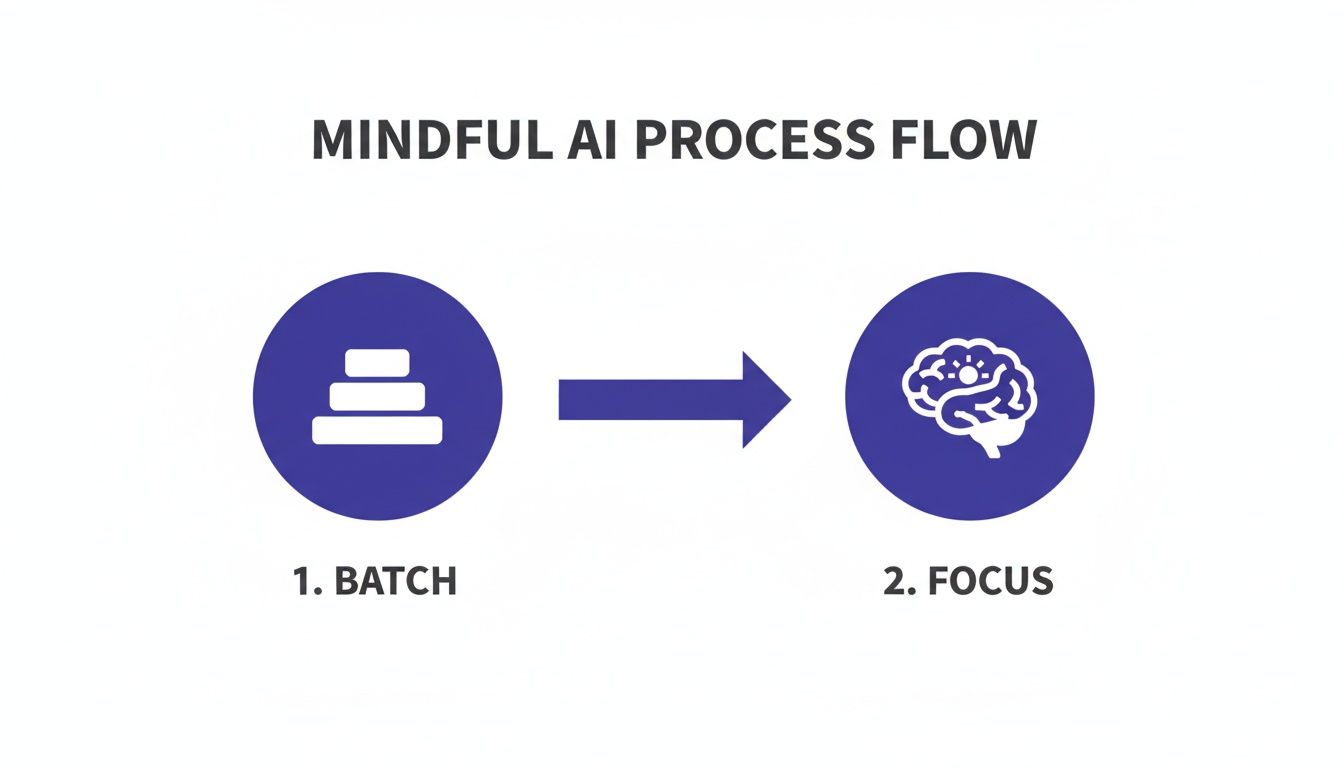
    A diagram illustrating a mindful approach for how to use AI for productivity, showing a transition from batch processing to focused AI application.

    Caption: A visual representation of a mindful workflow to use AI for productivity.
    Image Description: A simple flowchart diagram shows a process starting with β€˜Raw Inputs (Meetings, Notes, Emails)’ flowing into an β€˜AI Batch Processing’ box, which then splits into two outputs: β€˜Structured Summaries & Tasks’ and β€˜Focused Deep Work Time,’ illustrating a system for using AI to improve productivity.

    This kind of process lets you delegate a whole chunk of related tasks to an AI, which then processes them in the background, freeing you up to stay focused on work that actually requires your full attention.

    The momentum here is just undeniable, and it signals a massive shift in how work gets done. Bloomberg is forecasting the generative AI market will hit $1.3 trillion by 2032. And to underscore that, a recent report found that 57% of companies valued over $1 billion are now AI-powered, which tells you exactly where investors are placing their bets on the future of productivity.

    Editor’s Take: What Really Works for AI Productivity

    Let’s cut through the hype. AI is a powerful tool, but it isn’t a magic wand. After countless hours testing AI productivity workflows, here’s what actually moves the needle in the real world.

    First, start small and be specific. The people who get real results with AI don’t try to automate their entire life in a single weekend. They find one tedious, soul-crushing taskβ€”like summarizing a dense report or transcribing meeting notesβ€”and they master it. This approach gives you an immediate, tangible win. That small victory builds momentum and gives you the confidence to tackle the next thing.

    Second, think of AI as a collaborator, not a replacement for your brain. It’s brilliant at generating a first draft, brainstorming a dozen different angles, or synthesizing a mountain of data. But you still have to bring your critical thinking, your domain expertise, and your unique voice to the final product. The AI gives you the raw clay; you provide the artistry and insight.

    Who This Advice Is Best For

    This guidance is for busy knowledge workersβ€”professionals, entrepreneurs, and freelancersβ€”who are generally comfortable with tech but feel buried under routine administrative or creative busywork. It’s for anyone who wants to claw back their time for deep, meaningful work.

    However, this isn’t for someone looking for a completely hands-off, β€œset it and forget it” button. Using AI for productivity is an active, interactive process, not a passive one. You have to steer it. The timeless principle holds: garbage in, garbage out. The quality of an AI’s output is directly tied to the clarity of your input. A well-crafted prompt is the single most important factor for getting something useful back.

    Ultimately, what works is a mindful, intentional approach. Choose your tools to solve specific problems, not just because they’re trending. Learn to communicate your needs clearly with effective prompts, and slot AI into a workflow that protects your focus. That’s how you actually get more done without just adding more digital noise to your life.


    Disclaimer: The information in this article is for educational purposes only and is not a substitute for professional medical or psychological advice, diagnosis, or treatment. We may earn a commission from affiliate links at no extra cost to you. Always seek the advice of a qualified health provider with any questions regarding a medical condition.

    FAQ: How to Use AI for Productivity

    Here are a few of the most common questions people ask when they start exploring how to use AI for productivity. My goal is to give you clear, direct answers to help you build a workflow that feels effective and intentional.

    Is using AI for productivity just another distraction?

    AI can absolutely make you more productive, but here’s the catch: its value depends entirely on how you use it. If you treat it like a shiny new toy without a clear purpose, it will become just another digital distraction, encouraging shallow, fragmented work. The key is to see it as a specialized tool for a specific job. The people who get the most out of AI integrate it into a structured workflow, like setting aside a dedicated β€œAI admin block” to offload tasks. With clear boundaries, AI becomes a powerful lever for productivity.

    What’s the easiest way for a total beginner to get started with AI for productivity?

    The simplest and most effective way to start is to tackle one low-stakes, repetitive task that gives you an immediate return on your time. A perfect example is summarization. Find a long article, a dense report, or a lengthy email chain. Feed it to a tool like ChatGPT or Claude with a simple prompt: β€œSummarize the key points of this text in five bullet points.” This single action delivers a tangible win in minutes, helping you build confidence. Start small, get a quick win, and build from there.

    How safe is my data when I’m using these public AI tools for productivity?

    This is a critical question. The safety of your information depends entirely on the tool and your subscription level. Major services like ChatGPT and Claude offer paid business or enterprise plans with stronger privacy features, often guaranteeing your data will not be used to train their models. For any sensitive information, use a paid, secure account and always read the privacy policy. Crucial Takeaway: Never paste confidential company data or personally identifiable information (PII) into the free, public versions of AI tools.

    Do I need to learn to code to use AI for productivity?

    Absolutely not. While coding is essential for building custom AI models, the vast majority of today’s productivity gains come from user-friendly, no-code applications. Tools like ChatGPT, Claude, and Gemini are designed to work with natural language. This means the most important skill isn’t coding; it’s promptingβ€”the art of giving the AI clear, specific, and context-rich instructions.


    At Mind Clarity Hub, we focus on providing science-based, practical guides to help you master your focus and build sustainable productivity habits in a demanding world. Explore our library of books and resources to find the clarity you need.

    Explore the Mind Clarity Hub Library

    Practical books on focus, digital habits, resilience, and building a calmer mind.

    The Power of Clarity β€” book cover

    The Power of Clarity

    Unlock mental focus, build momentum, and create the life you were meant to live.

    View book β†’
    AI & ChatGPT for Beginners β€” book cover

    AI & ChatGPT for Beginners

    No PhD needed β€” a 2025 guide to AI, prompts, and productivity without coding.

    View book β†’
    Zen in the Digital Jungle β€” book cover

    Zen in the Digital Jungle

    Mindfulness for a chaotic world.

    View book β†’
    The Slow Reset β€” book cover

    The Slow Reset

    Mindful living in a fast-paced world.

    View book β†’
    Perfectly Imperfect β€” book cover

    Perfectly Imperfect

    Stop self-criticism, set boundaries, and embrace the real you.

    View book β†’
    Reclaiming Silence β€” book cover

    Reclaiming Silence

    A dopamine detox guide to finding peace in a noisy world.

    View book β†’
    The Focused Freelancer β€” book cover

    The Focused Freelancer

    Productivity, pricing & positioning for independents in 2025.

    View book β†’
    ChatGPT Side Hustle System β€” book cover

    ChatGPT Side Hustle System

    Launch your AI-driven online business in 30 days.

    View book β†’
    Burnout, Interrupted β€” book cover

    Burnout, Interrupted

    A proven path to restore energy and reclaim your life.

    View book β†’
    Attention Unleashed β€” book cover

    Attention Unleashed

    Focus strategies for the distracted mind.

    View book β†’
    Side Hustle Launchpad β€” book cover

    Side Hustle Launchpad

    Your quick-start guide to extra income.

    View book β†’
    Digital Clarity β€” book cover

    Digital Clarity

    Rewire your brain, escape dopamine traps & regain focus.

    View book β†’
    Break the Scroll β€” book cover

    Break the Scroll

    Reduce screen time and take back control of your life.

    View book β†’
    Climate Compassion β€” book cover

    Climate Compassion

    Transform eco-anxiety into empowered action.

    View book β†’
    Village Mentality β€” book cover

    Village Mentality

    The power of community for mental wellness.

    View book β†’
    Restful Nights β€” book cover

    Restful Nights

    Overcoming sleep anxiety in a 24/7 world.

    View book β†’
    Connected Again β€” book cover

    Connected Again

    Combat loneliness and build meaningful relationships.

    View book β†’
    Focus Recharged β€” book cover

    Focus Recharged

    Mastering attention and productivity in the digital era.

    View book β†’
    Marketing Magic with ChatGPT β€” book cover

    Marketing Magic with ChatGPT

    AI-powered content, campaigns, and copywriting to grow faster.

    View book β†’
    The 6-Figure Creator β€” book cover

    The 6-Figure Creator

    Turn knowledge into passive income with books, courses & AI.

    View book β†’
    Burnout Breakthrough β€” book cover

    Burnout Breakthrough

    Reset your work-life balance and thrive in 2025.

    View book β†’
    The Emotionally Intelligent Man β€” book cover

    The Emotionally Intelligent Man

    A modern guide to self-awareness and communication.

    View book β†’
    AI Personalized Wellness β€” book cover

    AI Personalized Wellness

    Create your custom health plan with data-driven habits.

    View book β†’
    Everyday AI Made Easy β€” book cover

    Everyday AI Made Easy

    Use ChatGPT and smart tools to simplify life.

    View book β†’
    Money Mindfulness β€” book cover

    Money Mindfulness

    A financial wellness guide for Gen Z & Millennials.

    View book β†’
    Startup Smarter with AI β€” book cover

    Startup Smarter with AI

    ChatGPT strategies and tools to grow your business.

    View book β†’
    ChatGPT for Writers & Creators β€” book cover

    ChatGPT for Writers & Creators

    Unlock AI-powered brainstorming, drafting & editing.

    View book β†’