...

Tag: AI tools

  • How to Use AI for Productivity: A Guide to Deep Work

    How to Use AI for Productivity: A Guide to Deep Work

    How to Use AI for Productivity: A Guide to Deep Work

    Jeremy Jarvis — Mind Clarity Hub founder
    Mind Clarity Hub • Research-aware focus & digital wellness

    Using AI for productivity doesn’t mean you have to become a programmer overnight. It’s simply about handing off the repetitive, digital busywork—like summarizing reports or drafting routine emails—to an AI assistant.

    This frees up your mind to focus on what humans do best: strategic thinking, creative problem-solving, and the kind of deep work that actually moves the needle.

    Mind Clarity Hub is reader-supported. We may earn a small commission at no extra cost to you if you purchase through our links.

    A Practical Start to Using AI for Productivity

    Feeling the pressure to use artificial intelligence but not sure where to begin? You’re not alone. The secret is to stop seeing AI as some complex coding challenge and start treating it like a practical partner, ready to take on the routine tasks that drain your focus and energy.

    The goal isn’t to automate your entire life in a week. It’s about getting small, immediate wins that build your confidence and cut down on digital friction. Psychologically, these small wins trigger a dopamine release in the brain’s reward system, reinforcing the new habit of delegating to AI. Think of it as offloading the tasks that fragment your attention, which helps you sidestep burnout and preserve your limited mental bandwidth for work that truly matters. This is a core idea we explore in our guide on making everyday AI easy and approachable for anyone.

    This isn’t just a personal productivity hack; it’s a real economic shift. Research is already showing a clear line between AI adoption and efficiency gains. For example, a St. Louis Fed analysis found that by August 2024, 44.6% of U.S. firms were already using generative AI. That adoption contributed to a 1.3% jump in labor productivity since late 2022. It’s happening, and it’s working.

    A person works on a laptop at a sunlit desk with a coffee mug and a 'Research - Reply Schedule' notebook, illustrating how to use AI for productivity.
    A focused workspace is key to learning how to use AI for productivity without distraction.

    Three Core AI Productivity Workflows to Start Today

    To get started without the overwhelm, it helps to see where the quickest wins are. Below are three of the most common and impactful ways people are using AI right now to reclaim their time and focus. They require no technical skill, just a willingness to delegate.

    Workflow AreaAI Application ExamplePotential Time Saved Per Week
    Email & Inbox ManagementAsk AI to summarize long email threads or draft a polite “no, thank you” response.1-3 hours
    Information SynthesisInstead of reading a 20-page report, ask AI to pull out the key findings and action items.2-4 hours
    Idea OrganizationFeed AI your scattered brainstorming notes and ask it to organize them into a structured outline.1-2 hours

    By starting with these concrete workflows, you begin to build a new habit. You train your brain to spot opportunities for delegation, which frees up your best cognitive resources. It’s not about replacing your intellect—it’s about augmenting it, allowing you to operate at a higher, more strategic level.

    Choosing the Right AI Tools Without the Overwhelm

    The AI tool market is exploding. It’s noisy, chaotic, and it’s easy to feel like you’re already behind if you haven’t signed up for a dozen different apps.

    Here’s the thing: successfully using AI for deep work isn’t about adopting every new tool that hits the market. It’s about being incredibly selective and choosing a few that solve your most annoying, specific problems. Forget the generic top-ten lists and start with a single, clarifying question:

    What is the most repetitive, time-consuming task on my plate right now?

    Your answer points you to your toolkit. Trying to write faster? A large language model like ChatGPT or Claude is your best bet. Need to code more efficiently or manage a complex project? A specialized tool will almost always serve you better. The goal is to build a small, integrated AI stack that actually reduces digital clutter, not adds to it.

    How to Use AI Tools Based on Your Professional Goals

    A marketing manager’s ideal AI setup will look nothing like a software developer’s. This is where intention saves you from chasing the newest shiny object. Instead of collecting tools, map your core responsibilities directly to specific AI capabilities.

    Here’s a practical way to break it down:

    • For Broad Creative & Communication Tasks: General-purpose models like ChatGPT, Claude, and Gemini are fantastic for brainstorming, drafting emails, summarizing long documents, and generating first drafts of content. They’re the Swiss Army knives of the AI world.
    • For Specialized, Technical Work: This is where niche tools shine. A developer using GitHub Copilot for code completion will see massive gains. Likewise, a researcher benefits from an AI research assistant that can synthesize academic papers and complex data sets in minutes.
    • For Automating Routine Processes: Look for single-purpose tools that handle repeatable tasks. This could be an AI transcription service like Otter.ai for your meetings or an AI-powered scheduler that eliminates the back-and-forth of booking calls.

    The money follows the specialists. Menlo Ventures reports that companies poured a massive $37 billion into generative AI this year. Of the $7.3 billion spent on departmental AI, a staggering 55% ($4 billion) went to coding tools alone. This shows a clear trend: focused, task-specific AI is delivering huge returns by helping professionals finish projects much faster.

    Real-World Scenarios for Two Professionals

    Let’s look at how two very different professionals might build their AI productivity systems.

    Scenario 1: The Freelance Content Strategist
    A content strategist’s biggest bottlenecks are usually research, drafting, and editing. Their toolkit is all about streamlining that workflow.

    • ChatGPT-4 or Claude 3: The powerhouse for brainstorming topics, creating detailed outlines, and generating first drafts.
    • GrammarlyGO: Essential for refining tone, catching grammatical errors, and making sure the final copy is polished and professional.
    • A Niche SEO Tool with AI: Used to analyze keyword density, suggest related topics, and optimize content for search engines.

    Scenario 2: The Startup Founder
    A founder is a professional juggler—handling sales, project management, and investor relations all at once. Their AI stack is built for efficiency and clear communication.

    • An AI Meeting Assistant (like Otter.ai): Automatically transcribes calls, identifies action items, and creates summaries to share with the team. No more “who was supposed to do what?”
    • A CRM with AI Features: Drafts follow-up emails, scores leads, and helps predict which deals are most likely to close.
    • Notion AI: The perfect co-pilot for organizing meeting notes, managing project roadmaps, and instantly turning messy brainstorms into structured, actionable documents.

    In both cases, the tools are chosen to solve a direct business need. This focused approach prevents tool fatigue and ensures you’re getting a real return on your investment of time and money. If you’re looking for a curated list of tools we’ve personally tested, check out our guide on the best AI tools for productivity.

    A Quick Note on Privacy: Always check a tool’s data privacy policy before uploading sensitive information. Reputable services, especially the paid tiers, will explicitly state that your data is not used to train their models. Never paste confidential client information or personal data into a free, public AI tool.

    Mastering the Art of the AI Prompt for Maximum Output

    Getting great results from an AI is all about how you ask. A vague request leads to a generic, unhelpful answer. But a clear, well-structured prompt can turn an AI tool from a simple chatbot into a powerful collaborator, saving you hours of work.

    Think of it like giving directions. “Take me downtown” is useless. “Take me to the coffee shop at 123 Main Street, avoiding the highway because it’s rush hour” gets you exactly where you need to go. The same principle applies to AI. A crucial step in mastering AI for maximum output involves understanding how to write prompts effectively.

    Close-up of hands typing on a laptop with sticky notes detailing 'Persona, Context, Task, Constraints' to illustrate how to use AI for productivity.
    Effective prompting is a core skill for anyone wanting to learn how to use AI for productivity.

    A Powerful Framework for Perfect AI Prompts

    A simple yet effective way to structure your requests is the PCTC framework. It ensures you give the AI all the information it needs to deliver high-quality, relevant results on the first try.

    • Persona: Tell the AI who to be. “Act as a seasoned project manager” will produce a very different output than “Act as a friendly customer support agent.” Giving the AI a role provides it with an implicit understanding of the tone, style, and expertise required.
    • Context: Give it the background information. Who is the audience? What is the goal of this task? What information is essential for it to know? The more relevant context you provide, the better the result.
    • Task: State the action you want it to perform. Be explicit. Use action verbs like “summarize,” “draft,” “brainstorm,” “translate,” or “rephrase.”
    • Constraints: Set the boundaries. Define the desired length (“in under 200 words”), format (“as a bulleted list”), or tone (“formal and professional”). This prevents the AI from giving you something unusable.

    Let’s see this in action. A vague request might be: “write an email about our update.” The AI has no idea what to do with that.

    Now, let’s use the PCTC framework to improve it:

    Before: “Write an email about our update.”

    After: “Act as a product manager for a SaaS app. [Persona] Write an email to our paying customers announcing a new feature called ‘Project Dashboards.’ [Context] The task is to clearly explain the feature’s three main benefits (time savings, better visibility, team collaboration) and encourage them to try it. [Task] Keep the email under 250 words and use a friendly but professional tone. Include a clear call-to-action button at the end. [Constraints]

    This detailed prompt transforms the AI from a guesser into a strategic partner. It knows its role, its audience, its goal, and its boundaries.

    Iterative Prompting: The Skill of Refining

    You won’t always get the perfect response on your first attempt, and that’s perfectly fine. The real skill in using AI for productivity is iterative prompting—the art of refining your requests based on the AI’s output.

    Think of it as a conversation. The AI gives you a draft, and you provide feedback to steer it closer to your desired outcome. This is where you can truly tailor the output, especially for creative work. If you’re a writer, this process is invaluable; our guide on using https://mindclarityhub.com/chatgpt-for-writers-and-creators/ explores this technique in more detail.

    Mini-Scenario: A Student Outlining a Paper
    A student asks an AI to “outline a term paper on the Roman Empire.” The result is generic and covers thousands of years.

    • Refinement 1: “Refine the outline to focus only on the economic factors leading to the fall of the Western Roman Empire.”
    • Refinement 2: “Now, add three key academic sources for each section of that new outline.”
    • Refinement 3: “Excellent. Reformat the entire outline as a table with columns for ‘Topic,’ ‘Key Points,’ and ‘Supporting Evidence.’”

    By iterating, the student guides the AI from a vague starting point to a highly specific and useful research plan, accomplishing in minutes what might have taken hours of manual organization.

    How to Use AI for Productivity Without Losing Focus

    An AI tool can be your greatest productivity asset or your most tempting distraction. The difference isn’t in the technology—it’s in how you weave it into your day. Without structure, AI use invites a constant stream of novelty and task-switching that hijacks your brain’s reward system and leaves your attention in pieces.

    From a neuroscience perspective, every time you jump from one task to another—like from writing a report to asking an AI a “quick question”—your brain pays a steep price. This is called context switching, and research shows it drains your prefrontal cortex, the part of the brain responsible for executive functions like focus and decision-making. The secret is to build a workflow that fiercely protects your attention.

    The Power of Batching AI Tasks

    Instead of letting AI pull you in a dozen different directions all day, try dedicating specific, scheduled blocks of time for all your AI-assisted work. This method, known as task batching, is incredibly effective because it groups similar activities together, letting your brain stay in one “mode” for a sustained period.

    Mini-Scenario: An “AI Power Hour”
    A project manager schedules an “AI Power Hour” from 9 AM to 10 AM every day. During this focused block, they knock out all their AI-related tasks at once:

    • Summarize the notes from their morning meetings.
    • Draft all their social media posts for the week.
    • Brainstorm outlines for three upcoming blog articles.
    • Clear out their inbox by drafting replies to non-urgent emails.

    Once that time is up, they close the AI tools. Completely. They then shift into a period of truly uninterrupted deep work, whether that’s writing, coding, or strategic planning. This creates a powerful boundary that shuts down the reactive, dopamine-fueled impulse to “just ask the AI” whenever a small thought pops up. It’s a practical way to manage your attention and learn how to be present even when you’re using powerful digital tools.

    AI Task Batching vs. Traditional Multitasking

    The difference between a structured AI routine and scattered, reactive use is stark. One preserves your cognitive energy for what matters most, while the other bleeds it dry on shallow, fragmented work.

    ApproachCognitive Impact (Neuroscience)Productivity OutcomeExample Routine
    AI Task BatchingReduces context switching, conserving prefrontal cortex resources needed for focus and decision-making.Higher quality output on deep work tasks; less mental fatigue at the end of the day.9-10 AM: AI Power Hour (emails, summaries, outlines). 10 AM-12 PM: Uninterrupted creative work.
    Traditional MultitaskingConstantly forces the brain to reorient, increasing cognitive load and stress hormone release.Higher error rates, superficial work, and a feeling of being busy but not productive.Answering emails while writing a report and sporadically asking an AI for facts.

    By treating AI as a specialized tool to be used with intention—not as a constant companion—you stay in control of your focus. This simple shift ensures you are the one directing your attention, not the endless possibilities of the technology.

    Advanced AI Strategies to Automate and Scale Your Work

    Once you’ve gotten the hang of writing good prompts, the real fun begins. This is where you graduate from one-off AI tasks to building automated systems that work for you in the background. It’s the difference between using a calculator and building a financial model—one solves a problem now, the other solves it forever.

    This next level involves connecting your favorite AI model to the other apps you live in every day. Using no-code platforms like Zapier or Make, you can build some seriously powerful workflows that link your calendar, email, and project management tools directly to an AI. This is strategic delegation, letting you multiply your impact without multiplying your hours.

    Building Your First Automated AI Workflow

    The idea is surprisingly simple: you set a “trigger” in one app that kicks off a series of “actions” in others. The AI just acts as the smart bridge in the middle.

    Mini-Scenario: Automating Meeting Follow-ups
    A small business owner or team lead could set this up in an afternoon:

    • The Trigger: A new meeting with a client is saved in your Zoom cloud recordings.
    • The First Action: The recording is automatically sent over to an AI transcription service.
    • The AI Bridge: That transcript is then fed to an LLM (like ChatGPT or Claude) with a very specific prompt: “Summarize the key decisions and list all action items from this meeting transcript, with names.”
    • The Final Actions: The AI-generated summary gets posted into a specific Slack channel, and each action item is created as a new task in Asana, neatly assigned to the right person.

    Once you set this up, the entire sequence just runs. No manual effort needed. It turns a boring, multi-step admin headache into a background task that never drops the ball. For anyone looking to build out similar systems, our guide on how to startup smarter with AI digs into more workflows designed for entrepreneurs.

    Introducing AI Agents for More Complex Tasks

    Beyond these straightforward automations, we’re starting to see the rise of AI agents. Think of these as more autonomous systems built to handle multi-step goals with way less hand-holding. While a simple automation follows a fixed, pre-set path, you can give an agent a goal and it will figure out the steps to get there.

    A content creator, for instance, could use an AI agent to handle their entire social media pipeline. They could give it a high-level goal like, “Create and schedule three Instagram posts this week based on my latest blog article.”

    The agent would then get to work:

    • Read and actually understand the blog post.
    • Pull out three distinct, shareable ideas.
    • Write compelling captions and find relevant hashtags for each one.
    • Generate simple, on-brand images to go with the posts.
    • Log into a social media tool and schedule them for the best times.

    This is what a mindful AI workflow looks like—you batch your strategic thinking and let an autonomous system handle the grunt work of execution.
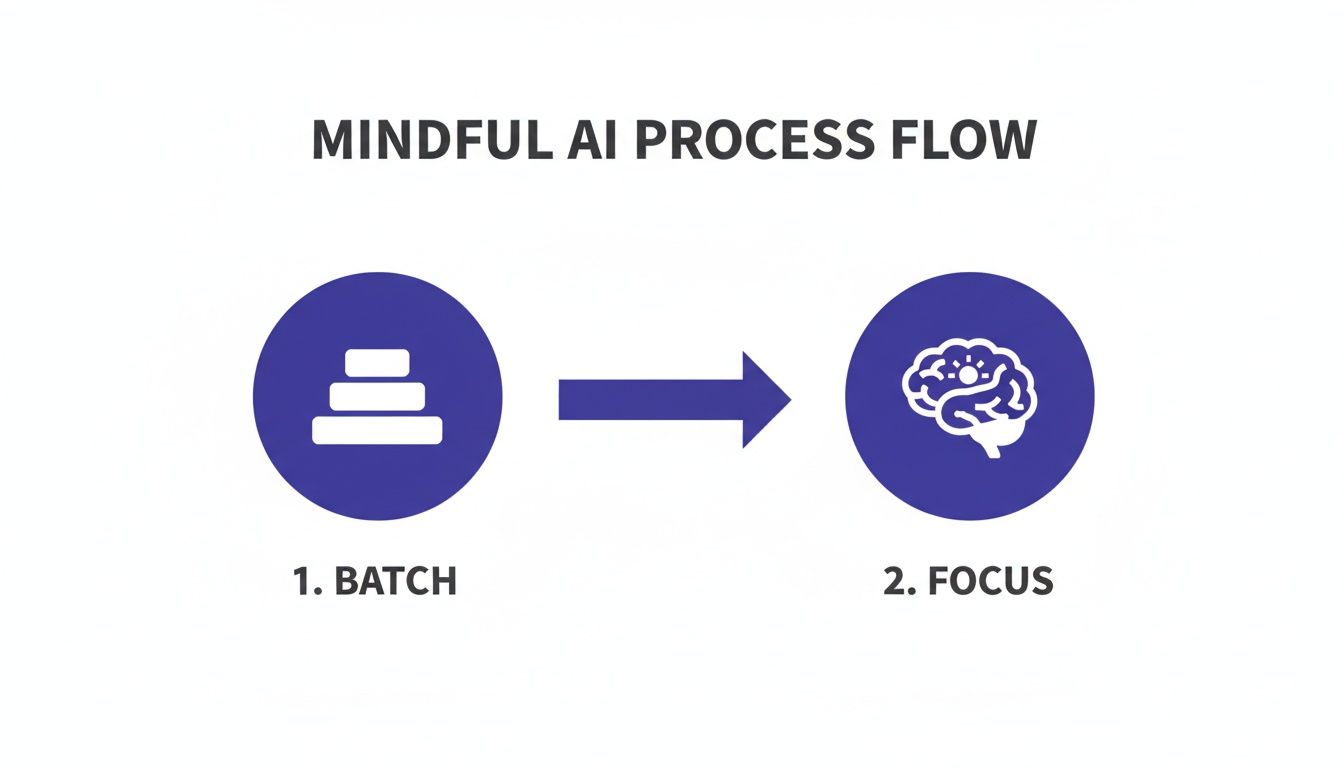
    A diagram illustrating a mindful approach for how to use AI for productivity, showing a transition from batch processing to focused AI application.

    Caption: A visual representation of a mindful workflow to use AI for productivity.
    Image Description: A simple flowchart diagram shows a process starting with ‘Raw Inputs (Meetings, Notes, Emails)’ flowing into an ‘AI Batch Processing’ box, which then splits into two outputs: ‘Structured Summaries & Tasks’ and ‘Focused Deep Work Time,’ illustrating a system for using AI to improve productivity.

    This kind of process lets you delegate a whole chunk of related tasks to an AI, which then processes them in the background, freeing you up to stay focused on work that actually requires your full attention.

    The momentum here is just undeniable, and it signals a massive shift in how work gets done. Bloomberg is forecasting the generative AI market will hit $1.3 trillion by 2032. And to underscore that, a recent report found that 57% of companies valued over $1 billion are now AI-powered, which tells you exactly where investors are placing their bets on the future of productivity.

    Editor’s Take: What Really Works for AI Productivity

    Let’s cut through the hype. AI is a powerful tool, but it isn’t a magic wand. After countless hours testing AI productivity workflows, here’s what actually moves the needle in the real world.

    First, start small and be specific. The people who get real results with AI don’t try to automate their entire life in a single weekend. They find one tedious, soul-crushing task—like summarizing a dense report or transcribing meeting notes—and they master it. This approach gives you an immediate, tangible win. That small victory builds momentum and gives you the confidence to tackle the next thing.

    Second, think of AI as a collaborator, not a replacement for your brain. It’s brilliant at generating a first draft, brainstorming a dozen different angles, or synthesizing a mountain of data. But you still have to bring your critical thinking, your domain expertise, and your unique voice to the final product. The AI gives you the raw clay; you provide the artistry and insight.

    Who This Advice Is Best For

    This guidance is for busy knowledge workers—professionals, entrepreneurs, and freelancers—who are generally comfortable with tech but feel buried under routine administrative or creative busywork. It’s for anyone who wants to claw back their time for deep, meaningful work.

    However, this isn’t for someone looking for a completely hands-off, “set it and forget it” button. Using AI for productivity is an active, interactive process, not a passive one. You have to steer it. The timeless principle holds: garbage in, garbage out. The quality of an AI’s output is directly tied to the clarity of your input. A well-crafted prompt is the single most important factor for getting something useful back.

    Ultimately, what works is a mindful, intentional approach. Choose your tools to solve specific problems, not just because they’re trending. Learn to communicate your needs clearly with effective prompts, and slot AI into a workflow that protects your focus. That’s how you actually get more done without just adding more digital noise to your life.


    Disclaimer: The information in this article is for educational purposes only and is not a substitute for professional medical or psychological advice, diagnosis, or treatment. We may earn a commission from affiliate links at no extra cost to you. Always seek the advice of a qualified health provider with any questions regarding a medical condition.

    FAQ: How to Use AI for Productivity

    Here are a few of the most common questions people ask when they start exploring how to use AI for productivity. My goal is to give you clear, direct answers to help you build a workflow that feels effective and intentional.

    Is using AI for productivity just another distraction?

    AI can absolutely make you more productive, but here’s the catch: its value depends entirely on how you use it. If you treat it like a shiny new toy without a clear purpose, it will become just another digital distraction, encouraging shallow, fragmented work. The key is to see it as a specialized tool for a specific job. The people who get the most out of AI integrate it into a structured workflow, like setting aside a dedicated “AI admin block” to offload tasks. With clear boundaries, AI becomes a powerful lever for productivity.

    What’s the easiest way for a total beginner to get started with AI for productivity?

    The simplest and most effective way to start is to tackle one low-stakes, repetitive task that gives you an immediate return on your time. A perfect example is summarization. Find a long article, a dense report, or a lengthy email chain. Feed it to a tool like ChatGPT or Claude with a simple prompt: “Summarize the key points of this text in five bullet points.” This single action delivers a tangible win in minutes, helping you build confidence. Start small, get a quick win, and build from there.

    How safe is my data when I’m using these public AI tools for productivity?

    This is a critical question. The safety of your information depends entirely on the tool and your subscription level. Major services like ChatGPT and Claude offer paid business or enterprise plans with stronger privacy features, often guaranteeing your data will not be used to train their models. For any sensitive information, use a paid, secure account and always read the privacy policy. Crucial Takeaway: Never paste confidential company data or personally identifiable information (PII) into the free, public versions of AI tools.

    Do I need to learn to code to use AI for productivity?

    Absolutely not. While coding is essential for building custom AI models, the vast majority of today’s productivity gains come from user-friendly, no-code applications. Tools like ChatGPT, Claude, and Gemini are designed to work with natural language. This means the most important skill isn’t coding; it’s prompting—the art of giving the AI clear, specific, and context-rich instructions.


    At Mind Clarity Hub, we focus on providing science-based, practical guides to help you master your focus and build sustainable productivity habits in a demanding world. Explore our library of books and resources to find the clarity you need.

    Explore the Mind Clarity Hub Library

    Practical books on focus, digital habits, resilience, and building a calmer mind.

    The Power of Clarity — book cover

    The Power of Clarity

    Unlock mental focus, build momentum, and create the life you were meant to live.

    View book →

    AI & ChatGPT for Beginners — book cover

    AI & ChatGPT for Beginners

    No PhD needed — a 2025 guide to AI, prompts, and productivity without coding.

    View book →

    Zen in the Digital Jungle — book cover

    Zen in the Digital Jungle

    Mindfulness for a chaotic world.

    View book →

    The Slow Reset — book cover

    The Slow Reset

    Mindful living in a fast-paced world.

    View book →

    Perfectly Imperfect — book cover

    Perfectly Imperfect

    Stop self-criticism, set boundaries, and embrace the real you.

    View book →

    Reclaiming Silence — book cover

    Reclaiming Silence

    A dopamine detox guide to finding peace in a noisy world.

    View book →

    The Focused Freelancer — book cover

    The Focused Freelancer

    Productivity, pricing & positioning for independents in 2025.

    View book →

    ChatGPT Side Hustle System — book cover

    ChatGPT Side Hustle System

    Launch your AI-driven online business in 30 days.

    View book →
    Burnout, Interrupted — book cover

    Burnout, Interrupted

    A proven path to restore energy and reclaim your life.

    View book →

    Attention Unleashed — book cover

    Attention Unleashed

    Focus strategies for the distracted mind.

    View book →
    Side Hustle Launchpad — book cover

    Side Hustle Launchpad

    Your quick-start guide to extra income.

    View book →

    Digital Clarity — book cover

    Digital Clarity

    Rewire your brain, escape dopamine traps & regain focus.

    View book →
    Break the Scroll — book cover

    Break the Scroll

    Reduce screen time and take back control of your life.

    View book →

    Climate Compassion — book cover

    Climate Compassion

    Transform eco-anxiety into empowered action.

    View book →

    Village Mentality — book cover

    Village Mentality

    The power of community for mental wellness.

    View book →

    Restful Nights — book cover

    Restful Nights

    Overcoming sleep anxiety in a 24/7 world.

    View book →
    Connected Again — book cover

    Connected Again

    Combat loneliness and build meaningful relationships.

    View book →

    Focus Recharged — book cover

    Focus Recharged

    Mastering attention and productivity in the digital era.

    View book →

    Marketing Magic with ChatGPT — book cover

    Marketing Magic with ChatGPT

    AI-powered content, campaigns, and copywriting to grow faster.

    View book →

    The 6-Figure Creator — book cover

    The 6-Figure Creator

    Turn knowledge into passive income with books, courses & AI.

    View book →
    Burnout Breakthrough — book cover

    Burnout Breakthrough

    Reset your work-life balance and thrive in 2025.

    View book →
    The Emotionally Intelligent Man — book cover

    The Emotionally Intelligent Man

    A modern guide to self-awareness and communication.

    View book →

    AI Personalized Wellness — book cover

    AI Personalized Wellness

    Create your custom health plan with data-driven habits.

    View book →

    Everyday AI Made Easy — book cover

    Everyday AI Made Easy

    Use ChatGPT and smart tools to simplify life.

    View book →

    Money Mindfulness — book cover

    Money Mindfulness

    A financial wellness guide for Gen Z & Millennials.

    View book →

    Startup Smarter with AI — book cover

    Startup Smarter with AI

    ChatGPT strategies and tools to grow your business.

    View book →

    ChatGPT for Writers & Creators — book cover

    ChatGPT for Writers & Creators

    Unlock AI-powered brainstorming, drafting & editing.

    View book →
  • Unlock Focus: how to improve mental clarity for peak productivity

    Unlock Focus: how to improve mental clarity for peak productivity

    How to Improve Mental Clarity for Peak Productivity

    Jeremy Jarvis — Mind Clarity Hub founder
    Mind Clarity Hub • Research-aware focus & digital wellness

    Affiliate Disclosure: Purchases may generate a small commission at no extra cost to you.

    In this comprehensive guide, you’ll discover how to improve mental clarity with practical, science-backed strategies you can start using today. Your path to clearer thinking begins here.

    Editor’s Note

    You’ve nailed the hardest part: balancing sleep, digital pauses, movement, and smart focus tools. When these routines work in concert, your mind feels sharper than ever. This setup is perfect for freelancers, remote pros, and students who juggle pressing deadlines and side projects. Please note, this advice is educational only and not a substitute for professional medical or psychological care.

    Quick Answer

    Consequently, if you need clarity fast, combine steady sleep, intentional screen breaks, a daily workout, and an AI timer.

    Moreover, science shows that consistent 7–9 hours of sleep primes your prefrontal cortex for decision-making. Stepping away from screens cuts cognitive noise. A 20-minute exercise boost raises BDNF levels, sharpening neural connections. And AI-driven timers keep your attention locked on the task at hand.

    Quick Clarity Habits Summary

    Below is a snapshot of habits you can start today to experience clearer thought by tomorrow.

    HabitActionBenefit
    SleepMaintain 7–9 hours nightlyEnhanced focus and memory
    Digital DetoxSet phone-free breaks twice dailyLower mental clutter
    ExerciseDo 20-minute activity each dayRaise BDNF for sharper thinking
    AI Focus ToolsUse AI timers and note summariesStreamlined workflow and focus

    Take a moment to review this list, then pick one habit to experiment with over the next week.

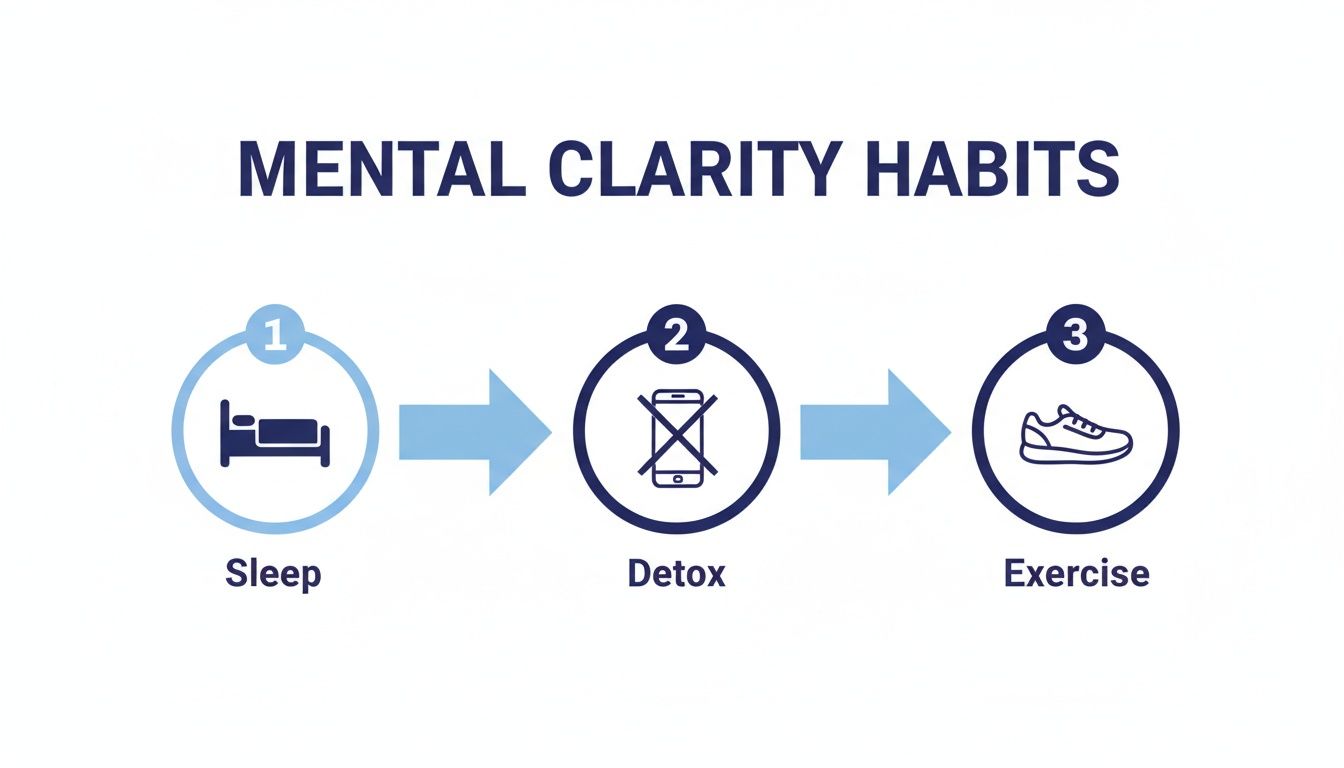
    Below is an infographic illustrating the core flow of habits that underpin mental clarity.

    Infographic about how to improve mental clarity

    Each stage builds on the one before: sleep lays the groundwork, detox cuts distractions, and exercise amplifies your focus. Seeing the full cycle makes it obvious why these steps aren’t isolated—they form a momentum that keeps your thinking crisp.

    Check out our guide on The Power of Clarity for deeper insights into these habits in action.

    This article is for educational purposes only and is not a substitute for medical or psychological advice.

    You don’t need to overhaul everything at once. Try introducing one habit per day and note how you feel.

    • Track wins in a journal or a habit-tracker app.
    • Celebrate small progress instead of chasing perfection.
    • Tweak each routine until it fits your rhythm.

    Consistency beats intensity. Over time, these micro-wins stack up into lasting mental clarity. Embrace each step and enjoy the momentum of progress.

    Understanding the Key Benefits of Mental Clarity

    Clearing mental clutter does more than just help you think faster—it reshapes how your brain tackles decisions and creativity under pressure. Neuroscience tells us that an uncluttered mind lets your prefrontal cortex run more efficiently, supporting how to improve mental clarity daily.

    Psychology studies tie clear thinking to lower anxiety and higher job satisfaction—though this information is educational only and not a substitute for professional care. In practice, that mental space brings steadier moods and boosts emotional resilience.

    Just ask marketing consultant Sarah. After two weeks of simple clarity rituals, she wrapped up projects 20% faster. Her habit streak literally rewired neural pathways for sharper focus and more output.

    • Faster Decision Making improves split-second choices and cuts down hesitation.
    • Enhanced Creativity emerges when you remove distractions and let ideas flow.
    • Emotional Stability strengthens coping skills by dialing down stress signals.
    • Better Memory Recall helps you pull up crucial details from meetings without scrambling.

    Decision Making Benefits

    When your mind isn’t juggling random thoughts, weighing options becomes almost second nature. You feel less overwhelmed, even with tight deadlines or multiple tasks on your plate.

    That extra mental bandwidth also fuels creative problem solving. Sarah noticed her brainstorming sessions turned into idea-generating marathons once she eliminated daily interruptions.

    “After clearing daily distractions, I saw my focus double,” says Sarah, whose workflow efficiency climbed rapidly.

    Creativity and Resilience

    A quieter mind sets the stage for both inspired thinking and faster emotional recovery. With fewer intrusive thoughts, setbacks at work feel less daunting—and you bounce back more smoothly.

    In one office-team study, incorporating brief morning clarity rituals led to a 15% boost in job satisfaction scores. Participants reported feeling calmer, making better decisions, and finishing the day with less stress.

    Key Reasons You Should Improve Clarity

    • Rewired Brain Circuits support sustained attention and faster learning.
    • Reduced Anxiety keeps performance steady in high-pressure moments.
    • Greater Productivity follows when your mind stays locked on the task at hand.

    Introducing these habits into your busy day is surprisingly simple. A short meditation, a couple of screen breaks, or a quick brain dump can anchor a clarity routine you’ll actually stick to.

    You might be interested in what mental fog does to your performance. Explore the deeper science in our article on the Science of Mental Fog.

    Adopting clarity practices shows measurable changes in just days. For digital knowledge workers, these small rituals compound into major mental gains.

    Next, we’ll dive into optimizing sleep and evening routines—so you can start each day sharp, energized, and emotionally balanced.

    How to Improve Mental Clarity Through Better Sleep and Evening Routines

    Woman sitting on a bed with a cup of coffee, reading a book as part of an evening routine to support how to improve mental clarity before sleep.

    Most of us underestimate how much sleep underpins clear thinking. When rest becomes reliable, your brain can shift from recovery mode into peak performance.

    Pick a consistent bedtime that works with your daily rhythm—and guard it like any important appointment.

    Aim for 7–9 hours of shut-eye. That sweet spot fuels memory, creativity, and problem-solving.

    About 60 minutes before lights-out, lower those lamps and silence screens. This simple switch helps preserve your natural melatonin cycle.

    A 2025 Ipsos survey found adults sleeping just six hours nightly experienced 30% slower reaction times and 20% worse memory recall, making everyday tasks tougher. You can read the full breakdown on Statista.

    Wind-down rituals serve as mental signposts, telling your brain it’s time to shift gears:

    • Gentle stretches to release tension
    • Brief gratitude journaling for mental clarity
    • Soothing instrumental music to quiet your thoughts
    • Minimal screen time to keep melatonin flowing

    Build a Calming Wind-Down Ritual

    About an hour before bed, start your chosen sequence. That buffer gives your nervous system time to tune into rest.

    You don’t need fancy gear—though a wearable tracker or sleep app can reveal when you toss and turn.

    Take James, a digital marketer, who tried a wind-down routine for three nights straight. By midweek he saw an 18% boost in afternoon focus and said his usual brain fog “just evaporated.”

    “My evening ritual flipped my midday energy. Focus feels effortless now,” reflects James.

    Track Your Sleep Patterns

    Keeping an eye on your rest highlights what’s working and what’s not.

    Tools like Sleep Cycle or your smartwatch will chart sleep stages, reveal disturbances, and even show how long it takes you to nod off.

    Check your data weekly. Look for patterns—are you waking up at the same time each night? Is your bedtime drifting?

    Tweak as you go. Sometimes a ten-minute earlier lights-out or swapping a late afternoon coffee for tea makes all the difference.

    Small adjustments often lead to major gains in focus and energy come morning.

    Apply These Sleep Habits Daily

    Routinize these steps so your brain learns when to anticipate rest. Consistency is where the magic happens.

    After just one week of steady sleep habits, most people report sharper mid-morning thinking and fewer energy slumps.

    With dependable rest, your prefrontal cortex shifts from recovery duties to tackling complex problems.

    • Keep room temperature between 60–67°F for uninterrupted sleep
    • Install blackout curtains to block stray light
    • Avoid caffeine after 2 p.m. to preserve evening calm
    • Journal for a few minutes before bed to clear lingering thoughts

    Ensure Sleep Environment Supports Clarity

    Your bedroom should feel like a sanctuary: dark, cool, and quiet, cut off from daytime distractions.

    Quality rest lowers stress hormones, stabilizes dopamine, and sets you up for deeper work sessions the next day.

    By honing your evening routine and tracking your sleep, you lay a solid foundation for mental clarity.

    Next, we’ll look at taming digital overload so you can ride that focus through your workday.

    Stick with these bedtime rituals, and you’ll start to feel the payoff in every hour you’re awake.

    How to Improve Mental Clarity by Managing Digital Overload

    Our devices are amazing—until they hijack our focus. Every ping, pop-up, or badge notification chips away at mental clarity and even stresses out the brain over time.

    That’s why carving out intentional screen-free moments is essential. A simple, evidence-backed detox framework will help you reclaim attention quickly and sustainably.

    Phone, running shoes, and a notepad on a park bench during a phone-free walk that supports how to improve mental clarity by reducing digital overload.

    Effective Digital Detox Habits

    Before your day spirals into tab sprawl and endless scrolling, build in clear boundaries around your screen time:

    • Cap non-work screen time at 2 hours per day to balance rest and productivity.
    • Batch-check email three times daily—your prefrontal cortex will thank you.
    • Switch your phone display to grayscale so dopamine triggers lose their grip.
    • Take two 20-minute phone-free walks in nature; studies show they reduce rumination by 28%.
    HabitBenefit
    2-Hour Non-Work Screen LimitSupports rest and restores focus
    10-Day Digital Detox+16% attention span (Harvard trials)
    20-Minute Nature Walks−28% rumination

    These small rituals ground your day in focused intervals and soothe cognitive overload. Grayscale removes the visual allure of apps, which neuroscience ties to smaller dopamine spikes. Batch-checking email cuts interruptions, giving your brain space to recharge between tasks.

    According to the 2025 AXA Mind Health Report, social media splits attention in 52% of young adults, while a 10-day digital detox boosts attention spans by 16%. Read the full research about attention fragmentation and detox benefits on McKinsey.

    Key Insight: A 10-day detox can supercharge focus by 16%, proving even brief breaks deliver big mental wins.

    You might be interested in our guide on recovering from digital fatigue: What Is Digital Fatigue And How To Recover Faster.

    Nature Walk Benefits

    Phone-free walks tap into Attention Restoration Theory. Giving your prefrontal cortex a break in green spaces can lower stress markers by 17% in under twenty minutes.

    In one journal study, a brief forest stroll cut mental fatigue by almost 20%.

    Real-life scenario: Jane, a freelance writer, swapped her morning scroll for a creekside wander. Within days, her thoughts felt clearer—long before she’d even sipped her coffee.

    Track Your Progress

    Awareness grows when you measure it. Over ten days, log your deep-work windows with a simple timer and note any distractions.

    1. Use a focus timer like Pomodoro to record uninterrupted work sessions.
    2. Jot down each session’s length and any context switches in a journal.
    3. Review your data weekly and tweak your detox habits based on real numbers.

    By tracking these metrics, you’ll see your average focus window climb—and you’ll know exactly which tweaks drive the biggest gains.

    Phone Settings Tricks

    Switching to grayscale is just step one. Next, lock in distraction-free work periods:

    • Schedule Do Not Disturb blocks during your deep-work windows.
    • Use focus modes to allow only priority contacts through.
    • Turn off nonessential notifications in your settings.

    These adjustments ensure that when you’re in the zone, only what matters gets through.

    How Exercise Habits Improve Mental Clarity

    Person doing stair sprints next to a work desk—an energizing micro-workout that supports how to improve mental clarity by boosting focus and reducing brain fog.

    Regular movement can bump your BDNF levels by up to 30%, sharpening mood and executive function. For anyone glued to a screen, that translates into faster problem solving and crisper thinking when you need it most.

    Making time for intentional movement is one of the simplest ways to improve mental clarity—and it doesn’t require a gym membership.

    Exercise and Baseline Cardio

    Research shows that 150 minutes of moderate cardio each week delivers about a 25% lift in cognitive clarity for active adults. That extra mental sharpness can mean the difference between fumbling through a brainstorm and leading the discussion.

    • Take brisk walks around your neighborhood to reset focus.
    • Hop on an indoor trainer and catch up on a thought-provoking podcast.
    • Break into a quick dance party at your desk to wake up body and mind.

    Learn more about these findings.

    Combine HIIT Sessions

    If you’re after a deeper surge in clarity, try three 20-minute HIIT workouts each week. Short, intense bursts can reduce anxiety by 26% (educational only). More importantly, you’ll feel more resilient during high-stress workdays.

    Software developer Mia started sprinting up her office stairs before coffee. Three weeks in, her bug-fix speed climbed by 15%.

    “My coding flow feels smoother, and I get feedback back-to-back without zoning out,” Mia says.

    • Hill repeats or stair climbs for a quick heart-rate spike.
    • Tabata drills you can do in 10 by 20-second intervals.
    • Bodyweight circuits—push-ups, squats, lunges—no equipment needed.

    Add Mindfulness Pauses

    Don’t rush out the door right after your last rep. Close each session with a five-minute mindfulness pause to lock in those focus gains.

    • Find a quiet corner and sit comfortably.
    • Set a timer so you can fully let go.
    • Jot a one-sentence note on how you feel post-workout.

    Check out our guide on morning rituals to boost metabolism and energy for routines that pair well with morning workouts.

    Why Exercise Enhances Clarity

    Exercise triggers growth factors that reinforce neural connections and reduce mental fog. Improved blood flow delivers oxygen exactly where your brain needs it for clear cognition.

    • BDNF and other neurotrophic factors support fresh neuron pathways.
    • Enhanced circulation fuels sharper decision-making.
    • Habitual sessions weave clarity into your daily rhythm.

    Key Takeaway: A few minutes of movement can shift brain chemistry almost instantly—and regular workouts compound that focus over time.

    Treat your cardio and HIIT blocks like high-priority meetings in your calendar. Start small, stay consistent, and watch how these exercise habits transform your mental clarity over the next month.

    How AI Tools and Attention Strategies Boost Mental Clarity

    In the middle of a packed workday, our brains crave relief from endless decisions. AI-powered helpers can lighten that load. I’ve personally watched teams reclaim hours by offloading routine tasks to smart algorithms.

    For instance, AI note-taking apps automatically pull out key points and action items after meetings. Suddenly, you’re free to zero in on the toughest calls instead of scribbling every detail.

    At the same time, Pomodoro-style timers guide your natural ebb and flow of focus and breaks. And task platforms like Notion or Todoist quietly nudge you toward the most impactful work based on deadlines and effort.

    Real World Example With AI Prioritization

    Project manager Leo was drowning in weekly plans and constant context switches. He flipped the script by leaning on AI suggestions—and cut his planning time by half with 30% fewer task jumps.

    • He ran meeting summaries through AI to extract decisions in seconds
    • He let Todoist rank his tasks by urgency and estimated effort
    • He booked Pomodoro blocks automatically with Clockwise’s focus-slot feature

    At the end of each session, Leo typed a one-line reflection: what clicked, what felt foggy. That simple habit kept him honest about where his attention was thriving or lagging.

    Here’s a screenshot showing how Notion integrates AI summaries into your workspace

    Define Micro Goals and Quick Reflections

    Before any focus sprint, Leo jots down a concise micro goal—think “Draft 200 words” rather than “Work on blog.” After the timer rings, he spends 30 seconds noting if he hit the mark or ran into roadblocks.

    • Clarify your target, for example “Outline three email templates”
    • Set a 25-minute timer and work uninterrupted
    • Write a one-sentence recap on progress and any sticking points

    These mini-routines cue your brain to snap into focus mode faster and notice when it’s starting to drift.

    “Focusing on micro goals boosted Leo’s deep work efficiency by almost 30% in just two weeks,” notes productivity coach Amanda Quinn.

    Comparison of AI Focus Tools

    Below is a quick look at popular AI productivity apps and how they sharpen clarity.

    ToolFunctionKey Benefit
    NotionAI note summarization and taggingSaves up to 15 minutes per meeting
    TodoistIntelligent priority suggestionsReduces decision fatigue by 20%
    ClockwiseAutomated scheduling and focus slotsSlashes context switches by 25%

    Of course, every workflow is unique, but fitting one of these into your day can shave mental friction off routine tasks.

    Moving Forward: Integrate These Practices Daily

    Introducing these AI helpers and attention tactics into your daily rhythm is like cleaning dusty windows—the view becomes instantly clearer.

    • Schedule an AI summary at day’s end to clear your backlog
    • Adjust Pomodoro lengths to match your natural attention span
    • Review weekly AI analytics to spot where you’re losing focus

    For more ways to weave AI into your routines, see our guide on Everyday AI Made Easy.

    FAQ

    Let’s tackle a handful of common questions to round out your clarity toolkit.

    1. Which Habit Gives the Quickest Clarity Boost
      A steady bed-time rhythm combined with a strict no-screens wind-down pays off almost instantly. By protecting melatonin production and cutting blue-light exposure, many professionals notice a reduction in brain fog within three nights.

    2. How Long Should a Digital Detox Last
      Limiting non-work screen time to a 10-day cycle—paired with grayscale mode—can deliver around a 16% jump in sustained attention. That said, even a two-day break or a weekend unplug can refresh your mind effectively.

    3. Do Short Workouts Clear My Mind
      A quick 20-minute HIIT session followed by a 5-minute mindfulness pause spikes BDNF and boosts executive function by over 20%. If HIIT feels too intense, swap in dynamic stretches or a focused breathing exercise before jumping back into work.

    4. What’s the Top AI Focus Tool
      AI-driven Pomodoro timers and smart task managers—like Notion or Clockwise—can cut context-switching by roughly 30%. Play with different interval lengths to discover your ideal focus rhythm.


    Disclaimer: This content is for educational purposes only and is not a substitute for medical or psychological advice. Affiliate links may earn a small commission at no extra cost to you.

    Keep experimenting with these FAQ tips and jot down your progress in a journal. Over time, you’ll identify the habits that power your clearest, most productive sessions.


    Explore more research-based clarity strategies at Mind Clarity Hub. Dive into guides on sleep, detox, workouts, and AI focus workflows. For daily tips, follow us on Jeremy Jarvis on Pinterest.

    Explore the Mind Clarity Hub Library

    Practical books on focus, digital habits, resilience, and building a calmer mind.

    The Power of Clarity — book cover

    The Power of Clarity

    Unlock mental focus, build momentum, and create the life you were meant to live.

    View book →
    AI & ChatGPT for Beginners — book cover

    AI & ChatGPT for Beginners

    No PhD needed — a 2025 guide to AI, prompts, and productivity without coding.

    View book →
    Zen in the Digital Jungle — book cover

    Zen in the Digital Jungle

    Mindfulness for a chaotic world.

    View book →
    The Slow Reset — book cover

    The Slow Reset

    Mindful living in a fast-paced world.

    View book →
    Perfectly Imperfect — book cover

    Perfectly Imperfect

    Stop self-criticism, set boundaries, and embrace the real you.

    View book →
    Reclaiming Silence — book cover

    Reclaiming Silence

    A dopamine detox guide to finding peace in a noisy world.

    View book →
    The Focused Freelancer — book cover

    The Focused Freelancer

    Productivity, pricing & positioning for independents in 2025.

    View book →
    ChatGPT Side Hustle System — book cover

    ChatGPT Side Hustle System

    Launch your AI-driven online business in 30 days.

    View book →
    Burnout, Interrupted — book cover

    Burnout, Interrupted

    A proven path to restore energy and reclaim your life.

    View book →
    Attention Unleashed — book cover

    Attention Unleashed

    Focus strategies for the distracted mind.

    View book →
    Side Hustle Launchpad — book cover

    Side Hustle Launchpad

    Your quick-start guide to extra income.

    View book →
    Digital Clarity — book cover

    Digital Clarity

    Rewire your brain, escape dopamine traps & regain focus.

    View book →
    Break the Scroll — book cover

    Break the Scroll

    Reduce screen time and take back control of your life.

    View book →
    Climate Compassion — book cover

    Climate Compassion

    Transform eco-anxiety into empowered action.

    View book →
    Village Mentality — book cover

    Village Mentality

    The power of community for mental wellness.

    View book →
    Restful Nights — book cover

    Restful Nights

    Overcoming sleep anxiety in a 24/7 world.

    View book →
    Connected Again — book cover

    Connected Again

    Combat loneliness and build meaningful relationships.

    View book →
    Focus Recharged — book cover

    Focus Recharged

    Mastering attention and productivity in the digital era.

    View book →
    Marketing Magic with ChatGPT — book cover

    Marketing Magic with ChatGPT

    AI-powered content, campaigns, and copywriting to grow faster.

    View book →
    The 6-Figure Creator — book cover

    The 6-Figure Creator

    Turn knowledge into passive income with books, courses & AI.

    View book →
    Burnout Breakthrough — book cover

    Burnout Breakthrough

    Reset your work-life balance and thrive in 2025.

    View book →
    The Emotionally Intelligent Man — book cover

    The Emotionally Intelligent Man

    A modern guide to self-awareness and communication.

    View book →
    AI Personalized Wellness — book cover

    AI Personalized Wellness

    Create your custom health plan with data-driven habits.

    View book →
    Everyday AI Made Easy — book cover

    Everyday AI Made Easy

    Use ChatGPT and smart tools to simplify life.

    View book →
    Money Mindfulness — book cover

    Money Mindfulness

    A financial wellness guide for Gen Z & Millennials.

    View book →
    Startup Smarter with AI — book cover

    Startup Smarter with AI

    ChatGPT strategies and tools to grow your business.

    View book →
    ChatGPT for Writers & Creators — book cover

    ChatGPT for Writers & Creators

    Unlock AI-powered brainstorming, drafting & editing.

    View book →