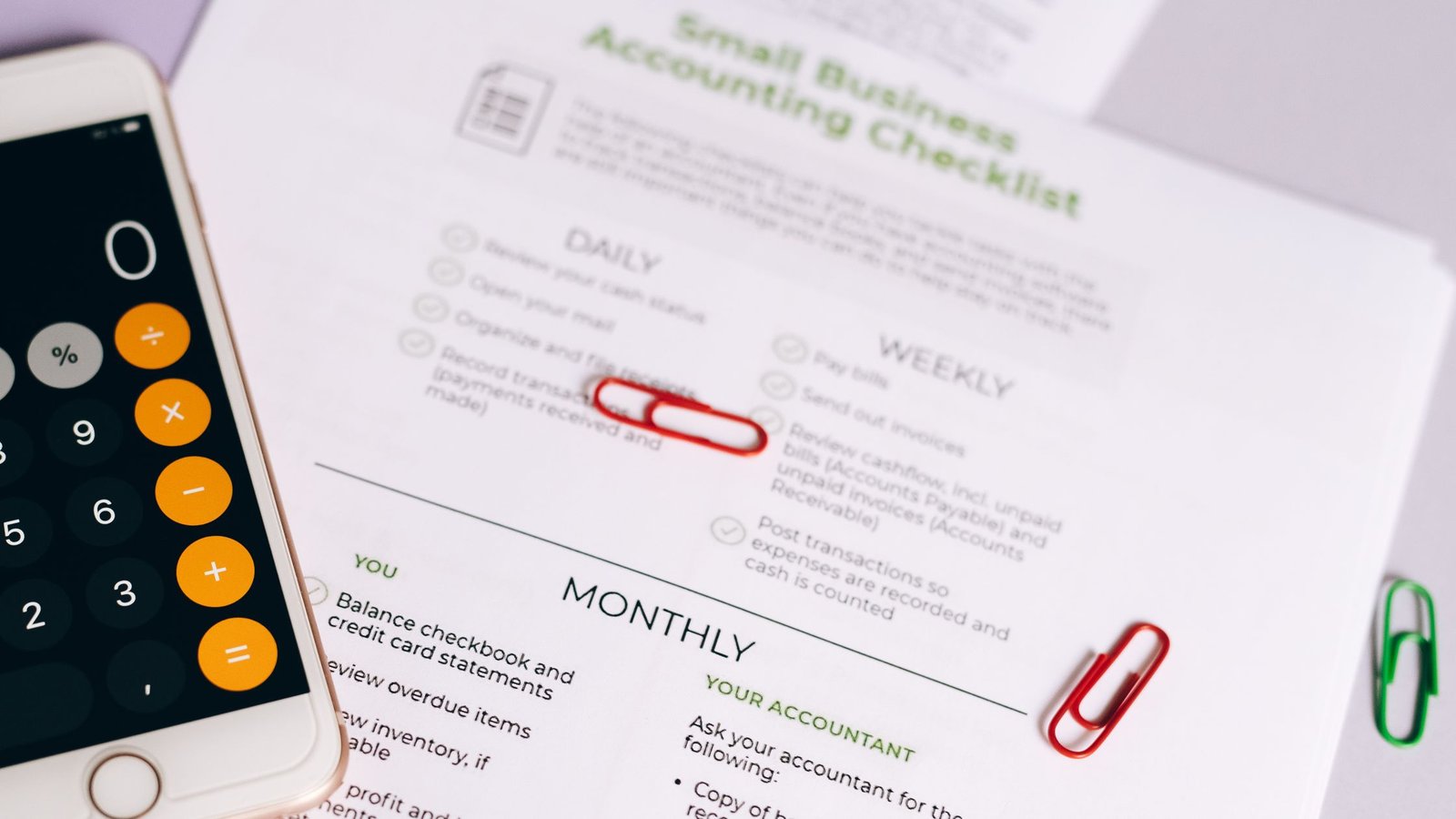
...

Tag: budgeting

  • Monthly Reset Checklist: Home, Calendar, Money, and Mind

    Monthly Reset Checklist: Home, Calendar, Money, and Mind

    Monthly Reset Checklist: Home, Calendar, Money, and Mind

    Your month runs better when you reset on purpose. This practical monthly reset checklist gives you a calm, repeatable flow to tidy your space, clean up your calendar, review money, and clear your mind. You can finish the core reset in about 90 minutes, then go deeper if you want.

    Key takeaways

    • Use one simple monthly reset checklist to prevent decision fatigue and regain control of home, schedule, money, and headspace.
    • Time-box the reset in four blocks: Home (20Γ’β‚¬β€œ25 min), Calendar (20Γ’β‚¬β€œ25 min), Money (25Γ’β‚¬β€œ30 min), Mind (20Γ’β‚¬β€œ25 min).
    • Start light: quick wins first, then one deep task per area if time allows.

    What is a monthly reset checklist?

    A monthly reset checklist is a short, step-by-step list you follow once each month to close open loops and simplify the next four weeks. It covers your physical space, your time commitments, your finances, and your mental load. Because it repeats, it lowers friction. You do not need to remember everything. You just follow the path, check items off, and start the month fresh.

    Also, a consistent routine reduces context switching. Research shows switching tasks adds hidden costs and harms focus. The American Psychological Association notes that task switching creates time and accuracy penalties, even when you feel fast. See APAÒ€ℒs overview on multitasking for details and examples (APA: Multitasking and switching costs).

    Before you start: set scope, time, and tools

    Plan the reset as a friendly appointment with yourself. Because you time-box it, it will not sprawl.

    • Pick your timing: The last Friday of the month, the first Sunday morning, or the evening before a new month.
    • Set a 90-minute cap: Four 20Γ’β‚¬β€œ25 minute blocks with 2Γ’β‚¬β€œ3 minute transitions.
    • Gather tools: A timer, sticky notes, a pen, your phone or laptop, and a laundry basket for quick tidying.
    • Pick your checklist home: A paper planner page, a notes app, or a task app. Keep it in the same place every month.
    • Create a landing zone: Use a tray or box to collect stray papers, mail, receipts, and items to file.

    Therefore, you will move through each area with fewer stops and fewer choices.

    Monthly reset checklist: Home and space

    This first block clears friction in the places you use every day. This is not a full clean. Remove blockers instead. Set a calm baseline.

    • Do a fast 10-minute sweep of your main surfaces: desk, kitchen counters, dining table, and nightstand.
    • Empty your landing zone: recycle junk mail, file important papers, and put stray items back.
    • Reset your desk: dust, wipe, coil or clip cables, and remove one unused item.
    • Clear your bag or backpack: toss old receipts, consolidate notes, and restock pens and chargers.
    • Restock essentials: printer paper, sticky notes, envelopes, pantry basics, and light bulbs.
    • Choose one small maintenance task: tighten a loose handle, replace a worn sponge, or oil a squeaky hinge.
    • Refresh your entryway: put seasonal items in or out, and place a spare umbrella or tote.
    • Do a 5-minute laundry and dishes catch-up to avoid morning pile-ups.
    • Declutter your desktop (computer): create an Ò€œInbox YYYY-MMÒ€ folder, drag loose files in, and sort top priority only.
    • Archive last monthÒ€ℒs phone photos to a folder named Ò€œYYYY-MMÒ€ and delete obvious duplicates.
    Home reset: quick wins vs deep dives
    Area Quick win (5Γ’β‚¬β€œ10 min) Deep dive (optional, 20Γ’β‚¬β€œ40 min)
    Desk Wipe, coil cables, remove one item Drawer clean-out and file system tweak
    Kitchen Clear counters, restock trash bags Fridge shelf clean and pantry audit
    Entryway Shoes and mail tray reset Hooks, bins, and seasonal gear swap
    Bag Receipts out, pens in Pocket-by-pocket reorg and checklist card
    Writing a monthly reset checklist for meals and home basics
    Use a single page for your home and meal mini-resets. Photo: Yaroslav Shuraev via Pexels.

    Pexels image by Yaroslav Shuraev. Source: https://www.pexels.com/photo/a-person-holding-a-black-pen-writing-on-white-paper-8844564/

    Monthly reset checklist: Calendar and time

    This second block gets your schedule aligned with what matters. It removes ghost meetings and protects deep work. MicrosoftÒ€ℒs Work Trend Index reports persistent meeting overload and digital debt. A monthly view helps you right-size your schedule for the weeks ahead (Microsoft WorkLab: Work Trend Index).

    • Open a month view. Scan for heavy weeks. Add buffer days after travel or deadlines.
    • Cancel or decline meetings that no longer have a clear owner, agenda, or decision.
    • Batch recurring admin into one slot. For example, expenses on the 28th.
    • Time-block deep work for your top one or two goals. Protect at least two 90-minute blocks per week.
    • Schedule catch-up time after large meetings and at month midpoints.
    • Set one weekly review reminder and one mini-inbox clean reminder.
    • Note time-sensitive chores: filter swaps, renewals, travel prep, or school forms.
    • Share key dates with partners or teammates and confirm who owns what.

    Because you use intention and a wide view, you prevent overflow before it starts.

    Recurring commitments: keep, pause, or drop?
    Item Signal to keep Signal to pause Signal to drop
    Weekly meeting Decisions made and actions assigned No decisions for 2Γ’β‚¬β€œ3 weeks No owner, no agenda, no outcomes
    Class or club Energy and progress increase Neutral energy and schedule conflict Stress without benefit
    Newsletter Useful weekly signal Useful monthly only Never read; unsubscribe

    Want a deeper time-blocking guide? See how to protect deep work with calendar blocks.

    Monthly reset checklist: Money review

    This third block reduces money stress. It replaces vague worry with a simple review. You do not need a perfect system. You need one consistent routine. The Consumer Financial Protection Bureau offers straightforward budgeting tools and advice that you can adapt to your situation (CFPB: Budgeting tools and tips).

    • Reconcile accounts: match transactions and categorize the last month.
    • Schedule all known bills and add due-date reminders.
    • Check subscriptions. Cancel one you did not use.
    • Scan spending by category. Note one area to trim by a small amount next month.
    • Plan irregulars: gifts, travel, renewals, and annual services coming up in the next 90 days.
    • Transfer planned savings at the start of the month so you do not spend it by accident.
    • Capture money tasks in your system: claims to file, forms to sign, refunds to request.
    Money check cadence
    Task Monthly Quarterly Annually
    Reconcile & categorize Yes Ò€” Ò€”
    Subscriptions audit Quick scan Full review Ò€”
    Insurance/benefits check Ò€” Coverage skim Full policy review
    Tax prep folder clean Add docs Organize File/close

    For a simple budget starter, see Consumer.gov: Making a budget.

    Monthly reset checklist for your mind

    This final block clears mental clutter. It helps you end one chapter and start another. Keep it light, honest, and short. You are not writing a memoir. You are setting the next month up to work.

    • Write five wins from last month. They can be small.
    • Note three lessons. Keep each to one sentence.
    • List two things to continue and one to stop.
    • Pick one key theme for the new month. For example, Ò€œFinish and ship.Ò€
    • Set two to four outcomes you can measure by month end.
    • Choose a quick digital declutter: mute one noisy chat, unfollow a stale feed, and trim one email newsletter.
    • Plan rest. Add one no-screen evening per week. Reducing task switching helps focus and reduces overload (APA on multitasking costs).

    Nielsen Norman Group has useful guidance on lists and task design that you can adapt to personal workflows (NN/g: ToΓ’β‚¬β€˜Do Lists and UX).

    Checklist boxes marked during a calm monthly reset checklist
    Short, clear steps beat long, vague lists. Photo: Nataliya Vaitkevich via Pexels.

    Pexels image by Nataliya Vaitkevich. Source: https://www.pexels.com/photo/close-up-photo-of-checklist-on-white-paper-6837789/

    Protect your data during the reset

    Also add a quick digital safety pass. It takes minutes and can prevent a month of headaches. The 3Γ’β‚¬β€˜2Γ’β‚¬β€˜1 backup strategy is a well-known baseline: keep three copies on two types of media with one offsite. See the U.S. CISAÒ€ℒs overview for a simple explanation (CISA: 3Γ’β‚¬β€˜2Γ’β‚¬β€˜1 backup strategy).

    • Back up your phone and laptop.
    • Export your password managerÒ€ℒs emergency kit (store securely).
    • Update your main apps and OS if pending.
    • Review recovery emails and phone numbers for key accounts.

    In addition, consider printing an access checklist for a trusted contact and storing it safely. A short note with where to find backups, how to reach your web host or bank, and what not to share can make a stressful day easier for everyone.

    How long should a monthly reset checklist take?

    Most people finish a core pass in 60Γ’β‚¬β€œ120 minutes. Start with 90 minutes. Because you will repeat it next month, you can leave deep tasks for later. If you are new, take two passes in the first cycle: one light, one deeper on the highest-friction area.

    Which tools should I use for the reset?

    Use whatever is fast for you. Some people like paper. Some like a notes or tasks app. Many do both: a one-page overview on paper and live tasks in an app. Keep your monthly list in the same place. Meanwhile, use a simple timer. Any phone timer works.

    Paper: One page per month in your planner or a printed sheet. Keep it visible where you actually start the reset.

    Apps: Use your calendar for events, a toΓ’β‚¬β€˜do app for tasks, and a notes app for reflections. Create one tag or folder to group each monthÒ€ℒs items.

    Storage: One folder per month labeled Ò€œYYYYΓ’β‚¬β€˜MM,Ò€ with subfolders for finances, photos, and documents so you can file quickly during the session.

    Watch a monthly reset checklist walkthrough

    If the embed does not load, open the video here: Monthly Reset Checklist 💜 Make one that works.

    Use this monthly reset checklist template

    Copy this structure into your planner or app. You can print it, too. Because it is short, you can see the whole month in one view.

    • Home: 10-minute sweep; landing zone; desk reset; restock; one fix; bag reset; quick dishes/laundry; desktop tidy; photo archive.
    • Calendar: Scan month; cancel or pause; batch admin; protect deep work; add buffers; weekly review; add time-sensitive chores; share dates.
    • Money: Reconcile; schedule bills; cancel one subscription; scan categories; plan irregulars; transfer savings; capture money tasks.
    • Mind: Five wins; three lessons; two continue; one stop; set theme; set outcomes; small digital declutter; plan rest.

    Monthly Reset Flow (90 minutes)

    Follow four calm blocks. Check the box, then move on.

    1. Home (20Γ’β‚¬β€œ25 min) Ò†’ surfaces, restock, one fix
    2. Calendar (20Γ’β‚¬β€œ25 min) Ò†’ cancel, block, buffer
    3. Money (25Γ’β‚¬β€œ30 min) Ò†’ reconcile, schedule, scan
    4. Mind (20Γ’β‚¬β€œ25 min) Ò†’ wins, theme, outcomes

    Tip: Play the same playlist each month to build a ritual.

    A 90Γ’β‚¬β€˜minute reset, minute by minute

    00:00Γ’β‚¬β€œ03:00: Set the tone. Fill a water bottle, open your oneΓ’β‚¬β€˜page list, and start a calm playlist. A small ritual signals your brain that this is a focused session.

    03:00Γ’β‚¬β€œ10:00: Do the Home sweep. Clear the main surfaces you touch each day. Wipe, put away, and leave one small touchpoint better than you found it.

    10:00Γ’β‚¬β€œ15:00: Empty the landing zone to zero. Sort mail and receipts. Trash what you do not need. File what you must keep. Move at a steady, noΓ’β‚¬β€˜drama pace.

    15:00Γ’β‚¬β€œ20:00: Reset the desk. Dust, manage cables, remove a single unused item. One less object equals one less distraction next week.

    20:00Γ’β‚¬β€œ25:00: Restock and fix one thing. Add printer paper, swap a sponge, or tighten a hinge. Quick maintenance prevents future friction.

    25:00Γ’β‚¬β€œ30:00: Transition. Stretch, breathe, and flip to Calendar. A brief pause keeps energy steady.

    Minutes 30Γ’β‚¬β€œ60: Calendar reset

    30:00Γ’β‚¬β€œ40:00: Scan a month view. Spot heavy weeks, travel, and deadlines. Add recovery buffers so the busy days do not spill into the next ones.

    40:00Γ’β‚¬β€œ45:00: Cancel and batch. Decline meetings without owners or agendas. Group admin into a single slot so small chores stop scattering your week.

    45:00Γ’β‚¬β€œ50:00: Protect deep work. Block two 90Γ’β‚¬β€˜minute focus windows each week for your top goal. Name them so others see why they matter.

    50:00Γ’β‚¬β€œ55:00: Share the highlights. Send a short note or invite updates so partners or teammates know what changed.

    55:00Γ’β‚¬β€œ60:00: Transition. Stand, take a sip, and open your money tool of choice.

    Minutes 60Γ’β‚¬β€œ90: Money and mind reset

    60:00Γ’β‚¬β€œ70:00: Reconcile accounts. Categorize last monthÒ€ℒs transactions and confirm balances. Close the loop while details are still fresh.

    70:00Γ’β‚¬β€œ75:00: Schedule bills and audit subscriptions. Add reminders and cancel one thing you didnÒ€ℒt use.

    75:00Γ’β‚¬β€œ80:00: Review categories. Pick one area to trim next month by a small, realistic amount. Small gains compound.

    80:00Γ’β‚¬β€œ85:00: Plan irregulars and move savings. Note gifts, renewals, or travel within 90 days and transfer planned savings now so it is not spent by accident.

    85:00Γ’β‚¬β€œ90:00: Mind reset. Write five wins, three lessons, and two to continue. Choose one theme and two to four measurable outcomes. Add one noΓ’β‚¬β€˜screen evening for rest.

    Why this structure works

    This design reduces choices and batching costs. You do quick wins first so you feel lighter. Then you make one small improvement per area. Therefore you build momentum without burnout. Over time, the same monthly reset checklist compounds into cleaner spaces, better calendars, calmer budgets, and clearer minds.

    Common mistakes and easy fixes

    • Mistake: Trying to do a full deep clean. Fix: Keep a separate list for deep projects. Schedule one per month.
    • Mistake: Planning the perfect month. Fix: Add buffers and recovery time. Protect energy, not just hours.
    • Mistake: Skipping the money check. Fix: Set one small money win each month, like canceling one subscription.
    • Mistake: Writing vague goals. Fix: Set two to four outcomes you can measure by month end.
    • Mistake: Letting the list sprawl. Fix: Keep one page. If it does not fit, it does not ship.

    Deepen your reset (optional addΓ’β‚¬β€˜ons)

    Home: If you have extra energy, do a 20Γ’β‚¬β€˜minute pantry audit and a quick fridge shelf clean. This keeps food waste down and makes weekday meals simpler.

    Calendar: Run a brief meeting audit. Merge two touchpoints into one or shift a weekly to a biweekly if decisions are thin.

    Money: Draft a oneΓ’β‚¬β€˜page spending plan for the next quarter. Focus on three categories you can actually influence.

    Mind: Write a short month story: what happened, what mattered, and what is next. One paragraph is enough.

    Make it sticky: cues, rewards, and tracking

    Habits stick when the setup is obvious and the payoff feels good. First, create a visible cue: a calendar event on the last Friday or a printed card on your desk labeled Ò€œReset at 5 p.m.Ò€ Next, bundle a small reward: favorite tea or a playlist you only play during the session. Finally, track the streak. A simple checkbox or habit app builds momentum because you can see progress.

    If your month goes sideways, use an ifΓ’β‚¬β€˜then plan: Ò€œIf I miss Friday, then IÒ€ℒll run a 60Γ’β‚¬β€˜minute Saturday reset.Ò€ Friction is the enemy, so keep tools close: a labeled tray for mail, a notes template pinned in your app, and a saved calendar view for month scans. Environment beats willpower.

    Also, keep the checklist short. When it grows, decisions creep back in. Review quarterly, swap one weak item for one that removes a real blocker, and keep the core stable so you do not start from scratch each time.

    Run a light team reset without more meetings

    Teams can adapt the same rhythm in under 20 minutes. Share a oneΓ’β‚¬β€˜page doc with three prompts: what to stop, what to continue, and what to change next month. Each owner updates their section asynchronously before the last workday. Then a short standΓ’β‚¬β€˜up or comment thread handles conflicts and merges.

    For calendars, colorΓ’β‚¬β€˜code deep work blocks and agree on a default response for invites without agendas: tentative or decline. Keep a Ò€œparking lotÒ€ list for ideas that do not fit this month. If you must meet, schedule a single 15Γ’β‚¬β€˜minute Ò€œCalendar CleanupÒ€ and stick to decisions, not status updates.

    FinanceΓ’β‚¬β€˜wise, a shared checklist helps: invoice dates, expense deadlines, and renewals due. A consistent Ò€œbilling dayÒ€ each month prevents endΓ’β‚¬β€˜ofΓ’β‚¬β€˜quarter scrambles. The result is less thrash and more predictable weeks.

    Seasonal tweaks and life events

    Some months carry special weight. At quarterΓ’β‚¬β€˜ends, add a slightly deeper money look: compare planned versus actual in two or three categories and adjust. During backΓ’β‚¬β€˜toΓ’β‚¬β€˜school, add forms, supplies, and carpool shifts to the calendar scan. Before major holidays, frontΓ’β‚¬β€˜load shipping dates and recovery buffers so rest actually happens.

    TravelΓ’β‚¬β€˜heavy months benefit from extra buffers after flights and fewer recurring meetings in the middle weeks. Moving or renovation months call for a smaller core reset with a focus on documents, bills, and a tiny home surface you can control. The key is to keep the core identical while swapping one or two optional tasks that match the season.

    Even quiet months matter. Use them to simplify: unsubscribe from a stale newsletter, archive old project folders, or shorten a recurring meeting you now outgrew. Consistency, not intensity, builds the payoff.

    How do I keep my monthly reset checklist fresh?

    Review it quarterly. Replace any item you always skip with something you will actually do. In addition, you can rotate one deep task per area each month so you do not get stuck on the same problem. Keep the core short and stable.

    Will this work for families or teams?

    Yes. Share the list and give each person one clear role. For families, share calendar highlights and money tasks that affect everyone. For teams, adapt the list to shared calendars and recurring project reviews. Use the same rhythm to reduce uncertainty and last-minute rushes.

    Examples: three ways to run the reset

    Choose your reset style
    Style When How it feels Best for
    Solo sprint Sunday morning Quiet and focused Individuals with busy weekdays
    Partner power-hour Weeknight Short and social Shared homes, shared bills
    Team reset Last workday Aligned and clear Projects and small teams

    Frequently asked questions

    What should be on a monthly reset checklist?

    Include four parts: Home (quick tidy and restock), Calendar (scan and block), Money (reconcile and plan), and Mind (reflect and set outcomes). Keep the whole list on one page.

    How often should I update my monthly reset checklist?

    Update it quarterly or when life changes. Swap an item that does not help for one that removes a real blocker you noticed.

    Can I do the reset in two sessions?

    Yes. Do Home and Calendar in one 45-minute session, then Money and Mind in the next. Split across two days if that feels better.

    What if I fall behind?

    Do a Ò€œhalf reset.Ò€ Pick the one area that would make everything else easier. Finish that, then return to a full reset next month.

    Should I include health or fitness items?

    You can add non-medical planning items such as scheduling walks or blocking rest days. Keep medical guidance to your clinicianÒ€ℒs advice.

    Next steps

    Save this page, copy the template, and schedule your first 90Γ’β‚¬β€˜minute session. To keep momentum, explore these guides: Tips to reduce screen time for better focus, Protect deep work with smarter calendar blocks, Build a simple focus routine you can stick to, and RemoteΓ’β‚¬β€˜work productivity tips and techniques.

    Finally, make it yours. Adjust the monthly reset checklist after your first run. Keep what works. Remove the rest. Because it repeats, small gains add up month after month.

    Helpful resources for your next step

    Affiliate disclosure: As an Amazon Associate, Mind Clarity Hub may earn from qualifying purchases at no extra cost to you. Use this link only if it genuinely helps your planning.

    If Monthly Reset Checklist: Home, Calendar, Money, and Mind is a routine you want to keep using, a simple workbook, planner, or desk tool can make the steps easier to repeat.

    Compare related planners, workbooks, and organization tools on Amazon.
  • Set Up a Household Command Center for Shared Apartments

    Set Up a Household Command Center for Shared Apartments

    If your place feels busy and scattered, a household command center setup for shared apartments can cut daily friction fast. It is a one-stop station that handles dates, keys, mail, chores, bills, and quick notes so everyone sees the same plan.

    This guide shows a practical household command center setup for shared apartments that works in tight spaces. You will choose a wall or shelf layout, set up a shared calendar, create clear key and mail zones, and agree on roommate rules that reduce stress.

    Before you gather tools, align as a group on why you want this. Name the wins: fewer repeated questions, faster handoffs, no lost keys, and bills paid on time. Write a one-line purpose (β€œOne simple hub that helps us plan the week and share chores without guesswork”) and tape it at the top of the board. That purpose will keep your build lean and focused.

    Key takeaways for your roommate command center

    • Create a single visible home base near your daily path to the door or kitchen.
    • Use a shared digital calendar plus a small wall view for quick checks.
    • Pick clear zones: keys, mail, chores, bills, supplies, and quick notes.
    • Write a simple roommate agreement that ties to this station.
    • Run a 10-minute weekly check-in to keep it accurate.
    • Download our checklist to build a household command center setup for shared apartments in about an hour.

    What is a household command center setup for shared apartments?

    It is a compact, visible spot that keeps shared life organized. It blends a few physical tools you see at a glance with a digital layer that alerts you wherever you are. Done well, this hub reduces repeat questions, missed chores, and lost mail. It also builds trust because the plan is public and updated by everyone.

    Quick start: build your roommate command center in 60 minutes

    1. Decide the spot (10 minutes): Pick a high-traffic wall or a shelf unit by the door or kitchen. Stand there and note how people move. If it is not in your daily path, you will not use it. In this step, anchor your vision to a household command center setup for shared apartments so the whole group knows the purpose.
    2. Pick your board and bins (10 minutes): A magnetic whiteboard plus a cork strip works in most spaces. Add a small tray for mail and a labeled key rail.
    3. Set your calendar (10 minutes): Create a monthly wall view for glance value and a shared digital calendar for alerts. Color-code by roommate or theme.
    4. Define zones (15 minutes): Keys, mail, calendar, chores, bills, supplies, and notes. Label each with short, plain tags.
    5. Agree the rules (10 minutes): Write a one-page roommate agreement for chores rotation, due dates, quiet hours, guests, and conflict steps. Pin it.
    6. Schedule a weekly reset (5 minutes): Sunday night or Monday morning. Ten minutes, same time each week.

    Where should your shared apartment command center live?

    Choose a place people can see without effort. The entry, kitchen, or the short wall by the hallway are top picks. If you rent, damage-free strips, narrow shelves, and rail systems protect walls. Use the comparison below to choose a wall or shelf footprint that fits your space and habits.

    Wall layout for a household command center setup for shared apartments

    Option Best for Pros Cons
    Wall board + key rail Tight entry or galley kitchen Always visible, fast glances, uses vertical space Shows clutter if not reset weekly
    Rail system with bins Small apartments with narrow walls Modular, damage-free hooks exist, easy to label Smaller bins limit mail and tools
    Cork + dry-erase combo Groups that post tickets and flyers Pin and write in the same zone Pins can fall; needs a firm mount
    Magnetic glass board Modern look, easy clean Resists ghosting, sleek Magnets must be strong; often pricier
    Shared apartment command center idea: compact counter with laptop, mail tray, plant, and coffee maker by the kitchen.
    Use a natural pause point, like a kitchen counter near the entry, for your shared hub. Photo: Jakub Zerdzicki, Pexels.

    Image source and rights: Pexels photo by Jakub Zerdzicki (link). Licensed for free use under the Pexels License.

    When a shelf layout wins for a shared home command center

    If you prefer a tidy look, hide supplies on a narrow shelf with bins and a small calendar frame above. Put a key tray and a mail sorter on the top shelf. Use one bin per roommate. Label short and bold so nobody has to guess.

    Footprint Typical cost band Install effort Notes
    Wall board + slim rail $ Low Works with removable strips; keep items lightweight.
    Leaning ladder shelf $$ Low–Medium Great for rentals; no holes; stable when weighted at the base.
    Modular rail + bins $$ Medium Measure mail size first; label each bin by purpose.
    Glass dry-erase + key strip $$$ Medium Use strong magnets rated for glass; test before loading.

    Define the zones that make it work for a roommate command center

    Seven simple zones handle most needs in a shared place. Keep the layout steady across months so muscle memory builds. This is where your household command center setup for shared apartments turns into a daily habit, not a one-time craft project.

    Zone Purpose Tools Owner
    Shared calendar Big dates, guests, trash days Dry-erase month view + digital calendar All
    Keys Home keys, fobs, spare mailbox key Labeled hooks or a tray All
    Mail Sort daily mail and action items Two-slot sorter: β€œTo sort” and β€œTo act” Rotating
    Chores Weekly tasks and who is on deck Chore chart with checkboxes Rotating
    Bills Due dates, splits, and receipts Mini binder or envelope, bill list Treasurer role
    Supplies Markers, tape, batteries Labeled bin All
    Notes Quick messages and reminders Sticky pad or small board area All

    How do you set up a shared calendar everyone will use for a shared apartment command center?

    Pick one digital calendar app as the source of truth. Then mirror only the next 4–6 weeks on your wall. This reduces app fatigue and keeps an at-a-glance view for guests and deliveries.

    • Create one shared calendar with the apartment name and share it with all roommates using their email.
    • Color-code by person or by category (bills, cleaning, guests, trash/recycling).
    • Set event reminders so nobody can say they missed it.
    • Use all-day events for big markers (lease renewal, visitors) and timed events for tasks (trash night, pest control).
    • Protect privacy: avoid full names; add initials only on the wall view.

    For step-by-step sharing in Google Calendar, see Google’s help guide on sharing calendars (Google Calendar Help). Apple and Microsoft offer similar sharing features you can search in their support centers.

    Use the wall view for quick checks and guests. Use your phone for alerts. This blend is the backbone of a reliable household command center setup for shared apartments because it meets people where they are.

    Where should keys and mail live in your roommate command center?

    Place keys at shoulder height near the door and put mail one step beyond the entry. This avoids bottlenecks. Use a short rule: keys go up, mail goes in. If you expect address changes, learn official mail forwarding steps from USPS (USPS: Forwarding).

    • Keys: One hook per roommate plus one labeled β€œSpare.” Add a small tag for bike or storage keys.
    • Mail: Two slots only. The first is β€œTo sort today.” The second is β€œTo act,” emptied at the weekly reset.
    • Packages: A clipboard or a shared note with pickup codes and return dates.

    When keys and mail are easy to reach, people will use the system. Place the sorter within two steps of your entry path so it stays automatic.

    How should roommates share chores fairly in a shared home command center?

    Use a simple rotation and write it down. Keep chores small and frequent rather than giant and rare. Also, agree on what β€œdone” means. For cleaning safety and basics, the CDC lists when and how to clean common surfaces (CDC: Cleaning and Hygiene).

    Chore Frequency Done means Owner (this week)
    Trash + recycling 2x weekly Bins empty, liners replaced Roommate A
    Kitchen surfaces 2x weekly Countertops wiped, sink cleared Roommate B
    Floors (shared areas) Weekly Vacuum/sweep + quick mop Roommate C
    Bathroom (shared) Weekly Toilet, sink, mirror, tub spot clean Roommate D

    Rotate owners weekly. Put a checkbox by each task on the wall. During the reset, roll names forward one slot.

    Seasonal add-ons help too. For example: change HVAC filters quarterly (if applicable), deep-clean fridge monthly, and clear lint traps after every dryer run. Keep these as a separate list so the weekly chart stays short.

    Make bills and budgets painless in a shared apartment command center

    Money issues strain even strong roommate groups. Keep bill basics on one page: what’s due, when, how you split, and where to pay. For general budgeting steps in plain language, see Consumer.gov’s guide (Consumer.gov: Making a Budget).

    • Bill list: Service, due date, typical amount, payment link or method.
    • Split method: Equal shares, room-size weighted, or usage-based. Pick one and stick with it.
    • Receipts: Save payment proofs for the current lease term. For tax-related receipts, see retention guidance from the IRS (IRS: Recordkeeping).
    • Payout process: Decide on a single reimbursement method (transfer, app) and a clear deadline each month.

    Assign a treasurer role for six months and rotate. The treasurer writes the bill list and collects reimbursement on schedule.

    Roommate agreements that reduce friction for your roommate command center

    Put key house rules in writing and pin them at the hub. Be brief. Focus on chores, bills, guests, quiet hours, and conflict steps. For legal basics and common clauses, this overview from Nolo is a useful primer (Nolo: Roommate Agreements FAQ).

    • Chore rotation and what β€œdone” means
    • Bill split rules and due dates
    • Guests and overnight stays
    • Quiet hours and noise
    • Damage, deposits, and move-out notices
    • How to resolve issues (who raises, when, and how)

    When you connect this document to the wall hub, your household command center setup for shared apartments becomes a living agreement, not a forgotten file.

    Before you buy: 10-minute alignment for your roommate command center

    • Scope: List only the zones you will use in week one. Add more later if needed.
    • Privacy: Agree on initials on the wall and full details in apps or a binder.
    • Roles: Pick a facilitator for weekly resets and a treasurer for bills.
    • Check-in day: Choose a repeat time that most people can make. Lock it in.
    • Budget: Cap spend before shopping. Start small; upgrade after one month.

    Layout blueprint you can copy for a shared apartment command center

    Shared Apartment Command Center β€” 7-Zone Map

    • Top-left: Month Calendar (4–6 weeks)
    • Top-right: Chore Chart (checkbox row per task)
    • Middle-left: Key Rail (one hook per roommate + Spare)
    • Middle-right: Notes Pad (quick messages)
    • Bottom-left: Mail Sorter (To sort / To act)
    • Bottom-right: Bills Slot (mini binder or envelope)
    • Side bin: Supplies (markers, tape, batteries)

    Tip: Keep labels short and bold. Reset every week at the same time.

    Wall labels that make habits stick in a shared apartment command center

    Short labels beat long ones: β€œKeys,” β€œMail: To sort,” β€œMail: To act,” β€œChores,” β€œBills,” β€œNotes,” and each person’s first name. Use a label maker or bold marker. Avoid jokes or vague tags. Clear beats clever.

    Roommates meet at the kitchen table to review the shared calendar and chores at the apartment hub.
    Do a 10-minute weekly reset so the hub stays accurate and trusted. Photo: cottonbro studio, Pexels.

    Image source and rights: Pexels photo by cottonbro studio (link). Licensed for free use under the Pexels License.

    Run a fast weekly reset for your roommate command center that people actually attend

    Pick a time when most roommates are home for 10 minutes. Use a tight script so you finish on time. This routine protects your investment and keeps the hub honest.

    Agenda (10 minutes) Owner Notes
    1. Calendar highlights (next 2 weeks) Facilitator Add guests, travel, repairs
    2. Chore roll and check marks Facilitator Rotate names forward
    3. Bills status and reimbursements Treasurer Collect outstanding shares
    4. Mail β€œTo act” bin All Empty or assign owner
    5. Quick wins and issues (1-minute limit each) All Capture actions on the notes pad

    To keep energy up, end with a tiny win. For example: wipe the board, recycle flyers, or snap a photo of the updated calendar for your notes app.

    How to pick tools that do not overwhelm your space for a shared home command center

    Choose the smallest set that does the job. Also, prefer durable, easy-to-clean surfaces. Ghosting markers and peeling labels punish you later. Start with the basics and add only if a real problem appears more than once.

    • 12–16β€³ dry-erase month board
    • 18–24β€³ key rail or a small tray
    • Two-slot mail sorter
    • Narrow bin for supplies
    • Clip for the one-page roommate agreement

    As you upgrade, watch for creeping complexity. New bins and boards are tempting, but each extra item is one more thing to reset. Add only what solves a real, repeated issue.

    Small-space tricks that protect your walls for a shared apartment command center

    If you rent or your walls are fragile, use leaning rails, freestanding shelves, or removable adhesive hooks. Keep the center of your layout at eye height so it is easy to scan.

    • Use light frames and small boards to reduce pull on adhesives.
    • Secure key rails with wall anchors only where allowed in your lease.
    • Test adhesive strength with a spare hook for a day before you trust it with keys.
    • Place heavier items low on a shelf to prevent tipping.

    Make it inclusive and easy to read for your roommate command center

    Use high-contrast colors and plain fonts. Write in short words. Keep labels away from humor or slang that may confuse visitors. If someone has color-vision differences, use icons or patterns along with color-coding.

    • Pair colors with shapes (e.g., dots, stripes) on the wall view.
    • Choose a thick marker that reads from a few feet away.
    • Keep text to 5–7 words per note for fast scanning.

    Add a digital companion to your shared apartment command center without adding noise

    Use your shared calendar for alerts and a lightweight notes app for quick tasks. Avoid adding more than two apps. For the calendar, follow the official share steps for your platform, like Google Calendar’s sharing guide (Google Calendar Help).

    Keep the wall hub lean and the phone alerts smart. This pairing makes a household command center setup for shared apartments reliable without feeling like a second job.

    Ground rules for mail, packages, and sensitive info in a roommate command center

    Do not post private account numbers, health details, or full legal names on the wall. Use initials or nicknames if needed. For mail, bin it daily, and clear the β€œTo act” slot at the weekly reset. If you are changing addresses, follow the official steps like USPS forwarding (USPS: Forwarding).

    Decision points: when to upgrade or simplify your shared apartment command center

    • Tasks piling up on the wall? Move them to a shared to-do list app. Keep only dates on the wall.
    • Wall starting to look crowded? Remove any zone you used fewer than three times last month.
    • Calendar not getting attention? Put the hub on the main path, add color, and shorten text.
    • Chore debates keep flaring? Tighten β€œdone means” and shorten the task list.

    Privacy, safety, and guest etiquette for a shared home command center

    Keep spare keys out of sight. Do not label keys with your address. Put the roommate agreement at the bottom of the board so guests see house norms without seeing bill details. If you share Wi‑Fi info, use a nickname for the network and rotate the password each lease term.

    For door codes (if any), use a code phrase on the wall (β€œFront code updated”) and send the actual numbers in your private app. This keeps visitors informed without exposing sensitive data.

    How to keep momentum month after month with your roommate command center

    Success comes from rhythm. Keep the weekly reset time steady. Rotate roles. Take a photo of the board after each meeting and drop it in your shared notes. This habit protects your household command center setup for shared apartments when life gets busy.

    Also, schedule a 15-minute monthly tune-up. Wipe the board fully, refresh labels, and archive old bills. Small resets prevent big overhauls later.

    Troubleshooting your shared apartment command center

    • People stop showing up: Cut the reset to five minutes for two weeks and stick to the script. Add a small reward, like picking next week’s playlist.
    • Markers keep drying out: Store them tip-down in a small cup and replace caps right away.
    • Notes go missing: Switch to a single notes pad with a bold header line for the date and owner.
    • Guests ignore house rules: Move the agreement slightly higher and bold the two most missed rules.

    Common mistakes to avoid in a shared apartment command center

    • Putting the hub where nobody walks by
    • Posting too much text or tiny handwriting
    • Using five apps instead of one or two
    • Skipping the weekly reset
    • Letting β€œTo act” become storage

    Sample one-page roommate agreement (outline) for your roommate command center

    Keep it simple and tie it to your wall hub. Here is a short outline you can copy into a document, print, and pin:

    1. Names and contact info (first names + emails)
    2. Chore rotation and β€œdone means” list
    3. Quiet hours, guests, and shared items rules
    4. Bill list, split method, due dates, and treasurer role
    5. Damage and deposit notes (check your lease)
    6. Issue resolution steps and meeting day/time
    7. Signatures and date

    For clause ideas, see Nolo’s roommate agreement FAQ (Nolo). Adapt it to your local laws and lease.

    What if people stop using the hub? Strengthen your shared apartment command center

    Start with two fixes. First, move it to a more visible spot or add light above it. Second, shorten your content and remove any zone that is not used. A tight, visible hub is the heart of a good household command center setup for shared apartments, so keep trimming until it is effortless.

    Download the checklist for a roommate command center

    Get a printable setup and weekly reset checklist to speed your build and keep the hub on track:

    Download the roommate command center checklist (PDF)

    More ways to simplify your shared life

    Want deeper systems for planning and focus? Explore our book recommendations and in-depth reviews:

    FAQ: shared apartment command center

    Where is the best place to mount the hub?

    Pick a wall or shelf in your daily path, like the entry or kitchen. If you do not see it while leaving or making coffee, move it.

    How do we handle missed chores without a fight?

    Define β€œdone means” for each task, keep tasks small, and review checkboxes in the 10-minute weekly reset. Rotate roles to share the load.

    What belongs on the wall vs. the phone?

    Put only the next month’s big dates, chores, and key notes on the wall. Keep alerts, invites, and detailed tasks in the shared digital calendar and notes app.

    How can we protect privacy?

    Avoid posting full names, account numbers, or exact travel dates. Use initials and keep bills in an envelope or mini binder.

    When should we update the roommate agreement?

    Review it at the start of each lease term, after a new roommate joins, or when a recurring issue appears more than twice.

    Helpful resources for your next step

    Affiliate disclosure: As an Amazon Associate, Mind Clarity Hub may earn from qualifying purchases at no extra cost to you. Use this link only if it genuinely helps your planning.

    If Set Up a Household Command Center for Shared Apartments is a routine you want to keep using, a simple workbook, planner, or desk tool can make the steps easier to repeat.

    Compare related planners, workbooks, and organization tools on Amazon.