...

Tag: Checklists

  • Evening Shutdown Routine for Remote Workers: Close the Day With Less Stress

    Evening Shutdown Routine for Remote Workers: Close the Day With Less Stress

    An evening shutdown routine for remote workers helps you close loops, switch off, and start tomorrow calm. In this guide, you will get a clear plan you can run in 10–45 minutes, along with scripts, templates, a checklist, and simple tools that make it stick.

    Key takeaways

    • End your day on purpose. A brief shutdown removes loose ends and protects your off-time.
    • Use a short checklist. It keeps the routine fast and repeatable, even on busy days.
    • Write a one-line plan for tomorrow. Your brain stops spinning when it knows the next move.
    • Reduce friction. Fewer tabs, tighter notifications, and a clean desk help you switch off.
    • Start small. Ten minutes is enough to change how your evening feels.

    What is an evening shutdown routine for remote workers?

    It is a short, repeatable process that closes your workday so you can detach from work and rest. You make a quick pass through your open loops, set a realistic plan for tomorrow, and build a small “off switch” ritual. Because the steps are simple and written down, you can run them even when you are tired. This is why an evening shutdown routine for remote workers works so well: it takes decision-making out of the moment and replaces it with a friendly script.

    Why a remote work evening routine helps your brain and sleep

    Our brains need clear boundaries to recover after work. Research shows that psychological detachment from work supports well-being and reduces burnout risk. The American Psychological Association reports that detachment and recovery experiences are linked to improved energy and less stress after hours.

    • Psychological detachment improves next-day focus and mood (see APA overview).
    • Good sleep begins before bed. Healthy sleep hygiene and a calm wind-down improve both sleep quality and timing (CDC guidance).
    • Evening screen exposure can delay sleep by affecting melatonin. A calmer, low-light close helps signal shutdown to your brain (Harvard Health on blue light).

    Also, remote workers often see “after-hours creep.” Microsoft’s Work Trend Index found a rise in later-evening work peaks, which can blur the line between life and work. A clear, fast shutdown pushes back against this trend and protects your evenings.

    Sources: APA: Detaching from work to recover; CDC: Sleep hygiene basics; Harvard Health: Blue light and sleep; Microsoft WorkLab: The triple-peak workday.

    Build your evening shutdown routine for remote workers in 10 steps

    You can customize these steps, but keep the order steady. A consistent script makes your evening shutdown routine for remote workers fast and automatic.

    1. Close with a phrase. Say a simple line out loud: “Shutdown complete. I’m off until tomorrow.” It sounds small, but it marks the boundary.
    2. Zero your inboxes. Triage email, DMs, and missed calls with the 4 Ds: Do (2 minutes or less), Defer (into a task), Delegate, or Delete. Avoid deep replies now.
    3. Capture loose ends. Dump any open tasks, ideas, or worries into your single task list. Don’t keep it in your head.
    4. Scan your calendar. Look at tomorrow’s meetings and hard commitments. Spot prep needs now.
    5. Pick the next three. Choose up to three important tasks for tomorrow. Fewer is better. Write them where you will see them first thing.
    6. Write your one-line plan. “At 8:30 a.m., open Project X doc and draft the intro.” Make it tiny and concrete. This is the bridge back to work.
    7. Park your work. Save files, close project tabs, and put your to-do tool at the top of tomorrow’s view. Leave the path clean.
    8. Set guardrails. Silence work apps outside your chosen hours. Turn off badges and lock away your laptop if you can.
    9. Reset your space. Tidy your desk. Fill your water. Put your notebook and pen where your hands land in the morning.
    10. Do a 60-second mind exhale. Breathe, stretch, or take a short walk. This is the body signal that work is done.

    How long should a workday shutdown routine take?

    Most days, 10–15 minutes is enough. Complex project days may need 25–30 minutes. High-stakes deadlines can take 45 minutes if you must create a detailed handoff or plan. What matters is that you pick a realistic window and run it. If time is tight, a three-step close still works: triage, pick the next three, write a one-line plan. That keeps your evening shutdown routine for remote workers alive on the busiest days.

    Evening shutdown routine for remote workers: time ranges

    Time Window When to Use Focus Outcome
    10–12 min Normal days Triage, plan three, park tabs Fast, clean exit
    20–25 min Heavy email or shifting priorities Deeper triage, clearer plan No loose ends
    35–45 min Complex handoffs or deadlines Notes, files, calendar buffers Strong morning ramp

    Two styles for your remote work evening routine

    Not every day needs the same level of shutdown. You can keep two versions and choose the one that fits your energy and workload.

    The minimal close is the safety net. It is three parts: triage light, pick the next three, write a one-line plan. That is it. You still say your closing phrase. You still park tabs. Yet you stop before you start fixing things. Use it on days with back-to-back calls or when family needs you now.

    The full close follows the 10 steps. It cleans up the day, leaves notes for your future self, and locks down devices. Use it when stakes are higher, or when tomorrow has meetings you cannot miss. The point is choice with a rule: you always do one of the two. This reduces decision fatigue and builds trust in your shutdown ritual for remote work.

    Here is a simple way to decide. When you have less than 12 minutes, run the minimal version. With 20 minutes or more, run the full version. If you are unsure, start small. You can always add five minutes to finish parking tabs or writing a handoff note.

    Role-specific examples that make it real

    Engineers can end with a tiny commit and a note. Save work-in-progress with a short comment: what you changed and what comes next. Park tabs to the code review page. Your one-line plan can be “9:00, run failing test, fix null check in auth.” It is short and specific. You will be back in flow fast.

    Designers can capture open questions. Drop a line in the file: what problem the next frame solves and which constraints matter most. Close the big artboards and leave the exact next frame zoomed in. Write a one-liner like “10:00, sketch mobile nav variant B, compare tap targets.”

    Remote roles that need clearer handoffs

    Product managers can leave a decision log bullet. If a choice is pending, write the options and who owns the call. Put a 15-minute buffer before the standup to prep the talking points. Your one-line plan could be “8:45, pull dashboard, confirm NPS trend for slide 3.”

    Sales or support roles can separate the urgent from the open. Reply fast to anything you can close in two minutes. Everything else becomes a task with a due date. Leave your CRM on tomorrow’s filter. Use a one-liner like “9:15, call ACME, confirm renewal terms first.” That sequence prevents late-night checking.

    People managers can collect wins and blockers. Jot two lines for your team note: who shipped what, and which blocker needs help tomorrow. Park your performance doc at the top. Your one-line plan could be “9:30, send kudos to Maya; book 20 min to unblock FE deploy.” Clarity fuels calm leadership.

    Founders and solo operators can protect the edge between tasks and vision. End by moving one tiny strategic action into tomorrow’s first 30 minutes. Your one-liner might be “7:45, outline 3 bullets for pricing page test.” This stops the blend of admin and strategy from leaking into the evening.

    Habit science: make your shutdown ritual for remote work automatic

    Habits form when a clear cue leads to a small routine and a quick reward. Use that loop here. Start with a fixed cue. It can be a calendar alert, a desk lamp, or the end of your last recurring meeting. Keep the action tiny at first: open your checklist and say your phrase. Then give yourself a low-effort reward, like starting a playlist you love while you tidy your desk.

    Design the path. Put your checklist where your eyes land. Pin it in your task tool. Keep a “Shutdown” bookmark folder with the tabs you need only for closing time: inbox, calendar, task list. Remove everything that tempts deep work. The easier the path, the more days you will run the routine.

    Stack it on top of something you already do. For example, finish your last call, open the checklist at once, and then make tea. That stack keeps the order the same. Over time, you will feel the urge to close things as soon as the cue fires. That is the sign the habit is taking root.

    Finally, remove friction at night. Turn on a Do Not Disturb schedule that starts at your stop time. Put your laptop on a shelf or in a bag. If you must check something, use a single allowed channel. Everything else can wait for your next workday.

    ADHD, anxiety, and caregiver realities

    Some days are loud or chaotic. If you live with ADHD, anxiety, or care for others, a rigid routine can feel brittle. So build a softer version that still protects you. Anchor it to a strong cue, like the start of meal prep, school pickup, or a daily medication time. Then cap the routine at 10 minutes. A short, repeatable close beats a long, skipped one.

    Externalize wins. At the end of your three steps, write one line about what went well. This calms worry and reduces the drive to reopen your laptop. If you feel stuck, use a “body double” by sitting in a quiet coworking room or on a video call while you run the steps. The shared presence helps you finish.

    Keep capture simple. Use voice notes to dump tasks when energy is low. Drop them into your task app in the morning. Use a single sticky phrase for anxiety spirals: “Captured for tomorrow.” Then read your one-line plan out loud and leave the room. Small physical cues matter.

    Time zones, on-call, and weekend resets

    Global teams need tighter handoffs. When you work across time zones, pick a clear overlap window and a standard handoff format. In your shutdown, add one sentence that states owner, next step, and deadline. That single line can save hours of back-and-forth while others sleep.

    On-call weeks are different. Define one urgent channel and silence the rest. Keep a tiny “re-shutdown” if a page arrives. After the fix, write a next-step note and say your closing phrase again. This helps your brain switch off twice in one night.

    Weekends benefit from a “double-close.” Do the normal shutdown on Friday. Then, on Sunday evening, run a 10-minute reset: check your calendar, pick the next three, and write the one-liner. Monday morning will feel lighter, and you will sleep better on Sunday night.

    How to measure your workday shutdown routine

    You can track progress without heavy tools. Use two kinds of measures. Lead measures are actions you control. Lag measures are results you notice. A simple lead measure is “Did I run the shutdown today?” Log yes or no. Another is “Did I write a one-line plan?” Keep a streak on a small calendar.

    Lag measures can be simple, too. How many nights did you avoid reopening your laptop? How many weekdays did you stop within 15 minutes of your target time? How many mornings did you start with your one-liner instead of email? Check these each week. If numbers drift, return to the minimal version and rebuild the habit.

    Qualitative signs matter. Are evenings calmer? Do you fall asleep faster? Do you feel less dread on Sunday night? These are valid signals. Write one line each Friday about how the routine felt. Over a month, trends will show up.

    What goes in the last 30 minutes of your remote work evening routine?

    Use this map to decide what to do now versus tomorrow morning. Keep it light late in the day. Protect deep work for daylight hours.

    Task Type Examples Time Needed Place It
    Housekeeping File save, repo commit, desk reset 1–5 min Now
    Triage Inbox zero, DM replies under 2 min 5–15 min Now
    Light planning Pick the next three, write a one-liner 3–6 min Now
    Deep thinking Architecture, long proposals 30–90+ min Tomorrow
    Quick reviews Skim doc, drop 2–3 bullets 5–10 min Now (if helpful)
    Admin Timesheet, expense snapshot 5–10 min Now or Friday
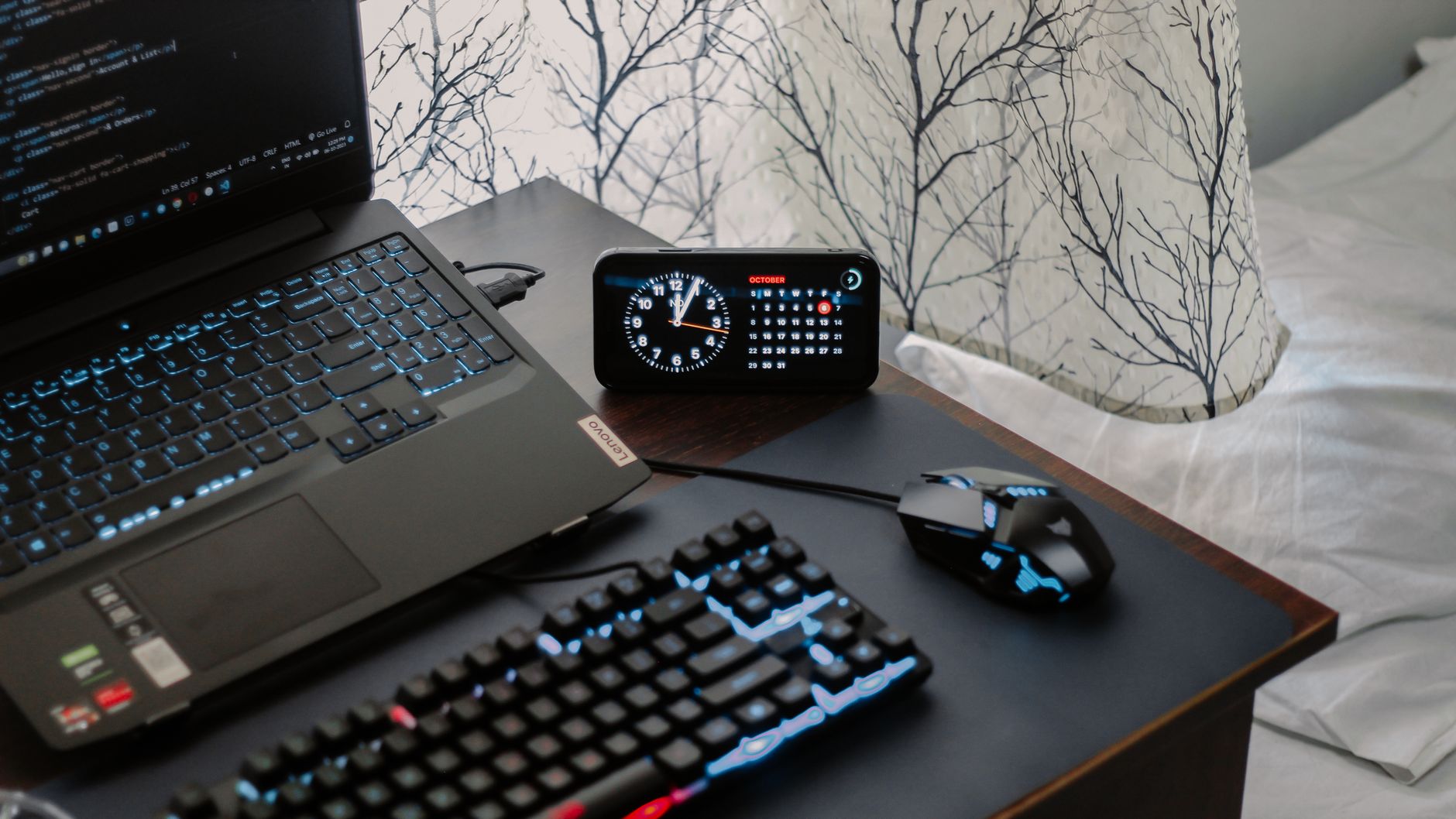
    Casual man buttoning shirt in home kitchen while running an evening shutdown routine for remote workers
    Transition cues matter. A simple change of clothes can signal “work is over.” Photo by RDNE Stock project via Pexels.

    Boundaries that support your remote work evening routine

    Boundaries work best when they are simple and visible. Also, you need both digital and physical guardrails.

    • Pick hard stop times for your workdays. Put them on your calendar as daily events.
    • Silence work apps outside work hours. Turn off badges and banners.
    • Use separate profiles or users for work and personal. Different wallpapers help your brain switch modes.
    • Park your laptop in a cabinet or bag after the shutdown. Out of sight helps.
    • Leave a handoff note if others depend on you. “Next step is X; blocked on Y; ETA Z.”

    Short video: boundaries and small routines reduce after-hours creep and support your evening shutdown routine for remote workers.

    If the video does not load, open it here: Remote Work Habits: Use Boundaries and Routines to Stay Productive.

    Emergency protocol for your workday shutdown routine

    Real emergencies happen. However, you can still protect most of your evening with a clear playbook.

    • Define “emergency.” Agree as a team what truly needs same-day attention.
    • Set one path in. Use a single channel for urgent pings. Mute everything else.
    • Time-box it. Offer a short window for a triage response, not a full work session.
    • Make a next-step note. Add a handoff in your task tool and return to your evening.
    • Run a tiny re-shutdown. One line in your notes and your closing phrase bring the boundary back.

    Sync your household to protect your shutdown ritual for remote work

    Remote work lives inside a home with other people. Therefore, align cues and expectations so your evening starts smoothly.

    • Use a visible signal. A lamp, door hanger, or status tile that flips to “off.”
    • Share your stop time. Tell your household when you plan to finish, and what help you need to protect it.
    • Create a handoff activity. A 10-minute walk, music, or making tea with someone at home marks the shift.
    • Set device rules. Put phones and laptops away during meals or first-hour-after-work time.

    A person preparing coffee while working remotely on a laptop in a cozy kitchen setup
    Pair your shutdown with a simple habit, like making tea. It becomes a reliable “work is over” anchor. Photo by Vlada Karpovich via Pexels.

    Optional tools that support your shutdown ritual for remote work

    Tools are optional. Use them to remove friction, not to create more steps. Keep your stack light.

    • Task capture: Any notes app or a task manager you already trust.
    • Calendar buffers: Add 10–15 minute daily events for shutdown and “first focus.”
    • Notification profiles: Set a Work profile that turns off at your stop time.
    • Space reset: A tray or shelf where the laptop lives after hours.

    Affiliate disclosure: Some links in this guide may be affiliate links. If you buy through them, Mind Clarity Hub may earn a commission at no extra cost to you.

    Helpful, low-fuss resources (optional): Simple evening routine planners on Amazon — paper prompts that support an evening shutdown routine for remote workers. Also see Deep Work by Cal Newport (search) for ideas on focus and boundaries.

    Mistakes that break a shutdown ritual for remote work

    • Making it too long. Keep it tight. Ten minutes most days.
    • Doing real work in shutdown time. Triage and park, not build.
    • Changing the order every day. A fixed script makes habits easy.
    • Skipping the one-line plan. This small step relieves worry at night.
    • Leaving notifications on. One badge can pull you back in.

    Sample scripts for your remote work evening routine: 15, 30, and 45 minutes

    Use these as-is or tweak them to fit your role.

    Evening shutdown routine for remote workers: 15‑min script

    • 00:00–02:00 — Say your closing phrase and open your checklist.
    • 02:00–07:00 — Inbox triage with the 4 Ds. No deep replies.
    • 07:00–09:00 — Calendar scan for tomorrow; spot prep and blockers.
    • 09:00–12:00 — Pick the next three; write a one-line plan.
    • 12:00–15:00 — Save files, close tabs, reset desk, silence work apps.

    Evening shutdown routine for remote workers: 30‑min script

    • 00:00–05:00 — Close with phrase; quick review of today’s wins and lessons.
    • 05:00–15:00 — Inbox/DM triage, task capture, delegate or defer.
    • 15:00–20:00 — Calendar and prep notes for key meetings.
    • 20:00–25:00 — Pick three priorities; add buffers; leave a handoff note.
    • 25:00–30:00 — Park tabs and tools; space reset; 60-second breathing.

    45‑min deep handoff for your remote work evening routine

    • 00:00–10:00 — Full triage, backlog sweep for any dangling threads.
    • 10:00–20:00 — Draft a brief status note for your team or future self.
    • 20:00–30:00 — Prep files, links, and calendar blocks for tomorrow.
    • 30:00–40:00 — Choose three, write your one-line plan, and schedule buffers.
    • 40:00–45:00 — Final check; shutdown phrase; step away.

    FAQs

    Is an evening shutdown routine for remote workers different from an office routine?

    The core steps are the same. However, remote work needs stronger physical cues (close the laptop, change clothes, leave the room) because the environment is shared with your personal life.

    What if my team expects instant replies at night?

    Agree on a true-emergency channel and response window. Then, document normal response times for non-urgent messages. Boundaries are clearer when they are visible and shared.

    Can I do my shutdown at a different time?

    Yes. If evenings are hectic, run it 30 minutes before your last meeting, then do a 60-second close when you actually stop. Consistency matters more than the exact time.

    Will this help my sleep?

    It can. A short, calm close reduces mental load and late-night rumination. Pair it with healthy sleep habits, like dim light and fewer screens before bed (see CDC and Harvard Health resources above).

    How do I keep it from growing too big?

    Lock the steps and the time box. If the box overflows, move work to tomorrow, not into the shutdown. Keep the routine small and sacred.

    Next steps to strengthen your remote work evening routine

    Wrap-up

    Start an evening shutdown routine for remote workers tonight. Keep it short. Write your one-line plan. Say your closing phrase. Then step into your evening with less stress and more clarity.

  • Set Up a Family Morning Launchpad by the Front Door

    Set Up a Family Morning Launchpad by the Front Door

    When mornings feel like a scramble, a clear home base fixes a lot fast. This guide walks you through a family morning launchpad station setup by the front door. You will learn where to put it, what to include, how to keep it safe, and how to reset it each week so it keeps working—without adding more clutter or rules you cannot keep.

    Quick answer: What your launchpad needs

    • Hooks by person, placed at kid height and adult height.
    • Labeled bins or cubbies for shoes, sports, and library items.
    • A safe charging dock for phones, tablets, and school devices.
    • One grab-and-go checklist posted where eyes land.
    • A tiny staging surface for forms, keys, and today-only items.
    • A weekly reset so out-of-place items do not pile up.

    What is a family morning launchpad?

    A launchpad is a small, repeatable system near the exit that holds only the things you need to leave the house on time. It is not a full mudroom. It is a tight zone with clear parking spots for coats, bags, shoes, devices, and a short checklist. When done right, it cuts decision-making and moves steps into the night before, so mornings can run on rails.

    Because it is simple, you can adjust it for seasons, sports, and school changes without rebuilding your whole entry. And because it is visible, it trains kids and adults through the day to return items to their home base.

    Where should you put your family morning launchpad station setup by the front door?

    Place your system in the first safe, open space you hit when you enter, and the last space you pass before you exit. If your front door is the main exit, use that wall. If your family uses a garage door or side door, put the system there instead. The key is visibility and friction: you should not need to walk across the house to park bags and charge devices.

    To size the space, stand in the doorway and turn left and right. You want a minimum of one wall stud for hooks, 24–36 inches of floor width for bins, and a small surface (12–36 inches) for a list and a drop tray. If you live in a small apartment, you can convert the back of the door with an over-the-door rail and a slim shoe rack. If you rent, removable adhesive hooks and a narrow cart can do a lot of work.

    • Ideal height for kid hooks: 36–48 inches from the floor.
    • Ideal height for adult hooks: 60–70 inches from the floor.
    • Keep the walkway clear: leave at least 36 inches to pass.

    If you must share space with a living room, use quiet colors and repeat one shape (all black hooks, all white bins) so it blends in. A neat look helps everyone use it because it feels finished rather than chaotic.

    In most homes, the most effective choice is the family morning launchpad station setup by the front door because it sits at the exact decision point: “Do I have everything?”

    What components do you need in a family morning launchpad?

    Every home is different, but the parts are the same. In the family morning launchpad station setup by the front door, think in zones: vertical (hooks), ground (bins), power (charging), and brain (checklist).

    Hooks by person

    • One hook per daily bag or coat, with a name label above each hook.
    • Place kid hooks at kid height. Add a second hook for seasonal items (hat/umbrella).
    • Use wall anchors or mount into studs so hooks hold real weight.

    Labeled bins or cubbies

    • One bin per person for shoes. One shared bin for “return-to-school/library.”
    • Use open bins (no lids). Lids add friction and attract piles.
    • Label the front and the top edge so labels are visible from above and straight on.

    Charging dock (safe and simple)

    • One power strip with surge protection, placed on a shelf or console—never under a rug.
    • Short, color-coded cables: one per device type. Use cable clips to stop droop.
    • Post a tiny card with the nightly charge rule: “Plug in by 8:00 p.m.”

    Grab-and-go list

    • One laminated checklist at kid-eye level, one line per item, with check boxes.
    • Keep it short (6–8 items). Split by weekday vs. sports day if needed.
    • Use a dry-erase marker on a string so the marker never walks away.

    Also add a small catchall tray for keys and today-only forms. If you add more than that, the system bloats and fails. Keep it tight and obvious.

    Console-height surface with list and charging dock for a family morning launchpad station setup by the front door
    A small console-height surface can hold your posted checklist and a safe charging dock. Photo: Engin Akyurt via Pexels.

    Front-door layout at a glance

    Use this visual to sketch your own wall. If your wall is narrow, stack Zones A and B vertically and put Zone D (bins) just to one side so the walkway stays clear. If you are in a rental, use removable hooks and a slim cart to create Zones C and D without drilling.

    In small homes, this picture is the whole plan: a compact family morning launchpad station setup by the front door that is visible, safe, and friction-free.

    How to set it up step by step

    1. Measure and mark. Mark stud locations, walkway clearance, and a 30–36 inch width for bins. Tape the outline for one day to check flow.
    2. Choose your anchors. If you have studs, use wood screws. If not, use heavy-duty wall anchors rated for coats and bags. Follow the package rating.
    3. Install hooks by person. Place them left to right by the order people leave. Add name labels above each hook. Kids at 36–48 inches, adults higher.
    4. Place bins. Put shoe bins under the matching hooks. Add a shared “returns” bin at the end—library, permission slips, borrowed items.
    5. Set the charging dock. Put a surge-protected power strip on the console. Clip cables so each device has a home. Label cables with names or device type.
    6. Post the checklist. Keep it short. Example: Water, Homework, Device, Lunch, Weather Gear, Keys. Laminate and hang with a marker.
    7. Run a test night. Stage all bags, charge devices, and pull tomorrow’s shoes. In the morning, time how long it takes to exit.
    8. Tune the friction. If anything takes more than one reach, move it. The more you can do with eyes and hands in one place, the smoother your start.

    These steps can be done in one afternoon. Once placed, your family morning launchpad station setup by the front door becomes the default path every school day.

    How do you keep the charging dock safe?

    Charging is convenient at the door, but it must be safe. Use a surge-protected strip, avoid stacking adapters, and keep cords visible and untangled. Never run cords under rugs or pinch them in doors. If your devices use lithium-ion batteries, follow simple best practices: charge on a hard surface, avoid damaged cords, and unplug devices when fully charged.

    • Use UL-listed surge protectors and replace them every few years if worn.
    • Keep the strip off the floor to avoid puddles and salt from shoes.
    • Do not charge devices in a tightly closed cabinet.

    For more on safe charging and lithium-ion battery basics, see the National Fire Protection Association guidance on battery safety and charging best practices.

    Good cable management also reduces tripping. Use clips and short cables so nothing loops across the walkway. Safety keeps your family morning launchpad station setup by the front door both useful and worry-free.

    Helpful sources: NFPA: Lithium-ion battery safety · National Safety Council: Backpack safety · Harvard Center on the Developing Child: Executive function · American Academy of Pediatrics: Routines for kids

    What should go on the grab-and-go list?

    Keep your list short and specific. You want items a child can scan in five seconds while they stand at the door. If your items change by season or by activity, print two small lists and flip them with a magnet: “School Day” and “Practice Day.” Use simple words or icon stickers for non-readers.

    Example Morning Checklist (Elementary)
    Check Item Notes
    Backpack Homework folder inside
    Water bottle Filled and sealed
    Lunch/snack In insulated bag
    Device Charged, in sleeve
    Weather gear Coat/hat or umbrella
    Shoes Tied/Velcro set
    Practice Day Add-ons
    Check Item Notes
    Uniform In a mesh bag
    Shoes/cleats In the shared returns bin
    Equipment Labeled with name
    Snack Non-perishable
    Teen/Adult Add-ons
    Check Item Notes
    Keys/wallet In the tray
    Work badge Clipped to bag
    Headphones Charged
    Planner Open to today

    Post only one list at the launchpad. If you have different lists by day, keep them on one laminated sheet with two columns. This keeps the wall clean and readable.

    When your list lives inside the family morning launchpad station setup by the front door, you turn last-minute “Where’s my…?” into a 10-second scan and go.

    Set up bags so they are safe and light

    Right-sized bags matter. Heavy bags slow kids, make them set the bag down, and then it gets left behind. Keep backpack weight under 10–15% of body weight, and use both shoulder straps. Store only daily items in the bag; overflow goes to a shelf near the launchpad, not in the bag.

    • Put the heaviest items closest to the back.
    • Use a simple folder system: one “To school,” one “To home.”
    • Check Friday afternoons for papers and trash before the weekly reset.

    Source: National Safety Council on backpack safety and American Occupational Therapy Association tips.

    Tidy charging surface with labeled cables near an entryway
    Keep charging on a hard surface with short, labeled cables. Photo: Arjunn. la via Pexels.

    How long will setup take and what does it cost?

    You can build a clean starter launchpad in an afternoon with a small budget. If you prefer higher-end hardware, you can install a more permanent system in a weekend.

    Time and Budget Planner
    Option What You’ll Do Time Approx. Cost
    Starter (rental-friendly) Adhesive hooks, two open bins, surge strip, printed list 2–3 hours $40–$80
    Standard Stud-mounted hooks, 3–4 bins, console shelf, surge strip with clips 3–5 hours $120–$220
    Built-in look Wall rail with hooks, labeled cubbies, mounted list frame, cord channel 1 weekend $250–$450

    Most families see the biggest gains from the standard option. It adds just enough structure to make the system obvious and durable without turning the entry into a workshop.

    What weekly reset keeps it working?

    Pick one time—Friday after school or Sunday evening. Set a 15-minute timer. Turn on music. Do the same reset every week so it sticks.

    1. Empty each bin and shake out dirt. Return only current shoes.
    2. Clear the tray. File or recycle old forms. Put new forms in “returns.”
    3. Check charging cables and strip. Replace any frayed cables.
    4. Swap seasonal items (gloves out, umbrella in) as the weather changes.
    5. Wipe surfaces. Quick wins feel good and keep the zone inviting.
    6. Refresh the checklist if next week has field trips or tryouts.

    Make it a tiny family ritual: the weekly reset for the family morning launchpad station setup by the front door is how the whole system stays lean and reliable.

    How do you train kids (and adults) to use it?

    • Micro-habit: “Bags on hooks, shoes in bins, devices on dots.” Repeat the same seven words after school for two weeks.
    • Model once, watch once. Show the move. Watch the move. High-five. Keep it light.
    • Use names, not blame. “Jada’s hook is waiting.” Short, neutral cues invite action.
    • Make it a game. Two-minute “beat the buzzer” at night. Stopwatch for fun, not pressure.
    • Keep the list visible. Eyes up, scan the boxes, then go.

    As a result, the family morning launchpad station setup by the front door becomes “just how we do it,” not a new chore. The wall teaches the habit so you do not have to.

    Why isn’t my launchpad working yet?

    If the system is in place but mornings still slip, check these common friction points.

    • Too many items on the list. Cut to six non-negotiables. Move the rest to evening prep.
    • Bins have lids. Remove lids. Open bins win.
    • Hooks are too high. Lower kid hooks. If kids cannot reach, they will not use them.
    • Charging is hidden. Make cables easy to find and re-dock with one hand.
    • Nothing is labeled. Add names to hooks and bins. Labels end debates.
    • No weekly reset. Put it on the calendar. Fifteen minutes protects the system.

    Fix one thing at a time. Each small tune unlocks the next improvement. Soon the family morning launchpad station setup by the front door will feel natural and fast.

    Why this simple setup works

    Clear visual zones reduce choices and hold attention in the moment. That is helpful for every brain, and can be especially kind to executive function on busy mornings. Short, repeatable lists reduce forgetfulness because they free working memory, and nightly charging prevents device scramble at the door. Simple systems also make help possible: a partner, sitter, or grandparent can step in and use the same checklist without a crash course.

    For an overview of why structure, cues, and repetition support smoother mornings, see the Harvard Center on the Developing Child’s primer on executive function and the American Academy of Pediatrics’ advice on daily routines for kids.

    Optional tools that help (keep them simple)

    • Dry-erase board or a magnetic frame for your list.
    • Label maker or painter’s tape and a marker.
    • Short, braided phone and tablet cables in different colors.
    • Low-profile surge protector with an on/off switch.

    Affiliate disclosure: Some links in this guide may be affiliate links. If you buy through them, Mind Clarity Hub may earn a commission at no extra cost to you.

    If you need an all-in-one starter, an entryway organizer with hooks and a small shelf can speed setup: Browse entryway organizers with hooks. Choose open cubbies and sturdy hooks. Avoid units that force doors or lids between you and your gear.

    FAQs

    What if I do not have space for a family morning launchpad station setup by the front door?

    Use the back of the door: an over-the-door hook rail, a flat shoe rack on the floor, and a magnetic frame for the checklist. Add a tiny wall pouch for forms and keys. You get the same flow in just a few inches.

    How do I keep the area from looking cluttered?

    Limit colors and shapes. Use matching hooks and two bin colors max. Hide brand labels on bins. Keep the list clean with big text and few words.

    Is it okay to charge devices overnight by the door?

    Yes, if you keep devices on a hard surface with a surge protector and avoid trapped heat. Follow safety tips from the NFPA and replace worn cables.

    How do I handle winter gear without a mudroom?

    Add a second low hook per child and one tall umbrella hook. Use a breathable mesh bin for hats and gloves. Rotate extras to a closet so the wall stays lean.

    How do I adapt for neurodivergent kids?

    Keep the list very short with icons. Use bold labels and one-hook-one-item rules. Practice at night when pressure is low. Celebrate small wins.

    Can I move a family morning launchpad station setup by the front door for seasons?

    Yes. Keep the core (hooks, bins, list, charging) and swap seasonal items. In summer, park sunscreen and hats. In winter, add gloves and boots trays.

    What if the walkway is narrow?

    Go vertical: stack the list above hooks and use a single row of narrow bins. Keep at least 36 inches clear for safe passage.

    Put it all together

    Start small. Install hooks, place two bins, post a six-line list, and set a safe charging dock. Run it for a week. Then add only what you miss. When your family morning launchpad station setup by the front door is obvious, safe, and reset weekly, mornings stop being a scramble and start feeling smooth.


    Image credits: Featured photo by Curtis Adams via Pexels. Body photos by Engin Akyurt and Arjunn. la via Pexels. Used under the Pexels License.

  • ADHD-Friendly Task Handoff Checklist for Small Remote Teams

    ADHD-Friendly Task Handoff Checklist for Small Remote Teams

    If your team ships work across time zones, an adhd-friendly task handoff checklist for small remote teams can save focus, cut anxiety, and prevent missed steps. This guide gives you a clear checklist, examples, and a copy‑ready Notion/Doc template so every handoff is fast, kind, and complete.

    Quick answer for your ADHD-friendly handoff template

    This adhd-friendly task handoff checklist for small remote teams works because it removes guesswork. At a glance, you need a single owner, a short Definition of Done, working links, a real deadline with a time zone, a light check‑in plan, clear failure triggers, and a one‑line status and next step. Keep words short. Use the same order every time.

    Essential Why it stops dropped balls
    Owner + role Removes diffusion of responsibility
    Definition of Done Makes finish line testable
    Links to files/docs Prevents hunting and context loss
    Deadline + time zone Eliminates “which Friday?” confusion
    Check‑in cadence Creates a light feedback loop
    Failure triggers Gives a first move when risk appears
    Status → next step Protects momentum across shifts

    Why ADHD‑friendly handoffs matter in remote work

    Remote work adds lag, context shifts, and tool friction. ADHD can add working‑memory load and time blindness. A consistent handoff reduces cognitive load for everyone. It makes details easy to see, next actions unambiguous, and risks visible in time to adjust.

    Public health perspective: The CDC notes ADHD can involve inattention and executive function challenges that affect task follow‑through. A structured checklist supports consistency and reduces misses. Source: CDC – ADHD.

    Remote operations: Asynchronous norms help remote teams ship without live meetings. Documentation and clear ownership are central. Source: GitLab Handbook – Communication.

    Agile practice: Teams ship faster when “done” is explicit and testable. Source: Atlassian – Definition of Done. That is exactly what an adhd-friendly task handoff checklist for small remote teams reinforces.

    Your adhd-friendly task handoff checklist for small remote teams

    Use this adhd-friendly task handoff checklist for small remote teams whenever work moves between people, shifts, or time zones. Keep it in your template. Trim fields you do not need, but do not rename them often. Stability helps the brain find what it needs fast.

    Handoff fields in a remote task transfer checklist (with examples)

    Field Why it helps 1–2 line example
    Owner Reduces diffusion of responsibility Owner: Jess (Design). Backup: Mo (PM).
    Context Cuts guesswork and rework Goal: ship banner for sale. Audience: repeat buyers. Brand tone: friendly.
    Links Prevents hunting for files Brief, assets, brand guide, task card links in one place.
    Definition of Done (DoD) Makes “done” testable File exported PNG+SVG, 2 sizes, passes contrast check, QA sign‑off.
    Deadline + Timezone Removes ambiguity Due: 2026‑06‑12 16:00 UTC (Fri).
    Check‑ins Builds a light feedback loop Async update Tue + Thu in #design‑handoffs. Tag PM if blocked > 2h.
    Failure Triggers Creates safety valves When assets are missing by Tue 12:00 UTC, ping PM and switch to v1 draft copy.
    Status → Next Step Sets momentum Status: assets approved. Next: export sizes, share for QA by Thu.

    Also add a short, friendly tone. For example, “You’ve got this. Ping me if anything is fuzzy.” Warmth lowers stress and makes questions more likely, which improves quality.

    Copy‑ready template for your adhd-friendly task handoff checklist for small remote teams

    Paste this template into Notion, Google Docs, or your task tool. Keep field names identical so your brain learns the pattern. That speed is the hidden power of an adhd-friendly task handoff checklist for small remote teams.

    Task Handoff
    — Owner: [Name] (Role). Backup: [Name].
    — One‑line purpose: [What outcome by when, for whom]
    — Context (3 bullets max):
       • [Audience or user]
       • [Where this fits]
       • [Constraints]
    — Links:
       • Brief: [URL]
       • Files/assets: [URL]
       • Task card: [URL]
       • Brand/tech guide: [URL]
    — Definition of Done (checkable):
       □ [Deliverable + format]
       □ [Quality or test requirement]
       □ [Approval/sign‑off]
    — Deadline + Timezone: [YYYY‑MM‑DD HH:MM TZ]
    — Check‑in cadence + channel:
       • [Day/time, channel, what to post]
    — Failure triggers and fallbacks:
       • If [risk or block] by [time], then [who + action]
    — Status (today): [Green/Amber/Red] — [11 words or fewer]
    — Next step: [Owner] will [verb + object] by [time + TZ]
    — Notes for Future Me: [1–2 lines to reduce context reload]

    Helpful references if you build templates: Notion – Using templates; W3C – Date and Time Formats (ISO 8601); IANA – Time Zone Database.

    How do you write a strong Definition of Done in an async task handover guide?

    Make “done” observable. Tie it to a file, a test, or a confirmation. Keep it short so it fits on a single screen. Include who confirms it. For example: deliverable + format (PDF + DOCX), a quality gate (Lighthouse 90+ on mobile), any needed policy or accessibility check, and the approver (“QA lead sign‑off in ticket”). For more depth, see Atlassian’s overview and then adapt.

    For deeper guidance, see Atlassian’s overview on DoD and acceptance criteria: Definition of Done. Then adjust it to your workflows.

    How do you set deadlines across time zones for a remote task transfer checklist?

    Use a date and a time with a time zone. When your tools support it, store dates in UTC and show the local time. And when tools do not convert time zones, add both the owner’s local time and UTC to reduce error. For example, “Due Thu 16:00 UTC (Thu 09:00 PDT).”

    Task type Good deadline phrasing Why it works
    Content draft 2026‑06‑14 13:00 UTC (Sun) Sunday ship reduces weekday collisions; UTC avoids confusion.
    Design asset 2026‑06‑10 17:00 UTC / owner local 10:00 PDT Two times help if the tool cannot convert time zones.
    Hotfix Within 2 hours of issue creation, during on‑call hours Relative window with a clear on‑call rotation avoids burnout.

    Standards help. ISO 8601 date and time formats are readable and unambiguous. See the W3C note on ISO 8601: W3C – Date and Time Formats. For time zones, the IANA database is the common reference: IANA TZ DB.

    How often should remote teams check in in an ADHD-friendly handoff template?

    Pick a cadence based on task risk and cycle time. Use async updates by default. Keep the update format the same every time so it becomes a habit.

    Risk level Cadence Channel Format
    Low (routine) 1 update mid‑cycle #team‑handoffs “Status: Green. Next: [action]. Blocked: None.”
    Medium (new but known) Twice weekly Thread on task “G/A/R + link to WIP. Need eyes on [X].”
    High (ambiguous) Daily short async; optional quick call Thread + calendar hold “Risks + decisions today. 10‑min call if Red.”

    As GitLab’s remote handbook stresses, default to asynchronous communication and document as you go. Live calls are for rapid decisions, not for status that a checklist can capture: GitLab Handbook.

    What are “failure triggers” and how do you write them for the async task handover guide?

    Failure triggers define early warning signs and the first response. They lower stress because the team knows what to do if a block hits while others are offline. Keep each one short and specific. Tie it to a time or a measurable event.

    Trigger First response
    Vendor link still 404 at Tue 12:00 UTC Switch to backup asset; inform PM in the task thread
    Setup debug exceeds 30 minutes Tag DevOps; pause at step 3 until reply
    Copy feedback not received by Wed 10:00 UTC Publish version A; schedule V2 next sprint

    Write 1–3 of these per handoff. Put the most likely failure first. As a result, you will avoid last‑minute scrambles.

    Examples using the adhd-friendly task handoff checklist for small remote teams

    Example A: Marketing asset handoff

    Field Example
    Owner Jess (Design). Backup: Mo (PM)
    One‑line purpose Launch banner for summer sale on homepage
    Context Returning buyers; mobile first; friendly tone
    Links Brief, asset folder, brand guide, task card
    Definition of Done 2 sizes (1200×628, 1080×1080), PNG+SVG, contrast AA, QA sign‑off
    Deadline Fri 16:00 UTC
    Check‑ins Tue + Thu async in #design‑handoffs; tag PM for copy sync
    Failure trigger Copy not final by Wed 10:00 UTC → use V1 and plan V2
    Status → Next step Assets approved → export sizes; share for QA by Thu

    Example B: Engineering bug fix handoff

    Field Example
    Owner Priya (Backend). Backup: Lee (On‑call)
    One‑line purpose Fix 500 error on profile update
    Context Regression from last deploy; EU users; logs attached
    Links Sentry issue, PR #4321, staging env, Slack thread
    Definition of Done Failing test reproduced; patch merged; staging OK; deploy green; postmortem notes
    Deadline Within 24h during on‑call window
    Check‑ins Daily 14:00 UTC update; extra ping if Red
    Failure trigger Staging down > 30m → call on‑call; roll back to prev build
    Status → Next step Test reproduced → bisect commits; open PR within 2h

    Which tools make handoffs easier for an ADHD-friendly handoff template?

    Use tools you already trust, but standardize how you fill fields. Consistency beats novelty. A short template in your issue tracker or doc tool works best. Notion, Asana, Trello, ClickUp, Linear, Jira, or a plain Google Doc all work if the fields are stable.

    Pin the template where work starts (for example, a Notion database template or a Jira issue template). Link files in the same order each time. Use ISO dates and add UTC. Keep a #handoffs channel for short, predictable updates. This makes the adhd-friendly task handoff checklist for small remote teams feel natural in daily flow.

    When you document by default, you unlock async speed. GitLab’s remote playbook is a useful model: GitLab Handbook – Asynchronous.

    Who owns what? A tiny RACI for small teams in your remote task transfer checklist

    In small teams, full RACI tables can be heavy. Use a “lean RACI” that sets one Owner, one Approver, optional Contributors, and who to Inform if the plan changes.

    Role Responsibility 1‑line example
    Owner (O) Delivers the work and posts updates Jess (Design) exports and posts by Thu 16:00 UTC
    Approver (A) Gives the final yes/no Mo (PM) signs off on contrast + sizes
    Contributors (C) Provide inputs on request Copywriter shares final headline
    Informed (I) Gets the outcome, not play‑by‑play Growth lead sees final link in #launches

    Note: “Owner” is singular. If two people own it, no one owns it. When you truly need two, split the work into two owned chunks.

    Reduce ADHD‑related friction with design, not willpower in the async task handover guide

    People do not forget on purpose. Instead of relying on memory, design your handoff to do the remembering for you. Keep one screen, no scroll where possible. Prefer short lines over long paragraphs to aid scanning. Use the same order every time so brains can glide on pattern recognition. Make the next step visible because momentum lives in the next verb. Share direct links, not navigation paths. Add realistic time boxes to help planning.

    Helpful primers on ADHD basics: CDC – ADHD and CHADD – ADHD in Adults. Use these to inform empathy and structure, not to diagnose teammates.

    Troubleshooting your ADHD-friendly handoff template

    Sometimes a clean handoff still slips. When that happens, review the last three handoffs and look for patterns. Was the owner unclear? Did links break? Did the Definition of Done include a test someone could run in under a minute? Small gaps compound across time zones.

    Start with the basics from the adhd-friendly task handoff checklist for small remote teams. Tighten owner and backup, move the most used links to the very top, and rephrase the DoD so a new teammate can verify it quickly. Then adjust your check‑ins to match task risk for the next sprint.

    Symptom Likely cause Fix for next handoff
    “Done” keeps drifting DoD not testable Add a file, a metric, or a named approver
    Reviewers ask for links Files scattered across tools Collect links under one “Links” field in the card
    Late surprises near deadline No failure triggers Write two “when X, then Y” rules before starting

    Finally, preview the handoff on a phone. If you cannot scan it in 30 seconds, it is too long. Trim words, not meaning.

    Communication scripts for a remote task transfer checklist

    Scripts lower friction and keep tone warm. Copy and adapt as needed. They pair well with the adhd-friendly task handoff checklist for small remote teams and reduce the urge to jump to a live call.

    Kickoff (thread):
    Owner here. Purpose: <11 words>. DoD: <3 checks>. Due: 16:00 UTC. Links: <1,2,3>.
    Check‑in (green):
    Status Green → Next: <verb + object> by Thu 10:00 UTC. Blocked: none.
    Check‑in (amber):
    Status Amber → Need <X> by Wed 12:00 UTC. See link.
    Check‑in (red):
    Status Red → Trigger fired (see card). Switched to fallback. Approver pinged.
    Review request:
    DoD met. Please verify: <1 line test>. If OK, approve by 15:00 UTC.
    Handoff complete:
    Done per DoD. Artifacts + links locked in card. Rolling learnings into template.

    Metrics to audit your async task handover guide

    What gets measured improves. Track a few small signals and tune the process monthly. The goal is less rework and fewer pings, not more paperwork.

    Metric How to measure What good looks like
    Dropped balls per sprint Count misses caught after due time Trending down and <= 1 per sprint
    Reopen rate % of tasks reopened after “done” < 5% with stable DoD
    Slack pings about links Mentions asking “where is X?” Near zero after link field standardizes
    Average review cycle time Start of review → approval Shorter after adding check‑ins

    If any metric worsens, revisit the adhd-friendly task handoff checklist for small remote teams and remove friction before adding steps.

    Optional planning aid (if you like paper)

    Mind Clarity Hub/Amazon Associate disclosure: Some links in this section may be affiliate links. If you buy through them, Mind Clarity Hub may earn a commission at no extra cost to you.

    Prefer a simple paper view for daily focus? Try an undated daily planner with time blocks. It pairs well with the handoff template for quick planning. Browse undated daily planners with time blocks.

    Rollout plan to adopt the adhd-friendly task handoff checklist for small remote teams

    Step 1 — Add the template where work starts (ADHD-friendly handoff template)

    Pick the tools you already use. Set the default issue or doc template to include the fields above. Do not create new tools. Keep friction low.

    Step 2 — Practice with two live examples (remote task transfer checklist)

    Run a 30‑minute session. Write one DoD and one failure trigger together. Keep each line under two sentences. Save the examples.

    Step 3 — Agree on channel and cadence (async task handover guide)

    Create a #handoffs channel or a project thread. Decide how often you will post based on risk. Pin the format in the channel topic.

    Step 4 — Run a two‑week pilot and measure

    Start with one team. Track dropped balls, rework, and response time. Collect two “before/after” examples.

    Step 5 — Trim, don’t bloat

    Remove any field no one uses. If people still search for key details, reorder fields rather than adding more.

    Step 6 — Share and scale

    Publish the template link and the metrics that improved. Invite questions. Fold good suggestions back into the template.

    Because small teams move fast, keep the rollout simple. You can adjust the template without huge meetings. Ship it, observe, and refine.

    Common mistakes to avoid when using the adhd-friendly task handoff checklist for small remote teams

    Mistake Better
    “Owner: Team” Use one name; note a backup
    Vague DoD Tie to a file, a check, and an approver
    Missing links Put all links in one “Links” field
    Ambiguous times Add time and time zone; include UTC
    Invisible risks Write at least one failure trigger
    Wall of text Keep the handoff under 150–200 words

    Instead of more words, add clearer structure. That is the essence of an adhd-friendly task handoff checklist for small remote teams.

    Can you skim this? Yes. Extractable answers from the async task handover guide

    What belongs in a handoff? Owner, DoD, links, deadline + time zone, check‑ins, failure triggers, and a one‑line status with the next step.

    How often to check in? Low risk: once mid‑cycle. Medium: twice weekly. High: daily async with an optional short call.

    What is a failure trigger? A short rule for what to do when a predictable block appears so momentum continues while others are offline.

    How to phrase times? Use ISO date + time + time zone and add UTC if tools do not convert time zones.

    Where to store the template? In your default issue or doc template so it appears by default on new work.

    A simple, stable place for your template

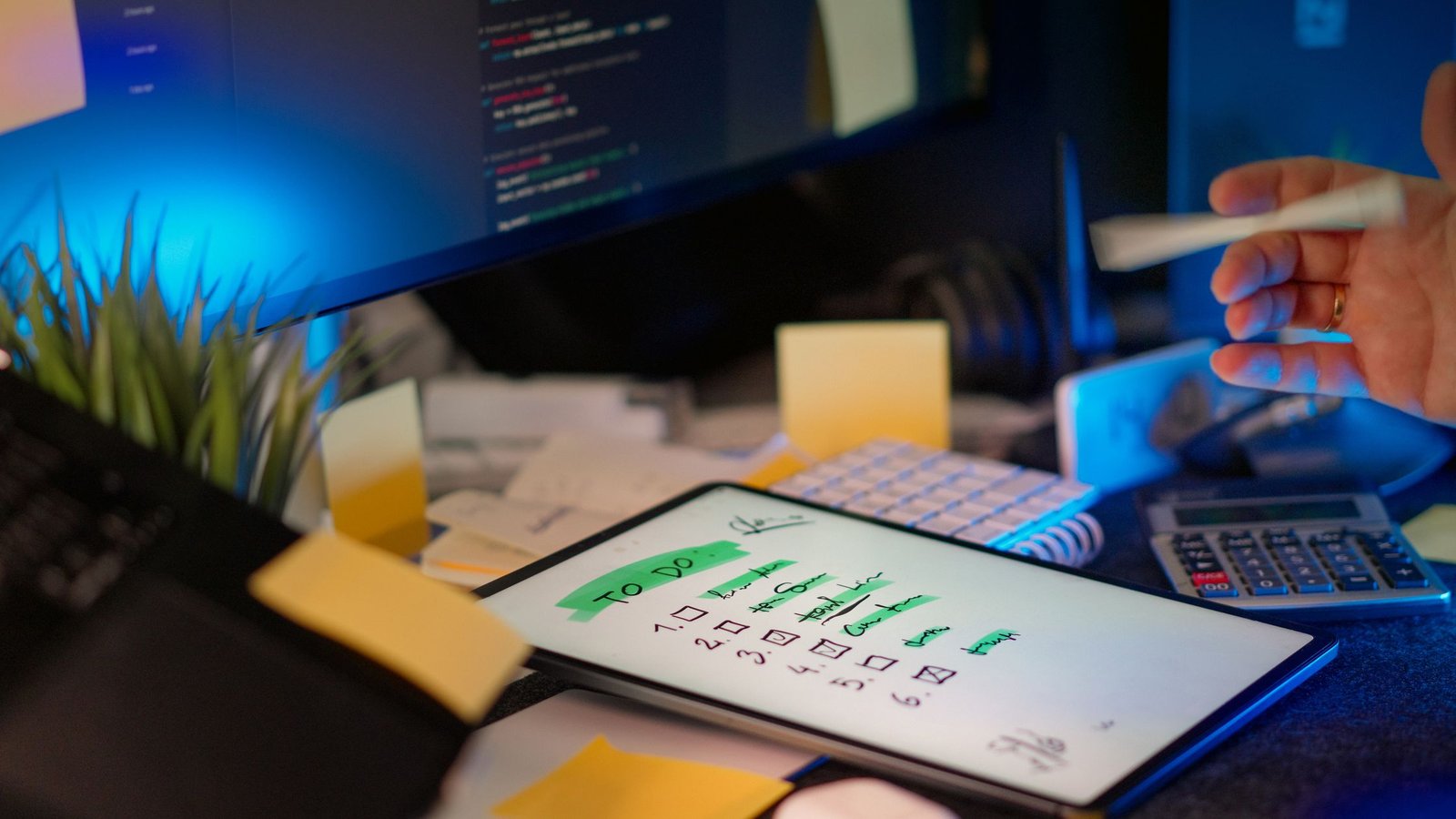
    Notion board showing an adhd-friendly task handoff checklist for small remote teams used in a task template
    Pin your handoff template where work starts. Photo: Jakub Zerdzicki via Pexels. Source: Pexels link.

    Description: A person managing tasks on a tablet with a digital pen in a modern office setting. Photographer: Jakub Zerdzicki. Licensed via Pexels.

    Keep the checklist short enough to tick in one sitting

    Paper checklist with short boxes that mirror an adhd-friendly task handoff checklist for small remote teams
    Short boxes beat long paragraphs. Photo: Nataliya Vaitkevich via Pexels. Source: Pexels link.

    Description: A hand drawing checkboxes on a minimalist checklist. Photographer: Nataliya Vaitkevich. Licensed via Pexels.

    FAQ

    What is the fastest way to adopt this without new tools?

    Copy the template into your current issue type or doc. Pin it. Ask everyone to use it for two weeks. Remove any unused field. Keep the order the same.

    How can we keep handoffs inclusive for neurodiverse teammates?

    Use short sentences, consistent field names, and one screen of content. Offer both text and a quick optional walk‑through video when helpful. Invite clarifying questions without judgment.

    Should we ever skip a check‑in?

    Yes, if risk is low and the deadline is near. But write one failure trigger so the next person knows what to do if something slips.

    Can we use this in sprints with Jira or Linear?

    Yes. Create an issue template with the same fields. Pre‑fill the DoD where it repeats. Link the task doc right in the card.

    How detailed should the DoD be?

    Enough that a teammate can verify it in under a minute. If it takes longer, split the task or simplify the DoD.

    Wrap‑up and next steps

    Start small. Ship the template. Use it on three handoffs this week. You will see fewer Slack pings and faster reviews. Most gains come from making “done” visible and reducing hunting for links. As you refine, keep the core stable so brains can glide on pattern recognition.

    If you want more structure for calm focus, explore our book round‑ups and practical guides. You will find next steps you can apply today. See books that support focused work and our hands‑on reviews and summaries.

    Use this adhd-friendly task handoff checklist for small remote teams, keep it short, and let your process carry the load. Your future self will thank you.

    Last reviewed: 2026‑06‑07. This guide shares process design advice for remote teamwork. It does not provide medical advice or diagnosis.