...

Tag: digital minimalism

  • A Guide to the Zero Inbox Method and Reclaiming Focus

    A Guide to the Zero Inbox Method and Reclaiming Focus

    The zero inbox method isn’t just about tidiness; it’s a system for handling email so your inbox stays empty, or close to it, most of the time. The real goal is to stop your email from becoming a chaotic, anxiety-inducing to-do list that someone else controls.

    Why Your Overloaded Inbox Is a Cognitive Problem

    Affiliate Disclosure: This post may contain affiliate links. If you make a purchase, we may earn a small commission at no extra cost to you. We only recommend products we trust.**

    That constant ping of new messages isn’t just an annoyanceβ€”it’s actively draining your brain’s resources. The feeling of being buried in email is a genuine cognitive and psychological problem, not just a matter of poor organization.

    And the scale of the problem is staggering. In 2025, global daily email traffic hit 376.4 billion messages. The average office worker also gets around 117 emails and another 153 Teams messages every single day. This relentless, multi-channel flood has a real cognitive cost. Research confirms that every time you’re pulled away from a task, it takes significant mental effort to get back on track.

    The Science of a Cluttered Inbox

    Your brain treats every single unread email like an open loopβ€”a task that’s been started but not finished. This creates a low-grade hum of mental tension that follows you all day. From a neuroscience perspective, this constant task-switching depletes glucose in the prefrontal cortex, the part of your brain responsible for focus and decision-making.

    Psychologists call this attention residue. Even after you close the email tab, a part of your brain is still chewing on that vague client request or the β€œurgent” subject line from your boss. This lingering cognitive load splinters your focus, making it incredibly difficult to sink into deep, meaningful work.

    β€œA person’s brain, I think, is the most important thing. And the inbox is a place where a lot of people’s brains live. A lot of people’s brains are in their inbox.” – Merlin Mann, creator of the Zero Inbox Method

    This is precisely why the zero inbox method feels so powerful. Its purpose isn’t just to see an empty screen. It’s about reclaiming your mental clarity by systematically closing those open loops and stopping your inbox from dictating your priorities. You can learn more about how this digital clutter contributes to what is known as cognitive overload in our detailed guide.

    From Chaos to Calm: A Real-World Scenario

    Imagine Alex, a project manager, sitting down to start the day. They open their laptop to an inbox with 247 unread emails. They frantically scan for fires to put out, reply to a couple of messages, and flag others for later, but the sheer volume is paralyzing. By 10 AM, they’ve touched dozens of emails but haven’t actually accomplished anything substantial. Their focus is completely shot.

    Now, picture Alex two weeks after adopting the zero inbox method. They open their email and see just three new messages. They have a system now. One email is deleted, another gets a quick reply, and the third is deferred into a scheduled task block in their time blocking planner. In less than ten minutes, their inbox is clear.

    Their mind is calm, ready to tackle the day’s real priorities, free from the background hum of an overflowing inbox. This is the mental freedom the zero inbox method is designed to deliver.

    The Five Actions That Power the Inbox Zero Method

    At its core, the Inbox Zero method isn’t magicβ€”it’s a system for making quick, decisive choices. This whole approach was designed to fight back against the mental clutter that drains our attention and regain a sense of control.

    The idea came from productivity expert Merlin Mann way back in 2007. His goal was never a literally empty inbox. Instead, he wanted to reduce β€œthe amount of time an employee’s brain is in his inbox.” To get there, he created a simple but powerful framework: for every single email, you take one of five possible actions.

    Each action turns your passive, cluttered inbox into an active processing station, freeing up your brainpower for work that actually matters. This flowchart nails the critical first choice you face with every new messageβ€”either process it decisively or let it slowly drain your focus.

    Decision tree flowchart illustrating steps to manage email overwhelm and achieve a controlled inbox using the zero inbox method.

    This decision tree shows how the method forces a choice, stopping emails from piling up and becoming another source of cognitive load.

    1. Delete or Archive

    Honestly, the most empowering action is often the simplest. If an email is irrelevant, spam, or needs zero input from you, delete it immediately. For messages you might need for reference later but don’t need to act on, just hit Archive.

    Psychologically, this is a huge win. Deleting provides a satisfying sense of closure. It tells your brain, β€œThis is done,” which prevents it from becoming one of those nagging open loops that sap your mental energy all day.

    • Real-World Example: That promotional newsletter from a service you no longer use pops up. Instead of letting it sit, you hit β€œDelete” and β€œUnsubscribe” in one smooth motion. You just saved your future self from dozens of pointless distractions.

    2. Delegate It

    You aren’t always the right person to handle every single request that lands in your inbox. If an email is better suited for a colleague or another department, the right move is to forward it immediately.

    Effective delegation is a game-changer, whether you’re a leader or part of a team. It ensures tasks get to the person best equipped to handle them, preventing bottlenecks and making the whole operation run smoother. A key part of this is practicing effective email etiquette to keep your hand-offs clear and cut down on back-and-forth.

    • Real-World Example: A customer emails you, a marketing manager, about a billing issue. You immediately forward it to the accounting team and CC the customer, letting them know they’re in good hands. The task is now off your plate and with the right expert.

    3. Respond Now

    This one is all about the famous β€œtwo-minute rule.” If you can read, understand, and fire off a reply in under two minutes, do it right then and there.

    Putting off a quick reply often takes more mental energy than just dealing with it. Your brain has to log the task, remember to come back to it, and then re-read the entire email later. Responding right away saves you from that cognitive tax.

    • Real-World Example: Your boss shoots you an email asking if you’re free for a quick call at 3 PM. Instead of flagging it, you glance at your calendar and reply, β€œYep, 3 PM works!” It takes ten seconds, and the loop is closed.

    4. Defer It for Later

    Let’s be real: not every email can be handled in two minutes. For tasks that require deeper thought, research, or a more detailed response, the action is to defer it. This is where your inbox meets your task management system.

    The key is to move the task out of your inbox and into a dedicated systemβ€”a calendar event, a to-do list, or a productivity journal. This keeps your inbox clean while making sure important work doesn’t fall through the cracks. For an in-depth guide to reclaiming your focus, you might find Attention Unleashed particularly useful.

    • Real-World Example: A client sends over a detailed project brief that needs at least an hour of review before you can reply. You create a new task in your project management app—”Review Client Brief”—and schedule it for tomorrow morning. Then, you archive the email. Done.

    5. Do the Task

    Finally, if an email contains a quick task you can knock out in just a few minutes, do it immediately. This is a little different from just responding; it’s about executing a small, self-contained action.

    Checking these quick to-dos off the list prevents them from piling up into a mountain of small, annoying obligations. Plus, according to behavioral psychology, completing small tasks provides a small dopamine hit, creating positive momentum that can carry you through the rest of your workday.

    • Real-World Example: A colleague pings you with a link to a document and asks for your approval. You click the link, review the two sentences that need your sign-off, hit β€œApprove,” and archive the email. The whole thing takes less than a minute.

    Building Your System With Filters and Automation

    Knowing the five core actions is one thing. Putting them into practice is where you really start to feel the Inbox Zero method click. This is where the magic happens, turning theory into a tangible system inside email clients like Gmail and Outlook.

    Automation is your best friend here. Its entire job is to handle the repetitive, low-value emails so your brain doesn’t have to. Every newsletter you filter, every client email you labelβ€”that’s one less decision you have to make.

    This is a direct counterattack on decision fatigue, a very real state where the quality of your choices nosedives after you’ve made too many of them. By automating the small stuff, you save your best mental energy for work that actually moves the needle.

    A laptop on a desk showing email management with 'AUTOMATE INBOX' and 'Waiting for' messages, alongside a notebook and plant, demonstrating the zero inbox method.

    Setting Up Smart Filters and Labels

    Filters are the quiet workhorses of Inbox Zero. Think of them as a digital assistant that sorts your mail before it ever has a chance to distract you.

    You can set up rules for pretty much anythingβ€”newsletters, receipts, notifications from project management tools, or emails from a specific client. The goal is to get these emails out of your main inbox and into designated folders or tagged with labels. They don’t clutter your view, and you can review them in batches when you’re ready. For instance, setting up a rule to automatically forward email from Outlook can be a game-changer for streamlining specific tasks, like getting all your invoices over to your accounting software without lifting a finger.

    Here are a few essential filters to build first:

    • Newsletters & Promotions: Create a filter for common phrases like β€œunsubscribe” or β€œview in browser.” Set it to automatically archive these emails and apply a β€œNewsletters” label.
    • Project-Specific: Filter emails from certain clients or with project-specific keywords (e.g., β€œProject Phoenix”). Have these skip the inbox and go straight to a β€œProject Phoenix” folder.
    • Notifications: Tame the flood of automated alerts from apps like Asana, Slack, or Google Docs. Send them all to a β€œNotifications” folder you can skim once a day.

    Real-World Scenario: A Freelancer’s Automated Workflow

    Let’s look at Maria, a freelance graphic designer. Her inbox was a constant source of distraction, with a mix of messages from three main clients, a ton of newsletters, and endless software notifications.

    She decided to get serious about Inbox Zero by setting up a few key automations in Gmail:

    1. Client Filters: She created a filter for each client based on their email domain (e.g., from:@clientA.com). Each filter automatically applies a colored label—”Client A,” β€œClient B,” β€œClient C”—and archives the message so it skips the main inbox.
    2. Action Labels: She made two more labels: β€œAction Required” and β€œWaiting For.” As she processes her email, she manually adds one of these to important client messages that need a follow-up.
    3. Newsletter Rule: She set up a broad filter that catches most promotional emails and sends them directly to an β€œInspiration & News” folder, keeping them out of sight until she’s ready for them.

    The result? Her main inbox now only shows emails that don’t fit a pre-existing rule. She can quickly scan her labeled emails to see what’s urgent. Her workflow went from reactive chaos to organized, proactive control. To dive deeper into building a system like this, check out our guide on how to manage email overload.

    Using Templates and Reinforcing the Habit

    Another powerful automation is the simple template, or canned response. Just think about the emails you write over and over again: acknowledging a new request, sending a standard quote, or answering a frequently asked question.

    Creating a template for these saves an incredible amount of time and mental energy. Most email clients have this feature built right in.

    The final piece is making these new habits stick. Using a habit tracker journal can make a huge difference here. Each day you set up a new filter or use a template, check it off. That small, satisfying action helps lock the behavior in until it becomes a completely natural part of your email routine.

    Choosing the Best Tools for Your Zero Inbox Method

    While the Inbox Zero method is a mindset, the right tools are the scaffolding that makes your new habits stick. Your toolkit doesn’t need to be fancy or complicated. In fact, starting with what you already have is almost always the best way to begin.

    The tools you pick should solve your specific pain points. For most people, the built-in features inside Gmail or Outlook are more than enough to get the job done. They offer powerful filtering, labeling, and templating features without adding another subscription to your budget.

    But if you’re staring down hundreds of emails every single day, a dedicated app might give you the extra horsepower you need to stay afloat.

    This choice isn’t just about software; it’s about creating a focused environment. From a behavioral science angle, setting firm boundaries around when and how you process email is everything. This is where physical tools can be surprisingly powerful. A simple pomodoro timer on your desk creates a potent psychological trigger. When that timer starts, your brain learns it’s time to deal with emailβ€”and nothing else.

    Best for Beginners: Native Email Features

    If you’re just getting started with the zero inbox method, don’t overcomplicate things. Stick with the platform you already use. Both Gmail and Outlook have a surprisingly robust set of free features that are perfect for building your system from the ground up.

    • Filters and Rules: You can teach your inbox to automatically sort newsletters, receipts, and low-priority notifications without needing a third-party app.
    • Labels and Folders: These are your best friends for organizing emails by project, client, or priority. They’re essential for creating a clean, actionable view of what’s left.
    • Templates (Canned Responses): Stop typing the same reply over and over. Saving pre-written responses for common questions saves an incredible amount of time and mental energy.

    This approach lets you master the core principles of Inbox Zeroβ€”processing, filtering, and organizingβ€”before you even think about paying for more advanced software. You’ll build foundational habits without getting distracted by a bunch of new features you don’t need yet.

    Best for Busy Professionals: Dedicated Email Apps

    Once you have a solid routine down, you might notice your workflow could be more efficient. This is where dedicated email apps like Superhuman or Spark enter the picture. These tools are built from the ground up for people who live in their inbox and offer features designed for pure speed.

    The goal is to find a tool that reduces friction, not adds another layer of complexity. If an app requires a steep learning curve, it might hinder your progress more than it helps.

    Think about upgrading to one of these apps if you find yourself needing:

    • Advanced Keyboard Shortcuts: The ability to navigate and process your entire inbox without ever touching your mouse is a game-changer for high-volume users.
    • AI-Powered Sorting: Smart inboxes can automatically surface what’s important and hide the noise, so you’re only dealing with what truly matters.
    • Integrated Task Management: Turn emails directly into to-do items in your favorite project manager without leaving the app.

    And if your biggest battle is with constant interruptions, a physical tool like a phone lock box timer can create a fortress of focus. It physically removes the temptation to check your phone, allowing you to dedicate your full attention to your scheduled email blocks. For more ideas, you can explore some of the best AI tools for productivity to see how other technologies can streamline your day.

    How to Choose Your Zero Inbox Method Approach

    Picking the right approach is personal. What works for a high-volume executive won’t be the right fit for a freelancer just starting out. This table breaks down the most common strategies to help you find the best fit for your workflow and personality.

    ApproachBest ForKey BenefitPotential Downside
    Native Email ClientBeginners and budget-conscious users.Free and already integrated into your workflow.Requires more manual setup of filters and rules.
    Dedicated Email AppsPower users managing high email volume.Advanced features like AI summaries and shortcuts.Often requires a paid subscription.
    Time-Blocking & BatchingThose prone to constant distraction.Protects deep work time and reduces context switching.Requires discipline to avoid checking email.
    AI-Assisted WorkflowBusy executives and teams needing efficiency.Automated sorting, summarization, and replies.Privacy considerations and potential for AI errors.

    Ultimately, the best tool is the one you’ll actually use consistently. Don’t be afraid to experiment. Try the native features first, and if you hit a wall, then explore a dedicated app. The goal isn’t a perfect system overnight; it’s a sustainable one that gives you back your time and attention. Compare options to find a system that resonates with you.

    How to Make the Zero Inbox Method a Lasting Habit

    Getting to inbox zero for the first time is a rush. That feeling of calm and control? It’s addictive. But the real workβ€”and the real payoffβ€”isn’t in the initial cleanup. It’s in turning that one-time win into a durable, automatic habit.

    Desk setup with open planner, 'Reset' mug, laptop, and plant for using the zero inbox method. Purple background says 'MAKE IT HABIT'.

    This is all about the science of habit formation. Every time you process an email using the five core actions, you’re strengthening neural pathways. What once took deliberate, conscious effort eventually becomes second nature. It’s not about perfection; it’s about consistency.

    The Psychology of Sticking With It

    The secret to making this last is to focus on small, repeatable actions. Forget trying to maintain a perfectly empty inbox every single day. Behavioral research is clear: it’s the repetition that rewires our brains, making new behaviors feel less like a chore and more like a reflex.

    Research by Phillippa Lally shows it takes, on average, about 66 days for a new behavior like this to become automatic. And the investment is tinyβ€”just 2-5 seconds per email to make a decision. The difference between success and failure isn’t the framework itself; it’s the commitment to processing your inbox in small, regular batches.

    That’s why consistency is so much more powerful than intensity. A small, daily commitment to triage your email does more to build the habit than one heroic cleanup session every few months.

    Practical Strategies for a Lasting Habit

    To make this sustainable, you need some practical guardrails. These are the things that keep you on track when you’re busy, overwhelmed, or just don’t feel like it.

    • Schedule a Weekly β€œReset.” Look, nobody is perfect. You’re going to have days where the system breaks down. Instead of feeling guilty about it, block off a non-negotiable 30 minutes every Friday afternoon to clear out any backlog. This little ritual ensures you start every week with a clean slate.
    • Resist the Morning Check. This is one of the most destructive habits out there. Checking your email first thing in the morning immediately puts you in a reactive state, letting other people’s priorities hijack your day before it’s even started. Get your most important task for the day done before you even open your inbox.
    • Track Your Progress. Visual cues are incredibly powerful motivators. Using one of the best habit tracking apps can give you that satisfying hit of progress, reinforcing the new behavior each time you stick to your email blocks.

    A note on well-being: This article is for educational purposes only. If you are experiencing significant stress, anxiety, or symptoms of burnout from digital overload, please consult with a qualified medical or mental health professional. This content is not a substitute for professional care for conditions like ADHD or sleep problems.

    Editor’s Take on the Zero Inbox Method

    Honestly, the zero inbox method is a game-changer, but not for its most famous promise. The real magic isn’t the empty screen; it’s the decisiveness it forces. It transforms your inbox from a passive receptacle of other people’s demands into an active processing station where you are in charge.

    Who is it best for? It’s ideal for knowledge workers, freelancers, and managers who need to protect large chunks of time for deep work. If your job’s value comes from focused creation or strategic thinking, this system is a powerful defense against distractions.

    Important Caveats: This is not a great fit for roles requiring constant, real-time responses, like customer support or live event coordination. In those cases, aggressive filtering and templating are more practical than strict batching. Also, remember the goal is mental clarity, not perfection. Obsessing over a literal β€œzero” every hour is just trading one form of anxiety for another. Adapt the principles to fit your real-world needs.

    Key Takeaways for the Zero Inbox Method

    • It’s a Mindset, Not a Number: The goal is to spend zero mental energy worrying about your inbox, not necessarily to have zero emails in it at all times.
    • The 5 Actions Are Your Foundation: For every email, choose one action: Delete, Delegate, Respond (if <2 mins), Defer (to a task list), or Do (if <2 mins).
    • Automation is Your Ally: Use filters, rules, and labels to sort incoming mail automatically. This saves your decision-making energy for what matters.
    • Batch Processing Protects Focus: Schedule 2-3 specific times to check and process email. Avoid leaving your inbox open all day to prevent constant context-switching.
    • Consistency Trumps Intensity: A little bit of processing every day builds a lasting habit far better than a massive cleanup once a month.

    Disclaimer: The information in this article is for educational purposes only and is not a substitute for professional medical or psychological advice, diagnosis, or treatment. The content may also include affiliate links, which means we may earn a small commission on purchases at no extra cost to you.

    FAQ: Common Questions About the Zero Inbox Method

    1. Is the goal to have literally zero emails in my inbox?

    No, not necessarily. The true goal is to spend β€œzero brain time” worrying about what’s lurking in your inbox. It means every email has been assessed and has a placeβ€”even if that place is sitting in the inbox awaiting a scheduled follow-up. Control, not emptiness, is the real victory.

    2. How often should I check my email with this method?

    For most people, scheduling 2-3 specific blocks of time per day to process email is most effective. This β€œbatching” prevents constant interruptions. According to neuroscience, this reduces the cognitive cost of task-switching, preserving your focus for deep work.

    3. What if my job requires me to be responsive all day?

    You can adapt the method. Instead of batching twice a day, you might need shorter, more frequent check-ins. The key is to keep it intentional. During those checks, fully process what you can (delete, delegate, respond). The goal is to avoid leaving your inbox open as a constant background distraction.

    4. How long does it take to get used to the zero inbox method?

    Be patient. You’re rewiring a long-standing habit. Behavioral research suggests it can take around 66 days for a new behavior to feel automatic. Focus on consistency over perfection in the first few weeks. Each time you stick to the process, you strengthen the new neural pathway.

    5. Can this method truly help with feeling overwhelmed or anxious?

    Yes. An overflowing inbox often functions as an unstructured, anxiety-inducing to-do list controlled by others. By giving every email a clear destination, you reduce the cognitive load and restore a sense of order. This feeling of control is a powerful psychological antidote to the stress of digital overload.


    Ready to build a system that goes beyond your inbox and brings focus to your entire life? Start by reading The Power of Clarity, our foundational guide to calm productivity.


    See the book that fits your goal

  • How to Do Deep Work: A Practical Guide to Unlocking Real Focus

    How to Do Deep Work: A Practical Guide to Unlocking Real Focus

    To truly do deep work, you have to carve out specific, scheduled blocks of time for a single, high-value task. This means creating a space completely free from the usual suspectsβ€”email, social media pings, and phone notifications. It’s about building rituals that signal to your brain that it’s time to lock in and concentrate.

    (Affiliate Disclosure: This article may contain affiliate links. If you purchase through a link, we may earn a small commission at no extra cost to you. We only recommend products we believe in.)

    What Is Deep Work and Why It Matters Now More Than Ever

    Most workdays feel like a losing battle against interruptions. We bounce between emails, Slack messages, and β€œurgent” requests, ending the day feeling busy but not truly productive.

    This constant, reactive state is what author Cal Newport calls shallow work. It’s the logistical, low-value stuff that fills our calendars but doesn’t move the needle. Think administrative tasks, quick replies, and sorting through your inbox.

    In stark contrast, deep work is the ability to focus without distraction on a cognitively demanding task. It’s the zone where you produce your best, most valuable work, pushing your skills to their limit. It’s the difference between clearing 50 minor emails and spending two uninterrupted hours drafting a critical business strategy.

    Man working on a laptop with floating digital icons above, while a safe, phone, and alarm clock sit on the deskβ€”illustrating practical habits for how to do deep work.

    To make this distinction crystal clear, here’s a quick breakdown of what separates the two.

    Deep Work vs Shallow Work: A Quick Comparison

    This table breaks down the fundamental differences between deep and shallow work. It helps you quickly identify which activities drain your focus versus which ones drive meaningful results.

    CharacteristicDeep WorkShallow Work
    Cognitive DemandHigh; requires intense concentrationLow; can be done while distracted
    Value CreationHigh; produces new, valuable outputLow; supports existing value, logistical
    Distraction LevelZero distractionsHigh; often performed with interruptions
    Skill ImprovementPushes and improves your skillsDoes not require or build new skills
    ExamplesWriting a book, coding a new featureAnswering emails, scheduling meetings
    ReplicabilityHard to replicate; requires expertiseEasy to replicate; can be outsourced

    Once you see the difference, it’s hard to unsee it. You start noticing just how much of the day gets eaten up by the shallow end of the pool. This leaves little time or energy for the deep work that actually matters.

    The Science Behind Intense Focus

    Deep work isn’t just a trendy productivity hack; it’s rooted in neuroscience. When you engage in intense, single-minded focus, your brain can enter a state of flow. In this state, you become fully immersed in the activity.

    During flow, your brain releases neurotransmitters like dopamine and norepinephrine. These chemicals enhance focus, motivation, and creative problem-solving. This is why time seems to fly by when you’re deeply engaged in a challenging project.

    Furthermore, our brains operate on natural cycles of energy and rest known as ultradian rhythms. These cycles last about 90 to 120 minutes. Aligning your deep work sessions with these rhythmsβ€”working intensely for 90 minutes followed by a short breakβ€”allows you to maximize your cognitive output without experiencing burnout. It’s about working with your brain’s biology, not against it.

    Why Deep Work Is a Superpower Today

    The modern workplace is practically designed to prevent deep work. A staggering report from Gallup revealed that the average office worker is only productive for 2 hours and 53 minutes of an eight-hour day. The rest of their time is consumed by distractions. This environment makes the ability to concentrate deeply an increasingly rareβ€”and valuableβ€”skill.

    In an economy where knowledge work is paramount, the ability to perform deep work is like a superpower. It allows you to learn complex things quickly and produce high-quality results at an elite level.

    Imagine a marketer named Sarah. Her goal is to develop a new campaign strategy. But her day is fragmented by Slack notifications, impromptu meetings, and a constant stream of emails. She tries to work on the strategy in 15-minute bursts between interruptions. The result? A disjointed, uninspired plan that lacks creative depth.

    Now, picture Sarah applying deep work principles. She blocks out a 90-minute session in her calendar, puts her phone away, and closes her email and Slack tabs. Free from distractions, she can fully immerse herself in the task. She connects ideas, thinks critically, and produces a brilliant strategy in a single session.

    By committing to deep work, you’ll naturally find ways to increase your overall work efficiency, leading to better results in less time. Learning how to rebuild attention in a world of distraction is the first step toward mastering this powerful skill.

    Preparing Your Space for Uninterrupted Focus

    You can’t expect to do deep, meaningful work in an environment designed for distraction. Every corner of your physical and digital space sends cues to your brain. A cluttered desk and a screen buzzing with notifications signal chaos and multitasking. On the flip side, a clean, dedicated workspace tells your brain it’s time to concentrate.

    Creating this sanctuary for focus is a foundational step. It’s not about having a perfect, magazine-worthy office. It’s about intentionally designing a small pocket of your world to support your most important thinking. Whether it’s a dedicated room or just a specific chair at the kitchen table, the key is consistency.

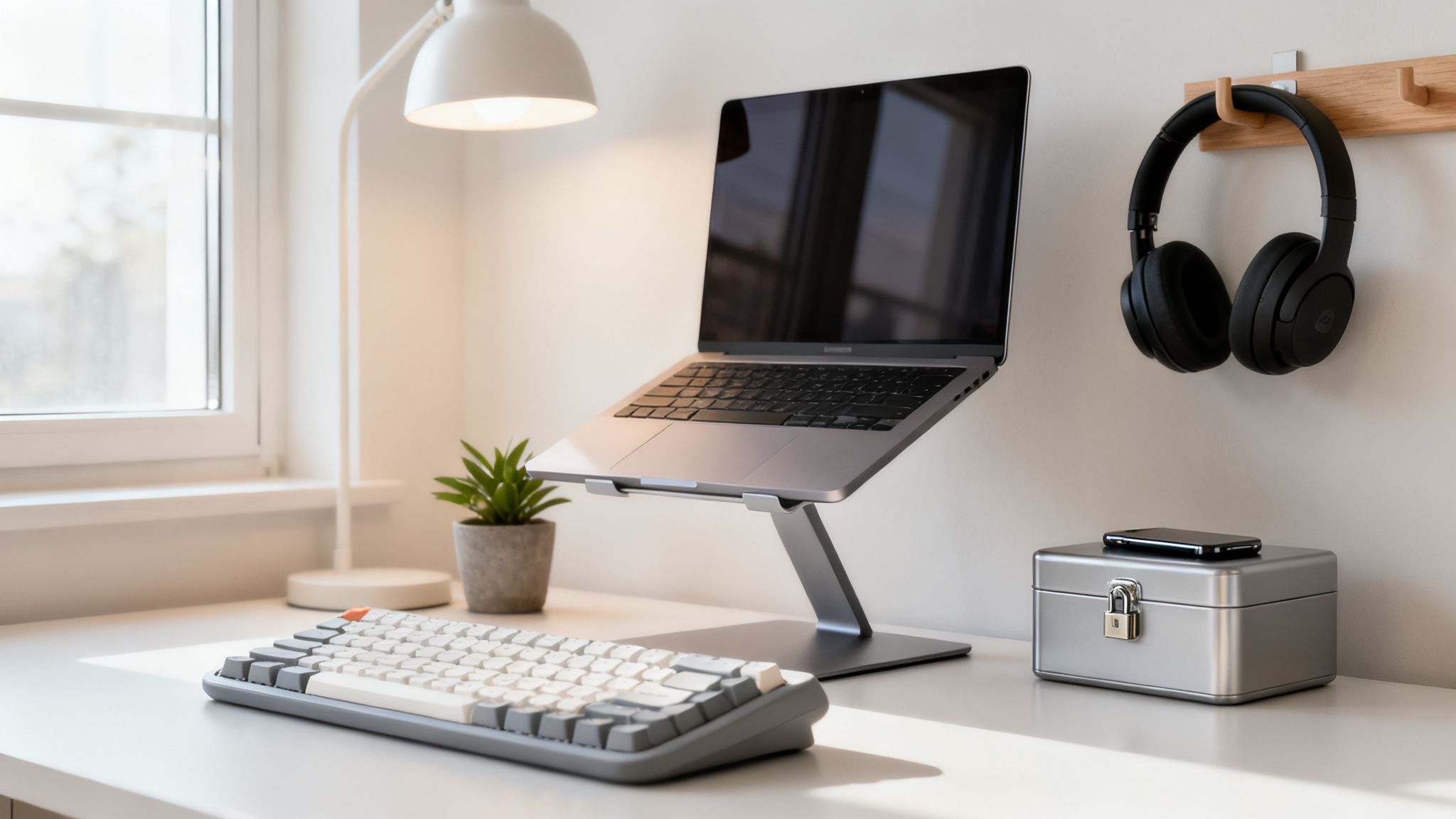
    Modern minimalist home office desk setup with a laptop, mechanical keyboard, and headphones, creating a clean environment for how to do deep work.

    Engineer Your Physical Environment

    Your brain forms powerful associations between locations and activities. When you consistently perform deep work in the same spot, that space becomes a trigger for focus. This concept, known as context-dependent memory, means just sitting down in your β€œdeep work chair” can help you slide into a state of concentration more quickly.

    Take Alex, a remote software developer working from his small apartment. Initially, he worked from his couchβ€”the same place where he watches TV and scrolls social media. His brain associated the couch with relaxation and distraction, making focus feel like an uphill battle.

    He decided it was time to change things. So he picked a quiet, rarely used corner of his living room and turned it into a work-only zone. A proper desk went in first, followed by a comfortable ergonomic keyboard to make long sessions easier. Then he set one clear rule: that spot was only for coding and deep thinking. To support better posture, he added a laptop stand for desk. Once the boundary was real and consistent, the results showed up fast. Before long, his brain started treating that corner as a cue for focus, and getting into a productive state each day felt much more natural.

    Declutter Your Visual Field

    Visual clutter is mental clutter. A messy desk piled with old mugs, random papers, and tangled wires creates a low-grade cognitive load that constantly pulls at your attention. You don’t have to become a minimalist, but you do need to clear your immediate line of sight of anything unrelated to your current task.

    A clean, organized workspace isn’t just about aesthetics; it reduces the number of decisions your brain has to make. By removing visual distractions, you free up mental bandwidth that can be redirected toward your deep work task.

    Before each deep work session, take two minutes to tidy your space. Put away anything you don’t need. This small ritual acts as a β€œreset” button, signaling a clean slate for your mind. You can find more practical tips in our guide to home office organizing ideas to create a truly productive environment.

    Eliminate Auditory and Digital Interruptions

    Your physical space is only half the battle. Digital and auditory distractions are often the real culprits that derail deep focus. This is where you have to get ruthless about protecting your attention.

    • Silence Your Biggest Distraction: Your smartphone is the most powerful interruption device ever created. The most effective move is often to make it physically inaccessible. A phone lock box timer is a fantastic tool for this. You set the timer, lock your phone inside, and can’t get it back until the time is up. It removes temptation entirely.
    • Create a Sound Cocoon: Unexpected noisesβ€”a barking dog, a loud conversation, construction outsideβ€”can instantly shatter your concentration. High-quality noise canceling headphones are essential for creating an auditory bubble where you control the soundscape.
    • Curate Your Focus Soundtrack: For some people, silence can be just as distracting. Low-fi music, ambient sounds, or a simple white noise machine can help mask distracting background noise and promote a calm, focused state. Beyond just the sounds, understanding the Lofi aesthetic can help you curate a digital mood that supports calm.

    By taking deliberate steps to control your physical and digital environments, as outlined in books like Reclaiming Silence, you build a fortress for your focus. This prep work isn’t procrastination; it’s the essential groundwork that makes deep work possible. It tells your brain, β€œThis time and this space are sacred.”

    Building the Rituals That Make Deep Work a Habit

    Sustainable deep work isn’t about brute-force willpower; it’s about creating smart systems that run on autopilot. If you rely on motivation alone, you’re signing up for a rollercoaster. Our energy and mood swing wildly from one day to the next.

    The real goal is to build simple, repeatable rituals that cue your brain it’s time to focus. When you do this right, concentration becomes the path of least resistance, not a constant uphill battle.

    This whole idea is grounded in solid behavioral science. Habits are just shortcuts our brains create to save energy. By designing a deliberate β€œstart-up” routine, you build a powerful psychological trigger. Over time, the mere act of performing this ritual will slide you into a state of focus more easily. This conserves your precious mental reserves just to get started.

    Person pouring hot tea into a mug on a desk beside a planner and computer monitor by a sunny window, setting up a calm space for how to do deep work.

    Design Your Pre-Work Ritual

    Think of your pre-work ritual as a warm-up for your mind. It should be a short sequence of actionsβ€”lasting no more than 5-10 minutesβ€”that you perform every single time before a deep work session. Consistency is what wires it into your brain.

    This ritual acts as a clear dividing line. It’s a conscious transition from the shallow, distracting world into your protected focus time.

    Here are a few components you can mix and match to build your own:

    • Set the Scene: Tidy your desk, pour a specific drink like coffee or tea, and turn on a monitor light bar to give your workspace a focused glow.
    • Define Your Goal: Open a productivity journal and write down the single, specific goal you want to accomplish. Clarity is everything.
    • Start the Clock: Set a visual timer for desk for your chosen duration. Watching the time tick down creates a sense of positive urgency and keeps you honest.

    A writer’s ritual, for instance, might be: pour a mug of green tea, open a fresh document, turn on a specific focus playlist, and set a pomodoro timer for 25 minutes. It’s simple, quick, and repeatable. You can find more ideas for structuring your day by learning how to create a morning routine that supports your focus goals.

    Master Your Time with Proven Methods

    Once your ritual is complete, you need a structure for the work itself. Just diving in can leave you feeling scattered and overwhelmed. Two of the most effective methods are timeboxing and the Pomodoro Technique. Both of these add much-needed boundaries to your focus sessions.

    Timeboxing is the practice of assigning a fixed time periodβ€”a β€œbox”—to a specific activity. During that block, you work only on that task. This is incredibly powerful for chipping away at larger projects. You can use a dedicated time blocking planner to schedule these blocks in advance, treating them like unbreakable appointments with yourself.

    The power of timeboxing lies in its commitment. By deciding in advance what you’ll work on and for how long, you eliminate the constant mental negotiation of β€œWhat should I do next?” This frees up cognitive resources for the actual deep work.

    The Pomodoro Technique is a cyclical system. You work in focused 25-minute sprints, separated by 5-minute breaks. After four of these β€œpomodoros,” you take a longer break of 15-30 minutes. This method is brilliant for maintaining high energy levels and preventing mental fatigue, as the frequent breaks help your brain recharge.

    Mini-Scenario: A Busy Parent’s Deep Work Plan

    Let’s look at Maya, a freelance designer and parent to two young kids. Her schedule is a chaotic mess, and long, quiet stretches of time are a fantasy. She feels like deep work just isn’t for people like her.

    Instead of aiming for some unrealistic four-hour monastic session, Maya adapts. She hunts for reliable pockets of time in her day and finds two: from 6:00 AM to 7:00 AM before the kids wake up, and from 1:00 PM to 2:00 PM during their nap.

    She uses a timeboxing approach, scheduling these two 60-minute blocks in her habit tracker journal. Her start-up ritual is dead simple: make a coffee, put on her headphones, and open her design software. For that one hour, she works exclusively on her most important client project. No exceptions.

    By creating a system that fits the reality of her life, Maya consistently banks two hours of high-quality deep work every single day. As the principles in Focus Recharged suggest, it’s not about finding the perfect system; it’s about building one that actually works for you.

    Taming Digital Distractions and Reclaiming Your Attention

    Your phone and inbox are the biggest enemies of deep work. That’s not an exaggeration. Each notification, ping, and buzz is a tiny interruption that fractures your focus. It yanks you out of deep thought and back into the shallow, reactive world.

    Taking back control isn’t about willpower. It’s about strategically re-engineering your relationship with technology.

    This battle for your attention is happening inside your own brain. Every social media like, email notification, and news alert delivers a tiny hit of dopamine. This is the neurotransmitter tied to pleasure and reward. Over time, your brain starts craving these small, frequent rewards. This makes the sustained, quiet focus needed for deep work feel boring and almost painfully difficult.

    Reset Your Brain with a Dopamine Detox

    The idea of a β€œdopamine detox” is about intentionally cutting back on these constant, low-value stimuli. By doing this, you help reset your brain’s reward circuits. This makes it more sensitive to the deeper, more lasting satisfaction that comes from accomplishing something truly challenging.

    This doesn’t mean you have to go live in a cabin in the woods. It’s about creating deliberate, practical boundaries to reduce endless hyper-stimulation.

    Here’s where to start:

    • Kill Non-Essential Notifications. Go through your phone and computer settings right now. Disable notifications for everything except the absolute essentials (think phone calls or critical calendar reminders). Every banner and badge you kill is one less battle your brain has to fight.
    • Schedule Your Distractions. Instead of checking email and social media whenever the urge strikes, schedule specific β€œcheck-in” times. Maybe you decide to check your inbox at 11:00 AM and 4:00 PM only. This small shift puts you back in the driver’s seat.
    • Use Tech to Fight Tech. Install website and app blockers on your devices. Set them to block distracting sites like Twitter, news aggregators, and YouTube during your scheduled deep work blocks. This creates an external barrier that makes it harder to give in to that mindless browsing reflex.

    By putting these strategies into practice, you start rewiring your brain to seek satisfaction from focus, not distraction. If you’re looking for more ways to manage your tech use, check out our guide on practical digital detox tips.

    Build a Fortress Around Your Focus Time

    Once you’ve started managing your brain’s cravings, the next step is to build a practical system. This system protects your deep work sessions from outside intrusions. This is where you get tactical about managing your digital environment.

    One of the most powerful strategies is to adopt an β€œoffline by default” mindset. Start your deep work session with the Wi-Fi turned off. Only connect to the internet when you have a specific, pre-defined task that requires it, like looking up a particular piece of research.

    When you treat the internet as a tool you pull out for specific jobsβ€”rather than a constant environment you live inβ€”you fundamentally change its power over your attention. It becomes a servant to your goals, not the master of your time.

    If your work involves long hours in front of a screen, especially in the evening, think about wearing blue light blocking glasses. A growing body of research suggests that exposure to blue light at night can disrupt your body’s production of melatonin. This is the hormone that regulates sleep. Protecting your sleep with a good sleep mask blackout is also crucial for maintaining the cognitive energy you need for deep work.

    The ultimate goal, as detailed in the book Digital Clarity, is to transform technology from a source of constant interruption into a set of powerful tools that you command. It’s about moving from a reactive posture to a proactive one, ensuring your digital world supports your deepest goals instead of sabotaging them. This shift is foundational to making deep work a sustainable practice.

    Using Smart AI to Create More Time for Deep Work

    It’s easy to see artificial intelligence as just another distraction. It can feel like one more shiny object pulling you away from what matters. But when you flip the script, AI can become your single best ally in the quest for more deep work.

    The trick is to stop seeing it as an entertainment source and start treating it like a hyper-efficient assistant. Its job? To take on all the shallow, robotic tasks that currently chip away at your day.

    Think about all the time sunk into low-value work: summarizing dense reports, drafting boilerplate emails, or wrangling research into an outline. These are perfect jobs for an AI. By offloading this cognitive clutter, you save your best mental energy for the strategic and creative thinking that actually moves the needle.

    Making AI Your Productivity Partner

    The real goal here is to use AI to automate the prep work that comes before a deep work session. Think of it as clearing the runway so you have a long, uninterrupted stretch for takeoff. Instead of spending an hour manually pulling data for a new project, you could ask an AI tool to compile and summarize the key points in just a few minutes.

    The data backs this up. Generative AI users are 33% more productive per hour, saving an average of 5.4% of their work time. In real-world experiments, teams have seen 15% faster issue resolution and 34% quicker task completion when they bring AI into the mix. By automating the shallow stuff, you are literally buying back time for the deep work that matters most. Discover more insights about these productivity statistics on high5test.com.

    AI doesn’t do the deep work for you; it creates the time and space for you to do the deep work yourself. It handles the β€˜what’ and β€˜how’ of shallow tasks so you can focus on the β€˜why’ and β€˜what if’ of complex problems.

    A Creator’s Real-World AI Workflow

    Let’s make this concrete. Imagine a content creator named Leo. His most valuable workβ€”the thing that actually grows his businessβ€”is writing insightful articles. This requires hours of focused thought.

    Before he started using AI, a huge chunk of his time was eaten up by shallow tasks. These included keyword research, brainstorming titles, and creating social media blurbs. Now, Leo has a smarter workflow.

    • He uses an AI tool to generate a list of relevant keywords and analyze what his competitors are writing about.
    • He asks it to brainstorm 20 potential headlines for his next article, giving him a great starting point.
    • After he’s finished his deep writing session, he feeds the final article to the AI. Then, he asks it to generate five different social media posts to promote it.

    This approach, inspired by strategies in books like Marketing Magic and The 6-Figure Creator, lets Leo delegate all the tedious, formulaic work.

    The result? His precious deep work sessions are now reserved purely for the creative act of writing. He’s not just working faster; the quality of his output has gone up because his best energy is going to the right place. To get a more detailed look at these kinds of systems, check out our full guide on how to use AI for productivity.

    Editor’s Take

    Let’s be honest about what it takes to do deep work. It’s about consistency, not perfection. This simple shift in mindset is a game-changer for anyone whose job requires real concentrationβ€”from writers and developers to strategists and researchers.

    But here’s where the advice often falls apart: it can feel impossible in highly reactive roles, like customer service, or jobs with a constant stream of unpredictable demands. The key is to adapt these principles to your real life, not just copy a guru’s four-hour morning routine. Don’t get discouraged if that feels out of reach.

    Start smaller. Way smaller. Even 30 minutes of genuinely uninterrupted focus is a massive win. One of the best investments you can make is a simple analog alarm clock to keep time without the black hole of your phone sitting on your desk. For people working from home, an under desk walking pad can also be a great way to stay active without breaking focus.

    The real goal is to build a sustainable habit, not to achieve a perfect daily streak. Small, consistent efforts compound. Trust the process.

    Key Takeaways on How to Do Deep Work

    • Schedule It: Treat deep work like a non-negotiable meeting. Block 60-90 minute sessions in your calendar and protect that time fiercely.
    • Create Rituals: Develop a simple pre-work routine to signal to your brain that it’s time to focus. Consistency is more important than complexity.
    • Eliminate Distractions: Design your physical and digital environment for focus. This means silencing notifications, using noise-canceling headphones, and putting your phone out of reach.
    • Work with Your Brain: Align your work sessions with your natural energy cycles (ultradian rhythms). Work in focused sprints of around 90 minutes, followed by a real break.
    • Automate Shallow Tasks: Use tools, including AI, to offload low-value, repetitive work. This frees up your best mental energy for the tasks that truly matter.
    • Rest Intentionally: Deep work requires intense energy. Build in genuine downtime and create a clear β€œshutdown” ritual at the end of the day to prevent burnout.

    Your Deep Work Questions, Answered

    As you start carving out time for deep work, a few common questions and sticking points always seem to pop up. Think of this section as a quick troubleshooting guide. It’s based on years of helping people navigate these exact challenges.

    How Much Deep Work Should I Actually Aim for Each Day?

    There’s no magic number here. When you’re just starting, a single, uninterrupted 30-60 minute session is a massive win. Seriously. The goal is consistency, not a heroic multi-hour slog on day one.

    For most knowledge workers, a sustainable target to build toward is two to four hours a day. This is usually split into 60-90 minute chunks. Trying to push past four hours of truly intense, concentrated work is a recipe for burnout. I cover this topic in depth in Burnout Breakthrough. Focus on the quality of your attention, not just the minutes on the clock.

    What’s the Best Time of Day to Practice Deep Work?

    The best time is your timeβ€”the window when you have the most mental energy and the fewest built-in interruptions. For a lot of people, that’s first thing in the morning before the day’s chaos really kicks in. The brain is fresh, and willpower hasn’t been chipped away yet. Using a sunrise alarm clock can help you wake up gently and start your day with focus.

    But if you’re a night owl who does your best thinking after dark, that’s your window. The key isn’t the specific time on the clock. It’s identifying your personal peak performance hours and then fiercely protecting them on your calendar.

    How Do I Handle Interruptions from Colleagues or Family?

    This one comes down to a mix of clear boundaries and upfront communication. At the office, block out deep work time on your shared calendar. Also, flip your status to β€œDo Not Disturb.” These simple signals tell colleagues you’re off-limits for anything non-urgent.

    At home, it’s about having a direct conversation. Explain what deep work is and why you need that protected time. A simple sign on your door or a pair of big headphones can serve as a powerful visual cue: β€œI’m in the zone, please don’t interrupt unless it’s a real emergency.”

    Can I Listen to Music During a Deep Work Session?

    Yes, but you have to be strategic. The wrong kind of music can sabotage your focus. Anything with lyrics tends to be a bad idea. It activates the language centers in your brain, forcing your attention to compete with itself.

    Your best bet is instrumental, ambient, or electronic music with a steady, repetitive beat. The goal is to create a sound cocoon that masks distracting background noise without demanding your active attention.

    Many people find that using the same playlist every single time becomes a powerful part of their focus ritual. It’s like a Pavlovian bell for your brain, signaling that it’s time to get to work.

    What if My Mind Wanders During a Session?

    It will. That’s completely normal, especially when you’re building this new muscle. The goal isn’t to achieve a perfectly silent mind. It’s to get better at noticing when your attention has drifted and gently guiding it back.

    When you realize you’re thinking about your grocery list instead of your report, just acknowledge it without judgment. Then, return your focus to the task. Using a timer can be a great external anchor; seeing the time tick down adds gentle pressure to stay on course. Every time you redirect your focus, you’re doing a rep for your attention muscles.

    How to do deep work in an open office?

    It’s tough, no doubt, but it’s not impossible. A good pair of noise-canceling headphones is non-negotiable. They are the single most important tool for creating a private bubble of concentration in a sea of noise. An ergonomic mouse can also help you stay comfortable during long sessions.

    Next, become a focus opportunist. Does your office have quiet rooms, phone booths, or an empty conference room? Claim one for your deep work block. You can also try β€œtime-shifting”—coming in an hour early or staying an hour late to take advantage of the natural quiet time in the office.

    Does This Mean I Have to Quit Social Media?

    Of course not. The goal isn’t to become a digital monk; it’s to be intentional. The problem with social media isn’t the platforms themselves. It is the way mindless, impulsive scrolling fragments your attention and erodes your ability to concentrate for long periods.

    Instead of checking apps whenever you feel a flicker of boredom, schedule your social media time. Decide you’ll spend 15 minutes scrolling during your lunch break or after your deep work is done for the day. This simple shift puts you back in the driver’s seat.

    How Long Does It Take to Get Good at This?

    Building your deep work β€œmuscle” is a process. You’ll likely feel small improvements within a week or two of consistent practice. But for it to become a deeply ingrained habit that feels almost automatic? That might take a few months.

    Be patient. Some days will be easier than others. It can be really helpful to track your sessions in a journal to see just how far you’ve come. Treat this as a skill you’re developing over time, not an on/off switch you’re supposed to flip.

    What if My Job Is Mostly β€œShallow Work”?

    Even in the most reactive roles, there are almost always hidden opportunities for depth. Look for tasks that involve strategy, planning, or learningβ€”things that create future value. Maybe it’s finally documenting a process, analyzing last quarter’s data, or learning a new piece of software.

    Even if you can only carve out one 30-minute block each day for a high-value task, that consistent effort will compound dramatically over time. This will boost both your value and your job satisfaction.

    How Do I Avoid Burning Out from All This Intense Focus?

    The antidote to intense focus is intentional rest. Our brains naturally operate in cycles. Research on ultradian rhythms suggests we work best in focused bursts of about 90 minutes, followed by a genuine 15-20 minute break. Taking a quality magnesium glycinate supplement may also support relaxation and cognitive function, but consult a doctor first.

    During that break, you have to truly disconnect. Step away from all screens. Stretch, walk around, or just stare out a window. It’s also crucial to have a firm β€œshutdown ritual” at the end of the day to create a clean break between your work life and your personal life. That boundary is essential for long-term sustainability, a concept explored in Burnout Interrupted.


    Disclaimer: This article contains affiliate links, which means we may earn a small commission if you make a purchase at no extra cost to you. The content provided is for educational and informational purposes only. It is not a substitute for professional medical advice, diagnosis, or treatment. If you have concerns about anxiety, depression, ADHD, burnout, sleep problems, or other health conditions, please consult a qualified healthcare provider.


    Mind Clarity Hub is dedicated to providing science-based, actionable guidance to help you master focus and productivity. To dive deeper into these concepts, explore Jeremy Jarvis’s complete library of books. Start your journey with the foundational guide, The Power of Clarity, and learn to build a life of intention and focus.

  • Build Your Ultimate Focus Portal to Boost Productivity

    Build Your Ultimate Focus Portal to Boost Productivity

    Affiliate Disclosure: This post may contain affiliate links. If you make a purchase through these links, we may earn a small commission at no extra cost to you. This support helps us continue to create valuable content.

    A focus portal is your personalized, distraction-free command center. It’s not a single app you download. Instead, it is an entire environment you build. This integrated system of digital tools and daily routines is designed to protect your attention and make deep work possible.

    What Is a Focus Portal and Why You Need One Now

    Ever feel like you’re drowning in a sea of open tabs? Are scattered to-do lists and a never-ending inbox overwhelming you? You’re not alone. This digital chaos drains your mental energy through constant context-switching. Neuroscience research shows this process overloads the prefrontal cortex, the part of your brain responsible for planning and decision-making.

    A focus portal is your defense against that overload. It’s a dedicated space, both digital and mental, that you engineer for concentration. Instead of reacting to a constant barrage of alerts, you create a system that serves your goals. This allows you to proactively engage with your most important work.

    This isn’t just a personal productivity hack; it mirrors a major shift happening in the business world. Companies are scrambling to build centralized hubs for collaboration, with the global enterprise portal market projected to hit USD 93.82 billion by 2035. Why? They know that cutting through the information overload plaguing 70% of digital workers is essential for survival.

    The Science Behind a Dedicated Focus Space

    Your brain thrives on cues. When you consistently use a specific digital setup for demanding work, you create powerful psychological associations. Behavioral psychology refers to this as β€œcontext-dependent learning.” The environment you’re in helps you recall information and get into the right state of mind.

    By designing a focus portal, you’re essentially telling your brain: β€œThis is the place where we concentrate.”

    This approach helps you drop into the state of intense concentration we explore in our guide on what is deep work. Creating this intentional space reduces the cognitive load of deciding what to do next. It also fights the temptation of multitasking. Studies show multitasking can slash your productivity by as much as 40%. A simple phone lock box timer can be a great physical tool to prevent this.

    β€œA focus portal turns your computer from a source of constant distraction into a powerful tool for concentration. It’s about designing your environment to make focus the path of least resistance.”

    Books like The Power of Clarity and Digital Clarity dig deep into these ideas. They show how intentional systems help you escape digital burnout. When you build a focus portal, you are not just organizing your apps. You are structuring your attention and reclaiming your mental energy for what truly matters.

    This article is for educational purposes only. It is not a substitute for professional medical or psychological advice, diagnosis, or treatment. If you are experiencing symptoms of anxiety, depression, ADHD, burnout, or sleep problems, please consult a qualified healthcare provider.

    Designing Your Focus Portal Blueprint

    Before you build a house, you need a blueprint. The same is true for a powerful focus portal. Without a clear plan, your efforts can become just another source of digital clutter. It can become another well-intentioned system that gets abandoned in a week.

    A successful blueprint rests on four core pillars. They work together to create an environment where concentration can actually flourish. These pillars are not separate, but interconnected. A well-designed physical space cues your brain for the mental frameworks you’ll use. Meanwhile, your daily routines reinforce the digital boundaries you’ve set.

    The Four Pillars of an Effective Focus Portal

    A truly effective system addresses every aspect of your work lifeβ€”not just the apps on your screen. Think of these four pillars as the foundation for building your personalized command center for attention.

    • The Digital Environment: This is all about curating your apps and taming notifications. It involves creating a streamlined digital workspace. It’s about deciding what gets your attention and when, instead of letting your devices choose for you.
    • The Physical Space: Your desk, chair, and even the lighting are powerful signals to your brain. Optimizing this space tells your mind, on a subconscious level, that it’s time for deep work. Using an ergonomic keyboard can reduce physical strain, helping your mind focus.
    • The Mental Framework: This is your internal operating system. It includes battle-tested strategies like time blocking and techniques for managing cognitive load. It also includes the mental models you use to approach your work.
    • Daily Routines: These are the simple rituals that bookend your day. A consistent startup and shutdown routine creates structure. It signals a clear, non-negotiable transition between β€œon” and β€œoff.”

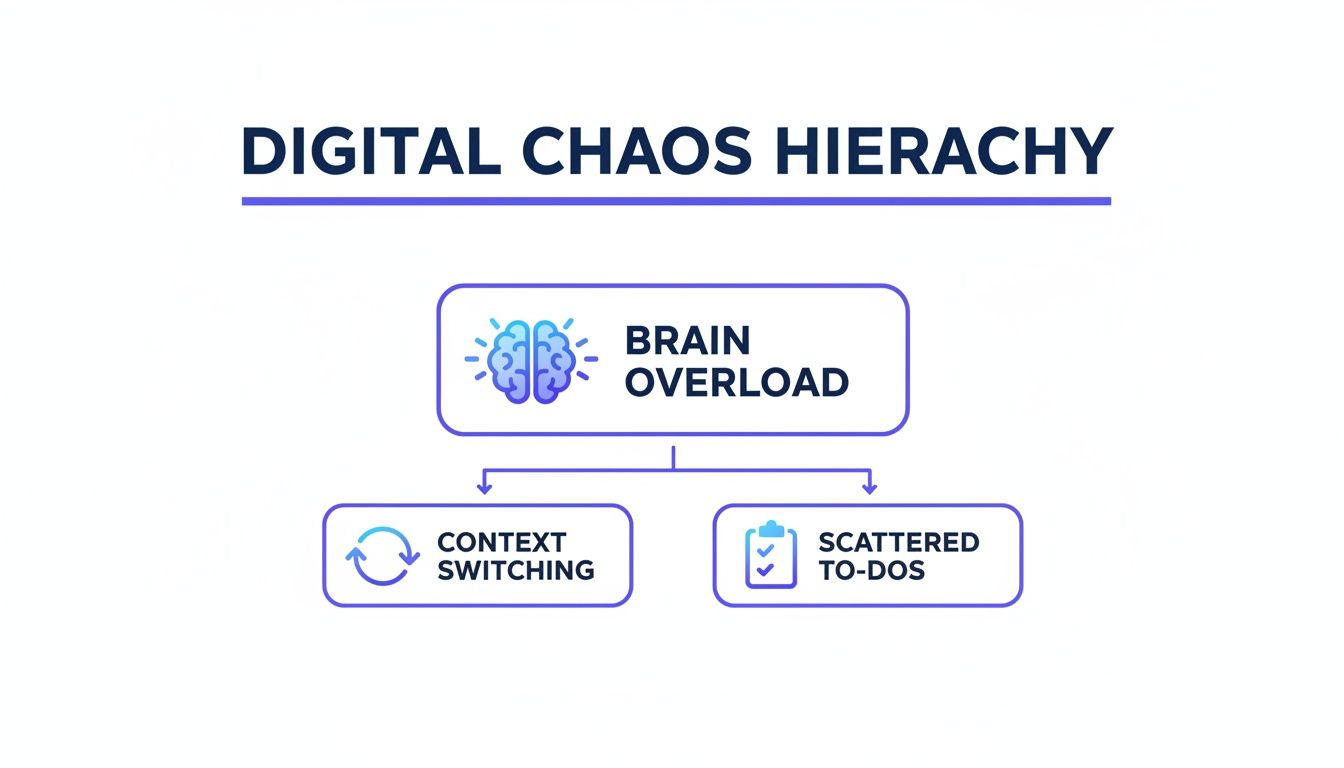
    When the digital environment is left to chance, it actively works against you. This leads to a state of constant cognitive overload.

    Digital Chaos Hierarchy diagram with Brain Overload leading to Context Switching and Scattered To-Dos, illustrating the need for a focus portal.

    As you can see, the constant need to switch between tasks and manage disorganized information directly fuels mental fatigue. This makes focused work feel nearly impossible.

    Pillar 1: Your Physical Workspace

    Your physical environment is the first line of defense against distraction. Your brain is highly sensitive to external cues. Therefore, designing a workspace for focus is a non-negotiable first step. The goal here is simple: make concentration the path of least resistance.

    For example, a freelance writer might set up their desk with a good laptop stand for desk to improve posture. They could also use a pair of high-quality noise canceling headphones to block out household sounds. This simple setup creates a clear physical boundary that signals β€œwork time” to both the writer and their family.

    Small changes, like adding a monitor light bar to reduce eye strain during long sessions, can also make a huge difference in how long you can sustain your focus.

    Your brain doesn’t like ambiguity. When your workspace is distinct and used consistently for deep work, you create a powerful habit loop that makes it easier to drop into a state of flow.

    You can find more inspiration by exploring our guide on home office organizing ideas to build the perfect physical foundation for your focus portal.

    Pillar 2: Your Digital Environment

    Next up is your digital world. You have to be intentionalβ€”even ruthlessβ€”about what apps, tabs, and notifications you allow into your awareness. The default settings on our devices are designed for corporate engagement, not for our personal productivity.

    Start by conducting a β€œdigital audit.” Remove any apps from your phone and computer that you don’t use or that consistently pull you away from your priorities. Then, turn off all non-essential notifications. This one action alone can dramatically slash the cognitive cost of context switching.

    A graphic designer could create different browser profiles in Google Chrome for each client. For instance, one profile contains only the links, bookmarks, and logins for β€œClient A.” Another profile is dedicated entirely to β€œClient B.” This kind of segmentation prevents the mental clutter that comes from seeing irrelevant information when you’re trying to focus.

    Choosing Your Focus Portal Core Components

    To build out the physical and digital pillars, you’ll need a few core tools. The table below compares some popular options to help you decide what fits your work style. Remember, the β€œbest” tool is always the one you’ll actually use consistently.

    Component TypePopular Option A (e.g., Notion)Popular Option B (e.g., Trello)Best For…
    Project HubNotion – A flexible, all-in-one workspace for notes, databases, and wikis.Trello – A visual, card-based system for tracking tasks through stages.Notion is great for thinkers who love building custom systems; Trello is ideal for visual, workflow-based projects.
    Task ManagementTodoist – A clean, powerful to-do list app with natural language input.A simple physical notebook or time blocking planner.Todoist excels at capturing and organizing tasks on the fly; a physical planner is better for deliberate, daily planning.
    Distraction BlockerFreedom – An app that blocks distracting websites and apps across all your devices.An under desk walking pad – A way to channel restless energy into movement instead of digital distraction.Freedom is for disciplined digital blocking; a walking pad is for those who think better while moving.
    Physical SetupAn ergonomic chair and adjustable standing desk.A simple desk with a good ergonomic mouse and external keyboard.An ergonomic setup is a long-term investment for full-time remote workers; a simpler setup works well for students or hybrid workers.

    Ultimately, don’t get stuck in analysis paralysis. Pick a simple starting stack. This could be Notion for projects, a notebook for daily tasks, and a good pair of headphones. Then, refine it as you go.

    Pillar 3: Your Mental Framework

    With your physical and digital spaces dialed in, it’s time to build your mental framework. This pillar is all about adopting strategies that align with how your brain actually works. It’s about managing your energy and attention, not just your time.

    Time blocking is a cornerstone of this framework. Instead of working from a long, overwhelming to-do list, you schedule specific blocks of time in your calendar for specific tasks. For example, a marketing manager might block 9-11 AM for β€œWrite Weekly Report” and nothing else. This practice gives your brain the structure it craves and fiercely protects your most important work from interruptions.

    Another key mental model is recognizing the limits of your executive function. These are the brain processes responsible for planning, focusing, and resisting impulses. By reducing the number of small decisions you have to make throughout the day (like what to work on next), you conserve that precious mental resource for the work itself.

    Pillar 4: Your Daily Routines

    Finally, routines tie everything together. They provide the structure that makes your focus portal sustainable over the long haul. These are not rigid, minute-by-minute schedules. Instead, they are flexible rituals that guide your day.

    Your Startup Routine: This is a short sequence of actions you perform at the beginning of each workday. It could be as simple as brewing coffee, reviewing your plan for the day in a productivity journal, and opening only the apps needed for your first task. This ritual gently eases you into a productive state without relying on willpower.

    Your Shutdown Routine: Just as important is how you end your day. A shutdown routine might involve clearing your inbox, planning tomorrow’s top three priorities, and closing all work-related tabs. This creates a clear psychological separation between work and personal life. Consequently, it helps prevent the kind of burnout that creeps up when you never truly unplug. Getting a good night’s rest with a sleep mask blackout can also help you recharge for the next day.

    Crafting Your Digital Command Center

    Alright, let’s get practical. It’s time to build the digital heart of your focus portal: your command center. This isn’t just another dashboard; it’s your single source of truth. It is a central hub that pulls in everything you need and aggressively filters out what you don’t. Think of it as the cockpit for your productivityβ€”designed for clarity, not clutter.

    First things first: you need to choose your hub. This doesn’t have to be complicated. It could be a clean Notion page or a visual Trello board. It could even be a simple, customized browser start page like Momentum. The goal is to create a launchpad for your day. This launchpad stops you from getting sucked into the vortex of your email inbox or social media feeds first thing.

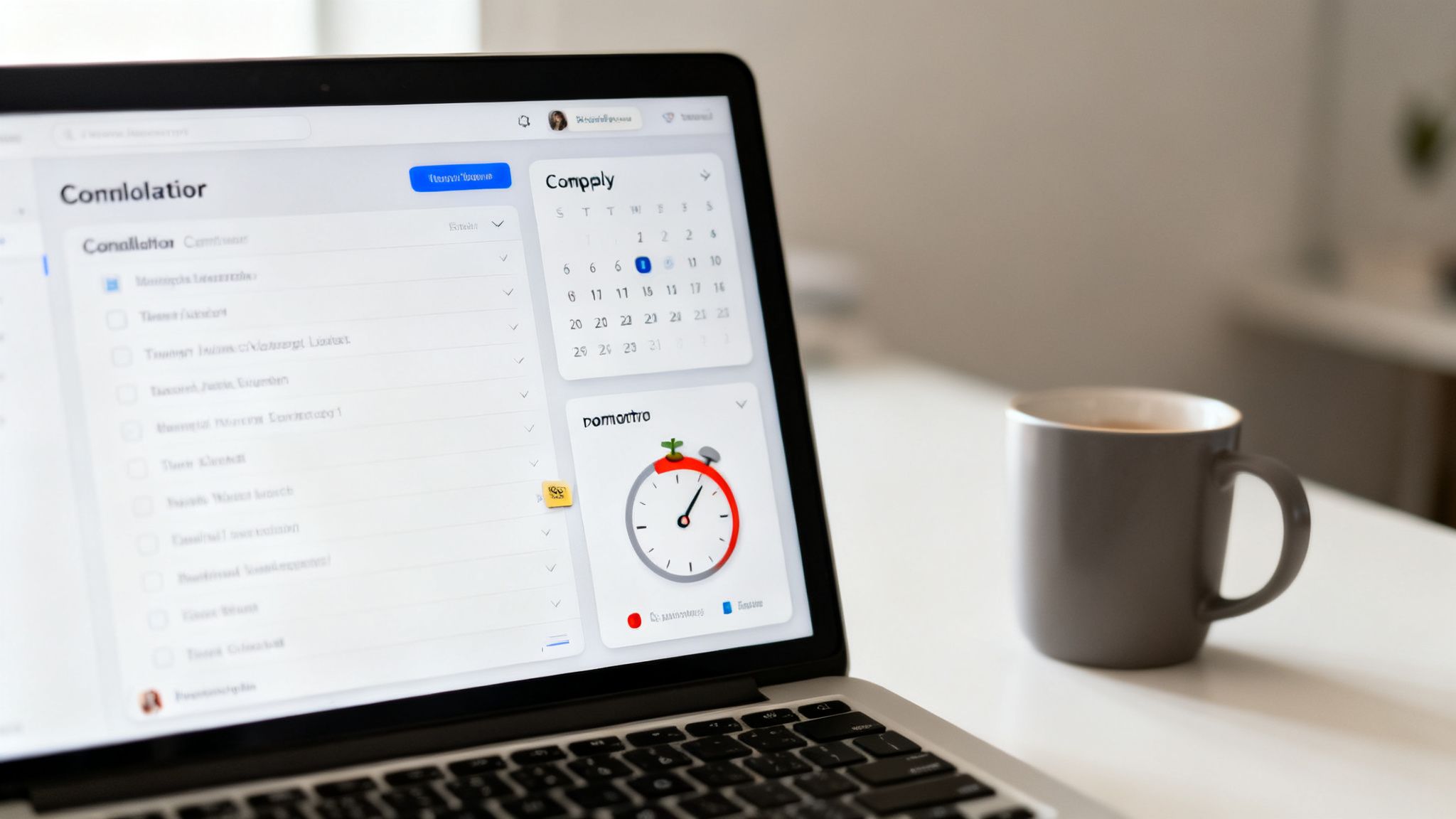
    A laptop displaying productivity apps like a to-do list, calendar, and Pomodoro timer, creating a focus portal.

    Building Your Central Hub

    Let’s ground this with a real-world example. Imagine a freelance writer juggling three main clients. Each client comes with its own tasks, deadlines, and a trail of documents. Instead of wrestling with scattered files and emails, they build a simple dashboard in Notion.

    You can streamline this kind of setup by starting with a dedicated Notion client portal template to centralize information from the get-go.

    Their dashboard might include:

    • A master task list they can filter by client.
    • Quick links to each client’s Google Drive folder.
    • An embedded calendar showing all deadlines at a glance.
    • A scratchpad section for brainstorming and rough notes.

    This simple setup means no more hunting for information. When they start their day, they open this one page. Their entire workload is visible and organized. This cuts down on the β€œdecision fatigue” that comes from constantly figuring out what to do next.

    Taming the Notification Beast

    Once your hub is in place, the next job is to manage notifications. Uncontrolled alerts are the enemy of deep work. From a neuroscience perspective, each ping is a tiny hit of novelty. It hijacks your brain’s attention-switching network and shatters your concentration.

    Setting up β€œFocus Modes” on your phone (iOS) or β€œFocus” on Android is non-negotiable. Don’t just turn them on; customize them. Create different modes for different activities, like β€œDeep Work,” β€œMeetings,” or β€œPersonal Time.”

    For example, a software developer’s β€œDeep Work” mode could block all notifications except for urgent alerts from a specific monitoring system. This creates a digital sanctuary where they can work uninterrupted for sustained periods.

    This proactive approach is so much more effective than relying on willpower to ignore the constant buzzing. You’re designing your environment to support your intentions, not test your discipline. Wearing blue light blocking glasses during these sessions can also reduce digital eye strain.

    The Power of Segmentation and Timers

    To take this a step further, segment your entire digital environment. A powerful but underused technique is creating different browser profiles. You can use them in Chrome, Edge, or Firefox for different contexts.

    Imagine a student working on their thesis while also managing a part-time job. They could have:

    1. A β€œThesis” Profile: Logged into university accounts, with bookmarks only for research databases and writing tools.
    2. A β€œWork” Profile: Logged into their work email and project management software.
    3. A β€œPersonal” Profile: For social media, news, and everything else.

    This separation prevents crossover distractions. When they’re in their β€œThesis” profile, they won’t get a tempting YouTube recommendation or a notification from their work chat. It’s a simple way to build digital walls between the different parts of your life. A gentle analog alarm clock can signal the end of a work session without a jarring digital alert.

    Pairing this strategy with a timer solidifies the habit. Using a simple pomodoro timer, you commit to working within one profile for a 25-minute sprint. When you track these sessions in a time blocking planner, you get a clear visual record of where your attention is actually going.

    Why This Matters More Than Ever

    The need for these intentional systems isn’t just a feeling; the market reflects it. The global Focus App industry was valued at USD 745 million in 2024 and is expected to keep growing. Why? Because over 40% of knowledge workers report struggling with distractions at home.

    Research shows that structured interventions like a focus portal can boost productive time by 30-50%. This is a crucial defense against the burnout affecting a staggering 77% of workers.

    Crafting a digital command center is about taking back control. It’s the move from a reactive state, where your devices dictate your attention, to a proactive one, where your tools serve your goals. And if you’re interested in taking your efficiency even further, check out our guide on powerful https://mindclarityhub.com/ai-tools-for-productivity/ that can plug right into your new command center.

    Using AI and Automation to Sharpen Your Focus

    Let’s be honest: the last thing most of us need is another piece of tech pulling at our attention. But what if artificial intelligence could be the quiet, ruthlessly efficient assistant that powers your focus portal behind the scenes?

    The goal isn’t to chase every shiny new AI tool. Instead, it’s to build smart, simple systems that handle the busywork so you don’t have to.

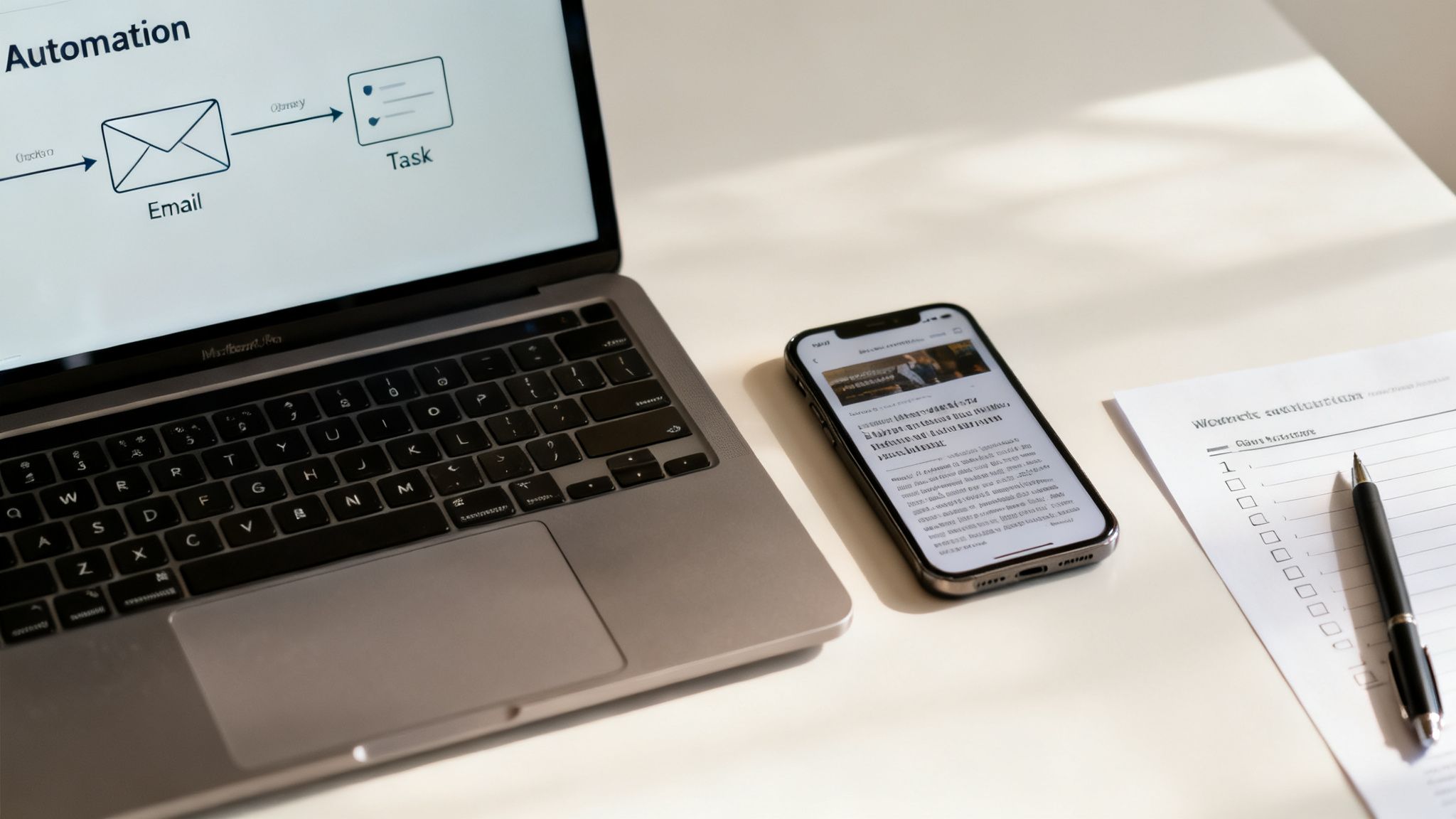
    Think about the entrepreneur who spends the first hour of every morning just sorting and triaging their inbox. By setting up a single automation with a tool like Zapier, they can have any flagged email automatically turned into a task in their project manager.

    A modern workspace with a laptop displaying an automation workflow, a smartphone, and a checklist, a key part of a focus portal.

    That one workflow might save them five hours a week. More importantly, it protects their most valuable mental energy right at the start of the day.

    Automating the Mundane to Protect Your Attention

    The core principle here is simple: delegate low-value tasks to technology. Your brain’s prefrontal cortexβ€”the part that handles focus and complex decisionsβ€”is an easily drained resource. Every tiny, trivial choice you make, like where to save a file or how to phrase a meeting reminder, chips away at your capacity for deep work.

    AI can shoulder that load. For example, instead of spending 30 minutes wading through a dense industry report, you could use an AI tool to generate a crisp, bullet-point summary in seconds. This lets you grab the key insights without sacrificing a huge slice of your most productive time.

    Here are a few practical automations you can build into your focus portal right away:

    • Email to Task: Automatically send starred emails in Gmail directly to your task manager (like Todoist or Asana).
    • Meeting Agendas: Use an AI writing assistant to create a standard agenda template for any recurring meetings.
    • Content Summaries: Paste the URL of a long article into an AI tool and get the main points back instantly.
    • Social Media Drafts: Generate first drafts for social media posts based on your latest blog content.

    These small efficiencies add up. They create more space for the strategic thinking that actually moves the needle. You can see more examples in our guide on how to use AI for productivity.

    Building an Intelligent System That Works for You

    To make this work, it helps to understand how to compare AI models so you can pick the right tools for the job. A small business owner, for instance, could use an AI-powered scheduler to handle all their client bookings. This completely eliminates the back-and-forth emails that constantly shatter their concentration.

    This isn’t just a productivity hack; it’s a reflection of a massive shift in how work gets done. The market for digital transformationβ€”which includes automation and AI toolsβ€”is projected to hit USD 1,864.94 billion by 2031.

    Businesses are pouring money into these systems because they know streamlined workflows are the key to growth. AI analytics, the fastest-growing part of this market, is already helping automate around 40% of routine tasks. For anyone struggling with distractions, that’s a game-changer. It helps recover much of the 23 minutes typically lost every time our focus breaks.

    By automating decision-making and routine tasks, you’re not just saving time. You are actively preserving your most valuable asset: your ability to think deeply and creatively.

    This principle is the foundation of books like Marketing Magic and The 6-Figure Creator. These books explore how intelligent systems can amplify your impact. When you build automation into your focus portal, it stops being a static organizer. It becomes a dynamic assistant that actively helps you concentrate on what truly matters.

    Maintaining and Adapting Your Focus Portal

    Your focus portal isn’t a trophy you build once and then admire on a shelf. It’s a living system, more like a garden than a sculpture. To keep it effective, you have to tend to it. You need to prune what’s no longer serving you and adapt to the changing seasons of your work and life.

    Without that regular maintenance, even the most perfectly designed system will eventually become a source of clutter itself. A cluttered system increases cognitive load, defeating the portal’s entire purpose.

    The best way I’ve found to handle this is with a simple, recurring maintenance routine. Think of it as a β€œweekly clarity check-in.” This is a dedicated 15-minute block you schedule every Friday afternoon. This isn’t time for doing work; it’s time for working on your work system.

    This short ritual is your best defense against β€œsystem creep.” This is the natural tendency for our digital spaces to accumulate new tools, apps, and workflows until they become bloated and inefficient. It happens to all of us. The brain’s constant desire for novelty can lead you to add things that seem helpful in the moment but ultimately just add complexity. A sunrise alarm clock can help you wake up refreshed, ready to tackle your day with a clear mind.

    The Weekly Clarity Check-In

    During your weekly review, you’ll ask yourself a few simple but powerful questions about your focus portal. The goal here is effectiveness, not perfection, so be honest with your answers.

    • Is my main dashboard getting cluttered? If your central hub looks chaotic, it’s a sign that you need to archive old projects or simplify the layout. A messy dashboard creates subtle cognitive friction every single time you look at it.
    • Are my notification rules still serving me? Did you allow alerts from a new app and forget to turn them off? Now’s the time to revisit your settings. Ensure only the most critical pings are getting through.
    • What felt difficult or frustrating this week? If you constantly struggled to find a specific file or felt distracted during a certain time of day, that’s a signal. It points directly to a friction point in your system that needs a small adjustment.

    Using a simple habit tracker journal can give you invaluable data for this review. Seeing a visual record of your work sprints, distractions, and energy levels helps you make smart, evidence-based tweaks rather than just guessing what needs to change.

    Adapting Your Portal for Different Seasons

    Your work intensity isn’t constant, and your focus portal shouldn’t be either. The system you need for a high-stakes product launch is completely different from the one you need during a quiet holiday period. The key is to be intentional about adapting it.

    A rigid system is a brittle one. The true power of a focus portal lies in its flexibilityβ€”its ability to expand and contract based on your current demands without breaking.

    During a project launch, for example, you might temporarily add a dedicated project dashboard with real-time metrics right on your portal’s homepage. In contrast, during a slower week, you could simplify your view to show only your top three long-term goals. Using a white noise machine can help maintain focus during both intense and quiet periods.

    This is all about managing your energy, not just your time. You must ensure your system supports your current mental state.

    By embracing this cycle of review and refinement, you create a resilient, evolving focus portal that supports you for the long haul. It helps you avoid the kind of system-induced overwhelm that can lead to burnout. This is a topic explored in depth in Burnout Breakthrough.

    Key Takeaways

    • A Focus Portal is a Personalized System: It’s an integrated environment, not a single app. It combines your digital tools, physical space, and daily habits to protect your attention.
    • Build on Four Pillars: A strong portal rests on your Digital Environment, Physical Space, Mental Frameworks (like time blocking), and Daily Routines (startup/shutdown rituals).
    • Your Brain Needs Cues: A dedicated space and consistent routines create powerful psychological triggers that help you enter a state of deep work more easily.
    • Automate to Conserve Energy: Use AI and automation tools to handle repetitive, low-value tasks. This saves your brain’s limited cognitive resources for high-impact work.
    • Regular Maintenance is Crucial: A focus portal requires a weekly 15-minute check-in to stay clean, effective, and aligned with your current priorities. This prevents system bloat and keeps it useful.
    • Adaptability is Key: Your portal should be flexible, changing with the demands of different projects and work seasons. A rigid system will eventually break or be abandoned.

    Editor’s Take

    Here’s the honest truth: the most effective focus portal is one that starts simple and grows with you. The specific apps you choose matter far less than the principles behind themβ€”intention, focus, and firm boundaries.

    This system can be a game-changer for knowledge workers, students, and freelancersβ€”really, for anyone who has some control over their digital world. But I want to be upfront: it takes a real investment of time to get it right, and it won’t run itself. You have to maintain it.

    The payoff, though? It’s more than worth it. You’re trading a bit of setup time for a massive reduction in daily stress and a huge boost in the work that actually matters. It’s a commitment that pays you back, day after day, in clarity and accomplishment. If you’re serious about deep work, this is how you start taking your attention back.

    Frequently Asked Questions About Building a Focus Portal

    We get a lot of questions about what it really takes to design and maintain a personalized focus portal. Here are some of the most common ones, with clear answers.

    1. How long does this actually take to set up?

    The initial setup can be surprisingly fastβ€”as little as one to two hours. That’s enough time to pick your central hub, do a quick desktop clear, and set some basic notification rules. If you want to get fancier with automations, set aside a full afternoon. But remember, a focus portal is meant to evolve. Start small and make tiny improvements each week.

    2. Can I build a focus portal without buying new software?

    Absolutely. You can build an incredibly effective portal using free tools you probably already use. A Google Doc can be your central hub. Your phone’s built-in β€œFocus Mode” can handle notifications. A simple browser extension can block distracting sites. The principles matter more than the price tag.

    3. How do I stick with it when I get really busy?

    This is where your daily startup and shutdown routines become non-negotiable. When you’re slammed, lean on a simple, two-minute startup ritual. Just open your portal and look at your single top priority for the day. That’s it. This consistency creates a powerful habit loop that makes using your portal automatic, especially under pressure.

    4. What’s the biggest mistake people make when starting out?

    Overcomplicating it from day one. People try to build the β€œperfect” system with a dozen new apps and complex automations. This creates a system that’s fragile and exhausting to maintain. The best approach is to start with the simplest possible version. Only add complexity when you feel a specific pain point a new tool would solve.

    5. Is a focus portal a good fit for creative work?

    Yes, it’s practically designed for it. Creative work like writing or design demands long, uninterrupted stretches of concentration. A focus portal creates those conditions by acting as a shield against the context-switching that kills creative flow. It gives your brain the quiet space it needs to connect ideas.

    Optimizing Your Focus Portal for Different Projects

    6. How can I adapt my portal for different projects?

    A great way to handle this is through segmentation. For instance, you could create different browser profiles in Chrome for each major project, each with its own set of bookmarks and logins. Inside your central hub like Notion, create separate pages for each project and link to them from your main portal homepage. This keeps project-specific info contained.

    7. Will this system work if I have ADHD?

    While this guide isn’t medical advice, many people with ADHD find that externalizing their executive functions is a game-changer. A focus portal acts as an β€œexternal brain.” It provides the structure, visual cues, and clear priorities that can make it easier to stay on track. For some, adding a visual timer for desk can also be a fantastic tool to make time feel more concrete.

    8. How often should I tweak or update my focus portal?

    A quick, 15-minute review once a week is perfect. Use that time to clean up your dashboard, check notification settings, and ask what worked and what felt clunky. Consistent, small adjustments are far more effective than massive overhauls. This idea of refinement is a core theme in books like Attention Unleashed.

    9. Can a focus portal genuinely help with work-life balance?

    Definitely. The shutdown routine is the key. By consciously closing down your work systems and planning for tomorrow, you create a clear psychological boundary. This ritual signals to your brain that the workday is over, helping you disengage and be more present. It’s a core concept in Burnout Interrupted. A magnesium glycinate supplement might also support relaxation and sleep.

    10. What’s the very first step I should take today?

    Clear your computer’s desktop. Right now. Drag every file into a new folder named β€œSort Later.” A clean desktop is a clean slate. It instantly reduces visual noise and gives you a feeling of control. It’s a simple, powerful first step toward building a space where you can actually think.


    Disclaimer: This article is for informational and educational purposes only and does not constitute medical or psychological advice. The content is not intended to be a substitute for professional medical advice, diagnosis, or treatment. It may contain affiliate links, which means we may earn a commission if you make a purchase at no extra cost to you.


    Ready to build a life with less distraction and more intention? At Mind Clarity Hub, we publish science-backed books that give you the blueprint for reclaiming your focus. Start your journey with our foundational guides.

    Explore the Books at Mind Clarity Hub

  • 10 Science-Backed Ways to Reduce Screen Time in 2026

    10 Science-Backed Ways to Reduce Screen Time in 2026

    10 Science-Backed Ways to Reduce Screen Time in 2026

    Jeremy Jarvis β€” Mind Clarity Hub founder
    Mind Clarity Hub β€’ Research-aware focus & digital wellness

    We all know we should use our screens less, but generic advice like β€œjust turn it off” or β€œgo outside” rarely sticks for long. The constant pull of notifications, infinite scrolls, and vibrant app icons isn’t a simple matter of weak willpower; it’s a daily battle against sophisticated behavioral design engineered to capture and hold our attention. This is why many common approaches to reducing screen time often fail. They overlook the deep-seated habits and environmental triggers that keep us tethered to our devices.

    Ways to Reduce Screen Time in 2026: 10 Evidence-Backed Strategies (and Why They Work)

    This article moves beyond those simplistic tips. Here, we present 10 evidence-backed ways to reduce screen time, grounded in the principles of neuroscience and psychology. You’ll learn not just what to do, but why it works. We will explore practical strategies like rewiring your brain’s reward system by converting your screen to grayscale, creating environmental friction that makes mindless scrolling more difficult, and implementing structured technology fasts to reset your dopamine levels. This guide is built for busy professionals, students, and anyone feeling the cognitive strain of digital burnout who needs a more systematic approach.

    Each strategy is a practical tool designed to help you reclaim your focus, protect your mental energy, and build a healthier, more intentional relationship with your technology. We will provide real-world scenarios, concrete action steps, and the science behind each method, all explained in plain language. If you’re ready to move past frustrating, ineffective rules and start implementing sustainable systems, these strategies offer a clear path forward to regain control.

    Disclaimer: This article may contain affiliate links. If you purchase through one of our links, we may earn a small commission at no extra cost to you. This content is for educational purposes only and is not a substitute for professional medical or psychological advice, diagnosis, or treatment. Always seek the advice of a qualified health provider with any questions you may have regarding a medical or mental health condition.


    1. The 2-Hour Deep Work Block: A Way to Reduce Screen Time by Removing Devices

    One of the most effective ways to reduce screen time isn’t about willpower; it’s about systematically engineering your environment for focus. The 2-Hour Deep Work Block is a structured time-blocking technique where you dedicate an uninterrupted 120-minute sprint to a single, high-value task. The non-negotiable rule is that all non-essential devices are physically removed from your workspace, creating a powerful friction barrier against distraction.

    A focused person using one of the ways to reduce screen time by writing in a notebook at a clean desk with a phone put away.

    This method, popularized by author Cal Newport, directly counters the high cost of context switching. From a neuroscience perspective, every time you glance at a notification, your brain must disengage from the primary task and re-engage with the new stimulus. Research shows this switch fragments attention, and it can take over 23 minutes for your brain to regain its previous level of deep concentration. By physically placing your smartphone in another room, you eliminate the low-effort impulse to β€œjust check,” which is a key step in retraining your brain’s attention span. For a more comprehensive understanding of achieving this focused attention, explore this complete guide to Deep Work.

    How to Implement This Strategy

    To successfully integrate this technique, start by identifying your most cognitively demanding work. This could be writing a report, coding a feature, or studying complex material. Schedule these blocks into your calendar as you would a meeting.

    • Real-World Example: A marketing manager needs to draft a quarterly strategy document. Instead of trying to write it between meetings with her phone buzzing on the desk, she blocks 9 AM to 11 AM on her calendar, puts her phone and smartwatch in a kitchen drawer, and closes all unrelated browser tabs. For those two hours, her focus is singular, resulting in a completed draft.
    • Start Small: If two hours feels overwhelming, begin with a 90-minute block and gradually increase the duration as your focus endurance improves.
    • Identify Peak Hours: Schedule your deep work for the time of day when you naturally have the most energy and mental clarity, whether that’s early morning or late afternoon.
    • Create a Pre-Block Ritual: Signal to your brain that it’s time to focus. A simple ritual like making a specific type of coffee, putting on a particular playlist, and clearing your desk can be incredibly effective.
    • Track Your Progress: Use a simple notebook or a whiteboard to mark each completed deep work session. Visualizing your progress builds momentum and reinforces the new habit. This disciplined focus is also a core component for entering a productive flow state.

    2. Grayscale Conversion: A Simple Way to Reduce Screen Time

    One of the most powerful ways to reduce screen time involves a simple, science-backed visual trick: removing all the color from your device. Grayscale Conversion is a built-in accessibility feature that turns your vibrant screen into a monochrome display. This method works by disrupting the dopamine-reward loop that app designers intentionally create using bright, attention-grabbing colors for icons and notifications.

    This technique, advocated by former Google design ethicist Tristan Harris, leverages behavioral psychology to create β€œvisual friction.” Our brains are hardwired to respond to bright, saturated colorsβ€”like the red of a notification badgeβ€”which evolutionarily signaled importance and reward (e.g., ripe fruit). When you remove that color, the endless scroll on Instagram or the red badge on Facebook becomes far less appealing from a neurological standpoint. Research from institutions like Stanford’s Persuasive Technology Lab has explored how reducing these visual triggers significantly decreases user engagement, making it easier to put your phone down without relying on pure willpower.

    How to Implement This Strategy

    Activating grayscale is typically found in your phone’s accessibility settings. You can often create a shortcut (like a triple-click of the side button) to easily toggle it on and off.

    • Real-World Example: Alex finds himself scrolling through social media late at night. He sets his phone to automatically switch to grayscale at 9 PM. The vibrant, endlessly rewarding feed becomes a dull, uninteresting gray wall of text and images. The neurological β€œpull” is weakened, and he finds it much easier to put his phone down and pick up a book instead.
    • Start with Evenings: If going full grayscale feels too drastic, begin by scheduling it to automatically activate after a certain time, like 8 PM, to help your brain wind down for sleep.
    • Combine with Other Barriers: For maximum effect, pair grayscale with the removal of notification badges. Without the tempting red circles and vibrant icons, your home screen becomes a far less stimulating environment.
    • Identify Color-Reliant Apps: Notice which apps lose all their appeal without color. This can be a great signal to delete or hide apps that provide little value beyond their visual stimulation.

    3. Notification Audit: Control Alerts as a Way to Reduce Screen Time

    One of the most powerful ways to reduce screen time involves reclaiming control from the constant stream of digital interruptions. This strategy combines a systematic audit of all your app notifications with a scheduled β€œbatch checking” routine. The goal is to eliminate the Pavlovian response to every buzz and banner, a learned behavior where a notification sound (the stimulus) triggers an automatic phone check (the response).

    This method, championed by digital minimalists like Cal Newport, directly attacks the cognitive load caused by constant alerts. From a psychology standpoint, each notification acts as an β€œattention trigger,” hijacking your focus and depleting finite mental energy. By curating only essential alerts and scheduling specific times to check everything else, you drastically lower the number of these triggers. This asynchronous approach preserves your focus for deep work and allows your brain to operate without the background stress of being perpetually on-call.

    How to Implement This Strategy

    To successfully adopt this technique, think of yourself as the strict gatekeeper of your own attention. The default for any notification should be β€œoff” unless it proves its value.

    • Real-World Example: Maria, a project manager, is constantly distracted by Slack notifications. She conducts an audit, muting all channels except for direct mentions and a dedicated β€œurgent” channel. She then schedules three 15-minute β€œSlack checks” at 10 AM, 1 PM, and 4 PM. Outside of those times, she keeps the app closed. Her focus improves, and her team knows to mention her directly for anything truly time-sensitive.
    • Conduct a Ruthless Audit: Go through every single app on your phone and disable notifications for at least 80% of them. Be aggressive; you can always re-enable an alert if you genuinely miss critical information.
    • Schedule Batch-Checking Times: Designate 3-4 specific times per day to check emails, messages, and social media. This discipline is essential if you need to effectively manage email overload.
    • Create a VIP Allowlist: Use your phone’s β€œDo Not Disturb” or β€œFocus Mode” features to create an Allowlist of 5-10 essential contacts (like immediate family or your boss) whose calls and messages can bypass your silent settings, ensuring you remain accessible for true emergencies.

    4. Dopamine Detox: A Way to Reduce Screen Time and Reset Your Brain

    One of the more intensive ways to reduce screen time involves temporarily abstaining from high-dopamine digital activities to reset your brain’s reward pathways. A Dopamine Detox is a structured fast where you eliminate sources of what psychologists call β€œcheap dopamine”—like social media, video streaming, and endless news scrolling. The goal is to lower your baseline dopamine levels, which can make less stimulating, real-world activities feel rewarding again.

    A person sits on a park bench, engrossed in a book, as one of the ways to reduce screen time during a technology fast.

    This approach is grounded in neuroscience. Constant digital stimulation can desensitize your dopamine receptors, a process known as hedonic adaptation. This means you require ever-greater stimuli to feel pleasure and motivation. By intentionally removing these triggers, you allow your neural circuits to recalibrate, which can reduce compulsive screen-seeking behavior and improve your ability to focus on meaningful tasks. For those interested in the science, this 2025 guide on how to reset your dopamine offers a deeper dive.

    How to Implement This Strategy

    A successful technology fast requires planning. Instead of an all-or-nothing approach, which can lead to failure, start by identifying your most problematic digital habits and replacing them with pre-planned analog activities.

    • Real-World Example: John realizes he spends his weekends mindlessly watching YouTube shorts. He decides to do a β€œweekend dopamine fast.” He deletes the YouTube app on Friday night and plans a Saturday morning hike, a Sunday afternoon visit to a museum, and cooks a new recipe for dinner. By Monday, he feels more rested and finds that the desire to scroll has significantly decreased.
    • Start Small: Begin with a 24-hour fast from a single app, like Instagram or TikTok, before attempting a week-long, multi-app detox.
    • Plan Your Replacements: Don’t just remove the tech; fill the void. Schedule time for reading, hiking, cooking, or meeting a friend for coffee. Having a plan prevents boredom-induced relapse.
    • Reintroduce Tech Mindfully: After the fast, don’t just reinstall everything. Add back one app at a time with clear rules for its use, such as β€œonly check social media for 15 minutes after 6 PM.”

    5. App Deletion: A Friction-Based Way to Reduce Screen Time

    A powerful method for reducing screen time involves not just resisting temptation, but removing it entirely. The App Deletion & Intentional Reinstallation Protocol is a strategy where you completely delete high-engagement apps like social media and games from your phone. This approach introduces a crucial friction barrier: to use the app, you must actively go through the process of searching the app store, downloading it, and logging in again.

    This tactic disrupts the brain’s autopilot behavior. Behavioral psychology research shows that many of our actions are driven by habit loops (cue -> routine -> reward). The mere sight of an app icon (the cue) can trigger the mindless scroll (the routine). By removing the icon, you eliminate the cue and force a moment of conscious choice. The extra effort required to reinstall an app is often enough to make you question if you truly need it in that moment, effectively short-circuiting the habit loop before it begins.

    How to Implement This Strategy

    Successfully using this protocol requires a deliberate and phased approach. The goal is to make mindless scrolling inconvenient while keeping intentional usage possible.

    • Real-World Example: Sarah notices she opens Twitter whenever she has a spare 30 secondsβ€”in line at the store, waiting for the microwave, etc. She deletes the app from her phone. The next day, she pulls out her phone in line, but the icon is gone. The impulse is broken. If she really wants to check Twitter, she can use the web browser, but the extra steps make her do it less often and more intentionally.
    • Start with the Top 3: Identify the three most time-consuming or distracting apps on your phone and remove only those to begin.
    • Use the Web Version: For services you need occasional access to, commit to using only the web browser version on your phone or, even better, exclusively on a desktop computer.
    • Document Your β€˜Why’: Create a simple note on your phone listing the apps you’ve deleted and the reason for each (e.g., β€œDeleted Instagram to be more present with family”). When you feel the urge to reinstall, review this note to reinforce your original goal.

    6. Environmental Design: Shape Your Space as a Way to Reduce Screen Time

    A powerful strategy for reducing screen time involves proactively shaping your environment to support focus. Environmental design is the practice of intentionally arranging your physical space to make desired behaviors easier and distractions harder. A key application is creating single-device workspaces, where the only technology present is the one absolutely essential for the task at hand.

    This approach, championed by behavioral scientists like BJ Fogg and James Clear, acknowledges that environmental cues are a primary driver of our habits. From a psychological perspective, a smartphone on your desk acts as a powerful trigger for distraction, even if it’s turned off, a phenomenon known as β€œbrain drain.” By physically removing all other screens, you eliminate the low-friction path to multitasking, making deep, single-task focus the default behavior.

    How to Implement This Strategy

    To successfully apply environmental design, you need to create clear, purpose-driven zones. This physical separation sends a strong signal to your brain about the intended activity for that space.

    • Real-World Example: A writer finds that when his personal phone is on his desk, he constantly checks messages, derailing his creative flow. He implements a new rule: when he sits down to write, his phone goes on a charging stand in the living room. His desk becomes a β€œwriting-only zone.” The physical distance creates enough friction to prevent mindless checks, and his writing sessions become more productive.
    • Create Distinct Zones: Designate separate areas for different types of work. A β€œdeep work zone” might have just your computer. A β€œleisure zone” (like your couch) should ideally be screen-free or limited to a single entertainment device.
    • Remove All Non-Essential Tech: Don’t just put your phone out of sight; place it in another room entirely. The same goes for smartwatches, tablets, and any other internet-connected device not required for your current task.
    • Use a Physical Timer: Place a simple kitchen timer or dedicated focus timer in your workspace. This visible cue reinforces your time commitment without creating a new digital distraction. For more ideas on structuring your workspace, consider these home office organizing ideas.

    7. Accountability Systems: A Social Way to Reduce Screen Time

    Willpower alone is often insufficient for long-term habit change. External accountability is one of the most powerful ways to reduce screen time because it leverages social pressure and public commitment to create a strong incentive for follow-through. By sharing your goals with an accountability partner or community, you make the commitment real and external.

    This method is grounded in behavioral psychology. The act of stating a goal publicly makes you more likely to achieve it because your reputation feels like it’s on the line, a concept known as commitment and consistency principle. Accountability systems add structure and support, transforming a private struggle into a shared effort. Platforms like Stickk, co-founded by behavioral economists, even allow users to put financial stakes on their goals, providing a powerful loss-aversion motivator.

    How to Implement This Strategy

    Integrating accountability requires finding the right person or platform and setting clear, measurable targets.

    • Real-World Example: Two friends, both struggling with late-night TikTok use, agree to be accountability partners. Their goal is β€œno social media after 10 PM.” They send each other a simple β€œDone” text at 10:05 PM each night. Knowing they have to report to someone else makes them far more likely to stick to the rule than when they were trying alone.
    • Find a Partner or Group: Team up with a friend who shares similar goals for mutual accountability. Alternatively, join an established online community dedicated to digital well-being.
    • Set Specific, Measurable Goals: Vague goals like β€œuse my phone less” are hard to track. Instead, set a concrete target, such as β€œkeep daily screen time under 2 hours” or β€œno social media after 9 PM.”
    • Schedule Regular Check-ins: Arrange a brief weekly check-in with your partner via text, email, or a quick call to report your progress, discuss challenges, and celebrate wins.

    8. Time-Blocking: A Strategic Way to Reduce Unplanned Screen Time

    A powerful way to reduce screen time is to move from reactive scrolling to proactive scheduling. Time-blocking involves creating a detailed, hour-by-hour plan for your day, designating specific windows for different types of screen activities like work, communication, and leisure. This deliberate structure eliminates the β€œwhat should I do next?” decision fatigue that often leads to mindless screen use.

    This method treats your time as a finite resource to be allocated intentionally. From a behavioral psychology perspective, it works by pre-committing your future self to specific actions. By creating protected β€œscreen-free” hours for analog activities like reading or exercise, you’re not just avoiding your devices; you’re actively scheduling a replacement. This proactive planning reduces the cognitive load of constantly resisting temptation and helps rewire your brain to expect technology use only at predefined times.

    How to Implement This Strategy

    Use a digital calendar or physical planner to map out your ideal day, treating every hour as an appointment with yourself.

    • Real-World Example: A freelance designer feels her days are chaotic, constantly switching between design work, emails, and social media. She starts time-blocking: 9-11 AM is β€œClient Project A (No Email),” 11-11:30 AM is β€œEmail & Comms,” 11:30-1 PM is β€œClient Project B.” By assigning every minute a job, she eliminates the unstructured time where she would typically drift to distracting websites.
    • Establish Hard Boundaries: Define strict β€œno screen” periods, such as from 7 PM to 8 AM. This creates a clear digital sunset and protects your sleep and morning routines.
    • Create β€œCommunication Blocks”: Instead of checking email and messages all day, designate specific times (e.g., 9-10 AM and 3-4 PM) to handle all communications.
    • Schedule a Device-Free Day (or Half-Day): Dedicate a specific time each week, like Saturday morning, to be completely offline. This practice acts as a regular β€œdigital reset.”

    9. Single-Purpose Devices: A Way to Reduce Screen Time by Segregating Tech

    A powerful strategy to reduce screen time involves dismantling the β€œeverything machine” in your pocket. Instead of one device that does everything, you intentionally segregate tasks across single-purpose devices. This approach reintroduces friction, making it harder to drift from a planned activity (like reading) into an unplanned one (like scrolling social media).

    This method works by breaking the β€œgateway effect,” where one task serves as an entry point to a cascade of digital distractions. When your phone is your book, camera, and social hub, the temptation to switch contexts is constant. By dedicating an e-reader solely for books or a basic phone for just calls, you design an environment where technology serves your intentions. Psychologically, this helps weaken the conditioned association between a specific device and an endless stream of novelty, making it one of the more effective ways to limit unwanted digital habits.

    How to Implement This Strategy

    Start by identifying one high-value activity that is often derailed by digital distractions, such as reading or focused work.

    • Real-World Example: An avid reader wants to finish more books but keeps getting distracted by notifications when using the Kindle app on her phone. She buys a basic, dedicated e-reader. Now, when she sits down to read, there are no other apps, browsers, or notifications to pull her away. She finishes three books the next month.
    • Start with Reading: The easiest first step is to get a dedicated e-reader like a Kindle. Move all your digital books there and delete reading apps from your phone.
    • Use a Dedicated Work Machine: Keep your laptop or primary computer strictly for work. All entertainment, like streaming or gaming, should be moved to a separate device, like a tablet or TV.
    • Establish Device-Specific Locations: Reinforce the habit by keeping devices in their designated zones. For example, the work laptop stays in the office, while the e-reader lives on your nightstand.

    10. Digital Sunset: An Evening Curfew as a Way to Reduce Screen Time

    One of the most impactful ways to reduce screen time is to create a firm boundary between your digital life and your restorative sleep. The Digital Sunset is a non-negotiable curfew for all screen use, typically set 1-2 hours before bed. By powering down phones and laptops, you replace stimulating blue light with calming, analog activities, directly impacting sleep quality and mood.

    Ways to reduce screen time: a cozy bedroom scene at night with a warm lamp and a book on the nightstand, and a phone charging on the wall.

    This strategy is deeply rooted in neuroscience. Research highlights how blue light from screens suppresses melatonin, the hormone that signals your brain it’s time to sleep. This disruption to your natural circadian rhythm can lead to difficulty falling asleep and lower-quality rest, which can negatively affect mood and focus the next day. By physically removing devices from the bedroom, you eliminate the temptation for late-night scrolling, a key cause of the mental exhaustion associated with what is known as digital fatigue.

    How to Implement This Strategy

    To make your Digital Sunset effective, focus on building an environment that makes the right choice the easiest one. As you establish evening screen curfews, you might find broader strategies for successfully limiting phone use beneficial.

    • Real-World Example: David struggles to fall asleep, often scrolling news sites until midnight. He implements a 9:30 PM Digital Sunset. He sets an alarm, and when it goes off, he plugs his phone into a charger in the kitchen. He then spends 30 minutes reading a physical book in bed with a warm lamp. Within a week, he finds he is falling asleep faster and waking up feeling more refreshed.
    • Set a β€œTime to Unplug” Alarm: Use a physical alarm clock or a smart home device to announce your screen curfew 15-30 minutes before it begins.
    • Create a Charging Station Outside the Bedroom: Designate a specific spot in your kitchen or living room where all devices must be charged overnight. This removes the primary source of temptation.
    • Invest in an Analog Alarm Clock: Replace your phone’s alarm function with a simple, dedicated alarm clock. This breaks the powerful habit of reaching for your phone first thing in the morning.
    • Curate Your Analog Alternatives: Have your replacement activities ready. Lay out a physical book on your nightstand, place a journal and pen nearby, or prepare a cup of herbal tea.

    Editor’s Note: What Actually Works to Reduce Screen Time

    After reviewing these science-backed strategies, the most effective approach isn’t a single hack but a combination of environmental design and intentional friction. The methods that work best are those that make mindless scrolling harder and focused, analog activities easier.

    What Actually Works: The Digital Sunset (Strategy #10) combined with App Deletion (Strategy #5) for your top 1-2 time-wasting apps offers the biggest return on investment. Removing devices from the bedroom is non-negotiable for better sleep and reduced evening screen time. Deleting the most addictive apps forces you to question your usage every single time, which is a powerful habit-breaker.

    Who This Is Best For: These strategies are ideal for busy professionals and students who feel their focus is fragmented and their leisure time is being consumed by low-quality digital activities. If you feel like you’re constantly reacting to notifications rather than driving your own day, this is for you.

    Important Caveats: A β€œdopamine detox” can be an intense reset but is not a sustainable long-term solution on its own. It’s best used as a catalyst to kickstart other habits. Likewise, accountability systems work wonders for some but can feel like a chore for others. The key is to experiment and build a system that aligns with your personality and lifestyle, rather than trying to force a method that doesn’t fit.


    Disclaimer: This article may contain affiliate links. The content provided is for educational and informational purposes only and does not constitute medical or psychological advice. It is not intended to be a substitute for professional consultation, diagnosis, or treatment. Always seek the advice of a qualified health provider.

    Frequently Asked Questions (FAQ) About Ways to Reduce Screen Time

    These answers focus on practical systems, not guilt. In other words, you’ll reduce screen time by changing cues, access, and routines.

    Quick wins you can do today

    1. What is the fastest way to reduce screen time?

    The fastest way is to add friction. First, delete (or hide) your top time-waster. Next, charge your phone outside your bedroom. As a result, urges fade sooner because access is not instant.

    • Remove the app icon from your home screen (or uninstall it).
    • Log out, then turn off saved passwords for that app.
    • Set a β€œplug-in time” at night, then keep the charger in another room.
    2. What are the best ways to reduce screen time without relying on willpower?

    Use environment design. For example, silence non-essential notifications, move distracting apps off the first screen, and keep your phone out of reach during focus blocks. That way, β€œchecking” stops being automatic.

    • Turn off badges and banners for social, news, and shopping apps.
    • Use Focus Mode or Do Not Disturb during work and sleep hours.
    • Keep the phone in a drawer, bag, or another room during deep work.
    3. Does grayscale mode actually help reduce screen time?

    Yes. Grayscale makes apps less stimulating because bright colors lose their pull. Consequently, scrolling feels less rewarding, so stopping is easier.

    If full-time grayscale feels too strict, start with evenings. Then expand the window as it gets easier.

    Brain, habits, and motivation

    4. How does reducing screen time benefit focus and executive function?

    It reduces constant task switching. Over time, your brain regains stamina for sustained attention. As a bonus, it can lower mental fatigue because you stop reacting to nonstop prompts.

    5. Why do I keep picking up my phone even when I don’t want to?

    Because habits run on cues and rewards. Notifications, boredom, and stress can all become cues. Then the β€œreward” is novelty. However, you can break the loop by removing cues and adding a replacement action.

    • Replace β€œcheck phone” with β€œstand up + 5 deep breaths.”
    • Keep a book or notebook visible, and put the phone away.
    • Use a short timer, so breaks stay short and intentional.
    6. How much screen time is β€œtoo much” for adults?

    There is no single number that fits everyone. Instead, track discretionary screen time (scrolling and entertainment). If it replaces sleep, movement, deep work, or real connection, it is too much for your baseline.

    Work, school, and day-to-day systems

    7. What’s the best first step if I feel overwhelmed by my phone?

    Start with a Notification Audit. In 15 minutes, turn off everything except calls and messages from key people. Then wait 24 hours. After that, re-enable only what you truly missed.

    8. How do I reduce screen time at work when I need my computer all day?

    Reduce switching, not productivity. First, set 1–3 communication windows for email and chat. Next, close those tabs outside the windows. Finally, keep your phone off your desk.

    • Use 30–90 minute focus blocks, then take short off-screen breaks.
    • Batch messages at set times, so interruptions drop sharply.
    • When possible, keep one screen for work only.
    9. Are screen time reduction apps worth using?

    Yes, if you treat them as guardrails. They can block apps, limit websites, and enforce downtime. Still, results improve when you pair the tool with a clear routine and a replacement activity.

    10. What if my job or school requires heavy screen timeβ€”how do I still improve?

    Separate required use from recovery. During the day, take brief off-screen breaks each hour. In the evening, protect a Digital Sunset. That boundary supports sleep and attention recovery.


    • Every hour: 2–5 minutes away from the screen.
    • Night: a fixed cutoff time for scrolling and entertainment.
    • Bedroom: phone charges outside the room when possible.

    Tip: This FAQ is written to support readability and SEO. The grouped subheadings also prevent long, unbroken sections.

    Explore the Mind Clarity Hub Library

    Practical books on focus, digital habits, resilience, and building a calmer mind.

    The Power of Clarity β€” book cover

    The Power of Clarity

    Unlock mental focus, build momentum, and create the life you were meant to live.

    View book β†’
    AI & ChatGPT for Beginners β€” book cover

    AI & ChatGPT for Beginners

    No PhD needed β€” a 2025 guide to AI, prompts, and productivity without coding.

    View book β†’
    Zen in the Digital Jungle β€” book cover

    Zen in the Digital Jungle

    Mindfulness for a chaotic world.

    View book β†’
    The Slow Reset β€” book cover

    The Slow Reset

    Mindful living in a fast-paced world.

    View book β†’
    Perfectly Imperfect β€” book cover

    Perfectly Imperfect

    Stop self-criticism, set boundaries, and embrace the real you.

    View book β†’
    Reclaiming Silence β€” book cover

    Reclaiming Silence

    A dopamine detox guide to finding peace in a noisy world.

    View book β†’
    The Focused Freelancer β€” book cover

    The Focused Freelancer

    Productivity, pricing & positioning for independents in 2025.

    View book β†’
    ChatGPT Side Hustle System β€” book cover

    ChatGPT Side Hustle System

    Launch your AI-driven online business in 30 days.

    View book β†’
    Burnout, Interrupted β€” book cover

    Burnout, Interrupted

    A proven path to restore energy and reclaim your life.

    View book β†’
    Attention Unleashed β€” book cover

    Attention Unleashed

    Focus strategies for the distracted mind.

    View book β†’
    Side Hustle Launchpad β€” book cover

    Side Hustle Launchpad

    Your quick-start guide to extra income.

    View book β†’
    Digital Clarity β€” book cover

    Digital Clarity

    Rewire your brain, escape dopamine traps & regain focus.

    View book β†’
    Break the Scroll β€” book cover

    Break the Scroll

    Reduce screen time and take back control of your life.

    View book β†’
    Climate Compassion β€” book cover

    Climate Compassion

    Transform eco-anxiety into empowered action.

    View book β†’
    Village Mentality β€” book cover

    Village Mentality

    The power of community for mental wellness.

    View book β†’
    Restful Nights β€” book cover

    Restful Nights

    Overcoming sleep anxiety in a 24/7 world.

    View book β†’
    Connected Again β€” book cover

    Connected Again

    Combat loneliness and build meaningful relationships.

    View book β†’
    Focus Recharged β€” book cover

    Focus Recharged

    Mastering attention and productivity in the digital era.

    View book β†’
    Marketing Magic with ChatGPT β€” book cover

    Marketing Magic with ChatGPT

    AI-powered content, campaigns, and copywriting to grow faster.

    View book β†’
    The 6-Figure Creator β€” book cover

    The 6-Figure Creator

    Turn knowledge into passive income with books, courses & AI.

    View book β†’
    Burnout Breakthrough β€” book cover

    Burnout Breakthrough

    Reset your work-life balance and thrive in 2025.

    View book β†’
    The Emotionally Intelligent Man β€” book cover

    The Emotionally Intelligent Man

    A modern guide to self-awareness and communication.

    View book β†’
    AI Personalized Wellness β€” book cover

    AI Personalized Wellness

    Create your custom health plan with data-driven habits.

    View book β†’
    Everyday AI Made Easy β€” book cover

    Everyday AI Made Easy

    Use ChatGPT and smart tools to simplify life.

    View book β†’
    Money Mindfulness β€” book cover

    Money Mindfulness

    A financial wellness guide for Gen Z & Millennials.

    View book β†’
    Startup Smarter with AI β€” book cover

    Startup Smarter with AI

    ChatGPT strategies and tools to grow your business.

    View book β†’
    ChatGPT for Writers & Creators β€” book cover

    ChatGPT for Writers & Creators

    Unlock AI-powered brainstorming, drafting & editing.

    View book β†’