If you’ve ever browsed Amazon for a book, you’ve almost certainly seen the “Kindle Edition.” In simple terms, a Kindle book is just the digital version of a physical book. Instead of a paperback arriving at your door, you get an electronic file you can start reading instantly on a Kindle e-reader, or just as easily on your phone, tablet, or computer using the free Kindle app.
Affiliate Disclosure: This article may contain affiliate links. If you purchase through these links, Mind Clarity Hub may earn a small commission at no extra cost to you.
Your Introduction to Finding Kindle Books in Amazon
Think of Kindle as your own personal, portable library, but one that doesn’t weigh a thing. Instead of lugging around heavy hardcovers, you can carry thousands of titles on a single lightweight device. Or, you can simply pull them from the cloud whenever you have an internet connection. It’s a system designed to make reading more accessible and convenient than ever before.
For busy professionals, students, or anyone trying to fit more reading into their day, this is a game-changer. You can hear about a new book, buy it, and be on chapter one in less than a minute. No waiting for shipping. This kind of immediate access can significantly impact reading habits. From a behavioral psychology perspective, reducing the “friction” between wanting a book and starting it makes the habit easier to form.
Real-World Example: Imagine you finish a gripping novel at 11 PM. Instead of waiting until the bookstore opens tomorrow, you can purchase and download the sequel in seconds. This immediacy reinforces the positive feeling of reading, making you more likely to continue the habit.
The Core Benefits of Digital Reading
Moving some of your reading to digital opens up practical benefits that can genuinely improve your habits. It also deepens your access to knowledge. It’s all about fitting reading into a modern, fast-paced life.
- Instant Gratification: This is the big one. Purchase and download a book in under 60 seconds. This is perfect for when you finish a great book late at night and just have to start the next one in the series.
- Ultimate Portability: Your entire library travels with you, whether you’re on a crowded train or a week-long vacation. Thousands of options mean zero extra weight in your bag.
- A Customizable Experience: You can adjust the font size, change the style, and tweak the screen brightness to reduce strain. From a neuroscience standpoint, customized text can reduce cognitive load and visual stress. This makes long reading sessions more comfortable and sustainable.
- Built-in Tools: Get more from your reading without leaving the page. You can look up definitions with a long press, translate a phrase, or highlight passages that resonate. These features make reading a much more interactive and efficient experience.
Getting your head around this digital ecosystem is the first real step toward building a powerful library. To go deeper, you can explore our other articles on ebooks for more insights. The flexibility Kindle offers can be a powerful tool for supporting your personal growth and learning goals.
How to Find and Buy Kindle Books on Amazon
Building your digital library is a cinch once you get the hang of Amazon’s layout. The real trick is learning how to use the search and filter tools. This way, you always grab the digital version you want. It’s a common mistake to accidentally order a physical copy when you were hoping for an instant download. A few quick checks can prevent that every time.
When you search for a book, Amazon lays out all the available formats. Your job is to zero in on the Kindle Edition. This screenshot shows exactly what to look for. Notice how the Kindle, Audiobook, and Paperback versions are clearly separated, each with its own price.
You’ll often see that the Kindle version is cheaper. It might even have a “Read for Free” tag if it’s part of Kindle Unlimited.
Locating the Right Digital Edition of Kindle Books in Amazon
To sidestep any mix-ups, always look for the format buttons right below the book’s title and author. Think of each format as having its own digital barcode, called an Amazon Standard Identification Number (ASIN). When you click the “Kindle” button, you’re telling Amazon you want the specific product page for the ebook.
Here’s the simple process I follow:
- Type the book title into the main Amazon search bar.
- From the results, you can either click the listing labeled “Kindle Edition” or click any version to get to the main product page.
- Once you’re on the product page, double-check that the “Kindle” format is selected before you buy. You’ll see the price update to reflect the digital cost.
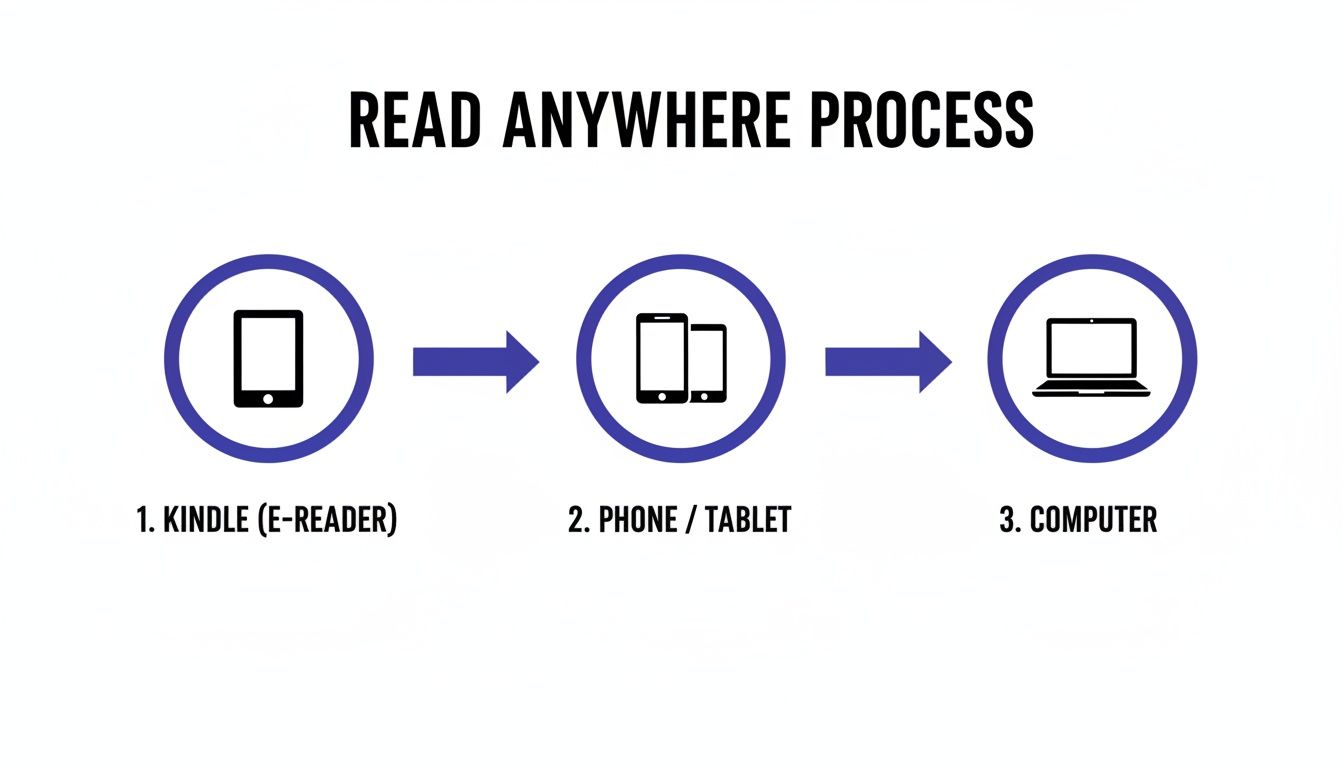
The real magic of the Kindle ecosystem is how seamlessly it works across all your devices. Your library isn’t stuck on just one gadget.
This diagram shows how you can buy a book once and then access it on your Kindle e-reader, your phone or tablet, and even your computer. It’s a true “read anywhere” system.
Understanding Pricing and Purchasing
Once you’ve confirmed you’re on the Kindle edition page, buying is straightforward. The “Buy now with 1-Click” button is your express lane. It uses your default payment info to complete the purchase instantly. The moment you click it, the book is automatically beamed to your primary Kindle device or app.
For a deeper dive into Amazon’s book ecosystem, you can check out our complete guide to Amazon books.
Pro Tip: Keep an eye out for deals. Amazon is famous for its promotions. It’s not uncommon to find popular Kindle books on sale for $0.99 or even offered for free during special events.
Amazon is an absolute titan in the publishing world. Its Kindle platform pulls in an estimated $28 billion in annual book revenue. It also commands a massive 67% of the U.S. e-book market. Learning to navigate it well gives you access to an incredible library right at your fingertips.
How to Read Your Kindle Books on Any Device
Once you buy a Kindle book on Amazon, the real magic begins. The best part of the Kindle ecosystem is its incredible flexibility. You aren’t chained to a single gadget. Your library lives in the cloud, ready for you to access from virtually anywhere.
Your books automatically sync across every platform. So, you can pick up right where you left off, no matter which device is in your hand. This seamless experience is the cornerstone of what makes Kindle so convenient.
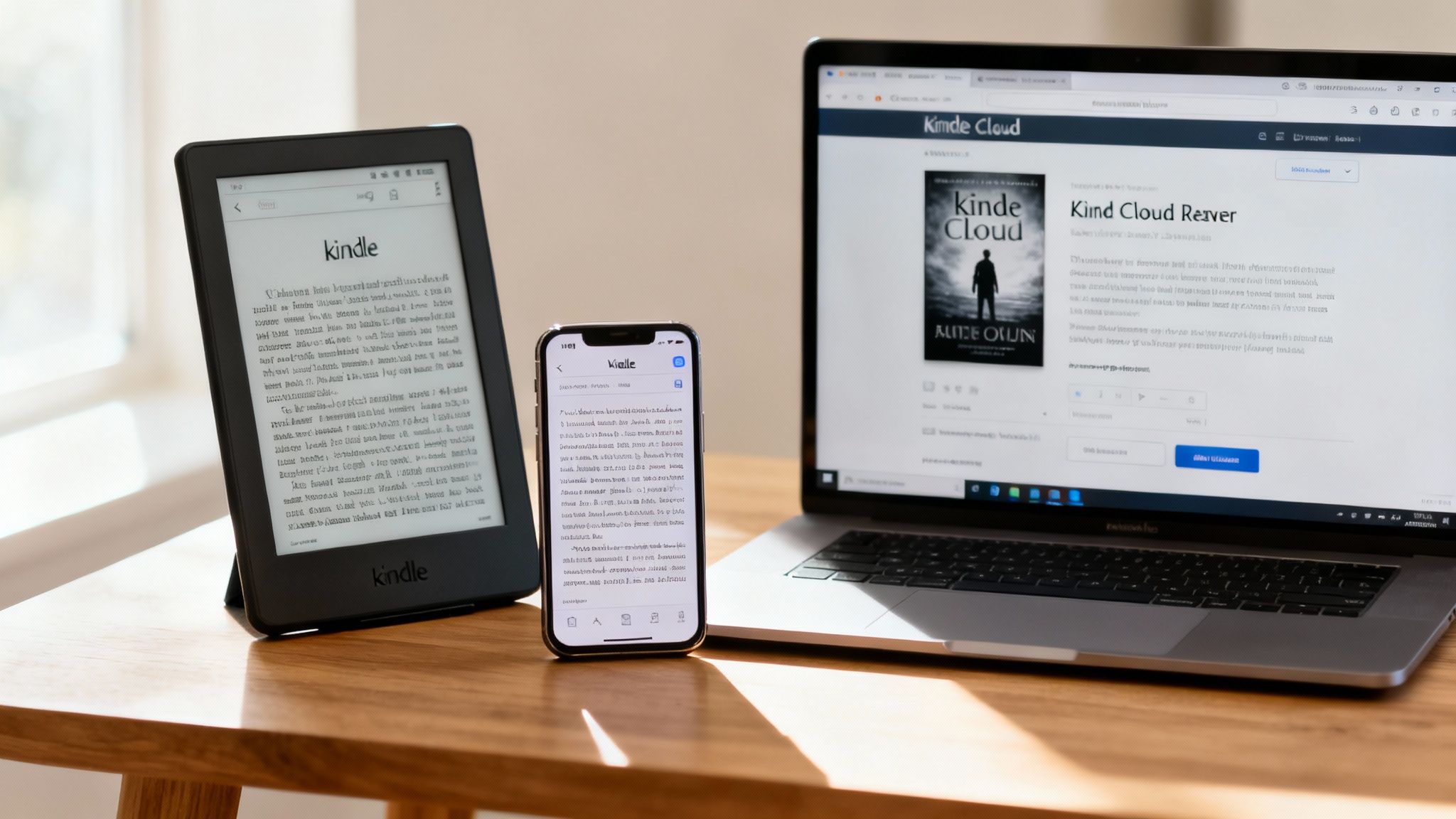
There are three main ways to dive into your collection. Knowing the difference helps you fit reading into your life, not the other way around.
Dedicated Kindle E-Readers
For the purest, most focused reading experience, nothing beats a dedicated Kindle device like the Paperwhite or Oasis. Their signature e-ink screens are engineered to look just like real paper. This is far easier on the eyes than the harsh glare from a phone or tablet. This technology is a game-changer for avoiding digital eye strain during long reading sessions.
From a neuroscience perspective, a single-purpose device like a Kindle is a powerful tool for deep focus. By stripping away the endless pull of notifications, you create an environment where your brain can enter a state of flow. This intentional lack of distraction helps improve comprehension and retention. It is perfect for anyone trying to build a more serious reading habit.
The Free Kindle App
The free Kindle app instantly turns your smartphone or tablet (both iOS and Android) into a surprisingly capable e-reader. This is easily the most convenient option, since most of us have our phones with us constantly. The app flawlessly syncs your reading progress, highlights, and notes across all your devices.
Real-World Example: You’re reading on your Kindle Paperwhite at home before bed. The next day, during your lunch break, you pull out your phone. You can open the app and jump right back to the exact page you were on. This continuity makes it much easier to build a consistent reading habit. You can fill small pockets of downtime with a few pages instead of mindlessly scrolling.
Kindle Cloud Reader
But what if you’re on a computer that doesn’t have the app installed, like at work or a library? The Kindle Cloud Reader is the perfect solution. It’s a web-based version of the Kindle that runs right in your browser. No download required.
Just log in to your Amazon account, and your entire library is there waiting for you. It’s a fantastic option for sneaking in some reading at your desk or on a public computer.
Kindle Reading Options Compared
To make it even clearer, this table breaks down the three main ways to read your Kindle books. Think of it as a quick guide to help you pick the right tool for the moment.
| Reading Method | Best For | Key Feature | Consideration |
|---|---|---|---|
| Kindle E-Reader | Distraction-free, long-form reading and reducing eye strain. | E-ink screen that mimics paper and has no glare. | Requires purchasing a separate device. |
| Free Kindle App | Ultimate convenience, reading on the go, and quick access. | Syncs instantly across all devices you already own. | Screen glare and notifications can be distracting. |
| Kindle Cloud Reader | Reading on computers where you can’t install software. | Web-based access to your full library from any browser. | Requires an internet connection to access books. |
Each option has its place, and the real power comes from knowing you can switch between them effortlessly.
Recent data shows that dedicated e-readers are making a major comeback. Amazon reported its best Kindle device sales in a decade, with growth topping 30% year-over-year. This signals a growing desire for distraction-free reading environments amidst digital fatigue. Learn more about the resurgence of Kindle devices on Accio.com.
For those looking to organize more than just books, the ‘Send to Kindle’ feature is a hidden gem. It lets you email PDFs, Word documents, and other files directly to your Kindle library. Suddenly, all your reading material is consolidated into one unified, searchable, and syncable place.
Our other guides on how to use Kindle features can help you master these powerful but often overlooked tools.
Understanding Kindle Unlimited and Prime Reading for Amazon Books
Beyond buying books one by one, Amazon has a couple of subscription services. These are basically an all-you-can-read buffet for book lovers. The big one is Kindle Unlimited (KU). This program gives you access to a massive digital library for a flat monthly fee.
It’s easiest to think of it as the Netflix for books. You pay one price each month and get to “borrow” from a catalog of over a million titles. If you find yourself buying several Kindle books on Amazon every month, this model can be a game-changer for your wallet.
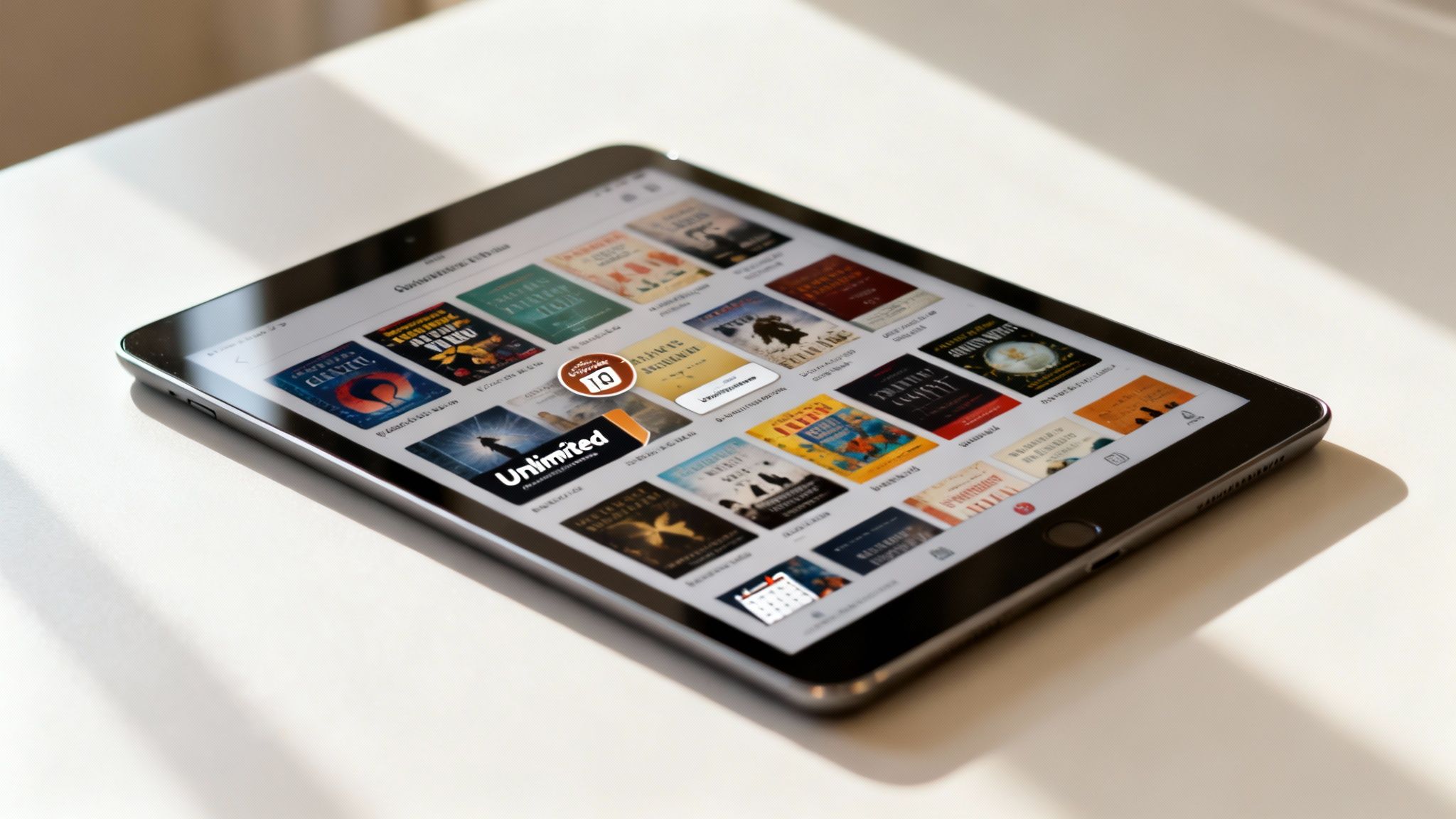
You can always tell which books are part of the program by looking for the “Kindle Unlimited” logo right next to the price.
How Kindle Unlimited Works
Once you’re signed up, you can borrow up to 20 KU titles at a time. When you hit that limit, you just “return” a book you’ve finished. This frees up a slot for a new one. This system is designed to keep you reading and exploring without the friction of making a new purchase every time.
- Who is it for? Voracious readers who get through two or more eligible books a month will almost certainly find that the subscription pays for itself.
- What’s included? The selection is a huge mix of bestsellers, indie darlings, magazines, and even some audiobooks available through Kindle Unlimited.
From a behavioral standpoint, a flat-fee model like this lowers the psychological barrier to trying something new. Without having to weigh the cost of every single book, you’re more likely to take a chance on a new author or genre. This can seriously broaden your reading horizons. If you want to dive deeper, check out our other articles on Kindle Unlimited.
Prime Reading vs. Kindle Unlimited
It’s really easy to get KU mixed up with Prime Reading, another reading perk from Amazon. They’re quite different, though. Prime Reading is a much smaller, rotating collection of around a thousand books and magazines. It’s included at no extra cost for Amazon Prime members.
Think of Prime Reading as a complimentary sampler platter, while Kindle Unlimited is the full, all-you-can-eat buffet. Prime Reading is a fantastic bonus for Prime members. However, KU is built for the serious, dedicated reader.
Figuring out which of these subscription models fits your life helps you make a smarter investment in your reading habits. It’s all about making sure you get the most value out of your digital library.
Editor’s Take: What Actually Works for Readers
Let’s cut through the noise. When you’re figuring out the best way to dive into digital reading, it can feel like there are too many options. Here’s my take on what actually works for most people.
For most busy people, the free Kindle App on a smartphone is the most practical starting point. Its sheer convenience is undeniable—your entire library is always in your pocket. It is ready whenever you have a spare moment.
However, if your goal is to reduce screen fatigue and quiet the constant hum of digital distractions, investing in a dedicated Kindle e-reader is a game-changer. The e-ink screen is much gentler on the eyes. More importantly, it removes the temptation of notifications, social media, and email. This helps you sink into a deeper state of focus.
From a behavioral standpoint, this single-purpose device helps create a clear boundary. Picking up your Kindle sends a signal to your brain: “It’s time to read.” This separates that activity from all the other things you do on a phone or tablet.
The Real Value of Subscriptions
As for Kindle Unlimited, it’s a fantastic deal, but only if you use it. The subscription is cost-effective if you consistently read two or more eligible Kindle books on Amazon each month. Before you sign up, it’s worth doing a quick, honest cost-benefit analysis of your reading habits. Otherwise, you might end up paying for access you don’t really use.
The bottom line is that the Kindle ecosystem offers incredible access to knowledge and stories. But the best tool depends entirely on your personal goals. As you explore your digital library, it’s also worth being aware of current trends in how content is created. This includes discussions around the ethical considerations of AI in writing.
Ultimately, choose the method that best supports the reading life you actually want to live.
Quick Guide: Getting the Most Out of Your Digital Library
Think of this as your cheat sheet for managing Kindle books on Amazon. Once you get the hang of a few core ideas, building and enjoying your digital library feels completely natural.
Here are the essentials to keep in mind:
Always Check the Edition. Before you click “Buy,” take one second to confirm you’ve selected the “Kindle Edition.” It’s a simple habit that saves you from accidentally ordering a hardcover. The book’s ASIN is your best friend here—it ensures you’re grabbing the right format.
Your Library Goes Where You Go. Your books aren’t stuck on one device. You can start reading on a dedicated Kindle e-reader, then seamlessly switch to the free Kindle app on your phone. You can even pull up the Kindle Cloud Reader on any computer. It all syncs automatically.
Subscriptions Are a Tool, Not a Requirement. For voracious readers, Kindle Unlimited is an incredible deal. If you’re tearing through two or more books a month, the subscription practically pays for itself. For everyone else? Buying books individually is usually the more sensible and cost-effective route.
Turn Reading into an Active Practice. Your digital books are far more than just static words. Use the built-in highlighting and note-taking features to really engage with the material. Learning how to take notes from a book is a skill that can deepen your understanding and help you remember what you’ve read.
Key Takeaways: Mastering Kindle Books in Amazon
- Kindle Books are Digital: A Kindle book is an electronic version of a book, available for instant download on Amazon. You can read it on a Kindle e-reader, phone, tablet, or computer.
- Check the Format Before Buying: Always ensure you have selected the “Kindle Edition” on the Amazon product page to avoid accidentally purchasing a physical copy.
- Read Anywhere, Anytime: Your Kindle library is stored in the cloud and syncs across all your devices. Start on one device and pick up on another without losing your place.
- Dedicated E-Readers Reduce Distractions: For a more focused reading experience with less eye strain, a dedicated Kindle device is superior to reading on a phone or tablet.
- Apps Provide Convenience: The free Kindle app turns any smartphone or tablet into an e-reader, making it easy to read on the go.
- Kindle Unlimited is for Avid Readers: The subscription service offers great value if you read multiple books per month, but buying individually is better for occasional readers.
- Prime Reading is a Free Perk: Amazon Prime members get free access to a smaller, rotating library of books and magazines through Prime Reading.
Disclaimer: This article contains affiliate links, which means we may earn a small commission on purchases at no extra cost to you. The content provided here is for educational and informational purposes only and does not constitute medical or psychological advice.
Kindle Books in Amazon: Your Questions Answered
Even though diving into Kindle books is usually pretty straightforward, a few common questions always seem to pop up. Here are some quick, no-nonsense answers to help you manage your digital library like a pro.
What Happens If I Lose My Kindle Device?
Losing your Kindle e-reader is a gut-wrenching feeling, but don’t worry—your books are completely safe. Your entire library isn’t stored on that one physical device. It lives in the Amazon cloud, securely tied to your account.
All you have to do is sign into your Amazon account on a new Kindle. Or, use the Kindle app on your phone, or even the Kindle Cloud Reader in your browser. Every book you’ve ever purchased will be right there.
Can I Return an Accidental Kindle Purchase?
Yes, and it’s surprisingly easy. We’ve all done it—the accidental one-click purchase. Amazon has a simple, no-questions-asked return process for this exact situation.
- Head over to the “Manage Your Content and Devices” section of your Amazon account.
- Find the book you want to return and click the “Actions” button beside the title.
- Choose the “Return for Refund” option from the dropdown menu.
You typically have a seven-day window from the purchase date to request a refund. The process is almost always automated. The book will vanish from your library a few moments later.
Is an Amazon Prime Membership Required for Kindle Books?
Nope, not at all. You absolutely do not need an Amazon Prime membership to buy or read Kindle books. Anyone with a standard, free Amazon account can purchase any Kindle e-book. You can read it on a Kindle device or with the free Kindle apps.
That said, a Prime membership does include a nice little perk called Prime Reading. It gives you access to a rotating library of free books and magazines. Think of it as a bonus. It is completely separate from the main Kindle store.
Can I Share My Kindle Books With Family?
Absolutely. You can share your Kindle books with family members using a great feature called Amazon Household. It lets you link your account with one other adult and up to four children. This creates a shared digital library.
Once you’re linked up, you can share eligible Kindle books, apps, and even audiobooks. It’s a fantastic way to avoid buying the same book twice. You get more value out of all the Kindle books on Amazon your family enjoys.
Can I read Kindle books without a Kindle device?
Yes. You can read Kindle books on almost any device. Just download the free Kindle app for your smartphone (iOS or Android), tablet, PC, or Mac. You can also use the Kindle Cloud Reader to read directly in your web browser.
How do I find free Kindle books on Amazon?
To find free Kindle books, you can search for “free kindle books” on Amazon. You can also browse the “Top 100 Free” list in the Kindle Store. Additionally, many classic books that are out of copyright are available for free.
What is the difference between a MOBI and EPUB file?
Kindle devices primarily use Amazon’s proprietary formats, like MOBI or AZW. EPUB is a more universal ebook format used by other e-readers (like Kobo or Nook). While you can’t directly load an EPUB file onto a Kindle, you can use Amazon’s ‘Send to Kindle’ service to convert it.
Are Kindle books cheaper than physical books?
Generally, yes. The Kindle edition of a new book is often priced lower than its hardcover or even paperback counterpart. This is because there are no printing or shipping costs. You can also find frequent sales and promotions on digital versions.
Can I highlight and take notes in my Kindle books?
Yes. Highlighting and note-taking are key features of the Kindle platform. Your highlights and notes are saved to your Amazon account. They are automatically synced across all devices where you are logged in.
How does the ‘Send to Kindle’ feature work?
‘Send to Kindle’ allows you to email documents (like PDFs, DOCX, etc.) to a unique Kindle email address. Amazon then converts the file into a readable format and adds it to your Kindle library. This is great for reading articles, reports, and personal documents.