...

Tag: routines

  • Monthly Reset Checklist: Home, Calendar, Money, and Mind

    Monthly Reset Checklist: Home, Calendar, Money, and Mind

    Monthly Reset Checklist: Home, Calendar, Money, and Mind

    Your month runs better when you reset on purpose. This practical monthly reset checklist gives you a calm, repeatable flow to tidy your space, clean up your calendar, review money, and clear your mind. You can finish the core reset in about 90 minutes, then go deeper if you want.

    Key takeaways

    • Use one simple monthly reset checklist to prevent decision fatigue and regain control of home, schedule, money, and headspace.
    • Time-box the reset in four blocks: Home (20–25 min), Calendar (20–25 min), Money (25–30 min), Mind (20–25 min).
    • Start light: quick wins first, then one deep task per area if time allows.

    What is a monthly reset checklist?

    A monthly reset checklist is a short, step-by-step list you follow once each month to close open loops and simplify the next four weeks. It covers your physical space, your time commitments, your finances, and your mental load. Because it repeats, it lowers friction. You do not need to remember everything. You just follow the path, check items off, and start the month fresh.

    Also, a consistent routine reduces context switching. Research shows switching tasks adds hidden costs and harms focus. The American Psychological Association notes that task switching creates time and accuracy penalties, even when you feel fast. See APA’s overview on multitasking for details and examples (APA: Multitasking and switching costs).

    Before you start: set scope, time, and tools

    Plan the reset as a friendly appointment with yourself. Because you time-box it, it will not sprawl.

    • Pick your timing: The last Friday of the month, the first Sunday morning, or the evening before a new month.
    • Set a 90-minute cap: Four 20–25 minute blocks with 2–3 minute transitions.
    • Gather tools: A timer, sticky notes, a pen, your phone or laptop, and a laundry basket for quick tidying.
    • Pick your checklist home: A paper planner page, a notes app, or a task app. Keep it in the same place every month.
    • Create a landing zone: Use a tray or box to collect stray papers, mail, receipts, and items to file.

    Therefore, you will move through each area with fewer stops and fewer choices.

    Monthly reset checklist: Home and space

    This first block clears friction in the places you use every day. This is not a full clean. Remove blockers instead. Set a calm baseline.

    • Do a fast 10-minute sweep of your main surfaces: desk, kitchen counters, dining table, and nightstand.
    • Empty your landing zone: recycle junk mail, file important papers, and put stray items back.
    • Reset your desk: dust, wipe, coil or clip cables, and remove one unused item.
    • Clear your bag or backpack: toss old receipts, consolidate notes, and restock pens and chargers.
    • Restock essentials: printer paper, sticky notes, envelopes, pantry basics, and light bulbs.
    • Choose one small maintenance task: tighten a loose handle, replace a worn sponge, or oil a squeaky hinge.
    • Refresh your entryway: put seasonal items in or out, and place a spare umbrella or tote.
    • Do a 5-minute laundry and dishes catch-up to avoid morning pile-ups.
    • Declutter your desktop (computer): create an β€œInbox YYYY-MM” folder, drag loose files in, and sort top priority only.
    • Archive last month’s phone photos to a folder named β€œYYYY-MM” and delete obvious duplicates.
    Home reset: quick wins vs deep dives
    Area Quick win (5–10 min) Deep dive (optional, 20–40 min)
    Desk Wipe, coil cables, remove one item Drawer clean-out and file system tweak
    Kitchen Clear counters, restock trash bags Fridge shelf clean and pantry audit
    Entryway Shoes and mail tray reset Hooks, bins, and seasonal gear swap
    Bag Receipts out, pens in Pocket-by-pocket reorg and checklist card
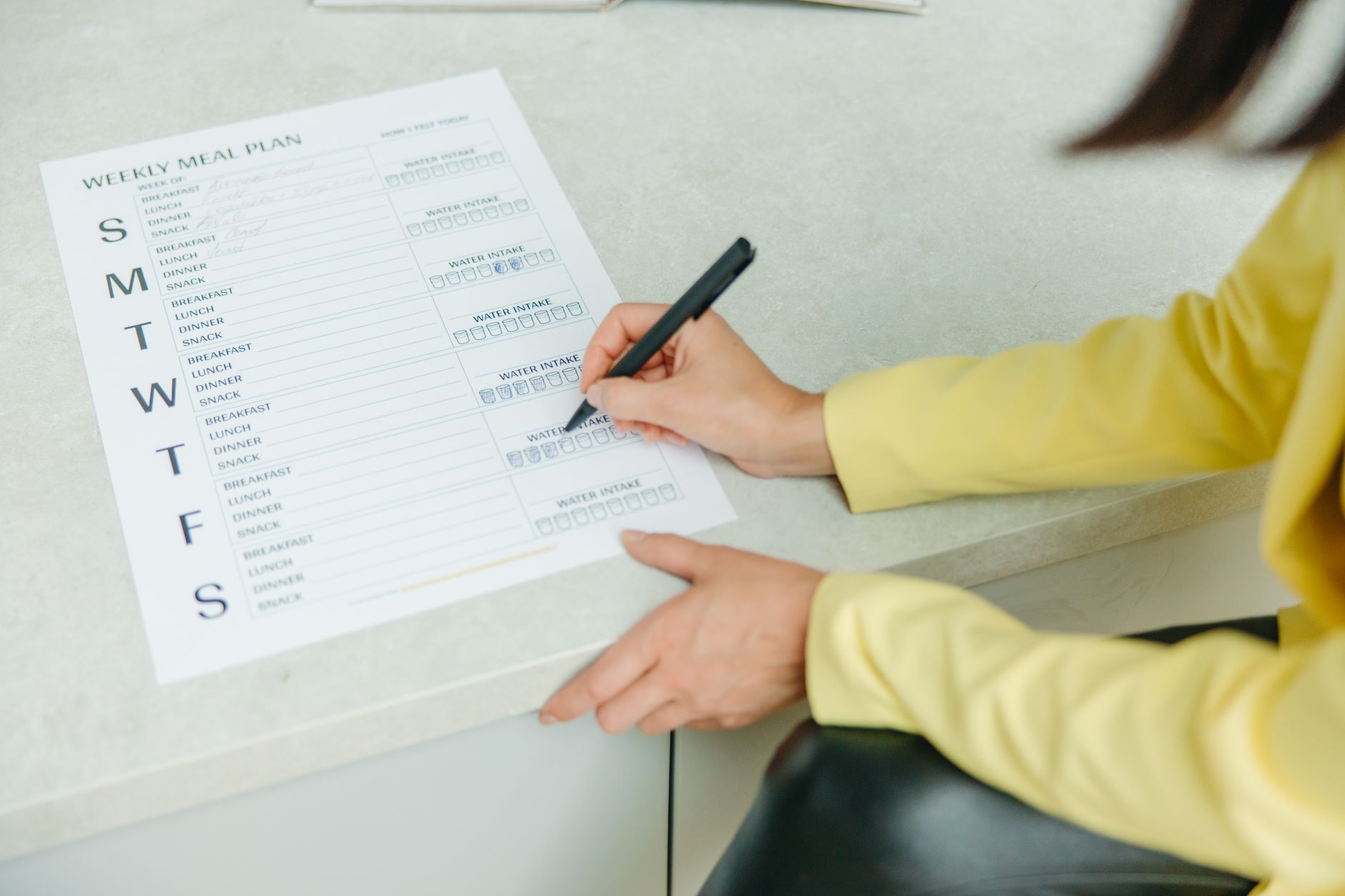
    Writing a monthly reset checklist for meals and home basics
    Use a single page for your home and meal mini-resets. Photo: Yaroslav Shuraev via Pexels.

    Pexels image by Yaroslav Shuraev. Source: https://www.pexels.com/photo/a-person-holding-a-black-pen-writing-on-white-paper-8844564/

    Monthly reset checklist: Calendar and time

    This second block gets your schedule aligned with what matters. It removes ghost meetings and protects deep work. Microsoft’s Work Trend Index reports persistent meeting overload and digital debt. A monthly view helps you right-size your schedule for the weeks ahead (Microsoft WorkLab: Work Trend Index).

    • Open a month view. Scan for heavy weeks. Add buffer days after travel or deadlines.
    • Cancel or decline meetings that no longer have a clear owner, agenda, or decision.
    • Batch recurring admin into one slot. For example, expenses on the 28th.
    • Time-block deep work for your top one or two goals. Protect at least two 90-minute blocks per week.
    • Schedule catch-up time after large meetings and at month midpoints.
    • Set one weekly review reminder and one mini-inbox clean reminder.
    • Note time-sensitive chores: filter swaps, renewals, travel prep, or school forms.
    • Share key dates with partners or teammates and confirm who owns what.

    Because you use intention and a wide view, you prevent overflow before it starts.

    Recurring commitments: keep, pause, or drop?
    Item Signal to keep Signal to pause Signal to drop
    Weekly meeting Decisions made and actions assigned No decisions for 2–3 weeks No owner, no agenda, no outcomes
    Class or club Energy and progress increase Neutral energy and schedule conflict Stress without benefit
    Newsletter Useful weekly signal Useful monthly only Never read; unsubscribe

    Want a deeper time-blocking guide? See how to protect deep work with calendar blocks.

    Monthly reset checklist: Money review

    This third block reduces money stress. It replaces vague worry with a simple review. You do not need a perfect system. You need one consistent routine. The Consumer Financial Protection Bureau offers straightforward budgeting tools and advice that you can adapt to your situation (CFPB: Budgeting tools and tips).

    • Reconcile accounts: match transactions and categorize the last month.
    • Schedule all known bills and add due-date reminders.
    • Check subscriptions. Cancel one you did not use.
    • Scan spending by category. Note one area to trim by a small amount next month.
    • Plan irregulars: gifts, travel, renewals, and annual services coming up in the next 90 days.
    • Transfer planned savings at the start of the month so you do not spend it by accident.
    • Capture money tasks in your system: claims to file, forms to sign, refunds to request.
    Money check cadence
    Task Monthly Quarterly Annually
    Reconcile & categorize Yes β€” β€”
    Subscriptions audit Quick scan Full review β€”
    Insurance/benefits check β€” Coverage skim Full policy review
    Tax prep folder clean Add docs Organize File/close

    For a simple budget starter, see Consumer.gov: Making a budget.

    Monthly reset checklist for your mind

    This final block clears mental clutter. It helps you end one chapter and start another. Keep it light, honest, and short. You are not writing a memoir. You are setting the next month up to work.

    • Write five wins from last month. They can be small.
    • Note three lessons. Keep each to one sentence.
    • List two things to continue and one to stop.
    • Pick one key theme for the new month. For example, β€œFinish and ship.”
    • Set two to four outcomes you can measure by month end.
    • Choose a quick digital declutter: mute one noisy chat, unfollow a stale feed, and trim one email newsletter.
    • Plan rest. Add one no-screen evening per week. Reducing task switching helps focus and reduces overload (APA on multitasking costs).

    Nielsen Norman Group has useful guidance on lists and task design that you can adapt to personal workflows (NN/g: To‑Do Lists and UX).

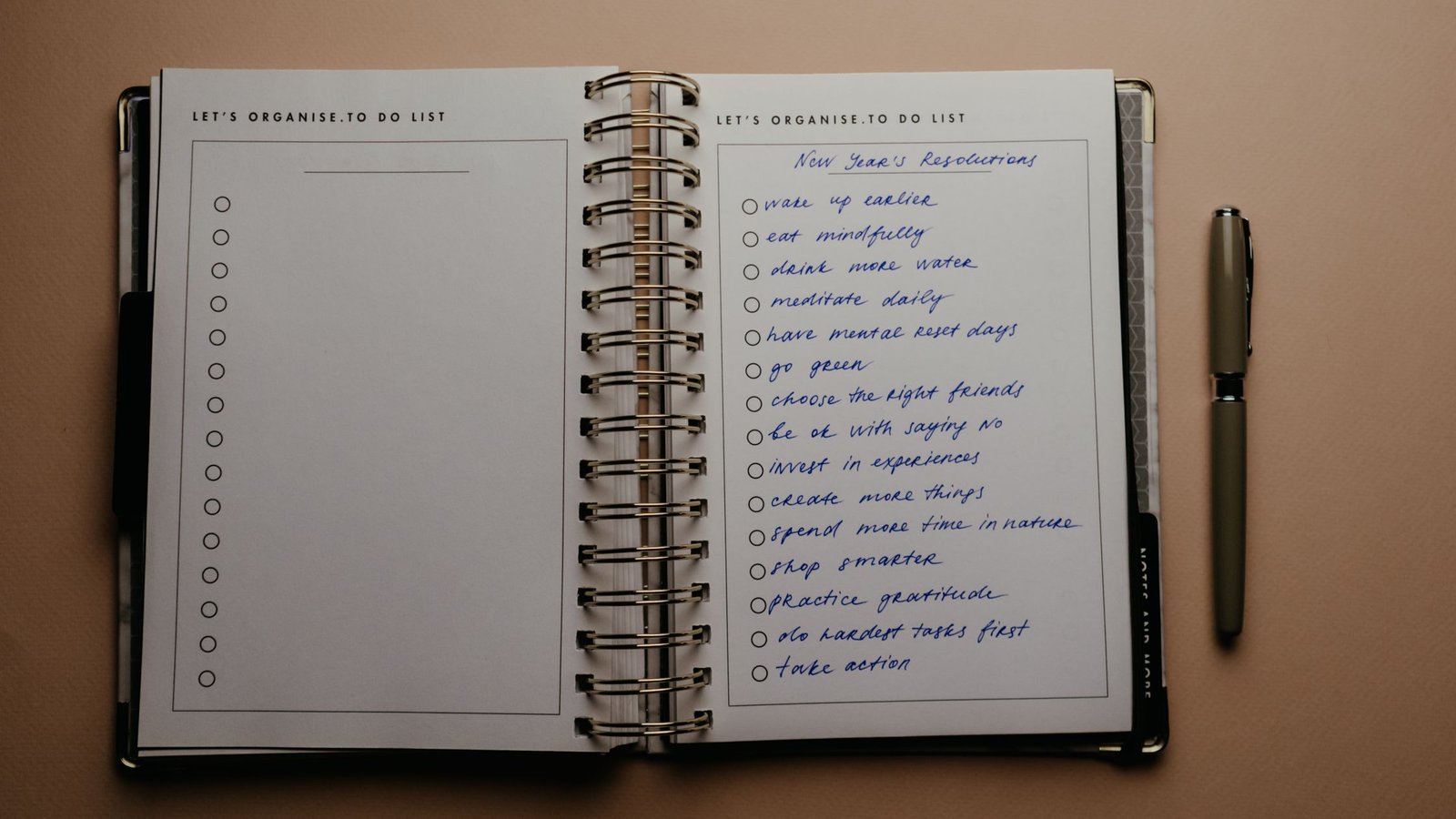
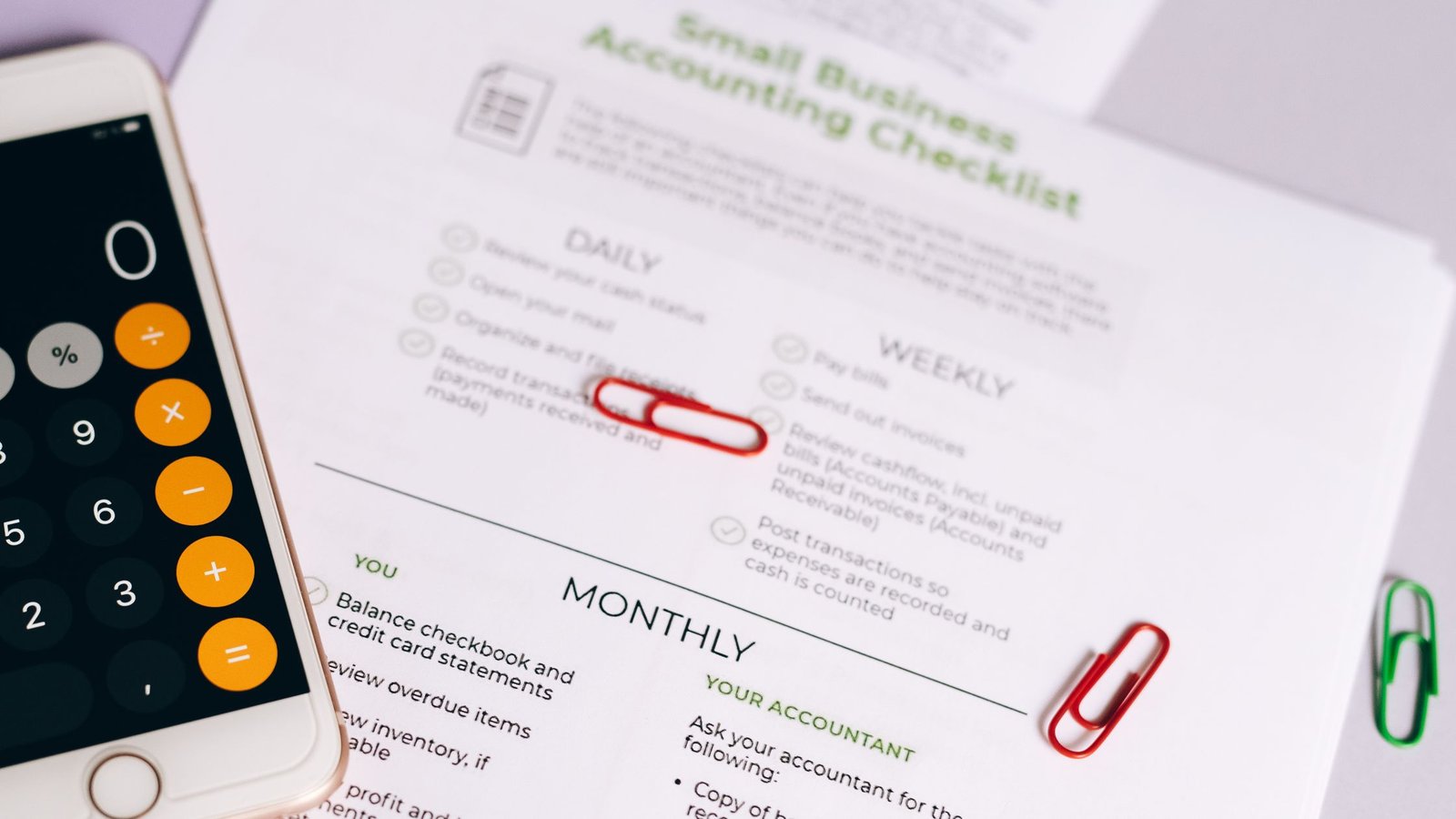
    Checklist boxes marked during a calm monthly reset checklist
    Short, clear steps beat long, vague lists. Photo: Nataliya Vaitkevich via Pexels.

    Pexels image by Nataliya Vaitkevich. Source: https://www.pexels.com/photo/close-up-photo-of-checklist-on-white-paper-6837789/

    Protect your data during the reset

    Also add a quick digital safety pass. It takes minutes and can prevent a month of headaches. The 3‑2‑1 backup strategy is a well-known baseline: keep three copies on two types of media with one offsite. See the U.S. CISA’s overview for a simple explanation (CISA: 3‑2‑1 backup strategy).

    • Back up your phone and laptop.
    • Export your password manager’s emergency kit (store securely).
    • Update your main apps and OS if pending.
    • Review recovery emails and phone numbers for key accounts.

    In addition, consider printing an access checklist for a trusted contact and storing it safely. A short note with where to find backups, how to reach your web host or bank, and what not to share can make a stressful day easier for everyone.

    How long should a monthly reset checklist take?

    Most people finish a core pass in 60–120 minutes. Start with 90 minutes. Because you will repeat it next month, you can leave deep tasks for later. If you are new, take two passes in the first cycle: one light, one deeper on the highest-friction area.

    Which tools should I use for the reset?

    Use whatever is fast for you. Some people like paper. Some like a notes or tasks app. Many do both: a one-page overview on paper and live tasks in an app. Keep your monthly list in the same place. Meanwhile, use a simple timer. Any phone timer works.

    Paper: One page per month in your planner or a printed sheet. Keep it visible where you actually start the reset.

    Apps: Use your calendar for events, a to‑do app for tasks, and a notes app for reflections. Create one tag or folder to group each month’s items.

    Storage: One folder per month labeled β€œYYYY‑MM,” with subfolders for finances, photos, and documents so you can file quickly during the session.

    Watch a monthly reset checklist walkthrough

    If the embed does not load, open the video here: Monthly Reset Checklist πŸ’œ Make one that works.

    Use this monthly reset checklist template

    Copy this structure into your planner or app. You can print it, too. Because it is short, you can see the whole month in one view.

    • Home: 10-minute sweep; landing zone; desk reset; restock; one fix; bag reset; quick dishes/laundry; desktop tidy; photo archive.
    • Calendar: Scan month; cancel or pause; batch admin; protect deep work; add buffers; weekly review; add time-sensitive chores; share dates.
    • Money: Reconcile; schedule bills; cancel one subscription; scan categories; plan irregulars; transfer savings; capture money tasks.
    • Mind: Five wins; three lessons; two continue; one stop; set theme; set outcomes; small digital declutter; plan rest.

    Monthly Reset Flow (90 minutes)

    Follow four calm blocks. Check the box, then move on.

    1. Home (20–25 min) β†’ surfaces, restock, one fix
    2. Calendar (20–25 min) β†’ cancel, block, buffer
    3. Money (25–30 min) β†’ reconcile, schedule, scan
    4. Mind (20–25 min) β†’ wins, theme, outcomes

    Tip: Play the same playlist each month to build a ritual.

    A 90‑minute reset, minute by minute

    00:00–03:00: Set the tone. Fill a water bottle, open your one‑page list, and start a calm playlist. A small ritual signals your brain that this is a focused session.

    03:00–10:00: Do the Home sweep. Clear the main surfaces you touch each day. Wipe, put away, and leave one small touchpoint better than you found it.

    10:00–15:00: Empty the landing zone to zero. Sort mail and receipts. Trash what you do not need. File what you must keep. Move at a steady, no‑drama pace.

    15:00–20:00: Reset the desk. Dust, manage cables, remove a single unused item. One less object equals one less distraction next week.

    20:00–25:00: Restock and fix one thing. Add printer paper, swap a sponge, or tighten a hinge. Quick maintenance prevents future friction.

    25:00–30:00: Transition. Stretch, breathe, and flip to Calendar. A brief pause keeps energy steady.

    Minutes 30–60: Calendar reset

    30:00–40:00: Scan a month view. Spot heavy weeks, travel, and deadlines. Add recovery buffers so the busy days do not spill into the next ones.

    40:00–45:00: Cancel and batch. Decline meetings without owners or agendas. Group admin into a single slot so small chores stop scattering your week.

    45:00–50:00: Protect deep work. Block two 90‑minute focus windows each week for your top goal. Name them so others see why they matter.

    50:00–55:00: Share the highlights. Send a short note or invite updates so partners or teammates know what changed.

    55:00–60:00: Transition. Stand, take a sip, and open your money tool of choice.

    Minutes 60–90: Money and mind reset

    60:00–70:00: Reconcile accounts. Categorize last month’s transactions and confirm balances. Close the loop while details are still fresh.

    70:00–75:00: Schedule bills and audit subscriptions. Add reminders and cancel one thing you didn’t use.

    75:00–80:00: Review categories. Pick one area to trim next month by a small, realistic amount. Small gains compound.

    80:00–85:00: Plan irregulars and move savings. Note gifts, renewals, or travel within 90 days and transfer planned savings now so it is not spent by accident.

    85:00–90:00: Mind reset. Write five wins, three lessons, and two to continue. Choose one theme and two to four measurable outcomes. Add one no‑screen evening for rest.

    Why this structure works

    This design reduces choices and batching costs. You do quick wins first so you feel lighter. Then you make one small improvement per area. Therefore you build momentum without burnout. Over time, the same monthly reset checklist compounds into cleaner spaces, better calendars, calmer budgets, and clearer minds.

    Common mistakes and easy fixes

    • Mistake: Trying to do a full deep clean. Fix: Keep a separate list for deep projects. Schedule one per month.
    • Mistake: Planning the perfect month. Fix: Add buffers and recovery time. Protect energy, not just hours.
    • Mistake: Skipping the money check. Fix: Set one small money win each month, like canceling one subscription.
    • Mistake: Writing vague goals. Fix: Set two to four outcomes you can measure by month end.
    • Mistake: Letting the list sprawl. Fix: Keep one page. If it does not fit, it does not ship.

    Deepen your reset (optional add‑ons)

    Home: If you have extra energy, do a 20‑minute pantry audit and a quick fridge shelf clean. This keeps food waste down and makes weekday meals simpler.

    Calendar: Run a brief meeting audit. Merge two touchpoints into one or shift a weekly to a biweekly if decisions are thin.

    Money: Draft a one‑page spending plan for the next quarter. Focus on three categories you can actually influence.

    Mind: Write a short month story: what happened, what mattered, and what is next. One paragraph is enough.

    Make it sticky: cues, rewards, and tracking

    Habits stick when the setup is obvious and the payoff feels good. First, create a visible cue: a calendar event on the last Friday or a printed card on your desk labeled β€œReset at 5 p.m.” Next, bundle a small reward: favorite tea or a playlist you only play during the session. Finally, track the streak. A simple checkbox or habit app builds momentum because you can see progress.

    If your month goes sideways, use an if‑then plan: β€œIf I miss Friday, then I’ll run a 60‑minute Saturday reset.” Friction is the enemy, so keep tools close: a labeled tray for mail, a notes template pinned in your app, and a saved calendar view for month scans. Environment beats willpower.

    Also, keep the checklist short. When it grows, decisions creep back in. Review quarterly, swap one weak item for one that removes a real blocker, and keep the core stable so you do not start from scratch each time.

    Run a light team reset without more meetings

    Teams can adapt the same rhythm in under 20 minutes. Share a one‑page doc with three prompts: what to stop, what to continue, and what to change next month. Each owner updates their section asynchronously before the last workday. Then a short stand‑up or comment thread handles conflicts and merges.

    For calendars, color‑code deep work blocks and agree on a default response for invites without agendas: tentative or decline. Keep a β€œparking lot” list for ideas that do not fit this month. If you must meet, schedule a single 15‑minute β€œCalendar Cleanup” and stick to decisions, not status updates.

    Finance‑wise, a shared checklist helps: invoice dates, expense deadlines, and renewals due. A consistent β€œbilling day” each month prevents end‑of‑quarter scrambles. The result is less thrash and more predictable weeks.

    Seasonal tweaks and life events

    Some months carry special weight. At quarter‑ends, add a slightly deeper money look: compare planned versus actual in two or three categories and adjust. During back‑to‑school, add forms, supplies, and carpool shifts to the calendar scan. Before major holidays, front‑load shipping dates and recovery buffers so rest actually happens.

    Travel‑heavy months benefit from extra buffers after flights and fewer recurring meetings in the middle weeks. Moving or renovation months call for a smaller core reset with a focus on documents, bills, and a tiny home surface you can control. The key is to keep the core identical while swapping one or two optional tasks that match the season.

    Even quiet months matter. Use them to simplify: unsubscribe from a stale newsletter, archive old project folders, or shorten a recurring meeting you now outgrew. Consistency, not intensity, builds the payoff.

    How do I keep my monthly reset checklist fresh?

    Review it quarterly. Replace any item you always skip with something you will actually do. In addition, you can rotate one deep task per area each month so you do not get stuck on the same problem. Keep the core short and stable.

    Will this work for families or teams?

    Yes. Share the list and give each person one clear role. For families, share calendar highlights and money tasks that affect everyone. For teams, adapt the list to shared calendars and recurring project reviews. Use the same rhythm to reduce uncertainty and last-minute rushes.

    Examples: three ways to run the reset

    Choose your reset style
    Style When How it feels Best for
    Solo sprint Sunday morning Quiet and focused Individuals with busy weekdays
    Partner power-hour Weeknight Short and social Shared homes, shared bills
    Team reset Last workday Aligned and clear Projects and small teams

    Frequently asked questions

    What should be on a monthly reset checklist?

    Include four parts: Home (quick tidy and restock), Calendar (scan and block), Money (reconcile and plan), and Mind (reflect and set outcomes). Keep the whole list on one page.

    How often should I update my monthly reset checklist?

    Update it quarterly or when life changes. Swap an item that does not help for one that removes a real blocker you noticed.

    Can I do the reset in two sessions?

    Yes. Do Home and Calendar in one 45-minute session, then Money and Mind in the next. Split across two days if that feels better.

    What if I fall behind?

    Do a β€œhalf reset.” Pick the one area that would make everything else easier. Finish that, then return to a full reset next month.

    Should I include health or fitness items?

    You can add non-medical planning items such as scheduling walks or blocking rest days. Keep medical guidance to your clinician’s advice.

    Next steps

    Save this page, copy the template, and schedule your first 90‑minute session. To keep momentum, explore these guides: Tips to reduce screen time for better focus, Protect deep work with smarter calendar blocks, Build a simple focus routine you can stick to, and Remote‑work productivity tips and techniques.

    Finally, make it yours. Adjust the monthly reset checklist after your first run. Keep what works. Remove the rest. Because it repeats, small gains add up month after month.

    Helpful resources for your next step

    Affiliate disclosure: As an Amazon Associate, Mind Clarity Hub may earn from qualifying purchases at no extra cost to you. Use this link only if it genuinely helps your planning.

    If Monthly Reset Checklist: Home, Calendar, Money, and Mind is a routine you want to keep using, a simple workbook, planner, or desk tool can make the steps easier to repeat.

    Compare related planners, workbooks, and organization tools on Amazon.
    Related guides

  • Calm Weekly Cleaning Schedule for Small Spaces and Busy People

    Calm Weekly Cleaning Schedule for Small Spaces and Busy People

    If you live in a small space and your week is packed, the right plan can keep your home steady without stealing your time. This guide gives you a calm weekly cleaning schedule you can finish in short, focused blocks. It works with your real life, not against it. You will map tasks to the day they fit best, use a 20-minute daily reset, and protect your energy with simple rules that prevent messes from stacking up.

    Here is how to use this guide. First, skim the quick-start list below. Then choose your weekly map. After that, set up your small cleaning kit and try the 20-minute reset tonight. Finally, adapt the plan for your rooms, your people, and your energy swings.

    Quick start for your calm cleaning routine

    • Pick a two-word theme for each day (Dust Day, Floor Day, etc.).
    • Run one 20-minute daily reset (even on busy days).
    • Keep one small caddy with safe, multi-surface supplies.
    • Use visual zones: surface clear, floor clear, sink clear.
    • Batch laundry and trash so nothing lingers overnight when possible.
    • Post your week map where you see it: entry wall, fridge, or desk.
    • Set a friendly timer sound and stop at the alarm to stay light.

    What is a calm weekly cleaning schedule?

    A calm weekly cleaning schedule is a simple, repeatable plan that assigns one focused task theme to each day, plus one short daily reset. It removes decision fatigue and spreads the load so nothing builds into an all-day chore. Because small spaces get messy fast, a steady rhythm makes a big difference. Also, when your plan is predictable, you spend less mental effort on β€œwhat now?” and more attention on your life.

    Why this works: routines and cues reduce the friction of starting. Habit science shows that small, consistent steps compound into stable habits over time. See the NIH’s plain-language overview on habit formation for background on why tiny steps stick (NIH News in Health). For safe, effective cleaning, stick with simple methods and products that meet basic guidance from trusted sources such as the CDC on cleaning and disinfecting and the EPA Safer Choice program.

    How to build a calm weekly cleaning schedule

    Use this 30-minute setup flow to design a plan you can keep:

    1. List your rooms and the one or two tasks that make each room β€œfeel done.”
    2. Match one task theme to each weekday. Keep weekends light.
    3. Define your 20-minute daily reset (below). Set a timer you like.
    4. Assemble a small, safe supply caddy (see table).
    5. Write your weekly map where you will see it. A sticky note works.

    Common setup mistakes (and easy fixes):

    • Too many tasks per day. Fix: one theme only, sized to 15–30 minutes.
    • Hidden tools. Fix: keep your caddy where the day’s theme starts.
    • No end time. Fix: use a timer; stopping on time keeps you coming back.
    • Vague steps. Fix: write exact actions, like β€œwipe counters and table.”

    Your 7-day calm weekly cleaning schedule map

    Start with this sample. Swap days to match your week. Keep each block short. If you miss a day, do not double up. Instead, jump to today’s task and move on. That is what keeps the plan calm.

    Day Theme Target Rooms Time Budget Examples
    Monday Surfaces Kitchen, Living 25–35 min Clear and wipe counters, table, TV stand
    Tuesday Floors All rooms 25–35 min Vacuum rugs, quick mop hard floors
    Wednesday Bathroom Bath 20–30 min Toilet, sink, mirror, shower wipe-down
    Thursday Laundry Clothes/Bedding Active time 20–30 min Wash, dry, put away; change towels
    Friday Dust + Touchpoints All rooms 20–30 min Dust high to low; wipe handles/switches
    Saturday Reset + Restock Entry, Kitchen 15–25 min Trash out, restock supplies, fresh entry mat
    Sunday Light Reset All rooms 10–20 min Quick tidy, prep for Monday

    Small-space rules that protect your calm weekly cleaning schedule

    • One-in, one-out: when a disposable item enters, one leaves.
    • Clear the biggest surface first (kitchen counter or table).
    • Store vertical: hooks on doors, slim shelves, and back-of-cabinet racks.
    • Use a small hamper and take laundry the day it is full.
    • Keep a β€œreturn tray” by the door for keys, wallet, and mail.
    A calm, tidy workspace with laptop, flowers, and notebook on a small table.
    A calm, compact desk shows how clear surfaces make a small home feel bigger. Photo: PNW Production via Pexels.

    Source: Pexels. Photographer: PNW Production.

    Why a 20-minute reset anchors a calm cleaning routine

    The 20-minute reset is a short loop you run once a day to stop clutter creep. It is the safety net for your calm cleaning routine. Set a timer for 20 minutes and move fast through the steps below. If you live with others, make it a shared game: play music, divide areas, and stop at the alarm.

    Step Task Targets Tip
    1 Surface sweep Counter, table, sofa Put stray items in a small bin to sort later
    2 Dish reset Sink, drying rack Load or hand-wash; wipe sink edge
    3 Quick floors Visible crumbs only Use a cordless or mini broom
    4 Bathroom flash Mirror, sink, toilet seat One cloth, quick spray, quick wipe
    5 Trash + entry Bins, shoes, mail Bag trash; sort mail into keep/scan/recycle

    Because this reset is time-capped, it stays light. Therefore, you avoid the trap of β€œI should do everything” that leads to doing nothing.

    Reset variations you can try:

    • Two-person split: one runs dishes + entry while the other runs surfaces + floors.
    • Playlist mode: one three-song set per reset to make the stop point obvious.
    • Post-guest sweep: add a quick vacuum pass to step 3 and skip bathroom.

    Supplies that support a stress-free weekly cleaning plan

    In a small home, less is more. Choose a compact caddy with safe, multi-surface products. To reduce exposure to harsh chemicals and scents, look for labels and programs that review ingredients for health and environmental factors, such as the EPA’s Safer Choice. For disinfection needs, match the job to guidance like the CDC’s cleaning and disinfecting basics. Always read the product label and use as directed.

    Category What to Keep Notes
    All-purpose cleaner Mild, multi-surface spray Check for Safer Choice or similar review
    Bathroom cleaner Tile/tub cleaner Ventilate; follow dwell-time directions
    Microfiber cloths 3–5 cloths Color-code by room to avoid cross-use
    Glass cleaner Small bottle Or use diluted vinegar on windows/mirrors
    Dust tool Microfiber wand Washable head saves space and money
    Vacuum/broom Slim upright or stick vac Wall-mounted saves floor space
    Gloves + bags Nitrile gloves, small trash liners Store flat under sink or in caddy
    Spot treatment Enzymatic cleaner Useful for pet areas and fabrics; test first

    Room-by-room guide for a gentle weekly housework schedule

    Use this section to tune the plan to your layout. You can keep your calm cleaning routine the same and just swap the room focus inside each theme.

    Kitchen: 10-minute β€œclear, clean, close”

    • Clear: put food away, load or wash dishes, return tools.
    • Clean: wipe counters, stove front, sink edge (work left to right).
    • Close: sweep visible crumbs, take trash if over two-thirds full.

    Also, store most-used tools in one reachable zone. For example, keep a cutting board upright by the stove and a bin for spices. As a result, prep creates less spread and cleanup is faster.

    Bathroom: 5 surfaces, one cloth

    • Mirror top to bottom (light mist).
    • Faucet and sink bowl.
    • Counter ledge.
    • Toilet seat and handle.
    • Shower door or curtain wipe-down.

    Meanwhile, a weekly scrub keeps the rest easy. If someone has allergies, washing towels and bathmats often can help reduce dust and mites. See guidance on dust mite control and bedding wash frequency from the American College of Allergy, Asthma, and Immunology.

    Living/sleeping area: two-zone tidy

    • Zone 1 (rest): make the bed or fold the couch blanket; clear side table.
    • Zone 2 (work/play): reset desk or console; coil cords; stack remotes.

    Entry/closet micro-step: hang coats on hooks, drop mail in the tray, and park shoes on a mat. This one-minute landing pad removes clutter from sight lines.

    Calm weekly cleaning schedule planner on a desk with a pen.
    Write your map where you can see it. Photo: Kaboompics via Pexels.

    Source: Pexels. Photographer: Kaboompics.

    Calm cleaning routine: day-by-day details for tiny homes

    • Monday β€” Surfaces: start at the biggest counter and move clockwise. Toss obvious trash, rehome five items, then wipe.
    • Tuesday β€” Floors: pull chairs once, vacuum center paths, then edges. If time allows, quick-mop high-traffic zones.
    • Wednesday β€” Bathroom: spray, let sit while you wipe mirror and counter, then finish sink and toilet touchpoints.
    • Thursday β€” Laundry: start a load before work; fold right from the dryer to avoid β€œclean piles.”
    • Friday β€” Dust + Touchpoints: dust high to low; wipe handles, remotes, and switch plates.
    • Saturday β€” Reset + Restock: trash out, restock soaps and bags, shake entry mat.
    • Sunday β€” Light Reset: quick tidy, make lunches, and lay out Monday clothes.

    These details turn a theme into a repeatable loop. If a day runs long, stop at your timer and pick up the next cycle. Progress, not perfection, is the aim.

    How long a calm cleaning routine takes each week

    Plan about 2.5 to 4 hours total across the week, spread over short blocks. The mix is one 20-minute reset daily plus one themed task on five to six days. With practice, your calm cleaning routine will take less time because rooms stay closer to done.

    Time budgets for different weeks:

    • Peak week (travel, exams): daily reset only; skip themes without guilt.
    • Normal week: reset + one theme most days; one light day off.
    • Quiet week: reset + one theme + one optional monthly task.

    Monthly deep clean vs. your calm cleaning routine

    Weekly is for visual calm and hygiene basics. Monthly is for the β€œbehind and below” jobs. Keep your calm cleaning routine intact and batch deeper jobs once a month or once a quarter.

    • Monthly: baseboards, under-bed vacuum, oven door glass, fridge shelves.
    • Quarterly: window tracks, vent covers, behind appliances (if safe to move).
    • Seasonal: donate unworn clothes, rotate bedding, wash pillows per label.
    If This Happens Swap To Keep the Plan Calm By
    Late work meeting Tuesday Move Floors to Friday Skipping Tuesday theme; do reset only
    Guests Sunday night Run Light Reset Saturday Prepping early; keep Sunday short
    Laundry room is busy Start early or split loads Folding straight from dryer

    Micro-wins that protect your stress-free weekly cleaning plan

    Some days you will not have 20 minutes. That is normal. Do a 5-minute reset and one theme micro-step. For example, wipe the bathroom mirror and faucet only. Because you touched the room, momentum stays. Over time, these micro-wins protect your stress-free weekly cleaning plan.

    • Carve 60 seconds to clear the biggest surface only.
    • Do β€œjust the dishes” or β€œjust load the washer.”
    • Walk a trash bag once through the home and collect obvious items.

    Common blockers in a gentle weekly housework schedule

    • β€œNo time today.” Answer: do the reset only. Skip the theme and move on.
    • β€œSupplies all over.” Answer: one caddy; restock on Saturday.
    • β€œRoommates undo it.” Answer: post the map and assign shared steps.
    • β€œCan’t start.” Answer: set a 3-minute warm-up timer and begin anywhere.
    • β€œPet fur everywhere.” Answer: run a hand vac pass on center paths daily; lint-roll sofa once a week.
    • β€œMail piles up.” Answer: add a 60-second mail sort to the reset: keep/scan/recycle.

    Example: 20-minute studio apartment run-through

    1. Start laundry (2 min active).
    2. Clear kitchen counter and sink (6 min).
    3. Wipe bathroom mirror, sink, and toilet seat (5 min).
    4. Vacuum center walkways (5 min).
    5. Bag trash and reset entry tray (2 min).

    Finally, stop at the timer. Because you kept it short, you will return tomorrow.

    Laundry rhythm that fits a stress-free weekly cleaning plan

    For most households, weekly towels and sheets keep things fresh in small spaces. Allergy-prone folks may wash pillowcases more often. For dust mite reduction, hot water washing and heat drying can help; see ACAAI’s overview (ACAAI).

    Walkthrough: build your calm cleaning routine (YouTube)

    If the video does not load, open it here: Watch on YouTube.

    Storage ideas that speed up a calm cleaning routine

    • Over-door hooks for towels and a cleaning caddy.
    • Clear lidded bins under the bed for spare linens.
    • Slim rolling cart for pantry or bath items.
    • Magnetic strip for knives and small metal tools.
    • Foldable baskets that tuck into shelves and double as carry bins.

    Make your calm cleaning routine stick: cues and timers

    Link your reset to an existing anchor: after dinner, or right before your evening wind-down. Also, use a fun timer and a short playlist. Because your brain expects a stop, you will start more often. Place your weekly map in sight. A planner on your desk works well for a calm cleaning routine and other habits.

    Clean and safe habits for a stress-free weekly cleaning plan

    • Ventilate when using products; open a window or run a fan.
    • Follow product labels. Dwell times matter for disinfection.
    • Wash microfiber separately and avoid fabric softener to keep it effective.
    • Choose products reviewed by programs like EPA Safer Choice.
    • Match the job: routine cleaning most days; targeted disinfection when needed (see CDC basics: CDC Cleaning).

    Troubleshooting a calm cleaning routine

    If you keep skipping a day, that is feedback. Therefore, move that theme to a lighter day or split it. For example, put floors in two parts: Tue rugs, Fri hard floors. If you share space, post the plan and give each person a small, clear job. A calm cleaning routine is a team sport in tiny homes.

    Printable checklist and apps for a calm cleaning routine

    Some readers like paper. Others like apps. If you prefer analog, print a one-page checklist and laminate it so you can reuse it. If you like digital, try a simple to-do app or calendar reminders. For ideas, see our guide to the best free planning apps that can run repeating tasks without clutter.

    Stress-free weekly cleaning plan: sample maps for different lives

    • Shift worker: make your β€œMonday” the first day home after nights; run the reset before sleep to close the loop.
    • Roommates: assign themes by strength (e.g., the fastest person on dishes runs Monday Surfaces; the meticulous one runs Friday Dust).
    • Pet owner: add a 3-minute fur sweep to the daily reset; wash pet bedding on Laundry day.
    • Parent of a toddler: anchor the reset after bedtime; use a small toy bin for a fast scoop-and-sort.

    Optional resources

    Affiliate disclosure: Some links in this guide may be affiliate links. If you buy through them, Mind Clarity Hub may earn a commission at no extra cost to you. As an Amazon Associate, Mind Clarity Hub earns from qualifying purchases.

    Want one page to keep your calm cleaning routine visible? Try a simple weekly cleaning planner or magnetic fridge checklist: Browse weekly cleaning planners on Amazon.

    Frequently asked questions

    What makes a calm weekly cleaning schedule different?

    It is light by design. You do one theme per day and one short reset. You never β€œcatch up” by piling tasks. Instead, you skip what you missed and return to today. That keeps both the plan and your mind calm.

    How long should a calm weekly cleaning schedule take each day?

    Aim for 20 minutes for the daily reset plus 15–30 minutes for the day’s theme. In very small spaces, your theme may take just 10–15 minutes once you have a rhythm.

    Can roommates share a calm weekly cleaning schedule?

    Yes. Post the week map and assign themes. Keep tasks small and exact: β€œwipe counters and table” is clearer than β€œclean kitchen.” End together when the timer stops.

    What if I miss two or three days?

    Do not stack days. Return to today’s theme and run your reset. Because the load is spread across the week, your home regains shape after a few cycles.

    How often should I wash bedding in a small space?

    Weekly is a good starting point for sheets and pillowcases, and towels every 3–4 uses. If allergies are an issue, more frequent pillowcase washing can help; see ACAAI’s advice on dust mites.

    Which products are safer for frequent use?

    Look for multi-surface cleaners with ingredient transparency and third-party review such as the EPA’s Safer Choice program, and always follow label directions and ventilation advice.

    Next steps to use your calm cleaning routine

    • Write your calm weekly cleaning schedule on a card you will see.
    • Set a 20-minute reset tonight and stop at the timer.
    • Build a tiny caddy and store it where you start.
    • Explore our Mind Clarity Hub books for habit and focus systems that pair well with this routine.
    • Compare tools in our reviews hub if you need a planner, bin set, or a compact vacuum.
    • Grab a printable from our weekly reset checklist and set up your evening cue.

    With a clear map and short, kind steps, your small home can feel open and steady all week. Keep it simple. Make it short. Then return to your calm weekly cleaning schedule, and let the rhythm do the heavy lifting.

  • How to Make Routines Stick Without Starting Over Every Week

    How to Make Routines Stick Without Starting Over Every Week

    Quick answer: To make routines stick, make the routine small, attach it to a stable cue, remove friction, rehearse the same first step, and review it weekly. A routine fails less often when it is built as a low-pressure system instead of a promise to become a different person overnight.

    Most people do not need a more intense routine. They need a routine that survives normal life. The useful question is not β€œHow do I become perfectly consistent?” It is β€œWhat version of this routine can I restart quickly after a busy day, low-energy morning, sick child, late meeting, or rough night of sleep?”

    This guide shows how to make routines stick without starting over every week. It is designed for readers who want calmer mornings, better focus, tidier evenings, and a realistic path back after missed days. It also connects naturally to the Mind Clarity Hub reading path, because routines become easier when your books, tools, and environment all point toward the same next action.

    What makes routines stick?

    Routines stick when they have a clear cue, a small enough action, a repeatable context, and a quick reward or relief signal. In plain terms, the routine needs an obvious starting bell, a first step you can do even when tired, and a reason your brain believes the action is worth repeating.

    The habit formation literature supports this practical pattern. A widely cited review in the British Journal of General Practice explains that repeating a chosen behavior in a consistent context helps a behavior become more automatic over time. That does not mean a routine becomes effortless in one week. It means repetition plus context gives the routine a better chance than motivation alone.

    A sticky routine is also specific. β€œBe more organized” is a hope. β€œAfter I pour coffee, I open my planner and choose one must-do task” is a routine. The second version has a cue, an action, and a finish line.

    Why do routines fall apart after a few days?

    Routines usually fall apart because they are too large, too vague, too dependent on mood, or too disconnected from the day you actually live. A perfect morning routine that needs ninety quiet minutes will not survive a home, commute, family, or workday that rarely offers ninety quiet minutes.

    Another common problem is hidden friction. The notebook is in another room. Workout clothes are in the laundry. A crowded app has too many screens. A vague task is written in a way that requires deciding again. Each tiny barrier makes the routine easier to skip.

    Stress also changes what people can execute. The CDC notes that work stress and mental health are shaped by demands, resources, and working conditions. A personal routine cannot fix every workload or life constraint. It can, however, reduce avoidable decisions and make the next step easier to find when capacity is limited.

    How to make routines stick in real life

    Start with the smallest version that still proves the identity of the routine. To build a reading routine, read one page. For a desk reset, clear only the cup, trash, and notebook. When planning is the goal, choose one task for tomorrow. Small routines matter because they protect the repetition before you expand the result.

    Use the same cue for at least two weeks. The cue can be time, place, or a prior action. After brushing teeth, open the book. Once work is logged off, clear the desk for three minutes. After dinner, put the phone on the charger. A stable cue reduces the need to negotiate with yourself each time.

    Then remove the first barrier. Put the book on the pillow, the planner beside the coffee maker, the shoes by the door, or the timer button on your phone home screen. The goal is to make starting the routine feel like the easiest available path.

    How to make routines stick with a short written checklist
    A routine is easier to repeat when the next step is visible. Photo by Lukas via Pexels.

    The how to make routines stick framework

    Use this five-part framework before blaming yourself for a routine that keeps breaking. Most routines need one small design repair, not a total restart. If you are learning how to make routines stick, work through the columns and fix the weakest part first.

    Part Question to ask Simple repair
    Cue What tells me to begin? Attach the routine to a stable action that already happens.
    Size Can I do the first version on a hard day? Shrink the routine until it takes five minutes or less.
    Friction What makes starting annoying? Put supplies in place before the cue arrives.
    Reward What relief do I notice after finishing? Name the benefit immediately: clearer desk, calmer morning, easier tomorrow.
    Review How will I adjust without quitting? Use a weekly check instead of daily self-criticism.

    This is intentionally plain. Complicated habit dashboards can be motivating for some people, but many readers need fewer moving parts. If tracking the routine becomes harder than doing the routine, track less.

    How long does it take for a routine to stick?

    There is no universal number of days. Habit formation depends on the behavior, person, context, and consistency. A 2024 systematic review and meta-analysis in Healthcare found that habit-based interventions vary widely, which is a better practical message than the old idea that every habit takes the same number of days.

    Use a two-week test for design and a two-month runway for automaticity. After two weeks, you can usually tell whether the routine is too large, badly timed, or missing a cue. After two months, you have more evidence about whether the context and reward are strong enough to keep repeating. That slower view is central to how to make routines stick without chasing a new method every Monday.

    Do not treat a missed day as proof that the routine failed. Missed days are data. When the cue was weak, strengthen the cue. If the routine was too long, shrink the minimum version. When the routine did not matter, replace it with one that solves a real problem.

    What is the best first routine to build?

    The best first routine is the one that makes tomorrow easier. For most people, that is a closing routine, not a dramatic morning routine. A five-minute evening close can set out supplies, choose the first task, and reduce morning decisions.

    If mornings are the main pain point, build a launch routine with only three pieces: wake cue, body cue, and first useful action. For example, drink water, open the curtains, and write the first task. Avoid adding exercise, journaling, reading, meditation, inbox review, cleaning, and meal prep all at once.

    If workdays are messy, choose a work-start or work-shutdown routine. Mind Clarity Hub already has a dedicated guide for an evening shutdown routine for remote workers, so this article focuses on the habit mechanics that help any routine survive.

    How can habit stacking help routines stick?

    Habit stacking means placing a new action next to an existing action. The existing action becomes the cue. The new routine borrows reliability from something you already do. This works best when the new action is tiny and the cue is stable.

    The American Psychological Association has summarized habit research around context, cues, and repeated behavior. The practical takeaway is simple: do not wait for a perfect mental state. Put the behavior where a reliable cue can find it.

    Habit stack examples

    • After I start the coffee, I open my planner and choose one must-do task.
    • Laptop charger cue: I clear my desk for three minutes.
    • Toothbrush cue: I read one page of a book.
    • Last-meeting cue: I write tomorrow’s first task.
    • Dinner cue: I put the phone outside the bedroom for the first hour of wind-down.

    Each example is small on purpose. You can always add more later. The first goal is not to impress yourself. The first goal is to create a repeatable path back. In practice, how to make routines stick often comes down to making the first step obvious enough to repeat.

    How to make routines stick on low-energy days

    Design every important routine with a minimum version. A minimum version is the smallest action that keeps the routine alive. It protects continuity when the full routine is not realistic.

    For a cleaning routine, the minimum may be clearing one surface. A reading routine may shrink to one page. Focus can begin by opening the task list and setting a ten-minute timer. Planning may mean writing tomorrow’s first task on a sticky note.

    Routine Full version Minimum version
    Morning reset Water, light, planner, movement, first task Water, light, one task
    Desk reset Clear desk, file notes, set tomorrow’s work Remove trash and place notebook beside laptop
    Reading Twenty minutes with notes One page with no notes
    Exercise Thirty-minute workout Shoes on and five minutes of movement
    Weekly planning Calendar, tasks, meals, budget, errands Calendar scan and three outcomes

    Minimum versions are not cheating. They are how a routine stays connected to real life. The more often you restart quickly, the less often you need a dramatic reset. If someone asks how to make routines stick during stressful weeks, the honest answer usually starts with the minimum version.

    What role does environment play in making routines stick?

    Environment shapes routines because cues often live outside your head. A stable place, time, object, or sequence can trigger the next action before you spend energy deciding. Research in Frontiers in Psychology has examined context stability and automaticity in intentional habit building, which fits the everyday idea that routines become easier when the setting is predictable.

    Change the room before you change the whole routine. Put the planner where you drink coffee. Keep the book where you sit at night. Move the charger outside the bedroom. Place a small basket by the door. The visible cue should make the next step obvious.

    Environment can also block the old pattern. If the phone is the problem, do not depend only on willpower. Move it, charge it elsewhere, turn on focus mode, or place a book in the spot where the phone usually lands.

    How to make routines stick with simple tracking

    Track the minimum signal that helps you learn. For many routines, a simple check mark is enough. If a tracker creates pressure, switch to a weekly review question: What helped this routine happen, and what got in the way?

    Use three labels if you need nuance: full, minimum, missed. A minimum day still counts because the routine stayed alive. A missed day counts as information. This prevents the all-or-nothing thinking that makes people abandon routines after one imperfect week.

    For readers who enjoy trackers, the guide to simple habit tracker ideas can help. Keep the tracker in service of the routine, not the other way around.

    How to make routines stick after missed days

    Restart with the next cue, not with a punishment plan. If you missed last night, use tonight’s cue. If you missed this morning, use tomorrow’s wake cue. Do not add extra work to β€œmake up” for the miss unless the task truly requires it.

    A restart script helps. Write one sentence before the miss happens: β€œWhen I miss a day, I do the minimum version at the next cue.” That sentence removes a future argument. You are not deciding whether you failed. You are following the restart rule. This is one of the most practical parts of how to make routines stick because it protects the second start.

    This is especially useful for routines tied to mental clarity. Stressful weeks can disrupt even well-designed systems. A routine that includes a built-in restart is more durable than a routine that depends on a perfect streak.

    What routines support books, focus, and deeper learning?

    A reading routine is one of the best ways to make self-improvement practical. Instead of collecting more advice, choose a small reading block and one place for notes. The Jeremy Jarvis books hub is the broad starting point if you want a guided path through focus, digital clarity, and practical self-improvement books.

    If your routine problem is digital distraction, Digital Clarity and Break the Scroll are better next steps than adding another app. If your routine problem is follow-through at work, Focus Recharged fits the reader who wants clearer priorities and fewer attention leaks.

    For product-style choices, such as planners, timers, lamps, or focus tools, use the reviews and science deep dives hub. A routine article should not force product decisions into the middle of habit design.

    Simple planning board for making routines stick in a busy week
    Shared routines need clear ownership, not just good intentions. Photo by fauxels via Pexels.

    How do you make family or shared routines stick?

    Shared routines need ownership and visible handoffs. A family routine, team routine, or household routine fails when everyone agrees in theory but no one knows who does the next visible action. Put names, times, and backup rules on the routine.

    For example, a school-night routine might include packing bags after dinner, checking tomorrow’s calendar, and placing shoes by the door. Each step needs one owner. A team shutdown routine might include updating the project board, naming the next blocker, and sending one handoff note before the day ends.

    Keep shared routines shorter than you think they should be. If a routine requires everyone to be patient, rested, and fully available, it is too fragile. The goal is a simple sequence that still works when people are distracted.

    What should you avoid when learning how to make routines stick?

    Avoid building a routine around guilt. Guilt can create a short burst of action, but it does not make the routine easier to repeat. The routine should solve a real friction point, not prove your worth.

    Avoid adding too many routines at once. One new routine that works is more valuable than six routines that collapse by Thursday. Once the cue and minimum version feel reliable, add one small layer.

    Avoid copying a routine without adapting it. A creator’s 5 a.m. routine, a CEO’s calendar block, or a wellness influencer’s reset may not fit your constraints. Borrow the design principle, not the entire schedule.

    A seven-day plan for how to make routines stick

    Use this seven-day plan as a low-pressure experiment. The plan is not meant to transform everything in a week. It helps you build one routine well enough to test.

    1. Day 1: Pick one routine and write the real problem it solves.
    2. Second day: Choose the cue and put the supplies where the cue happens.
    3. Third day: Do only the minimum version and stop while it still feels easy.
    4. Fourth day: Repeat the cue and minimum version. Notice friction without judging it.
    5. Fifth day: Add one small upgrade if the minimum version is stable.
    6. Sixth day: Practice the restart rule on purpose by naming the next cue.
    7. Seventh day: Review what helped, what blocked you, and what to shrink or move.

    This plan works because it treats routine design as a learning loop. You are not proving discipline. You are discovering the cue, size, and environment that make the behavior repeatable. That is how to make routines stick with evidence from your real week, not just advice from a template.

    How do you know a routine is finally sticking?

    A routine is sticking when starting takes less negotiation, missed days are easier to recover from, and the routine creates a real benefit you can feel. You may still need reminders. That is fine. The signal is that the routine has become easier to restart and less dependent on a big emotional push.

    Signal What it means Next adjustment
    You start with less debate The cue is working Keep the cue stable for another two weeks.
    You use the minimum version on hard days The routine can survive stress Protect the minimum version before expanding.
    You recover after missed days The restart rule is working Keep misses neutral and specific.
    The routine solves a real pain The reward is clear Name the benefit after each repetition.
    Tracking feels light The system supports action Avoid adding extra metrics too soon.

    If none of these signals appear, the routine may be too large, too vague, or attached to the wrong cue. Repair one part at a time. A routine that needs repair is not a failed routine. It is a draft.

    Frequently asked questions about making routines stick

    How do I make routines stick if I get bored quickly?

    Keep the cue stable but vary the optional layer. For example, keep the same reading cue, but choose different books. Keep the same desk-reset cue, but rotate music or timer length. Stability belongs in the start; variety belongs after the routine begins.

    Should I build a morning routine or evening routine first?

    Build the routine that removes the most friction from tomorrow. For many people, an evening close is easier because it prepares the morning. If mornings are chaotic, start with a three-step launch routine instead of a long ideal schedule.

    What if my routine depends on other people?

    Turn the routine into a visible handoff. Name the owner, time, and backup rule for each step. Shared routines need fewer assumptions and more visible signals.

    Do habit trackers help routines stick?

    Habit trackers help when they keep the routine visible and simple. They hurt when tracking becomes a second chore or creates all-or-nothing pressure. Track full, minimum, and missed days if a binary streak feels too harsh.

    Can AI help me make routines stick?

    AI can help turn a messy goal into a short checklist, suggest a minimum version, or summarize weekly patterns. Feed the result back into your normal planner or notes so the AI output does not become another place to manage.

    The bottom line on how to make routines stick

    The most reliable way to make routines stick is to design for repeatability before intensity. Choose one routine, attach it to a stable cue, shrink the first action, remove friction, and review it weekly. Keep a minimum version for hard days and a restart rule for missed days.

    Once the routine is stable, expand it slowly. Add a longer reading block, a fuller planning session, or a deeper desk reset only after the first step is easy to repeat. A routine that can restart quickly is more valuable than a routine that looks perfect and disappears by Friday.

    Helpful resources for your next step

    Affiliate disclosure: As an Amazon Associate, Mind Clarity Hub may earn from qualifying purchases at no extra cost to you. Use this link only if it genuinely helps your planning.

    If How to Make Routines Stick Without Starting Over Every Week is a routine you want to keep using, a simple workbook, planner, or desk tool can make the steps easier to repeat.

    Compare related planners, workbooks, and organization tools on Amazon.

  • Simple Habit Tracker Ideas That Do Not Feel Overwhelming

    Simple Habit Tracker Ideas That Do Not Feel Overwhelming

    If you want a calmer way to build routines, this guide is for you. It collects simple habit tracker ideas that feel light, flexible, and easy to start today. You will find tiny formats, practical prompts, and quick weekly reviews you can keep up on busy days.

    However, the goal is not perfect streaks. Instead, it is a steady loop: choose one small habit, track it with a low‑friction tool, and adjust each week. Because small wins lift motivation, you will see progress without the pressure.

    So let’s keep things simple. You will pick one tiny action, make one fast mark, and learn from one short review. With that rhythm, your attention stays on the behavior that matters most.

    Key takeaways: simple habit tracker ideas

    • Start tiny. Tie a two‑minute habit to a daily anchor (for example, after coffee, stand up and stretch).
    • Use the least complex tracker that you will actually open. Paper, a single emoji in Notes, or one checkbox in an app are all enough.
    • Review weekly. Keep a light check‑in: what worked, what felt heavy, and one adjustment.
    • Protect your energy. Lower the bar on hard days and keep your identity as a person who shows up.
    • Prefer visible cues. Place the tracker at the point of performance so the next step is obvious.
    • Count half‑wins. If you do half your plan, mark it and move on; this keeps momentum without perfection pressure.

    Why some habit trackers feel overwhelming (and how simple habit tracker ideas fix it)

    Often, it is not the habit. It is the friction around tracking. For example, long spreads, too many colors, or a dozen daily metrics add overhead. In addition, strict streaks create all‑or‑nothing thinking. Therefore, we want small actions, single‑tap or single‑mark logging, and weekly resets rather than rigid streak goals.

    • Too many steps: if logging takes more than 10 seconds, it competes with the habit.
    • Invisible tools: hidden notebooks or buried apps do not cue action.
    • Fragile rules: one miss collapses a streak mindset, even when progress is fine.
    • Crowded goals: tracking five habits at once dilutes attention and energy.

    Evidence helps set expectations. A classic study on habit formation found it can take about 66 days on average to feel automatic, with a wide range of 18 to 254 days. The path is not linear, and missing days does not reset progress. See the European Journal of Social Psychology and UCL’s summary for context: UCL: How long does it take to form a habit? and the original paper reference via Wiley: Lally et al., 2009/2010.

    In short, simplify the log, lower the bar, and allow variability. That is how simple habit tracker ideas turn effort into a doable routine.

    How to choose simple habit trackers that you’ll use

    Use the β€œsmallest useful thing.” Choose the format that removes the most steps between you and one quick mark. For some, that is a sticky note with boxes. For others, it is a single checkbox widget on the phone’s home screen. Also, shape your action with an if‑then plan, known as an implementation intention: β€œAfter I [anchor], I will [tiny behavior].” See the Tiny Habits Toolkit (PDF) and APA: Implementation intention for a quick primer.

    • If you touch it daily, it can hold your log (fridge, kettle, desk, watch, phone home screen).
    • One habit first. Add a second only after two calm weeks with the first.
    • Make the mark obvious: a single box, a tick, an emoji, or an X.
    • Decide the reset cycle now: daily marks, weekly review, monthly archive.
    • Plan a β€œbad‑day” version in advance (half‑win counts).

    What are simple habit tracker ideas I can start today?

    Here are practical, low‑friction formats. These easy habit tracker ideas remove setup time so you can act in under a minute.

    Fast formats you can copy

    Simple habit tracker ideas you can set up in minutes
    Tracker idea How to use it Best fit
    One-line index card Write the habit at the top and add one tick per day. Desk, wallet, bedside table
    Sticky-note boxes Draw seven boxes for the week and keep the note beside the habit. Coffee, vitamins, water
    Emoji log in Notes Add one simple mark per day, such as done, skipped, or reduced. Phone-first tracking
    Wall calendar X Mark a small X on the date and keep the streak pressure low. Visible daily cues
    Dot grid row Draw one row of dots in a notebook and fill one dot daily. Planner users
    Phone widget checkbox Use one recurring checkbox on the home screen and tap once. Busy workdays
    Wearable tap Add one gentle daily reminder and tap done after the action. Movement, water, breathing
    Habit pair tally Track two linked habits in one short line, such as wind-down and lights off. Sleep or routine pairs
    Weekly 3-by-5 grid Track three habits across five weekdays and treat weekends as bonus space. Workweek habits
    Photo proof album Snap one fast photo of the book, shoes, glass, or cleared desk. Visual proof and memories

    Low-effort physical and shared trackers

    Simple habit tracker ideas for desks, kitchens, and bags
    Tracker idea How to use it Best fit
    Binder-clip flip Flip a small card after you act, then reset it at night. Monitor or kitchen counter
    Dot stickers Place one small dot on a planner date after the action. Paper planners
    Whiteboard tick line Add one tick in a kitchen or office line, then wipe it weekly. Shared spaces
    Pocket card Carry a small card and add one mark before lunch. Portable routines
    Keychain bead slider Slide a bead after the habit and slide it back at night. No-writing tracking
    Email draft ledger Keep a pinned draft titled β€œDaily ticks” and add one mark from any device. Cross-device access
    Fridge magnet row Use seven tiny boxes and move one magnet to done each day. Food, water, family habits

    Pick one option and try it for seven days. If it feels heavy, switch to a simpler mark rather than quitting the habit itself.

    Open the video on YouTube if the embed does not load.

    Paper, digital, or hybrid?

    Pick the one you will open without thinking. Paper sits in your environment and provides a tactile cue. Digital can reduce clutter and add reminders. Hybrid uses a tiny paper mark for the day and a weekly digital note for reflection.

    Quick comparison of tracking formats
    Format Best for Friction level Notes
    Paper (card, sticky) Visible cues, hands‑on people Very low Keep pen next to the habit location
    Notebook row One‑page weekly view Low Draw dots once; fill quickly each day
    Phone widget On‑the‑go, single tap Low One recurring checkbox only
    Wearable reminder Gentle nudges Low Use a single daily alert; avoid stacks
    Spreadsheet Monthly trends Medium Use keyboard shortcuts; one sheet per habit
    Hybrid (paper + digital) Daily speed + weekly reflection Low Make a tiny mark on paper, write one line in a weekly note

    Therefore, choose a starter format today and revise later. The tool should bend to you, not the other way around. This is how you keep using your simple habit tracker ideas when life gets busy.

    Which simple habit tracker ideas fit different goals?

    Match the format to the behavior and its context. Because context drives action, put the tracker where the habit lives.

    • Water or meds: Keep a sticky‑note boxes tracker on the fridge or cabinet door.
    • Stretching: Use an index card and pen by your mat; add one tally after 60 seconds.
    • Reading: Place a dot grid row inside your book cover; fill one dot per 5 minutes.
    • Sleep: Track two paired items (wind‑down start and lights off) on a bedside card.
    • Deep work: Tap one checkbox on a phone widget after your first 25‑minute block.
    • Language or practice reps: Add one emoji per session to a Notes line; keep the bar at 2 minutes.
    • Food prep: Place a single box list on the fridge; mark once when you chop or prep for tomorrow.
    • Finances: Keep a weekly β€œopened my budget app” tick to build the check‑in habit before analysis.

    Write tiny habits that match simple habit tracker ideas

    Use if‑then wording and keep it small. For example: β€œAfter I start the shower, I will do 10 seconds of deep breathing.” Then, log one small mark. This approach is supported by research on implementation intentions and tiny habits. See Tiny Habits Toolkit and APA Dictionary.

    • After I pour coffee, I will stretch for 60 seconds. Mark one box on the sticky.
    • After I open my laptop, I will type one sentence. Tap the checkbox widget.
    • After brushing teeth, I will fill my water bottle. Place a dot sticker on the planner.

    ADHD‑friendly tweaks for easy habit tracker ideas

    These adjustments can help you keep showing up with your simple habit tracker ideas even when focus or energy shifts.

    • One place, one pen: Store the tracker and pen where the habit happens. Fewer steps, more checks.
    • Use loud cues: Pair a tracker with a sound, timer, or visual pop (bright sticky note).
    • Make the first step physical: Put the book on your pillow or the water bottle on your desk.
    • Allow a half‑win: Count 50% as a win on tough days. Protect identity, not perfection.
    • Keep one daily focus: Track one habit for two weeks, then add another if the first feels automatic.
    • Use a single‑tap widget: If you like apps, keep it to one on your home screen. See our guide to the best free ADHD planning apps for adults for ideas.
    • Reset rules weekly: Let every Monday be a fresh start; this reduces all‑or‑nothing spirals.
    • Simplify visuals: Use one color and one mark so your brain does not stall on choices.

    Size your habit to fit minimal habit tracker ideas

    Start below your ambition. Because confidence grows from success, begin with a version you can do on a bad day. Use this quick calibrator to shrink goals to two minutes.

    Two‑minute habit calibrator
    Ambitious habit Two‑minute version Where to place tracker
    Run 5K daily Put on shoes and step outside Index card by shoes
    Read 30 minutes Open book and read one page Dot row inside cover
    Meditate 15 minutes Three breaths after sitting Sticky note on chair
    Write 1,000 words Open doc and type one sentence Phone checkbox widget
    Drink 8 glasses Fill bottle after breakfast Fridge sticky boxes
    Inbox zero Open email and archive one non‑critical message Desk card under keyboard
    Daily sketch Draw one line or shape Notebook on coffee table

    How often to log and review simple habit tracker ideas

    Log daily with one mark and review once per week. A light weekly check‑in turns data into small adjustments. Research on self‑monitoring shows that tracking itself supports behavior change when it stays simple. See this review of self‑monitoring and behavior change: Self‑monitoring and health behavior change (PMC).

    During the review, look for friction and remove one step. Because progress compounds, a tiny change each week is enough to keep moving.

    Five‑minute weekly review
    Prompt Example
    What worked? Phone checkbox kept me consistent before work
    What felt heavy? Evening reminder was too late
    One change Move reminder to 5 minutes after lunch
    Keep tiny Stick to one page read per day
    Celebrate 5/7 days done; still a win
    Re‑anchor Attach habit to β€œafter coffee” instead of late evening

    As a result, a five‑minute review keeps your loop alive and supports your simple habit trackers without adding load.

    Common mistakes that sabotage simple habit tracker ideas

    • Too many metrics: Track one thing first. Add a second only after two calm weeks.
    • Perfection pressure: Replace streak goals with weekly counts (for example, 4 of 7).
    • Hidden trackers: Make them visible at the point of performance.
    • Big first steps: Shrink to the two‑minute version. Consistency beats volume early.
    • Tool hopping: Keep the current tool for a full week, then review.
    • Late‑night logging: If you forget, move the mark to earlier in the day or attach it to a fixed anchor.

    Instead of chasing motivation, reduce steps and make a single clear mark. That is how you keep momentum with easy habit tracker ideas.

    Simple habit tracker ideas: examples you can copy this week

    Pick one from each row and start today.

    Starter menu
    Anchor Tiny behavior Tracker
    After brewing coffee Stretch 60 seconds Sticky‑note boxes on machine
    After opening your laptop Type one sentence Phone widget checkbox
    After brushing teeth Fill water bottle Fridge sticky boxes
    After lunch Walk 2 minutes Index card tally by door
    Before bed Read one page Dot row inside book cover
    After dinner Prep tomorrow’s outfit Wall calendar X
    Desk with a notepad and pen showing simple habit tracker ideas in a clean, one-line format.
    Keep the format tiny: one line, one mark. Photo by KawΓͺ Rodrigues via Pexels.

    Source: KawΓͺ Rodrigues on Pexels. Used under the Pexels License.

    Close-up of a hand checking a small box on a minimal habit card.
    Small marks beat big plans on busy days. Photo by Cottonbro Studio via Pexels.

    Source: Cottonbro Studio on Pexels. Used under the Pexels License.

    Where to place simple habit trackers for follow‑through

    Place it at the point of performance. If you want to stretch, keep the tracker and pen by the mat. If you want to read, tuck a dot row inside the book cover. Because visibility drives action, location choices often matter more than which tool you pick.

    • Kitchen: fridge, coffee maker, or a cabinet you open every morning.
    • Desk: under keyboard, monitor edge, or a sticky on the laptop lid.
    • Bedroom: bedside table card, lamp base, or book jacket.
    • Phone/watch: home screen widget or single recurring alert.

    How to use reminders without creating noise

    • Use one reminder per habit. Also, set it for when you can act within two minutes.
    • Pair with a visible tracker in the same spot (for example, fridge note plus phone ping).
    • Silence the reminder after you mark it done. Avoid stacking multiple alerts.
    • Shift time instead of adding more alerts if you miss it two days in a row.
    • Use labels like β€œtwo‑minute stretch now” so the next step is clear.

    Lightweight reflection prompts

    • What made today’s check easy?
    • Where did I get blocked for two minutes?
    • Which one change will remove that block tomorrow?
    • Name one small win I can note right now.

    Write your answers in the same place as your tracker. Because the context is the same, you will actually review it.

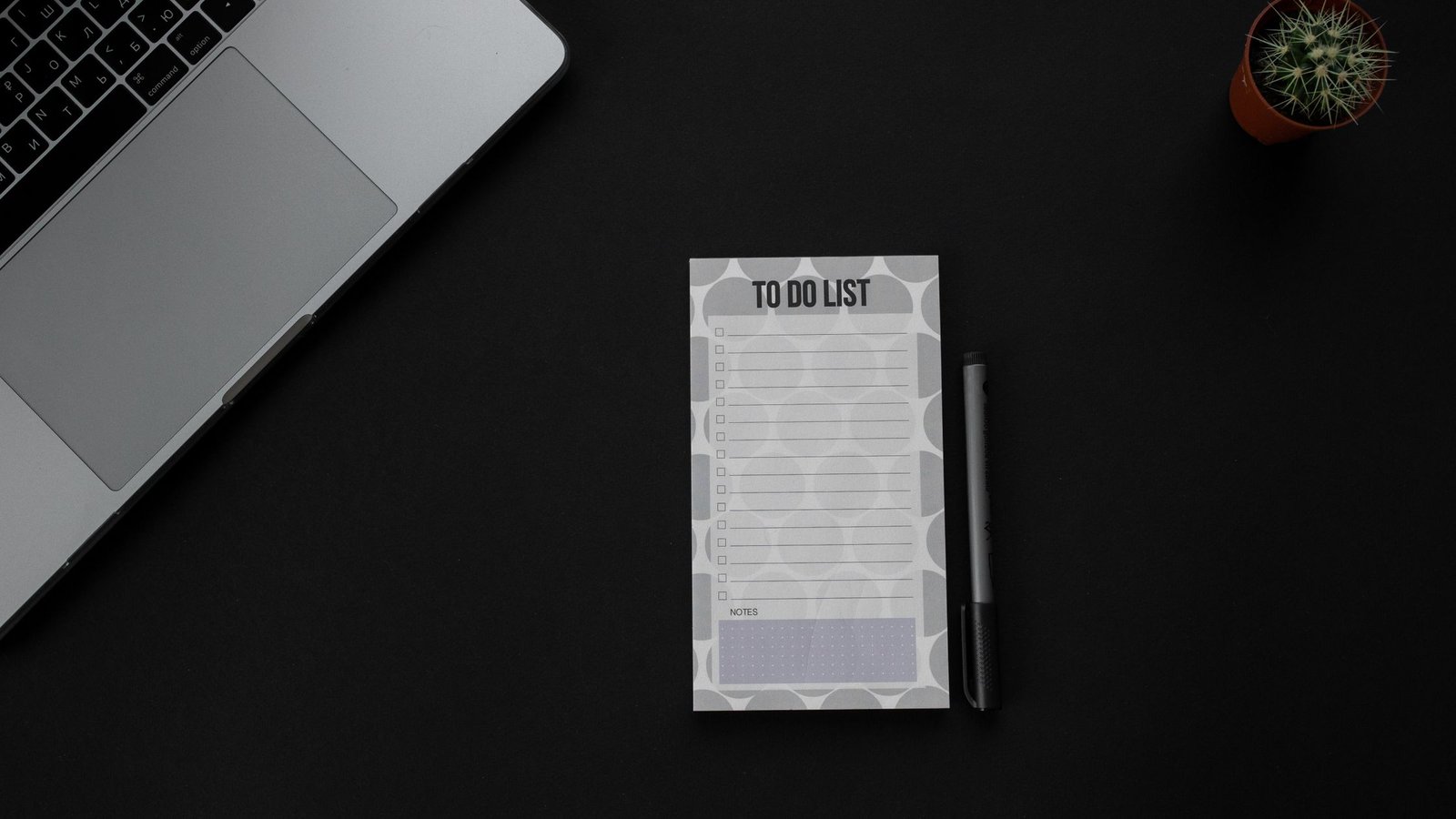
    Minimal to-do list with pens on a clean desk for a low-friction daily habit log.
    Minimal setup beats complex spreads for daily marks. Photo by RDNE Stock project via Pexels.

    Source: RDNE Stock project on Pexels. Used under the Pexels License.

    Optional printables and books

    You can stay 100% free with cards and notes. However, some readers like structured pages or bound planners for routine building. If that is you, explore our short list below.

    Browse the Mind Clarity Hub books page for planning and focus titles that pair well with a tiny tracking routine.

    Affiliate disclosure: Some links in this guide may be affiliate links. If you buy through them, Mind Clarity Hub may earn a commission at no extra cost to you.

    Mind Clarity Hub is a participant in the Amazon Services LLC Associates Program.

    • Prefer a bound tracker? Consider a simple weekly layout notebook with checkboxes and notes. For a plain, flexible option: A minimal habit tracker notebook. Use it with the two‑minute rule and your simple habit tracker ideas.

    FAQs about simple habit tracker ideas

    What are the best simple habit tracker ideas for beginners?

    Start with sticky‑note boxes, an index card tally, or a single phone checkbox widget. These easy habit tracker ideas take seconds to set up and seconds to log, which keeps you consistent.

    If I miss a day or two, what should I do?

    Nothing breaks. Habits form over weeks, not single days. Return to your tiny version and make one small change (time, location, or cue). A classic study found wide ranges for habit automaticity, so flexibility is normal. Shrink the behavior and move the anchor if needed.

    Should I track multiple habits at once?

    Begin with one. After two steady weeks, add a second if the first feels automatic. This reduces cognitive load and preserves attention for action. If you add a second, keep the marks identical to stay simple.

    How do I avoid perfection pressure?

    Use weekly counts (for example, 4 of 7) and celebrate half‑wins on tough days. Also, keep the track mark tiny so it does not become its own project. If a streak helps you, make a range goal (e.g., 4–6 days) rather than 7/7.

    Which weekly review routine works best?

    Spend five minutes: what worked, what felt heavy, one adjustment, and one small celebration. Keep notes on the same card or a single phone note. Then, reset the week and start fresh on Monday.

    Next steps: keep your simple habit tracker ideas going

    Choose one format from this page, tie it to a daily anchor, and make a mark today. Then, do a five‑minute review at the end of the week. If you want book‑length guidance and printable pages, see our books hub. With a tiny start, you can keep your simple habit tracker ideas working through real life.

  • A Weekly Planning Routine for Busy Adults Who Need More Calm

    A Weekly Planning Routine for Busy Adults Who Need More Calm

    Short version: If chaos keeps winning your week, this guide gives you a weekly planning routine for busy adults that turns noise into calm. You will capture loose ends, pick only what matters, block time around energy, and leave buffers so real life still fits. The result is a steadier week you can trust.

    Key takeaways from a weekly reset

    • Start with one consistent 60-minute reset. Keep it the same day and time.
    • Brain-dump everything, then choose a few high-impact wins. Less is more.
    • Time-block your must-dos around your best energy windows.
    • Leave buffers. Plans fail when every slot is packed.
    • Review once midweek. Fix the plan, not your willpower.
    • Use simple tools you will open daily. Paper or digital both work.
    • Protect rest and movement like appointments. Energy fuels results.

    Why a weekly planning system lowers stress (and works better than daily scrambling)

    Planning reduces guesswork. It also moves ideas out of your head and onto a page. Because your brain does better at solving problems than at holding dozens of reminders, you feel lighter once tasks live in a trusted list. In addition, a weekly reset lets you choose a few wins before the calendar fills with other people’s plans.

    Research supports this. β€œImplementation intentions” (simple if-then plans) boost follow-through on goals by linking an action to a time and trigger (Gollwitzer, 1999). In parallel, cognitive offloading research shows that writing information down frees mental resources for thinking (Risko & Gilbert, 2016). Finally, broad stress surveys keep finding that uncertainty and workload drive anxiety for many adults, and clear plans can help reduce that pressure by restoring a sense of control (American Psychological Association, Stress in America).

    You can scan the source material here: APA: Stress in America, Gollwitzer on implementation intentions, and Risko & Gilbert on cognitive offloading.

    There is another reason weekly beats daily: decisions. When you decide key outcomes once per week, you avoid dozens of small, in-the-moment choices. That reduces decision fatigue. As a result, you follow your plan more often. Also, a weekly view exposes trade-offs you cannot see on a daily page, like how one long meeting day demands a lighter evening.

    Quick answer: your one-hour weekly reset

    Here is the fast structure you can reuse every week.

    1. Collect (10 min): Inbox-zero sweep, notes, voicemails, sticky notes, brain dump.
    2. Clarify (10 min): Turn each note into a clear next step or drop it.
    3. Choose (10 min): Pick 3 work wins and 2 life wins for the week.
    4. Block (15 min): Time-block your wins and anchor events first. Add buffers.
    5. Prep (10 min): Set up materials, checklists, and if-then plans.
    6. Protect (5 min): Add a midweek review and one recovery block.

    Start with a simple weekly planning routine for busy adults you can finish in 60 minutes. Then adjust once it feels automatic.

    What does a weekly planning routine for busy adults include?

    It includes six parts you repeat. You collect inputs, clarify tasks, select priorities, block time, prep tools, and protect energy. Each part is short. Also, each part has a clear output you can see on paper or screen.

    • Collect: One place where you capture everything.
    • Clarify: Every item is either a task, a date, a note, or trash.
    • Choose: A small set of weekly outcomes that matter.
    • Block: Calendar time that matches energy and focus windows.
    • Prep: Files, links, checklists, and meeting agendas ready.
    • Protect: Buffers, sleep, meals, and movement planned.

    How long should a weekly planning routine for busy adults take?

    About one hour is enough for most people. However, you can do a 30-minute β€œlite” reset in crunch weeks, or a 90-minute deep reset when you are starting fresh or after a big change.

    Where should a weekly planning routine for busy adults live?

    Pick one home base you open every day. For example, a paper weekly planner, a simple notes app, or a calendar-plus-task app. In addition, keep a visible place for a weekly snapshot (a printed page, a pinned note, or a widget). Therefore, you do not need to hunt for your plan.

    Open planner and glasses: a weekly planning routine for busy adults in action.
    Keep your plan visible and easy to open. Photo by Jess Bailey Designs on Pexels.

    Description and source: Close-up of an open planner with glasses. Photographer: Jess Bailey Designs. Licensed via Pexels: view original.

    The 60-minute weekly review, step by step

    This weekly planning routine for busy adults breaks the hour into clear blocks. Use a timer. Also, stop each step when the timer ends. Momentum matters more than perfection.

    1) Collect: empty your head and inboxes (10 minutes)

    Do a quick sweep of email, messages, and voicemails; pull in sticky notes, receipts, and stray pages; then brain dump anything still on your mind. Write fast and avoid sorting yet. Output: one list of everything that has your attention.

    2) Clarify: convert inputs into next steps (10 minutes)

    Turn vague notes into direct actions, dates, or drops. Use short verbs like β€œemail Alex,” β€œdraft intro,” or β€œorder filters.” If a task looks bigger than 60–90 minutes, split it into smaller chunks you can finish in one block. Output: a clean tasks-and-dates list.

    3) Choose: pick 3 work wins and 2 life wins (10 minutes)

    Less is kinder to your future self. Therefore, choose only what moves the needle. You can use the Eisenhower Matrix to sort items by importance and urgency.

    Quadrant What it means Examples Action
    Important & Urgent High impact, time-bound Client deadline, filing forms Do first, time-block early
    Important & Not Urgent High impact, flexible Strategy draft, training Protect blocks; big weekly wins
    Not Important & Urgent Low impact, noisy Most pings and quick asks Delegate or set limits
    Not Important & Not Urgent Low impact, flexible Random browsing, busywork Delete or batch later

    Output: five headline outcomes for the week that fit your life.

    4) Block: map time around your energy (15 minutes)

    Time-block your five wins first. Then fit meetings, errands, and chores around them. Because energy matters more than minutes, place deep work in your best focus window and admin in lighter hours.

    Day Focus window Anchor events Deep work block Admin block
    Mon 8:30–11:00 1:1 at 2:00 Project A draft Inbox + errands
    Tue 9:00–11:30 Team standup 9:00 Proposal build Invoices
    Wed 8:00–10:30 Client call 1:00 Analysis Docs + filing
    Thu 9:00–11:00 On-site 3:00 Strategy write Follow-ups
    Fri 9:00–10:30 Wrap 3:00 QA + review Planning + clean up

    Output: calendar holds for your most important work plus buffers.

    5) Prep: set triggers that make action easy (10 minutes)

    Open the tabs, files, and brief notes you will need for each block; write a one-line if-then for each key task (for example, β€œIf it’s 9:00 Monday, then start Project A outline”); and gather materials into one folder or tray. Output: your future self can start each block in under one minute.

    6) Protect: add buffers, sleep, and movement (5 minutes)

    Insert 15-minute breathing room after deep work; plan one walk, stretch, or short workout most days; and hold a midweek 15-minute review to reset the plan. Output: a week that cares for your body and fixes small slips fast. For healthy sleep targets by age, see the CDC overview (CDC: How Much Sleep Do I Need?).

    Weekly Calm Cycle (60 minutes)

    Flow: Collect β†’ Clarify β†’ Choose β†’ Block β†’ Prep β†’ Protect. Midweek: run a 15-minute micro-review and adjust blocks, not goals. End of week: reflect for 10 minutes and keep what worked.

    Design note: Keep it simple and visible. Use a soft-neutral background, navy accents, and short labels so it is readable on mobile.

    What tools make a weekly planning routine for busy adults easier?

    Use the tools you already open. Also, keep the stack small. One calendar, one task list, and one notes spot is plenty. Calendar: Google Calendar, Outlook, or a paper weekly planner; Tasks: a paper list, Apple Reminders, Microsoft To Do, or Todoist; Notes: Apple Notes, Google Keep, Notion, or a notebook.

    Tip: Pin your weekly snapshot at the top of your task app or print it and keep it by your keyboard.

    Overhead workspace with a weekly planner clipboard, pens, and books to support a calm planning reset.
    Lay out simple tools before you start. Photo by Ron Lach on Pexels.

    Description and source: Overhead workspace with clipboard planner and tools. Photographer: Ron Lach. Licensed via Pexels: view original.

    Inside your weekly review: how to choose priorities

    Pick outcomes, not chores. Because outcomes are specific results, they guide your choices when time runs short. Write them as results (for example, β€œSend proposal draft to Mia” rather than β€œWork on proposal”). Limit to five for the weekβ€”more is fantasy. Finally, check alignment with your bigger goals and roles.

    Time-blocking in your weekly planning system without losing flexibility

    Blocks should be firm on intention and loose on method. Therefore, name the block for the outcome you chose, but allow optional paths to get there. Also, protect one empty block daily to catch what slips.

    If you want a simple tool to keep blocks visible, see our guide to time blocking apps and pick one you will actually open every day.

    Block name Goal Length Backup plan
    Proposal draft Outline and first section 90 min Outline only + schedule 45 min Friday
    Client prep Slides v1 60 min Agenda + key points if time runs short
    Admin sweep Inbox to 20, pay two bills 45 min Inbox to 50 + flag bills for tomorrow

    Templates: 30-, 60-, and 90-minute weekly resets

    Your life changes week to week. As a result, keep three versions of your reset.

    30-minute β€œlite” reset (when time is tight)

    Collect (5) β†’ Clarify (5) β†’ Choose 2 work wins + 1 life win (5) β†’ Block (10) β†’ Protect (5). Use a 30-minute weekly planning routine for busy adults in hectic weeks. It keeps momentum without the pressure.

    60-minute standard reset (most weeks)

    Collect (10) β†’ Clarify (10) β†’ Choose 3+2 (10) β†’ Block (15) β†’ Prep (10) β†’ Protect (5). This is the steady version to run for several months.

    90-minute deep reset (after big changes)

    Collect (15) β†’ Clarify (15) β†’ Choose (15) β†’ Block (20) β†’ Prep (15) β†’ Reflect (10). Use after a role change, a product launch, or a move so you can clear backlog and re-aim.

    Make your weekly reset stick with simple science

    Small structures go a long way. For example, if-then cues (β€œIf it is 8:30 Monday, then open the budget sheet”) raise the chance you start the task. Also, writing down your plan offloads it from memory so your brain has room to think. Finally, protect sleep and recovery because energy supports focus and mood.

    For quick references: implementation intentions help follow-through (APA PsycNet); cognitive offloading reduces memory load (Trends in Cognitive Sciences); sleep is a core input for self-control and health (CDC Sleep); and habits tend to improve with prompts, practice, and patience (NIH News in Health).

    Handle curveballs: keep your weekly review on track

    Expect change. That is why you add buffers and a midweek review. Because you review midweek, you can move blocks, drop one win if needed, and still protect what matters. When a surprise lands, pause, check your five wins, and make one change at a time.

    Use the β€œswap, shrink, or shift” rule. Swap tasks across blocks; shrink scope (for example, β€œoutline only”); or shift to a backup slot. Protect anchors. Sleep, meals, movement, and one deep-work block stay put. Document the change. Writing the new plan helps your brain let the old one go.

    Midweek micro-review: a 15-minute weekly review that saves your plan

    Set a midweek timer. First, glance at your five wins. Cross out anything that no longer matters. Second, drag blocks to better spots or shorten them to protect momentum. Third, add one recovery block for catch-up. End by writing a one-line intention for the next day. You just rescued the week without starting from scratch.

    Adapt your plan to any work style

    Remote or hybrid: Guard your freshest focus window. Batch meetings into one or two afternoons so you still get long creation blocks. Keep a printed weekly snapshot in view to avoid tab-hopping.

    On-site or office-heavy: Use commute time for light admin or learning. Block your top outcome for the first hour on your least meeting-heavy days. Put buffer zones around back-to-back meetings.

    Shift work or variable schedules: Map energy, not clock time. After night shifts, plan recovery first. Use shorter 20–40 minute blocks and a rotating weekly snapshot so you always see the next two to three days.

    Example weekly plans (three common schedules)

    If you are not sure how to translate β€œwins” into a real calendar, use these examples as starting points. The goal is not to copy them perfectly. The goal is to see how a weekly planning routine for busy adults turns priorities into protected time and realistic buffers.

    Schedule 3 work wins 2 life wins How to time-block Buffer rule
    Remote knowledge worker Ship draft, prep one meeting, clear inbox to 20 Two workouts, one meal plan One 90-minute deep block Mon/Tue/Thu; admin late Keep one empty 45-minute overflow block daily
    Office + meetings One decision doc, one stakeholder follow-up, one weekly report Two walks, one home reset Deep work in first hour on 2 lighter-meeting days Block 15 minutes after every meeting cluster
    Shift / variable week Two small project moves, one admin sweep Sleep catch-up, one family plan Plan in 20–40 minute blocks tied to energy windows Build β€œrecovery first” holds after late shifts

    Notice the pattern: you always protect one β€œreal work” block, you always name what β€œdone” looks like, and you always leave space for life to interrupt you. That is why the system stays calm even when your week is not.

    Audit meetings and your calendar

    Meetings crowd out the work that moves outcomes. In your review, ask: Which meetings can I skip, shorten, or combine? Which need a tighter agenda? Then send one polite note each week to improve a single meeting: propose a clear purpose, a timebox, or an async option. Over a month, you free hours without friction.

    Coordinate with family without friction

    Pick a 10-minute home huddle on Sunday night. Share the week’s five wins, big events, and who covers what. Add two β€œlife anchors” to your calendars (for example, a shared dinner and a walk). Keep the talk short and clear. This reduces midweek surprises and last-minute scrambles.

    Digital hygiene for a calmer weekly planning system

    Notifications shape your week more than you think. During deep-work blocks, silence all but true emergencies. Batch chat and email twice a day. Set inbox rules to auto-label newsletters and receipts. Keep your task app and calendar clean: archive done items, delete duplicate reminders, and pin only the weekly snapshot. Less screen noise means more steady focus.

    When you miss the weekly reset: restart fast

    It happens. If you skip your reset, do a 10-minute rescue: collect the top loose ends, choose one work win and one life win, and block a single 45-minute focus slot. Then book a proper reset for the next day. Momentum returns when the next step is obvious.

    Make your weekly reset overwhelm-friendly (when your brain is overloaded)

    When you are fried, the goal is not a perfect plan. The goal is a plan you can start. Use these friction reducers so the reset feels lighter than avoidance:

    • Lower the bar: use the 30-minute template and plan just 2 work wins + 1 life win.
    • Make it visible: write your wins on paper or a sticky note and keep it where you work.
    • Write β€œjust start” steps: for each deep-work block, write the first 2 minutes (open doc, write three bullets, send one email).
    • Use movement as a reset: when attention drifts, stand up, drink water, and restart a 10-minute timer.
    • Protect recovery first: if sleep is off, plan around health anchors before extra projects.

    If you have ADHD or another condition that affects attention, a clinician can help tailor strategies to your needs. This guide is general education, not medical advice.

    Weekly reset mistakes and easy fixes

    • Overfilling the week. Fix: Choose fewer wins. Add buffers on purpose.
    • Using too many tools. Fix: One calendar, one task app, one notes app.
    • Skipping the midweek review. Fix: 15 minutes on Wednesday to reset.
    • Vague tasks. Fix: Write clear verbs and outcomes.
    • Ignoring energy. Fix: Put deep work in your best hours.
    • Planning projects instead of next actions. Fix: Turn β€œWork on taxes” into β€œFind W‑2” or β€œEmail CPA”. Smaller steps reduce resistance.
    • Not knowing what goes on the calendar. Fix: Calendar is for time-sensitive work, deep blocks, and appointments. The task list is for everything else.
    • No restart ritual. Fix: End each block by writing the next line you will do when you return. Starting becomes automatic.
    • Leaving no β€œoverflow” time. Fix: Add one catch-up block daily. If you do not need it, use it for a quick win or rest.

    Do not turn the weekly planning routine for busy adults into a long meeting. Keep it short, sharp, and repeatable.

    Track simple metrics to improve your weekly review

    Check only a few signals each week. Because data drives change, the right small numbers will show you what to fix. Note your completion rate (did you finish your 3+2 wins?), focus hit rate (how many deep-work blocks started on time), carryover (which tasks moved forward), and energy notes (how sleep and movement affected focus). Review these on Friday for five minutes and pick one tweak for next week.

    FAQ: your biggest questions, answered

    Is Sunday or Monday better for the weekly reset?

    Either is fine. Sunday gives you a calm start and Monday brings fresher context. Pick one and stick with it for a month.

    Can a weekly reset work if my job is all meetings and fire drills?

    Yes. A weekly planning routine for busy adults still helps if your job is reactive. Block shorter wins, protect one deep-work block, and use a midweek reset.

    What if I never finish the plan from my weekly review?

    Shrink it. Choose fewer outcomes, halve task scopes, and add bigger buffers. Also, move deep work into your best hours.

    Weekly planning system: paper or digitalβ€”what works best?

    Use the one you will open daily. Paper reduces distraction. Digital helps search and sharing. Many people use paper for the weekly snapshot and digital for tasks.

    How do I plan family, health, and home in a weekly reset?

    Add them to your five wins. Protect sleep, meals, and two movement blocks. Therefore, work supports life instead of pushing it out.

    More guides for a calmer, focused week

    Want hand-picked reading to sharpen focus and routines? See our Books hub for practical titles and takeaways. Also, explore honest opinions in the Reviews hub when you want a second look before you read. If you want a guided reset you can work through week by week, see The Work‑Life Reset Workbook.

    Sources and further reading


    Try the weekly planning routine for busy adults for four weeks. Because small, steady systems beat heroic sprints, you will likely feel calmer by the second cycle. Finally, keep the parts that work and drop what does not. That is how you build a plan you trust.

    Helpful resources for your next step

    Affiliate disclosure: As an Amazon Associate, Mind Clarity Hub may earn from qualifying purchases at no extra cost to you. Use this link only if it genuinely helps your planning.

    If A Weekly Planning Routine for Busy Adults Who Need More Calm is a routine you want to keep using, a simple workbook, planner, or desk tool can make the steps easier to repeat.

    Compare related planners, workbooks, and organization tools on Amazon.
  • Five-Minute Entryway Drop Zone Reset for Apartment Dwellers

    Five-Minute Entryway Drop Zone Reset for Apartment Dwellers

    If you get home and set things down wherever they fit, you are not alone. A simple system can change that in days. This entryway drop zone reset routine for cluttered apartments creates a tiny, reliable place for keys, mail, masks, and shoes. It takes five minutes at night, a few seconds during the day, and a quick weekly purge. As a result, your entry stays clear, your mornings feel easier, and you save time you used to waste searching.

    Quick wins: the 5-minute plan in one glance

    • Define three small containers: keys, mail, masks/face coverings or grab-and-go health items.
    • Place a vertical catch-all: wall hooks or a slim coat rack for bag/outerwear.
    • Limit shoe parking to 2 pairs per person near the door; everything else lives in the closet.
    • Do a 5-minute nightly sweep: return strays to containers, clear surfaces, stage tomorrow’s essentials.
    • Use a mail triage micro-rule: process each piece right away or park in a 24-hour action folder.
    • Run a weekly purge: empty the tray, recycle junk, file keepers, wipe surfaces, and reset labels.

    What is an entryway drop zone reset routine for cluttered apartments?

    The phrase sounds formal, but it is very simple. An entryway drop zone reset routine for cluttered apartments is a short, repeatable set of steps that keeps the first three feet of your home clear. It tells you where each common item lands, how to reset the space in five minutes at night, and when to toss or file what piles up. Because the routine is light, you will actually do it. Because it runs daily, your space will not drift back to chaos.

    If this post is describing your situation with minute, I built FocusFix: The Emotional Clarity Kit for Real-World Distraction Killers as the step-by-step version of what this article covers. It is my own product, and it goes considerably deeper than a blog post can.

    Why a tiny β€œlanding strip” works in small rentals

    An apartment’s front door often opens straight into a living room or kitchen. That lack of a foyer makes every square inch count. Instead of a full mudroom, you create a one-step landing strip: a mini system that catches items the moment you enter and then releases them during your reset. In addition, the tools can be completely renter-friendly: damage-free adhesive hooks, shallow trays, and narrow shoe racks that do not block the door swing.

    Function beats decor

    You do not need bespoke furniture. A tray, a small bin, and two sturdy hooks will change how your evening feels. Also, you can try the system with what you own now, then upgrade once it proves itself.

    Set your three core containers (keys, mail, masks)

    Start where friction is highest. For most renters, that means lost keys, a mail pile, and last-minute scrambles for a mask or health item. Use the smallest containers that do the job, so surfaces stay open and you avoid visual noise.

    • Keys: A shallow ceramic or metal tray, 6–8 inches wide. Place it at hand height or on a console corner. One tray per household is fine if you keep it clear.
    • Mail: A vertical sorter with two slots only. Limit capacity by design. One slot is β€œAction in 24 hours,” one is β€œTo file/pay.” Recycle junk on sight.
    • Masks/health: A narrow bin or zip pouch for masks, sanitizer, and tissues. If masks are not part of your current routine, use this bin for another daily health item like meds-to-go or lip balm.

    Because most apartments forbid holes, damage-free adhesive is your friend. For coats and bags, use adhesive hooks rated for the load, and follow the maker’s instructions for surface prep and removal. See 3M Command for damage-free hanging options and weight ratings.

    Where should these containers live?

    Keep the set tight and obvious. Place the key tray within your first reach when the door opens. Put the mail sorter just after that, so you do not have to walk across the room with paper in hand. Then tuck the masks/health bin either alongside the key tray or clipped to a hook under the coat line. In a studio, you can mount all three on a single narrow rail that fits behind the door swing.

    Overhead planner view showing labeled bins for an entryway drop zone reset routine for cluttered apartments
    Keep it small and clear: one tray for keys, a slim mail sorter, and a pouch for masks or sanitizer. Photo: Ron Lach via Pexels (license: free to use).

    Define the five-minute nightly reset

    Your reset should be short and kind to a tired brain. It is not cleaning. It is a circuit. You touch each container and move only what does not belong. Because you will do it daily, it stays fast.

    1. Keys and pockets (45 seconds): Empty pockets, drop keys in the tray, return any stray keys or fobs. Shake out receipts into the mail triage zone if they need action.
    2. Mail triage (90 seconds): Recycle obvious junk right now. Put keepers into either β€œAction 24h” or β€œTo file/pay.” If an action takes two minutes or less, do it now. The GTD β€œtwo-minute rule” is perfect here.
    3. Bags and outerwear (60 seconds): Hang bags and coats on hooks. If your bag holds tomorrow’s essentials, stage it now.
    4. Shoes (45 seconds): Cap the rack at two pairs per person. Put extras back in the closet. For compact picks, see Wirecutter’s shoe rack guide.
    5. Masks/health bin (40 seconds): Restock clean masks or swap in a fresh sanitizer if needed. Toss dried wipes.
    6. Surface clear (20 seconds): Wipe crumbs or water rings with a cloth, then leave the landing strip empty except for the containers.

    That’s it. A true entryway drop zone reset routine for cluttered apartments is designed to be finished before a song ends. You will feel a subtle lift when you see a clear surface as you turn off the lights.

    A 60-second mail triage micro-rule that stops paper piles

    Paper floods busy homes. A tiny rule fixes it: touch each item once.

    • Junk? Recycle it now. Do not let it cross the threshold. For ways to cut incoming junk mail long-term, follow the FTC’s guidance.
    • Action in 24 hours? Place it in the front slot and set a reminder on your phone. Pay, call, or scan during your next focused block.
    • File/pay later? Place it in the second slot and batch-handle once a week during your purge.

    Because this method pairs with your entryway drop zone reset routine for cluttered apartments, your mail never drifts. It has a clear gate and a clock.

    Before-and-after layout sketch for a tiny entry

    Below is a simple layout you can copy. It uses wall-safe hooks and a 24-inch console or floating shelf. If you lack a console, use a narrow wall-mounted ledge shelf rated for the weight of a small tray and mail sorter.

    What gear works best in rentals?

    Pick pieces that do not fight your walls or floors. Adhesive hooks, narrow shelves, and compact racks keep visual clutter down. Also, choose light colors that blend with the wall so the space reads calm.

    Renter-friendly entry gear at a glance
    Need Good choice Why it helps Notes
    Bags & coats Adhesive wall hooks (damage-free) Vertical storage frees floors Prep walls and respect weight limits (see 3M Command)
    Keys Shallow tray (6–8 inches) One obvious landing place Avoid deep bowls; they hide small items
    Mail Two-slot vertical sorter Hard cap on paper volume Label: β€œAction 24h” and β€œTo file/pay”
    Masks/health Narrow bin or pouch Grab-and-go health set Refresh weekly; move unused items elsewhere
    Shoes Two-tier slim rack Prevents door-blocking piles Check width and door swing clearance (Wirecutter)

    How do I fake an entryway when my door opens into the living room?

    Use a visual cue to mark the landing strip. A 2-by-3-foot rug sets a boundary your brain respects. Then add a narrow shelf or small console against the wall next to the hinge side if possible. Finally, mount two hooks above the shelf and park a two-tier shoe rack below the last hook. You now have an instant foyer without a wall.

    If the embed does not load, open the video here: How To β€œFake” An Entryway When You Don’t Have One.

    Map your nightly five-minute circuit

    Write your steps once. Post them near the door until they become second nature. Because clarity reduces friction, label each bin and hook.

    • Hook bag β†’ keys to tray β†’ sort mail β†’ cap shoes β†’ restock masks/health β†’ wipe surface β†’ lights out.

    Another small tip: play the same short song each night. When it ends, your entry is done. A steady cue makes the entryway drop zone reset routine for cluttered apartments feel automatic.

    Where should mail go so it does not pile up?

    Keep the sorter near the key tray so paper does not travel. Recycle junk at the door. Move only β€œAction 24h” items into your next day’s plan. For long-term relief, opt out of marketing lists using the FTC’s steps. That single habit change will reduce your nightly load.

    Weekly purge: the 12-minute declutter that keeps the system light

    Pick a quiet slot each week. Sunday evenings work for many. The goal is to move stalled items forward and reset capacity. Because you have done small resets nightly, the purge is short.

    Weekly purge checklist by zone
    Zone Task Time
    Mail Pay, file, or scan everything left. Empty sorter completely. 5 min
    Keys/tray Remove old receipts, tags, or dead fobs. Wipe tray. 2 min
    Masks/health Wash or replace, restock, toss expired packets. 2 min
    Hooks/shoes Return out-of-season items to closet. Sweep floor, dust hooks. 3 min

    When you finish, stand in the doorway and take a breath. A clear landing strip signals a calm home. It also means your entryway drop zone reset routine for cluttered apartments is working without constant effort.

    How small is small enough? Use capacity caps

    Clutter creeps in when containers have no hard stops. Set explicit caps.

    • Mail: two slots, nothing more. If it does not fit, process first.
    • Shoes: two pairs per person by the door.
    • Keys: only active sets in the tray. Archive spares elsewhere.
    • Masks/health: one week’s supply only; restock during the weekly purge.

    How do I choose wall-safe hooks and place them?

    Choose hooks rated above your heaviest bag or coat. Clean the wall with isopropyl alcohol, press firmly for the recommended time, and wait the cure period before loading. For removal, pull tabs straight down, not out. The official 3M Command site shows weight limits and surface rules. Follow them and you will avoid wall damage.

    Example: a one-shelf entry that actually works

    Here’s a minimal setup you can copy this weekend.

    1. Mount a 24-inch floating shelf at elbow height beside the door swing.
    2. Place a 6–8 inch key tray on the right-hand side of the shelf.
    3. Mount a two-slot mail sorter above the left half of the shelf.
    4. Mount two adhesive hooks above the sorter and the tray for coat and bag.
    5. Slide a two-tier shoe rack under the shelf’s left edge.
    6. Add a small hidden bin or pouch on the underside of the shelf for masks/health.
    Minimal shelf with plants and magazines beside a bright wall, a calm base for an entry reset
    A narrow ledge or small console is enough to anchor your landing strip. Photo: Carlos Montelara via Pexels (license: free to use).

    Roommates or partners: how do we make this stick?

    Agree on two things: the container caps and the nightly five-minute sweep. Then label everything. Because labels remove guesswork, people comply without nagging. Keep the tone light and celebrate the first week you sustain the habit. As a result, the entry will become the easiest part of your home to keep.

    Troubleshooting common snags

    • Hooks fall off: The wall was dusty, or the load was too heavy, or you skipped the cure time. Clean and remount per maker guidance.
    • Mail overflows: Reduce inputs (use the FTC opt-outs). Then shrink sorter capacity to force action.
    • Keys go missing: Move the tray closer to the door handle and make a rule: keys never cross the threshold in pockets.
    • Shoes creep: Use a rack with exact pairs marked. When a third pair appears, return one to the closet right away.

    Answer-first: your most-asked questions

    Does this work if I have zero wall space?

    Yes. Use a free-standing coat rack with a weighted base and a low-profile tray table under it. Park the shoe rack beside the base. The process remains the same.

    How do I reset fast if I get home late?

    Do the first two steps only: keys to tray, quick mail triage. Then hang your bag and walk away. Finish the rest in the morning. A tiny win is still a win.

    What if my partner ignores the hooks?

    Make the hook the easiest option. Place it directly where they reach on entry. Add a second, lower hook if needed. Then praise the behavior you want, not the miss.

    Make it visible: a one-page routine card

    Print this and tape it inside a cabinet near the door until it becomes automatic.

    • Hook bag β†’ keys in tray β†’ mail triage (recycle junk) β†’ cap shoes β†’ restock masks/health β†’ wipe surface.
    • Weekly: empty sorter, pay/file, wash masks or restock bin, put out-of-season gear away.

    Place a small timer on the shelf if you like. A gentle time box is enough to keep the entryway drop zone reset routine for cluttered apartments on track.

    Small-space bonus: stage tomorrow tonight

    Right after the reset, stage three items you need tomorrow within the landing strip: your bag, one essential document, and your keys. Also, place a water bottle or umbrella if the forecast calls for it. You will feel the payoff at 7 a.m.

    A fast reset for pet owners

    If you walk a dog, add a leash hook under the bag hook and a tiny drawer or pouch for waste bags. Restock during the weekly purge. Keep pet treats in a sealed container away from the door so animals do not mob the entry.

    Budget tips: start free, upgrade later

    • Use a plate as the first key tray.
    • Fold a cereal box into a two-slot mail sorter until you buy a slim one.
    • Repurpose a cosmetic pouch for masks or sanitizer.
    • Borrow a rack from a closet to test your shoe cap for a week.

    Maintain momentum with tiny rules

    • Never set mail on a table. Sort at the door or bin it.
    • Keys never cross the threshold in a pocket.
    • Shoes live on the rack or in the closetβ€”nowhere in between.
    • Reset before TV. The show becomes your reward cue.

    Your 10-minute setup sprint

    1. Pick a shelf or ledge spot by the door.
    2. Lay out a tray, a two-slot sorter, and a masks/health bin.
    3. Mount two adhesive hooks at shoulder height.
    4. Drop a two-tier shoe rack under the hooks.
    5. Label each container and cap capacity.

    After this setup, you are ready to run an entryway drop zone reset routine for cluttered apartments without thinking.

    Simple metrics that prove it is working

    • Time to find keys: under 10 seconds.
    • Mail sorter empty every week.
    • Two or fewer pairs of shoes by the door.
    • Coat and bag are on hooks every night.

    Optional add-ons that stay renter-friendly

    • Magnetic key hooks on a steel door (no wall contact).
    • Self-adhesive cable clips to route a charger to the shelf.
    • A narrow mirror mounted with adhesive strips for a last glance on your way out.

    A note on wall prep and removal

    To protect paint, always clean with isopropyl alcohol before mounting adhesive products, and remove by pulling the tab straight down. The manufacturer’s siteβ€”for example, 3M Commandβ€”details weight limits and surface types to avoid. Follow those and your lease will stay happy.

    Summary: what you gain in one week

    • Fewer lost items, because everything lands in one small place.
    • Less visual stress, because surfaces stay open.
    • Faster mornings, because you staged essentials the night before.
    • Better boundaries, because your space now β€œtells” you what to do.

    Keep at it for seven days. You will start to trust your space, and your entryway drop zone reset routine for cluttered apartments will become the easiest habit in your home.

    More small-space calm to explore

    Build your system step by step, then go deeper with focused reading. Browse the Mind Clarity Hub Books collection for routines that pair well with tiny habits. Also, if you like to compare tools before you buy, scan our Reviews hub for renter-friendly organizers.

    FAQ: quick answers

    FAQs about tiny entryway systems
    Question Answer
    What is an entryway drop zone reset routine for cluttered apartments? A short, nightly circuit that returns keys, mail, masks, bags, and shoes to small containers so the first three feet of your home stay clear.
    Do I need a console table? No. A 24-inch shelf or even a narrow ledge will work. Keep containers shallow and slim.
    How do I stop junk mail? Recycle at the door and reduce inputs via the FTC’s opt-out steps. Less input means less nightly work.
    Will adhesive hooks damage paint? When used per instructions and weight limits, damage-free hooks come off cleanly. Prep and removal matter most.
    How many shoes can live by the door? Two pairs per person. Everything else returns to a closet to keep sightlines clean.

    Sources and further reading

    Helpful resources for your next step

    Affiliate disclosure: As an Amazon Associate, Mind Clarity Hub may earn from qualifying purchases at no extra cost to you. Use this link only if it genuinely helps your planning.

    If Five-Minute Entryway Drop Zone Reset for Apartment Dwellers is a routine you want to keep using, a simple workbook, planner, or desk tool can make the steps easier to repeat.

    Compare related planners, workbooks, and organization tools on Amazon.

    Related guides