...

Tag: work from home

  • An ADHD-Friendly Morning Routine for Work‑From‑Home Parents

    An ADHD-Friendly Morning Routine for Work‑From‑Home Parents

    If you are juggling home life, kids, and a laptop, you may need an ADHD-friendly morning routine for work-from-home parents that is simple, repeatable, and forgiving. This guide shows you how to design a routine with time-boxed blocks, external prompts, and clear kid handoff checkpoints so you can start calm and focused, even on messy days. Put plainly, this ADHD-friendly morning routine for work-from-home parents trades willpower for visible cues and short wins.

    Key takeaways for an ADHD morning routine for WFH parents

    • Use short time-boxed blocks (15Γ’β‚¬β€œ45 minutes) and switch contexts on a cue, not on a whim.
    • Place external prompts where your eyes and hands are: door tags, sticky notes, phone alarms, and visual checklists.
    • Define kid handoff checkpoints with simple scripts so everyone knows what happens next.
    • Stack one new habit onto an existing anchor instead of trying to overhaul everything at once.
    • Keep a reset plan for late starts. You can still win the morning after a wobble.

    How to use this ADHD morning routine for WFH parents guide

    Start with the quick answer below. Then choose one time-box menu, add two or three prompts, and pick your kid handoff checkpoints. Finally, print or save the one-page checklist and test the routine for five mornings. Because ADHD is variable, expect to adjust. Small knobs beat big levers. And yes, the same steps fit an ADHD-friendly morning routine for work-from-home parents whether you have toddlers or teensÒ€”only the block size shifts.

    What makes an ADHD-friendly morning routine for work-from-home parents work?

    Three design choices do most of the heavy lifting:

    1. Time-boxed blocks: You decide what happens for the next block and set a visible end. The end is your cue to switch.
    2. External prompts: You reduce reliance on memory and motivation by letting your environment nudge you.
    3. Kid handoff checkpoints: You define two or three moments where care shifts, and you script them in advance.

    The aim is friction reduction, not perfection. In addition, each block should be small enough to start without dread and short enough to end before attention collapses.

    Quick-start for an ADHD morning routine for WFH parents (choose your block size)

    Pick a block size based on your morning bandwidth. Then run 3Γ’β‚¬β€œ4 blocks in order. Also add prompts and handoffs as shown later. This quick-start flow nests inside an ADHD-friendly morning routine for work-from-home parents so you can ramp up without overhauling your whole day.

    Block size Block 1 Block 2 Block 3 Optional Block 4
    15 minutes Wake + water + meds Kid prep (clothes/breakfast) Desk warm-up (inbox zero to 5 emails) First deep task start
    25 minutes Wake + move + plan 3 Kid handoff + tidy sweep First work sprint Buffer or commute-to-desk ritual
    45 minutes Family + breakfast + anchor chores Calendar check + priority slice Deep work #1 Admin + reset

    Tip: Pre-decide what a win looks like for each block. For example, Ò€œWarm-up means open project, write a 2-sentence plan, and start the doc.Ò€

    Why time-boxing helps ADHD mornings

    Time-boxing sets a clear start and stop and turns time into a friendly guardrail. Because you can see the end, starting gets easier. And when the block ends, you have permission to switch without guilt. Research and expert guidance suggest that structure, external supports, and simple rules help adults manage ADHD symptoms and daily tasks (NIMH; CDC; CHADD). Timeboxing is also a well-studied productivity approach in knowledge work (Harvard Business Review).

    How many blocks should you run?

    Most parents do well with 3Γ’β‚¬β€œ4 blocks. However, if sleep was poor or kids need more care, run 2 blocks and call it a win.

    External prompts for an ADHD morning routine for WFH parents

    Prompts are tiny cues that replace memory. Place them where you look and where you reach. Keep them obvious, not clever.

    • Door tag: Ò€œOn a callÒ€”back at :15Ò€ with a movable clock hand.
    • Cook timer or phone timer on a stand at eye level.
    • Sticky note at the laptop hinge with your first verb: Ò€œDraft 3 bullets.Ò€
    • Checklist by the coffee maker with three morning steps.
    • Calendar banner: Ò€œHandoff to partnerÒ€ at 8:15 with a chime.
    Prompt Where it lives What it cues
    Door tag Office door handle Kid boundary + return time
    Sticky verb Laptop hinge First 30 seconds of work
    Timer on stand Desk corner Block start/stop without app hopping
    Checklist card By coffee maker Wake ritual + meds + water
    Calendar chime Phone + watch Handoff checkpoint
    ADHD-friendly morning routine for work-from-home parents: coffee and a laptop set for the first time-box.
    Place prompts where you look. A timer, a sticky verb, and your calendar chime can carry you through the first block. Photo: Vlada Karpovich (Pexels).

    Image source: Pexels: Close-up photo of laptop by Vlada Karpovich

    Kid handoff checkpoints for an ADHD morning routine for WFH parents

    Two or three predictable checkpoints make mornings calmer. Each checkpoint includes a time range, a role, and a one-line script. Therefore, everyone knows what happens next. This keeps the spine of an ADHD-friendly morning routine for work-from-home parents intact even when the house is noisy.

    Time Checkpoint Lead adult Script
    7:15Γ’β‚¬β€œ7:25 Breakfast finish You Ò€œWe clear plates and choose clothes now. Timer says 5.Ò€
    7:30Γ’β‚¬β€œ7:40 Get-dressed sprint Partner Ò€œIÒ€ℒm the helper. When the song ends, we meet by shoes.Ò€
    7:45Γ’β‚¬β€œ7:55 Backpack check You Ò€œShow-and-tell? Water? Lunch? High-five to the door.Ò€
    8:00 Door/desk split Partner Ò€œIÒ€ℒve got school drop. YouÒ€ℒve got desk warm-up.Ò€

    If you solo parent, compress to two checkpoints and use audio prompts. For example, play the same 3-minute song for the get-dressed sprint and end with the backpack script.

    Design your first block: wake, warm, and win

    Block 1 should be short, kind, and obvious. Because mornings are fragile, you want one easy motion to start. Use this builder. It plugs directly into an ADHD-friendly morning routine for work-from-home parents without adding pressure:

    • Anchor: What already happens? (Coffee? Kid wake-up? Dog walk?)
    • Attach: Add one 60-second task you care about (water + meds, 3 breaths, open blinds).
    • Advance: One tiny step toward your first work win (open doc + title it; write 2 bullets).

    This gives you momentum with minimal thinking. It also prevents Ò€œwandering startsÒ€ that eat 20 minutes.

    Example: 25-minute Block 1

    • 00:00Γ’β‚¬β€œ03:00 Coffee + water + meds
    • 03:00Γ’β‚¬β€œ06:00 Open laptop + title todayÒ€ℒs doc
    • 06:00Γ’β‚¬β€œ20:00 Family breakfast + backpack check
    • 20:00Γ’β‚¬β€œ25:00 Two-sentence work plan on a sticky

    Build the full routine in 6 steps

    1. Pick your block size. Choose 15, 25, or 45 minutes based on kid needs and sleep.
    2. Map 3Γ’β‚¬β€œ4 blocks. Use the quick-start table as a draft template.
    3. Add prompts. One door tag, one timer, one sticky verb, and one calendar chime.
    4. Set handoff checkpoints. Decide the script and time range for each.
    5. Print the checklist. Hang it near your coffee or desk.
    6. Run for five days. Adjust one knob at a time (block size, prompt, or script).

    Visual checklist for an ADHD morning routine for WFH parents

    Tip: Right-click and print this section to PDF for a fridge-ready version. You can also copy the headings into a notes app and check them off each day.

    Habit stacking ideas for an ADHD morning routine for WFH parents

    Stack new actions onto anchors you already do. Because your brain expects the anchor, the new step rides along.

    • After pouring coffee, read your 2-sentence plan.
    • When you open the blinds, start the 25-minute timer.
    • After the backpack check, place a door tag with your return time.
    • When you sit, type three verbs in your document title to start motion.
    • After the first work sprint, stand, drink water, and reset the timer.

    Late start reset for an ADHD morning routine for WFH parents

    Use a 15-minute reset protocol:

    1. Set a 5-minute tidy timer. Clear two hotspots you see from your desk.
    2. Set a 5-minute kid sprint. Clothes on, teeth, shoes by door.
    3. Set a 5-minute desk warm-up. Open the doc and write the first paragraph ugly.

    Then resume your next planned block. Therefore, a late start still lands a win.

    When kids need you during an ADHD morning routine for WFH parents

    Build micro-handoffs inside each block. For example, run 10 minutes of kid focus, then 10 minutes of desk focus. Use a song as the switch cue and keep the door tag honest about return times. Also keep snacks and activity kits ready so you can pivot without losing the plan.

    How long should an ADHD-friendly morning routine for work-from-home parents take?

    Most homes do well with 60Γ’β‚¬β€œ120 minutes total, split into short blocks. If your windows are smaller, compress to two blocks and add an afternoon micro-block for admin. Progress beats perfect timing.

    Example menus for an ADHD morning routine for WFH parents

    90-minute window (3 Γƒβ€” 25 minutes + 15 min buffer)

    Flow: Coffee + water + meds Ò†’ Backpack check Ò†’ Write 2 bullets; next, kid handoff + tidy sweep Ò†’ Desk warm-up; then, first deep task sprint Ò†’ Calendar glance Ò†’ Message partner; finally, buffer for snack, stretch, bathroom, and timer reset.

    60-minute window (2 Γƒβ€” 25 minutes + 10 min buffer)

    Flow: Breakfast Ò†’ Clothes Ò†’ Open doc and title it; next, door/desk split Ò†’ 15-minute focused start; buffer for water and quick dishes before meetings.

    45-minute window (1 Γƒβ€” 25 + 1 Γƒβ€” 15 + 5 min buffer)

    Flow: Kid prep sprint Ò†’ Timer Ò†’ Backpack check; then, desk warm-up Ò†’ Send one message that moves a task; quick stretch and reset in the buffer.

    Prompts that protect focus (and sanity)

    Use these low-friction prompts to keep attention on rails:

    • Place a stand-alone kitchen timer at eye height so you do not unlock your phone.
    • Use a door tag with a magnetic pointer to show next return time.
    • Keep a small whiteboard with your three morning verbs, not nouns.
    • Turn on Do Not Disturb for the first two blocks and allow only handoff chimes.

    These prompts support the core aim of an ADHD-friendly morning routine for work-from-home parents: reduce choices and make the next step obvious.

    Parent in a calm home office following a visual checklist while sipping coffee.
    A calm start often comes from a visible checklist and short, kind blocks. Photo: Lucie Liz (Pexels).

    Image source: Pexels: A woman with a cup sitting in front of a laptop by Lucie Liz

    Handoff scripts for an ADHD morning routine for WFH parents

    Use simple, repeatable phrases and the same tone daily. For example: Ò€œTimer says five. Then we pick shoes.Ò€ Another steady line is Ò€œWe do breakfast, backpack, door in that order.Ò€ Music works too: Ò€œWhen the song ends, we meet at the hallway star.Ò€ Finally, keep boundaries visible: Ò€œIÒ€ℒm back at :25. The card shows it.Ò€

    Healthy anchors for an ADHD morning routine for WFH parents

    Keep wellness simple in the morning. Water at wake helps; place the cup by your phone at night. Light exposure also settles the bodyÒ€”open blinds or step outside for 60 seconds if possible. Two slow breaths while the coffee brews calm the start. A short stretch when you stand to reset the timer can ease stiffness without derailing momentum.

    Adults with ADHD often benefit from structure and environmental supports rather than sheer willpower alone (CHADD; NIMH). Also, building tiny, consistent anchors can help reduce friction across days.

    Evidence-informed strategies, in plain language

    • Implementation intentions: Turning Ò€œI shouldÒ€ into Ò€œIf itÒ€ℒs 7:30, then I start the 25-minute blockÒ€ helps turn goals into actions (HBR on timeboxing).
    • Environmental cues: Visible prompts and pre-positioned tools reduce working-memory load (CDC ADHD facts).
    • Small wins: Short, achievable starts build momentum and reduce overwhelm (CHADD adult ADHD resources).

    Mistakes to avoid in an ADHD morning routine for WFH parents

    • Starting with a 2-hour block on day one. Instead, start with 15Γ’β‚¬β€œ25 minutes.
    • Relying on memory for handoffs. Use a chime and a door tag.
    • Stacking six new habits at once. Add one at a time.
    • Skipping the tiny work step. A 30-second start beats a perfect plan.

    Tech setup for an ADHD-friendly morning routine for work-from-home parents

    Set up tools so they help, then get out of the way. To run an ADHD-friendly morning routine for work-from-home parents without distraction, keep tech simple and visible.

    Timer: Use a single-purpose timer or a widget pinned to your desktop. Big digits beat clever apps. Place it at eye height so you never need to unlock your phone.

    Calendar: Add two recurring events: Ò€œHandoff windowÒ€ and Ò€œDeep-start block.Ò€ Give each a distinct sound. Consistent chimes become fast cues.

    Do Not Disturb: Schedule DND for Blocks 1Γ’β‚¬β€œ2. Allow only calls from school and your partner, plus the handoff chime. This trims noise without missing what matters.

    Document pin: Pin a single Ò€œTodayÒ€ document to your dock or taskbar. First action each day: open it and add three verbs. This makes the very first step obvious.

    Desk tray: Keep your charger, headphones, notebook, and sticky notes in one tray. You can Ò€œcommute to deskÒ€ in 30 seconds and clear it just as fast.

    Three scenarios using an ADHD morning routine for WFH parents

    Scenario A: Toddler at home. You run 25-minute blocks with micro-handoffs inside each. First, wake + water + meds + tiny work step. Next, 10 minutes of kid play on the floor, then 10 minutes at the desk while a song plays. Finally, a snack handoff and a quick desk warm-up. The pattern holds, even if the content shifts.

    Scenario B: School-age kids. You anchor the morning with the backpack check and a door/desk split. The first block covers breakfast and a tiny work start. The handoff window comes next. Your third block is the first deep sprint before the first meeting. Because the chime is fixed, everyone knows when the switch happens.

    Scenario C: Teen schedule. Start earlier with a 15-minute Block 1. You still do water + meds and open the doc. Teens self-manage with a shared checklist on the fridge. Use Block 2 as a quiet house reset and Block 3 as a focused sprint. Because the steps are light, the system survives late buses and surprise forms.

    Troubleshooting map for an ADHD morning routine for WFH parents

    If Block 1 keeps slipping: Shrink it to 10 minutes and pick one verb. Add lightÒ€”open blindsÒ€”as the first motion. Then grow by five minutes next week.

    If email hijacks Block 3: Move the inbox to Block 4 or after lunch. In Block 3, start by writing two ugly sentences in the main doc before any app opens.

    If handoffs feel tense: Practice scripts at a calm time, not during the rush. Set the chime five minutes early so the switch is unhurried.

    If kids interrupt anyway: Keep a visible Ò€œreturn at :15Ò€ door tag and a small basket of activities outside the door. Meet the need quickly, then point to the tag and the timer.

    If motivation dips mid-week: Celebrate small wins out loud. For instance, Ò€œWe did backpack checks three days in a row.Ò€ Then keep the next morning small and kind.

    Two-week test plan for an ADHD morning routine for WFH parents

    During this test, protect the spine of your ADHD-friendly morning routine for work-from-home parents: block size, prompts, and handoffs. Change only one knob at a time so you can see what works.

    Day Focus tweak What you measure
    MonΓ’β‚¬β€œTue Choose block size Did you start on time? Y/N
    WedΓ’β‚¬β€œThu Add prompts Did you switch on the chime? Y/N
    Fri Write scripts Did handoffs feel calmer? 1Γ’β‚¬β€œ5
    MonΓ’β‚¬β€œTue Adjust one block Did the first task move? Y/N
    WedΓ’β‚¬β€œThu Tune buffer Did you reset without drift? 1Γ’β‚¬β€œ5
    Fri Review Keep, tweak, or drop one element

    Can I make this work in a tiny apartment?

    Yes. Use vertical cues and silence phones. A door tag, a timer on the windowsill, and a backpack basket by the door do most of the work. Also, store work tools in a single tray so you can create and clear a desk in under two minutes.

    Keep momentum in an ADHD morning routine for WFH parents

    At the end of Block 3, do a one-minute checkpoint. First, write the next three verbs. Next, set the return time on the door tag. Then, stand, drink water, and reset the timer. This tiny loop preserves flow without inviting rabbit holes.

    Partner scripts for an ADHD morning routine for WFH parents

    Coordinate with brief, neutral lines. Text at 7:40: Ò€œSwitch in 5. I take desk. You take door.Ò€ Add a shared calendar labelÒ€”Ò€œHandoff window 7:45Γ’β‚¬β€œ8:00Ò€Ò€”with alerts at five minutes before and on time. Keep a shared note that lists the order: Ò€œBreakfast Ò†’ Dress Ò†’ Backpacks Ò†’ Door/Desk split.Ò€

    Progress markers in an ADHD morning routine for WFH parents

    Day 1: You ran two blocks and used at least one prompt. Day 3: Kids repeat one script before you say it. Day 5: Your first work sprint starts without email. Week 2: You reset after a late start without scrapping the day.

    Research and references for these strategies

    Guidance in this article reflects widely accepted support strategies for adults with ADHD and evidence-informed productivity methods. For further reading, see NIMH on ADHD, CDC ADHD facts, CHADD adult resources, and HBR on timeboxing.

    FAQ

    How long should an ADHD-friendly morning routine for work-from-home parents last before the first meeting?

    Aim for 60Γ’β‚¬β€œ90 minutes split into short blocks. If your schedule is tight, 30Γ’β‚¬β€œ45 minutes with one deep-start block is enough to build momentum.

    What is the fastest way to start when I feel overwhelmed?

    Use the 60-second start: water + meds, open the doc, write two ugly sentences. Then set a 10Γ’β‚¬β€œ15 minute timer and keep your eyes on the verbs.

    How do I stop checking email or socials in the first block?

    Pre-write a sticky with your first action, put the phone in another room, and use a stand-alone timer. Also, keep Do Not Disturb on until the end of Block 2.

    What if my childÒ€ℒs needs change each day?

    Use ranges for checkpoints (e.g., 7:30Γ’β‚¬β€œ7:40) and a backup mini-block for care spikes. Because your plan expects change, it bends without breaking.

    How do I adjust if I share custody or have rotating schedules?

    Create two versions of the routine with the same prompts and scripts. Only the block times shift. Therefore your brain sees a familiar pattern either week.

    Your next step toward an ADHD morning routine for WFH parents

    Pick one time-box size, add two prompts, and write one kid handoff script. Then print the checklist and run the plan for five days. To keep traction, name the Ò€œwinÒ€ for Block 1 before bed. This helps you start the ADHD-friendly morning routine for work-from-home parents on rails. For deeper structure and reading, visit the Mind Clarity Hub books hub and our latest reviews to choose a guide you can work through next.


    Last reviewed: This guide is educational and practical. It does not diagnose or treat any condition. For personal medical advice, consult a qualified clinician.

    Helpful resources for your next step

    Affiliate disclosure: As an Amazon Associate, Mind Clarity Hub may earn from qualifying purchases at no extra cost to you. Use this link only if it genuinely helps your planning.

    If An ADHD-Friendly Morning Routine for WorkΓ’ FromΓ’ Home Parents is a routine you want to keep using, a simple workbook, planner, or desk tool can make the steps easier to repeat.

    Compare related planners, workbooks, and organization tools on Amazon.
  • 10 Science-Backed Remote Work Productivity Tips for 2025

    10 Science-Backed Remote Work Productivity Tips for 2025

    10 Science-Backed Remote Work Productivity Tips for 2025

    Jeremy Jarvis β€” Mind Clarity Hub founder
    Mind Clarity Hub β€’ Research-aware focus & digital wellness

    The shift to remote work offers unparalleled flexibility, but it also presents a unique set of challenges to our focus and efficiency. Without the built-in structure of a traditional office, the lines between work and life can easily blur, leaving even the most disciplined professionals feeling scattered and overwhelmed. Mastering a few powerful remote work productivity tips is essential. This guide is designed to cut through the noise with a comprehensive collection of actionable strategies, each grounded in principles of neuroscience and behavioral psychology. Subsequently, we move beyond generic advice to provide specific, evidence-backed techniques you can implement immediately.

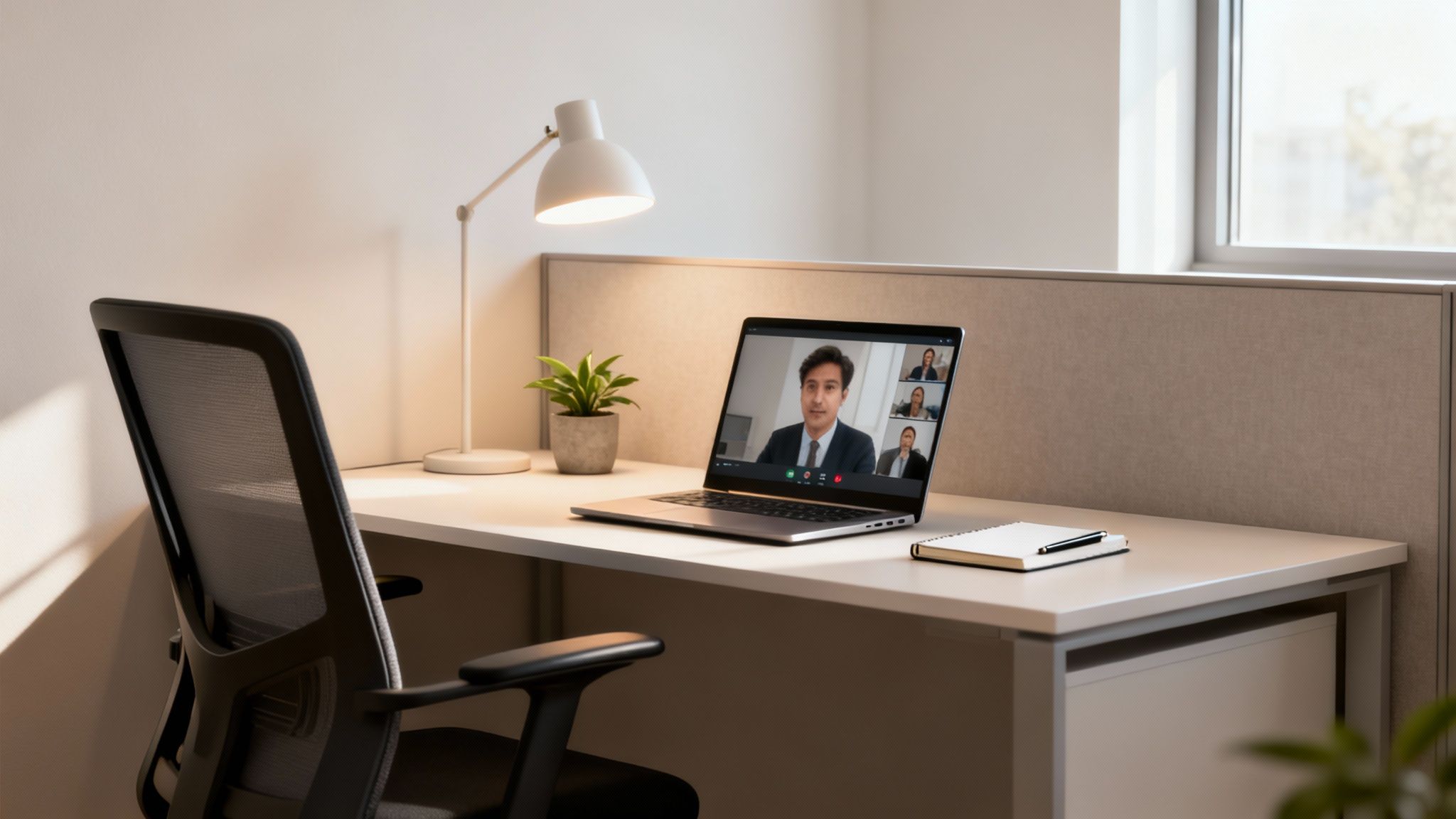
    Remote work productivity tips: modern workspace with laptop on video call, desk lamp, plant, and ergonomic chair.

    This isn’t just another list of obvious suggestions. Instead, you’ll find a structured framework for redesigning your workday for maximum output and minimal stress. For example, we will explore how to create an optimized physical and digital workspace, master attention-management techniques like time-blocking and the Pomodoro method, and establish firm boundaries that protect your focus and well-being. Furthermore, you will learn to leverage asynchronous communication to reclaim your schedule and implement simple pre-work and end-of-day rituals that signal your brain when to switch on and off.

    Each tip is presented with a clear rationale, explaining why it works from a psychological or neurological perspective, alongside practical steps and real-world examples. Whether you’re a seasoned remote professional looking to refine your system or a student new to working from home, these strategies will help you build a sustainable, productive, and more balanced remote work life. Think of this as your toolkit for not just getting things done, but for thriving in a location-independent environment.


    Disclosure: This article may contain affiliate links. If you make a purchase through these links, we may earn a small commission at no extra cost to you. This helps support our work in creating valuable content.


    1. Establish a Dedicated Workspace for Better Focus

    Creating a physical and psychological boundary between your professional and personal life is one of the most impactful remote work productivity tips you can implement. When your living room couch doubles as your office, the lines blur, making it difficult for your brain to switch into β€œwork mode” or fully disengage after hours. A dedicated workspace, consequently, acts as a powerful environmental cue, signaling to your brain that it’s time to focus.

    This concept is rooted in environmental psychology, which explores how our physical surroundings influence our thoughts, emotions, and behaviors. By associating a specific location with a specific activity, you create a conditioned response. In other words, stepping into your designated workspace primes your brain for concentration, while leaving it helps you transition back into your personal life, reducing the risk of burnout.

    How to Create Your Dedicated Space

    You don’t need a separate room with a door to reap the benefits. The key is dedication and consistency, not square footage.

    • Define Your Zone: Even a small corner in a quiet room can work. Use a room divider, a bookshelf, or even a rug to visually separate your work area from the rest of the living space.
    • Invest in Ergonomics: Your physical comfort directly impacts your focus. An ergonomic chair and an adjustable standing desk can prevent physical strain and boost energy levels throughout the day.
    • Optimize Your Setup: Ensure good lighting to reduce eye strain and keep the area free of personal clutter. The only items on your desk should be those essential for your work tasks.
    • Set Clear Boundaries: Communicate with family or roommates that when you are in your workspace, you are β€œat work” and should not be disturbed except for emergencies.

    Real-World Example: Sarah, a graphic designer in a one-bedroom apartment, uses a foldable screen to partition off a corner of her living room. When the screen is up, her partner knows she’s in β€œdeep work” mode. This simple physical cue has drastically reduced interruptions and helped her mentally β€œleave” work at the end of the day.

    2. Implement the Pomodoro Technique to Boost Productivity

    Maintaining focus over long stretches can feel impossible, especially with the constant digital distractions of remote work. The Pomodoro Technique is a time-management method designed to break this cycle, leveraging timed intervals to maximize concentration and prevent mental fatigue. Consequently, it turns your workday into a series of focused sprints, making large tasks feel more approachable and manageable.

    This method is grounded in the psychological principle that frequent, short breaks can significantly improve mental agility. By working in focused 25-minute bursts (called β€œpomodoros”), you train your brain’s prefrontal cortex to concentrate intensely. Meanwhile, the built-in breaks allow for mental consolidation and recovery, preventing the cognitive decline associated with sustained effort. This rhythm helps combat decision fatigue and makes it one of the most effective remote work productivity tips.

    Remote work productivity tips: a red tomato-shaped timer set to 25 minutes on a desk with a laptop and notebook.

    How to Implement the Pomodoro Technique

    Getting started is simple. All you need is a timer and a commitment to honor the intervals.

    • Choose a Task: Select a single task to work on to avoid context switching.
    • Set Your Timer for 25 Minutes: Work on the task without interruption. Turn off all notifications to ensure an unbroken focus session.
    • Take a Short 5-Minute Break: When the timer rings, stop working immediately. Use this time to stretch, grab a glass of water, or simply rest your eyes away from the screen.
    • Repeat and Take a Longer Break: After completing four pomodoros, take a longer break of 15-30 minutes. This extended rest is crucial for recharging.

    Real-World Example: Alex, a software developer, uses the Pomodoro Technique to tackle complex coding bugs. He commits to one 25-minute pomodoro to investigate the issue. Often, the focused, uninterrupted time allows him to identify the root cause quickly. The mandatory breaks prevent him from getting stuck and frustrated, which used to lead to hours of unproductive effort.

    3. Set Clear Working Hours and Boundaries to Avoid Burnout

    Without the physical separation of an office, the digital nature of remote work can easily lead to an β€œalways on” culture. Setting clear start and end times for your workday is one of the most critical remote work productivity tips for preventing overworking and burnout. Establishing firm boundaries protects your personal time, which is essential for mental and emotional recovery.

    This practice is grounded in the psychological need for structure and predictability. When work hours are ambiguous, your brain remains in a state of low-grade alert, anticipating the next email. This constant vigilance consumes mental energy and prevents deep rest. By defining a clear β€œend of day,” you create a cognitive trigger that allows your brain to fully disengage, promoting better sleep, reducing stress, and ultimately improving your focus during work hours.

    How to Enforce Your Work-Life Boundaries

    The goal is to create a clear and consistent separation between your professional responsibilities and personal life.

    • Communicate Explicitly: Announce your working hours to your team. Use your calendar status (e.g., in Microsoft Teams or Slack) to automatically reflect when you are available or offline.
    • Create a Shutdown Ritual: Develop a short routine to signal the end of your workday. This could include reviewing your to-do list for tomorrow, tidying your desk, and closing all work-related applications.
    • Leverage Technology: Set up automatic β€œout of office” email responses. Schedule emails to be sent during your working hours, even if you write them at night.
    • Separate Your Devices: If possible, avoid using your work computer for personal activities. This physical separation reinforces the mental boundary.

    Real-World Example: Maria, a project manager, updated her Slack status to automatically show a β€œbrb” emoji during her 12:30-1:00 PM lunch break and a β€œpowering down” emoji at 5:30 PM. This small, consistent signal has trained her team not to expect instant replies during those times, allowing her to take a real break and disconnect on time.

    4. Use Time-Blocking for Proactive Remote Work Productivity

    Simply having a to-do list is not enough. Time-blocking is a time management method that involves scheduling every part of your day in advance and dedicating specific β€œblocks” of time to particular tasks. This proactive approach transforms your calendar from a record of appointments into a strategic plan for your attention.

    This technique is a direct countermeasure to multitasking, which cognitive psychology shows can reduce productivity by as much as 40%. By assigning a specific job to each time slot, you eliminate the mental friction of deciding what to work on next. This preserves your cognitive resources for deep, focused work, turning your schedule into a powerful tool for intentional productivity.

    How to Implement Time-Blocking

    Effective time-blocking is about being realistic and strategic, not rigid.

    • Schedule Deep Work: Identify your peak energy hours (e.g., early morning) and reserve those blocks for your most cognitively demanding tasks.
    • Batch Similar Tasks: Group related activities. For example, create a one-hour β€œcommunications block” for answering emails instead of letting them interrupt you all day.
    • Block Distraction-Free Time: Explicitly schedule β€œFocus Time” on your shared calendar. This signals to colleagues that you are unavailable.
    • Plan for Breaks and Buffers: Schedule short breaks after intense focus sessions. Also, add 15-minute buffers between tasks for mental transition.
    • Review and Adapt Weekly: At the end of each week, review your calendar. Did your time estimates hold up? Adjust for the upcoming week.

    Real-World Example: Ben, a marketing manager, time-blocks his Mondays. He reserves 9-11 AM for β€œStrategy & Planning,” 11-12 PM for β€œTeam Check-ins,” 1-3 PM for β€œContent Creation,” and 3-4 PM for β€œEmail & Slack.” As a result, his week starts with clear direction and momentum, preventing him from getting pulled into reactive tasks. For a deeper dive into this, you can learn more about how to increase productivity at work.

    5. Minimize Distractions to Improve Remote Focus

    In a remote setting, your biggest productivity challenge is the battle against interruptions. From social media notifications to household noises, distractions can derail your focus. Minimizing these using technology and environmental adjustments is a critical remote work productivity tip for reclaiming your attention.

    This strategy is about proactively creating a β€œbubble” of focus. By leveraging digital tools to block out online noise and making small changes to your physical surroundings, you reduce the cognitive load required to constantly fight off interruptions. Consequently, this frees up mental energy, allowing you to direct your full concentration toward complex tasks, a concept central to improving your ability to focus better at work.

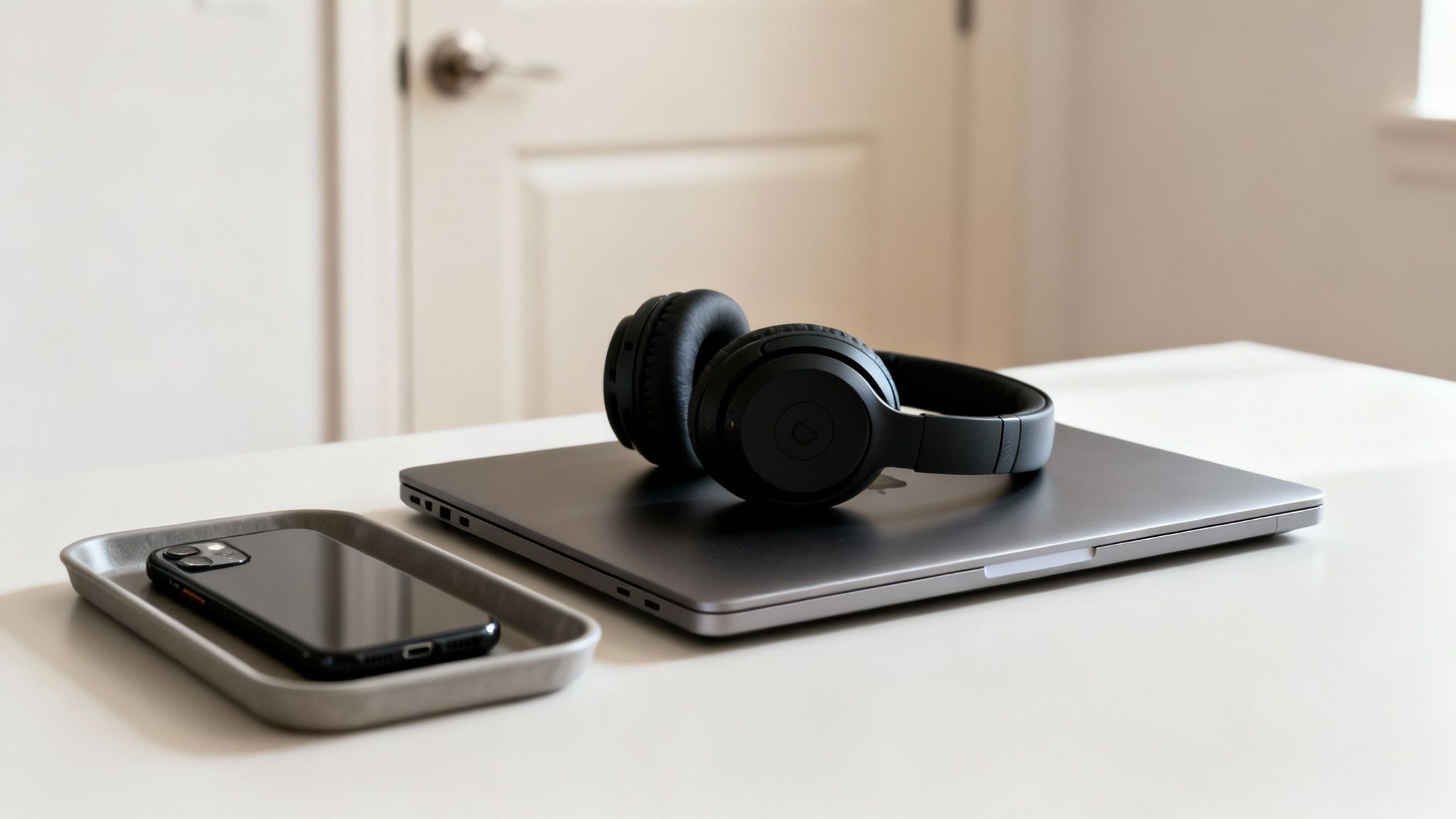
    Remote work productivity tips: modern remote work desk setup with a closed laptop, black headphones, and a smartphone on a tray.

    How to Minimize Your Distractions

    A distraction-free environment doesn’t happen by accident; it’s designed. The goal is to make focus the path of least resistance.

    • Deploy Digital Blockers: Use apps like Freedom or Cold Turkey to block distracting websites and applications during your scheduled focus blocks.
    • Curate Your Soundscape: Utilize noise-canceling headphones to eliminate ambient household sounds. For added focus, play concentration-enhancing audio from services like Brain.fm.
    • Manage Notifications Intentionally: Turn off all non-essential notifications on your computer and phone. Use β€œFocus Mode” or β€œDo Not Disturb” status in communication apps.
    • Create Physical Boundaries: A simple visual cue like a sign on your door or keeping your headphones on can signal to family that you’re in deep work mode.
    • Separate Your Digital Selves: Create separate browser profiles for work and personal use. This prevents personal bookmarks and social media from tempting you.

    Real-World Example: Chloe, a writer, creates a β€œDeep Work” profile in her Chrome browser that has no social media bookmarks and uses a distraction-blocking extension. When she switches to this profile, it’s a clear signal to her brain that it’s time to write, and the digital temptations are simply not there.

    6. Take Regular Breaks and Practice Movement

    Chaining yourself to your desk for hours is a direct path to mental fatigue. One of the most counterintuitive yet powerful remote work productivity tips is to intentionally step away. Integrating regular breaks and physical movement prevents cognitive decline, boosts energy levels, and sustains focus over the long term.

    This principle is rooted in how our brains manage energy. Sustained focus depletes cognitive resources, leading to decision fatigue. Short breaks, especially with physical movement, help replenish these resources. Movement increases blood flow to the brain, delivering more oxygen and nutrients, which enhances cognitive function, mood, and alertness.

    Remote work productivity tips: a person in athletic wear stretching on a yoga mat next to a standing desk with a water bottle.

    How to Integrate Breaks and Movement

    The goal is to make breaks a non-negotiable part of your workflow.

    • Implement the 20-20-20 Rule: To combat digital eye strain, every 20 minutes, look at something 20 feet away for at least 20 seconds.
    • Schedule Movement Alarms: Set a timer to go off every hour, prompting you to stand up, stretch, or walk around for just five minutes.
    • Embrace Walking Meetings: For one-on-one calls that don’t require a screen, take the meeting on the go.
    • Protect Your Lunch Break: Step completely away from your workspace to eat. Using this time for a brisk walk is crucial to learn how to recover from burnout.

    Real-World Example: David, a data analyst, sets a recurring calendar event at 2:30 PM every day titled β€œ15-Min Walk.” By putting it on his shared calendar, it becomes a legitimate appointment he’s less likely to skip. He returns to his desk feeling refreshed and often solves problems that he was stuck on before the break.

    7. Master Asynchronous Communication for Deep Work

    Shifting your team’s mindset from real-time urgency to thoughtful, non-real-time collaboration is a transformative remote work productivity tip. Asynchronous communication, where interactions don’t require an immediate response, dismantles the culture of constant interruptions. It frees up long, uninterrupted blocks of time essential for deep, focused work.

    This approach is grounded in attention management. Cognitive psychology teaches us that every interruption incurs a β€œcontext-switching” cost, forcing our brains to disengage and then re-engage. By defaulting to asynchronous methods, you minimize these costly switches, preserving cognitive resources. It empowers individuals to engage with messages on their own schedule, leading to more considered responses.

    How to Implement an Async-First Culture

    Building an effective asynchronous system requires clear norms and the right tools. The goal is clarity and autonomy.

    • Default to Async: Train your team to ask, β€œCould this meeting be an email, a document, or a video message?”
    • Embrace Detailed Documentation: Use platforms like Notion or Confluence to create detailed project briefs and decision logs. This replaces the need for status update meetings.
    • Use Video for Nuance: For complex explanations, record a quick video using a tool like Loom. This provides context without needing a live call.
    • Set Clear Expectations: Establish and communicate expected response times, for instance, a 24-hour window for non-urgent requests. This removes the pressure for instant replies.

    Real-World Example: A globally distributed marketing team replaced their weekly 60-minute status meeting with an asynchronous update thread in Asana. Each team member posts their progress by Monday morning. This saves 60 minutes of meeting time for everyone and creates a written record of progress, all while respecting different time zones.

    8. Adopt a Task Prioritization System for Clarity

    Without a structured system to manage your workload, remote work can quickly devolve into chaos. Implementing a task prioritization system creates clarity, ensuring you focus on high-impact activities. This is one of the most essential remote work productivity tips for maintaining control.

    This approach is grounded in cognitive psychology principles related to executive functioning. By externalizing your workflow into a trusted system, you reduce cognitive load. Instead of trying to remember every to-do item, your brain is freed up to concentrate on complex problem-solving.

    How to Implement a Prioritization System

    The right system is one you will use consistently.

    • Adopt a Framework: Use a proven model like the Eisenhower Matrix to categorize tasks by urgency and importance. This helps you decide what to do now, schedule, delegate, or eliminate.
    • Visualize Your Workflow: A Kanban board (via tools like Trello or Jira) is excellent for visualizing work stages like β€œTo-Do,” β€œIn Progress,” and β€œDone.”
    • Break It Down: Overcome procrastination by breaking large projects into smaller, actionable sub-tasks. Checking off these smaller items builds momentum.
    • Set Daily Priorities: Before starting your day, identify your top 1-3 β€œMost Important Tasks” (MITs). This ensures you make meaningful progress.

    Real-World Example: A freelance consultant was overwhelmed by client requests. By implementing a simple Trello board, they created columns for β€œNew Requests,” β€œThis Week,” and β€œWaiting for Client.” This visual system immediately clarified their priorities and helped them communicate timelines more effectively, reducing their stress significantly.

    9. Develop Rituals to Start and End Your Workday

    In the absence of a physical commute, the psychological lines between home and work can dissolve. Developing pre-work and end-of-day rituals creates the clear mental β€œon-ramps” and β€œoff-ramps” your brain needs to transition effectively. These consistent routines act as powerful triggers, signaling when it’s time to focus and when it’s time to disengage.

    This practice is grounded in the psychological principle of β€œtransition rituals.” A pre-work ritual primes your brain for focus. Conversely, a shutdown ritual provides closure, allowing you to mentally β€œclose the tabs” on work, which is crucial for preventing chronic stress. This makes it one of the most effective remote work productivity tips for long-term well-being.

    How to Build Your Rituals

    The power of these rituals lies in their consistency, not their complexity.

    • Design Your Morning On-Ramp (10-15 mins): Before opening email, dedicate time to prime your day. This might involve reviewing your calendar and identifying your top three priorities. For more ideas, explore powerful morning rituals for focus on mindclarityhub.com.
    • Craft Your Evening Shutdown (5-10 mins): Create a clear end to your workday. Review what you accomplished, prepare a preliminary task list for tomorrow, and physically tidy your workspace.
    • Use Physical Cues: Incorporate a tangible action, like making a specific type of tea to start your day or closing your laptop to end it.
    • Achieve Psychological Closure: After planning the next day, say a specific phrase aloud, like β€œShutdown complete,” to signal to your brain that the workday is officially over.

    Real-World Example: At 5:00 PM, an account manager spends five minutes updating her CRM, then writes her top three priorities for the next day on a sticky note. Finally, she closes her laptop, puts it in a drawer, and says, β€œWork is done.” This simple, consistent ritual helped her stop checking emails in the evening.

    10. Optimize Communication Channels for Less Noise

    A chaotic communication environment is a silent killer of remote focus. When every message feels urgent, you spend your day context-switching. Optimizing communication channels means establishing clear, team-wide rules about what tool to use for which message, a powerful remote work productivity tip for reclaiming attention.

    This approach is grounded in the cognitive science principle of reducing cognitive load. Every time a random notification pulls you away, your brain pays a β€œswitching cost.” By creating a predictable communication system, you minimize these interruptions, allowing for longer stretches of concentration.

    How to Implement a Communication Protocol

    The goal is to match the message’s urgency with the appropriate channel.

    • Document the Rules: Create a simple document outlining the protocol. For example: Use Slack for quick questions (response within 3 hours), email for formal decisions (response within 24 hours).
    • Segment Your Channels: In tools like Slack or Teams, create specific channels for different topics: #announcements, #project-alpha, and #social.
    • Define Urgency: Reserve a specific method (like a phone call) for true emergencies only.
    • Batch Your Responses: Schedule 2-3 specific times per day to check and respond to messages. This is a key strategy to manage email overload and prevent your inbox from dictating your schedule.

    Real-World Example: A support team was overwhelmed by constant Slack messages. They created a new channel, #urgent-support, and established a rule that it was only for system-down emergencies. All other questions went to the standard #support-questions channel. This immediately reduced interruptions for the on-call engineer by over 70%.

    Editor’s Note

    After reviewing countless strategies, what truly works for remote productivity isn’t a single β€œmiracle app” but a foundational shift in mindset. The most effective tips are #1 (Dedicated Workspace) and #3 (Clear Boundaries). These create the psychological separation necessary for both deep focus and genuine rest. These tips are best for anyone feeling like their work and home lives have completely merged. A key limitation is that not everyone has the physical space for a separate office, but even a designated corner can make a huge difference. While techniques like Pomodoro are excellent, they are less effective if your environment and schedule are constantly bleeding into each other. Start by creating clear boundaries first, then layer on other techniques.


    Disclaimers and Important Information

    • Affiliate Disclosure: Please note that this article contains affiliate links. If you choose to make a purchase through these links, we may earn a small commission at no additional cost to you.
    • Educational Content: The information provided in this article is for educational and informational purposes only and is not intended as a substitute for professional medical or psychological advice, diagnosis, or treatment. Always seek the advice of your physician or other qualified health provider with any questions you may have regarding a medical condition or mental health concern.

    Frequently Asked Questions (FAQ)

    1. What is the single most important remote work productivity tip for beginners?
    For beginners, the most crucial tip is #1: Establish a Dedicated Workspace. Creating a physical boundary is the first step to creating a mental one. It signals to your brainβ€”and others in your homeβ€”when it’s time to work, which helps build all other productive habits.

    2. How do I stay focused when I feel unmotivated working from home?
    When motivation is low, try #2: The Pomodoro Technique. The goal of working for just 25 minutes feels much more achievable than tackling a multi-hour task. The small wins from completing a few β€œpomodoros” can build momentum and reignite your motivation.

    3. My team is constantly messaging me. How can I get deep work done?
    Mastering #7: Asynchronous Communication is key. Propose clear communication guidelines to your team. Advocate for using email or project management tools for non-urgent updates and reserve instant messaging for true emergencies. Additionally, block out β€œFocus Time” on your calendar so colleagues know you are unavailable.

    4. I feel like I’m working all the time. How do I switch off?
    Implement #9: Pre-Work and End-of-Day Rituals. A simple 5-minute β€œshutdown ritual”—like planning your next day, tidying your desk, and closing your laptopβ€”creates a powerful psychological cue that the workday is over, making it easier to disconnect.

    5. Are all these remote work productivity tips necessary?
    Not at all. The goal is to build a system that works for you. Start by identifying your biggest challengeβ€”whether it’s distractions, blurred boundaries, or poor prioritizationβ€”and implement the one or two tips that directly address it.

    Ready to explore more strategies for mental clarity and peak performance? Browse other resources on Mind Clarity Hub or check out our productivity boards on Pinterest for visual inspiration.

    Explore the Mind Clarity Hub Library

    Practical books on focus, digital habits, resilience, and building a calmer mind.

    The Power of Clarity β€” book cover

    The Power of Clarity

    Unlock mental focus, build momentum, and create the life you were meant to live.

    View book β†’
    AI & ChatGPT for Beginners β€” book cover

    AI & ChatGPT for Beginners

    No PhD needed β€” a 2025 guide to AI, prompts, and productivity without coding.

    View book β†’
    Zen in the Digital Jungle β€” book cover

    Zen in the Digital Jungle

    Mindfulness for a chaotic world.

    View book β†’
    The Slow Reset β€” book cover

    The Slow Reset

    Mindful living in a fast-paced world.

    View book β†’
    Perfectly Imperfect β€” book cover

    Perfectly Imperfect

    Stop self-criticism, set boundaries, and embrace the real you.

    View book β†’
    Reclaiming Silence β€” book cover

    Reclaiming Silence

    A dopamine detox guide to finding peace in a noisy world.

    View book β†’
    The Focused Freelancer β€” book cover

    The Focused Freelancer

    Productivity, pricing & positioning for independents in 2025.

    View book β†’
    ChatGPT Side Hustle System β€” book cover

    ChatGPT Side Hustle System

    Launch your AI-driven online business in 30 days.

    View book β†’
    Burnout, Interrupted β€” book cover

    Burnout, Interrupted

    A proven path to restore energy and reclaim your life.

    View book β†’
    Attention Unleashed β€” book cover

    Attention Unleashed

    Focus strategies for the distracted mind.

    View book β†’
    Side Hustle Launchpad β€” book cover

    Side Hustle Launchpad

    Your quick-start guide to extra income.

    View book β†’
    Digital Clarity β€” book cover

    Digital Clarity

    Rewire your brain, escape dopamine traps & regain focus.

    View book β†’
    Break the Scroll β€” book cover

    Break the Scroll

    Reduce screen time and take back control of your life.

    View book β†’
    Climate Compassion β€” book cover

    Climate Compassion

    Transform eco-anxiety into empowered action.

    View book β†’
    Village Mentality β€” book cover

    Village Mentality

    The power of community for mental wellness.

    View book β†’
    Restful Nights β€” book cover

    Restful Nights

    Overcoming sleep anxiety in a 24/7 world.

    View book β†’
    Connected Again β€” book cover

    Connected Again

    Combat loneliness and build meaningful relationships.

    View book β†’
    Focus Recharged β€” book cover

    Focus Recharged

    Mastering attention and productivity in the digital era.

    View book β†’
    Marketing Magic with ChatGPT β€” book cover

    Marketing Magic with ChatGPT

    AI-powered content, campaigns, and copywriting to grow faster.

    View book β†’
    The 6-Figure Creator β€” book cover

    The 6-Figure Creator

    Turn knowledge into passive income with books, courses & AI.

    View book β†’
    Burnout Breakthrough β€” book cover

    Burnout Breakthrough

    Reset your work-life balance and thrive in 2025.

    View book β†’
    The Emotionally Intelligent Man β€” book cover

    The Emotionally Intelligent Man

    A modern guide to self-awareness and communication.

    View book β†’
    AI Personalized Wellness β€” book cover

    AI Personalized Wellness

    Create your custom health plan with data-driven habits.

    View book β†’
    Everyday AI Made Easy β€” book cover

    Everyday AI Made Easy

    Use ChatGPT and smart tools to simplify life.

    View book β†’
    Money Mindfulness β€” book cover

    Money Mindfulness

    A financial wellness guide for Gen Z & Millennials.

    View book β†’
    Startup Smarter with AI β€” book cover

    Startup Smarter with AI

    ChatGPT strategies and tools to grow your business.

    View book β†’
    ChatGPT for Writers & Creators β€” book cover

    ChatGPT for Writers & Creators

    Unlock AI-powered brainstorming, drafting & editing.

    View book β†’
    Free download: 7-Day Mind Clarity Reset preview

    Free download: 7-Day Mind Clarity Reset

    A short daily reset you can actually stick with (no fluff).

    Helpful resources for your next step

    Affiliate disclosure: As an Amazon Associate, Mind Clarity Hub may earn from qualifying purchases at no extra cost to you. Use this link only if it genuinely helps your planning.

    If 10 Science-Backed Remote Work Productivity Tips for 2025 is a routine you want to keep using, a simple workbook, planner, or desk tool can make the steps easier to repeat.

    Compare related planners, workbooks, and organization tools on Amazon.