
...

Tag: work-life boundaries

  • Evening Shutdown Routine for Remote Workers: Close the Day With Less Stress

    Evening Shutdown Routine for Remote Workers: Close the Day With Less Stress

    An evening shutdown routine for remote workers helps you close loops, switch off, and start tomorrow calm. In this guide, you will get a clear plan you can run in 10Γ’β‚¬β€œ45 minutes, along with scripts, templates, a checklist, and simple tools that make it stick.

    Key takeaways

    • End your day on purpose. A brief shutdown removes loose ends and protects your off-time.
    • Use a short checklist. It keeps the routine fast and repeatable, even on busy days.
    • Write a one-line plan for tomorrow. Your brain stops spinning when it knows the next move.
    • Reduce friction. Fewer tabs, tighter notifications, and a clean desk help you switch off.
    • Start small. Ten minutes is enough to change how your evening feels.

    What is an evening shutdown routine for remote workers?

    It is a short, repeatable process that closes your workday so you can detach from work and rest. You make a quick pass through your open loops, set a realistic plan for tomorrow, and build a small Ò€œoff switchÒ€ ritual. Because the steps are simple and written down, you can run them even when you are tired. This is why an evening shutdown routine for remote workers works so well: it takes decision-making out of the moment and replaces it with a friendly script.

    Why a remote work evening routine helps your brain and sleep

    Our brains need clear boundaries to recover after work. Research shows that psychological detachment from work supports well-being and reduces burnout risk. The American Psychological Association reports that detachment and recovery experiences are linked to improved energy and less stress after hours.

    • Psychological detachment improves next-day focus and mood (see APA overview).
    • Good sleep begins before bed. Healthy sleep hygiene and a calm wind-down improve both sleep quality and timing (CDC guidance).
    • Evening screen exposure can delay sleep by affecting melatonin. A calmer, low-light close helps signal shutdown to your brain (Harvard Health on blue light).

    Also, remote workers often see Ò€œafter-hours creep.Ò€ MicrosoftÒ€ℒs Work Trend Index found a rise in later-evening work peaks, which can blur the line between life and work. A clear, fast shutdown pushes back against this trend and protects your evenings.

    Sources: APA: Detaching from work to recover; CDC: Sleep hygiene basics; Harvard Health: Blue light and sleep; Microsoft WorkLab: The triple-peak workday.

    Build your evening shutdown routine for remote workers in 10 steps

    You can customize these steps, but keep the order steady. A consistent script makes your evening shutdown routine for remote workers fast and automatic.

    1. Close with a phrase. Say a simple line out loud: Ò€œShutdown complete. IÒ€ℒm off until tomorrow.Ò€ It sounds small, but it marks the boundary.
    2. Zero your inboxes. Triage email, DMs, and missed calls with the 4 Ds: Do (2 minutes or less), Defer (into a task), Delegate, or Delete. Avoid deep replies now.
    3. Capture loose ends. Dump any open tasks, ideas, or worries into your single task list. DonÒ€ℒt keep it in your head.
    4. Scan your calendar. Look at tomorrowÒ€ℒs meetings and hard commitments. Spot prep needs now.
    5. Pick the next three. Choose up to three important tasks for tomorrow. Fewer is better. Write them where you will see them first thing.
    6. Write your one-line plan. Ò€œAt 8:30 a.m., open Project X doc and draft the intro.Ò€ Make it tiny and concrete. This is the bridge back to work.
    7. Park your work. Save files, close project tabs, and put your to-do tool at the top of tomorrowÒ€ℒs view. Leave the path clean.
    8. Set guardrails. Silence work apps outside your chosen hours. Turn off badges and lock away your laptop if you can.
    9. Reset your space. Tidy your desk. Fill your water. Put your notebook and pen where your hands land in the morning.
    10. Do a 60-second mind exhale. Breathe, stretch, or take a short walk. This is the body signal that work is done.

    How long should a workday shutdown routine take?

    Most days, 10Γ’β‚¬β€œ15 minutes is enough. Complex project days may need 25Γ’β‚¬β€œ30 minutes. High-stakes deadlines can take 45 minutes if you must create a detailed handoff or plan. What matters is that you pick a realistic window and run it. If time is tight, a three-step close still works: triage, pick the next three, write a one-line plan. That keeps your evening shutdown routine for remote workers alive on the busiest days.

    Evening shutdown routine for remote workers: time ranges

    Time Window When to Use Focus Outcome
    10Γ’β‚¬β€œ12 min Normal days Triage, plan three, park tabs Fast, clean exit
    20Γ’β‚¬β€œ25 min Heavy email or shifting priorities Deeper triage, clearer plan No loose ends
    35Γ’β‚¬β€œ45 min Complex handoffs or deadlines Notes, files, calendar buffers Strong morning ramp

    Two styles for your remote work evening routine

    Not every day needs the same level of shutdown. You can keep two versions and choose the one that fits your energy and workload.

    The minimal close is the safety net. It is three parts: triage light, pick the next three, write a one-line plan. That is it. You still say your closing phrase. You still park tabs. Yet you stop before you start fixing things. Use it on days with back-to-back calls or when family needs you now.

    The full close follows the 10 steps. It cleans up the day, leaves notes for your future self, and locks down devices. Use it when stakes are higher, or when tomorrow has meetings you cannot miss. The point is choice with a rule: you always do one of the two. This reduces decision fatigue and builds trust in your shutdown ritual for remote work.

    Here is a simple way to decide. When you have less than 12 minutes, run the minimal version. With 20 minutes or more, run the full version. If you are unsure, start small. You can always add five minutes to finish parking tabs or writing a handoff note.

    Role-specific examples that make it real

    Engineers can end with a tiny commit and a note. Save work-in-progress with a short comment: what you changed and what comes next. Park tabs to the code review page. Your one-line plan can be Ò€œ9:00, run failing test, fix null check in auth.Ò€ It is short and specific. You will be back in flow fast.

    Designers can capture open questions. Drop a line in the file: what problem the next frame solves and which constraints matter most. Close the big artboards and leave the exact next frame zoomed in. Write a one-liner like Ò€œ10:00, sketch mobile nav variant B, compare tap targets.Ò€

    Remote roles that need clearer handoffs

    Product managers can leave a decision log bullet. If a choice is pending, write the options and who owns the call. Put a 15-minute buffer before the standup to prep the talking points. Your one-line plan could be Ò€œ8:45, pull dashboard, confirm NPS trend for slide 3.Ò€

    Sales or support roles can separate the urgent from the open. Reply fast to anything you can close in two minutes. Everything else becomes a task with a due date. Leave your CRM on tomorrowÒ€ℒs filter. Use a one-liner like Ò€œ9:15, call ACME, confirm renewal terms first.Ò€ That sequence prevents late-night checking.

    People managers can collect wins and blockers. Jot two lines for your team note: who shipped what, and which blocker needs help tomorrow. Park your performance doc at the top. Your one-line plan could be Ò€œ9:30, send kudos to Maya; book 20 min to unblock FE deploy.Ò€ Clarity fuels calm leadership.

    Founders and solo operators can protect the edge between tasks and vision. End by moving one tiny strategic action into tomorrowÒ€ℒs first 30 minutes. Your one-liner might be Ò€œ7:45, outline 3 bullets for pricing page test.Ò€ This stops the blend of admin and strategy from leaking into the evening.

    Habit science: make your shutdown ritual for remote work automatic

    Habits form when a clear cue leads to a small routine and a quick reward. Use that loop here. Start with a fixed cue. It can be a calendar alert, a desk lamp, or the end of your last recurring meeting. Keep the action tiny at first: open your checklist and say your phrase. Then give yourself a low-effort reward, like starting a playlist you love while you tidy your desk.

    Design the path. Put your checklist where your eyes land. Pin it in your task tool. Keep a Ò€œShutdownÒ€ bookmark folder with the tabs you need only for closing time: inbox, calendar, task list. Remove everything that tempts deep work. The easier the path, the more days you will run the routine.

    Stack it on top of something you already do. For example, finish your last call, open the checklist at once, and then make tea. That stack keeps the order the same. Over time, you will feel the urge to close things as soon as the cue fires. That is the sign the habit is taking root.

    Finally, remove friction at night. Turn on a Do Not Disturb schedule that starts at your stop time. Put your laptop on a shelf or in a bag. If you must check something, use a single allowed channel. Everything else can wait for your next workday.

    ADHD, anxiety, and caregiver realities

    Some days are loud or chaotic. If you live with ADHD, anxiety, or care for others, a rigid routine can feel brittle. So build a softer version that still protects you. Anchor it to a strong cue, like the start of meal prep, school pickup, or a daily medication time. Then cap the routine at 10 minutes. A short, repeatable close beats a long, skipped one.

    Externalize wins. At the end of your three steps, write one line about what went well. This calms worry and reduces the drive to reopen your laptop. If you feel stuck, use a Ò€œbody doubleÒ€ by sitting in a quiet coworking room or on a video call while you run the steps. The shared presence helps you finish.

    Keep capture simple. Use voice notes to dump tasks when energy is low. Drop them into your task app in the morning. Use a single sticky phrase for anxiety spirals: Ò€œCaptured for tomorrow.Ò€ Then read your one-line plan out loud and leave the room. Small physical cues matter.

    Time zones, on-call, and weekend resets

    Global teams need tighter handoffs. When you work across time zones, pick a clear overlap window and a standard handoff format. In your shutdown, add one sentence that states owner, next step, and deadline. That single line can save hours of back-and-forth while others sleep.

    On-call weeks are different. Define one urgent channel and silence the rest. Keep a tiny Ò€œre-shutdownÒ€ if a page arrives. After the fix, write a next-step note and say your closing phrase again. This helps your brain switch off twice in one night.

    Weekends benefit from a Ò€œdouble-close.Ò€ Do the normal shutdown on Friday. Then, on Sunday evening, run a 10-minute reset: check your calendar, pick the next three, and write the one-liner. Monday morning will feel lighter, and you will sleep better on Sunday night.

    How to measure your workday shutdown routine

    You can track progress without heavy tools. Use two kinds of measures. Lead measures are actions you control. Lag measures are results you notice. A simple lead measure is Ò€œDid I run the shutdown today?Ò€ Log yes or no. Another is Ò€œDid I write a one-line plan?Ò€ Keep a streak on a small calendar.

    Lag measures can be simple, too. How many nights did you avoid reopening your laptop? How many weekdays did you stop within 15 minutes of your target time? How many mornings did you start with your one-liner instead of email? Check these each week. If numbers drift, return to the minimal version and rebuild the habit.

    Qualitative signs matter. Are evenings calmer? Do you fall asleep faster? Do you feel less dread on Sunday night? These are valid signals. Write one line each Friday about how the routine felt. Over a month, trends will show up.

    What goes in the last 30 minutes of your remote work evening routine?

    Use this map to decide what to do now versus tomorrow morning. Keep it light late in the day. Protect deep work for daylight hours.

    Task Type Examples Time Needed Place It
    Housekeeping File save, repo commit, desk reset 1Γ’β‚¬β€œ5 min Now
    Triage Inbox zero, DM replies under 2 min 5Γ’β‚¬β€œ15 min Now
    Light planning Pick the next three, write a one-liner 3Γ’β‚¬β€œ6 min Now
    Deep thinking Architecture, long proposals 30Γ’β‚¬β€œ90+ min Tomorrow
    Quick reviews Skim doc, drop 2Γ’β‚¬β€œ3 bullets 5Γ’β‚¬β€œ10 min Now (if helpful)
    Admin Timesheet, expense snapshot 5Γ’β‚¬β€œ10 min Now or Friday
    Casual man buttoning shirt in home kitchen while running an evening shutdown routine for remote workers
    Transition cues matter. A simple change of clothes can signal Ò€œwork is over.Ò€ Photo by RDNE Stock project via Pexels.

    Boundaries that support your remote work evening routine

    Boundaries work best when they are simple and visible. Also, you need both digital and physical guardrails.

    • Pick hard stop times for your workdays. Put them on your calendar as daily events.
    • Silence work apps outside work hours. Turn off badges and banners.
    • Use separate profiles or users for work and personal. Different wallpapers help your brain switch modes.
    • Park your laptop in a cabinet or bag after the shutdown. Out of sight helps.
    • Leave a handoff note if others depend on you. Ò€œNext step is X; blocked on Y; ETA Z.Ò€

    Short video: boundaries and small routines reduce after-hours creep and support your evening shutdown routine for remote workers.

    If the video does not load, open it here: Remote Work Habits: Use Boundaries and Routines to Stay Productive.

    Emergency protocol for your workday shutdown routine

    Real emergencies happen. However, you can still protect most of your evening with a clear playbook.

    • Define Ò€œemergency.Ò€ Agree as a team what truly needs same-day attention.
    • Set one path in. Use a single channel for urgent pings. Mute everything else.
    • Time-box it. Offer a short window for a triage response, not a full work session.
    • Make a next-step note. Add a handoff in your task tool and return to your evening.
    • Run a tiny re-shutdown. One line in your notes and your closing phrase bring the boundary back.

    Sync your household to protect your shutdown ritual for remote work

    Remote work lives inside a home with other people. Therefore, align cues and expectations so your evening starts smoothly.

    • Use a visible signal. A lamp, door hanger, or status tile that flips to Ò€œoff.Ò€
    • Share your stop time. Tell your household when you plan to finish, and what help you need to protect it.
    • Create a handoff activity. A 10-minute walk, music, or making tea with someone at home marks the shift.
    • Set device rules. Put phones and laptops away during meals or first-hour-after-work time.

    A person preparing coffee while working remotely on a laptop in a cozy kitchen setup
    Pair your shutdown with a simple habit, like making tea. It becomes a reliable Ò€œwork is overÒ€ anchor. Photo by Vlada Karpovich via Pexels.

    Optional tools that support your shutdown ritual for remote work

    Tools are optional. Use them to remove friction, not to create more steps. Keep your stack light.

    • Task capture: Any notes app or a task manager you already trust.
    • Calendar buffers: Add 10Γ’β‚¬β€œ15 minute daily events for shutdown and Ò€œfirst focus.Ò€
    • Notification profiles: Set a Work profile that turns off at your stop time.
    • Space reset: A tray or shelf where the laptop lives after hours.

    Affiliate disclosure: Some links in this guide may be affiliate links. If you buy through them, Mind Clarity Hub may earn a commission at no extra cost to you.

    Helpful, low-fuss resources (optional): Simple evening routine planners on Amazon Ò€” paper prompts that support an evening shutdown routine for remote workers. Also see Deep Work by Cal Newport (search) for ideas on focus and boundaries.

    Mistakes that break a shutdown ritual for remote work

    • Making it too long. Keep it tight. Ten minutes most days.
    • Doing real work in shutdown time. Triage and park, not build.
    • Changing the order every day. A fixed script makes habits easy.
    • Skipping the one-line plan. This small step relieves worry at night.
    • Leaving notifications on. One badge can pull you back in.

    Sample scripts for your remote work evening routine: 15, 30, and 45 minutes

    Use these as-is or tweak them to fit your role.

    Evening shutdown routine for remote workers: 15Γ’β‚¬β€˜min script

    • 00:00Γ’β‚¬β€œ02:00 Ò€” Say your closing phrase and open your checklist.
    • 02:00Γ’β‚¬β€œ07:00 Ò€” Inbox triage with the 4 Ds. No deep replies.
    • 07:00Γ’β‚¬β€œ09:00 Ò€” Calendar scan for tomorrow; spot prep and blockers.
    • 09:00Γ’β‚¬β€œ12:00 Ò€” Pick the next three; write a one-line plan.
    • 12:00Γ’β‚¬β€œ15:00 Ò€” Save files, close tabs, reset desk, silence work apps.

    Evening shutdown routine for remote workers: 30Γ’β‚¬β€˜min script

    • 00:00Γ’β‚¬β€œ05:00 Ò€” Close with phrase; quick review of todayÒ€ℒs wins and lessons.
    • 05:00Γ’β‚¬β€œ15:00 Ò€” Inbox/DM triage, task capture, delegate or defer.
    • 15:00Γ’β‚¬β€œ20:00 Ò€” Calendar and prep notes for key meetings.
    • 20:00Γ’β‚¬β€œ25:00 Ò€” Pick three priorities; add buffers; leave a handoff note.
    • 25:00Γ’β‚¬β€œ30:00 Ò€” Park tabs and tools; space reset; 60-second breathing.

    45Γ’β‚¬β€˜min deep handoff for your remote work evening routine

    • 00:00Γ’β‚¬β€œ10:00 Ò€” Full triage, backlog sweep for any dangling threads.
    • 10:00Γ’β‚¬β€œ20:00 Ò€” Draft a brief status note for your team or future self.
    • 20:00Γ’β‚¬β€œ30:00 Ò€” Prep files, links, and calendar blocks for tomorrow.
    • 30:00Γ’β‚¬β€œ40:00 Ò€” Choose three, write your one-line plan, and schedule buffers.
    • 40:00Γ’β‚¬β€œ45:00 Ò€” Final check; shutdown phrase; step away.

    FAQs

    Is an evening shutdown routine for remote workers different from an office routine?

    The core steps are the same. However, remote work needs stronger physical cues (close the laptop, change clothes, leave the room) because the environment is shared with your personal life.

    What if my team expects instant replies at night?

    Agree on a true-emergency channel and response window. Then, document normal response times for non-urgent messages. Boundaries are clearer when they are visible and shared.

    Can I do my shutdown at a different time?

    Yes. If evenings are hectic, run it 30 minutes before your last meeting, then do a 60-second close when you actually stop. Consistency matters more than the exact time.

    Will this help my sleep?

    It can. A short, calm close reduces mental load and late-night rumination. Pair it with healthy sleep habits, like dim light and fewer screens before bed (see CDC and Harvard Health resources above).

    How do I keep it from growing too big?

    Lock the steps and the time box. If the box overflows, move work to tomorrow, not into the shutdown. Keep the routine small and sacred.

    Next steps to strengthen your remote work evening routine

    Wrap-up

    Start an evening shutdown routine for remote workers tonight. Keep it short. Write your one-line plan. Say your closing phrase. Then step into your evening with less stress and more clarity.

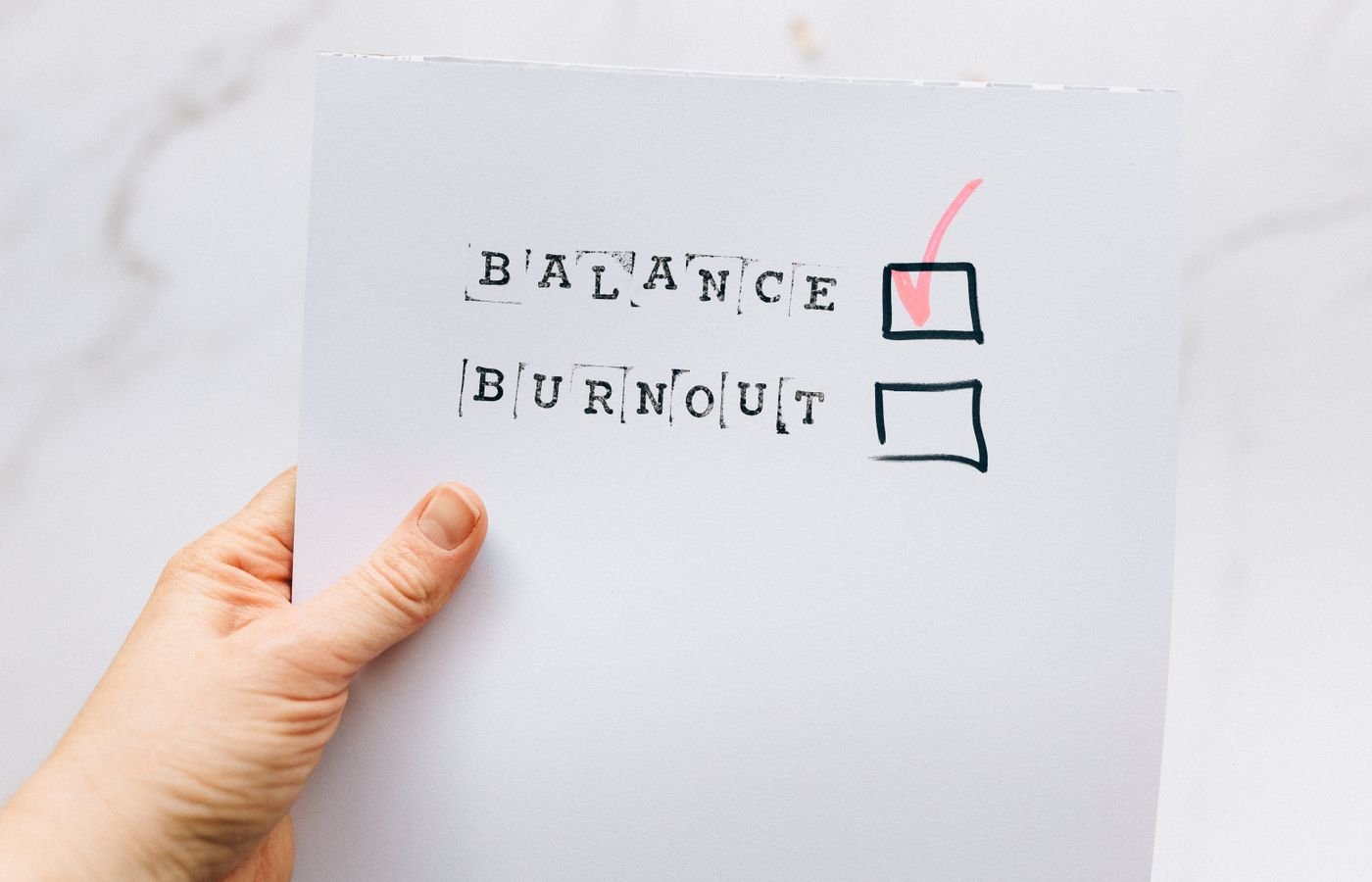
  • The Wednesday Midweek Reset to Prevent Burnout

    The Wednesday Midweek Reset to Prevent Burnout

    Quick answer: This midweek reset routine on Wednesdays to prevent burnout is a short, repeatable pause that trims your calendar, prunes your task list, and resets your space so the rest of the week feels lighter. In 15 minutes, you can remove what does not matter, protect what does, and step back into your day with more energy.

    Burnout is complex and has personal and workplace drivers. It is not solved by a single hack. However, a consistent midweek reset creates a small buffer: it reduces overload, brings clarity, and encourages real rest later in the week. You will run a three-part sweepÒ€”calendar triage, task pruning, and space resetÒ€”and then add a few quick wins.

    Before we start, a quick scope note: the World Health Organization classifies burn-out as an Ò€œoccupational phenomenonÒ€ with three dimensionsÒ€”exhaustion, mental distance, and reduced efficacyÒ€”and not as a medical condition (WHO). If youÒ€ℒre worried about your health or safety, consider speaking with a qualified clinician. For workplace stress basics and prevention concepts, see resources from OSHA and NIOSH/CDC.

    What is a midweek reset routine on Wednesdays to prevent burnout?

    It is a scheduled, 15-minute checkpoint that you run every Wednesday at the same time. The goal is to reduce midweek friction so you do not carry avoidable weight into Thursday and Friday. The reset is not more planning for planningÒ€ℒs sake. It is three quick moves that create relief now and focus for the next 48 hours.

    • Calendar triage (3 minutes): Move, merge, or cancel low-value blocks.
    • Task pruning (7 minutes): Delete, defer, or delegate to cut clutter and keep only what advances your goals.
    • Space reset (5 minutes): Clear the surface, set your next action in view, and remove digital noise.

    Because you repeat the same actions each Wednesday, your brain learns the pattern and resists decision fatigue. Also, short breaks and micro-breaks have evidence for improving well-being and, with longer breaks, performance (PLOS ONE 2022). In addition, psychological detachment from work during nonwork time predicts better later well-being (PLOS ONE 2024). Your Wednesday reset supports both: it shortens load now and sets up easier detachment later.

    Why Wednesday works for a Wednesday reset routine to prevent burnout (and what it cannot do)

    Wednesday sits between early-week ramp up and late-week delivery. You can still influence outcomes, and you can still recover energy for the weekend. Some studies show day-of-week mood patterns, but they are mixed and context-specific; we avoid claims that Wednesday is inherently best or worst (Journal of Positive Psychology, 2012).

    What a Wednesday reset can do:

    • Cut avoidable commitments and busywork.
    • Reduce decision fatigue by using a fixed routine.
    • Protect recovery time later in the week.

    What it cannot do:

    The 15-minute Wednesday sweep: calendar, tasks, space (midweek Wednesday reset)

    Set a timer for 15 minutes. Stand if you can. Breathe. Then move through three fast passes. If you need more time, add a second 15-minute block later in the day. However, do not turn it into a two-hour planning session. Speed is part of the relief.

    Step 1: Calendar triage (3 minutes)

    Open your week view. Focus on the next 48 hours. You will make three kinds of moves: remove, reduce, or rearrange.

    Move When to use it Example
    Remove No owner, no agenda, or not tied to a goal Standing status with no decisions due
    Reduce Value exists, but time is padded 60-minute touch-base to 25 minutes
    Rearrange Right task, wrong time slot Move deep work to your peak focus hour

    Ask: What meeting or block, if removed or reduced, would free the most energy? Then change it now. If you need consent, send a short note with a useful reason and an option: propose an async update, a shorter slot, or a written decision. Keep it kind and clear.

    Step 2: Task pruning (7 minutes)

    Now open your task list. Sort by due date, then by impact. You will delete, defer, or delegate.

    Action Signal Script
    Delete No clear outcome; low impact even if done Ò€œClosing this to focus on X. Reopen if needed.Ò€
    Defer Valuable, but not this weekÒ€ℒs lever Ò€œParking to next sprint; will review Monday.Ò€
    Delegate Someone else can do it well enough Ò€œCould you own this by Friday? HereÒ€ℒs context.Ò€

    Cut 20Γ’β‚¬β€œ30% of what remains for this week. Then pick one move-the-needle task for today and one for tomorrow. Put those two on your calendar. Because decisions drain energy, a simple rule helps: if a task takes less than two minutes, do it now; if it matters and needs an hour, calendar it; if it does neither, remove it.

    Step 3: Space reset (5 minutes)

    Clutter crowds attention. Clear the surface you see most. Put tools you will use in the next block within reach. Close the browser tabs you do not need. Set your next action in viewÒ€”a single sticky, a top card, or a draft window ready to type. Finally, drink water, stretch, and take one deep breath.

    Graphic summary: In 15 minutes, move from Calendar (remove, reduce, rearrange) to Tasks (delete, defer, delegate) to Space (clear, stage, breathe).

    What should your calendar triage remove or move? (Wednesday reset routine to prevent burnout)

    Ask three fast questions:

    1. Is there a decision, deliverable, or learning we need right now? If not, remove or move.
    2. Can we do it async? If yes, switch to a short written update.
    3. Would a shorter slot focus us? If yes, reduce and add an agenda line.

    Use these scripts to make changes with care and respect:

    • Ò€œTo protect delivery this week, can we switch todayÒ€ℒs 60 to a 20-minute check with a written update?Ò€
    • Ò€œNo decision is due. I propose canceling for this week so we can finish X.Ò€
    • Ò€œCould we move this to tomorrow 10:30 so it follows the draft IÒ€ℒm shipping at 9:00?Ò€

    How do you prune tasks without dropping the ball? (midweek Wednesday reset)

    Keep a short Now/Later/Never lens open while you scan your list. You will make mistakes if you try to be perfect. Instead, be explicit and leave breadcrumbs for your future self.

    • Now: The next one to two tasks that change outcomes this week.
    • Later: Real value, wrong week. Move to next weekÒ€ℒs list or calendar.
    • Never: Nice-to-haves that do not earn their keep. Close them.

    Also, for anything you defer or delegate, write a one-sentence status note and a date to revisit. That way, nothing vanishes. This is where a midweek reset routine on Wednesdays to prevent burnout helps most: it gives you a steady place to move tasks with intention, not guilt.

    Checklist for a midweek reset routine on Wednesdays to prevent burnout
    A simple Wednesday checklist helps you move fast without overthinking. Photo by Nataliya Vaitkevich via Pexels. Source: Pexels.

    The 15-minute Wednesday checklist (Wednesday burnout reset)

    Run this fast list without pausing to debate. Use a timer. When the timer ends, end the reset.

    • Open week view; look only at the next 48 hours.
    • Cancel one low-value event or convert it to async.
    • Shorten one meeting by at least 25 minutes.
    • Move one deep-work task into your peak focus hour.
    • Delete three tasks that do not change outcomes.
    • Defer two tasks to next week with a calendar note.
    • Delegate one task with clear context and a due date.
    • Clear your main surface; put the next action in view.
    • Close nonessential tabs; silence one noisy channel.
    • Drink water, breathe, and stand or stretch for 30 seconds.

    This is a midweek reset routine on Wednesdays to prevent burnout because it cuts decision noise and creates small wins you can feel right away.

    Quick wins you can do in under five minutes (midweek Wednesday reset)

    • Send a two-sentence update instead of attending the meeting.
    • Block 45 minutes tomorrow for the true priority and protect it.
    • Archive your read-later pile and start fresh with one item.
    • Write the first sentence of the draft you fear. Then stop.
    • Set your phone to Ò€œDo Not DisturbÒ€ for the next work block.

    Because micro-breaks and brief resets can boost well-being (PLOS ONE 2022), these tiny moves pay off. They also make it easier to detach after work, which supports mental health and reduces spillover fatigue (PLOS ONE 2024).

    Boundaries that protect your reset (Wednesday reset routine to prevent burnout)

    Good routines need protection. A calendar event helps, but culture and norms matter too.

    • Make it visible: Title the block Ò€œWednesday resetÒ€”back at :15.Ò€
    • Limit inputs: Close chat or set a status for 15 minutes.
    • Use scripts: Ò€œIÒ€ℒll confirm by 2 pm after my midweek reset.Ò€
    • Start small: Run the reset solo; then invite a teammate if useful.

    Over time, a simple midweek reset routine on Wednesdays to prevent burnout can spread as a team norm. Still, remember OSHA and NIOSH note that stress is also organizational (OSHA; NIOSH). Advocate for sane workloads, clear roles, and reasonable deadlines.

    Templates you can copy for your Wednesday reset (midweek Wednesday reset)

    Adapt these quick templates to your tools. Copy, paste, and tweak in your calendar or task app.

    Template Text you can paste
    Cancel or convert Ò€œTo protect delivery this week, can we cancel todayÒ€ℒs sync and switch to an async update? IÒ€ℒll send mine by 3 pm.Ò€
    Shorten and focus Ò€œProposing 20 minutes with this agenda: 1) blocker, 2) decision, 3) owner. If no decision is needed, IÒ€ℒll send notes.Ò€
    Delegate with context Ò€œCould you own X by Fri 12:00? HereÒ€ℒs context and the done definition. IÒ€ℒll be available 2Γ’β‚¬β€œ3 pm today for questions.Ò€
    Defer safely Ò€œParking Y to next Wed. Adding a calendar note to review at 9:00. Doing this frees time for Z, which unblocks the team.Ò€
    Workspace staged for a midweek reset routine on Wednesdays to prevent burnout
    Stage your next action and clear visual noise. Photo by Ron Lach via Pexels. Source: Pexels.

    Variations by role and schedule

    Frontline or shift-based work. Keep the reset portable. Do it at the start of a handover, during a short break, or right after a high-intensity task. Use paper or a simple phone note if systems are locked down. The same three passes apply, but you may focus more on deferring noncritical admin and staging safety-critical tools.

    Educators and clinicians. Run a micro version between sessions. First, scan the next block for must-haves. Next, drop one optional item to guard energy. Then, stage your next chart, slide, or resource so re-entry is smooth.

    Remote knowledge workers. Protect a quiet 15-minute slot. Also, convert at least one meeting to async each week. Then, batch pings by using status updates at set times. This reduces context switching and supports a steadier midweek Wednesday reset.

    Students and caregivers. Treat the reset as a quick triage of classes, assignments, and home tasks. Therefore, cancel one nonessential activity, commit to one priority task, and set out what you need for the next morning.

    Common pitfalls and how to avoid them

    Over-planning. The reset is not a full planning session. If you find yourself grooming every task, stop. Instead, pick two high-impact moves and return to work.

    All-or-nothing thinking. If you miss your slot, do a 5-minute mini reset. A small win beats waiting a week. Consistency matters more than length.

    Invisible trade-offs. When you cancel or shorten a meeting, explain the benefit. Say what you will deliver instead and when. This keeps trust and makes a Wednesday reset routine to prevent burnout easier to defend.

    Re-cluttering. A clean desk at noon can be a mess at 4 pm. Close the day with a 60-second sweep so tomorrow starts clear.

    A quick troubleshooting map

    Use this map when the day goes sideways. It turns vague stress into small, concrete steps you can take now.

    Blocker Quick move Why it helps
    Back-to-back meetings Ask for outcomes in minute 1; timebox decisions Sets focus and ends drift
    Too many urgent pings Silence chat for 15 minutes; post a status Reduces context switching
    Low energy Walk or stretch for 3 minutes; water, snack Brief recovery restores attention
    Cluttered tools Close all tabs; reopen only what the next task needs Removes visual noise
    Unclear priority Ask Ò€œWhat unlocks the most by Friday?Ò€ then choose one Aligns work with outcomes

    Make it stick: habit and environment design

    Habits grow when they are easy and tied to a cue. First, anchor the reset to a fixed signal, such as your first Wednesday coffee or the top of your lunch hour. Next, reduce friction by saving a one-click shortcut to your calendar week view and task list. Finally, celebrate a tiny win. A simple Ò€œdoneÒ€ check is enough to keep momentum.

    Environment beats willpower. Put a small note on your monitor that reads Ò€œWed: Trim Ò€’ Prune Ò€’ Reset.Ò€ Place a clean tray or folder labeled Ò€œNext blockÒ€ on your desk so you can stage items in seconds. These nudges turn the midweek Wednesday reset from a nice idea into a reliable habit.

    Accessibility and inclusion considerations

    Design the reset so it works for you and your team. If you use screen readers or prefer large fonts, save a high-contrast, simple checklist. Notification-sensitive readers can use system-wide Focus modes during the reset window. When you share space, use headphones and a status card to signal that you will be back in 15 minutes.

    Also, different brains work in different ways. Short, concrete steps help many people get started. Therefore, keep the checklist visible, avoid vague labels, and break large tasks into the next visible action. A kind, flexible approach supports more people and makes the Wednesday burnout reset more durable.

    What if your midweek reset routine on Wednesdays to prevent burnout fails?

    Sometimes the day derails. That is normal. You can still win the hour.

    • Too many fires? Run a 5-minute mini-reset: cancel one thing, defer one thing, stage one next action.
    • Back-to-back meetings? Use the first two minutes of a call to ask for outcomes and timebox decisions.
    • Low energy? Swap to a brief recovery block: walk, water, snack, or stretch. Then try again in the next slot.

    Also, remember that burnout includes systemic factors. If your workload remains unsafe, raise issues with a manager, HR, or a trusted advisor. The WHO definition helps frame the conversation (WHO), and OSHA/NIOSH have guidance for employers and employees.

    Signs to watch and when to seek help

    Common signs of job burnout include cynicism, irritability, reduced performance, and persistent fatigue. You may also notice sleep changes or trouble focusing. For a fuller list and help-seeking guidance, see Mayo Clinic. If you experience ongoing distress, consider talking with a licensed clinician or calling local support resources.

    Will this routine help a team, not just individuals? (Wednesday reset routine to prevent burnout)

    Yes, and it is better with support. Try a shared 15-minute block where everyone triages, prunes, and resets in parallel with cameras off. Then post one win in a team channel. Over time, track a simple metricÒ€”meetings reduced, tasks closed, or on-time finishesÒ€”to see if your midweek reset routine on Wednesdays to prevent burnout correlates with better weeks. Remember, though, team and organizational changes often matter most (IAOEH 2023).

    How we suggest you use this advice

    • Start next Wednesday. Put a 15-minute block on your calendar now.
    • Use the exact checklist above for two weeks without editing.
    • In week three, tune one lever: meeting scripts, pruning rules, or space cues.
    • After four weeks, review what changed and what still hurts. Then adjust.

    Because this is a behavior change, give it time. Small, consistent steps beat rare Ò€œperfectÒ€ weeks.

    Answering common questions

    Does a Wednesday reset work if I already do a Sunday or Monday reset?

    Yes. Keep your Sunday or Monday planning, then add a midweek relief valve. The point of a midweek reset routine on Wednesdays to prevent burnout is to remove overload that appears after the week starts.

    Should I include personal tasks?

    Include anything that affects your stress or focus. For example, booking a short appointment or planning a simple dinner can reduce evening friction, which improves next-day energy.

    What if my manager controls my calendar?

    Use respectful scripts and show trade-offs. Offer clear outcomes you can deliver if you protect one or two blocks. Managers often support focus when they see the benefit.

    See it in action: a short video (midweek Wednesday reset)

    If your browser blocks embeds, watch here: Weekly reset video.

    Printable Wednesday reset: one-page checklist

    Copy this into a note or print it. Mark each box as you go.

    Ò–‘ Action
    [ ] Cancel one low-value event
    [ ] Shorten one meeting by 25 minutes
    [ ] Move one deep-work block to peak focus hour
    [ ] Delete three tasks
    [ ] Defer two tasks with calendar notes
    [ ] Delegate one task with context
    [ ] Clear main surface
    [ ] Stage next action
    [ ] Close tabs and silence one channel
    [ ] Water, stretch, breathe

    Over time, this midweek reset routine on Wednesdays to prevent burnout becomes muscle memory. That frees your mind for meaningful work.

    When should you skip the reset?

    Skip when an urgent safety or people issue needs you now. Otherwise, do at least a 5-minute mini version. Consistency matters more than length.

    What results should you expect and measure? (Wednesday reset routine to prevent burnout)

    Track simple, behavior-based signals first:

    • Meetings canceled or shortened each Wednesday
    • Two priority tasks scheduled and done (yes/no)
    • Clutter cleared and next action staged (yes/no)

    Subjective signals matter too: a quick 1Γ’β‚¬β€œ5 rating for midweek stress before and after the reset. If trends improve across a month, keep going. If not, adjust rules, or bring the topic to your team or manager.

    Then, look at second-order effects. Are deadlines less rushed by Friday? Do teammates report fewer status meetings and more useful updates? Is progress steadier on the one or two efforts that matter most? Write one short reflection each week so you have data, not fog.

    Finally, involve your manager or team. Share what the midweek Wednesday reset changed for you. Suggest one shared boundary, such as Ò€œno new meetings after noon on Wednesdays,Ò€ and test it for two weeks.

    Key takeaways (midweek Wednesday reset)

    • A 15-minute Wednesday reset cuts noise and protects focus.
    • Use three passes: calendar triage, task pruning, space reset.
    • Pair it with healthy boundaries and team norms.
    • Remember systemic factors. Advocate and seek support when needed.

    Keep it simple. Repeat it weekly. Let the results compound. A steady midweek reset routine on Wednesdays to prevent burnout will not fix everything, but it can give you energy and clarity when you need it most.

    FAQ: midweek Wednesday reset to prevent burnout

    How long should a Wednesday reset take?

    Fifteen minutes is enough for most weeks. If you need more, add a second 15-minute block later. Do not let it sprawl.

    Is this only for office workers?

    No. Teachers, healthcare staff, trades, students, and caregivers can adapt it. Use the same three passes, but tailor the scripts and tools.

    Can a reset reduce burnout by itself?

    It helps, but it is not sufficient alone. Use it alongside healthy workloads, supportive leadership, and real recovery time. See WHO, OSHA, and NIOSH resources for broader strategies.

    What tools do I need?

    Any calendar, any task list, and a timer. Fancy tools are optional. The habit is what matters.

    What if my week changes a lot?

    All the better. A short, fixed routine gives you a stable anchor in a shifting week. Keep it light and flexible.

    Sources and further reading

    Try these next

    Build a reading and reflection habit that supports focus. For a deeper workbook path, see The Work-Life Reset Workbook and Burnout Breakthrough. You can also browse the full Mind Clarity Hub books library or compare balanced, real-world picks in the latest reviews. Your midweek reset routine on Wednesdays to prevent burnout should lead to a calmer next step, not another pile of advice.

    Helpful resources for your next step

    Affiliate disclosure: As an Amazon Associate, Mind Clarity Hub may earn from qualifying purchases at no extra cost to you. Use this link only if it genuinely helps your planning.

    If The Wednesday Midweek Reset to Prevent Burnout is a routine you want to keep using, a simple workbook, planner, or desk tool can make the steps easier to repeat.

    Compare related planners, workbooks, and organization tools on Amazon.