


In a typical workday, the human brain juggles an endless stream of tasks, notifications, and deadlines. This constant context-switching creates a heavy “cognitive load,” a term from psychology describing the mental effort used in our working memory. When cognitive load is too high, focus shatters, creativity stalls, and burnout looms. The very technology meant to connect us often becomes the primary source of our distraction.
But what if technology could be part of the solution? A new generation of AI tools for productivity offers a powerful way to offload the repetitive, administrative, and data-heavy tasks that consume our mental energy. By strategically automating and delegating this work to intelligent systems, we can free up precious cognitive resources. This isn’t about simply doing more, faster; it’s about reclaiming the mental space required for deep thinking, problem-solving, and meaningful work.
Key Takeaways:
- Reduce Cognitive Load: AI tools can automate routine tasks, freeing up your mental bandwidth for high-value work.
- Actionable Guidance: This guide provides practical workflows, pros/cons, and quick-start tips for each tool, not just feature lists.
- Focus on Intentional Use: Learn to select and implement AI to enhance focus and reduce digital burnout, rather than adding to the noise.
Affiliate Disclosure: Please note that some links in this article are affiliate links. If you make a purchase through them, we may earn a small commission at no extra cost to you. This helps support our research and writing.
This comprehensive resource list is designed to help you find the right platforms for your specific needs. We’ll move beyond the hype to offer a realistic look at how these tools perform in the real world. You’ll find curated analysis organized by use-case, including writing, task automation, research, and calendar triage. For a deeper dive into the market, explore some of the leading AI chatbot platforms, many of which offer powerful productivity features. Each recommendation includes screenshots, direct links, and honest assessments to help you make an informed decision and build a more focused, effective workflow.
1. Using OpenAI’s ChatGPT as an AI Tool for Productivity
As one of the most recognizable AI tools for productivity, ChatGPT serves as an exceptional starting point for anyone new to AI-powered workflows. It excels as a general-purpose assistant, adept at drafting emails, creating outlines for reports, summarizing dense articles, and even generating code snippets to automate simple tasks. Its conversational, chat-based interface makes it incredibly intuitive to use, lowering the barrier to entry for beginners.

The platform operates on a freemium model. The free tier provides access to a highly capable model, perfect for everyday tasks and experimentation. For more demanding users, the paid plans (like Plus and Team) unlock access to more advanced models (like GPT-4), which offer superior reasoning, creativity, and accuracy, along with higher usage limits and faster response times. For those just getting started, our beginner’s guide to ChatGPT can help you get up to speed quickly.
When integrating ChatGPT into academic or professional writing, a common concern is originality and detection. Users often ask whether Turnitin can detect ChatGPT and understanding the nuances of AI-generated text is crucial for maintaining integrity.
Key Details & Recommendations
- Best Use Case: Quick content generation, brainstorming, summarizing, and data cleanup.
- Pros: Very easy to start using, reliable uptime, and constant feature updates from OpenAI.
- Cons: Access to the most powerful models requires a paid subscription, and it lacks the advanced organizational controls found in enterprise-specific AI suites.
- Pricing: A robust free version is available. Paid plans start at $20/month for individuals, offering access to more advanced models and features.
- Website: https://chat.openai.com
2. Microsoft Copilot: One of the Best Integrated AI Tools for Productivity
For knowledge workers deeply embedded in the Microsoft ecosystem, Copilot represents one of the most powerful native AI tools for productivity. Instead of being a standalone application, it is integrated directly into the fabric of Microsoft 365 apps like Word, Excel, PowerPoint, and Outlook. This allows you to draft documents, summarize email threads, generate presentation outlines, and analyze spreadsheet data without ever leaving your workflow. Its key advantage is its ability to access and reason across your own business data, such as your calendar, emails, and files, with enterprise-grade security.

Copilot is designed for seamless integration, which helps reduce the context-switching that often leads to mental exhaustion. By keeping AI assistance within the applications you already use, it can help streamline tasks and minimize distractions. Managing this constant connectivity is key to preventing digital fatigue, a form of burnout. Understanding how to recover from digital fatigue is crucial for maintaining long-term productivity and well-being. The platform operates on a subscription basis, requiring a compatible Microsoft 365 plan to unlock its full potential.
Key Details & Recommendations
- Best Use Case: Drafting, rewriting, and summarizing within Microsoft 365 apps; analyzing internal business data.
- Pros: Deep, native integration with existing M365 documents and calendars; enterprise-grade security and admin policies.
- Cons: Full features require a paid Microsoft 365 subscription; the learning curve can be steep for advanced scenarios.
- Pricing: Requires a Microsoft 365 Business Standard/Premium or E3/E5 license. Copilot Pro for individuals is $20/month, and Copilot for Microsoft 365 for business is $30/user/month.
- Website: https://www.microsoft.com/en-us/microsoft-365-copilot/pricing/individuals
3. Google AI Pro: Gemini as an AI Tool for Productivity
For those deeply embedded in the Google ecosystem, the AI Pro plan transforms familiar applications like Gmail, Docs, and Sheets into powerful AI tools for productivity. Instead of switching to a separate application, Gemini is integrated directly into your existing workflow. This allows you to draft and refine emails in Gmail, brainstorm and structure documents in Docs, or analyze data and create formulas in Sheets using simple, natural language prompts. The seamless integration is its biggest advantage, reducing friction and keeping you focused within your primary work environment.
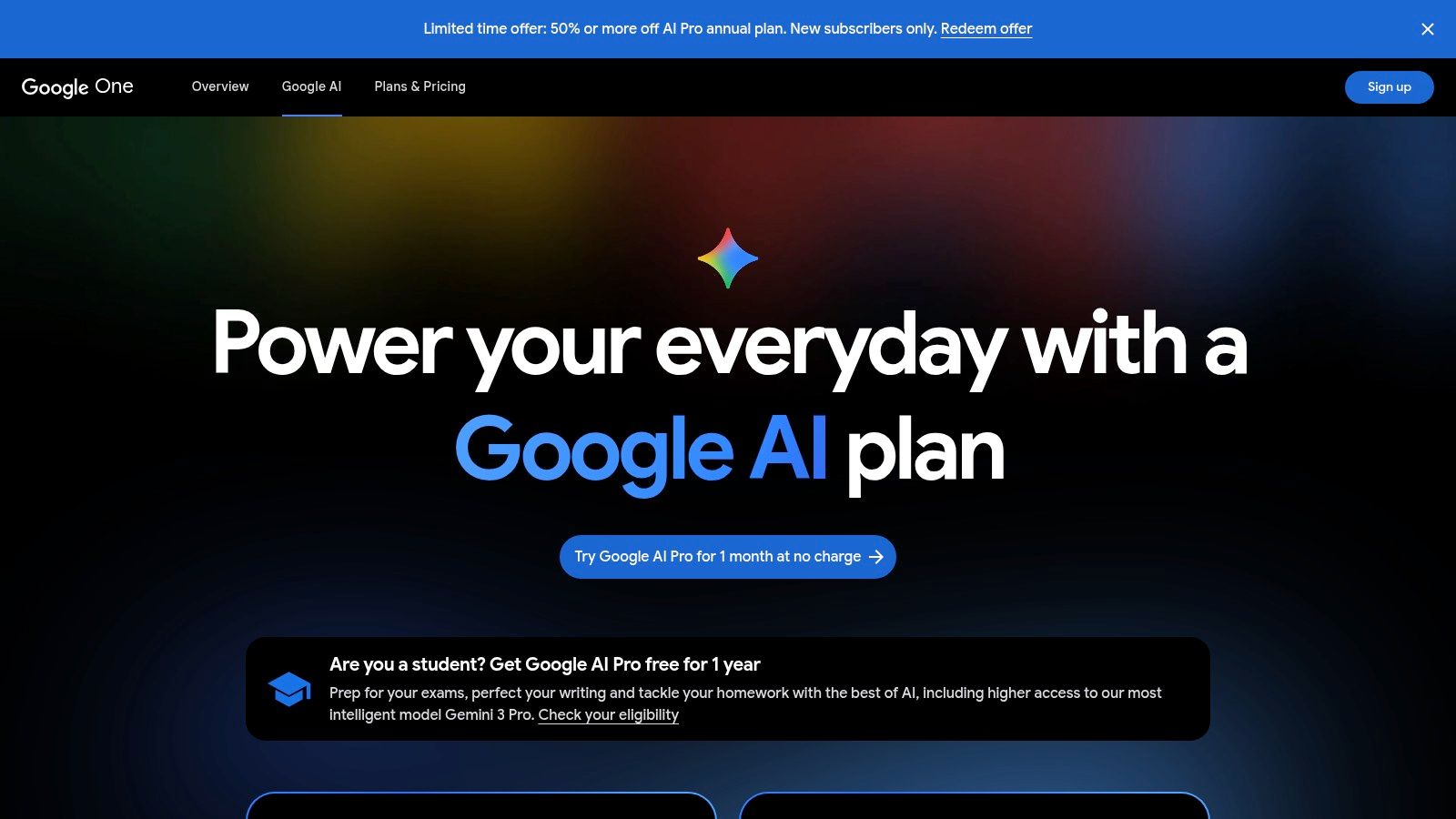
The offering extends beyond core Workspace apps to include advanced research capabilities with NotebookLM and AI-powered features in Google Search. This makes it a comprehensive suite for users who conduct extensive research and need to synthesize information directly into their documents and presentations. The plan also bundles a significant amount of Google One storage, adding practical value. While the features are powerful, it’s important to note that availability and specific functionalities can vary by region and the chosen plan, with heavier usage potentially requiring upgrades.
Key Details & Recommendations
- Best Use Case: Users who heavily rely on Google Workspace (Gmail, Docs, Sheets) for their daily tasks and want AI assistance directly within those apps.
- Pros: Excellent, smooth integration for Google Workspace users; strong research, document drafting, and email management experience.
- Cons: Features and availability can differ by region and plan; intensive use may require a higher-tier plan or additional credits.
- Pricing: The Google One AI Premium plan, which unlocks these features, starts around $19.99/month, and often includes a trial period.
- Website: https://one.google.com/about/ai-premium
4. Anthropic’s Claude: An AI Tool for Productivity and Deep Reasoning
Anthropic’s Claude has rapidly established itself as a powerful contender among AI tools for productivity, particularly for tasks requiring deep reasoning and the analysis of extensive documents. Where some models struggle with maintaining context over long conversations or large files, Claude excels. It’s an ideal assistant for professionals who need to synthesize information from lengthy research papers, legal contracts, or complex technical manuals, providing concise and accurate summaries or answering detailed questions about the content.
The platform is built with a strong emphasis on safety and clarity, making its responses reliable and easy to follow. Anthropic offers a clear progression of plans, starting with a capable free version and scaling up to Pro and Team tiers. The paid plans unlock models with larger context windows and higher usage limits, catering to individuals with demanding workflows and organizations needing enterprise-grade features like advanced administrative controls. This makes Claude a versatile tool, suitable for both solo researchers and large, collaborative teams.
Key Details & Recommendations
- Best Use Case: Analyzing and summarizing long documents, technical writing, and complex reasoning tasks.
- Pros: Exceptional performance with long-context information, strong reasoning capabilities, and a clear upgrade path for teams.
- Cons: The API is billed separately from the consumer chat subscriptions, and some features may have regional or device-specific availability.
- Pricing: A free version is available. The Claude Pro plan is $20/month, with custom pricing for Team and Enterprise tiers.
- Website: https://claude.ai
5. Perplexity: A Research-Focused AI Tool for Productivity
For professionals and researchers who need verifiable, source-backed information, Perplexity stands out among AI tools for productivity. It functions as an “answer engine,” moving beyond traditional search by providing direct, conversational answers complete with in-line citations. This makes it invaluable for fact-checking, drafting research briefs, or quickly understanding complex topics without sifting through pages of search results. Its ability to analyze uploaded files (like PDFs) and web pages allows you to ask direct questions about specific documents, streamlining analysis.
Perplexity is built on a freemium model that is generous for casual use. The free tier offers a powerful research experience, while the Pro plan unlocks access to more advanced models like GPT-4 and Claude 3, offers more extensive file upload capabilities, and provides unlimited “Pro” searches for deeper, more comprehensive inquiries. This tiered system makes it an accessible yet powerful tool for anyone from students to enterprise teams needing grounded, accurate AI assistance. For organizations, enterprise-level plans add crucial security and administrative controls like SSO and SCIM provisioning.
Key Details & Recommendations
- Best Use Case: Quick, evidence-based research, document analysis, and generating content that requires verifiable sources.
- Pros:** Strong citation-backed results for fast, verifiable research; clean, intuitive interface; simple pricing for individuals and teams.
- Cons: Advanced features and heavier usage of the most powerful models require a paid subscription; its conversational agent features are still evolving compared to dedicated chatbots.
- Pricing: A capable free version is available. The Pro plan is $20/month for individuals, unlocking advanced models and higher usage limits.
- Website: https://www.perplexity.ai
6. Notion AI: Centralizing Your Productivity Workflow
Notion elevates the concept of a connected workspace by embedding powerful AI tools for productivity directly within its ecosystem of docs, tasks, and wikis. This integration is its key differentiator; instead of switching to a separate AI app, you can draft content, summarize meeting notes, autofill database properties, and get answers from your knowledge base without leaving your current page. This seamless workflow is designed to reduce context switching, a common productivity drain that increases cognitive load on the brain.
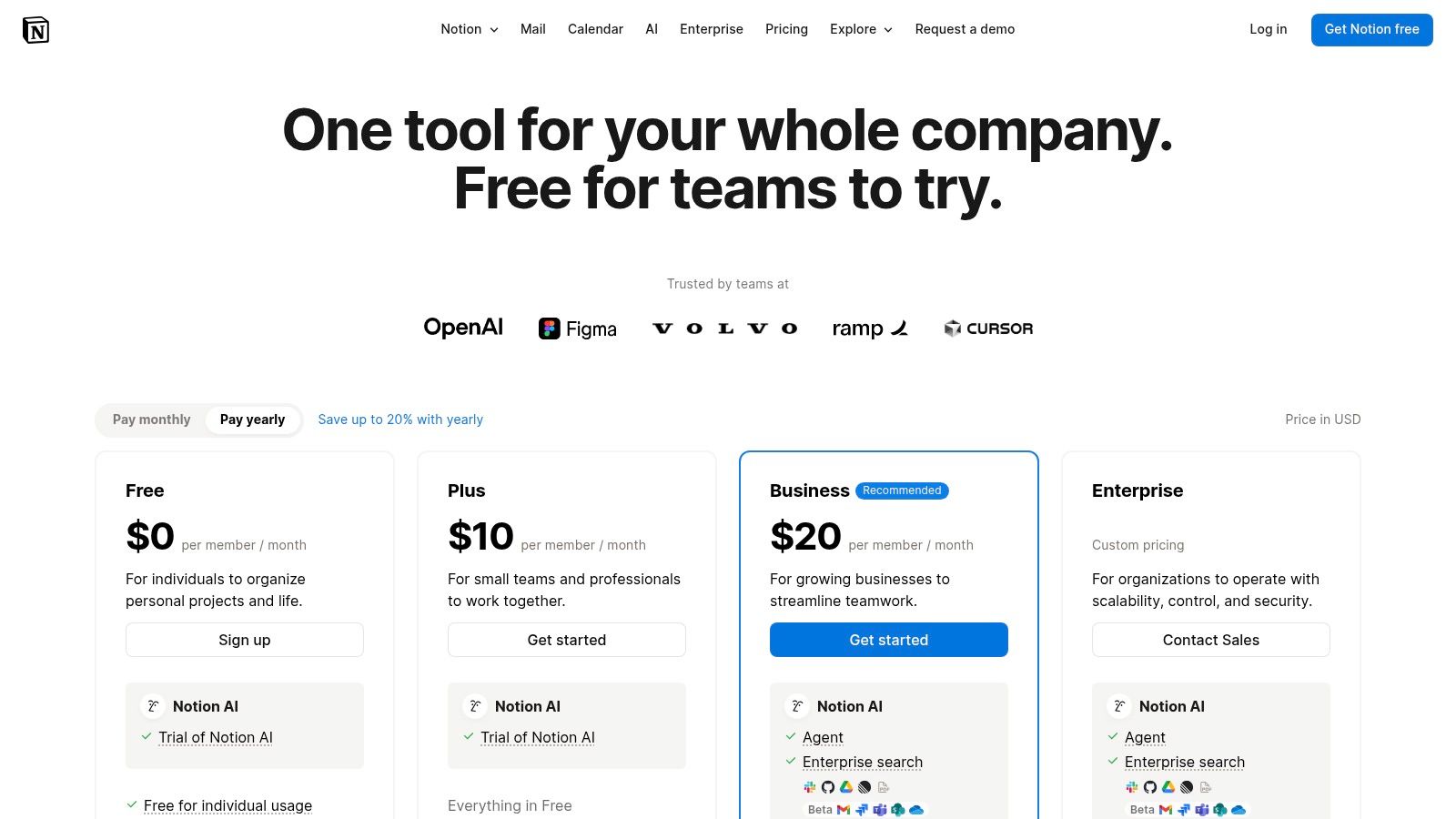
The platform offers a suite of AI features, including in-document assistance and a powerful enterprise search that can synthesize information from across your entire workspace. Newer features like AI Agents (currently in beta) promise to automate more complex, multi-step workflows. By keeping your notes, project plans, and AI assistant in one centralized location, Notion helps you maintain momentum and concentration. For those looking to optimize their work environment to minimize distractions, these insights on how to focus better at work can be a game-changer.
Business and Enterprise tiers enhance this with critical administrative controls like SSO, advanced permissions, and audit logs, making it a viable option for teams that require security and oversight alongside powerful AI capabilities.
Key Details & Recommendations
- Best Use Case: Centralizing knowledge management, project tasks, and AI-powered content creation in a single platform.
- Pros: Significantly reduces app-switching by combining notes, tasks, and AI; mature collaboration and knowledge management features.
- Cons: Advanced AI capabilities and essential admin features are locked behind paid tiers; some of the most promising AI features are still in limited beta.
- Pricing: A free plan is available for personal use. Paid plans with Notion AI start at $8 per user/month (billed annually).
- Website: https://www.notion.so/pricing
7. Grammarly: An Essential AI Tool for Writing Productivity
Long before generative AI became a household term, Grammarly established itself as an essential AI-powered writing assistant. It goes far beyond simple spell-checking, serving as a comprehensive tool to improve clarity, tone, and grammatical correctness across virtually any platform you write on. From emails and documents to social media posts, it integrates seamlessly to provide real-time feedback, making it one of the most practical AI tools for productivity for daily professional and academic communication.
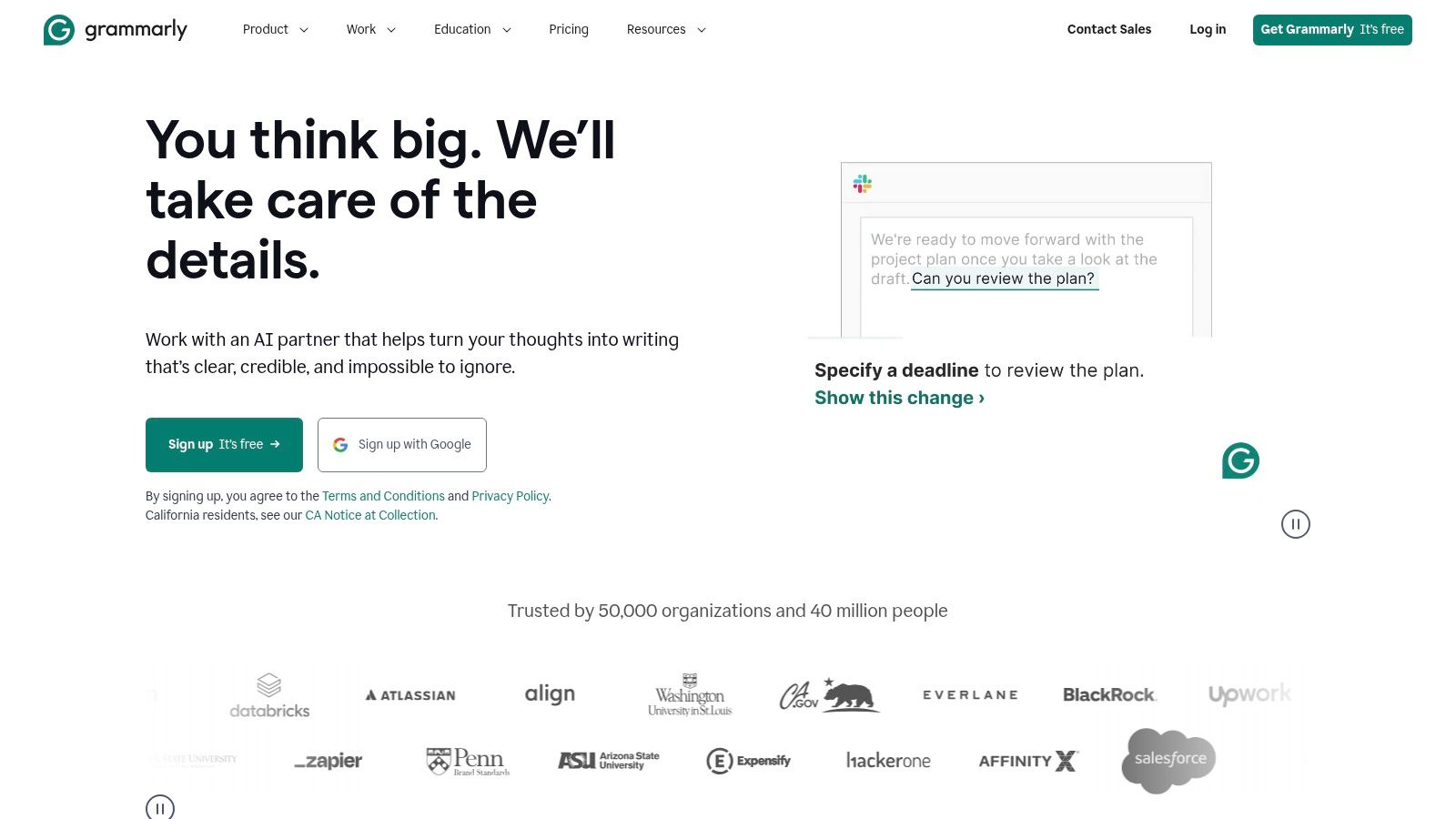
Grammarly operates on a freemium model, with a highly capable free version that covers critical grammar and spelling errors. The paid plans, like Premium and Business, unlock advanced features such as tone adjustments, fluency suggestions, full-sentence rewrites for clarity, and plagiarism detection. More recently, the platform has integrated generative AI features that can help compose, reply, and reformat text with simple prompts, directly within the applications you already use. For teams, the Business and Enterprise tiers add style guides to ensure brand consistency across all company communications.
Key Details & Recommendations
- Best Use Case: Real-time editing for emails, documents, and web-based writing to improve clarity, grammar, and tone.
- Pros: Extremely low-friction and integrates everywhere you write (browser, desktop apps). Enterprise options offer excellent team-wide style governance.
- Cons: Offline functionality is limited. Some of the most powerful generative AI and analytical features are reserved for higher-tier paid plans.
- Pricing: A robust free version is available. Premium plans start at $12/month (billed annually), with custom pricing for Business and Enterprise tiers.
- Website: https://www.grammarly.com
8. Zapier: Connecting Apps with AI for Maximum Productivity
Zapier elevates automation to a new level by acting as the connective tissue between the thousands of applications you already use. As one of the most powerful AI tools for productivity, it allows you to build custom, automated workflows called “Zaps” without writing a single line of code. You can create triggers and actions that link apps like Slack, Google Sheets, and your CRM, so a new lead in one system automatically creates a task and sends a notification in another, drastically reducing manual data entry.
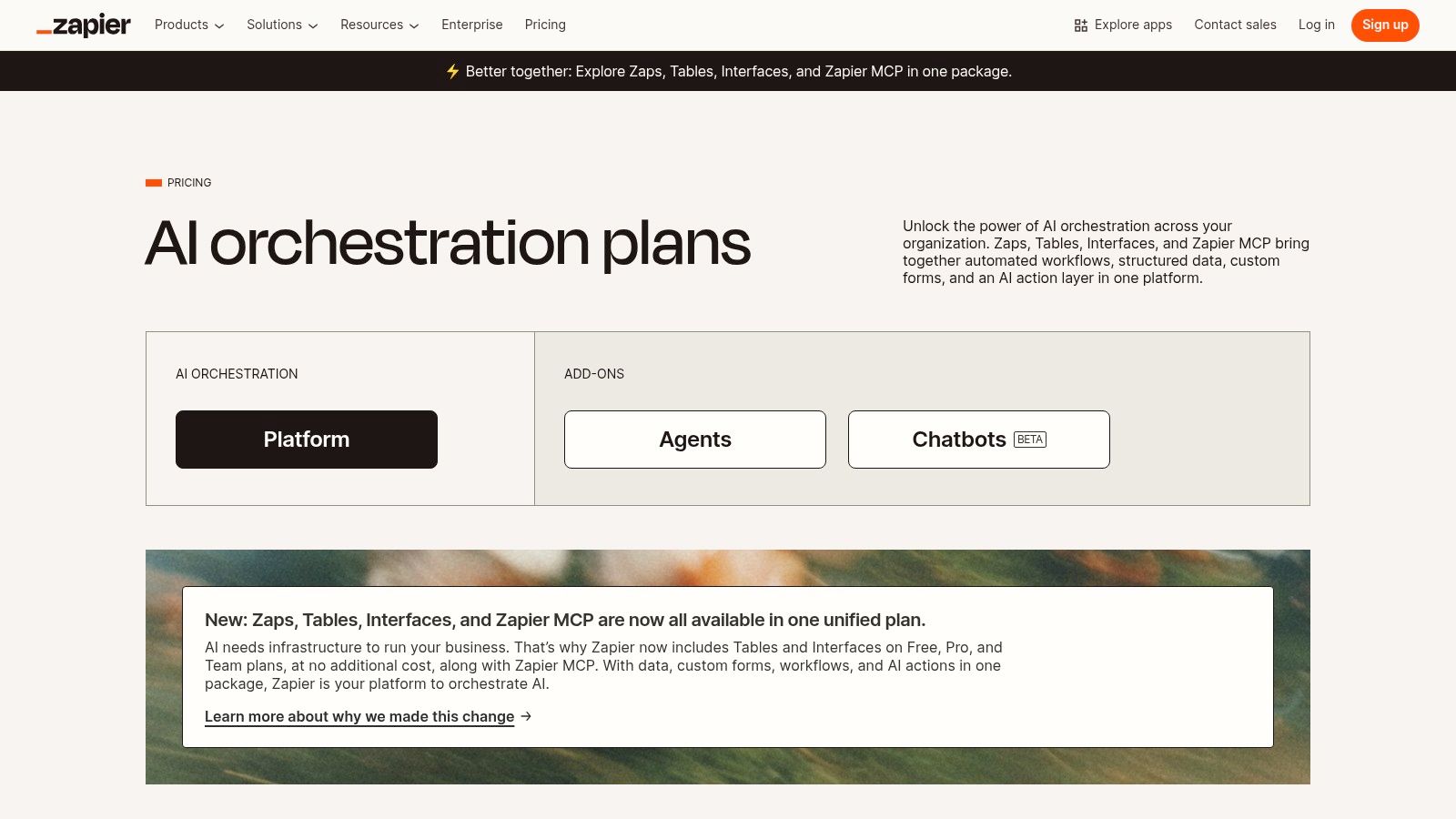
The platform is expanding its AI capabilities with beta features like Zapier Central, an AI workspace where you can build, teach, and run AI agents to handle even more complex, multi-step tasks across its vast library of over 7,000 integrations. This moves beyond simple if-then automation into more dynamic, intelligent process management. Understanding how to connect these systems is a core concept when you learn how to use AI for productivity effectively. The pay-as-you-grow model makes it accessible for individuals and scalable for large enterprises.
Key Details & Recommendations
- Best Use Case: Automating repetitive multi-app workflows, data transfer between systems, and creating AI agents to manage complex business processes.
- Pros: Enormous integration catalog covering almost any popular app, no-code interface is accessible to non-developers, and enterprise-grade security options.
- Cons: Costs can scale quickly with high task volume or complex agent usage, and intricate workflows may require careful setup and monitoring to avoid errors.
- Pricing: A free plan is available for basic automations. Paid plans with more tasks and advanced features start at $19.99/month (billed annually).
- Website: https://zapier.com/pricing
9. Airtable AI: A Database-Driven AI Tool for Productivity
For teams managing complex projects, Airtable elevates the simple spreadsheet into a powerful, AI-enhanced database platform. It stands out among AI tools for productivity by integrating AI directly into structured data workflows. Users can build custom internal applications for tasks like CRM, content calendars, or project management, and then use Airtable AI to automate processes like classifying customer feedback, summarizing project notes, translating text, or generating content based on database records.
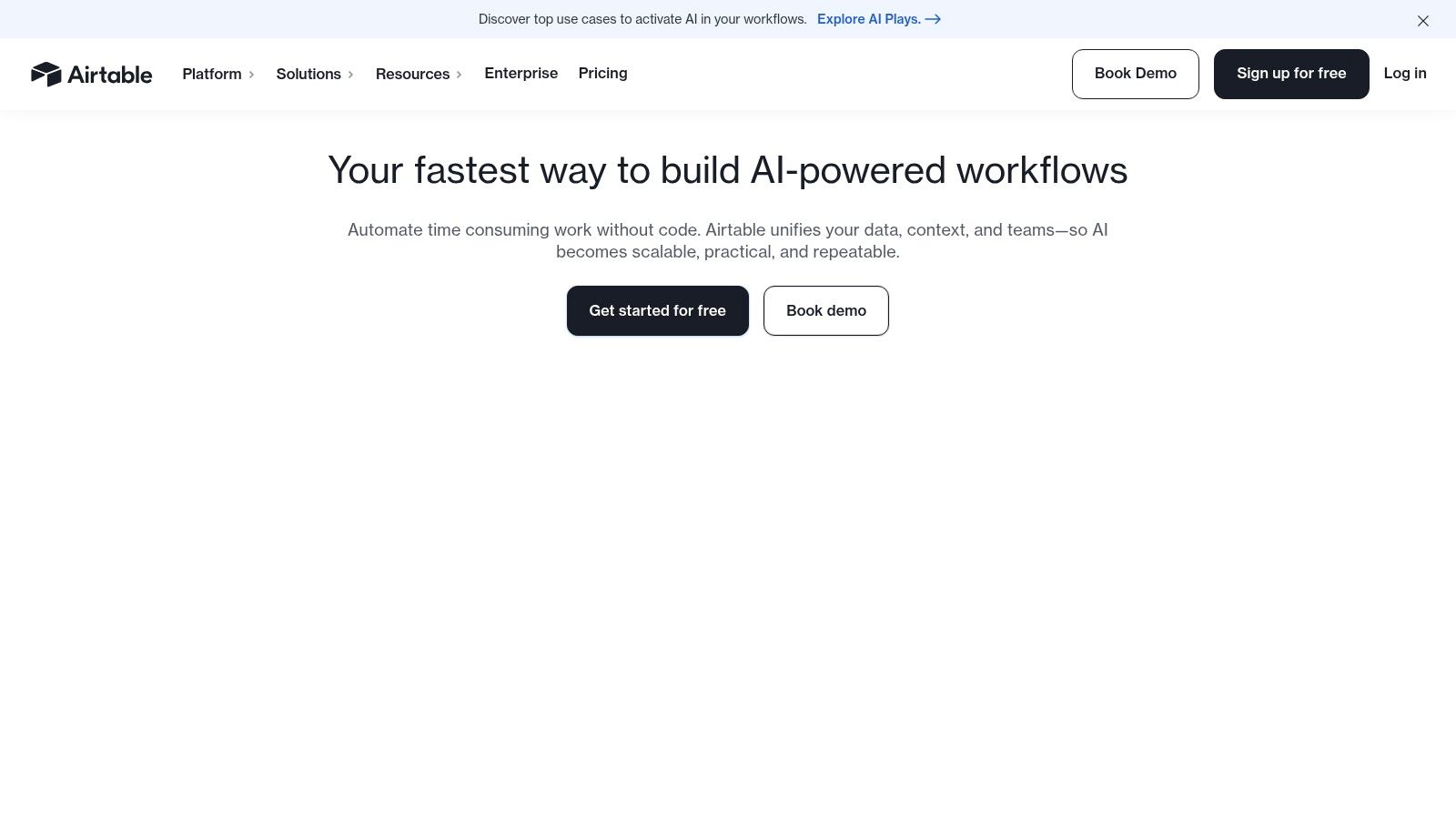
Airtable AI operates on a transparent credits-based model, where each plan tier includes a set number of AI credits. This allows teams to predict and manage their usage for AI-powered automations. For organizations, the Business and Enterprise plans provide crucial administrative controls, including model governance, which allows them to select specific AI providers for their workflows. This combination of no-code app building and integrated, controllable AI makes it an enterprise-grade solution for scaling productivity.
Key Details & Recommendations
- Best Use Case: Building custom internal tools, automating data-driven workflows, and managing structured information like content pipelines or sales leads.
- Pros: Highly scalable from simple tables to complex internal applications, and a transparent AI credit model with strong administrative controls on higher tiers.
- Cons: AI-heavy automations can deplete credits quickly, and the most powerful features are locked behind the more expensive Business and Enterprise plans.
- Pricing: A free plan exists with limited features. Paid plans start at $20 per seat/month (billed annually), with AI credits included in each tier.
- Website: https://airtable.com
10. Jasper: A Marketing-Focused AI Tool for Productivity
Where general-purpose chatbots excel at broad tasks, Jasper is one of the most specialized AI tools for productivity designed specifically for marketing and business content creation. It helps teams produce consistent, on-brand assets at scale by leveraging features like a centralized Brand Voice and a Knowledge Base, which stores facts about your products and services. This ensures every blog post, social media update, or email campaign aligns with your company’s messaging.
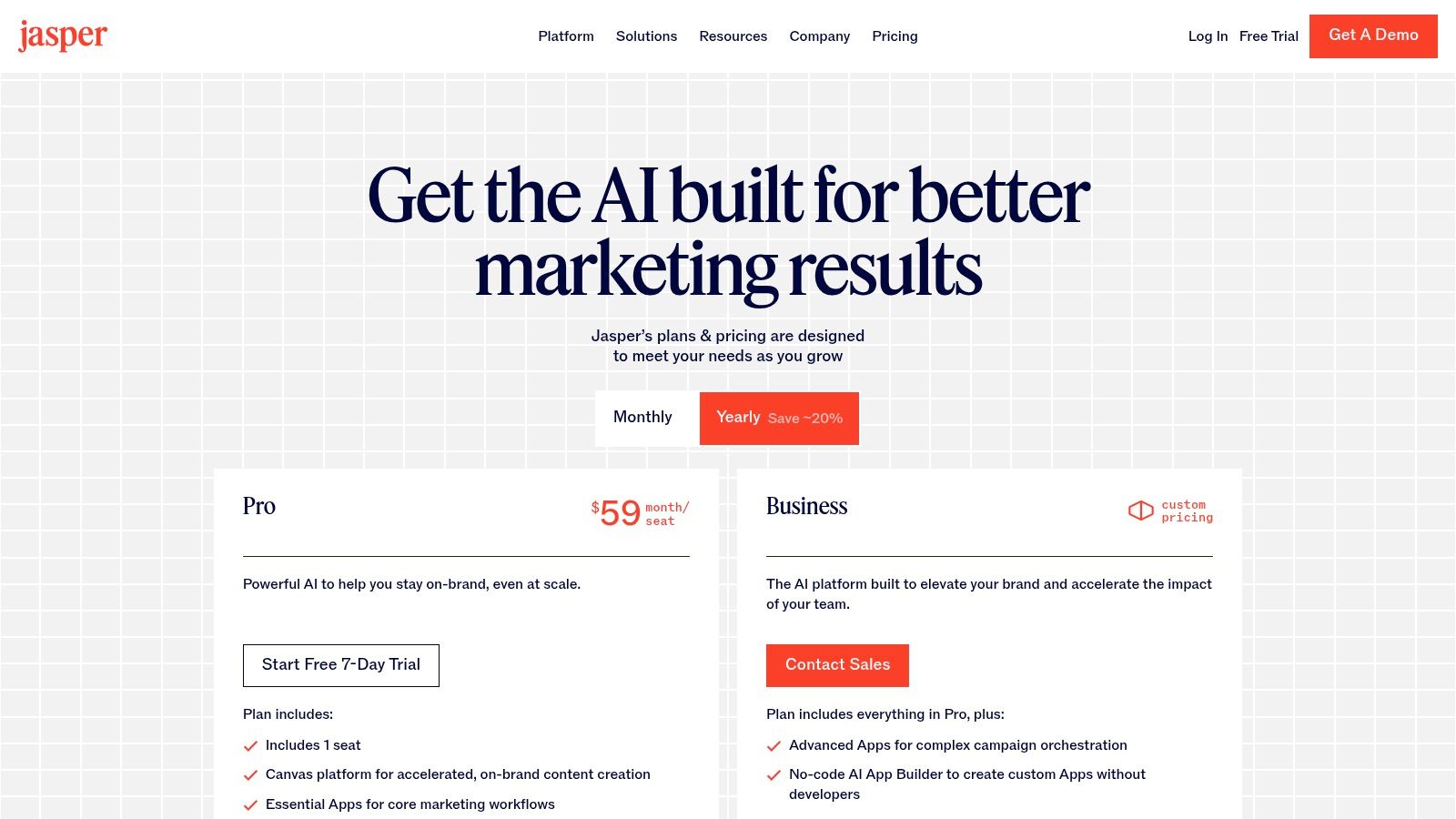
Jasper moves beyond simple text generation with its multi-asset “Canvas” and marketing agents, which help orchestrate entire campaigns from a single brief. For businesses concerned with security and governance, its SOC 2 compliance provides an added layer of trust. This focus on repeatable, high-quality output makes it a powerful asset for content teams looking to improve their workflow. If you want a deeper look at its creative capabilities, our guide on how to use AI for writing offers relevant insights.
Key Details & Recommendations
- Best Use Case: Marketing teams creating consistent, on-brand content like blog posts, ad copy, and social media campaigns.
- Pros: Purpose-built for team collaboration with excellent brand consistency controls and campaign-level tools.
- Cons: Less suited for general productivity tasks outside of marketing; advanced business features often require contacting sales.
- Pricing: Plans are tailored for teams and businesses, starting at $39/month (billed annually) for the Creator tier.
- Website: https://www.jasper.ai/pricing
11. Google Workspace Marketplace: A Hub for AI Productivity Tools
For those already embedded in the Google ecosystem, the Google Workspace Marketplace is the ideal hub for discovering vetted AI tools for productivity that integrate directly into your existing workflow. Instead of being a single tool, it’s a centralized app store where you can find and install third-party add-ons for Gmail, Docs, Sheets, and Slides. This allows you to augment your favorite Google apps with specialized AI capabilities, from advanced grammar checkers in Docs to AI-powered email assistants in Gmail.
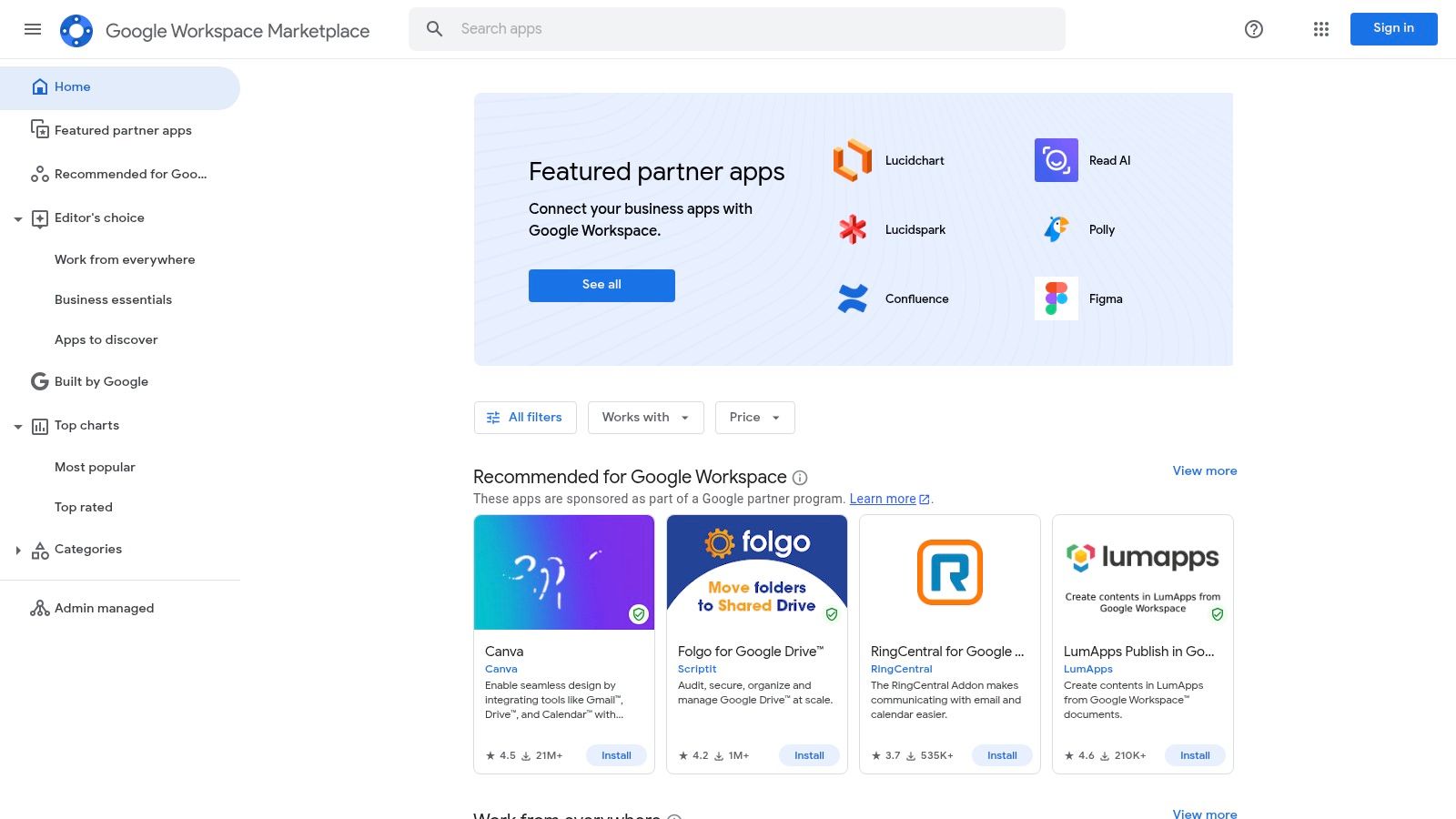
The platform’s strength lies in its seamless integration and security. You can browse add-ons by category, read reviews, and install them with a single click. For organizations, system administrators can manage and deploy approved apps domain-wide, ensuring everyone has access to the same tools while maintaining security protocols. While many high-quality apps require separate subscriptions, a significant number offer freemium versions or free trials, making it easy to experiment and find the right fit before committing.
Key Details & Recommendations
- Best Use Case: Extending the functionality of Google Workspace apps (Gmail, Docs, Sheets) with specialized, integrated AI features.
- Pros: Safe, centralized discovery and installation for Workspace tools, and easy domain-wide deployment for teams and organizations.
- Cons: The quality and pricing of add-ons vary significantly by vendor, and the best tools often require separate paid subscriptions.
- Pricing: The marketplace itself is free to browse. Apps are a mix of free, freemium, and subscription-based, with many offering free trials.
- Website: https://workspace.google.com/marketplace
12. G2: Comparing and Reviewing AI Tools for Productivity
Before committing to a new subscription, it’s wise to see what real users are saying. G2 serves as a critical vetting platform, offering a comprehensive directory of AI tools for productivity, specifically through its detailed category pages like “AI Writing Assistants.” It aggregates verified user reviews, satisfaction scores, and feature comparisons, allowing you to evaluate multiple tools side-by-side. This is invaluable for making an informed decision before investing time and money.
The platform is designed for professional evaluation, with filters that let you sort tools by company size, industry, and specific features. This helps you move beyond marketing claims and see how a tool actually performs in a real-world business context. While reading, pay close attention to reviews from users with similar roles or company sizes to your own for the most relevant insights.
G2 is a free resource for buyers, though it’s important to remember that some vendor listings may be sponsored. Always cross-reference pricing information directly on the vendor’s site, as the snapshots on G2 can sometimes lag behind official updates. Its true strength lies in providing the social proof and detailed feedback needed for procurement, stakeholder buy-in, or simply choosing the best personal productivity app.
Key Details & Recommendations
- Best Use Case: Comparing competing AI tools, vetting software before purchase, and gathering user feedback for procurement decisions.
- Pros: Access to a large database of verified user reviews, helpful comparison grids, and useful filters for finding relevant feedback.
- Cons: Some listings are sponsored which can influence visibility, and pricing data may not always be current.
- Pricing: Free to browse and compare reviews.
- Website: https://www.g2.com/categories/ai-writing-assistant
Editor’s Take: What Actually Works with AI Productivity Tools?
The hype around AI can be deafening, but what’s the real-world impact? For most professionals, the biggest, most immediate wins come from tools that integrate directly into existing workflows. Microsoft Copilot and Google’s AI Pro (Gemini) are prime examples. They reduce the mental friction of switching apps, which is where a lot of time and focus is lost. If your day is spent in Office or Google Workspace, start there.
For broader tasks like research and content drafting, ChatGPT remains the most versatile entry point due to its ease of use and vast community support. However, for serious research, Perplexity is a game-changer because its cited answers save immense fact-checking time.
Who is this advice best for? If you’re a solopreneur or small business owner, a combination of a general chatbot (ChatGPT or Claude) and an automation tool like Zapier will likely provide the highest ROI. Enterprise teams should look at platform solutions like Notion, Airtable, or the native AI in their Microsoft/Google suite for better security and administrative control.
Important Caveats: No AI tool is a “set it and forget it” solution. Outputs always require human review for accuracy, tone, and context. Furthermore, privacy is a real concern; avoid inputting sensitive personal or proprietary company data into public AI models unless you have a specific enterprise agreement that guarantees data privacy.
Top 12 AI Productivity Tools Comparison
| Tool | Core use & key features ✨ | Quality / Experience ★ | Value & Pricing 💰 | Target audience 👥 | Standout strength 🏆 |
|---|---|---|---|---|---|
| OpenAI — ChatGPT | ✨ Chat-based drafting, summaries, brainstorming, code snippets | ★★★★☆ reliable, fast updates | 💰 Free + paid tiers (Pro for best models) | 👥 Beginners, creators, general users | 🏆 Broad ecosystem & tutorials |
| Microsoft Copilot (Microsoft 365) | ✨ Native AI in Word/Excel/Outlook, workflow agents, enterprise controls | ★★★★☆ deep app integration | 💰 Paid (M365 required for full features) | 👥 Knowledge workers, enterprises | 🏆 Best for native Office workflows |
| Google — AI Pro (Gemini) | ✨ Gemini across Gmail/Docs/Sheets, NotebookLM, Search AI | ★★★★☆ strong research & drafting | 💰 💰 Bundled plans / credits model | 👥 Google Workspace users & researchers | 🏆 Research + search integration |
| Anthropic — Claude | ✨ Long-context reasoning, model selector, team controls | ★★★★☆ careful, safety-focused | 💰 Pro → Max; API billed separately | 👥 Researchers, teams needing long context | 🏆 Long-context reasoning & safety |
| Perplexity | ✨ Citation-first AI search, file/URL analysis, evidence-backed answers | ★★★★☆ source-linked, fast research | 💰 Free + Pro for advanced models | 👥 Researchers, professionals needing citations | 🏆 Best for verifiable, cited answers |
| Notion (Notion AI & Agents) | ✨ Docs + DBs + embedded AI, meeting notes, agents | ★★★★☆ cohesive workspace UX | 💰 Freemium → Paid business tiers | 👥 Teams and knowledge workers | 🏆 Reduces app-switching (notes+AI) |
| Grammarly (Pro/Enterprise) | ✨ Clarity, tone, grammar, brand/style controls | ★★★★★ very low friction writing UX | 💰 Freemium → Pro / Enterprise | 👥 Professionals, students, teams | 🏆 Best for daily writing polish |
| Zapier (Automation + AI Agents) | ✨ 7,000+ integrations, AI-assisted Zaps & agents | ★★★★☆ mature automation UX | 💰 Tiered pricing; costs scale with usage | 👥 Non-developers automating workflows | 🏆 Largest no-code integration catalog |
| Airtable (with Airtable AI) | ✨ No-code DBs, AI credits, automations & apps | ★★★★☆ flexible for ops & CRM | 💰 Paid plans + AI credits packs | 👥 Ops teams, PMs, content teams | 🏆 Structured apps + transparent AI credits |
| Jasper | ✨ Brand voices, campaigns, knowledge bases, agents | ★★★★☆ marketing-focused experience | 💰 Paid (team/enterprise pricing) | 👥 Marketing teams & agencies | 🏆 Purpose-built for scalable content |
| Google Workspace Marketplace | ✨ Discover/install AI add-ons for Workspace apps | ★★★★☆ centralized app discovery | 💰 Mix of free, freemium, paid add-ons | 👥 Workspace admins & orgs | 🏆 Domain-wide deployment & control |
| G2 — AI Writing Assistants (reviews) | ✨ Verified reviews, comparison grids, pricing snapshots | ★★★★☆ helpful for procurement | 💰 Free to browse; vendor pricing varies | 👥 Buyers, procurement, stakeholders | 🏆 Real-user reviews for vetting tools |
Putting It All Together: Your Next Steps with AI Productivity Tools
We’ve explored a comprehensive landscape of AI tools for productivity, from the conversational powerhouses like ChatGPT and Claude to specialized automators like Zapier and integrated workspace assistants in Notion and Microsoft Copilot. The sheer volume of options can feel overwhelming, but the goal isn’t to adopt every tool. The true power lies in strategically selecting and integrating the few that align perfectly with your unique workflow, professional goals, and cognitive style.
The central theme is not about replacing human intellect but augmenting it. These tools are force multipliers. They can compress hours of research into minutes with Perplexity, refine a rough draft into a polished document with Grammarly, or manage the relentless flood of emails and calendar invites, freeing up your most valuable resource: your focused attention. As we’ve seen, the most significant productivity gains come from offloading tedious, repetitive, or cognitively draining tasks, which, from a neuroscience perspective, helps conserve executive function for deep, creative, and strategic work.
Your Blueprint for AI-Powered Productivity
So, where do you begin? The journey from awareness to adoption requires a thoughtful approach. Don’t fall into the trap of “shiny object syndrome,” where you constantly switch tools without ever mastering any. Instead, follow a deliberate process to find what truly works for you.
Here’s a practical action plan to get started:
- Identify Your Biggest Bottleneck: Before you even look at a tool, look at your workday. Where do you lose the most time? Is it drafting initial reports? Managing your inbox? Summarizing long meetings? Pinpoint the one or two most significant friction points in your daily routine. This is your starting point.
- Mini-Scenario: A project manager realizes she spends 4-5 hours per week manually compiling status updates from different team members. Her bottleneck is repetitive information gathering.
- Match the Tool to the Task: Refer back to the categories in this article. If writing is your bottleneck, start by experimenting with a free version of Jasper or the built-in features of ChatGPT. If project management feels chaotic, explore how Airtable AI or Notion AI can structure your data and automate status updates.
- Mini-Scenario: The project manager decides to pilot Airtable. She sets up a simple base where team members can log updates. She then uses an Airtable AI automation to summarize all new entries every Friday morning and draft an update email.
- Start Small with a Pilot Project: Choose one tool and commit to using it for a specific, low-stakes project for one week. For example, use Perplexity for all your research for a single presentation, or use Claude to summarize every meeting transcript for a week. This focused trial prevents overwhelm and provides clear data on its effectiveness.
- Evaluate and Iterate: At the end of your pilot, ask critical questions. Did this tool save me time? Did it reduce cognitive load? Was the output quality high enough? Were there any privacy concerns? Based on your answers, decide whether to fully integrate the tool, try a different one, or stick with your old workflow.
The Human Element in an AI World
Ultimately, the most sophisticated AI tools for productivity are only as effective as the human guiding them. Your ability to ask the right questions, provide clear context, and critically evaluate the output remains the most crucial skill. Think of yourself as the conductor of an orchestra; AI provides powerful instruments, but you are the one who creates the symphony.
AI tools for productivity: Work Smarter, Reclaim Focus, and Do Your Best Creative Work
By embracing these technologies thoughtfully, you can design a more focused, efficient, and fulfilling work life. You can reclaim mental energy once spent on mundane tasks and reinvest it into the creative, innovative work that truly matters. The future of productivity isn’t about working harder; it’s about working smarter, and with the right AI partners, you are better equipped than ever to do just that.
Disclaimer: This article is for educational purposes only and is not a substitute for professional medical or psychological advice, diagnosis, or treatment. The content is not intended to be a substitute for professional advice and does not make claims about diagnosing or treating conditions like ADHD, anxiety, or burnout. Some links may be affiliate links, meaning we may earn a commission if you make a purchase.
Build the Focus Foundations That Make AI Tools Work (Mind Clarity Hub)
If you’re looking to build the foundational habits of focus and clarity that make these AI tools truly effective, explore the resources at Mind Clarity Hub. Our programs provide science-backed systems to help you manage digital distractions and optimize your attention, creating the perfect mental environment for deep, AI-augmented work. Learn more at Mind Clarity Hub.
Frequently Asked Questions About AI Tools for Productivity
1. What are AI tools for productivity?
AI tools for productivity are software applications that use artificial intelligence, like machine learning and natural language processing, to automate tasks, streamline workflows, and enhance human capabilities. They can help with writing, research, data analysis, scheduling, and project management, ultimately saving time and reducing cognitive load.
2. Are AI productivity tools difficult to learn?
Most modern AI tools are designed with user-friendly interfaces. Many, like ChatGPT or Grammarly, are very intuitive and can be used effectively within minutes. While some platforms with advanced automation features (like Zapier or Airtable) have a steeper learning curve, they typically offer extensive tutorials and no-code builders to make them accessible.
3. Can these AI tools replace human jobs?
While AI can automate repetitive tasks, they are best viewed as augmentation tools that enhance human skills, not replace them. They excel at processing data and handling routine work, which frees up humans to focus on strategic thinking, creativity, and complex problem-solving—areas where human intellect remains superior.
4. How much do AI tools for productivity typically cost?
Pricing varies widely. Many of the best AI tools operate on a “freemium” model, offering a capable free version with paid plans for advanced features, higher usage limits, or team collaboration. Individual pro plans often range from $10 to $30 per month, while business and enterprise plans are priced per user and can be significantly higher.
5. Are my data safe when using these AI tools?
Data privacy is a critical consideration. Reputable AI companies have security policies in place, but it’s essential to read them. For sensitive information, always opt for enterprise-grade tools that offer features like data encryption, SOC 2 compliance, and clear policies that prevent your data from being used to train public models. Avoid inputting confidential data into free, public versions of AI tools.
6. Which AI tool is best for writing assistance?
For general writing clarity, grammar, and tone, Grammarly is a top choice due to its seamless integration. For generating marketing content at scale with brand consistency, Jasper is specifically designed for that purpose. For brainstorming and drafting, general-purpose tools like ChatGPT and Claude are excellent.
7. How can AI help with project management?
AI tools like Notion and Airtable integrate AI directly into project management workflows. They can automate task creation, summarize meeting notes, generate project status reports, and organize data based on natural language commands, helping teams stay aligned and reduce administrative overhead.
8. What is the difference between a general AI chatbot and a specialized AI tool?
A general AI chatbot (e.g., ChatGPT) is a versatile tool that can handle a wide range of tasks, from writing code to answering general knowledge questions. A specialized AI tool (e.g., Perplexity for research, Jasper for marketing) is optimized for a specific function, often providing more refined features, better workflow integration, and higher-quality results for its niche.
9. Can I integrate AI tools with the software I already use?
Yes, integration is a key strength of many AI productivity tools. Zapier is a leader in connecting thousands of different apps. Additionally, platforms like Microsoft Copilot and Google’s Gemini are built directly into their respective office suites, while the Google Workspace Marketplace offers add-ons for deep integration.
10. How do I choose the right AI tool for my needs?
Start by identifying your biggest time-consuming task or bottleneck. Is it writing emails, conducting research, or managing data? Then, look for a tool specifically designed to address that pain point. Use the free trials offered by most services to test a few options before committing to a paid subscription to ensure it fits your workflow.
Explore the Mind Clarity Hub Library
Practical books on focus, digital habits, resilience, and building a calmer mind.

The Power of Clarity
Unlock mental focus, build momentum, and create the life you were meant to live.
View book →
AI & ChatGPT for Beginners
No PhD needed — a 2025 guide to AI, prompts, and productivity without coding.
View book →
Zen in the Digital Jungle
Mindfulness for a chaotic world.
View book →
The Slow Reset
Mindful living in a fast-paced world.
View book →
Perfectly Imperfect
Stop self-criticism, set boundaries, and embrace the real you.
View book →
Reclaiming Silence
A dopamine detox guide to finding peace in a noisy world.
View book →
The Focused Freelancer
Productivity, pricing & positioning for independents in 2025.
View book →
ChatGPT Side Hustle System
Launch your AI-driven online business in 30 days.
View book →
Burnout, Interrupted
A proven path to restore energy and reclaim your life.
View book →
Attention Unleashed
Focus strategies for the distracted mind.
View book →
Side Hustle Launchpad
Your quick-start guide to extra income.
View book →
Digital Clarity
Rewire your brain, escape dopamine traps & regain focus.
View book →
Break the Scroll
Reduce screen time and take back control of your life.
View book →
Climate Compassion
Transform eco-anxiety into empowered action.
View book →
Village Mentality
The power of community for mental wellness.
View book →
Restful Nights
Overcoming sleep anxiety in a 24/7 world.
View book →
Connected Again
Combat loneliness and build meaningful relationships.
View book →
Focus Recharged
Mastering attention and productivity in the digital era.
View book →
Marketing Magic with ChatGPT
AI-powered content, campaigns, and copywriting to grow faster.
View book →
The 6-Figure Creator
Turn knowledge into passive income with books, courses & AI.
View book →
Burnout Breakthrough
Reset your work-life balance and thrive in 2025.
View book →
The Emotionally Intelligent Man
A modern guide to self-awareness and communication.
View book →
AI Personalized Wellness
Create your custom health plan with data-driven habits.
View book →
Everyday AI Made Easy
Use ChatGPT and smart tools to simplify life.
View book →
Money Mindfulness
A financial wellness guide for Gen Z & Millennials.
View book →
Startup Smarter with AI
ChatGPT strategies and tools to grow your business.
View book →
ChatGPT for Writers & Creators
Unlock AI-powered brainstorming, drafting & editing.
View book →