


A well-organized workspace does more than just look good; it can fundamentally change how you think and work. The right **home office organizing ideas** aren’t simply about finding a place for your pens. Instead, they are about designing an environment that reduces cognitive load, minimizes distractions, and supports your brain’s ability to focus deeply on complex tasks. When your physical and digital surroundings are chaotic, your brain expends valuable energy just navigating the clutter, leaving less mental bandwidth for what truly matters.
As an Amazon Associate, I earn from qualifying purchases. This article may contain affiliate links, which means I may earn a small commission from your purchase at no additional cost to you.
This guide moves beyond generic advice to provide a curated collection of actionable, psychologically-grounded strategies. From vertical storage solutions that save precious floor space to digital systems that bring order to digital chaos, you will discover a comprehensive toolkit of techniques. Each idea is paired with practical examples and implementation tips to help you create a sanctuary of productivity. The goal is to help you reclaim your mental clarity and build a workspace that actively works for you, one organized drawer and streamlined workflow at a time.
1. Optimize Vertical Wall Storage and Shelving
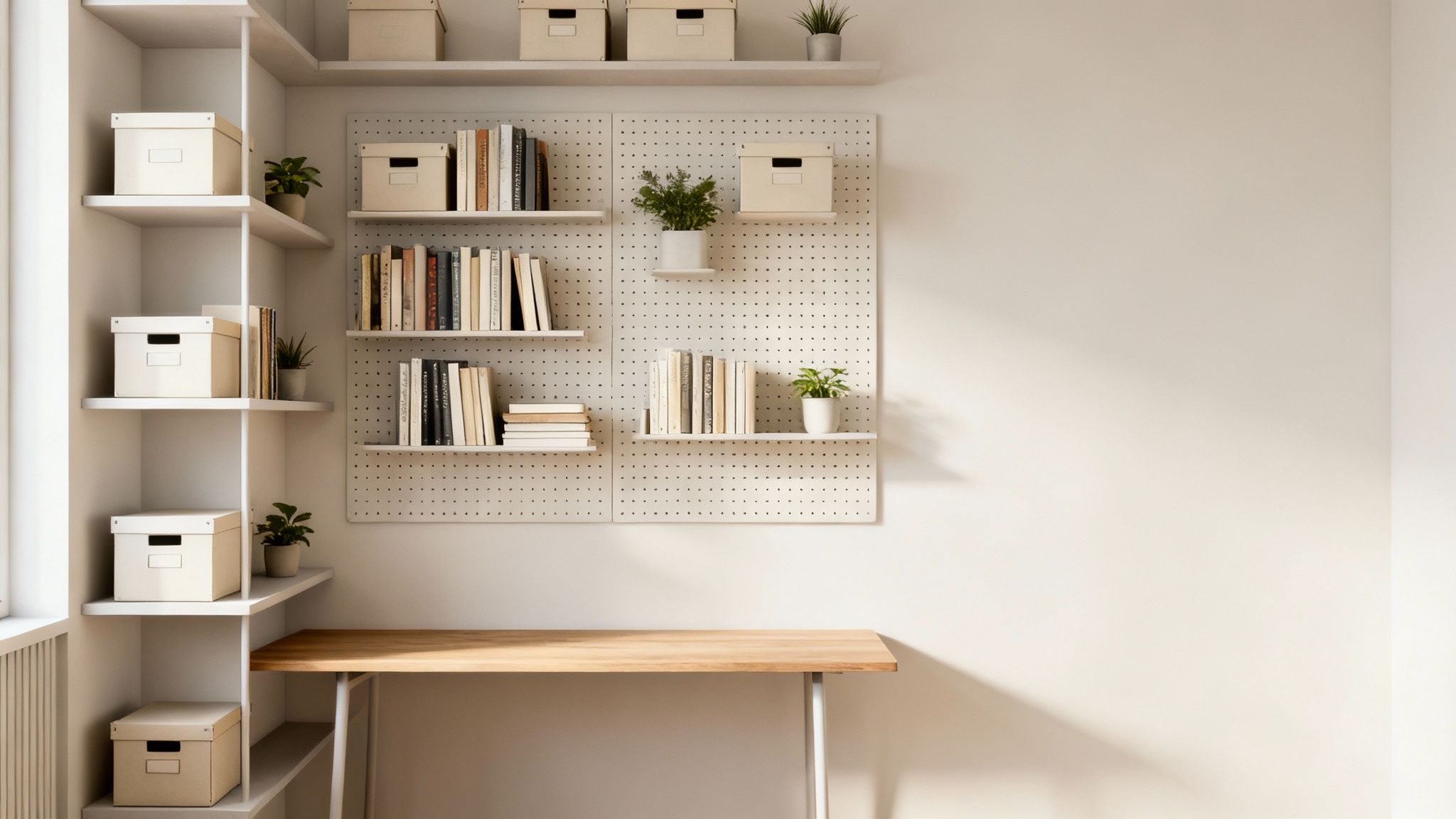
One of the most effective home office organizing ideas involves looking up instead of out. Vertical storage utilizes your walls to create space for supplies, documents, and decor, keeping your desk surface clear and your floor space open. Consequently, this strategy is essential for smaller rooms or multi-purpose areas where every square foot counts. By moving items from your desk to the wall, you reduce physical clutter, which in turn minimizes visual noise and cognitive load, helping you focus better.
Why It Works & How to Implement It
Vertical storage frees up valuable real estate on your desk, allowing more room for essential tasks. From a cognitive science perspective, reducing visual stimuli in your direct line of sight frees up mental resources that would otherwise be spent processing that information. This method is incredibly versatile, adapting to any style, from minimalist floating shelves to functional pegboard systems popularized by tech creators for managing cables and gear.
For example, a freelance graphic designer living in a small apartment might use wall-mounted shelves above their desk to hold reference books, Pantone color swatch books, and bins of drawing supplies. This keeps their limited desk space free for their tablet and keyboard.
To implement this effectively:
- Install shelves at eye level for items you need to access frequently, like notebooks or reference books. Higher shelves can store less-used items or archives.
- Use uniform containers, such as matching fabric bins or acrylic organizers, to create a cohesive and visually calming look. This reduces the mental effort required to scan for items.
- Group similar items together. Dedicate specific shelves or sections to categories like “Printing Supplies,” “Active Projects,” or “Inspiration.” This system makes finding and returning items nearly effortless.
- Leave empty space. Avoid the temptation to fill every inch. A bit of “white space” on your shelves prevents the area from looking cluttered and overwhelming.
2. Master Cable Management and Cord Organization
A tangle of wires is one of the fastest ways to make a home office feel chaotic and disorganized. A systematic approach to cable management involves bundling, labeling, and concealing the computer, power, and charging cords that clutter your workspace. Not only does this improve the aesthetic appeal of your office, but it also reduces trip hazards and makes it easier to troubleshoot tech issues. By creating a clear and intentional path for every wire, you eliminate a significant source of visual distraction.

Why It Works & How to Implement It
Taming cable clutter is a core principle of effective home office organizing ideas because it directly impacts your focus. Our brains are wired to notice patterns and deviations; a messy web of cables is a form of visual disorder that constantly draws subconscious attention. A clean setup, therefore, reduces the cognitive load associated with visual mess, which can improve your mental clarity and make your workspace feel more professional. This practice is widely adopted by tech reviewers and the r/battlestations community, who have perfected the art of the pristine desk setup.
Imagine a project manager who needs to quickly unplug their laptop for a meeting. Instead of fumbling through a spaghetti-like mess of identical black cords under the desk, they can instantly identify the labeled power brick in their neatly organized cable tray, saving time and frustration.
To implement this strategy:
- Use reusable ties and sleeves. Opt for Velcro straps or fabric cable sleeves instead of zip ties. This allows you to easily add or remove cables without having to cut anything.
- Label both ends of every cable. Use a label maker to identify what each cord connects to. This saves immense time and frustration when you need to unplug a specific device.
- Conceal and contain. Invest in an under-desk cable management tray or a simple cable box to hide power strips and excess cord length, keeping them off the floor and out of sight.
- Route cables strategically. Run wires along the back edge of your desk, down a desk leg, or through adhesive cable clips to create clean, intentional lines.
3. Utilize Drawer Dividers and Compartmentalization
Transforming your desk drawers from chaotic catch-alls into models of efficiency is a cornerstone of home office organizing ideas. By using drawer dividers and compartmentalization, you create a dedicated home for every small item, from pens to paper clips. This system prevents the dreaded “junk drawer” effect, where essential supplies become lost in a jumble. Consequently, a well-organized drawer reduces the time and mental energy spent searching for tools, allowing you to retrieve what you need instantly and maintain your workflow without interruption.
Why It Works & How to Implement It
Compartmentalization leverages the brain’s preference for order and categorization. When every item has a designated spot, you create an effortless system for retrieval and return. This minimizes decision fatigue—the mental exhaustion from making too many small choices, like “where did I put the scissors?”—which psychology research shows can deplete your willpower and focus. This method, popularized by figures like Marie Kondo and brands like IKEA with its modular Alex drawer system, turns chaos into a functional, intuitive map of your supplies.
For example, a writer who needs to quickly grab a red pen for edits can open their top drawer and immediately pick it from the “writing tools” compartment, rather than digging through a pile of cables, old keys, and receipts.
To implement this effectively:
- Categorize your supplies before you buy. Group all writing tools, fasteners (paper clips, binder clips), sticky notes, and tech accessories together to understand your needs.
- Measure your drawers carefully. Purchase modular or adjustable dividers that fit your specific dimensions to maximize every square inch of space.
- Use clear acrylic organizers to see contents at a glance, eliminating the need to rummage. For smaller items like staples or USB drives, use tiny boxes or trays within the larger compartments.
- Arrange by frequency of use. Keep the most-used items, like your favorite pen or a charging cable, in the front section of the top drawer for the easiest access.
4. Implement Smart Document Management and Filing Systems
A robust document management system is the backbone of an organized home office, tackling the relentless flow of both physical papers and digital files. This involves creating a systematic approach to store, categorize, and retrieve information efficiently. As a result, it prevents piles of paper from taking over your desk and digital desktops from becoming cluttered. A clear system reduces the time spent searching for documents and the mental stress associated with disorganization, making it a critical component of effective home office organizing ideas.
Why It Works & How to Implement It
An intentional filing system, whether physical or digital, frees up cognitive resources. Instead of relying on working memory to recall where a specific contract or invoice is, you rely on a predictable, external structure. This process supports executive functions—the set of mental skills that include working memory, flexible thinking, and self-control. This approach is used by everyone from law firms using color-coded case files to accountants who organize everything chronologically. The key is creating a system that aligns with how you think and work. Learn more about strengthening your brain’s management system on mindclarityhub.com.
Consider a small business owner who needs to find an invoice from six months ago for a tax audit. With a clear digital filing system (Invoices > 2024 > 2024_04_ClientX.pdf), they can find the document in seconds, avoiding panic and wasted time.
To implement this effectively:
- Establish a master filing system first. Decide on your main categories (e.g., “Clients,” “Finances,” “Projects”) before you start sorting individual documents.
- Use color-coding for at-a-glance identification. Assign a specific color to each major category, such as green for financial documents or blue for client-related files.
- Create a consistent naming convention for digital files. A simple formula like
YYYY-MM-DD_ClientName_DocumentType(e.g.,2024-10-28_AcmeCorp_Invoice) makes files instantly sortable and searchable. - Scan important papers. Digitize crucial documents like contracts, receipts, and tax forms for a secure backup and to reduce physical clutter. Keep only the essential hard copies.
5. Curate Your Desktop Surface with Minimalism
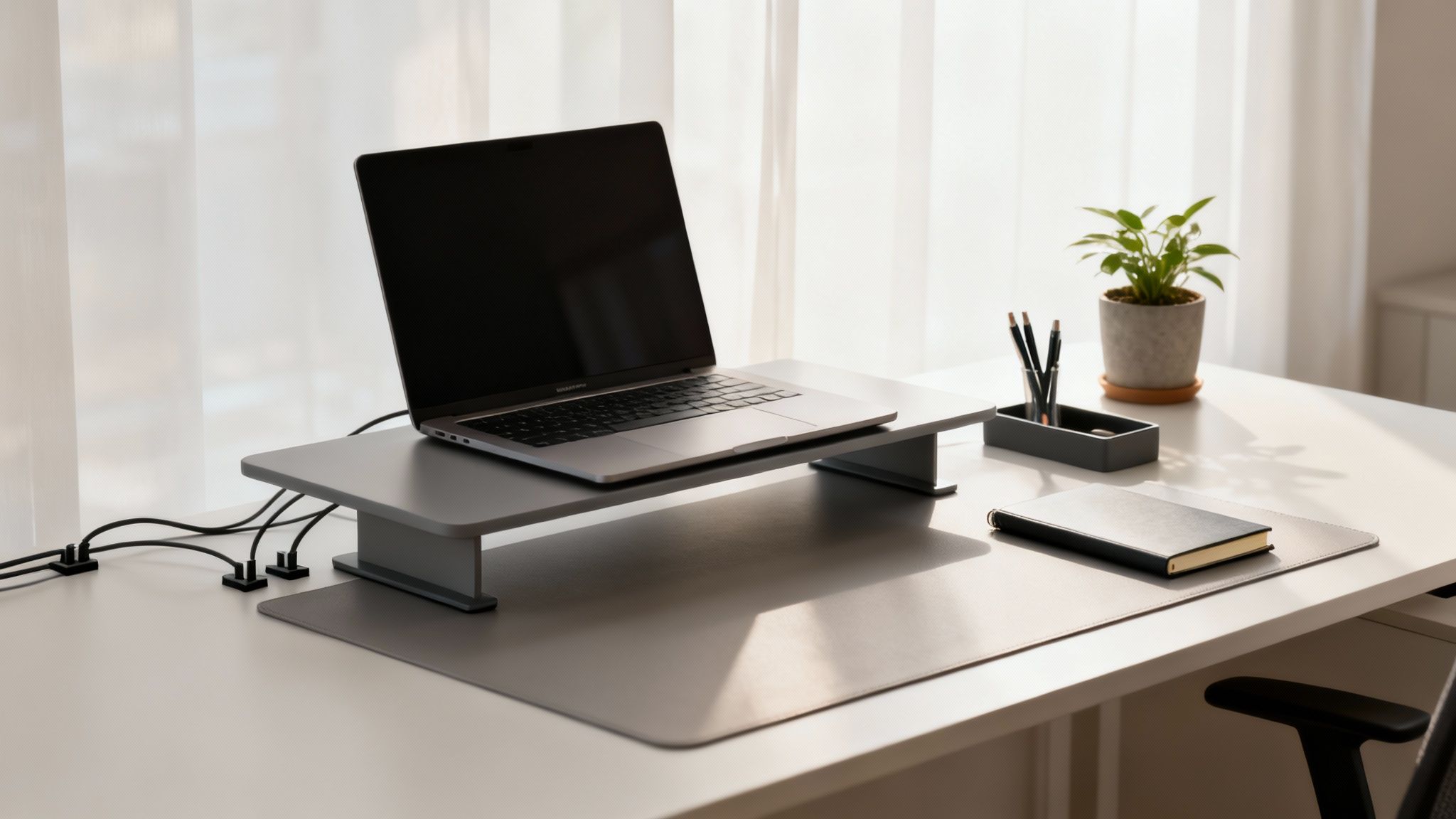
One of the most impactful home office organizing ideas focuses on the area where you do most of your work: your desktop. Adopting a minimalist approach to your desk surface means consciously removing everything that isn’t essential for the immediate task at hand. This practice, popularized by figures like Marie Kondo and Cal Newport, is designed to reduce visual distractions and mental clutter, creating an environment primed for deep, focused work. A clean workspace signals to your brain that it’s time to concentrate, free from the pull of scattered papers, excess supplies, or random gadgets.
Why It Works & How to Implement It
A minimalist desk directly reduces cognitive load. Neuroscience research shows that a cluttered environment competes for your attention, resulting in decreased performance and increased stress. By removing irrelevant objects from your immediate field of vision, you conserve mental energy. Implementing this idea involves a deliberate shift from using your desk as a storage space to viewing it as a dedicated work-only zone. For more insights on how your environment affects concentration, you can learn more about how to focus better at work.
For instance, a software developer preparing for a coding sprint clears their desk of everything except their monitor, keyboard, and a cup of coffee. This stark, clean environment helps them enter a state of flow without the distraction of mail to be opened or books to be read.
To implement this effectively:
- Follow the “rule of three.” Keep only 3-5 essential items on your desk surface, such as your monitor, keyboard, mouse, and a single notebook. Everything else should have a designated home off the desk.
- Elevate your tech. Use a monitor arm or laptop stand to lift your screen off the desk. This not only improves ergonomics but also frees up valuable surface area underneath for a cleaner look.
- Establish a “closing ceremony.” Spend the last 10 minutes of your workday returning items to their designated storage spots, wiping down the surface, and preparing it for the next day. Behavioral psychology suggests this ritual helps create a clear boundary between work and personal life.
- Add a touch of warmth. A minimalist desk doesn’t have to be sterile. Include one personal item, like a small potted plant or a framed photo, to make the space feel inviting without adding clutter.
6. Install Overhead Storage and Shelving Units
Similar to vertical wall storage, overhead shelving units are a fantastic home office organizing idea that maximizes the often-neglected space directly above your desk. By installing cabinets or shelves in this prime real estate, you can keep essential tools and supplies within arm’s reach without cluttering your work surface. This approach is particularly effective for creating a built-in, integrated look that feels intentional and professional, transforming a simple desk area into a cohesive workstation.
Why It Works & How to Implement It
Overhead storage provides immediate access to your most-used items, which reduces the friction involved in starting and completing tasks. This system is a cornerstone of efficient office design seen in systems from brands like IKEA and Herman Miller, as it keeps your primary workspace dedicated to active work. From a behavioral standpoint, placing items in your direct line of sight but off your active workspace makes them easy to remember and access without creating clutter.
To implement this effectively:
- Mind the clearance. Install shelves or cabinets at least 18-24 inches above your desk surface to ensure you have enough headroom and don’t feel boxed in.
- Balance open and closed storage. Use open shelves for frequently accessed items or decor, and closed cabinets to hide visual clutter like extra cables, paper reams, and less sightly supplies.
- Assign zones for accessibility. Place your most-used items, like a stapler, pens, or current project binders, on the lowest, most accessible shelf. Reserve higher spots for archival files or bulk supplies.
- Utilize organizational tools. Employ bookends to keep binders upright, small risers to create layered storage for smaller items, and labeled bins to group similar supplies like batteries or charging blocks.
7. Create a Zone-Based Organization with Functional Areas
Treating your home office like a miniature corporate campus, with distinct areas for different tasks, is a powerful organizational strategy. Zone-based organization involves dividing your space into functional areas dedicated to specific activities, such as a primary “work zone” for your computer, a “reference zone” for books and files, and a “supply zone” for stationery. This method reduces context switching by keeping everything you need for a particular task within arm’s reach, thereby minimizing distractions and wasted movement.
Why It Works & How to Implement It
This approach creates a logical flow, making your workflow more intuitive and efficient. Instead of a single, chaotic space, you have a series of micro-environments, each optimized for a specific purpose. This is one of the home office organizing ideas that directly supports mental clarity and focus. Psychologically, this is known as “task-environment pairing,” where your brain forms a strong association between a location and an activity (e.g., this desk is for deep work; that chair is for reading reports). This makes it easier to get into a state of deep work.
For example, a marketing consultant might have a main desk zone for client calls and writing, a comfortable armchair zone for reading industry research, and a shelving unit zone with their printer and mailing supplies.
To implement this effectively:
- Identify your core activities. Common zones include a computer/deep work station, a manual tasks area (for packaging, writing), a reference library, and a supply station.
- Visually define each zone. Use area rugs, different lighting, or the strategic placement of furniture like a small bookshelf or rolling cart to create subtle but clear boundaries.
- Co-locate tools and supplies. Keep your printer and paper in the supply zone, reference binders in the reference zone, and so on. This prevents you from having to cross the room for a single item.
- Prioritize accessibility. Place your most frequently used zone, typically the computer desk, in the most accessible and comfortable part of the room. This approach is key to increasing productivity at work.
8. Adopt Container and Bin Organization Systems
A unified system of containers, bins, and boxes is a cornerstone of effective home office organizing ideas, transforming chaotic piles into a streamlined, visually harmonious space. Popularized by organizational experts like The Home Edit, this method uses matching containers to categorize items, making them easy to find while creating a clean, uncluttered aesthetic. By corralling smaller items like pens, cables, and sticky notes into designated homes, you eliminate surface clutter, which in turn reduces distractions and the mental energy spent searching for supplies.
Why It Works & How to Implement It
This strategy works because it imposes order on disparate items, creating a system that is both functional and calming to the eye. The uniformity of containers reduces visual “noise,” allowing your brain to focus on the task at hand rather than processing a jumble of different shapes and colors. Essentially, it turns your shelves and drawers into a manageable, grid-like inventory.
Imagine a YouTuber who needs various cables, memory cards, and batteries. Storing them in clearly labeled, matching bins on a shelf allows them to grab the “Camera Power” bin without a second thought, maintaining creative momentum.
To implement this system effectively:
- Declutter first, buy second. Always sort through and purge your items before purchasing containers to ensure you buy the correct sizes and quantities for what you actually need.
- Choose a consistent style. Select a uniform color palette, like clear, white, or neutral tones. Clear bins are excellent for quickly identifying contents, while opaque bins create a more minimalist look.
- Measure your space. Before you buy, measure your drawers, cabinets, and shelves to ensure the containers will fit perfectly, maximizing every inch of space.
- Label everything. Use a label maker or simple handwritten tags to clearly mark the contents of each bin. This simple habit makes retrieval and clean-up effortless and maintains the system long-term.
9. Use Monitor Stands with Built-in Storage
A monitor stand or riser is one of the most underrated home office organizing ideas for reclaiming valuable desk space. By elevating your screen, you not only improve your posture and reduce neck strain, but you also create a new storage zone directly underneath. Subsequently, this simple addition can instantly declutter your primary work surface, moving essential items like notebooks, pens, and external hard drives off your desk but still keeping them within easy reach.
Why It Works & How to Implement It
This strategy creates a “two-tier” workspace on a single desk, maximizing vertical real estate and minimizing surface clutter. This organizational shift reduces visual distractions, which helps lower cognitive load and frees up mental energy for focused work. Brands like Autonomous have popularized ergonomic solutions that integrate this concept seamlessly.
A remote employee can use the space under their monitor stand to tuck away their keyboard and mouse at the end of the day. This simple action helps them mentally “close” their workspace, reinforcing work-life boundaries—a key behavioral habit for well-being.
To implement this effectively:
- Prioritize ergonomics first. Position the stand so the top of your monitor is at or slightly below eye level. This prevents you from hunching over and supports better neck and spine alignment.
- Use the new space intentionally. Dedicate the area under the monitor for your most frequently used items, like a daily planner or a dock for your phone and headphones. This creates a “command center” effect.
- Choose a stand with features. Look for models that include built-in drawers, USB ports, or integrated cable management clips to further streamline your setup and hide unsightly wires.
- Check compatibility. Before purchasing, ensure the stand can support your monitor’s weight and size, and measure your desk depth to guarantee a good fit.
10. Develop Digital Organization and Software Systems
A cluttered desktop on your computer can be just as distracting as a cluttered physical one. Digital organization involves using software and creating systems to manage files, tasks, and information, thereby creating a streamlined virtual workspace. This approach complements your physical setup, ensuring that both your tangible and intangible assets are easily accessible. When your digital life is in order, you reduce the mental energy spent searching for files or remembering tasks, allowing for deeper, more focused work.
Why It Works & How to Implement It
Digital systems provide a centralized “second brain” to offload mental clutter, freeing up cognitive resources for complex problem-solving. According to the principles of extended cognition, we use tools to offload mental processes. Apps like Notion or Asana allow knowledge workers and freelancers to build personal wikis and manage complex projects without having to hold all the details in their working memory. This method is one of the most powerful home office organizing ideas for managing information overload.
To implement this effectively:
- Establish a folder hierarchy. Create a logical structure for your files (e.g.,
Clients > [Client Name] > [Project Name]) and stick to it religiously. A consistent system makes retrieval intuitive. - Use a consistent file-naming convention. A simple format like
YYYY-MM-DD_Project-Name_Version.ext(e.g.,2024-10-26_Client-Report_V2.pdf) eliminates confusion. - Leverage tags and labels. Most modern software supports tagging. Use tags like
#urgent,#draft, or#financeto quickly filter and find related items across different folders. - Create templates. For recurring documents like invoices or project proposals, build a template to save time and ensure consistency.
- Audit your files quarterly. Set aside time to delete old files, archive completed projects, and tidy up your digital space, much like you would a physical one. This also helps to manage issues like email overload; you can find more strategies to streamline your digital communication.
Home Office Organizing Ideas — 10-Item Comparison
| Item | Implementation 🔄 | Resource Requirements ⚡ | Expected Outcomes 📊 | Ideal Use Cases 💡 | Key Advantages ⭐ |
|---|---|---|---|---|---|
| Vertical Wall Storage and Shelving | Moderate — wall anchors/drilling; adjustable installs | Moderate — shelving, brackets, tools; DIY or purchased systems | More usable vertical storage; improved visibility and aesthetics | Small desks, tight floor plans, display + storage needs | Saves floor space; customizable; keeps items visible |
| Cable Management and Cord Organization | Moderate–High — routing, labeling, initial setup time | Low–Moderate — ties, sleeves, trays; occasional higher-cost solutions | Significantly reduced visual clutter; safer workspace | Tech-heavy desks, streaming rigs, shared office setups | Safer, easier troubleshooting; longer cable life |
| Drawer Dividers and Compartmentalization | Low — simple placement and measuring | Low — dividers or modular inserts | Faster retrieval; fewer lost small items | Desk drawers, supply storage, KonMari-style setups | Inexpensive; creates dedicated spots; quick access |
| Document Management and Filing Systems | High — planning, sorting, digitization effort | Moderate–High — folders, cabinets, scanners, cloud subscriptions | Faster retrieval; compliance readiness; less paper clutter | Legal, accounting, consultants, high-document workflows | Improves accessibility; hybrid physical/digital benefits |
| Desktop Surface Organization and Minimalism | Low — habit formation and simple swaps | Low — organizers, monitor arm, minimal accessories | Reduced distractions; increased focus and perceived space | Focused knowledge work, small desks, remote work | Boosts concentration; clean professional aesthetic |
| Overhead Storage and Shelving Units | High — secure installation; possible structural work | Moderate–High — cabinets/shelves, installation costs | Maximizes vertical reach; items within seated reach | Larger wall areas, frequent-access tools, studio spaces | Keeps tools nearby; blends display with storage |
| Zone-Based Organization and Functional Areas | Moderate — planning and layout changes | Variable — furniture, dividers, lighting depending on zones | Improved workflow; reduced search time; clearer routines | Multi-task work (creative studios, hybrid tasks) | Streamlines tasks; supports habitual organization |
| Container and Bin Organization Systems | Low–Moderate — selecting & labeling containers | Moderate — cost for quality matching sets | Cohesive look; intuitive category storage; dust protection | Aesthetic-driven spaces, bulk supply storage | Flexible, stackable, protects contents; neat appearance |
| Monitor Stands with Built-in Storage | Low — purchase + assembly; check compatibility | Moderate — one-time purchase for quality stand | Better ergonomics; freed desk surface; hidden storage | Small desks, ergonomic setups, dual-monitor workstations | Improves posture; creates concealed storage; cable routing |
| Digital Organization and Software Systems | Moderate–High — setup, naming conventions, training | Low–Moderate recurring — apps/subscriptions; devices | Remote access, searchable archives, backups, collaboration | Remote teams, knowledge workers, paper-reduction goals | Scalable, searchable, enables sharing and backups |
Editor’s Take: What Really Works for a Tidy Home Office
After testing countless home office organizing ideas, the two that deliver the biggest impact for the least effort are (1) Master Cable Management and (2) Curate Your Desktop Surface with Minimalism. Taming the “cable monster” instantly makes any space feel 10x more professional and less chaotic. Similarly, clearing your desk of everything but the essentials at the end of each day creates a powerful psychological reset for the next morning. These two habits form the foundation of a focused workspace. While systems like elaborate container organization are great for those who love detailed projects, they can be overkill for others. This advice is best for: Remote workers, freelancers, and students who feel distracted or overwhelmed by visual clutter in their workspace. Caveat: Lasting organization isn’t about a one-time cleaning spree; it’s about building simple, daily habits to maintain order. Start with the desk surface and cables before tackling bigger projects like shelving or filing systems.
Bringing It All Together for Lasting Clarity
You have just explored a comprehensive toolkit of home office organizing ideas, from mastering vertical space and taming cable chaos to implementing zone-based workflows and decluttering your digital life. The journey from a cluttered, distracting workspace to a streamlined, focus-enhancing environment is not about achieving an impossibly perfect, static setup. Instead, it’s about creating a dynamic, supportive ecosystem that evolves with your projects and professional needs.
The true power of these strategies lies in their synergy. A meticulously organized drawer system is valuable, but its impact is magnified when combined with a minimalist desktop and a clear digital filing system. This integrated approach addresses the root causes of distraction and overwhelm, going beyond mere tidiness. By assigning a specific “home” for every item, you are systematically reducing the number of micro-decisions you make each day. This process, grounded in behavioral science, directly combats decision fatigue, freeing up precious cognitive resources for deep, creative, and strategic work.
Your Action Plan for a More Organized Workspace
Embarking on a full-scale reorganization can feel daunting. The key is to start small and build momentum. Therefore, don’t try to implement all ten strategies at once. Instead, choose the one area that causes the most friction in your daily routine.
- Identify Your Biggest Pain Point: Is it the “cable monster” behind your desk? The pile of papers with no home? The chaotic sea of icons on your computer desktop? Start there.
- Dedicate a “Focus Block”: Schedule a 90-minute block in your calendar this week. Use that time to tackle only that one specific area. For example, you could install drawer dividers or set up your new digital file structure.
- Iterate and Refine: Live with your new system for a week. Notice what works and what doesn’t. Does the new container system make sense? Is your digital filing hierarchy intuitive? Make small adjustments as needed.
- Layer the Next System: Once your first improvement feels like a habit, move on to the next organizational challenge. By layering these home office organizing ideas one by one, you create a robust, lasting system without burning out.
Ultimately, an organized home office is a powerful tool for self-management and mental clarity. It’s a physical representation of your commitment to focus and intentionality. By transforming your environment, you are not just cleaning up; you are building a foundation that actively supports your productivity, reduces stress, and empowers you to do your best work, day after day.
Disclaimer: The information in this article is for educational purposes only and is not a substitute for professional medical or psychological advice, diagnosis, or treatment. This article may contain affiliate links.
Frequently Asked Questions (FAQ)
1. What is the fastest way to organize a messy home office?
Start with your desk surface. Clear everything off, wipe it down, and only put back the absolute essentials (monitor, keyboard, mouse, one notebook). This “clean slate” method provides the biggest psychological win and builds momentum to tackle other areas like drawers or cables.
2. How can I organize my home office with no storage space?
Focus on vertical space. Use wall-mounted shelves, pegboards, or over-the-door organizers to get items off your desk and floor. A monitor stand with built-in storage is another excellent way to create space on a small desk.
3. Does an organized office really improve productivity?
Yes. From a psychological perspective, a tidy environment reduces cognitive load—your brain isn’t constantly processing visual clutter. This frees up mental energy, which can lead to better focus, less stress, and improved efficiency on complex tasks.
4. How do I stop my home office from getting messy again?
Create a simple “end-of-day shutdown routine.” Spend the last 5-10 minutes of your workday putting things back in their designated homes, clearing your desk surface, and tidying cables. This small habit prevents clutter from building up over time.
5. What is the “one-touch rule” for office organization?
The “one-touch rule” is a habit where you deal with any paper or item immediately. When a piece of mail comes in, you either file it, scan it, or trash it on the spot instead of putting it in a “to-do” pile. This prevents clutter from accumulating.
Ready to take your focus to the next level? The principles of organization extend beyond your physical desk to your mental habits. Explore the full suite of neuroscience-backed productivity systems and focus-enhancing routines at Mind Clarity Hub, your go-to resource for achieving deep work and lasting mental clarity. Visit Mind Clarity Hub to build your ultimate productivity system.
For more visual inspiration on creating a focused and organized life, check out our boards on Pinterest.
Explore the Mind Clarity Hub Library
Practical books on focus, digital habits, resilience, and building a calmer mind.

The Power of Clarity
Unlock mental focus, build momentum, and create the life you were meant to live.
View book →
AI & ChatGPT for Beginners
No PhD needed — a 2025 guide to AI, prompts, and productivity without coding.
View book →
Zen in the Digital Jungle
Mindfulness for a chaotic world.
View book →
The Slow Reset
Mindful living in a fast-paced world.
View book →
Perfectly Imperfect
Stop self-criticism, set boundaries, and embrace the real you.
View book →
Reclaiming Silence
A dopamine detox guide to finding peace in a noisy world.
View book →
The Focused Freelancer
Productivity, pricing & positioning for independents in 2025.
View book →
ChatGPT Side Hustle System
Launch your AI-driven online business in 30 days.
View book →
Burnout, Interrupted
A proven path to restore energy and reclaim your life.
View book →
Attention Unleashed
Focus strategies for the distracted mind.
View book →
Side Hustle Launchpad
Your quick-start guide to extra income.
View book →
Digital Clarity
Rewire your brain, escape dopamine traps & regain focus.
View book →
Break the Scroll
Reduce screen time and take back control of your life.
View book →
Climate Compassion
Transform eco-anxiety into empowered action.
View book →
Village Mentality
The power of community for mental wellness.
View book →
Restful Nights
Overcoming sleep anxiety in a 24/7 world.
View book →
Connected Again
Combat loneliness and build meaningful relationships.
View book →
Focus Recharged
Mastering attention and productivity in the digital era.
View book →
Marketing Magic with ChatGPT
AI-powered content, campaigns, and copywriting to grow faster.
View book →
The 6-Figure Creator
Turn knowledge into passive income with books, courses & AI.
View book →
Burnout Breakthrough
Reset your work-life balance and thrive in 2025.
View book →
The Emotionally Intelligent Man
A modern guide to self-awareness and communication.
View book →
AI Personalized Wellness
Create your custom health plan with data-driven habits.
View book →
Everyday AI Made Easy
Use ChatGPT and smart tools to simplify life.
View book →
Money Mindfulness
A financial wellness guide for Gen Z & Millennials.
View book →
Startup Smarter with AI
ChatGPT strategies and tools to grow your business.
View book →
ChatGPT for Writers & Creators
Unlock AI-powered brainstorming, drafting & editing.
View book →