...

Tag: ADHD

  • ADHD-Friendly Task Handoff Checklist for Small Remote Teams

    ADHD-Friendly Task Handoff Checklist for Small Remote Teams

    If your team ships work across time zones, an adhd-friendly task handoff checklist for small remote teams can save focus, cut anxiety, and prevent missed steps. This guide gives you a clear checklist, examples, and a copy‑ready Notion/Doc template so every handoff is fast, kind, and complete.

    Quick answer for your ADHD-friendly handoff template

    This adhd-friendly task handoff checklist for small remote teams works because it removes guesswork. At a glance, you need a single owner, a short Definition of Done, working links, a real deadline with a time zone, a light check‑in plan, clear failure triggers, and a one‑line status and next step. Keep words short. Use the same order every time.

    Essential Why it stops dropped balls
    Owner + role Removes diffusion of responsibility
    Definition of Done Makes finish line testable
    Links to files/docs Prevents hunting and context loss
    Deadline + time zone Eliminates “which Friday?” confusion
    Check‑in cadence Creates a light feedback loop
    Failure triggers Gives a first move when risk appears
    Status → next step Protects momentum across shifts

    Why ADHD‑friendly handoffs matter in remote work

    Remote work adds lag, context shifts, and tool friction. ADHD can add working‑memory load and time blindness. A consistent handoff reduces cognitive load for everyone. It makes details easy to see, next actions unambiguous, and risks visible in time to adjust.

    Public health perspective: The CDC notes ADHD can involve inattention and executive function challenges that affect task follow‑through. A structured checklist supports consistency and reduces misses. Source: CDC – ADHD.

    Remote operations: Asynchronous norms help remote teams ship without live meetings. Documentation and clear ownership are central. Source: GitLab Handbook – Communication.

    Agile practice: Teams ship faster when “done” is explicit and testable. Source: Atlassian – Definition of Done. That is exactly what an adhd-friendly task handoff checklist for small remote teams reinforces.

    Your adhd-friendly task handoff checklist for small remote teams

    Use this adhd-friendly task handoff checklist for small remote teams whenever work moves between people, shifts, or time zones. Keep it in your template. Trim fields you do not need, but do not rename them often. Stability helps the brain find what it needs fast.

    Handoff fields in a remote task transfer checklist (with examples)

    Field Why it helps 1–2 line example
    Owner Reduces diffusion of responsibility Owner: Jess (Design). Backup: Mo (PM).
    Context Cuts guesswork and rework Goal: ship banner for sale. Audience: repeat buyers. Brand tone: friendly.
    Links Prevents hunting for files Brief, assets, brand guide, task card links in one place.
    Definition of Done (DoD) Makes “done” testable File exported PNG+SVG, 2 sizes, passes contrast check, QA sign‑off.
    Deadline + Timezone Removes ambiguity Due: 2026‑06‑12 16:00 UTC (Fri).
    Check‑ins Builds a light feedback loop Async update Tue + Thu in #design‑handoffs. Tag PM if blocked > 2h.
    Failure Triggers Creates safety valves When assets are missing by Tue 12:00 UTC, ping PM and switch to v1 draft copy.
    Status → Next Step Sets momentum Status: assets approved. Next: export sizes, share for QA by Thu.

    Also add a short, friendly tone. For example, “You’ve got this. Ping me if anything is fuzzy.” Warmth lowers stress and makes questions more likely, which improves quality.

    Copy‑ready template for your adhd-friendly task handoff checklist for small remote teams

    Paste this template into Notion, Google Docs, or your task tool. Keep field names identical so your brain learns the pattern. That speed is the hidden power of an adhd-friendly task handoff checklist for small remote teams.

    Task Handoff
    — Owner: [Name] (Role). Backup: [Name].
    — One‑line purpose: [What outcome by when, for whom]
    — Context (3 bullets max):
       • [Audience or user]
       • [Where this fits]
       • [Constraints]
    — Links:
       • Brief: [URL]
       • Files/assets: [URL]
       • Task card: [URL]
       • Brand/tech guide: [URL]
    — Definition of Done (checkable):
       □ [Deliverable + format]
       □ [Quality or test requirement]
       □ [Approval/sign‑off]
    — Deadline + Timezone: [YYYY‑MM‑DD HH:MM TZ]
    — Check‑in cadence + channel:
       • [Day/time, channel, what to post]
    — Failure triggers and fallbacks:
       • If [risk or block] by [time], then [who + action]
    — Status (today): [Green/Amber/Red] — [11 words or fewer]
    — Next step: [Owner] will [verb + object] by [time + TZ]
    — Notes for Future Me: [1–2 lines to reduce context reload]

    Helpful references if you build templates: Notion – Using templates; W3C – Date and Time Formats (ISO 8601); IANA – Time Zone Database.

    How do you write a strong Definition of Done in an async task handover guide?

    Make “done” observable. Tie it to a file, a test, or a confirmation. Keep it short so it fits on a single screen. Include who confirms it. For example: deliverable + format (PDF + DOCX), a quality gate (Lighthouse 90+ on mobile), any needed policy or accessibility check, and the approver (“QA lead sign‑off in ticket”). For more depth, see Atlassian’s overview and then adapt.

    For deeper guidance, see Atlassian’s overview on DoD and acceptance criteria: Definition of Done. Then adjust it to your workflows.

    How do you set deadlines across time zones for a remote task transfer checklist?

    Use a date and a time with a time zone. When your tools support it, store dates in UTC and show the local time. And when tools do not convert time zones, add both the owner’s local time and UTC to reduce error. For example, “Due Thu 16:00 UTC (Thu 09:00 PDT).”

    Task type Good deadline phrasing Why it works
    Content draft 2026‑06‑14 13:00 UTC (Sun) Sunday ship reduces weekday collisions; UTC avoids confusion.
    Design asset 2026‑06‑10 17:00 UTC / owner local 10:00 PDT Two times help if the tool cannot convert time zones.
    Hotfix Within 2 hours of issue creation, during on‑call hours Relative window with a clear on‑call rotation avoids burnout.

    Standards help. ISO 8601 date and time formats are readable and unambiguous. See the W3C note on ISO 8601: W3C – Date and Time Formats. For time zones, the IANA database is the common reference: IANA TZ DB.

    How often should remote teams check in in an ADHD-friendly handoff template?

    Pick a cadence based on task risk and cycle time. Use async updates by default. Keep the update format the same every time so it becomes a habit.

    Risk level Cadence Channel Format
    Low (routine) 1 update mid‑cycle #team‑handoffs “Status: Green. Next: [action]. Blocked: None.”
    Medium (new but known) Twice weekly Thread on task “G/A/R + link to WIP. Need eyes on [X].”
    High (ambiguous) Daily short async; optional quick call Thread + calendar hold “Risks + decisions today. 10‑min call if Red.”

    As GitLab’s remote handbook stresses, default to asynchronous communication and document as you go. Live calls are for rapid decisions, not for status that a checklist can capture: GitLab Handbook.

    What are “failure triggers” and how do you write them for the async task handover guide?

    Failure triggers define early warning signs and the first response. They lower stress because the team knows what to do if a block hits while others are offline. Keep each one short and specific. Tie it to a time or a measurable event.

    Trigger First response
    Vendor link still 404 at Tue 12:00 UTC Switch to backup asset; inform PM in the task thread
    Setup debug exceeds 30 minutes Tag DevOps; pause at step 3 until reply
    Copy feedback not received by Wed 10:00 UTC Publish version A; schedule V2 next sprint

    Write 1–3 of these per handoff. Put the most likely failure first. As a result, you will avoid last‑minute scrambles.

    Examples using the adhd-friendly task handoff checklist for small remote teams

    Example A: Marketing asset handoff

    Field Example
    Owner Jess (Design). Backup: Mo (PM)
    One‑line purpose Launch banner for summer sale on homepage
    Context Returning buyers; mobile first; friendly tone
    Links Brief, asset folder, brand guide, task card
    Definition of Done 2 sizes (1200×628, 1080×1080), PNG+SVG, contrast AA, QA sign‑off
    Deadline Fri 16:00 UTC
    Check‑ins Tue + Thu async in #design‑handoffs; tag PM for copy sync
    Failure trigger Copy not final by Wed 10:00 UTC → use V1 and plan V2
    Status → Next step Assets approved → export sizes; share for QA by Thu

    Example B: Engineering bug fix handoff

    Field Example
    Owner Priya (Backend). Backup: Lee (On‑call)
    One‑line purpose Fix 500 error on profile update
    Context Regression from last deploy; EU users; logs attached
    Links Sentry issue, PR #4321, staging env, Slack thread
    Definition of Done Failing test reproduced; patch merged; staging OK; deploy green; postmortem notes
    Deadline Within 24h during on‑call window
    Check‑ins Daily 14:00 UTC update; extra ping if Red
    Failure trigger Staging down > 30m → call on‑call; roll back to prev build
    Status → Next step Test reproduced → bisect commits; open PR within 2h

    Which tools make handoffs easier for an ADHD-friendly handoff template?

    Use tools you already trust, but standardize how you fill fields. Consistency beats novelty. A short template in your issue tracker or doc tool works best. Notion, Asana, Trello, ClickUp, Linear, Jira, or a plain Google Doc all work if the fields are stable.

    Pin the template where work starts (for example, a Notion database template or a Jira issue template). Link files in the same order each time. Use ISO dates and add UTC. Keep a #handoffs channel for short, predictable updates. This makes the adhd-friendly task handoff checklist for small remote teams feel natural in daily flow.

    When you document by default, you unlock async speed. GitLab’s remote playbook is a useful model: GitLab Handbook – Asynchronous.

    Who owns what? A tiny RACI for small teams in your remote task transfer checklist

    In small teams, full RACI tables can be heavy. Use a “lean RACI” that sets one Owner, one Approver, optional Contributors, and who to Inform if the plan changes.

    Role Responsibility 1‑line example
    Owner (O) Delivers the work and posts updates Jess (Design) exports and posts by Thu 16:00 UTC
    Approver (A) Gives the final yes/no Mo (PM) signs off on contrast + sizes
    Contributors (C) Provide inputs on request Copywriter shares final headline
    Informed (I) Gets the outcome, not play‑by‑play Growth lead sees final link in #launches

    Note: “Owner” is singular. If two people own it, no one owns it. When you truly need two, split the work into two owned chunks.

    Reduce ADHD‑related friction with design, not willpower in the async task handover guide

    People do not forget on purpose. Instead of relying on memory, design your handoff to do the remembering for you. Keep one screen, no scroll where possible. Prefer short lines over long paragraphs to aid scanning. Use the same order every time so brains can glide on pattern recognition. Make the next step visible because momentum lives in the next verb. Share direct links, not navigation paths. Add realistic time boxes to help planning.

    Helpful primers on ADHD basics: CDC – ADHD and CHADD – ADHD in Adults. Use these to inform empathy and structure, not to diagnose teammates.

    Troubleshooting your ADHD-friendly handoff template

    Sometimes a clean handoff still slips. When that happens, review the last three handoffs and look for patterns. Was the owner unclear? Did links break? Did the Definition of Done include a test someone could run in under a minute? Small gaps compound across time zones.

    Start with the basics from the adhd-friendly task handoff checklist for small remote teams. Tighten owner and backup, move the most used links to the very top, and rephrase the DoD so a new teammate can verify it quickly. Then adjust your check‑ins to match task risk for the next sprint.

    Symptom Likely cause Fix for next handoff
    “Done” keeps drifting DoD not testable Add a file, a metric, or a named approver
    Reviewers ask for links Files scattered across tools Collect links under one “Links” field in the card
    Late surprises near deadline No failure triggers Write two “when X, then Y” rules before starting

    Finally, preview the handoff on a phone. If you cannot scan it in 30 seconds, it is too long. Trim words, not meaning.

    Communication scripts for a remote task transfer checklist

    Scripts lower friction and keep tone warm. Copy and adapt as needed. They pair well with the adhd-friendly task handoff checklist for small remote teams and reduce the urge to jump to a live call.

    Kickoff (thread):
    Owner here. Purpose: <11 words>. DoD: <3 checks>. Due: 16:00 UTC. Links: <1,2,3>.
    Check‑in (green):
    Status Green → Next: <verb + object> by Thu 10:00 UTC. Blocked: none.
    Check‑in (amber):
    Status Amber → Need <X> by Wed 12:00 UTC. See link.
    Check‑in (red):
    Status Red → Trigger fired (see card). Switched to fallback. Approver pinged.
    Review request:
    DoD met. Please verify: <1 line test>. If OK, approve by 15:00 UTC.
    Handoff complete:
    Done per DoD. Artifacts + links locked in card. Rolling learnings into template.

    Metrics to audit your async task handover guide

    What gets measured improves. Track a few small signals and tune the process monthly. The goal is less rework and fewer pings, not more paperwork.

    Metric How to measure What good looks like
    Dropped balls per sprint Count misses caught after due time Trending down and <= 1 per sprint
    Reopen rate % of tasks reopened after “done” < 5% with stable DoD
    Slack pings about links Mentions asking “where is X?” Near zero after link field standardizes
    Average review cycle time Start of review → approval Shorter after adding check‑ins

    If any metric worsens, revisit the adhd-friendly task handoff checklist for small remote teams and remove friction before adding steps.

    Optional planning aid (if you like paper)

    Mind Clarity Hub/Amazon Associate disclosure: Some links in this section may be affiliate links. If you buy through them, Mind Clarity Hub may earn a commission at no extra cost to you.

    Prefer a simple paper view for daily focus? Try an undated daily planner with time blocks. It pairs well with the handoff template for quick planning. Browse undated daily planners with time blocks.

    Rollout plan to adopt the adhd-friendly task handoff checklist for small remote teams

    Step 1 — Add the template where work starts (ADHD-friendly handoff template)

    Pick the tools you already use. Set the default issue or doc template to include the fields above. Do not create new tools. Keep friction low.

    Step 2 — Practice with two live examples (remote task transfer checklist)

    Run a 30‑minute session. Write one DoD and one failure trigger together. Keep each line under two sentences. Save the examples.

    Step 3 — Agree on channel and cadence (async task handover guide)

    Create a #handoffs channel or a project thread. Decide how often you will post based on risk. Pin the format in the channel topic.

    Step 4 — Run a two‑week pilot and measure

    Start with one team. Track dropped balls, rework, and response time. Collect two “before/after” examples.

    Step 5 — Trim, don’t bloat

    Remove any field no one uses. If people still search for key details, reorder fields rather than adding more.

    Step 6 — Share and scale

    Publish the template link and the metrics that improved. Invite questions. Fold good suggestions back into the template.

    Because small teams move fast, keep the rollout simple. You can adjust the template without huge meetings. Ship it, observe, and refine.

    Common mistakes to avoid when using the adhd-friendly task handoff checklist for small remote teams

    Mistake Better
    “Owner: Team” Use one name; note a backup
    Vague DoD Tie to a file, a check, and an approver
    Missing links Put all links in one “Links” field
    Ambiguous times Add time and time zone; include UTC
    Invisible risks Write at least one failure trigger
    Wall of text Keep the handoff under 150–200 words

    Instead of more words, add clearer structure. That is the essence of an adhd-friendly task handoff checklist for small remote teams.

    Can you skim this? Yes. Extractable answers from the async task handover guide

    What belongs in a handoff? Owner, DoD, links, deadline + time zone, check‑ins, failure triggers, and a one‑line status with the next step.

    How often to check in? Low risk: once mid‑cycle. Medium: twice weekly. High: daily async with an optional short call.

    What is a failure trigger? A short rule for what to do when a predictable block appears so momentum continues while others are offline.

    How to phrase times? Use ISO date + time + time zone and add UTC if tools do not convert time zones.

    Where to store the template? In your default issue or doc template so it appears by default on new work.

    A simple, stable place for your template
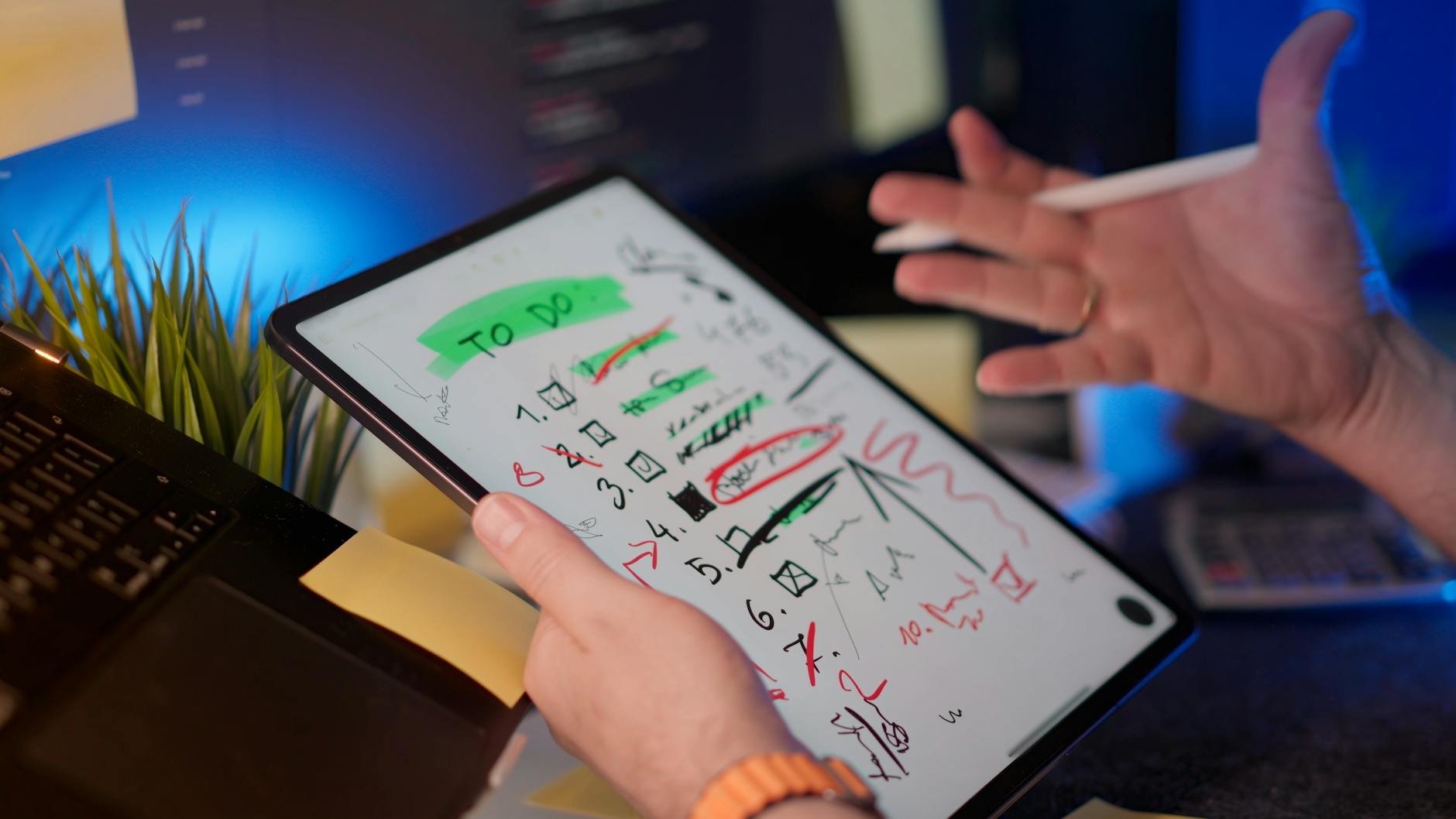
    Notion board showing an adhd-friendly task handoff checklist for small remote teams used in a task template
    Pin your handoff template where work starts. Photo: Jakub Zerdzicki via Pexels. Source: Pexels link.

    Description: A person managing tasks on a tablet with a digital pen in a modern office setting. Photographer: Jakub Zerdzicki. Licensed via Pexels.

    Keep the checklist short enough to tick in one sitting

    Paper checklist with short boxes that mirror an adhd-friendly task handoff checklist for small remote teams
    Short boxes beat long paragraphs. Photo: Nataliya Vaitkevich via Pexels. Source: Pexels link.

    Description: A hand drawing checkboxes on a minimalist checklist. Photographer: Nataliya Vaitkevich. Licensed via Pexels.

    FAQ

    What is the fastest way to adopt this without new tools?

    Copy the template into your current issue type or doc. Pin it. Ask everyone to use it for two weeks. Remove any unused field. Keep the order the same.

    How can we keep handoffs inclusive for neurodiverse teammates?

    Use short sentences, consistent field names, and one screen of content. Offer both text and a quick optional walk‑through video when helpful. Invite clarifying questions without judgment.

    Should we ever skip a check‑in?

    Yes, if risk is low and the deadline is near. But write one failure trigger so the next person knows what to do if something slips.

    Can we use this in sprints with Jira or Linear?

    Yes. Create an issue template with the same fields. Pre‑fill the DoD where it repeats. Link the task doc right in the card.

    How detailed should the DoD be?

    Enough that a teammate can verify it in under a minute. If it takes longer, split the task or simplify the DoD.

    Wrap‑up and next steps

    Start small. Ship the template. Use it on three handoffs this week. You will see fewer Slack pings and faster reviews. Most gains come from making “done” visible and reducing hunting for links. As you refine, keep the core stable so brains can glide on pattern recognition.

    If you want more structure for calm focus, explore our book round‑ups and practical guides. You will find next steps you can apply today. See books that support focused work and our hands‑on reviews and summaries.

    Use this adhd-friendly task handoff checklist for small remote teams, keep it short, and let your process carry the load. Your future self will thank you.

    Last reviewed: 2026‑06‑07. This guide shares process design advice for remote teamwork. It does not provide medical advice or diagnosis.

  • ADHD-Friendly Email Batching System for Team Leads

    ADHD-Friendly Email Batching System for Team Leads

    If you lead a team and feel buried by pings, you are not alone. This adhd-friendly email batching system for team leads gives you a clear path to keep response times fair while protecting deep work. You will use three short daily email blocks, triage labels that make choices easy, canned responses to move fast, and simple inbox guards so noise stays low without missing urgent items.

    Key takeaways

    • Use three daily batches (Morning Triage, Midday Reply, Late-Day Close) with clear goals and strict start/stop.
    • Apply triage labels: 2‑min (do now), Delegate (hand off), Schedule (plan it). Never reread the same message twice.
    • Turn off default email pop-ups. Allow only VIP senders and on-call routes to break through.
    • Preload canned replies for the top 10 requests so you can reply in under 30 seconds.
    • Publish your team’s response norms (SLA, escalation path) to reduce “is this urgent?” confusion.

    Why an ADHD-friendly email batching system for team leads lowers stress

    Constant email checking drains focus. Experimental field research found that limiting checks reduced daily stress compared with checking as usual. In one study, participants who batched checks felt less stressed and more in control of their time. Another randomized field trial showed that batching smartphone notifications three times per day improved attention and mood, while turning all notifications off increased anxiety for many people. The message is simple: fewer, planned checks beat always-on — and “none at all” is not the answer for a manager who supports a team.

    For many team leads, especially those who struggle with working memory or impulsive context switching, batching reduces decision points. You make a plan once. Then you follow it. Short, predictable sessions are easier to enter and to finish. That lowers mental load. It also reduces the urge to “just peek,” which often becomes 15 lost minutes.

    Managers cannot simply mute every channel. People need you. Batching gives you a stable rhythm while VIP and incident rules cover real risks. Your nervous system learns that nothing bad happens when you wait 90 minutes to check. Over a few days, this calm routine pays you back with steadier focus, fewer re-reads, and a kinder mood at the end of the day.

    What is an adhd-friendly email batching system for team leads?

    It is a simple, three-block day with tight guardrails. Each block has a purpose, a time cap, and a short checklist so your brain does not have to renegotiate rules each time.

    • Morning Triage (15–20 min): Clear new mail with labels. Reply only to sub‑2‑minute items.
    • Midday Reply (30–40 min): Work through the “Schedule” label. Draft or paste canned replies. Book next steps.
    • Late-Day Close (15–20 min): Tie off Delegated items, send nudges, and set tomorrow’s first task.

    Because the rules are explicit, you spend less energy deciding and more time doing. You do not need to be perfect. You only need to be consistent.

    ADHD-safe email batching for managers: the 3-block day

    Here is the simplest way to place the three blocks during a standard workday. Shift by 30–60 minutes to match your team’s rhythm.

    • Block 1 — Morning Triage: 9:15–9:35
    • Block 2 — Midday Reply: 12:30–1:10
    • Block 3 — Late-Day Close: 4:15–4:35

    If you cover multiple time zones or an on-call rotation, add a micro-check (2–3 minutes) at the top of each hour you are on-call only to look for the agreed “urgent” signals, then step out again.

    Build a neurodivergent-friendly email routine

    Make it simple, visual, and consistent. Put each batch on your calendar with a bold color. Add the checklist in the calendar description so you see it every time. Use the same labels and reply templates across your inbox and phone, so no matter where you check from, the rules are the same.

    Team lead email batching workflow: roles and SLAs

    Managers worry that batching slows responses. The fix is to share norms. Post a short “email and escalation policy” in your team space. Keep it kind and clear.

    • Standard email SLA: Replies within one business day. Most replies happen in the two daytime batches.
    • Urgent within 2 hours: Use “URGENT:” in subject and ping in chat with the word “Escalation”.
    • Emergencies (prod down, safety): Call the on-call number or trigger the incident channel.

    Then make the path visible. Pin it in your chat. Add the key sentence to your email signature if that fits your culture. Remind partners during hand-offs. A simple line such as, “I check email in planned batches; for urgent items use ‘URGENT:’ + chat ping,” creates safety for both sides.

    Tell your team that you run an adhd-friendly email batching system for team leads so you can protect deep work and still be dependable. When people know the rules, they stop guessing and start trusting. Over time, fewer messages will claim to be urgent. The signal improves because the path is clear.

    Make choices easy with triage labels

    The fastest inbox is the one with only three choices. Use these triage labels in every batch. Touch each message once.

    Label What it means Examples
    2‑min Reply or act in under two minutes, now. “Yes, approved.” “Looks good.” “Here’s the link.”
    Delegate Hand off with context and a due date. Forward to ops with 2 bullets and a date.
    Schedule Needs >2 minutes. Plan it in the Midday Reply block or book a task. Draft a brief, review a doc, summarize a meeting.

    Rules that stick:

    • If it is a 2‑min reply, do it now. Do not move it.
    • If you delegate, add a date and ask for confirmation. Star it or add “Waiting” so it surfaces at Close.
    • If you schedule, create a task or calendar slot right away. Then archive the message so the inbox stays light.

    Inbox guards for a neurodivergent-friendly email routine

    Default notifications are too loud for thoughtful work. Build guards that allow only defined exceptions.

    • Turn off new mail alerts for your desktop and phone.
    • Allow VIP senders (your manager, critical stakeholders) to break through.
    • Route true incidents through a separate channel with push + sound while on-call.

    Set these once, then forget them.

    These guardrails make an adhd-friendly email batching system for team leads reliable. Urgent items still reach you; the rest waits for your next batch. To help your brain switch modes, add a tiny “pre-flight”: close chat, open your email tool, set a 15–40 minute timer, and keep only one browser tab open. When the timer ends, stop. This boundary trains focus and keeps the routine from creeping.

    Manager setting up an adhd-friendly email batching system for team leads on a laptop.
    Email batching works best when the rules are visible in your calendar and inbox. Photo: Mikhail Nilov via Pexels.

    Set up Gmail for your ADHD-friendly email batching system for team leads

    Here is how to wire Gmail so your adhd-friendly email batching system for team leads runs on rails. You will create labels, filters, and templates. Then you will turn off pop-ups.

    Start small. Create one filter for VIPs and one for newsletters. Test each by sending yourself a sample message. In the filter builder, use “Search” first to preview results before you click “Create filter.” Pick label colors that pop. Keep the three triage labels pinned near the top. At the end of each batch, star any “Waiting” item that needs a later nudge. On Friday, scan your filters and archive stale promos so focus stays clean.

    Labels to create

    • 2‑min
    • Delegate
    • Schedule
    • Waiting
    • VIP

    Sample Gmail filters (copy the idea, adjust to your org)

    If this… Then do this… Why it helps
    From: your manager AND subject has your project name Apply label: VIP; Mark as Important; Never send to spam VIPs can break through Focus modes if you allow VIP alerts.
    Subject starts with: URGENT: OR [INCIDENT] Star it; Apply label: VIP; Skip the inbox for non-urgent newsletters Makes real incidents visible while your other filters keep noise low.
    From: noreply@ OR marketing@ OR contains “unsubscribe” Skip Inbox; Apply label: Newsletters Removes bulk mail from your decision space.
    To: team-leads@yourcompany.com Apply label: Schedule Shared updates go to your Midday Reply block.
    From: your direct reports Apply label: Team; Mark Important Team emails are easy to scan during batches.

    Docs: Create Gmail filters and labels. Templates: Create email templates. Notifications: Desktop notifications.

    Gmail canned responses you can paste today

    • Approve (2‑min): “Approved. Proceed as outlined. If a blocker appears, ping me in chat.”
    • Not now (Schedule): “Thanks for the context. I’ve added this to today’s Midday Reply block. Expect an update by [time/day].”
    • Delegate: “Thanks. I’m handing this to [Name] who owns [area]. They’ll reply by [date]. I’ll stay looped for decisions.”
    • Meeting deflector: “Could we confirm by email first? If we still need to meet, please add a 15‑minute slot with 3 goals.”
    • Doc request: “Please link the doc and note the decision you need. I’ll review in my next email batch.”

    Save these under Templates so you can insert with two clicks or a shortcut. Tiny scripts like this make an adhd-friendly email batching system for team leads feel fast without burning decision energy.

    Team lead email batching workflow: Outlook steps

    Outlook has strong tools for your routine: Rules, Categories, Focused Inbox, and Quick Steps. Use them to run your adhd-friendly email batching system for team leads with fewer clicks.

    Quick Steps are the secret sauce. Build one that applies “Delegate,” moves the email to a “Delegated” folder, and CCs you. Build another that applies “Schedule” and creates a To‑Do flag. With one click each, you reduce friction and keep decisions uniform. Train Focused Inbox for a week by moving low‑value mail to “Other.” On mobile, match categories and notifications so the same rules apply wherever you check.

    Outlook setup checklist

    • Create Categories: 2‑min (green), Delegate (orange), Schedule (blue), Waiting (gray), VIP (red).
    • Turn on Focused Inbox and train it by moving newsletters to Other.
    • Add Quick Steps: “Delegate + Move + CC Me,” “Schedule + Move to To‑Do,” and “Reply with Template.”

    Sample Outlook rules

    Condition Action Note
    From manager OR subject has your project code Assign Category: VIP; Mark as Important; Play sound (optional) Allows VIP alerts during Focus Assist if configured.
    Subject begins with URGENT: or [INCIDENT] Assign Category: VIP; Move copy to a “Hot” folder Hot folder is your on-call scan source.
    From listserv or contains “unsubscribe” Move to “Newsletters”; Mark as Read Bulk mail never clogs Focused Inbox.
    From direct reports Assign Category: Team; Keep in Focused Inbox Makes team mail easy to scan in batches.

    Docs: Outlook Rules, Quick Steps, Focused Inbox.

    What belongs in each batch of your team lead email batching workflow

    Use the same checklist every day so your brain can relax into the routine.

    Morning Triage (15–20 minutes)

    • Scan new messages. Apply 2‑min, Delegate, or Schedule. Reply only to 2‑min items.
    • Forward any “Delegate” with a due date and context. Add “Waiting.”
    • Book time or tasks for all “Schedule” items. Archive the original emails.

    Midday Reply (30–40 minutes)

    • Open the “Schedule” label/folder. Work top to bottom.
    • Use canned replies to move fast. Attach links, decisions, and dates.
    • Stop on time. Leave anything unfinished for tomorrow’s Midday block.

    Late-Day Close (15–20 minutes)

    • Check “Waiting.” Send short nudges if needed.
    • Confirm tomorrow’s first 30 minutes of deep work.
    • Close the day: inbox at zero or a low number you can name.

    If you finish early, stop and step away. If you run out of “Schedule” items, review the Team label or plan tomorrow. When you are on-call, add the 2‑minute hourly scan for the “Hot” folder only. These small rules keep your day stable.

    Sample batch-block calendar template

    Copy this into your calendar notes or task tool. This makes your adhd-friendly email batching system for team leads visible and hard to forget.

    Day Morning Triage Midday Reply Late-Day Close Notes
    Monday 09:15–09:35 12:30–13:10 16:15–16:35 Staff sync at 10:00; use canned updates.
    Tuesday 09:15–09:35 12:30–13:10 16:15–16:35 On-call 13:00–15:00; add 2‑min scans hourly.
    Wednesday 09:15–09:35 12:30–13:10 16:15–16:35 1:1s afternoon; keep Midday tight.
    Thursday 09:15–09:35 12:30–13:10 16:15–16:35 Review backlog in Midday block first.
    Friday 09:15–09:35 12:30–13:10 16:00–16:20 Week wrap: send weekly summary.

    Announce your team lead email batching workflow policy

    Share this short note in your team channel and pin it:

    “I run email in three short daily batches to protect deep work and support you well. Most emails get replies by end of day. If something is urgent, start the subject with ‘URGENT:’ and ping me in chat. For incidents, use the incident channel or call on-call. Thank you for helping us respond fast to the right things.”

    Clarity helps everyone. It also reduces anxiety for team members who worry they are being ignored. If you work with external partners who live in email, adapt the message and include the phone or on-call route. For teams with heavy CC culture, add: “Please avoid FYI CCs unless action is needed.” That line alone can cut dozens of low‑value emails each week.

    ADHD-safe email batching for managers: guardrails that stick

    • Calendar blocks are non‑negotiable. Treat them like meetings with yourself.
    • Close your inbox between batches. If you must peek, use a 2‑minute timer.
    • Keep the three labels visible at all times. Hide everything else behind the “More” fold.
    • Use a small reward after each batch: a walk, tea, or music. Positive loops matter.

    What about chat and meetings?

    Batching email is easier when you also tame chat and calendar noise.

    • Set chat status to “Heads down” during deep work. Use DND except for VIP/incident.
    • Decline or shorten recurring meetings without clear outcomes. Offer a template update instead.
    • Bundle 1:1 notes and status updates in a single weekly doc. Reduce off-cycle emails.

    Respect that brains vary. Some teammates do best with clear labels and brief, written updates. Others need a quick call. Keep the rules, but allow small, humane tweaks. Use neutral language like “batch,” “guardrails,” and “signals.” That framing avoids blame, supports neurodivergent colleagues, and makes the workflow easier to adopt.

    Tool walkthrough: see one smart Outlook trick

    This short video shows a practical rule flow that pairs well with batching. Watch and then add one Quick Step today.

    If the embed does not load, watch on YouTube: Inbox a mess? Try this Outlook hack I used at Microsoft.

    Quiet home workspace with a laptop and tea for focused email batching.
    Short, calm email blocks help you keep promises and protect deep work. Photo: alleksana via Pexels.

    FAQ: ADHD-friendly email batching system for team leads

    Here are straight answers to common questions from managers who try batching for the first time.

    Won’t batching slow me down with stakeholders?

    No. Most stakeholders want clear expectations. When you share SLAs and escalation paths, people trust your system. The Midday Reply block keeps projects moving. VIP/incident rules catch the rest.

    How do I handle true emergencies?

    Define “urgent” with your team. Use clear subject tags like “URGENT:” and a chat ping. During on-call windows, add a 2‑minute hourly scan for the Hot folder. Otherwise, do not keep the inbox open.

    What if my executive replies at 11 p.m.?

    Do not mirror unhealthy hours unless agreed for on-call. Reply in your next batch unless the executive used the urgent path. If late-night replies are expected, add a fourth micro-batch in the evening with a 10‑minute cap.

    How do I avoid falling behind?

    Keep the Midday block sacred. Reduce meeting load where possible, and answer common asks with templates. Review your filters every Friday to keep noise out. Spend the final 5 minutes of Close on “Waiting.”

    Can I customize times for different time zones?

    Yes. Slide the three blocks so at least one falls in your team’s shared overlap. If you cover APAC and AMER, use an early Morning Triage and a later Close. Keep the Midday Reply near your team’s main overlap.

    Is an adhd-friendly email batching system for team leads too rigid?

    No. It is flexible by design. You can shift block times or add a short fourth check during launches. The point is to make decision rules and guardrails visible so you do not rely on willpower.

    How to review and improve your system

    • Weekly: Check your VIP list and filters. Remove one noisy sender or rule each week.
    • Monthly: Audit your canned replies. Update phrasing and add one new template.
    • Quarterly: Share your norms with new stakeholders. Ask, “What would make this smoother for you?”

    Measure what matters so you can see progress. Track three simple numbers for two weeks: average response time during business hours, count of emails you processed per batch, and number of inbox peeks outside batches. Look for a steady drop in off‑batch peeks and a rise in messages handled per Midday block. If response time slips, add five minutes to Midday or prune one recurring meeting. Small, steady tweaks beat big swings.

    Quick reference: setup links

    Evidence on batching and stress: Kushlev & Dunn (2015); batching notifications field trial: Fitz et al. (2019); interruptions research: Mark et al.; Gmail filters and templates: Filters, Templates; Outlook rules and Quick Steps: Rules, Quick Steps; device focus modes: Apple Focus, Android DND, Windows Focus Assist.

    Next steps to use your ADHD-friendly email batching system for team leads

    Block your three batches for the next two weeks. Add the triage labels. Load five canned replies. Then review how it felt. Because this adhd-friendly email batching system for team leads is simple and visible, you will feel the relief fast. If you want deeper frameworks for building calm routines, explore our curated books hub or check practical tools in our reviews. Start today with one small change and protect your next hour of focus.

    Helpful resources for your next step

    Affiliate disclosure: As an Amazon Associate, Mind Clarity Hub may earn from qualifying purchases at no extra cost to you. Use this link only if it genuinely helps your planning.

    If ADHD-Friendly Email Batching System for Team Leads is a routine you want to keep using, a simple workbook, planner, or desk tool can make the steps easier to repeat.

    Compare related planners, workbooks, and organization tools on Amazon.

  • After-School Transition Routine for Neurodivergent Kids

    After-School Transition Routine for Neurodivergent Kids

    School asks a lot from kids. When your child walks in the door, the switch to home can be the hardest part. This guide gives you an after-school transition routine for neurodivergent kids that lowers stress and fits real life. You will set up a gentle landing, meet sensory needs, and still make room for homework, play, and sleep.

    Quick answer and key takeaways

    • Start with planned sensory decompression. A calm landing prevents the afternoon “collapse.”
    • Use a simple snack–hydrate–move sequence before any demands.
    • Create visual schedule cards so the plan is predictable and easy to follow.
    • Pick a homework start time that matches your child’s regulation window, not a one-size-fits-all rule.
    • Keep transitions short, clear, and consistent with first–then cues and timers.

    Why do kids fall apart after school?

    Many families see a late-day “crash” when kids get home. Understood.org calls this restraint collapse and recommends a planned break before any demands. This is not “bad behavior.” It is the nervous system asking for recovery after hours of effort, masking, noise, and social load. A planned landing is kinder and more effective than lectures or consequences.

    Learn more about restraint collapse and why a buffer helps at Understood: Restraint collapse: Why kids fall apart after school.

    after-school transition routine for neurodivergent kids starting from the school hallway walk
    After a full day, the hallway walk from school to home is often the most fragile window. Photo: Norma Mortenson via Pexels.

    How to build an after-school transition routine for neurodivergent kids

    Think of your plan as a repeatable sequence, not a rigid schedule. The goal is to reduce demands at first, meet core needs, and then add structure. Your after-school transition routine for neurodivergent kids should be short, visible, and co-created with your child when possible. Because you will test and adjust, it can stay flexible and humane.

    Step 1: Create a predictable arrival anchor for your after-school routine for neurodivergent children

    Set a small, consistent ritual the moment you meet your child. For example: “Hi, I’m glad you’re here. Shoes in the bin, backpack on the hook, then water.” Use the same words each day. Also, try a “door-to-core” path: door → hook → bathroom → cozy corner. Use one micro-task at a time instead of multi-step directions; keep your voice warm, choices simple, and pace slow; and when your child is dysregulated, skip open-ended questions and give clear, kind prompts. This steady arrival cue helps your after-school transition routine for neurodivergent kids begin on rails.

    Step 2: Sensory decompression in your after-school transition plan for neurodivergent kids

    Plan 10–30 minutes where there are no demands, no homework talk, and no problem-solving. This is a reset window to meet sensory and nervous system needs. Understood.org highlights decompression as a first-line support after school because many kids have held it together for hours. Offer a quieter or low-stimulation space with softer light and reduced noise, provide a small kit (headphones, preferred fidgets, a weighted lap pad, or a favorite book or show with a pre-set timer), allow stimming and movement as self-regulation, and show the break’s start and end with a visual. These fast tweaks keep your after-school transition routine for neurodivergent kids from stalling at the very first step.

    For evidence on visual supports that make transitions safer and easier, see the AFIRM module: Visual Supports.

    Step 3: Use the snack–hydrate–move sequence in the after-school routine for neurodivergent children

    After decompression, meet basic needs in a simple three-part routine. Blood sugar, hydration, and proprioceptive input can change the rest of the day. A short series like this is quick, predictable, and effective.

    Snack–Hydrate–Move menu (mix and match 10–20 minutes total)
    Step Options Notes
    Snack Yogurt and fruit; cheese and crackers; hummus with pita; nut/seed butter toast; crunchy veggies and dip Pair protein with carbs for steadier energy. Keep choices narrow (2 options).
    Hydrate Water; seltzer; milk; herbal iced tea Offer a favorite cup or straw. Put water where it’s easy to see and grab.
    Move 10 jump-jacks; wall push-ups; animal walks; mini-trampoline; short scooter or swing Use proprioceptive (“heavy work”) input to settle the nervous system.

    Keep it light. Do not add conversation about the school day unless your child invites it. If you need to know something urgent, wait until after movement. With this simple trio, the after-school transition routine for neurodivergent kids becomes easier to enter and to sustain.

    Step 4: Pick the right homework timing for the after-school transition plan for neurodivergent kids

    There is no single best time to start homework for every child. CHADD notes that some kids do best after a short break, while others need a longer gap or a start-before-dinner slot. The American Academy of Pediatrics also suggests families test different start times and keep the one that leads to the least friction and most follow-through.

    See CHADD’s school toolkit: A Back-to-School Toolkit, and AAP’s homework habits: Developing Good Homework Habits.

    Homework start-time options: compare and choose
    Option Best when… Watch-outs
    Immediate (within 10–15 min of snack) Your child warms up quickly after a brief reset and prefers “done-then-play.” Skip this if your child is still dysregulated or hungry/tired.
    After a 30–45 min break You see restraint collapse and need a fuller decompression and movement window. Set a visible start cue to avoid drifting past the window.
    Before dinner Afternoons are packed and regulation rises again at this time. Plan for a short session and a small reset before the meal.
    After dinner Evening is calmer and your child focuses better later. Guard sleep. Keep this slot short and wrap at least one hour before bedtime.

    Whichever timing you choose, lead with a micro-task to build momentum: open backpack, lay out materials, or answer one warm-up problem. Then alternate 10–15 minutes of work with 2–5 minute movement or sensory breaks. In practice, this keeps the after-school transition routine for neurodivergent kids doable on busy days.

    Step 5: Build a visual schedule with simple cards for an after-school routine for neurodivergent children

    Visuals reduce anxiety and working-memory load. They show what is happening now and what is next without extra talking. The AFIRM visual supports module recognizes visuals as an evidence-based practice for autistic learners, and many families see the same benefits at home. Make 6–10 reusable cards (Arrive, Decompress, Snack, Hydrate, Move, Plan, Homework, Play, Reset, Wind Down), use pictures or plain text with a small checkbox, show only the next 2–3 steps at once, and pair the strip with a friendly timer and first–then language. When visuals are simple, your after-school transition routine for neurodivergent kids becomes more predictable and less confrontational.

    Tip: Print cards on thick paper or use sticky notes on a whiteboard. Your after-school transition routine for neurodivergent kids works best when it is visible and flexible.

    Step 6: Make transitions short and kind in an after-school transition plan for neurodivergent kids

    Every handoff is a stress point, so use the smallest helpful prompt with a warm tone. Try first–then cues (“First shoes, then water”), offer two simple options when possible (“Blue timer or green?”), give concrete countdowns (“In 3 we switch to snack… 1, 2, 3”), and co-regulate with slow breaths and a calmer voice. Gentle scaffolds like these keep your after-school transition routine for neurodivergent kids moving without power struggles.

    How long should decompression last in your after-school transition routine for neurodivergent kids?

    Start with 10–15 minutes and test your child’s zone. Some kids need a full 30 minutes. Keep the end visible with a card and timer. If your child is still struggling at the end, add a short movement burst before the next step.

    What if school days change or there is an activity in the after-school routine for neurodivergent children?

    Keep the sequence, flex the timing. On club or therapy days, shorten decompression to 10 minutes and favor movement. Use a travel version of the plan with a water bottle, portable snack, and one movement option (e.g., wall push-ups or a short walk) before you head out again. A simple two-step visual (First-Then) taped to the car seat back can help.

    When should you talk about the day in an after-school transition plan for neurodivergent kids?

    Save “how was your day?” for later unless your child brings it up. Try a feelings scale at dinner or bedtime instead, when your child has recovered. For example, “Thumb scale from 1 to 5: how was your day?” Attach no pressure to share more.

    Use this 60–90 minute template for your after-school transition routine for neurodivergent kids

    As a starting point, try this flow: 0–10 minutes arrive, greet, and sip water; 10–30 minutes sensory decompression with a clear timer; 30–45 minutes snack–hydrate–move in quick succession; 45–60 minutes plan the next block with two choices; 60–90 minutes a short, focused work or play block with micro-breaks. Adjust durations to your child and your weekday. The more predictable the sequence, the fewer prompts you will need.

    How to set up the environment for success in your after-school routine for neurodivergent children

    Shape the space so regulation is easier: soften lighting and reduce background noise, offer headphones, and give a comfy-change option like soft socks or sweats. Set up a backpack station (hook + bin + paper tray) for one motion per item, place two ready snacks at eye level to cut decision fatigue, mark a small movement corner (yoga mat, resistance band, or mini-trampoline), and mount a visual hub (whiteboard or magnetic strip) where schedule cards and timers live. With the setting aligned, your after-school transition routine for neurodivergent kids will feel smoother before you even start.

    How to choose a homework slot that actually works in an after-school transition plan for neurodivergent kids

    Use a short trial week. Note behavior and ease of starting at each time. Then pick the lowest-friction slot. Your after-school transition routine for neurodivergent kids is a living plan: change it when new data appears. Because you are testing, not guessing, buy-in rises and arguments fall.

    One-week homework timing experiment
    Day Slot tried Ease of start (1–5) Focus (1–5) Mood after (1–5) Notes
    Mon After 30-min break
    Tue Immediate after snack
    Wed Before dinner
    Thu After dinner
    Fri No academic work; long play
    Children playing chess during a calm, focused after-school block
    A calm, short focus block after a reset often beats a long, forced session. Photo: Anastasia Shuraeva via Pexels.

    What if a meltdown happens anyway?

    Plan for it so you are not surprised. Lower demands, protect safety, and co-regulate. When calm returns, repair connection. Skip lectures. Later, adjust the routine: longer decompression, a different homework slot, or a simpler visual plan. This stance keeps your after-school transition routine for neurodivergent kids compassionate and steady even when a day goes sideways.

    If the embed is blocked, watch on YouTube: Managing Child Meltdowns & Tantrums.

    Evening wind-down matters for tomorrow

    Good sleep starts in the afternoon. The CDC recommends school-age children get 9–12 hours and teens get 8–10 hours of sleep. A consistent bedtime routine helps. Dim lights 1–2 hours before bed, limit intense screens late, and use the same two to three wind-down steps every night. Better sleep makes the next day’s after-school transition routine for neurodivergent kids easier to follow.

    See CDC guidance: How Much Sleep Do I Need?

    Sample scripts you can try today

    • Arrival: “Hi! I’m glad you’re home. Shoes in bin, backpack on hook, then water.”
    • Decompress: “Timer for 15. Cozy corner or headphones—your pick.”
    • Snack–hydrate–move: “First snack or water? Then 10 jumps.”
    • Homework: “We’ll do 10 minutes, then 2-minute break. You choose marker or pencil.”
    • Wind down: “First teeth, then book, then lights. I’ll sit by you while you settle.”

    Visual schedule cards: a quick DIY

    Make a one-page strip or individual cards. Keep text short and readable. The AFIRM resource shows how to design and teach visuals step-by-step. Test your set for one week and revise.

    Card text ideas for a home after-school strip
    Card Icon/picture idea Notes
    Arrive Door or backpack “Shoes → Hook → Water”
    Decompress Headphones or cozy chair “Timer 15”
    Snack Apple or bowl Two options only
    Hydrate Water bottle Keep at eye level
    Move Jumping icon 10 reps
    Plan Checklist Pick next block
    Homework Pencil 10–15 min + break
    Play Blocks or game Set a timer
    Reset Breath icon 2–5 min
    Wind Down Moon/book Bedtime strip next

    How to adapt the plan to your child in an after-school routine for ADHD and autistic kids

    For kids who need more movement in the after-school routine for ADHD and autistic kids

    Double the movement block and shorten snack time, fold in “heavy work” chores like carrying laundry or pushing a vacuum, and alternate seated work with standing or floor options. When the body feels settled, the brain follows.

    For kids who avoid demands when anxious in the after-school transition plan for neurodivergent kids

    Lean on first–then language with two choices, start with one tiny task to lower threat and build confidence, and use visual timers so the end is clear. Small wins stack up and reduce avoidance next time.

    For attention and executive function challenges in an after-school routine for neurodivergent children

    Externalize each step with visible cards and checkboxes, stage materials first (open backpack, find planner, lay out supplies), and use short sprints with micro-breaks while praising starts and restarts. Clarity plus pace beats long, vague blocks.

    For sensory sensitivity in the after-school routine for ADHD and autistic kids

    Adjust light, sound, and textures; soft clothes can help regulation. Offer noise-reducing headphones and a grounding seat option. Keep smells gentle at snack time and avoid overwhelming flavors if needed. Sensory comfort lowers pushback across the whole flow.

    How we keep the routine humane and durable in your after-school transition routine for neurodivergent kids

    Co-create the plan when everyone is calm and revisit it weekly. Measure success by easier starts and better mood, not just minutes worked. When life changes (a new activity or teacher), update the schedule cards to match. This shared, iterative approach keeps the plan resilient.

    Common pitfalls and simple fixes in your after-school transition routine for neurodivergent kids

    A few traps show up often: starting homework talk at the door (decompress first); offering too many choices (limit to two); running long work blocks (use short sprints with set micro-breaks); keeping the plan invisible (post schedule cards where your child looks); and working too late (end academics at least one hour before bed to protect sleep). Tuning these five areas usually brings fast relief.

    Do you need teacher or team input for your after-school transition routine for neurodivergent kids?

    Sometimes, yes. If afternoons are very hard, ask the teacher about end-of-day supports. A calmer backpack pack-up, fewer last-minute demands, or a visual exit plan can help. Align your home plan with the IEP/504 so expectations match across settings and your child feels the same “flow” from school to home.

    How to review and iterate weekly on the after-school transition routine for neurodivergent kids

    Set a 10-minute Sunday check-in. Ask what felt easy and hard, swap one card if needed (for example, longer move, shorter snack), reset the visual strip, prep snacks and water bottles, and confirm the homework slot for each day. Change one variable at a time so you can see what worked.

    What data should you track quickly in an after-school transition plan for neurodivergent kids?

    Keep tiny notes on ease of start (1–5), regulation before and after (1–5), number of adult prompts, and total minutes in meltdown or conflict. Two weeks of simple scores often reveal the best homework slot and which supports matter most.

    Where to get more practical tools for your after-school transition routine for neurodivergent kids

    For deeper strategy checklists and caregiver-friendly tools, see our Books Hub. We highlight practical reads and tools you can use today. Also, visit our Reviews Hub for hands-on summaries and selection criteria that save time.

    Will this plan still work on “off” days? Your after-school transition routine for neurodivergent kids

    Yes, with grace and trimming. On rough days, use only three steps: Decompress → Snack/Hydrate/Move → Wind Down. Save homework for the best window of the week. Your after-school transition routine for neurodivergent kids is a guide, not a test.

    FAQ: Caregiver questions about the after-school transition routine for neurodivergent kids

    How long should a full routine take?

    Plan 60–90 minutes from arrival through the first work or play block. Shorten on activity days. The right length keeps everyone calm and protects sleep.

    What if my child refuses the visual schedule?

    Start smaller. Show only two steps at a time. Let your child choose the card order for the next block. Praise using the cards, not perfect results.

    Can siblings follow the same flow?

    Yes. Share the same big steps but give each child two personal choices (snack option, movement pick, focus tool). Predictability helps everyone.

    How do I explain this to teachers?

    Share a one-page summary: decompression, snack-hydrate-move, homework slot, visuals used. Ask if an end-of-day visual and calmer pack-up can match at school.

    Is more homework always better?

    No. AAP suggests balanced expectations and quality over quantity. A short, calm session beats a long, tense one. Protect sleep and connection.

    Summary: Keep your after-school transition routine for neurodivergent kids visible, short, and kind

    Calmer afternoons start with a humane plan. Use decompression first, then the snack–hydrate–move trio, and keep a visible schedule. Choose homework timing by data, not habit, and review weekly. With small, steady tweaks, your after-school transition routine for neurodivergent kids will feel lighter for the whole family.

    Helpful resources for your next step

    Affiliate disclosure: As an Amazon Associate, Mind Clarity Hub may earn from qualifying purchases at no extra cost to you. Use this link only if it genuinely helps your planning.

    If After-School Transition Routine for Neurodivergent Kids is a routine you want to keep using, a simple workbook, planner, or desk tool can make the steps easier to repeat.

    Compare related planners, workbooks, and organization tools on Amazon.