...

Tag: ai productivity

  • Google Ads Keyword Planner For Blog Ideas

    Google Ads Keyword Planner For Blog Ideas

    If you want a steady list of winning topics, use Google Ads keyword planner for blog ideas. It gives real search demand, intent clues, and seasonality you can turn into headlines fast. In this guide, you will learn a clear, repeatable workflow to move from seed words to briefs and posts that rank and convert.

    Key takeaways

    • Start in β€œDiscover new keywords,” set the right location, language, and date range, then filter noise.
    • Group terms by intent before you write. Then turn each group into one strong article idea.
    • Use forecasting and trend lines to size topics, set priorities, and plan your calendar.
    • Blend Planner data with Google Trends and Search Console to avoid guesswork.

    Why use Google’s planner for content research?

    Google’s Keyword Planner runs on first‑party search and ad data. That means real demand signals. Because many writers only use SEO tools, you can mine gaps others miss. Also, Planner can show breakouts by location, which helps when your audience is regional.

    According to Google’s official help, Keyword Planner is designed to discover new keywords, see average monthly searches, and get bid estimates that reflect competition in ads. Those signals can inform your content roadmap too. See Google’s docs for features and limits: Keyword Planner overview.

    How to use Google Ads keyword planner for blog ideas step by step

    Follow these steps to move from seed topics to briefs. The process is simple and scales well for small and large sites.

    1) Set up access (no spend required)

    You can open a Google Ads account without running ads. However, avoid the smart campaign wizard and switch to Expert Mode so you can reach the Planner. Google explains access here: Switch to Expert Mode.

    2) Choose the right Planner tool

    • Discover new keywords: For fresh topic ideas and related terms.
    • Get search volume and forecasts: For sizing a known list and timing posts.

    3) Seed with reader language, not jargon

    Start with 3–8 phrases your readers actually say. For example, β€œtime blocking,” β€œcontent calendar,” or β€œkeyword research steps.” Also, paste a helpful URL you respect (not your own) to spark related ideas.

    4) Dial in the settings before you judge ideas

    SettingFor most blogs, useWhy it matters
    LocationYour primary market (e.g., United States)Aligns demand with your audience.
    LanguageMatch site language (e.g., English)Removes noise and mismatched intent.
    Search networksGoogle onlyAvoids partner network skew.
    Date rangeLast 12 monthsSmooths out spikes but shows trend.
    FiltersExclude brand terms; include non‑brandedFind evergreen topics you can rank for.

    5) Filter fast so only useful terms remain

    • Remove brand names unless you plan comparison or review posts.
    • Hide β€œnear me” if you serve a national audience.
    • Exclude duplicate plurals if they do not change intent.
    • Set a floor for Avg. monthly searches (e.g., 100+) to keep the list lean.

    6) Read the SERP intent before you save a keyword

    Open a few top terms in Google. Check if results show guides, tools, or products. Then decide if a blog post is the right format. Therefore, you avoid writing posts for queries owned by calculators, docs, or stores.

    7) Group by intent, not by exact wording

    Put similar queries into one topic cluster. For example, β€œkeyword planner for content,” β€œfind blog ideas with keyword tool,” and β€œhow to use planner for topics” can power one in‑depth guide. Because the SERP likely overlaps, you should not split them into many thin posts.

    8) Turn groups into headlines and outlines

    Write one clear promise per article. Then map H2s to sub‑intents inside the group. Add questions from People Also Ask and autocomplete to fill gaps.

    9) Validate timing with forecasts and Trends

    Use Planner’s forecasting to see near‑term movement. Also, use Google Trends for seasonality. Google’s Trends help explains how to read interest over time: About Google Trends data.

    10) Prioritize by demand and difficulty

    Also consider your ability to add unique value. You can estimate difficulty by checking the authority of pages ranking now and by scanning how deep their coverage is. Then pick the gap you can close best.

    What is Google Keyword Planner, and how should bloggers use it?

    Google Keyword Planner is a free tool inside Google Ads that helps you research keywords, see search volume ranges, and plan campaigns. Bloggers can use the same data to size demand and group topics before writing. Google notes that the tool is designed for ads, and volume ranges are estimates. See the official intro: Keyword Planner overview.

    Because it was built for advertisers, some metrics skew to paid needs. For example, β€œCompetition” reflects advertiser density, not SEO difficulty. However, you still get valuable signals: search volume, related queries, and trend direction. As a result, you can choose topics with confidence.

    Which match types should I check before I choose a topic?

    Match types matter when you export and when you think about how people phrase searches. Broad match finds wider variants. Phrase match keeps the order with flexibility. Exact match is narrow. For planning, you can treat groups as β€œbroad‑ish” to avoid splitting hairs between close variants. For definitions, see Google’s official note on match types: About keyword matching options.

    How do I turn search terms into headlines that win?

    Use this quick framework to go from raw terms to a publishable headline and outline.

    • Cluster by intent: learning, comparing, or doing.
    • Pick the dominant phrasing people use.
    • Add a benefit or unique angle you can prove.
    • Map 5–8 subheads to cover all must‑know points.
    • Include one table, one checklist, and 2–3 quick examples.

    For example, if many queries include β€œstep by step,” add that promise to your title and deliver a clean sequence in the article.

    Why use Google Ads keyword planner for blog ideas instead of only SEO tools?

    Because Keyword Planner taps Google’s own demand signals, you can see fresh related queries and seasonal movement sooner. Many all‑in‑one SEO tools are excellent, yet their volumes can lag or differ due to modeling. Using both gives you balance. Meanwhile, Planner’s geographic precision helps if you target specific countries or cities.

    Checklist: from Planner output to a content brief

    Topic Sourcing Loop

    1. Seeds: list 3–8 reader phrases.
    2. Discover: pull ideas, set filters.
    3. Group: cluster by intent.
    4. Validate: open SERPs, check trends.
    5. Brief: title, angle, outline, CTAs.

    Repeat monthly to refresh priorities and fill gaps.

    What filters help most when you mine Planner for topics?

    Filters cut noise so you can see real opportunities. Try these first.

    • Include: β€œhow,” β€œbest,” β€œvs,” and β€œideas” to surface content formats.
    • Exclude: branded names (unless you plan a comparison), navigational queries, and local intent that you do not serve.
    • Volume: start at 100+ monthly searches for primary posts; accept lower for niche posts with high conversion potential.
    • Competition (ads): use as a soft tiebreaker only, not as SEO difficulty.

    How to size topics and plan the calendar

    Volume ranges in Planner are coarse for low queries, so treat them as signals, not exact counts. Use β€œGet search volume and forecasts” with your saved terms to see trend lines. Then layer Google Trends to spot seasonality or surges. For policy and guidance on helpful content, see Google Search Central: Creating helpful, reliable content.

    Forecast signalWhat it suggestsAction for your plan
    Steady upwardGrowing interestPublish soon and build internal links.
    Seasonal spikesTime‑bound demandSchedule 4–6 weeks before the peak.
    Flat or decliningLow or shrinking demandBundle into a broader evergreen guide.

    Map search intent to article types

    Before you draft, map intent. Therefore you will match the SERP and improve engagement.

    Query patternLikely intentBest article typePrimary CTA
    how to … / step by stepInformationalTutorial with screenshotsSubscribe or download checklist
    best … / top …Commercial researchComparison list with criteriaBuyer’s guide or reviews hub
    … vs …ComparativeSide‑by‑side comparisonTool trial or deeper review
    ideas / examplesInspirationalGallery + quick templatesTemplate pack or book hub

    Examples: turn Planner data into real headlines

    • Seed: β€œcontent calendar” β†’ Headline: β€œContent Calendar: A Simple 5‑Step Plan With Free Templates.”
    • Seed: β€œkeyword research steps” β†’ Headline: β€œKeyword Research Steps: From Seed List to Ranking Outline.”
    • Seed: β€œai blog ideas” β†’ Headline: β€œAI Blog Ideas: 40 Prompts + A Repeatable Topic Workflow.”

    Also, add specificity that aligns with the SERP. If top results promise β€œwithout tools,” your outline should respect that constraint or explain why a minimal tool is worth it.

    How to write the brief fast (and well)

    Use a one‑page brief. Keep it tight and action‑ready.

    • Working title and angle
    • Primary query group and People Also Ask questions
    • Reader problem and the promise in one sentence
    • H2/H3 outline with bullet answers
    • Sources to cite and assets to include (table, checklist, examples)
    • Next‑step CTA and two internal links

    Because your research is fresh, write and publish within a week to catch trends early.

    Use Google Ads keyword planner for blog ideas when you need speed

    When deadlines are tight, Planner’s related queries and quick trend lines can surface viable topics in minutes. Pair it with Google autocomplete and People Also Ask to fill question gaps. Then draft from your brief and ship.

    Common pitfalls (and how to avoid them)

    • Chasing volume only. Instead, favor intent fit and your unique angle.
    • Splitting one intent into many thin posts. Instead, merge and write one strong guide.
    • Copying ad wording into titles. Instead, speak like readers, not ad copy.
    • Ignoring seasonality. Instead, schedule ahead of peaks you find in Trends.
    • Assuming β€œCompetition” equals SEO difficulty. Instead, check the actual SERP pages.

    Editorial template: outline for a Planner‑driven article

    Here is a simple outline you can reuse.

    1. Hook: state the problem in 1–2 lines.
    2. Quick answer: list the steps or the result first.
    3. Step‑by‑step: 5–8 short sections, each under ~300 words.
    4. One table and one checklist for scannability.
    5. Examples: 2–3 short, real workflows.
    6. CTA: the logical next step for the reader.

    Should I target many small terms or one bigger topic?

    It depends on the SERP overlap. If top results are the same across close variants, write one comprehensive post. If SERPs differ by intent or audience, plan separate posts. Because Planner surfaces close variants, you can see when phrasing changes meaning and split wisely.

    How this connects to your AI productivity reading list

    If you use AI to speed research or outlining, pair your workflow with strong editorial judgment. For mindset, systems, and deep‑work strategies, explore our curated AI productivity books hub. It can help you turn data into a focused writing routine.

    Workspace with laptop, calendar, and notes for keyword planning
    Plan your editorial calendar right where you research. Photo by Matheus Bertelli via Pexels.

    Build a simple decision table for fast prioritization

    Give each topic a quick score and pick your top three for the week.

    Topic groupDemand (1–5)Intent fit (1–5)Edge/angle (1–5)Total
    β€œai blog ideas” cluster45413
    β€œcontent calendar template” cluster54312
    β€œkeyword research steps” cluster35513

    Scores are relative inside your niche. The goal is to decide fast and start writing.

    How to validate an idea in five minutes

    1. Scan Planner ideas with filters set. Save 3–5 promising terms.
    2. Open each SERP. Skim the top 5 pages and note gaps you can fill.
    3. Check Google Trends for 12 months and 5 years.
    4. Decide the article type using the intent map above.
    5. Write the working title and 6–8 subheads. Start drafting.

    Will using Google Ads keyword planner for blog ideas help with conversions?

    It can. When you group by intent, you align with what the reader wants to do. Then your CTAs feel natural and timely. Also, Planner’s related queries reveal pre‑purchase questions you can answer inside the post, which builds trust and moves readers forward.

    Google Ads keyword planner for blog ideas
    Focus on one clear intent per post to avoid overlap. Photo by Ann H via Pexels.

    Do a quick SERP difficulty check before you commit

    Use a light test to avoid slow, low‑return posts. It takes a few minutes and makes choices clear.

    1. Search your top phrase. Note the page types (guides, tools, products).
    2. Count unique domains in the top 10. Many repeats can signal a tight niche.
    3. Scan titles for intent words like β€œbest,” β€œhow,” β€œvs,” or a year.
    4. Open two results. Skim subheads and see how deep they go.
    5. Decide if you can add something new that a reader will value.

    When you run this test inside a list from Google Ads keyword planner for blog ideas, you will spot fast wins. If a SERP is tool‑heavy, switch to a related how‑to angle that adds context the tools miss.

    Export to Sheets and cluster with simple rules

    Keep your workflow lean. Export your saved ideas and cluster in a spreadsheet with standard columns. This keeps handoffs clean for editors and writers.

    Recommended columnExample valueNotes
    Querycontent calendar templateMain phrase from Planner
    IntentInformationalMatch to your intent map
    ClusterContent calendarShort, reusable label
    Volume signal1K–10KRange is fine for sizing
    NotesPAA: how to shareGaps you will cover
    Priority score13Use your table above

    Now group all close variants under one cluster. Add one β€œleader” query for the headline and 5–8 support queries for subheads. If you used Google Ads keyword planner for blog ideas to build the list, you will already have related terms that fit cleanly.

    Turn clusters into internal links that lift rankings

    Links inside your site guide readers and give search engines clear signals. Build them on day one.

    • Pick one hub page per cluster. Link to it from every related post.
    • Use natural anchor text that matches the section the link points to.
    • Add 2–4 cross‑links between sibling posts in the same cluster.
    • Update older posts with new links after each new article goes live.

    When your clusters start with research from Google Ads keyword planner for blog ideas, your anchors mirror real language. That helps clarity and click‑through.

    A one‑week sprint plan you can repeat

    Here is a simple cycle to keep momentum. It fits a small team or a solo writer.

    1. Monday: Run a fresh pull in Planner. Save 20–40 ideas across 2–3 clusters.
    2. Tuesday: Do the quick SERP check. Score and pick one topic.
    3. Wednesday: Draft the brief and outline. Collect sources and assets.
    4. Thursday: Write the first draft from your outline.
    5. Friday: Edit, add internal links, and schedule for next week.

    Set a reminder to open Google Ads keyword planner for blog ideas each Monday. You will keep a steady queue without stress.

    Example scenario: from seed to brief

    Imagine you run a productivity blog. Your seed list includes β€œcontent calendar,” β€œeditorial planning,” and β€œposting schedule.” You paste a respected guide URL into Discover new keywords and apply filters. You save phrases like β€œcontent calendar template,” β€œhow to plan blog posts,” and β€œmonthly content plan.”

    You scan three SERPs and see list posts and tutorials. You cluster under β€œContent calendar” with one leader query. Your brief promises a 5‑step plan and a free template. Subheads cover setup, cadence, roles, ideas intake, and review rhythm. Because you started in Google Ads keyword planner for blog ideas, your outline lines up with demand and language readers use.

    Measure impact and refine next month

    After publishing, use Search Console to see how your article performs and to find gaps to close.

    1. Open Performance and filter by page. Check queries that trigger impressions.
    2. Compare top queries with your cluster list. Note any new phrasing.
    3. Add a short FAQ or a new H3 to cover those queries on the page.
    4. Strengthen internal links from related posts. Update anchors to match intent.
    5. Re‑check Trends for timing. Adjust your calendar if interest shifts.

    If you keep feeding topics from Google Ads keyword planner for blog ideas and close gaps monthly, your content stays aligned with what people want now.

    Helpful modifiers by niche

    Use simple word cues to surface formats that fit your readers.

    • B2B software: add β€œframework,” β€œtemplate,” β€œworkflow,” β€œSLA,” β€œintegration.”
    • Ecommerce: add β€œsize guide,” β€œcare,” β€œcompare,” β€œreturns,” β€œgift.”
    • Education: add β€œcurriculum,” β€œsyllabus,” β€œworksheet,” β€œactivities.”
    • Local services: add city names, but exclude β€œnear me” if not relevant.

    Drop these into Discover new keywords with your seeds. When paired with Google Ads keyword planner for blog ideas, they surface intent‑rich phrases you can turn into clear posts.

    FAQ: quick answers to common questions

    Is Google Keyword Planner free to use for bloggers?

    Yes. You can access it with a Google Ads account even if you do not run ads. Some features and volume precision may vary by account activity, but you can research topics without spending.

    How accurate are the search volumes in Keyword Planner?

    Volumes are estimates and often shown as ranges, especially for lower‑volume terms. Use them to size demand relatively, not as exact counts. Cross‑check with Google Trends and your Search Console impressions.

    What is the best way to use Google Ads keyword planner for blog ideas if I’m new?

    Start with 3–8 seed phrases, run β€œDiscover new keywords,” set location/language, and filter out brands. Then group related queries by intent, read a few SERPs, and write one strong post per group. Add a simple checklist and a table to boost clarity.

    Should I create separate posts for plurals and close variants?

    Usually, no. If the SERP results overlap a lot, combine them into one comprehensive post. Split only when intent or audience clearly differs.

    Can I plan editorial calendars with Planner data alone?

    You can start there, but your plan improves when you blend Planner with Google Trends for timing and Search Console for your actual impressions and clicks.

    Official resources and further reading

    Next steps

    Turn your research habits into a calm, repeatable system. For practical reading that pairs well with this workflow, visit our AI productivity books hub. For wider picks across topics, browse the Mind Clarity Hub books hub. Pick one tactic today, run the workflow, and publish your next post this week.

    Summary: your 15‑minute workflow

    1. Open Planner β†’ Discover new keywords.
    2. Set location, language, date range. Choose Google only.
    3. Seed 3–8 phrases. Add a relevant URL.
    4. Filter brand terms and local noise.
    5. Save 20–40 ideas that match blog intent.
    6. Group by intent into 3–5 article topics.
    7. Check SERPs and Trends. Pick one topic.
    8. Write a one‑page brief. Start drafting.

    Using Google Ads keyword planner for blog ideas gives you pace and proof. With a tight loop, you can keep a full pipeline and a calm mind.
    Free download: 7-Day Mind Clarity Reset preview

    Free download: 7-Day Mind Clarity Reset

    A short daily reset you can actually stick with (no fluff).

    Helpful resources for your next step

    Affiliate disclosure: As an Amazon Associate, Mind Clarity Hub may earn from qualifying purchases at no extra cost to you. Use this link only if it genuinely helps your planning.

    If Google Ads Keyword Planner For Blog Ideas is a routine you want to keep using, a simple workbook, planner, or desk tool can make the steps easier to repeat.

    Compare related planners, workbooks, and organization tools on Amazon.

  • AI Side Hustle Planning Without Burnout

    AI Side Hustle Planning Without Burnout

    If you want results that last, build your AI side hustle planning without burnout from day one. In this guide, you will set limits that protect your energy, design short sprints, and use AI as a smart helper instead of a stress multiplier. The outcome is simple: steady output, sane hours, and a clear plan you can keep for months.

    AI side hustle planning without burnout: quick answer

    Here is the short path. First, cap your weekly hours and protect sleep. Second, plan one clear deliverable per 7-day sprint. Third, use AI to remove drudge work (drafts, outlines, summaries), not to add more projects. Fourth, schedule recovery like a meeting. If you keep those four, you will keep your momentum and stay calm.

    • Limit work: set a weekly time budget and a two-hour daily cap on weeknights.
    • Ship small: one scope-locked deliverable per sprint (article, video, feature).
    • Use AI as a lever: draft, outline, and QA faster; avoid tool sprawl.
    • Recover on purpose: breaks every 50–90 minutes and one full rest day.

    What is burnout and why do side hustles trigger it?

    Burnout is a workplace phenomenon marked by exhaustion, cynicism, and reduced efficacy. The World Health Organization lists it in the ICD-11 as an occupational syndrome from chronic stress that is not well managed. Because side hustles add work on top of a job, family, and life, the risk climbs when recovery and limits are missing. Also, scope creep and late-night sessions stack sleep loss, which speeds the slide into poor focus and low mood. Therefore, your plan should assume that stress will rise and should add buffers before it hits.

    Sources worth saving:

    How much can you really do each week?

    Because nights and weekends are scarce, start with an energy-first budget. Instead of asking β€œhow much can I add,” ask β€œwhat can I remove or reduce?” Then assign a small, fixed sprint scope that fits real life.

    Item Hours Notes
    Weeknights (Mon–Thu) 4–8 1–2 hours each night; stop 90 minutes before bed
    Weekend focus block 2–4 One deep block with a hard stop
    Admin (email, comments) 1 Batch on Sunday or Monday
    Total weekly cap 7–13 Protect sleep and movement first

    Instead of using all available time, pick the low end of your range for three weeks. As a result, you will avoid big spikes that lead to a crash.

    A quick energy audit to set your cap

    Use this 10-minute check to right-size your plan. It is the engine behind AI side hustle planning without burnout.

    • List fixed life blocks for the week: job, commute, family care, appointments.
    • Note sleep target and bedtime. Add a 90-minute buffer before bed.
    • Mark two exercise or movement slots, even if short walks.
    • Now see what open hours remain. Take only 50–60% of that time for the hustle.
    • Round down to the nearest hour. Put that as your weekly cap on the calendar.
    • Pick one deliverable that fits inside 60–80% of the cap, not 100%.
    • Leave slack for spillover and life events.

    Red flags to watch:

    • Sleep drops under your target for three nights in a row.
    • Two work nights with back-to-back late sessions.
    • Sunday planning gets skipped twice.

    When any red flag appears, trim scope by 20% for the next sprint. This single move keeps AI side hustle planning without burnout on track.

    A simple calm-hustle cycle you can follow

    What should your weekly deliverable look like?

    Choose a unit of value that you can ship in one sprint. For example, draft a 1,200-word article, edit and publish last week’s draft, record a 6–8 minute explainer, refine a landing page, or ship a small dataset or notebook. Because the scope is small, you can finish even on a busy week.

    • One clear owner: you.
    • Scope fit: 3–5 tasks in under 6–8 hours.
    • Definition of done: a short checklist you can check off in 3 minutes.

    Fast scope math that prevents overrun

    Estimate, then cut. Here is a simple, sturdy method that fits AI side hustle planning without burnout.

    1. Break the deliverable into 3–5 tasks.
    2. Give each task a rough time in minutes (40, 60, 90).
    3. Add 30% buffer once. Do not add more per task.
    4. If the total exceeds your weekly cap Γ— 0.8, remove one task or split the deliverable.
    Task Base (min) +30% Buffer Total
    Outline + scope lock 50 15 65
    Draft section A 60 18 78
    Draft section B 60 18 78
    Edit + sources 60 18 78
    Polish + publish 90 27 117
    Planned total Β  Β  416 min (β‰ˆ7 h)

    When the math does not fit, reduce scope first. Do not push bedtime.

    Where should AI help, and where should it stay out?

    Use AI for drafting, summarizing, outlining, pattern checks, and first-pass QA. Do not use AI to spawn four new projects or to distract you with endless prompts and tool-hopping. Instead, script one repeatable workflow for your weekly deliverable and keep it stable for a month.

    Task AI Assist Human Finish
    Topic outline Generate 3 outlines and merge Pick one and set scope
    First draft Draft 800–1200 words from your notes Edit tone, add stories, cut fluff
    Data cleanup Regex, pattern spotting, summaries Verify, label edge cases
    SEO pass Suggest headings, questions, schema Check relevance, add sources
    Final QA Create a checklist from specs Run checklist; publish

    Because you keep the workflow narrow, you reduce switching costs and improve quality. That choice also supports AI side hustle planning without burnout by removing noise that drains focus.

    AI pitfalls to avoid (and what to do instead)

    • Chasing prompts: save three proven prompts and stop searching this week. Revisit monthly.
    • Tool sprawl: one model, one notes app, one timer for 30 days. Then review.
    • Scope creep from AI ideas: capture new ideas in a backlog. Do not add them mid-sprint.
    • Source slippage: ask AI for source types, then you find and verify the actual links.
    • Endless edits: set a two-pass rule. After pass two, publish or archive.

    How do you build a weekly plan that protects energy?

    Use timeboxing and implementation intentions. Timeboxing sets a fixed time for each task. Implementation intentions (if–then plans) link cues to actions, which improves follow-through in research on goal pursuit. For example, β€œIf it is 7:30 pm on Tuesday, then I will write the intro for 40 minutes.”

    Evidence you can lean on:

    Here is a weekly shape that works for many busy people who build after work. It keeps AI side hustle planning without burnout front and center by mixing short, deep sessions with gentle recovery.

    Day Focus Block Recovery
    Mon Outline + scope lock 50–70 min Walk 10–15 min
    Tue Draft section A 50–70 min Stretch + water
    Wed Draft section B 50–70 min Off-screen break
    Thu Edit + sources 50–70 min Light reading
    Fri Rest or light admin Skip or 20–30 min Sleep on it
    Sat Polish + publish 90–120 min Reward + time outside
    Sun Plan next sprint 20–30 min Early wind-down

    Calendar layer and boundary scripts

    Block your time, then defend it with simple words. The goal is calm, firm, and kind.

    • Decline a low-priority invite: β€œThanks for the invite. I’m booked this evening. Could we try next week?”
    • Hold the hard stop: β€œI’m signing off at 9. Let’s pick this up tomorrow.”
    • Protect a weekend: β€œSaturday morning is a focus block. I’m free after noon.”
    • Reset scope mid-week: β€œTo ship on time, I’m dropping feature X and keeping Y.”

    These small scripts remove friction and support AI side hustle planning without burnout by keeping your cap intact.

    A 7-day micro-sprint you can copy

    Here is a simple content sprint that uses AI well and keeps scope gentle. Because the plan is small, you can stick with AI side hustle planning without burnout even when work gets busy.

    1. Sun: Define the deliverable and write a one-sentence success spec.
    2. Mon: Use AI to propose 3 outlines; pick one; set a 2–3 point scope.
    3. Tue: Draft section A with AI; you rewrite for voice.
    4. Wed: Draft section B; add 2–3 solid sources.
    5. Thu: Edit with a checklist; cut 20% of fluff.
    6. Sat: Final QA and publish; post a short summary to one channel.
    7. Sun: Note what helped, what hurt; shrink or grow next week’s scope by 10–20%.

    What checklists prevent overwork right away?

    • Weekly cap chosen and on calendar
    • One deliverable defined with β€œdone” criteria
    • 3–5 tasks only; each timeboxed
    • Two break types planned: micro and full-day
    • AI workflow saved as a repeatable prompt or SOP
    • Recovery habit tied to a cue (walk after each block)

    Why do breaks help focus and output?

    Short breaks reset attention. In a cognition study, brief task-unrelated breaks reduced vigilance decrement. That is one reason the 50–10 or 90–15 rhythm works. Meanwhile, chronic stress at work links to poor health and higher error rates, which is why CDC/NIOSH guidance pushes stress reduction. For you, that means a timer, a walk, some water, and no guilt. Also, it means one full day each week with no side-hustle tasks.

    Recovery playbook: micro, meso, and macro

    • Micro (during a block): stand up, stretch, sip water, two minutes of deep breathing.
    • Meso (between blocks): 10–15 minute walk outside; no phone.
    • Macro (weekly): one full day off; light social time or nature time.

    Simple recovery beats complex plans. It is how you maintain AI side hustle planning without burnout across many months.

    Notebook note 'Stop Burnout' beside a pencil β€” AI side hustle planning without burnout
    Stopping burnout is a planning choice. Photo by Nataliya Vaitkevich on Pexels. Source.

    This is your reminder that capacity, not desire, should set your scope. Because the plan guards your energy, you can work with calm and still ship.

    Which AI prompts and SOPs keep you on track?

    Instead of new prompts every night, lock a small set. Save them as notes or in a simple SOP doc. That pattern supports AI side hustle planning without burnout because it prevents decision fatigue.

    • Outline prompt: β€œPropose 3 outlines for [topic]. Each should fit a 1,200-word post with 4 sections and 2 examples.”
    • Draft prompt: β€œDraft section [A/B] (250–300 words) based on this outline and notes. Use short sentences and cite 2 credible sources to verify claims.”
    • QA prompt: β€œCreate a 10-point checklist for readability, sources, and clarity for this draft. Include a step to cut 15–20%.”

    SOP library: three sample flows

    Pick the one that matches your deliverable and keep it steady for a month.

    • Article SOP: outline β†’ draft A β†’ draft B β†’ edit for meaning β†’ edit for style β†’ source check β†’ publish β†’ social summary.
    • Short video SOP: hook script β†’ outline 5 beats β†’ record in one take β†’ cut dead air β†’ add captions β†’ upload β†’ title/description β†’ post.
    • Data mini-project SOP: question β†’ find dataset β†’ clean columns β†’ explore 3 charts β†’ write 5-bullet insights β†’ publish notebook β†’ share link.

    Use a checklist app or a plain-text note. The fewer choices, the more you finish.

    Tool choice: minimal beats maximal

    Pick one main writing or coding model, one note system, and one timer. Keep the stack lean for a month. Also, schedule reviews to remove tools if you do not use them. Less is more for focus.

    Need Simple Option Why it fits
    Draft and outline One reliable AI chat model Fast starts; keeps tone drafts consistent
    Notes and tasks Plain-text or one notes app Low friction, easy search
    Timer Phone or desktop timer Visible timebox; helps breaks happen
    Sources Reference manager or bookmarks Keep links for citations and updates

    Because your stack is simple, onboarding and context loss drop. That is a quiet win you will feel by week two.

    How do you keep quality high when time is short?

    Use a pre-flight and post-flight checklist. Also, keep a tiny style guide for your voice and formatting. Then add a two-pass edit: first for meaning, second for sentences.

    • Pre-flight: confirm target, audience, scope, and sources.
    • Pass 1: content and logic; fill gaps and cut tangents.
    • Pass 2: sentences; shorten, smooth, and clarify.
    • Final: run AI QA checklist; verify every source link opens and fits.

    Quality signals to check before you ship

    • Clarity: can a busy reader grasp the point in 10 seconds?
    • Credibility: at least two reputable sources where claims are made.
    • Consistency: headings, voice, and formatting match your style.
    • Conciseness: 10–20% of fluff removed.

    Metrics that matter (and the ones that don’t)

    Track what you control each week. That is the heart of AI side hustle planning without burnout.

    Metric Target Why it helps
    Deliverables shipped 1 per week Finishing muscle beats volume
    Hours within cap ≀ weekly cap Guards sleep and mood
    Break adherence β‰₯ 80% of blocks Preserves focus
    Scope changes mid-week 0 Prevents chaos
    Sleep duration Your target Β± 30 min Protects health

    Ignore vanity metrics early, like follower spikes. They fluctuate. Build cadence first; growth follows.

    When should you pause, pivot, or quit?

    Here are simple rules. Miss two sprints in a row due to life? Pause one week and trim scope by 30%. Results stall for a month? Pivot the deliverable or channel. Sleep or mood takes a hit for three weeks? Quit the current project and switch to a lighter one. These rules support AI side hustle planning without burnout by giving you permission and structure to protect health.

    • Pause: after two missed sprints; cut scope and reset.
    • Pivot: after four weeks of flat results; change topic or format.
    • Quit: after three weeks of harm; choose a gentler path.

    Motivation without hype

    Because you will not be motivated every night, design for action without hype. Tie tasks to cues. Make tasks small. Reward completion. Also, write down why the work matters for you and one person you help. That note will carry you when willpower is thin.

    Mindset shifts that reduce stress

    • From volume to value: one finished unit beats five starts.
    • From speed to cadence: steady beats sprint-then-crash.
    • From tools to systems: one workflow > five shiny apps.
    • From hustle to craft: get 1% better each week.

    Common mistakes and easy fixes

    • Too many goals at once β†’ pick one lever per week.
    • No definition of done β†’ write a 3–5 line checklist before you start.
    • Late-night doom scroll β†’ place your phone in another room during blocks.
    • All learning, no shipping β†’ set a 70/30 build-to-learn ratio.
    • Perfectionism β†’ set a β€œgood enough” publish threshold in advance.
    Checklist being marked to balance work and rest for a side hustle
    Checklists make decisions easier on busy days. Photo by Nataliya Vaitkevich on Pexels. Source.

    Troubleshooting guide

    • Problem: I start blocks late. Fix: Move the block earlier by 20 minutes and set a phone alarm labeled β€œStart the first sentence.”
    • Problem: I overrun timeboxes. Fix: Stop at the bell, add a 15-minute spill slot at the end of the week.
    • Problem: I add tasks mid-week. Fix: Backlog them in a note titled β€œNext Sprint Ideas.” Review on Sunday only.
    • Problem: I skip recovery. Fix: Pair breaks with a cue (water bottle, walking shoes by the door).
    • Problem: I keep changing tools. Fix: Set a 30-day tool freeze and a single review date.

    Next steps: build your calm system

    Also, learn deeply and keep your workflow clean. For a book-first path to focus, see the AI productivity picks in the Mind Clarity Hub Books hub. If you want a structured, practical system that matches this guide, review the Jeremy Jarvis AI productivity book next. Each page offers clear steps, checklists, and examples that pair well with your plan.

    Meanwhile, keep your AI side hustle planning without burnout simple: one deliverable, one workflow, one week at a time. That is how pros last.

    A helpful walkthrough from a creator with a day job

    If the embed does not load, you can open it here: AI Workflow For Creators With a 9-to-5 Job.

    FAQ: AI side hustles and burnout

    What is the fastest way to cut my weekly workload?

    Cut scope by 20–30%, keep one deliverable, and timebox admin to 20–30 minutes. Also, remove one tool you do not use each week.

    How can AI help me avoid overwork, not cause it?

    Use AI to draft and outline, but lock the project scope first. Then limit yourself to one AI workflow per deliverable for a full month.

    What break rhythm works best at night?

    Try 50–10 or 90–15. Brief breaks help attention reset, which supports better work and energy.

    How do I keep weekends from turning into a second job?

    Set one 90–120 minute deep block with a hard stop, then ban all work after. Put recovery on the calendar first.

    Can I grow output without adding hours?

    Yes. Improve your outline quality, reuse templates, and build a tiny library of prompts and checklists. Quality systems multiply results without longer days.


    Cited and useful sources

    Free download: 7-Day Mind Clarity Reset preview

    Free download: 7-Day Mind Clarity Reset

    A short daily reset you can actually stick with (no fluff).

    Helpful resources for your next step

    Affiliate disclosure: As an Amazon Associate, Mind Clarity Hub may earn from qualifying purchases at no extra cost to you. Use this link only if it genuinely helps your planning.

    If AI Side Hustle Planning Without Burnout is a routine you want to keep using, a simple workbook, planner, or desk tool can make the steps easier to repeat.

    Compare related planners, workbooks, and organization tools on Amazon.

  • Ai Productivity System For Beginners

    Ai Productivity System For Beginners

    Looking for an AI productivity system for beginners that you can set up today? You are in the right place. This guide gives you a simple stack, a 60‑minute setup, and a weekly rhythm you can repeat. As a result, you will save time on email, notes, and planning without feeling lost or overwhelmed.

    Quick answer: Build an AI productivity system for beginners in one hour

    Follow this one‑hour plan to go from zero to a working setup:

    1. Pick one primary AI assistant inside your current ecosystem (Microsoft Copilot, Google Gemini, or ChatGPT).
    2. Connect it to your calendar, notes, and email if your plan allows it.
    3. Adopt three starter prompts for email triage, meeting notes, and daily planning.
    4. Use a single capture inbox for tasks and ideas (Notion, Obsidian, or your notes app).
    5. Build one small automation that runs daily (e.g., summarize your inbox labels to a note).
    6. Set a weekly review to refine prompts, clear your inbox, and plan next week.

    Key takeaways

    • Start with one assistant and one capture place. Keep the stack light.
    • Use prompts you can memorize. Reuse them as templates.
    • Protect private data. Turn on data controls and read provider policies.
    • Review your workflow weekly. Improve one tiny thing each cycle.

    This AI productivity system for beginners focuses on quick wins and compounding skills, not hype.

    Editor’s note β€” last reviewed: April 2026. AI tools, privacy settings, and integrations change fast. We link official sources below and keep this page updated with stable, low‑risk practices.

    If your browser blocks embeds, watch here: 99% of Beginners Don’t Know the Basics of AI.

    What is an AI productivity system for beginners?

    At its core, an AI system for work is a tiny set of tools and rules that helps you think, draft, and decide faster. It is not about replacing judgment. Instead, you offload pattern tasks to a tireless helper, then you review and refine the output.

    Think of an AI productivity system for beginners as a loop: capture, clarify, co‑create, check, and commit. Because you run the same loop on email, notes, and planning, you gain speed without losing control.

    How does this differ from β€œjust using AI”?

    • A system defines where AI fits in your day. Random usage does not.
    • A system sets safety rules for data. Ad‑hoc prompts may leak context.
    • A system keeps results in your notes and tasks. One‑off chats vanish.

    Use this 60‑minute setup to get results today

    Use this AI productivity system for beginners to get results in 60 minutes. Work through the steps and park any advanced ideas for later.

    1. Decide your home base (10 min). In Microsoft 365, pick Copilot. In Google Workspace, choose Gemini. For a mixed toolset, use ChatGPT in the browser. You want the assistant that sits closest to your files and calendar.
    2. Enable privacy controls (5 min). Turn off training on your chats where possible, and review workspace data settings. See Microsoft’s Copilot privacy overview, Google’s Gemini for Workspace help, and OpenAI’s data controls in the sources below.
    3. Connect essentials (10 min). Calendar, email, and notes. If direct connections are not available in your plan, copy‑paste context into prompts. Also, save one secure document with your role, goals, projects, and recurring meetings. You will reuse it as a context pack.
    4. Create three reusable prompts (15 min). One for email triage, one for meeting notes, and one for daily focus. Store them in your notes app and pin them in your AI chat sidebar.
    5. Build one tiny daily automation (10 min). For example, send a labeled email summary to notes each morning. Use built‑in rules or a tool like Zapier if allowed by your security rules.
    6. Schedule a weekly review (10 min). Friday afternoon or Monday morning. In the review, refine your prompts, archive stale tasks, and choose one friction to fix.
    Modern home office setup for an AI productivity system for beginners
    Keep your stack light. One assistant, one notes inbox, one task view. Photo: Alpha En via Pexels.

    Provenance: Photo by Alpha En, via Pexels (source).

    Which AI tools should beginners start with?

    Pick one primary assistant and keep the rest optional. Pick one platform to anchor your AI productivity system for beginners. The right answer is usually the assistant that already lives where your documents and meetings live.

    Starter option Best if you already use Core strengths Cost overview Privacy & data notes
    Microsoft Copilot (M365) Outlook, Teams, OneDrive, Word In‑document help, meeting recap, enterprise controls Free and paid plans exist via Microsoft 365 tiers Copilot privacy
    Google Gemini (Workspace) Gmail, Docs, Sheets, Meet Native drafts in Gmail/Docs, data in Drive Free and paid add‑ons in Workspace Gemini privacy
    ChatGPT (web/app) Mixed tools, browser work Flexible chat, custom instructions, plugins Free and paid plans available OpenAI data controls

    Tip: pair your assistant with a notes system you like (Notion, Obsidian, Evernote, or Apple Notes). Then keep tasks visible in a single list or your calendar. Simplicity beats features at the start.

    Minimal stack recipes

    • Microsoft‑centric: Copilot + OneNote + Outlook tasks + OneDrive.
    • Google‑centric: Gemini + Google Keep/Docs + Tasks + Drive.
    • Mixed browser stack: ChatGPT + Notion + Google Calendar + a light email client rule.

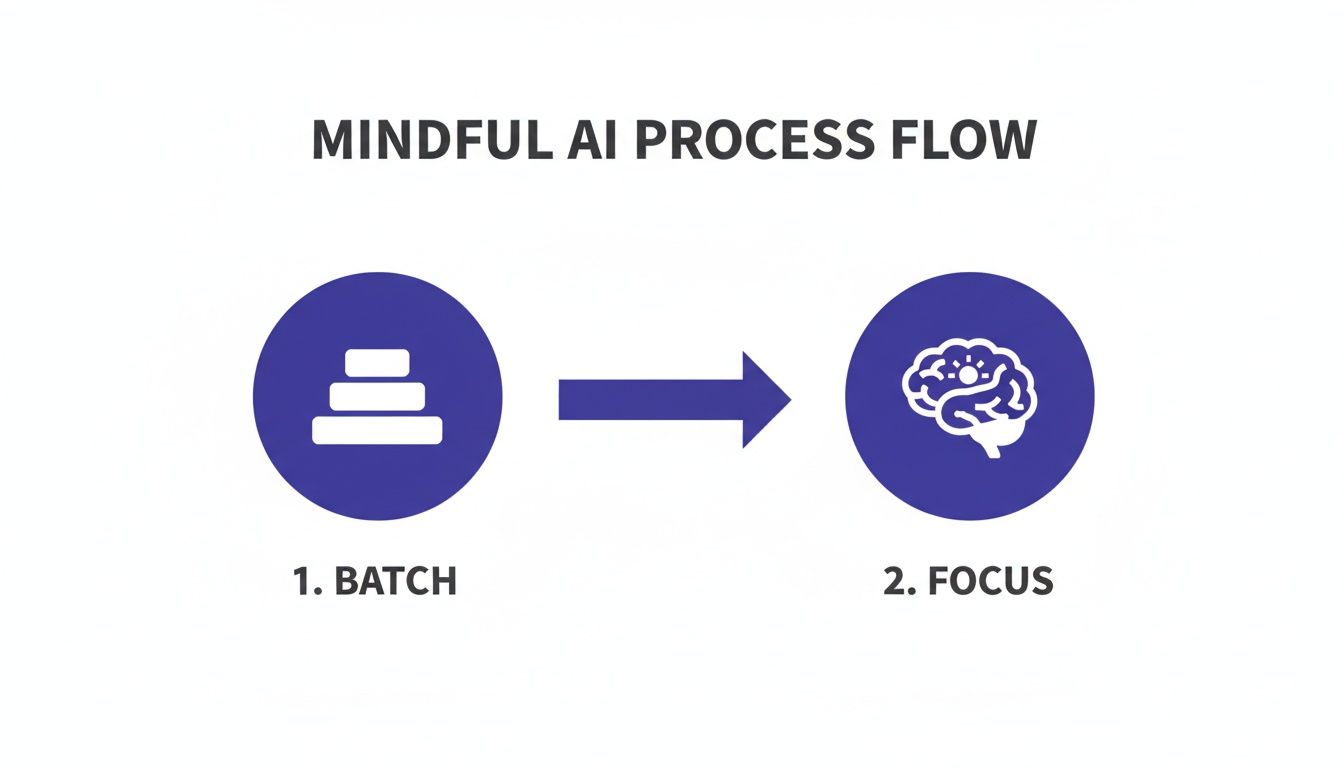
    Visual: The 6‑step beginner AI workflow

    Starter prompts you can trust

    These starter prompts fit any AI productivity system for beginners. Copy them into your notes and tweak the bracketed parts.

    • Email triage (10‑minute block): β€œYou are my inbox coach. Today I have [X] messages. Summarize themes, list 3 urgent replies, and draft short replies in a calm, clear tone. Ask me for any missing facts.”
    • Meeting notes to actions: β€œConvert these raw notes into decisions, next actions (owner + due date), and open questions. Keep it concise. Ask me to verify ambiguous items.”
    • Daily plan from calendar: β€œGiven this schedule and my top 3 outcomes, design a realistic plan with time blocks and a 3‑item focus list. Flag risky overbookings.”

    Because prompts are templates, you improve them weekly. Also, save context you reuse (role, goals, projects) and paste it in as needed. Therefore, your assistant learns your style without exposing private data.

    Prompt patterns at a glance

    Pattern Why it helps Try this phrasing
    Role + Task + Constraints Gives the model context and limits β€œYou are my [role]. Do [task]. Keep it under [limit].”
    Ask‑back Reduces wrong guesses β€œAsk me 3 clarifying questions before you draft.”
    Checklist output Makes review easy β€œReturn a checklist with owners and due dates.”

    Daily flows you can repeat

    Below are simple routines you can run each day. They keep the loop tight and your mind clear.

    Morning focus (15 minutes)

    1. Pull today’s meetings and tasks.
    2. Ask your assistant for a 3‑item focus plan.
    3. Block time on your calendar for deep work.

    Email triage (10 minutes, twice a day)

    1. Skim new mail and label what matters.
    2. Run the triage prompt on the labeled set.
    3. Send short, kind replies. Defer the rest.

    Meeting wrap (5 minutes)

    1. Paste raw notes into your assistant.
    2. Convert to actions and decisions.
    3. Commit tasks to your single list.
    Workflow Assistant Notes app Task destination
    Morning focus Copilot / Gemini / ChatGPT OneNote / Docs / Notion Outlook Tasks / Google Tasks / Notion
    Email triage Copilot in Outlook / Gemini in Gmail Notes page called β€œInbox summaries” Pin 3 replies; defer others
    Meeting wrap Assistant with β€œactions” prompt Project note Task list with owners + due dates

    Set your weekly cadence

    A weekly reset cements your AI productivity system for beginners. Also, it keeps your notes and tasks clean so the assistant has clear inputs.

    • Review your focus list. Remove or delegate stale items.
    • Refine two prompts. Add examples, cut fluff, and clarify your tone.
    • Archive notes. Move closed loops to an archive page.
    • Plan next week. Ask the assistant to draft a plan. Then edit.
    Focused professional reviewing notes and tasks at a desk
    Weekly rhythm: refine prompts, clear tasks, and plan the next sprint. Photo: Anastasia Shuraeva via Pexels.

    Provenance: Photo by Anastasia Shuraeva, via Pexels (source).

    Is my data safe when I use AI tools?

    Security choices in an AI productivity system for beginners start with strong defaults. Because each platform has different policies, read the official pages and turn on the right toggles for your account or workspace.

    • Set data controls. Some tools let you opt out of training on your chats. Check your settings and workspace policy.
    • Keep sensitive data out of prompts. Use redacted versions or summaries when possible.
    • Store outputs in your system of record. Notes and tasks belong in your tools, not as one‑off chat threads.

    Helpful references:

    Where does AI actually create value?

    Use AI where pattern recognition and summarization shine. For example, triaging email, drafting a first pass, turning notes into actions, and summarizing research. Meanwhile, keep humans in the loop for choices with risk or nuance. This expectation setting helps avoid hype and helps you focus on real outcomes.

    Evidence: McKinsey’s analysis shows the most value clusters in activities like customer operations, marketing and sales, software development, and some back‑office tasks. It also notes that adoption does not always equal realized performance gains, which is why a small, disciplined workflow beats random experimentation.

    Read more: Where AI will create valueβ€”and where it won’t (McKinsey).

    Mistakes beginners should avoid

    • Too many tools. Do not try to build an AI productivity system for beginners with five tools at once. Start with one.
    • No review step. Always check outputs. Ask for sources, assumptions, and alternatives.
    • Leaky data. Never paste secrets or regulated data into public chats.
    • Big automations too soon. Automate tiny, boring steps first. Then expand.

    Deep setup: make the one‑hour plan stick

    Now that you have the outline, add a bit of structure so the setup lasts. The steps below extend the same plan with clear choices and examples.

    1) Privacy toggles to review

    • Account vs. workspace: Confirm whether settings apply to only you or the whole org. Ask IT if unsure. Therefore, you avoid surprise policy breaks.
    • Chat history and training: Turn it off for public accounts when possible. For managed plans, read the admin guide first.
    • Export and delete: Learn how to export your chats and how to delete threads. That knowledge saves time later.

    2) Build a one‑page context pack

    Create a single note you can paste when needed. Keep it brief. Use plain text:

    • Role and scope (two lines)
    • Top three goals this quarter
    • Active projects with owners and dates
    • Meeting rhythm (weekly, biweekly)
    • Style guide (tone, length, audience)

    Then add a small redaction key, like β€œ[Client‑A]” instead of full names. As a result, you share context without exposing sensitive details.

    3) Pin prompts where you work

    • Docs and notes: Create a page named β€œPrompts Β· Live.” Put the three core prompts at the top, plus space for edits.
    • Email client: Save a draft called β€œTriage prompt.” It is always one click away.
    • Assistant sidebars: Use favorites or pinned chats so you do not search each time.

    4) Small daily automation ideas

    • Gmail label β€œTo‑Summarize” β†’ send subject lines to a daily note at 7 a.m.
    • Outlook rule β€œFrom: manager” β†’ flag and add to a task list with today’s date.
    • Calendar digest β†’ create a three‑point plan note before your first meeting.

    5) Weekly review script

    Use the same script every time. Consistency matters.

    1. Glance at last week’s three wins. Write one line per win.
    2. Clean your task list. Merge duplicates. Delete noise.
    3. Open β€œPrompts Β· Live.” Improve two lines. For instance, add a banned‑phrases list.
    4. Draft next week’s focus. Then block time for two deep‑work slots.

    Four‑week improvement plan

    Spread learning over four short sprints. Small, steady changes beat a big push.

    Week Focus Tiny win Prompt to refine Automation to try
    1 Setup + safety One assistant chosen, toggles reviewed Email triage clarity and tone Inbox label β†’ daily summary note
    2 Notes β†’ actions Meeting wrap in 5 minutes Actions format with owners and dates Calendar digest β†’ plan template
    3 Writing quality First‑draft emails in your voice Style guide and banned phrases Auto title + tag notes by project
    4 Research loop One‑page brief per topic Research brief with sources and gaps Web clip β†’ brief template

    Beginner automation recipes (safe and small)

    • Auto‑file receipts: When subject contains β€œreceipt,” move to a folder and add a task β€œFile receipt” due today.
    • Daily focus ping: At 8 a.m., create a note with today’s date and your three outcomes placeholders.
    • Meeting note template: On new event with keyword β€œ1:1,” create a note with sections for decisions and actions.
    • Task rollover: Each Friday, copy any task without a due date to next week’s list. Then set a date.
    • Reading queue: Save starred links to a β€œRead later” page with a two‑line summary request.
    • Win log: Append one bullet to a β€œWins” note when you complete a flagged task.
    • Template stamp: Type β€œ/brief” in notes to insert your research brief shell.
    • Agenda builder: Two hours before a meeting, ask the assistant to propose a three‑item agenda from email threads.
    • Follow‑up nudges: Add a reminder two days after you send a key email.
    • Quiet hours: Mute notifications during your deep‑work blocks. Then unmute automatically.

    Research and writing flow

    Use a light loop to turn raw links into clear drafts. It works for memos, updates, and briefs.

    1. Collect: Clip two to five sources. Note dates and authors.
    2. Frame: Ask for a one‑paragraph outline. Include audience and purpose.
    3. Draft: Generate a short first pass (150–300 words). Keep tone and length limits.
    4. Check: Verify facts and quotes against sources. Remove anything you cannot confirm.
    5. Sharpen: Ask for plain‑language edits and shorter sentences. However, keep your key points.
    6. Decide: Add your take and the next step. Label open questions.
    7. Store: Save the brief and sources in your notes.

    Troubleshooting and edge cases

    • Vague outputs: Add constraints. For example, β€œ3 bullets, 12 words each.”
    • Hallucinated facts: Ask for links or citations. Then verify before use.
    • Blocked content: Rephrase the task without sensitive details. Or use synthetic examples.
    • Token or length limits: Chunk long text. Summarize each chunk, then combine.
    • Access errors: Move files to the right folder or share path. Try again.
    • Style drift: Paste your mini style guide before drafting.
    • Multilingual tasks: Specify the target language and formality. For instance, β€œSpanish, neutral, business casual.”
    • Teams vs. personal accounts: Check which account is active in your browser. Switch if results look wrong.
    • Slow response: Trim the prompt and remove extra attachments. Then retry.
    • Version mismatch: If features differ across devices, fall back to copy‑paste. Keep momentum.

    Metrics and habit tracker

    Track a few signals so you see real gains. Simple beats perfect here.

    • Minutes saved per day: A rough guess is fine. Write one number.
    • Email replies drafted by AI: Count of first passes per day.
    • Meeting wraps under 5 minutes: Tally for the week.
    • Quality check: Rate outputs 1–5. Note one fix.
    • Prompt edits: Two changes each week. Log them.

    Then review the trend in your weekly reset. Therefore, you focus on what works and drop what does not.

    Team rollout (optional)

    If you work in a team, share patterns without sharing private data. Start light and align with policy.

    • Create a shared page named β€œPrompts Β· Team.” Add safe, generic templates.
    • Log wins and misses. One line each. As a result, your playbook improves fast.
    • Ask IT for approved integrations. Document what is allowed.
    • Set a channel rule: never paste secrets. Use redacted inputs only.

    Mobile and voice tips

    Stay consistent when you are away from your desk. Little changes help a lot.

    • Use voice memos for capture. Later, convert to actions with your notes prompt.
    • Pin your three prompts on mobile. Then you can run them in two taps.
    • Dictate short replies. Ask the assistant to clean tone and length.
    • Keep a single inbox. Do not start new chat threads for every idea.

    Mini glossary

    Context pack
    A one‑page note with your role, goals, and projects that you can paste into prompts.
    Human‑in‑the‑loop
    A review step where you check and edit AI output before using it.
    Redaction
    The act of removing or masking sensitive data before sharing text.
    Prompt template
    A reusable instruction with slots for details like dates or audience.

    How we chose these tools and workflows

    We prioritized assistants that live inside the suites many teams already use, so you gain context with fewer clicks. We also leaned on vendor privacy documentation and the NIST AI Risk Management Framework for safe defaults. Finally, we tested workflows that keep a human in the loop and store results in your notes and tasks, not in transient chats.

    Next steps

    Ready to go deeper? Download the quick‑start checklist for your AI productivity system for beginners and build your first week of prompts and automations. Also, explore our book picks for practical, non‑hype guidance.

    Sources and further reading

    FAQ

    What is the fastest way to start with AI at work?
    Pick the assistant in your current suite, save three prompts, and run a daily and weekly loop. Keep everything else simple for 30 days.
    Should beginners learn one tool or many?
    Start with one. Depth beats breadth early on. Add new tools only when your current flow feels stable.
    How do I keep private data safe?
    Turn on privacy controls, avoid pasting sensitive content into public chats, and store outputs in your notes and tasks.
    What if my company blocks AI tools?
    Ask IT for an approved path. If none exists, practice with non‑sensitive personal workflows at home and document safe patterns.
    How quickly will I see results?
    Usually within one week. The biggest wins come from email triage, meeting wrap‑ups, and planning.

    Because you will improve each week, your AI productivity system for beginners will evolve as you practice. Start small, stay safe, and keep the loop tight.

    Free download: 7-Day Mind Clarity Reset preview

    Free download: 7-Day Mind Clarity Reset

    A short daily reset you can actually stick with (no fluff).

    Helpful resources for your next step

    Affiliate disclosure: As an Amazon Associate, Mind Clarity Hub may earn from qualifying purchases at no extra cost to you. Use this link only if it genuinely helps your planning.

    If Ai Productivity System For Beginners is a routine you want to keep using, a simple workbook, planner, or desk tool can make the steps easier to repeat.

    Compare related planners, workbooks, and organization tools on Amazon.

  • Chatgpt Workflow For Daily Planning

    Chatgpt Workflow For Daily Planning

    Last updated: April 29, 2026

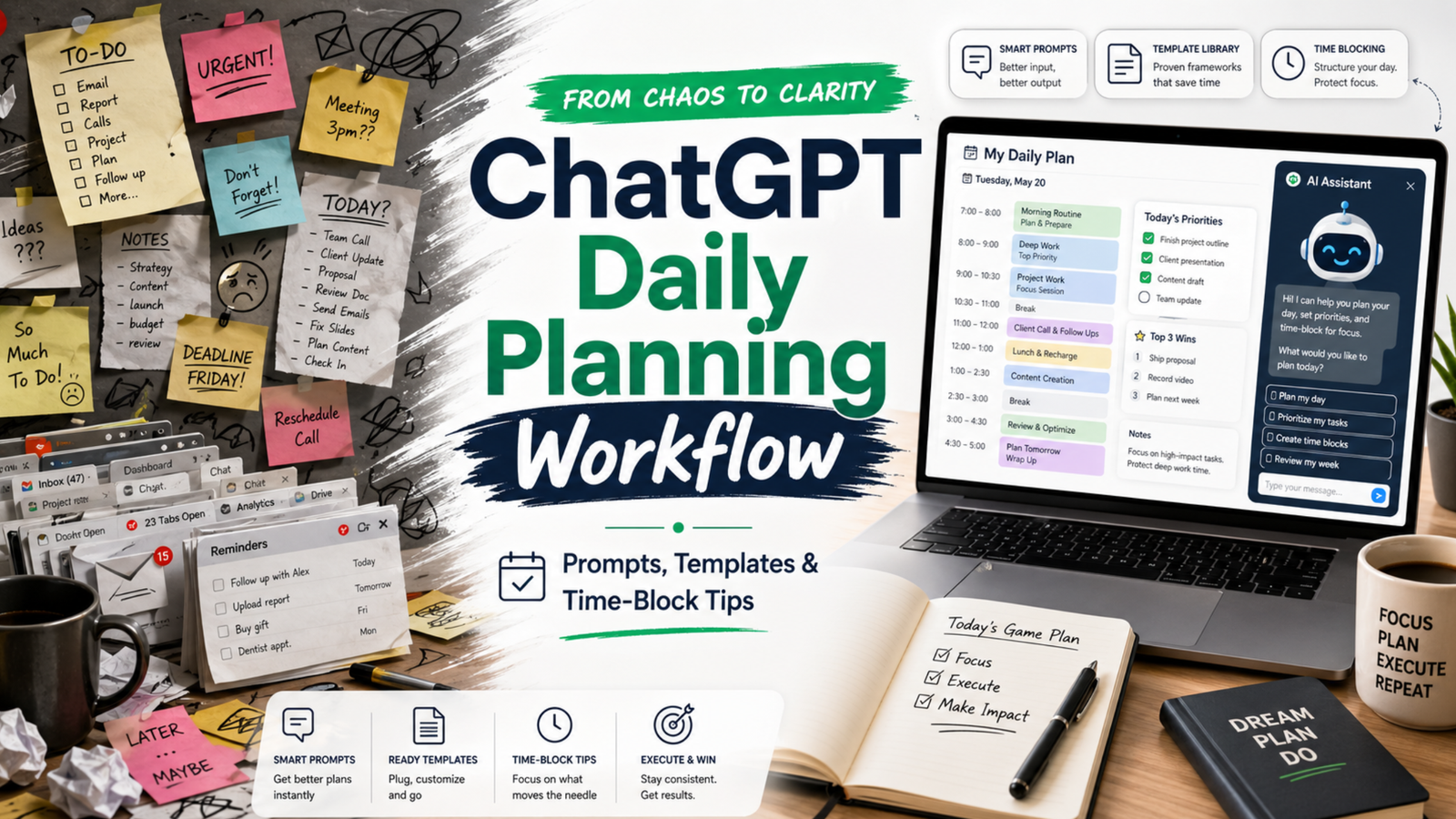
    If your day feels like a ping-pong match of pings, meetings, and shifting plans, this practical ChatGPT workflow for daily planning will help you turn noise into clear next steps. You will map what matters, time-block it, and review without spending all morning on the plan.

    Key takeaways

    • Plan in a short loop: capture, prioritize, estimate, block, and review.
    • Keep roles clear: you choose goals; ChatGPT drafts and checks; your calendar commits.
    • Use tight prompts, constraints, and tokens. Then edit for reality and energy.
    • Close the loop daily. Learn from slippage and adjust tomorrow’s plan.

    What is a ChatGPT workflow for daily planning?

    A ChatGPT workflow for daily planning is a repeatable, 15–25 minute loop that turns goals, tasks, and constraints into a time-blocked daily plan. You capture inputs, prioritize work, estimate effort, and draft a schedule. Then you sense-check the plan, commit the blocks to your calendar, and review at day’s end to improve tomorrow.

    Because it is a workflow, not a one-off prompt, it reduces friction and decision fatigue. Also, it frees your attention for deep work while still reacting to change.

    How does this fit with time blocking and GTD?

    Time blocking protects focus by giving each block a job. The approach matches the classic idea of planning your day before executing it, a practice advocated by productivity researchers and writers. For deeper context on the value of time blocking for focused work, see Cal Newport’s overview of the method and why it helps reduce context switching (Cal Newport).

    GTD (Getting Things Done) gives you trusted capture and clarity of next actions. You can use your GTD lists as the raw input for the plan (GTD basics). Meanwhile, prompt engineering guidance from vendors can improve the quality of your ChatGPT drafts (Microsoft Learn; OpenAI Custom Instructions).

    What do you need before you start?

    • A quick list of today’s candidates: meetings, deadlines, open loops, and 2–3 outcomes that matter.
    • Your calendar open, with room to block. If it is jammed, expect tradeoffs.
    • Access to ChatGPT (or any capable LLM) and your preferred note space.
    • Constraints ready: energy windows, hard stops, context limits, and must-do admin.
    Tablet showing a ChatGPT workflow for daily planning with a simple time-block layout.
    A light, clear layout makes your plan easier to trust. Photo: Jakub Zerdzicki via Pexels. Source: Pexels page.

    How to use this advice (and what to avoid)

    • Start small. Plan one key outcome plus 2–3 supporting blocks, not a perfect day.
    • Keep prompts short and specific. Limit scope and ask for estimates with a buffer.
    • Edit the draft. You own the plan; ChatGPT only offers a first pass.
    • Avoid dumping sensitive data. Use redacted text or summaries. Review your tool’s privacy policy first (OpenAI Privacy).
    • Close the loop. Do an honest review each evening in 5 minutes.

    Step-by-step daily loop

    Use this ChatGPT workflow for daily planning in five compact phases. The whole loop takes 15–25 minutes once you practice it.

    Phase 1 β€” Capture and clarify

    1. List hard commitments: meetings, deadlines, immovable errands.
    2. Write 1–3 outcomes that define a β€œgood day.” Keep them specific and measurable.
    3. List possible tasks that support those outcomes. Note time guesses if you have them.

    Prompt template:

    Context: I have a standard 8-hour workday with two meetings (10:00–10:30, 14:00–15:00), and a hard stop at 17:30.
    Outcomes (ranked):
    1) Ship the draft of the product update email
    2) Make progress on Q2 roadmap (finish 2 tickets)
    3) Clear finance admin backlog (30 minutes)
    Tasks on deck (rough guess):
    - Draft email (60m), edit (30m)
    - Two roadmap tickets (60m each)
    - Finance admin (30m)
    - Inbox sweep (15m)
    - Lunch (30m)
    - Walk break (15m)
    Ask: Turn this into a prioritized plan with time estimates and 20% buffer. Ask me clarifying questions if needed.

    Phase 2 β€” Prioritize and right-size

    ChatGPT will return a first pass. Now guide it to sharpen the focus. Ask for tradeoffs and cuts. For example:

    Revise the plan so the top outcome is guaranteed. If needed, cut or shrink lower-value items.
    Constraints: protect one 90-minute deep work block before noon; add 20% buffer across the day.

    Reference note: Prompts that include role, task, constraints, and output format tend to perform better than vague asks. See vendor guidance for practical patterns (Microsoft Learn).

    Phase 3 β€” Estimate and buffer

    Ask ChatGPT for estimates only if the work is well-scoped. Otherwise, give your own base estimates and ask for a buffer suggestion. A rule of thumb is a 15–30% buffer for creative or cross-team work. Keep it simple.

    Given these tasks and my past velocity, propose conservative time estimates and a single 30-minute β€œoverflow” block at 16:30.

    Phase 4 β€” Time-block the calendar

    Now move from plan to calendar. Use blocks that match the energy of the task. Put hard things earlier. Group similar work. Keep 5–10 minutes between blocks to reset. For a clear overview of time blocking’s benefits for deep work and reduced context switching, review Cal Newport’s write-up (Time blocking explained).

    Prompt template to draft blocks you will then paste into your calendar:

    Turn this prioritized plan into time blocks for 09:00–17:30 in 24-hour time.
    Rules:
    - 90m deep work on the top outcome before lunch
    - 10m buffers between blocks
    - 30m lunch at 12:30
    - 15m walk at 15:30
    Output as a table with start, end, block name, and goal.
    Core roles in a ChatGPT workflow for daily planning
    WhoOwnsExamples
    YouGoals, priorities, commitmentsPick top outcomes. Approve tradeoffs. Move blocks on the calendar.
    ChatGPTDrafts, estimates, structureSuggests order. Proposes buffers. Flags overload or conflicts.
    CalendarExecution contractHolds the blocks you commit to. Signals when to switch.

    Phase 5 β€” Review and learn

    Close the loop near day’s end. Compare the plan with what actually happened. Note where you under- or over-estimated. Then feed those notes into tomorrow’s planning prompt. This short review sharpens your future plans.

    Review prompt for 17:15:
    Compare the planned blocks with what I did (below). List 3 lessons about estimates or sequencing. Suggest one change for tomorrow’s plan.
    Data:
    - Planned vs. actual for each block
    - Interruptions and how long they took
    - Biggest win and biggest miss

    Prompts that work in the real world

    Use these short, constraint-first patterns. Edit names and times to fit your day.

    Prompt library for common planning moments
    SituationPromptOutput format
    Morning plan in 10 minutes Given these outcomes and meetings, propose a 09:00–17:30 plan with one 90m deep work block. Add 20% buffer and a 15m overflow at 16:30. Bullet plan + time table
    Midday course-correct It is 13:00. Rebuild the plan around these facts (below). Keep only what drives the top outcome. Put admin at the end or cut it. Revised table + cuts list
    Estimate reality check Here are my estimates. Apply a confidence score to each (high/med/low). Suggest one split or merge to improve flow. Table with confidence + notes
    Context protection Group tasks by context (design, writing, review). Order for minimal switching. Keep only 2 context types before lunch. Ordered groups + rationale
    End-of-day review Compare plan vs actual. Give 3 insights and one new rule for tomorrow (e.g., longer buffers, earlier deep work). Bullets + tomorrow rule

    What makes the plan realistic?

    • Protect one deep block early. Your energy is higher and interruptions are fewer.
    • Add a daily overflow block. Use it for spillover; if empty, pull a quick win.
    • Plan admin late. Keep your morning clean for work that moves the needle.
    • Use the Eisenhower lens. Ask: urgent or important? Cut what is neither (Matrix overview).
    • Match blocks to energy. Put creative or analytical work in your best hours.

    Reality checks that keep you honest

    1. Compare plan vs. actual weekly. Look for recurring 30–60 minute slips.
    2. Cut one thing daily. Replace it with margin, not another task.
    3. Use a simple rule: no more than 4 major blocks on a normal day.
    Focused person reviewing a time-blocked plan on dual screens after running a ChatGPT workflow for daily planning.
    Review builds judgment. Compare plan vs. actual while it is fresh. Photo: RDNE Stock project via Pexels. Source: Pexels page.

    Common mistakes and how to fix them

    • Over-planning: You draft 20 steps. Fix: plan at the outcome level, not micro-tasks.
    • No buffers: Your plan breaks on first contact. Fix: add 15–30% and one overflow block.
    • Vague prompts: ChatGPT guesses. Fix: state constraints, hour ranges, and a result format.
    • Too many contexts: You switch every 15 minutes. Fix: group by context and cap before lunch.
    • Calendar not updated: The plan lives in notes. Fix: commit blocks to your actual calendar.

    What about privacy and sensitive work?

    Do not paste confidential details. Summarize or mask names and numbers. Review your tool’s data use policy and team settings, especially if you work in a regulated role (OpenAI Privacy). If in doubt, keep sensitive planning in-house while still using the structure of this loop.

    How do I review a ChatGPT workflow for daily planning at day’s end?

    Keep it to five minutes:

    1. Mark blocks you finished, moved, or dropped. Note why.
    2. Log total time on the top outcome. Aim to protect it better tomorrow.
    3. Write one rule for tomorrow. For example, β€œlonger buffer before 14:00 meeting.”

    Then feed those notes into your next morning prompt so your ChatGPT workflow for daily planning improves with each pass.

    Example day: turning inputs into a clear plan

    Inputs: two meetings, one key email to ship, two roadmap tickets, and finance admin. Constraints: early deep work, 20% buffer, 17:30 stop. A solid plan might look like this:

    Sample time-blocked day
    StartEndBlockGoal
    09:0010:30Deep work β€” draft product emailShip v1 draft
    10:3010:40BufferReset
    10:4011:10MeetingTeam sync
    11:1011:20BufferNotes
    11:2012:30Ticket 1Finish scope
    12:3013:00LunchRest
    13:0013:30Edit emailPolish and schedule
    13:3014:00Inbox sweepUnblock others
    14:0015:00MeetingStakeholder review
    15:0015:30Ticket 2Push to PR
    15:3015:45WalkReset brain
    15:4516:15Finance adminReconcile
    16:1516:30BufferPrep overflow
    16:3017:00OverflowCatch spillover
    17:0017:15ReviewPlan tomorrow

    Will this still work when the day explodes?

    Yes, if you replan fast. Use a 5-minute midday course-correct. Keep the top outcome alive and protect one block to move it forward. Push admin late. If needed, cut it.

    Can I automate parts of the loop?

    You can centralize inputs and reduce copy-paste:

    • Keep a pinned morning prompt in your notes app. Paste today’s inputs under it.
    • Save your ChatGPT workflow for daily planning as text snippets so you can load it fast.
    • Export meeting times from your calendar to paste as the day’s constraints.

    Automation helps, but do not automate judgment. You still pick the top outcomes and tradeoffs.

    Accessibility: make your plan easy to scan

    • Use short block names. Lead with the verb and the object: β€œDraft email v1.”
    • Keep a single cue per block. Do not cram three goals into one hour.
    • Color-code deep work, meetings, and admin.

    Daily planning checklist

    • List hard commitments and 1–3 outcomes that define success.
    • Draft a first pass with constraints and buffers.
    • Time-block the calendar and commit.
    • Do the work. Protect the top outcome.
    • Review in 5 minutes. Log one rule for tomorrow.

    Detailed examples for different days

    Not all days look the same. Therefore, build a plan that fits the shape of your hours. Here are two clear examples you can copy and adapt.

    Manager day with many meetings

    Goal: move one strategic item while keeping the team unblocked. Constraint: meetings at 09:30–10:00, 11:30–12:00, 14:00–15:30, and 16:30–17:00. Hard stop at 17:30.

    Manager prompt:

    Given these four meetings and a hard stop at 17:30, protect one 60–75m deep block before lunch to draft the QBR outline. Add 10m buffers around meetings. Push admin late. Output a table in 24-hour time.
    Manager-style sample plan
    StartEndBlockGoal
    08:4509:15Inbox triage (strict)Unblock team
    09:1509:25BufferPrep meeting
    09:3010:001:1Coaching
    10:0010:10BufferNotes
    10:1011:25Deep work β€” QBR outlineDraft v1
    11:2511:30BufferPrep
    11:3012:00Status meetingDecide blockers
    12:0012:30LunchRest
    12:3013:00QBR editPolish v1
    13:0013:20Slack sweepRespond
    13:2013:30BufferPrep
    14:0015:30Stakeholder reviewAlign
    15:3015:45WalkReset
    15:4516:15Admin & approvalsClose loops
    16:1516:25BufferPrep
    16:3017:00Team standupPriorities
    17:0017:20OverflowCatch spillover
    17:2017:30ReviewLessons

    Notice the early deep block and frequent buffers. As a result, the plan stays stable even with many handoffs.

    Maker day with deep focus

    Goal: ship a feature draft. Constraint: long focus windows, one demo at 15:00–15:30. Hard stop at 18:00.

    Maker prompt:

    Plan two long focus blocks for feature work (90–120m each) with a short break between them. Keep meetings wrapped in buffers. Put quick admin after the demo. Output a table in 24-hour time.
    Maker-style sample plan
    StartEndBlockGoal
    09:0011:00Deep work β€” implement module AWorking code
    11:0011:15BufferStretch
    11:1512:30Deep work β€” tests & refactorGreen tests
    12:3013:00LunchRest
    13:0013:20Inbox sweep (strict)Unblock
    13:2014:40Write docsDraft page
    14:4014:55BufferPrep demo
    15:0015:30DemoFeedback
    15:3015:45WalkReset
    15:4516:15Admin & PRsReviews
    16:1517:15Deep work β€” module BFinish core
    17:1517:45OverflowCatch slips
    17:4518:00ReviewPlan tomorrow

    Here the plan clusters similar work and protects long spans. Consequently, context switches drop and throughput rises.

    Troubleshooting playbook

    When the plan drifts, fix the root cause fast. Use these quick moves and prompts.

    • Estimates were off: Split the task and re-slot the next chunk. Prompt: Split β€œDraft whitepaper” into 2 smaller blocks with clear ends. Keep the first today, move the second to tomorrow morning.
    • Urgent interrupt: Insert a short triage block, then rebuild the next two hours. Prompt: I have a P1 issue (30–45m). Rebuild 13:00–15:00 with buffers and keep one deep block alive.
    • Low energy window: Swap in shallow work. Prompt: Replace the next 45 minutes of deep work with 2 admin tasks that still support the top outcome.
    • Meeting ran long: Cut nice-to-haves and keep the top outcome. Prompt: We lost 25 minutes. Remove the lowest-value item and add a 15m overflow at 16:45.
    • Task unclear: Add a 15-minute clarify block before you start. Prompt: Write a 5-bullet mini-brief for β€œDraft outreach email” so I can start fast.

    Metrics that make the habit stick

    Track a few simple numbers. Then adjust based on facts, not feelings.

    Simple weekly metrics
    MetricHow to measureTarget
    Protected deep workTotal minutes spent in planned deep blocks180–300 min/day
    Plan vs actual deltaTotal minutes off plan (over/under)< 60 min/day
    Overflow useTimes overflow saved a slip3–5/week
    Context switchesDistinct contexts before lunch≀ 2

    Review these on Friday. Therefore, next week’s plan will start stronger.

    Team workflow and handoffs

    This loop also helps teams. Share a short daily plan so others can align. Also, use the same review questions in standup.

    Standup share template:

    Top outcome today: ____
    Deep block protected: ____ (start–end)
    Risks: ____
    Asks: ____
    Overflow plan: ____

    When plans change, post a one-line update. For example: β€œDeep block moved to 11:00–12:15 due to incident; overflow extended.” Sharing your ChatGPT workflow for daily planning summary keeps the whole group in sync without long threads.

    Advanced tips: encode constraints for cleaner prompts

    It is easier to plan when inputs are tidy. So, hand ChatGPT a small, structured block of data. Then ask for a schedule from it.

    {
      "day": "Tue",
      "work_hours": ["09:00", "17:30"],
      "meetings": [
        {"start": "10:00", "end": "10:30", "name": "Team sync"},
        {"start": "14:00", "end": "15:00", "name": "Review"}
      ],
      "outcomes_ranked": [
        "Ship v1 of product email",
        "Finish ticket #482",
        "Finance admin (30m)"
      ],
      "rules": {
        "deep_block_before_lunch": 90,
        "buffers_minutes": 10,
        "overflow_at": "16:30",
        "lunch_at": "12:30"
      }
    }

    Follow-up prompt:

    Using this JSON, propose a time-block plan in 24-hour time. Include start, end, block name, and goal. Respect the rules and add a 20% buffer overall.

    Edge cases and how to adapt

    • Travel days: Treat transit as a long block. Then schedule low-cog tasks (inbox, notes, reading). Keep one small outcome to protect momentum.
    • Meeting-only days: Add 5–10 minute buffers after each call. Use a single 30-minute slot for one tangible outcome (even a draft).
    • Half day: Cut scope in half. However, still protect one deep block, even if it is just 45 minutes.
    • On-call or support: Plan in 60–90 minute horizons. Rebuild often. Keep a rolling overflow block for spikes.

    These tweaks keep the loop alive even when conditions are rough. In short, the habit is the power, not a perfect day.

    Source notes and further reading

    FAQs

    What is the best ChatGPT workflow for daily planning?

    The best one is the one you can run in under 25 minutes. Use five phases: capture, prioritize, estimate, time-block, and review. Protect one early deep block. Add a daily overflow block. Keep admin late.

    How many blocks should I plan in a normal day?

    Plan 3–4 major blocks and a few short ones. If you need more, your blocks are too small or your scope is too wide.

    How do I handle meetings that split my day?

    Wrap meetings with buffers and use the largest open span for deep work. If the day is chopped up, focus on smaller, high-value chunks and leave big creative work for a better window.

    Can I use this with a team?

    Yes. Share the plan summary in morning standup. Align on the top outcome. Ask teammates to flag blockers and timing risks first thing.

    Should I write prompts the night before or in the morning?

    Do a light setup the evening before, but draft the final plan in the morning when energy and context are fresh.


    Next steps

    If you want a deeper, book-length walkthrough with templates and examples, explore our AI productivity books. Start with the hub to see the full range, or jump straight to our focused guide on daily planning:

    Finally, write your rules while the day is fresh. This ChatGPT workflow for daily planning is simple, flexible, and fastβ€”so you can plan with clarity and finish with focus.

    Free download: 7-Day Mind Clarity Reset preview

    Free download: 7-Day Mind Clarity Reset

    A short daily reset you can actually stick with (no fluff).

    Helpful resources for your next step

    Affiliate disclosure: As an Amazon Associate, Mind Clarity Hub may earn from qualifying purchases at no extra cost to you. Use this link only if it genuinely helps your planning.

    If Chatgpt Workflow For Daily Planning is a routine you want to keep using, a simple workbook, planner, or desk tool can make the steps easier to repeat.

    Compare related planners, workbooks, and organization tools on Amazon.

  • How to Write with AI for Focus and Clarity

    How to Write with AI for Focus and Clarity

    *Affiliate Disclosure: This post may contain affiliate links. If you make a purchase, we may earn a small commission at no extra cost to you.*

    That feeling of staring at a blank page while a deadline inches closer is something we all know. It’s draining. Learning how to write with AI isn’t about letting a robot take over your creativity. It’s about partnering with a tool to reclaim your focus and mental space.

    When you offload the heavy lift of a first draft, you free up your brain for the parts of writing that actually matter. These are refining your ideas, finding your unique voice, and thinking strategically about your message.

    Reclaim Your Focus: The Neuroscience of Writing with AI

    The feeling of being stuck before you’ve even typed a word is a real, well-documented struggle. It’s tied to a concept from psychology called cognitive load. This is the total amount of mental work your brain is doing at any given moment.

    When you try to generate ideas, structure an argument, and find the perfect words all at once, your cognitive load skyrockets. This is a direct path to procrastination and burnout.

    How to write with AI: a minimalist work desk with a laptop, a tablet showing β€œRECLAIM FOCUS,” an alarm clock, and coffee.

    This is where AI writing tools can be a powerful intervention. They dramatically reduce that initial cognitive burden by handling the messy first draft. Instead of wrestling with a blank screen, you get a structured starting point to react to, edit, and improve.

    Neuroscience Nugget: Your brain’s prefrontal cortex is responsible for planning, decision-making, and focus. It has a finite daily capacity. Offloading routine cognitive tasks, like drafting from scratch, frees up this critical resource. This allows for deeper creative thought. It also pushes back against that familiar feeling of being overwhelmed.

    Start Small for Big Wins When Writing with AI

    You don’t have to jump in by asking an AI to write an entire article. The best way to integrate these tools into your workflow is to start with small, low-stakes tasks. This approach builds your confidence and quickly shows you the time-saving benefits.

    Give these a try first:

    • Email Subject Lines: Ask an AI to brainstorm five different subject lines for a critical email.
    • Meeting Agendas: Feed it a few bullet points about your meeting’s goals. Then let it create a formal agenda.
    • Social Media Captions: Give it a topic and a specific tone. Then have it draft a few options to choose from.

    For example, imagine you’re a manager preparing for a weekly check-in. Instead of spending 15 minutes drafting the agenda, you can prompt the AI: β€œCreate a meeting agenda for a 30-minute team check-in. Topics are project A status, Q3 goal progress, and one team win.” This lets you focus on the meeting’s substance, not its structure.

    This method lets you get a feel for how the AI β€œthinks” without feeling intimidated. As you get more comfortable, you can hand off more complex parts of the writing process. For a deeper dive into this, check out our guide on how to use AI for productivity.

    Create a Distraction-Free Environment

    To get the most out of the focus that AI can give you, you have to protect that focus. Distractions can sabotage even the most efficient workflow. The good news is that a few simple behavioral tweaks can make a massive difference.

    For instance, a phone lock box timer is a surprisingly effective tool. It’s based on a behavioral science principle called a β€œcommitment device.” By physically locking your phone away for a set time, you eliminate the temptation to mindlessly scroll.

    This creates the ideal headspace to do the real work. That includes editing, fact-checking, and weaving your own expertise into the AI-generated draft. If you’re looking to build a business around these tools, our book, Marketing Magic: ChatGPT & AI Marketing, offers a great roadmap.

    Define Your Purpose Before You Write with AI

    Before you ever open an AI chat window, you have to know where you’re going.

    Jumping straight into a tool like ChatGPT or Jasper without a clear purpose is like starting a road trip without a map. You’ll definitely get somewhere, but it’s almost never where you intended to go. Generic inputs only ever produce generic outputs.

    This first step is all about giving the AI the context it needs to be a useful co-writer. It is not just a mindless text generator.

    When you get clear on your objective, you activate the planning and focus centers of your brain. This sharpens your judgment. It makes it easier to evaluate the AI’s suggestions and steer it in the right direction. An undefined goal leads to endless, frustrating rounds of edits.

    How to write with AI: a flat lay shows a blue notebook with β€œDefine Purpose” text, an open journal, pen, glasses, and a plant.

    Why Context Is Everything in AI Writing

    Think of an AI writing tool as an incredibly knowledgeable but inexperienced assistant. It has access to a world of information. But it doesn’t know what you need unless you tell it, specifically.

    Your purpose, audience, and desired tone are the guardrails that keep the AI on track. This has become even more critical now that AI adoption is exploding. With so many people using these tools, specificity is your best advantage.

    The AI writing tool market growth on Verified Market Research is a clear indicator of this trend. The smartest way to leverage this technology is with a hybrid workflow. Let the AI handle the initial brainstorming and messy first drafts. Then, step in to refine the output with your own expertise and voice.

    Putting Purpose into Practice with Scenarios

    How you define your goal completely changes the instructions you give an AI. Your intention is the most important part of any prompt.

    Look at how the goal shifts the entire request in these two scenarios:

    • Scenario 1: The Freelancer’s Proposal. A freelance designer is writing a project proposal for a big new client. The purpose is to persuade the client to sign a contract. The audience is a formal business executive. The tone needs to be professional, confident, and laser-focused on value.

    • Scenario 2: The Manager’s Internal Update. A team manager needs to write a weekly update for their direct reports. The purpose is to inform the team about project progress and celebrate a recent win. The audience is familiar. The tone should be encouraging, clear, and conversational.


    The core information might be similar in both cases. But the purpose, audience, and tone demand completely different outputs. Setting these intentions is a fundamental skill for clear communication. You can dig deeper by exploring some examples of effective intentions.

    A Simple Prompt Template to Get Started

    You don’t need to be a β€œprompt engineer” to give an AI good directions. Often, a single, structured sentence is all it takes.

    Prompt Template: Act as a [ROLE] writing a [FORMAT] for a [AUDIENCE] with a [TONE] tone. The goal is to [OBJECTIVE].

    Let’s apply this to our scenarios from before:

    • Freelancer: Act as an expert brand designer writing a project proposal for a potential corporate client with a professional and persuasive tone. The goal is to clearly outline the project scope and convince them to hire me.

    This level of clarity is a central theme in my book, The Power of Clarity. It prevents wasted time. It also makes sure your final piece is aligned with your goals from the very first draft. Start with this chapter to build your foundation in clear communication.

    How to Choose the Right AI Writing Tool

    The sheer number of AI writing tools out there can feel dizzying. Every week, a new app promises to revolutionize how you write. This leaves you wondering which one is actually worth your time and money. How do you pick the right one?

    It all comes down to cutting through the noise and matching a tool to your specific workflow.

    The market for these tools is growing incredibly fast. The value jumped from USD 0.39 billion in 2023 to a projected USD 1.22 billion by 2031. This rapid growth means the tools are getting smarter and more integrated into our work. For busy professionals learning how to write with AI, this means more power but also more confusion.

    Best Option for Beginners Learning to Write with AI

    To make sense of it all, it helps to think of AI writing tools in three main groups. Each is built for a different kind of job. Figuring out your primary need is the first real step.

    • All-in-One Content Platforms: Think of these as your creative Swiss Army knife. Tools like Jasper or Copy.ai handle a huge range of tasks. They are great for marketers, content creators, and business owners who need a high volume of varied content. They are also a great starting point for beginners.

    • Grammar and Style Assistants: This category includes sophisticated editors like Grammarly or ProWritingAid. They go way beyond a simple spell-check. They help you refine your tone, improve sentence clarity, and catch tricky grammar mistakes. A good habit tracker journal can help you build the routine of using these tools for every piece of writing.

    • Specialized and Integrated Tools: This group is all about specific, focused tasks. It includes single-purpose tools for things like writing headlines. It also includes AI features built into platforms you already use, like Notion AI.


    If you want to go deeper and compare a wider set of options, these comprehensive reviews of AI writing tools are a great place to start.

    How to Choose Your First AI Writing Tool

    The right choice really depends on your day-to-day work and what you’re willing to spend. A freelance writer might find an all-in-one platform is a game-changer. A manager might only need a great grammar checker to make their team-wide emails clearer. For a deeper dive, check out our guide on AI tools that can boost your productivity.

    Here’s a quick comparison to help you choose.

    Which AI Writing Tool Is Best for You?

    ToolBest ForKey FeaturePrice Point
    JasperMarketers & content teams needing varied contentβ€œBrand Voice” and advanced workflow templatesPremium
    GrammarlyStudents & professionals editing their own workAdvanced grammar, style, and tone suggestionsFreemium/Mid
    Notion AIIndividuals who already use Notion for workSeamless integration into existing documentsAdd-on/Low
    ChatGPTGeneral users needing a versatile assistantPowerful conversational ability and idea generationFreemium/Mid

    Ultimately, choosing the right tool isn’t about chasing the most features. Compare options to find the one that fits your workflow best.

    Choosing the right tool isn’t just about features. It’s about finding a partner that fits into your existing workflow without adding friction. The goal is to reduce cognitive load, not add another complex system to manage.

    For creators looking to turn these tools into a sustainable business, the strategies in The 6-Figure Creator offer practical systems for building an audience and generating income.

    The Hybrid Workflow: How to Write with AI Authentically

    If you’re trying to learn how to write with AI, forget about one-click article generation. That’s a recipe for generic, robotic content. A much better way to work is an iterative loop. You generate a piece, refine it, and then humanize it. This approach keeps you in control. It also makes sure the final piece actually sounds like you.

    Instead of prompting for a full draft, try using the AI to build a structured outline first. Once you have that β€œscaffolding” in place, you can draft one section at a time. Breaking the work into smaller chunks makes the whole process feel less overwhelming.

    The Scaffolding Technique for Authentic AI Writing

    Think of it like building a house. The AI is your expert construction crew, rapidly putting up the structural frame. But you’re the architect and the interior designer. You’re the one who adds the personality, unique stories, and expert insights. This is what turns a structure into a home.

    This hybrid model lets you use AI for what it’s great at: generating structured text, fast. It also frees you up to do what only you can do: add your distinct voice and hard-won expertise. For a deeper dive into the technicals, see resources like Buddypro’s comprehensive documentation.

    Here’s a quick real-world scenario:

    A content creator is writing a blog post about overcoming procrastination. She prompts her AI tool to create an outline with sections on common causes, psychological principles, and actionable tips. Then, for the β€œactionable tips” section, she weaves in a personal story. She talks about how she used a productivity journal to track her own habits and finally break a cycle of delay. That one personal touch makes the content instantly more relatable and trustworthy.

    A flowchart titled 'Choosing AI Tools' with three steps: All-In-One, Style (Grammar Check), and Specialized (Headline Focus).

    The flowchart above gives you a simple mental model for choosing the right tool for the job. A good workflow always starts with the right tool. This could be an all-in-one platform for drafting or a specialized assistant for polishing.

    Generating, Refining, and Humanizing Your Draft

    Once you have an AI-generated draft for a section, the real work begins. This is where you transform generic text into something genuinely valuable. For every section you draft, work through this three-part refinement process.

    1. Fact-Check Relentlessly. AI tools make mistakes. They β€œhallucinate” facts and pull from outdated sources. Your credibility is on the line, so you must verify every single statistic, claim, and reference. Never trust, always verify.

    2. Inject Your Voice. Read the text out loud. Does it sound like something you would actually say? If not, rewrite sentences, swap out jargon for simpler words, and tweak the tone until it matches your personal or brand style. A quality ergonomic keyboard can make these long editing sessions much more comfortable.

    3. Add Unique Value. This is the most critical part. What experience, story, or insight can you add that no one else can? This is what will separate your content from the thousands of other AI-assisted articles out there.


    The Productivity Payoff of a Hybrid Workflow

    Adopting this kind of hybrid workflow doesn’t just improve the quality of your writing. It also adds up to serious time savings. Workers using AI report saving an average of 5.4% of their total work hours each week. It’s no surprise that 82% of businesses now use AI for content creation to speed up production.

    By automating the most repetitive parts of the writing process, you free up mental energy for higher-value tasks. These include strategic thinking and creative problem-solving. This isn’t just about speed; it’s about reallocating your focus to what truly matters.

    Ultimately, mastering an AI-powered writing workflow means treating the AI as a capable assistant, not an author. You remain the expert in the driver’s seat. For more ideas on streamlining your work, check out our guide on how to automate repetitive tasks.

    Editor’s Take: What Actually Works When You Write with AI

    Let’s be honest. The real magic of writing with AI isn’t in getting a perfect, one-click article. Chasing that dream will only leave you with generic, soulless content that sounds like everyone else.

    The biggest win comes from using these tools as an ideation partner and a first-draft assistant. This advice is best for busy professionals, creators, and students who are comfortable with new tech but refuse to sacrifice quality for speed. If you care about your unique voice and credibility, a hybrid approach is the only way forward.

    Caveat: AI requires constant human oversight. It’s a powerful tool, but it’s also prone to errors, biases, and a complete lack of genuine emotional depth. Your job is to be the editor, the fact-checker, and the storyteller.

    The sweet spot is a workflow where you guide the AI with clear prompts, critically tear apart its output, and then infuse the final piece with your own expertise and personality. That editing phase demands serious focus. A good pair of noise-canceling headphones can make a huge difference in helping you catch subtle mistakes and truly refine your voice.

    For a practical system that puts these ideas into action, the ChatGPT Side Hustle System is a great starting point for building a repeatable, high-quality workflow.

    Key Takeaways: How to Write with AI Effectively

    • Start with Purpose: Before writing, clearly define your goal, audience, and tone. A specific prompt leads to a specific, useful output.
    • Use AI as an Assistant: Let AI handle the heavy lifting like brainstorming, outlining, and creating a messy first draft. This frees your mind for higher-level thinking.
    • Humanize Every Draft: Your voice, stories, and expertise are what make content valuable. Always edit AI-generated text to add your unique personality and insights.
    • Fact-Check Everything: AI tools can β€œhallucinate” or use outdated information. Always verify every fact, statistic, and claim to protect your credibility.
    • Choose the Right Tool for the Job: Select an AI writer based on your specific needsβ€”whether it’s an all-in-one platform for content creation or a style assistant for polishing.

    Disclaimer: This article contains affiliate links. Purchases made may earn us a small commission at no extra cost to you. The content here is for educational and informational purposes only and is not a substitute for professional medical or psychological advice, diagnosis, or treatment. Always consult a qualified health provider for any health-related questions.

    This article is for educational purposes only and is not a substitute for medical or psychological advice. If you are experiencing symptoms of anxiety, depression, ADHD, burnout, or sleep problems, please consult a qualified healthcare professional.

    Your Questions on Writing with AI Answered

    Once you start using AI in your writing workflow, the questions pop up fast. It feels exciting, but also a little uncertain. Let’s walk through some of the most common questions and get you some clear, honest answers.

    Can AI write an entire article for me?

    You can ask an AI to write a full article from a single prompt. But it’s almost always a bad idea. You’ll get a hollow shellβ€”generic, often repetitive, and lacking personal stories or unique insights. A much better approach is to treat the AI as a collaborator. Use it for the grunt work: brainstorming, outlining, or producing a messy first draft. Then, you step in as the expert to refine, fact-check, and add your distinct voice.

    Will my writing sound robotic if I use AI?

    It absolutely can, but only if you publish the raw output. AI models often lean on predictable sentence structures and overly formal language. The key to fixing this is the β€œhumanizing” edit. Read the draft aloud. Does it actually sound like you? If not, rewrite sentences, swap clunky words for simpler ones, and break up long paragraphs. Most importantly, inject your personality with anecdotes and genuine opinions.

    What are the biggest mistakes to avoid when writing with AI?

    The most common pitfalls are easy to avoid once you know them. First, never blindly trust what the AI gives you; you are the author, not the tool. Second, always fact-check everything. AI models are known to β€œhallucinate” or make up facts. Your credibility is on the line. Finally, avoid lazy prompts. Vague instructions produce vague content. Be specific about your audience, tone, and goal for better results.

    How can I ensure my content is original and avoids plagiarism?

    This is a critical part of using AI responsibly. Treat every piece of AI-generated text as a starting point, never a final product. The heavy editing and humanizing you do makes the content yours. By rewriting sentences, adding your own analysis, and structuring the narrative in your own way, you create a new work. As a final safeguard, always run your finished article through a plagiarism or originality checker for an essential layer of assurance.

    Is it ethical to use AI for professional or academic writing?

    Yes, provided you are transparent and responsible. The most important principle here is disclosure. Many universities and workplaces are developing clear guidelines, and you should always follow them. If no policy exists, the best practice is to be upfront. Consider adding a short note explaining how AI assisted your processβ€”whether for brainstorming, outlining, or first-drafting. Using AI for ideas is different from passing off its text as your own. Learn more in our guide on ChatGPT for writers and creators.

    Free download: 7-Day Mind Clarity Reset preview

    Free download: 7-Day Mind Clarity Reset

    A short daily reset you can actually stick with (no fluff).

    Helpful resources for your next step

    Affiliate disclosure: As an Amazon Associate, Mind Clarity Hub may earn from qualifying purchases at no extra cost to you. Use this link only if it genuinely helps your planning.

    If How to Write with AI for Focus and Clarity is a routine you want to keep using, a simple workbook, planner, or desk tool can make the steps easier to repeat.

    Compare related planners, workbooks, and organization tools on Amazon.

  • 12 Best AI Tools for Freelancers to Boost Productivity and Income

    12 Best AI Tools for Freelancers to Boost Productivity and Income

    Affiliate Disclosure: This article may contain affiliate links. If you make a purchase through these links, we may earn a small commission at no extra cost to you. We only recommend products we believe in.

    The freelance world is about efficiency. You’re the CEO, the marketer, the creator, and the accountant, all at once. Juggling these roles demands systems that save time and reduce mental friction. From a neuroscience perspective, constant task-switching depletes your brain’s glucose and leads to decision fatigue, making focused work difficult. This is where the right AI tools for freelancers become critical assets, not just another set of subscriptions. They can automate tedious tasks, spark creative ideas, and help you manage the business side of your work, freeing you up for the deep, focused work that clients actually pay for. To kickstart your journey and optimize your workflow, consider exploring some of the best tools for freelancers that leverage AI. However, the sheer number of options can be overwhelming, leading to more distraction.

    AI Tools for Freelancers: A Curated Guide to Top Platforms, Pricing, and Real-World Use Cases

    This guide cuts through the noise. It’s not a generic list of features. Instead, it’s a curated resource for busy professionals who value their attention. We provide a practical breakdown of top-tier AI platforms across key freelance categories. For each tool, you’ll find real-world use cases, honest pros and cons, and clear pricing. We also include screenshots and direct links to help you evaluate each option quickly. Our focus is on implementation: how to integrate these tools into your workflow without sacrificing focus. You will learn how to use AI to support your productivity, not derail it. If you’re looking for sustainable ways to improve your freelance business, this guide will help you choose the right tools for your specific needs, like those found in our book, The 6-Figure Creator: Your AI-Powered Guide to Passive Income.

    Mini-Scenario: Imagine you’re a freelance writer with three client deadlines. Instead of staring at a blank page (a common sign of cognitive overload), you use an AI tool to generate three distinct outlines in five minutes. This small step breaks the initial friction, allowing your brain’s creative networks to engage with a structured starting point, rather than an intimidating void.

    1. ChatGPT (OpenAI)

    As one of the most recognized AI tools for freelancers, ChatGPT by OpenAI serves as a powerful and versatile assistant. It excels at a wide range of tasks essential for independent professionals. You can use it to draft client emails, structure proposals, or generate creative briefs. It also helps summarize lengthy research documents into scannable bullet points, saving valuable time.

    ChatGPT Business and Team pricing plans for AI tools for freelancers

    What makes ChatGPT a strong starting point is its wide applicability. While the free version is useful, the business-focused plans provide critical privacy and administrative features. For instance, the ChatGPT Team plan ensures your business data is not used for training OpenAI’s models by default. This is a key consideration for client confidentiality. It also offers a higher message cap and access to advanced models like GPT-4, which is crucial for complex tasks. If you’re looking to leverage this for business, check out our guide on Marketing Magic.

    Best for Beginners: The All-Around Freelancer

    ChatGPT is ideal for freelancers who need a single tool to handle diverse text-based tasks. From content creation to light coding, it provides a solid foundation. Its intuitive chat interface makes it accessible even for those new to AI.

    Mini-Scenario: A freelance consultant needs to create a marketing proposal fast. They use ChatGPT to generate a standard proposal structure. Then, they ask it to β€œact as a marketing expert and flesh out the β€˜strategy’ section for a new e-commerce brand.” This transforms a two-hour task into a 30-minute review and refinement session.

    Pros:

    • Strong all-around assistant for writing, research, and ideation.
    • Team controls and enterprise-grade security options available.
    • Broad ecosystem of custom GPTs and integrations.

    Cons:

    • Heavy users on paid plans may still encounter usage limits.
    • The quality of output depends heavily on the user’s prompting skill.

    Website: https://openai.com/business/chatgpt-pricing/

    2. Grammarly

    Grammarly is an essential AI tool for freelancers focused on ensuring every piece of writing is polished and professional. It goes beyond basic spell-checking to offer comprehensive grammar, style, and tone suggestions. Behavioral research shows that clear, confident communication builds trust. For freelancers, this means faster, more confident interactions, whether you’re crafting a critical project proposal or writing blog content.

    Grammarly AI writing assistant as an AI tool for freelancers

    What makes Grammarly so effective is its seamless integration. With browser extensions, desktop apps, and mobile keyboards, its AI assistance is available almost everywhere you write. The Grammarly Business plan adds features crucial for professionals, such as a style guide to maintain brand consistency. Its generative AI features can rewrite, shorten, or expand text, saving significant editing time. This tool is perfect for refining content you’ve generated, as discussed in ChatGPT Side Hustle System.

    Best option for: The Client-Facing Professional

    Grammarly is ideal for any freelancer whose work depends on clear, error-free communication. From consultants and copywriters to virtual assistants, it acts as a reliable proofreader that catches mistakes before your clients do.

    Mini-Scenario: A virtual assistant is drafting an email to a high-value client to reschedule a meeting. Grammarly’s tone detector flags the language as β€œtoo informal.” With one click, the AI suggests a more professional phrasing, ensuring the message maintains a respectful and competent tone, strengthening the client relationship.

    Pros:

    • Fast, reliable polish for everyday professional writing.
    • Ubiquitous integrations across the tools freelancers already use.
    • Tone detector helps ensure your message lands as intended.

    Cons:

    • Deep style control is good but not fully brand-voice capable like some marketing-focused tools.
    • An internet connection is required for its most powerful features to function.

    Website: https://www.grammarly.com/

    3. Jasper

    For freelancers focused on marketing, Jasper stands out among AI tools for freelancers by specializing in brand-safe content. It’s built to create consistent, on-brand copy for repeatable tasks like ads, landing pages, and email campaigns. You can teach it your specific brand voice and upload a knowledge base, ensuring the output is accurate. This makes it ideal for producing high-volume marketing deliverables efficiently.

    Jasper AI marketing and content creation tools for freelancers

    What sets Jasper apart is its direct focus on business and marketing teams. The platform provides strong governance and security features. While its free trial and Pro plan are accessible, the Business plan unlocks advanced capabilities like custom AI β€œAgents.” These features allow you to create automated workflows for specific marketing needs, such as drafting social media calendars. This is particularly useful for freelancers managing multiple client accounts.

    Best for: The Marketing & Sales Freelancer

    Jasper is perfect for freelancers who produce a high volume of marketing content and need to maintain strict brand consistency. It excels at creating sales copy, blog posts, and social media updates.

    Mini-Scenario: A freelance social media manager needs to create 10 different ad variations for a client’s new product. Instead of writing each one from scratch, they use Jasper’s templates and Brand Voice feature. The AI generates 10 on-brand options in minutes, which the freelancer can then A/B test for performance. A great accessory for this kind of work is a good time blocking planner to schedule content creation sessions.

    Pros:

    • Excellent for repeatable, on-brand marketing deliverables.
    • Clear Pro and Business tiers with a free trial available.
    • Strong governance features and brand-specific knowledge ingestion.

    Cons:

    • Best value is realized when you fully commit your workflows to the platform.
    • The hybrid credits model for certain advanced actions can add complexity.

    Website: https://www.jasper.ai/

    4. ClickUp AI (ClickUp Brain)

    For freelancers who live inside their project management system, ClickUp AI is a game-changer. It embeds artificial intelligence directly into your tasks, documents, and workflows. This makes it one of the most integrated AI tools for freelancers, helping you manage multiple client projects without switching between apps. You can use it to draft project plans, automatically summarize meeting notes, or generate action items from a block of text.

    ClickUp AI (ClickUp Brain) add-on pricing for ai tools for freelancers

    What makes ClickUp AI powerful is its deep connection to your work. The AI Notetaker can transcribe audio, and its β€œSuper Agents” can automate entire sequences, like researching a topic and creating a task list. The AI is an optional add-on, priced per member, which lets you decide if the investment is right for your workflow. It uses a β€œSuper Credits” system for advanced actions, keeping costs tied to actual usage.

    Best for: The Project-Driven Freelancer Using AI Tools

    ClickUp AI is ideal for professionals who manage complex projects and want AI assistance within their primary workspace. If you already use ClickUp, adding its AI layer can significantly speed up planning.

    Mini-Scenario: After a client call, a freelance project manager pastes their rough notes into a ClickUp task. They highlight the text and ask the AI to β€œcreate a subtask for each action item mentioned and assign them to me.” Instantly, the administrative burden of parsing notes and creating tasks disappears, preventing items from falling through the cracks.

    Pros:

    • Deeply integrated with project planning and execution tools.
    • Flexible AI bundles and add-ons to scale as your needs grow.
    • Automates routine tasks directly within your workflow.

    Cons:

    • The credit system and feature matrix can feel complex at first.
    • Provides the best value when you fully adopt ClickUp as your central work hub.

    Website: https://clickup.com/brain/pricing

    5. Motion

    For freelancers juggling multiple clients, Motion acts as an intelligent time manager. It’s one of the most practical AI tools for freelancers because it automatically organizes your tasks and deadlines into a coherent schedule. The AI planner dynamically reshuffles your to-do list based on shifting priorities. This process of automated scheduling helps offload executive functions from your prefrontal cortex, reducing the mental energy spent on planning and preserving it for actual work.

    Motion AI productivity app as one of the best AI tools for freelancers

    What makes Motion stand out is its commitment to safeguarding deep work. Instead of just listing tasks, it finds and blocks out time in your calendar to complete them. If a meeting request conflicts with a high-priority task, the AI can suggest alternative times. This β€œset and forget” approach helps you trust that important work will get done.

    Best for: The Overwhelmed Project Juggler

    Motion is ideal for freelancers who feel scattered and struggle to protect their time. It’s perfect for those who want an automated system to build a productive daily structure. It removes the mental overhead of β€œwhat should I work on next?” so you can simply execute the plan. You might find a physical pomodoro timer on your desk helps you stick to the focus blocks Motion creates.

    Mini-Scenario: A freelance designer has three projects with competing deadlines. They input all their tasks into Motion with their respective priorities and due dates. The AI automatically builds a daily schedule, blocking out β€œdeep work” time for each project. When a last-minute client call comes in, the AI intelligently reschedules a lower-priority task to make room, ensuring no deadlines are missed.

    Pros:

    • Excellent for safeguarding deep work blocks and hitting client dates.
    • Simple β€œset and forget” scheduling reduces daily decision fatigue.
    • Integrates projects, notes, and calendar in one place.

    Cons:

    • Requires you to let Motion have significant control over your schedule to get full value.
    • The credit-based system for certain features may require some initial setup to understand.

    Website: https://www.usemotion.com/

    How to Choose: Comparing Project Management AI Tools

    FeatureClickUp AIMotion
    Primary GoalCentralize all work and enhance it with AI.Automate your schedule to protect focus time.
    Best ForFreelancers already using ClickUp for everything.Freelancers drowning in calendar chaos.
    AI FocusContent generation, summaries, task automation within projects.Intelligent time blocking and dynamic rescheduling of tasks.
    Learning CurveModerate; depends on familiarity with ClickUp.Low; designed to be β€œset and forget.”
    Next StepCompare options on their siteStart with a trial to see if it fits your style

    6. Otter.ai

    Freelancers often spend countless hours in client meetings, but capturing every detail can be a challenge. Otter.ai is one of the essential AI tools for freelancers that solves this problem by acting as a dedicated meeting assistant. It joins your calls and provides live transcription, allowing you to focus on the conversation instead of frantically typing notes.

    Otter.ai, an AI notetaker, showing its interface for AI tools for freelancers

    What makes Otter.ai stand out is its post-meeting intelligence. It automatically generates a summary, outlines key discussion points, and identifies action items. This allows you to quickly share a searchable, accurate record with clients. The AI Chat feature, available on paid plans, lets you ask specific questions about the meeting, like β€œWhat was the final budget approved?”

    Best for: Client-Facing Freelancers with Many Meetings

    Otter.ai is perfect for freelancers who manage multiple client projects and need to keep track of every conversation’s details. From discovery calls to project check-ins, it creates a reliable, shareable source of truth.

    Mini-Scenario: A freelance web developer finishes a kickoff call with a new client. Immediately after, Otter.ai provides a summary and a list of action items. The developer spends 10 minutes reviewing the summary, adds the action items to their project manager, and emails the client the transcript link for their records, ensuring everyone is aligned from day one.

    Pros:

    • Reliable meeting capture and high-quality live transcription.
    • Automated summaries and action items save significant administrative time.
    • Excellent for sharing notes with clients or team members.

    Cons:

    • Important features like AI Chat and more generous limits are on paid tiers.
    • Free and Pro plans have limits on meeting duration and monthly imports.

    Website: https://otter.ai/

    7. Fireflies.ai

    For freelancers who live in meetings, Fireflies.ai is another of the most practical AI tools for freelancers available. It joins your virtual meetings as an AI notetaker, transcribing conversations in real time. This is invaluable for discovery calls or client check-ins, as it creates a searchable, accurate record. You no longer have to split your attention between listening and typing notes.

    Fireflies.ai AI notetaker for freelancers

    What makes Fireflies.ai especially useful is how it processes the transcript. After the call, it generates AI-powered summaries, identifies key action items, and analyzes conversation metrics. Paid plans offer unlimited transcription and generous storage, a major benefit for active freelancers. It also integrates with popular CRMs, ensuring meeting outcomes flow directly into your established workflows.

    Best for: Sales-Oriented Freelancers Needing AI Notetakers

    Fireflies.ai is perfect for consultants and agency owners who need to capture every detail from client interactions. It ensures nothing gets lost in translation, from initial scope discussions to final feedback rounds. By creating an objective record, it helps manage client expectations. An ergonomic keyboard can make typing follow-up notes from the AI summaries more comfortable.

    Mini-Scenario: A freelance business coach uses Fireflies.ai to record client sessions. After each call, they use the β€œTopic Tracker” feature to find all mentions of β€œrevenue goals” or β€œteam challenges.” This allows them to quickly synthesize key themes and prepare targeted advice for the next session without re-listening to the entire hour-long recording.

    Pros:

    • Generous transcription and storage on paid tiers.
    • Automated summaries and action item detection save significant time.
    • Integrates with many CRM and project management platforms.

    Cons:

    • The meeting bot can sometimes cause friction if clients have strict security settings.
    • Advanced AI features like the AskFred assistant may require separate credits.

    Website: https://fireflies.ai/

    8. Descript

    For freelancers working with audio and video, Descript offers a completely different way to edit. It functions as an all-in-one platform for creating podcasts and videos by treating them like text documents. You simply edit the AI-generated transcript, and the corresponding media is edited automatically. This workflow makes it one of the most efficient AI tools for freelancers producing client content.

    Descript AI editor for AI tools for freelancers

    Descript’s real power comes from its AI features that save countless hours. With a single click, you can remove all filler words (β€œums” and β€œahs”) or create a studio-quality voice clone with its Overdub feature. The platform includes screen recording, remote recording for guests, and multicam support. Its collaborative features also let you share projects with clients for feedback, just like a Google Doc.

    Best for: Video/Podcast Producers and Content Creators

    Descript is the ideal choice for freelance podcasters, video editors, and content marketers who need to produce high-quality media quickly. The ability to edit by simply correcting a transcript dramatically lowers the learning curve.

    Mini-Scenario: A freelancer records a 30-minute video tutorial for a client. In Descript, they use the β€œRemove Filler Words” feature, which instantly cuts out over 50 β€œums” and β€œahs,” tightening the presentation. They also notice they misstated a key statistic. Instead of re-recording, they use Overdub to type the correct phrase, and the AI seamlessly replaces the audio with their own cloned voice. This saves hours of re-shoots and editing. Using a pair of noise canceling headphones helps with a distraction-free editing session.

    Pros:

    • Fast edit-from-transcript workflow saves hours on audio/video projects.
    • Excellent for removing filler words and cleaning up audio.
    • Flexible model picker for AI media tasks and voice cloning.

    Cons:

    • New plans use media minutes plus AI credits, which adds metering to usage.
    • Exact price points vary by tier and occasional promotions.

    Website: https://www.descript.com/

    9. Canva Magic Studio

    For freelancers who need to produce creative assets quickly, Canva’s Magic Studio integrates a suite of helpful AI tools for freelancers directly into its popular design platform. It helps you generate on-brand social media posts, pitch decks, and video thumbnails without deep design expertise. The suite includes Magic Write for text generation, Magic Design for instant layouts, and Magic Media for text-to-image or video creation.

    Canva Magic Studio AI tools for freelancers

    What makes Canva Magic Studio stand out is its accessibility. Instead of switching between separate AI image generators and design software, you can do it all in one place. The Canva Pro plan includes features like the Brand Kit, which ensures AI-generated designs align with your client’s visual identity. It also offers a content planner and smart editing tools like Magic Erase and Background Remover, which are huge time-savers.

    Best for: The Visually-Focused Freelancer

    Canva is perfect for social media managers, marketers, and consultants who need to create professional-looking visuals without the steep learning curve of Adobe. Its intuitive interface and AI features speed up everyday deliverables.

    Mini-Scenario: A freelance marketer needs to create five unique graphics for an Instagram campaign. They upload the client’s logo and brand colors to the Brand Kit. Then, using Magic Design, they simply type β€œInstagram post about a summer sale for handmade pottery.” Canva instantly generates several on-brand, editable templates, ready to post in minutes.

    Pros:

    • Extremely accessible for non-designers.
    • Speeds up the creation of everyday creative deliverables.
    • Integrates AI tools directly into the design workflow.

    Cons:

    • AI usage credits and pricing for Pro/Teams plans can vary by region.
    • Advanced brand or print projects may still require more specialized software.

    Website: https://www.canva.com/magic/

    10. Adobe Firefly

    For freelancers in creative fields, Adobe Firefly offers a specialized suite of AI tools for freelancers focused on generating commercially safe visual content. It integrates directly into the Adobe Creative Cloud ecosystem, allowing you to create images, apply generative fills, and even work on text-to-video projects from one place. The platform operates on a credit-based system, making it easy to track usage for client billing.

    Adobe Firefly premium plans and pricing for AI tools for freelancers

    What makes Firefly stand out is its commitment to commercial safety; the models are trained on Adobe Stock’s licensed library and public domain content. This provides confidence when creating assets for client projects. Features like Generative Fill in Photoshop or the standalone Firefly web app allow for quick ideation and production, speeding up workflows.

    Best for: The Creative Freelancer Using AI Tools

    Adobe Firefly is the top choice for freelance designers, illustrators, and video creators already using Adobe’s software. Its deep integration with apps like Photoshop means you can add AI-generated elements without leaving your primary workspace. This is great for extending image backgrounds, removing objects, or creating concept art.

    Mini-Scenario: A freelance graphic designer is working on a website banner. The client’s photo is too narrow for the space. Instead of stretching it, they use Photoshop’s Generative Fill, powered by Firefly. The AI intelligently extends the background scenery on both sides, perfectly matching the lighting and texture of the original image.

    Pros:

    • Designed for commercial use and integrates directly with Adobe tools.
    • Clear credit system helps freelancers manage and budget their usage.
    • Strong features for image editing, generation, and vector graphics.

    Cons:

    • The credit system can become costly for high-volume production work.
    • Provides the most value when you are already invested in the Adobe ecosystem.

    Website: https://www.adobe.com/products/firefly.html

    11. Midjourney

    For freelancers in creative fields, Midjourney stands as a top-tier AI tool for freelancers specializing in high-quality image generation. It’s excellent for creating concept art, developing unique brand styles, or producing stunning product visuals when clients need distinctive imagery quickly. The platform can generate everything from photorealistic scenes to abstract designs.

    Midjourney interface for AI tools for freelancers

    What sets Midjourney apart is its artistic output and stylistic control. While its primary workflow has been through Discord, a dedicated web interface is expanding access. Subscription plans offer β€œFast GPU” time for quick results and a β€œRelax Mode” for unlimited, albeit slower, generation. For client work, the Pro Plan is key, as it includes a β€œStealth Mode” that keeps your creations private, protecting client confidentiality.

    Best for: Visual and Brand-Focused Creatives

    Midjourney is ideal for freelancers who need to produce high-end, custom visuals without sourcing stock photos. It’s perfect for creating website hero images or initial mockups for a client’s branding project. A useful workflow is to pair it with a good laptop stand for desk to maintain proper posture during long creative sessions.

    Mini-Scenario: A branding specialist is developing a mood board for a new luxury eco-friendly brand. They use Midjourney with the prompt, β€œminimalist product photography of a glass bottle with a bamboo lid, on a mossy stone, soft morning light, hyper-realistic.” The AI produces several high-quality, unique images that perfectly capture the brand’s desired aesthetic, far beyond what’s available on stock photo sites.

    Pros:

    • Exceptional image quality with strong artistic and stylistic control.
    • Relax mode on select tiers allows for unlimited image generation.
    • Stealth mode on higher plans protects client project privacy.

    Cons:

    • The primary Discord-based workflow can have a learning curve.
    • Achieving specific results requires skill in prompt engineering and parameter use.

    Website: https://www.midjourney.com/

    12. Perplexity AI

    For freelancers whose work depends on credible research, Perplexity AI stands out among AI tools for freelancers by functioning as a conversational search engine. It provides direct answers to complex questions, complete with inline citations. This is critical for tasks like conducting market research or creating fact-checked content outlines.

    What makes Perplexity AI special is its focus on accuracy and transparency. By showing its sources, it reduces the risk of AI β€œhallucinations” and allows you to quickly verify information. The Pro plan gives access to advanced models like GPT-4 and Claude 3. It also supports file uploads, letting you ask questions about a specific document, such as a client’s brief, making it a powerful tool for focused analysis.

    Best for: The Research-Heavy Freelancer

    Perplexity AI is ideal for freelance writers, consultants, and analysts who need to quickly gather and synthesize information from trusted sources. Its ability to create outlines and generate drafts with source links saves hours of manual work.

    Mini-Scenario: A freelance content strategist needs to write a blog post on β€œthe future of AI in supply chain management.” They ask Perplexity, β€œWhat are the top 5 predicted impacts of AI on supply chains in the next 3 years, with sources?” The tool returns a concise, five-point summary, each point linked to a recent article or industry report, providing a fully-sourced, credible foundation for their article in minutes.

    Pros:

    • Source-linked answers speed up research and improve accuracy.
    • Excellent for creating outlines and fact-checked drafts.
    • Access to multiple advanced AI models on the Pro plan.

    Cons:

    • Pro plan costs slightly more than some general-purpose AI chat tools.
    • Heavy users may encounter daily limits on Pro model usage.

    Website: https://www.perplexity.ai/

    Editor’s Take: What Actually Works

    After reviewing these tools, the most impactful approach for freelancers isn’t to use everything, but to choose wisely. For most, a combination of ChatGPT (for general-purpose writing and brainstorming) and a dedicated notetaker like Otter.ai or Fireflies.ai offers the biggest immediate return on investment. These tools tackle the most time-consuming daily tasks: writing and meetings.

    Creative professionals (designers, video editors) will find Descript and Adobe Firefly to be true game-changers in their specific workflows. However, the key limitation is that AI tools are apprentices, not replacements. They produce great first drafts and handle tedious tasks well, but the final 20% of polishing, strategic thinking, and client communication still requires your human expertise. Don’t expect these tools to run your business for you; expect them to give you more time to do it well.

    Key Takeaways

    • Start with Your Biggest Pain Point: Don’t adopt an AI tool for the sake of it. Choose one that solves a real bottleneck in your freelance business, whether it’s writing, scheduling, or design.
    • AI Augments, It Doesn’t Replace: The best AI tools act as assistants. They handle the repetitive, time-consuming tasks, freeing up your cognitive energy for high-value strategic and creative work.
    • Protect Your Focus: Use techniques like time blocking to dedicate specific sessions for AI-assisted work. This prevents the constant digital noise from fragmenting your attention and derailing deep work.
    • Prioritize Integration: The most effective tools are often those that fit seamlessly into your existing workflow (e.g., ClickUp AI, Grammarly) rather than forcing you to learn a whole new system.
    • Leverage AI for Growth: Use these tools not just for efficiency, but to explore new services. A writer can use Canva to offer basic social media graphics, expanding their revenue streams with AI support like we discuss in our book, Side Hustle Launchpad.

    Disclaimer: This article contains affiliate links, which means we may earn a commission if you purchase through our links, at no extra cost to you. The content provided here is for educational and informational purposes only. It is not intended as a substitute for professional medical or psychological advice, diagnosis, or treatment. Always seek the advice of your physician or other qualified health provider with any questions you may have regarding a medical condition.

    AI Tools for Freelancers: Build a Focused, Sustainable Workflow That Supports Your Well-Being

    Ready to build a freelance career that’s not only productive but also sustainable and focused? The principles of mindful work and intentional system design are at the core of what we teach. Explore our resources, including our book The Focused Freelancer, to learn how to master your attention and build a business that supports your well-being. See the book that fits your goal.

    Frequently Asked Questions (FAQ)

    1. What are the best AI tools for freelance writers?


    For freelance writers, a combination is often best. ChatGPT or Jasper are excellent for brainstorming, outlining, and drafting initial content. Grammarly is essential for polishing final copy for grammar, style, and tone. Perplexity AI is invaluable for research-heavy articles, as it provides answers with verifiable sources.

    2. Can AI tools for freelancers help me with project management?


    Yes, absolutely. Tools like Motion use AI to automatically schedule your tasks and protect your focus time, reducing calendar chaos. If you use a comprehensive platform like ClickUp, its ClickUp AI add-on can summarize notes, generate action items, and automate tasks directly within your projects.

    3. Are AI-generated images safe to use for client work?


    This is a critical consideration. Tools like Adobe Firefly are trained on commercially safe datasets (Adobe Stock, public domain), making them a safer choice for client projects. With other tools like Midjourney, it’s crucial to purchase a plan (like the Pro Plan) that grants you commercial usage rights and use β€œStealth Mode” to protect client confidentiality. Always review the terms of service.

    4. How can I use AI tools without getting distracted?


    The key is to set boundaries. From a behavioral science standpoint, batching tasks is highly effective. Dedicate specific blocks of time in your calendar for β€œAI work” (e.g., a 30-minute block for generating social media ideas). Avoid keeping an AI chatbot open all day. This prevents it from becoming a source of constant distraction and preserves your ability to do deep, focused work.

    5. I’m feeling burned out. Can these AI tools actually help?


    Yes, if used intentionally. Burnout often stems from being overwhelmed by low-value, repetitive tasks. AI tools can automate these, such as transcribing meetings (Otter.ai), scheduling your day (Motion), or drafting routine emails (ChatGPT). By offloading this cognitive burden, you free up mental energy for the creative and strategic work you enjoy, which can help combat burnout. For more on this, our book Burnout Breakthrough offers deeper strategies.

    Free download: 7-Day Mind Clarity Reset preview

    Free download: 7-Day Mind Clarity Reset

    A short daily reset you can actually stick with (no fluff).

    Helpful resources for your next step

    Affiliate disclosure: As an Amazon Associate, Mind Clarity Hub may earn from qualifying purchases at no extra cost to you. Use this link only if it genuinely helps your planning.

    If 12 Best AI Tools for Freelancers to Boost Productivity and Income is a routine you want to keep using, a simple workbook, planner, or desk tool can make the steps easier to repeat.

    Compare related planners, workbooks, and organization tools on Amazon.

  • How to Use AI for Productivity: A Guide to Deep Work

    How to Use AI for Productivity: A Guide to Deep Work

    How to Use AI for Productivity: A Guide to Deep Work

    Jeremy Jarvis β€” Mind Clarity Hub founder
    Mind Clarity Hub β€’ Research-aware focus & digital wellness

    Using AI for productivity doesn’t mean you have to become a programmer overnight. It’s simply about handing off the repetitive, digital busyworkβ€”like summarizing reports or drafting routine emailsβ€”to an AI assistant.

    This frees up your mind to focus on what humans do best: strategic thinking, creative problem-solving, and the kind of deep work that actually moves the needle.

    Mind Clarity Hub is reader-supported. We may earn a small commission at no extra cost to you if you purchase through our links.

    A Practical Start to Using AI for Productivity

    Feeling the pressure to use artificial intelligence but not sure where to begin? You’re not alone. The secret is to stop seeing AI as some complex coding challenge and start treating it like a practical partner, ready to take on the routine tasks that drain your focus and energy.

    The goal isn’t to automate your entire life in a week. It’s about getting small, immediate wins that build your confidence and cut down on digital friction. Psychologically, these small wins trigger a dopamine release in the brain’s reward system, reinforcing the new habit of delegating to AI. Think of it as offloading the tasks that fragment your attention, which helps you sidestep burnout and preserve your limited mental bandwidth for work that truly matters. This is a core idea we explore in our guide on making everyday AI easy and approachable for anyone.
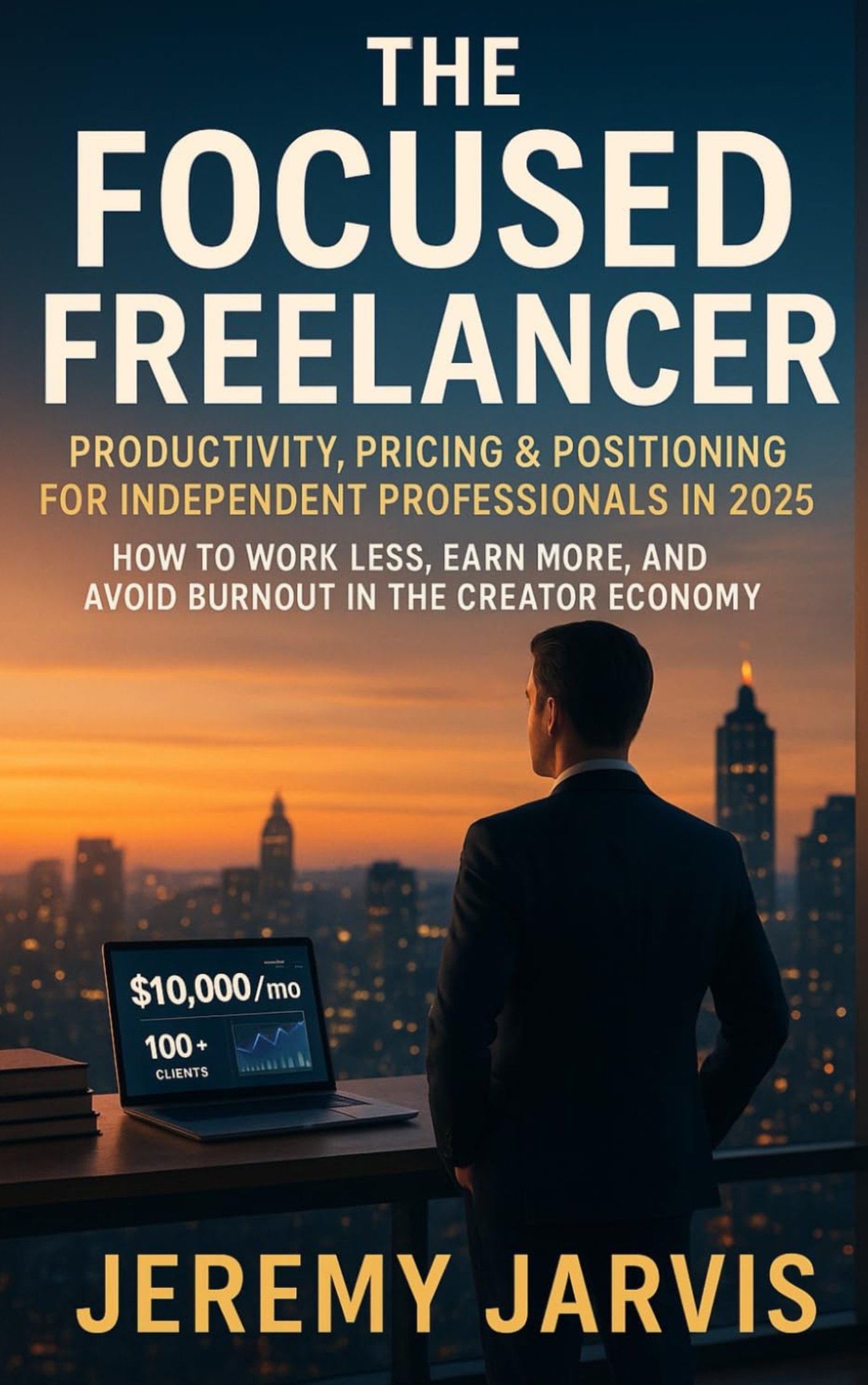
    This isn’t just a personal productivity hack; it’s a real economic shift. Research is already showing a clear line between AI adoption and efficiency gains. For example, a St. Louis Fed analysis found that by August 2024, 44.6% of U.S. firms were already using generative AI. That adoption contributed to a 1.3% jump in labor productivity since late 2022. It’s happening, and it’s working.

    A person works on a laptop at a sunlit desk with a coffee mug and a 'Research - Reply Schedule' notebook, illustrating how to use AI for productivity.
    A focused workspace is key to learning how to use AI for productivity without distraction.
    Three Core AI Productivity Workflows to Start Today

    To get started without the overwhelm, it helps to see where the quickest wins are. Below are three of the most common and impactful ways people are using AI right now to reclaim their time and focus. They require no technical skill, just a willingness to delegate.

    Workflow AreaAI Application ExamplePotential Time Saved Per Week
    Email & Inbox ManagementAsk AI to summarize long email threads or draft a polite β€œno, thank you” response.1-3 hours
    Information SynthesisInstead of reading a 20-page report, ask AI to pull out the key findings and action items.2-4 hours
    Idea OrganizationFeed AI your scattered brainstorming notes and ask it to organize them into a structured outline.1-2 hours

    By starting with these concrete workflows, you begin to build a new habit. You train your brain to spot opportunities for delegation, which frees up your best cognitive resources. It’s not about replacing your intellectβ€”it’s about augmenting it, allowing you to operate at a higher, more strategic level.

    Choosing the Right AI Tools Without the Overwhelm

    The AI tool market is exploding. It’s noisy, chaotic, and it’s easy to feel like you’re already behind if you haven’t signed up for a dozen different apps.

    Here’s the thing: successfully using AI for deep work isn’t about adopting every new tool that hits the market. It’s about being incredibly selective and choosing a few that solve your most annoying, specific problems. Forget the generic top-ten lists and start with a single, clarifying question:

    What is the most repetitive, time-consuming task on my plate right now?

    Your answer points you to your toolkit. Trying to write faster? A large language model like ChatGPT or Claude is your best bet. Need to code more efficiently or manage a complex project? A specialized tool will almost always serve you better. The goal is to build a small, integrated AI stack that actually reduces digital clutter, not adds to it.

    How to Use AI Tools Based on Your Professional Goals

    A marketing manager’s ideal AI setup will look nothing like a software developer’s. This is where intention saves you from chasing the newest shiny object. Instead of collecting tools, map your core responsibilities directly to specific AI capabilities.

    Here’s a practical way to break it down:

    • For Broad Creative & Communication Tasks: General-purpose models like ChatGPT, Claude, and Gemini are fantastic for brainstorming, drafting emails, summarizing long documents, and generating first drafts of content. They’re the Swiss Army knives of the AI world.
    • For Specialized, Technical Work: This is where niche tools shine. A developer using GitHub Copilot for code completion will see massive gains. Likewise, a researcher benefits from an AI research assistant that can synthesize academic papers and complex data sets in minutes.
    • For Automating Routine Processes: Look for single-purpose tools that handle repeatable tasks. This could be an AI transcription service like Otter.ai for your meetings or an AI-powered scheduler that eliminates the back-and-forth of booking calls.

    The money follows the specialists. Menlo Ventures reports that companies poured a massive $37 billion into generative AI this year. Of the $7.3 billion spent on departmental AI, a staggering 55% ($4 billion) went to coding tools alone. This shows a clear trend: focused, task-specific AI is delivering huge returns by helping professionals finish projects much faster.

    Real-World Scenarios for Two Professionals

    Let’s look at how two very different professionals might build their AI productivity systems.

    Scenario 1: The Freelance Content Strategist
    A content strategist’s biggest bottlenecks are usually research, drafting, and editing. Their toolkit is all about streamlining that workflow.

    • ChatGPT-4 or Claude 3: The powerhouse for brainstorming topics, creating detailed outlines, and generating first drafts.
    • GrammarlyGO: Essential for refining tone, catching grammatical errors, and making sure the final copy is polished and professional.
    • A Niche SEO Tool with AI: Used to analyze keyword density, suggest related topics, and optimize content for search engines.

    Scenario 2: The Startup Founder
    A founder is a professional jugglerβ€”handling sales, project management, and investor relations all at once. Their AI stack is built for efficiency and clear communication.

    • An AI Meeting Assistant (like Otter.ai): Automatically transcribes calls, identifies action items, and creates summaries to share with the team. No more β€œwho was supposed to do what?”
    • A CRM with AI Features: Drafts follow-up emails, scores leads, and helps predict which deals are most likely to close.
    • Notion AI: The perfect co-pilot for organizing meeting notes, managing project roadmaps, and instantly turning messy brainstorms into structured, actionable documents.

    In both cases, the tools are chosen to solve a direct business need. This focused approach prevents tool fatigue and ensures you’re getting a real return on your investment of time and money. If you’re looking for a curated list of tools we’ve personally tested, check out our guide on the best AI tools for productivity.

    A Quick Note on Privacy: Always check a tool’s data privacy policy before uploading sensitive information. Reputable services, especially the paid tiers, will explicitly state that your data is not used to train their models. Never paste confidential client information or personal data into a free, public AI tool.

    Mastering the Art of the AI Prompt for Maximum Output

    Getting great results from an AI is all about how you ask. A vague request leads to a generic, unhelpful answer. But a clear, well-structured prompt can turn an AI tool from a simple chatbot into a powerful collaborator, saving you hours of work.

    Think of it like giving directions. β€œTake me downtown” is useless. β€œTake me to the coffee shop at 123 Main Street, avoiding the highway because it’s rush hour” gets you exactly where you need to go. The same principle applies to AI. A crucial step in mastering AI for maximum output involves understanding how to write prompts effectively.

    Close-up of hands typing on a laptop with sticky notes detailing 'Persona, Context, Task, Constraints' to illustrate how to use AI for productivity.
    Effective prompting is a core skill for anyone wanting to learn how to use AI for productivity.

    A Powerful Framework for Perfect AI Prompts

    A simple yet effective way to structure your requests is the PCTC framework. It ensures you give the AI all the information it needs to deliver high-quality, relevant results on the first try.

    • Persona: Tell the AI who to be. β€œAct as a seasoned project manager” will produce a very different output than β€œAct as a friendly customer support agent.” Giving the AI a role provides it with an implicit understanding of the tone, style, and expertise required.
    • Context: Give it the background information. Who is the audience? What is the goal of this task? What information is essential for it to know? The more relevant context you provide, the better the result.
    • Task: State the action you want it to perform. Be explicit. Use action verbs like β€œsummarize,” β€œdraft,” β€œbrainstorm,” β€œtranslate,” or β€œrephrase.”
    • Constraints: Set the boundaries. Define the desired length (β€œin under 200 words”), format (β€œas a bulleted list”), or tone (β€œformal and professional”). This prevents the AI from giving you something unusable.

    Let’s see this in action. A vague request might be: β€œwrite an email about our update.” The AI has no idea what to do with that.

    Now, let’s use the PCTC framework to improve it:

    Before: β€œWrite an email about our update.”

    After: β€œAct as a product manager for a SaaS app. [Persona] Write an email to our paying customers announcing a new feature called β€˜Project Dashboards.’ [Context] The task is to clearly explain the feature’s three main benefits (time savings, better visibility, team collaboration) and encourage them to try it. [Task] Keep the email under 250 words and use a friendly but professional tone. Include a clear call-to-action button at the end. [Constraints]β€œ

    This detailed prompt transforms the AI from a guesser into a strategic partner. It knows its role, its audience, its goal, and its boundaries.

    Iterative Prompting: The Skill of Refining

    You won’t always get the perfect response on your first attempt, and that’s perfectly fine. The real skill in using AI for productivity is iterative promptingβ€”the art of refining your requests based on the AI’s output.

    Think of it as a conversation. The AI gives you a draft, and you provide feedback to steer it closer to your desired outcome. This is where you can truly tailor the output, especially for creative work. If you’re a writer, this process is invaluable; our guide on using https://mindclarityhub.com/chatgpt-for-writers-and-creators/ explores this technique in more detail.

    Mini-Scenario: A Student Outlining a Paper
    A student asks an AI to β€œoutline a term paper on the Roman Empire.” The result is generic and covers thousands of years.

    • Refinement 1: β€œRefine the outline to focus only on the economic factors leading to the fall of the Western Roman Empire.”
    • Refinement 2: β€œNow, add three key academic sources for each section of that new outline.”
    • Refinement 3: β€œExcellent. Reformat the entire outline as a table with columns for β€˜Topic,’ β€˜Key Points,’ and β€˜Supporting Evidence.’”

    By iterating, the student guides the AI from a vague starting point to a highly specific and useful research plan, accomplishing in minutes what might have taken hours of manual organization.

    How to Use AI for Productivity Without Losing Focus

    An AI tool can be your greatest productivity asset or your most tempting distraction. The difference isn’t in the technologyβ€”it’s in how you weave it into your day. Without structure, AI use invites a constant stream of novelty and task-switching that hijacks your brain’s reward system and leaves your attention in pieces.

    From a neuroscience perspective, every time you jump from one task to anotherβ€”like from writing a report to asking an AI a β€œquick question”—your brain pays a steep price. This is called context switching, and research shows it drains your prefrontal cortex, the part of the brain responsible for executive functions like focus and decision-making. The secret is to build a workflow that fiercely protects your attention.

    The Power of Batching AI Tasks

    Instead of letting AI pull you in a dozen different directions all day, try dedicating specific, scheduled blocks of time for all your AI-assisted work. This method, known as task batching, is incredibly effective because it groups similar activities together, letting your brain stay in one β€œmode” for a sustained period.

    Mini-Scenario: An β€œAI Power Hour”
    A project manager schedules an β€œAI Power Hour” from 9 AM to 10 AM every day. During this focused block, they knock out all their AI-related tasks at once:

    • Summarize the notes from their morning meetings.
    • Draft all their social media posts for the week.
    • Brainstorm outlines for three upcoming blog articles.
    • Clear out their inbox by drafting replies to non-urgent emails.

    Once that time is up, they close the AI tools. Completely. They then shift into a period of truly uninterrupted deep work, whether that’s writing, coding, or strategic planning. This creates a powerful boundary that shuts down the reactive, dopamine-fueled impulse to β€œjust ask the AI” whenever a small thought pops up. It’s a practical way to manage your attention and learn how to be present even when you’re using powerful digital tools.

    AI Task Batching vs. Traditional Multitasking

    The difference between a structured AI routine and scattered, reactive use is stark. One preserves your cognitive energy for what matters most, while the other bleeds it dry on shallow, fragmented work.

    ApproachCognitive Impact (Neuroscience)Productivity OutcomeExample Routine
    AI Task BatchingReduces context switching, conserving prefrontal cortex resources needed for focus and decision-making.Higher quality output on deep work tasks; less mental fatigue at the end of the day.9-10 AM: AI Power Hour (emails, summaries, outlines). 10 AM-12 PM: Uninterrupted creative work.
    Traditional MultitaskingConstantly forces the brain to reorient, increasing cognitive load and stress hormone release.Higher error rates, superficial work, and a feeling of being busy but not productive.Answering emails while writing a report and sporadically asking an AI for facts.

    By treating AI as a specialized tool to be used with intentionβ€”not as a constant companionβ€”you stay in control of your focus. This simple shift ensures you are the one directing your attention, not the endless possibilities of the technology.

    Advanced AI Strategies to Automate and Scale Your Work

    Once you’ve gotten the hang of writing good prompts, the real fun begins. This is where you graduate from one-off AI tasks to building automated systems that work for you in the background. It’s the difference between using a calculator and building a financial modelβ€”one solves a problem now, the other solves it forever.

    This next level involves connecting your favorite AI model to the other apps you live in every day. Using no-code platforms like Zapier or Make, you can build some seriously powerful workflows that link your calendar, email, and project management tools directly to an AI. This is strategic delegation, letting you multiply your impact without multiplying your hours.

    Building Your First Automated AI Workflow

    The idea is surprisingly simple: you set a β€œtrigger” in one app that kicks off a series of β€œactions” in others. The AI just acts as the smart bridge in the middle.

    Mini-Scenario: Automating Meeting Follow-ups
    A small business owner or team lead could set this up in an afternoon:

    • The Trigger: A new meeting with a client is saved in your Zoom cloud recordings.
    • The First Action: The recording is automatically sent over to an AI transcription service.
    • The AI Bridge: That transcript is then fed to an LLM (like ChatGPT or Claude) with a very specific prompt: β€œSummarize the key decisions and list all action items from this meeting transcript, with names.”
    • The Final Actions: The AI-generated summary gets posted into a specific Slack channel, and each action item is created as a new task in Asana, neatly assigned to the right person.

    Once you set this up, the entire sequence just runs. No manual effort needed. It turns a boring, multi-step admin headache into a background task that never drops the ball. For anyone looking to build out similar systems, our guide on how to startup smarter with AI digs into more workflows designed for entrepreneurs.

    Introducing AI Agents for More Complex Tasks

    Beyond these straightforward automations, we’re starting to see the rise of AI agents. Think of these as more autonomous systems built to handle multi-step goals with way less hand-holding. While a simple automation follows a fixed, pre-set path, you can give an agent a goal and it will figure out the steps to get there.

    A content creator, for instance, could use an AI agent to handle their entire social media pipeline. They could give it a high-level goal like, β€œCreate and schedule three Instagram posts this week based on my latest blog article.”

    The agent would then get to work:

    • Read and actually understand the blog post.
    • Pull out three distinct, shareable ideas.
    • Write compelling captions and find relevant hashtags for each one.
    • Generate simple, on-brand images to go with the posts.
    • Log into a social media tool and schedule them for the best times.

    This is what a mindful AI workflow looks likeβ€”you batch your strategic thinking and let an autonomous system handle the grunt work of execution.

    A diagram illustrating a mindful approach for how to use AI for productivity, showing a transition from batch processing to focused AI application.

    Caption: A visual representation of a mindful workflow to use AI for productivity.
    Image Description: A simple flowchart diagram shows a process starting with β€˜Raw Inputs (Meetings, Notes, Emails)’ flowing into an β€˜AI Batch Processing’ box, which then splits into two outputs: β€˜Structured Summaries & Tasks’ and β€˜Focused Deep Work Time,’ illustrating a system for using AI to improve productivity.

    This kind of process lets you delegate a whole chunk of related tasks to an AI, which then processes them in the background, freeing you up to stay focused on work that actually requires your full attention.

    The momentum here is just undeniable, and it signals a massive shift in how work gets done. Bloomberg is forecasting the generative AI market will hit $1.3 trillion by 2032. And to underscore that, a recent report found that 57% of companies valued over $1 billion are now AI-powered, which tells you exactly where investors are placing their bets on the future of productivity.

    Editor’s Take: What Really Works for AI Productivity

    Let’s cut through the hype. AI is a powerful tool, but it isn’t a magic wand. After countless hours testing AI productivity workflows, here’s what actually moves the needle in the real world.

    First, start small and be specific. The people who get real results with AI don’t try to automate their entire life in a single weekend. They find one tedious, soul-crushing taskβ€”like summarizing a dense report or transcribing meeting notesβ€”and they master it. This approach gives you an immediate, tangible win. That small victory builds momentum and gives you the confidence to tackle the next thing.

    Second, think of AI as a collaborator, not a replacement for your brain. It’s brilliant at generating a first draft, brainstorming a dozen different angles, or synthesizing a mountain of data. But you still have to bring your critical thinking, your domain expertise, and your unique voice to the final product. The AI gives you the raw clay; you provide the artistry and insight.

    Who This Advice Is Best For

    This guidance is for busy knowledge workersβ€”professionals, entrepreneurs, and freelancersβ€”who are generally comfortable with tech but feel buried under routine administrative or creative busywork. It’s for anyone who wants to claw back their time for deep, meaningful work.

    However, this isn’t for someone looking for a completely hands-off, β€œset it and forget it” button. Using AI for productivity is an active, interactive process, not a passive one. You have to steer it. The timeless principle holds: garbage in, garbage out. The quality of an AI’s output is directly tied to the clarity of your input. A well-crafted prompt is the single most important factor for getting something useful back.

    Ultimately, what works is a mindful, intentional approach. Choose your tools to solve specific problems, not just because they’re trending. Learn to communicate your needs clearly with effective prompts, and slot AI into a workflow that protects your focus. That’s how you actually get more done without just adding more digital noise to your life.


    Disclaimer: The information in this article is for educational purposes only and is not a substitute for professional medical or psychological advice, diagnosis, or treatment. We may earn a commission from affiliate links at no extra cost to you. Always seek the advice of a qualified health provider with any questions regarding a medical condition.

    FAQ: How to Use AI for Productivity

    Here are a few of the most common questions people ask when they start exploring how to use AI for productivity. My goal is to give you clear, direct answers to help you build a workflow that feels effective and intentional.

    Is using AI for productivity just another distraction?

    AI can absolutely make you more productive, but here’s the catch: its value depends entirely on how you use it. If you treat it like a shiny new toy without a clear purpose, it will become just another digital distraction, encouraging shallow, fragmented work. The key is to see it as a specialized tool for a specific job. The people who get the most out of AI integrate it into a structured workflow, like setting aside a dedicated β€œAI admin block” to offload tasks. With clear boundaries, AI becomes a powerful lever for productivity.

    What’s the easiest way for a total beginner to get started with AI for productivity?

    The simplest and most effective way to start is to tackle one low-stakes, repetitive task that gives you an immediate return on your time. A perfect example is summarization. Find a long article, a dense report, or a lengthy email chain. Feed it to a tool like ChatGPT or Claude with a simple prompt: β€œSummarize the key points of this text in five bullet points.” This single action delivers a tangible win in minutes, helping you build confidence. Start small, get a quick win, and build from there.

    How safe is my data when I’m using these public AI tools for productivity?

    This is a critical question. The safety of your information depends entirely on the tool and your subscription level. Major services like ChatGPT and Claude offer paid business or enterprise plans with stronger privacy features, often guaranteeing your data will not be used to train their models. For any sensitive information, use a paid, secure account and always read the privacy policy. Crucial Takeaway: Never paste confidential company data or personally identifiable information (PII) into the free, public versions of AI tools.

    Do I need to learn to code to use AI for productivity?

    Absolutely not. While coding is essential for building custom AI models, the vast majority of today’s productivity gains come from user-friendly, no-code applications. Tools like ChatGPT, Claude, and Gemini are designed to work with natural language. This means the most important skill isn’t coding; it’s promptingβ€”the art of giving the AI clear, specific, and context-rich instructions.


    At Mind Clarity Hub, we focus on providing science-based, practical guides to help you master your focus and build sustainable productivity habits in a demanding world. Explore our library of books and resources to find the clarity you need.

    Explore the Mind Clarity Hub Library

    Practical books on focus, digital habits, resilience, and building a calmer mind.

    The Power of Clarity β€” book cover

    The Power of Clarity

    Unlock mental focus, build momentum, and create the life you were meant to live.

    View book β†’
    AI & ChatGPT for Beginners β€” book cover

    AI & ChatGPT for Beginners

    No PhD needed β€” a 2025 guide to AI, prompts, and productivity without coding.

    View book β†’
    Zen in the Digital Jungle β€” book cover

    Zen in the Digital Jungle

    Mindfulness for a chaotic world.

    View book β†’
    The Slow Reset β€” book cover

    The Slow Reset

    Mindful living in a fast-paced world.

    View book β†’
    Perfectly Imperfect β€” book cover

    Perfectly Imperfect

    Stop self-criticism, set boundaries, and embrace the real you.

    View book β†’
    Reclaiming Silence β€” book cover

    Reclaiming Silence

    A dopamine detox guide to finding peace in a noisy world.

    View book β†’
    The Focused Freelancer β€” book cover

    The Focused Freelancer

    Productivity, pricing & positioning for independents in 2025.

    View book β†’
    ChatGPT Side Hustle System β€” book cover

    ChatGPT Side Hustle System

    Launch your AI-driven online business in 30 days.

    View book β†’
    Burnout, Interrupted β€” book cover

    Burnout, Interrupted

    A proven path to restore energy and reclaim your life.

    View book β†’
    Attention Unleashed β€” book cover

    Attention Unleashed

    Focus strategies for the distracted mind.

    View book β†’
    Side Hustle Launchpad β€” book cover

    Side Hustle Launchpad

    Your quick-start guide to extra income.

    View book β†’
    Digital Clarity β€” book cover

    Digital Clarity

    Rewire your brain, escape dopamine traps & regain focus.

    View book β†’
    Break the Scroll β€” book cover

    Break the Scroll

    Reduce screen time and take back control of your life.

    View book β†’
    Climate Compassion β€” book cover

    Climate Compassion

    Transform eco-anxiety into empowered action.

    View book β†’
    Village Mentality β€” book cover

    Village Mentality

    The power of community for mental wellness.

    View book β†’
    Restful Nights β€” book cover

    Restful Nights

    Overcoming sleep anxiety in a 24/7 world.

    View book β†’
    Connected Again β€” book cover

    Connected Again

    Combat loneliness and build meaningful relationships.

    View book β†’
    Focus Recharged β€” book cover

    Focus Recharged

    Mastering attention and productivity in the digital era.

    View book β†’
    Marketing Magic with ChatGPT β€” book cover

    Marketing Magic with ChatGPT

    AI-powered content, campaigns, and copywriting to grow faster.

    View book β†’
    The 6-Figure Creator β€” book cover

    The 6-Figure Creator

    Turn knowledge into passive income with books, courses & AI.

    View book β†’
    Burnout Breakthrough β€” book cover

    Burnout Breakthrough

    Reset your work-life balance and thrive in 2025.

    View book β†’
    The Emotionally Intelligent Man β€” book cover

    The Emotionally Intelligent Man

    A modern guide to self-awareness and communication.

    View book β†’
    AI Personalized Wellness β€” book cover

    AI Personalized Wellness

    Create your custom health plan with data-driven habits.

    View book β†’
    Everyday AI Made Easy β€” book cover

    Everyday AI Made Easy

    Use ChatGPT and smart tools to simplify life.

    View book β†’
    Money Mindfulness β€” book cover

    Money Mindfulness

    A financial wellness guide for Gen Z & Millennials.

    View book β†’
    Startup Smarter with AI β€” book cover

    Startup Smarter with AI

    ChatGPT strategies and tools to grow your business.

    View book β†’
    ChatGPT for Writers & Creators β€” book cover

    ChatGPT for Writers & Creators

    Unlock AI-powered brainstorming, drafting & editing.

    View book β†’
    Free download: 7-Day Mind Clarity Reset preview

    Free download: 7-Day Mind Clarity Reset

    A short daily reset you can actually stick with (no fluff).

    Helpful resources for your next step

    Affiliate disclosure: As an Amazon Associate, Mind Clarity Hub may earn from qualifying purchases at no extra cost to you. Use this link only if it genuinely helps your planning.

    If How to Use AI for Productivity: A Guide to Deep Work is a routine you want to keep using, a simple workbook, planner, or desk tool can make the steps easier to repeat.

    Compare related planners, workbooks, and organization tools on Amazon.