If you want a calmer way to build routines, this guide is for you. It collects simple habit tracker ideas that feel light, flexible, and easy to start today. You will find tiny formats, practical prompts, and quick weekly reviews you can keep up on busy days.
However, the goal is not perfect streaks. Instead, it is a steady loop: choose one small habit, track it with a low‑friction tool, and adjust each week. Because small wins lift motivation, you will see progress without the pressure.
So let’s keep things simple. You will pick one tiny action, make one fast mark, and learn from one short review. With that rhythm, your attention stays on the behavior that matters most.
Key takeaways: simple habit tracker ideas
Start tiny. Tie a two‑minute habit to a daily anchor (for example, after coffee, stand up and stretch).
Use the least complex tracker that you will actually open. Paper, a single emoji in Notes, or one checkbox in an app are all enough.
Review weekly. Keep a light check‑in: what worked, what felt heavy, and one adjustment.
Protect your energy. Lower the bar on hard days and keep your identity as a person who shows up.
Prefer visible cues. Place the tracker at the point of performance so the next step is obvious.
Count half‑wins. If you do half your plan, mark it and move on; this keeps momentum without perfection pressure.
Why some habit trackers feel overwhelming (and how simple habit tracker ideas fix it)
Often, it is not the habit. It is the friction around tracking. For example, long spreads, too many colors, or a dozen daily metrics add overhead. In addition, strict streaks create all‑or‑nothing thinking. Therefore, we want small actions, single‑tap or single‑mark logging, and weekly resets rather than rigid streak goals.
Too many steps: if logging takes more than 10 seconds, it competes with the habit.
Invisible tools: hidden notebooks or buried apps do not cue action.
Fragile rules: one miss collapses a streak mindset, even when progress is fine.
Crowded goals: tracking five habits at once dilutes attention and energy.
Evidence helps set expectations. A classic study on habit formation found it can take about 66 days on average to feel automatic, with a wide range of 18 to 254 days. The path is not linear, and missing days does not reset progress. See the European Journal of Social Psychology and UCL’s summary for context: UCL: How long does it take to form a habit? and the original paper reference via Wiley: Lally et al., 2009/2010.
In short, simplify the log, lower the bar, and allow variability. That is how simple habit tracker ideas turn effort into a doable routine.
How to choose simple habit trackers that you’ll use
Use the “smallest useful thing.” Choose the format that removes the most steps between you and one quick mark. For some, that is a sticky note with boxes. For others, it is a single checkbox widget on the phone’s home screen. Also, shape your action with an if‑then plan, known as an implementation intention: “After I [anchor], I will [tiny behavior].” See the Tiny Habits Toolkit (PDF) and APA: Implementation intention for a quick primer.
If you touch it daily, it can hold your log (fridge, kettle, desk, watch, phone home screen).
One habit first. Add a second only after two calm weeks with the first.
Make the mark obvious: a single box, a tick, an emoji, or an X.
Pick the one you will open without thinking. Paper sits in your environment and provides a tactile cue. Digital can reduce clutter and add reminders. Hybrid uses a tiny paper mark for the day and a weekly digital note for reflection.
Quick comparison of tracking formats
Format
Best for
Friction level
Notes
Paper (card, sticky)
Visible cues, hands‑on people
Very low
Keep pen next to the habit location
Notebook row
One‑page weekly view
Low
Draw dots once; fill quickly each day
Phone widget
On‑the‑go, single tap
Low
One recurring checkbox only
Wearable reminder
Gentle nudges
Low
Use a single daily alert; avoid stacks
Spreadsheet
Monthly trends
Medium
Use keyboard shortcuts; one sheet per habit
Hybrid (paper + digital)
Daily speed + weekly reflection
Low
Make a tiny mark on paper, write one line in a weekly note
Therefore, choose a starter format today and revise later. The tool should bend to you, not the other way around. This is how you keep using your simple habit tracker ideas when life gets busy.
Which simple habit tracker ideas fit different goals?
Match the format to the behavior and its context. Because context drives action, put the tracker where the habit lives.
Water or meds: Keep a sticky‑note boxes tracker on the fridge or cabinet door.
Stretching: Use an index card and pen by your mat; add one tally after 60 seconds.
Reading: Place a dot grid row inside your book cover; fill one dot per 5 minutes.
Sleep: Track two paired items (wind‑down start and lights off) on a bedside card.
Deep work: Tap one checkbox on a phone widget after your first 25‑minute block.
Language or practice reps: Add one emoji per session to a Notes line; keep the bar at 2 minutes.
Food prep: Place a single box list on the fridge; mark once when you chop or prep for tomorrow.
Finances: Keep a weekly “opened my budget app” tick to build the check‑in habit before analysis.
Low‑friction tracking loop
Pick tiny habit (2 minutes)
Place tracker where you act
Review weekly, adjust 1 thing
Tip: Tie your habit to a clear anchor (“After I make coffee, I stretch for 60 seconds”).
Write tiny habits that match simple habit tracker ideas
Use if‑then wording and keep it small. For example: “After I start the shower, I will do 10 seconds of deep breathing.” Then, log one small mark. This approach is supported by research on implementation intentions and tiny habits. See Tiny Habits Toolkit and APA Dictionary.
After I pour coffee, I will stretch for 60 seconds. Mark one box on the sticky.
After I open my laptop, I will type one sentence. Tap the checkbox widget.
After brushing teeth, I will fill my water bottle. Place a dot sticker on the planner.
ADHD‑friendly tweaks for easy habit tracker ideas
These adjustments can help you keep showing up with your simple habit tracker ideas even when focus or energy shifts.
One place, one pen: Store the tracker and pen where the habit happens. Fewer steps, more checks.
Use loud cues: Pair a tracker with a sound, timer, or visual pop (bright sticky note).
Make the first step physical: Put the book on your pillow or the water bottle on your desk.
Allow a half‑win: Count 50% as a win on tough days. Protect identity, not perfection.
Keep one daily focus: Track one habit for two weeks, then add another if the first feels automatic.
Reset rules weekly: Let every Monday be a fresh start; this reduces all‑or‑nothing spirals.
Simplify visuals: Use one color and one mark so your brain does not stall on choices.
Size your habit to fit minimal habit tracker ideas
Start below your ambition. Because confidence grows from success, begin with a version you can do on a bad day. Use this quick calibrator to shrink goals to two minutes.
Two‑minute habit calibrator
Ambitious habit
Two‑minute version
Where to place tracker
Run 5K daily
Put on shoes and step outside
Index card by shoes
Read 30 minutes
Open book and read one page
Dot row inside cover
Meditate 15 minutes
Three breaths after sitting
Sticky note on chair
Write 1,000 words
Open doc and type one sentence
Phone checkbox widget
Drink 8 glasses
Fill bottle after breakfast
Fridge sticky boxes
Inbox zero
Open email and archive one non‑critical message
Desk card under keyboard
Daily sketch
Draw one line or shape
Notebook on coffee table
How often to log and review simple habit tracker ideas
Log daily with one mark and review once per week. A light weekly check‑in turns data into small adjustments. Research on self‑monitoring shows that tracking itself supports behavior change when it stays simple. See this review of self‑monitoring and behavior change: Self‑monitoring and health behavior change (PMC).
During the review, look for friction and remove one step. Because progress compounds, a tiny change each week is enough to keep moving.
Five‑minute weekly review
Prompt
Example
What worked?
Phone checkbox kept me consistent before work
What felt heavy?
Evening reminder was too late
One change
Move reminder to 5 minutes after lunch
Keep tiny
Stick to one page read per day
Celebrate
5/7 days done; still a win
Re‑anchor
Attach habit to “after coffee” instead of late evening
As a result, a five‑minute review keeps your loop alive and supports your simple habit trackers without adding load.
Common mistakes that sabotage simple habit tracker ideas
Too many metrics: Track one thing first. Add a second only after two calm weeks.
Perfection pressure: Replace streak goals with weekly counts (for example, 4 of 7).
Hidden trackers: Make them visible at the point of performance.
Big first steps: Shrink to the two‑minute version. Consistency beats volume early.
Tool hopping: Keep the current tool for a full week, then review.
Late‑night logging: If you forget, move the mark to earlier in the day or attach it to a fixed anchor.
Instead of chasing motivation, reduce steps and make a single clear mark. That is how you keep momentum with easy habit tracker ideas.
Simple habit tracker ideas: examples you can copy this week
Pick one from each row and start today.
Starter menu
Anchor
Tiny behavior
Tracker
After brewing coffee
Stretch 60 seconds
Sticky‑note boxes on machine
After opening your laptop
Type one sentence
Phone widget checkbox
After brushing teeth
Fill water bottle
Fridge sticky boxes
After lunch
Walk 2 minutes
Index card tally by door
Before bed
Read one page
Dot row inside book cover
After dinner
Prep tomorrow’s outfit
Wall calendar X
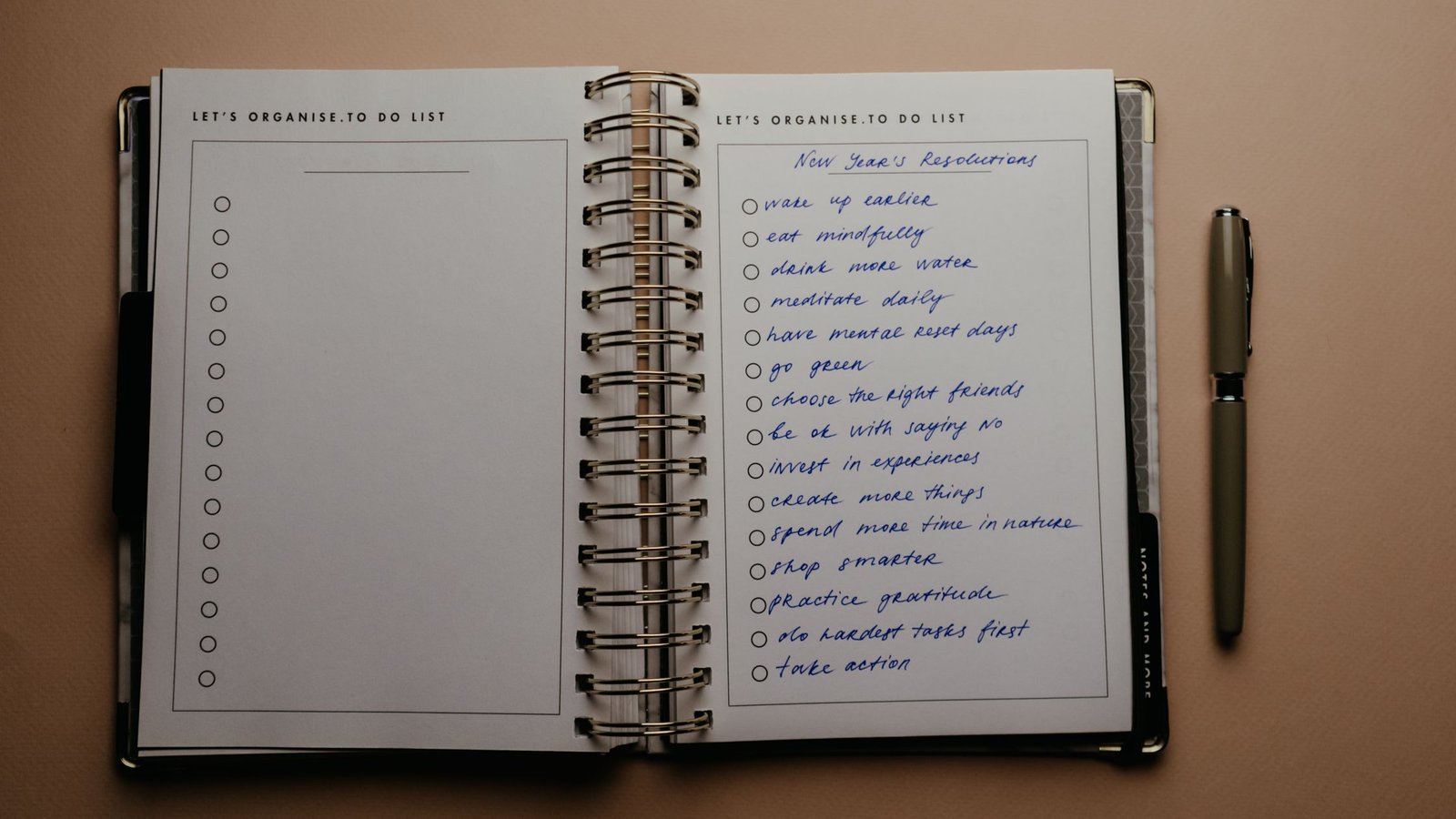
Keep the format tiny: one line, one mark. Photo by Kawê Rodrigues via Pexels.
Source: Kawê Rodrigues on Pexels. Used under the Pexels License.
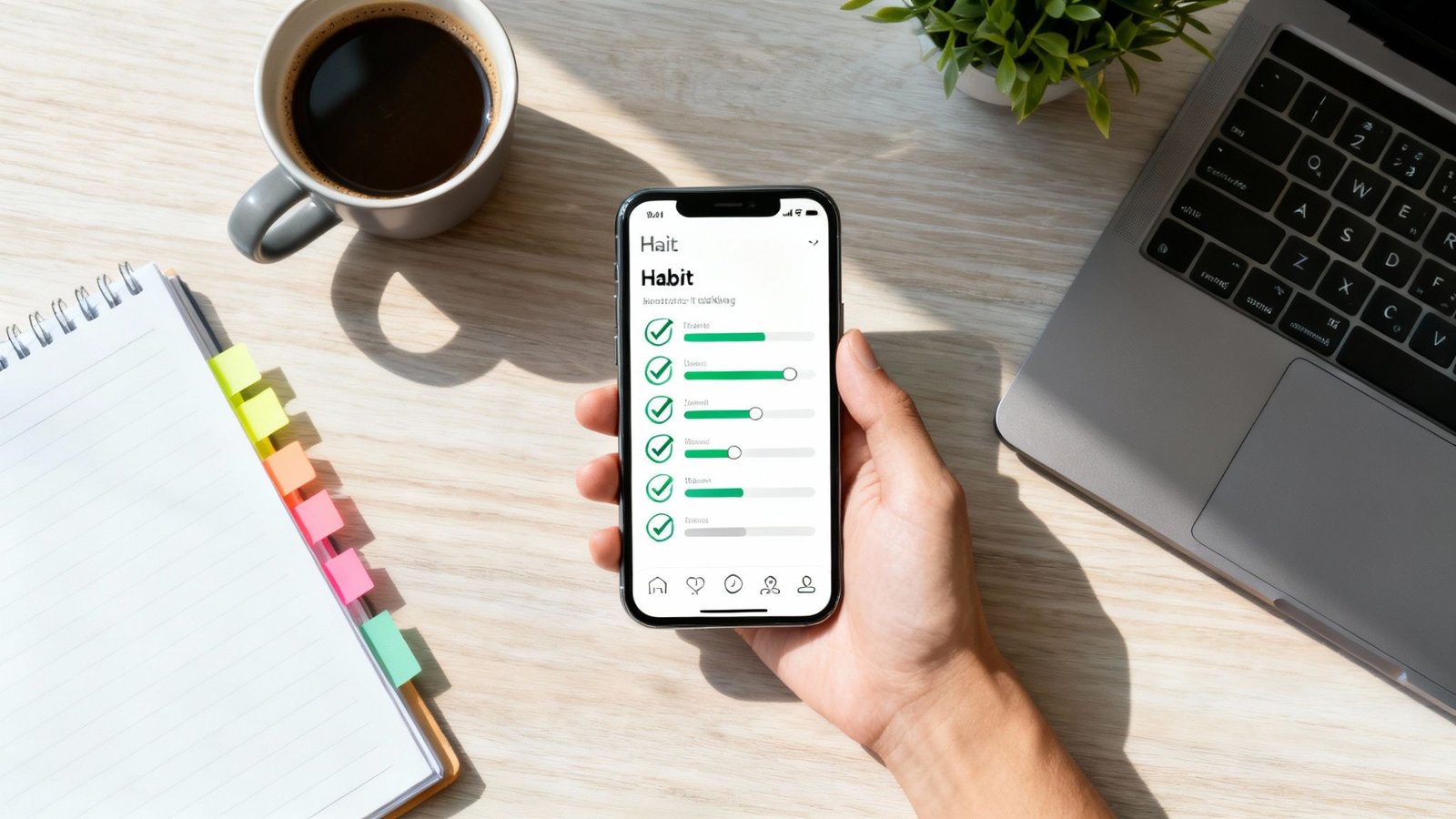
Small marks beat big plans on busy days. Photo by Cottonbro Studio via Pexels.
Source: Cottonbro Studio on Pexels. Used under the Pexels License.
Where to place simple habit trackers for follow‑through
Place it at the point of performance. If you want to stretch, keep the tracker and pen by the mat. If you want to read, tuck a dot row inside the book cover. Because visibility drives action, location choices often matter more than which tool you pick.
Kitchen: fridge, coffee maker, or a cabinet you open every morning.
Desk: under keyboard, monitor edge, or a sticky on the laptop lid.
Bedroom: bedside table card, lamp base, or book jacket.
Phone/watch: home screen widget or single recurring alert.
How to use reminders without creating noise
Use one reminder per habit. Also, set it for when you can act within two minutes.
Pair with a visible tracker in the same spot (for example, fridge note plus phone ping).
Silence the reminder after you mark it done. Avoid stacking multiple alerts.
Shift time instead of adding more alerts if you miss it two days in a row.
Use labels like “two‑minute stretch now” so the next step is clear.
Lightweight reflection prompts
What made today’s check easy?
Where did I get blocked for two minutes?
Which one change will remove that block tomorrow?
Name one small win I can note right now.
Write your answers in the same place as your tracker. Because the context is the same, you will actually review it.
Minimal setup beats complex spreads for daily marks. Photo by RDNE Stock project via Pexels.
Source: RDNE Stock project on Pexels. Used under the Pexels License.
Optional printables and books
You can stay 100% free with cards and notes. However, some readers like structured pages or bound planners for routine building. If that is you, explore our short list below.
Affiliate disclosure: Some links in this guide may be affiliate links. If you buy through them, Mind Clarity Hub may earn a commission at no extra cost to you.
Mind Clarity Hub is a participant in the Amazon Services LLC Associates Program.
Prefer a bound tracker? Consider a simple weekly layout notebook with checkboxes and notes. For a plain, flexible option: A minimal habit tracker notebook. Use it with the two‑minute rule and your simple habit tracker ideas.
FAQs about simple habit tracker ideas
What are the best simple habit tracker ideas for beginners?
Start with sticky‑note boxes, an index card tally, or a single phone checkbox widget. These easy habit tracker ideas take seconds to set up and seconds to log, which keeps you consistent.
If I miss a day or two, what should I do?
Nothing breaks. Habits form over weeks, not single days. Return to your tiny version and make one small change (time, location, or cue). A classic study found wide ranges for habit automaticity, so flexibility is normal. Shrink the behavior and move the anchor if needed.
Should I track multiple habits at once?
Begin with one. After two steady weeks, add a second if the first feels automatic. This reduces cognitive load and preserves attention for action. If you add a second, keep the marks identical to stay simple.
How do I avoid perfection pressure?
Use weekly counts (for example, 4 of 7) and celebrate half‑wins on tough days. Also, keep the track mark tiny so it does not become its own project. If a streak helps you, make a range goal (e.g., 4–6 days) rather than 7/7.
Which weekly review routine works best?
Spend five minutes: what worked, what felt heavy, one adjustment, and one small celebration. Keep notes on the same card or a single phone note. Then, reset the week and start fresh on Monday.
Next steps: keep your simple habit tracker ideas going
Choose one format from this page, tie it to a daily anchor, and make a mark today. Then, do a five‑minute review at the end of the week. If you want book‑length guidance and printable pages, see our books hub. With a tiny start, you can keep your simple habit tracker ideas working through real life.
Top Picks: Best Habit Tracking Apps for Daily Routines
Establishing new habits can feel like an uphill battle. Whether you’re a professional aiming for deep work, a student managing deadlines, or anyone trying to recover from digital burnout, the initial motivation often fades. This is where the best habit tracking apps become powerful allies, not just for accountability, but for how they interact with your brain’s reward system.
Behavioral psychology research shows that small, consistent wins create positive feedback loops in the brain. When you check off a task, your brain releases a small amount of dopamine, a neurotransmitter linked to motivation and reward. This reinforces the behavior, making you more likely to repeat it. A well-designed app visualizes this progress, turning abstract goals into tangible streaks and data points that build momentum. For example, seeing a 10-day streak for “morning walk” provides the immediate, structured feedback our brains crave, which is often missing when we rely on willpower alone.
Disclosure:This article contains affiliate links. If you make a purchase through these links, we may earn a small commission at no extra cost to you. This helps support our work in creating valuable content.
How to Choose the Best Habit Tracking Apps for Your Goals, Routine, and Motivation Style
This comprehensive guide moves beyond generic feature lists to help you find the right tool for your specific needs. We’ve analyzed the top apps, focusing on their suitability for different user types, from busy entrepreneurs to those seeking a healthier screen-time balance. Understanding how these tools fit into the broader landscape of the latest digital habit trends can provide valuable perspective as you choose your system.
Inside, you’ll find detailed breakdowns of each app, including:
Honest pros and cons based on real-world use.
Practical implementation tips and onboarding templates.
Screenshots, pricing details, and direct links to download.
Our goal is to equip you with a system that sticks, helping you build focus and achieve your goals one day at a time.
This article is for educational purposes only and is not a substitute for professional medical or psychological advice, diagnosis, or treatment. If you are experiencing challenges with anxiety, depression, ADHD, burnout, or sleep, please consult a qualified healthcare provider.
1. Apple App Store: Discovering the Best Habit Tracking Apps on iOS
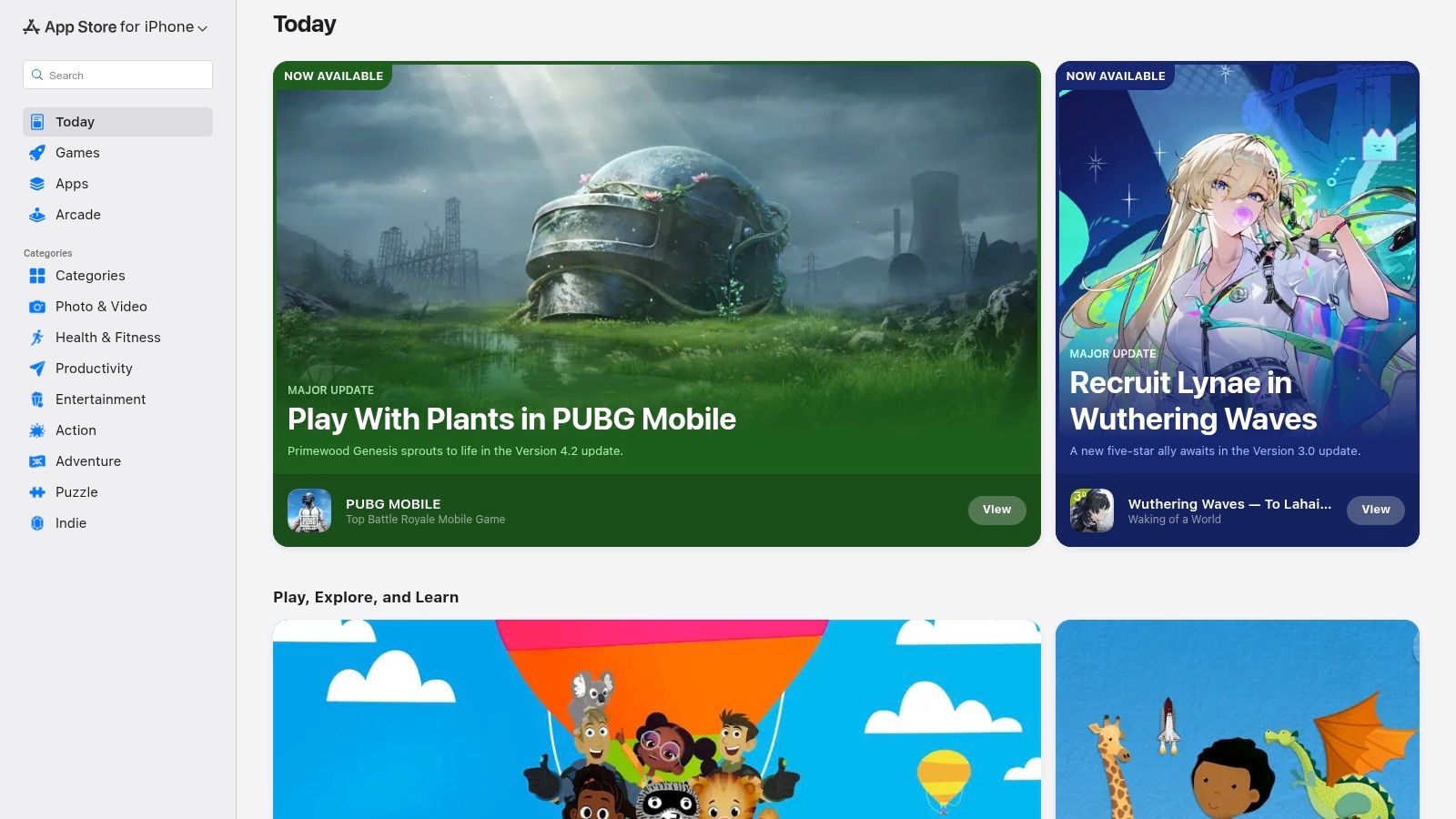
For anyone integrated into the Apple ecosystem, the App Store is the essential first stop for finding the best habit tracking apps. It’s not a single app, but rather the primary, secure marketplace for discovering, purchasing, and managing a vast library of tools designed for iOS, iPadOS, macOS, and watchOS. This centralized hub provides a trusted environment to explore top-tier options like Streaks, Habitify, and Strides.
The platform excels in user trust and convenience. Every transaction is handled through your Apple ID, streamlining subscriptions, one-time purchases, and even refund requests. This unified system eliminates the need to manage separate billing details for each app you try.
Key Features and User Experience
Apple’s App Store stands out for its curation and robust user-feedback systems. Editorial spotlights and curated collections often highlight innovative or effective habit trackers, helping you discover apps you might otherwise miss.
Practical Tips for Effective Use:
Utilize App Privacy Labels: Before downloading, check the “App Privacy” section on any app’s page. This transparent report details what data the app collects, helping you make informed decisions aligned with your personal privacy standards.
Leverage Family Sharing: If an app supports it, use Family Sharing to share a single purchase with up to five family members, making premium tools more affordable.
Read Recent Reviews: Sort user reviews by “Most Recent” to get a current perspective on an app’s performance, latest updates, and any emerging bugs. A real-world example would be checking recent reviews for a habit app after a major iOS update to see if users are reporting any new bugs.
Pros:
High standards for security and user privacy
Centralized platform for billing, trials, and reviews
Excellent discovery tools like curated lists and editor’s picks
Cons:
Limited to Apple devices only
Direct feature-by-feature comparison between apps is difficult
2. Google Play Store: A Hub for the Best Habit Tracking Apps on Android
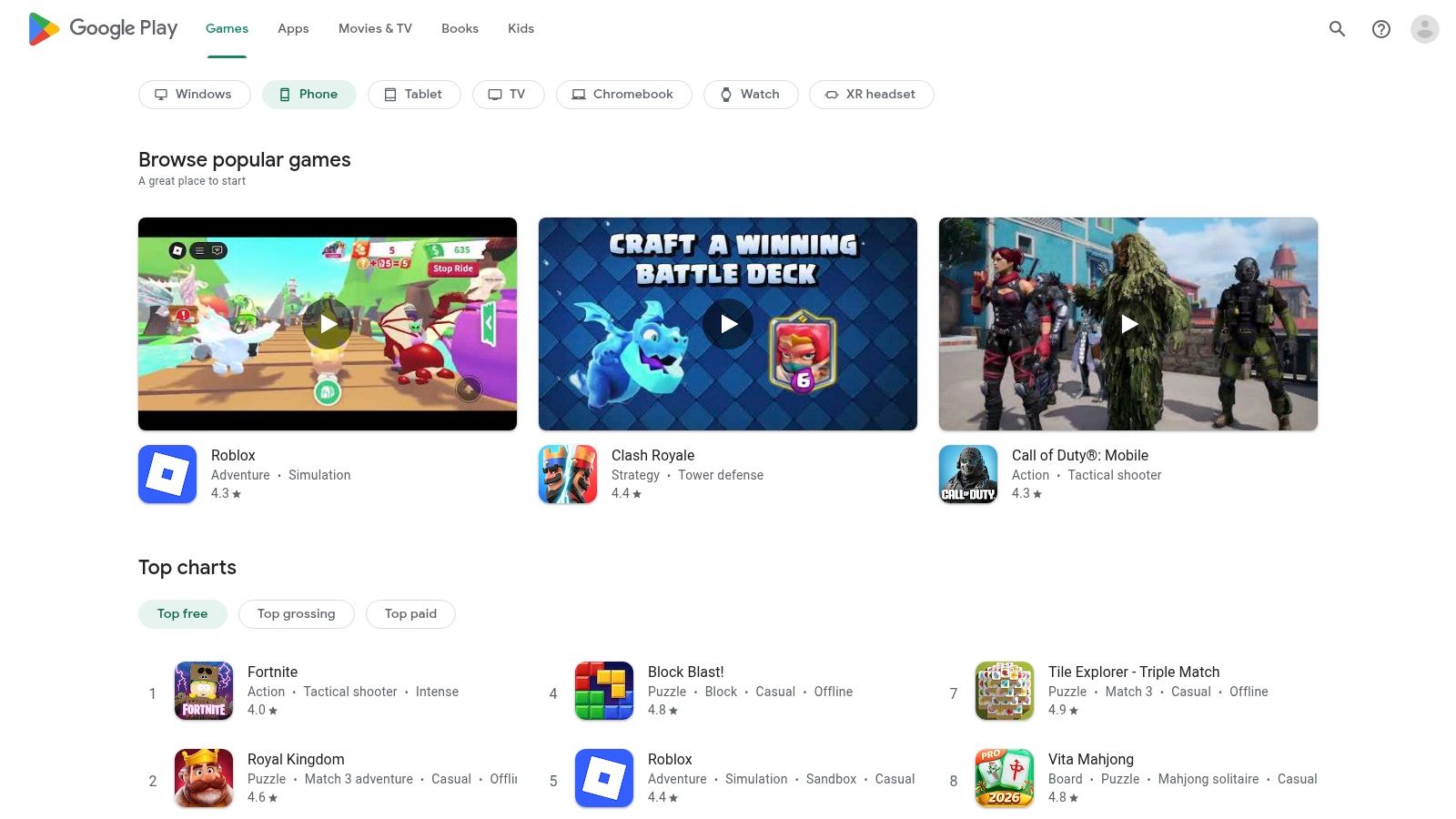
For the millions of Android users, the Google Play Store is the definitive starting point for finding the best habit tracking apps. It serves as the official and secure marketplace for a massive variety of applications compatible with Android phones, tablets, and Wear OS devices. This centralized platform is home to everything from minimalist, open-source options like Loop to feature-rich suites like HabitNow and TickTick.
The store streamlines the entire app management experience. All purchases, subscriptions, and refund requests are handled directly through your Google account, providing a simple and unified billing system. This convenience is extended through features like the Family Library, which allows for sharing paid app purchases with family members.
Key Features and User Experience
The Google Play Store’s main advantage is its immense and diverse selection, offering tools for every possible budget and use case. The platform also provides clear details on app permissions, update frequency, and user reviews to help you make informed choices.
Practical Tips for Effective Use:
Check App Permissions: Before installing, review the “Permissions” section on an app’s page to understand what data and device features it needs to access. For example, if a simple habit tracker asks for access to your contacts, it’s a red flag that it might not align with your privacy comfort level.
Filter for New and Updated Apps: Use search filters to find recently updated apps. This often indicates active development and better support from the creators.
Utilize the Wishlist Feature: Save interesting habit trackers to your wishlist to compare them later or wait for a potential sale before purchasing.
Pros:
Vast selection of apps, including many high-quality free and open-source options
Simple installation, billing, and refund process across all Android devices
Family Library makes it easy to share paid apps
Cons:
App quality can vary significantly, requiring more user research
Discovery of hidden gems can be challenging without strong editorial curation
3. Strides: One of the Best Habit Tracking Apps for Goal Setters
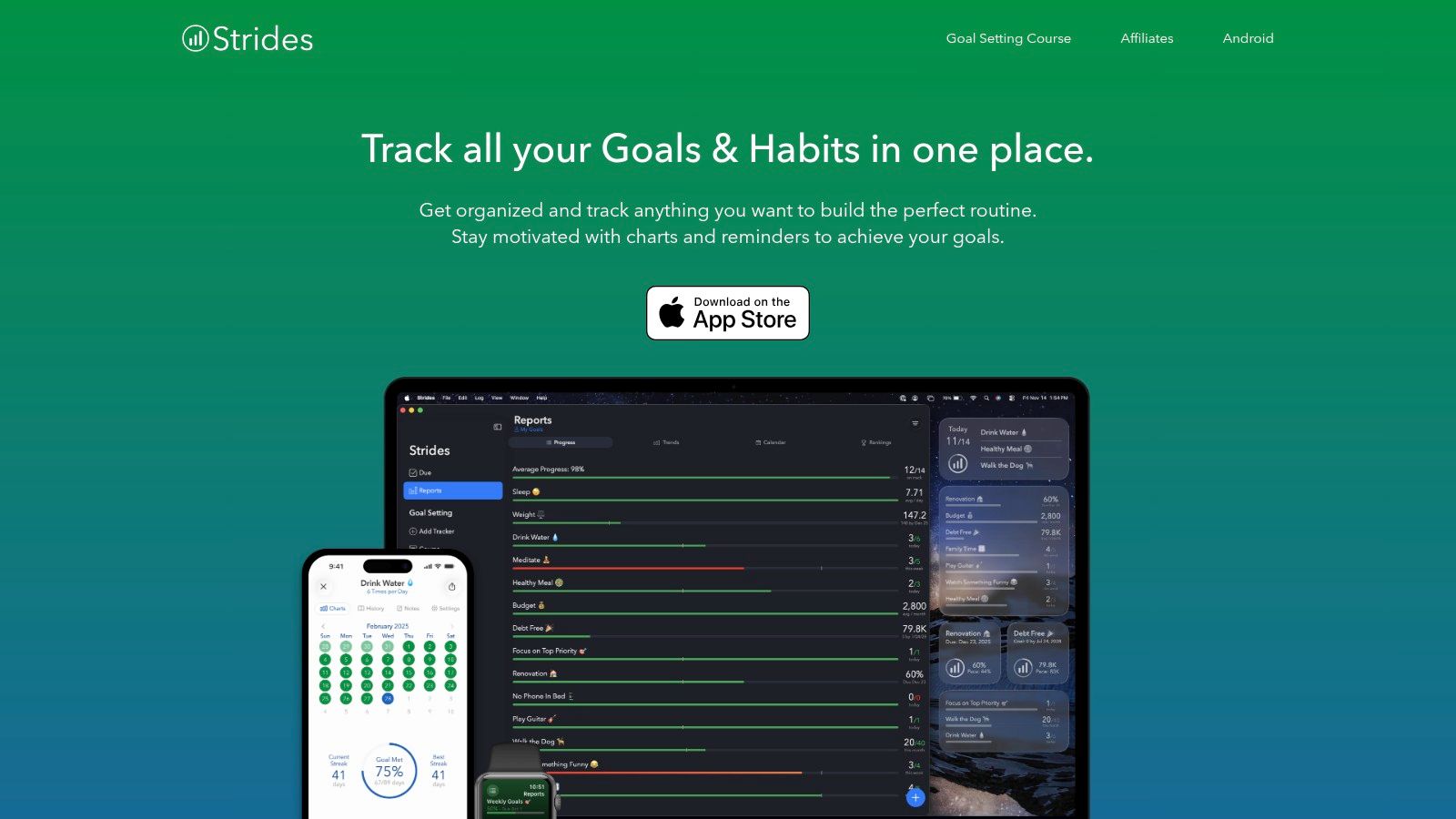
For users who want to go beyond simple streak counting, Strides offers a powerful and flexible framework for goal achievement. It’s designed for those who need more than just a binary “yes/no” tracker, providing four distinct tracking models to fit nearly any objective. This makes it one of the best habit tracking apps for quantifying progress on complex professional goals, personal finance targets, or fitness benchmarks.
The platform’s strength lies in its analytical depth. Each goal gets its own dashboard with charts, calendars, and progress lines, allowing you to visualize momentum. According to behavioral research, this type of detailed, immediate feedback can be a powerful motivator, as it activates the brain’s reward system and links daily actions to long-term success. If you’re interested in the connection between visual progress and motivation, you can learn more about dopamine’s role in goal pursuit.
Key Features and User Experience
Strides stands out with its four versatile tracker types: Habit (for building good or bad habits), Target (to reach a goal by a specific date), Average (to track a value over time), and Project (to complete milestones). The guided SMART goal setup workflow helps you define clear, actionable objectives from the start.
Practical Tips for Effective Use:
Use the ‘Project’ Tracker for Complex Goals: A real-world example would be breaking down a large goal like “launch a website” into smaller, manageable milestones (e.g., “buy domain,” “design logo,” “write content”) within a single tracker to see the full picture.
Set Pace Lines: For ‘Target’ goals, use the pace line feature to see if you are on, ahead, of, or behind schedule, allowing for timely course correction.
Review Your Dashboard Weekly: Dedicate time each week to review the all-in-one dashboard to identify patterns, celebrate wins, and adjust your strategy for the upcoming week.
Pros:
Strong analytics and reporting for serious goal tracking
Four flexible tracker types for any kind of goal
Clear SMART goal configuration and templates
Cons:
iOS-centric with no native Android app
Can feel overly complex for very simple habit tracking
4. Streaks: A Top Contender for Best Habit Tracking Apps on Apple Devices
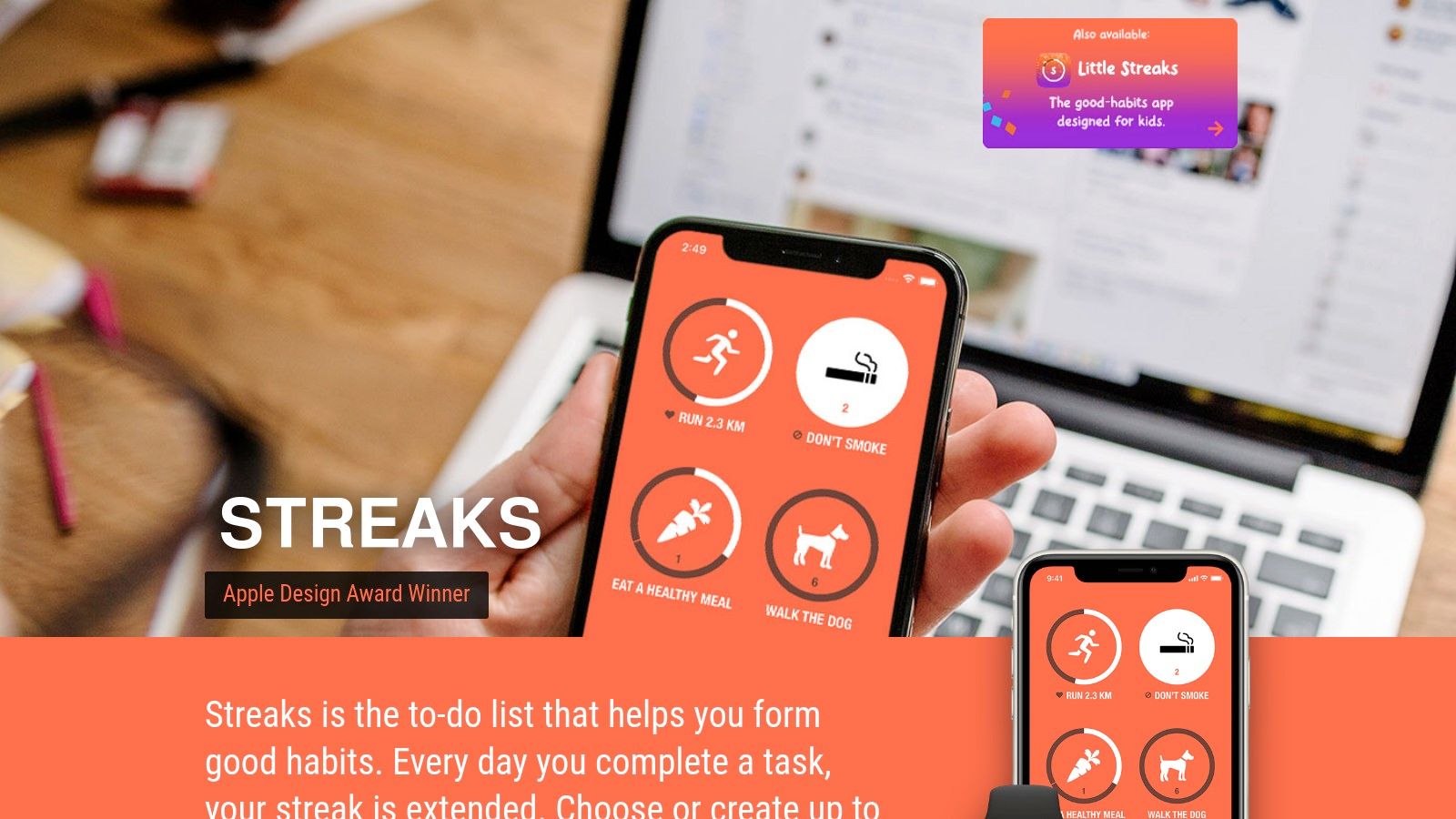
For users deeply embedded in the Apple ecosystem who value simplicity and a singular focus, Streaks is a top-tier habit tracker. It’s built around the “don’t break the chain” methodology, a concept popularized in productivity circles. This provides a visually satisfying and straightforward way to build consistency. As one of the best habit tracking apps for minimalists, it forgoes complex analytics for a clean, distraction-free interface that excels at one thing: maintaining your momentum.
Streaks stands out with its one-time purchase model, a refreshing alternative to the subscription-heavy app market. All your data syncs seamlessly across iPhone, iPad, Mac, and Apple Watch via iCloud, ensuring your progress is always up to date. This approach provides a polished and reliable experience without recurring fees.
Key Features and User Experience
The app’s design is its greatest strength, offering a highly polished and intuitive experience that makes logging habits quick and easy. Its deep integration with Apple Health is a significant advantage, automatically completing health-related goals like “Walk 10,000 steps” or “Practice mindfulness” by pulling data directly from your Health app or Apple Watch. Setting up these automated trackers helps reinforce positive behaviors and aligns perfectly with broader goals for self-improvement.
Practical Tips for Effective Use:
Leverage Health Integration: A great example is connecting Streaks to the Health app to automate tracking for your daily step count. This reduces manual entry and ensures accuracy, making the habit feel effortless to log.
Customize Your Dashboard: Use the wide range of icons and color themes to create a visually motivating dashboard that you enjoy looking at daily.
Use the Apple Watch App: The companion Apple Watch app is excellent for logging habits on the go, providing quick access and complications for your watch face.
Pros:
One-time purchase with no ongoing subscriptions
Minimal, highly polished design that is easy to navigate
Excellent integration with Apple Health, iCloud, and Apple Watch
Cons:
Limited to Apple devices with no native Android or web version
Lacks advanced analytics or reporting features found in other apps
5. Habitify: Cross-Platform Support in a Habit Tracking App
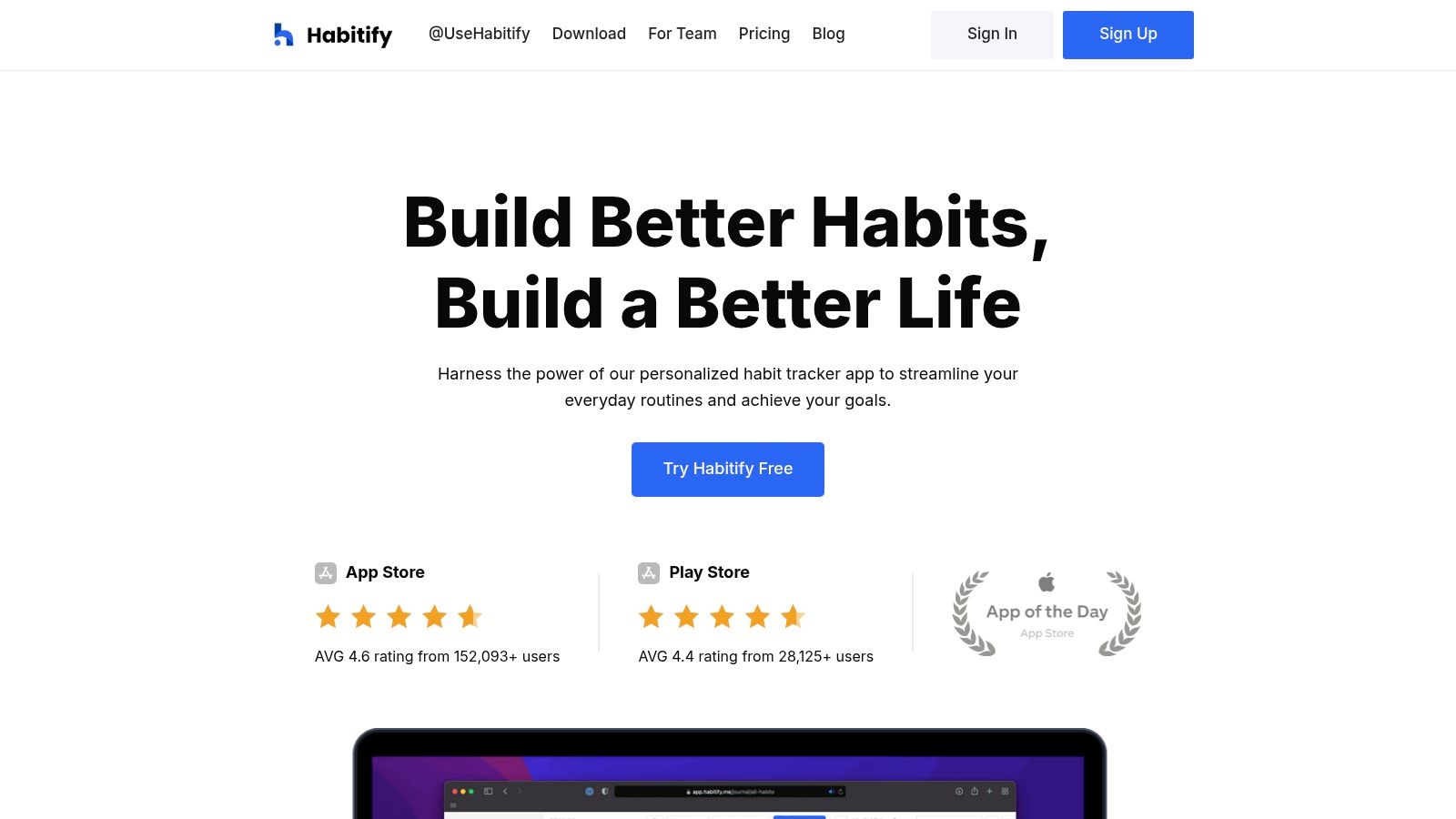
For users who refuse to be tethered to a single device, Habitify stands out as one of the best habit tracking apps due to its true cross-platform availability. It offers a seamless experience across iOS, Android, macOS, and the Web, ensuring your habit data is always in sync, no matter which device you’re using. This makes it an ideal choice for professionals and students who switch between a phone, tablet, and computer throughout their day.
Habitify goes beyond simple check-ins by providing detailed analytics and progress reports. Its interface cleanly organizes habits by time of day (Morning, Afternoon, Evening), which helps in structuring routines. From a psychological standpoint, this “habit stacking” technique reduces cognitive load by linking new habits to existing parts of your day. This is especially useful for anyone looking to build a consistent schedule, as discussed in this guide on how to create a morning routine.
Key Features and User Experience
Habitify’s strength lies in its blend of simplicity and powerful features. The app allows for deep customization, from setting specific goals for each habit (e.g., read 20 pages) to integrating with Apple Health and Google Fit for automated tracking of health-related goals. It also supports automation through an API, Zapier, and IFTTT for advanced users.
Practical Tips for Effective Use:
Use the Journaling Feature: For each habit completion, add a quick note. For instance, if your habit is “meditate for 10 minutes,” you could note “felt distracted today” or “felt very calm.” This provides context to your progress and helps you identify what makes a habit stick.
Leverage Time-of-Day Grouping: Organize your habits into Morning, Afternoon, and Evening blocks to create a structured daily flow and reduce decision fatigue.
Explore Challenges: Join community or private challenges to stay motivated. Competing with friends or family can add a powerful layer of social accountability.
Pros:
Excellent multi-platform support including a dedicated web app
Detailed analytics, charts, and progress reports
Powerful reminder system and automation integrations
Cons:
Pricing has changed in the past; always verify the current subscription cost inside the app or on the App Store page
Some advanced features may require the premium version
6. Habitica: Gamify Your Goals with This Unique Habit Tracking App
For those who find traditional to-do lists uninspiring, Habitica transforms habit building into a role-playing game (RPG). This unique platform gamifies your tasks, turning daily routines and goals into quests where you level up a custom avatar, earn in-game currency, and collect gear. It’s one of the best habit tracking apps for anyone motivated by progress bars, rewards, and a sense of adventure, leveraging the same psychological principles of variable rewards that make video games engaging.
Available on the web and mobile, Habitica allows you to battle monsters with friends by completing your real-life tasks. This social accountability mechanic, where your party takes damage if someone misses their goals, adds a powerful layer of external motivation that many other apps lack.
Key Features and User Experience
Habitica’s core strength lies in its ability to make productivity feel less like a chore and more like a game. The platform divides tasks into Habits, Dailies, and To-Dos, each affecting your character’s health and experience points differently.
Practical Tips for Effective Use:
Join a Guild and a Party: Find a guild related to your goals (e.g., “Productivity,” “Fitness”) to share strategies. A real-world scenario is forming a small party with coworkers to tackle a shared project, adding social accountability to professional goals.
Balance Risk and Reward: Set challenging but achievable goals. If tasks are too hard, your avatar will constantly lose health, which can be demotivating. Start small and increase the difficulty as you build momentum.
Customize Your Rewards: Create custom in-game rewards that translate to real-life treats, like “Watch one episode of a show” or “30 minutes of free time,” to link virtual success with tangible breaks. This method can also be an effective part of learning how to reset your brain after intense focus periods.
Pros:
Highly motivating RPG system for gamers and creative individuals
Strong community features with guilds, parties, and challenges
Robust free version with cross-platform synchronization
Cons:
The gamified interface can feel cluttered or overwhelming for minimalists
Focus is more on task completion than detailed data tracking
7. Coach.me: A Habit Tracker with Human Accountability
For those who find that digital tools alone aren’t enough, Coach.me introduces a powerful human element to the habit-building process. It combines a free, straightforward habit tracker with a marketplace of professional coaches, making it one of the best habit tracking apps for users who thrive on external accountability and expert guidance. The platform is built on behavioral science principles showing that consistent support can dramatically improve follow-through.
.
Key Features and User Experience
While the habit tracker itself is basic, the real value lies in the layered accountability system. You can receive encouragement from the community, get targeted advice through Q&A forums, or hire a coach for personalized support.
Practical Tips for Effective Use:
Start with Community Support: Before hiring a coach, engage with the free community features. For example, if your goal is “meditate daily,” join the meditation group and give “props” to others. This small act of social engagement can boost your own commitment.
Ask Specific Questions in Q&A: Instead of a generic question, ask something specific like, “What’s the best way to handle mid-day energy slumps without caffeine?” to get actionable advice from experienced community members and coaches.
Vet Coaches Carefully: If you decide to hire a coach, read their reviews, check their credentials, and consider a short-term plan first to ensure a good fit.
Pros:
Human accountability from a coach can significantly boost adherence
The core habit tracking app is completely free to use
Flexible coaching categories and plan options suit different goals
Cons:
Hiring a coach adds a significant ongoing cost
The quality of coaching can vary depending on the individual
8. TickTick: An All-in-One Task and Habit Tracking App
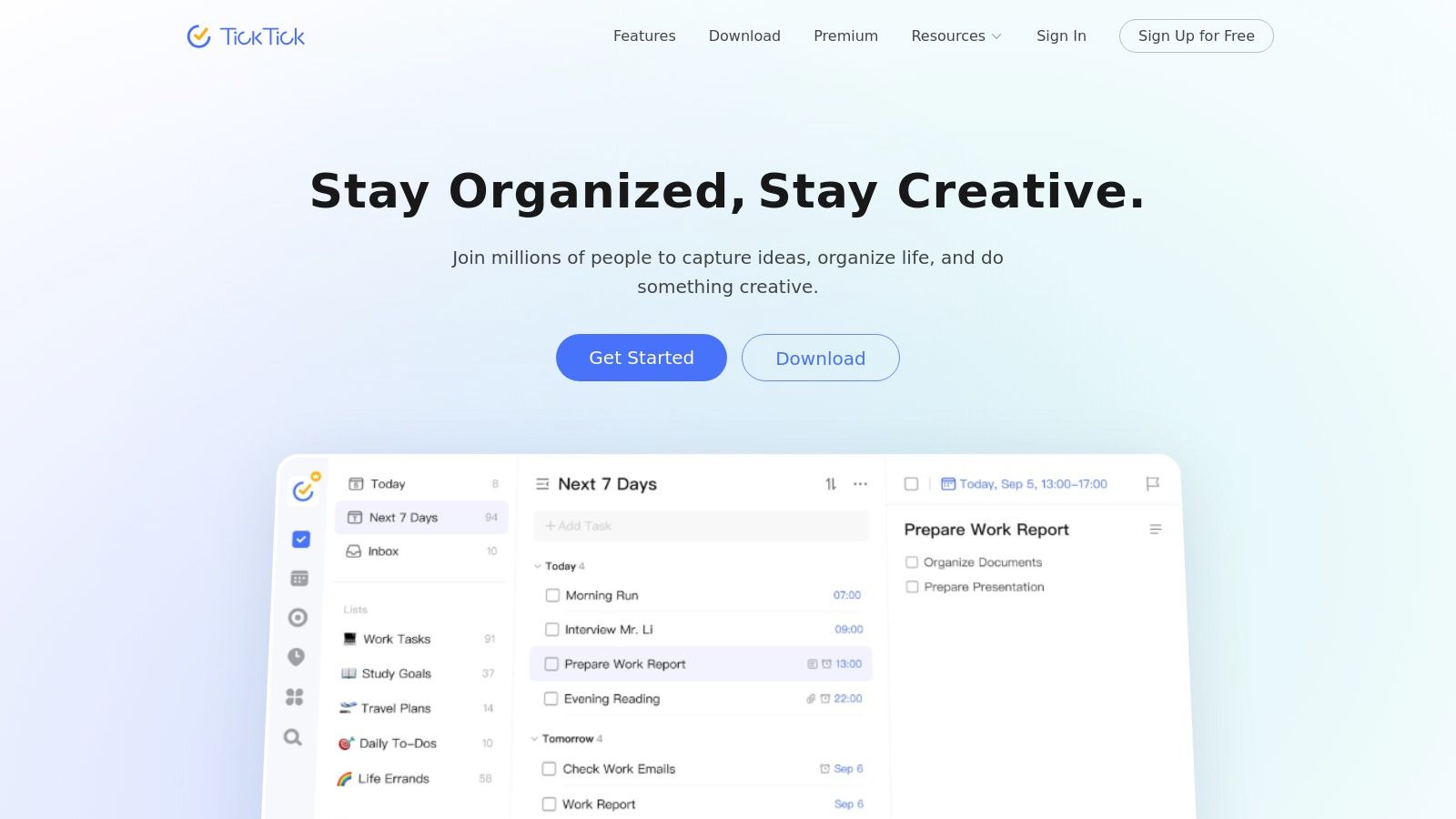
For users who want their habits to live alongside their daily tasks and schedules, TickTick offers a powerful all-in-one solution. It’s a comprehensive productivity app that seamlessly integrates a to-do list, calendar, Pomodoro timer, and a dedicated habit tracker into a single, unified interface. This approach is ideal for professionals and students who want to see how their habits fit into the broader context of their daily responsibilities without switching between multiple apps.
TickTick’s strength lies in its ecosystem. With robust apps available for iOS, Android, Windows, macOS, and the web, it provides a mature, cross-platform experience that ensures your tasks and habits are always in sync. This makes it one of the best habit tracking apps for those who work across different devices throughout their day.
Key Features and User Experience
TickTick makes habit formation a natural part of your workflow. The habit module is straightforward, allowing you to track streaks, view logs, and see basic stats, which is often sufficient for users whose primary goal is consistency rather than deep data analysis.
Practical Tips for Effective Use:
Use the Pomo Timer for Habits: Connect your habit-building with focused work sessions by using the built-in Pomodoro timer. For a real-world scenario, you could set a timer for a 25-minute reading habit directly within the app, ensuring you remain focused and get credit for your habit.
View Habits in the Calendar: Enable the calendar view for your habits to visually plan when you’ll work on them, just like you would with any other appointment or task.
Integrate Habits with To-Do Lists: Create a specific list or tag for habit-related tasks, such as “Prepare gym bag,” to link your daily actions directly to your long-term goals.
Pros:
All-in-one productivity suite combines tasks, habits, and calendars
Excellent cross-platform synchronization across all major devices
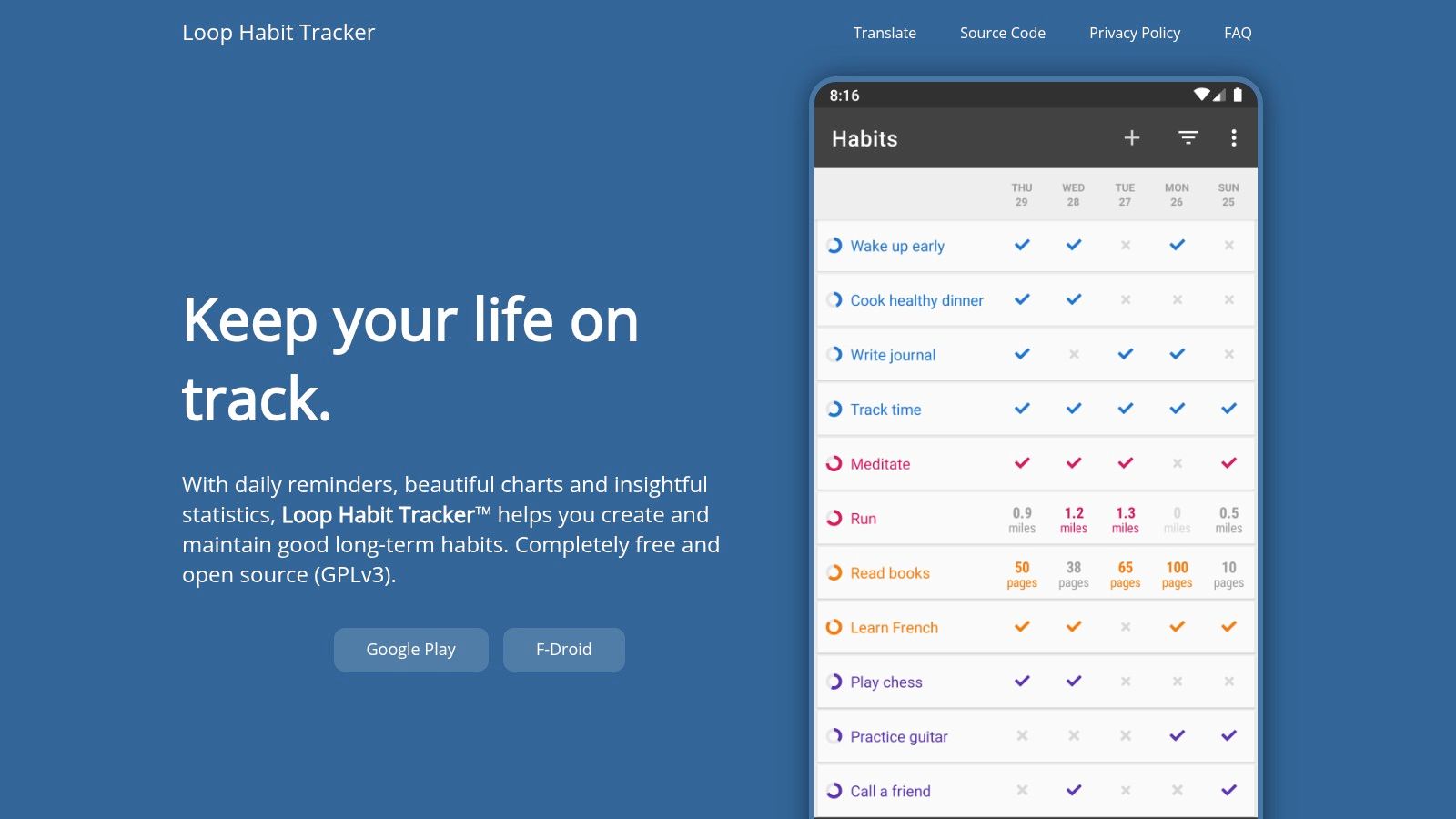
9. Loop Habit Tracker: A Privacy-First Habit App for Android
For Android users who prioritize privacy and simplicity, Loop Habit Tracker is a standout choice. It is a completely free, open-source application that operates entirely offline, meaning it requires no account, no internet connection, and contains absolutely no ads or trackers. This dedication to user privacy and minimalist design makes it one of the best habit tracking apps for those who want a powerful tool without any data-sharing concerns.
The app is celebrated for its lightweight feel and powerful analytics. It uses a sophisticated formula to calculate the strength of your habits over time, providing more nuanced feedback than a simple streak counter. Psychologically, this focus on consistency rather than perfection helps users build sustainable routines without the pressure of maintaining a flawless record, which can prevent the “all-or-nothing” thinking that derails many habit-building efforts.
Key Features and User Experience
Loop Habit Tracker offers a clean, straightforward interface that is easy to navigate. Its core strength lies in its detailed charts and statistics, which visualize your progress and help you understand when and how you are building your habits.
Practical Tips for Effective Use:
Analyze Your Habit Score: Pay attention to the “Habit Score” for each goal. This metric provides a more holistic view of your consistency than a simple checkmark. For example, if you miss a day after a long streak, your score will dip slightly but won’t reset to zero, encouraging you to get back on track.
Use the Widgets: Place the app’s customizable widgets on your home screen for at-a-glance progress tracking and quick check-ins, which reduces the friction of opening the app.
Export Your Data: Since the app is completely offline, you can export your data as a CSV or SQLite database file to create your own backups or perform custom analysis.
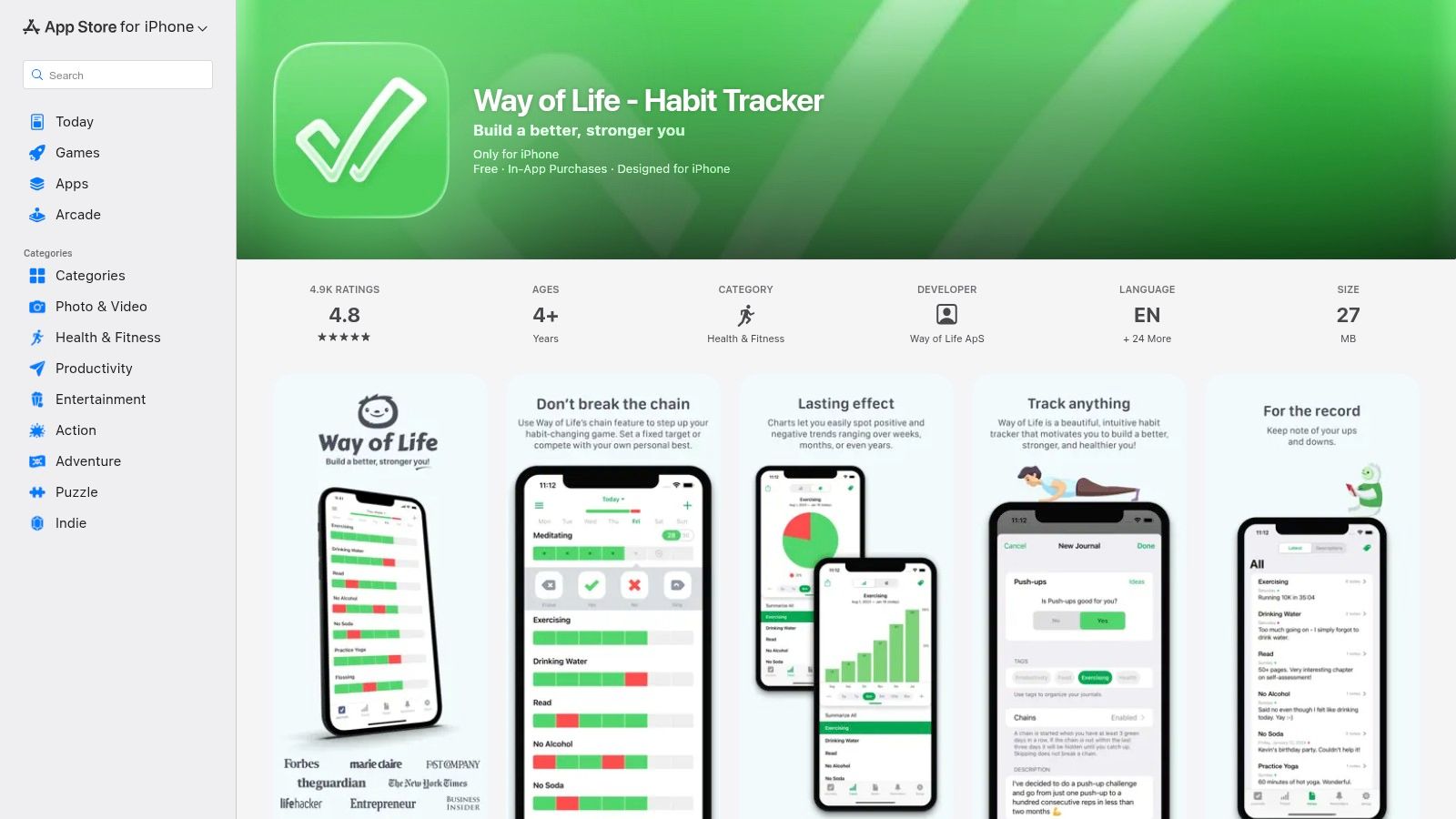
10. Way of Life: A Visual and Fast Habit Tracking App
Way of Life is a long-standing and respected iOS app that excels at simplicity and visual feedback. It is built around a straightforward yes/no or skip logging system, making daily check-ins incredibly fast. This design is ideal for users who want to see powerful trend data without getting bogged down in complex configurations, making it one of the best habit tracking apps for those focused on consistency.
The app’s core strength lies in its color-coded charts and graphs, which provide an at-a-glance overview of your progress over weeks and months. This visual reinforcement helps you quickly identify patterns in your behavior, making it easier to stay motivated or adjust your strategy. It’s a tool designed for rapid data entry and insightful reflection.
Key Features and User Experience
Way of Life stands out by prioritizing speed and clarity over an exhaustive feature list. Its simple interface allows you to log an entire day’s habits in just a few seconds, which significantly reduces the friction often associated with daily tracking.
Practical Tips for Effective Use:
Use the Notes Feature: While the logging is binary, you can add notes. For a real-world scenario, you could use this to provide context for why you succeeded or missed a habit (e.g., “Skipped gym – felt unwell,” or “Woke up early – felt great”).
Leverage Tagging: Organize habits with tags like “Health,” “Work,” or “Mindfulness.” This allows you to filter your charts and analyze specific areas of your life.
Customize Your Dashboard: Arrange your habits on the main screen based on priority or time of day to make your daily check-in even more efficient.
Pros:
Extremely fast yes/no logging for minimal daily friction
Powerful charts and visualizations for identifying long-term trends
Established app with a history of reliability and updates
Cons:
Primarily focused on iOS and Apple Watch
Less suited for tracking quantitative habits (e.g., number of pages read)
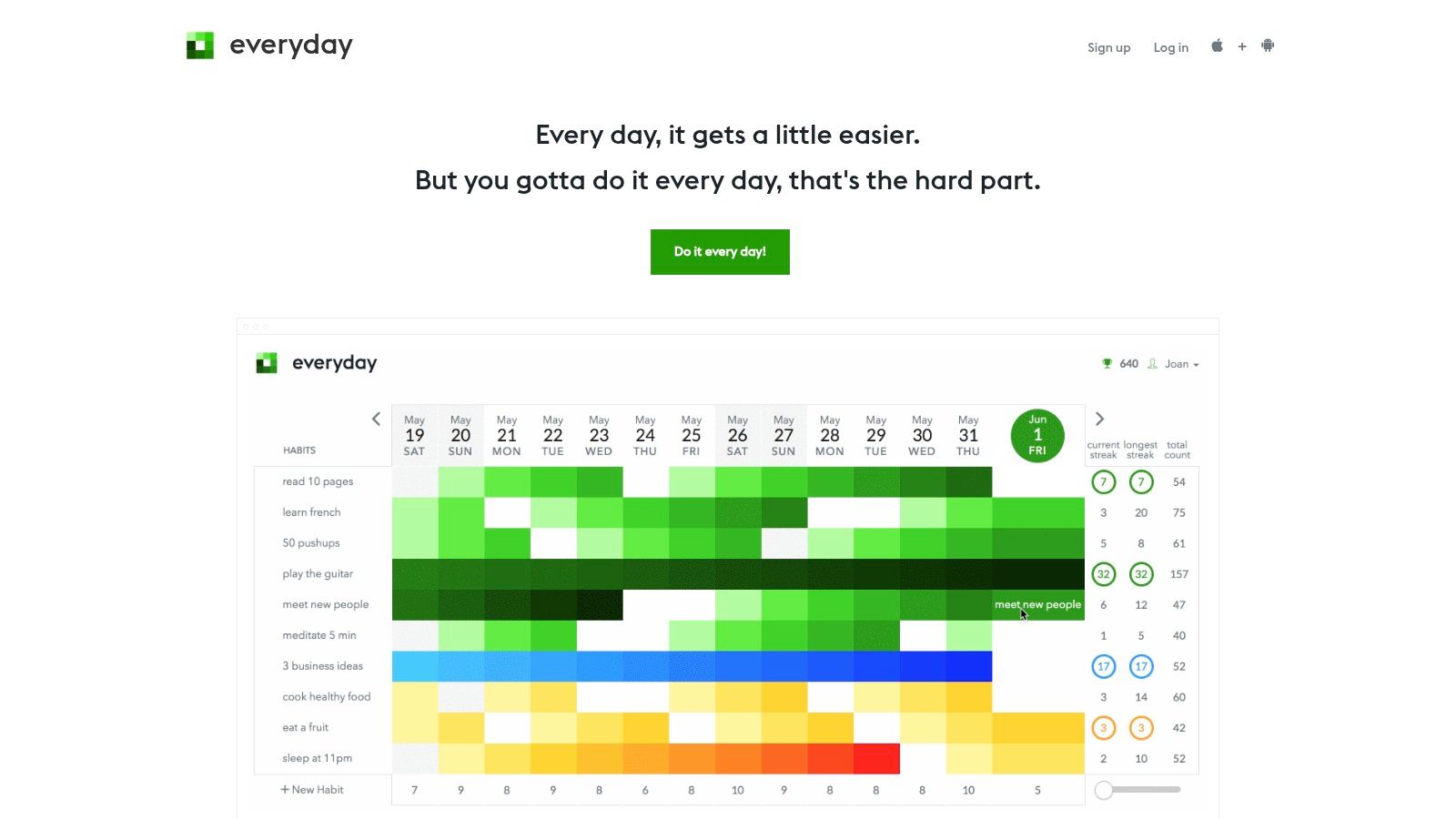
Everyday is a beautifully simple “don’t break the chain” habit tracker designed for visual learners. It transforms your progress into a colorful grid, making it incredibly motivating to see your streaks grow over time. This platform is perfect for anyone who wants a minimalist, board-style view of their habits without the complexity of more feature-heavy apps. It’s available on Web, iOS, Mac, and Apple Watch, ensuring your data syncs seamlessly.
The core appeal of Everyday lies in its visual feedback loop. Neuroscience tells us that our brains are wired to recognize patterns. Seeing an unbroken chain of colored squares provides a powerful, immediate sense of accomplishment that reinforces consistent action. The design philosophy is intentionally focused, stripping away distractions to help you concentrate solely on maintaining momentum.
Key Features and User Experience
Everyday excels at making habit tracking an enjoyable and aesthetically pleasing process. The unified board gives you an at-a-glance overview of all your commitments, while the color-coding helps distinguish different habits instantly. This makes it one of the best habit tracking apps for those who thrive on visual cues.
Practical Tips for Effective Use:
Utilize Skip Logic: For habits that aren’t daily, like working out three times a week, use the “skip” function. This allows you to maintain your streak on rest days, preventing unfair breaks in the chain. This is a great real-world feature for building sustainable, non-daily routines.
Color-Code Strategically: Assign specific colors to categories of habits (e.g., green for health, blue for work). This makes your board easier to read and helps you visually balance your efforts.
Review Your Stats: Periodically check the intuitive streak and progress statistics to identify patterns. You might notice your consistency dips on certain days, offering insights for adjustment.
Pros:
Clean, motivating visuals that make consistency rewarding
Very easy to onboard and maintain with a simple interface
Multi-platform sync across web, desktop, and mobile
Cons:
Feature set is intentionally limited compared to more robust apps
Pricing tiers and in-app purchase options can vary by platform
12. Product Hunt: Discovering the Newest Habit Tracking Apps
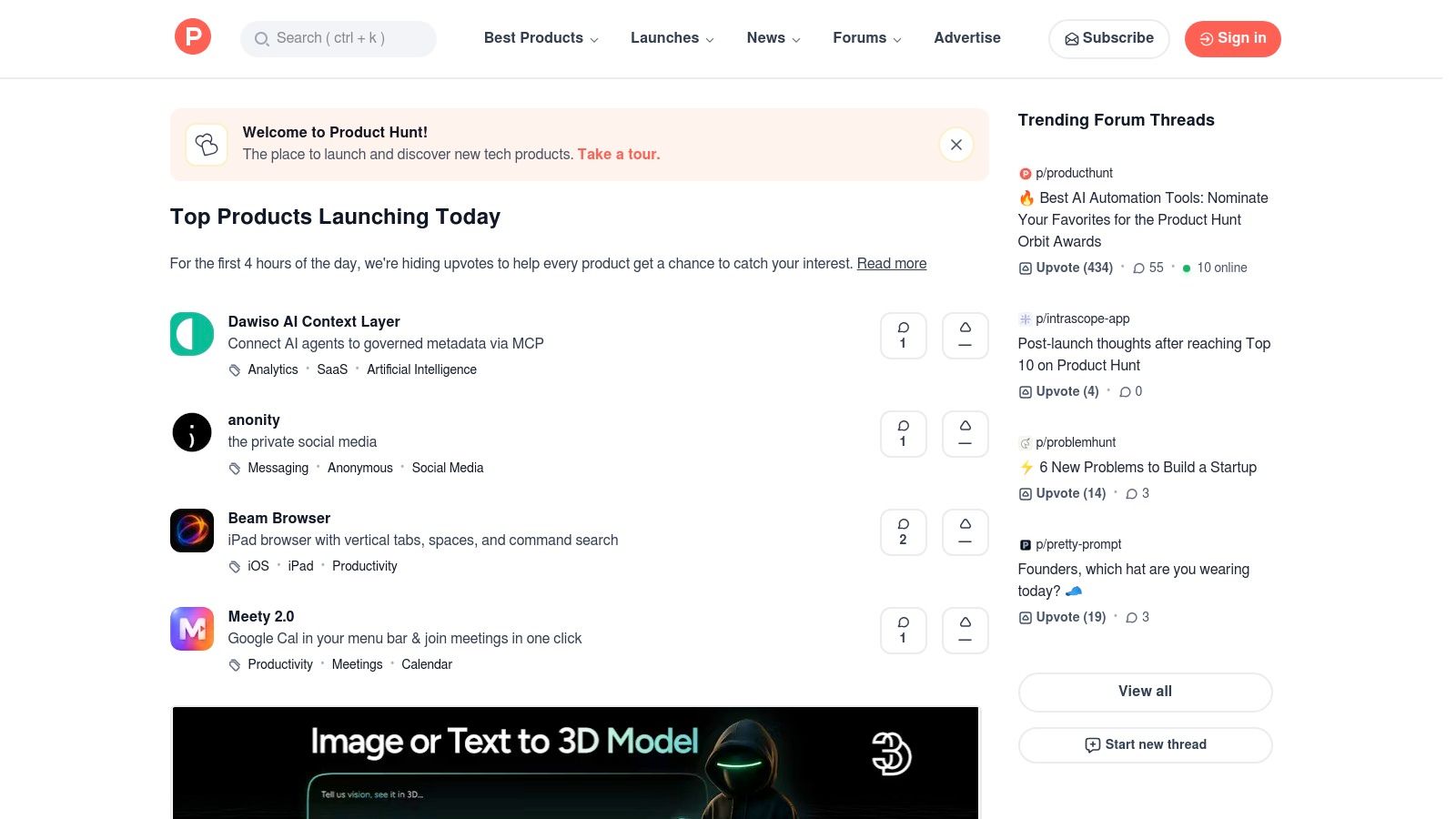
For those looking to discover the next big thing in productivity, Product Hunt is the go-to discovery platform. It’s not a single app but an active community hub where new and innovative habit trackers launch daily. This makes it an invaluable resource for finding niche tools that solve specific problems, often before they hit the mainstream app stores. It provides a direct line to the creators and a vibrant community of early adopters.
The platform thrives on community curation. New apps are upvoted, commented on, and discussed, providing immediate social proof and real-world feedback. Instead of acting as a store, Product Hunt aggregates these launches and links directly to official websites and app stores, centralizing the discovery process for tech enthusiasts and anyone searching for the best habit tracking apps.
Key Features and User Experience
Product Hunt’s strength lies in its dynamic, user-driven ecosystem. The daily feed of new products, combined with filters for categories like “Productivity” and platforms like “iOS” or “Android,” allows you to find cutting-edge tools tailored to your specific needs.
Practical Tips for Effective Use:
Check the Comments Section: Read the discussions on an app’s launch page. A great real-world application of this is finding honest feedback about bugs or feature requests directly from early adopters, which is invaluable for vetting a new tool.
Follow Collections: Users often curate collections like “Habit Trackers” or “Mental Wellness Apps.” Following these can help you discover vetted tools you might have missed.
Search by “Habit”: Use the search bar to look for terms like “habit,” “goals,” or “routine” to find a comprehensive list of relevant apps that have launched on the platform.
Pros:
Excellent for discovering new, innovative, or specialized habit trackers
Community feedback and upvotes help vet early-stage products
Direct interaction with app creators is often possible
Cons:
Not a direct storefront; it links out to external sites for installation
The quality and longevity of newly launched apps can vary significantly
Editor’s Take: What Actually Works with Habit Tracking Apps
After reviewing dozens of apps and the behavioral science behind them, here’s the honest summary: The best habit tracking app isn’t about features, it’s about reducing friction. The app that works is the one you actually open and use every single day. For most people, this means choosing simplicity over complexity.
Who is this for? Habit tracking apps are best for individuals who already have a clear idea of what they want to change but struggle with consistency and motivation. They provide the structure and positive reinforcement (that little dopamine hit from checking a box) that our brains need to build new neural pathways.
What truly works:
Starting Small: Don’t track 10 habits. Track one. Master it for 30 days, then add another. This aligns with research on cognitive load and willpower.
Visual Feedback: Apps like Streaks and Everyday are effective because their primary feedback mechanism—the unbroken chain—is incredibly motivating and easy to understand at a glance.
Integration: For busy professionals, an all-in-one like TickTick is often more practical because it lives where you already work, reducing the need to juggle multiple apps.
Important Caveats: These apps are tools for accountability, not magic wands. They cannot create motivation out of thin air. They are also not a substitute for professional help for conditions like ADHD, anxiety, or depression. If you’re struggling with underlying mental health challenges, these tools can be a helpful supplement, but they are not a treatment.
Launches/discovery, upvotes, comments, links to stores
★★★☆☆
💰 Free to browse; links out to purchase/install
👥 Early adopters, product discoverers
✨ Live community feedback & trending discovery
Apple App Store (Way of Life listing)
(App Store listing) fast yes/no logging, trends
★★★★☆
💰 App purchase or IAP via App Store
👥 iOS users wanting quick logs
✨ Longstanding app with robust trend charts
Final Thoughts on the Best Habit Tracking Apps
Navigating the crowded digital landscape to find the best habit tracking apps can feel overwhelming, but the journey is ultimately about self-discovery and intentionality. We’ve explored a dozen powerful tools, from the gamified world of Habitica to the minimalist elegance of Streaks and the data-rich insights of Strides. The core takeaway is that the “perfect” app doesn’t exist; instead, the most effective tool is the one that aligns seamlessly with your unique personality, lifestyle, and cognitive wiring.
The true power of these applications lies not in their features, but in their ability to act as external triggers and reward systems. They leverage established behavioral science principles, like the habit loop (cue, routine, reward) and the concept of “atomic habits,” to make consistency more achievable. By providing visual feedback and celebrating small wins, they tap into the brain’s dopamine pathways, reinforcing positive behaviors and building momentum one day at a time. This digital scaffolding can be the crucial difference between a fleeting intention and a lasting, identity-shaping habit.
Key Takeaways and Your Next Steps
Before you download the first app that catches your eye, pause and reflect on what you truly need. Your goal is to choose a partner in your self-improvement journey, not just another notification to ignore.
Here’s a simplified decision-making framework to guide you:
For the Data-Driven Professional: If you thrive on charts, graphs, and detailed progress reports, your best options are Strides or Habitify. These apps provide the granular feedback necessary to optimize your routines for peak performance.
For the Simplicity Seeker: If your goal is to reduce digital friction and focus on pure consistency, the minimalist design of Streaks or the open-source clarity of Loop Habit Tracker will serve you best. They are designed to get you in and out quickly.
For the Motivation-Hungry Gamer: If you need a dose of fun and external accountability to stay engaged, the RPG-style mechanics of Habitica are unparalleled. Turning your to-do list into a quest can be a powerful motivator.
For the All-in-One Organizer: If you want to integrate your habits with your daily tasks, projects, and calendar, TickTick is the undisputed champion. It consolidates your entire productivity system into a single, cohesive interface.
Start Small With Keystone Habits (Then Use Your App to Lock In the Routine)
Once you’ve made your choice, the real work begins. Start small. Resisting the urge to track ten new habits at once is critical. Neuroscience shows that our capacity for willpower and cognitive load is finite. Pick one or two keystone habits, like “meditate for five minutes” or “walk for 15 minutes after lunch,” and commit to them for 30 days. Use the app’s reminder and widget features to create unavoidable environmental cues.
Remember, these tools are simply a means to an end. The ultimate objective is to internalize these behaviors until they become automatic. The best habit tracking apps are the ones you eventually no longer need because the routine has become an intrinsic part of who you are. Embrace the process, be patient with your progress, and celebrate every small victory along the way.
Disclaimer:This article is for informational and educational purposes only. It is not intended to be a substitute for professional medical or psychological advice, diagnosis, or treatment. Always seek the advice of your physician or other qualified health provider with any questions you may have regarding a medical condition. The article may contain affiliate links, which means we may earn a commission if you purchase through our links, at no extra cost to you.
If you’re looking to build a deeper, more resilient system for focus and productivity beyond just tracking habits, explore the resources at Mind Clarity Hub. We offer neuroscience-backed courses and templates that help you design a holistic system for deep work, mental clarity, and sustainable achievement. Discover how to create an environment where your best habits can thrive at Mind Clarity Hub.
Frequently Asked Questions (FAQ)
1. What is the best habit tracking app overall? There isn’t one habit app that’s best for everyone, because the right pick depends on what you need. If you want something simple and visually motivating on Apple devices, Streaks is a strong option. For a more data-driven approach with analytics, Strides stands out. Android users who care about privacy often love Loop Habit Tracker. If you’re looking for an all-in-one productivity system, TickTick is one of the most complete choices.
2. Are habit tracking apps actually effective? Yes, they can be highly effective. According to behavioral psychology, they work by providing immediate positive reinforcement (visual streaks, checkmarks), creating accountability, and making abstract goals tangible. This leverages the brain’s reward system (dopamine release) to strengthen new neural pathways, making the habit more automatic over time.
Best Free Habit Tracking Apps You Can Start Using Today
3. Is there a good free habit tracking app? Absolutely. Loop Habit Tracker (Android) is completely free, open-source, and ad-free. Habitica offers a robust free version with its core gamification features. Many other apps like Strides and Habitify have freemium models that are sufficient for tracking a few habits.
4. Can a habit app help with anxiety or ADHD? While these apps can be a supportive tool for building routines that may help manage symptoms (e.g., a consistent meditation practice or exercise schedule), they are not a substitute for medical or psychological treatment. If you are struggling with anxiety, ADHD, or other mental health conditions, it is crucial to consult with a qualified healthcare professional. This article is for educational purposes only.
5. How many habits should I track at once? Neuroscience suggests that our willpower and executive function are limited resources. For the best results, start with just one or two “keystone habits”—small actions that can lead to broader positive changes. Overloading yourself with too many new habits at once is a common reason for failure. Master one before adding another.
Stay Consistent With the “Don’t Break the Chain” Method
6. What is the “don’t break the chain” method? It’s a simple but powerful productivity technique. For each day you complete your desired habit, you mark an ‘X’ on a calendar. After a few days, you’ll have a chain of X’s. Your only job is to not break the chain. Apps like Streaks and Everyday digitize this concept, making it visually motivating.
7. Is it better to have a habit tracker on my phone or a physical journal? This is a personal preference. Phone apps offer convenience, automated reminders, and data analytics. Physical journals can be more mindful, free from digital distractions, and creatively fulfilling. The best system is the one you will use consistently. Some people use both—a journal for reflection and an app for daily check-ins.
How the Best Habit Tracking Apps Keep You Consistent
8. What makes a habit tracking app good for motivation? A good motivational app provides clear, immediate, and positive feedback. Features like satisfying animations, streak counters, progress charts, and gamified elements (like in Habitica) tap into the brain’s desire for reward and progress, making the process feel less like a chore and more like a game.
9. How long does it take to form a habit using an app? The old “21 days” myth is an oversimplification. Research from University College London suggests it can take anywhere from 18 to 254 days for a new behavior to become automatic, with the average being around 66 days. The complexity of the habit and individual differences play a huge role. The app is a tool to help you stay consistent through this formation period.
10. Do any of these apps work on a desktop or web browser? Yes. Habitify, TickTick, Habitica, and Everyday all offer excellent web and/or desktop applications that sync seamlessly with their mobile counterparts. This is ideal for users who spend a lot of time on a computer and want to manage their habits without picking up their phone.
Explore the Mind Clarity Hub Library
Practical books on focus, digital habits, resilience, and building a calmer mind.
A short daily reset you can actually stick with (no fluff).
Helpful resources for your next step
Affiliate disclosure: As an Amazon Associate, Mind Clarity Hub may earn from qualifying purchases at no extra cost to you. Use this link only if it genuinely helps your planning.
If Top Picks: Best Habit Tracking Apps for Daily Routines is a routine you want to keep using, a simple workbook, planner, or desk tool can make the steps easier to repeat.
To provide the best experiences, we use technologies like cookies to store and/or access device information. Consenting to these technologies will allow us to process data such as browsing behavior or unique IDs on this site. Not consenting or withdrawing consent, may adversely affect certain features and functions.
Functional
Always active
The technical storage or access is strictly necessary for the legitimate purpose of enabling the use of a specific service explicitly requested by the subscriber or user, or for the sole purpose of carrying out the transmission of a communication over an electronic communications network.
Preferences
The technical storage or access is necessary for the legitimate purpose of storing preferences that are not requested by the subscriber or user.
Statistics
The technical storage or access that is used exclusively for statistical purposes.The technical storage or access that is used exclusively for anonymous statistical purposes. Without a subpoena, voluntary compliance on the part of your Internet Service Provider, or additional records from a third party, information stored or retrieved for this purpose alone cannot usually be used to identify you.
Marketing
The technical storage or access is required to create user profiles to send advertising, or to track the user on a website or across several websites for similar marketing purposes.