...

Tag: time management

  • How to Automate Repetitive Tasks and Reclaim Your Focus

    How to Automate Repetitive Tasks and Reclaim Your Focus

    This article may contain affiliate links. If you make a purchase, we may earn a small commission at no extra cost to you. Our recommendations are always based on merit and relevance.

    Learning how to automate repetitive tasks isn’t about becoming a programmer overnight. It’s simpler. It is about spotting the low-value work that eats your time. This includes tasks like data entry or sorting emails. Then, you use simple tools to handle it for you. The real goal is to free your mental energy for what matters.

    Editor’s Take

    Automation works best when you start small. The advice in this guide is ideal for freelancers, small business owners, and professionals buried in administrative tasks. The key is to pick one high-frequency, rule-based task and automate it first. For example, saving email attachments to a specific folder. Tools like Zapier and Make are fantastic, but don’t over-automate. Rigid systems can break. Periodically review your workflows to ensure they still save you time instead of causing new problems.

    The Hidden Cost of Repetitive Tasks

    That feeling of being swamped by tiny chores is more than an annoyance. It’s a quiet thief of your most valuable resources: focus and energy. These seemingly harmless tasks chip away at your mental bandwidth. They leave you drained when you need to tackle important work.

    From a neuroscience perspective, this constant churn creates decision fatigue. Our brains have a finite amount of cognitive resources for a given day. Every small choice consumes a piece of those reserves. Think of it like a mental budget. When repetitive tasks force hundreds of micro-decisions, your capacity for complex problem-solving shrinks. This leaves you feeling depleted.

    Mini Scenario: Sarah, a marketer, spends her first hour each day sorting through a generic inbox. She decides which emails to delete, which to forward, and which to file. By the time she starts her main project—designing a new campaign strategy—her brain is already tired from making dozens of low-impact choices. Her creative thinking suffers as a result.

    The Financial and Mental Toll of Manual Work

    The financial impact is just as real. Mind-numbing administrative processes cost businesses around 19 working days per year for each employee. One study was staggering. It found that HR departments can spend nearly 57% of their time on manual tasks alone.

    Even high-performing companies waste a full day of productivity per employee each week on redundant work. For a mid-sized company, that can add up to over 77,000 wasted hours annually. You can see the full research on HR process automation to grasp the problem’s scale.

    This constant juggling also pushes you into cognitive overload. This is a state where your brain tries to process more information than it can handle. This doesn’t just hurt performance; it ramps up stress. This state puts you on a fast track to burnout. You can explore this further in our guide on what is cognitive overload.

    When you frame automation as a strategy for reclaiming mental clarity, the conversation changes. It becomes a practical tool for your well-being. It’s less about learning to code and more about designing a smarter way to work.

    Finding Your Best Opportunities for Automating Repetitive Tasks

    Before you automate, you must know what’s worth the effort. The goal is to stop guessing and start measuring. This begins with a simple exercise I call a “task audit.” It’s a quick inventory to pinpoint recurring activities that drain your day.

    The point isn’t just another to-do list; it’s about awareness. Behavioral research shows that our brains create habits to conserve energy. This means we often repeat inefficient patterns on autopilot. A task audit forces you to observe these patterns consciously. This is the first step toward changing them.

    For just one week, keep a simple log of your work. A basic spreadsheet or notebook will do. You’re creating a data-driven snapshot of where your time and energy go.

    Conducting Your Personal Task Audit to Automate Repetitive Tasks

    To see this in action, let’s look at a few professionals. They track their work to find hidden automation gems.

    • Mini Scenario 1 (Freelance Designer): She logs every step of creating a new client proposal. She notes time spent finding old templates, copying portfolio links, and manually drafting follow-up emails. She realizes this sequence happens 5-10 times a week. It eats up 30 minutes each time. This is a prime candidate for automation.
    • Mini Scenario 2 (Project Manager): He tracks time spent on weekly status reports. This involves chasing updates from team members via chat. He then manually enters data into a spreadsheet. Finally, he formats it for a presentation. This single task burns two hours every Friday.
    • Mini Scenario 3 (Small Business Owner): She monitors her daily social media routine. She logs time finding content and writing captions for three platforms. She also schedules each post individually. Then she replies to common questions. This “daily routine” adds up to over an hour.

    These seemingly small, repetitive tasks compound. They create significant hidden costs beyond wasted minutes.

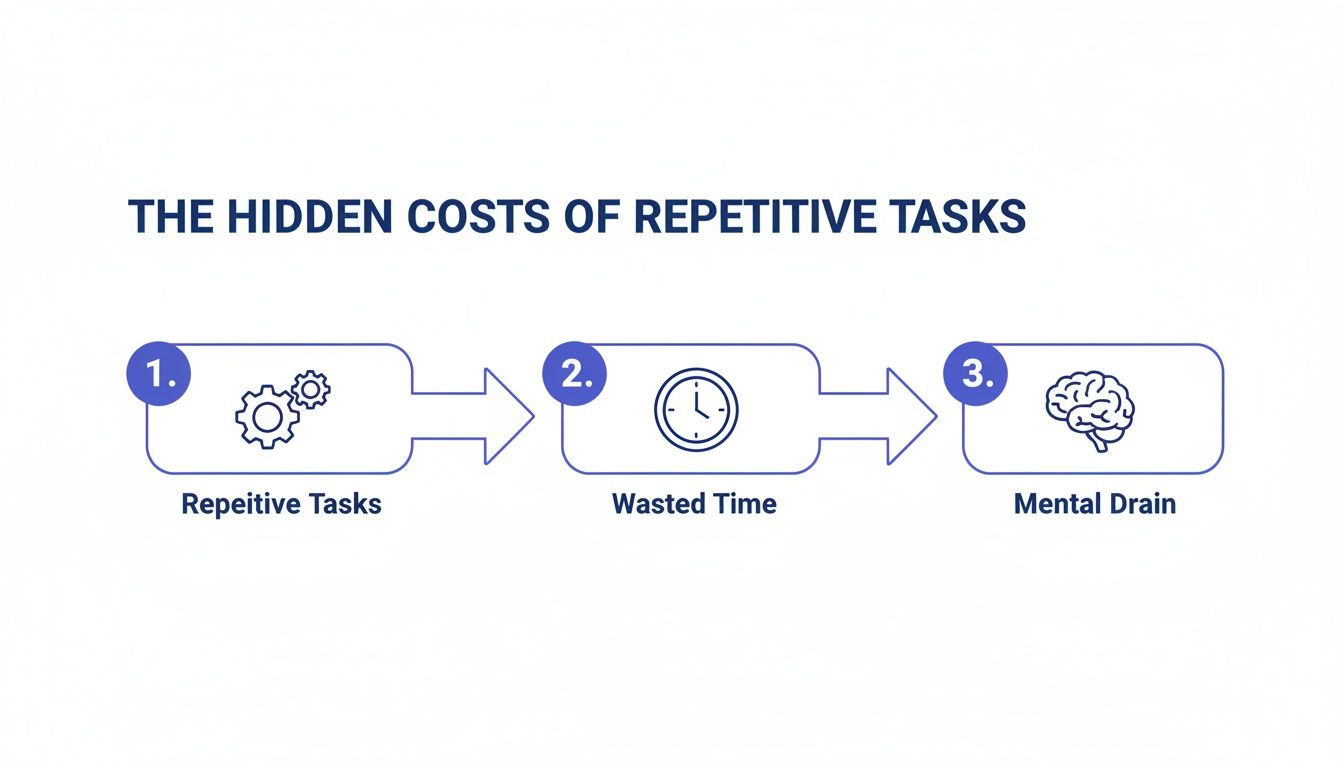
    A flowchart illustrating the hidden costs of repetitive tasks, leading to wasted time and mental drain. Alt text: How to automate repetitive tasks and reduce mental drain.

    As you can see, the cycle is predictable. It starts with repetitive tasks, which lead to wasted time. The real damage is the mental drain and reduced focus. This makes your important, creative work much harder.

    Scoring and Prioritizing Your Tasks

    Once you have a week of data, break down larger processes. The project manager’s “status report” is actually “collecting updates,” “data entry,” and “report formatting.” This breakdown makes it easier to spot prime candidates for automation. Now, use a simple scoring system to decide what to tackle first.

    Pro-Tip: Zero in on tasks that are high-frequency, rule-based (follow the same steps every time), and low-creativity. These are your quick wins.

    Here’s a simple way to structure your analysis.

    Task Automation Suitability Matrix

    Use this matrix to score your repetitive tasks. Tasks with the highest total score are your top candidates for automation.

    Task ExampleFrequency (1-5)Time Spent (1-5)Mental Drain (1-5)Total Score (Out of 15)
    Copying sales leads to a spreadsheet53412
    Sending weekly reminder emails4239
    Scheduling social media posts54413
    Brainstorming new campaign ideas1517

    The tasks with the highest scores are your best targets. This method strips out emotion and gives you a logical starting point. Email management is often a high-scoring category. If that’s you, it might be worth learning how to manage email overload with targeted strategies. This audit gives you the raw material to design useful automated workflows.

    Choosing the Right Tools to Automate Repetitive Tasks

    Once you’ve mapped out which tasks are eating your time, find the right tools. The world of automation software can look intimidating. The good news is you don’t need to be a developer.

    Many powerful tools today are built for everyone. Avoid getting bogged down by endless options. Instead, think about them in categories based on what they do. This helps you match the right solution to your specific problem.

    The momentum here is undeniable. We’re seeing a massive shift. Nearly six in ten companies already use some form of process automation. A staggering 91% of organizations also report that the demand for these solutions is climbing.

    Workflow Connectors: The Digital Glue

    Think of workflow connectors as the central nervous system for your apps. These platforms don’t perform tasks themselves. They are intermediaries that let your software tools talk to each other.

    They are the foundation for anyone learning how to automate repetitive tasks across multiple platforms.

    • What they do: These tools operate on a simple “if this, then that” logic. A “trigger” in one app sets off an “action” in another.
    • Best for: Connecting various cloud-based apps without a direct integration.
    • Popular Examples: Zapier, Make, and IFTTT.

    Mini Scenario: A consultant uses a contact form on her website. Instead of manually copying each lead, she uses Zapier. Now, when a new form is submitted (the trigger), Zapier automatically adds the person to Mailchimp and creates a new task in Trello (the actions). Zero manual entry.


    This screenshot from Zapier’s homepage shows how it visually frames its power. It connects thousands of popular apps to make automation feel accessible.

    The interface breaks it down into a simple, three-step flow. This reinforces that building complex workflows can be surprisingly straightforward.

    Task-Specific Automation Platforms

    Some tools automate one specific type of work very well. Instead of connecting apps, they master a single job. These are often the easiest entry points into automation.

    These platforms are a fantastic place to start. They solve a single, common pain point without a steep learning curve.

    • Social Media Schedulers (e.g., Buffer, Hootsuite): These let you plan and schedule all your social media content at once.
    • Email Marketing Platforms (e.g., Mailchimp, ConvertKit): These services master automating email sequences. When someone joins your newsletter, they can automatically receive a pre-written welcome series.

    Simple Scripters and Text Expanders

    This category of tools offers big time-saving returns for little effort. They specialize in automating small, repetitive typing tasks.

    • What they do: Text expanders let you create short snippets that expand into longer phrases or emails.
    • Best for: Answering FAQs, filling out forms, or inserting common code blocks.
    • Popular Examples: TextExpander, aText, and built-in keyboard shortcuts.

    Mini Scenario: A customer support agent gets the same five questions daily. Instead of typing the same response each time, she creates a snippet. Now, she types “;policy” and it instantly expands into a full paragraph explaining the return policy.

    My best advice? Start with one simple tool. Pick one high-impact task and find a single tool that solves that problem. This builds momentum and confidence. As you get more comfortable, exploring how to use AI for productivity can open up new avenues.

    Building Your First Automated Workflow

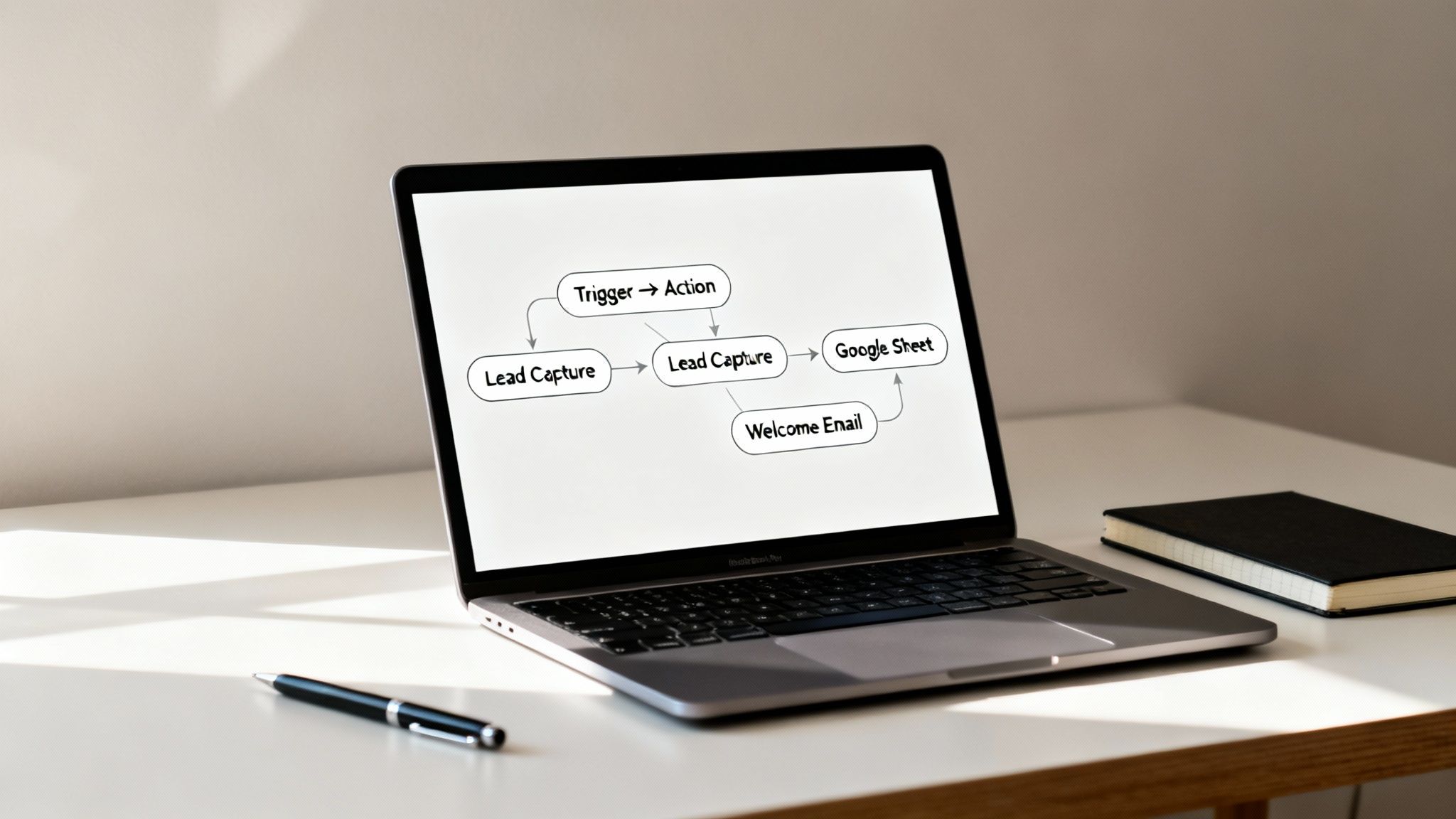
    Alright, theory is great, but the real magic happens when you see automation working. Let’s build your first automated workflow from start to finish. Our goal is simple but incredibly useful. We’re going to build a system that automatically handles new leads from a website contact form.

    Instead, this workflow will instantly do three things:

    1. Grab the new lead’s info.
    2. Add that info into a new row in a Google Sheet.
    3. Send a personalized welcome email to the new contact.

    This is a classic “quick win” automation. It saves time and kills the potential for typos.

    How to automate repetitive tasks: a laptop displays a workflow diagram showing lead capture connected to Google Sheets integration and an automated welcome email sequence.

    The Core Idea: Triggers and Actions

    Most no-code automation platforms like Zapier or Make run on a simple principle: Triggers and Actions. Once you get this, you can automate almost anything.

    • A Trigger is the event that kicks everything off.
    • An Action is what your workflow does automatically once the trigger fires.

    You can chain multiple actions together. For this first one, we’ll keep it simple.

    Our Workflow Logic:

    • Trigger: A new entry is submitted via our website form.
    • Action 1: Create a new row in a specific Google Sheet.
    • Action 2: Send a welcome email from our Gmail account.

    This structure is the backbone of countless automations.

    Setting Up the Lead Capture Workflow

    Let’s walk through this using a tool like Zapier. The steps are nearly identical on other platforms. First, you pick your trigger app, like Typeform or Google Forms. After connecting your account, choose the event, like “New Entry.”

    Next is mapping the data. The tool will pull in a sample submission. This is where you tell the automation where to put everything.

    • Map the “Name” field to the “Contact Name” column in your sheet.
    • Connect the “Email” field to the “Email Address” column.
    • Link the “Message” content to a “Notes” column.

    This mapping ensures your data lands in the right place, perfectly organized.

    Adding the Personalized Email

    With data flowing into your spreadsheet, it’s time for the welcome email. Add another step and choose your email provider as the action app. This is where you make it personal. For the “To” field, select the “Email” variable from the trigger step.

    You can do the same for the email body. A simple personalization might look like this:

    “Hi [Name from form submission], thanks so much for reaching out!”

    The tool dynamically inserts the person’s name. The email feels human, not robotic. It’s a small touch that makes a huge difference. To take this further, our guide on AI tools for productivity explores how you can build even smarter systems.

    Testing and Making Sure It Works

    Before you set your workflow live, always test it. Automation tools have a built-in test feature. This is your chance to catch hiccups before they become problems.

    If something breaks, it’s usually one of two things:

    • Authentication Errors: An app got disconnected. Reconnecting the account almost always fixes it.
    • Incorrect Data Mapping: You accidentally mapped the wrong fields. Go back and ensure everything lines up correctly.

    That feeling when you get your first successful test run is a genuine win. It’s proof you can build systems that save you time and mental energy.

    Measuring the True Impact of Automating Repetitive Tasks

    After you automate your first few tasks, the initial win feels great. But the real benefits of learning how to automate repetitive tasks run much deeper.

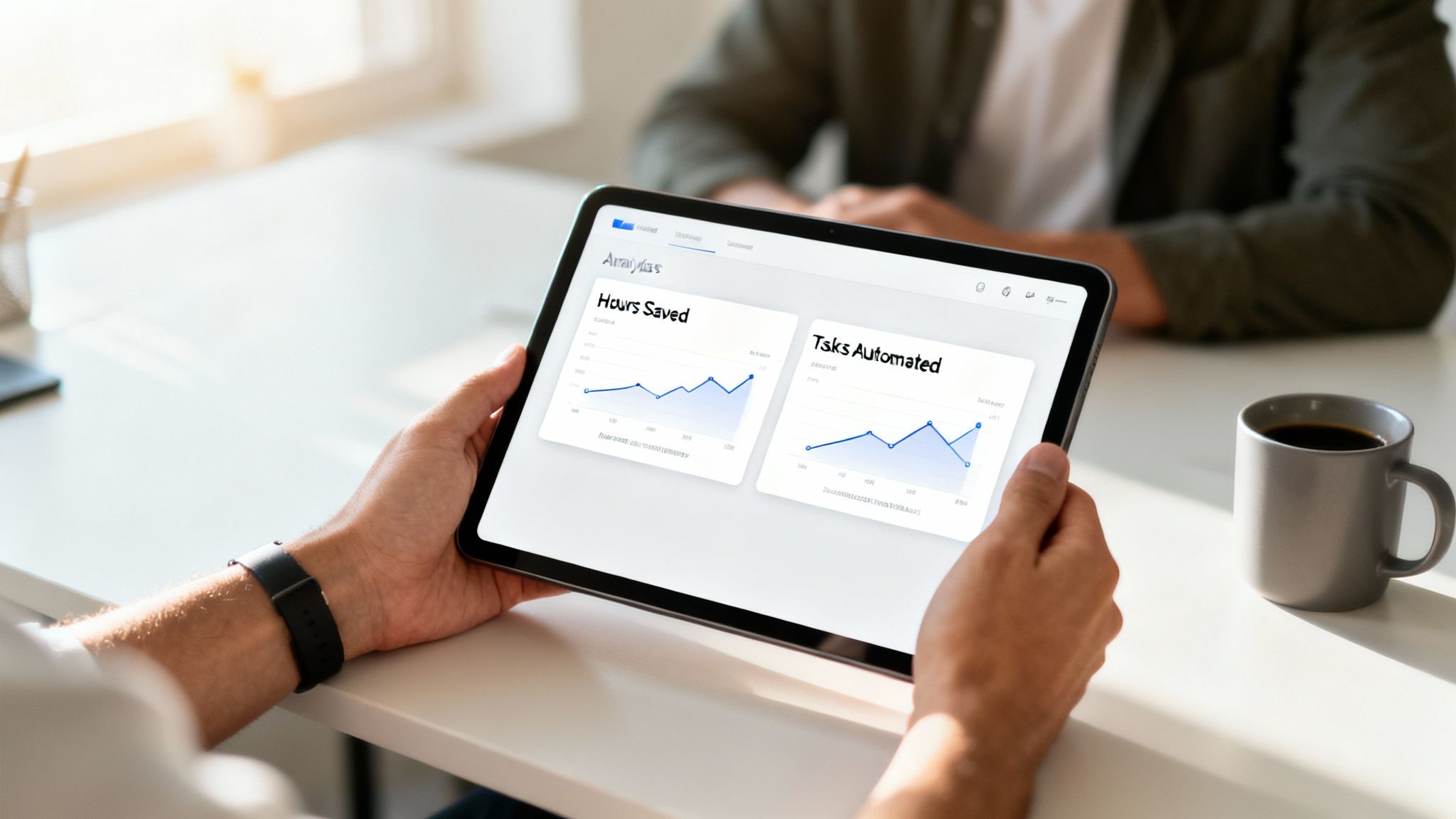
    How to automate repetitive tasks: close-up of hands holding a tablet showing business analytics dashboards with hours saved, workflows automated, and productivity gains measured.

    Successful automation creates a powerful ripple effect. It transforms not only your output but also your mindset and well-being. It’s a shift from being reactive to proactively designing a more focused work environment.

    Beyond Time Saved: The Psychological Wins

    The most significant change is often psychological. By cognitively offloading routine work, you free up your brain’s prefrontal cortex. This is the part responsible for complex problem-solving and strategic thinking. Instead of burning mental energy on low-value decisions, you preserve it. This leads to less burnout, higher job satisfaction, and a renewed sense of control.

    Automation is a direct investment in your focus. Every task you hand off to a system is a signal to your brain that its attention is too valuable to be wasted on mindless repetition.

    Real-World Scenarios: Before and After Automation

    Let’s look at how this plays out for real people.

    Mini Scenario 1 (Project Manager):

    • Before: She spends three hours every Friday manually pulling status updates to build a report. It’s tedious and draining.
    • After: She set up a dashboard that pulls data in real-time. She now uses those three hours for mentoring junior team members. This is a high-value activity that boosts team morale.

    Mini Scenario 2 (Small Business Owner):

    • Before: He manually sends invoice reminders. This creates mental clutter and anxiety about cash flow.
    • After: He automates the entire invoicing and reminder process. This not only improves cash flow but also removes a persistent source of stress. He can now focus on growing his business.

    These shifts prove the true gain is reclaiming cognitive bandwidth. It’s about replacing mental drain with strategic impact. Many find tracking these shifts in journals for productivity helps solidify new habits.

    Key Takeaways

    • Start with a Task Audit: You can’t automate what you don’t measure. Track your daily tasks for one week to identify high-frequency, low-value work.
    • Focus on Quick Wins: Choose simple, rule-based tasks for your first automation. Success with small tasks builds momentum for more complex workflows.
    • Match the Tool to the Job: Use workflow connectors like Zapier for multi-app processes. Use task-specific tools like Buffer for single jobs like social media scheduling.
    • Understand Triggers and Actions: This simple “if this, then that” logic is the foundation of most no-code automation platforms.
    • Automation Frees Mental Energy: The biggest benefit isn’t just saving time; it’s reducing cognitive overload and decision fatigue, allowing you to focus on high-impact work.
    • Test and Verify: Always test your automated workflows before setting them live. Periodically review them to ensure they are still effective and haven’t failed silently.

    A Final Word on Making Automation Actually Work

    The secret isn’t mastering complex software. It’s about starting incredibly small. Real momentum comes from getting a quick, tangible win. Focus on one or two high-impact, low-effort tasks. Think about automatically saving email attachments or sorting client emails.

    This advice is for professionals, freelancers, and small business owners buried in admin work. It’s for anyone who needs practical results without a huge learning curve.

    One word of caution: it’s easy to over-automate. This can create rigid systems that break when something changes. Periodically review your automated workflows to ensure they’re still helping. Don’t be afraid to tweak or scrap an automation that no longer fits.

    For a deeper dive, this guide is an excellent next step: How to Automate Repetitive Tasks and Reclaim Your Time. Ultimately, think of automation as a tool for protecting your focus.


    Disclaimer: This article is for educational purposes only and is not a substitute for professional medical or psychological advice. The content does not intend to diagnose, treat, or cure any condition. This site may contain affiliate links.


    At Mind Clarity Hub, we focus on practical, science-backed strategies to help you reclaim your focus and build smarter workflows. Explore our library of guides and books to find step-by-step systems for calm, effective productivity. Discover your next read at https://mindclarityhub.com.

    FAQ: Your Automation Questions, Answered

    1. What’s a good first task to automate?

    Start with something high-frequency, low-creativity, and rule-based. Good examples include saving email attachments to a cloud folder, scheduling social media posts, or copying data from a form to a spreadsheet.

    2. How much do automation tools cost?

    Many tools like Zapier and Make offer free plans for simple, low-volume tasks. Paid plans typically start around $20-$50 per month and scale up based on usage and features. Always begin with a free tier.

    3. Is my data secure with these tools?

    Reputable automation platforms use end-to-end encryption and robust security measures. However, you should also follow best practices like using strong passwords and enabling two-factor authentication.

    4. What’s the difference between automation and AI?

    Automation follows pre-set rules (if X happens, do Y). It’s for repetitive, predictable tasks. AI simulates human intelligence to analyze data, recognize patterns, and make predictions. AI can make automation “smarter.”

    5. Can I automate tasks on my smartphone?

    Yes. Many platforms like IFTTT are designed for mobile automation. You can create workflows like automatically saving photos you’re tagged in on social media or getting a notification when an important email arrives.

    6. What if my automation breaks?

    Most tools provide error logs to help you diagnose the problem. Common issues are disconnected apps (e.g., changed password) or incorrect data mapping. Testing your workflow thoroughly before activating it can prevent most failures.

    7. Do I need to know how to code to automate tasks?

    No. The vast majority of modern automation tools are “no-code” or “low-code.” They use visual, drag-and-drop interfaces, so you don’t need any programming knowledge to build powerful workflows.

    8. What are the psychological benefits of automating tasks?

    Automating repetitive tasks reduces cognitive overload and decision fatigue. This frees up mental resources, allowing for better focus, increased creativity, and lower stress levels, which helps prevent burnout.

    9. How do I identify tasks worth automating?

    Conduct a “task audit” for a week. Log your activities and note how often you do them, how much time they take, and how mentally draining they are. The tasks with the highest scores in all three areas are your best candidates.

    10. Can automation help with personal life tasks?

    Absolutely. You can automate personal tasks like creating a shopping list from a recipe website, getting weather alerts, logging your workouts automatically, or paying bills. The same principles of triggers and actions apply.

    Explore the Mind Clarity Hub Library

    Practical books on focus, digital habits, resilience, and building a calmer mind.

    The Power of Clarity — book cover

    The Power of Clarity

    Unlock mental focus, build momentum, and create the life you were meant to live.

    View book →
    AI & ChatGPT for Beginners — book cover

    AI & ChatGPT for Beginners

    No PhD needed — a 2025 guide to AI, prompts, and productivity without coding.

    View book →
    Zen in the Digital Jungle — book cover

    Zen in the Digital Jungle

    Mindfulness for a chaotic world.

    View book →
    The Slow Reset — book cover

    The Slow Reset

    Mindful living in a fast-paced world.

    View book →
    Perfectly Imperfect — book cover

    Perfectly Imperfect

    Stop self-criticism, set boundaries, and embrace the real you.

    View book →
    Reclaiming Silence — book cover

    Reclaiming Silence

    A dopamine detox guide to finding peace in a noisy world.

    View book →
    The Focused Freelancer — book cover

    The Focused Freelancer

    Productivity, pricing & positioning for independents in 2025.

    View book →
    ChatGPT Side Hustle System — book cover

    ChatGPT Side Hustle System

    Launch your AI-driven online business in 30 days.

    View book →
    Burnout, Interrupted — book cover

    Burnout, Interrupted

    A proven path to restore energy and reclaim your life.

    View book →
    Attention Unleashed — book cover

    Attention Unleashed

    Focus strategies for the distracted mind.

    View book →
    Side Hustle Launchpad — book cover

    Side Hustle Launchpad

    Your quick-start guide to extra income.

    View book →
    Digital Clarity — book cover

    Digital Clarity

    Rewire your brain, escape dopamine traps & regain focus.

    View book →
    Break the Scroll — book cover

    Break the Scroll

    Reduce screen time and take back control of your life.

    View book →
    Climate Compassion — book cover

    Climate Compassion

    Transform eco-anxiety into empowered action.

    View book →
    Village Mentality — book cover

    Village Mentality

    The power of community for mental wellness.

    View book →
    Restful Nights — book cover

    Restful Nights

    Overcoming sleep anxiety in a 24/7 world.

    View book →
    Connected Again — book cover

    Connected Again

    Combat loneliness and build meaningful relationships.

    View book →
    Focus Recharged — book cover

    Focus Recharged

    Mastering attention and productivity in the digital era.

    View book →
    Marketing Magic with ChatGPT — book cover

    Marketing Magic with ChatGPT

    AI-powered content, campaigns, and copywriting to grow faster.

    View book →
    The 6-Figure Creator — book cover

    The 6-Figure Creator

    Turn knowledge into passive income with books, courses & AI.

    View book →
    Burnout Breakthrough — book cover

    Burnout Breakthrough

    Reset your work-life balance and thrive in 2025.

    View book →
    The Emotionally Intelligent Man — book cover

    The Emotionally Intelligent Man

    A modern guide to self-awareness and communication.

    View book →
    AI Personalized Wellness — book cover

    AI Personalized Wellness

    Create your custom health plan with data-driven habits.

    View book →
    Everyday AI Made Easy — book cover

    Everyday AI Made Easy

    Use ChatGPT and smart tools to simplify life.

    View book →
    Money Mindfulness — book cover

    Money Mindfulness

    A financial wellness guide for Gen Z & Millennials.

    View book →
    Startup Smarter with AI — book cover

    Startup Smarter with AI

    ChatGPT strategies and tools to grow your business.

    View book →
    ChatGPT for Writers & Creators — book cover

    ChatGPT for Writers & Creators

    Unlock AI-powered brainstorming, drafting & editing.

    View book →
  • 10 Science-Backed Remote Work Productivity Tips for 2025

    10 Science-Backed Remote Work Productivity Tips for 2025

    10 Science-Backed Remote Work Productivity Tips for 2025

    Jeremy Jarvis — Mind Clarity Hub founder
    Mind Clarity Hub • Research-aware focus & digital wellness

    The shift to remote work offers unparalleled flexibility, but it also presents a unique set of challenges to our focus and efficiency. Without the built-in structure of a traditional office, the lines between work and life can easily blur, leaving even the most disciplined professionals feeling scattered and overwhelmed. Mastering a few powerful remote work productivity tips is essential. This guide is designed to cut through the noise with a comprehensive collection of actionable strategies, each grounded in principles of neuroscience and behavioral psychology. Subsequently, we move beyond generic advice to provide specific, evidence-backed techniques you can implement immediately.

    Remote work productivity tips: modern workspace with laptop on video call, desk lamp, plant, and ergonomic chair.

    This isn’t just another list of obvious suggestions. Instead, you’ll find a structured framework for redesigning your workday for maximum output and minimal stress. For example, we will explore how to create an optimized physical and digital workspace, master attention-management techniques like time-blocking and the Pomodoro method, and establish firm boundaries that protect your focus and well-being. Furthermore, you will learn to leverage asynchronous communication to reclaim your schedule and implement simple pre-work and end-of-day rituals that signal your brain when to switch on and off.

    Each tip is presented with a clear rationale, explaining why it works from a psychological or neurological perspective, alongside practical steps and real-world examples. Whether you’re a seasoned remote professional looking to refine your system or a student new to working from home, these strategies will help you build a sustainable, productive, and more balanced remote work life. Think of this as your toolkit for not just getting things done, but for thriving in a location-independent environment.


    Disclosure: This article may contain affiliate links. If you make a purchase through these links, we may earn a small commission at no extra cost to you. This helps support our work in creating valuable content.


    1. Establish a Dedicated Workspace for Better Focus

    Creating a physical and psychological boundary between your professional and personal life is one of the most impactful remote work productivity tips you can implement. When your living room couch doubles as your office, the lines blur, making it difficult for your brain to switch into “work mode” or fully disengage after hours. A dedicated workspace, consequently, acts as a powerful environmental cue, signaling to your brain that it’s time to focus.

    This concept is rooted in environmental psychology, which explores how our physical surroundings influence our thoughts, emotions, and behaviors. By associating a specific location with a specific activity, you create a conditioned response. In other words, stepping into your designated workspace primes your brain for concentration, while leaving it helps you transition back into your personal life, reducing the risk of burnout.

    How to Create Your Dedicated Space

    You don’t need a separate room with a door to reap the benefits. The key is dedication and consistency, not square footage.

    • Define Your Zone: Even a small corner in a quiet room can work. Use a room divider, a bookshelf, or even a rug to visually separate your work area from the rest of the living space.
    • Invest in Ergonomics: Your physical comfort directly impacts your focus. An ergonomic chair and an adjustable standing desk can prevent physical strain and boost energy levels throughout the day.
    • Optimize Your Setup: Ensure good lighting to reduce eye strain and keep the area free of personal clutter. The only items on your desk should be those essential for your work tasks.
    • Set Clear Boundaries: Communicate with family or roommates that when you are in your workspace, you are “at work” and should not be disturbed except for emergencies.

    Real-World Example: Sarah, a graphic designer in a one-bedroom apartment, uses a foldable screen to partition off a corner of her living room. When the screen is up, her partner knows she’s in “deep work” mode. This simple physical cue has drastically reduced interruptions and helped her mentally “leave” work at the end of the day.

    2. Implement the Pomodoro Technique to Boost Productivity

    Maintaining focus over long stretches can feel impossible, especially with the constant digital distractions of remote work. The Pomodoro Technique is a time-management method designed to break this cycle, leveraging timed intervals to maximize concentration and prevent mental fatigue. Consequently, it turns your workday into a series of focused sprints, making large tasks feel more approachable and manageable.

    This method is grounded in the psychological principle that frequent, short breaks can significantly improve mental agility. By working in focused 25-minute bursts (called “pomodoros”), you train your brain’s prefrontal cortex to concentrate intensely. Meanwhile, the built-in breaks allow for mental consolidation and recovery, preventing the cognitive decline associated with sustained effort. This rhythm helps combat decision fatigue and makes it one of the most effective remote work productivity tips.

    Remote work productivity tips: a red tomato-shaped timer set to 25 minutes on a desk with a laptop and notebook.

    How to Implement the Pomodoro Technique

    Getting started is simple. All you need is a timer and a commitment to honor the intervals.

    • Choose a Task: Select a single task to work on to avoid context switching.
    • Set Your Timer for 25 Minutes: Work on the task without interruption. Turn off all notifications to ensure an unbroken focus session.
    • Take a Short 5-Minute Break: When the timer rings, stop working immediately. Use this time to stretch, grab a glass of water, or simply rest your eyes away from the screen.
    • Repeat and Take a Longer Break: After completing four pomodoros, take a longer break of 15-30 minutes. This extended rest is crucial for recharging.

    Real-World Example: Alex, a software developer, uses the Pomodoro Technique to tackle complex coding bugs. He commits to one 25-minute pomodoro to investigate the issue. Often, the focused, uninterrupted time allows him to identify the root cause quickly. The mandatory breaks prevent him from getting stuck and frustrated, which used to lead to hours of unproductive effort.

    3. Set Clear Working Hours and Boundaries to Avoid Burnout

    Without the physical separation of an office, the digital nature of remote work can easily lead to an “always on” culture. Setting clear start and end times for your workday is one of the most critical remote work productivity tips for preventing overworking and burnout. Establishing firm boundaries protects your personal time, which is essential for mental and emotional recovery.

    This practice is grounded in the psychological need for structure and predictability. When work hours are ambiguous, your brain remains in a state of low-grade alert, anticipating the next email. This constant vigilance consumes mental energy and prevents deep rest. By defining a clear “end of day,” you create a cognitive trigger that allows your brain to fully disengage, promoting better sleep, reducing stress, and ultimately improving your focus during work hours.

    How to Enforce Your Work-Life Boundaries

    The goal is to create a clear and consistent separation between your professional responsibilities and personal life.

    • Communicate Explicitly: Announce your working hours to your team. Use your calendar status (e.g., in Microsoft Teams or Slack) to automatically reflect when you are available or offline.
    • Create a Shutdown Ritual: Develop a short routine to signal the end of your workday. This could include reviewing your to-do list for tomorrow, tidying your desk, and closing all work-related applications.
    • Leverage Technology: Set up automatic “out of office” email responses. Schedule emails to be sent during your working hours, even if you write them at night.
    • Separate Your Devices: If possible, avoid using your work computer for personal activities. This physical separation reinforces the mental boundary.

    Real-World Example: Maria, a project manager, updated her Slack status to automatically show a “brb” emoji during her 12:30-1:00 PM lunch break and a “powering down” emoji at 5:30 PM. This small, consistent signal has trained her team not to expect instant replies during those times, allowing her to take a real break and disconnect on time.

    4. Use Time-Blocking for Proactive Remote Work Productivity

    Simply having a to-do list is not enough. Time-blocking is a time management method that involves scheduling every part of your day in advance and dedicating specific “blocks” of time to particular tasks. This proactive approach transforms your calendar from a record of appointments into a strategic plan for your attention.

    This technique is a direct countermeasure to multitasking, which cognitive psychology shows can reduce productivity by as much as 40%. By assigning a specific job to each time slot, you eliminate the mental friction of deciding what to work on next. This preserves your cognitive resources for deep, focused work, turning your schedule into a powerful tool for intentional productivity.

    How to Implement Time-Blocking

    Effective time-blocking is about being realistic and strategic, not rigid.

    • Schedule Deep Work: Identify your peak energy hours (e.g., early morning) and reserve those blocks for your most cognitively demanding tasks.
    • Batch Similar Tasks: Group related activities. For example, create a one-hour “communications block” for answering emails instead of letting them interrupt you all day.
    • Block Distraction-Free Time: Explicitly schedule “Focus Time” on your shared calendar. This signals to colleagues that you are unavailable.
    • Plan for Breaks and Buffers: Schedule short breaks after intense focus sessions. Also, add 15-minute buffers between tasks for mental transition.
    • Review and Adapt Weekly: At the end of each week, review your calendar. Did your time estimates hold up? Adjust for the upcoming week.

    Real-World Example: Ben, a marketing manager, time-blocks his Mondays. He reserves 9-11 AM for “Strategy & Planning,” 11-12 PM for “Team Check-ins,” 1-3 PM for “Content Creation,” and 3-4 PM for “Email & Slack.” As a result, his week starts with clear direction and momentum, preventing him from getting pulled into reactive tasks. For a deeper dive into this, you can learn more about how to increase productivity at work.

    5. Minimize Distractions to Improve Remote Focus

    In a remote setting, your biggest productivity challenge is the battle against interruptions. From social media notifications to household noises, distractions can derail your focus. Minimizing these using technology and environmental adjustments is a critical remote work productivity tip for reclaiming your attention.

    This strategy is about proactively creating a “bubble” of focus. By leveraging digital tools to block out online noise and making small changes to your physical surroundings, you reduce the cognitive load required to constantly fight off interruptions. Consequently, this frees up mental energy, allowing you to direct your full concentration toward complex tasks, a concept central to improving your ability to focus better at work.

    Remote work productivity tips: modern remote work desk setup with a closed laptop, black headphones, and a smartphone on a tray.

    How to Minimize Your Distractions

    A distraction-free environment doesn’t happen by accident; it’s designed. The goal is to make focus the path of least resistance.

    • Deploy Digital Blockers: Use apps like Freedom or Cold Turkey to block distracting websites and applications during your scheduled focus blocks.
    • Curate Your Soundscape: Utilize noise-canceling headphones to eliminate ambient household sounds. For added focus, play concentration-enhancing audio from services like Brain.fm.
    • Manage Notifications Intentionally: Turn off all non-essential notifications on your computer and phone. Use “Focus Mode” or “Do Not Disturb” status in communication apps.
    • Create Physical Boundaries: A simple visual cue like a sign on your door or keeping your headphones on can signal to family that you’re in deep work mode.
    • Separate Your Digital Selves: Create separate browser profiles for work and personal use. This prevents personal bookmarks and social media from tempting you.

    Real-World Example: Chloe, a writer, creates a “Deep Work” profile in her Chrome browser that has no social media bookmarks and uses a distraction-blocking extension. When she switches to this profile, it’s a clear signal to her brain that it’s time to write, and the digital temptations are simply not there.

    6. Take Regular Breaks and Practice Movement

    Chaining yourself to your desk for hours is a direct path to mental fatigue. One of the most counterintuitive yet powerful remote work productivity tips is to intentionally step away. Integrating regular breaks and physical movement prevents cognitive decline, boosts energy levels, and sustains focus over the long term.

    This principle is rooted in how our brains manage energy. Sustained focus depletes cognitive resources, leading to decision fatigue. Short breaks, especially with physical movement, help replenish these resources. Movement increases blood flow to the brain, delivering more oxygen and nutrients, which enhances cognitive function, mood, and alertness.

    Remote work productivity tips: a person in athletic wear stretching on a yoga mat next to a standing desk with a water bottle.

    How to Integrate Breaks and Movement

    The goal is to make breaks a non-negotiable part of your workflow.

    • Implement the 20-20-20 Rule: To combat digital eye strain, every 20 minutes, look at something 20 feet away for at least 20 seconds.
    • Schedule Movement Alarms: Set a timer to go off every hour, prompting you to stand up, stretch, or walk around for just five minutes.
    • Embrace Walking Meetings: For one-on-one calls that don’t require a screen, take the meeting on the go.
    • Protect Your Lunch Break: Step completely away from your workspace to eat. Using this time for a brisk walk is crucial to learn how to recover from burnout.

    Real-World Example: David, a data analyst, sets a recurring calendar event at 2:30 PM every day titled “15-Min Walk.” By putting it on his shared calendar, it becomes a legitimate appointment he’s less likely to skip. He returns to his desk feeling refreshed and often solves problems that he was stuck on before the break.

    7. Master Asynchronous Communication for Deep Work

    Shifting your team’s mindset from real-time urgency to thoughtful, non-real-time collaboration is a transformative remote work productivity tip. Asynchronous communication, where interactions don’t require an immediate response, dismantles the culture of constant interruptions. It frees up long, uninterrupted blocks of time essential for deep, focused work.

    This approach is grounded in attention management. Cognitive psychology teaches us that every interruption incurs a “context-switching” cost, forcing our brains to disengage and then re-engage. By defaulting to asynchronous methods, you minimize these costly switches, preserving cognitive resources. It empowers individuals to engage with messages on their own schedule, leading to more considered responses.

    How to Implement an Async-First Culture

    Building an effective asynchronous system requires clear norms and the right tools. The goal is clarity and autonomy.

    • Default to Async: Train your team to ask, “Could this meeting be an email, a document, or a video message?”
    • Embrace Detailed Documentation: Use platforms like Notion or Confluence to create detailed project briefs and decision logs. This replaces the need for status update meetings.
    • Use Video for Nuance: For complex explanations, record a quick video using a tool like Loom. This provides context without needing a live call.
    • Set Clear Expectations: Establish and communicate expected response times, for instance, a 24-hour window for non-urgent requests. This removes the pressure for instant replies.

    Real-World Example: A globally distributed marketing team replaced their weekly 60-minute status meeting with an asynchronous update thread in Asana. Each team member posts their progress by Monday morning. This saves 60 minutes of meeting time for everyone and creates a written record of progress, all while respecting different time zones.

    8. Adopt a Task Prioritization System for Clarity

    Without a structured system to manage your workload, remote work can quickly devolve into chaos. Implementing a task prioritization system creates clarity, ensuring you focus on high-impact activities. This is one of the most essential remote work productivity tips for maintaining control.

    This approach is grounded in cognitive psychology principles related to executive functioning. By externalizing your workflow into a trusted system, you reduce cognitive load. Instead of trying to remember every to-do item, your brain is freed up to concentrate on complex problem-solving.

    How to Implement a Prioritization System

    The right system is one you will use consistently.

    • Adopt a Framework: Use a proven model like the Eisenhower Matrix to categorize tasks by urgency and importance. This helps you decide what to do now, schedule, delegate, or eliminate.
    • Visualize Your Workflow: A Kanban board (via tools like Trello or Jira) is excellent for visualizing work stages like “To-Do,” “In Progress,” and “Done.”
    • Break It Down: Overcome procrastination by breaking large projects into smaller, actionable sub-tasks. Checking off these smaller items builds momentum.
    • Set Daily Priorities: Before starting your day, identify your top 1-3 “Most Important Tasks” (MITs). This ensures you make meaningful progress.

    Real-World Example: A freelance consultant was overwhelmed by client requests. By implementing a simple Trello board, they created columns for “New Requests,” “This Week,” and “Waiting for Client.” This visual system immediately clarified their priorities and helped them communicate timelines more effectively, reducing their stress significantly.

    9. Develop Rituals to Start and End Your Workday

    In the absence of a physical commute, the psychological lines between home and work can dissolve. Developing pre-work and end-of-day rituals creates the clear mental “on-ramps” and “off-ramps” your brain needs to transition effectively. These consistent routines act as powerful triggers, signaling when it’s time to focus and when it’s time to disengage.

    This practice is grounded in the psychological principle of “transition rituals.” A pre-work ritual primes your brain for focus. Conversely, a shutdown ritual provides closure, allowing you to mentally “close the tabs” on work, which is crucial for preventing chronic stress. This makes it one of the most effective remote work productivity tips for long-term well-being.

    How to Build Your Rituals

    The power of these rituals lies in their consistency, not their complexity.

    • Design Your Morning On-Ramp (10-15 mins): Before opening email, dedicate time to prime your day. This might involve reviewing your calendar and identifying your top three priorities. For more ideas, explore powerful morning rituals for focus on mindclarityhub.com.
    • Craft Your Evening Shutdown (5-10 mins): Create a clear end to your workday. Review what you accomplished, prepare a preliminary task list for tomorrow, and physically tidy your workspace.
    • Use Physical Cues: Incorporate a tangible action, like making a specific type of tea to start your day or closing your laptop to end it.
    • Achieve Psychological Closure: After planning the next day, say a specific phrase aloud, like “Shutdown complete,” to signal to your brain that the workday is officially over.

    Real-World Example: At 5:00 PM, an account manager spends five minutes updating her CRM, then writes her top three priorities for the next day on a sticky note. Finally, she closes her laptop, puts it in a drawer, and says, “Work is done.” This simple, consistent ritual helped her stop checking emails in the evening.

    10. Optimize Communication Channels for Less Noise

    A chaotic communication environment is a silent killer of remote focus. When every message feels urgent, you spend your day context-switching. Optimizing communication channels means establishing clear, team-wide rules about what tool to use for which message, a powerful remote work productivity tip for reclaiming attention.

    This approach is grounded in the cognitive science principle of reducing cognitive load. Every time a random notification pulls you away, your brain pays a “switching cost.” By creating a predictable communication system, you minimize these interruptions, allowing for longer stretches of concentration.

    How to Implement a Communication Protocol

    The goal is to match the message’s urgency with the appropriate channel.

    • Document the Rules: Create a simple document outlining the protocol. For example: Use Slack for quick questions (response within 3 hours), email for formal decisions (response within 24 hours).
    • Segment Your Channels: In tools like Slack or Teams, create specific channels for different topics: #announcements, #project-alpha, and #social.
    • Define Urgency: Reserve a specific method (like a phone call) for true emergencies only.
    • Batch Your Responses: Schedule 2-3 specific times per day to check and respond to messages. This is a key strategy to manage email overload and prevent your inbox from dictating your schedule.

    Real-World Example: A support team was overwhelmed by constant Slack messages. They created a new channel, #urgent-support, and established a rule that it was only for system-down emergencies. All other questions went to the standard #support-questions channel. This immediately reduced interruptions for the on-call engineer by over 70%.

    Editor’s Note

    After reviewing countless strategies, what truly works for remote productivity isn’t a single “miracle app” but a foundational shift in mindset. The most effective tips are #1 (Dedicated Workspace) and #3 (Clear Boundaries). These create the psychological separation necessary for both deep focus and genuine rest. These tips are best for anyone feeling like their work and home lives have completely merged. A key limitation is that not everyone has the physical space for a separate office, but even a designated corner can make a huge difference. While techniques like Pomodoro are excellent, they are less effective if your environment and schedule are constantly bleeding into each other. Start by creating clear boundaries first, then layer on other techniques.


    Disclaimers and Important Information

    • Affiliate Disclosure: Please note that this article contains affiliate links. If you choose to make a purchase through these links, we may earn a small commission at no additional cost to you.
    • Educational Content: The information provided in this article is for educational and informational purposes only and is not intended as a substitute for professional medical or psychological advice, diagnosis, or treatment. Always seek the advice of your physician or other qualified health provider with any questions you may have regarding a medical condition or mental health concern.

    Frequently Asked Questions (FAQ)

    1. What is the single most important remote work productivity tip for beginners?
    For beginners, the most crucial tip is #1: Establish a Dedicated Workspace. Creating a physical boundary is the first step to creating a mental one. It signals to your brain—and others in your home—when it’s time to work, which helps build all other productive habits.

    2. How do I stay focused when I feel unmotivated working from home?
    When motivation is low, try #2: The Pomodoro Technique. The goal of working for just 25 minutes feels much more achievable than tackling a multi-hour task. The small wins from completing a few “pomodoros” can build momentum and reignite your motivation.

    3. My team is constantly messaging me. How can I get deep work done?
    Mastering #7: Asynchronous Communication is key. Propose clear communication guidelines to your team. Advocate for using email or project management tools for non-urgent updates and reserve instant messaging for true emergencies. Additionally, block out “Focus Time” on your calendar so colleagues know you are unavailable.

    4. I feel like I’m working all the time. How do I switch off?
    Implement #9: Pre-Work and End-of-Day Rituals. A simple 5-minute “shutdown ritual”—like planning your next day, tidying your desk, and closing your laptop—creates a powerful psychological cue that the workday is over, making it easier to disconnect.

    5. Are all these remote work productivity tips necessary?
    Not at all. The goal is to build a system that works for you. Start by identifying your biggest challenge—whether it’s distractions, blurred boundaries, or poor prioritization—and implement the one or two tips that directly address it.

    Ready to explore more strategies for mental clarity and peak performance? Browse other resources on Mind Clarity Hub or check out our productivity boards on Pinterest for visual inspiration.

    Explore the Mind Clarity Hub Library

    Practical books on focus, digital habits, resilience, and building a calmer mind.

    The Power of Clarity — book cover

    The Power of Clarity

    Unlock mental focus, build momentum, and create the life you were meant to live.

    View book →
    AI & ChatGPT for Beginners — book cover

    AI & ChatGPT for Beginners

    No PhD needed — a 2025 guide to AI, prompts, and productivity without coding.

    View book →
    Zen in the Digital Jungle — book cover

    Zen in the Digital Jungle

    Mindfulness for a chaotic world.

    View book →
    The Slow Reset — book cover

    The Slow Reset

    Mindful living in a fast-paced world.

    View book →
    Perfectly Imperfect — book cover

    Perfectly Imperfect

    Stop self-criticism, set boundaries, and embrace the real you.

    View book →
    Reclaiming Silence — book cover

    Reclaiming Silence

    A dopamine detox guide to finding peace in a noisy world.

    View book →
    The Focused Freelancer — book cover

    The Focused Freelancer

    Productivity, pricing & positioning for independents in 2025.

    View book →
    ChatGPT Side Hustle System — book cover

    ChatGPT Side Hustle System

    Launch your AI-driven online business in 30 days.

    View book →
    Burnout, Interrupted — book cover

    Burnout, Interrupted

    A proven path to restore energy and reclaim your life.

    View book →
    Attention Unleashed — book cover

    Attention Unleashed

    Focus strategies for the distracted mind.

    View book →
    Side Hustle Launchpad — book cover

    Side Hustle Launchpad

    Your quick-start guide to extra income.

    View book →
    Digital Clarity — book cover

    Digital Clarity

    Rewire your brain, escape dopamine traps & regain focus.

    View book →
    Break the Scroll — book cover

    Break the Scroll

    Reduce screen time and take back control of your life.

    View book →
    Climate Compassion — book cover

    Climate Compassion

    Transform eco-anxiety into empowered action.

    View book →
    Village Mentality — book cover

    Village Mentality

    The power of community for mental wellness.

    View book →
    Restful Nights — book cover

    Restful Nights

    Overcoming sleep anxiety in a 24/7 world.

    View book →
    Connected Again — book cover

    Connected Again

    Combat loneliness and build meaningful relationships.

    View book →
    Focus Recharged — book cover

    Focus Recharged

    Mastering attention and productivity in the digital era.

    View book →
    Marketing Magic with ChatGPT — book cover

    Marketing Magic with ChatGPT

    AI-powered content, campaigns, and copywriting to grow faster.

    View book →
    The 6-Figure Creator — book cover

    The 6-Figure Creator

    Turn knowledge into passive income with books, courses & AI.

    View book →
    Burnout Breakthrough — book cover

    Burnout Breakthrough

    Reset your work-life balance and thrive in 2025.

    View book →
    The Emotionally Intelligent Man — book cover

    The Emotionally Intelligent Man

    A modern guide to self-awareness and communication.

    View book →
    AI Personalized Wellness — book cover

    AI Personalized Wellness

    Create your custom health plan with data-driven habits.

    View book →
    Everyday AI Made Easy — book cover

    Everyday AI Made Easy

    Use ChatGPT and smart tools to simplify life.

    View book →
    Money Mindfulness — book cover

    Money Mindfulness

    A financial wellness guide for Gen Z & Millennials.

    View book →
    Startup Smarter with AI — book cover

    Startup Smarter with AI

    ChatGPT strategies and tools to grow your business.

    View book →
    ChatGPT for Writers & Creators — book cover

    ChatGPT for Writers & Creators

    Unlock AI-powered brainstorming, drafting & editing.

    View book →
  • How to Increase Productivity at Work and Reclaim Your Focus

    How to Increase Productivity at Work and Reclaim Your Focus

    How to Increase Productivity at Work and Reclaim Your Focus

    Jeremy Jarvis — Mind Clarity Hub founder
    Mind Clarity Hub • Research-aware focus & digital wellness

    Published: December 15, 2025

    Let’s be honest: the old idea of productivity is broken. For years, we were told that getting more done meant grinding harder and pushing through exhaustion. But that “hustle” mindset usually just leads to burnout, not meaningful results. Real productivity isn’t about cramming more tasks into your day. It’s about achieving what truly matters with less stress and more clarity by working with your brain’s natural rhythms—not against them.

    Group of coworkers collaborating at a shared desk, using laptops and notes to increase productivity at work
    Collaborative workspaces and clear routines can dramatically increase productivity at work for both teams and individuals.


    Affiliate Disclosure: At Mind Clarity Hub, we believe in transparency. This article may contain affiliate links, which means we may earn a small commission if you make a purchase through them—at no extra cost to you. We only recommend products we trust.

    Redefining Productivity for the Modern Workplace

    This guide throws out the old rulebook. Instead of chasing more hours, we’ll focus on a smarter, more sustainable, and brain-friendly model for high performance. It all comes down to intention and clarity.

    The real drivers of exceptional work aren’t about brute force. They’re about genuine motivation and deep engagement—the very things that hustle culture often destroys. The research is clear: how people feel at work has a direct impact on what they accomplish. This isn’t just a mood-booster; it’s a core principle of organizational psychology. Our mood influences cognitive functions like problem-solving and creativity, meaning a positive work environment directly fuels innovation and output.

    The Real Driver of High Performance

    Disengaged employees are more than just a morale problem; they represent a staggering loss of human potential. A recent Gallup report on the global workplace is eye-opening: only 21% of employees worldwide feel truly engaged at work.

    This widespread disengagement isn’t a small issue. It’s estimated to cost the global economy a mind-boggling US$438 billion in lost productivity every year. On the flip side, Gallup found that achieving full engagement could inject an incredible US$9.6 trillion back into the world economy.

    That’s not just a number—it’s proof that motivation is one of the most powerful economic forces we have. You can dig into the complete findings in Gallup’s full analysis.

    To help you reclaim your focus and energy, this guide is built on four core pillars. Think of it as your new operating system for getting things done.

    The Four Pillars of Science-Backed Productivity

    PillarCore PrinciplePrimary Benefit
    Mastering Deep WorkProtect your cognitive resources from constant digital distractions and interruptions.Produce higher-quality work in less time and reduce mental fatigue.
    Designing Your EnvironmentShape your physical workspace and daily schedule to support focus automatically.Make concentration the path of least resistance, requiring less willpower.
    Leveraging TechnologyUse automation and AI to handle repetitive tasks, freeing up mental space.Reclaim time and energy for strategic thinking and creative problem-solving.
    Building Sustainable HabitsUse behavioral science to create productive routines that stick without burnout.Achieve long-term consistency and avoid the boom-and-bust cycle of motivation.

    By mastering these four areas, you’re not just learning productivity “hacks.” You’re building a system that allows you to do your best work consistently without sacrificing your well-being.

    • Mastering Deep Work: This is your defense against a world of distraction. We’ll cover how to protect your most valuable cognitive resources from the constant barrage of pings, notifications, and interruptions that fragment your attention.
    • Designing Your Environment: Your workspace and schedule can either fight you or support you. You’ll learn how to shape your surroundings to make focus the default setting, so you don’t have to rely on willpower alone.
    • Leveraging Technology Intelligently: Instead of letting technology manage you, you’ll learn to make it work for you. We’ll explore how to use automation and AI to offload the repetitive, low-value tasks that drain your mental energy. Our insights into future of work and focus recovery show just how critical this skill is becoming.
    • Building Sustainable Habits: Willpower is a finite resource. That’s why we’ll dive into behavioral science to build productive routines that last, turning powerful behaviors into second nature.

    By focusing on these pillars, you’ll create a system that supports sustained high performance without burning you out. This is about doing the right things, better—and feeling good while you do it. You can follow along for more practical insights on my Pinterest.

    Mastering Deep Work and Conquering Distraction

    How to increase productivity at work: a person wearing headphones works on a laptop displaying “Inbox 0” next to a tomato timer.

    If you feel like your attention is constantly under attack, you’re not wrong. The modern workday is practically engineered for distraction. An endless stream of notifications, emails, and “quick questions” pulls you in a dozen different directions at once.

    This constant fragmentation isn’t just annoying; it actively undermines your brain’s ability to produce high-quality, thoughtful work. Your brain’s prefrontal cortex—the area responsible for complex planning and decision-making—is wired for single-tasking. When you try to multitask, like drafting a report while keeping an eye on your inbox, you aren’t actually doing two things at once. Instead, you’re forcing your brain to switch gears rapidly, a process called context switching.

    Every time you switch, you pay a “cognitive cost,” burning through precious mental energy. This makes it harder and harder to get back into the groove of your main task. This is exactly why a day packed with interruptions can leave you feeling drained, even if you feel you got little done.

    The Power of Intentional Focus Blocks

    The most effective way to fight back against distraction is to deliberately carve out time for focused, uninterrupted work. This isn’t about finding more hours in the day—it’s about making the hours you already have actually count. Two powerful, research-backed techniques can get you there.

    • Time Blocking: This is where you schedule specific tasks directly into your calendar, just like a meeting. Instead of a vague to-do list, your day has a clear game plan. For example, a marketing manager could block out 9:00 AM to 11:00 AM for “Q3 Creative Strategy.” No email. No Slack. Just dedicated time for their most important work.
    • The Pomodoro Technique: This method uses a timer to break down work into focused sprints, traditionally 25 minutes long, separated by short breaks. It works beautifully because it aligns with your brain’s natural attention cycles, preventing cognitive overload. After a 25-minute push, you step away for a 5-minute break to recharge before the next round.

    These methods create a structure that signals to your brain that it’s time to focus, giving you permission to let everything else wait. The goal is to build a predictable rhythm that makes deep work a habit, not a rare event.

    Taming Your Digital Environment

    Your digital world is likely the biggest source of distraction. Getting it under control requires a conscious effort to practice digital minimalism—the idea of using tech to serve your goals, not letting it dictate your attention.

    Start by auditing your notifications. Do you really need an instant alert every time an email lands or someone likes a comment? Each ping is a tiny invitation for your brain to switch contexts, derailing your flow. Be ruthless and turn off all non-essential notifications on your phone and computer.

    Key Takeaway: The average office worker gets interrupted every three minutes. Reclaiming just a fraction of that time for deep work can dramatically increase your output and lower your stress. A quiet digital space is a productive one.

    Consider using website blockers during your focus blocks to prevent mindless scrolling on social media or news sites. This isn’t about a lack of willpower; it’s about creating an environment where you don’t need to rely on willpower in the first place.

    Design Your Workspace and Schedule for Peak Performance

    Your physical environment and daily schedule are silent partners in your productivity. They can either create constant friction or act as powerful engines for focus. The goal is to intentionally design both so that productive behaviors become the path of least resistance, requiring less willpower to sustain.

    This is where behavioral psychology gives us a practical roadmap. Instead of banking on motivation, which is notoriously unreliable, you can use environmental cues to trigger the actions you want to take. A classic example is setting out your workout clothes the night before. That one small change dramatically increases the odds you’ll actually make it to the gym in the morning because it lowers the “activation energy” needed to start.

    It works the same way at your desk. A cluttered workspace filled with half-done projects sends subtle signals of chaos to your brain, making it harder to lock in on one thing. A clean, minimalist setup, on the other hand, creates a clear visual field, which helps you cultivate a clear mental field.

    Aligning Tasks with Your Natural Energy Cycles

    Productivity isn’t just about managing time; it’s about managing your energy. We all have natural high and low-energy periods throughout the day—what scientists call our chronotype. Some of us are “larks” who do our best thinking first thing in the morning, while others are “owls” who don’t truly hit their stride until the afternoon or evening.

    Fighting your natural rhythm is a losing battle. The smarter move is to work with it.

    • Find Your Peak Hours: For one week, take a moment every hour to jot down your energy and focus levels on a scale of 1 to 10. You’ll quickly see a pattern emerge, revealing your prime time for deep, cognitively demanding work.
    • Guard Those Hours Ruthlessly: Once you know your peak window—say, 9 AM to 11 AM—protect it. That’s when you should be tackling complex problem-solving or creative strategy, not clearing out your inbox.
    • Use Your Dips Strategically: Save your low-energy periods for administrative tasks, routine emails, or planning your next day. This keeps you moving forward without draining your most valuable cognitive resources on low-impact work.

    For a software developer on a hybrid schedule, this might mean dedicating their high-energy remote mornings to solo coding. They can then save their in-office afternoons for collaborative meetings and code reviews. This simple alignment can drastically improve both code quality and job satisfaction.

    Building Automatic Habits with Environmental Design

    Your workspace is more than just a place to put your laptop. It’s a system of cues that can either trigger focus or invite distraction. By consciously designing this space, you can put productive habits on autopilot. This concept is often called habit stacking, where you link a new desired habit to one you already have.

    For instance, you could stack the habit of “planning my top three priorities” onto your existing habit of “making morning coffee.” While the coffee brews, you take two minutes to write down your most important tasks.

    You can supercharge this by using environmental cues.

    Pro Tip: Create distinct zones for different kinds of work. Using a specific chair just for deep work, a corner for creative brainstorming, or even a designated spot for taking calls can signal to your brain what kind of thinking is required. This minimizes the mental effort needed to switch gears.

    This approach extends to your digital workspace, too. A clean desktop with only the essentials visible reduces the temptation to multitask. The goal is to make your environment do the heavy lifting so your brain doesn’t have to.

    Thoughtful scheduling and workspace design are proving to have a measurable impact, especially as flexible work becomes more common. A recent “State of the Workplace” report from ActivTrak found that remote-only workers gained about 29 minutes of extra productive time per day compared to their in-office or hybrid peers. Across multiple datasets, the average workday actually shortened by roughly 36 minutes, even as productivity increased—proof that a smarter structure leads to better output. You can dive deeper into these workplace statistics and trends here.

    By consciously shaping your schedule around your energy and designing your environment to support your goals, you shift from a reactive state to a proactive one. You stop fighting distractions and start building a system where focus is the default.

    Automate Your Workflow and Use AI Intelligently

    Technology can feel like a double-edged sword. Left unchecked, it becomes a relentless source of distraction. But when you use it intentionally, it’s one of the most powerful tools you have for boosting your productivity and reclaiming your mental energy.

    The trick is to spot the low-value, repetitive tasks that drain your willpower and offload them to technology. These are the small, mindless jobs that chip away at your focus all day: sorting emails, copying data between apps, or scheduling the same follow-ups again and again.

    Reclaim Your Cognitive Bandwidth

    Every time you handle one of these mundane tasks, you’re spending a tiny bit of your limited decision-making capacity. Psychologists call this “decision fatigue.” Automating them isn’t about being lazy; it’s about strategically preserving your best thinking for the work that actually moves the needle.

    You can start with tools you already use. Simple email filters can automatically sort incoming messages, keeping your main inbox clear for what truly matters. For more complex workflows, tools like Zapier connect your apps and create automated sequences, like saving email attachments to a specific cloud folder or adding new leads to a spreadsheet.

    This kind of strategic automation frees up a surprising amount of mental space, letting you invest your time in high-value work instead of administrative drag. The impact is real. Research shows employees can save an average of 3.6 hours per week just by automating routine tasks. On a larger scale, McKinsey estimates that generative AI could boost labor productivity growth by up to 0.6 percentage points annually through 2040. If you want to dig into the numbers, you can explore more employee productivity statistics.

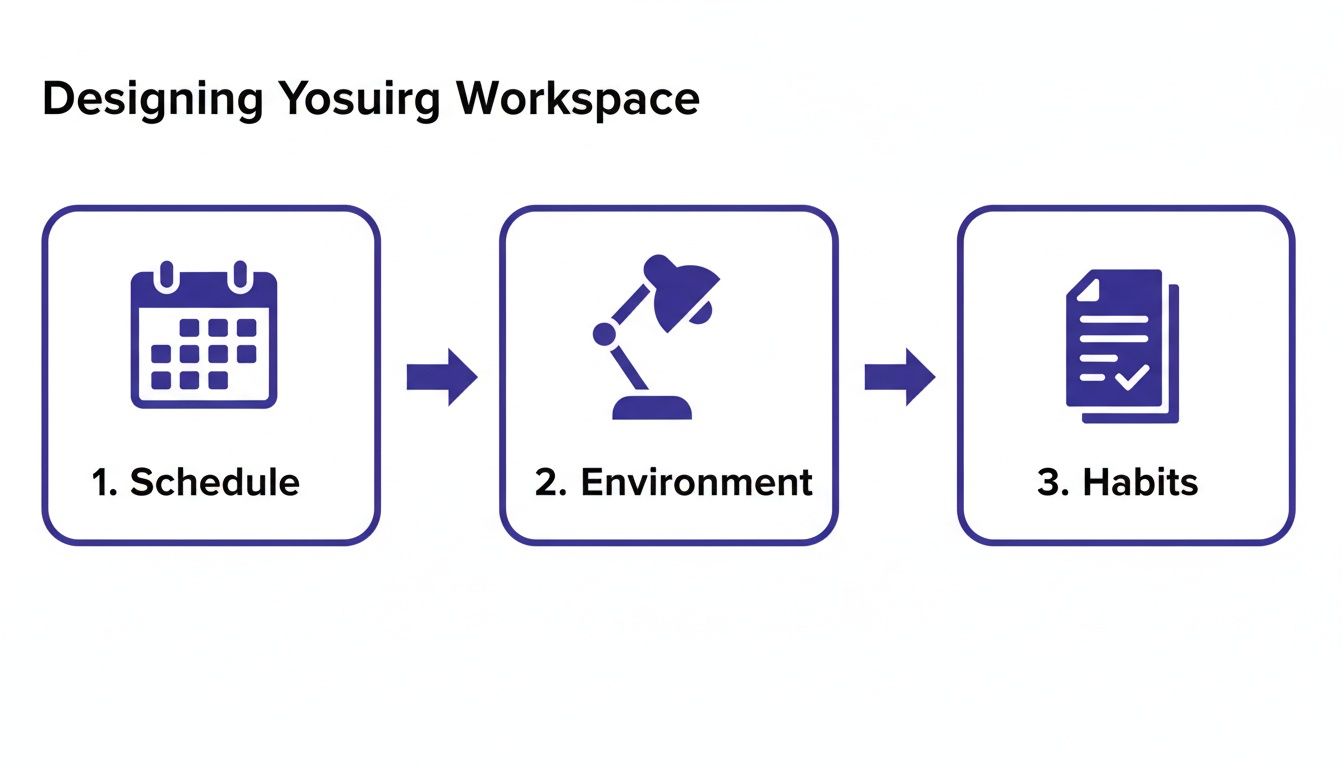
    The diagram below breaks down the three pillars of a truly productive work system: your schedule, your environment, and your habits.

    A three-step diagram for designing a productive workspace including schedule, environment, and habits.

    This shows how real productivity emerges when your schedule, environment, and habits all work together to support your goals.

    Using AI as a Strategic Partner

    Artificial intelligence opens up a whole new frontier for offloading cognitive labor. But its real power isn’t just generating content; it’s acting as a strategic partner to accelerate the early stages of your work, leaving you more time for high-level thinking and refinement.

    Forget generic prompts. Instead, think in terms of specific tasks that help you overcome the “blank page” problem.

    • For Project Managers: Use AI to draft an initial project scope or create a work breakdown structure from a brief. For example, prompt it with “Generate a WBS for a website redesign project, including phases for discovery, design, development, and launch.” This gives you a solid foundation to edit, saving hours of setup.
    • For Researchers: Ask AI to summarize dense academic articles, pulling out key findings and methodologies. You can quickly assess a source’s value without reading the whole thing.
    • For Marketers: Use it to brainstorm a list of potential blog titles or social media angles for a campaign. It’s a fantastic way to break through creative blocks and generate a wide range of ideas.

    Key Insight: The smartest way to use AI isn’t to replace your thinking but to augment it. Automate the first 80% of a task—the drafting, summarizing, or brainstorming—and you free up your cognitive energy for the final 20%, where human nuance, creativity, and strategy add the most value.

    Using technology this intelligently is a core skill for any modern professional. To learn more about folding these tools into your daily routine, check out our guide on making everyday AI easy and effective. The goal is clear: reinvest the time you save not to cram more work into your day, but to create more space for deep, focused thinking.

    The Role of Rest in Sustained High Performance

    How to increase productivity at work: a man in a suit walks down a sunlit path between modern office buildings with trees.

    It sounds completely backward, but one of the most effective ways to increase productivity has nothing to do with working harder. It’s about being intentional with your rest. “Hustle culture” has conditioned us to view downtime as weakness, but neuroscience tells a much different story.

    Your brain isn’t a machine that can run nonstop. Sustained mental effort, especially on tough problems, burns through neurotransmitters and drains glucose—the main fuel source for your brain cells. Without breaks, your prefrontal cortex, which handles all the heavy lifting like decision-making and focus, gets exhausted. This isn’t just a feeling; it has real consequences: slower thinking, worse memory, and a total collapse of creativity. Rest isn’t the opposite of work; it’s the partner that makes elite performance possible.

    The Neuroscience of How Your Brain Recharges

    When you finally disconnect, your brain flips into a completely different gear. One of the most important is the default mode network (DMN), a web of brain regions that lights up when you’re at rest but still awake. While you’re daydreaming or letting your mind wander, the DMN is busy connecting ideas, consolidating memories, and sorting through subconscious thoughts.

    This is exactly why your best ideas seem to pop into your head in the shower, on a walk, or just before you drift off to sleep. You step away from the problem, and you give your brain the space it needs to solve it. This same principle works on a smaller scale throughout the day. Micro-breaks—short, deliberate breaks that last just a few minutes—are surprisingly powerful for fighting off mental fatigue.

    • Look away from the screen: Just gazing out a window for 60 seconds can reduce eye strain and give your visual cortex a breather.
    • Stand and stretch: A quick stretch gets blood flowing back to the brain, delivering a fresh shot of oxygen and glucose.
    • Step outside: Even five minutes of fresh air can lift your mood and reset your ability to concentrate.

    Think of a consultant who takes a 10-minute walk after every intense client meeting. They aren’t slacking off. They are actively preventing decision fatigue so they can return to their desk sharp, clear, and ready for the next challenge.

    Challenging the Burnout Narrative

    The “always-on” mindset doesn’t just tank your productivity in the short term; it causes long-term damage to your brain’s executive functions. Burnout isn’t just being tired—it’s a state of chronic stress that can throw your entire nervous system out of whack and cripple your cognitive performance.

    Important Note: Burnout, anxiety, and depression are serious conditions. This article is for educational purposes only. If you are experiencing symptoms, it is crucial to seek help from a qualified medical or mental health professional.

    For long-term performance, setting firm boundaries isn’t optional. It’s non-negotiable. This means having clear start and end times for your workday and—this is the hard part—actually sticking to them. If you’re feeling fried, learning how to recover from burnout is the essential first step toward building back healthier, more sustainable habits.

    Key Insight: True disconnection means your brain isn’t still chewing on work problems. Casually checking email on your phone after hours seems harmless, but it keeps your brain in a state of low-grade alert, preventing the deep cognitive rest you need to be at your best the next day.

    By treating rest as a core part of your productivity strategy, you shift from a model of short-term sprints and inevitable crashes to one of sustainable, long-term achievement. Sleep, breaks, and true time off aren’t luxuries. They are fundamental requirements for anyone serious about doing their best work consistently.

    Editor’s Take: What Actually Works

    My name is Jeremy Jarvis, and for years, I’ve been the guinea pig for just about every productivity system, app, and framework you can imagine. After wading through all that noise, here’s my honest take: the biggest wins never come from the trendiest new app. They come from mastering the fundamentals.

    The real 80/20 of productivity is about two things: ruthlessly protecting your focus for deep work and being relentlessly intentional with your schedule. Almost everything else is a distraction or, worse, a sophisticated form of procrastination. We tell ourselves that organizing our to-do list for the tenth time is progress, when it’s really just a clever way to avoid the hard, meaningful work staring us in the face.

    Who Is This Advice Best For?

    These strategies are most effective for knowledge workers, creatives, and anyone whose job requires deep thinking and problem-solving rather than manual labor. If your day is a mix of meetings, strategic work, and independent tasks, these principles will be a game-changer. They are less applicable to roles that are purely reactive, like customer service, where the workflow is dictated by external demand.

    My rule of thumb is simple: If a tool requires more time to manage than the time it saves you, it’s not a productivity tool. It’s a hobby. A simple calendar for time blocking, a basic timer for Pomodoro sprints, and a minimalist notes app are often all you really need.

    The Most Important Takeaway

    Ultimately, no single system works for everyone. The hunt for a perfect, one-size-fits-all solution is a trap. What works for a freelance graphic designer is going to look completely different from what a project manager in a huge corporation needs. The only goal is to find what works for you.

    Sustainable productivity is built on self-compassion and the flexibility to adapt. It is not about rigid adherence to a framework that leaves you feeling stressed and burned out. If a system isn’t serving you, it’s okay to abandon it and try something else.

    True productivity should feel calm, focused, and intentional. It’s about building systems that support your well-being, not ones that drain it. Start with the basics: guard your focus, manage your energy, and give yourself the grace to adjust as you go.

    Frequently Asked Questions (FAQ)

    Putting these ideas into practice is where the real work begins. Here are answers to some of the most common questions.

    How long does it take to see results from these productivity methods?

    You can feel some benefits almost immediately. The first day you try time blocking or the Pomodoro Technique, you’ll likely notice a boost in focus. However, according to behavioral research, forming a truly automatic habit takes consistency over several weeks. Start small and aim for progress, not perfection.

    Can these strategies help with ADHD or other focus challenges?

    Yes, many people find these structured approaches very helpful for managing attention. Techniques like breaking down tasks, designing a low-distraction environment, and externalizing your schedule onto a calendar are evidence-based strategies that can support executive function. However, please remember this article is for educational purposes and is not a substitute for professional medical advice. If you have concerns about ADHD, anxiety, or other conditions, please consult a qualified healthcare provider.

    What is the single most impactful change I can make?

    Protect the first 90 minutes of your workday for your single most important task. Before checking email or Slack, make meaningful progress on the one thing that will advance your long-term goals. This single habit builds momentum for the entire day and trains your brain to prioritize deep work over shallow, reactive tasks.

    Are there any tools you recommend for getting started?

    Start simple. You don’t need complex software. A physical planner or a digital calendar (like Google Calendar) is perfect for time blocking. A simple timer on your phone or a browser extension works great for the Pomodoro Technique. The goal is to reduce friction, not add another complex tool to your plate.


    Disclaimer: The information provided in this article is for educational and informational purposes only and is not intended as medical or psychological advice. This article may contain affiliate links, which means we may earn a small commission at no extra cost to you. Always consult with a qualified professional for any health concerns.

    At Mind Clarity Hub, our work is all about giving you science-backed, actionable guides to help you reclaim your attention and energy. To go deeper on any of these topics, feel free to explore our full library of books and resources.

    Explore the Mind Clarity Hub library

    Explore the Mind Clarity Hub Library

    Practical books on focus, digital habits, resilience, and building a calmer mind.

    The Power of Clarity — book cover

    The Power of Clarity

    Unlock mental focus, build momentum, and create the life you were meant to live.

    View book →
    AI & ChatGPT for Beginners — book cover

    AI & ChatGPT for Beginners

    No PhD needed — a 2025 guide to AI, prompts, and productivity without coding.

    View book →
    Zen in the Digital Jungle — book cover

    Zen in the Digital Jungle

    Mindfulness for a chaotic world.

    View book →
    The Slow Reset — book cover

    The Slow Reset

    Mindful living in a fast-paced world.

    View book →
    Perfectly Imperfect — book cover

    Perfectly Imperfect

    Stop self-criticism, set boundaries, and embrace the real you.

    View book →
    Reclaiming Silence — book cover

    Reclaiming Silence

    A dopamine detox guide to finding peace in a noisy world.

    View book →
    The Focused Freelancer — book cover

    The Focused Freelancer

    Productivity, pricing & positioning for independents in 2025.

    View book →
    ChatGPT Side Hustle System — book cover

    ChatGPT Side Hustle System

    Launch your AI-driven online business in 30 days.

    View book →
    Burnout, Interrupted — book cover

    Burnout, Interrupted

    A proven path to restore energy and reclaim your life.

    View book →
    Attention Unleashed — book cover

    Attention Unleashed

    Focus strategies for the distracted mind.

    View book →
    Side Hustle Launchpad — book cover

    Side Hustle Launchpad

    Your quick-start guide to extra income.

    View book →
    Digital Clarity — book cover

    Digital Clarity

    Rewire your brain, escape dopamine traps & regain focus.

    View book →
    Break the Scroll — book cover

    Break the Scroll

    Reduce screen time and take back control of your life.

    View book →
    Climate Compassion — book cover

    Climate Compassion

    Transform eco-anxiety into empowered action.

    View book →
    Village Mentality — book cover

    Village Mentality

    The power of community for mental wellness.

    View book →
    Restful Nights — book cover

    Restful Nights

    Overcoming sleep anxiety in a 24/7 world.

    View book →
    Connected Again — book cover

    Connected Again

    Combat loneliness and build meaningful relationships.

    View book →
    Focus Recharged — book cover

    Focus Recharged

    Mastering attention and productivity in the digital era.

    View book →
    Marketing Magic with ChatGPT — book cover

    Marketing Magic with ChatGPT

    AI-powered content, campaigns, and copywriting to grow faster.

    View book →
    The 6-Figure Creator — book cover

    The 6-Figure Creator

    Turn knowledge into passive income with books, courses & AI.

    View book →
    Burnout Breakthrough — book cover

    Burnout Breakthrough

    Reset your work-life balance and thrive in 2025.

    View book →
    The Emotionally Intelligent Man — book cover

    The Emotionally Intelligent Man

    A modern guide to self-awareness and communication.

    View book →
    AI Personalized Wellness — book cover

    AI Personalized Wellness

    Create your custom health plan with data-driven habits.

    View book →
    Everyday AI Made Easy — book cover

    Everyday AI Made Easy

    Use ChatGPT and smart tools to simplify life.

    View book →
    Money Mindfulness — book cover

    Money Mindfulness

    A financial wellness guide for Gen Z & Millennials.

    View book →
    Startup Smarter with AI — book cover

    Startup Smarter with AI

    ChatGPT strategies and tools to grow your business.

    View book →
    ChatGPT for Writers & Creators — book cover

    ChatGPT for Writers & Creators

    Unlock AI-powered brainstorming, drafting & editing.

    View book →