
...

Tag: weekly reset

  • Home Office Reset Checklist: Clear Your Desk, Mind, and Week

    Home Office Reset Checklist: Clear Your Desk, Mind, and Week

    You do not need a huge makeover to work with calm focus. You need one simple rhythm you can keep. This home office reset checklist gives you a fast, repeatable system to clear your desk, tune your setup, and plan your next week. It blends surface declutter, safe electronics care, ergonomic checks, quick digital hygiene, and a short planning ritual. Use it once a week. Keep it light. Then start Monday clear.

    Here is the promise: in 30 minutes you lower friction, see your next step, and remove the tiny snags that waste energy. The steps are short. The rules are simple. Because the order stays the same, your brain can cruise. Over time, the small wins add up to a desk that is ready and a mind that feels steady.

    Quick start: weekly home office reset (30 minutes)

    • Set a 30-minute timer. Put your phone on Do Not Disturb.
    • Clear surfaces with a two-box sort: keep here, move elsewhere.
    • Wipe dust safely, then check cables and tools.
    • Recheck ergonomics (chair, desk, monitor, keyboard, mouse).
    • Do a mini digital tidy: desktop, downloads, inbox, updates, backup.
    • Plan your week: review calendar, pick your Top 3, block time, add buffers.
    • Close with a reset ritual: lights, scent, music, and a one-line intention.

    Print this page or save it as a note. Then use this home office reset checklist every Friday or Monday for a clean slate.

    What is a home office reset checklist?

    A home office reset checklist is a short, repeatable set of actions that return your workspace to ready. It is not a deep clean. It is not a full rewire of your desk. Instead, it is a weekly sequence that removes friction you will feel Monday morning: clutter on surfaces, smudged screens, tangled cables, a chair that slowly sank, a desktop packed with screenshots, and a vague plan. Because the steps are the same each week, you spend less energy deciding and more energy doing. The result is a clear desk, a tuned setup, and a calm brain.

    Think of it as a preflight check. Pilots run the same order before every takeoff so nothing vital is missed. You will do the same for your week: clear, clean, check, tidy, plan, close. No drama. No dithering. Just a steady system that gets you to your first block of real work.

    Your home office reset checklist in 8 steps (30 minutes)

    Here is the exact flow. Follow it once a week. Adapt the times to fit a 15-, 30-, or 60-minute window. As you practice, it will get faster.

    Step 1: Prepare the space for your weekly home office reset (2 minutes)

    • Silence notifications. Turn on a short playlist.
    • Open a window if the weather allows. Fresh air helps you move.
    • Set a single timer for this run. When it ends, you stop. Done is better than perfect.

    Because this is a weekly task, keep it light. Your goal is flow, not perfection. If you are low on energy, tell yourself you are only doing the next two minutes. Often, momentum will carry you.

    Step 2: Clear surfaces fast with a two-box sort (6 minutes)

    Stand up. Sweep everything that does not belong on your main working surface into two containers:

    • Keep here: items you use daily (notebooks, pens, current project).
    • Move elsewhere: things that belong in other rooms, archives, or recycling.

    Return the daily items neatly. Stage the β€œmove elsewhere” box by your door. You will relocate it after the timer. This simple rule keeps the home office reset checklist from turning into house cleaning. If you find sentimental or tricky items, set them aside for a monthly block so today’s reset stays short.

    Step 3: Dust and clean electronics safely (workspace reset checklist) (6 minutes)

    Unplug what you can safely reach. Use a dry microfiber cloth to dust. For smudges, use 70% isopropyl alcohol wipes or a cloth lightly dampened with 70% alcohol. Avoid spraying liquid directly on screens or ports. Follow manufacturer instructions and let surfaces dry fully before powering on. The U.S. Centers for Disease Control and Prevention advises using alcohol-based wipes for electronics when appropriate and to follow device guidance for safe cleaning.

    • Monitor and laptop screens: gentle, circular motions; no harsh pressure.
    • Keyboard and mouse: tap debris out, then wipe tops and sides.
    • Desk: wipe where your wrists rest. Clean your phone case, too.

    Source guidance: see CDC cleaning advice for electronics and follow your device maker’s instructions for materials and moisture limits. Keep a small cloth in a drawer so future resets are faster.

    Step 4: Cable and tool check (desk reset checklist) (3 minutes)

    • Look for frayed cables. Replace any that show damage.
    • Coil slack with reusable ties. Keep one spare tie in a drawer.
    • Confirm surge protectors are on and not overloaded.
    • Return tools to a single zone: stapler, scissors, batteries, chargers.

    Small fixes prevent bigger issues. A one-minute cable tidy now saves minutes of snagging later. If you label one cable per week, you will have a clean cluster by the end of the quarter.

    Step 5: Ergonomic recheck (weekly home office reset) (5 minutes)

    A few millimeters of drift across a week can lead to tension. Recalibrate key points using trusted guidance from workplace ergonomics resources.

    • Chair: feet flat on the floor or a footrest; slight recline; lumbar support meets your lower back.
    • Desk: forearms roughly parallel to the floor when typing.
    • Monitor: top of the screen at or slightly below eye level; about an arm’s length away; center the content you view most.
    • Keyboard and mouse: keep them close and at the same level; keep wrists neutral.
    • Breaks: use micro-breaks and the 20-20-20 rule for eyes (every 20 minutes, look at something 20 feet away for 20 seconds).

    Occupational safety resources such as the OSHA Computer Workstations eTool outline practical guidance for desk, chair, keyboard, and mouse placement. The American Academy of Ophthalmology describes the 20-20-20 rule to reduce eye strain from screens. If you only change one thing, adjust monitor heightβ€”it pays off fast.

    Step 6: Digital tidy and backup (workspace reset checklist) (5 minutes)

    • Desktop and downloads: delete or file items into project folders.
    • Email: do an β€œinbox zero lite.” Archive. Star or flag the 3 messages that truly need action next week.
    • Updates: install pending OS and app updates.
    • Backup: confirm your 3-2-1 backup coverage (3 copies, 2 different media, 1 offsite). If you use a cloud backup, check the β€œlast successful backup” time.

    As part of your home office reset checklist, this two-to-five-minute pass prevents a slow creep of digital clutter. The U.S. Cybersecurity and Infrastructure Security Agency explains the 3-2-1 backup strategy as a simple, resilient way to protect your files. If you are tight on time, file only what sits on your desktop and queue the rest for a monthly sweep.

    Step 7: Plan your week with a short review (weekly home office reset) (5 minutes)

    • Calendar: scan the next two weeks. Add commute or prep buffers where needed.
    • Top 3 outcomes: name the three outcomes that would make the week a win.
    • Block time: put focused blocks on the calendar for the Top 3.
    • Admin batch: set one block for email, bills, or errands.
    • Protect energy: leave a daily catch-all buffer at the end of the day.

    Planning is short because doing is the goal. If your plan takes more than five minutes, simplify it next time. A clear β€œTop 3” helps you say no to extra inputs that do not fit.

    Step 8: Close with a reset ritual (weekly home office reset) (3 minutes)

    • Lights: set your light to a warm evening tone, or power off the bright lamp.
    • Scent or music: a short cue tells your brain β€œwe are done.”
    • One-line intention: write a sentence on a sticky note for next time: β€œStart with slide 3 edits.” Place it in the center of your desk.

    Rituals help you switch off and return ready. Small cues add up over time. If you share space, a closing photo of your ideal setup is a quick reset guide for next time.

    How long should a weekly home office reset take?

    Most people do well with 30 minutes. If you are new, allow 45–60 minutes for the first two runs. Then tighten to 30 or even 15 minutes as you build muscle memory. Use this table to right-size today’s session.

    Time budget Focus areas Notes
    15 minutes Surface sweep, quick wipe, pick Top 3 Skip deep digital tidy. Do a 60-minute reset monthly.
    30 minutes Full weekly run (8 steps) Recommended default for most weeks.
    60 minutes Weekly run + mini deep clean Dust under desk, vacuum, archive old notebooks, update labels.

    If the home office reset checklist feels long, choose the 15-minute version this week. Consistency matters more than completeness. Later, add a quarterly 60-minute tune-up to catch anything that slips.

    Home office reset checklist items on a desk with notebook and pens
    Simple tools, simple system. Photo credit: RDNE Stock project via Pexels.

    Supplies for your workspace reset checklist

    • Microfiber cloth and 70% isopropyl alcohol wipes for electronics (follow device guidance).
    • Reusable cable ties and a small cable box or sleeve.
    • Compressed air for keyboard crevices (optional; short bursts only).
    • Sticky notes or a small desk pad for your weekly Top 3.
    • Two containers or trays for the two-box sort.

    Keep these in one drawer or a small caddy. When tools live together, starting is easy. If you stock extrasβ€”like one spare cable and two fresh wipesβ€”you remove excuses and keep the reset on autopilot.

    Ergonomics check for a weekly home office reset

    Include an ergonomic check in your home office reset checklist. Use this table for a fast recheck.

    Element Quick target Why it helps
    Chair & feet Feet flat; slight recline; back support at lumbar Reduces lower-back strain and thigh pressure.
    Keyboard height Forearms near parallel to floor; wrists neutral Limits wrist extension and shoulder lift.
    Mouse position Close to keyboard; same level Avoids overreaching and shoulder rotation.
    Monitor height Top at or just below eye level Prevents neck flexion and eye strain.
    Monitor distance About an arm’s length Keeps text readable without leaning in.
    Eye breaks 20-20-20 rule Relaxes focusing muscles and reduces fatigue.

    Guidance informed by OSHA’s Computer Workstations eTool and the American Academy of Ophthalmology’s 20-20-20 rule. If glare is an issue, shift your monitor a few degrees or soften overhead light instead of increasing brightness.

    Clean electronics for your workspace reset checklist (and what to avoid)

    Always power down and unplug if possible before cleaning. Use 70% alcohol wipes or a cloth lightly dampened with 70% isopropyl alcohol, and never spray liquid directly on screens or into ports. Avoid bleach on electronics and skip paper towels on screens since they can scratch. Follow your device maker’s guidance first, and if you are unsure, test a small corner and let it dry fully before wider cleaning. CDC guidance notes that alcohol-based wipes can be used on electronics when appropriate; the theme is simple: less liquid, more caution.

    Friday or Monday? When to run your weekly home office reset

    Both work. Choose the one that reduces stress for you. Use this quick comparison to decide.

    Reset day Pros Cons
    Friday afternoon End the week clean; Monday starts fast Energy dip; risk of rushing
    Monday morning Fresh eyes; plan matches live calendar Delays deep work by 30 minutes
    Sunday evening Quiet time; sets calm tone May intrude on rest time

    Adapt the home office reset checklist to your calendar. If a week feels packed, do a shorter 15-minute version and move on. The point is rhythm, not rigid rules.

    Digital hygiene for your weekly home office reset

    Your files and login security deserve a regular glance. Keep it simple.

    • Password manager: store unique passwords; enable two-factor authentication where possible.
    • Software updates: set to automatic when you can. Check firmware updates quarterly.
    • 3-2-1 backups: 3 copies, 2 different media, 1 offsite. Test a restore monthly.
    • Power settings: set your computer and monitor to sleep after inactivity to save energy.

    The 3-2-1 model is described by CISA as a robust baseline. ENERGY STAR notes that power management modes reduce wasted energy and heat. A one-minute check now can spare you from data loss and fan noise later.

    Organized desk with keyboard and notebook ready for the weekly reset
    Lay out your next step where you can see it. Photo credit: Jakub Zerdzicki via Pexels.

    Monthly and quarterly extras for your weekly home office reset (optional)

    Keep the weekly run brief. Then add these less frequent tasks on a rotating schedule.

    • Monthly: vacuum under desk; wipe baseboards; deep-clean keyboard; review subscriptions.
    • Quarterly: re-route cables; review labels and folders; recycle old tech responsibly; test surge protectors; assess chair cushion and casters.

    Put a 30-minute block on the first Friday of the month for the monthly list. Add a 60-minute block per quarter for the bigger tune-ups. If time is tight, split the quarterly list over two weeks so the load stays light.

    Where to keep your weekly home office reset

    Visibility beats memory. Keep your checklist where you will see it at the right moment. A printed card taped inside a cabinet door is hard to miss when you reach for supplies. A pinned digital note in your phone or notes app travels with you and is easy to edit. A recurring calendar event with the steps in the description is best if you live by your calendar. Whichever format you choose, keep the sequence in the same order so it becomes automatic.

    Weekly home office reset: mistakes and fixes

    • Trying to do a full deep clean weekly. Fix: keep the weekly run at 15–30 minutes. Save deep cleaning for monthly or quarterly blocks.
    • Letting digital tasks eat the session. Fix: cap email to three starred items. File only what is on your desktop and in downloads.
    • Skipping ergonomics. Fix: run the 60-second cheat sheet each time. Your neck and back will thank you.
    • Rushing the close ritual. Fix: write one clear next-step note. This makes Monday smooth.

    Perfection is the enemy of a habit. If you overstuff the reset, you will avoid it. Keep it brief, pick one small improvement each week, and let wins compound.

    Declutter method to speed your weekly home office reset

    Here is a short, practical video on decluttering and organizing basics. Watch if you want extra ideas for your weekly sweep.

    Open the video on YouTube if the embed does not load.

    Timer plan for a weekly home office reset

    Use this as a training wheel while you build the habit. Adjust as you learn your pace.

    Minute Action Tip
    0–2 Prepare space Set DND; start music; open a window.
    2–8 Clear surfaces Two-box sort; stand while you sweep.
    8–14 Clean electronics Microfiber + 70% alcohol; unplug first.
    14–17 Cable and tool check Tie slack; spot frays; stage replacements.
    17–22 Ergonomic check Chair, desk, monitor, keyboard, mouse.
    22–27 Digital tidy Desktop, downloads, inbox star x3, updates.
    27–30 Plan + close ritual Top 3; time blocks; one-line intention.

    If your timer rings and you are mid-task, finish that line and stop. The point of the home office reset checklist is to reset, not to perfect. Next week, you will be faster.

    Energy and focus tips for your weekly home office reset

    Stand while you clear to add a little movement. Play a short, upbeat playlist that matches your session length so the music ends with your timer. Pair the reset with a small rewardβ€”tea or a short walkβ€”so your brain links the habit to something pleasant. Finally, set a visual cue for β€œdone,” like turning off your desk lamp or closing your notebook.

    Optional tools for your desk reset checklist

    Affiliate disclosure: Some links in this guide may be affiliate links. If you buy through them, Mind Clarity Hub may earn a commission at no extra cost to you.

    Prefer paper for weekly planning? A simple weekly desk pad planner gives you space for your Top 3 and time blocks. Keep it under your keyboard so it is always in reach. If you prefer digital, pin your Top 3 in a notes widget on your desktop for a similar always-visible effect.

    Missed your weekly home office reset? Start again fast

    It happens. If you skip a week, do a 10-minute mini reset right now: sweep surfaces into the two boxes, wipe your keyboard and mouse, and write a one-line next step. That is enough to unclog Monday. Next week, return to the full 30 minutes.

    If clutter has built up, do not wait for the β€œperfect” day. Set a 20-minute catch-up block midweek, do the steps in order, and stop on time. Progress beats perfection. Your system works because it is short and steady.

    Paper and notebook mini-rules for a tidy desk reset

    Paper piles grow when decisions stall. Use three quick rules: current paper lives in one tray, reference paper is scanned or filed once a week, and sticky notes hold only the very next action. If a note lasts more than a week, turn it into a calendar block or a task in your app.

    Notebooks work best when they are easy to find and easy to archive. Keep only one active notebook on your desk. When it fills, label the spine with dates and move it to a single shelf. This tiny habit keeps your desk clean and your past work searchable.

    Weekly home office reset: FAQs

    How often should I do a home office reset?

    Once a week is enough for most people. Run the short version if you are busy. Add a monthly deep clean to catch the rest. If your schedule shifts, move the resetβ€”do not skip it.

    Can I split the reset across two days?

    Yes. Do surfaces and cleaning on Friday. Do digital tidy and planning on Monday. The sequence still works because it is simple. Keep the same order each time so it stays automatic.

    What if I share a space?

    Use a caddy for your tools and cables. End with a quick photo of your ideal setup. Recreate it in two minutes when you return. If you must pack up daily, keep a small zipper pouch for keyboard and mouse.

    Will this help with focus on Monday?

    Yes. Clear surfaces, tuned ergonomics, and a short plan reduce friction. With this home office reset checklist, you remove guesswork and start with intent.

    What is the best time of day for the reset?

    When energy is steady and interruptions are rare. Friday late afternoon or Monday first thing both work well. Try one time for three weeks before switching.

    Do I need special cleaners?

    No. A microfiber cloth and 70% alcohol wipes cover most cases. Always follow your device maker’s guidance for materials and moisture. When in doubt, use less liquid.

    Sources for your workspace reset checklist

    OSHA Computer Workstations eTool β€” desks, chairs, keyboards, and monitors. American Academy of Ophthalmology β€” computer use and the 20-20-20 rule. CDC electronics cleaning guidance. CISA: The 3-2-1 backup strategy. ENERGY STAR: Power management.

    Next steps for your weekly home office reset

    Save this page and schedule your first 30-minute reset. If you want deeper help building personal systems, explore the book recommendations on our Books hub. Also, share this checklist with a teammate who works from home. Good systems spread. When this loop feels natural, add one small upgrade each monthβ€”like a cable label pass or a template for your Top 3.

    Finally, print the steps below as a one-page reference. Tape it inside a drawer, or pin it to your notes app. Then use your home office reset checklist every week so you always return to a desk that is ready for work.

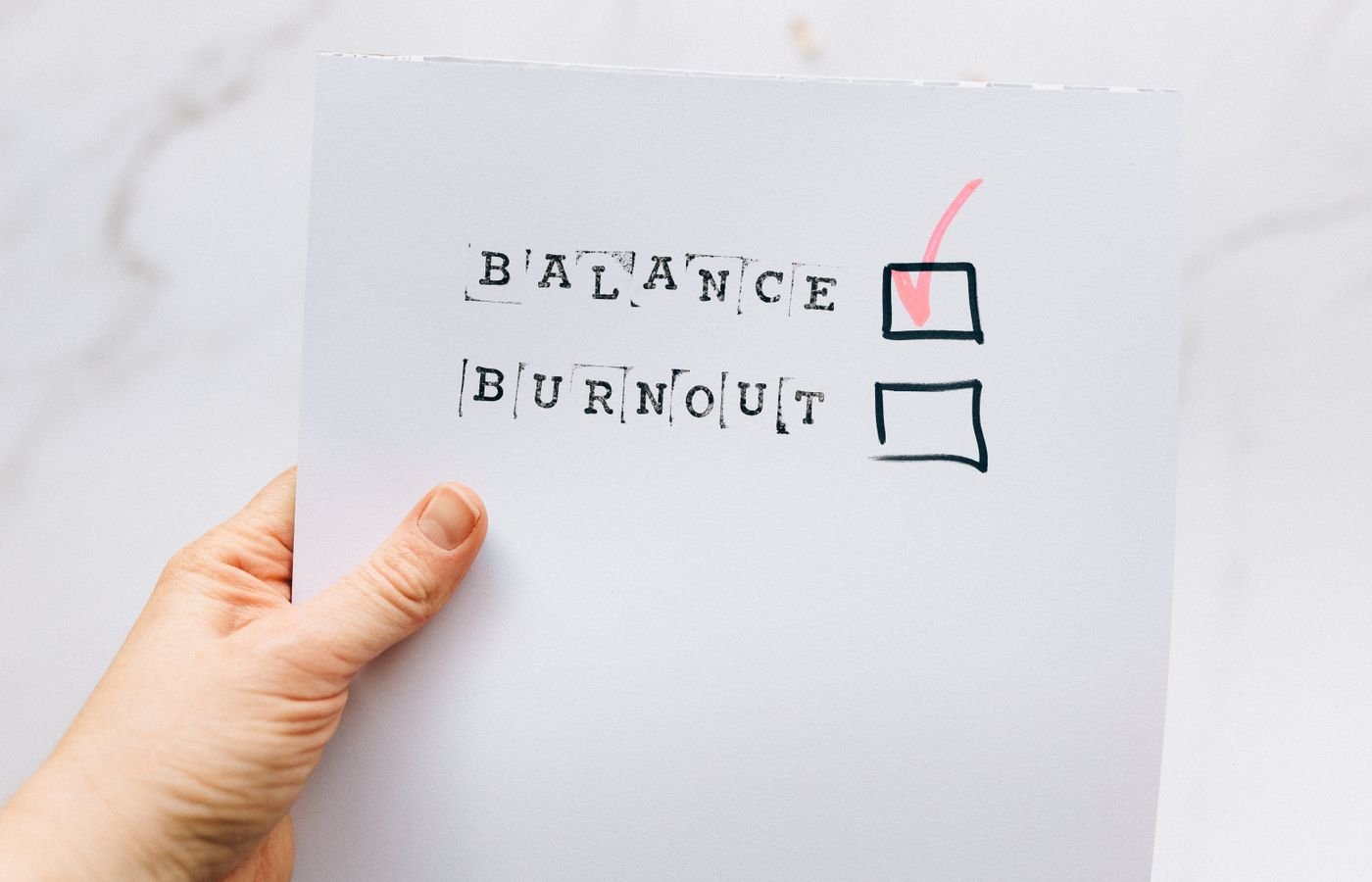
  • The Wednesday Midweek Reset to Prevent Burnout

    The Wednesday Midweek Reset to Prevent Burnout

    Quick answer: This midweek reset routine on Wednesdays to prevent burnout is a short, repeatable pause that trims your calendar, prunes your task list, and resets your space so the rest of the week feels lighter. In 15 minutes, you can remove what does not matter, protect what does, and step back into your day with more energy.

    Burnout is complex and has personal and workplace drivers. It is not solved by a single hack. However, a consistent midweek reset creates a small buffer: it reduces overload, brings clarity, and encourages real rest later in the week. You will run a three-part sweepÒ€”calendar triage, task pruning, and space resetÒ€”and then add a few quick wins.

    Before we start, a quick scope note: the World Health Organization classifies burn-out as an Ò€œoccupational phenomenonÒ€ with three dimensionsÒ€”exhaustion, mental distance, and reduced efficacyÒ€”and not as a medical condition (WHO). If youÒ€ℒre worried about your health or safety, consider speaking with a qualified clinician. For workplace stress basics and prevention concepts, see resources from OSHA and NIOSH/CDC.

    What is a midweek reset routine on Wednesdays to prevent burnout?

    It is a scheduled, 15-minute checkpoint that you run every Wednesday at the same time. The goal is to reduce midweek friction so you do not carry avoidable weight into Thursday and Friday. The reset is not more planning for planningÒ€ℒs sake. It is three quick moves that create relief now and focus for the next 48 hours.

    • Calendar triage (3 minutes): Move, merge, or cancel low-value blocks.
    • Task pruning (7 minutes): Delete, defer, or delegate to cut clutter and keep only what advances your goals.
    • Space reset (5 minutes): Clear the surface, set your next action in view, and remove digital noise.

    Because you repeat the same actions each Wednesday, your brain learns the pattern and resists decision fatigue. Also, short breaks and micro-breaks have evidence for improving well-being and, with longer breaks, performance (PLOS ONE 2022). In addition, psychological detachment from work during nonwork time predicts better later well-being (PLOS ONE 2024). Your Wednesday reset supports both: it shortens load now and sets up easier detachment later.

    Why Wednesday works for a Wednesday reset routine to prevent burnout (and what it cannot do)

    Wednesday sits between early-week ramp up and late-week delivery. You can still influence outcomes, and you can still recover energy for the weekend. Some studies show day-of-week mood patterns, but they are mixed and context-specific; we avoid claims that Wednesday is inherently best or worst (Journal of Positive Psychology, 2012).

    What a Wednesday reset can do:

    • Cut avoidable commitments and busywork.
    • Reduce decision fatigue by using a fixed routine.
    • Protect recovery time later in the week.

    What it cannot do:

    The 15-minute Wednesday sweep: calendar, tasks, space (midweek Wednesday reset)

    Set a timer for 15 minutes. Stand if you can. Breathe. Then move through three fast passes. If you need more time, add a second 15-minute block later in the day. However, do not turn it into a two-hour planning session. Speed is part of the relief.

    Step 1: Calendar triage (3 minutes)

    Open your week view. Focus on the next 48 hours. You will make three kinds of moves: remove, reduce, or rearrange.

    Move When to use it Example
    Remove No owner, no agenda, or not tied to a goal Standing status with no decisions due
    Reduce Value exists, but time is padded 60-minute touch-base to 25 minutes
    Rearrange Right task, wrong time slot Move deep work to your peak focus hour

    Ask: What meeting or block, if removed or reduced, would free the most energy? Then change it now. If you need consent, send a short note with a useful reason and an option: propose an async update, a shorter slot, or a written decision. Keep it kind and clear.

    Step 2: Task pruning (7 minutes)

    Now open your task list. Sort by due date, then by impact. You will delete, defer, or delegate.

    Action Signal Script
    Delete No clear outcome; low impact even if done Ò€œClosing this to focus on X. Reopen if needed.Ò€
    Defer Valuable, but not this weekÒ€ℒs lever Ò€œParking to next sprint; will review Monday.Ò€
    Delegate Someone else can do it well enough Ò€œCould you own this by Friday? HereÒ€ℒs context.Ò€

    Cut 20Γ’β‚¬β€œ30% of what remains for this week. Then pick one move-the-needle task for today and one for tomorrow. Put those two on your calendar. Because decisions drain energy, a simple rule helps: if a task takes less than two minutes, do it now; if it matters and needs an hour, calendar it; if it does neither, remove it.

    Step 3: Space reset (5 minutes)

    Clutter crowds attention. Clear the surface you see most. Put tools you will use in the next block within reach. Close the browser tabs you do not need. Set your next action in viewÒ€”a single sticky, a top card, or a draft window ready to type. Finally, drink water, stretch, and take one deep breath.

    Graphic summary: In 15 minutes, move from Calendar (remove, reduce, rearrange) to Tasks (delete, defer, delegate) to Space (clear, stage, breathe).

    What should your calendar triage remove or move? (Wednesday reset routine to prevent burnout)

    Ask three fast questions:

    1. Is there a decision, deliverable, or learning we need right now? If not, remove or move.
    2. Can we do it async? If yes, switch to a short written update.
    3. Would a shorter slot focus us? If yes, reduce and add an agenda line.

    Use these scripts to make changes with care and respect:

    • Ò€œTo protect delivery this week, can we switch todayÒ€ℒs 60 to a 20-minute check with a written update?Ò€
    • Ò€œNo decision is due. I propose canceling for this week so we can finish X.Ò€
    • Ò€œCould we move this to tomorrow 10:30 so it follows the draft IÒ€ℒm shipping at 9:00?Ò€

    How do you prune tasks without dropping the ball? (midweek Wednesday reset)

    Keep a short Now/Later/Never lens open while you scan your list. You will make mistakes if you try to be perfect. Instead, be explicit and leave breadcrumbs for your future self.

    • Now: The next one to two tasks that change outcomes this week.
    • Later: Real value, wrong week. Move to next weekÒ€ℒs list or calendar.
    • Never: Nice-to-haves that do not earn their keep. Close them.

    Also, for anything you defer or delegate, write a one-sentence status note and a date to revisit. That way, nothing vanishes. This is where a midweek reset routine on Wednesdays to prevent burnout helps most: it gives you a steady place to move tasks with intention, not guilt.

    Checklist for a midweek reset routine on Wednesdays to prevent burnout
    A simple Wednesday checklist helps you move fast without overthinking. Photo by Nataliya Vaitkevich via Pexels. Source: Pexels.

    The 15-minute Wednesday checklist (Wednesday burnout reset)

    Run this fast list without pausing to debate. Use a timer. When the timer ends, end the reset.

    • Open week view; look only at the next 48 hours.
    • Cancel one low-value event or convert it to async.
    • Shorten one meeting by at least 25 minutes.
    • Move one deep-work task into your peak focus hour.
    • Delete three tasks that do not change outcomes.
    • Defer two tasks to next week with a calendar note.
    • Delegate one task with clear context and a due date.
    • Clear your main surface; put the next action in view.
    • Close nonessential tabs; silence one noisy channel.
    • Drink water, breathe, and stand or stretch for 30 seconds.

    This is a midweek reset routine on Wednesdays to prevent burnout because it cuts decision noise and creates small wins you can feel right away.

    Quick wins you can do in under five minutes (midweek Wednesday reset)

    • Send a two-sentence update instead of attending the meeting.
    • Block 45 minutes tomorrow for the true priority and protect it.
    • Archive your read-later pile and start fresh with one item.
    • Write the first sentence of the draft you fear. Then stop.
    • Set your phone to Ò€œDo Not DisturbÒ€ for the next work block.

    Because micro-breaks and brief resets can boost well-being (PLOS ONE 2022), these tiny moves pay off. They also make it easier to detach after work, which supports mental health and reduces spillover fatigue (PLOS ONE 2024).

    Boundaries that protect your reset (Wednesday reset routine to prevent burnout)

    Good routines need protection. A calendar event helps, but culture and norms matter too.

    • Make it visible: Title the block Ò€œWednesday resetÒ€”back at :15.Ò€
    • Limit inputs: Close chat or set a status for 15 minutes.
    • Use scripts: Ò€œIÒ€ℒll confirm by 2 pm after my midweek reset.Ò€
    • Start small: Run the reset solo; then invite a teammate if useful.

    Over time, a simple midweek reset routine on Wednesdays to prevent burnout can spread as a team norm. Still, remember OSHA and NIOSH note that stress is also organizational (OSHA; NIOSH). Advocate for sane workloads, clear roles, and reasonable deadlines.

    Templates you can copy for your Wednesday reset (midweek Wednesday reset)

    Adapt these quick templates to your tools. Copy, paste, and tweak in your calendar or task app.

    Template Text you can paste
    Cancel or convert Ò€œTo protect delivery this week, can we cancel todayÒ€ℒs sync and switch to an async update? IÒ€ℒll send mine by 3 pm.Ò€
    Shorten and focus Ò€œProposing 20 minutes with this agenda: 1) blocker, 2) decision, 3) owner. If no decision is needed, IÒ€ℒll send notes.Ò€
    Delegate with context Ò€œCould you own X by Fri 12:00? HereÒ€ℒs context and the done definition. IÒ€ℒll be available 2Γ’β‚¬β€œ3 pm today for questions.Ò€
    Defer safely Ò€œParking Y to next Wed. Adding a calendar note to review at 9:00. Doing this frees time for Z, which unblocks the team.Ò€
    Workspace staged for a midweek reset routine on Wednesdays to prevent burnout
    Stage your next action and clear visual noise. Photo by Ron Lach via Pexels. Source: Pexels.

    Variations by role and schedule

    Frontline or shift-based work. Keep the reset portable. Do it at the start of a handover, during a short break, or right after a high-intensity task. Use paper or a simple phone note if systems are locked down. The same three passes apply, but you may focus more on deferring noncritical admin and staging safety-critical tools.

    Educators and clinicians. Run a micro version between sessions. First, scan the next block for must-haves. Next, drop one optional item to guard energy. Then, stage your next chart, slide, or resource so re-entry is smooth.

    Remote knowledge workers. Protect a quiet 15-minute slot. Also, convert at least one meeting to async each week. Then, batch pings by using status updates at set times. This reduces context switching and supports a steadier midweek Wednesday reset.

    Students and caregivers. Treat the reset as a quick triage of classes, assignments, and home tasks. Therefore, cancel one nonessential activity, commit to one priority task, and set out what you need for the next morning.

    Common pitfalls and how to avoid them

    Over-planning. The reset is not a full planning session. If you find yourself grooming every task, stop. Instead, pick two high-impact moves and return to work.

    All-or-nothing thinking. If you miss your slot, do a 5-minute mini reset. A small win beats waiting a week. Consistency matters more than length.

    Invisible trade-offs. When you cancel or shorten a meeting, explain the benefit. Say what you will deliver instead and when. This keeps trust and makes a Wednesday reset routine to prevent burnout easier to defend.

    Re-cluttering. A clean desk at noon can be a mess at 4 pm. Close the day with a 60-second sweep so tomorrow starts clear.

    A quick troubleshooting map

    Use this map when the day goes sideways. It turns vague stress into small, concrete steps you can take now.

    Blocker Quick move Why it helps
    Back-to-back meetings Ask for outcomes in minute 1; timebox decisions Sets focus and ends drift
    Too many urgent pings Silence chat for 15 minutes; post a status Reduces context switching
    Low energy Walk or stretch for 3 minutes; water, snack Brief recovery restores attention
    Cluttered tools Close all tabs; reopen only what the next task needs Removes visual noise
    Unclear priority Ask Ò€œWhat unlocks the most by Friday?Ò€ then choose one Aligns work with outcomes

    Make it stick: habit and environment design

    Habits grow when they are easy and tied to a cue. First, anchor the reset to a fixed signal, such as your first Wednesday coffee or the top of your lunch hour. Next, reduce friction by saving a one-click shortcut to your calendar week view and task list. Finally, celebrate a tiny win. A simple Ò€œdoneÒ€ check is enough to keep momentum.

    Environment beats willpower. Put a small note on your monitor that reads Ò€œWed: Trim Ò€’ Prune Ò€’ Reset.Ò€ Place a clean tray or folder labeled Ò€œNext blockÒ€ on your desk so you can stage items in seconds. These nudges turn the midweek Wednesday reset from a nice idea into a reliable habit.

    Accessibility and inclusion considerations

    Design the reset so it works for you and your team. If you use screen readers or prefer large fonts, save a high-contrast, simple checklist. Notification-sensitive readers can use system-wide Focus modes during the reset window. When you share space, use headphones and a status card to signal that you will be back in 15 minutes.

    Also, different brains work in different ways. Short, concrete steps help many people get started. Therefore, keep the checklist visible, avoid vague labels, and break large tasks into the next visible action. A kind, flexible approach supports more people and makes the Wednesday burnout reset more durable.

    What if your midweek reset routine on Wednesdays to prevent burnout fails?

    Sometimes the day derails. That is normal. You can still win the hour.

    • Too many fires? Run a 5-minute mini-reset: cancel one thing, defer one thing, stage one next action.
    • Back-to-back meetings? Use the first two minutes of a call to ask for outcomes and timebox decisions.
    • Low energy? Swap to a brief recovery block: walk, water, snack, or stretch. Then try again in the next slot.

    Also, remember that burnout includes systemic factors. If your workload remains unsafe, raise issues with a manager, HR, or a trusted advisor. The WHO definition helps frame the conversation (WHO), and OSHA/NIOSH have guidance for employers and employees.

    Signs to watch and when to seek help

    Common signs of job burnout include cynicism, irritability, reduced performance, and persistent fatigue. You may also notice sleep changes or trouble focusing. For a fuller list and help-seeking guidance, see Mayo Clinic. If you experience ongoing distress, consider talking with a licensed clinician or calling local support resources.

    Will this routine help a team, not just individuals? (Wednesday reset routine to prevent burnout)

    Yes, and it is better with support. Try a shared 15-minute block where everyone triages, prunes, and resets in parallel with cameras off. Then post one win in a team channel. Over time, track a simple metricÒ€”meetings reduced, tasks closed, or on-time finishesÒ€”to see if your midweek reset routine on Wednesdays to prevent burnout correlates with better weeks. Remember, though, team and organizational changes often matter most (IAOEH 2023).

    How we suggest you use this advice

    • Start next Wednesday. Put a 15-minute block on your calendar now.
    • Use the exact checklist above for two weeks without editing.
    • In week three, tune one lever: meeting scripts, pruning rules, or space cues.
    • After four weeks, review what changed and what still hurts. Then adjust.

    Because this is a behavior change, give it time. Small, consistent steps beat rare Ò€œperfectÒ€ weeks.

    Answering common questions

    Does a Wednesday reset work if I already do a Sunday or Monday reset?

    Yes. Keep your Sunday or Monday planning, then add a midweek relief valve. The point of a midweek reset routine on Wednesdays to prevent burnout is to remove overload that appears after the week starts.

    Should I include personal tasks?

    Include anything that affects your stress or focus. For example, booking a short appointment or planning a simple dinner can reduce evening friction, which improves next-day energy.

    What if my manager controls my calendar?

    Use respectful scripts and show trade-offs. Offer clear outcomes you can deliver if you protect one or two blocks. Managers often support focus when they see the benefit.

    See it in action: a short video (midweek Wednesday reset)

    If your browser blocks embeds, watch here: Weekly reset video.

    Printable Wednesday reset: one-page checklist

    Copy this into a note or print it. Mark each box as you go.

    Ò–‘ Action
    [ ] Cancel one low-value event
    [ ] Shorten one meeting by 25 minutes
    [ ] Move one deep-work block to peak focus hour
    [ ] Delete three tasks
    [ ] Defer two tasks with calendar notes
    [ ] Delegate one task with context
    [ ] Clear main surface
    [ ] Stage next action
    [ ] Close tabs and silence one channel
    [ ] Water, stretch, breathe

    Over time, this midweek reset routine on Wednesdays to prevent burnout becomes muscle memory. That frees your mind for meaningful work.

    When should you skip the reset?

    Skip when an urgent safety or people issue needs you now. Otherwise, do at least a 5-minute mini version. Consistency matters more than length.

    What results should you expect and measure? (Wednesday reset routine to prevent burnout)

    Track simple, behavior-based signals first:

    • Meetings canceled or shortened each Wednesday
    • Two priority tasks scheduled and done (yes/no)
    • Clutter cleared and next action staged (yes/no)

    Subjective signals matter too: a quick 1Γ’β‚¬β€œ5 rating for midweek stress before and after the reset. If trends improve across a month, keep going. If not, adjust rules, or bring the topic to your team or manager.

    Then, look at second-order effects. Are deadlines less rushed by Friday? Do teammates report fewer status meetings and more useful updates? Is progress steadier on the one or two efforts that matter most? Write one short reflection each week so you have data, not fog.

    Finally, involve your manager or team. Share what the midweek Wednesday reset changed for you. Suggest one shared boundary, such as Ò€œno new meetings after noon on Wednesdays,Ò€ and test it for two weeks.

    Key takeaways (midweek Wednesday reset)

    • A 15-minute Wednesday reset cuts noise and protects focus.
    • Use three passes: calendar triage, task pruning, space reset.
    • Pair it with healthy boundaries and team norms.
    • Remember systemic factors. Advocate and seek support when needed.

    Keep it simple. Repeat it weekly. Let the results compound. A steady midweek reset routine on Wednesdays to prevent burnout will not fix everything, but it can give you energy and clarity when you need it most.

    FAQ: midweek Wednesday reset to prevent burnout

    How long should a Wednesday reset take?

    Fifteen minutes is enough for most weeks. If you need more, add a second 15-minute block later. Do not let it sprawl.

    Is this only for office workers?

    No. Teachers, healthcare staff, trades, students, and caregivers can adapt it. Use the same three passes, but tailor the scripts and tools.

    Can a reset reduce burnout by itself?

    It helps, but it is not sufficient alone. Use it alongside healthy workloads, supportive leadership, and real recovery time. See WHO, OSHA, and NIOSH resources for broader strategies.

    What tools do I need?

    Any calendar, any task list, and a timer. Fancy tools are optional. The habit is what matters.

    What if my week changes a lot?

    All the better. A short, fixed routine gives you a stable anchor in a shifting week. Keep it light and flexible.

    Sources and further reading

    Try these next

    Build a reading and reflection habit that supports focus. For a deeper workbook path, see The Work-Life Reset Workbook and Burnout Breakthrough. You can also browse the full Mind Clarity Hub books library or compare balanced, real-world picks in the latest reviews. Your midweek reset routine on Wednesdays to prevent burnout should lead to a calmer next step, not another pile of advice.

    Helpful resources for your next step

    Affiliate disclosure: As an Amazon Associate, Mind Clarity Hub may earn from qualifying purchases at no extra cost to you. Use this link only if it genuinely helps your planning.

    If The Wednesday Midweek Reset to Prevent Burnout is a routine you want to keep using, a simple workbook, planner, or desk tool can make the steps easier to repeat.

    Compare related planners, workbooks, and organization tools on Amazon.

  • Calm Home Organization Habits for Small Spaces and Busy Weeks

    Calm Home Organization Habits for Small Spaces and Busy Weeks

    Small space living does not need to feel frantic. With calm home organization habits, your rooms can reset fast even on your busiest weeks. This guide gives you clear steps, short routines, and light tools that help you keep surfaces clear, put daily items on autopilot, and free your attention for what matters.

    Because clutter adds stress and visual noise, a calmer system should be simple, repeatable, and easy to restart after a long day. You will find quick wins you can do in five minutes, and a weekly reset that never takes your whole weekend.

    Key takeaways for calm home organization habits

    • Start with one small ΓƒΒ’Γ’β€šΒ¬Γ…β€œreset zoneΓƒΒ’Γ’β€šΒ¬Γ‚Β and one repeatable cue. Keep it the same every day.
    • Use open containers at eye level for daily items. Hide only what you use weekly or less.
    • Plan a 45-minute weekly reset with three clear blocks: surfaces, laundry loop, floors.
    • Measure progress by speed to reset, not hours spent organizing.
    • Choose light steps you can keep on your most tired days. Consistency beats intensity.

    What are calm home organization habits?

    Calm home organization habits are small, high-return routines that lower friction and make tidying almost automatic. They use simple cues, tiny steps, and visible storage so your home resets itself with less thought. Instead of a big weekend overhaul, you lean on short bursts you can repeat on busy days.

    Put plainly, these habits make the next action obvious. You hang the bag without thinking. You see the tray and drop the keys. You run a quick surface pass and move on with your night. As you repeat these micro steps, rooms hold their shape with less effort.

    Why small spaces and busy weeks need a calmer plan

    In tight rooms, every item competes for visual attention. Research shows that visual clutter can tax your brain and reduce focus. For example, work from Princeton Neuroscience suggests that multiple visual inputs can limit how well you process information and stay on task (Princeton Neuroscience Institute). In addition, earlier UCLA fieldwork linked home clutter with higher stress markers in families (household chaos and executive function research).

    Sleep also affects how well you stick to routines. A calm, tidy bedroom supports healthy sleep hygiene and a smoother morning (Sleep Foundation). As a result, a calmer plan focuses on quick resets, less decision-making, and containers that make the next tidy step obvious. And because small spaces have low margins, the plan favors gentle daily care over rare deep sessions.

    Calm home organization habits for small spaces

    Use small, repeatable actions. Keep steps obvious and visible, and let containers signal where items land. Below is a pocket-time menu you can use any day.

    Pocket-time reset menu
    Time Do this Why it helps
    1 minute Hang keys and bag on one hook. Prevents entry clutter every day.
    3 minutes Clear and wipe one counter edge to edge. Visible surface wins anchor the habit.
    5 minutes Start a ΓƒΒ’Γ’β€šΒ¬Γ…β€œlaundry loopΓƒΒ’Γ’β€šΒ¬Γ‚Β: collect, start, set a finish reminder. Ends piles, creates flow.
    10 minutes Do a ΓƒΒ’Γ’β€šΒ¬Γ…β€œdaily dashΓƒΒ’Γ’β€šΒ¬Γ‚Β: set a timer and return all out-of-place items. Fast resets keep rooms usable.
    15 minutes Declutter one container: keep, move, recycle, trash. One-bin focus avoids overwhelm.

    How do calm home organization habits reduce stress?

    They cut choices and make the next step obvious. Also, they limit visual noise by giving every daily item a visible ΓƒΒ’Γ’β€šΒ¬Γ…β€œhome.ΓƒΒ’Γ’β€šΒ¬Γ‚Β Because you run short resets more often, messes never grow into weekend projects. Therefore, your brain loads less, you switch tasks less, and you finish more.

    In practice, you spend fewer minutes hunting for tools and more minutes using them. You avoid decision fatigue because the path is clear: hook, tray, bin, wipe, done. And when you slip, the first step back is so small you can take it at once.

    Set your foundation: a visible home for daily items

    Start with a ΓƒΒ’Γ’β€šΒ¬Γ…β€œreset zoneΓƒΒ’Γ’β€šΒ¬Γ‚Β where clutter lands first: the entry, desk, kitchen counter, or nightstand. Give that zone an open tray or bin for keys, phone, wallet, mail, and earbuds. Label lightly if you share the space.

    • Open beats closed for daily items. You will use what you can see.
    • One hook per person for bags or coats. Add a second hook only if the first is full for a week.
    • Use small trays, not big baskets, so items do not spread.
    Tidy white desk with a tray and plant that shows calm home organization habits.
    A small, calm workspace uses one tray for daily items and keeps surfaces clear. Photo by Hanna Pad via Pexels.

    Containers that guide calm home organization habits

    Small-space containers: what to use where
    Container Best for Why it works
    Shallow tray Keys, earbuds, wallet Keeps small items visible and corralled.
    Open bin Mail, returns, library books Signals ΓƒΒ’Γ’β€šΒ¬Γ…β€œaction soon,ΓƒΒ’Γ’β€šΒ¬Γ‚Β prevents pile spread.
    Vertical file Active papers Stores upright to reduce surface sprawl.
    Over-door hooks Bags, jackets Adds storage without drilling or bulk.
    Under-bed box Off-season clothes Hides low-use items, frees closet space.

    Micro routines that build calm home organization habits

    Stack tiny cues to make order the default. For example, link ΓƒΒ’Γ’β€šΒ¬Γ…β€œhang bagΓƒΒ’Γ’β€šΒ¬Γ‚Β to ΓƒΒ’Γ’β€šΒ¬Γ…β€œlock door,ΓƒΒ’Γ’β€šΒ¬Γ‚Β or ΓƒΒ’Γ’β€šΒ¬Γ…β€œwipe counterΓƒΒ’Γ’β€šΒ¬Γ‚Β to ΓƒΒ’Γ’β€šΒ¬Γ…β€œstart kettle.ΓƒΒ’Γ’β€šΒ¬Γ‚Β Because the cue already happens, the new step rides along.

    • Entry reset: hook bag, drop keys in tray, sort mail for 60 seconds.
    • Desk reset: close tabs, file one paper, clear and wipe desk edges.
    • Kitchen reset: load or start the dishwasher, swipe counters, set a clean sink cue.
    • Laundry loop: collect, start a load, move when the reminder pings, fold once warm.

    These calm home organization habits work even when you are tired because the start line is short and obvious. First, you take the smallest step. Next, the next step feels natural, not forced.

    Which calm organizing habits fit 5, 10, or 20 minutes?

    Pick the smallest step that unlocks the next step. The menu below removes guesswork and keeps you moving without stress.

    Pick-a-reset by time block
    Time Reset task Next unlocks
    5 minutes Clear and wipe sink; soak anything stubborn. Dishwasher run or a fresh start in the morning.
    10 minutes Return all items to their open bins in the living room. Floor space for a quick sweep.
    15 minutes Fold a warm load while standing. Drawers that close, fewer piles on chairs.
    20 minutes Declutter one hot spot: entry ledge, coffee table, bedside. Lower visual noise in your busiest zone.

    Weekly reset you can keep in 45 minutes

    Instead of a marathon clean, use three tight blocks. Set a gentle timer, play calm music, and move with light steps. Meanwhile, keep a small donate bag handy.

    45-minute weekly reset plan
    Block Time Actions
    Surfaces 15 min Clear counters and tables, wipe, recycle obvious junk mail.
    Laundry loop 15 min Move washer Ã’Ò€ Ò€ℒ dryer, fold warm load, lay out next wash.
    Floors 15 min Quick vacuum or sweep paths and entry.

    If you miss a block, do not scrap the plan. Instead, run one block today and one tomorrow. This short loop restores order fast and leaves energy for the week ahead.

    Storage that supports calm home organization habits

    Choose storage that makes todayΓƒΒ’Γ’β€šΒ¬Γ’β€žΒ’s actions easy and tomorrowΓƒΒ’Γ’β€šΒ¬Γ’β€žΒ’s resets faster. Also, use vertical space, doors, and under-bed spots for low-use items. Finally, keep labels light and friendly.

    Small-space storage options: pros and watch-outs
    Option Pros Watch-outs
    Wall shelves Free floor space, add style Overloading creates visual noiseΓƒΒ’Γ’β€šΒ¬Γ’β‚¬Βleave space between items.
    Rolling cart Mobile, zones tools by task Needs a parking spot; keep top shelf minimal.
    Over-door rack Zero-install vertical storage Can slam; pad hooks and avoid overstuffing.
    Bed risers + bins Big capacity, hidden look Label sides; choose wheels for easy access.
    Clear drawer dividers Each item has a home Keep sizes simple to avoid Tetris.
    Minimal desk with neatly arranged stationery and clear zones for calm organization.
    Use trays and clear dividers to define small zones. Photo by Jess Bailey Designs via Pexels.

    Can roommates and kids follow calm home organization habits?

    YesΓƒΒ’Γ’β€šΒ¬Γ’β‚¬Βif the system is light, visible, and forgiving. For example, make it easy to do the right thing: one hook per person, one tray per person, and a bin with a clear label. Because the steps are obvious, you do less reminding and more reinforcing. In addition, keep a ΓƒΒ’Γ’β€šΒ¬Γ…β€œgood enoughΓƒΒ’Γ’β€šΒ¬Γ‚Β rule: items land in the right bin, not the perfect spot.

    To build buy-in, agree on one shared cue and one shared win. For instance, set the same timer tone for the nightly ΓƒΒ’Γ’β€šΒ¬Γ…β€œ3-minute floor sweep,ΓƒΒ’Γ’β€šΒ¬Γ‚Β and celebrate the clear path at the end. Small, shared victories turn into shared norms.

    Start here: calm home organization habits when overwhelmed

    Start where you stand and win the first five minutes. Clear one small surface you see often. Set a cue you already do, like brewing coffee. Also, set a gentle timer and stop when it ends. Tomorrow, repeat in the same zone. Therefore, the routine grows without pressure.

    If the space feels stuck, remove only what blocks use. Then stop. A tiny gain you keep is worth more than a big clean you redo next week.

    Fall behind? Reset with calm organizing habits

    Use the 5ΓƒΒ’Γ’β€šΒ¬Γ’β‚¬Ε“10ΓƒΒ’Γ’β€šΒ¬Γ’β‚¬Ε“20 menu. Pick the smallest step and do it now. Because you built visible homes for daily items, a quick return-to-bin sweep restores order fast. Finally, forgive the week and reset on your next 45-minute block.

    Also, plan a ΓƒΒ’Γ’β€šΒ¬Γ…β€œbounce-backΓƒΒ’Γ’β€šΒ¬Γ‚Β script: ΓƒΒ’Γ’β€šΒ¬Γ…β€œI missed two days. Today I will clear the sink and run the laundry loop. Tomorrow I will sweep paths.ΓƒΒ’Γ’β€šΒ¬Γ‚Β Scripts cut blame and spark action.

    How many containers do I need?

    Use fewer, more obvious containers. One tray per hot spot. One open bin per person for fast returns. If a bin overflows for a week, add one moreΓƒΒ’Γ’β€šΒ¬Γ’β‚¬Βor remove the least-used items to a hidden box.

    As a rule, stop at 80% full. Space to spare makes every reset quicker and calmer.

    Tiny daily resets you can watch

    Here is a short video with simple daily habits that match this guideΓƒΒ’Γ’β€šΒ¬Γ’β€žΒ’s approach.

    If the embed is blocked, you can watch it on YouTube: 10 tiny habits for a clean and clutter-free home.

    Room-by-room quick wins

    Entry

    • Mount a row of hooks. One per person plus one for guests.
    • Add a letter tray: top for ΓƒΒ’Γ’β€šΒ¬Γ…β€œin,ΓƒΒ’Γ’β€šΒ¬Γ‚Β bottom for ΓƒΒ’Γ’β€šΒ¬Γ…β€œout.ΓƒΒ’Γ’β€šΒ¬Γ‚Β
    • Place a small shoe rack with a strict limit.

    Living room

    • Use a lidded ottoman to hide blankets and remotes.
    • Keep one open bin for kidsΓƒΒ’Γ’β€šΒ¬Γ’β€žΒ’ toys; rotate weekly.
    • Do a 3-minute floor sweep each night.

    Kitchen

    • Store daily mugs and plates on the lowest shelf.
    • Use a vertical file for cutting boards and trays.
    • Run or empty the dishwasher before bed for a clean-sink cue.

    Bedroom

    • Clear nightstands; use a small dish for glasses and rings.
    • Fold warm laundry at the bed, then put away at once.
    • Make the bed in one minute for a quick visual reset.

    Bathroom

    • Hang a mesh pouch on the shower rod for daily bottles; keep extras under the sink.
    • Use a magnetic strip inside a cabinet for tweezers and nail tools.
    • Wipe the mirror and tap handles with a microfiber after each use.

    Closet

    • Group clothes by ΓƒΒ’Γ’β€šΒ¬Γ…β€œwork, out, rest.ΓƒΒ’Γ’β€šΒ¬Γ‚Β Keep the front rail for the next seven days.
    • Use slim hangers and one labeled bin for accessories.
    • Keep a small donate bag on the closet floor; drop in one item per week.

    Workspace

    • Stand a vertical file on the desk for ΓƒΒ’Γ’β€šΒ¬Γ…β€œtoday, this week, later.ΓƒΒ’Γ’β€šΒ¬Γ‚Β
    • End the day with a 2-minute tab close and cord wrap.
    • Park your notebook and pen in the same tray corner.

    Measure success with calm home organization habits

    • Time-to-reset: how long it takes to clear a counter or desk.
    • Restart ease: how fast you can relaunch the routine after travel or illness.
    • Visual calm: how open your main surfaces feel at dayΓƒΒ’Γ’β€šΒ¬Γ’β€žΒ’s end.

    Track wins in a simple note. For example, ΓƒΒ’Γ’β€šΒ¬Γ…β€œSink reset in 3 minutes,ΓƒΒ’Γ’β€šΒ¬Γ‚Β ΓƒΒ’Γ’β€šΒ¬Γ…β€œLaundry loop complete by 8:10 p.m.ΓƒΒ’Γ’β€šΒ¬Γ‚Β Small proof builds steady belief.

    Simple rules that keep you moving

    • One-in, one-out for tools and containers.
    • Daily items live in open view. Weekly items live behind doors. Rare items live under the bed or on the highest shelf.
    • Stop at 80% full. Space to spare speeds resets.

    Also, place limits in plain sight. A bin with a label that says ΓƒΒ’Γ’β€šΒ¬Γ…β€œTowels: 6ΓƒΒ’Γ’β€šΒ¬Γ‚Β reduces debate and keeps shelves tidy.

    How do calm home organization habits fit a shared home?

    Use friendly labels, open storage, and clear limits. Also, set shared cues: a catchy timer tone, a hook per person, and a weekly reset time that works for everyone. Because the system is visible and easy, others need less coaching to help.

    When space is tight, assign zones by task, not by person. For example, one rolling cart for ΓƒΒ’Γ’β€šΒ¬Γ…β€œhomework,ΓƒΒ’Γ’β€šΒ¬Γ‚Β one tray for ΓƒΒ’Γ’β€šΒ¬Γ…β€œmail and returns,ΓƒΒ’Γ’β€šΒ¬Γ‚Β and one bin for ΓƒΒ’Γ’β€šΒ¬Γ…β€œcleaning supplies.ΓƒΒ’Γ’β€šΒ¬Γ‚Β Zones make it simple to see what goes where, even when schedules clash.

    Light declutter, then organize

    Declutter only what blocks daily flow. Then organize what remains. For example, remove duplicates, stained containers, and freebies you do not use. Instead of drama, make it a calm, quick pass that clears space for what you keep.

    Next, right-size storage for the current volume, not the ΓƒΒ’Γ’β€šΒ¬Γ…β€œsomedayΓƒΒ’Γ’β€šΒ¬Γ‚Β volume. If you later add more, you can add one more bin. Until then, enjoy the open space.

    Low-stress home routines for mornings and nights

    Bookend your day with short, friendly loops. The aim is not perfection; it is momentum. Choose steps you can keep even on hectic days.

    Morning mini-loop (7 minutes)

    • Open blinds and make the bed (1 minute).
    • Clear and wipe one kitchen surface (2 minutes).
    • Move laundry if the reminder pings (2 minutes).
    • Stage your ΓƒΒ’Γ’β€šΒ¬Γ…β€œlaunch padΓƒΒ’Γ’β€šΒ¬Γ‚Β: keys, bag, bottle (2 minutes).

    Night mini-loop (9 minutes)

    • Run or empty the dishwasher; shine the sink (3 minutes).
    • Return strays to open bins in the living room (3 minutes).
    • Quick sweep of paths and entry (3 minutes).

    If you miss a step, skip it and sleep. Because the loops are short, you can restart tomorrow without dread.

    Paper and digital flow for peaceful home organization

    Paper piles and messy desktops drain focus. Build a simple flow that clears both. Keep tools close, names plain, and steps short.

    Paper inbox (3 slots)

    • In: todayΓƒΒ’Γ’β€šΒ¬Γ’β€žΒ’s mail and school notes.
    • Pay: bills and forms due this week.
    • Out: returns, drop-offs, library books.

    Stand the inbox near the entry. Sort for one minute when you arrive. Schedule bill pay during your weekly reset surfaces block.

    Digital desktop (5-minute sweep)

    • Delete obvious downloads and duplicates.
    • Move receipts and statements into one ΓƒΒ’Γ’β€šΒ¬Γ…β€œ2026 ReceiptsΓƒΒ’Γ’β€šΒ¬Γ‚Β folder.
    • Rename files with ΓƒΒ’Γ’β€šΒ¬Γ…β€œdate-topicΓƒΒ’Γ’β€šΒ¬Γ‚Β so you can search fast.

    Store reference-only papers out of sight. Keep only ΓƒΒ’Γ’β€šΒ¬Γ…β€œactiveΓƒΒ’Γ’β€šΒ¬Γ‚Β items at hand. This keeps your eyes calm and your steps clear.

    Kitchen prep and a capsule cleaning kit

    Make chores lighter by staging tools where you use them. A small, repeatable kit reduces trips and speeds resets.

    Capsule cleaning kit loadout

    • Two microfiber cloths (one light, one dark).
    • Small spray bottle with a gentle all-purpose cleaner.
    • Dish brush and a scraper.
    • Compact broom or handheld vacuum for quick paths.
    • Mesh caddy that hangs on a hook or cart.

    Park the kit where you clean most. After use, reload cloths and return the caddy to its hook. Because tools live in one simple spot, you start faster and finish sooner.

    Bathroom and closet wins in small spaces

    These tight rooms benefit the most from vertical space and clear limits. Set them once, and many small choices disappear.

    • Mount a single over-door rack for robes and towels. Label hooks if you share.
    • Limit makeup or grooming items to one small tray; store backstock in a labeled bin.
    • Use under-shelf baskets to double short shelves.
    • Create a tiny capsule wardrobe rail for the next weekΓƒΒ’Γ’β€šΒ¬Γ’β€žΒ’s outfits.
    • Keep one hamper per person, right where clothes change.

    Troubleshooting that keeps routines steady

    When a step fails, shrink it. If a bin overflows, lower the limit or add a second, smaller bin. If a hook stays empty, move it two inches or swap its task. Small tweaks remove friction.

    • If you forget the laundry loop, place the hamper where you trip on it (near the door) and set a phone reminder.
    • If counters attract piles, place a labeled ΓƒΒ’Γ’β€šΒ¬Γ…β€œActionΓƒΒ’Γ’β€šΒ¬Γ‚Β tray and schedule a 3-minute sort after dinner.
    • If shared tools wander, add a bright tag and a photo label where they live.

    Above all, treat the system as a draft. Adjust once each week. Because your life shifts, your setup should flex with it.

    FAQs: calm home organization habits

    What are the first two calm home organization habits to try?

    Start with a visible entry reset and a nightly sink reset. Hook your bag and drop keys in one tray when you get home. Before bed, clear and wipe the sink, then run or empty the dishwasher. These two tiny wins unlock faster mornings and set the tone for your weekly reset.

    How can I keep my counters clear in a small kitchen?

    Limit counters to ΓƒΒ’Γ’β€šΒ¬Γ…β€œalways usedΓƒΒ’Γ’β€šΒ¬Γ‚Β items only: electric kettle or coffee maker, cutting board, and one utensil jar. Put everything else in drawers or an over-door rack. Then do a 3-minute wipe and return-to-bin each night so you wake to a clear start.

    How do I reset after a chaotic week without losing Saturday?

    Run the 45-minute weekly reset. Clear surfaces for 15 minutes, run the laundry loop for 15 minutes, and sweep or vacuum paths for 15 minutes. If you need more, repeat the loop tomorrow. Short, calm repeats beat a single long session.


    Make calm home organization habits stick this month

    1. Pick one reset zone (entry or sink) and one cue.
    2. Place open containers at eye level where you stand to use them.
    3. Schedule a 45-minute weekly reset on your lightest evening.
    4. Track time-to-reset for one surface; aim to cut it in half.

    Put the plan where you can see it. A simple note on the fridge keeps the loop top of mind and easy to start.

    Keep learning and build your reading plan

    For deeper, steady progress, explore our book hub and our latest reviews. You will find practical, low-stress reads that fit busy weeks and small-space living.

    If you want a structured next step, start with The Work-Life Reset Workbook for weekly reset prompts and gentle routines, then pair it with Focus Recharged if you want a simple system for protecting attention after your home feels calmer.

    Finally, start small. Pick two calm home organization habits today and let the rest wait. The goal is a home that resets itself, not a home that needs you all weekend.


    Sources: Visual clutter and attention limits (Princeton Neuroscience Institute); home clutter and stress correlates (household chaos and executive function research); healthy bedroom environment for better sleep (Sleep Foundation).

    Helpful resources for your next step

    Affiliate disclosure: As an Amazon Associate, Mind Clarity Hub may earn from qualifying purchases at no extra cost to you. Use this link only if it genuinely helps your planning.

    If Calm Home Organization Habits for Small Spaces and Busy Weeks is a routine you want to keep using, a simple workbook, planner, or desk tool can make the steps easier to repeat.

    Compare related planners, workbooks, and organization tools on Amazon.