...

Tag: checklist

  • A Calm Sunday Night Reset to Ease Monday Anxiety

    A Calm Sunday Night Reset to Ease Monday Anxiety

    Monday dread is real. A simple sunday night reset ritual to reduce monday anxiety can turn your weekend close into a calm launchpad. In twenty to thirty unrushed minutes, you can tidy the mental and physical clutter, review your week, pre-commit to small choices, soften your body with a short stretch, and set a clean tech boundary so your brain powers down. This guide gives you a steady flow you can keep even on busy weeks, with a printable checklist and a quick two-song timer version. When you repeat it, your brain learns the cues and settles faster.

    Key takeaways for your Sunday night reset to ease Monday anxiety

    • Use a sunday night reset ritual to reduce monday anxiety in 20-30 minutes: light tidy, calendar glance, outfit/meal pre-commit, gentle stretch, and a firm tech boundary.
    • Keep it light: you are closing a week, not cramming a whole life overhaul into Sunday night.
    • Pair it with a two-song timer on hectic weekends so you still get a quick win.
    • Add clear stop rules (5 minutes for tidy, 4 for plan) so perfectionism cannot take over.
    • Sleep and screen choices matter: dim lights, wind down, and cut blueΓƒΖ’Γ‚Β’ΓƒΒ’Γ’β‚¬Ε‘Γ‚Β¬ΓƒΒ’Γ’β€šΒ¬Γ‹Ε“light screens at least 30ΓƒΖ’Γ‚Β’ΓƒΒ’Γ’β‚¬Ε‘Γ‚Β¬ΓƒΒ’Γ’β€šΒ¬Γ…β€œ60 minutes before bed for better rest.
    • Print the checklist below and keep it where youÒÒҀő¬ÒҀžÂ’ll see it. Small consistency beats big perfection.

    Why does Monday create anxiety for many professionalsΓƒΖ’Γ‚Β’ΓƒΒ’Γ’β‚¬Ε‘Γ‚Β¬ΓƒΒ’Γ’β€šΒ¬Γ‚Βand how a Sunday night routine for Monday calm helps?

    For many knowledge workers, Monday stacks uncertainty (new tasks), social pressure (meetings), and time pressure (deadlines). Your brain tries to predict whatÒÒҀő¬ÒҀžÂ’s coming and, without a plan, fills the gap with worry loops. That mix can show up as restlessness on Sunday evening, a tight chest, or a jumpy mind that wonÒÒҀő¬ÒҀžÂ’t settle. Because your body links predictability with safety, even a small, predictable ritual reduces guesswork and builds a sense of control. Therefore, when you give your brain a short, soothing close to the week, it stops scanning for threats and starts trusting your plan.

    Choice overload feeds the problem. If you face a messy desk, a vague calendar, and a dozen open tabs, your working memory gets crowded. Light order and one clear ÒÒҀő¬ÅҀœfirst moveΓƒΖ’Γ‚Β’ΓƒΒ’Γ’β‚¬Ε‘Γ‚Β¬Γƒβ€šΓ‚Β free up attention so you can sleep. A tidy chair and a one-line plan are small, but they change the tone of Monday morning.

    Sleep also plays a role. LateΓƒΖ’Γ‚Β’ΓƒΒ’Γ’β‚¬Ε‘Γ‚Β¬ΓƒΒ’Γ’β€šΒ¬Γ‹Ε“night scrolling, bright light, or weekend schedule drift can delay melatonin and push your sleep later than usual. That makes Monday feel harsh. Simple windΓƒΖ’Γ‚Β’ΓƒΒ’Γ’β‚¬Ε‘Γ‚Β¬ΓƒΒ’Γ’β€šΒ¬Γ‹Ε“down cues (warm lamp, gentle movement, analog notes) help your brain switch modes. Evidence and expert guidance support these ideas. Clinicians note that the ÒÒҀő¬ÅҀœSunday scariesΓƒΖ’Γ‚Β’ΓƒΒ’Γ’β‚¬Ε‘Γ‚Β¬Γƒβ€šΓ‚Β often blend work stress with poor sleep habits; practical steps like planning and windΓƒΖ’Γ‚Β’ΓƒΒ’Γ’β‚¬Ε‘Γ‚Β¬ΓƒΒ’Γ’β€šΒ¬Γ‹Ε“down help break the cycle (Cleveland Clinic). Broad stress research shows that small, controllable actions ease perceived stress (American Psychological Association). Sleep experts advise reducing evening blueΓƒΖ’Γ‚Β’ΓƒΒ’Γ’β‚¬Ε‘Γ‚Β¬ΓƒΒ’Γ’β€šΒ¬Γ‹Ε“light exposure and keeping regular windΓƒΖ’Γ‚Β’ΓƒΒ’Γ’β‚¬Ε‘Γ‚Β¬ΓƒΒ’Γ’β€šΒ¬Γ‹Ε“down cues (Sleep Foundation; CDC).

    What is a sunday night reset ritual to reduce monday anxiety?

    Think of this sunday night reset ritual to reduce monday anxiety as a gentle weekly close. It is not a strict productivity boot camp. Instead, itÒÒҀő¬ÒҀžÂ’s a short flow that restores order, answers ÒÒҀő¬ÅҀœWhatÒÒҀő¬ÒҀžÂ’s first?ΓƒΖ’Γ‚Β’ΓƒΒ’Γ’β‚¬Ε‘Γ‚Β¬Γƒβ€šΓ‚Β and lets your nervous system know the week is under control. It mixes five moves: a light tidy, a fast calendar glance, a couple of small pre-commitments for tomorrow, a soothing stretch, and a clean tech boundary. As a result, you finish Sunday with less rumination and start Monday with less friction.

    Your 20-30 minute sunday night reset ritual to reduce monday anxiety

    Here is a sunday night reset ritual to reduce monday anxiety you can finish in under half an hour. Keep the tone calm and unhurried. Also, set a soft lamp, play a mellow playlist, and breathe deeply while you move. The phrase sunday night reset ritual to reduce monday anxiety sounds long, but the practice is deliberately short.

    Step 1 ΓƒΖ’Γ‚Β’ΓƒΒ’Γ’β‚¬Ε‘Γ‚Β¬ΓƒΒ’Γ’β€šΒ¬Γ‚Β Light tidy for your Sunday night reset (5 minutes)

    Use one basket or bag. Walk the three main areas youÒÒҀő¬ÒҀžÂ’ll see Monday morning (entry, desk, kitchen). Pick up only what is out of place and put it in the basket. Then make two microΓƒΖ’Γ‚Β’ΓƒΒ’Γ’β‚¬Ε‘Γ‚Β¬ΓƒΒ’Γ’β€šΒ¬Γ‹Ε“resets that matter most to ÒÒҀő¬ÅҀœMondayΓƒΖ’Γ‚Β’ΓƒΒ’Γ’β‚¬Ε‘Γ‚Β¬ΓƒΒ’Γ’β€šΒ¬Γ‹Ε“youΓƒΖ’Γ‚Β’ΓƒΒ’Γ’β‚¬Ε‘Γ‚Β¬Γƒβ€šΓ‚Β: clear your chair and wipe the desk. Because visible order lowers cognitive load, this single sweep cuts Monday friction.

    • Goal: remove obvious clutter from sightlines.
    • Stop rule: five minutes. Do not deep clean. You are setting a floor, not chasing a ceiling.
    • If you work onΓƒΖ’Γ‚Β’ΓƒΒ’Γ’β‚¬Ε‘Γ‚Β¬ΓƒΒ’Γ’β€šΒ¬Γ‹Ε“site: stage your bag, keys, and badge near the door.
    • If you work from home: clear your chair, close your laptop, and put the charger away so the desk looks ÒÒҀő¬ÅҀœdone.ΓƒΖ’Γ‚Β’ΓƒΒ’Γ’β‚¬Ε‘Γ‚Β¬Γƒβ€šΓ‚Β
    • With kids or roommates: do the sweep together for two minutes; set a timer and stop as a team.

    Step 2 ΓƒΖ’Γ‚Β’ΓƒΒ’Γ’β‚¬Ε‘Γ‚Β¬ΓƒΒ’Γ’β€šΒ¬Γ‚Β Calendar glance and one-line plan (4 minutes)

    Sit with your planner or calendar app open. Scan Monday and Tuesday. Also, note the one meeting or deliverable with the biggest stakes. Then write a one-line plan in simple language: ÒÒҀő¬ÅҀœStart report outline before 10 a.m.; slides after lunch.ΓƒΖ’Γ‚Β’ΓƒΒ’Γ’β‚¬Ε‘Γ‚Β¬Γƒβ€šΓ‚Β Because your brain loves specifics, this cuts vague dread.

    • Block your first 60ΓƒΖ’Γ‚Β’ΓƒΒ’Γ’β‚¬Ε‘Γ‚Β¬ΓƒΒ’Γ’β€šΒ¬Γ…β€œ90 minutes for deep work when possible.
    • Also write one sentence to mark a small, doable win for Monday: ÒÒҀő¬ÅҀœSend the kickoff email by 9:30.ΓƒΖ’Γ‚Β’ΓƒΒ’Γ’β‚¬Ε‘Γ‚Β¬Γƒβ€šΓ‚Β

    Examples by role (adapt as needed):

    • Manager: ÒÒҀő¬ÅҀœDraft 3 questions for 10 a.m. oneΓƒΖ’Γ‚Β’ΓƒΒ’Γ’β‚¬Ε‘Γ‚Β¬ΓƒΒ’Γ’β€šΒ¬Γ‹Ε“onΓƒΖ’Γ‚Β’ΓƒΒ’Γ’β‚¬Ε‘Γ‚Β¬ΓƒΒ’Γ’β€šΒ¬Γ‹Ε“one.ΓƒΖ’Γ‚Β’ΓƒΒ’Γ’β‚¬Ε‘Γ‚Β¬Γƒβ€šΓ‚Β
    • Designer: ÒÒҀő¬ÅҀœOpen Figma and outline hero section by 9:45.ΓƒΖ’Γ‚Β’ΓƒΒ’Γ’β‚¬Ε‘Γ‚Β¬Γƒβ€šΓ‚Β
    • Analyst: ÒÒҀő¬ÅҀœRun weekly revenue query; save results to dashboard.ΓƒΖ’Γ‚Β’ΓƒΒ’Γ’β‚¬Ε‘Γ‚Β¬Γƒβ€šΓ‚Β
    • Educator/Student: ÒÒҀő¬ÅҀœPrint lesson outline/pack laptop + charger.ΓƒΖ’Γ‚Β’ΓƒΒ’Γ’β‚¬Ε‘Γ‚Β¬Γƒβ€šΓ‚Β
    • Healthcare shift: ÒÒҀő¬ÅҀœCheck badge, water, and snacks; confirm start time.ΓƒΖ’Γ‚Β’ΓƒΒ’Γ’β‚¬Ε‘Γ‚Β¬Γƒβ€šΓ‚Β

    Step 3 ΓƒΖ’Γ‚Β’ΓƒΒ’Γ’β‚¬Ε‘Γ‚Β¬ΓƒΒ’Γ’β€šΒ¬Γ‚Β Outfit and meal pre-commit for the Sunday scaries reset (5 minutes)

    Decide once for tomorrow. Lay out your outfit down to socks. Then choose a simple breakfast and lunch. In addition, stage what you can now (oats soaking, leftovers portioned). Because decisions drain energy, removing two morning choices gives you a calmer start.

    • Keep a default pair: ÒÒҀő¬ÅҀœBlack pants, neutral top, flats.ΓƒΖ’Γ‚Β’ΓƒΒ’Γ’β‚¬Ε‘Γ‚Β¬Γƒβ€šΓ‚Β
    • Keep a default meal pair: ÒÒҀő¬ÅҀœOats + fruit; salad + protein.ΓƒΖ’Γ‚Β’ΓƒΒ’Γ’β‚¬Ε‘Γ‚Β¬Γƒβ€šΓ‚Β
    • OnΓƒΖ’Γ‚Β’ΓƒΒ’Γ’β‚¬Ε‘Γ‚Β¬ΓƒΒ’Γ’β€šΒ¬Γ‹Ε“site day: add transit pass, ID, and a snack to your bag now.
    • Remote day: set your water bottle and mug on the desk before lightsΓƒΖ’Γ‚Β’ΓƒΒ’Γ’β‚¬Ε‘Γ‚Β¬ΓƒΒ’Γ’β€šΒ¬Γ‹Ε“out.

    Step 4 ΓƒΖ’Γ‚Β’ΓƒΒ’Γ’β‚¬Ε‘Γ‚Β¬ΓƒΒ’Γ’β€šΒ¬Γ‚Β Gentle stretch and breath (5 minutes)

    Use a light sequence: neck rolls, shoulder circles, forward fold, hip opener, and a doorway chest stretch. Meanwhile, breathe in through the nose four counts, out six counts. Also, keep movements slow and pleasant. This signals safety to your body and calms the fightΓƒΖ’Γ‚Β’ΓƒΒ’Γ’β‚¬Ε‘Γ‚Β¬ΓƒΒ’Γ’β€šΒ¬Γ‹Ε“orΓƒΖ’Γ‚Β’ΓƒΒ’Γ’β‚¬Ε‘Γ‚Β¬ΓƒΒ’Γ’β€šΒ¬Γ‹Ε“flight response.

    • Option: lie down with legs up the wall for 1ΓƒΖ’Γ‚Β’ΓƒΒ’Γ’β‚¬Ε‘Γ‚Β¬ΓƒΒ’Γ’β€šΒ¬Γ…β€œ2 minutes to soothe the nervous system.
    • Stop if anything hurts. You are settling, not training.
    • Breath options: try box breathing (4ΓƒΖ’Γ‚Β’ΓƒΒ’Γ’β‚¬Ε‘Γ‚Β¬ΓƒΒ’Γ’β€šΒ¬Γ‹Ε“4ΓƒΖ’Γ‚Β’ΓƒΒ’Γ’β‚¬Ε‘Γ‚Β¬ΓƒΒ’Γ’β€šΒ¬Γ‹Ε“4ΓƒΖ’Γ‚Β’ΓƒΒ’Γ’β‚¬Ε‘Γ‚Β¬ΓƒΒ’Γ’β€šΒ¬Γ‹Ε“4) or lengthen exhale (4 in, 8 out) if you feel wired.

    Step 5 ΓƒΖ’Γ‚Β’ΓƒΒ’Γ’β‚¬Ε‘Γ‚Β¬ΓƒΒ’Γ’β€šΒ¬Γ‚Β Tech boundary in your Sunday night reset to ease Monday anxiety (1ΓƒΖ’Γ‚Β’ΓƒΒ’Γ’β‚¬Ε‘Γ‚Β¬ΓƒΒ’Γ’β€šΒ¬Γ…β€œ3 minutes)

    Decide your last screen time for the night. Then set your phone to Do Not Disturb; leave it charging outside the bedroom if you can. Also, dim lights and switch to analog windΓƒΖ’Γ‚Β’ΓƒΒ’Γ’β‚¬Ε‘Γ‚Β¬ΓƒΒ’Γ’β€šΒ¬Γ‹Ε“down (paper book, soft music, journaling). Research links blue light and lateΓƒΖ’Γ‚Β’ΓƒΒ’Γ’β‚¬Ε‘Γ‚Β¬ΓƒΒ’Γ’β€šΒ¬Γ‹Ε“night scrolling with poorer sleep and alertness the next day (Sleep Foundation), so this small boundary pays off on Monday.

    • Set a windΓƒΖ’Γ‚Β’ΓƒΒ’Γ’β‚¬Ε‘Γ‚Β¬ΓƒΒ’Γ’β€šΒ¬Γ‹Ε“down alarm 60ΓƒΖ’Γ‚Β’ΓƒΒ’Γ’β‚¬Ε‘Γ‚Β¬ΓƒΒ’Γ’β€šΒ¬Γ…β€œ90 minutes before bedtime.
    • Use grayscale or a minimalist home screen to cut doomscrolling.
    • Schedule Do Not Disturb/Focus Mode to turn on automatically every night.
    • If needed, move your charger to another room as a physical cue.

    Bonus ΓƒΖ’Γ‚Β’ΓƒΒ’Γ’β‚¬Ε‘Γ‚Β¬ΓƒΒ’Γ’β€šΒ¬Γ‚Β 3ΓƒΖ’Γ‚Β’ΓƒΒ’Γ’β‚¬Ε‘Γ‚Β¬ΓƒΒ’Γ’β€šΒ¬Γ‹Ε“minute microΓƒΖ’Γ‚Β’ΓƒΒ’Γ’β‚¬Ε‘Γ‚Β¬ΓƒΒ’Γ’β€šΒ¬Γ‹Ε“journal (optional)

    If your mind still hums, write two lines: ÒÒҀő¬ÅҀœWhat I did well this weekΓƒΖ’Γ‚Β’ΓƒΒ’Γ’β‚¬Ε‘Γ‚Β¬Γƒβ€šΓ‚Β¦ΓƒΖ’Γ‚Β’ΓƒΒ’Γ’β‚¬Ε‘Γ‚Β¬Γƒβ€šΓ‚Β and ÒÒҀő¬ÅҀœWhat IÒÒҀő¬ÒҀžÂ’m doing first tomorrowΓƒΖ’Γ‚Β’ΓƒΒ’Γ’β‚¬Ε‘Γ‚Β¬Γƒβ€šΓ‚Β¦ΓƒΖ’Γ‚Β’ΓƒΒ’Γ’β‚¬Ε‘Γ‚Β¬Γƒβ€šΓ‚Β Then close the notebook. As a result, you park the noise and step into evening calm.

    That is the core flow. In practice, this sunday night reset ritual to reduce monday anxiety takes about 22-25 minutes. However, even if it runs long one week, keep the gentle tone and the clear stop rules. Consistency beats scale: a quiet 10/10 on the two-song version will help more than a frantic 0/10 on the full flow you skipped.

    Tools for a sunday night reset ritual to reduce monday anxiety

    You do not need fancy gear. However, a few lowΓƒΖ’Γ‚Β’ΓƒΒ’Γ’β‚¬Ε‘Γ‚Β¬ΓƒΒ’Γ’β€šΒ¬Γ‹Ε“friction helpers make the habit stick. Use what you already own first.

    Item Why it helps Budget option
    Small basket or tote Speeds the tidy sweep without roomΓƒΖ’Γ‚Β’ΓƒΒ’Γ’β‚¬Ε‘Γ‚Β¬ΓƒΒ’Γ’β€šΒ¬Γ‹Ε“byΓƒΖ’Γ‚Β’ΓƒΒ’Γ’β‚¬Ε‘Γ‚Β¬ΓƒΒ’Γ’β€šΒ¬Γ‹Ε“room detours Grocery bag or backpack
    Analog notebook Parks thoughts without screens; anchors the one-line plan Folded paper or sticky notes
    Soft lamp or warm bulbs Signals windΓƒΖ’Γ‚Β’ΓƒΒ’Γ’β‚¬Ε‘Γ‚Β¬ΓƒΒ’Γ’β€šΒ¬Γ‹Ε“down; avoids harsh blue light Use a table lamp with a warm bulb
    Doorway hook PreΓƒΖ’Γ‚Β’ΓƒΒ’Γ’β‚¬Ε‘Γ‚Β¬ΓƒΒ’Γ’β€šΒ¬Γ‹Ε“stage Monday outfit where youÒÒҀő¬ÒҀžÂ’ll see it Back of chair or a hanger on a knob
    Simple timer or calming playlist Keeps steps short and steady; prevents overΓƒΖ’Γ‚Β’ΓƒΒ’Γ’β‚¬Ε‘Γ‚Β¬ΓƒΒ’Γ’β€šΒ¬Γ‹Ε“cleaning Phone timer or free playlist
    Phone Do Not Disturb schedule Automates the tech boundary every night BuiltΓƒΖ’Γ‚Β’ΓƒΒ’Γ’β‚¬Ε‘Γ‚Β¬ΓƒΒ’Γ’β€šΒ¬Γ‹Ε“in DND/Focus mode
    Analog alarm clock Lets you charge the phone outside the bedroom Inexpensive clock or repurpose an old one
    Sticky note or mini whiteboard Makes the one-line plan visible at your desk Index card taped near monitor
    Eye mask or darker curtains Reduces light, supporting easier sleep onset TΓƒΖ’Γ‚Β’ΓƒΒ’Γ’β‚¬Ε‘Γ‚Β¬ΓƒΒ’Γ’β€šΒ¬Γ‹Ε“shirt over eyes or clip curtain closed

    How a Sunday night routine for Monday calm helps sleep and focus

    By clearing visual clutter and naming a first task, you cut uncertainty. Therefore, your mind is less likely to spin on ÒÒҀő¬ÅҀœAm I forgetting something?ΓƒΖ’Γ‚Β’ΓƒΒ’Γ’β‚¬Ε‘Γ‚Β¬Γƒβ€šΓ‚Β As you dim lights and move your body gently, you cue a state change away from work arousal. In addition, by breaking with screens earlier, you reduce blueΓƒΖ’Γ‚Β’ΓƒΒ’Γ’β‚¬Ε‘Γ‚Β¬ΓƒΒ’Γ’β€šΒ¬Γ‹Ε“light exposure that can delay melatonin and disrupt sleep timing (Sleep Foundation). Also, regular windΓƒΖ’Γ‚Β’ΓƒΒ’Γ’β‚¬Ε‘Γ‚Β¬ΓƒΒ’Γ’β€šΒ¬Γ‹Ε“down routines support healthier sleep patterns (CDC: Sleep Hygiene), which improves Monday focus.

    Two more levers help: implementation intentions and friction cuts. When you write ÒÒҀő¬ÅҀœAt 9:15 p.m., IÒÒҀő¬ÒҀžÂ’ll set Do Not Disturb and put the phone on the kitchen charger,ΓƒΖ’Γ‚Β’ΓƒΒ’Γ’β‚¬Ε‘Γ‚Β¬Γƒβ€šΓ‚Β you reduce decisions at the moment of action. When you lay out an outfit and portion leftovers, you remove common snag points that slow mornings.

    Finally, predictable cues teach your brain to downshift. A lamp that switches on at the same time, the same two stretches, and the same notebook all signal safety. Over a few Sundays, those cues begin to calm you faster.

    Only have two songs? Try this Sunday scaries reset

    Busy Sunday? Use the two-song timer. Pick two calm tracks (6ΓƒΖ’Γ‚Β’ΓƒΒ’Γ’β‚¬Ε‘Γ‚Β¬ΓƒΒ’Γ’β€šΒ¬Γ…β€œ8 minutes total). Then do a compressed version: fast tidy in song one, quick calendar glance and pre-commit in song two, and one 60ΓƒΖ’Γ‚Β’ΓƒΒ’Γ’β‚¬Ε‘Γ‚Β¬ΓƒΒ’Γ’β€šΒ¬Γ‹Ε“second stretch before you cut screens. Even a microΓƒΖ’Γ‚Β’ΓƒΒ’Γ’β‚¬Ε‘Γ‚Β¬ΓƒΒ’Γ’β€šΒ¬Γ‹Ε“reset reduces friction and protects sleep.

    TwoΓƒΖ’Γ‚Β’ΓƒΒ’Γ’β‚¬Ε‘Γ‚Β¬ΓƒΒ’Γ’β€šΒ¬Γ‹Ε“song timer variant (simple pacing)
    Track Time Action
    Song 1 3ΓƒΖ’Γ‚Β’ΓƒΒ’Γ’β‚¬Ε‘Γ‚Β¬ΓƒΒ’Γ’β€šΒ¬Γ…β€œ4 min Basket tidy: desk, entry, kitchen; wipe desk
    Song 2 3ΓƒΖ’Γ‚Β’ΓƒΒ’Γ’β‚¬Ε‘Γ‚Β¬ΓƒΒ’Γ’β€šΒ¬Γ…β€œ4 min Glance Monday/Tuesday; write a one-line plan; choose outfit
    Final 60 sec (silence) 1 min One gentle stretch; set Do Not Disturb; lights down

    Can you still keep a sunday night reset ritual to reduce monday anxiety on the busiest weekends? Yes. Because the point is consistency, the two-song version keeps the habit alive without demanding extra time. Choose a playlist you like and reuse it so the cue becomes automatic.

    Common mistakes in a Sunday night reset to ease Monday anxiety

    • Going too big: Keep the tidy light. Also, stop when the timer ends.
    • Screen spiral: Decide the last screen time before you start, then set DND.
    • Unclear first task: Write one clear line you can act on without thinking.
    • Too late: Start the ritual 60ΓƒΖ’Γ‚Β’ΓƒΒ’Γ’β‚¬Ε‘Γ‚Β¬ΓƒΒ’Γ’β€šΒ¬Γ…β€œ90 minutes before bed so you end on a calm note.
    • AllΓƒΖ’Γ‚Β’ΓƒΒ’Γ’β‚¬Ε‘Γ‚Β¬ΓƒΒ’Γ’β€šΒ¬Γ‹Ε“orΓƒΖ’Γ‚Β’ΓƒΒ’Γ’β‚¬Ε‘Γ‚Β¬ΓƒΒ’Γ’β€šΒ¬Γ‹Ε“nothing thinking: If the full flow wonÒÒҀő¬ÒҀžÂ’t fit, run the two-song version.
    • Hidden clutter traps: If one area always eats time (junk drawer, inbox), skip it on Sundays and handle it another day.

    Quick reference for your Sunday night routine for Monday calm

    Element 20-30 minute flow TwoΓƒΖ’Γ‚Β’ΓƒΒ’Γ’β‚¬Ε‘Γ‚Β¬ΓƒΒ’Γ’β€šΒ¬Γ‹Ε“song timer
    Tidy 5 min basket sweep + desk wipe 3ΓƒΖ’Γ‚Β’ΓƒΒ’Γ’β‚¬Ε‘Γ‚Β¬ΓƒΒ’Γ’β€šΒ¬Γ…β€œ4 min basket sweep only
    Plan 4 min calendar glance + one-line plan 2 min glance + one line
    PreΓƒΖ’Γ‚Β’ΓƒΒ’Γ’β‚¬Ε‘Γ‚Β¬ΓƒΒ’Γ’β€šΒ¬Γ‹Ε“commit 5 min outfit + meal stage 2 min outfit only
    Stretch 5 min gentle flow + breath 60 sec favorite stretch
    Tech boundary DND + phone outside bedroom; dim lights DND + dim lights

    Photo examples to cue your Sunday night reset

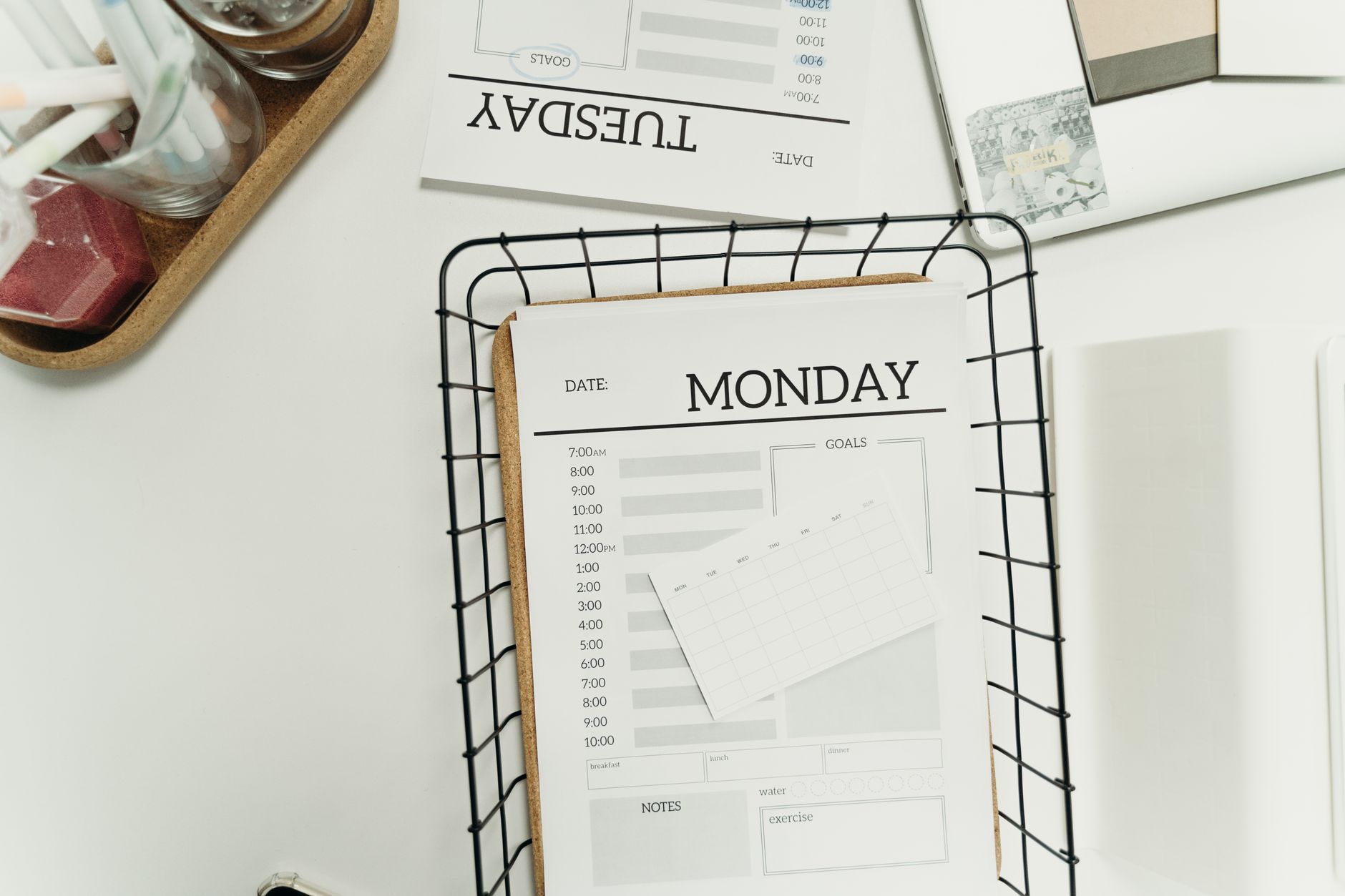
    Weekly planner ready for a sunday night reset ritual to reduce monday anxiety
    Keep your calendar glance simple: two days, one clear first task. Photo by cottonbro studio via Pexels.

    Provenance: Pexels image ID 7428859 by cottonbro studio ΓƒΖ’Γ‚Β’ΓƒΒ’Γ’β‚¬Ε‘Γ‚Β¬ΓƒΒ’Γ’β€šΒ¬Γ‚Β source.

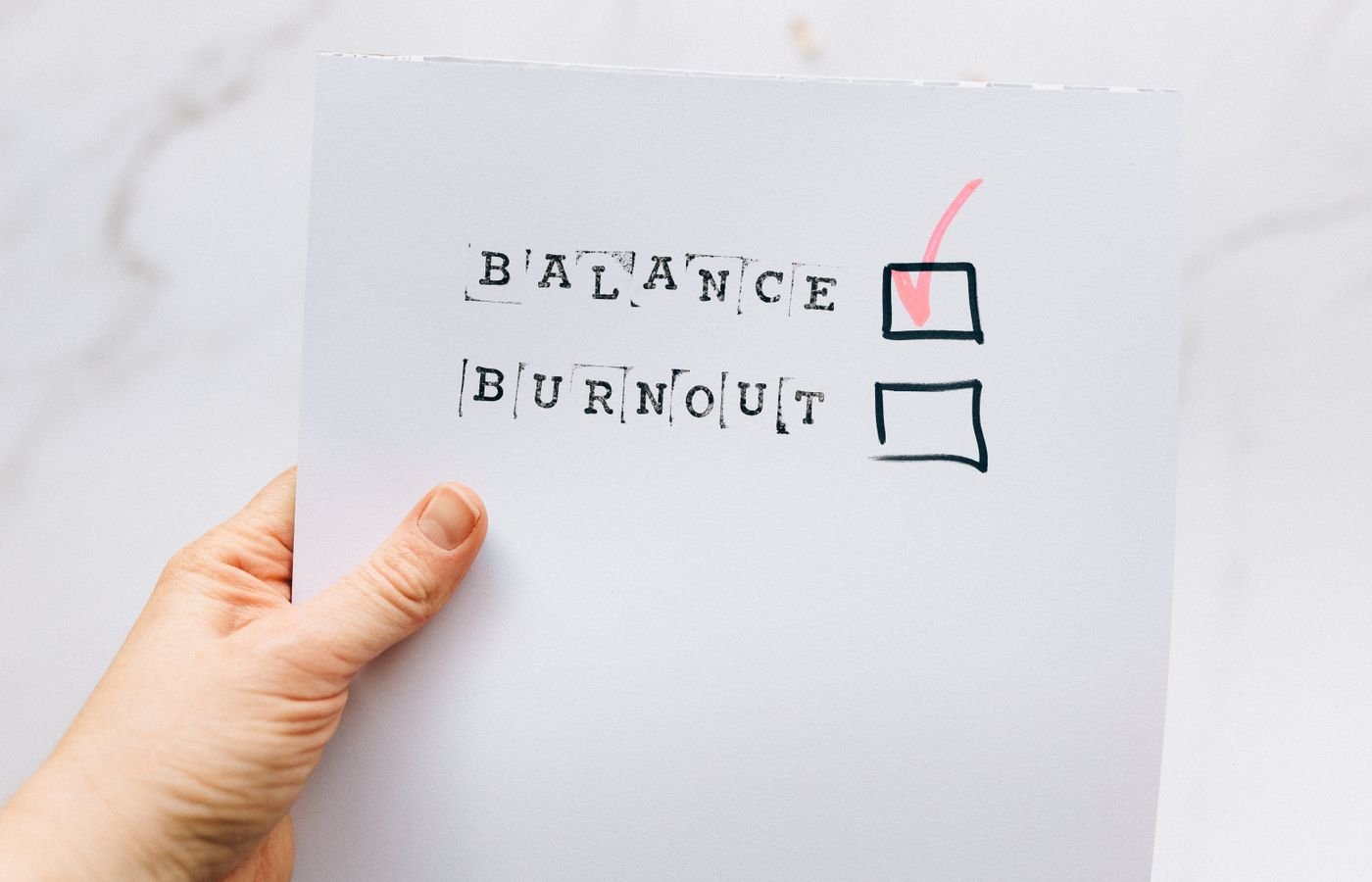
    Late Sunday desk with signs of overwork: a reminder to keep your reset short and gentle
    If your desk looks like this at 10 p.m., stop, breathe, and run the two-song version. Photo by cottonbro studio via Pexels.

    Provenance: Pexels image ID 9063392 by cottonbro studio ΓƒΖ’Γ‚Β’ΓƒΒ’Γ’β‚¬Ε‘Γ‚Β¬ΓƒΒ’Γ’β€šΒ¬Γ‚Β source.

    Sunday night reset questions to ask yourself

    • Name the single most important thing for Monday morning.
    • Pick two small decisions you can remove from tomorrow.
    • Choose a 5ΓƒΖ’Γ‚Β’ΓƒΒ’Γ’β‚¬Ε‘Γ‚Β¬ΓƒΒ’Γ’β€šΒ¬Γ‹Ε“minute tidy that MondayΓƒΖ’Γ‚Β’ΓƒΒ’Γ’β‚¬Ε‘Γ‚Β¬ΓƒΒ’Γ’β€šΒ¬Γ‹Ε“you will appreciate.
    • Decide when you will stop screens tonight and what youÒÒҀő¬ÒҀžÂ’ll do instead.

    Will this help even if my job is unpredictable?

    Yes. Because the ritual focuses on readiness, not on locking down every detail, it helps even when Monday can change. You are removing friction you can control and setting a clear ÒÒҀő¬ÅҀœfirst moveΓƒΖ’Γ‚Β’ΓƒΒ’Γ’β‚¬Ε‘Γ‚Β¬Γƒβ€šΓ‚Β you can adjust if needed.

    If your week starts on a different day or rotates, run the same steps the night before your workweek starts. Keep the order and stop rules; only the timing shifts.

    Optional addΓƒΖ’Γ‚Β’ΓƒΒ’Γ’β‚¬Ε‘Γ‚Β¬ΓƒΒ’Γ’β€šΒ¬Γ‹Ε“ons for your Sunday scaries reset

    Optional addΓƒΖ’Γ‚Β’ΓƒΒ’Γ’β‚¬Ε‘Γ‚Β¬ΓƒΒ’Γ’β€šΒ¬Γ‹Ε“ons can help, but only if they are truly easy:

    • Fill a water bottle and set it by your bag.
    • Write a quick ÒÒҀő¬ÅҀœnot doing this weekΓƒΖ’Γ‚Β’ΓƒΒ’Γ’β‚¬Ε‘Γ‚Β¬Γƒβ€šΓ‚Β line to protect focus.
    • Place one encouraging note on your desk for Monday morning.
    • Stage keys, transit card, and ID badge in one spot.

    Short video to support your Sunday night reset

    If the embed does not load, watch on YouTube: Experiencing Morning Anxiety? Listen Up.

    Who benefits most from a sunday night reset ritual to reduce monday anxiety?

    Professionals who juggle meetings and deep work, managers who carry the emotional tone for a team, and anyone who sleeps poorly on Sunday nights. Because this ritual is brief and nonΓƒΖ’Γ‚Β’ΓƒΒ’Γ’β‚¬Ε‘Γ‚Β¬ΓƒΒ’Γ’β€šΒ¬Γ‹Ε“perfectionist, it fits new parents, caregivers, and students as well.

    Obstacles and fixes

    Obstacle Why it happens Simple fix
    ÒÒҀő¬ÅҀœI forget on Sundays.ΓƒΖ’Γ‚Β’ΓƒΒ’Γ’β‚¬Ε‘Γ‚Β¬Γƒβ€šΓ‚Β No cue or visual trigger in your space Place the basket and notebook where you sit Sunday evening
    ÒÒҀő¬ÅҀœI get sucked into email.ΓƒΖ’Γ‚Β’ΓƒΒ’Γ’β‚¬Ε‘Γ‚Β¬Γƒβ€šΓ‚Β Screen opens too early in the ritual Do analog steps first; open calendar on paper or a lockΓƒΖ’Γ‚Β’ΓƒΒ’Γ’β‚¬Ε‘Γ‚Β¬ΓƒΒ’Γ’β€šΒ¬Γ‹Ε“screen widget only
    ÒÒҀő¬ÅҀœMy partner needs the living room.ΓƒΖ’Γ‚Β’ΓƒΒ’Γ’β‚¬Ε‘Γ‚Β¬Γƒβ€šΓ‚Β Competing routines at the same time Run the two-song timer in the bedroom or kitchen; stretch beside the bed
    ÒÒҀő¬ÅҀœI overΓƒΖ’Γ‚Β’ΓƒΒ’Γ’β‚¬Ε‘Γ‚Β¬ΓƒΒ’Γ’β€šΒ¬Γ‹Ε“clean and run late.ΓƒΖ’Γ‚Β’ΓƒΒ’Γ’β‚¬Ε‘Γ‚Β¬Γƒβ€šΓ‚Β Perfectionism and no stop rule Set a 5ΓƒΖ’Γ‚Β’ΓƒΒ’Γ’β‚¬Ε‘Γ‚Β¬ΓƒΒ’Γ’β€šΒ¬Γ‹Ε“minute timer and stop on the beep; leave the rest
    ÒÒҀő¬ÅҀœKidsÒÒҀő¬ÒҀžÂ’ bedtime runs long.ΓƒΖ’Γ‚Β’ΓƒΒ’Γ’β‚¬Ε‘Γ‚Β¬Γƒβ€šΓ‚Β Your start time slides past windΓƒΖ’Γ‚Β’ΓƒΒ’Γ’β‚¬Ε‘Γ‚Β¬ΓƒΒ’Γ’β€šΒ¬Γ‹Ε“down Shift the ritual earlier; use the two-song version if itÒÒҀő¬ÒҀžÂ’s already late
    ÒÒҀő¬ÅҀœI scroll in bed anyway.ΓƒΖ’Γ‚Β’ΓƒΒ’Γ’β‚¬Ε‘Γ‚Β¬Γƒβ€šΓ‚Β Phone within reach and no replacement habit Charge in another room; set a book or journal on the pillow as a cue
    ÒÒҀő¬ÅҀœI share a room/walls are thin.ΓƒΖ’Γ‚Β’ΓƒΒ’Γ’β‚¬Ε‘Γ‚Β¬Γƒβ€šΓ‚Β Noise and light make it hard to settle Use earplugs, a soft eye mask, and a lamp with a warm bulb
    ÒÒҀő¬ÅҀœI forget meals and buy fast food.ΓƒΖ’Γ‚Β’ΓƒΒ’Γ’β‚¬Ε‘Γ‚Β¬Γƒβ€šΓ‚Β No default choice and low energy in the morning Pick a standing pair (oats + fruit; salad + protein) every Sunday

    Can a sunday night reset ritual to reduce monday anxiety hurt sleep?

    It should help sleep, not hurt it. However, if you start too late or stare at screens during the plan, you may feel wired. Therefore, begin 60ΓƒΖ’Γ‚Β’ΓƒΒ’Γ’β‚¬Ε‘Γ‚Β¬ΓƒΒ’Γ’β€šΒ¬Γ…β€œ90 minutes before bed, keep lights warm, and shut screens when you hit your last step. Evidence links evening blueΓƒΖ’Γ‚Β’ΓƒΒ’Γ’β‚¬Ε‘Γ‚Β¬ΓƒΒ’Γ’β€šΒ¬Γ‹Ε“light exposure with sleep delays (Sleep Foundation), and general sleep hygiene supports a steady windΓƒΖ’Γ‚Β’ΓƒΒ’Γ’β‚¬Ε‘Γ‚Β¬ΓƒΒ’Γ’β€šΒ¬Γ‹Ε“down (CDC). If sleep is often poor, consider whether caffeine, late meals, or stress are factors and adjust gently.

    Printable checklist

    Print this section or copy it to a single page. Check each box on Sunday night. Keep it easy.

    • [ ] Start soft lamp; play a calm playlist
    • [ ] 5ΓƒΖ’Γ‚Β’ΓƒΒ’Γ’β‚¬Ε‘Γ‚Β¬ΓƒΒ’Γ’β€šΒ¬Γ‹Ε“minute basket tidy: entry, desk, kitchen
    • [ ] Wipe desk; clear chair for MondayΓƒΖ’Γ‚Β’ΓƒΒ’Γ’β‚¬Ε‘Γ‚Β¬ΓƒΒ’Γ’β€šΒ¬Γ‹Ε“you
    • [ ] Calendar glance: Monday + Tuesday
    • [ ] OneΓƒΖ’Γ‚Β’ΓƒΒ’Γ’β‚¬Ε‘Γ‚Β¬ΓƒΒ’Γ’β€šΒ¬Γ‹Ε“line Monday plan: __________________________
    • [ ] Outfit set (top to socks) on the hook/chair
    • [ ] Breakfast and lunch pre-commit
    • [ ] 5ΓƒΖ’Γ‚Β’ΓƒΒ’Γ’β‚¬Ε‘Γ‚Β¬ΓƒΒ’Γ’β€šΒ¬Γ‹Ε“minute gentle stretch + slow breath
    • [ ] Phone to Do Not Disturb; last screen time set
    • [ ] Optional 3ΓƒΖ’Γ‚Β’ΓƒΒ’Γ’β‚¬Ε‘Γ‚Β¬ΓƒΒ’Γ’β€šΒ¬Γ‹Ε“minute microΓƒΖ’Γ‚Β’ΓƒΒ’Γ’β‚¬Ε‘Γ‚Β¬ΓƒΒ’Γ’β€šΒ¬Γ‹Ε“journal

    Tip: Clip this to your fridge or place it on your desk. Because visibility drives behavior, a simple paper cue boosts followΓƒΖ’Γ‚Β’ΓƒΒ’Γ’β‚¬Ε‘Γ‚Β¬ΓƒΒ’Γ’β€šΒ¬Γ‹Ε“through.

    FAQ

    What if my Sunday evenings are already packed?

    Run the two-song timer. You will still get the biggest wins (a quick tidy, a one-line plan, and a phone boundary). Because consistency matters more than duration, the short version protects your Monday without stealing your evening.

    Does a sunday night reset ritual to reduce monday anxiety replace therapy or medical care?

    No. It is a practical routine for organization, sleepΓƒΖ’Γ‚Β’ΓƒΒ’Γ’β‚¬Ε‘Γ‚Β¬ΓƒΒ’Γ’β€šΒ¬Γ‹Ε“friendly choices, and stress reduction. If anxiety disrupts your life or sleep often, consider talking with a licensed clinician. In addition, use reputable health resources to learn more about stress and coping (APA: Stress).

    How long until I notice a difference?

    Many people feel lighter after the first run because clutter drops and the first task is clear. Also, after 2ΓƒΖ’Γ‚Β’ΓƒΒ’Γ’β‚¬Ε‘Γ‚Β¬ΓƒΒ’Γ’β€šΒ¬Γ…β€œ3 Sundays, you will likely notice calmer Monday mornings as the habit sticks and sleep improves.

    Should I avoid screens on Sunday night?

    As much as you can. Dim lights and switch to analog windΓƒΖ’Γ‚Β’ΓƒΒ’Γ’β‚¬Ε‘Γ‚Β¬ΓƒΒ’Γ’β€šΒ¬Γ‹Ε“down 60ΓƒΖ’Γ‚Β’ΓƒΒ’Γ’β‚¬Ε‘Γ‚Β¬ΓƒΒ’Γ’β€šΒ¬Γ…β€œ90 minutes before bed. Because blue light can suppress melatonin, this helps you fall asleep and wake more refreshed (Sleep Foundation).

    What if I work nonΓƒΖ’Γ‚Β’ΓƒΒ’Γ’β‚¬Ε‘Γ‚Β¬ΓƒΒ’Γ’β€šΒ¬Γ‹Ε“traditional hours?

    Shift the ritual to the night before your ÒÒҀő¬ÅҀœMondayΓƒΖ’Γ‚Β’ΓƒΒ’Γ’β‚¬Ε‘Γ‚Β¬Γƒβ€šΓ‚ΒΓƒΖ’Γ‚Β’ΓƒΒ’Γ’β‚¬Ε‘Γ‚Β¬ΓƒΒ’Γ’β€šΒ¬Γ‚Βwhatever day starts your workweek. Keep the same flow and stop rules; only the day changes.

    Putting it together tonight

    Choose your versionΓƒΖ’Γ‚Β’ΓƒΒ’Γ’β‚¬Ε‘Γ‚Β¬ΓƒΒ’Γ’β€šΒ¬Γ‚Βfull flow or two-song timerΓƒΖ’Γ‚Β’ΓƒΒ’Γ’β‚¬Ε‘Γ‚Β¬ΓƒΒ’Γ’β€šΒ¬Γ‚Βand pick a start time that ends at least 60 minutes before bed. Then follow the steps and stop on the timer. Finally, move to a calm, screenΓƒΖ’Γ‚Β’ΓƒΒ’Γ’β‚¬Ε‘Γ‚Β¬ΓƒΒ’Γ’β€šΒ¬Γ‹Ε“free windΓƒΖ’Γ‚Β’ΓƒΒ’Γ’β‚¬Ε‘Γ‚Β¬ΓƒΒ’Γ’β€šΒ¬Γ‹Ε“down. When you wake, you will have fewer choices to make and a clear first step.

    • IfΓƒΖ’Γ‚Β’ΓƒΒ’Γ’β‚¬Ε‘Γ‚Β¬ΓƒΒ’Γ’β€šΒ¬Γ‹Ε“then plan: ÒÒҀő¬ÅҀœIf itÒÒҀő¬ÒҀžÂ’s 8:45 p.m., then I start the reset.ΓƒΖ’Γ‚Β’ΓƒΒ’Γ’β‚¬Ε‘Γ‚Β¬Γƒβ€šΓ‚Β
    • Habit pair: attach the ritual to an existing cue (after dishes, before skincare).
    • Visible cue: place the basket and notebook in your favorite chair at noon on Sunday.
    • Floor version: when tired, do the two-song timer and stop.
    • Morning review: glance at your one-line plan with your first sip of coffee.

    Helpful next steps

    Sources and further reading


    Start your sunday night reset ritual to reduce monday anxiety tonight. Keep it short, kind, and consistent. Your future self will feel the difference Monday morning.

    Helpful resources for your next step

    Affiliate disclosure: As an Amazon Associate, Mind Clarity Hub may earn from qualifying purchases at no extra cost to you. Use this link only if it genuinely helps your planning.

    If A Calm Sunday Night Reset to Ease Monday Anxiety is a routine you want to keep using, a simple workbook, planner, or desk tool can make the steps easier to repeat.

    Compare related planners, workbooks, and organization tools on Amazon.

  • Build a Five-Senses Grounding Kit for Remote Work Days

    Build a Five-Senses Grounding Kit for Remote Work Days

    When your attention wobbles or anxiety jumps, a small, well-made toolkit can bring you back to the present fast. This five-senses grounding kit checklist for remote workers helps you plan the right items, a 60-second use protocol, and a simple refill rhythm so you stay steady on high-pressure days.

    Grounding is a brief sensory reset. You orient to what you can touch, see, hear, smell, and taste. Because it is concrete, it works even when your inner dialogue feels loud. In addition, it pairs well with short breathing sets and micro-breaks between tasks. With a compact kit, you can use it between calls without leaving your chair.

    Key takeaways for your sensory grounding checklist

    • A compact kit removes decision fatigue during stress spikes and makes grounding fast.
    • Use the 5-4-3-2-1 method, plus a simple breath pattern, to settle in about one minute.
    • Keep items by sense. Include at least two options per sense to fit different moments.
    • Store the kit within arm’s reach of your workstation and set a monthly refill check.
    • Use the printable checklist to build, personalize, and maintain your kit.

    Why a sensory grounding checklist works during remote work

    Grounding anchors your attention to immediate, physical input. Therefore, your brain has an easy job: notice what is here now. That shift can reduce spirals and ease stress while you stay at your desk.

    The widely used 5-4-3-2-1 technique asks you to notice five things you can see, four you can feel, three you can hear, two you can smell, and one you can taste. It is brief, portable, and private. You can run it between calls without leaving your chair.

    For a clear primer on grounding, see the U.S. Department of Veterans Affairs overview of grounding skills. For a step-style walkthrough of 5-4-3-2-1, review this short guide from the Anxiety and Depression Association of America: Try the 5-4-3-2-1 coping technique. Also, research summaries from Harvard Health note that mindful attention practices can reduce stress and improve emotional regulation over time (Harvard Health).

    Remote work brings unique stressors as well. Boundaries blur, notifications stack, and context switches multiply. The American Psychological Association’s most recent Work in America report shows many workers reporting high stress and fatigue. A pocketable, planned kit means you do not have to think when pressure is high. You just reach, run the protocol, and return.

    What is a five-senses grounding kit checklist for remote workers?

    A kit is a small pouch or box that holds rapid, sensory anchors for sight, touch, sound, smell, and taste. The checklist is your build-and-maintain plan so the right items are always there. This five-senses grounding kit checklist for remote workers turns an idea into a reliable routine. It removes the guesswork when your mind is racing, and it keeps your tools in one place.

    Build your sensory grounding checklist by sense: compact, calming, and desk-ready

    Start simple. Pick two items per sense. Then test them for a week. Because you work from home, choose items that are quiet, discreet, and safe to use around electronics. This is where the five-senses grounding kit checklist for remote workers keeps you on track as you add or swap items.

    Touch anchors for your 5-4-3-2-1 grounding kit

    • Textured object: a smooth stone, a ridged coin, or a fidget with soft resistance.
    • Temperature cue: a small gel pack that can be warmed or cooled.
    • Fabric square: felt, microfiber, or a braided cord for repetitive touch.
    • Elastic therapy band: light strength for a few slow pulls.

    Pick textures that engage your attention without pain. Also, avoid messy or sharp objects, and keep size under palm width so you can use it on video calls.

    Sight anchors for your 5-4-3-2-1 grounding kit

    • Color card or gradient swatch: scan from dark to light and back.
    • Nature photo: trees, ocean, or sky with a simple focal point.
    • Minimalist grid: count lines or squares slowly.
    • Postcard from a place you like: trace the edges and notice details.

    Because your eyes already stare at screens, choose analog visuals. A physical card or photo gives your eyes a fresh target and reduces glare.

    Sound anchors for your 5-4-3-2-1 grounding kit

    • Small chime, clicker, or metronome app (mute-ready): count ten steady beats.
    • Noise playlist: light rain, fan hum, or brown noise (save offline).
    • Earplugs: use when you need quiet to run a quick 5-4-3-2-1 set.

    Keep audio cues respectful for shared spaces. If sound is not an option, you can silently β€œhear” three things by noticing ambient hums or your breath on exhale.

    Smell anchors for your sensory grounding checklist

    • Aromatherapy inhaler or scent blotter: peppermint, citrus, or lavender.
    • Ground coffee packet or tea bag: a single, familiar note.
    • Unscented option: fresh airβ€”open a window for a few slow breaths.

    Choose scents you enjoy and that do not linger long. Also, store them sealed so the aroma stays fresh and does not distract you later.

    Taste anchors for your 5-4-3-2-1 grounding kit

    • Strong mint or sour candy: a brief, clear sensation.
    • Herbal tea sachet: smell first, then sip after your 60-second reset.
    • Water: a cool sip can mark the end of your set and your return to work.

    Check ingredients if you have sensitivities. Finally, keep portions small. The point is a crisp, momentary signal, not a snack break.

    Desk setup organizing a five-senses grounding kit checklist for remote workers with a visible to-do list and tools
    Organize your kit where you work. Photo: Jakub Zerdzicki via Pexels.

    Credit and source: Pexels/Jakub Zerdzicki.

    What should your kit live in?

    Use a small zipper pouch, pencil case, or desk tray with a lid. Label it. Because it is visible, you will reach for it when stress spikes. Also, add a simple index card that lists your 60-second protocol. That card, part of your five-senses grounding kit checklist for remote workers, removes guesswork under pressure.

    Container Pros Cons Best for
    Fabric zipper pouch Quiet, soft, portable Can collect lint Hot-desking and travel
    Hard pencil case Protects fragile items Bulkier on small desks Home office shelves
    Desk tray with lid One-hand access, visible Not travel-friendly Permanent workstation

    Use your 5-4-3-2-1 grounding kit in 60 seconds: the quick protocol

    Here is a fast, plain-language sequence you can run at your desk. It pairs a short breath with the 5-4-3-2-1 method. Because it is simple, you can do it without looking at your notes after a few runs.

    1. Exhale slowly through your mouth. Then inhale through your nose for a count of four. Hold one. Exhale six. Repeat this breath once.
    2. See: Name five things you can see. Move your eyes gently. Trace an edge.
    3. Touch: Feel four sensations. Use your textured object or the desk grain.
    4. Hear: Notice three sounds. If needed, tap a soft beat or play a brief chime.
    5. Smell: Identify two scents. Use your inhaler or tea bag.
    6. Taste: Take one sip of water or mint. Pay full attention to the first second of taste.
    7. Exhale once more. Name your next tiny task out loud. Begin.

    Keep a small card inside your kit that summarizes this protocol. That way, your five-senses grounding kit checklist for remote workers is ready even when your mind feels scrambled.

    A simple one-minute flow that fits between calls.

    20-second reset with your 5-4-3-2-1 grounding kit

    Use a micro-set. Exhale, then touch your stone for four slow rubs while you count 1-2-3-4. Next, name one thing you can see in detail and one sound you can hear. Finally, sip water. You can run this in 15–20 seconds between screens.

    Starter items for a sensory grounding checklist (with quick buying or DIY notes)

    Sense Low-cost item DIY idea Note
    Touch Worry stone Folded fabric square Choose a texture you enjoy repeating
    Sight Nature postcard Print a favorite photo Avoid busy patterns that over-stimulate
    Sound Soft clicker Metronome app Keep volume low for shared spaces
    Smell Inhaler stick Tea bag in a zip pouch Store sealed to retain scent
    Taste Strong mint Lemon slice in water Confirm dietary needs and sensitivities

    Test each item at your desk. Also, note what you naturally reach for when stress surges. Then swap underused items with better fits.

    Modern desk with a notebook and a printed five-senses grounding kit checklist for remote workers
    Keep a written checklist near your keyboard. Photo: Jakub Zerdzicki via Pexels.

    Credit and source: Pexels/Jakub Zerdzicki.

    Where should you place the kit for fastest reach?

    Place it within one arm’s reach of your primary input device. For example, tuck a pouch under your monitor, in a top drawer, or beside your trackpad. As a result, the movement becomes automatic when you feel a spike.

    • At your main desk: front-right or front-left, not behind your screen.
    • On the go: inside the laptop sleeve pocket so it opens with your laptop.
    • In shared spaces: a silent pouch with no loose items that could rattle.

    Finally, add a tiny label so you do not confuse it with cables or pens. That label is part of your five-senses grounding kit checklist for remote workers and reduces search time.

    Desk placement and camera-friendly moves

    Make the kit’s first move effortless. Keep the pouch close to your dominant hand, slightly forward of your keyboard, so you can open it without shifting your chair. If you use a standing desk, clip a thin pouch to the desk edge with a magnetic hook. This keeps reach distance short and predictable.

    During video calls, use small, quiet motions below the camera frame. For touch, rest your hand in your lap and rub a stone with your thumb. For sight, glance at a photo taped beside your monitor rather than holding it up. For sound, count breaths or beats in your head. These moves are subtle, respectful, and still effective.

    When you finish the set, close the pouch and return your hands to the keyboard. That visible reset can cue your brain that the pause is complete. Over time this sequence becomes automatic: reach, run, return.

    Refill plan for your sensory grounding checklist

    Simple maintenance keeps your kit reliable. Schedule a 10-minute monthly review. Replace mints and tea, reseal scent items, and wipe tools clean. Your five-senses grounding kit checklist for remote workers should include this short ritual so you never reach for an empty pouch.

    Frequency Tasks Why it matters
    Weekly (2 minutes) Count items, reseal scents, restock water near desk Prevents midweek gaps
    Monthly (10 minutes) Replace mints/tea, clean tools, swap one item to try Keeps the kit fresh and interesting
    Quarterly (15 minutes) Audit each sense, retire unused items, update the index card Aligns the kit with changing seasons and workloads

    Digital backups and note cards

    Create a one-line version of the protocol in your phone’s notes and pin it to your lock screen. For example: β€œExhale β€’ See 5 β€’ Touch 4 β€’ Hear 3 β€’ Smell 2 β€’ Taste 1 β€’ Name next task.” In a crunch, this digital cue can replace the index card.

    Also, save a short voice memo that guides you through the steps. Keep it offline so it works in low-signal spots. If your smartwatch supports haptics, use a one-minute timer with soft taps to pace your breath and sense counts.

    Finally, keep a spare printed card in your laptop sleeve. Redundancy means one busy day will not break your habit.

    Printable five-senses grounding kit checklist for remote workers

    Use this printable section to build or audit your kit. You can print this page from your browser and clip it to your pouch. The five-senses grounding kit checklist for remote workers below is short, clear, and easy to mark up.

    Sense Item 1 Item 2 Item 3 (optional) Notes In pouch?
    Touch __________________ __________________ __________________ __________________ [ ]
    Sight __________________ __________________ __________________ __________________ [ ]
    Sound __________________ __________________ __________________ __________________ [ ]
    Smell __________________ __________________ __________________ __________________ [ ]
    Taste __________________ __________________ __________________ __________________ [ ]
    Card Protocol index card present and updated [ ]
    Container Pouch labeled and within arm’s reach [ ]

    Print tip: Use your browser’s Print function for a clean copy. You can also copy this table into a note app to track changes.

    Choose items for your sensory grounding checklist you will use

    Run a three-day test. Day one focuses on touch and sight. The next day, try sound and smell. Finish with taste plus one favorite. Meanwhile, jot one sentence after each set: β€œWhat felt most steady?” Keep the winners; swap the rest.

    • If a scent distracts you for more than 10 seconds, choose a lighter option.
    • If a texture pulls you into repetitive fidgeting you cannot stop, pick a slower, smoother feel.
    • If a sound is audible to others, go with a silent beat or metronome in headphones.

    When to use your 5-4-3-2-1 grounding kit during the day

    Use it at the first sign of a stress rise. For example, before you open a difficult email or after a jarring notification. Also, pair one grounding set with transitions: after lunch, before a presentation, and after the final call.

    • Before deep work: a 30-second micro-set clears residue from the last task.
    • After interruptions: one minute helps your brain reorient.
    • End-of-day: a short set marks a boundary between work and home time.

    Troubleshooting sticky moments

    If you start a set and feel no change, shorten the step counts. Try a 3-3-3 pass (see three, feel three, hear three). Then add smell and taste. A shorter loop can build momentum when attention is tight.

    If you feel awkward during a meeting, keep your eyes on the screen and switch to touch only. Quiet textures can break a rising spiral without drawing focus from others.

    If you tend to skip the kit under pressure, add a cue. For instance, place a green dot sticker on your trackpad. Each time you notice it, run a 20-second micro-set. With repetition, the cue becomes automatic.

    Mistakes to avoid with a sensory grounding checklist

    Avoid building a big kit you never reach forβ€”keep it small and visible. Do not skip the label or the protocol card; your hand should find the kit fast and your eyes should see the steps at a glance. Steer clear of loud or messy items; keep choices office-friendly. Finally, do not rely on a single item per sense; have a backup for tougher days.

    How we selected and tested the sensory grounding checklist

    This guide uses practical workplace constraints: low cost, quiet use, and no spills near electronics. We also aligned choices with common sensory anchors used in clinical grounding skills education (see the VA’s grounding overview) and popular 5-4-3-2-1 instructions (see ADAA). Finally, we kept the protocol short so you can use it mid-shift without breaking flow. That is why a five-senses grounding kit checklist for remote workers focuses on setup, reach distance, and one-minute steps.

    Important: This article is educational and not medical advice. If stress or anxiety interferes with daily life, consider reaching out to a licensed clinician. The APA offers a starting point for therapist search and workplace well-being resources in its Work in America report series.

    Optional add-ons for your 5-4-3-2-1 grounding kit

    • Pouch dividers: keep scents sealed from taste items.
    • Index-card wallet: store your protocol and refill notes.
    • Small microfiber cloth: doubles as a tactile item and screen cleaner.

    Amazon resources (optional):

    Affiliate disclosure: Some links in this guide may be affiliate links. If you buy through them, Mind Clarity Hub may earn a commission at no extra cost to you.

    Browse a compact zip pouch for your kit: Amazon search for small zip pouches. Choose a quiet fabric and a size that fits in your desk drawer.

    Team norms and self-advocacy

    Grounding is a private skill, yet team culture matters. If you lead a meeting, add 30 seconds of quiet before tough decisions. If you are an attendee, you can say, β€œI’ll take a breath and check notes,” then run a micro-set camera-off. This language signals focus, not avoidance.

    With managers, frame the kit as a performance tool. For instance: β€œThis one-minute reset helps me return to the agenda faster after interruptions.” Linking the practice to outcomes builds support.

    Budget and sustainability

    You do not need to buy much. A smooth stone from a walk, a scrap of soft fabric, a postcard, and a tea bag can form a complete starter kit. Reuse a pencil case you already own. If you prefer new items, choose durable, washable pieces so they last.

    To reduce waste, store taste items in small containers and replace them in bulk once a quarter. For scent, reseal inhalers right away so they stay potent longer.

    Track your results in two minutes

    After a week, open a note and write three short lines: β€œWhen I used the kit,” β€œWhat changed in one minute,” and β€œWhat to swap.” Keep the log simple. Over time, you will see which items help most before calls, after alerts, or during deep work transitions.

    You can also add a tiny checkbox to your daily to-do. Each check marks one set completed. This small feedback loop keeps the habit alive.

    FAQs: quick answers you can use today

    What is the 5-4-3-2-1 technique and how does it fit a workday?

    It is a sensory scan: notice 5 things you see, 4 you feel, 3 you hear, 2 you smell, and 1 you taste. Because it is concrete and brief, it fits between tasks. It is also silent, so you can run it during a meeting camera-off moment.

    How big should a five-senses grounding kit checklist for remote workers be?

    Keep it small enough to grab with one hand. A pencil case or thin pouch is ideal. If it is too large, you will not use it. Aim for two items per sense and a small protocol card.

    Can I use the kit during video calls without being obvious?

    Yes. Choose silent, discreet items: a stone under the desk, a fabric square on your knee, or a small chime you only play in headphones. You can run the full set in about one minute with your camera off.

    How often should I refresh scents and taste items?

    Do a quick weekly check and a monthly refresh. Replace mints and tea and ensure scent items are sealed. Add this cadence to your refill notes so the kit is always ready.

    What if one sense does not work for me?

    Double up on others. For example, add a second touch texture and a second sight card. The goal is a steady anchor, not perfect balance. Adjust until your kit feels reliable.

    More ways to protect focus at home

    Pair your kit with clear task rituals. For deep reading days, see our guide to maintain deep focus while reading dense technical specifications. Also, if you like digital structure, explore our picks for the best free ADHD planning apps for adults. For more evidence-informed tools, browse the Mind Clarity Hub books section.

    Sources and further reading

    • U.S. Department of Veterans Affairs. Grounding. ptsd.va.gov
    • Anxiety and Depression Association of America. Try the 5-4-3-2-1 coping technique when anxiety hits. adaa.org
    • Harvard Health Publishing. Mindfulness meditation may ease anxiety, mental stress. health.harvard.edu
    • American Psychological Association. Work in America Survey. apa.org

    Wrap-up: your next five minutes with your sensory grounding checklist

    1. Pick two items per sense from the lists above.
    2. Place them in a small pouch and label it.
    3. Copy the 60-second protocol onto a card.
    4. Put the pouch within arm’s reach of your main device.
    5. Schedule a 10-minute monthly refill review.

    With that, your five-senses grounding kit checklist for remote workers is live. Use it today. Adjust next week. Keep what works. Let go of what does not.

  • An ADHD-Friendly Morning Routine for Work‑From‑Home Parents

    An ADHD-Friendly Morning Routine for Work‑From‑Home Parents

    If you are juggling home life, kids, and a laptop, you may need an ADHD-friendly morning routine for work-from-home parents that is simple, repeatable, and forgiving. This guide shows you how to design a routine with time-boxed blocks, external prompts, and clear kid handoff checkpoints so you can start calm and focused, even on messy days. Put plainly, this ADHD-friendly morning routine for work-from-home parents trades willpower for visible cues and short wins.

    Key takeaways for an ADHD morning routine for WFH parents

    • Use short time-boxed blocks (15Γ’β‚¬β€œ45 minutes) and switch contexts on a cue, not on a whim.
    • Place external prompts where your eyes and hands are: door tags, sticky notes, phone alarms, and visual checklists.
    • Define kid handoff checkpoints with simple scripts so everyone knows what happens next.
    • Stack one new habit onto an existing anchor instead of trying to overhaul everything at once.
    • Keep a reset plan for late starts. You can still win the morning after a wobble.

    How to use this ADHD morning routine for WFH parents guide

    Start with the quick answer below. Then choose one time-box menu, add two or three prompts, and pick your kid handoff checkpoints. Finally, print or save the one-page checklist and test the routine for five mornings. Because ADHD is variable, expect to adjust. Small knobs beat big levers. And yes, the same steps fit an ADHD-friendly morning routine for work-from-home parents whether you have toddlers or teensÒ€”only the block size shifts.

    What makes an ADHD-friendly morning routine for work-from-home parents work?

    Three design choices do most of the heavy lifting:

    1. Time-boxed blocks: You decide what happens for the next block and set a visible end. The end is your cue to switch.
    2. External prompts: You reduce reliance on memory and motivation by letting your environment nudge you.
    3. Kid handoff checkpoints: You define two or three moments where care shifts, and you script them in advance.

    The aim is friction reduction, not perfection. In addition, each block should be small enough to start without dread and short enough to end before attention collapses.

    Quick-start for an ADHD morning routine for WFH parents (choose your block size)

    Pick a block size based on your morning bandwidth. Then run 3Γ’β‚¬β€œ4 blocks in order. Also add prompts and handoffs as shown later. This quick-start flow nests inside an ADHD-friendly morning routine for work-from-home parents so you can ramp up without overhauling your whole day.

    Block size Block 1 Block 2 Block 3 Optional Block 4
    15 minutes Wake + water + meds Kid prep (clothes/breakfast) Desk warm-up (inbox zero to 5 emails) First deep task start
    25 minutes Wake + move + plan 3 Kid handoff + tidy sweep First work sprint Buffer or commute-to-desk ritual
    45 minutes Family + breakfast + anchor chores Calendar check + priority slice Deep work #1 Admin + reset

    Tip: Pre-decide what a win looks like for each block. For example, Ò€œWarm-up means open project, write a 2-sentence plan, and start the doc.Ò€

    Why time-boxing helps ADHD mornings

    Time-boxing sets a clear start and stop and turns time into a friendly guardrail. Because you can see the end, starting gets easier. And when the block ends, you have permission to switch without guilt. Research and expert guidance suggest that structure, external supports, and simple rules help adults manage ADHD symptoms and daily tasks (NIMH; CDC; CHADD). Timeboxing is also a well-studied productivity approach in knowledge work (Harvard Business Review).

    How many blocks should you run?

    Most parents do well with 3Γ’β‚¬β€œ4 blocks. However, if sleep was poor or kids need more care, run 2 blocks and call it a win.

    External prompts for an ADHD morning routine for WFH parents

    Prompts are tiny cues that replace memory. Place them where you look and where you reach. Keep them obvious, not clever.

    • Door tag: Ò€œOn a callÒ€”back at :15Ò€ with a movable clock hand.
    • Cook timer or phone timer on a stand at eye level.
    • Sticky note at the laptop hinge with your first verb: Ò€œDraft 3 bullets.Ò€
    • Checklist by the coffee maker with three morning steps.
    • Calendar banner: Ò€œHandoff to partnerÒ€ at 8:15 with a chime.
    Prompt Where it lives What it cues
    Door tag Office door handle Kid boundary + return time
    Sticky verb Laptop hinge First 30 seconds of work
    Timer on stand Desk corner Block start/stop without app hopping
    Checklist card By coffee maker Wake ritual + meds + water
    Calendar chime Phone + watch Handoff checkpoint
    ADHD-friendly morning routine for work-from-home parents: coffee and a laptop set for the first time-box.
    Place prompts where you look. A timer, a sticky verb, and your calendar chime can carry you through the first block. Photo: Vlada Karpovich (Pexels).

    Image source: Pexels: Close-up photo of laptop by Vlada Karpovich

    Kid handoff checkpoints for an ADHD morning routine for WFH parents

    Two or three predictable checkpoints make mornings calmer. Each checkpoint includes a time range, a role, and a one-line script. Therefore, everyone knows what happens next. This keeps the spine of an ADHD-friendly morning routine for work-from-home parents intact even when the house is noisy.

    Time Checkpoint Lead adult Script
    7:15Γ’β‚¬β€œ7:25 Breakfast finish You Ò€œWe clear plates and choose clothes now. Timer says 5.Ò€
    7:30Γ’β‚¬β€œ7:40 Get-dressed sprint Partner Ò€œIÒ€ℒm the helper. When the song ends, we meet by shoes.Ò€
    7:45Γ’β‚¬β€œ7:55 Backpack check You Ò€œShow-and-tell? Water? Lunch? High-five to the door.Ò€
    8:00 Door/desk split Partner Ò€œIÒ€ℒve got school drop. YouÒ€ℒve got desk warm-up.Ò€

    If you solo parent, compress to two checkpoints and use audio prompts. For example, play the same 3-minute song for the get-dressed sprint and end with the backpack script.

    Design your first block: wake, warm, and win

    Block 1 should be short, kind, and obvious. Because mornings are fragile, you want one easy motion to start. Use this builder. It plugs directly into an ADHD-friendly morning routine for work-from-home parents without adding pressure:

    • Anchor: What already happens? (Coffee? Kid wake-up? Dog walk?)
    • Attach: Add one 60-second task you care about (water + meds, 3 breaths, open blinds).
    • Advance: One tiny step toward your first work win (open doc + title it; write 2 bullets).

    This gives you momentum with minimal thinking. It also prevents Ò€œwandering startsÒ€ that eat 20 minutes.

    Example: 25-minute Block 1

    • 00:00Γ’β‚¬β€œ03:00 Coffee + water + meds
    • 03:00Γ’β‚¬β€œ06:00 Open laptop + title todayÒ€ℒs doc
    • 06:00Γ’β‚¬β€œ20:00 Family breakfast + backpack check
    • 20:00Γ’β‚¬β€œ25:00 Two-sentence work plan on a sticky

    Build the full routine in 6 steps

    1. Pick your block size. Choose 15, 25, or 45 minutes based on kid needs and sleep.
    2. Map 3Γ’β‚¬β€œ4 blocks. Use the quick-start table as a draft template.
    3. Add prompts. One door tag, one timer, one sticky verb, and one calendar chime.
    4. Set handoff checkpoints. Decide the script and time range for each.
    5. Print the checklist. Hang it near your coffee or desk.
    6. Run for five days. Adjust one knob at a time (block size, prompt, or script).

    Visual checklist for an ADHD morning routine for WFH parents

    Tip: Right-click and print this section to PDF for a fridge-ready version. You can also copy the headings into a notes app and check them off each day.

    Habit stacking ideas for an ADHD morning routine for WFH parents

    Stack new actions onto anchors you already do. Because your brain expects the anchor, the new step rides along.

    • After pouring coffee, read your 2-sentence plan.
    • When you open the blinds, start the 25-minute timer.
    • After the backpack check, place a door tag with your return time.
    • When you sit, type three verbs in your document title to start motion.
    • After the first work sprint, stand, drink water, and reset the timer.

    Late start reset for an ADHD morning routine for WFH parents

    Use a 15-minute reset protocol:

    1. Set a 5-minute tidy timer. Clear two hotspots you see from your desk.
    2. Set a 5-minute kid sprint. Clothes on, teeth, shoes by door.
    3. Set a 5-minute desk warm-up. Open the doc and write the first paragraph ugly.

    Then resume your next planned block. Therefore, a late start still lands a win.

    When kids need you during an ADHD morning routine for WFH parents

    Build micro-handoffs inside each block. For example, run 10 minutes of kid focus, then 10 minutes of desk focus. Use a song as the switch cue and keep the door tag honest about return times. Also keep snacks and activity kits ready so you can pivot without losing the plan.

    How long should an ADHD-friendly morning routine for work-from-home parents take?

    Most homes do well with 60Γ’β‚¬β€œ120 minutes total, split into short blocks. If your windows are smaller, compress to two blocks and add an afternoon micro-block for admin. Progress beats perfect timing.

    Example menus for an ADHD morning routine for WFH parents

    90-minute window (3 Γƒβ€” 25 minutes + 15 min buffer)

    Flow: Coffee + water + meds Ò†’ Backpack check Ò†’ Write 2 bullets; next, kid handoff + tidy sweep Ò†’ Desk warm-up; then, first deep task sprint Ò†’ Calendar glance Ò†’ Message partner; finally, buffer for snack, stretch, bathroom, and timer reset.

    60-minute window (2 Γƒβ€” 25 minutes + 10 min buffer)

    Flow: Breakfast Ò†’ Clothes Ò†’ Open doc and title it; next, door/desk split Ò†’ 15-minute focused start; buffer for water and quick dishes before meetings.

    45-minute window (1 Γƒβ€” 25 + 1 Γƒβ€” 15 + 5 min buffer)

    Flow: Kid prep sprint Ò†’ Timer Ò†’ Backpack check; then, desk warm-up Ò†’ Send one message that moves a task; quick stretch and reset in the buffer.

    Prompts that protect focus (and sanity)

    Use these low-friction prompts to keep attention on rails:

    • Place a stand-alone kitchen timer at eye height so you do not unlock your phone.
    • Use a door tag with a magnetic pointer to show next return time.
    • Keep a small whiteboard with your three morning verbs, not nouns.
    • Turn on Do Not Disturb for the first two blocks and allow only handoff chimes.

    These prompts support the core aim of an ADHD-friendly morning routine for work-from-home parents: reduce choices and make the next step obvious.

    Parent in a calm home office following a visual checklist while sipping coffee.
    A calm start often comes from a visible checklist and short, kind blocks. Photo: Lucie Liz (Pexels).

    Image source: Pexels: A woman with a cup sitting in front of a laptop by Lucie Liz

    Handoff scripts for an ADHD morning routine for WFH parents

    Use simple, repeatable phrases and the same tone daily. For example: Ò€œTimer says five. Then we pick shoes.Ò€ Another steady line is Ò€œWe do breakfast, backpack, door in that order.Ò€ Music works too: Ò€œWhen the song ends, we meet at the hallway star.Ò€ Finally, keep boundaries visible: Ò€œIÒ€ℒm back at :25. The card shows it.Ò€

    Healthy anchors for an ADHD morning routine for WFH parents

    Keep wellness simple in the morning. Water at wake helps; place the cup by your phone at night. Light exposure also settles the bodyÒ€”open blinds or step outside for 60 seconds if possible. Two slow breaths while the coffee brews calm the start. A short stretch when you stand to reset the timer can ease stiffness without derailing momentum.

    Adults with ADHD often benefit from structure and environmental supports rather than sheer willpower alone (CHADD; NIMH). Also, building tiny, consistent anchors can help reduce friction across days.

    Evidence-informed strategies, in plain language

    • Implementation intentions: Turning Ò€œI shouldÒ€ into Ò€œIf itÒ€ℒs 7:30, then I start the 25-minute blockÒ€ helps turn goals into actions (HBR on timeboxing).
    • Environmental cues: Visible prompts and pre-positioned tools reduce working-memory load (CDC ADHD facts).
    • Small wins: Short, achievable starts build momentum and reduce overwhelm (CHADD adult ADHD resources).

    Mistakes to avoid in an ADHD morning routine for WFH parents

    • Starting with a 2-hour block on day one. Instead, start with 15Γ’β‚¬β€œ25 minutes.
    • Relying on memory for handoffs. Use a chime and a door tag.
    • Stacking six new habits at once. Add one at a time.
    • Skipping the tiny work step. A 30-second start beats a perfect plan.

    Tech setup for an ADHD-friendly morning routine for work-from-home parents

    Set up tools so they help, then get out of the way. To run an ADHD-friendly morning routine for work-from-home parents without distraction, keep tech simple and visible.

    Timer: Use a single-purpose timer or a widget pinned to your desktop. Big digits beat clever apps. Place it at eye height so you never need to unlock your phone.

    Calendar: Add two recurring events: Ò€œHandoff windowÒ€ and Ò€œDeep-start block.Ò€ Give each a distinct sound. Consistent chimes become fast cues.

    Do Not Disturb: Schedule DND for Blocks 1Γ’β‚¬β€œ2. Allow only calls from school and your partner, plus the handoff chime. This trims noise without missing what matters.

    Document pin: Pin a single Ò€œTodayÒ€ document to your dock or taskbar. First action each day: open it and add three verbs. This makes the very first step obvious.

    Desk tray: Keep your charger, headphones, notebook, and sticky notes in one tray. You can Ò€œcommute to deskÒ€ in 30 seconds and clear it just as fast.

    Three scenarios using an ADHD morning routine for WFH parents

    Scenario A: Toddler at home. You run 25-minute blocks with micro-handoffs inside each. First, wake + water + meds + tiny work step. Next, 10 minutes of kid play on the floor, then 10 minutes at the desk while a song plays. Finally, a snack handoff and a quick desk warm-up. The pattern holds, even if the content shifts.

    Scenario B: School-age kids. You anchor the morning with the backpack check and a door/desk split. The first block covers breakfast and a tiny work start. The handoff window comes next. Your third block is the first deep sprint before the first meeting. Because the chime is fixed, everyone knows when the switch happens.

    Scenario C: Teen schedule. Start earlier with a 15-minute Block 1. You still do water + meds and open the doc. Teens self-manage with a shared checklist on the fridge. Use Block 2 as a quiet house reset and Block 3 as a focused sprint. Because the steps are light, the system survives late buses and surprise forms.

    Troubleshooting map for an ADHD morning routine for WFH parents

    If Block 1 keeps slipping: Shrink it to 10 minutes and pick one verb. Add lightÒ€”open blindsÒ€”as the first motion. Then grow by five minutes next week.

    If email hijacks Block 3: Move the inbox to Block 4 or after lunch. In Block 3, start by writing two ugly sentences in the main doc before any app opens.

    If handoffs feel tense: Practice scripts at a calm time, not during the rush. Set the chime five minutes early so the switch is unhurried.

    If kids interrupt anyway: Keep a visible Ò€œreturn at :15Ò€ door tag and a small basket of activities outside the door. Meet the need quickly, then point to the tag and the timer.

    If motivation dips mid-week: Celebrate small wins out loud. For instance, Ò€œWe did backpack checks three days in a row.Ò€ Then keep the next morning small and kind.

    Two-week test plan for an ADHD morning routine for WFH parents

    During this test, protect the spine of your ADHD-friendly morning routine for work-from-home parents: block size, prompts, and handoffs. Change only one knob at a time so you can see what works.

    Day Focus tweak What you measure
    MonΓ’β‚¬β€œTue Choose block size Did you start on time? Y/N
    WedΓ’β‚¬β€œThu Add prompts Did you switch on the chime? Y/N
    Fri Write scripts Did handoffs feel calmer? 1Γ’β‚¬β€œ5
    MonΓ’β‚¬β€œTue Adjust one block Did the first task move? Y/N
    WedΓ’β‚¬β€œThu Tune buffer Did you reset without drift? 1Γ’β‚¬β€œ5
    Fri Review Keep, tweak, or drop one element

    Can I make this work in a tiny apartment?

    Yes. Use vertical cues and silence phones. A door tag, a timer on the windowsill, and a backpack basket by the door do most of the work. Also, store work tools in a single tray so you can create and clear a desk in under two minutes.

    Keep momentum in an ADHD morning routine for WFH parents

    At the end of Block 3, do a one-minute checkpoint. First, write the next three verbs. Next, set the return time on the door tag. Then, stand, drink water, and reset the timer. This tiny loop preserves flow without inviting rabbit holes.

    Partner scripts for an ADHD morning routine for WFH parents

    Coordinate with brief, neutral lines. Text at 7:40: Ò€œSwitch in 5. I take desk. You take door.Ò€ Add a shared calendar labelÒ€”Ò€œHandoff window 7:45Γ’β‚¬β€œ8:00Ò€Ò€”with alerts at five minutes before and on time. Keep a shared note that lists the order: Ò€œBreakfast Ò†’ Dress Ò†’ Backpacks Ò†’ Door/Desk split.Ò€

    Progress markers in an ADHD morning routine for WFH parents

    Day 1: You ran two blocks and used at least one prompt. Day 3: Kids repeat one script before you say it. Day 5: Your first work sprint starts without email. Week 2: You reset after a late start without scrapping the day.

    Research and references for these strategies

    Guidance in this article reflects widely accepted support strategies for adults with ADHD and evidence-informed productivity methods. For further reading, see NIMH on ADHD, CDC ADHD facts, CHADD adult resources, and HBR on timeboxing.

    FAQ

    How long should an ADHD-friendly morning routine for work-from-home parents last before the first meeting?

    Aim for 60Γ’β‚¬β€œ90 minutes split into short blocks. If your schedule is tight, 30Γ’β‚¬β€œ45 minutes with one deep-start block is enough to build momentum.

    What is the fastest way to start when I feel overwhelmed?

    Use the 60-second start: water + meds, open the doc, write two ugly sentences. Then set a 10Γ’β‚¬β€œ15 minute timer and keep your eyes on the verbs.

    How do I stop checking email or socials in the first block?

    Pre-write a sticky with your first action, put the phone in another room, and use a stand-alone timer. Also, keep Do Not Disturb on until the end of Block 2.

    What if my childÒ€ℒs needs change each day?

    Use ranges for checkpoints (e.g., 7:30Γ’β‚¬β€œ7:40) and a backup mini-block for care spikes. Because your plan expects change, it bends without breaking.

    How do I adjust if I share custody or have rotating schedules?

    Create two versions of the routine with the same prompts and scripts. Only the block times shift. Therefore your brain sees a familiar pattern either week.

    Your next step toward an ADHD morning routine for WFH parents

    Pick one time-box size, add two prompts, and write one kid handoff script. Then print the checklist and run the plan for five days. To keep traction, name the Ò€œwinÒ€ for Block 1 before bed. This helps you start the ADHD-friendly morning routine for work-from-home parents on rails. For deeper structure and reading, visit the Mind Clarity Hub books hub and our latest reviews to choose a guide you can work through next.


    Last reviewed: This guide is educational and practical. It does not diagnose or treat any condition. For personal medical advice, consult a qualified clinician.

    Helpful resources for your next step

    Affiliate disclosure: As an Amazon Associate, Mind Clarity Hub may earn from qualifying purchases at no extra cost to you. Use this link only if it genuinely helps your planning.

    If An ADHD-Friendly Morning Routine for WorkΓ’ FromΓ’ Home Parents is a routine you want to keep using, a simple workbook, planner, or desk tool can make the steps easier to repeat.

    Compare related planners, workbooks, and organization tools on Amazon.

  • The Wednesday Midweek Reset to Prevent Burnout

    The Wednesday Midweek Reset to Prevent Burnout

    Quick answer: This midweek reset routine on Wednesdays to prevent burnout is a short, repeatable pause that trims your calendar, prunes your task list, and resets your space so the rest of the week feels lighter. In 15 minutes, you can remove what does not matter, protect what does, and step back into your day with more energy.

    Burnout is complex and has personal and workplace drivers. It is not solved by a single hack. However, a consistent midweek reset creates a small buffer: it reduces overload, brings clarity, and encourages real rest later in the week. You will run a three-part sweepÒ€”calendar triage, task pruning, and space resetÒ€”and then add a few quick wins.

    Before we start, a quick scope note: the World Health Organization classifies burn-out as an Ò€œoccupational phenomenonÒ€ with three dimensionsÒ€”exhaustion, mental distance, and reduced efficacyÒ€”and not as a medical condition (WHO). If youÒ€ℒre worried about your health or safety, consider speaking with a qualified clinician. For workplace stress basics and prevention concepts, see resources from OSHA and NIOSH/CDC.

    What is a midweek reset routine on Wednesdays to prevent burnout?

    It is a scheduled, 15-minute checkpoint that you run every Wednesday at the same time. The goal is to reduce midweek friction so you do not carry avoidable weight into Thursday and Friday. The reset is not more planning for planningÒ€ℒs sake. It is three quick moves that create relief now and focus for the next 48 hours.

    • Calendar triage (3 minutes): Move, merge, or cancel low-value blocks.
    • Task pruning (7 minutes): Delete, defer, or delegate to cut clutter and keep only what advances your goals.
    • Space reset (5 minutes): Clear the surface, set your next action in view, and remove digital noise.

    Because you repeat the same actions each Wednesday, your brain learns the pattern and resists decision fatigue. Also, short breaks and micro-breaks have evidence for improving well-being and, with longer breaks, performance (PLOS ONE 2022). In addition, psychological detachment from work during nonwork time predicts better later well-being (PLOS ONE 2024). Your Wednesday reset supports both: it shortens load now and sets up easier detachment later.

    Why Wednesday works for a Wednesday reset routine to prevent burnout (and what it cannot do)

    Wednesday sits between early-week ramp up and late-week delivery. You can still influence outcomes, and you can still recover energy for the weekend. Some studies show day-of-week mood patterns, but they are mixed and context-specific; we avoid claims that Wednesday is inherently best or worst (Journal of Positive Psychology, 2012).

    What a Wednesday reset can do:

    • Cut avoidable commitments and busywork.
    • Reduce decision fatigue by using a fixed routine.
    • Protect recovery time later in the week.

    What it cannot do:

    The 15-minute Wednesday sweep: calendar, tasks, space (midweek Wednesday reset)

    Set a timer for 15 minutes. Stand if you can. Breathe. Then move through three fast passes. If you need more time, add a second 15-minute block later in the day. However, do not turn it into a two-hour planning session. Speed is part of the relief.

    Step 1: Calendar triage (3 minutes)

    Open your week view. Focus on the next 48 hours. You will make three kinds of moves: remove, reduce, or rearrange.

    Move When to use it Example
    Remove No owner, no agenda, or not tied to a goal Standing status with no decisions due
    Reduce Value exists, but time is padded 60-minute touch-base to 25 minutes
    Rearrange Right task, wrong time slot Move deep work to your peak focus hour

    Ask: What meeting or block, if removed or reduced, would free the most energy? Then change it now. If you need consent, send a short note with a useful reason and an option: propose an async update, a shorter slot, or a written decision. Keep it kind and clear.

    Step 2: Task pruning (7 minutes)

    Now open your task list. Sort by due date, then by impact. You will delete, defer, or delegate.

    Action Signal Script
    Delete No clear outcome; low impact even if done Ò€œClosing this to focus on X. Reopen if needed.Ò€
    Defer Valuable, but not this weekÒ€ℒs lever Ò€œParking to next sprint; will review Monday.Ò€
    Delegate Someone else can do it well enough Ò€œCould you own this by Friday? HereÒ€ℒs context.Ò€

    Cut 20Γ’β‚¬β€œ30% of what remains for this week. Then pick one move-the-needle task for today and one for tomorrow. Put those two on your calendar. Because decisions drain energy, a simple rule helps: if a task takes less than two minutes, do it now; if it matters and needs an hour, calendar it; if it does neither, remove it.

    Step 3: Space reset (5 minutes)

    Clutter crowds attention. Clear the surface you see most. Put tools you will use in the next block within reach. Close the browser tabs you do not need. Set your next action in viewÒ€”a single sticky, a top card, or a draft window ready to type. Finally, drink water, stretch, and take one deep breath.

    Graphic summary: In 15 minutes, move from Calendar (remove, reduce, rearrange) to Tasks (delete, defer, delegate) to Space (clear, stage, breathe).

    What should your calendar triage remove or move? (Wednesday reset routine to prevent burnout)

    Ask three fast questions:

    1. Is there a decision, deliverable, or learning we need right now? If not, remove or move.
    2. Can we do it async? If yes, switch to a short written update.
    3. Would a shorter slot focus us? If yes, reduce and add an agenda line.

    Use these scripts to make changes with care and respect:

    • Ò€œTo protect delivery this week, can we switch todayÒ€ℒs 60 to a 20-minute check with a written update?Ò€
    • Ò€œNo decision is due. I propose canceling for this week so we can finish X.Ò€
    • Ò€œCould we move this to tomorrow 10:30 so it follows the draft IÒ€ℒm shipping at 9:00?Ò€

    How do you prune tasks without dropping the ball? (midweek Wednesday reset)

    Keep a short Now/Later/Never lens open while you scan your list. You will make mistakes if you try to be perfect. Instead, be explicit and leave breadcrumbs for your future self.

    • Now: The next one to two tasks that change outcomes this week.
    • Later: Real value, wrong week. Move to next weekÒ€ℒs list or calendar.
    • Never: Nice-to-haves that do not earn their keep. Close them.

    Also, for anything you defer or delegate, write a one-sentence status note and a date to revisit. That way, nothing vanishes. This is where a midweek reset routine on Wednesdays to prevent burnout helps most: it gives you a steady place to move tasks with intention, not guilt.

    Checklist for a midweek reset routine on Wednesdays to prevent burnout
    A simple Wednesday checklist helps you move fast without overthinking. Photo by Nataliya Vaitkevich via Pexels. Source: Pexels.

    The 15-minute Wednesday checklist (Wednesday burnout reset)

    Run this fast list without pausing to debate. Use a timer. When the timer ends, end the reset.

    • Open week view; look only at the next 48 hours.
    • Cancel one low-value event or convert it to async.
    • Shorten one meeting by at least 25 minutes.
    • Move one deep-work task into your peak focus hour.
    • Delete three tasks that do not change outcomes.
    • Defer two tasks to next week with a calendar note.
    • Delegate one task with clear context and a due date.
    • Clear your main surface; put the next action in view.
    • Close nonessential tabs; silence one noisy channel.
    • Drink water, breathe, and stand or stretch for 30 seconds.

    This is a midweek reset routine on Wednesdays to prevent burnout because it cuts decision noise and creates small wins you can feel right away.

    Quick wins you can do in under five minutes (midweek Wednesday reset)

    • Send a two-sentence update instead of attending the meeting.
    • Block 45 minutes tomorrow for the true priority and protect it.
    • Archive your read-later pile and start fresh with one item.
    • Write the first sentence of the draft you fear. Then stop.
    • Set your phone to Ò€œDo Not DisturbÒ€ for the next work block.

    Because micro-breaks and brief resets can boost well-being (PLOS ONE 2022), these tiny moves pay off. They also make it easier to detach after work, which supports mental health and reduces spillover fatigue (PLOS ONE 2024).

    Boundaries that protect your reset (Wednesday reset routine to prevent burnout)

    Good routines need protection. A calendar event helps, but culture and norms matter too.

    • Make it visible: Title the block Ò€œWednesday resetÒ€”back at :15.Ò€
    • Limit inputs: Close chat or set a status for 15 minutes.
    • Use scripts: Ò€œIÒ€ℒll confirm by 2 pm after my midweek reset.Ò€
    • Start small: Run the reset solo; then invite a teammate if useful.

    Over time, a simple midweek reset routine on Wednesdays to prevent burnout can spread as a team norm. Still, remember OSHA and NIOSH note that stress is also organizational (OSHA; NIOSH). Advocate for sane workloads, clear roles, and reasonable deadlines.

    Templates you can copy for your Wednesday reset (midweek Wednesday reset)

    Adapt these quick templates to your tools. Copy, paste, and tweak in your calendar or task app.

    Template Text you can paste
    Cancel or convert Ò€œTo protect delivery this week, can we cancel todayÒ€ℒs sync and switch to an async update? IÒ€ℒll send mine by 3 pm.Ò€
    Shorten and focus Ò€œProposing 20 minutes with this agenda: 1) blocker, 2) decision, 3) owner. If no decision is needed, IÒ€ℒll send notes.Ò€
    Delegate with context Ò€œCould you own X by Fri 12:00? HereÒ€ℒs context and the done definition. IÒ€ℒll be available 2Γ’β‚¬β€œ3 pm today for questions.Ò€
    Defer safely Ò€œParking Y to next Wed. Adding a calendar note to review at 9:00. Doing this frees time for Z, which unblocks the team.Ò€
    Workspace staged for a midweek reset routine on Wednesdays to prevent burnout
    Stage your next action and clear visual noise. Photo by Ron Lach via Pexels. Source: Pexels.

    Variations by role and schedule

    Frontline or shift-based work. Keep the reset portable. Do it at the start of a handover, during a short break, or right after a high-intensity task. Use paper or a simple phone note if systems are locked down. The same three passes apply, but you may focus more on deferring noncritical admin and staging safety-critical tools.

    Educators and clinicians. Run a micro version between sessions. First, scan the next block for must-haves. Next, drop one optional item to guard energy. Then, stage your next chart, slide, or resource so re-entry is smooth.

    Remote knowledge workers. Protect a quiet 15-minute slot. Also, convert at least one meeting to async each week. Then, batch pings by using status updates at set times. This reduces context switching and supports a steadier midweek Wednesday reset.

    Students and caregivers. Treat the reset as a quick triage of classes, assignments, and home tasks. Therefore, cancel one nonessential activity, commit to one priority task, and set out what you need for the next morning.

    Common pitfalls and how to avoid them

    Over-planning. The reset is not a full planning session. If you find yourself grooming every task, stop. Instead, pick two high-impact moves and return to work.

    All-or-nothing thinking. If you miss your slot, do a 5-minute mini reset. A small win beats waiting a week. Consistency matters more than length.

    Invisible trade-offs. When you cancel or shorten a meeting, explain the benefit. Say what you will deliver instead and when. This keeps trust and makes a Wednesday reset routine to prevent burnout easier to defend.

    Re-cluttering. A clean desk at noon can be a mess at 4 pm. Close the day with a 60-second sweep so tomorrow starts clear.

    A quick troubleshooting map

    Use this map when the day goes sideways. It turns vague stress into small, concrete steps you can take now.

    Blocker Quick move Why it helps
    Back-to-back meetings Ask for outcomes in minute 1; timebox decisions Sets focus and ends drift
    Too many urgent pings Silence chat for 15 minutes; post a status Reduces context switching
    Low energy Walk or stretch for 3 minutes; water, snack Brief recovery restores attention
    Cluttered tools Close all tabs; reopen only what the next task needs Removes visual noise
    Unclear priority Ask Ò€œWhat unlocks the most by Friday?Ò€ then choose one Aligns work with outcomes

    Make it stick: habit and environment design

    Habits grow when they are easy and tied to a cue. First, anchor the reset to a fixed signal, such as your first Wednesday coffee or the top of your lunch hour. Next, reduce friction by saving a one-click shortcut to your calendar week view and task list. Finally, celebrate a tiny win. A simple Ò€œdoneÒ€ check is enough to keep momentum.

    Environment beats willpower. Put a small note on your monitor that reads Ò€œWed: Trim Ò€’ Prune Ò€’ Reset.Ò€ Place a clean tray or folder labeled Ò€œNext blockÒ€ on your desk so you can stage items in seconds. These nudges turn the midweek Wednesday reset from a nice idea into a reliable habit.

    Accessibility and inclusion considerations

    Design the reset so it works for you and your team. If you use screen readers or prefer large fonts, save a high-contrast, simple checklist. Notification-sensitive readers can use system-wide Focus modes during the reset window. When you share space, use headphones and a status card to signal that you will be back in 15 minutes.

    Also, different brains work in different ways. Short, concrete steps help many people get started. Therefore, keep the checklist visible, avoid vague labels, and break large tasks into the next visible action. A kind, flexible approach supports more people and makes the Wednesday burnout reset more durable.

    What if your midweek reset routine on Wednesdays to prevent burnout fails?

    Sometimes the day derails. That is normal. You can still win the hour.

    • Too many fires? Run a 5-minute mini-reset: cancel one thing, defer one thing, stage one next action.
    • Back-to-back meetings? Use the first two minutes of a call to ask for outcomes and timebox decisions.
    • Low energy? Swap to a brief recovery block: walk, water, snack, or stretch. Then try again in the next slot.

    Also, remember that burnout includes systemic factors. If your workload remains unsafe, raise issues with a manager, HR, or a trusted advisor. The WHO definition helps frame the conversation (WHO), and OSHA/NIOSH have guidance for employers and employees.

    Signs to watch and when to seek help

    Common signs of job burnout include cynicism, irritability, reduced performance, and persistent fatigue. You may also notice sleep changes or trouble focusing. For a fuller list and help-seeking guidance, see Mayo Clinic. If you experience ongoing distress, consider talking with a licensed clinician or calling local support resources.

    Will this routine help a team, not just individuals? (Wednesday reset routine to prevent burnout)

    Yes, and it is better with support. Try a shared 15-minute block where everyone triages, prunes, and resets in parallel with cameras off. Then post one win in a team channel. Over time, track a simple metricÒ€”meetings reduced, tasks closed, or on-time finishesÒ€”to see if your midweek reset routine on Wednesdays to prevent burnout correlates with better weeks. Remember, though, team and organizational changes often matter most (IAOEH 2023).

    How we suggest you use this advice

    • Start next Wednesday. Put a 15-minute block on your calendar now.
    • Use the exact checklist above for two weeks without editing.
    • In week three, tune one lever: meeting scripts, pruning rules, or space cues.
    • After four weeks, review what changed and what still hurts. Then adjust.

    Because this is a behavior change, give it time. Small, consistent steps beat rare Ò€œperfectÒ€ weeks.

    Answering common questions

    Does a Wednesday reset work if I already do a Sunday or Monday reset?

    Yes. Keep your Sunday or Monday planning, then add a midweek relief valve. The point of a midweek reset routine on Wednesdays to prevent burnout is to remove overload that appears after the week starts.

    Should I include personal tasks?

    Include anything that affects your stress or focus. For example, booking a short appointment or planning a simple dinner can reduce evening friction, which improves next-day energy.

    What if my manager controls my calendar?

    Use respectful scripts and show trade-offs. Offer clear outcomes you can deliver if you protect one or two blocks. Managers often support focus when they see the benefit.

    See it in action: a short video (midweek Wednesday reset)

    If your browser blocks embeds, watch here: Weekly reset video.

    Printable Wednesday reset: one-page checklist

    Copy this into a note or print it. Mark each box as you go.

    Ò–‘ Action
    [ ] Cancel one low-value event
    [ ] Shorten one meeting by 25 minutes
    [ ] Move one deep-work block to peak focus hour
    [ ] Delete three tasks
    [ ] Defer two tasks with calendar notes
    [ ] Delegate one task with context
    [ ] Clear main surface
    [ ] Stage next action
    [ ] Close tabs and silence one channel
    [ ] Water, stretch, breathe

    Over time, this midweek reset routine on Wednesdays to prevent burnout becomes muscle memory. That frees your mind for meaningful work.

    When should you skip the reset?

    Skip when an urgent safety or people issue needs you now. Otherwise, do at least a 5-minute mini version. Consistency matters more than length.

    What results should you expect and measure? (Wednesday reset routine to prevent burnout)

    Track simple, behavior-based signals first:

    • Meetings canceled or shortened each Wednesday
    • Two priority tasks scheduled and done (yes/no)
    • Clutter cleared and next action staged (yes/no)

    Subjective signals matter too: a quick 1Γ’β‚¬β€œ5 rating for midweek stress before and after the reset. If trends improve across a month, keep going. If not, adjust rules, or bring the topic to your team or manager.

    Then, look at second-order effects. Are deadlines less rushed by Friday? Do teammates report fewer status meetings and more useful updates? Is progress steadier on the one or two efforts that matter most? Write one short reflection each week so you have data, not fog.

    Finally, involve your manager or team. Share what the midweek Wednesday reset changed for you. Suggest one shared boundary, such as Ò€œno new meetings after noon on Wednesdays,Ò€ and test it for two weeks.

    Key takeaways (midweek Wednesday reset)

    • A 15-minute Wednesday reset cuts noise and protects focus.
    • Use three passes: calendar triage, task pruning, space reset.
    • Pair it with healthy boundaries and team norms.
    • Remember systemic factors. Advocate and seek support when needed.

    Keep it simple. Repeat it weekly. Let the results compound. A steady midweek reset routine on Wednesdays to prevent burnout will not fix everything, but it can give you energy and clarity when you need it most.

    FAQ: midweek Wednesday reset to prevent burnout

    How long should a Wednesday reset take?

    Fifteen minutes is enough for most weeks. If you need more, add a second 15-minute block later. Do not let it sprawl.

    Is this only for office workers?

    No. Teachers, healthcare staff, trades, students, and caregivers can adapt it. Use the same three passes, but tailor the scripts and tools.

    Can a reset reduce burnout by itself?

    It helps, but it is not sufficient alone. Use it alongside healthy workloads, supportive leadership, and real recovery time. See WHO, OSHA, and NIOSH resources for broader strategies.

    What tools do I need?

    Any calendar, any task list, and a timer. Fancy tools are optional. The habit is what matters.

    What if my week changes a lot?

    All the better. A short, fixed routine gives you a stable anchor in a shifting week. Keep it light and flexible.

    Sources and further reading

    Try these next

    Build a reading and reflection habit that supports focus. For a deeper workbook path, see The Work-Life Reset Workbook and Burnout Breakthrough. You can also browse the full Mind Clarity Hub books library or compare balanced, real-world picks in the latest reviews. Your midweek reset routine on Wednesdays to prevent burnout should lead to a calmer next step, not another pile of advice.

    Helpful resources for your next step

    Affiliate disclosure: As an Amazon Associate, Mind Clarity Hub may earn from qualifying purchases at no extra cost to you. Use this link only if it genuinely helps your planning.

    If The Wednesday Midweek Reset to Prevent Burnout is a routine you want to keep using, a simple workbook, planner, or desk tool can make the steps easier to repeat.

    Compare related planners, workbooks, and organization tools on Amazon.

  • Fridge Declutter Checklist Organized by Food Safety Priority

    Fridge Declutter Checklist Organized by Food Safety Priority

    This fridge declutter checklist by food safety priority helps you act fast, avoid cross-contamination, and cut waste without guesswork. You will triage the riskiest foods first, reset easy Ò€œbefore/afterÒ€ zones, and follow a simple reminder cadence so your fridge stays clear week after week.

    Because food safety comes first, keep your refrigerator at 40°F (4°C) or below and your freezer at 0°F (-18°C). That target slows bacterial growth and keeps ready-to-eat foods safer for longer. According to the USDA and CDC, holding foods at the right temperature and storing high-risk items in the right zones are two of the biggest wins you can make today.

    If your fridge tends to become a holding zone for half-used sauces, mystery leftovers, and grocery-day overflow, this guide gives you a repeatable system instead of another one-time cleanout. The goal is not a photo-ready refrigerator. The goal is a calmer kitchen, safer food, and fewer open mental loops every time you reach for breakfast or lunch.

    Key takeaways at a glance

    • Start with the highest risk foods: leftovers, deli meats, cut produce, and raw meat/seafood.
    • Top and middle shelves are for ready-to-eat foods. Bottom shelf is the safe landing zone for raw meat and seafood.
    • Door is warmest. Keep condiments there, not milk or eggs.
    • Label, date, and use a weekly sweep to prevent science projects.
    • Set a 15-minute timer. Small, steady resets beat marathon cleanups.

    Fridge Declutter Checklist by Food Safety Priority: Quick start

    Keep this fridge declutter checklist by food safety priority handy as you work. Also, set a 15-minute timer so the task stays quick and focused.

    • Wash hands. Empty the trash and clear counter space.
    • Check a fridge thermometer. Aim for 40°F (4°C) or below.
    • First pass (Tier 1, ready-to-eat): leftovers, deli meats, cut fruit/veg, soft cheeses. Toss expired, sniffy, or unknown items.
    • Next pass (Tier 2, raw proteins): raw meat, poultry, seafood. Look for leaks, repackage on a tray, and move to the bottom shelf.
    • Then (Tier 3, dairy and prepared sauces, eggs in carton): check dates and quality.
    • After that (Tier 4, whole produce): remove slimy leaves, add paper-towel liners, sort by humidity drawer.
    • Door sweep: condiments only. Group like-with-like and date lids if you often forget open dates.
    • Wipe shelves and gaskets quickly as you go.
    • Set Ò€œafterÒ€ zones: top = ready-to-eat, middle = dairy/leftovers, bottom = raw proteins, drawers = produce, door = condiments.
    • Label one bin Ò€œEat First.Ò€ Park all quick-to-spoil items there.

    Why a fridge declutter checklist by food safety priority works

    Different foods carry different risks and storage limits. Ready-to-eat foods (like deli meat or leftovers) can grow Listeria in the fridge if kept too long. Raw meat and seafood can drip and contaminate foods below. Therefore, a safety-first order reduces both illness risk and cleanup time. It also makes weekly upkeep simple because you always check the same tiers in the same order. This fridge declutter checklist by food safety priority keeps the highest risk items visible and contained.

    For temperature and storage basics, see the USDA on refrigeration safety, the FDA on storing foods safely, and the CDCÒ€ℒs core Ò€œclean, separate, cook, chillÒ€ guidance. These core rules power the simple system below.

    What to check first in a refrigerator declutter checklist by safety priority

    Start with what can make you sick fastest or spoil the soonest. Then move to lower-risk categories. This order keeps you decisive and protects the rest of your food.

    Safety priority tiers for a fast triage
    Tier Category Examples What to do
    1 (Highest RTE risk) Ready-to-eat, quick spoilage Leftovers, deli meats, cut fruit/veg, soft cheeses Toss unknowns. Date and label keepers. Place on top/middle shelves.
    2 (Cross-contam risk) Raw meat, poultry, seafood Chicken, ground beef, fish, shellfish Contain leaks on a tray. Store on bottom shelf. Cook soon or freeze.
    3 Dairy and eggs (in carton) Milk, yogurt, hard cheeses, eggs Check dates and smell. Keep on middle/back shelves, not the door.
    4 Whole produce Leafy greens, berries, apples, carrots Use crisper drawers. Separate ethylene-sensitive items. Add liners.
    5 (Warmest area) Condiments and stable sauces Mustard, ketchup, pickles, hot sauce Door shelves only. Group and rotate. Date lids if you often forget.

    Fridge declutter checklist by food safety priority: before-and-after zones

    Instead of memorizing rules, map your shelves once. Then keep the same map every week. The Ò€œafterÒ€ layout below follows temperature gradients and drip risks.

    • Before: milk in the door, raw chicken on the middle shelf, leftovers under meat trays.
    • After: milk on a back shelf, raw meat on the bottom over a tray, leftovers and deli on the top or middle shelves, condiments in the door.

    Refrigerator declutter checklist by safety priority: where foods live

    Zones do the heavy lifting. As a result, you store items by risk and by temperature stability. Here is a simple map you can follow today.

    Zone map that matches temperature and drip risk
    Zone Best for Why it works Examples
    Top shelf Ready-to-eat foods Coldest stable air; no raw drips above Leftovers, cooked grains, deli meat, hummus
    Middle shelf Dairy and ready-to-eat Stable temp for milk/yogurt; easy to see Milk, yogurt, hard cheese, meal-prepped boxes
    Bottom shelf Raw proteins Prevents drips onto other foods Chicken, ground beef, fish (on a tray)
    Crisper drawers Produce by humidity Controls moisture to extend freshness Leafy greens (high humidity), apples (low)
    Door Condiments and stable sauces Warmest area; not for milk or eggs Pickles, mustard, hot sauce
    Sink-side cleanup step that helps a fridge declutter checklist by food safety priority work after dinner.
    Quick cleanup and container prep make leftovers easier to date and store. Photo by Sardwim via Pexels.

    Pro tip: Keep a shallow Ò€œEat FirstÒ€ bin on the top shelf. Also, set a weekly alarm to check it before planning meals.

    Step-by-step: Printable fridge declutter checklist by food safety priority

    Print these steps or save them as a phone note. Therefore you can run the same routine in less time every week.

    1. Wash hands and set a 15-minute timer.
    2. Verify temperature: fridge at 40°F (4°C) or below.
    3. High-risk sweep (Tier 1): leftovers, deli meats, cut produce, soft cheeses. Toss if doubtful.
    4. Raw proteins next (Tier 2): repackage leaks and move to the bottom shelf.
    5. Dairy and eggs (Tier 3): check dates and smell. Rotate forward.
    6. Whole produce (Tier 4): remove wilted bits. Dry greens and add liners.
    7. Door check: group condiments. Date lids. Remove near-duplicates.
    8. Wipe shelves and drawers. Clean gaskets.
    9. Reset zones: top = ready-to-eat; middle = dairy/leftovers; bottom = raw proteins; drawers = produce; door = condiments.
    10. Label and date. Use Ò€œEat FirstÒ€ and Ò€œThaw HereÒ€ bins.
    Print-friendly checklist you can check off weekly
    Task Done
    Wash hands. Set 15-min timer. [ ]
    Verify 40°F (4°C) or below. [ ]
    High-risk sweep (Tier 1): toss unknowns. [ ]
    Raw proteins contained (Tier 2) on bottom shelf. [ ]
    Dairy and eggs rotated (Tier 3). [ ]
    Produce refreshed (Tier 4) and drawers lined. [ ]
    Door: condiments reviewed and grouped. [ ]
    Wipe shelves/gaskets. [ ]
    Reset zones and label bins. [ ]

    How often should you run the fridge declutter checklist by food safety priority?

    Run a quick sweep weekly. Also, add a deeper monthly reset and a seasonal clean. The cadence below keeps your fridge safe and easy without turning it into a project.

    Reminder cadence that maintains safety and flow
    Frequency Focus Time
    Weekly (15Γ’β‚¬β€œ20 min) Tiered sweep, wipe spills, rotate, refresh Ò€œEat FirstÒ€ bin Short and steady
    Monthly (30Γ’β‚¬β€œ40 min) Deep clean drawers and shelves, check gaskets, wash bins More thorough
    Seasonal (45Γ’β‚¬β€œ60 min) Defrost if needed, vacuum coils, full inventory and reset labels Performance boost

    Tools and temps for a fridge declutter checklist by food safety priority

    Keep the fridge at 40°F (4°C) or below and the freezer at 0°F (-18°C). Also, place an inexpensive fridge thermometer on a middle shelf so you can spot swings. Therefore, when the door is opened often, you still keep a stable average. Use a shallow tray under raw proteins, paper-towel liners in drawers, and a bold Ò€œEat FirstÒ€ label on a top-shelf bin. As part of your fridge declutter checklist by food safety priority, keep milk off the door and keep raw proteins contained.

    Raw meat placement in a fridge cleanout checklist by safety risk

    Place raw meat, poultry, and seafood on the bottom shelf in a leak-proof container or tray. As a result, you prevent drips onto ready-to-eat foods. If you buy family packs, divide them into meal-size portions and freeze what you will not cook within a day or two.

    Date labeling step for leftovers in a fridge declutter checklist by food safety priority.
    Dating containers turns a quick fridge reset into a repeatable system. Photo by Jakub Zerdzicki via Pexels.

    Labeling, bins, and zones for a fridge declutter checklist by food safety priority

    • Label bins by function: Eat First, Thaw Here, Lunch Fixings, KidsÒ€ℒ Snacks.
    • Date lids with a marker. Use Ò€œMM/DD + content.Ò€
    • Pick tray sizes that fit your bottom shelf. A rim contains leaks.
    • Use high humidity for leafy greens; low for most fruits.
    • Group condiments by use: sauces, dressings, breakfast, spicy.

    When should you freeze instead of refrigerate?

    A fridge declutter checklist by food safety priority works even better when you decide quickly what should leave the fridge entirely. Freezing buys time, protects quality on items you cannot use soon, and prevents the Ò€œI meant to cook that yesterdayÒ€ cycle that leads to waste.

    Use the freezer when the fridge timeline is too short
    Item Refrigerate when Freeze when
    Raw chicken, beef, seafood You plan to cook it within 1-2 days Dinner plans changed or you bought extra
    Cooked leftovers You will eat them within 3-4 days You already know this week is full
    Bread, tortillas, buns You will finish them this week You only need a few portions at a time
    Shredded cheese or cooked grains You meal prep often You buy warehouse-size bags or bulk cook

    Label freezer items clearly so they do not vanish into long-term storage. A simple Ò€œfreeze byÒ€ decision during your weekly sweep cuts clutter faster than reorganizing the same shelf three times.

    Door storage myths in a fridge declutter checklist by food safety priority

    • Milk and eggs: keep them on a back shelf, not the door. The door is the warmest zone because it opens.
    • Condiments: most are fine on the door after opening; check each label and Ò€œrefrigerate after openingÒ€ notes.
    • Butter: many keep a small butter dish in the door. However, for longer storage and in warm kitchens, use an interior shelf.
    • Drinks: the door is convenient for bottles and seltzers. Rotate often so older cans move forward.
    • As you apply your fridge declutter checklist by food safety priority, move any high-risk foods off the door first.

    Leftovers rotation plan you will use

    Keep leftovers safe and visible so they get eaten on time. Tie this plan to your fridge declutter checklist by food safety priority and you will cut waste fast.

    • Use clear, shallow containers so food cools faster and stacks well.
    • Label with date and dish name. Add Ò€œEat byÒ€ if it helps you act.
    • Adopt FIFO: First In, First Out. Place newest items behind older ones.
    • Stage leftovers on the top or middle shelf so they are eye level.
    • During the weekly sweep, move anything due soon into the Ò€œEat FirstÒ€ bin.

    Grocery day mini-reset: 8-minute method

    Before you unload, do a fast pass so you do not stack new food on top of old. In fact, running the fridge declutter checklist by food safety priority right before unpacking keeps your zones honest.

    1. Quick toss anything expired or unknown.
    2. Slide raw proteins to the bottom tray space you kept clear.
    3. Rotate older milk/yogurt to the front; stage new behind.
    4. Refresh the Ò€œEat FirstÒ€ bin with items to use in the next two days.
    5. Wipe one shelf if you see crumbs or drips. Then load in by zone.

    How to use a fridge declutter checklist by food safety priority in a shared household

    Shared kitchens fail when the rules live in one personÒ€ℒs head. Therefore, make your fridge declutter checklist by food safety priority visible and simple enough that a partner, roommate, or older child can follow it in under a minute.

    • Give every shelf a job: top for ready-to-eat, bottom for raw proteins, door for condiments.
    • Keep one marker and one tape roll nearby so dating food is friction-free.
    • Choose two shared bins only: Eat First and Lunch Fixings. Too many labels create visual noise.
    • Agree on one default rule for unknown containers: if no one can identify it right away, it does not stay.
    • Run the weekly sweep before the main grocery trip so nobody has to rearrange crowded shelves later.

    If you live with people who snack directly from packages or forget leftovers, put the most perishable ready-to-eat foods at eye level. Visibility often solves more waste than another lecture about food safety.

    Small fridge and dorm adjustments

    • Use two slim bins instead of one big tray for raw proteins; they fit narrow shelves.
    • Choose half-depth organizers so you can still see the back.
    • Run shorter, twice-weekly sweeps; small fridges warm faster when opened.
    • Skip bulky packaging. Decant into stackable, leak-resistant containers.
    • Post the fridge declutter checklist by food safety priority on the inside wall for a fast visual cue.

    Household rules that keep systems going

    • One label style only. Keep a marker and tape near the fridge so dating takes seconds.
    • Ò€œIf it drips, it goes low.Ò€ Everyone follows this rule, every time.
    • Use simple color hints: red dot for raw proteins, green for produce, blue for ready-to-eat.
    • After cooking, plate one extra meal into a labeled container for tomorrowÒ€ℒs lunch.
    • Assign a weekly sweep owner, then rotate. Keep it to 15 minutes.

    Troubleshooting smells and temperature swings

    • Persistent odor? Remove items, wash shelves and bins with mild soap, then place an open box of baking soda to absorb smells.
    • Condensation or frost? Check gaskets for gaps and avoid overfilling so air can circulate.
    • Warm spots? Verify the thermometer on a middle shelf. Do not block vents with containers or bags.
    • Leaky packs? Use a rimmed tray and discard any food that was exposed to raw drips.
    • Frequent door opening? Group snacks together and keep them visible to shorten open time.

    How this fridge checklist fits a calmer weekly reset

    The best home systems reduce decision fatigue across the whole week, not just in one appliance. That is why this fridge declutter checklist by food safety priority works well as part of a broader reset rhythm: five minutes to review leftovers, five minutes to stage the next meals, and five minutes to wipe the highest-use shelf.

    If you want a bigger routine around food, paperwork, and work blocks, pair this habit with The Work-Life Reset Workbook. If your bigger challenge is protecting attention long enough to keep small systems going, Focus Recharged is a practical next read. The same principle applies in every room: fewer decisions, clearer zones, and repeatable cues.

    More calm systems for busy weeks

    Once your fridge is easier to manage, connect it to one or two other low-friction systems instead of starting a giant organizing project. The paper clutter triage system for a calmer home office pairs well with grocery-day planning because both use quick sorting rules. If you want a broader reading list of routines, planning tools, and habit guides, browse the Mind Clarity Hub books hub or scan the reviews hub for tools that support your weekly reset.

    Food waste micro-tracker

    A tiny log makes choices easier. Track opened and cooked dates where you see them. Tie this to the fridge declutter checklist by food safety priority so the habit sticks.

    Simple fridge waste and use-by tracker
    Item Opened/Cooked Eat By Status
    [ ] [ ] [ ] [Use / Freeze / Toss]
    [ ] [ ] [ ] [Use / Freeze / Toss]
    [ ] [ ] [ ] [Use / Freeze / Toss]

    Common mistakes to avoid

    • Storing milk or eggs in the door where it is warmest.
    • Putting raw chicken above salad fixings.
    • Keeping leftovers without a date label.
    • Washing berries then storing them wet. Rinse right before eating, or dry very well first.
    • Ignoring your thermometer. Adjust temperature if it drifts above 40°F (4°C).

    Trusted references for safe storage and times

    FAQ: fridge declutter checklist by food safety priority

    How long can I keep leftovers?

    Most cooked leftovers last 3Γ’β‚¬β€œ4 days in the fridge at 40°F (4°C) or below. Label the date and store them on a top or middle shelf so you see them. When in doubt, throw it out. For common times, check the FoodSafety.gov cold storage charts.

    Are the door shelves safe for milk and eggs?

    No. The door is the warmest zone because it swings open. Keep milk and eggs on a colder shelf near the back. Use the door for condiments and stable sauces.

    Should I wash produce before storing it?

    Rinse produce under running water right before you eat or cook it. If you pre-wash for meal prep, dry it very well before storing in clean containers lined with paper towels to limit moisture. The goal is to prevent extra humidity that speeds spoilage.

    What if the power goes out?

    Keep the fridge door closed. Food stays safe about 4 hours in a closed fridge. If foods are above 40°F (4°C) for more than 2 hours, many perishable items should be discarded. When power returns, check a thermometer and follow USDA guidance on what to toss.

    Can raw meat go above produce if it is sealed?

    Do not store raw meat above produce. Even sealed packs can leak. Keep raw proteins on the bottom shelf in a bin or tray. That setup protects foods below.

    How can I keep the system going?

    Run your weekly sweep, keep an Ò€œEat FirstÒ€ bin, and reset zones after every grocery run. Also, place a small marker and labels in a magnetic cup on the fridge side so dating takes seconds.


    Finally, keep your momentum with one simple rule: if it drips, it lives on the bottom; if it is ready-to-eat, it lives high and visible. Use this fridge declutter checklist by food safety priority each week, and your fridge will stay clear, safer, and easier to use.

    EditorÒ€ℒs note: Guidance reflects widely accepted food safety basics. Always follow local regulations and manufacturer instructions for your specific appliance. Last reviewed: May 2026.

    Next step: build calmer home routines with short, automatic checklists. Start with the Books hub, use The Work-Life Reset Workbook for your weekly rhythm, and skim the Reviews hub when you want practical tools that support the system.

    Helpful resources for your next step

    Affiliate disclosure: As an Amazon Associate, Mind Clarity Hub may earn from qualifying purchases at no extra cost to you. Use this link only if it genuinely helps your planning.

    If Fridge Declutter Checklist Organized by Food Safety Priority is a routine you want to keep using, a simple workbook, planner, or desk tool can make the steps easier to repeat.

    Compare related planners, workbooks, and organization tools on Amazon.

  • A Weekly Planning Routine for Busy Adults Who Need More Calm

    A Weekly Planning Routine for Busy Adults Who Need More Calm

    Short version: If chaos keeps winning your week, this guide gives you a weekly planning routine for busy adults that turns noise into calm. You will capture loose ends, pick only what matters, block time around energy, and leave buffers so real life still fits. The result is a steadier week you can trust.

    Key takeaways from a weekly reset

    • Start with one consistent 60-minute reset. Keep it the same day and time.
    • Brain-dump everything, then choose a few high-impact wins. Less is more.
    • Time-block your must-dos around your best energy windows.
    • Leave buffers. Plans fail when every slot is packed.
    • Review once midweek. Fix the plan, not your willpower.
    • Use simple tools you will open daily. Paper or digital both work.
    • Protect rest and movement like appointments. Energy fuels results.

    Why a weekly planning system lowers stress (and works better than daily scrambling)

    Planning reduces guesswork. It also moves ideas out of your head and onto a page. Because your brain does better at solving problems than at holding dozens of reminders, you feel lighter once tasks live in a trusted list. In addition, a weekly reset lets you choose a few wins before the calendar fills with other peopleΓƒΒ’Γ’β€šΒ¬Γ’β€žΒ’s plans.

    Research supports this. ΓƒΒ’Γ’β€šΒ¬Γ…β€œImplementation intentionsΓƒΒ’Γ’β€šΒ¬Γ‚Β (simple if-then plans) boost follow-through on goals by linking an action to a time and trigger (Gollwitzer, 1999). In parallel, cognitive offloading research shows that writing information down frees mental resources for thinking (Risko & Gilbert, 2016). Finally, broad stress surveys keep finding that uncertainty and workload drive anxiety for many adults, and clear plans can help reduce that pressure by restoring a sense of control (American Psychological Association, Stress in America).

    You can scan the source material here: APA: Stress in America, Gollwitzer on implementation intentions, and Risko & Gilbert on cognitive offloading.

    There is another reason weekly beats daily: decisions. When you decide key outcomes once per week, you avoid dozens of small, in-the-moment choices. That reduces decision fatigue. As a result, you follow your plan more often. Also, a weekly view exposes trade-offs you cannot see on a daily page, like how one long meeting day demands a lighter evening.

    Quick answer: your one-hour weekly reset

    Here is the fast structure you can reuse every week.

    1. Collect (10 min): Inbox-zero sweep, notes, voicemails, sticky notes, brain dump.
    2. Clarify (10 min): Turn each note into a clear next step or drop it.
    3. Choose (10 min): Pick 3 work wins and 2 life wins for the week.
    4. Block (15 min): Time-block your wins and anchor events first. Add buffers.
    5. Prep (10 min): Set up materials, checklists, and if-then plans.
    6. Protect (5 min): Add a midweek review and one recovery block.

    Start with a simple weekly planning routine for busy adults you can finish in 60 minutes. Then adjust once it feels automatic.

    What does a weekly planning routine for busy adults include?

    It includes six parts you repeat. You collect inputs, clarify tasks, select priorities, block time, prep tools, and protect energy. Each part is short. Also, each part has a clear output you can see on paper or screen.

    • Collect: One place where you capture everything.
    • Clarify: Every item is either a task, a date, a note, or trash.
    • Choose: A small set of weekly outcomes that matter.
    • Block: Calendar time that matches energy and focus windows.
    • Prep: Files, links, checklists, and meeting agendas ready.
    • Protect: Buffers, sleep, meals, and movement planned.

    How long should a weekly planning routine for busy adults take?

    About one hour is enough for most people. However, you can do a 30-minute ΓƒΒ’Γ’β€šΒ¬Γ…β€œliteΓƒΒ’Γ’β€šΒ¬Γ‚Β reset in crunch weeks, or a 90-minute deep reset when you are starting fresh or after a big change.

    Where should a weekly planning routine for busy adults live?

    Pick one home base you open every day. For example, a paper weekly planner, a simple notes app, or a calendar-plus-task app. In addition, keep a visible place for a weekly snapshot (a printed page, a pinned note, or a widget). Therefore, you do not need to hunt for your plan.

    Open planner and glasses: a weekly planning routine for busy adults in action.
    Keep your plan visible and easy to open. Photo by Jess Bailey Designs on Pexels.

    Description and source: Close-up of an open planner with glasses. Photographer: Jess Bailey Designs. Licensed via Pexels: view original.

    The 60-minute weekly review, step by step

    This weekly planning routine for busy adults breaks the hour into clear blocks. Use a timer. Also, stop each step when the timer ends. Momentum matters more than perfection.

    1) Collect: empty your head and inboxes (10 minutes)

    Do a quick sweep of email, messages, and voicemails; pull in sticky notes, receipts, and stray pages; then brain dump anything still on your mind. Write fast and avoid sorting yet. Output: one list of everything that has your attention.

    2) Clarify: convert inputs into next steps (10 minutes)

    Turn vague notes into direct actions, dates, or drops. Use short verbs like ΓƒΒ’Γ’β€šΒ¬Γ…β€œemail Alex,ΓƒΒ’Γ’β€šΒ¬Γ‚Β ΓƒΒ’Γ’β€šΒ¬Γ…β€œdraft intro,ΓƒΒ’Γ’β€šΒ¬Γ‚Β or ΓƒΒ’Γ’β€šΒ¬Γ…β€œorder filters.ΓƒΒ’Γ’β€šΒ¬Γ‚Β If a task looks bigger than 60ΓƒΒ’Γ’β€šΒ¬Γ’β‚¬Ε“90 minutes, split it into smaller chunks you can finish in one block. Output: a clean tasks-and-dates list.

    3) Choose: pick 3 work wins and 2 life wins (10 minutes)

    Less is kinder to your future self. Therefore, choose only what moves the needle. You can use the Eisenhower Matrix to sort items by importance and urgency.

    Quadrant What it means Examples Action
    Important & Urgent High impact, time-bound Client deadline, filing forms Do first, time-block early
    Important & Not Urgent High impact, flexible Strategy draft, training Protect blocks; big weekly wins
    Not Important & Urgent Low impact, noisy Most pings and quick asks Delegate or set limits
    Not Important & Not Urgent Low impact, flexible Random browsing, busywork Delete or batch later

    Output: five headline outcomes for the week that fit your life.

    4) Block: map time around your energy (15 minutes)

    Time-block your five wins first. Then fit meetings, errands, and chores around them. Because energy matters more than minutes, place deep work in your best focus window and admin in lighter hours.

    Day Focus window Anchor events Deep work block Admin block
    Mon 8:30ΓƒΒ’Γ’β€šΒ¬Γ’β‚¬Ε“11:00 1:1 at 2:00 Project A draft Inbox + errands
    Tue 9:00ΓƒΒ’Γ’β€šΒ¬Γ’β‚¬Ε“11:30 Team standup 9:00 Proposal build Invoices
    Wed 8:00ΓƒΒ’Γ’β€šΒ¬Γ’β‚¬Ε“10:30 Client call 1:00 Analysis Docs + filing
    Thu 9:00ΓƒΒ’Γ’β€šΒ¬Γ’β‚¬Ε“11:00 On-site 3:00 Strategy write Follow-ups
    Fri 9:00ΓƒΒ’Γ’β€šΒ¬Γ’β‚¬Ε“10:30 Wrap 3:00 QA + review Planning + clean up

    Output: calendar holds for your most important work plus buffers.

    5) Prep: set triggers that make action easy (10 minutes)

    Open the tabs, files, and brief notes you will need for each block; write a one-line if-then for each key task (for example, ΓƒΒ’Γ’β€šΒ¬Γ…β€œIf itΓƒΒ’Γ’β€šΒ¬Γ’β€žΒ’s 9:00 Monday, then start Project A outlineΓƒΒ’Γ’β€šΒ¬Γ‚Β); and gather materials into one folder or tray. Output: your future self can start each block in under one minute.

    6) Protect: add buffers, sleep, and movement (5 minutes)

    Insert 15-minute breathing room after deep work; plan one walk, stretch, or short workout most days; and hold a midweek 15-minute review to reset the plan. Output: a week that cares for your body and fixes small slips fast. For healthy sleep targets by age, see the CDC overview (CDC: How Much Sleep Do I Need?).

    Weekly Calm Cycle (60 minutes)

    Flow: Collect Ã’Ò€ Ò€ℒ Clarify Ã’Ò€ Ò€ℒ Choose Ã’Ò€ Ò€ℒ Block Ã’Ò€ Ò€ℒ Prep Ã’Ò€ Ò€ℒ Protect. Midweek: run a 15-minute micro-review and adjust blocks, not goals. End of week: reflect for 10 minutes and keep what worked.

    Design note: Keep it simple and visible. Use a soft-neutral background, navy accents, and short labels so it is readable on mobile.

    What tools make a weekly planning routine for busy adults easier?

    Use the tools you already open. Also, keep the stack small. One calendar, one task list, and one notes spot is plenty. Calendar: Google Calendar, Outlook, or a paper weekly planner; Tasks: a paper list, Apple Reminders, Microsoft To Do, or Todoist; Notes: Apple Notes, Google Keep, Notion, or a notebook.

    Tip: Pin your weekly snapshot at the top of your task app or print it and keep it by your keyboard.

    Overhead workspace with a weekly planner clipboard, pens, and books to support a calm planning reset.
    Lay out simple tools before you start. Photo by Ron Lach on Pexels.

    Description and source: Overhead workspace with clipboard planner and tools. Photographer: Ron Lach. Licensed via Pexels: view original.

    Inside your weekly review: how to choose priorities

    Pick outcomes, not chores. Because outcomes are specific results, they guide your choices when time runs short. Write them as results (for example, ΓƒΒ’Γ’β€šΒ¬Γ…β€œSend proposal draft to MiaΓƒΒ’Γ’β€šΒ¬Γ‚Β rather than ΓƒΒ’Γ’β€šΒ¬Γ…β€œWork on proposalΓƒΒ’Γ’β€šΒ¬Γ‚Β). Limit to five for the weekΓƒΒ’Γ’β€šΒ¬Γ’β‚¬Βmore is fantasy. Finally, check alignment with your bigger goals and roles.

    Time-blocking in your weekly planning system without losing flexibility

    Blocks should be firm on intention and loose on method. Therefore, name the block for the outcome you chose, but allow optional paths to get there. Also, protect one empty block daily to catch what slips.

    If you want a simple tool to keep blocks visible, see our guide to time blocking apps and pick one you will actually open every day.

    Block name Goal Length Backup plan
    Proposal draft Outline and first section 90 min Outline only + schedule 45 min Friday
    Client prep Slides v1 60 min Agenda + key points if time runs short
    Admin sweep Inbox to 20, pay two bills 45 min Inbox to 50 + flag bills for tomorrow

    Templates: 30-, 60-, and 90-minute weekly resets

    Your life changes week to week. As a result, keep three versions of your reset.

    30-minute ΓƒΒ’Γ’β€šΒ¬Γ…β€œliteΓƒΒ’Γ’β€šΒ¬Γ‚Β reset (when time is tight)

    Collect (5) Ã’Ò€ Ò€ℒ Clarify (5) Ã’Ò€ Ò€ℒ Choose 2 work wins + 1 life win (5) Ã’Ò€ Ò€ℒ Block (10) Ã’Ò€ Ò€ℒ Protect (5). Use a 30-minute weekly planning routine for busy adults in hectic weeks. It keeps momentum without the pressure.

    60-minute standard reset (most weeks)

    Collect (10) Ã’Ò€ Ò€ℒ Clarify (10) Ã’Ò€ Ò€ℒ Choose 3+2 (10) Ã’Ò€ Ò€ℒ Block (15) Ã’Ò€ Ò€ℒ Prep (10) Ã’Ò€ Ò€ℒ Protect (5). This is the steady version to run for several months.

    90-minute deep reset (after big changes)

    Collect (15) Ã’Ò€ Ò€ℒ Clarify (15) Ã’Ò€ Ò€ℒ Choose (15) Ã’Ò€ Ò€ℒ Block (20) Ã’Ò€ Ò€ℒ Prep (15) Ã’Ò€ Ò€ℒ Reflect (10). Use after a role change, a product launch, or a move so you can clear backlog and re-aim.

    Make your weekly reset stick with simple science

    Small structures go a long way. For example, if-then cues (ΓƒΒ’Γ’β€šΒ¬Γ…β€œIf it is 8:30 Monday, then open the budget sheetΓƒΒ’Γ’β€šΒ¬Γ‚Β) raise the chance you start the task. Also, writing down your plan offloads it from memory so your brain has room to think. Finally, protect sleep and recovery because energy supports focus and mood.

    For quick references: implementation intentions help follow-through (APA PsycNet); cognitive offloading reduces memory load (Trends in Cognitive Sciences); sleep is a core input for self-control and health (CDC Sleep); and habits tend to improve with prompts, practice, and patience (NIH News in Health).

    Handle curveballs: keep your weekly review on track

    Expect change. That is why you add buffers and a midweek review. Because you review midweek, you can move blocks, drop one win if needed, and still protect what matters. When a surprise lands, pause, check your five wins, and make one change at a time.

    Use the ΓƒΒ’Γ’β€šΒ¬Γ…β€œswap, shrink, or shiftΓƒΒ’Γ’β€šΒ¬Γ‚Β rule. Swap tasks across blocks; shrink scope (for example, ΓƒΒ’Γ’β€šΒ¬Γ…β€œoutline onlyΓƒΒ’Γ’β€šΒ¬Γ‚Β); or shift to a backup slot. Protect anchors. Sleep, meals, movement, and one deep-work block stay put. Document the change. Writing the new plan helps your brain let the old one go.

    Midweek micro-review: a 15-minute weekly review that saves your plan

    Set a midweek timer. First, glance at your five wins. Cross out anything that no longer matters. Second, drag blocks to better spots or shorten them to protect momentum. Third, add one recovery block for catch-up. End by writing a one-line intention for the next day. You just rescued the week without starting from scratch.

    Adapt your plan to any work style

    Remote or hybrid: Guard your freshest focus window. Batch meetings into one or two afternoons so you still get long creation blocks. Keep a printed weekly snapshot in view to avoid tab-hopping.

    On-site or office-heavy: Use commute time for light admin or learning. Block your top outcome for the first hour on your least meeting-heavy days. Put buffer zones around back-to-back meetings.

    Shift work or variable schedules: Map energy, not clock time. After night shifts, plan recovery first. Use shorter 20ΓƒΒ’Γ’β€šΒ¬Γ’β‚¬Ε“40 minute blocks and a rotating weekly snapshot so you always see the next two to three days.

    Example weekly plans (three common schedules)

    If you are not sure how to translate ΓƒΒ’Γ’β€šΒ¬Γ…β€œwinsΓƒΒ’Γ’β€šΒ¬Γ‚Β into a real calendar, use these examples as starting points. The goal is not to copy them perfectly. The goal is to see how a weekly planning routine for busy adults turns priorities into protected time and realistic buffers.

    Schedule 3 work wins 2 life wins How to time-block Buffer rule
    Remote knowledge worker Ship draft, prep one meeting, clear inbox to 20 Two workouts, one meal plan One 90-minute deep block Mon/Tue/Thu; admin late Keep one empty 45-minute overflow block daily
    Office + meetings One decision doc, one stakeholder follow-up, one weekly report Two walks, one home reset Deep work in first hour on 2 lighter-meeting days Block 15 minutes after every meeting cluster
    Shift / variable week Two small project moves, one admin sweep Sleep catch-up, one family plan Plan in 20ΓƒΒ’Γ’β€šΒ¬Γ’β‚¬Ε“40 minute blocks tied to energy windows Build ΓƒΒ’Γ’β€šΒ¬Γ…β€œrecovery firstΓƒΒ’Γ’β€šΒ¬Γ‚Β holds after late shifts

    Notice the pattern: you always protect one ΓƒΒ’Γ’β€šΒ¬Γ…β€œreal workΓƒΒ’Γ’β€šΒ¬Γ‚Β block, you always name what ΓƒΒ’Γ’β€šΒ¬Γ…β€œdoneΓƒΒ’Γ’β€šΒ¬Γ‚Β looks like, and you always leave space for life to interrupt you. That is why the system stays calm even when your week is not.

    Audit meetings and your calendar

    Meetings crowd out the work that moves outcomes. In your review, ask: Which meetings can I skip, shorten, or combine? Which need a tighter agenda? Then send one polite note each week to improve a single meeting: propose a clear purpose, a timebox, or an async option. Over a month, you free hours without friction.

    Coordinate with family without friction

    Pick a 10-minute home huddle on Sunday night. Share the weekΓƒΒ’Γ’β€šΒ¬Γ’β€žΒ’s five wins, big events, and who covers what. Add two ΓƒΒ’Γ’β€šΒ¬Γ…β€œlife anchorsΓƒΒ’Γ’β€šΒ¬Γ‚Β to your calendars (for example, a shared dinner and a walk). Keep the talk short and clear. This reduces midweek surprises and last-minute scrambles.

    Digital hygiene for a calmer weekly planning system

    Notifications shape your week more than you think. During deep-work blocks, silence all but true emergencies. Batch chat and email twice a day. Set inbox rules to auto-label newsletters and receipts. Keep your task app and calendar clean: archive done items, delete duplicate reminders, and pin only the weekly snapshot. Less screen noise means more steady focus.

    When you miss the weekly reset: restart fast

    It happens. If you skip your reset, do a 10-minute rescue: collect the top loose ends, choose one work win and one life win, and block a single 45-minute focus slot. Then book a proper reset for the next day. Momentum returns when the next step is obvious.

    Make your weekly reset overwhelm-friendly (when your brain is overloaded)

    When you are fried, the goal is not a perfect plan. The goal is a plan you can start. Use these friction reducers so the reset feels lighter than avoidance:

    • Lower the bar: use the 30-minute template and plan just 2 work wins + 1 life win.
    • Make it visible: write your wins on paper or a sticky note and keep it where you work.
    • Write ΓƒΒ’Γ’β€šΒ¬Γ…β€œjust startΓƒΒ’Γ’β€šΒ¬Γ‚Β steps: for each deep-work block, write the first 2 minutes (open doc, write three bullets, send one email).
    • Use movement as a reset: when attention drifts, stand up, drink water, and restart a 10-minute timer.
    • Protect recovery first: if sleep is off, plan around health anchors before extra projects.

    If you have ADHD or another condition that affects attention, a clinician can help tailor strategies to your needs. This guide is general education, not medical advice.

    Weekly reset mistakes and easy fixes

    • Overfilling the week. Fix: Choose fewer wins. Add buffers on purpose.
    • Using too many tools. Fix: One calendar, one task app, one notes app.
    • Skipping the midweek review. Fix: 15 minutes on Wednesday to reset.
    • Vague tasks. Fix: Write clear verbs and outcomes.
    • Ignoring energy. Fix: Put deep work in your best hours.
    • Planning projects instead of next actions. Fix: Turn ΓƒΒ’Γ’β€šΒ¬Γ…β€œWork on taxesΓƒΒ’Γ’β€šΒ¬Γ‚Β into ΓƒΒ’Γ’β€šΒ¬Γ…β€œFind WΓƒΒ’Γ’β€šΒ¬Γ’β‚¬Λœ2ΓƒΒ’Γ’β€šΒ¬Γ‚Β or ΓƒΒ’Γ’β€šΒ¬Γ…β€œEmail CPAΓƒΒ’Γ’β€šΒ¬Γ‚Β. Smaller steps reduce resistance.
    • Not knowing what goes on the calendar. Fix: Calendar is for time-sensitive work, deep blocks, and appointments. The task list is for everything else.
    • No restart ritual. Fix: End each block by writing the next line you will do when you return. Starting becomes automatic.
    • Leaving no ΓƒΒ’Γ’β€šΒ¬Γ…β€œoverflowΓƒΒ’Γ’β€šΒ¬Γ‚Β time. Fix: Add one catch-up block daily. If you do not need it, use it for a quick win or rest.

    Do not turn the weekly planning routine for busy adults into a long meeting. Keep it short, sharp, and repeatable.

    Track simple metrics to improve your weekly review

    Check only a few signals each week. Because data drives change, the right small numbers will show you what to fix. Note your completion rate (did you finish your 3+2 wins?), focus hit rate (how many deep-work blocks started on time), carryover (which tasks moved forward), and energy notes (how sleep and movement affected focus). Review these on Friday for five minutes and pick one tweak for next week.

    FAQ: your biggest questions, answered

    Is Sunday or Monday better for the weekly reset?

    Either is fine. Sunday gives you a calm start and Monday brings fresher context. Pick one and stick with it for a month.

    Can a weekly reset work if my job is all meetings and fire drills?

    Yes. A weekly planning routine for busy adults still helps if your job is reactive. Block shorter wins, protect one deep-work block, and use a midweek reset.

    What if I never finish the plan from my weekly review?

    Shrink it. Choose fewer outcomes, halve task scopes, and add bigger buffers. Also, move deep work into your best hours.

    Weekly planning system: paper or digitalΓƒΒ’Γ’β€šΒ¬Γ’β‚¬Βwhat works best?

    Use the one you will open daily. Paper reduces distraction. Digital helps search and sharing. Many people use paper for the weekly snapshot and digital for tasks.

    How do I plan family, health, and home in a weekly reset?

    Add them to your five wins. Protect sleep, meals, and two movement blocks. Therefore, work supports life instead of pushing it out.

    More guides for a calmer, focused week

    Want hand-picked reading to sharpen focus and routines? See our Books hub for practical titles and takeaways. Also, explore honest opinions in the Reviews hub when you want a second look before you read. If you want a guided reset you can work through week by week, see The WorkΓƒΒ’Γ’β€šΒ¬Γ’β‚¬ΛœLife Reset Workbook.

    Sources and further reading


    Try the weekly planning routine for busy adults for four weeks. Because small, steady systems beat heroic sprints, you will likely feel calmer by the second cycle. Finally, keep the parts that work and drop what does not. That is how you build a plan you trust.

    Helpful resources for your next step

    Affiliate disclosure: As an Amazon Associate, Mind Clarity Hub may earn from qualifying purchases at no extra cost to you. Use this link only if it genuinely helps your planning.

    If A Weekly Planning Routine for Busy Adults Who Need More Calm is a routine you want to keep using, a simple workbook, planner, or desk tool can make the steps easier to repeat.

    Compare related planners, workbooks, and organization tools on Amazon.