Quick answer: the capsule to-do list method for overwhelmed professionals is a simple way to turn one noisy task list into three small containers: Must Move, Should Support, and Could Wait. You still capture everything, but you only plan from the capsules that match today. That keeps urgent work visible, protects recovery tasks, and gives lower-value ideas a place to wait without hijacking your focus.
If your list keeps growing while your attention keeps shrinking, the problem may not be discipline. It may be list design. A single running list treats a client deadline, a benefits form, a half-formed idea, a Slack favor, and a book you want to read as if they all belong in the same mental room. Overloaded professionals need a smaller decision surface. The capsule method gives each task a job before you decide whether it deserves your energy today.
This guide is practical, not clinical advice. Use it as a workday clarity system, especially when your calendar is crowded, your inbox is loud, and you need a humane way to pick the next step. If work stress is affecting sleep, health, safety, or daily functioning, use workplace support, medical care, or a qualified professional alongside any productivity system.
What is the capsule to-do list method for overwhelmed professionals?
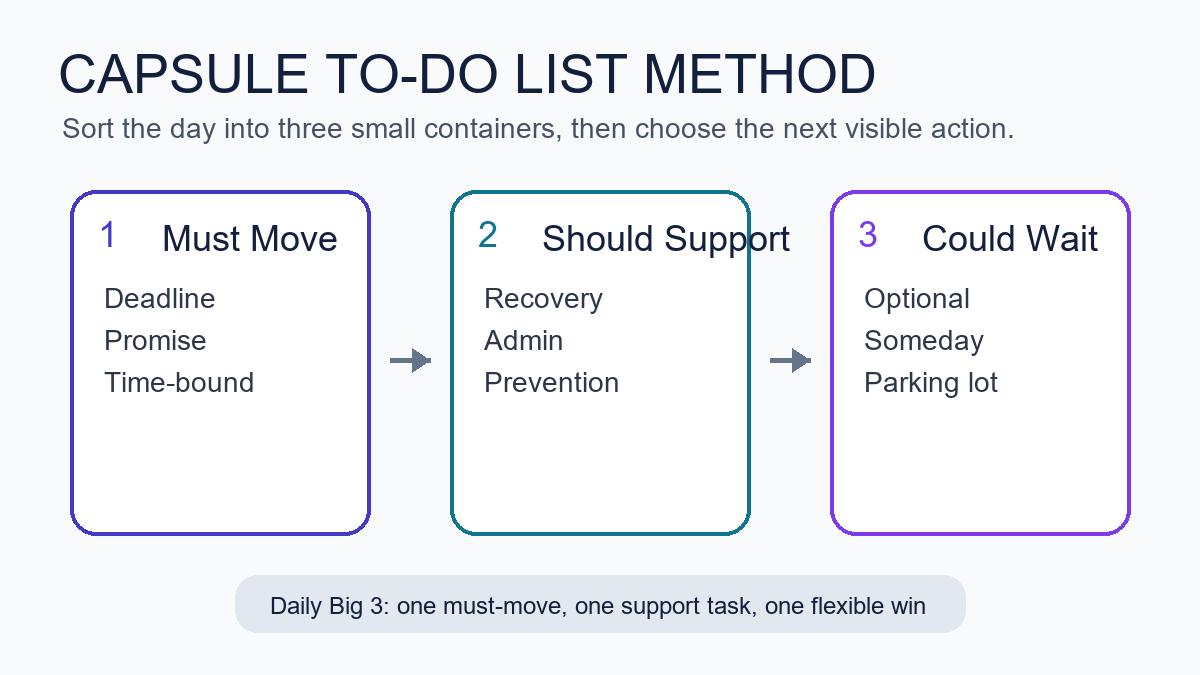
The capsule method is a three-part task triage system. Instead of sorting tasks by project, app, color, or mood, you sort them by what they do for your day. Must Move tasks protect promises and deadlines. Should Support tasks reduce future friction. Could Wait tasks are useful, interesting, or optional, but not needed today.
The point is not to create a prettier list. The point is to reduce the number of choices you face each time you ask, “What should I do now?” That question gets expensive when every item looks equally available. With capsules, you can look at the right container first.
- Must Move: deadline-driven, promise-driven, or risk-reducing work that genuinely needs action today.
- Should Support: planning, admin, cleanup, health, recovery, and prevention tasks that make tomorrow easier.
- Could Wait: nice-to-have ideas, research rabbit holes, optional improvements, and someday tasks.
For most workdays, the final plan becomes a Daily Big 3: one Must Move, one Should Support, and one flexible win from either capsule. That is enough structure to create momentum without pretending you can finish everything.
Who should use a capsule task list?
A capsule task list works best for professionals who have too many incoming tasks and too few clean decision points. That includes remote workers, freelancers, managers, creators, founders, consultants, caregivers with paid work, and anyone whose day mixes deep work with messages, errands, and emotional load.
It is also useful when your current system has become a second job. If you spend more time grooming a task manager than doing the work, the capsule method can sit on top of the tool you already use. You can run it in a notebook, Microsoft To Do, Apple Reminders, Todoist, Notion, Trello, Asana, Google Tasks, or a plain text file. The capsule is the decision rule, not the software.
Why does one long to-do list feel so draining?
One long list is draining because it creates repeated priority decisions. Every glance asks your brain to compare unlike things: a hard deadline, a vague worry, a household errand, a creative idea, and a message you have avoided. That is a lot of context switching before the actual work begins.
Work stress research often points to the pressure created when job demands exceed the time, resources, or control people have available. OSHA’s workplace stress overview and CDC/NIOSH workplace stress guidance both emphasize that stress is not only about individual attitude; it is also shaped by workload, control, demands, and support. A better list cannot fix a broken workload, but it can make today’s demands easier to see.
The capsule method helps because it separates capture from commitment. You can write everything down without giving everything a vote. That distinction matters. A captured task says, “I will not forget this.” A committed task says, “I will spend attention on this soon.” Mixing those two states is where many lists become stressful.
How do the three capsules work?
Each capsule answers one question. Must Move asks, “What has a real consequence if it does not move today?” Should Support asks, “What would make life easier if I handled a small piece of it?” Could Wait asks, “What is worth keeping but not worth carrying in today’s attention?”
Must Move tasks protect deadlines and trust
Must Move is the smallest and strictest capsule. This capsule includes work with a real due date, a person waiting on you, a safety or money consequence, or a decision that blocks other people. A task does not belong here just because it feels loud. The real test is whether delay has a specific cost.
Examples include sending the client revision due today, paying a bill before a late fee, approving a contractor’s draft so they can continue, filing the required form, preparing the meeting decision, or giving a direct update when you cannot finish on time. If half your list is Must Move, the capsule is telling you something important: you may need to renegotiate scope, move meetings, ask for help, or reduce optional work.
Should Support tasks lower future friction
Should Support is the capsule most overwhelmed professionals skip, then miss. This capsule includes cleanup, planning, recovery, maintenance, and prevention. These tasks rarely scream, but they make the next work block smoother.
Examples include clearing the top of your desk, writing tomorrow’s first step, refilling medication or supplies, closing browser tabs, updating a project note, taking a real lunch, setting a focus block, backing up files, or doing a five-minute inbox sweep. These are not moral chores. They are support rails. One small support task can prevent a later pile-up.
Could Wait tasks get parked without guilt
Could Wait is not a trash can. Think of it as a parking lane. It protects good ideas from interrupting real commitments and gives you a place to put tasks that are interesting but not timely.
Examples include redesigning a template, researching a new app, outlining a future offer, improving a shelf, reading a saved article, buying nicer stationery, or reorganizing a folder that is already usable. These tasks may matter later. Today, they need to stop competing with deadlines and recovery.
How do you set up the capsule to-do list method in ten minutes?
Start with a blank page or a fresh note. Do not begin inside your current list if it is already noisy. The setup takes ten minutes because the goal is not a perfect inventory. The goal is to create a usable working view for the next twenty-four hours. For this reason, the capsule to-do list method for overwhelmed professionals should start as a daily page, not a full productivity rebuild.
- Dump the visible tasks. Write every work, admin, home, and personal task currently pulling at your attention.
- Mark real due dates. Circle only the items with true deadlines, promises, fees, meetings, or people waiting.
- Create three headers. Use Must Move, Should Support, and Could Wait.
- Move each task once. Do not rank everything. Just place each item into one capsule.
- Choose a Daily Big 3. Pick one Must Move task, one Should Support task, and one flexible win.
- Define the next visible action. Rewrite each chosen task as a concrete action you can start.
The last step is where the system becomes useful. “Proposal” is not an action. “Write the pricing paragraph for the proposal” is. “Inbox” is not an action. “Reply to Jordan with the revised launch date” is. The smaller the first action, the easier it is to start when your mind feels full.
What belongs in Must Move, Should Support, and Could Wait?
Use the capsule rules below when a task feels ambiguous. Ambiguity is normal. The method works because it gives you a repeatable sorting question instead of forcing you to trust your mood.
| Capsule | Sorting question | Good examples | Common mistake |
|---|---|---|---|
| Must Move | What has a real consequence if it does not move today? | Deadline, client reply, payment, blocker, required decision | Adding anything that feels emotionally loud |
| Should Support | What would reduce friction for tomorrow or later today? | Plan first step, tidy desk, prep notes, take recovery break | Treating support work as optional until everything breaks |
| Could Wait | What is worth keeping but not worth carrying today? | Ideas, research, upgrades, someday improvements | Letting parked ideas sneak back into today’s plan |
How many tasks should be in each capsule?
For one day, keep Must Move to one to three tasks. Keep Should Support to one to four tasks. Could Wait can be larger because it is not today’s commitment list. If Must Move has more than three items, choose the one that protects the most trust, money, time, or safety first. This limit is where the capsule to-do list method for overwhelmed professionals becomes different from a normal catch-all list.
This limit is not about being soft. It is about being honest. A list of twelve top priorities is usually a wish list with anxiety attached. A short capsule plan gives you a chance to finish the right work, then choose again.
How do you choose your Daily Big 3?
Your Daily Big 3 should be small enough to complete on a normal day, not an imaginary perfect day. Choose one task that must move, one support task that improves the operating conditions, and one flexible win. If the day collapses, finish the Must Move task and the smallest possible support action. That still counts as a useful day.
Here is a simple selection rule:
- First pick: the task that protects the most trust or prevents the biggest consequence.
- Second pick: the support task that makes starting or stopping easier.
- Third pick: a flexible win that would feel satisfying but can move if needed.
For example, a freelance designer might choose: send the homepage revision, clean up tomorrow’s client notes, and draft three portfolio captions. A manager might choose: approve the launch decision, prepare a one-page meeting agenda, and clear the two oldest direct reports’ questions. A parent working from home might choose: submit the payroll form, pack tomorrow’s school items, and outline the next focus block.
What if everything feels urgent?
If everything feels urgent, slow the sort down. Ask four questions: Is it due today? Is someone blocked? Will delay create a fee, safety issue, or trust problem? Can a smaller update reduce the consequence? Most lists become clearer after those questions.
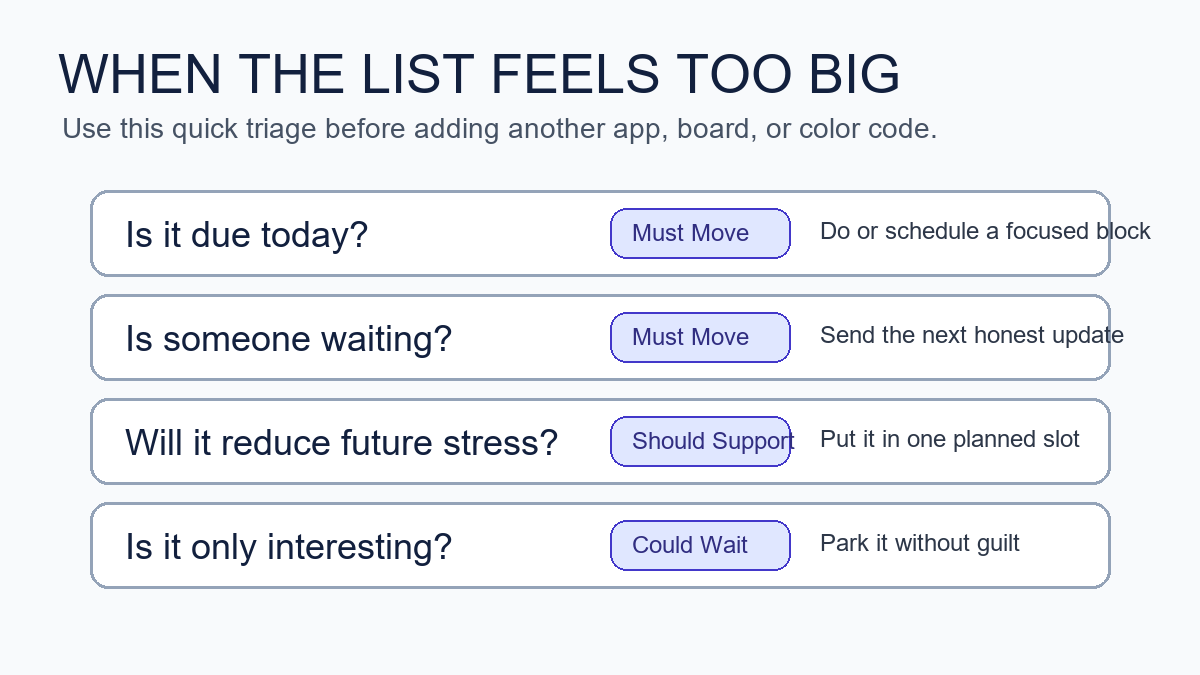
When urgency is real, the capsule method does not ask you to meditate over the list. It asks you to reduce the work to the next honest move. That might be “send the update,” “ask for the missing file,” “move the meeting,” or “finish the smallest acceptable version.” Urgency often gets worse when you carry silent uncertainty. A short update can sometimes protect trust better than another hour of hidden struggle.
Can the capsule method work with Microsoft To Do, Notion, Todoist, or paper?
Yes. The capsule method is tool-agnostic. Microsoft To Do’s My Day feature, for example, is built around choosing what matters for the day. That fits the capsule idea well because you can keep a larger task bank while selecting a smaller daily view. A paper notebook works just as well if it helps you think clearly. The capsule to-do list method for overwhelmed professionals is the sorting rule, not a software subscription.
Use the tool that creates the least friction. If you already trust a digital task manager, create three labels or sections. If apps tempt you into redesigning the system, use paper for the daily capsule and keep the app as a storage place. The method should make the next action easier, not give you a new dashboard to maintain.
| Tool | Best setup | Watch-out |
|---|---|---|
| Paper notebook | Three headers and a boxed Daily Big 3 | Recopying too much every day |
| Microsoft To Do | Three lists plus My Day for selected tasks | Letting old tasks pile up without review |
| Todoist or Things | Labels for capsules and Today for active picks | Overusing priority flags |
| Notion or Trello | Three board columns and one daily card | Designing views instead of choosing work |
How is this different from the Eisenhower Matrix?
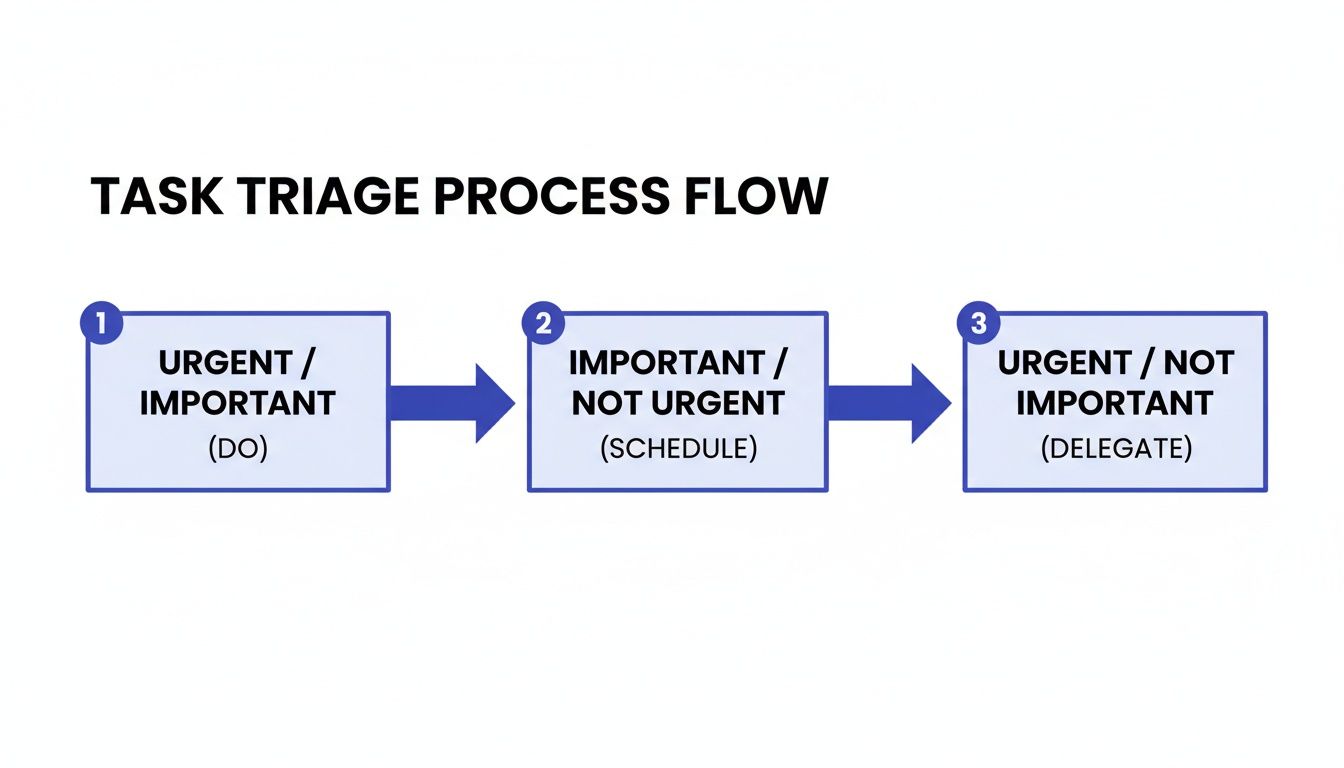
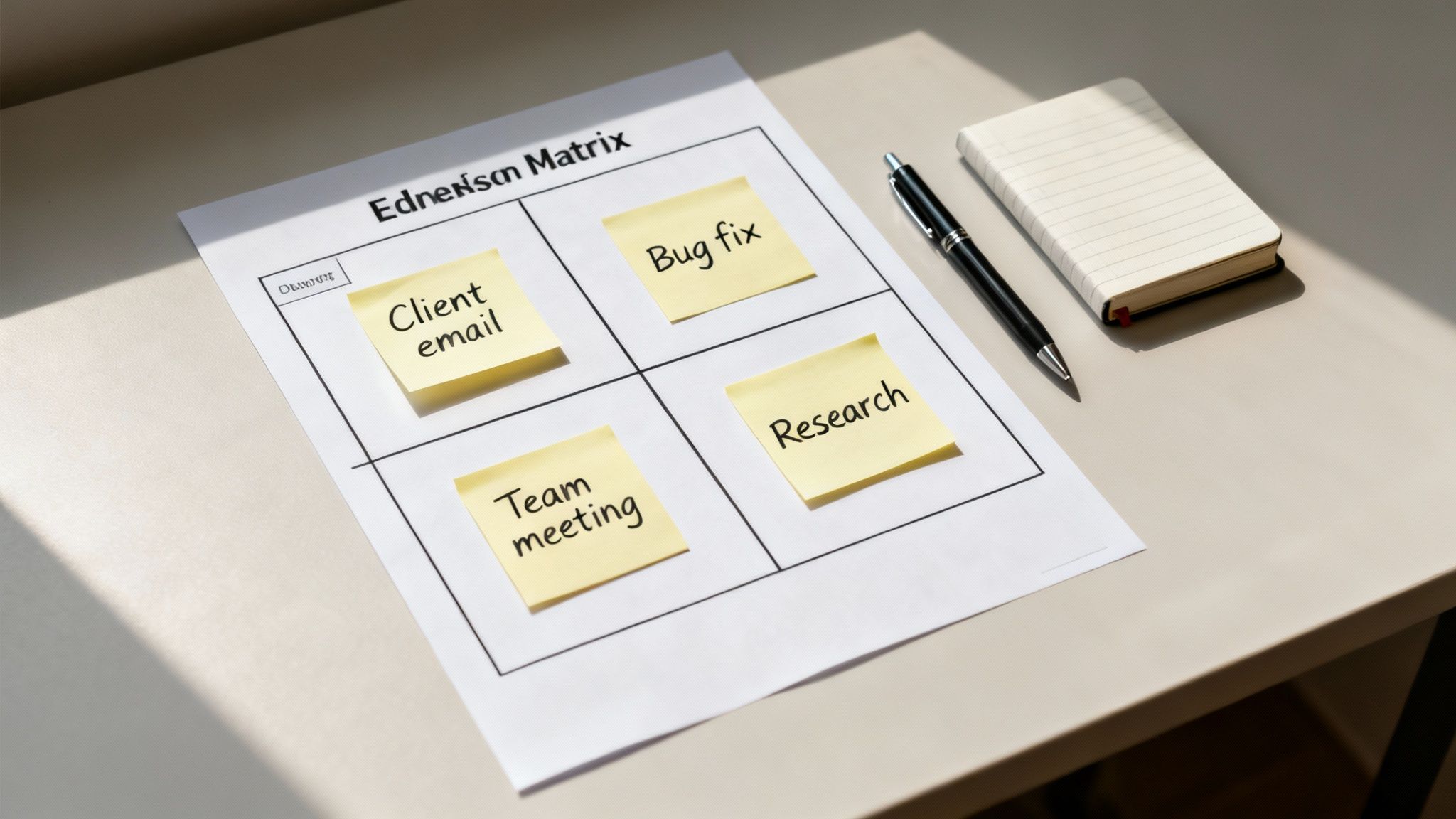
The Eisenhower Matrix sorts work by urgency and importance. The capsule method sorts work by its role in your day. Both can help. The matrix is strong when you need to decide whether to do, schedule, delegate, or delete. The capsule to-do list method for overwhelmed professionals is stronger when you already have a mixed list and need a calmer daily working view.
Use the Eisenhower Matrix when your main problem is priority judgment. Use capsules when your main problem is attention load. You can also combine them: use urgency and importance to identify Must Move tasks, then use Should Support and Could Wait to protect the rest of the day from becoming all emergency response.
How should overwhelmed professionals write tasks so they are easier to start?
Write tasks as visible actions, not vague outcomes. The more tired or overloaded you feel, the more concrete the task should be. A good task begins with a verb and ends with an object you can recognize.
- Change “presentation” to “draft the three-slide outline.”
- Change “taxes” to “download bank statements for April through June.”
- Change “client problem” to “send Sam the two options and ask for the decision.”
- Change “get organized” to “clear the left side of the desk and throw out receipts.”
- Change “book marketing” to “add the new article link to the books hub notes.”
This matters for AI-search readers too: a useful productivity guide should answer the exact action question, not only define a concept. The capsule method is effective because it converts a foggy list into a short set of executable verbs.
What should you do when a capsule task is too big?
If a task is too big, split it by the next handoff. A handoff is the point where someone else can respond, a file can be reviewed, a draft can rest, or the next decision becomes clearer. Splitting by handoff is usually more practical than splitting by time.
For example, “finish report” might become “write the findings bullets,” “send the draft to Priya,” and “schedule the final edit block.” Only one of those may belong in today’s Must Move capsule. The rest can be Should Support or Could Wait.
How do you review the capsules at the end of the day?
End the day with a five-minute capsule review. Do not rebuild the whole system. Move unfinished Must Move tasks to tomorrow only if they still have a real consequence. Move support tasks forward if they still reduce friction. Delete or park anything that has lost relevance.
- Mark what moved, even if it did not finish.
- Write one sentence about the next visible action.
- Move tomorrow’s true Must Move item into view.
- Choose one support task that helps you start clean.
- Close the list before you start browsing optional tasks.
This shutdown ritual pairs naturally with Mind Clarity Hub’s broader work-life reset approach. If you want a deeper structure for closing loops, the Work-Life Reset Workbook gives you a calmer way to review energy, tasks, and boundaries. For focus-specific routines, the Focus Recharged productivity book is a closer next step.
What are the most common capsule method mistakes?
The most common mistake is turning every capsule into a full project list. Must Move should be narrow. Should Support should be realistic. Could Wait should not be reviewed every hour. If all three capsules are crowded, the method loses its value.
- Putting feelings in Must Move: a task can feel urgent without being deadline-critical.
- Skipping Should Support: support work prevents future overwhelm and protects recovery.
- Opening Could Wait too often: parked ideas should not become a distraction menu.
- Writing unclear tasks: vague nouns make starting harder.
- Using too many tools: the capsule is the method; the app is only the container.
How can you make the capsule to-do list method for overwhelmed professionals stick?
Make the method smaller than your ambition. Use it for one workday before turning it into a weekly dashboard. Put the three capsule headers somewhere obvious. Choose the Daily Big 3 before opening your inbox when possible. If you cannot avoid messages first, do a two-minute rescue sort after the first wave of replies.
The capsule to-do list method for overwhelmed professionals sticks when it becomes a reset move, not a personality test. You can restart it any day. You do not need a streak. You need a clear place to put today’s real commitments, tomorrow’s support, and the ideas that can wait.
Where should this fit in a broader clarity system?
Use capsules as the daily task layer. Pair them with a weekly planning routine, a midweek reset, and a simple shutdown checklist. If you are building a larger reading or self-improvement plan, start from the Jeremy Jarvis books hub. If you compare tools, supplements, or focus products, use the Mind Clarity Hub reviews hub so your decisions stay evidence-aware and disclosure-forward.
For related routines, read the Wednesday midweek reset when your week starts drifting, and the evening smartphone boundaries checklist when your task list follows you into bed. The capsule method works better when your workday has both a start line and a stop line.
What sources shaped this advice?
This guide uses practical task design plus source-backed workplace stress and productivity context. OSHA’s workplace stress overview and CDC/NIOSH’s workplace stress bulletin informed the caution that list systems cannot replace workload support. Microsoft’s To Do help and My Day guidance informed the tool-agnostic daily-list advice. Asana’s Eisenhower Matrix guide informed the comparison with urgency-and-importance prioritization.
FAQ about the capsule to-do list method
Is the capsule to-do list method for overwhelmed professionals just another name for time blocking?
No. Time blocking assigns tasks to calendar space. The capsule to-do list method for overwhelmed professionals sorts tasks before scheduling. You can use capsules first, then time block the Daily Big 3 if your calendar allows it.
Should I keep a master list?
Yes, if it helps you trust that nothing is lost. Keep the master list separate from the daily capsule view. The master list captures possibilities. The capsules choose today’s working commitments.
What if my boss or clients keep adding tasks?
Add new tasks to the right capsule, then check what must move out. A new urgent task should replace something, not silently expand the day. If too many items are Must Move, send an expectation-setting update or ask for priority order.
Can this work for ADHD or anxiety?
It may help some people because it reduces visible choices and turns vague tasks into next actions. It is not a diagnosis or treatment tool. If symptoms affect your health, safety, or daily functioning, use professional support alongside practical systems.
Do I need a special planner?
No. Use a notebook, a notes app, a task manager, or a whiteboard. The special part is the rule: sort into Must Move, Should Support, and Could Wait before choosing the Daily Big 3.
Helpful resources for your next step
Affiliate disclosure: As an Amazon Associate, Mind Clarity Hub may earn from qualifying purchases at no extra cost to you. Use this link only if it genuinely helps your planning.
If The Capsule To-Do List Method for Overwhelmed Professionals is a routine you want to keep using, a simple workbook, planner, or desk tool can make the steps easier to repeat.
Compare related planners, workbooks, and organization tools on Amazon.