...

Tag: decision fatigue

  • A 5-Minute Bathroom Counter Reset After the Morning Rush

    A 5-Minute Bathroom Counter Reset After the Morning Rush

    Quick answer: A bathroom counter reset routine after the morning rush is a five-minute closeout that clears damp items, puts daily products back in zones, wipes the sink area, restocks one essential, and leaves tomorrow’s first step visible. It is not a deep clean. It is a short reset that keeps the bathroom from becoming another open loop in your head.

    Bathroom counter reset routine after the morning rush: the simple version

    If the counter is covered with toothpaste, hair tools, towels, skincare, kid items, and half-open drawers by 8:15 a.m., the problem is rarely laziness. It is usually a system problem. Morning bathrooms are high-speed handoff zones. People are brushing, washing, styling, packing, and looking for one missing item while the clock is already moving.

    The goal of a bathroom counter reset routine after the morning rush is to return the space to a usable baseline without asking for a full cleaning session. The routine works best when it is short enough to do on a busy weekday and clear enough that another adult, teen, or older child can repeat it.

    Use this five-step version first:

    1. Gather: move every loose item into one small tray, bin, or towel zone.
    2. Sort: return daily items to their homes and move non-daily items out of the counter area.
    3. Dry: hang towels, move wet washcloths, and lift anything sitting in water.
    4. Wipe: clean the sink rim, faucet touch points, and open counter space.
    5. Reset tomorrow: place one cue item where your next morning starts.

    That is enough. You can always deep clean later, but the reset should be small enough that your brain does not negotiate with it.

    Bathroom counter organization starts with fewer open loops

    A bathroom counter gathers visual decisions. Every bottle, brush, cap, cord, and towel is a tiny unfinished message: put me away, wash me, replace me, use me, decide about me. After a rushed morning, those messages stack up while your attention is already pointed toward work, school, errands, or caregiving.

    That is why this routine is a clarity habit as much as a cleaning habit. It reduces visual noise, removes wet clutter, and makes the next visit easier. A clean counter is not morally better. It is simply less demanding.

    Mind Clarity Hub’s broader reset approach is similar: start with the smallest action that changes the next decision. If you want a full home version, pair this guide with the small space reset routine. If the bathroom is only one part of a scattered week, the weekly planning routine for busy adults can help you place these resets where they actually fit.

    Bathroom counter organization: what should stay visible?

    Keep only the things you use every morning or every night. Everything else needs a nearby home that is easy to reach but not spread across the surface.

    A good rule is the β€œdaily, visible, washable” test:

    • Daily: toothbrush, toothpaste, cleanser, one moisturizer, contacts, deodorant, or other true everyday items.
    • Visible: only the items that help the routine happen. If seeing it creates pressure, store it lower.
    • Washable: anything on the counter should sit on a tray, mat, cup, or dish you can clean quickly.

    Most clutter comes from β€œsometimes” items pretending to be daily items. Extra hair products, backup toothpaste, travel bags, medicine boxes, makeup experiments, and sample bottles can live in a drawer, caddy, closet bin, or labeled backstock basket.

    The five-minute bathroom counter reset routine after the morning rush

    Set a timer for five minutes the first few times. The timer is not there to rush you. It keeps the task from expanding into cleaning the mirror, organizing every drawer, or judging the whole bathroom. The bathroom counter reset routine after the morning rush is meant to close the loop, not open five new ones.

    Morning bathroom routine minute 1: make one pile, not ten decisions

    Start by gathering every loose counter item into one temporary zone. Use a small tray, a dry towel, or the counter corner farthest from the sink. This looks messier for a moment, but it changes the task from β€œthe whole bathroom is chaos” to β€œI am sorting one pile.”

    Do not decide yet. Just gather. Bottles, caps, hair ties, brushes, toothpaste, razors, skincare, floss, and stray packaging all go together. If something is wet, place it on the towel side so it does not drip across the counter.

    Bathroom reset routine minute 2: return daily items to their exact homes

    Now sort the pile into three groups: daily, not daily, and trash or laundry. Daily items go back to the counter zone or top drawer. Not-daily items leave the counter. Trash goes out immediately. Towels and washcloths go to a hook, hamper, or drying spot.

    The exact home matters. β€œSomewhere in the drawer” is too vague when everyone is tired. Use a cup for toothbrushes, a tray for skincare, a hook for the hand towel, a heat-safe holder for hair tools, and a small bin for shared family items.

    Small bathroom reset minute 3: handle water before it spreads

    Water turns small clutter into a bigger nuisance. Lift anything sitting in a puddle. Hang towels so they can dry. Move damp washcloths to the hamper or a drying rack. Check the faucet base, soap bottle, and toothbrush cup for water rings.

    The CDC’s handwashing guidance is a useful reminder that sinks are high-touch spaces. You do not need to disinfect everything every morning, but you do want clean, dry touch points and a routine that keeps shared surfaces easier to use.

    Morning bathroom routine minute 4: wipe the visible surface

    Use the right cleaner for your surface and follow the label. For a basic weekday reset, wipe the faucet handles, sink rim, soap area, and the open counter. If you need disinfecting, follow product contact-time directions instead of treating a quick swipe as a full disinfecting pass. The EPA explains that disinfectants need correct use and contact time to work as intended.

    If strong scents bother you, choose a low-fragrance or fragrance-free option and ventilate the room. The EPA Safer Choice program is one place to learn how product labels can help you choose cleaners with safer ingredients.

    Bathroom reset routine minute 5: place tomorrow’s cue

    End by setting one cue for tomorrow morning. Put your cleanser on the tray. Place a fresh hand towel on the ring. Set the hairbrush in the cup. Refill the cotton rounds. Put the child’s toothbrush where it is easy to see. The cue should make the first next action obvious.

    This is the part that turns the bathroom counter reset routine after the morning rush into a habit loop. You are not just cleaning the past. You are making the next morning easier.

    Skincare products on a bathroom sink tray showing a simple counter zone for a morning reset routine.
    A tray or small counter zone keeps daily items visible without letting them spread across the sink. Photo by Ron Lach via Pexels.

    Small bathroom reset setup: what works best?

    The best setup is not the prettiest one. It is the one that lets tired people put things back without thinking. A small bathroom counter needs fewer categories, stronger boundaries, and less β€œjust for now” storage.

    Start with four zones:

    • Daily tray: cleanser, moisturizer, toothbrush cup, and one or two essentials.
    • Drying zone: hand towel, washcloth hook, or a washable mat.
    • Tools zone: brush, comb, razor, or hair tool holder away from water.
    • Backstock zone: extras under the sink or in a closet, not on the surface.

    If the bathroom is shared, label by person or by step. β€œFace,” β€œTeeth,” β€œHair,” and β€œKid” often work better than broad bins like β€œBathroom Stuff.” Labels are not about making the space look staged. They reduce decision fatigue when the room is busy.

    Calm home reset rules before you buy organizers

    Before you buy a new tray, shelf, or drawer insert, test the routine with what you already own. Try a cereal bowl for hair ties for a week. Use a clean mug for toothbrushes. Fold a towel to test whether a drying zone solves the wet-counter problem. This trial period keeps you from buying storage for items you should actually remove.

    Use a simple audit after three mornings. Which item was still out? Name the step that felt annoying. Notice who could not find their home base. Fix only that friction point. For example, if everyone leaves toothpaste out, the toothpaste home is probably too hidden. If towels stay on the counter, the hook may be too far away. If skincare spreads everywhere, the tray may need a smaller limit or a drawer backup.

    This calm home reset mindset protects the habit. The goal is not to create a showroom bathroom. The goal is a room that recovers quickly after real life uses it.

    Bathroom declutter checklist for the daily reset

    Use this as your repeatable checklist. You can print it, put it inside a cabinet door, or save it in a notes app.

    Step Action Done when Common snag Fast fix
    Gather Move loose items into one tray or towel zone The sink area is visible Too many products Remove anything not used daily
    Sort Return daily items, relocate extras Each item has a home Drawers are full Create one backstock bin
    Dry Hang towels and lift wet items No damp fabric sits on the counter No hook nearby Add an over-door hook
    Wipe Clean faucet, sink rim, and open counter Touch points feel fresh Cleaner is hard to reach Store one small bottle nearby
    Cue Place one item for tomorrow’s first step The next morning starts easily No clear start point Choose the first item you touch

    Family bathroom organization: how do you make it shared?

    Shared bathrooms fail when the system depends on one person noticing everything. A better approach is to define a tiny standard that everyone can see. The standard should be observable, not emotional. β€œRespect the bathroom” is vague. β€œNothing wet stays on the counter” is clear.

    Try these shared rules:

    • Each person gets one cup, one drawer section, or one labeled caddy.
    • Shared items live in the same place every day.
    • Damp towels go on hooks, not counters.
    • Hair tools cool in one heat-safe location.
    • The last person out does a 60-second wipe if the counter is visibly wet.

    For kids, make the reset visible. A picture label can work better than a written label. Place the toothbrush cup at child height when possible. Keep the step count low: cap toothpaste, hang towel, put brush in cup. That is enough for a starter habit.

    Bathroom reset routine: what if you only have one minute?

    A one-minute version is better than no reset. Do not wait for the perfect five-minute window. If the morning is loud, late, or interrupted, use this minimum version:

    1. Throw away obvious trash.
    2. Hang towels and move wet washcloths.
    3. Return toothbrushes and toothpaste.
    4. Wipe only the faucet and sink rim.
    5. Put one cue item out for tomorrow.

    This version will not make the bathroom photo-ready. That is fine. The point is to prevent the counter from getting worse and to protect tomorrow’s start.

    Bathroom counter organization: how often should you deep clean?

    Use the daily reset for order and light surface care. Use a deeper clean when the surface needs more than a wipe: visible buildup, residue around fixtures, makeup spills, product leaks, dusty corners, or a sink that needs a proper scrub.

    A practical cadence is:

    • Daily or most weekdays: five-minute counter reset.
    • Weekly: move everything, clean the full surface, wash the tray, and empty trash.
    • Monthly: check expiration dates, toss empty packaging, wash cups, and edit products.
    • Seasonally: review storage, replace worn towels, and remove items no one uses.

    For skin-care and personal-care items, follow product labels and storage instructions. The American Academy of Dermatology’s skin-care basics are a helpful reminder to keep routines simple and choose products thoughtfully, especially if your skin is sensitive.

    Bathroom declutter checklist mistakes that make clutter return

    The bathroom counter reset routine after the morning rush is simple, but a few design mistakes can make it fail.

    Bathroom counter organization mistake 1: storing backup products on the counter

    Backups feel convenient until they crowd the daily items. Keep one active product in reach and move extras to a backstock bin. When the active product is almost empty, shop the bin before buying more.

    Small bathroom reset mistake 2: making the tray too large

    A tray can become a clutter island if it is too big. Choose a tray that fits only daily items. If the tray overflows, the answer is not a bigger tray. It is fewer visible items.

    Bathroom reset routine mistake 3: hiding the cleaning cloth too far away

    If the cloth or cleaner is in another room, the wipe step will disappear. Keep one washable cloth, sponge, or safe wipe option close enough that the reset stays friction-light.

    Morning bathroom routine mistake 4: assigning the reset to the wrong time

    Some people can reset immediately after brushing. Others need to do it after school drop-off, after the first work call, or before lunch. The best time is not the ideal time. It is the time you can repeat.

    Calm home reset mistake 5: turning the routine into a full bathroom clean

    Deep cleaning is useful, but it is a different task. If every reset becomes a 25-minute bathroom project, you will avoid it. Keep the daily reset small and schedule deeper cleaning separately.

    Bathroom reset routine examples

    Here are a few ways the same routine can fit different households.

    Solo apartment, tiny sink

    Keep one toothbrush cup, one soap bottle, one small skincare tray, and one folded cloth under the sink. After the morning rush, move skincare back to the tray, hang the towel, wipe the faucet, and leave tonight’s cleanser visible. Total time: three minutes.

    Couple sharing one counter

    Use two narrow trays or two drawer bins. Each person gets one visible lane. Shared items live between the lanes. The last person out wipes only shared touch points: faucet, soap area, and sink rim. Total time: four minutes.

    Family bathroom before school

    Use color-coded cups and hooks. Kids return toothbrushes and hang towels. The adult does a quick wet-zone check after school drop-off or the first quiet moment. The cue for tomorrow is a fresh towel and toothpaste facing forward. Total time: five minutes spread across people.

    Roommate bathroom

    Use caddies instead of shared counter storage. Each person carries their caddy in and out or stores it on a dedicated shelf. The shared reset is only sink, faucet, soap, towel, and trash. Total time: two minutes for the common space.

    How this supports mental clarity

    Small physical resets work because they remove small points of friction. You do not need to overhaul your life to feel a little clearer. You need reliable cues that reduce the number of decisions waiting for you.

    If you are building a wider clarity system, the bathroom counter reset routine after the morning rush can be one supporting habit in a larger pattern: clear one surface, close one loop, choose one next step. That same pattern appears in The Power of Clarity and the wider Jeremy Jarvis books hub, where the focus is not perfection but repeatable action.

    For digital clutter, pair this with the digital declutter checklist. For work clutter, try the paper clutter triage system. The room changes, but the habit logic stays the same.

    Is this a cleaning routine or an organization routine?

    It is both, but lightly. The reset has one organizing job and one cleaning job. Organizing returns items to homes. Cleaning removes water, residue, and visible surface mess. If you do only the organizing, the counter may still feel unpleasant. If you do only the cleaning, the products will spread again.

    Think of it as a closure routine. You are closing the morning bathroom session so the next person, including future you, does not inherit the rush.

    FAQ

    What is the fastest bathroom counter reset routine after the morning rush?

    The fastest version is trash, towels, toothbrushes, faucet, cue. Throw away obvious trash, hang damp towels, return toothbrushes and toothpaste, wipe the faucet area, and set one cue item for tomorrow.

    Should I keep skincare on the bathroom counter?

    Keep only daily skincare on the counter, preferably on a washable tray. Store backups, occasional masks, samples, and rarely used products in a drawer or bin so the counter stays easy to wipe.

    How do I stop my family from leaving the bathroom counter messy?

    Give each person a visible home for their items and define one shared rule, such as β€œnothing wet stays on the counter.” Start with a 60-second shared reset before asking for a bigger behavior change.

    What cleaning products should I use on a bathroom counter?

    Use a cleaner that matches your counter material and follow the label. If you need disinfecting, check contact-time directions. For everyday residue, a light surface wipe may be enough.

    How can I make the routine stick if I hate cleaning?

    Make the routine smaller. Do one minute for a week before trying five minutes. Store the cloth nearby, limit counter items, and attach the reset to an existing cue such as after brushing teeth or after school drop-off.

    Final reset plan

    Try the bathroom counter reset routine after the morning rush for seven days. Do not redesign the entire bathroom at first. Just gather, sort, dry, wipe, and cue. At the end of the week, notice where the routine broke. Was the tray too full? Was the cloth too far away? Were there no hooks? Fix one friction point, then repeat.

    The bathroom does not need to look perfect. It needs to be ready for the next human who walks in. That is the win: less visual noise, fewer wet surprises, and one calmer start tomorrow.

    Helpful resources for your next step

    Affiliate disclosure: As an Amazon Associate, Mind Clarity Hub may earn from qualifying purchases at no extra cost to you. Use this link only if it genuinely helps your planning.

    If A 5-Minute Bathroom Counter Reset After the Morning Rush is a routine you want to keep using, a simple workbook, planner, or desk tool can make the steps easier to repeat.

    Compare related planners, workbooks, and organization tools on Amazon.

  • 15-Minute Sunday Wardrobe Reset to Cut Outfit Anxiety

    15-Minute Sunday Wardrobe Reset to Cut Outfit Anxiety

    Busy professionals can cut Monday friction with a simple 15-minute sunday wardrobe reset to reduce outfit decision fatigue. This fast routine turns your closet into a calm control center: you check the week’s weather, pre-commit five outfits, drop repairs in a bag, set a laundry cue, and move on. The result is fewer choices before coffee, fewer last-minute scrambles, and more focus for work that actually matters.

    Quick start: Sunday outfit planning reset (15 minutes)

    • Scan your 7-day forecast and note any travel, gym, or events.
    • Pre-commit five weekday outfits, hanger to hanger, from top to shoes.
    • Use a β€œrepair bag” to catch lost buttons, loose hems, or scuffed shoes.
    • Set a laundry cue (calendar, reminder, or physical cue) to keep rotation smooth.
    • Apply the hanger-turn trick to track what you actually wear.
    • Lean on a color capsule so almost everything works together fast.

    Done right, you spend minutes now to save hours and stress later. First, decide once. Then, glide all week.

    Why a 15-minute sunday wardrobe reset to reduce outfit decision fatigue works

    Choice overload and decision fatigue can drain your energy before your first meeting. Researchers have shown that more options can make selection harder, slower, and less satisfying. For example, UX research on choice overload explains how too many options reduce confidence and slow action. Also, workplace guidance links decision fatigue with lower-quality outcomes as the day wears on. Meanwhile, habit science shows that pairing a cue with a simple action makes follow-through easier. See the Fogg Behavior Model for a clear, practical framework.

    Therefore, when you pre-decide five weekday outfits, you remove dozens of micro-choices from your mornings. Because everything is ready and cohesive, you get the benefit of a personal uniform while still having variety. As a result, your work focus shows up earlier, and your future self says thanks.

    The 15-minute sunday wardrobe reset to reduce outfit decision fatigue: step-by-step

    Use a simple timer on your phone. Move fast. Good enough beats perfect.

    Minute 0–3: Check the weather and calendar

    Open your weather app and scan the next 7 days. If you are in the U.S., the National Weather Service offers detailed local forecasts and an hourly graph: weather.gov. Note temperature swings, rain, wind, and any travel city weather you will enter. Then check your calendar for commute days, client meetings, offsite workshops, gym days, and evening events. A 60-second glance prevents outfit regret. This one action anchors the 15-minute sunday wardrobe reset to reduce outfit decision fatigue in reality, not guesswork.

    • Call out any special footwear early (boots, dress shoes, or sneakers for a commute).
    • Flag a blazer or cardigan if a room runs cold.

    Minute 3–10: Pre-commit five weekday outfits (Sunday wardrobe plan to reduce decision fatigue)

    Build five complete looks from top to bottom. Place each look together on a single hanger or a grouped section: shirt/blouse, trousers or skirt, layer (blazer, cardigan), and the associated shoes on the floor beneath. If needed, add a small index card or sticky note to each outfit for accessories. Pre-commit now so Monday to Friday mornings are a glide, not a gamble. By making this the heart of your 15-minute sunday wardrobe reset to reduce outfit decision fatigue, you erase morning friction with one calm choice session.

    Day Top Bottom Layer Shoes Notes
    Mon Navy knit Gray trousers Blazer Black loafers Client stand-up at 9
    Tue White button-down Dark denim (smart) Cardigan Brown oxfords Office runs cold
    Wed Soft gray tee Navy skirt Blazer Black flats Lunch outdoors
    Thu Charcoal polo Chinos Light jacket Casual sneakers Gym after work
    Fri Black knit Black trousers Scarf Black boots Team social 5 pm

    Tip: Keep one β€œwild card” accessory in your bag (scarf, tie, or necklace) to shift a look from internal meeting to client-facing with zero stress.

    Minute 10–12: Create a repair bag

    Hang a small tote or zip pouch on a closet hook. Anything that needs care goes inside now: a shirt with a loose button, a scuffed heel, or a jammed zipper. Add a mini kit with a needle, black and white thread, safety pins, a lint roller sheet, and a small shoe wipe. This bag prevents minor issues from ambushing you at 7:42 a.m. Also, schedule a monthly 20-minute fix block so the bag does not become a graveyard.

    Minute 12–13: Set a laundry cue (weekly outfit plan to cut outfit anxiety)

    Make laundry frictionless. Attach the action to a reliable weekly cue, such as β€œstart washer right after Sunday coffee,” or β€œrun delicates after Thursday dinner.” Habit science shows that clear cues drive action. Use your calendar or a phone reminder. Or use a physical cue: place the hamper in front of the closet door Saturday night so you cannot ignore it Sunday morning. Place this inside your 15-minute sunday wardrobe reset to reduce outfit decision fatigue so your system never starves for clean options.

    Minute 13–15: Apply the hanger-turn trick

    Turn all your hangers to face backward at the start of a season or a quarter. Each time you wear an item and return it clean, turn that hanger forward. After 30–60 days, scan your closet: anything still backward was not used. This one glance gives you near-instant clarity for edits, donations, or repairs. It also spotlights the real MVPs you wear on repeat. Finally, note your top three workhorse items and ensure they are always clean and ready.

    Color capsule quick guide for your weekly outfit plan to cut outfit anxiety

    A small set of coordinated colors can cut your choices in half while doubling useful combinations. If your pieces share a base palette, then nearly every top works with every bottom and layer. That is the core of a fast, flexible closet.

    Role Choose Pro Tip
    Base neutrals (2) Navy, black, charcoal, or beige Pick 2 that flatter your skin tone and hair
    Accent neutral (1) Gray, white, cream, or olive Add brightness or depth without clashing
    Signature color (1–2) Soft blue, burgundy, forest, or rust Use for tops, scarves, or ties
    Texture/pattern (1) Pinstripe, micro-check, rib knit Keep patterns subtle to stay mixable

    Build your five outfits inside this capsule. Because the pieces play well together, you get fewer decisions and more polish. This palette-driven approach fits neatly inside a 15-minute sunday wardrobe reset to reduce outfit decision fatigue.

    Professional reviewing work clothes to plan a week of outfits
    Plan once, glide all week. Photo: Ron Lach via Pexels.
    Source: Pexels. Photographer: Ron Lach.

    Sunday outfit planning reset at a glance

    Use the hanger-turn trick inside your weekly outfit plan to cut outfit anxiety

    Start a quarter with all hanger hooks facing backward. Each time you wear and wash an item, return it with the hook facing forward. After 4–8 weeks, scan your closet. Items with backward hooks did not get worn. Also, move must-wear seasonal pieces (like a raincoat) to the front so they are easy to grab. This tiny method plugs right into a 15-minute sunday wardrobe reset to reduce outfit decision fatigue by turning data into action.

    • If a piece stays backward for a whole season, ask why: fit, fabric, color, or context?
    • Fix the barrier if you love it (tailor, repair). Otherwise, donate or sell.

    Adapt your Sunday wardrobe plan to reduce decision fatigue for workouts or events

    Layer those needs into your plan. For gym days, choose a base outfit that pairs with comfortable shoes, then pack your gym kit the night before. For client dinners, add a blazer or a dressier shoe to one weekday look. Because you validated the weather and your calendar, these adjustments do not slow your reset. They make it more realistic.

    Scenario Fast Add-On Why It Works
    Client dinner Swap to blazer + dress shoe Elevates instantly with 2 items
    Rainy commute Trench + waterproof boots Keeps outfit dry and polished
    Gym after work Commuter sneaker + tee under layer Quick change, no stalling

    Weekly outfit plan to cut outfit anxiety across dress codes

    Different offices and roles call for different levels of polish. The planning method stays the same. You only tune the pieces. Use these quick guardrails so your five looks match the context without fuss.

    • Smart casual: Two structured tops (button-down, knit polo), two relaxed tops (crewneck, blouse), one sharp layer (unlined blazer). Dark denim or chinos. Leather sneakers or loafers.
    • Business casual: Three collared shirts or refined blouses, two knits, two trousers or one trouser + one skirt. Add a blazer or cardigan. Loafers, low heels, or polished flats.
    • Business formal: One suit (jacket + trouser/skirt) + two shirts, one sheath or tailored dress, one secondary trouser, a neutral knit, leather oxfords or closed-toe heels. Keep accessories minimal and repeatable.
    • Creative: Same capsule structure; introduce one signature color or texture. Keep silhouettes simple so outfits remain quick to build.

    As you plan, ask: does each look fit your top two weekly moments (big meeting, on-site visit, training)? If yes, you are ready. If not, adjust one layer or shoe and move on.

    Can the 15-minute sunday wardrobe reset to reduce outfit decision fatigue work with a uniform?

    Yes. A personal uniform is simply a smaller capsule. For example, you might wear navy chinos + a white shirt four days, then a dressier look on meeting day. The Sunday reset still matters because it checks the weather, pairs layers and shoes, catches repairs, and locks in laundry. You get the best of both worlds: uniform clarity and weekly reality checks.

    Sample 5-outfit plan for your weekly outfit plan to cut outfit anxiety

    Try this structure once, then adapt. Your goal is consistency, not perfection.

    • Two base-neutral looks (navy/black + gray)
    • One casual-smart look for midweek
    • One weather-proof look
    • One connection-ready look (for clients or team social)

    Because your plan fits within a 15-minute sunday wardrobe reset to reduce outfit decision fatigue, you can refine quickly next week.

    Using the 15-minute sunday wardrobe reset to reduce outfit decision fatigue by grouping work shirts on hangers
    Group by outfit, not by category, for faster mornings. Photo: Liza Summer via Pexels.
    Source: Pexels. Photographer: Liza Summer.

    Footwear and layering matrix for your Sunday wardrobe plan to reduce decision fatigue

    Pick shoes and layers once on Sunday, then stop thinking about them. Use this grid as a fast guide. Adjust for your dress code.

    Forecast Layer Shoes Notes
    Hot + dry Lightweight blazer or no layer Loafers or breathable flats Choose natural fibers (cotton, linen blends)
    Cool morning, warm afternoon Cardigan or unlined jacket Leather sneakers or oxfords Short-sleeve base + removable layer
    Rain Trench or waterproof shell Waterproof boots Hem pants to avoid drag; carry shoe wipes
    Windy Wind-resistant jacket Closed-toe shoes Secure hair/accessories
    Cold Wool coat or insulated layer Insulated boots Thermal base under trousers/skirts

    If you commute on foot, plan shoe swaps at your desk. Keep a neutral pair at work to simplify rainy or icy days.

    Common pitfalls that derail a Sunday outfit planning reset (and fast fixes)

    • Pitfall: You wait until late at night. Fix: Tie the reset to a pleasant cue after Sunday lunch coffee.
    • Pitfall: You pick outfits that don’t match shoes. Fix: Place shoes under each chosen hanger while planning.
    • Pitfall: Repairs pile up. Fix: Empty the repair bag monthly and batch-fix in 20 minutes.
    • Pitfall: Laundry backlog. Fix: Keep the cue simple and visible. Use a recurring calendar reminder with an alert.
    • Pitfall: Too many colors. Fix: Return to your 2–3 core neutrals and 1–2 signature colors.
    • Pitfall: Planning without the forecast. Fix: Make β€œcheck weather” the first step every time.

    Remember: a 15-minute sunday wardrobe reset to reduce outfit decision fatigue is about removing friction, not building rules you cannot keep. Keep it light and repeatable.

    Which colors should I choose for a capsule fast?

    Pick two base neutrals that match most of your shoes. Navy and charcoal, or black and gray, are reliable. Add one accent neutral (white, cream, or olive) and one signature color you enjoy. Keep patterns subtle. This unlocks many pairings with very few items.

    Laundry rotation tips inside a weekly outfit plan to cut outfit anxiety

    Laundry is the oxygen of your plan. Without it, even great capsules stall. Keep the loop easy and visible so clean pieces flow back into your lineup.

    • Stage delicates in a mesh bag during the week so they go straight into the wash.
    • Keep a stain stick or wipes next to the hamper. Treat now; save time later.
    • Batch iron or steam while watching a short show. Or choose wrinkle-resistant fabrics.
    • Use a simple label on hangers for β€œclean and prepped” so next Sunday you can move faster.
    • Pair laundry with an existing routine, like weekly meal prep or a podcast you enjoy.

    Finally, audit your sock and tights drawer each month. Mismatched basics create surprise delays.

    Optional tools that make your Sunday outfit planning reset faster

    • Five outfit dividers or labeled clips
    • A small shoe care wipe in the repair bag
    • Thin, non-slip hangers to keep knits in place
    • Sticky notes or index cards for outfit labels

    Place these within arm’s reach so you never break momentum.

    Simple, optional resources for your closet

    Affiliate disclosure: Some links in this guide may be affiliate links. If you buy through them, Mind Clarity Hub may earn a commission at no extra cost to you.

    Looking for a basic weekly wardrobe planner or closet dividers? An inexpensive tool can support your 15-minute sunday wardrobe reset to reduce outfit decision fatigue.

    Choose simple, durable items over fancy features. You want less thinking, not more.

    5-minute Friday micro-reset to support your Sunday outfit planning reset

    Close the week cleanly so Sunday is even faster. This mini-loop takes five minutes and pays off every time.

    • Return stray items to their hangers. Put accessories back in one tray.
    • Move anything damaged straight into the repair bag.
    • Drop worn basics into the hamper so laundry can start without sorting.
    • Note next week’s known events on a sticky or calendar.

    That is it. A tiny investment that removes hidden clutter from your reset window.

    Travel week playbook with a Sunday outfit planning reset

    Travel adds variables. Keep the structure and lower the choices. Pack inside your capsule so everything mixes.

    • Choose a base: two bottoms, three tops, one layer, two pairs of shoes (one worn, one packed).
    • Pick one color story so all tops match all bottoms.
    • Lay out travel day outfits with easy-on shoes and a layer you can remove fast.
    • Use a packing cube labeled by day if it helps you move on autopilot.

    On Sunday, pre-commit travel looks the same way you do for office days. Then you can land and focus.

    Digital helpers for your Sunday outfit planning reset

    You do not need apps to make this work. Still, a few light tools can reduce friction and help you track.

    • Calendar reminders with a simple title: β€œFive outfits + laundry cue.”
    • Notes app checklist: Mon–Fri slots with weather icons.
    • Phone photo album named β€œWeek Outfits” for quick visual recall.

    Keep tools simple. If a tool slows you down, drop it and return to hangers and index cards.

    Sunday outfit planning reset for hybrid or fully remote weeks

    Keep the structure, loosen the fabric rules. Plan a polished top half for video calls and comfortable bottoms that still read tidy. Your five outfits can blend smart knits, cardigans, and flat shoes. Also, plan one β€œcamera-on” upgrade: a blazer or scarf within arm’s reach.

    If your job has a set uniform

    You still plan layers, weather adjustments, and shoes. You also use the repair bag, hanger-turn trick, and laundry cue to make the rest of your week friction-free. The method removes small choices even when the base is fixed.

    Adapt the weekly outfit plan to cut outfit anxiety for a small or shared closet

    Use one short hanging bar just for the five planned outfits, even if the rest is tight. Or place five labeled hooks on a wall or door. Keep the system visible and compact. Then store off-season items elsewhere to keep the working set clear.

    Frequently asked questions

    How long should my Sunday outfit planning reset actually take?

    About 15 minutes. The key is to move quickly, rely on your color capsule, and pre-commit five looks. With practice, many professionals finish in 10 minutes.

    Do I need to buy new clothes for a weekly outfit plan to cut outfit anxiety?

    No. Start with what you own. The magic is in pre-deciding and grouping, not shopping. Later, use the hanger-turn data to fill one or two gaps.

    What is the most important step in a Sunday wardrobe plan to reduce decision fatigue?

    Pre-commit five complete outfits. That single action removes the most morning choices and preserves focus for deep work.

    Can I repeat the same outfit twice in a week with this weekly outfit plan to cut outfit anxiety?

    Yes. If your pieces are clean and fit the context, repeating saves time and boosts a consistent personal brand.

    Research and further reading

    Next step: set your first weekly outfit plan to cut outfit anxiety

    Set a 15-minute timer right now. Do the weather check. Build five outfits. Start the repair bag. Set your laundry cue. Finally, turn those hangers. Repeat next Sunday. Within two weeks, your mornings will feel lighter, your choices clearer, and your energy ready for real work. Keep the 15-minute sunday wardrobe reset to reduce outfit decision fatigue simple, and let consistency do the heavy lifting.

  • A Weekly Meal Planning Routine to Reduce Decision Fatigue

    A Weekly Meal Planning Routine to Reduce Decision Fatigue

    You can build a calmer week with a weekly meal planning routine to reduce decision fatigue. This guide shows you a fast, friendly method that fits a real schedule, a real budget, and a real pantry. You will start with a pantry-first audit, set theme nights to shrink choices, and fill a 10-minute template for the week. As a result, you will make fewer decisions at 6 p.m., waste less food, and feel more steady from Monday to Sunday.

    Think of this as a small system you can trust. You decide once, then glide. The routine is flexible on busy nights and kind when your energy dips. It is also budget-aware: you plan around what you already own and avoid extra trips. Step by step, you will turn mealtime into a simple loop that repeats without fuss.

    Key takeaways for a simple meal planning routine to fight decision fatigue

    • Use a pantry-first audit to plan around what you already own before you shop.
    • Pick simple theme nights to cut choices while keeping variety.
    • Fill a 10-minute template once per week, then run on autopilot.
    • Shop once with a list, batch a few staples, and remove friction.
    • Review on Sunday night; rotate next week’s themes to avoid burnout.

    Start here, not with perfect recipes. The loop is light, repeatable, and forgiving. You can improve as you go.

    Quick start for your weekly dinner plan to cut decision fatigue: the 10-minute template you can run today

    Here is the short version, so you can act now. You can run a weekly meal planning routine to reduce decision fatigue in 10 minutes and still feel flexible during the week.

    1. Open your calendar. Mark the tight nights when cooking time is under 20 minutes.
    2. Do a 3-minute pantry-first scan. List three proteins, three carbs, three veggies already at home.
    3. Choose three theme nights (for example: Pasta Night, Sheet-Pan Night, Leftovers).
    4. Fill a one-page template with 5 dinners + 2 flex meals. Add sides after you pick mains.
    5. Make a grocery list by aisle or section. Plan one shop. Add one backup frozen meal.

    Download the one-page printable weekly meal planner to follow along: Weekly Meal Planner Template (PDF). If you prefer digital, copy the layout into your notes app and reuse it every week.

    What is a weekly meal planning routine to reduce decision fatigue?

    A weekly meal planning routine to reduce decision fatigue is a short, repeatable checklist that locks in the week’s key food choices when your energy is high. During the week, you follow the plan instead of re-deciding dinner from scratch every night. It is not a strict diet or a promise to never order takeout. Instead, it is a flexible structure that reduces choices when you are tired.

    Why do this? Research links planning with better diet variety and alignment with nutrition guidance. An observational study found that people who plan meals tend to report more diverse diets and lower odds of obesity, although correlation does not prove causation (International Journal of Behavioral Nutrition and Physical Activity). Public agencies also show that planning and smart storage help households waste less food and save money (U.S. EPA: Preventing Wasted Food at Home; USDA MyPlate: Budget for Weekly Meals).

    What about decision fatigue itself? In many fields, people make worse choices after long runs of decisions. Reviews of clinical and organizational settings report consistent patterns but also note study differences and measurement limits (NIH/PMC reviews on decision fatigue). In simple terms: your brain has a limited decision budget each day. When you plan once, you spend fewer daily β€œdecision tokens” on dinner.

    The 6-step routine for a weekly meal plan to reduce decision fatigue

    Below is a practical, low-friction system. You can run this whole process in 10–20 minutes once per week. Start small. Keep it kind. If a step feels heavy the first week, do a lighter version and build up.

    Step 1: Do a 3-minute pantry-first audit for a weekly dinner plan to cut decision fatigue

    Start your weekly meal planning routine to reduce decision fatigue with a pantry-first audit. This makes the rest faster and prevents waste. Open your fridge, freezer, and pantry. Jot down ready-to-use items and items that are close to expiring. Build your week around them. Keep a small β€œuse-first” bin in the fridge so high-priority foods are easy to spot.

    • Proteins: eggs, canned beans, frozen chicken, tofu, tuna, leftover roast.
    • Carbs: rice, pasta, tortillas, bread, potatoes, oats.
    • Veggies/Fruit: salad greens, frozen mixed veg, carrots, apples, citrus.
    • Flavor helpers: jarred sauces, spice blends, broth, salsa, pesto.

    Why it matters: Planning around what you have reduces food waste and saves money. The U.S. EPA notes that households can keep more food out of the trash with simple planning and storage habits (EPA guidance). They also discuss the real costs of wasted food for families (EPA: Cost of Wasted Food). Date labels can be confusing; β€œbest by” signals quality, while β€œuse by” is more about safety. Use smell, look, and labels, and when in doubt, do not risk it.

    Step 2: Choose 3–5 theme nights for a simple meal planning routine to fight decision fatigue

    Theme nights keep your weekly plan simple. You do not pick from thousands of recipes. You pick from a few clear lanes. Themes also help family members know what to expect. A theme is not a rule; it is a shortcut that turns β€œWhat’s for dinner?” into β€œWhich option inside Taco Night?”

    Theme Fast examples
    Sheet-Pan Night Chicken + broccoli + potatoes; Tofu + peppers + onions
    Pasta Night Whole-wheat penne + jarred marinara + frozen spinach; Pesto or olive-oil garlic pasta
    Taco/Bowl Night Beans or ground turkey + rice + salsa + slaw
    Soup & Bread Night Lentil soup + salad; Chicken noodle + toast
    Leftover Remix Frittata with odds and ends; Fried rice with mixed veg
    Freezer Rescue Frozen dumplings + greens; Veggie burgers + side salad

    Tip: On your busiest nights, pick themes that take 15–20 minutes total or are fully hands-off. Reserve more involved cooking for nights with more time. If you share cooking, assign each person a theme to own.

    Step 3: Fill the 10-minute weekly template for a weekly meal planning routine to reduce decision fatigue

    Here you lock in the week. Your calendar informs theme placement. Your pantry list informs exact picks. This is the heart of a weekly meal planning routine to reduce decision fatigue. Use a timer for focus. Ten minutes is enough because the lanes are already set.

    Day Theme Main + side
    Mon Sheet-Pan Chicken thighs + broccoli + potatoes; side salad
    Tue Pasta Whole-wheat penne + marinara + spinach; garlic toast
    Wed Taco/Bowl Black beans + rice + salsa + slaw
    Thu Soup & Bread Lentil soup; sliced fruit
    Fri Leftover Remix Veggie fried rice with egg; cucumber slices
    Sat (Flex) Freezer Rescue Veggie burgers; oven fries
    Sun (Flex) Open Takeout or family pick

    Print or save your plan where you see it. If you like paper, grab the Weekly Meal Planner Template. If your week shifts, swap themes across days first, then swap mains inside the theme.

    Step 4: Make a one-and-done grocery list for your weekly meal plan to reduce decision fatigue

    Turn the plan into a list by store section. This step strengthens a weekly meal planning routine to reduce decision fatigue because you will shop once, not three times. Map the list to your usual path through the store to reduce backtracking and impulse grabs.

    • Fresh items: greens, sturdy veg, fruit you will actually eat this week.
    • Proteins & staples: eggs, tofu, beans, pasta, rice, broth, tortillas.
    • Freezer & backups: mixed veg, a reliable frozen entree, and one β€œfreezer rescue.”

    Keep a small β€œbackup box” at home: one shelf-stable soup, one frozen entree, and one jarred sauce. On a tough night, use the backup instead of skipping dinner. Create a simple substitution rule: if an item is out of stock, buy the closest option and move onβ€”no re-deciding the entire plan.

    Step 5: Batch two staples and set defaults for a simple meal planning routine to fight decision fatigue

    Spend 30–40 minutes early in the week to remove friction. Batch two items that appear in multiple dinners. For example, cook a pot of rice and a tray of roasted veggies. Pre-chop onions. Wash greens. These moves make a weekly meal planning routine to reduce decision fatigue almost automatic by midweek.

    • Cook once, eat twice: roast chicken on Monday; tacos on Tuesday.
    • Use β€œdefault sides”: salad + bread, fruit + yogurt, frozen veg + butter.
    • Pre-stage tools: sheet pan out on busy mornings, slow cooker on the counter.

    Micro-prep keeps momentum. If full prep feels heavy, do 10-minute bursts: cook a grain, mix a dressing, or wash produce. Defaults take the edge off choices because the side is already known.

    Step 6: Review on Sunday and rotate to keep your weekly dinner plan to cut decision fatigue flexible

    Close the loop in 5 minutes. What worked? What dragged? Swap one theme for next week to keep it fresh. This feedback keeps a weekly meal planning routine to reduce decision fatigue lively without adding effort.

    Try these prompts: Which item went unused? What felt rushed? What earned repeat status? Jot short notes on your template and carry them into next week. Small tweaks compound into a plan that fits you well.

    Pantry-first audit checklist for your weekly meal plan to reduce decision fatigue

    Use this quick, repeatable list to spot ingredients to feature before they expire. Keep it on the inside of a cabinet door for easy reference.

    • Proteins to feature this week (expires soon): __________
    • Veggies to use early: __________
    • Carbs already on hand: __________
    • Flavor boosts (sauces, spices): __________
    • Leftovers to remix by Wednesday: __________
    • Freezer items to rotate out: __________

    Because you plan around what you own, you save money and reduce waste. The EPA’s household guidance outlines simple stepsβ€”plan, prep, storeβ€”that cut trash and costs (EPA: Prevent Waste at Home).

    How planning supports better choices in a simple meal planning routine to fight decision fatigue

    Planning nudges you to stock balanced basics and to cook at home a bit more often. While not a cure-all, this can improve the average week. Observational data show meal planning is linked with greater variety and better alignment with nutrition guidance (IJBNPA study). Also, simple plate frameworks from public health are easier to follow when you shop with a list (CDC plate method).

    Importantly, β€œlinked with” does not mean β€œcaused by.” Many factors shape diet quality. Still, a plan sets the stage for better choices: you place fruits and vegetables in the cart, you set up fast proteins, and you reduce last-minute stress that can push less balanced options.

    How to write a β€œgood enough” grocery list for a weekly dinner plan to cut decision fatigue in 5 minutes

    Perfection is the enemy here. A β€œgood enough” list matches your plan and the store layout you use most. You can reuse the same sections each week. Add a small space for swaps and note one backup meal.

    Store section Typical adds Notes
    Produce Greens, carrots, onions, bananas Buy pre-cut if it saves you time this week
    Center aisles Beans, pasta, rice, marinara Stock one extra of your most-used item
    Refrigerated Eggs, tofu, yogurt Date-check and rotate older items forward
    Freezer Veg mix, dumplings, burgers Add a true β€œbackup” meal for emergencies
    Bakery Bread, tortillas Freeze half the loaf to reduce waste

    Walk the store on paper first. If two items pull you to a far aisle, consider an alternative at your usual path. Fewer detours mean fewer impulse buys and a faster trip.

    Budget, waste, and time: how a weekly meal plan to reduce decision fatigue pays off

    Families spend real money on food that never gets eaten. The EPA’s analysis discusses annual costs for wasted food, which often come from overbuying and not planning (EPA: Cost estimates). A weekly meal planning routine to reduce decision fatigue helps you buy only what your plan uses. You also shop fewer times, which cuts impulse buys and saves gas and minutes.

    • Shop once per week, list in hand.
    • Buy one extra shelf-stable staple, not five, to avoid clutter.
    • Store smart: freeze half, label leftovers, and use clear bins.
    • Plan β€œLeftover Remix” night to absorb extras.

    Time savings add up. A single planned shop replaces several small, draining trips. Batch-cooked staples cut 10–15 minutes from two or three dinners. And when dinner is pre-decided, you reclaim mental energy for family time.

    Keep variety in a simple meal planning routine to fight decision fatigue

    Variety grows from small swaps inside a stable frame. Change the sauce, protein, or carb, while the theme stays fixed. For example, Pasta Night can be marinara one week, pesto the next, and olive oil with garlic the third. Because you hold the theme constant, you protect the mental space you saved with your weekly meal planning routine to reduce decision fatigue.

    • Pasta Night: marinara, pesto, roasted tomato, or lemon-butter.
    • Sheet-Pan Night: swap broccoli for green beans; chicken for tofu.
    • Taco/Bowl Night: rice or quinoa; beans or ground turkey.

    Rotate sides, too. A leafy salad can become a chopped slaw; roasted potatoes can become couscous. Keep spices visible so flavor changes are easy.

    Adapt the weekly meal plan to reduce decision fatigue for different diets

    You can fit this routine to almost any pattern: vegetarian, high-protein, dairy-free, gluten-free, or budget-first. Use your themes to reflect that pattern. A weekly meal planning routine to reduce decision fatigue does not require advanced cooking. It only needs consistent lanes that suit you.

    • Vegetarian: add tofu, beans, lentils; rely on freezer veg and whole grains.
    • High-protein: add eggs, Greek yogurt, chicken, turkey, edamame.
    • Gluten-free: swap pasta for GF pasta or rice; use corn tortillas.
    • Budget-first: lean on beans, rice, frozen veg, eggs, and sales.

    For budget tips, the USDA’s weekly planning guidance offers clear steps for mixed fresh, frozen, and shelf-stable items (USDA MyPlate). Start with themes you enjoy, then fine-tune ingredients for your needs.

    Use this guide to build a weekly dinner plan to cut decision fatigue

    Start with one small win this week. Pick two themes and run a half-plan. Next week, add a third theme and do the pantry-first audit. By week three, you will likely run the full process in under 15 minutes. Keep notes. Rotate themes lightly to stay fresh.

    Timebox the process. Set a 10-minute timer to fill the template. Set a 5-minute timer for the list. A clear cutoff keeps perfectionism from slowing you down. If you run out of time, mark one flex meal and move on.

    Watch a quick system walkthrough

    If the video does not load, watch it here: The 5-Step Meal Planning System.

    Workflow: the weekly meal plan to reduce decision fatigue loop

    Realistic planning scenes

    Dietitian planning a weekly meal planning routine to reduce decision fatigue with a laptop and calendar
    Planning the week in one sitting keeps nights calmer. Photo by beyzahzah via Pexels. Source: Pexels.
    Simple tabletop with fruit, water, and a planning sheet to support a calm dinner routine
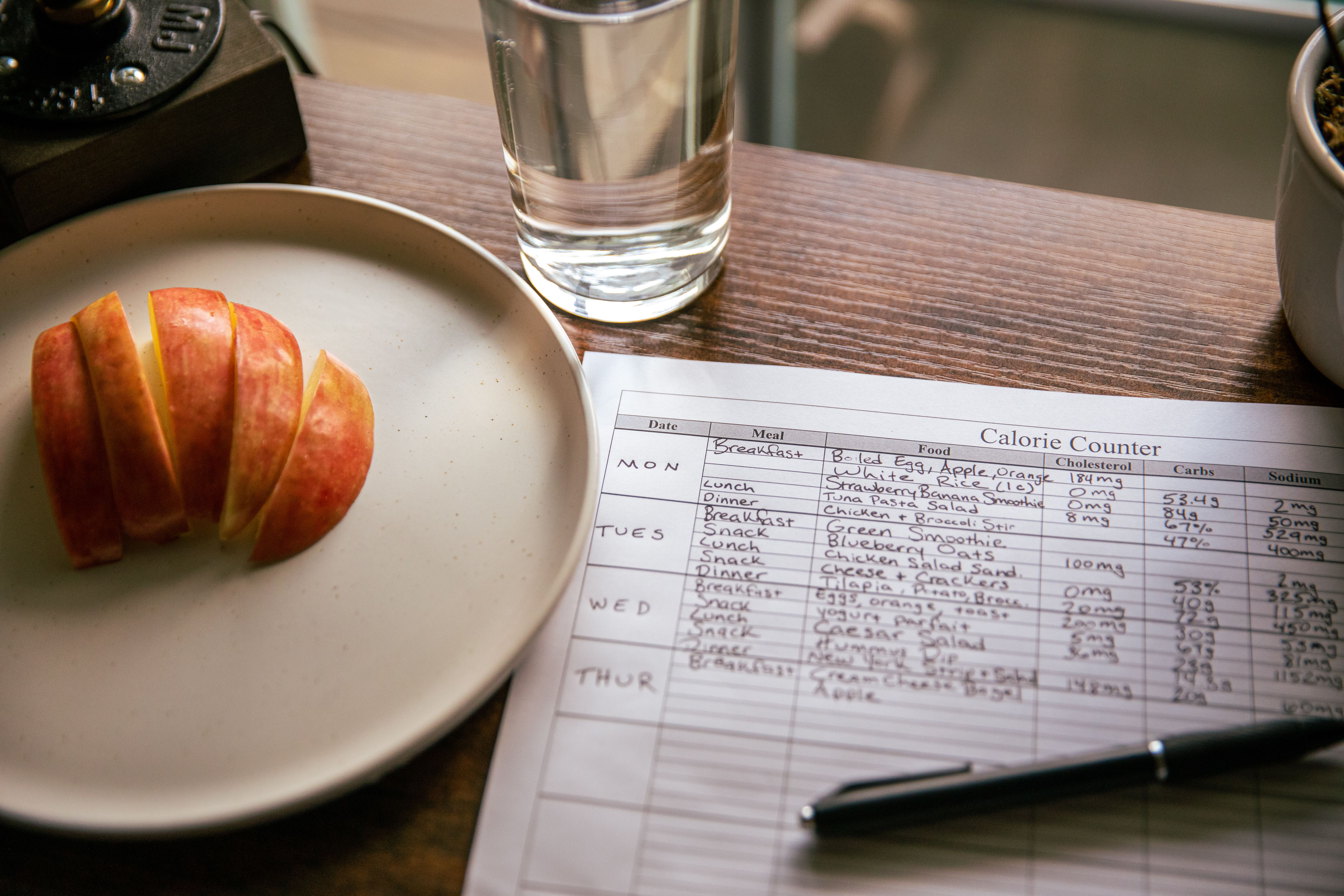
    Keep a simple planning sheet and a glass of water at hand. Photo by Spencer Stone via Pexels. Source: Pexels.

    Use whatever tools you already own: a notepad, a dry-erase board, or your phone. The method matters more than the medium.

    Common mistakes to avoid in your weekly dinner plan to cut decision fatigue

    • Overplanning recipes with 20 ingredients each. Keep it simple.
    • Skipping the pantry-first step. You will overspend and waste food.
    • Forgetting β€œLeftover Remix” night. Extras need a home.
    • Not labeling prepped items. Add a date to prevent mystery containers.
    • Doing it all yourself. Ask family to pick one theme or side each week.

    When something slips, do not scrap the whole plan. Use your freezer backup and move the skipped meal to next week’s template. Progress, not perfection.

    FAQ: your weekly meal plan to reduce decision fatigue questions, answered

    How long should a weekly meal planning routine to reduce decision fatigue take?

    The core plan takes 10–20 minutes once per week. With practice, you will fill the template in about 10 minutes. Shopping is faster because the list follows your store layout.

    Do I need special apps or can I do this on paper?

    You can do either. Many people like a paper template on the fridge. Others use notes apps, calendar blocks, or shared lists. The method, not the tool, reduces choices during the week.

    What if my week changes and the plan no longer fits?

    Build two β€œflex” meals into the template. Keep one freezer backup. Swap theme nights across days when needed. Because you set themes, changes are easy and do not break your flow.

    Can this help me eat healthier without a strict diet?

    It can help. Planning nudges balanced shopping and home cooking. Pair the plan with a simple plate model from public health guidance. Over time, this supports better averages without strict rules.

    Will I get bored if I repeat themes?

    Rotate sauces, proteins, and sides. Swap one theme weekly. That keeps your weekly meal planning routine to reduce decision fatigue fresh while keeping decisions low.

    Next steps to keep your weekly dinner plan to cut decision fatigue calm

    • Print the Weekly Meal Planner Template and run a half-plan today.
    • Save 10 favorite theme-night meals in your notes. Reuse them often.
    • Set a 15-minute Sunday calendar block titled β€œPlan meals and list.”

    Return to this loop next week and reuse your notes. Small wins stack. In a month, this will feel natural.

    Build your reading habit around small, steady systems

    If you like systems that lower stress, explore our book hub for more calm-week ideas. See summaries, frameworks, and simple checklists you can put to work.

    References and further reading

    Recap: one-page checklist for a weekly meal plan to reduce decision fatigue

    • Pantry-first audit (3 minutes)
    • Pick 3–5 theme nights
    • Fill 10-minute template
    • Make a one-and-done list
    • Batch two staples
    • Review and rotate

    Use this loop each week. Over time, a weekly meal planning routine to reduce decision fatigue will feel natural and light.

    Helpful resources for your next step

    Affiliate disclosure: As an Amazon Associate, Mind Clarity Hub may earn from qualifying purchases at no extra cost to you. Use this link only if it genuinely helps your planning.

    If A Weekly Meal Planning Routine to Reduce Decision Fatigue is a routine you want to keep using, a simple workbook, planner, or desk tool can make the steps easier to repeat.

    Compare related planners, workbooks, and organization tools on Amazon.

  • The Capsule To-Do List Method for Overwhelmed Professionals

    The Capsule To-Do List Method for Overwhelmed Professionals

    If your task list feels like quicksand, the capsule to-do list method for overwhelmed professionals can give you a calm, flexible way to plan your day. It combines short lists, tight limits, and a clear Daily Big 3 so you can make steady progress without the noise. This guide shows you how to use the capsule to-do list method for overwhelmed professionals step by step, with a simple template, examples, and proven rules.

    Key takeaways for the capsule planning method

    • Limit your life to just three capsule categories (for example: Core Work, Support, Personal).
    • Choose a Daily Big 3: the three most meaningful tasks you will protect today.
    • Sort everything else into time boxes, quick wins, or a parking lot. Keep it short.
    • Review once in the morning and once near day’s end. Adjust without guilt.
    • Use simple estimates and avoid filling more than 60–70% of your day with planned work.

    What is the capsule to-do list method for overwhelmed professionals?

    It is a light framework that shrinks your task universe into three stable categories, then highlights a Daily Big 3 you will actually finish. Think of it like a minimalist wardrobe for your work: fewer decisions, better fit. You get a compact list that stays readable on one screen or one notebook page, with clear rules for what goes where.

    Why this β€œcapsule” approach works

    Decision fatigue increases as choices pile up, which erodes the quality of your decisions later in the day. Research and commentary from the American Psychological Association discuss the costs of constant choices and switching attention (APA: Multitaskingβ€”Switching Costs). Also, cognitive load builds when information is hard to organize, which raises error rates and slows you down (Nielsen Norman Group: Cognitive Load). Short, consistent categories reduce that load. Finally, unfinished work keeps tugging at your mind (the Zeigarnik effect), so small, closed lists help you feel done more often (Britannica: Zeigarnik Effect).

    Quick-start template for the capsule task list for busy professionals

    Below is a one-page layout you can drop into a notes app or notebook. Keep it visible all day, and reset it each morning.

    Section Purpose How to Use
    Capsule Categories (3 only) Stable buckets for your work and life Define once. Examples: Core Work, Support, Personal. Do not add a fourth.
    Daily Big 3 Protected, meaningful tasks for today Choose 3 max. One per capsule is a good default.
    Time-Boxed Tasks Work with planned duration blocks Plan 30–90 minute blocks. Leave 30–40% of day open.
    Quick Wins (≀2 min) Fast tasks to batch between blocks Do in a small burst. Never let this grow beyond 5–7 items.
    Parking Lot Later candidates, not for today Hold ideas safely. Review during your weekly reset.

    Set up your three categories in a three-category to-do list

    Choose categories that fit 80–90% of your recurring work. Keep them stable for at least a month. Most people do well with one β€œmaker” lane, one β€œsupport” lane, and one β€œlife” lane.

    Capsule Typical Tasks Examples Not Included
    Core Work Deep work that moves key outcomes Design sprint, analysis, writing, coding, client strategy Random Slack pings, admin chores
    Support Coordination and upkeep 1:1s, inbox triage, reporting, handoffs, approvals Long projects that need focus
    Personal Health, home, and learning Workout, meal prep, reading, finance review Work tasks that can live in Core or Support

    Because your categories are stable, your brain burns fewer cycles every morning. Instead of asking β€œWhere should this go?” you can move straight to how and when you will do it. That is the core strength of the capsule to-do list method for overwhelmed professionals.

    Workspace with notes showing the capsule to-do list method for overwhelmed professionals
    Keep your list small and visible. Photo: PNW Production via Pexels. Source: Pexels.

    Choose your Daily Big 3 in the capsule planning method

    The Daily Big 3 anchors your day. Pick three tasks that change outcomes, not just activity. One task per capsule category is a simple default. Also, choose a mix that you can defend when interruptions arrive.

    • Impact first: Will finishing this move a key metric or deliverable?
    • Clarity next: Can you state the finish line in one short sentence?
    • Time last: Will this fit into today’s 60–70% planned time?
    Example Role Daily Big 3 Why These?
    Marketing Manager 1) Draft Q3 campaign brief; 2) Finalize webinar outline; 3) 45-min pipeline review Two maker items, one support review. Clear finish lines.
    Software Engineer 1) Implement auth hook; 2) Write 6 tests for signup; 3) Pair review 1 PR Two code tasks, one collaboration task. Small, shippable chunks.
    Founder 1) Investor update; 2) Hiring scorecard rev 1; 3) 60-min sales calls (2) One narrative, one system, one sales block. Business leverage.
    Teacher 1) Grade period 2 essays (8); 2) Plan Friday lab; 3) Parent email batch One batch, one plan, one support batch. Realistic time boxes.

    Sort tasks fast in a three-category to-do list

    Everything that does not make your Big 3 goes into a time box, a two-minute quick win, or the parking lot. The rules below keep your list from bloating.

    If the task is… Then… Notes
    ≀ 2 minutes Do now or batch 5–7 at a break Keep quick wins small to avoid drift
    15–90 minutes Time-box it on your calendar Prefer 30–60 min for focus
    Big or vague Split into 30–90 minute slices Write a clear β€œdone when…”
    Not needed today Send to parking lot Revisit weekly; no guilt

    Why the capsule to-do list method for overwhelmed professionals works

    Interruptions and task switching carry a cognitive tax that reduces accuracy and speed. The American Psychological Association summarizes how switching tasks hurts performance (APA: Multitaskingβ€”Switching Costs). In addition, UX research groups show that high cognitive load raises error rates and slows problem solving (Nielsen Norman Group). Also, unfinished tasks tug at your attention, which keeps the stress loop going (Britannica). The capsule method breaks this loop by giving you a small, finished list every day.

    Finally, the planning fallacy nudges us to underestimate work. A brief time-box and estimate makes the gap visible before you overbook. See the APA Dictionary entry on the planning fallacy for background.

    Turn your capsule task list into time you can defend

    A plan is only useful if you can keep it safe. Protecting your Daily Big 3 does not mean saying no to everything. It means saying β€œnot now” with context.

    • Block your Big 3 on your calendar first. Treat them like meetings with yourself.
    • Leave white space: 30–40% of your day open for support tasks and surprises.
    • Batch the small stuff: two 20–30 minute windows for quick wins and replies.
    • Put one recovery buffer after your longest deep-work block.

    Simple estimation that is good enough

    Use a tiny scale so you can judge the day fast.

    Size Time Box Use For
    S 15–30 min Replies, micro-edits, small queries
    M 30–45 min Draft a section, fix a bug, outline a lesson
    L 60–90 min Write, code, design, analysis, grading batch

    If more than four L blocks show up in one day, cut or split something. Therefore, you keep energy and accuracy up while making visible progress.

    Grab-and-go capsule planning template (copy/paste)

    Date: ________   Theme (optional): __________
    
    Capsules (3 only)
    1) Core Work: _________________________________
    2) Support: ___________________________________
    3) Personal: __________________________________
    
    Daily Big 3 (finish these)
    1) ____________________________________________
    2) ____________________________________________
    3) ____________________________________________
    
    Time-Boxed Tasks
    - [ ] Task: ____________  Size: S/M/L  Block: ____
    - [ ] Task: ____________  Size: S/M/L  Block: ____
    
    Quick Wins (≀2 min, max 7)
    - [ ] __________________
    - [ ] __________________
    
    Parking Lot (not for today)
    - [ ] __________________
    - [ ] __________________
    
    End of Day Review
    - [ ] Big 3 done?
    - [ ] Move or drop?
    - [ ] Note one lesson.
    

    Visual map of the capsule planning method workflow

    Examples across roles using the capsule task list for busy professionals

    Use these prompts to see how a small page can hold a full day without bloat.

    Example: Product designer

    • Capsules: Core Work (flows), Support (reviews), Personal (health)
    • Daily Big 3: (1) Redesign onboarding step 2 (L); (2) Review 2 PRDs (M); (3) 30‑min run (M)
    • Time-Boxed: (a) User test note pass (M); (b) Research sync (S); (c) Component cleanup (M)
    • Quick Wins: Send 2 stakeholder updates; archive old files
    • Parking Lot: Explore animation for empty state

    Example: Operations lead

    • Capsules: Core Work (process), Support (people), Personal (admin)
    • Daily Big 3: (1) Draft Q4 capacity plan (L); (2) Vendor RFP shortlist (M); (3) Payroll check (S)
    • Time-Boxed: Standup (S); Risk log update (S); Team 1:1s (M/M)
    • Quick Wins: Ship 3 confirmation emails
    • Parking Lot: Warehouse layout change ideas

    Example: Freelancer

    • Capsules: Core Work (client), Support (pipeline), Personal (learning)
    • Daily Big 3: (1) Client A homepage draft (L); (2) Send 2 proposals (M); (3) 45‑min course lesson (M)
    • Time-Boxed: Invoices (S); Proof one article (M)
    • Quick Wins: 4 follow-ups; file receipts
    • Parking Lot: Blog topic brainstorm

    Fit meetings and messages into your three-category to-do list

    Meetings and messages often live in Support. However, not every meeting is support. A design review that produces a decision for a core deliverable can live in Core Work. Meanwhile, a one-off status chat may live in Support. Put work where it changes outcomes, not where it merely happens.

    Defend your Big 3 without burning bridges

    • Use time boxing as your first β€œno.” Point to your schedule and offer the first open block.
    • Offer a lighter alternative. For example, β€œSend me the top 3 questions by noon.”
    • Ask for an exchange. β€œHappy to take that today. Which current item should we delay?”

    Morning setup for the capsule planning method in 10 minutes

    1. Glance at your three capsules. Add any new tasks quickly.
    2. Pick your Daily Big 3. State each finish line (β€œDone when…”).
    3. Time-box 30–90 minute blocks for Big 3 and two support windows.
    4. Place one buffer. As a result, you absorb surprises without breaking.
    5. Confirm that only 60–70% of your day is planned. Drop or split if too full.

    Evening review for the capsule task list for busy professionals

    1. Mark what you finished. Celebrate small wins.
    2. Move or drop anything left. Because dropping is a choice, do it deliberately.
    3. Write one lesson: β€œI started late because… Next time I will…”
    4. Stage one seed for tomorrow’s Big 3 so your morning is fast.
    To-do list and notebook beside a small plant on a desk
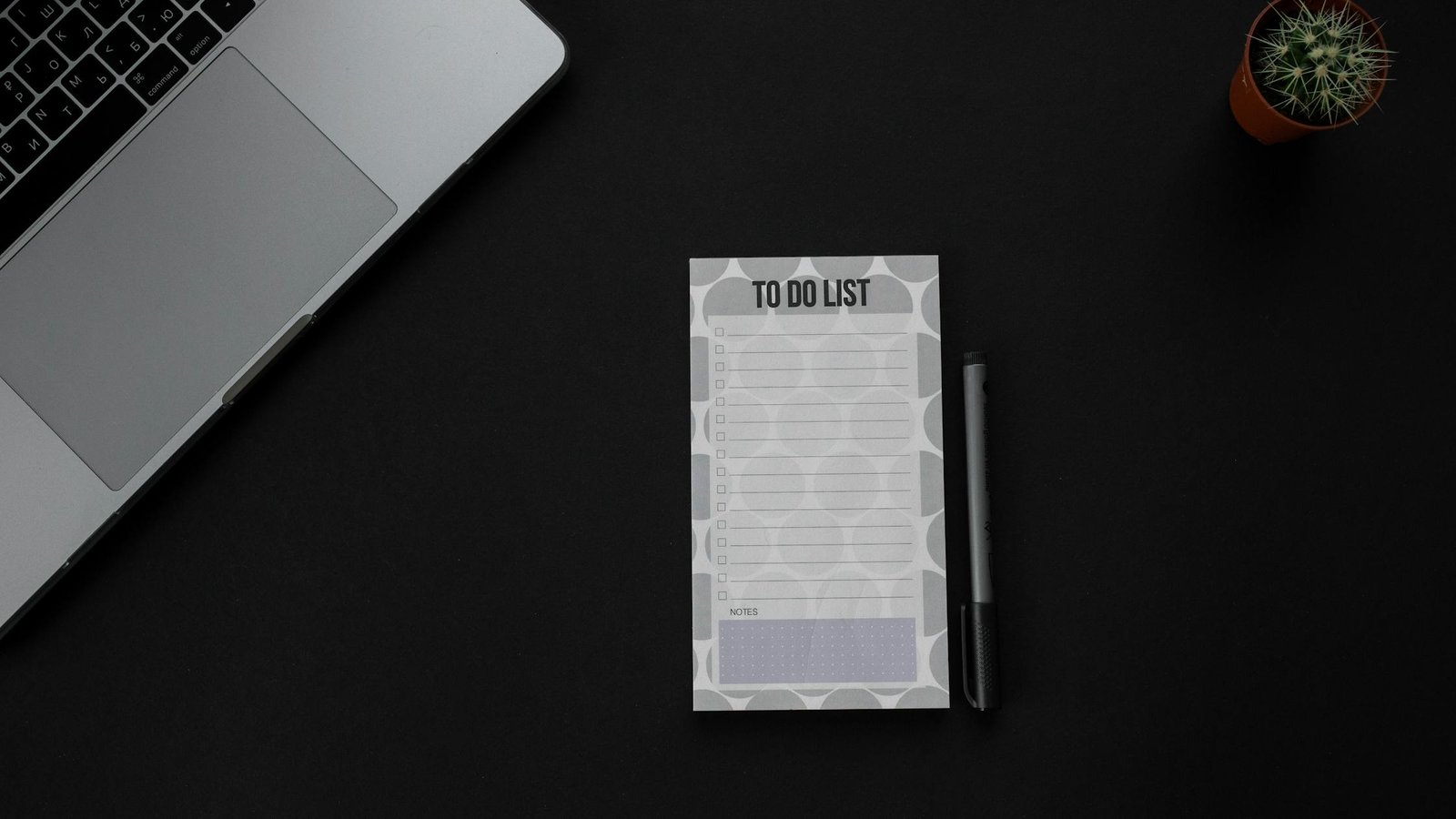
    Keep it one page. Limit choices. Source: RDNE Stock project via Pexels.

    Pitfalls to avoid in the capsule planning method

    Most failures come from too many categories, Big 3 items that are too vague, or overbooking. Use this list to steer around the common traps.

    Pitfall Why It Hurts Fix
    Adding a 4th or 5th capsule More choices, more switching Merge into your existing 3. The capsule to-do list method for overwhelmed professionals depends on strict limits.
    Big 3 items that are projects, not tasks No clear finish line; hard to start Split into 30–90 minute slices. Write β€œDone when…”
    Planning 90–100% of your day No slack; stress spikes with any surprise Cap at 60–70% planned time. Reserve buffers.
    Letting Quick Wins swell beyond 7 Churn and drift Batch or drop. Ask if a short email could close it now.
    Vague time boxes Calendar lies to you Give each block a verb and a concrete output.

    When to bend the three-category to-do list rules

    Occasionally, real life needs a fourth temporary capsule, such as β€œCrisis.” If so, pause one of the usual three and add the temporary one for a few days only. Also, if your Big 3 die three days in a row, stop and run a mini-retro: Were tasks too big? Did you have hidden dependencies? Did you plan during your worst energy window?

    How to use this advice

    This is a planning method, not medical advice. It will not remove every stressor. It will help you make better trade-offs. Start small: run the system for one week before you judge it. Then, adjust the names of your capsules and the size of your time boxes to fit your work and life.

    Weekly review and maintenance for the capsule planning method

    The weekly review keeps your three categories crisp and your Daily Big 3 choices easy. With a short reset, the capsule to-do list method for overwhelmed professionals stays light and sharp all week.

    1. Prune the parking lot. Group items by theme, delete stale ideas, and bubble up two candidates for next week.
    2. Refresh capsule examples. Under each category, list two current examples so you remember what β€œbelongs” there.
    3. Scan upcoming deadlines. Mark any must-ship items and pre-slice them into L or M blocks you can place early in the week.
    4. Do a capacity check. Estimate total L/M blocks available (work hours Γ— 0.6 or 0.7). If demand exceeds capacity, drop or delay now.
    5. Write a short intention. One line for the week’s theme helps you pick a clear Big 3 each day.
    Weekly Step Time Output Tip
    Parking Lot Prune 5–10 min 3–5 viable candidates Delete twice as much as you keep
    Capsule Refresh 5 min 2 example tasks per capsule Keep examples visible on your template
    Deadline Scan 5 min List of must-ship items Pre-slice large items into L/M blocks
    Capacity Math 3 min L/M block budget Plan only 60–70% of your hours
    Weekly Intention 2 min One-line theme Use it to break ties in your Big 3

    If your review reveals a patternβ€”such as Support ballooning every Wednesdayβ€”adjust your calendar once. For example, move your longest Core Work block to mornings on Mon/Tue/Thu and reserve a Support-heavy afternoon midweek.

    Integrations: calendar, email, and project tools with a three-category to-do list

    The method is tool-agnostic. Still, a few integrations make the day smoother without adding overhead. You can keep your capsule task list for busy professionals in a notes app and connect it to your calendar and project tools in simple ways.

    • Calendar: Create a color per capsule. Drop L/M blocks directly on your calendar. Name blocks with verbs and outputs (for example, β€œDraft brief v1”).
    • Email: Batch triage during Support windows. Star or label items that will become time-boxed tasks. If a thread takes over two minutes, convert it to a task and schedule it.
    • Project boards: Keep only active slices on your Today swimlane. Everything else lives in the parking lot or the main backlog.
    • Meetings: Add a one-line goal to each invite. During the meeting, list the smallest next step and decide the capsule category before you leave.
    • Notes and docs: Pin your daily template to the top of your notes. Link each Daily Big 3 item to its working document.
    Area Minimal Setup Failure Mode Fix
    Calendar 3 colors, 60–70% planned Overstuffed days Cut or move blocks weekly
    Email 2 daily triage windows All-day drip Turn off notifications outside windows
    Projects Today swimlane only Too many active cards Enforce a small WIP limit
    Meetings One-line goal Vague action items Decide capsule and next step before ending

    When you pair these light integrations with the capsule to-do list method for overwhelmed professionals, you reduce friction without creating a second job of β€œmanaging the system.” Keep it simple and review weekly.

    Metrics and signals: track progress with the capsule to-do list method for overwhelmed professionals

    What you measure shapes your behavior. Pick a few signals that keep you honest and motivated. The goal is not to hit 100% every day, but to see trends and adjust early. A short weekly glance at these numbers will tighten your feedback loop.

    Metric Target Why It Matters Action If Off-Track
    Daily Big 3 completion ~70–90% avg Shows if your priorities are realistic Make Big 3 smaller; schedule earlier
    Plan accuracy ≀ 1 task rolled over/day Signals overbooking or vague tasks Split tasks; add buffers
    Support time 20–40% of day Healthy maintenance vs. thrash Batch messages; tighten meetings
    Deep-work blocks protected 1–3/day Focus time is when outcomes move Block earlier; defend with context
    Quick wins count ≀ 7 Avoids drift into busywork Batch or delete ruthlessly

    If you see two weeks of low Big 3 completion, revisit estimation and dependencies. Because the capsule to-do list method for overwhelmed professionals prizes clarity over volume, shrinking tasks is a winning move, not a failure. Likewise, if Support time is spiking, create one β€œoffice hours” block and direct requests there.

    FAQ

    Who should use the capsule to-do list method for overwhelmed professionals?

    Use it if you juggle deep work and support work daily. It is especially helpful for managers, makers who attend many meetings, solo founders, teachers, and freelancers. The small list and Daily Big 3 reduce switching and decision fatigue.

    How do I review with the capsule to-do list method for overwhelmed professionals?

    Do two short reviews. In the morning, pick the Daily Big 3 and time-box. In the evening, mark done, move or drop leftovers, and write one lesson. Weekly, prune your parking lot and refresh capsule examples.

    Can teams adopt this method together?

    Yes. Teams can name shared capsules (for example, Build, Support, Growth), align on a Daily Big 3 per person, and agree to protect deep-work blocks. Also, use one standup to align time boxes for the day.

    What if my day explodes with emergencies?

    Switch to a crisis capsule for the day. Move unfinished Big 3 to tomorrow’s plan or split them. Then, in your evening review, choose one system fix that would prevent a similar blowup.

    Do I need a special app?

    No. Any notes app or paper works. However, a calendar for time boxing helps. Keep your template one swipe or one page away so you can review it at a glance.

    Further reading and sources

    Next steps

    Want a deeper system for calm focus? Explore our reading hub for productivity frameworks that pair well with capsules. Also, see templates you can print and use this week. To start, try the capsule to-do list method for overwhelmed professionals for five workdays and measure your Big 3 completion rate.


    Editorial note: We keep this guide practical and update references when core research changes. Last reviewed for clarity and sources: .

    Helpful resources for your next step

    Affiliate disclosure: As an Amazon Associate, Mind Clarity Hub may earn from qualifying purchases at no extra cost to you. Use this link only if it genuinely helps your planning.

    If The Capsule To-Do List Method for Overwhelmed Professionals is a routine you want to keep using, a simple workbook, planner, or desk tool can make the steps easier to repeat.

    Compare related planners, workbooks, and organization tools on Amazon.

  • How to overcome decision paralysis: Simple, science-backed steps

    How to overcome decision paralysis: Simple, science-backed steps

    (As an affiliate, we may earn from qualifying purchases at no extra cost to you. This helps support our work but does not influence our content.)

    To break free from decision paralysis, you have to do three things: simplify your options, set clear deadlines, and accept that a β€˜good enough’ decision is better than no decision at all. That looping, heavy feeling of being stuck isn’t a personal flaw. It’s a common cognitive bottleneck. Breaking free starts with understanding what’s really going on in your brain.

    Why Decision Paralysis Is Costing You More Than Time

    We’ve all been there. Staring at a choice, feeling the weight of it, and getting completely stuck. In our information-soaked world, our brains get overwhelmed, triggering decision paralysis. This isn’t just about wasting a few minutes. It’s a massive drain on your mental energy, productivity, and well-being.

    A person in glasses writes notes at a desk, surrounded by sticky notes, brainstorming how to overcome decision paralysis.

    The modern workplace is practically designed to create this kind of cognitive gridlock. When you’re faced with too many data points, conflicting opinions, and endless alternatives, your brain’s executive functions simply get swamped. The prefrontal cortex, responsible for rational thinking, essentially short-circuits from the overload.

    This article is for educational purposes only and is not a substitute for professional medical or psychological advice. If you are struggling with severe indecisiveness, anxiety, depression, or ADHD, please consult a qualified healthcare provider.

    The Real-World Impact of Indecision

    This phenomenon has a measurable, and frankly expensive, impact on both businesses and individuals. A staggering 72% of employees and executives, in a 2023 global study, admitted they’ve been hit with it. This often leads to abandoned decisions or serious distress from information overload.

    This isn’t a minor hiccup. One analysis found that firms waste the equivalent of $250 million in wages annually just from slow and ineffective decision-making.

    This guide provides a clear roadmap to break that cycle. We’ll dig into practical, science-backed solutions to help you reclaim your momentum and move forward.

    β€œThe risk of a wrong decision is preferable to the terror of indecision.” – Maimonides

    By the end of this article, you will be able to:

    • Identify the specific triggers that cause you to get stuck.
    • Apply fast-acting techniques to make choices right in the moment.
    • Build long-term systems to prevent future paralysis before it starts.
    • Navigate group decisions without the usual painful gridlock.

    From managing daily tasks to tackling major projects, these strategies will help you move forward. If you’re constantly struggling with where to direct your focus, you might also find our guide on managing competing priorities helpful. To cut through mental clutter, you can see the book that fits your goal.

    The Science Behind Why Your Brain Gets Stuck When Overcoming Decision Paralysis

    To overcome decision paralysis, you first have to understand what’s happening in your brain. That feeling of being mentally stuck isn’t a character flaw. It’s a predictable cognitive reaction to specific pressures. Your brain is trying to protect you from a bad choice, but sometimes its protective instincts go into overdrive.

    One of the main culprits here is choice overload. Research by psychologist Barry Schwartz revealed a paradox: we think we want more options. But having too many often leaves us less satisfied and makes it harder to choose.

    Your brain’s prefrontal cortex, the hub for rational thought, can only juggle so much information at once. When you flood it with dozens of similar choices, it struggles to compare them all. The mental strain quickly leads to just giving up. For example, a freelancer trying to pick a project management tool from a sea of near-identical apps might get overwhelmed and stick with their inefficient, old system.

    The Drain of Decision Fatigue

    Another powerful force at play is decision fatigue. Think of your decision-making ability like a phone battery. Every choice you make, no matter how small, chips away at that energy reserve. Psychological studies show this depletion of mental resources affects subsequent choices, making you more likely to opt for the easiest path.

    • Choosing what to wear.
    • Deciding what to eat for breakfast.
    • Answering a dozen emails.
    • Picking a playlist to focus.

    By the time a big decision lands on your desk, your mental battery is already low. This makes it harder to think clearly and weigh your options logically. You can learn more about this in our guide on what decision fatigue is and how to fight it.

    The Emotional Weight of Perfectionism

    Beyond cognitive load, emotions add a heavy layer. The fear of regretβ€”the worry you’ll make the wrong choiceβ€”can be paralyzing. Your brain is wired to avoid negative outcomes. The possibility of making a mistake can feel so threatening that doing nothing seems like the safest bet.

    This is especially true for perfectionists. If you feel you absolutely must find the β€œbest” option, the pressure can become immense.

    Real-World Scenario: A marketing manager has to choose a new analytics platform. One is cheaper, another has better features, and a third integrates perfectly. The fear of picking the β€œwrong” one causes her to put off the decision for weeks, stalling a critical project.

    This emotional weight is why breaking free is about more than just logic. A β€œgood enough” choice that moves you forward is almost always better than a β€œperfect” choice you never make. For more on this, check out our book Perfectly Imperfect.

    It’s also crucial to understand how AI accelerates decision-making but can multiply confusion without clarity if the fundamental thinking isn’t sound.

    Quick Tactics For Overcoming Decision Paralysis Now

    When you face a choice and feel stuck, a quick nudge wins over a long plan. You need something sharp and immediate to snap your brain out of its freeze mode.

    Forget chasing a flawless solution. Aim for a good enough pick and move on.

    Embrace Satisficing To Make Good Enough Choices

    For many of us, searching for the perfect option only deepens the freeze. Instead, zero in on the first choice that meets your must-haves. That is the essence of satisficing: satisfying enough criteria to move forward.

    Behavioral research shows that β€œmaximizers”—those who hunt for the best possible outcomeβ€”tend to feel more regret and less satisfaction. Satisficing flips that script and lightens your mental load.

    Real-World Scenario: You’re picking a lunch spot for the team. You set three criteria: walking distance, vegetarian options, and under $20 per person. The first match wins. Lunch is locked in under two minutes, saving you from twenty minutes of scrolling reviews.

    By trimming the analysis, you preserve energy for decisions that matter more.

    Use The Two-Way Door Rule To Lower The Stakes

    Not every choice demands a deep dive. The Two-Way Door rule helps you spot low-risk opportunities versus one-way commitments. This mental model, used by successful entrepreneurs, asks a simple question: can you walk back through the door if it goes wrong?

    A decision tree flowchart illustrating the process of how to overcome decision paralysis.

    This chart helps pinpoint whether you’re stuck from too many options, burnout, or fear. Once you identify the real roadblock, you can pick the right fix.

    • Two-Way Door Decisions: These are reversible. Trying a free software trial or sampling a new book fits here. If it flops, you reset and try again.
    • One-Way Door Decisions: These are heavy and often irreversible. Accepting an out-of-state job or buying a house calls for deeper reflection.

    Labeling choices this way lets you sprint through easy calls. You can reserve your focus for life-changing ones.

    Force A Choice With Timeboxing

    When your mind loops endlessly, artificial deadlines are your ally. Timeboxing gives you a hard stop so you can’t stall forever. Setting a tight windowβ€”say, 15 minutesβ€”creates healthy pressure. This technique is rooted in behavioral psychology, showing that constraints can foster focus and action. It shifts your brain from β€œparalysis by analysis” to β€œaction now.”

    A simple pomodoro timer on your desk can serve as a constant nudge. To understand this method in depth, check out our guide to the Pomodoro Technique.

    Real-World Scenario: You’re stuck on the slide order for a presentation. Start a 15-minute timer. When the alarm rings, you’ve got a working outlineβ€”no more, no less. Suddenly, your morning is back under control.

    Build Systems to Prevent Future Decision Paralysis

    Moving from quick fixes to proactive systems is key to long-term clarity. While in-the-moment tactics are great for breaking a logjam, building systems is about designing your life to prevent indecision. This approach shifts your focus from reacting to paralysis to proactively eliminating its triggers.

    The core idea is to make good choices the easiest choices. This involves intentionally structuring your environment and routines to guide your behavior with less conscious effort.

    An organized office desk with binders, a plant, and a time blocking planner, featuring a 'BUILD SYSTEMS' banner illustrating how to overcome decision paralysis with organization.

    Design Your Environment With Choice Architecture

    One of the most powerful systems is choice architecture. This is the practice of consciously designing the environments where you make decisions to nudge yourself toward better outcomes. Your brain naturally follows the path of least resistance, so you can use this tendency to your advantage.

    Real-World Scenario: An entrepreneur wants to read more industry books but always scrolls on her phone at night. Using choice architecture, she places a book on her bedside table and leaves her phone to charge in the kitchen. She has made reading the easier, more immediate option.

    This small shift removes the in-the-moment decision, making the desired habit feel automatic. You can even explore building a second brain method to organize insights.

    Create Pre-Commitment Rules to Automate Responses

    Another incredibly effective system is creating pre-commitment rules. These are simple β€œif-then” statements you decide on in advance, when you’re calm and thinking clearly. This automates your response to predictable situations, saving you from having to make a decision when you’re tired, stressed, or rushed.

    • If I receive a meeting invitation without a clear agenda, then I will politely decline and ask for more information.
    • If it’s 9 PM, then I will put my phone away for the night.
    • If I feel overwhelmed by my inbox, then I will close it and work on my top priority for 30 minutes.

    This practice offloads the mental work of deciding in the moment, freeing up cognitive resources for what truly matters. Using a productivity journal can help you track these rules and stick to them.

    How To Choose The Best System for Overcoming Decision Paralysis

    You don’t need to implement everything at once. Instead, identify your biggest friction point and choose just one system to start with. This table can help you find the right strategy for your specific challenges.

    StrategyBest for BeginnersBest for Busy Professionals
    SatisficingLow-stakes, daily choices (e.g., what to eat).Quick, reversible decisions (e.g., which email to answer first).
    TimeboxingTasks where you overthink (e.g., writing an email).Decisions with many options but low impact (e.g., choosing a stock photo).
    Choice ArchitectureBuilding new habits (e.g., reading more).Automating recurring choices to save mental energy.
    Pre-CommitmentBreaking bad habits (e.g., endless scrolling).Setting boundaries and managing workload effectively.

    By choosing a system that targets your specific pattern of indecision, you make the change more effective. For business owners, you can build a business operating system that automates countless routine choices.

    How to Handle Group Decisions Without the Gridlock

    Decision paralysis doesn’t just strike when you’re alone; it thrives in team settings. The moment you bring multiple people into a decision, the number of opinions, preferences, and data points explodes. It’s a perfect storm for gridlock, where everyone is talking but nothing moves forward.

    This problem is getting worse. The number of people involved in a single B2B buying decision has ballooned from a few people to as many as 14. A staggering 94% of business calls now involve at least six different voices, stalling progress.

    To break out of this cycle, you need two things: structure and clear ownership.

    Assign a Directly Responsible Individual (DRI)

    The single most powerful move to cut through group indecision is to assign a Directly Responsible Individual (DRI). This concept, made famous by Apple, ensures one person ultimately owns the decision.

    The DRI isn’t a dictator. Their job is to gather input, steer the conversation, and make the final call so the team can move on. This kills the bystander effect, where the team waits for someone else to act.

    Real-World Scenario: A remote team needs to pick new software. Instead of an endless Slack debate, the project manager is the DRI. She collects feedback, creates a pros-and-cons table for the top three options, and schedules one final 30-minute meeting to make the choice.

    This clear ownership turns a mess of opinions into a structured process.

    Best Option for Clarity: Set Decision Criteria Before the Debate

    A classic group decision trap is starting the discussion without first agreeing on what a β€œgood” decision looks like. This is how you end up with conversations that wander aimlessly.

    Before you even look at the options, define the decision criteria as a team. Agree on the three to five most important factors that will guide your choice.

    • What is our budget?
    • What is the one feature we absolutely cannot live without?
    • How important is ease of use for the team?
    • What is our implementation timeline?

    By establishing criteria upfront, you create a neutral framework for evaluation. The conversation shifts from a subjective β€œWhich one do I like best?” to an objective β€œWhich option best meets our shared criteria?” This is a fundamental part of improving your critical thinking skills as a group.

    Key Takeaways for Overcoming Decision Paralysis

    • It’s a Brain Glitch, Not a Flaw: Decision paralysis is a cognitive response to too much information or fear of regret. Understanding this removes self-blame.
    • Embrace β€œGood Enough”: Use satisficing to pick the first option that meets your minimum criteria. Perfection is the enemy of progress.
    • Lower the Stakes: Use the β€œTwo-Way Door” rule to identify reversible decisions you can make quickly, saving mental energy for bigger choices.
    • Create Constraints: Use timeboxing with a timer to force a decision and prevent endless overthinking.
    • Build Proactive Systems: Use choice architecture and pre-commitment rules to automate decisions and reduce daily cognitive load.
    • Assign an Owner for Group Decisions: A Directly Responsible Individual (DRI) ensures accountability and prevents team gridlock.

    Editor’s Take: What Actually Works to Overcome Decision Paralysis

    Let’s be honest: there’s no single trick that magically cures decision paralysis for everyone. After years of writing about focus and mental clarity, I’ve found the most effective approach is a two-part punch: one immediate tactic paired with one long-term system.

    Think of it this way: you use a β€œgood enough” rule to get unstuck on a decision right now. That’s your quick win. Then, you build a system, like designing your choice architecture, to keep from getting stuck in the same place next week.

    This advice is best for busy professionals who feel swamped by choices and just need practical ways to get their head above water. The key is to start small. Use low-stakes decisionsβ€”what to eat for lunch, which email to answer firstβ€”to build your confidence and momentum.

    The important caveat is that chronic, severe indecisivenessβ€”especially if tied to anxiety, depression, or ADHDβ€”is best addressed with a professional. This guide is here to help sharpen your decision-making process, not for self-diagnosis. The goal is progress, not perfection.

    Editor’s Tip: Sometimes the biggest breakthrough comes from creating quiet space for focused thought. I’ve found that using a phone lock box timer to remove digital distractions can be surprisingly powerful for finding clarity.

    Ultimately, pairing an in-the-moment intervention with a sustainable habit tackles both the symptom and the cause, paving the way for clearer choices.

    Your Action Plan for Clearer, Calmer Decisions

    Alright, let’s pull this all together. Think of this as your personal cheat sheet for getting unstuck. It’s a scannable summary of the core strategies you can use to reclaim your decision-making power, starting today.

    See Paralysis for What It Is

    First things first: recognize that decision paralysis isn’t a character flaw. It’s a predictable cognitive response to being overloaded. Simply understanding the science behind why you feel stuck is a huge first step.

    Use the Quick Fixes

    When you’re stuck and need to get moving right now, lean on the fast-acting tactics. Employ strategies like satisficing (choosing β€œgood enough”) or the Two-Way Door rule to break the cycle of overthinking. These are your go-to tools for immediate relief.

    Build Systems That Decide for You

    The best way to beat paralysis is to prevent it from ever starting. This is where proactive systems like choice architecture and pre-commitment rules come in. By designing your environment and setting rules before you’re in the moment, you drastically reduce the number of decisions you have to make.

    Untangle Group Choices

    In a team setting, decision gridlock is incredibly common. The simplest way to cut through it is to assign a Directly Responsible Individual (DRI). This single move creates instant clarity and accountability, preventing the β€œtoo many cooks” problem.

    Focus on Progress, Not Perfection

    Start small. Build your decision-making muscle by tackling low-stakes choices first. Every choice you make, no matter how minor, creates momentum and strengthens your confidence for the next one. Ready for a complete system? Browse the library to find the right book for you.


    Disclaimer: This article contains affiliate links, meaning we may earn a small commission on purchases at no extra cost to you. The content provided is for educational and informational purposes only. It is not intended as a substitute for professional medical or psychological advice, diagnosis, or treatment.

    Frequently Asked Questions (FAQ)

    1. Is decision paralysis the same as procrastination?

    No, though they can look similar. Procrastination is avoiding a task you’ve already decided to do. Decision paralysis is being stuck before the choice is even made, often due to information overload or fear of making the wrong choice.

    2. How can I use these tips for a huge life decision?

    For big decisions, break them down. Use timeboxing to limit research to specific, manageable chunks. Define your β€œgood enough” criteria using satisficing (e.g., a new job must have a certain salary and commute time). Finally, identify which parts of the decision are reversible (β€œtwo-way doors”) to lower the perceived risk.

    3. Does technology make decision paralysis worse?

    Yes, technology is a massive contributor. It creates a firehose of information, options, and social comparison through reviews and social media. This constant noise triggers choice overload and makes it hard to think clearly. Our book, Digital Clarity, offers a complete roadmap for this exact challenge.

    4. When should I get professional help for decision paralysis?

    If your indecisiveness is chronic, causing significant distress, or harming your job and relationships, it’s wise to seek support. This is especially true if it’s paired with symptoms of anxiety, depression, or ADHD, as it could signal an underlying condition that requires professional care.

    5. What is the quickest way to overcome decision paralysis in the moment?

    The fastest method is to use a constraint. Set a timer for 5-10 minutes (timeboxing) and force yourself to make a β€œgood enough” decision by the time it goes off. This snaps you out of the overthinking loop and creates immediate forward momentum.

    Free download: 7-Day Mind Clarity Reset preview

    Free download: 7-Day Mind Clarity Reset

    A short daily reset you can actually stick with (no fluff).

  • How to Overcome Decision Paralysis with Science-Backed Strategies

    How to Overcome Decision Paralysis with Science-Backed Strategies

    To overcome decision paralysis, focus on making a good enough decision instead of a perfect one, limit your options to just two or three, and set a strict deadline. This simple approach breaks the cycle of overthinking by forcing you to act, which is often more important than endlessly searching for the single best choice.

    Β As an Amazon Associate, I earn from qualifying purchases at no extra cost to you.

    What Is Decision Paralysis and Why Does It Happen

    Have you ever stared at a restaurant menu, feeling completely stuck between two great dishes? Or maybe you’ve spent hours comparing project management tools for your team, only to end up choosing none at all.

    That feeling of being frozen by choice is decision paralysis. It’s the mental gridlock that happens when your brain gets so overwhelmed by options, information, or the potential fallout of a choice that it just… stops.

    Person working on a laptop at a wooden desk with a β€œDecision paralysis” sign on the wall, representing how to overcome decision paralysis and regain focus.

    Alt: An American professional feeling stuck, illustrating how to overcome decision paralysis.

    This isn’t just a sign of being indecisive. It’s a cognitive traffic jam with real psychological roots. One of the biggest drivers is a concept known as the β€œParadox of Choice.” Psychologist Barry Schwartz discovered that while we think having more options makes us better off, it often just leads to more anxiety and less satisfaction. When we’re faced with dozens of choices, our brains simply struggle to evaluate them all, and inaction becomes the easiest path.

    The Brain Science Behind Overcoming Decision Paralysis

    Under the hood, your brain has two key systems for making decisions. Your prefrontal cortex is the logical, analytical part. But when it gets flooded with too much informationβ€”a state called cognitive overloadβ€”it can get completely exhausted.

    This mental drain is often called decision fatigue. When your brain gets that tired, it tends to default to the path of least resistance, which is often making no choice at all. This shutdown state isn’t random. It’s usually triggered by a few common psychological traps:

    • Information Overload: Trying to research every last detail of every option creates a data tsunami that drowns your ability to think clearly.
    • Perfectionism: The need to find the single β€œbest” or β€œperfect” option raises the stakes so high that any choice feels like a potential failure waiting to happen.
    • Fear of Regret (FOMO): The fear of choosing wrong and missing out on something better can be paralyzing. You get stuck imagining all the ways things could go badly.
    • Ambiguity: When the options are fuzzy or the outcomes are uncertain, your brain struggles to predict the future, so it stalls out.

    One of the biggest contributors to decision paralysis is the vicious cycle of overthinking and anxiety, which creates a feedback loop that makes it incredibly difficult to move forward. This can be especially draining for busy professionals who need to make clear, confident choices to keep momentum.

    How to Overcome Decision Paralysis in Real-World High-Stakes Choices

    Real-world example: Imagine a manager, Alex, who needs to choose a new software for his team. He spends two weeks buried in feature lists and reviews, but every option has pros and cons. The more he learns, the more paralyzed he feels by the fear of making the β€œwrong” choice and wasting the company’s money. His prefrontal cortex is experiencing cognitive overload, leading to inaction. A simple productivity journal can help document thought processes like these and reveal where the paralysis pattern begins.

    Disclaimer: This article is for educational purposes only and is not a substitute for professional medical or psychological advice. If you are struggling with indecision related to anxiety, depression, ADHD, burnout, or sleep problems, please consult a qualified healthcare provider.

    Quick Wins to Break Decision Paralysis in the Moment

    When you’re stuck in a mental traffic jam, you don’t need a long-term strategy. You need a fast, effective way to get moving again.

    The good news is that several science-backed techniques can break the cycle of overthinking in minutes. These aren’t just clever tricks; they work by offloading the mental burden that keeps you frozen, bypassing your brain’s over-analytical prefrontal cortex. Instead of hunting for the β€œperfect” answer, you simply make a good one and regain precious momentum.

    A desk with a red timer, notepads, and a β€œDecide NOW” card illustrating how to overcome decision paralysis through timeboxing and faster decision-making.

    Alt: A pomodoro timer on a desk shows a strategy on how to overcome decision paralysis.

    Use Timeboxing to Force a Choice

    One of the most powerful ways to cut through the noise is to give yourself less time to think. It’s called timeboxing. By setting a strict deadlineβ€”even an artificial oneβ€”you force your brain to switch from endless deliberation to decisive action. A simple visual timer for desk or a Pomodoro app works beautifully for this.

    Real-world example: Imagine you need to choose an email marketing platform. The options feel endless, and you’ve already burned a week comparing features. Instead of letting the research drag on, set a timer for 25 minutes. In that time, you review your top three contenders. When the timer dings, you have to make a choice based only on the information you have right now. This constraint is your best friend; it prevents you from falling back into the research rabbit hole.

    This technique is so effective because prolonged deliberation drains your working memory and spikes anxiety. It’s a known productivity killer. Setting a hard stop can boost your ability to take action by up to 40% in high-stakes situations.

    Key Insight: A good decision made now is almost always better than a perfect decision made too late. Momentum is a powerful force for both productivity and confidence.

    Embrace β€œGood Enough” with Satisficing

    Perfectionism is the fuel for so much decision paralysis. We get stuck because we believe there is one perfect choice out there, and that picking anything less is a failure.

    The antidote is a concept from behavioral economics called satisficing. The term, a mashup of β€œsatisfy” and β€œsuffice,” means you choose the very first option that meets your essential criteria. You’re not aiming for the absolute best; you’re aiming for β€œgood enough.” This dramatically lowers the stakes and reduces the cognitive load of evaluating every last variable.

    Real-world example: You’re picking a hotel for a weekend trip. Instead of spending hours comparing every hotel in the city, you set three simple criteria: under $200, free breakfast, and a good location. The very first hotel you find that checks all three boxes is the one you book. You save hours of mental energy.

    How to Choose: Best Option for Your Situation

    Not sure whether to use a timer or just aim for β€œgood enough”? This quick guide should help you sort it out.

    TacticBest for…When to use it…
    TimeboxingDecisions with many variables and a research component.Choosing software, planning a project, finalizing a proposal.
    SatisficingLow-stakes decisions where multiple options would work.Picking a restaurant, choosing what to wear, deciding on a book to read.

    This whole approach is grounded in the idea that our mental energy is a finite resource. By saving it on the less critical choices, we have much more in the tank for the decisions that truly matter. For a deeper dive into managing your mental resources, you can always check out Focus Recharged.

    Use the Two-Minute Rule to Start Small

    Sometimes, the paralysis isn’t really about the decision itselfβ€”it’s about the overwhelming task that you know will follow. David Allen’s β€œTwo-Minute Rule” from his Getting Things Done methodology is a game-changer here.

    The rule is simple: if a task takes less than two minutes to complete, do it immediately.

    You can adapt this beautifully to decision-making. If you can make a decision and take the very first action in under two minutes, just do it now. This could be as simple as replying to that email, scheduling the meeting, or ordering a replacement part online. Each small, quick decision you make builds your β€œdecision muscle” and creates a wave of positive momentum.

    And if you’re feeling completely overwhelmed by it all, our guide on how to calm down offers a few more strategies to help you regain control.

    Building Long-Term Systems to Prevent Decision Overload

    While quick fixes are great for getting unstuck right now, the real win is to stop decision paralysis before it even starts. This is about moving beyond reactive tactics and building a few simple, proactive systems. By adding just a little bit of structure, you can drastically cut down on the number of choices you face each day, saving your precious mental energy for what actually matters.

    These strategies aren’t just clever life hacks; they’re grounded in behavioral science. They work by automating the routine stuff, which frees up your brain’s prefrontal cortex to dig into complex, high-value work.

    Create Default Rules to Automate Your Day

    One of the most powerful ways to fight decision fatigue is by creating default rules. Think of them as pre-made decisions for recurring situations. Instead of draining your battery by figuring out what to do every single time, you just follow the rule you already set for yourself.

    It’s like setting your phone to β€œDo Not Disturb” after 9 PM. You made the decision once, and now it works for you automatically, night after night.

    Real-world example: A busy executive decides on two default rules to simplify her week. First: β€œI only process email at 10 AM and 3 PM.” This one rule kills the constant, focus-shattering internal debate of, β€œShould I check my inbox now?” Second: β€œI only take meetings on Tuesdays and Thursdays.” This protects huge, unbroken blocks of time for deep work, preventing her week from turning into Swiss cheese.

    These rules aren’t about being rigid; they’re about being smart. They turn a relentless stream of tiny choices into a single, upfront decision. A time blocking planner is a great tool for putting these rules into practice visually.

    Use Pre-Commitment to Lock in Future Choices

    Pre-commitment is another game-changer. It’s the simple act of making a choice for your future self now, while you’re still thinking clearly and rationally. It’s so effective because it locks you into a course of action, making it much harder to back out when you’re tired, stressed, or overwhelmed later on.

    Real-world example: If you struggle with the daily β€œshould I work out?” debate after a long day, you could pre-commit by signing up for a non-refundable class with a friend. The decision is made. The social and financial stakes make it far easier to just go.

    Key Insight: Pre-commitment is you becoming the architect of your own future choices. You’re designing an environment where the best decision is also the easiest one to make.

    Design Your Environment for Fewer, Better Decisions

    Your physical and digital spaces are constantly asking you to make decisions. By thoughtfully designing these environments, you can quietly remove countless unnecessary choice points. This is a foundational principle for building better habits that stick.

    A classic example is laying out your gym clothes the night before. You’ve eliminated the morning decision of what to wear and the friction of having to find everything. Want to eat healthier? Stop buying junk food. You make one good decision at the grocery store instead of fighting dozens of small battles with temptation at home.

    For knowledge workers, this often looks like this:

    • Curating Your Digital Workspace: Start your day by closing every unnecessary tab and turning off notifications. This removes the constant, nagging pull of, β€œWhat shiny thing should I look at next?”
    • Organizing Your Physical Desk: Give everything a designated home. A clear desk really does lead to a clearer mind.

    By building these systems, you’re not just managing your choicesβ€”you’re managing your energy. If you want to take this further, you can learn more about structuring your knowledge by exploring the second brain method, which is all about creating a more organized digital life.

    This same principle of turning chaotic choices into a streamlined process can be applied almost anywhere. To prevent decision overload in your personal life, for example, you can master a simple system for meal planning. The core idea is the same: decide once, then execute.

    How to Choose the Right Decision-Making Framework

    When the stakes are high, those quick, in-the-moment tactics aren’t always enough. For the bigger, more complex choices, you need a more structured approachβ€”something that brings clarity and helps you move forward with confidence.

    Decision-making frameworks are just simple mental models that guide your thinking. They help you cut through the noise, organize all the moving parts, and focus on what actually matters. Instead of getting lost in a sea of details, these tools give you a clear path from A to B.

    Best for Beginners: The 80/20 Rule for Maximum Impact

    One of the most powerful frameworks is the Pareto Principle, better known as the 80/20 rule. The idea is simple: roughly 80% of your results come from just 20% of your efforts. When you apply this to making a decision, it forces you to pinpoint the few critical factors that will make the biggest difference.

    This is a fantastic antidote to the kind of perfectionism that so often fuels decision paralysis. That need to find the perfect choice amplifies the fear of making a mistake, leading to what researchers call a β€œparalysis of cognition and action,” especially under uncertainty. It’s a common trap; only 48% of organizations report making decisions quickly, which means a lot of progress gets stalled.

    The 80/20 rule helps you sidestep that trap by dramatically slashing analysis time. You can find more insights on this from the team at Atlassian.

    Real-world example: Imagine you’re trying to pick new project management software for your team. You’re facing dozens of options, each with hundreds of features. Instead of comparing every single bell and whistle, you pull out the 80/20 rule. You and the team identify the three most critical features you absolutely need (the 20%). You then evaluate the options based only on those three criteria, ignoring everything else. Suddenly, the best choice becomes clear.

    A flowchart illustrates steps to prevent decision paralysis: set rules, batch tasks, and pre-commit.

    Alt: A flowchart shows a system of how to overcome decision paralysis by preventing overload.

    The Pre-Mortem to Outsmart Failure

    Another brilliant technique, especially for big projects or team decisions, is the Pre-Mortem. It completely flips the usual post-mortem on its head. Instead of asking β€œwhat went wrong?” after a project has already derailed, you gather your team and imagine it has already failedβ€”spectacularly.

    From that future vantage point, you work backward to figure out every possible reason why it went wrong. This is an incredibly creative exercise that helps uncover hidden risks, blind spots, and potential roadblocks you would have otherwise missed. It makes talking about failure feel safe and productive, not accusatory.

    Real-world example: Your company is about to launch a major new marketing campaign. Before finalizing the plan, you run a pre-mortem. The team brainstorms all the things that could sink the launch: β€œThe ad creative was confusing,” β€œThe landing page crashed on day one,” or β€œOur main competitor launched a nearly identical offer a day before us.” By identifying these potential failures upfront, you can build safeguards and contingency plans right into your strategy, making the final decision to launch much, much stronger.

    Best for Busy Professionals: The Eisenhower Matrix

    When you’re dealing with choices about how to spend your time and energy, the Eisenhower Matrix is a time-tested classic. It helps you sort tasks into four simple quadrants based on two factors: urgency and importance.

    • Urgent & Important: Do it now.
    • Important & Not Urgent: Schedule it.
    • Urgent & Not Important: Delegate it.
    • Not Urgent & Not Important: Delete it.

    This framework is incredibly effective for breaking out of β€œreactivity mode.” It forces you to distinguish between what feels urgent (like a notification) and what is truly important (like strategic planning), which are often two very different things. For more on this, check out our guide on how to prioritize tasks effectively.

    Compare Options: How to Choose Your Decision Framework

    So, how do you pick the right tool for the job? Each of these frameworks shines in different situations. This table breaks it down to help you choose the best one for your specific challenge.

    FrameworkBest ForExample Scenario
    80/20 RuleSimplifying complex choices by focusing only on the most critical factors.Choosing a software tool, refining a business strategy, or decluttering your to-do list.
    Pre-MortemDe-risking major projects and making high-stakes, team-based decisions safer.Launching a new product, planning an event, or making a significant investment.
    Eisenhower MatrixManaging daily tasks and priorities to focus your limited time and energy.Organizing your weekly workload, clearing your inbox, or planning your day.

    These frameworks aren’t meant to be rigid or complicated. Think of them as simple, proven tools to help you think more clearly and act more decisively when you feel stuck.

    Editor’s Take: What Actually Works to Overcome Decision Paralysis

    When you cut through all the theories and frameworks, what’s the real story? For busy professionals who feel like they’re drowning in daily choices, the most effective path forward combines a couple of immediate tactics with a simple shift in mindset.

    This advice is designed for knowledge workers, freelancers, and entrepreneurs who feel like their momentum is constantly getting stalled by overthinking. If that sounds like you, this is the place to start.

    Your Most Impactful First Moves

    The two most powerful strategies you can put into practice today are satisficing and timeboxing.

    First, start practicing satisficing. This means you consciously choose the β€œgood enough” option instead of getting stuck in an endless search for the perfect one. This single habit dramatically lowers the stakes of every small decision you make. It’s a direct way to short-circuit the perfectionism that so often keeps us feeling stuck. A great habit tracker journal can help you stay consistent with this new approach.

    Next, use timeboxing to force a conclusion. Give yourself a tight deadlineβ€”say, 15 minutesβ€”to make a decision and move on. This simple constraint prevents you from falling down a research rabbit hole that eats up your afternoon.

    Who This Advice Is Really For

    These strategies are all about reclaiming your mental energy so you can pour it into your most important work. They’re perfect for anyone whose job requires constant judgment calls, from prioritizing projects to answering a mountain of emails.

    The goal is to make most decisions quickly so you can save your deep thinking for the few that truly matter.

    It’s also crucial to recognize where these tools hit their limits. If you’re dealing with chronic indecisiveness that’s tangled up with persistent anxiety or burnout, these productivity hacks are not a substitute for professional care.

    Ultimately, getting past decision paralysis is less about finding a magic formula and more about building the confidence to act, even when you’re not 100% certain. To dig deeper into the right systems for your specific goals, you can always Browse the library for a more targeted roadmap.

    Key Takeaways: Your Action Plan to Overcome Decision Paralysis

    • Embrace β€œGood Enough”: Stop searching for the perfect choice. Instead, pick the first option that meets your core needs (satisficing) to save mental energy.
    • Set a Timer: When you feel stuck, use timeboxing. Give yourself a strict, short deadline (like 15-25 minutes) to make a decision and move on.
    • Build Systems: Automate recurring choices with default rules (e.g., checking email only twice a day) and pre-commit to future actions to reduce daily decision fatigue.
    • Use Simple Frameworks: For bigger decisions, use tools like the 80/20 Rule to focus on what’s most important or the Eisenhower Matrix to prioritize your actions.
    • Take Small Actions: If you’re completely frozen, use the Two-Minute Rule. Find one tiny, immediate action you can take to break the inertia and build momentum.

    The Bottom Line

    If you feel like your brain freezes when faced with a choice, you’re not broken. You’re just bumping up against a well-known bug in the human brain. Getting unstuck isn’t about finding a magical β€œperfect” answer; it’s about building a repeatable process for making good-enough decisions and moving forward.

    Here’s a quick-glance summary of the most important ideas to pull you out of the quicksand of overthinking.

    Your Core Action Plan to Overcome Indecisiveness

    Forget trying to master a dozen new productivity hacks. The real path to clearer, more confident choices boils down to a few core principles.

    • Know Your Enemy: Decision paralysis isn’t a character flaw. It’s often a direct result of the Paradox of Choiceβ€”the well-researched idea that having too many options makes it harder, not easier, to choose. Just knowing this helps you shift from self-blame to problem-solving.
    • Use In-the-Moment First Aid: When you’re actively stuck, you need quick interventions, not a long-term strategy. Your two best friends here are timeboxing (setting a timer to force a decision) and satisficing (intentionally picking the first β€œgood enough” option). These tactics are designed to break the overthinking loop right now.
    • Build Systems to Prevent Future Paralysis: The best way to beat decision paralysis is to make fewer decisions in the first place. Create default rules for recurring choices (e.g., β€œI only check email at 10 AM and 4 PM”). Use pre-commitment to lock in future actions, which saves you from wasting mental energy on the same debates day after day.
    • Lean on Simple Frameworks for Big Choices: For complex decisions, don’t reinvent the wheel. The 80/20 Rule is brilliant for helping you zero in on the few factors that actually matter. A Pre-Mortem is your go-to for de-risking a big project by imagining all the ways it could fail ahead of time.

    The single most important idea to remember is this: Momentum is more valuable than perfection. A good decision you act on today is almost always better than a perfect decision that never gets made.

    How to Overcome Decision Paralysis by Building a Habit of Action

    This whole journey is really about building a habit of action. If you want to systematically create better habits around focus and clarity, our guide on The Power of Clarity can help you build a personalized roadmap.


    Disclaimer: This article provides affiliate links, and we may earn a small commission on purchases at no extra cost to you. The content is for educational and informational purposes only and is not intended as a substitute for professional medical or psychological advice, diagnosis, or treatment. Always seek the advice of a qualified health provider with any questions you may have.

    FAQ: Your Questions About Decision Paralysis Answered

    As you start using these strategies, it’s completely normal for questions to pop up. Getting a handle on decision paralysis is a process, not a one-time fix. Here are some straightforward answers to the questions we hear most often from people trying to break free from overthinking.

    What’s the difference between decision paralysis and normal hesitation?

    Normal hesitation is a brief, productive pause to weigh your options before making a thoughtful choice. It’s a healthy part of the decision-making process. Decision paralysis is when you get so stuck in overthinking that you can’t make any choice at all. It’s a complete shutdown, often driven by a fear of making the wrong move, and it can last for hours or even days.

    When is indecisiveness a sign of a bigger issue?

    While getting stuck on a choice now and then is normal, pay attention if it becomes a chronic pattern. If your inability to decide causes you significant distress and consistently gets in the way of your life, it might be more than a productivity hiccup. Certain mental health conditions, like anxiety, depression, and ADHD, can show up as extreme difficulty with decision-making. These strategies can help, but they aren’t a substitute for professional care.

    How can I help my team overcome decision paralysis?

    As a leader, foster psychological safety where β€œgood enough” decisions are valued over a quest for perfection. First, clarify ownership for every decision. Second, set clear constraints like budget and timeline to narrow the options. Third, introduce simple frameworks like the 80/20 Rule. Finally, model decisive action yourself to show that momentum is the priority.

    What’s the fastest way to snap out of analysis paralysis?

    The quickest way out is to drastically shrink the problem. Forget about the whole decision. Instead, pick one tiny, physical action you can take in the next two minutes. This could be drafting one sentence of an email, sketching a single idea on a mind map, or setting a pomodoro timer for just 10 minutes of focused research. This small action breaks the mental inertia and shifts your brain from passive overthinking into active engagement.

    What apps or tools can help manage decision overload?

    The right tool can offload some of the mental work of decision-making. Consider to-do list apps (like Todoist) to break big decisions into smaller tasks. Use note-taking apps (like Notion or Evernote) as a β€œsecond brain” to organize your thoughts externally. Finally, time-tracking apps (like Toggl) can reveal when you’re stuck in an over-analysis loop, signaling it’s time to make a move. The goal is to find one simple tool that brings structure to the chaos.

    Free download: 7-Day Mind Clarity Reset preview

    Free download: 7-Day Mind Clarity Reset

    A short daily reset you can actually stick with (no fluff).

    Helpful resources for your next step

    Affiliate disclosure: As an Amazon Associate, Mind Clarity Hub may earn from qualifying purchases at no extra cost to you. Use this link only if it genuinely helps your planning.

    If How to Overcome Decision Paralysis with Science-Backed Strategies is a routine you want to keep using, a simple workbook, planner, or desk tool can make the steps easier to repeat.

    Compare related planners, workbooks, and organization tools on Amazon.