...

Tag: focus

  • The Capsule To-Do List Method for Overwhelmed Professionals

    The Capsule To-Do List Method for Overwhelmed Professionals

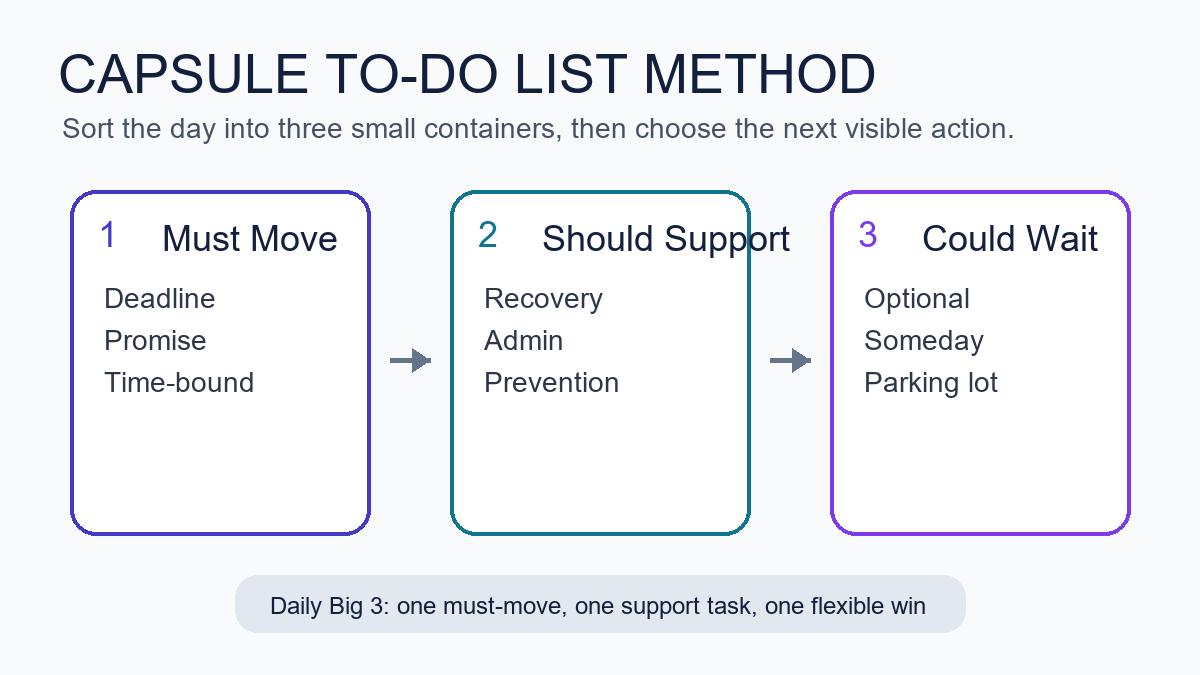
    If your task list feels like quicksand, the capsule to-do list method for overwhelmed professionals can give you a calm, flexible way to plan your day. It combines short lists, tight limits, and a clear Daily Big 3 so you can make steady progress without the noise. This guide shows you how to use the capsule to-do list method for overwhelmed professionals step by step, with a simple template, examples, and proven rules.

    Key takeaways for the capsule planning method

    • Limit your life to just three capsule categories (for example: Core Work, Support, Personal).
    • Choose a Daily Big 3: the three most meaningful tasks you will protect today.
    • Sort everything else into time boxes, quick wins, or a parking lot. Keep it short.
    • Review once in the morning and once near day’s end. Adjust without guilt.
    • Use simple estimates and avoid filling more than 60–70% of your day with planned work.

    What is the capsule to-do list method for overwhelmed professionals?

    It is a light framework that shrinks your task universe into three stable categories, then highlights a Daily Big 3 you will actually finish. Think of it like a minimalist wardrobe for your work: fewer decisions, better fit. You get a compact list that stays readable on one screen or one notebook page, with clear rules for what goes where.

    Why this β€œcapsule” approach works

    Decision fatigue increases as choices pile up, which erodes the quality of your decisions later in the day. Research and commentary from the American Psychological Association discuss the costs of constant choices and switching attention (APA: Multitaskingβ€”Switching Costs). Also, cognitive load builds when information is hard to organize, which raises error rates and slows you down (Nielsen Norman Group: Cognitive Load). Short, consistent categories reduce that load. Finally, unfinished work keeps tugging at your mind (the Zeigarnik effect), so small, closed lists help you feel done more often (Britannica: Zeigarnik Effect).

    Quick-start template for the capsule task list for busy professionals

    Below is a one-page layout you can drop into a notes app or notebook. Keep it visible all day, and reset it each morning.

    Section Purpose How to Use
    Capsule Categories (3 only) Stable buckets for your work and life Define once. Examples: Core Work, Support, Personal. Do not add a fourth.
    Daily Big 3 Protected, meaningful tasks for today Choose 3 max. One per capsule is a good default.
    Time-Boxed Tasks Work with planned duration blocks Plan 30–90 minute blocks. Leave 30–40% of day open.
    Quick Wins (≀2 min) Fast tasks to batch between blocks Do in a small burst. Never let this grow beyond 5–7 items.
    Parking Lot Later candidates, not for today Hold ideas safely. Review during your weekly reset.

    Set up your three categories in a three-category to-do list

    Choose categories that fit 80–90% of your recurring work. Keep them stable for at least a month. Most people do well with one β€œmaker” lane, one β€œsupport” lane, and one β€œlife” lane.

    Capsule Typical Tasks Examples Not Included
    Core Work Deep work that moves key outcomes Design sprint, analysis, writing, coding, client strategy Random Slack pings, admin chores
    Support Coordination and upkeep 1:1s, inbox triage, reporting, handoffs, approvals Long projects that need focus
    Personal Health, home, and learning Workout, meal prep, reading, finance review Work tasks that can live in Core or Support

    Because your categories are stable, your brain burns fewer cycles every morning. Instead of asking β€œWhere should this go?” you can move straight to how and when you will do it. That is the core strength of the capsule to-do list method for overwhelmed professionals.

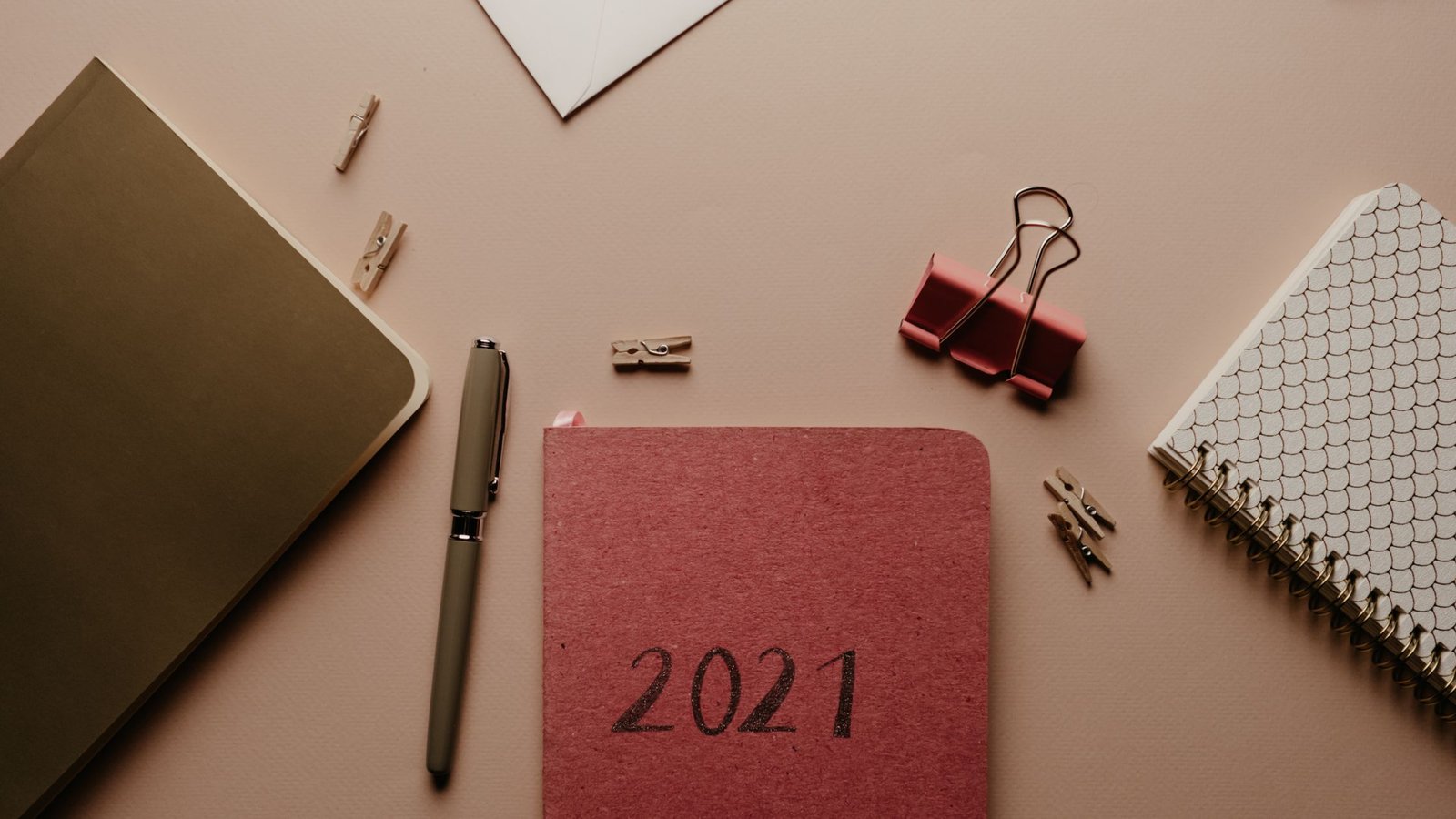
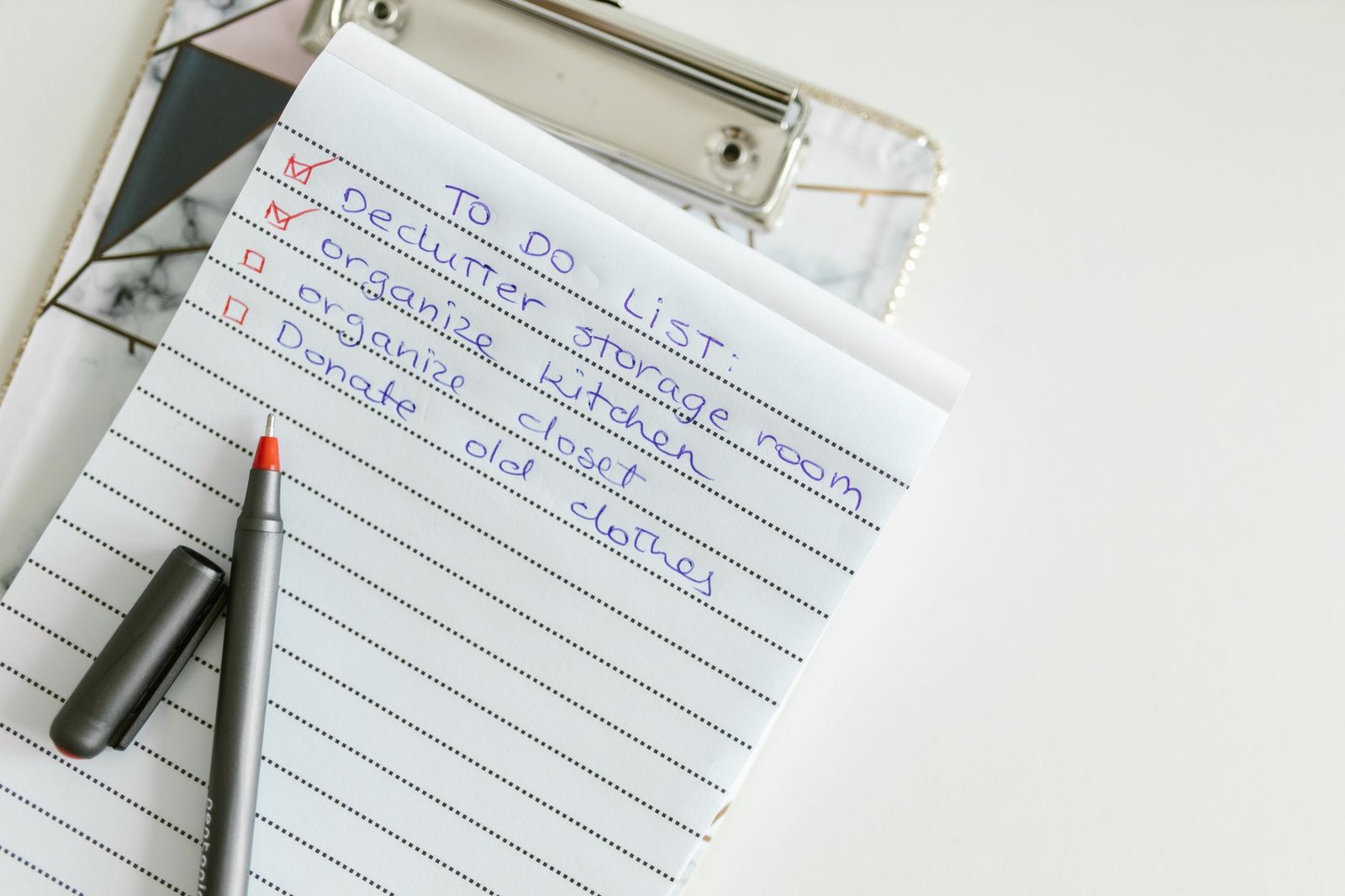
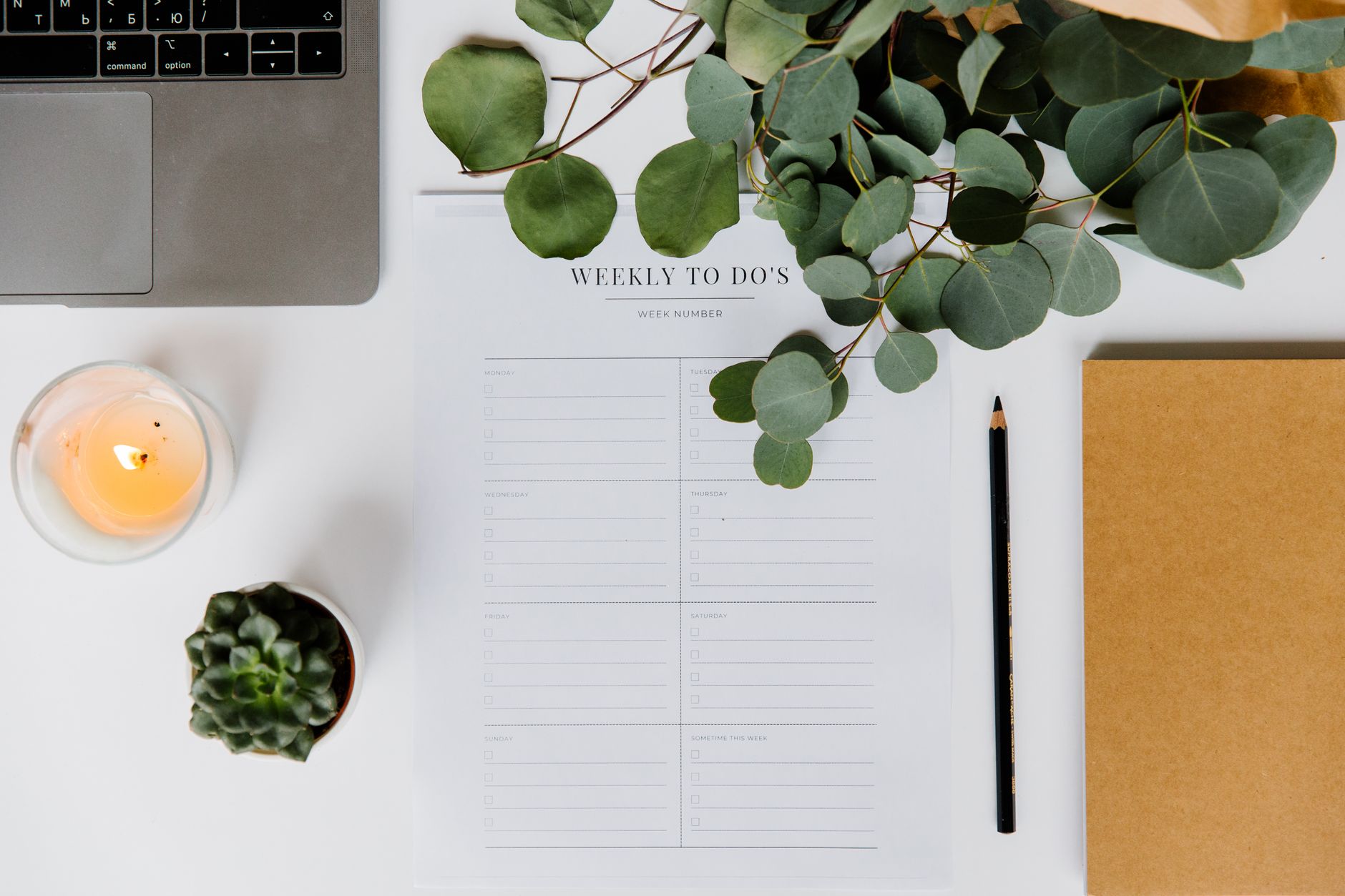
    Workspace with notes showing the capsule to-do list method for overwhelmed professionals
    Keep your list small and visible. Photo: PNW Production via Pexels. Source: Pexels.

    Choose your Daily Big 3 in the capsule planning method

    The Daily Big 3 anchors your day. Pick three tasks that change outcomes, not just activity. One task per capsule category is a simple default. Also, choose a mix that you can defend when interruptions arrive.

    • Impact first: Will finishing this move a key metric or deliverable?
    • Clarity next: Can you state the finish line in one short sentence?
    • Time last: Will this fit into today’s 60–70% planned time?
    Example Role Daily Big 3 Why These?
    Marketing Manager 1) Draft Q3 campaign brief; 2) Finalize webinar outline; 3) 45-min pipeline review Two maker items, one support review. Clear finish lines.
    Software Engineer 1) Implement auth hook; 2) Write 6 tests for signup; 3) Pair review 1 PR Two code tasks, one collaboration task. Small, shippable chunks.
    Founder 1) Investor update; 2) Hiring scorecard rev 1; 3) 60-min sales calls (2) One narrative, one system, one sales block. Business leverage.
    Teacher 1) Grade period 2 essays (8); 2) Plan Friday lab; 3) Parent email batch One batch, one plan, one support batch. Realistic time boxes.

    Sort tasks fast in a three-category to-do list

    Everything that does not make your Big 3 goes into a time box, a two-minute quick win, or the parking lot. The rules below keep your list from bloating.

    If the task is… Then… Notes
    ≀ 2 minutes Do now or batch 5–7 at a break Keep quick wins small to avoid drift
    15–90 minutes Time-box it on your calendar Prefer 30–60 min for focus
    Big or vague Split into 30–90 minute slices Write a clear β€œdone when…”
    Not needed today Send to parking lot Revisit weekly; no guilt

    Why the capsule to-do list method for overwhelmed professionals works

    Interruptions and task switching carry a cognitive tax that reduces accuracy and speed. The American Psychological Association summarizes how switching tasks hurts performance (APA: Multitaskingβ€”Switching Costs). In addition, UX research groups show that high cognitive load raises error rates and slows problem solving (Nielsen Norman Group). Also, unfinished tasks tug at your attention, which keeps the stress loop going (Britannica). The capsule method breaks this loop by giving you a small, finished list every day.

    Finally, the planning fallacy nudges us to underestimate work. A brief time-box and estimate makes the gap visible before you overbook. See the APA Dictionary entry on the planning fallacy for background.

    Turn your capsule task list into time you can defend

    A plan is only useful if you can keep it safe. Protecting your Daily Big 3 does not mean saying no to everything. It means saying β€œnot now” with context.

    • Block your Big 3 on your calendar first. Treat them like meetings with yourself.
    • Leave white space: 30–40% of your day open for support tasks and surprises.
    • Batch the small stuff: two 20–30 minute windows for quick wins and replies.
    • Put one recovery buffer after your longest deep-work block.

    Simple estimation that is good enough

    Use a tiny scale so you can judge the day fast.

    Size Time Box Use For
    S 15–30 min Replies, micro-edits, small queries
    M 30–45 min Draft a section, fix a bug, outline a lesson
    L 60–90 min Write, code, design, analysis, grading batch

    If more than four L blocks show up in one day, cut or split something. Therefore, you keep energy and accuracy up while making visible progress.

    Grab-and-go capsule planning template (copy/paste)

    Date: ________   Theme (optional): __________
    
    Capsules (3 only)
    1) Core Work: _________________________________
    2) Support: ___________________________________
    3) Personal: __________________________________
    
    Daily Big 3 (finish these)
    1) ____________________________________________
    2) ____________________________________________
    3) ____________________________________________
    
    Time-Boxed Tasks
    - [ ] Task: ____________  Size: S/M/L  Block: ____
    - [ ] Task: ____________  Size: S/M/L  Block: ____
    
    Quick Wins (≀2 min, max 7)
    - [ ] __________________
    - [ ] __________________
    
    Parking Lot (not for today)
    - [ ] __________________
    - [ ] __________________
    
    End of Day Review
    - [ ] Big 3 done?
    - [ ] Move or drop?
    - [ ] Note one lesson.
    

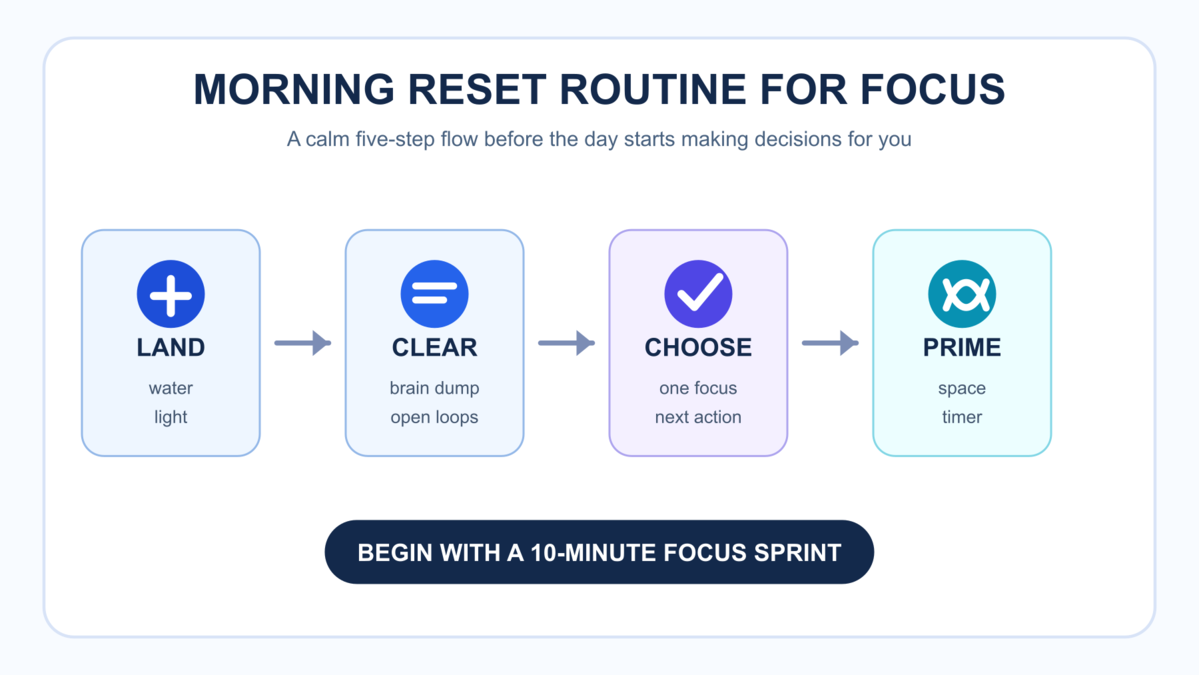
    Visual map of the capsule planning method workflow

    Examples across roles using the capsule task list for busy professionals

    Use these prompts to see how a small page can hold a full day without bloat.

    Example: Product designer

    • Capsules: Core Work (flows), Support (reviews), Personal (health)
    • Daily Big 3: (1) Redesign onboarding step 2 (L); (2) Review 2 PRDs (M); (3) 30‑min run (M)
    • Time-Boxed: (a) User test note pass (M); (b) Research sync (S); (c) Component cleanup (M)
    • Quick Wins: Send 2 stakeholder updates; archive old files
    • Parking Lot: Explore animation for empty state

    Example: Operations lead

    • Capsules: Core Work (process), Support (people), Personal (admin)
    • Daily Big 3: (1) Draft Q4 capacity plan (L); (2) Vendor RFP shortlist (M); (3) Payroll check (S)
    • Time-Boxed: Standup (S); Risk log update (S); Team 1:1s (M/M)
    • Quick Wins: Ship 3 confirmation emails
    • Parking Lot: Warehouse layout change ideas

    Example: Freelancer

    • Capsules: Core Work (client), Support (pipeline), Personal (learning)
    • Daily Big 3: (1) Client A homepage draft (L); (2) Send 2 proposals (M); (3) 45‑min course lesson (M)
    • Time-Boxed: Invoices (S); Proof one article (M)
    • Quick Wins: 4 follow-ups; file receipts
    • Parking Lot: Blog topic brainstorm

    Fit meetings and messages into your three-category to-do list

    Meetings and messages often live in Support. However, not every meeting is support. A design review that produces a decision for a core deliverable can live in Core Work. Meanwhile, a one-off status chat may live in Support. Put work where it changes outcomes, not where it merely happens.

    Defend your Big 3 without burning bridges

    • Use time boxing as your first β€œno.” Point to your schedule and offer the first open block.
    • Offer a lighter alternative. For example, β€œSend me the top 3 questions by noon.”
    • Ask for an exchange. β€œHappy to take that today. Which current item should we delay?”

    Morning setup for the capsule planning method in 10 minutes

    1. Glance at your three capsules. Add any new tasks quickly.
    2. Pick your Daily Big 3. State each finish line (β€œDone when…”).
    3. Time-box 30–90 minute blocks for Big 3 and two support windows.
    4. Place one buffer. As a result, you absorb surprises without breaking.
    5. Confirm that only 60–70% of your day is planned. Drop or split if too full.

    Evening review for the capsule task list for busy professionals

    1. Mark what you finished. Celebrate small wins.
    2. Move or drop anything left. Because dropping is a choice, do it deliberately.
    3. Write one lesson: β€œI started late because… Next time I will…”
    4. Stage one seed for tomorrow’s Big 3 so your morning is fast.
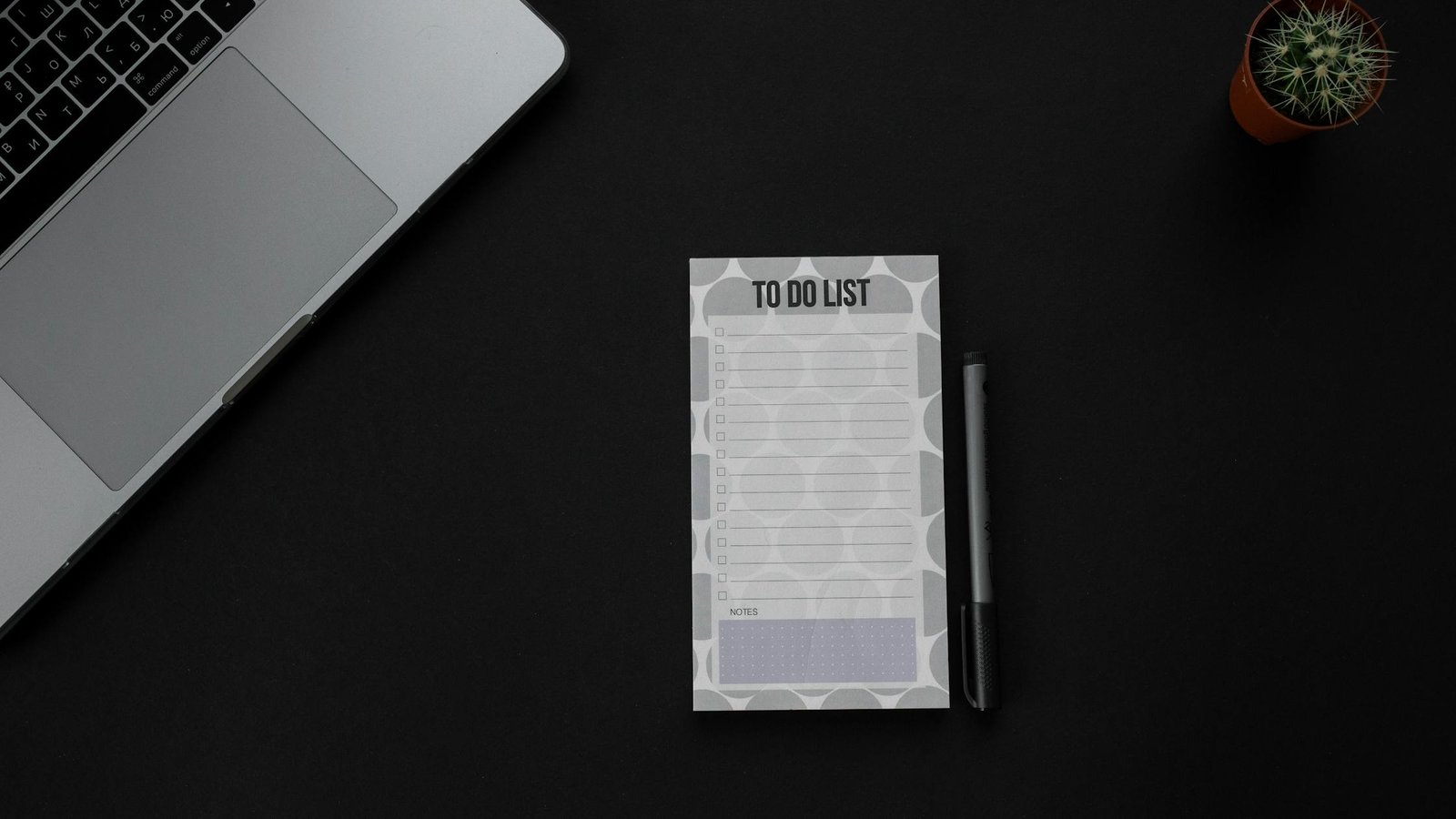
    To-do list and notebook beside a small plant on a desk
    Keep it one page. Limit choices. Source: RDNE Stock project via Pexels.

    Pitfalls to avoid in the capsule planning method

    Most failures come from too many categories, Big 3 items that are too vague, or overbooking. Use this list to steer around the common traps.

    Pitfall Why It Hurts Fix
    Adding a 4th or 5th capsule More choices, more switching Merge into your existing 3. The capsule to-do list method for overwhelmed professionals depends on strict limits.
    Big 3 items that are projects, not tasks No clear finish line; hard to start Split into 30–90 minute slices. Write β€œDone when…”
    Planning 90–100% of your day No slack; stress spikes with any surprise Cap at 60–70% planned time. Reserve buffers.
    Letting Quick Wins swell beyond 7 Churn and drift Batch or drop. Ask if a short email could close it now.
    Vague time boxes Calendar lies to you Give each block a verb and a concrete output.

    When to bend the three-category to-do list rules

    Occasionally, real life needs a fourth temporary capsule, such as β€œCrisis.” If so, pause one of the usual three and add the temporary one for a few days only. Also, if your Big 3 die three days in a row, stop and run a mini-retro: Were tasks too big? Did you have hidden dependencies? Did you plan during your worst energy window?

    How to use this advice

    This is a planning method, not medical advice. It will not remove every stressor. It will help you make better trade-offs. Start small: run the system for one week before you judge it. Then, adjust the names of your capsules and the size of your time boxes to fit your work and life.

    Weekly review and maintenance for the capsule planning method

    The weekly review keeps your three categories crisp and your Daily Big 3 choices easy. With a short reset, the capsule to-do list method for overwhelmed professionals stays light and sharp all week.

    1. Prune the parking lot. Group items by theme, delete stale ideas, and bubble up two candidates for next week.
    2. Refresh capsule examples. Under each category, list two current examples so you remember what β€œbelongs” there.
    3. Scan upcoming deadlines. Mark any must-ship items and pre-slice them into L or M blocks you can place early in the week.
    4. Do a capacity check. Estimate total L/M blocks available (work hours Γ— 0.6 or 0.7). If demand exceeds capacity, drop or delay now.
    5. Write a short intention. One line for the week’s theme helps you pick a clear Big 3 each day.

    Weekly Step Time Output Tip
    Parking Lot Prune 5–10 min 3–5 viable candidates Delete twice as much as you keep
    Capsule Refresh 5 min 2 example tasks per capsule Keep examples visible on your template
    Deadline Scan 5 min List of must-ship items Pre-slice large items into L/M blocks
    Capacity Math 3 min L/M block budget Plan only 60–70% of your hours
    Weekly Intention 2 min One-line theme Use it to break ties in your Big 3

    If your review reveals a patternβ€”such as Support ballooning every Wednesdayβ€”adjust your calendar once. For example, move your longest Core Work block to mornings on Mon/Tue/Thu and reserve a Support-heavy afternoon midweek.

    Integrations: calendar, email, and project tools with a three-category to-do list

    The method is tool-agnostic. Still, a few integrations make the day smoother without adding overhead. You can keep your capsule task list for busy professionals in a notes app and connect it to your calendar and project tools in simple ways.

    • Calendar: Create a color per capsule. Drop L/M blocks directly on your calendar. Name blocks with verbs and outputs (for example, β€œDraft brief v1”).
    • Email: Batch triage during Support windows. Star or label items that will become time-boxed tasks. If a thread takes over two minutes, convert it to a task and schedule it.
    • Project boards: Keep only active slices on your Today swimlane. Everything else lives in the parking lot or the main backlog.
    • Meetings: Add a one-line goal to each invite. During the meeting, list the smallest next step and decide the capsule category before you leave.
    • Notes and docs: Pin your daily template to the top of your notes. Link each Daily Big 3 item to its working document.
    Area Minimal Setup Failure Mode Fix
    Calendar 3 colors, 60–70% planned Overstuffed days Cut or move blocks weekly
    Email 2 daily triage windows All-day drip Turn off notifications outside windows
    Projects Today swimlane only Too many active cards Enforce a small WIP limit
    Meetings One-line goal Vague action items Decide capsule and next step before ending

    When you pair these light integrations with the capsule to-do list method for overwhelmed professionals, you reduce friction without creating a second job of β€œmanaging the system.” Keep it simple and review weekly.

    Metrics and signals: track progress with the capsule to-do list method for overwhelmed professionals

    What you measure shapes your behavior. Pick a few signals that keep you honest and motivated. The goal is not to hit 100% every day, but to see trends and adjust early. A short weekly glance at these numbers will tighten your feedback loop.

    Metric Target Why It Matters Action If Off-Track
    Daily Big 3 completion ~70–90% avg Shows if your priorities are realistic Make Big 3 smaller; schedule earlier
    Plan accuracy ≀ 1 task rolled over/day Signals overbooking or vague tasks Split tasks; add buffers
    Support time 20–40% of day Healthy maintenance vs. thrash Batch messages; tighten meetings
    Deep-work blocks protected 1–3/day Focus time is when outcomes move Block earlier; defend with context
    Quick wins count ≀ 7 Avoids drift into busywork Batch or delete ruthlessly

    If you see two weeks of low Big 3 completion, revisit estimation and dependencies. Because the capsule to-do list method for overwhelmed professionals prizes clarity over volume, shrinking tasks is a winning move, not a failure. Likewise, if Support time is spiking, create one β€œoffice hours” block and direct requests there.

    FAQ

    Who should use the capsule to-do list method for overwhelmed professionals?

    Use it if you juggle deep work and support work daily. It is especially helpful for managers, makers who attend many meetings, solo founders, teachers, and freelancers. The small list and Daily Big 3 reduce switching and decision fatigue.

    How do I review with the capsule to-do list method for overwhelmed professionals?

    Do two short reviews. In the morning, pick the Daily Big 3 and time-box. In the evening, mark done, move or drop leftovers, and write one lesson. Weekly, prune your parking lot and refresh capsule examples.

    Can teams adopt this method together?

    Yes. Teams can name shared capsules (for example, Build, Support, Growth), align on a Daily Big 3 per person, and agree to protect deep-work blocks. Also, use one standup to align time boxes for the day.

    What if my day explodes with emergencies?

    Switch to a crisis capsule for the day. Move unfinished Big 3 to tomorrow’s plan or split them. Then, in your evening review, choose one system fix that would prevent a similar blowup.

    Do I need a special app?

    No. Any notes app or paper works. However, a calendar for time boxing helps. Keep your template one swipe or one page away so you can review it at a glance.

    Further reading and sources

    Next steps

    Want a deeper system for calm focus? Explore our reading hub for productivity frameworks that pair well with capsules. Also, see templates you can print and use this week. To start, try the capsule to-do list method for overwhelmed professionals for five workdays and measure your Big 3 completion rate.


    Editorial note: We keep this guide practical and update references when core research changes. Last reviewed for clarity and sources: .

  • A Microbreak Routine to Cut Screen Fatigue Without Losing Flow

    A Microbreak Routine to Cut Screen Fatigue Without Losing Flow

    If screens tire your eyes and stiffen your back, a microbreak routine for screen fatigue relief can help you reset without losing flow. This guide gives you evidence-backed intervals, a 60-second posture reset, a 20-20-20 eye relief script, and easy browser reminders. You will also get a one-page routine card you can print or pin next to your monitor.

    Key takeaways for your screen break routine

    • Use the 20-20-20 eye rule every 20 minutes for 20 seconds to reduce strain and dryness.
    • Add a 60–90 second posture reset every 30–40 minutes to ease neck, shoulder, and back tension.
    • Stand and walk for 3–5 minutes every 90–120 minutes to refresh blood flow and alertness.
    • Set friction-free browser or OS reminders so breaks happen even on busy days.
    • Keep breaks brief and consistent so you maintain focus and protect your energy.

    What is a microbreak routine for screen fatigue relief?

    A microbreak is a short, planned pause from the screen or static posture. It lasts seconds to a few minutes. The goal is to reset your visual focus, posture, and attention before discomfort builds. A microbreak routine for screen fatigue relief strings these tiny resets together across your day. It uses a simple rhythm and small actions. Because the breaks are short, you return to the task with less strain and steadier focus.

    Research supports short, regular breaks. Brief mental breaks can reset attention and improve performance on sustained tasks. Ergonomic guidance also encourages posture changes and micro-movements to reduce musculoskeletal load at computer workstations. Eye care groups recommend the 20-20-20 rule to ease digital eye strain. These streams of evidence point to a practical plan that fits real work.

    Why this screen break routine works

    Three pillars guide this routine: eyes, posture, and attention. When you manage all three, comfort rises and errors fall.

    • Eyes: The American Academy of Ophthalmology promotes the 20-20-20 rule. Every 20 minutes, look at something 20 feet away for 20 seconds. This reduces accommodative spasm and dryness from reduced blink rates.
    • Posture: OSHA’s computer workstation guidance emphasizes neutral posture and frequent posture change to reduce static load on the neck, shoulders, and lower back. Very short movement breaks can help unload tissues and restore comfort.
    • Attention: Brief and rare breaks in sustained attention tasks can prevent performance drops over time. Even a few seconds to switch focus can help your brain reset.

    Put together, these points favor a microbreak routine for screen fatigue relief that is easy to remember and hard to skip.

    In addition, short resets help with β€œdecision fatigue.” After many small choices, your next choice can slow down. A 20-second distant gaze or a one-minute posture reset offers a micro-reset that restores mental clarity without pulling you into a new task. As a result, you return with steadier attention for the next block of work.

    Sources for the above recommendations:

    How the screen break routine fits a real workday

    Here is a practical structure you can follow from your first email to your shutdown ritual. It is simple on purpose. Also, it scales with your workload.

    Work mode Every 20 min Every 30–40 min Every 90–120 min Notes
    Standard focus (most tasks) 20-20-20 eyes (20s) Posture reset (60–90s) Walk/move (3–5 min) Use this by default for steady output.
    Deep work (high focus) Soft blink + distant gaze (10–20s) Micro-move at 40–50 min Walk/move at 100–120 min Keep breaks predictable to protect flow.
    Meeting-heavy (video calls) Look away during slide changes (10–20s) Neck and shoulder roll between meetings (60s) Stand between back-to-backs (3 min) Use chat breaks to reset posture and eyes.

    Because the actions are short, you can place them at natural seams in the task. For example, run the eye break as you wait for a file to save. Then stand and do the posture reset after you send a draft. Over time, you will see more of these β€œmicro-openings,” such as compile times, page loads, or meeting handoffs.

    Your first week with eye and posture microbreaks

    Start with one rhythm and keep it for five days. This makes tracking and tuning easier.

    1. Pick the Standard focus track from the table above.
    2. Install two reminders: a 20-minute eye cue and a 40-minute posture cue.
    3. Write the eye script on a sticky note until it feels automatic.
    4. Print the routine card below. Keep it next to your keyboard.
    5. At the end of each day, rate eye strain and neck/back comfort from 1–5. Adjust one thing for the next day.

    After a week, you will know which interval needs more support. Then you can swap the 40-minute posture reset to 35 or 45 as needed. If you already feel great, stay the course for another week to lock in the habit.

    How often should you run eye and posture microbreaks?

    Short answer: more often than you think, but for less time. The 20-20-20 rule is a quick and reliable visual reset. A 60–90 second posture break every 30–40 minutes reduces static load. A longer 3–5 minute movement window every 90–120 minutes restores blood flow. This cadence keeps the benefits high and the costs low. It also keeps your microbreak routine for screen fatigue relief easy to remember.

    Posture reset for your screen break routine

    Follow this simple sequence. You can do it seated or standing. Move within a comfortable, pain-free range. If anything hurts, skip it.

    1. Un-hunch and lengthen: Sit tall or stand with feet hip-width. Imagine a string lifting the crown of your head.
    2. Shoulder rolls: 5 slow circles back, then 5 forward. Breathe out as your shoulders drop.
    3. Neck mobility: Look left-right 3 times. Nod yes 3 times. Tilt ear to shoulder 2 times each side.
    4. Open the chest: Interlace fingers behind your back or place hands on the desk edge. Gently draw shoulder blades together for 10 seconds. Release.
    5. Hip and hamstring wake-up: While standing, hinge at hips and reach toward the floor or thighs. Hold a gentle stretch for 10 seconds. Rise slowly.

    That is it. You have unloaded big muscle groups, expanded your breathing, and re-centered your posture. This pairs well with a microbreak routine for screen fatigue relief because it is fast and repeatable.

    20-20-20 eye relief script (say it out loud)

    Try this short script. Saying it helps you follow through.

    β€œEyes up. Find a far point. Breathe in. Blink soft and slow. Twenty seconds. Return.”

    Tips to make it work:

    • Pick a landmark at least 20 feet away. A tree out a window or a wall corner in a big room works.
    • Close your eyes for one breath if they feel dry. Add two slow blinks.
    • As a result, your ciliary muscles relax and tear film can recover.

    Use the script within your microbreak routine for screen fatigue relief so your eyes reset before strain builds.

    Micro-moves for eye and posture microbreaks

    • Calf pumps: Rise onto toes for 10 slow reps. Then rock back on heels 10 reps.
    • Wall or desk push-ups: 10–15 slow reps while keeping shoulders down.
    • Figure-4 hip stretch: Cross ankle over opposite knee. Sit tall and hinge forward for 10–20 seconds each side.
    • Forearm and wrist stretch: Extend one arm. Gently pull fingers back and then flex for 10 seconds each side.
    • Seated march: Sit tall and lift one knee, then the other, for 30–45 seconds.

    These moves are brief. They help you reset blood flow and tissue load so you can return to work ready to focus. If you wear business clothes or work in a shared office, choose discreet options like calf pumps and wrist stretches.

    Worker using a microbreak routine for screen fatigue relief: looking away from laptop and relaxing shoulders.
    Use natural seams in your task to look away, blink, and reset your posture. Photo by Anna Tarazevich via Pexels.

    Description and provenance: Realistic stock photo licensed via Pexels. Photographer: Anna Tarazevich. Source: Pexels image 6173668.

    Tools to cue your screen break routine without derailing flow

    Reminders should be quick to set, hard to miss, and easy to dismiss. Here are three simple routes.

    Option Best for How it cues you Setup speed
    Browser alarms Chromebook, web-first users Tab chime + badge Fast
    OS notifications Windows/macOS power users Native toast/banners Fast
    Calendar pings People who live in calendars Popup at set intervals Moderate

    Add browser reminders for eye and posture microbreaks

    1. In Chrome or Edge, open a new tab. Search β€œonline interval timer 20 minutes.” Pick a simple one that runs in a pinned tab.
    2. Pin the tab. Right-click the tab, choose Pin. Also, set the timer to loop with a soft sound.
    3. Open a second timer for 40 minutes and pin it too. Name tabs β€œEyes 20” and β€œPosture 40.”

    Set OS-level reminders for your screen break routine

    • Windows: Open Clock > Timer. Create 20m and 40m timers. Toggle sound to low. Pin Clock to the taskbar.
    • macOS: Open Reminders. Make a list β€œMicrobreaks.” Add recurring reminders: Every 20m β€œEyes,” Every 40m β€œPosture.” Turn on notifications.
    • Linux: Use your desktop’s clock or a light-weight notifier like a cron job that runs a local notification command.

    Use calendar pings for your digital eye strain microbreak plan

    1. Create a calendar named β€œBreaks.”
    2. Add a repeating event from 9:00–5:00 with 20-minute notifications (some apps allow repeated reminders on one event; if not, create two: one for 20m, one for 40m).
    3. Color it light gray so it stays in the background.

    Whichever method you choose, keep the cue gentle. The goal is a microbreak routine for screen fatigue relief that runs in the background, not a loud interruption.

    Does this screen break routine protect deep work?

    Yes, if you keep actions brief and predictable. The brain handles planned, low-friction switches far better than surprise interruptions. A 10–20 second eye shift and a one-minute posture reset will not erase context. In fact, they reduce fatigue that can push you to task-switch. Therefore, keep the cadence steady. Also, stack the actions at natural seams like compile times, save dialogs, page loads, or meeting transitions.

    Eye and posture microbreaks when you cannot leave your desk

    Stay seated, and do a micro-version:

    • Eyes: Close them for one slow breath, then look far for 10 seconds.
    • Posture: Scoot to the chair edge. Sit tall. Do 5 shoulder rolls and 3 neck nods.
    • Movement: Heel-toe pumps and seated marches for 30 seconds.

    This still counts. Also, the consistency keeps your microbreak routine for screen fatigue relief on track.

    Quick fixes inside a screen break routine

    Symptom Likely driver Quick microbreak fix
    Dry, burning eyes Reduced blink rate 20-20-20 script + two soft blinks
    Neck ache Forward head posture Sit tall, chin tuck, shoulder rolls (60s)
    Upper back tightness Rounded posture Chest openers + standing hinge (60–90s)
    Foggy focus Sustained attention fatigue Look far, 3 deep breaths, short walk (2–3 min)

    Build your cadence for eye and posture microbreaks

    Not everyone needs the same interval. Your work type, display setup, and sleep quality all matter. Use this three-step loop to dial it in:

    1. Start Standard cadence: 20-20-20 every 20 minutes; posture reset every 40 minutes; 3–5 minute walk every 100–120 minutes.
    2. Track comfort and focus once per day. A 1–5 scale is enough.
    3. Adjust only one lever each week. For example, move posture to 35 minutes if neck ache persists, or extend the long break from 100 to 90 minutes if you feel foggy.

    As a result, your microbreak routine for screen fatigue relief will match your body and schedule.

    One-page card for your screen break routine

    Copy, print, or pin this mini card. Keep it in view. Read it once each morning as part of your startup ritual.

    Microbreak Routine β€” Keep Flow, Cut Fatigue

    • Every 20 min: 20-20-20 eyes β€” Look 20 ft away for 20s. Blink softly.
    • Every 35–40 min: Posture reset β€” Sit/stand tall. Shoulder rolls x5. Neck moves x3. Open chest 10s. Hinge 10s.
    • Every 100–120 min: Walk/move 3–5 min β€” breathe, swing arms, reset stance.
    • Script: β€œEyes up, find far point, slow blinks, twenty seconds, return.”
    • Notes: Keep cues gentle. Stack at natural seams. Log comfort 1–5 at day end.

    Make it yours: adjust one lever per week.

    Place this card where you will see it. The visible reminder keeps your microbreak routine for screen fatigue relief on autopilot.

    Visual guide: eye and posture microbreaks loop


    A simple loop showing a focus block leading to brief eye, posture, and movement breaks before returning to focus.

    Focus
    (20–40m)

    Eyes
    20s

    Posture
    60–90s

    Move
    3–5m

    Repeat

    Keep your loop short: Eyes (20s), Posture (60–90s), Move (3–5m), and return to focus.

    Desk setup to support your screen break routine

    Ergonomics will not replace breaks, but it can reduce the strain that forces them. Use these quick checks:

    • Screen height: Top line of text at or just below eye level.
    • Distance: About an arm’s length from your eyes to the display.
    • Chair: Hips slightly above knees. Feet flat. Lumbar support snug.
    • Keyboard and mouse: Elbows near 90Β°. Shoulders relaxed, not hiked.
    • Lighting: Reduce glare. Increase ambient light if your screen is the brightest thing in the room.

    Good setup plus a microbreak routine for screen fatigue relief keeps effort low and gain high.

    Make the habit stick: cues, routine, and reward

    Habits grow when the loop is clear. First, pick a cue you will always notice, like a soft chime or a calendar badge. Next, run the tiny routine: a 20-second gaze or a 60–90 second posture reset. Finally, add a small reward. For example, sip water, check a box on a paper tracker, or tap a streak app. That quick win teaches your brain to repeat the action.

    Here is a simple formula you can use: β€œAfter I hit Save, I look far for 20 seconds.” Or, β€œAfter I send a message, I do shoulder rolls for 60 seconds.” By pairing a fixed work event to each action, you do not have to rely on willpower.

    If you manage a team, consider setting shared norms. For instance, add a 20-second blink-and-breathe pause at the top of long meetings. This models healthy focus without adding meeting time.

    Troubleshoot reminders without losing momentum

    If reminders feel annoying, lower the volume or switch to a silent banner. You can also bundle cues into fewer pop-ups: one calendar event set to alert at 20 and 40 minutes. If you are heads-down, let a single cycle pass and catch up on the next cue. The goal is consistency across the day, not perfection on every tick.

    Prefer tactile prompts? Keep a small stress ball on your desk. When you notice it under your palm, that is your trigger to look far and do two deep breaths. On mobile, use a focus-mode schedule that silences most apps but allows break notifications.

    Accessibility and customization notes

    Contact lenses can dry out during screen work. If you use lenses, the 20-20-20 gaze and soft blinks often help. You can also close your eyes for one relaxed breath. Migraine-prone readers may benefit from warmer display color and reduced brightness, especially in the evening. If you have limited mobility, choose upper-body moves like shoulder rolls, neck mobility, and wrist stretches. Always move within a comfortable, pain-free range. If you have medical questions, consult a qualified clinician for personalized guidance.

    How to use this advice safely

    This guide is educational. It does not diagnose, treat, or prevent disease. If you have pain, vision changes, or other health concerns, talk with a qualified clinician. Move within a comfortable, pain-free range. Stop any action that causes pain, dizziness, or numbness.

    FAQ: digital eye strain microbreak plan

    Will breaks make me lose my place?

    Short, predictable microbreaks help you keep context. You are not switching tasks. You are giving your body and eyes a quick reset so you can stay with the task longer.

    Is the 20-20-20 rule enough by itself?

    No. It helps the eyes, but posture and movement matter too. Pair the eye script with a 60–90 second posture reset every 30–40 minutes for best results.

    What if my job is meeting-heavy?

    Use slide transitions and pauses to look away and blink. Between meetings, stand and do a 60-second reset. Even 30 seconds helps if you are short on time.

    Can I batch breaks into one longer break?

    Long breaks have value, but batching removes the micro-doses that prevent buildup. Keep the microbreak routine for screen fatigue relief, and still enjoy a real lunch and an afternoon walk.

    How do I make this stick?

    Automate reminders, keep actions tiny, and track comfort once a day. Celebrate streaks, not seconds. Over time, you will do the steps by habit.

    Research and further reading

    More ways to support focus between eye and posture microbreaks

    Build a daily system that protects deep work and your well-being. Explore the Mind Clarity Hub books library for frameworks you can use this month, check our reviews hub for tools that support posture, lighting, and healthy breaks, and try a daily focus warmup to prime your brain before you open your inbox.

    At-home desk worker practicing a one-minute posture reset between tasks as part of a microbreak routine.
    A 60–90 second reset helps your neck and shoulders recover while your mind stays on task. Photo by Kaboompics via Pexels.

    Description and provenance: Realistic stock photo licensed via Pexels. Photographer: Kaboompics. Source: Pexels image 5908779.

    Put your screen break routine together today

    Start with two timers and the eye script. Keep the actions tiny and repeatable. Because the routine is simple, you will actually use it. Your body will thank you, and your work will benefit from steadier focus. Most of all, your microbreak routine for screen fatigue relief will become automatic within two weeks.

  • Best Focus Recovery Routine For Knowledge Workers

    Best Focus Recovery Routine For Knowledge Workers

    If you handle complex work on a screen, the best focus recovery routine for knowledge workers can help you regain momentum without burning out. This guide gives you a clear framework, short resets you can run today, and evidence-backed habits that protect your attention over time. You will also find decision trees, checklists, and a few tools to make recovery fast and repeatable.

    Key takeaways and quick start

    • Use the best focus recovery routine for knowledge workers daily and adjust weekly.
    • Run the 5–15–30 reset rule: 5 minutes for a micro-stall, 15 minutes for mental fog, 30 minutes for full reboot.
    • Protect one deep-work block each morning; triage, then re-enter work with a single-task commitment.
    • Move, breathe, hydrate, and rest your eyes: short body resets restore cognitive control.
    • End the day with a 7-minute shutdown to lower mental load and improve recovery while you sleep.

    What is the best focus recovery routine for knowledge workers?

    The best focus recovery routine for knowledge workers is a simple, testable playbook that you run whenever your attention slips. It has three parts you can remember under pressure:

    • Recognize the stall: name the state (frazzled, foggy, frozen) and what triggered it.
    • Reset your body and inputs: brief movement, breathing, light change, hydration, and a screen reset.
    • Re-enter with one small, certain step: a 3–10 minute starter task that reboots momentum.

    How to use this advice well

    This routine is educational and practical. It does not diagnose or treat any condition. If you suspect a medical issue (for example, sleep disorders, anxiety, or ADHD), talk with a qualified clinician. Use this guide as a daily operating system for your attention at work.

    Why short resets actually work

    Brief breaks prevent vigilance fatigue. Research from the University of Illinois shows that short diversions can restore attention on sustained tasks by resetting how the brain monitors stimuli over time (University of Illinois).

    Also, light physical activity is linked with better cognition and executive function, which supports faster re-entry after a stall (CDC on physical activity and brain health).

    Meanwhile, your eyes need recovery, too. The American Optometric Association notes that following the 20-20-20 rule (every 20 minutes, look at something 20 feet away for 20 seconds) helps reduce digital eye strain that can sap attention (AOA: Computer Vision Syndrome).

    5–15–30: The timed reset protocol

    Start with the smallest intervention that works. If it fails, step up.

    5-minute micro-reset (for light distraction)

    • Stand, roll shoulders, and do 10 slow breaths (4–6 second exhales).
    • Hydrate and do a 20–20–20 eye break.
    • Mute notifications for 25 minutes. Park every open window into one tab group.
    • Set a 10-minute timer and do the first ugly draft or outline only.

    This 5-minute reset is part of the best focus recovery routine for knowledge workers. Because it is brief, you can run it many times each day without losing momentum.

    15-minute reboot (for mental fog or context overload)

    • Five minutes of brisk walking or light mobility.
    • Two minutes of box breathing (4–4–4–4 count).
    • Five minutes to clear your desk and write a one-sentence outcome for the next block.
    • Three minutes to set up a single-task workspace: one tab, one app, one note.

    30-minute deep reset (for full drain or repeated stalls)

    • Move outside if possible. Walk without earbuds or calls.
    • Grab a protein-rich snack and water. Avoid a second large coffee late in the day.
    • Write a short plan: the next three tasks and the first tiny step for each.
    • Re-enter with a 25-minute deep-work timer, then take a 5-minute break.

    Which reset should you choose right now?

    Match your state to the smallest reset that will help. Use this quick map.

    Your current state Pick this reset First action
    Distracted by pings 5-minute Mute, breathe 10x, 10-minute starter
    Mental fog, slow recall 15-minute Walk 5 minutes, box-breathe, clear desk
    Stalled twice in a row 30-minute Outside walk and plan the next three tasks
    Eye strain or headache 5–15-minute 20–20–20 eye rest, dim screen, water
    Late-day slump 15–30-minute Movement, protein snack, plan shutdown

    Morning deep-work anchor

    Because mornings often hold your best cognitive energy, protect one 60–90 minute block for your highest-leverage work. Therefore, front-load one task that moves a goal, not just your inbox. Also, put communication at the bookends (first 10–15 minutes and last 10–15 minutes) if your role allows it.

    How do you test the best focus recovery routine for knowledge workers?

    • Pick one metric for the week: number of 25-minute deep blocks or time to re-enter after a stall.
    • Run the same reset recipe for four days before you change it.
    • Review on Friday: What worked, what dragged, what to keep.
    Planning the best focus recovery routine for knowledge workers during a coffee break.
    Coffee break between deep-work blocks. Photo by Alena Darmel via Pexels.

    Midday recovery block

    Use a 20–30 minute block as part of the best focus recovery routine for knowledge workers when your energy dips after lunch. Instead of a second heavy coffee, try this:

    • 10 minutes of outside light and a short walk.
    • 5 minutes of stretching the hip flexors, neck, and thoracic spine.
    • 2–3 minutes of nasal breathing with long exhales.
    • 5–10 minutes of silent planning: write tomorrow’s top one task if needed.

    As a result, you will often return calmer and more certain about your next step.

    End-of-day shutdown ritual

    Your shutdown ritual anchors the best focus recovery routine for knowledge workers. Keep it under 7 minutes so you actually do it.

    • Scan calendar and tasks for tomorrow. Decide your top one task.
    • Capture any open loops on paper. Put each on a later list or a calendar slot.
    • Close all tabs and windows. Leave only the one file you will start tomorrow.
    • Place a sticky note on your keyboard with your starting action.

    Because you clear mental residue, your sleep and next-morning focus improve (HBR: Manage Your Energy, Not Your Time; see the concept of recovery and ultradian cycles).

    Weekly review and refuel

    A weekly review locks in the best focus recovery routine for knowledge workers. Keep it light but honest.

    Review prompt What to note
    What threw my focus? Time of day, app, person, type of task
    Which reset worked fastest? 5 / 15 / 30 minutes and why
    What will I test next week? One habit: earlier start, strict tab rule, outside light
    What will I remove? One meeting, one alert, one low-value task

    What should you do in the first 90 seconds of any reset?

    Start with the body. It is the shortest route to calmer cognition.

    • Posture: Stand tall or sit upright; expand your chest.
    • Breath: Ten slow breaths (inhale through the nose, long exhale).
    • Eyes: Look at distant objects for 60 seconds; blink gently.
    • Water: Drink a glass.

    Because your nervous system governs attention, these actions create conditions where focus can return.

    How long should a recovery cycle take?

    Most stalls resolve with a 5- or 15-minute reset. If you stall twice in a row, go to a 30-minute deep reset and protect a 25-minute single-task sprint afterward. Meanwhile, schedule at least one 60–90 minute deep block daily to reduce the number of stalls you face.

    Is caffeine helping or hurting your resets?

    It depends on timing and dose. A small morning coffee can help alertness. However, caffeine late in the afternoon can harm sleep, which reduces tomorrow’s focus (CDC: Sleep and alertness). Therefore, pair a midday walk and water before you reach for more caffeine.

    How do you stop constant context switching?

    Create single-task β€œscenes.” For example, place one window in full screen, hide the dock, and keep only the single file needed. Also, move chat and email into two short windows per day if your role allows it. Finally, use a visible timer so you protect the boundary.

    For a practical walkthrough, see our step-by-step guide on reducing app and tab thrash: Stop context switching in 5 steps.

    Common focus leaks and quick fixes

    • Leak: Slack and email drive your day. Fix: Two communication windows + VIP alerts only.
    • Leak: You chase small wins. Fix: Morning deep block on one needle-moving task.
    • Leak: Visual clutter. Fix: Clear desk + one-screen rule for 25 minutes.
    • Leak: Eye strain. Fix: 20–20–20 rule and softer, warmer light in late afternoon.
    Man enjoying quiet reading time at home with coffee and pastry while planning a calmer workday.
    Low-stimulus breaks restore mental energy. Photo by Polina Tankilevitch via Pexels.

    Reset recipes by time and trigger

    Time you have Trigger Recipe
    3–5 min Ping storm Silence alerts, 10 breaths, eye rest, 10-min starter
    10–15 min Mental fog Walk 5, box breathe 2, desk clear 5, write one-sentence goal
    25–30 min Stalled twice Outside walk, water + protein, write next 3, 25-min focus
    60–90 min Strategic work Deep block: one task, one app, timer, visible do-not-disturb

    Checklist: Your single-task workspace

    • One app or one browser tab only; hide everything else.
    • Phone out of reach and face down (or in another room).
    • Physical note with the next tiny step in view.
    • Timer started, end time visible.
    • Water within reach; light adjusted.

    Light, posture, and ergonomics for faster resets

    Small physical tweaks reduce friction and speed re-entry. First, set your body up for calm control. Then, shape light and sound so your brain has fewer pulls.

    • Chair height: hips slightly above knees; feet flat or on a footrest.
    • Monitor top at or just below eye level; screen about an arm’s length away.
    • Keyboard near elbow height; wrists neutral; shoulders relaxed.
    • Light from the side, not behind your screen; reduce glare and harsh contrast.
    • Use warmer light late in the day; dim brightness to match the room.
    • Place a distant visual target in view to support quick eye breaks.
    • Stand for short stints: 5–10 minutes each hour if it feels good.
    • Lower noise with over-ear headphones or soft room treatments.

    Because these changes are simple, you can test them today and keep only what helps.

    App and device settings that help re-entry

    Next, tune your tools so resets stick. You do not need a new app. Instead, make the defaults calmer.

    • Use built-in Focus or Do Not Disturb modes on your phone and computer.
    • Schedule notification summaries and allow VIP exceptions only.
    • Batch email fetch to every 30–60 minutes instead of push.
    • Pin a timer app; keep it visible during deep blocks.
    • Create a β€œone-task” desktop: full-screen app + dock hidden.
    • Save tab groups by project; close everything else in one click.
    • Set Slack/Teams status to β€œHeads down until :30” with auto-clear.
    • Use keyboard shortcuts to open today’s file and start a 25-minute timer.
    • Turn off badges (red dots) on non-critical apps.
    • Make a two-click offline mode for writing and analysis apps.

    As a result, you spend less willpower suppressing pings and more on the work.

    Meeting and team norms that protect focus

    Focus is social. Clear norms make your routine easier. Here are scripts you can try.

    • Calendar holds: β€œFocus block 9:00–10:15. I’ll reply after 10:30.”
    • Status note: β€œHeads down for 25 minutes. Ping if urgent; I’ll check on the break.”
    • Batching ask: β€œCan we collect non-urgent items for one 2:30 check-in?”
    • Meeting trim: β€œWhat is the single decision? Can we decide async with a 5-bullet brief?”
    • Office hours: β€œI’m open 3:00–4:00 daily for quick questions.”
    • Escalation path: β€œIf it blocks a customer today, text me; otherwise add it to the doc.”

    When your team shares these patterns, interruptions drop and deep blocks hold.

    Environment playbook: office, home, and travel

    Different spaces create different friction. Use a small playbook to adapt fast.

    Environment Top friction Fast fix Backup plan
    Open office Noise and walk-ups Noise-canceling headphones; status card on desk Quiet huddle room for the first deep block
    Home Household tasks Visual boundary (door sign; timer on table) Short sprints: 20 on, 5 off, repeat 3x
    Travel Unstable Wi‑Fi Offline pack: docs, briefs, reading queue Phone hotspot for one upload window per hour
    Hot desk Clutter and setup time Go-bag: laptop stand, mouse, earbuds Pre-saved workspace photo to rebuild fast
    Shared home office Overlapping calls Staggered focus blocks on a shared calendar Text cue to toggle β€œquiet minutes” as needed

    Metrics that show recovery is working

    Measure a little so you can improve a lot. Track outcomes, not vanity stats.

    Metric How to track Weekly target
    Time to re-enter (TTR) Minutes from reset start to first focused minute ≀ 3 minutes after micro-resets
    Deep blocks per day Count 60–90 minute sessions protected 1–2 per day
    Interruptions per block Tally external pings during deep work 0–2 per block
    Eye-rest count 20-second breaks each hour 3+ per hour
    Shutdown completion Did you run the 7-minute list? 4–5 days per week

    Review once per week. Then, choose one lever to nudge next week.

    14-day focus recovery sprint

    Run a short sprint to embed these habits. Keep it simple and visible.

    • Days 1–3: Set a morning deep block. Practice the 5-minute reset twice per day. Log TTR.
    • Days 4–6: Add the 15-minute reboot after lunch. Turn on Focus mode and trim two notifications.
    • Day 7: Review your notes. Keep what worked. Drop what did not.
    • Days 8–10: Protect one meeting-free hour. Test a single-task scene. Track interruptions per block.
    • Days 11–13: Add the 7-minute shutdown. Create tomorrow’s sticky note each evening.
    • Day 14: Score the sprint. Decide one change to keep for the month.

    By the end, your reset steps feel automatic, and your team knows your pattern.

    Example day and week templates

    Use these as starting points. Adjust for your role and time zone.

    • Example day: 8:30 scan and triage (10 min) β†’ 9:00–10:15 deep block β†’ 10:15 messages (10 min) β†’ 10:30–12:00 collaborate β†’ 12:00 lunch + walk (20 min) β†’ 1:00–1:30 recovery block β†’ 1:30–3:30 project work (with one 5-min reset) β†’ 3:30 messages (15 min) β†’ 4:30 shutdown (7 min).
    • Example week: Mon ship plan; Tue/Tue AM deep research; Wed collaborate; Thu maker day; Fri review + admin. Add one 30-minute reset on your hardest day.

    If your calendar is heavy, thread 20-minute sprints between calls and keep a visible timer.

    Nutrition and hydration guardrails

    You do not need a strict plan. You do need steady energy. Try these simple moves.

    • Keep water within reach; sip before you add another coffee.
    • Choose a light, protein-forward snack when you feel a slump.
    • Set a caffeine cut-off in the afternoon to protect sleep.
    • Avoid a heavy sugar hit before deep work; pick steady fuel instead.
    • Pair long meetings with a short walk or stretch before and after.

    Because your brain runs on your body’s rhythm, gentle guardrails help attention last.

    Sleep and evening wind-down

    Sleep pays tomorrow’s focus. A short evening routine helps recovery.

    • Keep a regular sleep window when possible.
    • Dim lights one hour before bed; set screens to warmer tones.
    • Write tomorrow’s first step on a sticky note; place it on your keyboard.
    • Do two minutes of slow breathing or a light stretch.

    As you sleep better, resets get shorter and deep blocks get easier.

    Troubleshooting: if this, then try

    When a reset falls flat, match the symptom to a simple next step.

    Symptom Likely cause Try next Measure
    Can’t start Fear of messy first step 2-minute ugly draft + 10-minute timer TTR under 3 minutes
    Keep checking chat App pull and habit loop Full-screen one app + status + timer visible Interruptions per block ≀ 2
    Eyes burn Screen glare and no breaks 20–20–20 + dim screen + blink more 3 eye rests per hour
    Afternoon crash Light, food, and posture Outside light + protein snack + short walk Energy stable 2–4 p.m.
    Task hopping Unclear outcome Write one-sentence goal before each block Blocks finished as planned
    Meeting fatigue No buffer or variety 5-minute movement between calls Less end-of-day fog
    Resets take too long Wrong tier for the stall Step up from 5 β†’ 15 β†’ 30 minutes Reset success within 2 tries

    When should you take a longer break?

    If you hit a pattern of stalls that do not respond to a 30-minute reset, you may be over your daily cognitive load. Therefore, stop for today’s deep work and shift into admin tasks, or wind down. As a result, you protect tomorrow’s energy and avoid spirals of frustration.

    How does mindfulness fit in?

    Brief mindfulness practices can improve attention regulation, which helps you notice and interrupt stalls faster. Evidence reviews suggest mindfulness can support executive control and working memory, which are central to task switching and sustained focus (Systematic review: Mindfulness and attention).

    Should you nap?

    Short, early afternoon naps (10–20 minutes) can improve alertness without harming nighttime sleep for many people. However, avoid late, long naps if they impair sleep. If a nap is impractical, choose a 15-minute walk outside to leverage light and movement.

    Putting it all together

    In short, run a small reset, protect one deep block, and close your day cleanly. Then, improve one lever each week. Over time, this becomes your best focus recovery routine for knowledge workers embedded in your calendar, your tools, and your team norms.

    Books and deeper practice

    Want a deeper system for sustained attention and healthier inputs? Explore our curated reading hub and a focused detox playbook that pairs well with this routine:

    Build your own best focus recovery routine for knowledge workers with one book-backed experiment each week.

    Helpful video on burnout recovery basics

    Burnout and depleted energy often sit underneath attention stalls. This short overview covers simple recovery actions you can start today.

    Β 

    If the embed does not load, watch on YouTube: 3 Tips For Burnout Recovery.

    FAQ

    What is the best focus recovery routine for knowledge workers if I only have 10 minutes?

    Run a 10-minute re-entry: silence alerts, take 10 slow breaths, do a 60-second eye reset, write a one-sentence goal, and start a 7-minute timer for the first ugly draft.

    How many deep-work blocks should I aim for each day?

    For most roles, one to two 60–90 minute blocks are plenty. Quality beats quantity. Protect them, and use the rest of the day for collaboration and admin.

    What if I cannot stop notifications due to my job?

    Create micro-windows. For example, 15–20 minutes of heads-down time followed by a 3–5 minute message check. Align with your team so expectations match the pattern.

    How do I make this routine stick?

    Attach it to triggers you already have: first coffee, after lunch, end of day. Keep a visible checklist. Review weekly and adjust one element at a time.

    Does the environment matter?

    Yes. Softer late-day light, less clutter, and a comfortable posture reduce friction. If you cannot change your workspace, use headphones, a single full-screen window, and a visible timer.


    More guides for building your reading plan

    Sources and further reading

    • University of Illinois: brief diversions can restore focus on sustained tasks β€” link
    • CDC: Physical activity and brain health β€” link
    • American Optometric Association: Computer Vision Syndrome and 20-20-20 β€” link
    • Harvard Business Review: Manage Your Energy, Not Your Time β€” link
    • NIH/PMC review: Mindfulness-based interventions and attention β€” link
    Free download: 7-Day Mind Clarity Reset preview

    Free download: 7-Day Mind Clarity Reset

    A short daily reset you can actually stick with (no fluff).

  • Neuroscience-Backed Strategies to Master Your Focus

    Neuroscience-Backed Strategies to Master Your Focus

    Focus is the raw ability to point your conscious attention at one thingβ€”a single task, a complex idea, a meaningful conversationβ€”while letting everything else fade into the background. Think of it as a mental spotlight. When it’s working well, it illuminates what matters, letting your brain process information deeply and efficiently. Mastering this skill is the bedrock of learning, problem-solving, and doing work that actually counts.

    Affiliate Disclosure: Please note that this article may contain affiliate links. If you make a purchase through these links, we may earn a small commission at no extra cost to you. We only recommend products we trust and believe will add value to your journey.

    Why It Feels Impossible to Focus in the Modern World

    You know the feeling. You’re staring at a single, important task, but your brain is ricocheting between unread emails, the phantom buzz of your phone, and that nagging to-do list. If your concentration feels like a flickering lightbulb, you’re not alone. The first step to reclaiming your attention is understanding why it feels so scattered in the first place.

    The struggle starts with our own brain’s wiring. Your prefrontal cortex is the CEO of your attention, responsible for setting goals and tamping down impulses. The problem is, this executive is easily hijacked by the constant pings, dings, and alerts of our digital world.

    Understanding Your Brain’s Flashlight

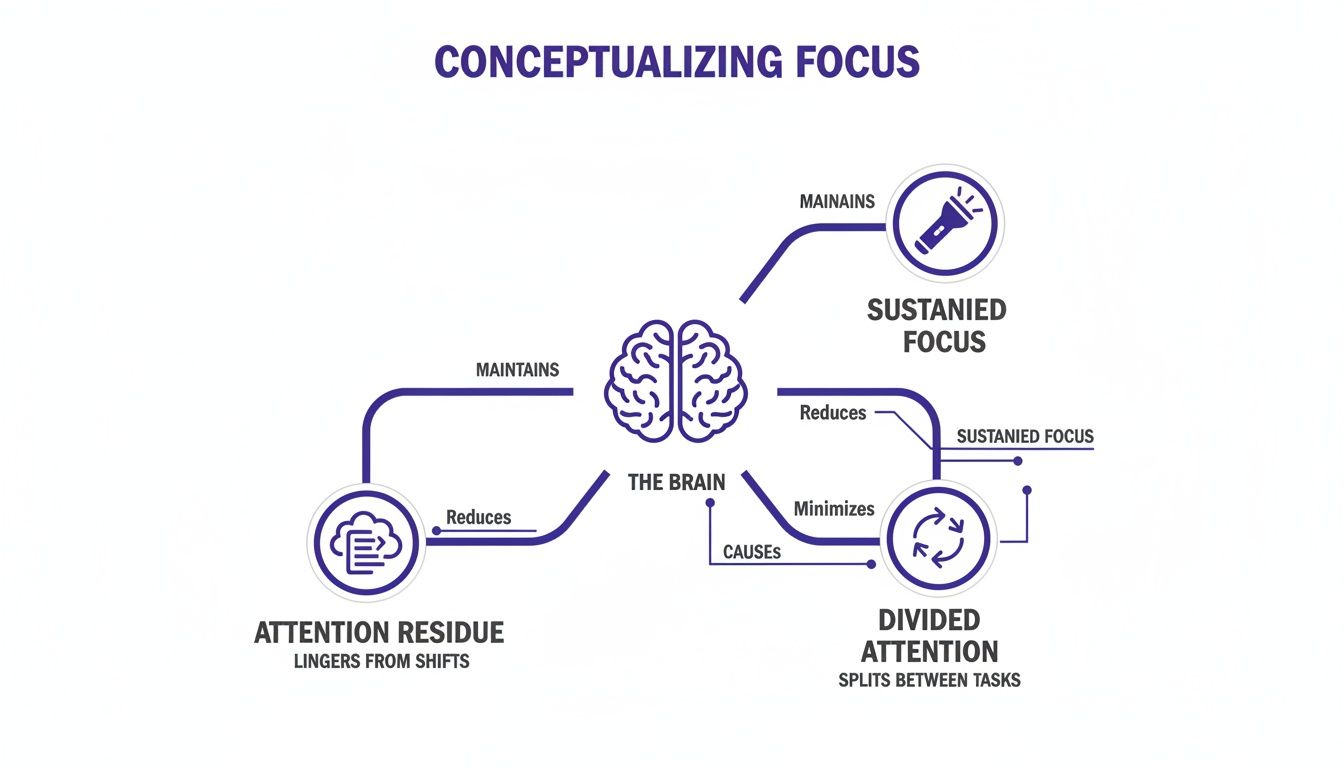
    A great way to think about your focus is as a flashlight beam. You can either shine it brightly on one specific spot or wave it around wildly, trying to catch glimpses of everything at once. Neuroscience gives us a clearer picture of these two modes:

    • Sustained Focus: This is your brain’s deep-work mode. You’re aiming that flashlight beam steadily on one complex task for a long stretch, which is essential for creative thinking, real learning, and solving tough problems.
    • Divided Attention: This is what happens when you try to shine the flashlight on several things at the same timeβ€”like texting during a meeting. Your brain isn’t truly multitasking; it’s just switching the beam back and forth so fast it creates the illusion of doing both.

    This constant switching, however, comes with a heavy cognitive price. Research from psychology and behavioral science shows that our always-on environment is taking a toll. One widely cited study found the average human attention span has shrunk to just 8 seconds. Worse, all that task-switching can slash your productivity by up to 40% as your brain struggles to get back on track after each interruption.

    The diagram below gives you a visual for how your brain is trying to manage these competing demands.

    A diagram conceptualizing how the brain manages sustained focus, attention residue, and divided attention.

    As you can see, every time you try to split your attention, you leave behind a trail of mental clutter that makes it harder to return to your main task with any real clarity.

    The Problem of Attention Residue

    Every time you switch your focus from Task A to Task B, a little piece of your attention gets left behind, still stuck on Task A. Neuroscientists call this phenomenon attention residue. It’s that mental fog that clouds your thinking after you glance at a quick email and then try to dive back into writing a report.

    Let’s make this real. Imagine you’re a project manager, deep into finalizing a critical budget proposal. An hour in, you’re fully immersed. Then a chat notification pops upβ€”it’s a non-urgent question, but you fire off a quick reply.

    When you turn back to the budget, you can’t just pick up where you left off. Part of your brain is still chewing on the chat message, its implications, and whether your response was clear enough. This mental residue makes it incredibly difficult to regain your previous level of concentration, slowing you down and making mistakes more likely.

    The constant build-up of this residue is a key driver of mental exhaustion, a feeling closely related to the broader experience of digital fatigue.

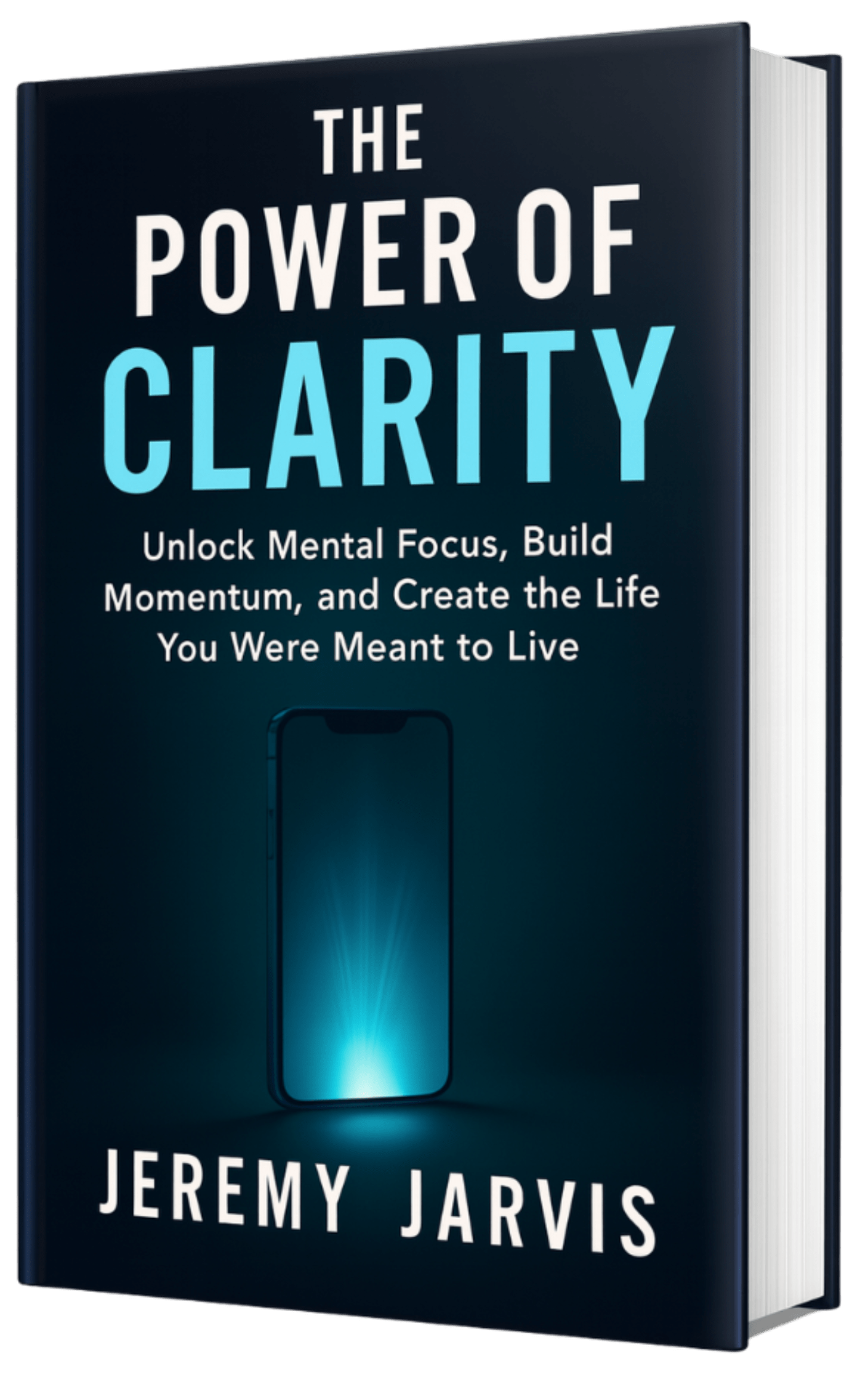
    This isn’t a personal failing; it’s a feature of the modern attention economy. Apps, platforms, and websites are meticulously engineered to capture and hold your focus for as long as possible. Understanding these external pressures and your brain’s internal responses is the first step toward building stronger focusβ€”a core theme I explore in my book, The Power of Clarity.

    Identifying the Hidden Thieves That Steal Your Attention

    Before you can reclaim your focus, you have to know what’s stealing it in the first place. Think of yourself as a detective at a crime scene where the victim is your attention span. The culprits aren’t always obvious. They’re often silent thieves, operating both in your environment and inside your own head.

    Recognizing these attention thieves is the critical first step. From the endless lure of digital pings to the quiet drain of mental exhaustion, each one chips away at your ability to do the deep, meaningful work you care about.

    A person reads a notebook with a flashlight on a desk beside a laptop and scattered social media icons, creating a late‑night workspace atmosphere that highlights deep focus and intentional creativity.

    External Distractions: The Digital Noise

    The external thieves are the easiest to spot. These are the pings, dings, and visual alerts that constantly yank your attention away from what you’re trying to do. The infinite scroll on social media, the flood of notifications, and the β€œjust one more episode” temptation are all engineered to keep you hooked.

    Each notification delivers a tiny hit of dopamine that hijacks your brain’s reward system, making you crave more. This is a key driver of what some experts call a micro-dopamine addiction, which can make sustained concentration feel almost impossible. Even physical discomfort like the symptoms of digital eye strain can quietly erode your ability to stay on task.

    Your physical world presents its own challenges, too. A cluttered desk creates visual chaos, forcing your brain to work harder just to filter out the noise. Unpredictable background sounds can completely derail your train of thought.

    Real-World Scenario:
    Imagine a freelance writer trying to work from home. Their focus is repeatedly shattered by a barking dog, a delivery at the door, and family members asking questions. Each interruption pulls them out of their deep work state. A simple tool like a pair of noise canceling headphones can create a personal bubble of silence, signaling to their brainβ€”and everyone elseβ€”that it’s time to focus.

    Internal Culprits: The Battle Within

    Internal attention thieves are sneakier but just as destructive. These are the distractions that come from inside your own mind, like anxiety, stress, and plain old mind-wandering. When you’re worried about a deadline or a personal problem, your brain dedicates precious cognitive resources to that worry instead of the task at hand.

    Decision fatigue is another powerful internal thief. Every choice you make, from what to wear to which email to answer first, taps into a finite reserve of mental energy. This is why having dozens of open browser tabs feels so drainingβ€”each one represents an unresolved decision that taxes your prefrontal cortex, the part of your brain you need for focus.

    When your mind is cluttered with unfinished tasks and unresolved decisions, it’s like trying to run a marathon with a backpack full of rocks. Reducing the number of choices you have to make is a powerful way to conserve mental energy for what truly matters.

    Burnout is maybe the biggest internal threat to focus. It’s a state of chronic physical and emotional exhaustion that directly impairs your ability to think clearly. For digital knowledge workers, it’s a massive concern, with a 77% prevalence according to recent polls. This is made worse by constant distractions that cost the global economy an estimated $450-550 billion annually in lost productivity. Professionals lose an average of 2.1 hours daily to notifications alone.

    It is important to view topics like burnout, anxiety, or ADHD as educational concepts in this context, not medical diagnoses. Recognizing signs like persistent exhaustion is the first step toward building sustainable habits. This article is not a substitute for professional care. These are ideas I explore in my book, Burnout Interrupted. To fight back, you might try using a phone lock box timer to physically remove the digital temptation during deep work. That simple act can free up a surprising amount of mental bandwidth.

    Actionable Techniques for Achieving Deep Work

    Knowing what’s stealing your attention is half the battle. Now, let’s turn that knowledge into action. This section is all about powerful, evidence-backed techniques you can use to sharpen your concentration and start producing high-quality work, day in and day out. Think of these as your personal toolkit for building a more resilient focus.

    The real shift happens when you move from a reactive stateβ€”constantly putting out fires and responding to demandsβ€”to a proactive one where you intentionally direct your mental energy. With the right strategies, you can train your brain to enter a state of deep work, which is the bedrock of any meaningful achievement.

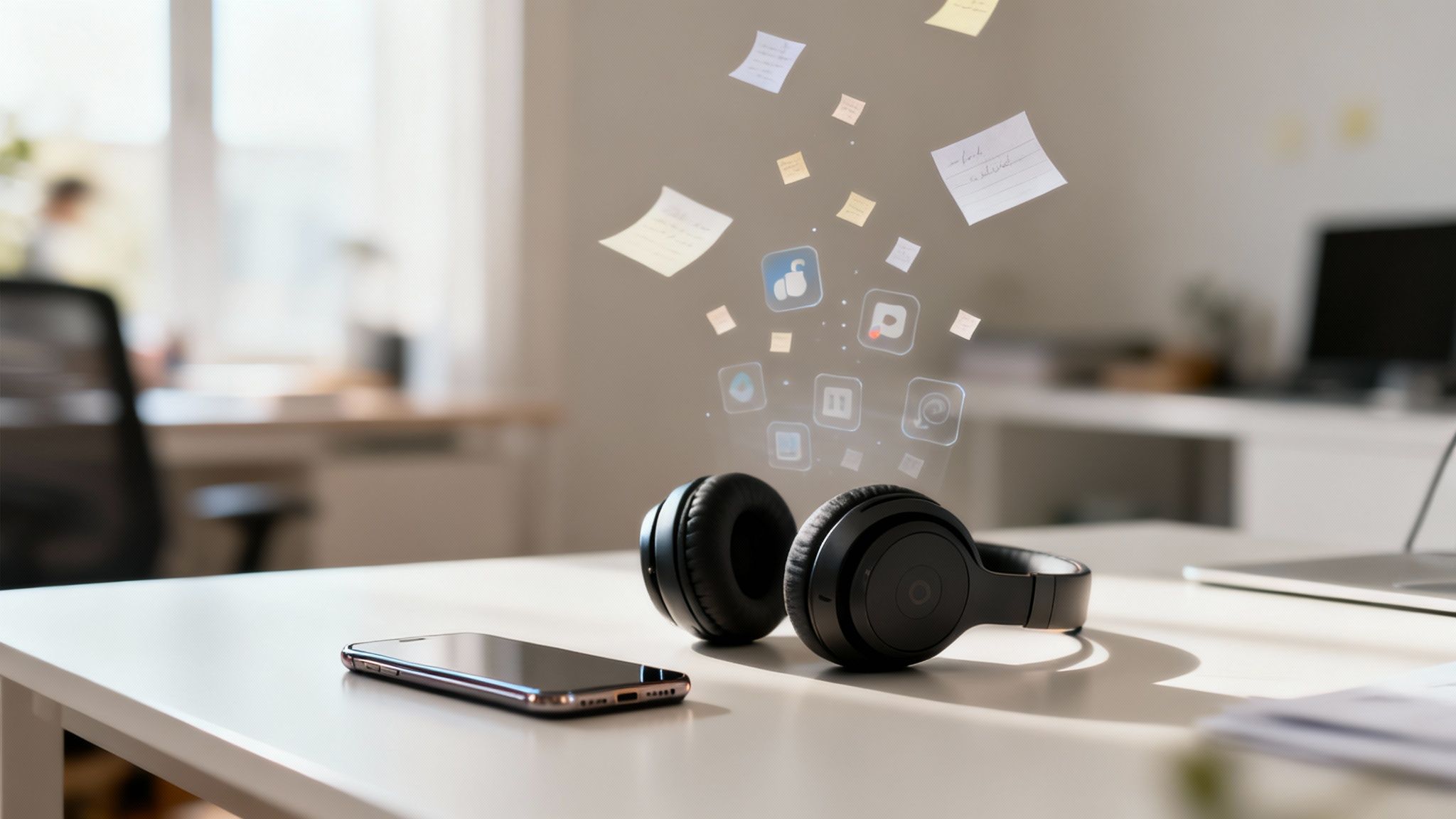
    Black over-ear headphones beside a smartphone on a white desk, with floating focus-related digital notes and app icons hovering above the workspace.

    Master the Art of Timeboxing with Pomodoro

    One of the simplest and most effective ways to beat procrastination and build momentum is the Pomodoro Technique. It’s built on a core psychological insight: breaking down huge, intimidating tasks into small, manageable chunks makes them far less scary to start.

    Here’s the breakdown: set a timer for 25 minutes and give that time to a single task, pushing all other distractions aside. When the timer dings, you take a 5-minute break. After four of these cycles, you reward yourself with a longer break of 15–30 minutes.

    This method works so well because it gives your prefrontal cortex a clear, achievable goal. The short sprints create a gentle sense of urgency that keeps you on track, while the built-in breaks prevent you from burning out. Using a simple pomodoro timer on your desk makes it incredibly easy to stick with the rhythm. A visual timer for desk is even better, as it shows time passing without a distracting digital countdown.

    Schedule Deep Work Blocks for High-Impact Tasks

    For bigger, more complex projects that demand sustained concentration, the Pomodoro Technique might not be quite enough. This is where deep work blocks come in. Popularized by author Cal Newport, this strategy involves scheduling long, uninterrupted periodsβ€”typically 90 to 120 minutesβ€”in your calendar for your most important work. For anyone in a demanding field, mastering deep work for developers and protecting focus time is a game-changer.

    During these blocks, the goal is total immersion. That means silencing notifications, closing every unnecessary browser tab, and letting your colleagues know you’re off-limits. You can get a much fuller picture of this powerful concept in our guide on what deep work is.

    Real-World Scenario:
    An entrepreneur needs to write her business plan. Instead of trying to squeeze it in between meetings, she schedules a 90-minute β€œDeep Work Block” from 8:00 AM to 9:30 AM every single day. Her phone goes in another room, email is closed, and that time is reserved exclusively for strategic thinking. A dedicated time blocking planner is the perfect tool for this, ensuring those sessions are treated with the same seriousness as a client meeting.

    Deep work is not a matter of willpower; it is a matter of strategic scheduling. By treating your focus time as a non-negotiable appointment with yourself, you create the structure needed for profound progress.

    Reset Your Reward System with a Dopamine Detox

    If you find yourself constantly craving the next notification or the quick hit from a social media scroll, your brain’s reward system might be overstimulated. A dopamine detox, also called dopamine fasting, is a behavioral strategy designed to hit the reset button.

    It involves intentionally stepping away from high-dopamine activitiesβ€”like social media, video games, and junk foodβ€”for a set period of time. The idea isn’t to eliminate dopamine entirely, but to lower your tolerance for cheap, easy stimulation. This makes your brain more sensitive to the natural, earned rewards that come from accomplishing something meaningful.

    When you cut back your reliance on instant gratification, you start finding real satisfaction in challenging work. Your brain relearns how to associate effort with reward, a cornerstone for building the kind of focus that lasts. Keeping a productivity journal can help you track your progress and reflect on how your relationship with technology is shifting. This practice of intentional work is a central theme in my book, The Focused Freelancer, which offers a complete roadmap for building sustained productivity.

    Optimize Your Environment for Sustained Concentration

    Your ability to lock in and do deep work isn’t just about raw willpower; it’s profoundly shaped by your surroundings and your daily rhythms. To build unwavering concentration, you have to create a foundation that actually supports it. This means moving beyond simple β€œfocus hacks” and deliberately engineering both your physical space and your lifestyle for clarity.

    The Foundational Role of Sleep and Nutrition in Brain Health

    Before you even sit down to work, your capacity for focus has already been set by how well you’ve cared for your brain and body. Sleep isn’t just a nice-to-have; it’s non-negotiable for cognitive performance. During deep sleep, your brain is busy clearing out metabolic waste that builds up while you’re awake.

    When you’re sleep-deprived, your prefrontal cortexβ€”the part of the brain that handles executive functions like attention and decision-makingβ€”is one of the first areas to take a hit. This impairment makes it dramatically harder to fend off distractions and sustain your concentration. While a magnesium glycinate supplement before bed might support sleep quality for some, improving your core sleep hygiene is the most crucial first step. You can explore more strategies for better rest in my book, Restful Nights.

    What you eat directly fuels your brain, too. A diet heavy on processed foods and sugar will almost always lead to energy crashes and mental fog. On the other hand, a balanced diet rich in omega-3s, antioxidants, and complex carbs provides the steady energy your brain needs to perform at its peak.

    Engineer Your Physical Workspace to Enhance Focus

    Your physical environment sends constant, quiet signals to your brain about what it should be doing. A cluttered, chaotic desk creates a kind of visual noise, forcing your brain to burn valuable energy just to filter it out. A clean, organized, and ergonomic workspace does the oppositeβ€”it promotes clarity and lowers your cognitive load.

    Here are a few simple ways to dial in your desk setup:

    • Declutter Daily: Take five minutes at the end of each workday to clear your desk. Starting the morning with a clean slate makes it infinitely easier to dive into your most important work.
    • Prioritize Ergonomics: Discomfort is a powerful distraction. An ergonomic keyboard and an ergonomic mouse prevent the kind of physical strain that can pull your attention away from your tasks.
    • Elevate Your Screen: Using a laptop stand for desk brings your screen to eye level, which improves posture and cuts down on neck strain. A monitor light bar can also reduce eye fatigue without creating screen glare.

    By intentionally designing your workspace, you remove the small, nagging frictions that can so easily derail your concentration. To go deeper, you can learn more about how light, sound, and architecture affect cognitive performance in our detailed guide.

    The Surprising Cognitive Benefits of Movement for Focus

    Sitting still for too long often leads to mental stagnation. It turns out that physical movement, even in small doses, is a surprisingly effective tool for sharpening your focus. Exercise boosts blood flow to the brain, delivering more of the oxygen and nutrients that are vital for healthy cognitive function.

    Research shows that even short bursts of activity can enhance executive functions like attention and working memory. Movement also triggers the production of brain-derived neurotrophic factor (BDNF), a protein that supports the growth of new neurons.

    Real-World Scenario:
    A marketing analyst keeps hitting a wall in the afternoons while analyzing data. To fight back, she adds an under desk walking pad to her workstation. By walking at a slow pace while she works, she keeps blood flowing to her brain, stays energized, and finds it much easier to maintain her focus through the afternoon slump.

    Mindfulness isn’t about emptying your mind; it’s about filling it with awareness of the present moment. By practicing this, you are actively training the β€˜muscle’ of your attention, making it stronger and more resilient against distractions.

    Train Your Attention Muscle with Mindfulness

    Ultimately, focus is a skill. And like any skill, it can be trained. Mindfulness meditation is one of the most powerful exercises for strengthening your attention. The practice is simple: you sit quietly and pay close attention to your breath, gently redirecting your focus back whenever you notice your mind has wandered.

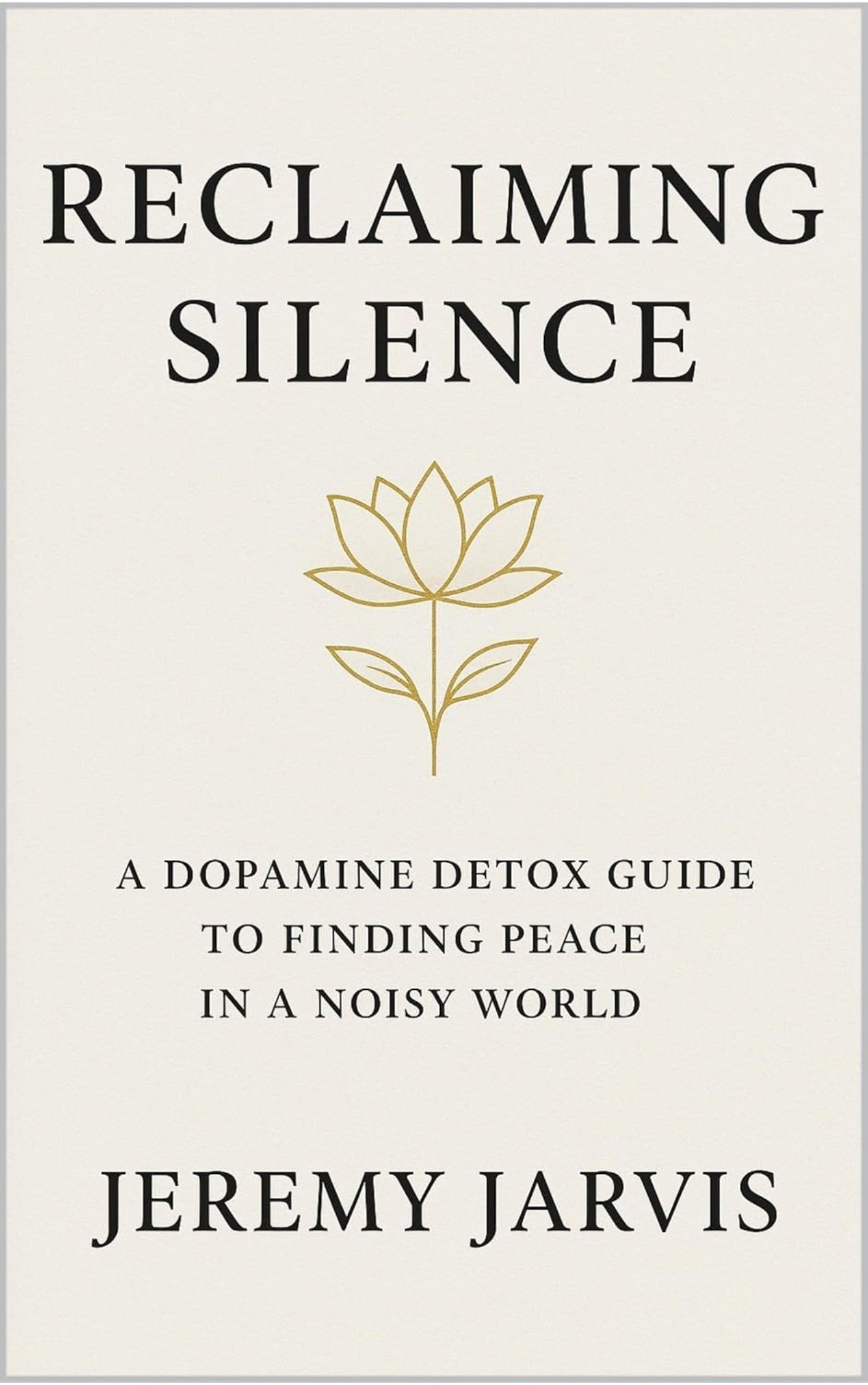
    That simple act of noticing your mind has strayed and then deliberately returning your attention is a direct workout for your prefrontal cortex. With consistent practice, you strengthen the neural circuits responsible for sustained attention. This makes it easier to catch yourself when you get distracted during the workday and consciously guide your focus back to the task at hand. This principle of intentional quiet is a core idea in my book, Reclaiming Silence.

    Editor’s Take: What Actually Works for Better Focus

    With endless β€œproductivity hacks” floating around, it’s easy to get lost in the noise. So, let’s be honest about what really moves the needle for most of usβ€”the busy professionals, freelancers, and students just trying to get a handle on focus.

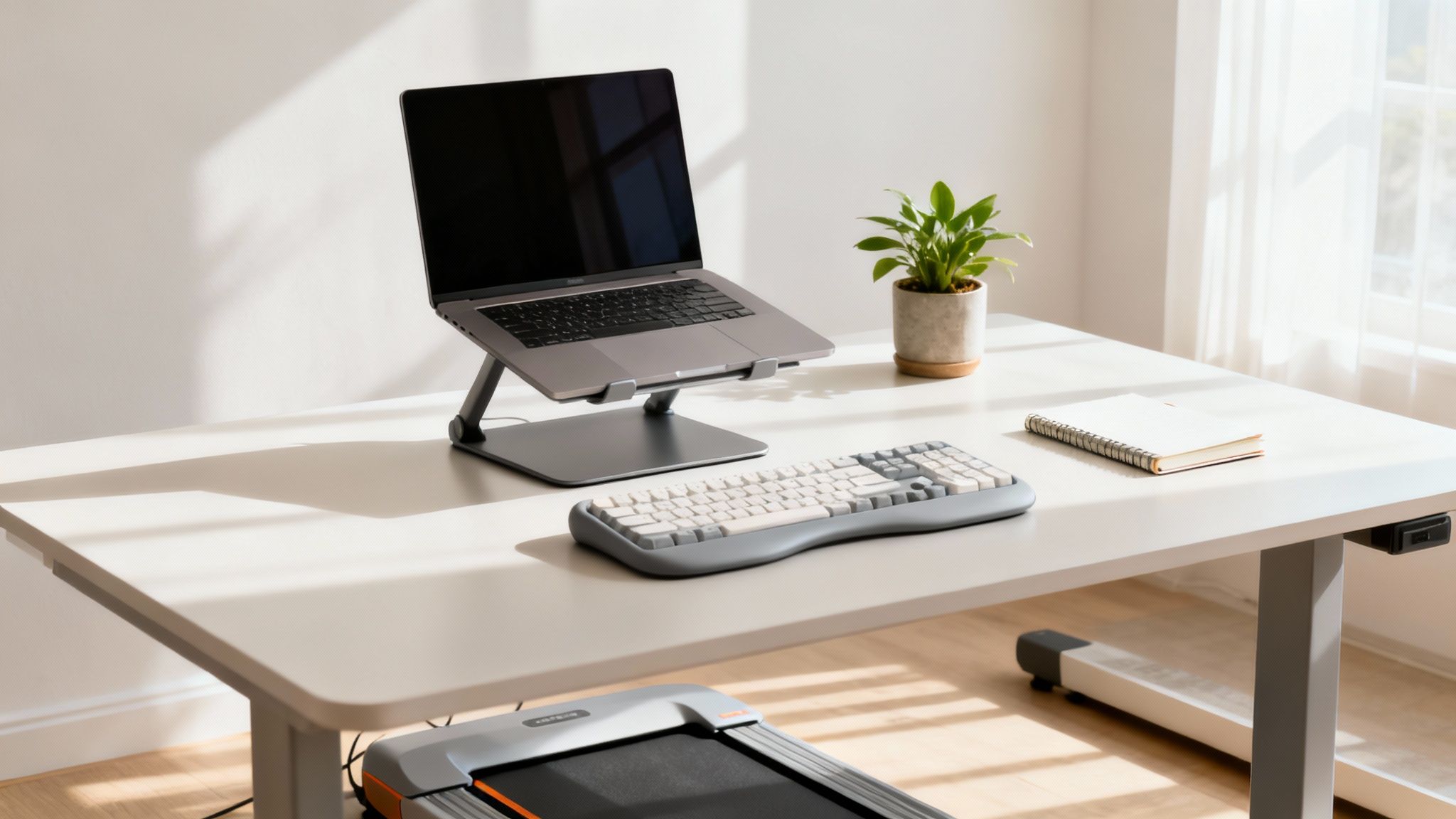
    Ergonomic standing desk workspace with a laptop, keyboard, plant, and under-desk treadmill to support focus and productivity.

    Here’s my take: Consistency with a few core habits is far more effective than trying every new technique. The real game-changers are mastering time blocking with a simple planner and ruthlessly minimizing digital interruptions. For many, that’s it. A habit tracker journal can be excellent for reinforcing these daily actions. Instead of chasing novelty, double down on what works.

    This advice is best for individuals looking to improve everyday productivity and manage common distractions. It helps rebuild the neural pathways that support sustained attention, a key factor we explore in our guide on dopamine and motivation.

    It’s important to remember these strategies are for managing everyday focus challenges. They are absolutely not a substitute for professional care for clinical conditions like ADHD, anxiety, or burnout. Our goal is simply to provide practical, educational guidance you can trust and apply immediately.

    Key Takeaways: Your Blueprint for Unwavering Focus

    Mastering your focus isn’t about discovering some secret productivity hack. It’s far more practical than that. It’s about consistently applying a handful of core principles until they become the foundation for how you work and live.

    Remember, your ability to concentrate is a skill, not a fixed trait. Like a muscle, it gets stronger with deliberate practice and the right strategies. The first step, always, is getting honest about your personal distraction triggersβ€”both the digital pings and the ones that come from your own thought patterns.

    Here are the essential ideas you can put into practice right away:

    • Own Your Time, Don’t Just Manage It: This is where techniques like the Pomodoro method come in, breaking down giant projects into manageable sprints. Using a time blocking planner helps you design your day with intention, pulling you out of a reactive, β€œwhatever comes next” mindset.
    • Design a Low-Friction Environment: A clear workspace and thoughtful tools, like a good laptop stand for desk, do more than just look niceβ€”they reduce the physical and mental static that drains your attention. Your surroundings have a massive, quiet impact on your ability to concentrate.
    • Get the Basics Right: Never, ever underestimate the power of sleep, nutrition, and movement. A good night’s sleep, perhaps aided by a sleep mask blackout, is non-negotiable for a sharp prefrontal cortex, the part of your brain running the whole attention show.
    • Consistency Trumps Intensity: Building focus is a long game. Sticking with these strategies day after day is far more powerful than trying a new trick every week. It’s this steady, patient effort that creates lasting changeβ€”a core idea we explore in The Power of Clarity.

    Disclaimer: This article contains affiliate links, which means we may earn a small commission if you make a purchase at no extra cost to you. The content provided here is for educational and informational purposes only and does not constitute medical or psychological advice. It is not a substitute for professional care.

    FAQ: Your Questions About Focus Answered

    You’re not alone in trying to sharpen your attention. Below are some of the most common questions people ask when they start this journey, with honest answers grounded in what we know about the brain.

    1. How long does it take to actually feel more focused?

    There’s no magic switch, and it really depends on where you’re starting from and how consistent you are. That said, most people feel small but noticeable wins within a week or two of using simple tactics like the Pomodoro method or clearing their workspace.

    Real, lasting changeβ€”the kind where deep work feels more naturalβ€”is a longer game. You’re building new neural pathways, after all. Expect that to take one to three months of steady practice.

    2. Is multitasking really that bad for my brain?

    From a neuroscience perspective, yes. When it comes to complex tasks, your brain doesn’t truly multitask. Instead, it engages in rapid task-switching, a frantic process of stopping, reorienting, and restarting over and over.

    This is incredibly draining on your mental energy. It also creates β€œattention residue,” where thoughts from the last task you were doing bleed over and make it harder to fully concentrate on the new one.

    3. Can I get focused in a noisy, open-plan office?

    Absolutely, but you have to be more deliberate about it. A good pair of noise-canceling headphones is non-negotiable; they create a crucial bubble of auditory quiet.

    You can also use visual cues to signal to coworkers you’re in a deep work blockβ€”even a small sign on your desk can work wonders. If possible, try to schedule your most demanding work for quieter hours or see if you can book a private room for an hour or two.

    4. If I could only build one habit for better focus, what should it be?

    While so many things help, the absolute foundation is getting consistent, high-quality sleep. Nothing else comes close. Getting an analog alarm clock instead of using your phone can help protect your sleep environment from digital distractions.

    When you’re sleep-deprived, it directly kneecaps your prefrontal cortexβ€”the brain region in charge of attention, decision-making, and impulse control. Without proper rest, every other focus strategy you try will feel like you’re fighting an uphill battle.

    5. Does my diet seriously impact my ability to concentrate?

    It has a huge effect. Your brain is an energy hog, using about 20% of your body’s total calories. The food you eat is its direct fuel.

    A diet heavy in sugar and processed foods creates energy spikes and crashes that lead directly to brain fog. On the other hand, a balanced diet full of complex carbs, healthy fats like omega-3s, and antioxidants provides the steady, reliable energy your brain needs to perform at its peak.

    How Can I Rebuild Focus After Burnout?

    6. What’s the best way to deal with my phone constantly distracting me?

    The most reliable strategy is to create friction. Don’t just rely on willpower; make it physically and digitally harder to get to the distracting stuff.

    A phone lock box timer can be a game-changer, physically removing the temptation for a set period. On the device itself, kill all non-essential notifications, switch your screen to grayscale to make it less appealing, and schedule specific, short windows for checking email or social media. This is a central theme in my book, Break the Scroll.

    7. What is a β€˜dopamine detox’ and does it actually help with focus?

    A β€œdopamine detox” is really about resetting your brain’s reward system. You temporarily take a break from high-stimulation activities like social media, video games, or junk food.

    The goal isn’t to get rid of dopamine, but to lower your brain’s tolerance for constant, easy rewards. This recalibration makes it easier to find motivation and satisfaction in challenging, meaningful work that requires you to stick with it for a while.

    8. How can I possibly focus when I’m feeling anxious or stressed?

    When you’re anxious, your brain’s threat-detection center (the amygdala) is on high alert, hijacking the resources your prefrontal cortex needs to maintain focus.

    One of the most powerful things you can do in that moment is practice a few minutes of deep breathing or mindfulness. It helps calm your nervous system down, quiet the mental noise from the anxiety, and allows you to gently bring your attention back to the task at hand. Remember, this is for managing everyday stress; persistent anxiety requires professional care.

    9. Are there any tools that can genuinely help me focus?

    Yes, but they work best when they support good habits, not replace them. A physical time-blocking planner or a productivity journal can be invaluable for setting clear intentions.

    Timers, like a basic pomodoro timer or a visual timer for your desk, help add structure to your work sessions. Don’t forget ergonomic tools, either. A good laptop stand and an ergonomic keyboard reduce physical discomfortβ€”a sneaky and surprisingly common source of distraction.

    10. I try to focus, but my mind just wanders off. What am I doing wrong?

    You’re not doing anything wrongβ€”mind-wandering is what brains do. Think of your attention like a muscle you’re training, not a switch you flip.

    The real work is in the return. When you notice your mind has drifted, don’t get frustrated. Just gently guide it back to your task. Every single time you do that, you’re strengthening the neural circuits for focus. It’s one mental rep. The goal isn’t a perfectly still mind, but to get quicker at noticing you’re off track and coming back, a core idea we explore in The Power of Clarity.


    Ready to stop the cycle of distraction and start doing your best work? The books at Mind Clarity Hub provide science-backed, step-by-step systems to help you reclaim your attention and build a more focused, productive life.

    Explore the Mind Clarity Hub Book Library Now

    Explore the Mind Clarity Hub Library

    Practical books on focus, digital habits, resilience, and building a calmer mind.

    The Power of Clarity β€” book cover

    The Power of Clarity

    Unlock mental focus, build momentum, and create the life you were meant to live.

    View book β†’
    AI & ChatGPT for Beginners β€” book cover

    AI & ChatGPT for Beginners

    No PhD needed β€” a 2025 guide to AI, prompts, and productivity without coding.

    View book β†’
    Zen in the Digital Jungle β€” book cover

    Zen in the Digital Jungle

    Mindfulness for a chaotic world.

    View book β†’
    The Slow Reset β€” book cover

    The Slow Reset

    Mindful living in a fast-paced world.

    View book β†’
    Perfectly Imperfect β€” book cover

    Perfectly Imperfect

    Stop self-criticism, set boundaries, and embrace the real you.

    View book β†’
    Reclaiming Silence β€” book cover

    Reclaiming Silence

    A dopamine detox guide to finding peace in a noisy world.

    View book β†’
    The Focused Freelancer β€” book cover

    The Focused Freelancer

    Productivity, pricing & positioning for independents in 2025.

    View book β†’
    ChatGPT Side Hustle System β€” book cover

    ChatGPT Side Hustle System

    Launch your AI-driven online business in 30 days.

    View book β†’
    Burnout, Interrupted β€” book cover

    Burnout, Interrupted

    A proven path to restore energy and reclaim your life.

    View book β†’
    Attention Unleashed β€” book cover

    Attention Unleashed

    Focus strategies for the distracted mind.

    View book β†’
    Side Hustle Launchpad β€” book cover

    Side Hustle Launchpad

    Your quick-start guide to extra income.

    View book β†’
    Digital Clarity β€” book cover

    Digital Clarity

    Rewire your brain, escape dopamine traps & regain focus.

    View book β†’
    Break the Scroll β€” book cover

    Break the Scroll

    Reduce screen time and take back control of your life.

    View book β†’
    Climate Compassion β€” book cover

    Climate Compassion

    Transform eco-anxiety into empowered action.

    View book β†’
    Village Mentality β€” book cover

    Village Mentality

    The power of community for mental wellness.

    View book β†’
    Restful Nights β€” book cover

    Restful Nights

    Overcoming sleep anxiety in a 24/7 world.

    View book β†’
    Connected Again β€” book cover

    Connected Again

    Combat loneliness and build meaningful relationships.

    View book β†’
    Focus Recharged β€” book cover

    Focus Recharged

    Mastering attention and productivity in the digital era.

    View book β†’
    Marketing Magic with ChatGPT β€” book cover

    Marketing Magic with ChatGPT

    AI-powered content, campaigns, and copywriting to grow faster.

    View book β†’
    The 6-Figure Creator β€” book cover

    The 6-Figure Creator

    Turn knowledge into passive income with books, courses & AI.

    View book β†’
    Burnout Breakthrough β€” book cover

    Burnout Breakthrough

    Reset your work-life balance and thrive in 2025.

    View book β†’
    The Emotionally Intelligent Man β€” book cover

    The Emotionally Intelligent Man

    A modern guide to self-awareness and communication.

    View book β†’
    AI Personalized Wellness β€” book cover

    AI Personalized Wellness

    Create your custom health plan with data-driven habits.

    View book β†’
    Everyday AI Made Easy β€” book cover

    Everyday AI Made Easy

    Use ChatGPT and smart tools to simplify life.

    View book β†’
    Money Mindfulness β€” book cover

    Money Mindfulness

    A financial wellness guide for Gen Z & Millennials.

    View book β†’
    Startup Smarter with AI β€” book cover

    Startup Smarter with AI

    ChatGPT strategies and tools to grow your business.

    View book β†’
    ChatGPT for Writers & Creators β€” book cover

    ChatGPT for Writers & Creators

    Unlock AI-powered brainstorming, drafting & editing.

    View book β†’
    Free download: 7-Day Mind Clarity Reset preview

    Free download: 7-Day Mind Clarity Reset

    A short daily reset you can actually stick with (no fluff).