Productivity & Work Habits is a practical category on Mind Clarity Hub focused on helping readers work smarter, stay organized, and build routines that support consistent results without constant overwhelm. In a world full of distractions, interruptions, decision fatigue, and endless to-do lists, this section explores how to improve daily workflow, strengthen useful habits, and create systems that make work feel more manageable and meaningful. It covers the real foundations of sustainable productivity, including time management, focus, prioritization, planning, routine building, deep work, and reducing the mental clutter that often gets in the way of progress. Rather than promoting hustle for the sake of being busy, this category helps readers create healthier and more effective ways to approach work, tasks, goals, and daily responsibilities.
Readers will find actionable content on building productive routines, improving concentration, managing email overload, reducing procrastination, organizing workspaces, handling remote work challenges, and developing habits that support long-term consistency. This category is designed for professionals, creators, students, and everyday readers who want more structure, more momentum, and less chaos in their work lives. Whether someone is trying to get more done, stop wasting time, improve their workflow, or create better daily habits that actually last, Productivity & Work Habits offers clear, realistic, and helpful guidance to support better performance, stronger focus, and a more balanced approach to getting things done.
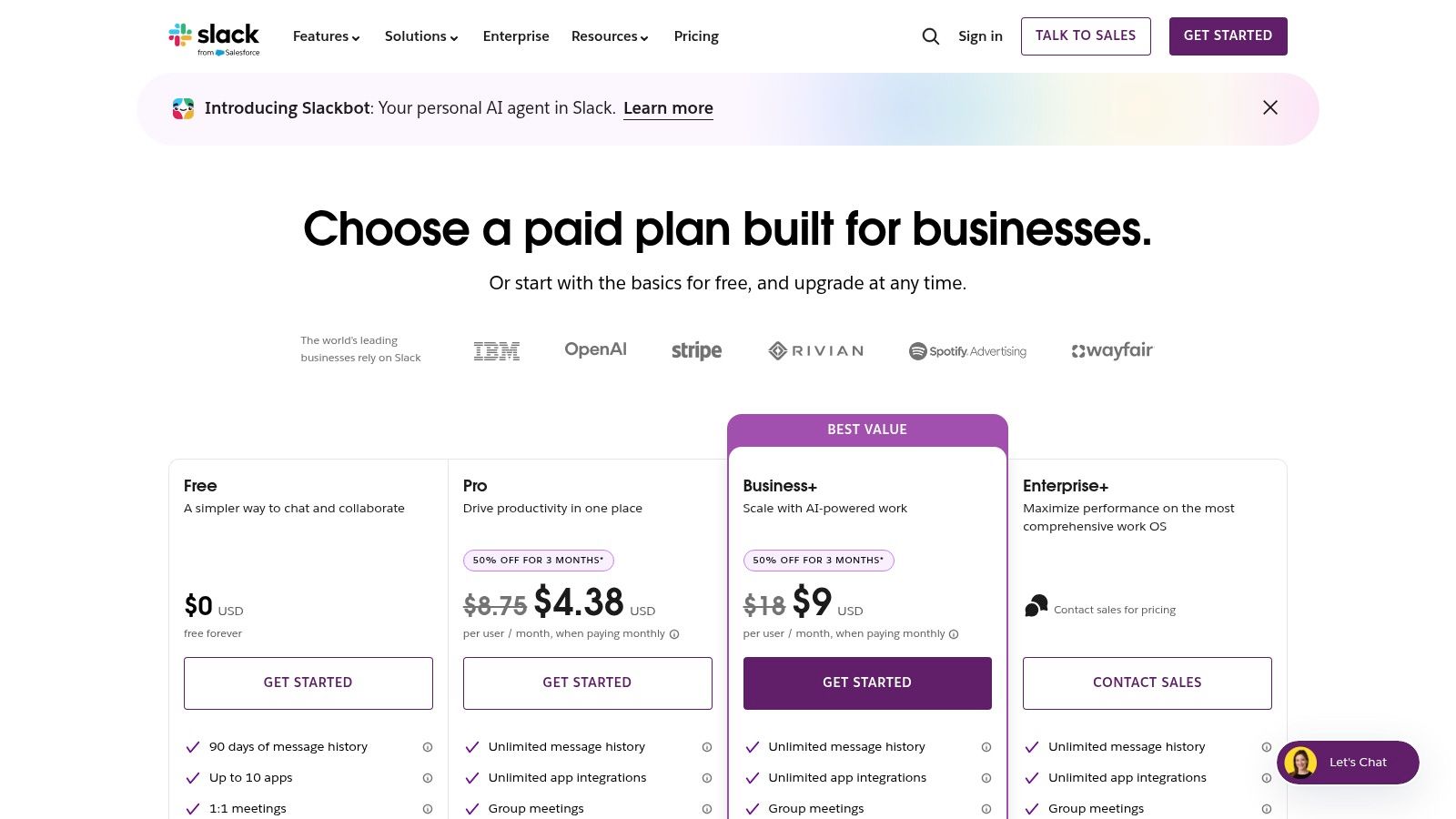
Your workday probably starts before your brain is ready for it. Slack pings. Email stacks up. A meeting gets moved forward. Then someone asks for “a quick update” on a task you barely touched.
That’s why many people feel confused about the qualities of a professional today. It’s not mainly about dress codes or polished small talk. It’s about whether you can create trust, think clearly, and deliver useful work without falling apart under constant cognitive load.
Affiliate disclosure: Some links in this article may earn a small commission if you make a purchase, at no extra cost to you.
For busy professionals, freelancers, and entrepreneurs, professionalism now works like an internal operating system. The strongest version includes reliability, accountability, communication, emotional regulation, focus, time management, and a learning orientation. These traits help you stay useful when work gets noisy, fast, and messy.
Beyond the Job Title What Being a Professional Really Means Today
A lot of people still picture professionalism as image management. They think of confident posture, crisp emails, and saying the right thing in meetings. Those matter. But they are surface signals.
Modern professionalism is deeper. It’s the ability to deliver value consistently and calmly, even when your environment keeps changing. That includes hybrid work, AI tools, shifting priorities, and more information than your brain can comfortably process.
Consider two employees. Both are smart, and both care about doing good work. However, one reacts to every notification, misses small details, and sends late updates only when asked. By contrast, the other sets clear priorities, communicates early, and follows through consistently. As a result, the second person is usually seen as showing stronger qualities of a professional, even if they seem less flashy.
Why the brain prefers calm systems
Your brain has limited attentional bandwidth. When too many tasks compete at once, your working memory gets overloaded. Then simple mistakes rise. So does irritability. Professional qualities matter because they reduce that overload.
That’s also why strong systems often beat strong intentions. If you want a simple starting point for confidence under pressure, this guide on how to be more confident in yourself pairs well with the habits in this article.
What professionalism looks like in daily work
The most useful qualities of a professional often look ordinary:
Keeping promises: You send the draft when you said you would.
Owning mistakes: You fix the spreadsheet error instead of hiding it.
Speaking clearly: You explain the issue without jargon.
Managing your state: You don’t fire off a defensive reply.
Protecting focus: You make space for hard work, not just reactive work.
Learning fast: You adapt when tools and expectations shift.
Professionalism is less about appearing impressive and more about being dependable when things get complicated.
The Foundational Qualities of a Professional Reliability and Accountability
If professionalism were a building, reliability and accountability would be the foundation. Without them, the rest collapses.
Reliability means people can count on you. Accountability means you take ownership of outcomes, not just intentions. Together, they create trust. Trust matters because teams work faster when people don’t have to keep checking on each other.
Reliability reduces mental friction
When someone follows through consistently, your brain stops spending energy on uncertainty. That saved energy can go to planning, problem solving, and collaboration.
A useful way to think about reliability is through information quality. A professional’s credibility depends on output that is accurate, complete, reliable, relevant, and timely, as explained in Precisely’s overview of the five characteristics of data quality. If your update is late, incomplete, or contradictory, people stop trusting not only the task, but your judgment.
A simple example makes this clear. One freelancer realizes the deadline will slip, so they send an early update with a new delivery time and next step. Another misses the date and says nothing. Both faced the same problem. However, only one responded with the qualities of a professional.
Accountability is ownership in public
Accountability is often confused with blame. They aren’t the same. Blame looks backward and asks, “Who caused this?” Accountability looks forward and asks, “What do I do now?”
That shift matters because it changes behavior. It keeps your prefrontal cortex engaged in action instead of letting stress push you into avoidance.
Try this closed-loop habit
Use a simple three-step response when someone asks for work:
Confirm receipt: “Got it. I’ll review this today.”
Confirm expectation: “You need the revised version by Thursday.”
Confirm completion: “Done. Sent the final file.”
This closes open loops in the brain. It also lowers confusion for everyone else.
Build reliability with external systems
You shouldn’t rely on memory alone. Memory is for ideas, not for storing every obligation.
Helpful options include:
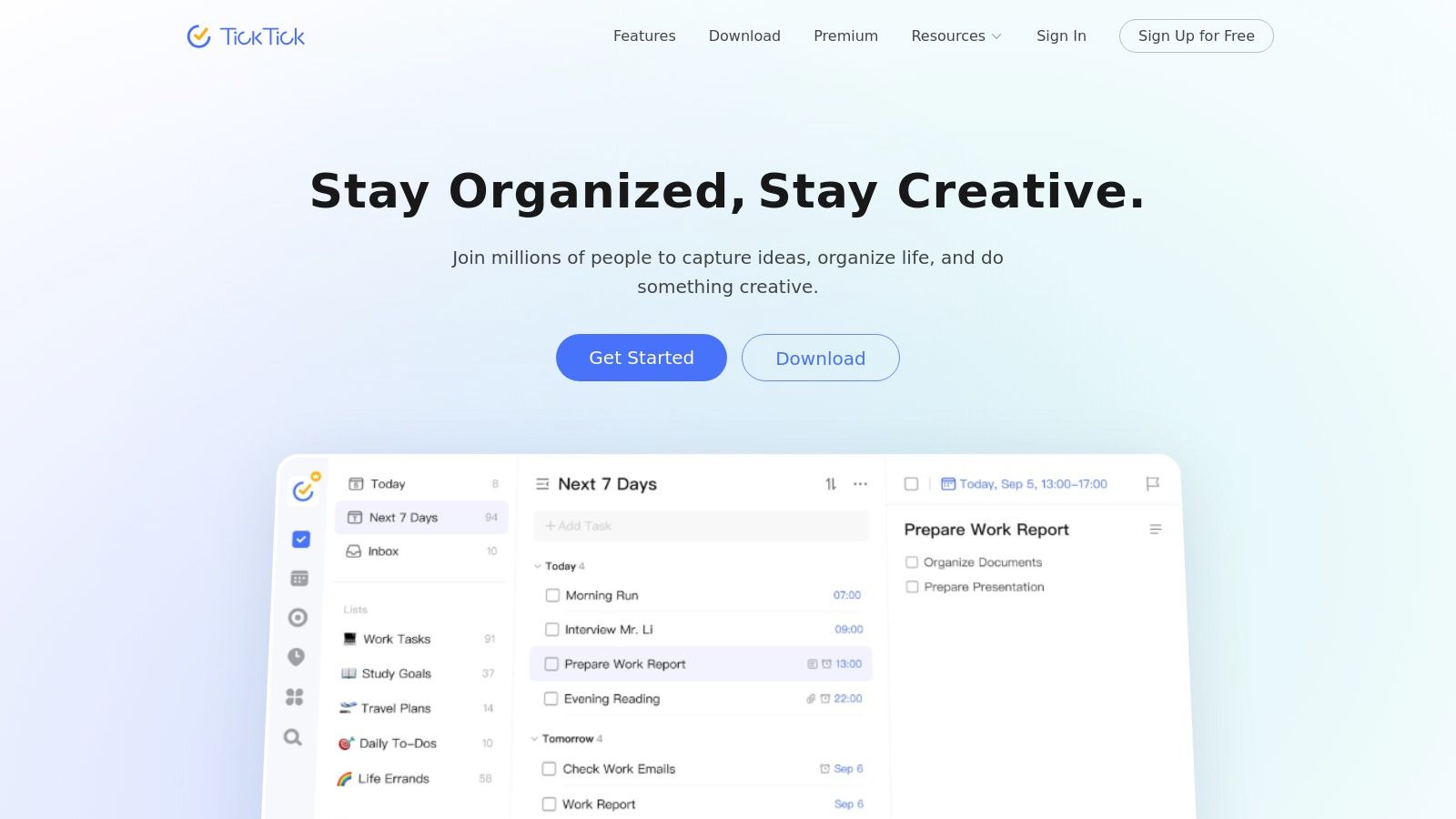
A task manager: Capture commitments fast.
A calendar block: Reserve work time before your day fills up.
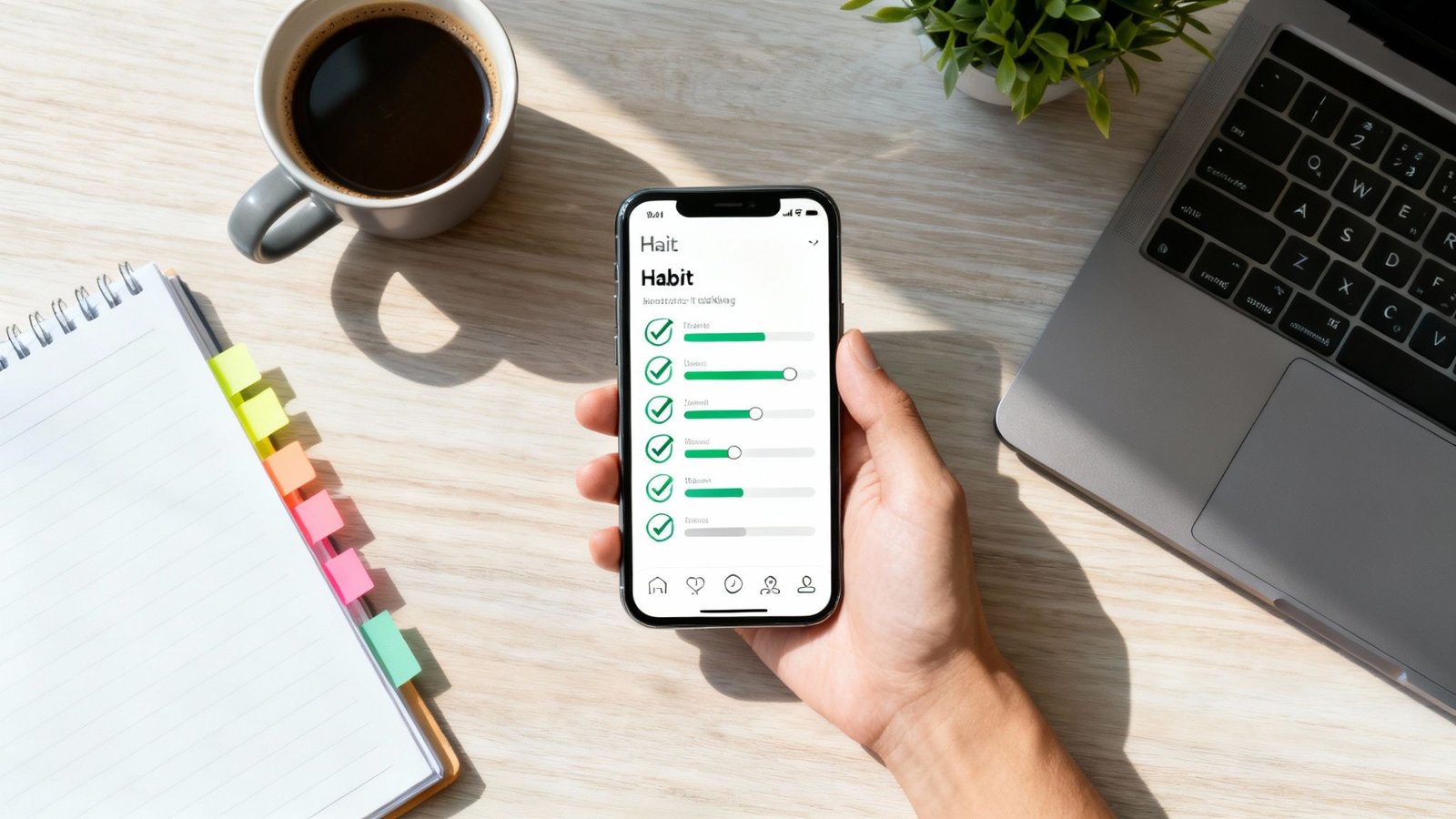
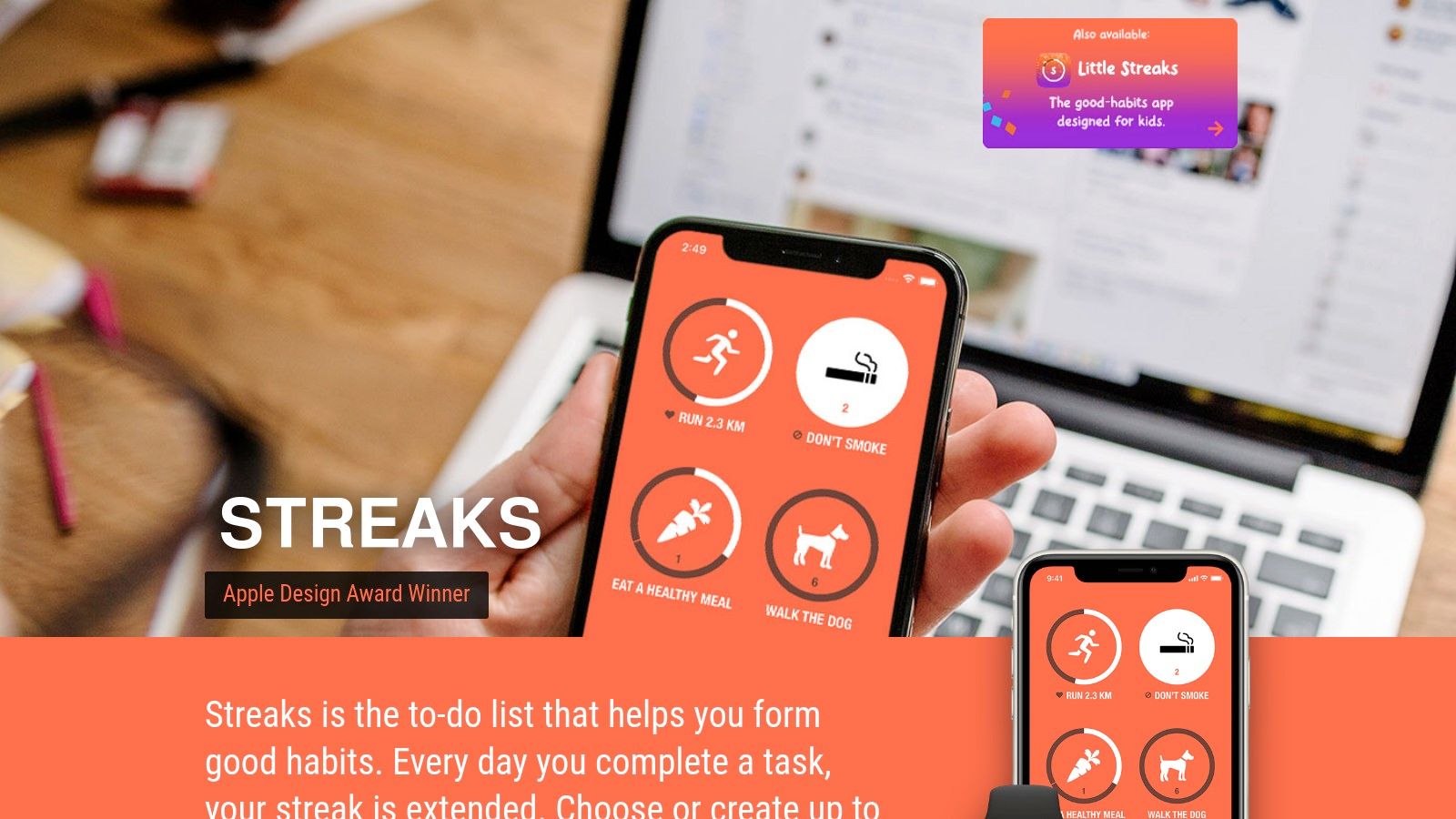
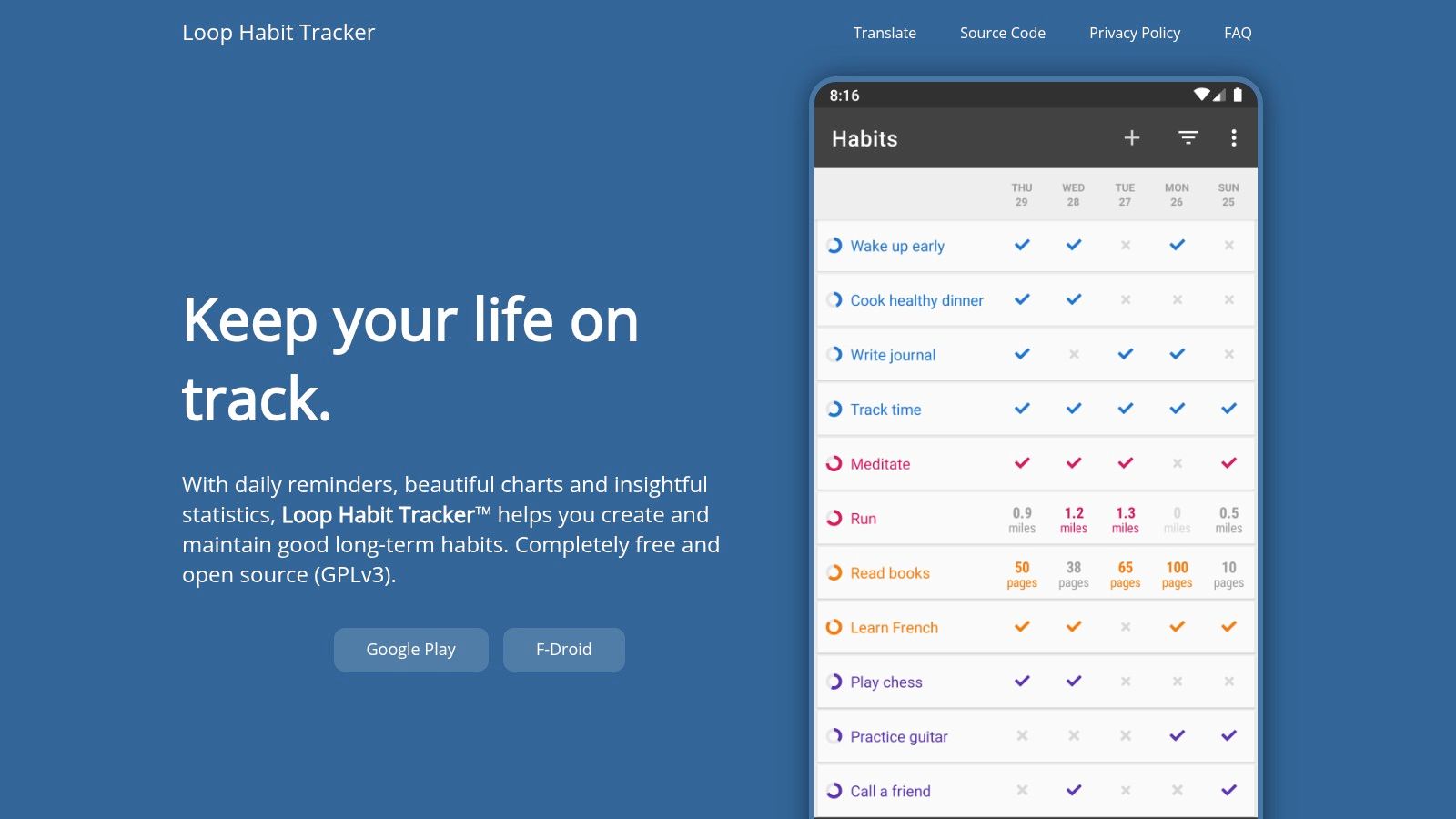
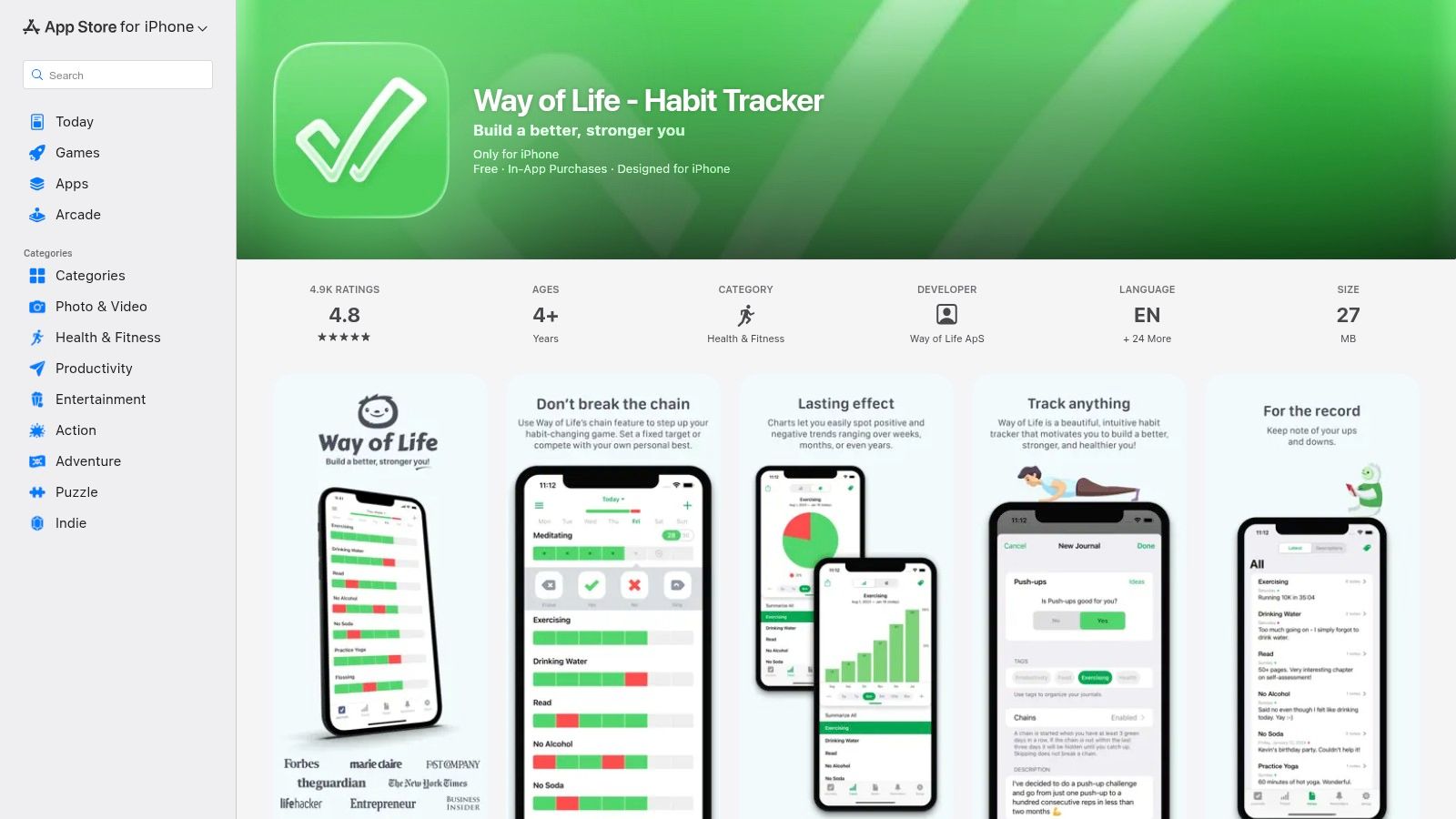
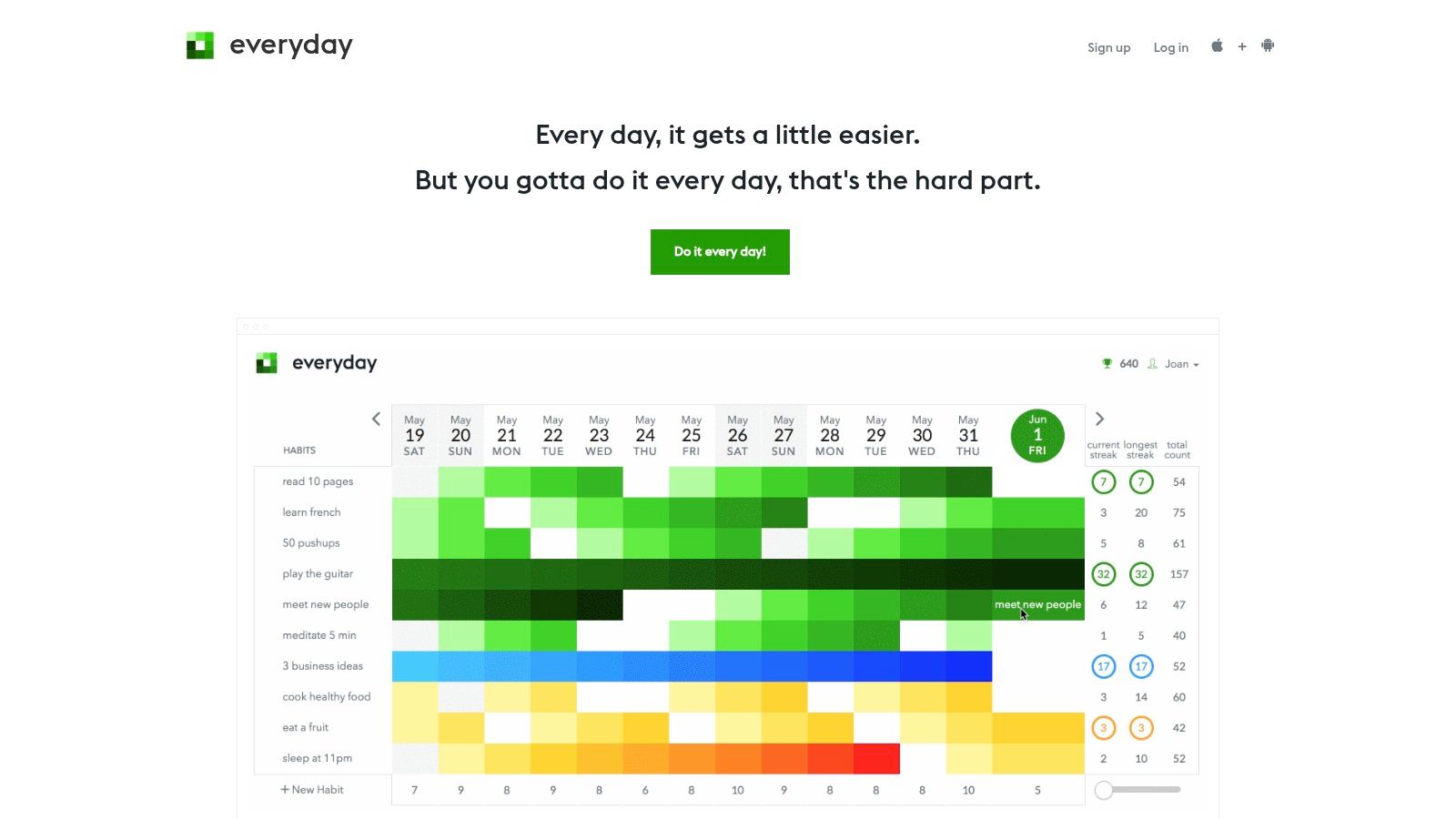
A habit tracker journal: Reinforce follow-through with visible streaks.
A review ritual: Check deadlines at the same time each day.
Practical rule: Don’t promise from emotion. Promise from calendar reality.
Mastering Communication and Emotional Regulation
Many people think communication is mainly about talking well. It’s more accurate to say it’s about reducing unnecessary effort for the other person. Clear communication helps people understand what matters, what action is needed, and what happens next.
The University of Minnesota’s document on traits of a successful statistician stresses the importance of communicating without jargon, sizing up the audience, and getting to key ideas quickly. It also includes George Box’s line, “Statisticians must grit their teeth and also become practitioners,” which points to a bigger truth. Professionals don’t just know things. They make those things usable in real situations through clear language and practical judgment. You can read that source in the University of Minnesota document on successful statisticians.
Clarity beats cleverness
A professional email doesn’t need to sound impressive. It needs to answer basic questions:
What happened?
What matters now?
What do you need from the other person?
When is the next step?
That’s why concise language works better than overexplaining. Your listener or reader already has a crowded mental inbox.
If you want another practical resource, this guide on how to improve conversation skills is helpful for making your speaking style more natural and easier to follow.
Emotional Regulation and the Qualities of a Professional
Emotional regulation protects your reputation because it helps you stay steady under pressure. In simple terms, it is the ability to notice a feeling without letting it take over the conversation. From a brain perspective, this is the difference between an immediate stress reaction and a more deliberate response shaped by the prefrontal cortex.
Here is a common example. Your manager says your presentation was not clear enough. At first, your brain may hear that as a threat. As a result, you may feel tempted to defend yourself, overexplain, or shut down. However, a brief pause creates space to reassess the moment. Then you can respond with curiosity, which reflects stronger qualities of a professional, instead of reacting on impulse.
Try the PAUSE method:
Pause: Don’t answer instantly.
Acknowledge: Name what you’re feeling.
Understand: Ask what triggered it.
Select: Choose the next useful response.
Execute: Reply briefly and calmly.
A response might sound like this: “Thanks for the feedback. Which part felt least clear to the audience?” That sentence protects the relationship and gets better information.
Mental health openness can support professionalism
Open discussion of mental health can support resilience and team creativity. A summary in Stang’s article on undervalued employee qualities states that 78% of knowledge workers cite mental health transparency as key to reducing turnover by 22%, that freelancers and solopreneurs show 35% higher output when they normalize struggles, and that 40% of professionals report worsened anxiety linked to AI-driven isolation.
That doesn’t mean sharing every detail at work. It means naming strain early, using healthy boundaries, and asking for support before pressure becomes chaos.
This article is educational only. It isn’t medical or psychological care, and it isn’t a substitute for working with a qualified professional.
The Performance Engine Great Qualities of a Professional in Focus
Focus is one of the most practical qualities of a professional because it determines whether you produce real work or just perform busyness.
Most distracted days don’t feel dramatic. They feel normal. You answer messages, join calls, switch tabs, and end the day tired. Yet your hardest task barely moved. That pattern matters because cognitively, every switch forces your brain to reorient. Reorientation takes effort.
Fragmented attention weakens output
A professional who protects focus usually produces clearer thinking, fewer avoidable mistakes, and better decision quality. This is especially true in technical work.
For technical professionals, mastery of tools and languages acts as a performance multiplier. The NYIT summary explains that proficiency supports data cleaning, analysis, and model development. It also notes that people who combine hard technical skills with communication skills command premium compensation because they can execute complex work and explain it to others. See NYIT’s breakdown of data science skills.
The broader lesson applies to most knowledge work. Skill lowers friction. Focus converts skill into output.
A better workday looks different on purpose
Compare these two routines.
Fragmented day
Open inbox first
React to every ping
Start five tasks
Finish none cleanly
Work late to catch up
Protected day
Review top priorities
Use a time blocking planner for deep work windows
Silence noncritical alerts
Work one meaningful task at a time
Batch admin work later
The second day looks less urgent. It’s often more professional.
Best option for busy professionals who need deeper work
If your brain gets pulled toward novelty, build friction against distraction.
A few low-drama tools can help:
Pomodoro timer: Good when starting feels hard.
Noise canceling headphones: Useful in shared spaces or noisy homes.
Phone lock box timer: Helpful when willpower is low.
Visual boundaries: A closed door, a clear desk, or a blocked calendar invite.
You don’t need every tool. You need fewer openings for attention leakage.
Focus is rarely about trying harder. It’s about making distraction less available.
A practical rhythm is to reserve your highest-energy period for one cognitively demanding task. Then place meetings, admin, and communication in separate blocks. This lowers mental residue from constant switching.
Ready to reclaim your attention? Browse the library for a book suited to your focus goals. Attention Unleashed and Focus Recharged are good starting points.
Best for Busy Professionals How to Choose Your Focus System
A focus system should reduce friction, not add another layer of guilt. That’s why the best setup depends on your work style, not what looks impressive online.
Some people think better on paper. Others need searchable digital tools. Many do best with a hybrid approach.
Choosing your focus system
System Type
Best For
Potential Downside
Analog
People who get distracted by screens and remember better by writing things down
Harder to search, sync, and update across devices
Digital
Fast-moving work, collaboration, recurring tasks, and remote teams
More notifications and more temptation to over-organize
Hybrid
Professionals who want planning on paper and execution in apps
Can become messy if rules are unclear
How to choose your focus system
Use these filters:
Choose analog if your brain feels calmer with a notebook, a daily written plan, or a productivity journal.
Choose digital if your work changes quickly and you need reminders, search, and shared visibility.
Choose hybrid if you like thinking on paper but tracking deadlines electronically.
A good starting hybrid setup looks like this:
Morning plan on paper: Top three tasks.
Calendar for time blocks: Protect focused work.
Task app for deadlines: Store commitments.
Weekly review: Clear leftovers and reset priorities.
If you tend to collect too many tools, buy less first. One notebook and one calendar system often beat a stack of abandoned apps.
For a deeper framework, explore the second brain method. Compare options. Then keep the easiest system that you’ll use.
The Ultimate Quality of a Professional A Learning Orientation
The most durable qualities of a professional all depend on one deeper trait. You must be willing to learn.
A learning orientation means you do not see competence as fixed. Instead, you stay curious and keep asking better questions. As a result, feedback becomes a tool for growth rather than a threat to your identity.
That mindset matters more now because tools, workflows, and expectations keep changing. Someone who refuses to learn usually falls behind. Someone who learns steadily stays useful.
Curiosity is a practical career skill
Research skill is one of the clearest examples. It often gets ignored because people assume information access equals understanding. It doesn’t.
As AI tools multiply, sorting signal from noise matters more. The Murray Resources summary notes that effective research skills remain underexplored and that 65% of professionals struggle with “information discernment” in hybrid environments. It also stresses the need for AI-specific habits like source triangulation and more durable attention practices. See Murray Resources on the most underrated skill in the workforce.
In plain language, a real professional doesn’t stop at the first confident answer. They check quality, context, and relevance.
What this looks like at work
One employee resists a new software rollout and complains that the old way was simpler. Another opens the tool, tests it with low-risk tasks, asks smart questions, and builds a repeatable workflow.
The second person isn’t necessarily smarter. They’re more adaptable.
Try these habits:
Schedule learning time: Even one weekly block helps.
Ask one better question: “What am I assuming here?”
Use AI carefully: Summarize ideas, brainstorm steps, or clarify terms. Then verify important claims.
Seek feedback fast: Small corrections are easier than big repairs.
If formal development fits your field, structured pathways can help too. For example, professionals managing complex projects may benefit from reviewing a Project Management Professional (PMP) certification study guide to see how disciplined frameworks shape planning and execution.
Reliability builds trust: Follow through, update early, and make your work accurate, complete, and timely.
Accountability creates momentum: Own the next step instead of hiding behind excuses.
Clear communication lowers friction: Use plain language and reduce the other person’s mental effort.
Emotional regulation protects judgment: Pause before reacting, especially under stress.
Focus drives quality: Guard deep work time and reduce context switching.
Time systems matter: Choose an analog, digital, or hybrid setup that feels easy to maintain.
Learning keeps you relevant: Stay curious, verify information, and adapt to new tools.
Editor’s Take
What works is rarely dramatic. The strongest professionals build small, repeatable systems. They don’t depend on motivation alone. They protect focus, communicate early, and review their commitments before problems grow.
This advice works best for self-directed people who are ready to practice consistently. It’s especially useful for remote workers, freelancers, creators, and overloaded knowledge workers. The limitation is simple. No checklist can remove every workplace problem. A chaotic boss, unrealistic deadlines, or severe burnout can overpower even solid habits.
Some links in this article may be affiliate links, which can generate a small commission at no extra cost to you. Also, this content is educational only. It isn’t medical or psychological advice, and it isn’t a substitute for professional care, especially if you’re dealing with significant anxiety, burnout, ADHD, or sleep issues.
Frequently Asked Questions About Professional Qualities
FAQs
1. What is the most important quality of a professional?
If you must pick one, start with reliability. People can work with different personalities and styles. They struggle most with unpredictability. If others can count on your work, trust grows quickly.
2. Can someone learn professional qualities, or are they personality-based?
Yes, you can learn them. Personality affects your starting point, but systems shape behavior. Clear routines, better planning, and feedback loops help professionalism become a habit.
3. Which quality should I improve first if I feel overwhelmed?
Start with focus and reliability. When your attention is scattered, everything else gets harder. Protect one work block each day and keep one promise to yourself and one to others.
4. How do I stay professional in a difficult workplace?
Control what you can. Document commitments. Communicate clearly. Avoid impulsive replies. Keep your standards even if others don’t. Professionalism won’t fix a toxic environment, but it will protect your judgment and reputation.
5. Does using AI make someone more professional?
Not by itself. AI can help with drafting, brainstorming, or summarizing. Professionalism comes from how you use it. You still need judgment, research skills, and the discipline to verify important information.
If you want a practical next step, visit Mind Clarity Hub to find science-based books and guides for focus, burnout recovery, digital clarity, and calm productivity. Start with the title that matches your current challenge, then build one professional habit at a time.
Free download: 7-Day Mind Clarity Reset
Get a short daily reset you can actually stick with (no fluff).
Have you ever noticed how some people seem genuinely lit up by their work, while others are just running out the clock? The difference often has nothing to do with a fancy title or a bigger paycheck. It’s usually found in three powerful drivers of our internal motivation: autonomy, mastery, and purpose.
Most workplaces still lean on old-school “carrot and stick” methods—bonuses, promotions, or the fear of falling behind. But a mountain of research, popularized by author Daniel Pink, shows that for complex, creative, or thinking-heavy work, these external rewards often backfire. They can even crush performance and accelerate burnout. The brain’s reward system, particularly involving the neurotransmitter dopamine, responds far more powerfully to internal drivers that create a sense of meaning and progress, rather than just external incentives.
This article may contain affiliate links. If you make a purchase through these links, we may earn a small commission at no extra cost to you.
The engine for sustainable engagement doesn’t come from the outside. It comes from within. These intrinsic motivators are:
Autonomy: The feeling of having control over your own work and choices. It’s the difference between being told exactly what to do and being trusted to figure out how to get it done.
Mastery: The deep satisfaction that comes from getting tangibly better at something that you care about. It’s the drive to build skills and improve your craft.
Purpose: The need to feel like your work contributes to something bigger than yourself. It’s the sense that your daily efforts matter in a meaningful way.
This framework perfectly explains why something like Wikipedia works. Millions of volunteers pour their time and knowledge into building it with no pay. They have the autonomy to edit what interests them, the chance to gain mastery over topics they love, and a shared purpose in creating a free knowledge base for everyone. Understanding how our brains are wired for this kind of intrinsic drive can completely change our approach to work and life. You can see just how deep this connection runs by exploring the link between dopamine and motivation.
When you feel in control, you’re more willing to put in the effort to get better. As your skills grow, your work naturally starts to feel more meaningful, creating a powerful upward spiral. To really harness this drive, it helps to understand the principles of deep, lasting change, like those explored in transformational coaching. You can start putting these ideas into practice today. A simple time blocking planner is a great first step, allowing you to intentionally carve out space for autonomous, focused work and build a day that feels like your own.
1. How Autonomy Gives You Control and Fuels Motivation
Autonomy is that deep, quiet sense of control you feel when you have a real say in your work—what you do, when you do it, and how you approach it. It’s the difference between being handed a paint-by-numbers kit and being given a blank canvas and a clear goal.
From a neuroscience perspective, having this feeling of agency is non-negotiable for sustainable focus. When we lack autonomy, our brain’s amygdala can perceive the situation as a threat, triggering a low-grade stress response (the “fight-or-flight” reaction). But when we’re given meaningful choices, our prefrontal cortex—the brain’s hub for planning and decision-making—becomes engaged. This shift moves us out of passive compliance and into active problem-solving, which is a more resourceful and less stressful state.
Educational Notice: This is a non-medical, educational article. If you are experiencing symptoms of burnout, anxiety, ADHD, or depression, please consult a qualified healthcare or mental health professional. This content is not a substitute for professional care.
A Real-World Example of Autonomy in Action
Imagine a marketing manager, Sarah, who is used to her boss micromanaging every campaign detail. She feels disengaged and uncreative. A new manager arrives and changes the approach. Instead of dictating tasks, he sets a clear goal: “Increase leads by 15% this quarter.” He then gives Sarah the autonomy to decide how to achieve it. Suddenly, Sarah feels a surge of ownership. She experiments with new ad platforms and A/B tests different landing pages. Her engagement soars, and she not only hits the goal but also feels a renewed sense of pride in her work.
How to Carve Out More Autonomy in Your Role
Whether you’re a manager, a team member, or flying solo, you can intentionally build more autonomy into your days. It’s less about a revolution and more about finding small pockets of control.
If you manage a team, this looks like:
Focusing on the “what” and “why,” not the “how.” Give your people a clear destination but let them draw their own map to get there.
Delegating decisions, not just tasks. Empower team members to make choices within their roles. This builds a powerful sense of ownership.
Making it safe to experiment. Create an environment where trying a new approach and failing is seen as learning, not a career risk.
If you work for someone else, you can proactively propose how you’ll tackle a project or ask for control over a small part of your workflow. For solopreneurs, building autonomy is about designing your own structure and setting clear boundaries. A simple productivity journal can be a game-changer here, letting you set your own targets and track your progress without answering to anyone. This is a core part of building the muscle of self-regulation. You can learn more about how to improve your self-discipline in our detailed guide.
Ultimately, protecting your autonomy is central to staying motivated for the long haul. When you feel like you’re in the driver’s seat of your own life, you show up more engaged, creative, and resilient. For a deep dive into building this kind of control, check out the clarity-focused book The Power of Clarity.
2. Using the Pursuit of Mastery for Deep Fulfillment
Once you’ve carved out areas of autonomy, the next step toward lasting motivation is mastery—that deep, human drive to get better at things that genuinely matter to you. It’s not about achieving perfection. It’s about the quiet satisfaction of progress, the feeling of your skills rising to meet a real challenge.
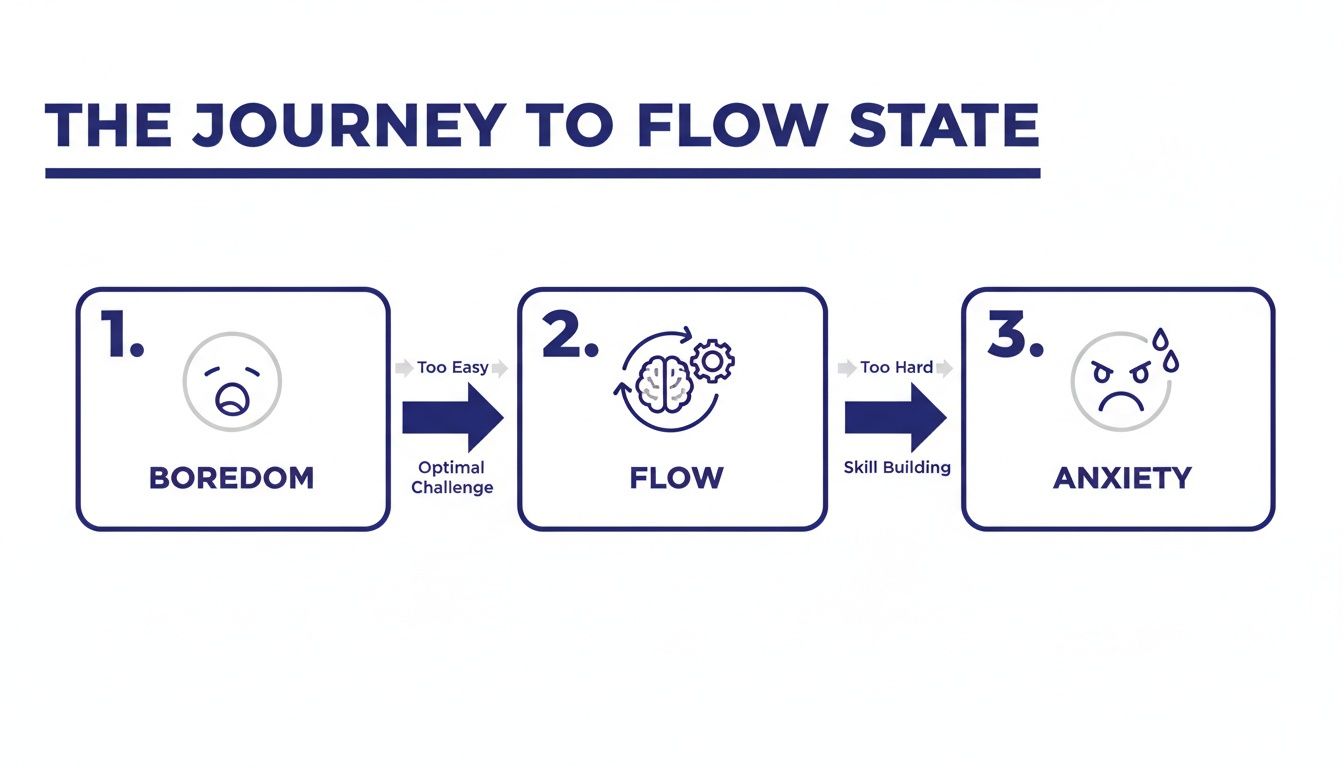
When you chase mastery, something powerful happens in your brain. The act of deliberate practice strengthens and myelinates neural pathways, making once-difficult skills feel more automatic over time. Psychologists call the peak of this experience “flow,” a concept brought to life by Mihaly Csikszentmihalyi. Flow happens in that sweet spot where a task is just hard enough to absorb you completely but not so difficult that it becomes a source of overwhelming stress.
In this state, you are fully immersed in an activity, your focus is sharp, and your sense of time can fade away. It’s the mental space where your best work often happens, driven by the pure enjoyment of the challenge.
A Real-World Example of Mastery in Daily Life
Take a graphic designer named Alex, who feels like their skills have plateaued. To break out of this rut, Alex decides to master a new 3D modeling software. They block out 90 minutes every morning for deliberate practice, zeroing in on one specific technique at a time. They also find an online community to share their work and get feedback, creating a powerful loop of practice and improvement.
A few months in, Alex isn’t just producing better work. They feel more energized and alive because they are actively on the path of mastery. To really accelerate your own journey, it helps to understand how successful people approach problems. Adopting powerful mental models of top performers can give you a framework for navigating challenges more effectively.
Here’s a simple way to start building your own mastery habit:
Identify a Core Skill: Pinpoint one skill that, if improved, would bring a significant boost to your work or personal fulfillment.
Break It Down: Deconstruct that skill into its smallest possible components. Your job is to improve one tiny piece at a time.
Create Feedback Loops: Find reliable ways to get clear, objective feedback. This could come from a mentor, a peer group, or even through structured self-assessment.
How to Build a Focus-Friendly Environment for Deep Work and Better Concentration
Building the kind of concentration needed for this work requires an environment that protects your attention. A solid pair of noise canceling headphones can be a game-changer, creating the quiet bubble needed for deep focus. Mastering this kind of attention is a skill in itself, and you can find a complete roadmap in the book Attention Unleashed. We also have a guide on how to achieve a flow state that you might find helpful.
The pursuit of autonomy, mastery, and purpose is a powerful combination, and sharpening your skills is a critical piece of the puzzle. Start with this chapter to begin your journey and build the focus you need.
3. Connecting Your Work to a Greater Purpose
While autonomy gives you control and mastery builds your skills, purpose is the essential element that ties it all together. This is the deep-seated human need to feel like your efforts contribute to something larger than yourself. It’s what transforms a job from a list of tasks into a meaningful mission.
Psychological research from institutions like the University of Pennsylvania shows that a strong sense of purpose is directly linked to greater resilience, improved well-being, and even better physical health outcomes. When your brain believes your work truly matters, it activates motivational circuits that are far more durable than those tied to external rewards like money or status. This intrinsic drive is what helps you persevere through challenges and find genuine fulfillment in your daily grind, which is crucial for staving off issues like anxiety or burnout related to work.
A Real-World Example of Finding Purpose
Consider a software developer, Maria, working on a seemingly boring accounting app. She feels disconnected from her work. One day, she gets to sit in on a customer feedback session. She hears a small business owner explain how the app saved her so much time on paperwork that she could finally attend her son’s soccer games. Suddenly, Maria’s perspective shifts. She’s not just “coding an accounting app”; she’s “giving parents more time with their families.” This new sense of purpose revitalizes her motivation and dedication.
Finding Your Why Even When It Feels Lost
You don’t need to be saving the world to find purpose in your work. It’s about connecting what you do every day to a larger “why.” For those feeling disconnected or on the edge of burnout, finding this connection can feel like a lifeline. It’s a core theme we explore in our book Burnout Breakthrough, which offers practical strategies for rediscovering that lost sense of meaning.
A habit tracker journal can be a simple yet effective tool for this. Instead of just tracking tasks, you can use it to note how your daily actions align with your bigger goals. This practice helps build a concrete bridge between your to-do list and your ultimate purpose. It’s a method for creating a more cohesive personal system. In fact, you might be interested in learning about the Second Brain method to organize your digital life for greater clarity.
Try this simple journaling exercise tonight:
Identify Your Contribution: Write down one small task you completed today.
Connect the Dots: Write one sentence about who or what that task helped, even in a small way.
Define a Micro-Mission: Based on that, write a single sentence about the value you want to create tomorrow.
Repeating this exercise helps train your brain to see the meaning hidden in your routine. Feeling stuck? Browse the library of our resources to find a book that resonates with your specific goals.
Best Tools for Your Autonomy, Mastery, and Purpose Journey
Knowing about autonomy, mastery, and purpose is one thing. Actually living them is another. The bridge between understanding these concepts and feeling their effects often comes down to the small, practical tools you use every day. Your environment and daily systems are the scaffolding for focus. They can either help you build momentum or quietly drain your energy.
A visual timer for desk can be far more effective than a phone app, giving you a tangible, non-distracting cue to stay in a flow state. In the same way, an ergonomic keyboard isn’t just about comfort; it’s about removing physical friction so you can focus longer on mastering your craft.
Whether you feel disconnected or simply want to have a bigger impact, the path forward always involves intentional action. That might mean reflective journaling to reconnect with what matters, or it might mean zeroing in on tangible contributions you can make right now. The key is to start exactly where you are.
How to Choose Your First Focus Tool
The right tool for you depends entirely on your biggest challenge. Do you struggle more with structuring your day (autonomy) or with staying focused during your work blocks (mastery)? Answering that question is the first step. This table helps you choose the right tool to support your autonomy and mastery goals based on your primary need and work style.
Comparing Productivity Tools for Focus
Tool
Best Option For
Primary Benefit
AMP Element
Time Blocking Planner
Professionals who need to structure entire days/weeks with intention.
Provides a clear, visual roadmap for your time.
Autonomy
Pomodoro Timer
Beginners needing to build momentum with short, focused work sprints.
Breaks down large tasks and prevents burnout.
Mastery
Habit Tracker Journal
Anyone building a new skill or routine over the long term.
Creates a visual feedback loop for progress.
Mastery
Phone Lock Box Timer
Those easily distracted by digital notifications during deep work.
Removes distractions to enable flow states.
Autonomy & Mastery
Each of these tools helps you design an environment that makes focus easier. They act as guardrails, protecting your attention and intention from the constant pull of distraction. Ultimately, these tools are less about managing your time and more about managing your energy. When you protect your energy, you create the space needed to build autonomy, mastery, and purpose into your daily life. If you want to go deeper on this, check out our guide on managing energy, not time.
Key Takeaways: Your AMP Motivation Blueprint
Internal Drivers Are Key: True, sustainable motivation for complex work comes from within. It is built on Autonomy (control), Mastery (progress), and Purpose (meaning), not external rewards.
Autonomy Fuels Ownership: Granting yourself or others control over the “how” of work engages the brain’s problem-solving centers, boosting creativity and engagement. Start small by controlling one part of your day.
Mastery Requires Deliberate Practice: The satisfying feeling of getting better at a skill rewires your brain for focus. Break skills down, practice consistently, and seek feedback to enter a “flow” state.
Purpose Connects Work to Meaning: You don’t need a heroic job. Find purpose by identifying who your daily tasks help. This simple mental shift can transform your motivation.
Use Tools to Support Your Goals: Practical aids like planners, timers, and journals create the structure needed to protect your focus and put the principles of Autonomy, Mastery, and Purpose into practice.
Editor’s Take: What Actually Works with Autonomy, Mastery, and Purpose
Let’s be honest: Autonomy, Mastery, and Purpose isn’t a checklist you can power through by Friday. Think of them as a long-term operating system for rebuilding deep, sustainable motivation. This advice is best for knowledge workers, creatives, or anyone feeling stuck in a burnout cycle who is ready for a real mindset shift. However, these principles are less likely to work in environments with extremely low psychological safety—true autonomy can’t take root without trust.
Here’s the unfiltered truth on how this actually plays out:
Autonomy needs guardrails. This isn’t about total, chaotic freedom. It’s about having meaningful choices within a clear structure. Start by taking ownership of one small part of your day or a single project. Find one corner of your work where you can make the decisions.
Mastery demands patience. You will be bad at a new skill before you are good at it. A habit tracker journal can help you see the tiny fragments of progress, but the real work is learning to tolerate the struggle of not knowing. Embrace being a beginner.
Purpose starts small. You do not need to quit your job to save the world. You just need to connect one of your daily tasks to the specific person it helps. That’s it. Find one small, human connection and let that be your anchor.
Disclaimer: This article contains affiliate links and is for educational purposes only. It is not a substitute for professional medical or psychological advice, diagnosis, or treatment. Always seek the advice of your physician or other qualified health provider with any questions you may have regarding a medical condition.
Frequently Asked Questions (FAQ)
1. What if my job gives me almost no autonomy?
Even in the most rigid roles, you can usually find small pockets of control. The key is to stop looking for huge freedoms and start noticing the small choices you do have. This might look like deciding the order you tackle a to-do list, organizing your own digital files, or refining a personal workflow to shave a few minutes off a repetitive task. These acts might feel small, but they send a powerful signal to your brain: I am still in control of something.
2. How long does it take to feel a sense of mastery?
Mastery is a direction, not a destination. The goal isn’t to arrive at a state of perfection, but to feel the quiet satisfaction of steady, continuous improvement. Real progress happens in tiny, often invisible, steps. This is where a tool like a habit tracker journal can be incredibly useful. By making your small wins visible, you create a feedback loop that fuels motivation and helps you see slow, consistent growth.
3. Can I really find purpose in a boring job?
Absolutely. Purpose doesn’t have to be a grand, world-changing mission. Most often, it’s found by connecting what you do every day to how it helps someone else, even in a small way. Instead of focusing on the task itself, ask: “Who does this help?” Maybe your work makes a colleague’s day less stressful or gives a customer a smoother experience. Infusing routine work with this human connection can transform a mundane job into a meaningful one.
4. Autonomy, Mastery, or Purpose: Where should I even start?
For most people, autonomy is the most accessible entry point. It’s the easiest one to take direct, immediate action on. You can claim a small piece of control over your day right now. Once you start feeling that sense of agency, you’ll often find you have more mental and emotional energy to pursue the slow path of mastery and uncover a deeper sense of purpose.
5. Can you have too much autonomy?
Yes, and it’s a trap many people fall into. Autonomy without guardrails isn’t freedom; it’s chaos. Complete, unstructured freedom often leads to analysis paralysis, where you’re so overwhelmed by choice that you do nothing at all. Effective autonomy is about having meaningful choices within a structure. This is precisely why clarity is the foundation of sustainable motivation. If you want a full roadmap on how to build that structure, our book The Power of Clarity is the perfect guide.
Free download: 7-Day Mind Clarity Reset
Get a short daily reset you can actually stick with (no fluff).
A decision making framework template is a simple, structured guide that helps you move from the uncertainty of a tough choice to a clear, confident path forward. It works by organizing the jumble of information and priorities in your head. This stops you from getting stuck in analysis paralysis. It also helps you make a choice you can stand behind. It’s an especially powerful tool for busy people who need to make solid decisions without getting drained.
As an Amazon Associate, I earn from qualifying purchases. This means that if you click a link and make a purchase, I may receive a small commission at no extra cost to you. This helps support the site and allows me to continue creating valuable content.
Why a Decision Making Framework Template Is Your Brain’s Best Friend
Have you ever stared at a choice, feeling completely stuck? That feeling of being mentally drained isn’t just in your head. It’s a very real phenomenon known as decision fatigue. This article is for educational purposes only. It is not a substitute for professional medical or psychological advice, diagnosis, or treatment for conditions like anxiety, burnout, or ADHD.
From a neuroscience perspective, making choices is surprisingly hard work. The job falls to your prefrontal cortex, the part of your brain that handles executive functions. These include planning, reasoning, and self-control. However, this part of your brain has a limited energy budget for the day.
Every single decision you make draws from this finite resource. When you constantly weigh options without a clear process, you burn through that energy too fast. The result is mental exhaustion. This makes you far more likely to make impulsive choices or avoid deciding altogether. You can learn more about what decision fatigue is in our detailed guide.
A Template Offloads the Cognitive Burden
Think of a decision making framework template as an external hard drive for your brain. It offloads the cognitive burden of trying to hold all the variables in your head at once. Instead of mentally juggling pros, cons, risks, and gut feelings, you get it all down on paper in a structured way.
This simple act provides a few immediate psychological wins:
It reduces your cognitive load. By writing everything down, you free up precious mental bandwidth. Your brain no longer has to actively keep track of every single detail.
It creates psychological distance. Seeing the problem laid out separates you from the emotional weight of the choice. This allows for a more objective, clear-headed evaluation.
It gives you a sense of control. A structured process turns a chaotic problem into a series of small, manageable steps. This instantly lowers feelings of anxiety and stress.
From Chaos to Clarity with a Framework
It’s a lot like trying to organize a messy room. The initial chaos feels overwhelming. But once you start sorting items into simple categories—keep, donate, discard—the path forward suddenly becomes clear. A framework does the exact same thing for the clutter in your head.
This is the same reason a good time blocking planner brings so much structure to a workday. Both tools provide a scaffold for your brain’s executive functions. They let you operate more efficiently and with far less stress. They validate that feeling of being overwhelmed and offer a practical way to find clarity.
By using a template, you’re building a repeatable habit for clear thinking. This structured approach helps conserve your mental energy for the deep work that truly matters. You’ll find yourself making confident choices without the burnout described in our book, Burnout Interrupted.
How to Use Your Decision Making Framework Template
When you’re facing a big decision, your thoughts can feel like a tangled mess. The goal of this framework isn’t to force you into a rigid spreadsheet. Instead, it acts as a guided journal. It walks your brain from scattered uncertainty to a clear, documented choice.
Let’s make this real. Imagine a small business founder, “Alex,” is stuck. She needs to invest in new software but has the budget for only one. The choice is between a customer relationship management (CRM) system or a new project management tool. Here’s how Alex can use the template to find a way forward.
First, Define the Real Problem with Your Template
The first step is simply to get clear on what you’re actually deciding. A fuzzy goal will always lead to a fuzzy outcome. “Choose new software” is too vague to be useful.
Alex needs something sharper. A better decision statement would be: “Select the single software platform that will have the greatest positive impact on revenue and team efficiency in the next six months.” That clarity becomes the north star for the entire process.
List Your Options and Evaluation Criteria
Next, Alex jots down her two paths: “Option A: New CRM” and “Option B: New Project Management Tool.” But now comes the most important part of the exercise: defining the evaluation criteria.
These are the yardsticks you’ll use to measure each option. It’s about moving beyond a simple pros-and-cons list. You need to get specific about what “good” actually looks like for you.
For her business, Alex’s criteria might be:
Impact on Sales: How directly will this tool help us close more deals?
Team Efficiency: How many hours will this save the team each week?
Implementation Time: How fast can we get this up and running?
Monthly Cost: What’s the recurring financial hit?
Scalability: Will this tool still work for us in two years?
Writing these down is a powerful defense against “shiny object syndrome.” This is our tendency to get distracted by what’s new rather than what’s truly effective. If you want to get better at collecting mental models like this, learning about the Second Brain method is a great way to organize your thinking.
A framework like this is the perfect antidote to decision fatigue. It helps when endless choices leave your brain feeling drained and overwhelmed.
As the visual shows, a structured process moves you from feeling swamped to being back in control.
Give Your Criteria Weight in Your Decision Framework
Let’s be honest: not all criteria are created equal. This is where a weighted decision matrix really shines. Alex needs to decide which of her criteria are non-negotiable. She also needs to identify which are just nice-to-haves. She can do this by assigning a “weight” to each one, usually on a simple scale of 1 to 5.
If driving immediate revenue is her absolute top priority, her weights might look like this:
Impact on Sales: 5 (Most Important)
Team Efficiency: 4
Monthly Cost: 3
Implementation Time: 2
Scalability: 2
This step forces an honest conversation with yourself about your real priorities. It’s an effective way to cut through emotional attachments and focus on pure strategic value.
Score Your Options and Let the Math Talk
Now for the final step: scoring each option against each criterion. Using a scale of 1-10 works well here. Alex would go down her list and rate both the CRM and the Project Management tool on every point. How well does the CRM impact sales? (Maybe a 9/10). How quickly can it be implemented? (Perhaps only a 4/10).
Once the scores are in, she just multiplies each score by its assigned weight. This gives her a “weighted score.” The option with the highest total is her logical winner. The beauty of these matrices is that they force you to quantify your thinking. This dramatically reduces the odds of second-guessing yourself later.
By following this process, Alex doesn’t just have a decision. She has a clear, defensible reason for it. That’s the real power of the framework. It gives you a path through the noise and the confidence to finally take action.
How to Choose the Right Decision Framework
Not every choice needs a multi-day workshop or a color-coded spreadsheet. The real key to making better decisions isn’t having one perfect system. It’s knowing how to match the tool to the task at hand.
Using a heavy-duty framework for a simple choice is overkill. But a simple pros-and-cons list won’t cut it when the stakes are high.
The goal is to become more flexible and efficient. You want to apply just the right amount of rigor. This is true whether you’re a solopreneur picking out the best laptop stand for desk or a manager facing a major project pivot. Knowing your options is the first step toward getting it right.
Match the Framework to the Stakes
A useful way to gauge a decision’s importance is to think of it as a hat, a haircut, or a tattoo. This popular analogy gives you a quick mental shortcut. It helps you figure out how permanent and impactful a choice really is.
Hats (Low Stakes, Easily Reversible): These are your small, everyday choices. Deciding which task to start first falls into this camp. The cost of getting it wrong is low, so you can decide quickly. A simple pros-and-cons list is usually all you need.
Haircuts (Medium Stakes, Reversible with Effort): These decisions carry more weight. A bad one can be fixed, but it will cost you time or money. Think about hiring a new team member. A weighted decision matrix is perfect for these situations.
Tattoos (High Stakes, Difficult to Reverse): These are the game-changers. We’re talking about major financial investments or company-wide strategic shifts. Reversing these is painful and expensive. They demand a more robust decision making framework template, like the DACI model.
Once you categorize your decision, you instantly get a feel for how much energy it deserves. Learning to tell these apart is a core skill for managing competing priorities without burning out.
Best Option for Individual vs. Team Decisions
The right framework also hinges on who is making the call. A choice you make alone has different needs than a group decision. In a group, getting everyone on the same page is half the battle. A solid guide to these kinds of essential decision-making frameworks can give you the structured thinking needed. To help you choose, here is a simple comparison. Compare options below to find the best fit for your situation.
Choosing Your Decision Making Framework Template
Framework Type
Best For
Complexity Level
Example Use Case
Pros & Cons List
Quick, low-impact personal choices.
Low
Deciding whether to buy a pair of noise canceling headphones.
Weighted Matrix
Comparing multiple options with clear criteria.
Medium
A founder choosing between two software tools based on cost, features, and reviews.
DACI Framework
Complex, high-stakes team decisions requiring clear accountability.
High
A product team finalizing a new feature launch campaign involving multiple departments.
Eisenhower Matrix
Prioritizing a list of tasks or decisions based on urgency and importance.
Low
A manager deciding what their team should focus on for the upcoming week.
The real goal is to get better at recognizing what kind of structure a problem needs. When you start with the right decision making framework template, you empower yourself to stop second-guessing and move forward with clarity.
Best for Busy Professionals: The DACI Framework
We’ve all been there: the group decision that goes nowhere. Endless meetings and conflicting opinions can stall even the most important projects. You either end up in a stalemate or with a watered-down choice that nobody owns.
This is exactly why a framework like DACI is so useful for teams. It’s a simple system for assigning roles to make sure collaborative decisions move forward. DACI stands for Driver, Approver, Contributors, and Informed. By sorting out who does what before the debate begins, you cut through the confusion.
Breaking Down the DACI Roles
How does this work in the real world? Let’s say a marketing team needs to lock in a core message for a new product launch. With DACI, it looks like this:
D – Driver: This is the project point person. They are responsible for getting the decision made on schedule. They set up meetings and gather info. The Driver is not the one who makes the final call.
A – Approver: This is the single person who has the final say. Just one. They have the authority to greenlight the plan. This single point of accountability is what kills endless debate.
C – Contributors: These are your subject-matter experts. They have a voice but not a vote. Their job is to provide vital input and analysis.
I – Informed: This group includes anyone who needs to know what was decided. They aren’t part of the decision-making process itself. They are, however, affected by the outcome.
Once these roles are mapped out, the guessing games stop. Everyone knows their job.
Why Documenting Roles Is a Game-Changer
Writing these roles down isn’t just a box-ticking exercise. It gives the team a shared source of truth. It stops roles from bleeding into one another. This drastically cuts down on friction and boosts efficiency. Atlassian offers a great playbook for structured decision-making that builds on these ideas.
Defining these roles is one of the most powerful moves a leader can make. It establishes clear lines of responsibility. It lets people pour their energy into great work instead of navigating politics. If you want to build this muscle on your team, start with this chapter in The Power of Clarity to build team alignment.
Common Pitfalls When Using a Decision Making Framework Template
Even the best template can’t save you from the mental traps that sabotage good choices. Knowing what these pitfalls look like is the first step to sidestepping them.
One of the most common culprits is analysis paralysis. This is the state of overthinking a choice so much that you never actually make one. Our brains are wired to crave certainty. When faced with too many options, the prefrontal cortex simply freezes. To break free, give your research a hard stop. A useful pomodoro timer can help you commit to a research window.
Failing to Define Clear Criteria
Another classic mistake is jumping straight into comparing options before you know what a “win” looks like. Without clear, written criteria, your choice becomes a magnet for emotions and shifting priorities. A decision framework is your best defense.
Before you look at a single option, stop and answer one question: “What are the most important outcomes I need from this decision?” Write them down. This simple act creates an objective filter. Learning about the common mistakes that can hinder early-stage companies offers a stark reminder of why clear criteria are non-negotiable.
Neglecting Post-Decision Commitment
Making the choice is only half the battle. A decision without a clear plan to act on it is really just an opinion. It’s an open invitation for second-guessing. This is where people get trapped in an endless loop, draining their mental energy.
This is precisely why documenting your decision-making process is so powerful. Having a record of your rationale acts as a psychological backstop. When doubt creeps in, you don’t have to re-litigate the entire choice in your head.
Instead, you can pull out your notes and review why you made the decision. This helps you confidently get back to work. A simple productivity journal can be a fantastic tool for this. It creates a single source of truth that allows you to commit and move on.
Editor’s Take: What Actually Works When You’re Overwhelmed
Look, I’ve seen complex frameworks like DACI. They have their place for big corporate moves. But for a busy professional trying to make a high-stakes choice without getting stuck for weeks? The single most effective tool I come back to again and again is a simple weighted decision matrix.
It’s fast, it’s reusable, and it forces you to get honest about what truly matters. It cuts through emotional noise and makes you stack up choices against criteria you defined.
The only catch? Any decision making framework template is useless if you aren’t brutally honest when you assign those weights. It’s easy to say cost is a low priority. But if you know the budget is tight, you have to reflect that. The tool is only as good as the truth you feed it.
The real magic isn’t in the spreadsheet itself. The power is in the act of getting all those swirling, competing thoughts out of your head and onto a page.
This is the key to breaking free from analysis paralysis. Externalizing the thought process creates the mental space you need to see the situation clearly. This practice is a core part of developing mental focus, a topic we explore deeply in Attention Unleashed. The more you practice improving your critical thinking skills, the more natural it will feel. The best framework is always the one you’ll actually use.
Key Takeaways for Using a Decision Making Framework Template
Here is a quick summary of the core principles for making smarter choices without the usual stress and second-guessing.
A template is your best defense against decision fatigue. Your brain’s capacity for high-quality thinking is finite. A decision making framework template acts as external scaffolding, taking the load off your working memory so you can focus.
For big solo choices, a weighted matrix is non-negotiable. It pushes you past vague gut feelings. By scoring your options against clear criteria, you get a logical, defensible answer instead of just hoping for the best.
When a team is involved, the DACI framework creates clarity. Knowing who is the Driver, Approver, Contributor, and who just needs to be Informed prevents the endless meetings that kill momentum.
A decision isn’t finished until it’s documented. Writing down why you made a choice creates a record that prevents future debates. A simple entry in a productivity journal is all it takes to make this a habit.
Disclaimer: Some of the links in this article may be affiliate links, which means we may earn a small commission at no extra cost to you. The content on Mind Clarity Hub is for educational purposes only and is not a substitute for professional medical or psychological advice, diagnosis, or treatment. Always seek the guidance of a qualified health professional with any questions you may have regarding a medical condition.
Decision Frameworks FAQ: Your Questions Answered
Here are some honest answers to the questions that come up most often when you start using a structured process for clearer choices.
What’s the simplest framework I can use for a personal decision?
For smaller, low-stakes choices, you can’t beat a simple pros-and-cons list. It’s fast and perfect when you’re deciding on something like a new ergonomic mouse. No need to overcomplicate it.
But when the stakes get higher, you need more structure. This is where a weighted decision matrix shines. It forces you to get honest about what you truly value (like salary or work-life balance). It helps you score each option against those priorities. This simple upgrade moves your decision from a vague gut feeling to a well-reasoned choice.
How can a template help when I feel overwhelmed?
That feeling of being overwhelmed is often your brain trying to juggle too many variables at once. Psychologists call this cognitive load. It’s a direct path to decision fatigue, where your brain just gives up.
A decision making framework template acts as an external brain. It gives you a place to offload all those competing thoughts. The moment you start writing everything down, you free up mental energy. It turns a chaotic storm of anxiety into a structured list you can work with. The process itself builds a sense of control that immediately cuts through the stress.
Can I really use these for a huge life decision, like a career change?
Absolutely. In fact, that’s where these frameworks are most powerful. A choice as big as a career change is too important to leave to a gut feeling alone. You need a rock-solid rationale.
A good template forces you to dig deep into what truly matters to you. You’ll define and weigh all the critical factors. These might include long-term fulfillment, salary potential, and the impact on your family. Documenting this thinking gives you a powerful record. When doubt creeps in later, you have a logical foundation to stand on. This helps you commit to your new path with far less second-guessing.
What’s the difference between a decision matrix and a decision tree?
They solve different kinds of problems. A decision matrix is your best bet when you need to pick one option from a list of similar choices. Think of comparing software vendors. You score each alternative against the same weighted criteria to see which one comes out on top.
A decision tree, on the other hand, is for mapping out decisions with uncertain outcomes. It looks like a flowchart. It helps you visualize how different choices could lead to a range of results. A tree helps you plan a sequence of choices over time.
How do I keep my personal bias from skewing the results of a framework?
No system is completely bias-proof, but a template is one of your best defenses. Here’s the single most important rule: define and weigh your criteria before you start scoring the options.
This one step prevents you from accidentally fudging the numbers to make your preferred option win. This is a classic trap known as confirmation bias. For an extra layer of objectivity, ask a trusted colleague to review your criteria. A simple question like, “What important factors might I be missing here?” can instantly reveal your blind spots. Getting that outside perspective is one of the smartest moves you can make.
Free download: 7-Day Mind Clarity Reset
Get a short daily reset you can actually stick with (no fluff).
Learning how to read quickly and comprehend more of what you read isn’t about raw speed. The real path to efficient reading is using strategies that force your brain to actually engage with the material, not just slide your eyes over the words. From a neuroscience perspective, deep reading strengthens neural pathways associated with focus and memory, while skimming often fails to create these lasting connections.
Think about your Monday morning. Your inbox is a disaster, you have a stack of reports to get through, and you already feel behind. The temptation to just “speed read” everything is huge. This is where behavioral psychology comes in; our brains seek the path of least resistance, which often means shallow processing to feel a sense of accomplishment, even if retention is low.
_As an Amazon Associate, we may earn from qualifying purchases. This means that if you click on a link and make a purchase, we may receive a small commission at no extra cost to you. This helps support our work in creating valuable content._
The Real Bottleneck Is Understanding
The desire to read faster is a direct response to information overload. But the true bottleneck isn’t the speed of your eyes. It’s the processing capacity of your brain. From a cognitive psychology standpoint, your working memory has a limited capacity. When you force your reading pace, you overwhelm this system, preventing information from moving into long-term memory.
Reading is a complex cognitive workout. It involves everything from decoding letters and words to connecting new ideas with knowledge you already have. When you force your pace, you often skip the deeper mental work required for true comprehension.
Real-world scenario: Imagine you’re a student cramming for a history exam. You fly through three chapters in an hour, but when you try to recall the key dates, you draw a blank. Your eyes saw the words, but your brain didn’t have time to encode the information. This creates a frustrating loop. You read a document, get to the end, and realize nothing sank in. That leads to rereading and wasted time—a classic symptom of cognitive overload, where your brain simply can’t keep up. To really learn how to read quickly and comprehend, you have to shift your focus from speed to strategy. You can learn more by understanding what cognitive overload is and how to fix it.
The Gap Between Reading and Knowing
Globally, there’s a surprising gap between basic literacy and genuine comprehension. Just because someone can read words doesn’t mean they understand the author’s intent or can draw logical conclusions from the text. This isn’t about intelligence; it’s about the cognitive skills of analysis and synthesis.
For instance, while global literacy is around 87%, studies show that nearly half of teenagers worldwide can’t read with full comprehension. In the U.S. alone, a staggering 54% of adults have literacy skills below a sixth-grade level, which highlights that knowing how to read isn’t the same as understanding what you’ve read.
This is a critical point for professionals. In a work environment, mistaking scanning for understanding can lead to poor decisions, missed details, and embarrassing mistakes. The goal isn’t just to get through your reading list—it’s to extract value, make connections, and apply what you’ve learned. This guide will show you exactly how to do that, turning you into a more effective and truly efficient reader.
Assess Your Baseline to Truly Improve Reading Speed
If you want to read faster without your comprehension falling off a cliff, you have to know where you’re starting. Diving into speed-reading tricks without a baseline is like trying to improve your marathon time without ever timing a run. You need an honest, clear starting point.
This isn’t just about numbers; it’s about metacognition—turning your attention toward your own habits. You’re moving from a passive reader to an active participant in your own learning. Behaviorally, this act of self-monitoring is the first step in breaking old, inefficient reading patterns and building new, effective ones. If you’ve ever felt your focus slide off a long article, getting a handle on your baseline is the first real step toward fixing it. That feeling is incredibly common, something we explore in depth in our guide on why you can’t read long articles anymore.
How to Measure Your Reading Speed and Comprehension
Let’s get a real-world measurement. This quick test will give you your two most important metrics: your Words Per Minute (WPM) and your comprehension score.
Find Your Material: Grab a non-fiction text you haven’t seen before, something around 1,000–1,500 words. A news analysis or a chapter from a business book is perfect. Avoid poetry or highly technical jargon.
Set a Timer: Use your phone or a simple pomodoro timer. Set it for exactly one minute.
Read Normally: Start the timer and read at your comfortable, natural pace. Don’t push it. The goal is to capture your everyday speed, not a sprint. When the minute is up, mark the last word you read.
Calculate Your WPM: Count the total words you read in that minute. That number is your baseline WPM.
Test Your Comprehension: Now, without looking back, jot down a few sentences summarizing the main arguments and any key details you remember. How well did you really understand it?
It’s worth doing this a few times with different texts to get a reliable average. Your reading speed can fluctuate based on the material, time of day, and your energy level. For a benchmark text, you can start with this chapter from The Power of Clarity to get a clear starting point.
Setting Goals That Don’t Frustrate You
There’s a persistent myth that the average adult reads at 300+ WPM. The reality is quite different. A massive analysis of 190 studies found the average silent reading speed for adults is actually 238 WPM. College students clock in around 250 WPM. You can discover more insights about reading rate research here.
Why does this matter? It helps you set goals that are ambitious but achievable. Chasing a mythical number is a recipe for frustration and often leads to sacrificing comprehension for speed. This aligns with the psychological principle of setting SMART goals (Specific, Measurable, Achievable, Relevant, Time-bound) to maintain motivation.
Real-world scenario: A new manager wants to “read faster” to keep up with industry reports. Instead of vaguely trying to rush, she measures her baseline at 240 WPM. She sets an achievable goal of hitting 270 WPM with good comprehension in one month. This concrete target keeps her motivated without feeling overwhelmed.
The goal isn’t to become a superhuman reader overnight, but to become a more effective and intentional one. A 10–20% increase in your WPM while maintaining or improving your comprehension is a fantastic starting goal.
By getting an honest baseline, you’ve done something crucial. You’ve turned a vague wish to “read faster” into a concrete project with real numbers. Now you have a benchmark to track against and a realistic target to aim for. This is the solid foundation on which all the other speed and comprehension techniques are built.
Core Techniques to Boost Speed Without Losing Meaning
Once you have your baseline, it’s time to start retraining your brain. Learning to read faster without sacrificing meaning isn’t about some hidden trick; it’s about systematically unlearning the slow, plodding habits you’ve practiced for years through neuroplasticity—the brain’s ability to reorganize itself by forming new neural connections.
These core techniques are designed to make your reading more efficient by changing how your eyes and brain team up. The goal is to shift from a passive, word-by-word slog to a more active, strategic approach. You’ll learn to see the big picture first, process text in larger units, and manage that inner monologue that’s been holding you back.
Master Previewing and Skimming for Context
You wouldn’t start a long road trip without glancing at a map. Think of previewing as creating a mental map of a document before you dive in. It gives your brain a structure to hang all the details on later. This technique, from a cognitive psychology perspective, is called “priming.” By exposing your brain to key concepts first, you make it easier to recognize and process them during a full read.
This technique is about getting the gist before you commit to a deep read. By scanning headings, introductions, conclusions, and any bolded text, you prime your brain. You’re activating the relevant neural networks, making it much easier to absorb the information when you read it for real.
Real-world scenario: You’re a consultant handed a 50-page report an hour before a big meeting. Reading it word-for-word is a lost cause. Instead, you apply this: You read the executive summary, scan the table of contents, and read the first sentence of each paragraph in the most critical sections. In just a few minutes, you know the report’s main arguments, its structure, and where to find specific data if asked. You walk into that meeting prepared and confident.
How to Read Quickly and Comprehend by Chunking
Instead of reading one… word… at… a… time, you need to train your eyes to see groups of words—or “chunks”—all at once. This directly tackles one of the biggest physical barriers to reading speed: saccades, the tiny, sharp jumps your eyes make from one point to the next. Neuroscientifically, this reduces the cognitive load on your visual cortex.
By taking in 3-4 words with every glance, you dramatically reduce the number of eye movements needed to get through a line of text. This also puts your peripheral vision to work. While you focus on the central chunk, your brain is already getting a preview of the words on either side, smoothing out the entire process. For anyone facing dense material on an exam, understanding the core skills of LSAT Reading Comprehension shows just how critical this skill is in high-stakes environments.
A simple drill to build this habit is using a pen or your finger as a pacer. Move it smoothly under each line, just a little faster than your comfortable reading pace. This forces your eyes to keep up and naturally encourages them to take in wider blocks of text. You can find more strategies like this in our guide on active reading techniques.
Control Your Inner Voice to Increase Reading Speed
Subvocalization—the common habit of saying words in your head as you read—is a major speed bump. While it’s a helpful tool for understanding truly complex material, it also creates an artificial ceiling on your reading speed. This is because the brain regions for speech (like Broca’s area) are activated, limiting your processing speed to that of spoken language.
Your inner voice can only “speak” at around 150-250 WPM. That means as long as you’re sounding out every single word, you’ll never read faster than you can talk.
The goal isn’t to eliminate subvocalization entirely. That’s nearly impossible and not even desirable for difficult texts where you need deep analysis. The goal is to control it. You want to be able to quiet that inner narrator when reading simpler material where the goal is just to acquire information quickly.
Real-World Drill: A lawyer reading through familiar legal briefs doesn’t need to sound out every standard clause. By consciously pushing to read faster than their inner voice can keep up, they focus on grasping key phrases and arguments. But when they encounter a tricky new precedent, they can slow down and let subvocalization return to ensure full comprehension.
To practice turning it down, try humming gently or chewing gum while reading easy material like a news article. This engages the muscles tied to speech and makes it harder to subvocalize, forcing your brain to rely more on visual recognition alone. Another great tool for focus is a good pair of noise canceling headphones, which can help quiet both external noise and your inner monologue.
How to Choose the Best Reading Strategy for Deep Comprehension
Learning to read faster with techniques like chunking is a great first step, but speed without understanding is a hollow victory. To truly get the most out of what you read, you have to pair those speed skills with strategies that force your brain to actively engage.
Passive reading is what happens when information flows past you, gone almost as soon as you see it. Active reading, on the other hand, is how you build real, lasting knowledge. It’s the difference between letting words wash over you and truly wrestling with them. From a neuroscience perspective, this “wrestling” is called “effortful retrieval,” and it’s the process that moves information from short-term to long-term memory.
This is where a few proven cognitive methods come in. They transform reading from a spectator sport into an interactive process, creating mental hooks that make new information stick.
The Power of the SQ3R Method: Best for Academic Study
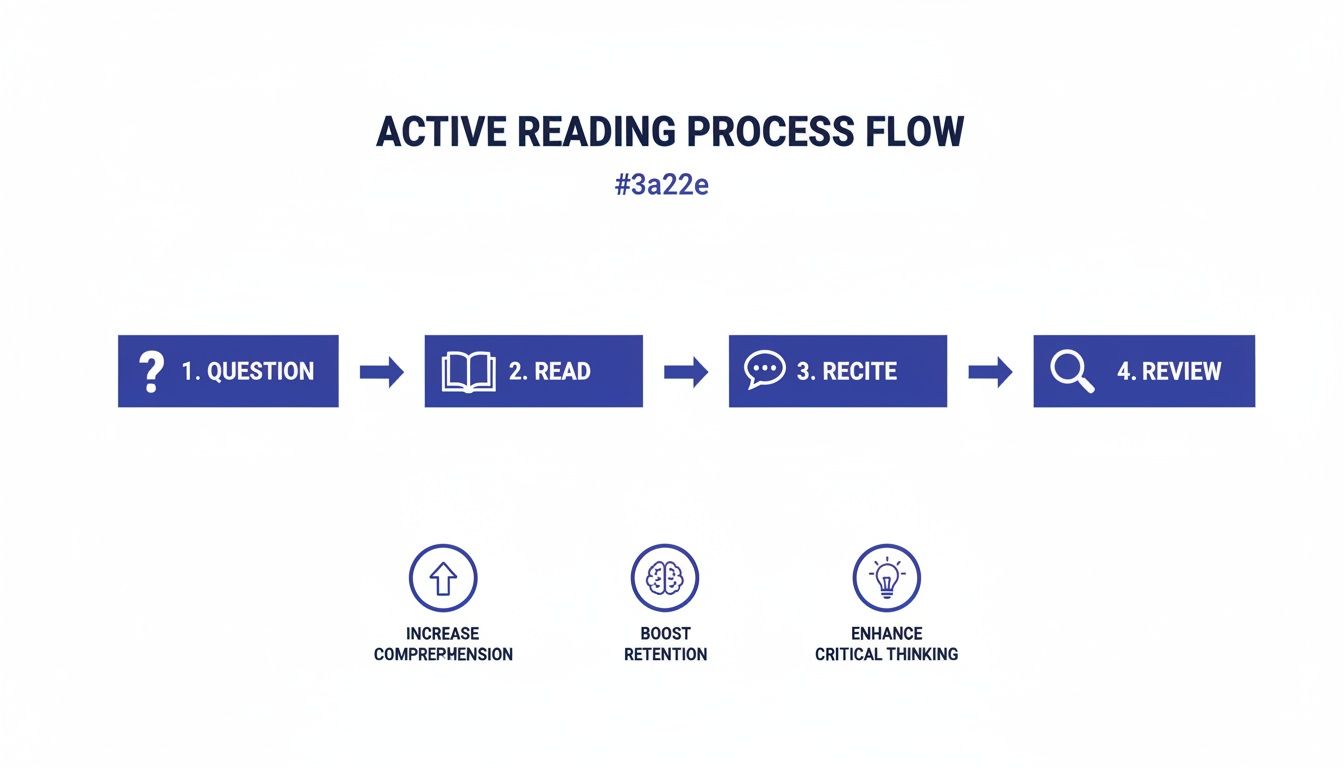
One of the most robust systems for deep study is the SQ3R method. It’s a five-step process designed for dense, important texts where your goal is total comprehension. It stands for Survey, Question, Read, Recite, and Review.
Think of it as building a mental scaffold before you start filling in the details. This structure makes it far easier for your brain to encode information and find it again later.
Let’s say you’re a researcher tackling a new academic paper. Here’s how you’d use SQ3R:
Survey: First, you’d skim the entire paper—the abstract, headings, charts, and conclusion—to get a high-level map of the territory.
Question: Next, you’d turn each of those headings into a question. “Introduction” becomes, “What is the core problem this paper is trying to solve?” “Methodology” becomes, “How did the authors actually run this study?”
Read: Now, you read with a purpose. You go through the paper one section at a time, actively hunting for the answers to the questions you just created.
Recite: After each section, you pause. Look away from the page and summarize the key points and answers in your own words. This is where the magic happens.
Review: Once you’ve finished the entire paper, you review your notes and mentally walk through the structure, the main arguments, and the conclusion.
By the end, you haven’t just read the paper. You’ve dissected it, understood it, and made it your own. For another powerful approach to focused work, explore the ideas in our book, Reclaiming Silence.
Solidify Knowledge with Active Recall and the Feynman Technique
Beyond a full system like SQ3R, two other techniques are fantastic for cementing what you’ve learned.
Active Recall is the simple, powerful act of pulling information out of your memory without looking at the source. After reading a chapter, just close the book and ask yourself, “What were the three main arguments here?” That moment of effortful retrieval is what strengthens the neural pathways for that memory.
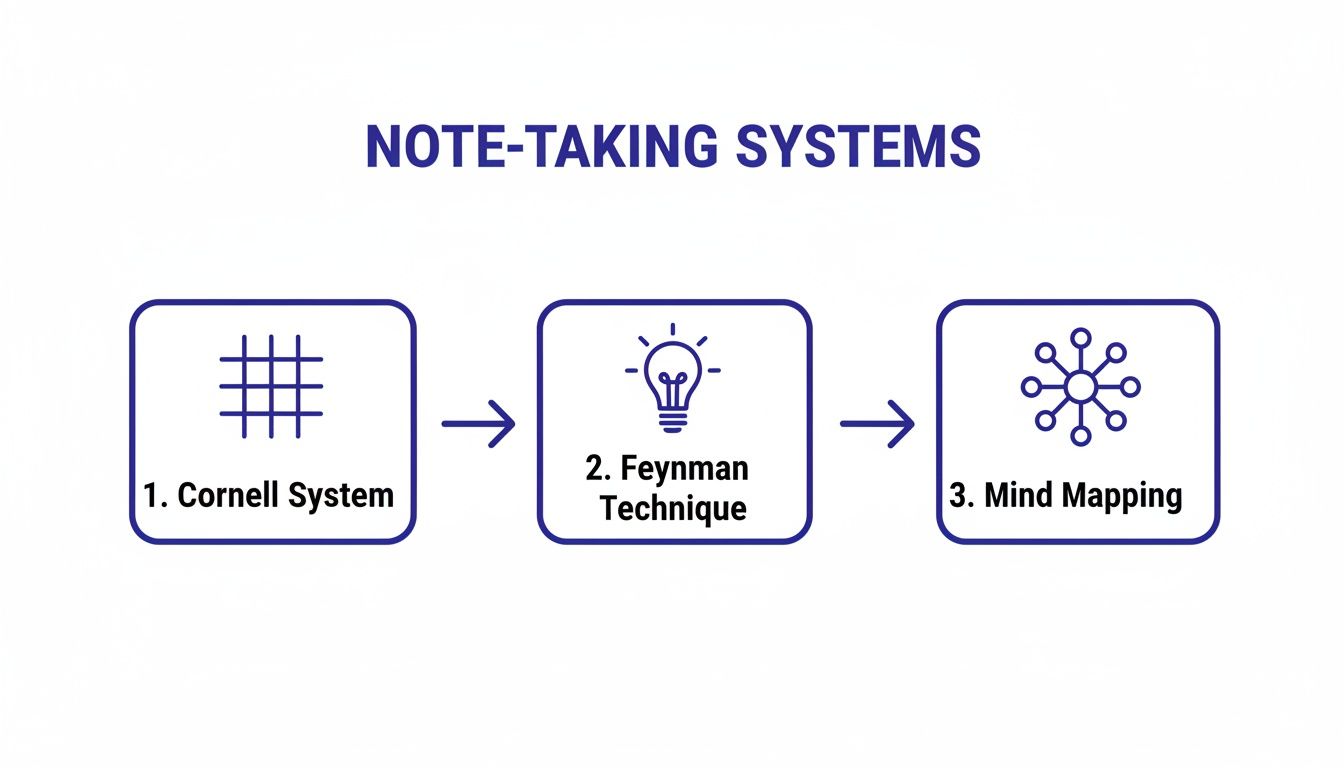
The Feynman Technique pushes this even further. The process is straightforward: try to explain a concept you just learned in the simplest terms you can, as if you were teaching it to a child. If you get stuck, stumble, or have to fall back on jargon, you’ve just found a gap in your own understanding. You can then return to the material to fill that gap.
Both of these techniques are fundamental for building deep, flexible knowledge. It’s a core idea we explore throughout our book, Attention Unleashed.
This simple decision tree can help you pick the right reading technique based on what you need to accomplish in the moment.
As the visual shows, your goal—whether it’s a quick overview or deep absorption—should always dictate your approach. [Compare options] now to see what works best for your reading list.
How to Choose Your Reading Strategy: A Comparison
Not every piece of text deserves the same level of focus. A quick work email doesn’t demand the same mental energy as a dense textbook chapter. The key to efficient learning is matching your strategy to the material and your goal.
This table breaks down when to use each approach.
Technique
Best For
When to Use It
Strategic Skimming
Getting the gist of a long document or deciding if something is worth a deep read.
Reviewing emails, news articles, or business reports before a meeting.
Chunking and Pacing
Increasing speed on material where full comprehension isn’t critical on the first pass.
Reading fiction for pleasure, catching up on industry blogs, reviewing familiar material.
SQ3R Method
Maximum comprehension and long-term retention of complex information.
Studying for an exam, learning a new skill from a book, analyzing a research paper.
Active Recall
Testing and strengthening your memory of what you’ve just read.
After reading a chapter, pausing to summarize key points without looking at the text.
Choosing the right tool for the job makes all the difference. For those preparing for timed assessments where speed and accuracy are crucial, a complete guide to TOEFL reading can offer specialized tactics.
By matching your method to your material, you can finally stop sacrificing comprehension for speed and start building a smarter, more effective reading practice today.
Building a Sustainable Habit for Faster Comprehension
Learning the right techniques—chunking, active recall, previewing—is one thing. But those tricks only stick if you actually use them. The real path to how to read quickly and comprehend for good isn’t about finding a magic bullet; it’s about building a system that makes focused reading a default part of your day.
This isn’t a willpower problem. It’s a behavioral design problem. Lasting habits are built on two simple psychological ideas: designing your environment and piggybacking new behaviors onto old ones. When you get this right, you don’t need to rely on motivation, which almost always runs out.
Important Educational Note: The strategies discussed here are for building effective reading habits. If you experience persistent difficulties with focus, attention, or comprehension that impact your daily life, especially related to conditions like ADHD, anxiety, or burnout, it’s important to consult with a medical or psychological professional. This article is for educational purposes only and is not a substitute for professional diagnosis or care.
Best Option for Building Consistency: Environment Design
Your brain takes constant cues from your surroundings. A desk piled high with distractions signals chaos and context-switching. A dedicated, quiet space primes your mind for focus. This is called environment design, and it’s one of the fastest ways to make a new habit stick.
Create a Reading Nook: It doesn’t have to be fancy. Just designate one specific chair or corner of a room for reading. When you sit there, your brain gets the signal that it’s time to read, not scroll or worry about email.
Remove the Friction: Put your phone in another room. Better yet, use a phone lock box timer to remove the temptation entirely. On your computer, close every tab that isn’t related to what you’re reading.
Optimize for Comfort: Make sure your space is genuinely comfortable. Good lighting and an ergonomic keyboard for digital reading can be the difference between a frustrating 10-minute session and an effortless hour.
An entrepreneur I know wanted to get through more business books. He set up a single armchair with a good lamp in his home office, and his laptop and phone were not allowed in that corner. That tiny shift made picking up a book almost frictionless. If your biggest hurdle is digital noise, our guide on achieving Digital Clarity offers a full plan for quieting the chaos.
Use Habit Stacking and Tracking
Habit stacking is a game-changer. It’s a simple practice from behavioral science where you link a new habit you want to build with a habit you already do automatically. The formula is straightforward: “After I [Current Habit], I will [New Habit].”
For the Busy Parent: “After I finish my morning coffee, I will read one chapter of my book on my commute.” The coffee becomes the trigger.
For the Student: “After I pack my bag for tomorrow’s classes, I will do one 10-minute timed reading drill.” Packing the bag is the cue.
To really make it stick, you need to see your progress. A simple time blocking planner or a habit tracker journal gives you visible proof of your consistency, which sends a powerful signal back to your brain that this new habit is part of who you are. You can find more strategies for this in our guide on how to read more books.
It’s also worth remembering why this matters. While the UK reports a 99% adult literacy rate, that number can be misleading. OECD data reveals that around 16.4% of adults in England have reading skills low enough to struggle with everyday tasks. You can read more about the importance of reading proficiency here. This highlights the massive gap between just being able to read words and being able to quickly synthesize complex information—a skill every professional needs.
Don’t be surprised if you feel frustrated at first or even feel like you’re getting worse for a week or two. That’s a normal part of the learning curve as your brain forges new pathways. Trust the system you’ve designed, stick with the small habits, and eventually, they will become second nature.
Key Takeaways
If you want to read faster, the goal is not to just move your eyes across the page more quickly. It is about building a smarter system for taking in and understanding information. Here are the core ideas from this guide to keep in mind.
Find your starting line. You can’t improve what you don’t measure. Calculating your baseline words per minute (WPM) and comprehension score gives you a real starting point for tracking progress.
Comprehension is the real finish line. Raw speed means nothing if you don’t understand or remember the material. Always choose techniques that deepen your grasp of the text over tricks that just boost speed.
Use the foundational skills together. Real improvement comes from layering techniques: previewing to build a mental map, chunking to read phrases instead of single words, and learning to quiet your inner voice for simpler texts.
Reading isn’t a passive sport. Engaging with the material through methods like SQ3R (Survey, Question, Read, Recite, Review) and active recall forces your brain to process information, not just see it. This is the key to long-term retention.
Make it a real habit, not a one-off trick. Lasting change comes from consistency. A dedicated reading space, habit stacking, and tracking your sessions in a simple productivity journal are what turn a new skill into a permanent one.
Disclaimer: This article is for educational purposes and is not a substitute for professional medical or psychological advice. Some links may be affiliate links, meaning we might earn a small commission if you make a purchase, at no extra cost to you.
Remember, becoming a faster, more effective reader is a skill you build over time, not overnight. For a deeper look at processing what you read, check out our guide on how to summarize book chapters without losing the important details. [See the book that fits your goal] on our site for even more strategies.
Editor’s Take
Let’s get real for a moment. The idea of “speed reading”—blasting through books at 1,000+ words per minute with perfect recall—is mostly a myth. The real, lasting benefit comes from becoming a more strategic and flexible reader, not just from moving your eyes faster across the page.
From our experience coaching professionals and students, the most significant gains in both speed and comprehension come from two core practices. First, consistently previewing material to build a mental map before you dive in. Second, using active recall to force your brain to engage with and actually retain what you just read. These are the quiet workhorses of efficient reading.
The goal isn’t just raw speed; it’s efficient comprehension. It’s about extracting the maximum value from your reading time, not just being the first one to finish the book.
These techniques are best for dedicated professionals and students who are willing to put in the practice. This isn’t a magic bullet, and it won’t double your reading speed overnight. It requires real, consistent effort.
Ultimately, this approach is about shifting your goal from just getting through the text to truly understanding it. If you commit to being a more strategic reader, you’ll see substantial improvements in both how fast you read and, more importantly, how much you remember.
Speed Reading FAQs: Your Questions, Answered
Making sense of speed reading techniques in real life can bring up a lot of questions. Here are some of the most common ones I hear from people learning to read faster without losing the plot.
How Long Does It Take to See Real Improvement?
There’s no magic number here. Your progress depends on your starting point and, more importantly, your consistency. However, most people report feeling a noticeable shift in both speed and understanding within several weeks of steady practice.
The real key is consistency over intensity. Carve out 15–20 minutes each day for specific drills. That daily habit will build momentum far more effectively than a long, frustrating session once a week.
Can I—and Should I—Stop Subvocalizing Completely?
No, and you shouldn’t even try. That inner voice you “hear” while reading, known as subvocalization, is a natural and often necessary part of understanding what you’re reading, especially with complex or important material.
The goal isn’t to eliminate it. It’s to reduce it for faster processing when you’re dealing with simpler texts. Think of it as a volume dial you can learn to turn down, not an on/off switch.
What’s the Best Kind of Material to Practice On?
Start with material that is both easy and genuinely interesting to you. Think news articles, your favorite blogs, or lighter non-fiction. This lets you focus on the mechanics of the techniques themselves without getting bogged down by difficult content.
Once you’re feeling more confident, you can gradually level up to more challenging non-fiction books or the dense articles you need for work. The trick is to match the material to your current skill level to keep frustration at bay.
Do Those Speed Reading Apps Actually Work?
They can be a helpful piece of the puzzle, but they aren’t the whole solution. Most speed reading apps are fantastic for one specific thing: training your physical eye movements. They’re great for drills that reduce saccades and widen your eye span.
Where they fall short is on the comprehension side. An app won’t teach you powerful strategies like the SQ3R method or active recall. My advice? Use them as a supplement for your physical drills, but don’t rely on them as your primary learning tool.
Is It Better to Read on a Screen or on Paper?
The research on this is pretty mixed, so the honest answer is: you have to experiment and see what works for you. Many people find they sink into the text better on paper, simply because it has fewer built-in distractions.
If you do most of your reading on a screen, your main job is to create a distraction-free digital space. You might also find that using blue light blocking glasses helps reduce the eye strain that can cut a reading session short. Ultimately, the best medium is whichever one lets you focus most deeply.
Free download: 7-Day Mind Clarity Reset
Get a short daily reset you can actually stick with (no fluff).
Taking a break from work isn’t a sign of weakness—it’s a strategic tool for keeping your focus sharp, your thinking clear, and your best work sustainable. By stepping away on purpose, you give your brain’s cognitive systems the chance to reset. This is non-negotiable for high-quality performance and sidestepping mental burnout.
Let’s be real: modern work culture often treats non-stop hustle like a badge of honor. We power through fatigue, work through lunch, and answer emails long after the day is done. We tell ourselves that more time “on” must equal more work completed. This approach isn’t just flawed; it’s a direct route to sabotaging the very productivity we’re chasing. A huge body of behavioral research confirms it. The constant pressure to perform without rest is a well-known recipe for disaster, and the data backs it up.
Affiliate Disclosure: This article may contain affiliate links. If you make a purchase through one of these links, we may earn a small commission at no extra cost to you. This helps support our work in creating valuable, research-informed content.
Modern workplace studies and historical data paint a sobering picture. A Gallup report on the global workplace highlights a costly trend of plummeting employee engagement. This leads to staggering productivity losses. A huge chunk of this stems from relentless work without enough recovery. Your brain’s attention system simply isn’t built for endless focus. It runs in cycles of peak performance followed by necessary recovery. Pushing past that natural rhythm doesn’t work.
The Brain on Overdrive: Why a Break from Work is Crucial
Think of your focus like a muscle. When you force it to lift heavy mental weights for hours, your prefrontal cortex gets exhausted. This is the brain region responsible for executive functions like decision-making and concentration. This cognitive fatigue leads to problems you might recognize all too well.
You might experience:
An inability to concentrate on a single task.
More careless mistakes than you normally would.
Feeling irritable, emotionally drained, or just “done.”
A nosedive in your creative problem-solving ability.
This state has a name: mental fatigue. From a neuroscience perspective, prolonged focus depletes neurotransmitters needed for sharp thinking. If these symptoms are hitting close to home, it might be worth exploring the 12 key signs of mental fatigue to get a clearer picture. An effective break from work acts as a hard reset for these cognitive functions. It allows them to recover. Even very short pauses can make a surprising difference in replenishing your mental energy.
Mini Scenario: A software developer has been staring at code for two hours. They take a five-minute break to walk to the kitchen for a glass of water. During that brief pause, their brain shifts away from the intense analytical task. This gives those overworked neural pathways a rest. When they return, they often spot a bug that was invisible just minutes before. A simple pomodoro timer is great for structuring these essential work-rest cycles.
A Note on Deeper Issues: For profound challenges like burnout, anxiety, or depression that breaks alone can’t fix, seeking professional mental health support is an essential step. This article is for educational purposes and is not a substitute for professional medical or psychological advice.
Taking a break is a powerful tool. However, it’s just one part of a larger toolkit for building a healthy, sustainable work life. By reframing breaks as a strategic advantage, you can unlock higher levels of productivity. You’ll also protect your mental health. To get started on building this new habit, you can browse the library to find your path to digital clarity.
The Science of Rest: An Effective Break From Work
Ever feel like your brain just hits a wall mid-afternoon? You’re staring at the screen, but nothing is sinking in. It’s a feeling most of us know well. The impulse is often to push through. However, the truth is, your brain is signaling that it needs a pause. The trick is knowing which kind of pause it needs.
Not all breaks are created equal. Matching the break to your brain’s needs is the secret to making your time off truly restorative. When you’re deep in focus, your prefrontal cortex—the part of your brain handling logic and decision-making—is working overtime. Like any muscle, it gets tired. A strategic break from work is how you let it recover.
How Microbreaks Restore Immediate Focus
Think of a microbreak as a quick pit stop for your brain. These are very short pauses, usually just one to five minutes. They are designed for a rapid mental reset during a demanding task, not deep rest. It’s like letting your cognitive engine cool for a moment before you redline it again.
These tiny pauses are surprisingly powerful for staving off mental fatigue. Behavioral research shows they give your prefrontal cortex a momentary rest. This helps you sustain high performance over a much longer stretch.
Mini Scenario: A data analyst has been staring at a complex financial model for the last hour. Her eyes feel strained, and she’s rereading the same lines without progress. She decides to take a three-minute microbreak. She gets up, does a quick stretch, glances out the window, and grabs a glass of water. When she sits back down, her mind feels clearer. She almost immediately spots a tiny error in a formula she’d been glossing over.
This is the power of stepping away. In our world of non-stop digital pings, these brief respites are non-negotiable. In fact, research shows that encouraging breaks can slash burnout rates by up to 50%. With nearly half of all U.S. workers reporting burnout, it’s stunning that companies encouraging breaks see twice as many employees report zero burnout. You can find more on these mental health statistics on Meditopia.
This cycle is the natural rhythm of high-performance work. Hustle depletes our resources, leading toward burnout. A well-timed break isn’t an interruption of the process; it’s a vital part of it. It restores our ability to focus again.
Using Scheduled Breaks to Boost Creativity
While microbreaks are for refreshing focus, longer scheduled breaks of 15-30 minutes serve a completely different purpose. These more substantial pauses give your brain permission to switch into its Default Mode Network (DMN). Neuroscience calls this your brain’s “daydreaming” state. It’s where your brain wanders freely, consolidates memories, and forges new connections between ideas.
This DMN activation is where the magic happens for creativity and problem-solving. It’s during these longer breaks that you get those “aha!” moments. This happens when you’re not actively trying to solve something. Even a quick power nap can do wonders for clearing out mental cobwebs. If you’re intrigued, our guide on the benefits of a 20-minute nap is a great place to start.
Mini Scenario: A writer is completely stuck on a chapter. The words feel clunky and the narrative is going nowhere. Frustration is mounting. She sets a timer for 20 minutes and heads out for a brisk walk, leaving her phone behind. As she walks, her mind drifts. Then, seemingly out of nowhere, a new plot twist materializes. This breakthrough only happened because she gave her brain the unstructured time it needed to get creative.
To ensure these essential pauses happen, many people find success with a time blocking planner. When you schedule breaks with the same seriousness as a client meeting, you make a concrete commitment to your well-being and performance. For more strategies, you can explore the frameworks in our book, Focus Recharged.
Best Option for a Break from Work: Micro vs. Scheduled?
How do you pick the right tool for the job? This quick comparison can help you decide whether you need a quick reset or a longer creative pause. The best choice depends on your immediate goal.
Comparison: Choosing Your Break Type
Choose a Microbreak (1–5 mins) if: Your goal is to restore immediate focus during an intense, single task. Example: Standing up to stretch or looking out the window.
Choose a Scheduled Break (15–30 mins) if: Your goal is to boost creativity, solve a complex problem, or recover between major tasks. Example: Taking a walk or a short power nap.
Choose a Digital Detox Break (1+ hour) if: You feel mentally foggy and overstimulated from screen time. Example: Putting your phone away and reading a physical book.
Choose a Walking Break if: You feel physically stiff and mentally sluggish. An under desk walking pad is a shopper-style favorite for integrating movement without stopping work entirely.
Ultimately, both types of breaks are crucial. The goal isn’t to stop working, but to work smarter by honoring your brain’s natural rhythms. A microbreak keeps your engine from overheating. A scheduled break is where you refuel for the next leg of the journey.
Planning Your Digital Detox: A True Break From Work
In our always-on work lives, the screen is often the last thing we see at night. It’s also the first thing we check in the morning. This isn’t just tiring for our eyes. It keeps our nervous systems in a quiet but persistent state of high alert.
Every notification and email chime can trigger a small stress response in the brain, releasing cortisol. This prevents our brains from ever truly disengaging and reaching a state of deep, restorative rest. A real break from work has to include a break from our screens. That’s what a digital detox is all about. It’s a deliberate period where you step away from devices to give your mind a chance to downshift.
This state of hyper-arousal is the exact opposite of what your brain needs for genuine restoration. Without periods of digital quiet, you can feel “off” even when you’re not working. A digital detox isn’t about ditching technology forever. It’s about learning to use it on your own terms. Our full guide with more digital detox tips can offer more ideas for how to get started.
How to Start Your Digital Detox Break from Work
A digital detox can be as short as a few hours or as long as a full weekend. The key is to start small and build momentum. You don’t need a grand plan for a week-long retreat to start feeling the difference.
Here are a few practical ways to begin:
The Evening Cutoff: Designate a “digital cutoff” time each evening, maybe 90 minutes before you plan to sleep. This gives your brain time to transition away from stimulating blue light. Psychology studies show this light can interfere with melatonin production and disrupt your sleep.
Screen-Free Meals: Make a simple rule: no phones at the dinner table. This helps you be more present with your family or yourself. It improves both your relationships and your relationship with food.
Tech-Free Mornings: Instead of reaching for your phone first thing, spend the first 30 minutes of your day without screens. Use this time for meditation, journaling in a productivity journal, or just enjoying a quiet cup of coffee.
The goal is to create small pockets of time where your brain isn’t being constantly bombarded. This is a core idea we explore in our book, Digital Clarity, which offers a full roadmap for reclaiming your attention.
A digital detox isn’t about escaping reality; it’s about reconnecting with it. By intentionally disconnecting, you create space to reconnect with yourself, your thoughts, and the people right in front of you.
Digital Detox in the Real World
Mini Scenario 1: The Freelancer’s Creativity Reset A freelance graphic designer feels completely drained. Her ideas are stale, and she spends hours scrolling for “inspiration,” only to feel more exhausted. She implements “No-Screen Saturdays.” Every Saturday, she puts her phone in a drawer. She spends the day on analog activities: visiting a museum, sketching, or cooking. This break from screens allows her brain’s default mode network to activate. This sparks fresh, original ideas when she returns to her desk on Monday.
Mini Scenario 2: The Remote Worker Protecting Family Time A remote project manager finds work bleeding into his evenings with “quick checks” of his email. His family feels his distraction. To solve this, he buys a phone lock box timer. Every day at 6 PM, his phones go into the box, set for three hours. This physical barrier removes the temptation, allowing him to be fully present with his family.
When you’re deep in burnout, a few short breaks can feel like trying to put out a forest fire with a water pistol. They just don’t cut it. Sometimes, what you really need is a more substantial pause—a sabbatical or an extended leave—to truly recover and reset. Of course, approaching your boss with this kind of request can feel incredibly intimidating. But it doesn’t have to be a confrontation.
The secret is to frame your request for a longer break from work as a mutual win. You get the time you desperately need to recharge. The company gets back a refreshed, more strategic, and re-engaged employee. This simple shift changes the conversation from what you need to take to what value your return will bring.
Frame the Request as a Mutual Benefit
Instead of leading with how exhausted you are, start the conversation by focusing on the long-term benefits for the company. A well-rested employee is more creative and a better problem-solver. They are also far less likely to quit. You can position your leave as a strategic investment in your continued contribution to the team.
From a neuroscience standpoint, chronic stress absolutely tanks the cognitive resources needed for high-level thinking. An extended break allows your brain to recover from that depletion. It restores critical functions like strategic planning and innovative thought. These are the very skills your employer values most.
How to Choose Your Approach: Presenting a Plan
A manager’s first thought is almost always, “But how will the work get done?” The most effective way to calm this fear is to walk into the meeting with a solution already in hand. Don’t just ask for time off. Present a thoughtful, detailed plan that shows you’ve considered the logistics from their perspective.
Your plan should cover a few key things:
Project Status: A clean summary of all your current projects, including their status, next steps, and deadlines.
Temporary Ownership: Smart suggestions for which colleagues could cover specific responsibilities. This makes the transition feel manageable.
Documentation: An offer to create detailed guides for your essential tasks to minimize disruptions and support your team.
Mini Scenario: A Seamless Handover
Sarah, a senior marketing manager, realizes she needs a six-week leave to avoid total burnout. Instead of just announcing her exhaustion, she schedules a meeting with her director. She comes prepared with a document outlining her projects. Critically, she proposes that her direct report take the lead on a major campaign. She frames it as a fantastic growth opportunity for him. She also volunteers to spend two weeks before her leave creating a comprehensive handover guide. By doing this, Sarah isn’t just asking for a favor. She’s showing her commitment to her team’s success. This makes it so much easier for her director to say “yes.” This proactive approach is a key theme in our book on overcoming professional exhaustion, Burnout Interrupted.
This kind of forethought demonstrates responsibility and respect for your colleagues’ workload. For more on navigating these tricky conversations, our guide on how to balance life and work can help. Finally, do your homework on the financial side and be ready to set clear expectations. Dig into your company’s leave policy. Start planning your personal finances well ahead of time. When you have the conversation, be clear about your availability—or lack thereof—during your leave. This ensures your break is truly restorative.
Best Tools to Help You Take a Break From Work
Knowing you need a break is easy. Actually taking one during a demanding workday is another story. The right tools can act as simple, powerful cues. They help you build the habit of stepping away before your energy tanks. They’re not about adding more complexity. Instead, they simplify the decision to pause, turning it into an automatic part of your workflow.
The goal is to find what slots into your specific work style and environment. This makes consistency feel effortless.
Best for Busy Professionals: Habit-Building Tools
If you’re the type who gets lost in a task and forgets to look up for hours, a timer is your best friend. A physical pomodoro timer is fantastic for this. There’s a real, satisfying commitment in turning the dial. Its eventual ring is an unmissable signal that it’s time to stop. It’s a simple, screen-free way to enforce the work-rest cycles your brain craves.
For a more subtle nudge, especially in an open office, a visual timer for desk works wonders. These often use shrinking color blocks or a quiet dial to show time passing at a glance. This keeps you aware of your focus block without a startling alarm.
By making your break schedule visible, you offload the mental effort of time-tracking. This frees up cognitive resources, letting you stay immersed in your task until the timer—not your own willpower—tells you it’s time for a pause.
The most effective break habits are built on a foundation of clarity and intention. We explore how to build that foundation in our book, The Power of Clarity.
Best for Improving Break Quality
A break isn’t very restorative if you spend it scrolling through emails or listening to office chatter. Creating a small pocket of calm is where certain tools truly shine. High-quality noise canceling headphones are a game-changer. They don’t just block out sound; they send a clear, universal “do not disturb” signal. This simple tool allows you to use your break for a quick meditation or just enjoy a rare moment of true silence. That quiet helps lower your nervous system’s arousal, which is critical for recovering from mentally demanding work. Ready to get focused? [Compare options] for headphones that fit your work style.
If you’re looking to schedule these moments, you might find our guide to the best time blocking apps useful.
How to Choose Your Break-Enhancing Tool
So how do you pick the right tool for you? It really just depends on the problem you’re trying to solve. This quick comparison can help you decide where to start.
Tool
Best For
Key Benefit
Pomodoro Timer
Structured work sprints and short breaks.
Enforces the Pomodoro Technique, building discipline.
Time Blocking Planner
Scheduling longer, intentional breaks and deep work.
Proactively protects time for rest and focus.
Noise Canceling Headphones
Creating a quiet environment for focus or rest.
Reduces auditory distractions, signaling ‘do not disturb’.
Under Desk Walking Pad
Incorporating light physical activity during work.
Combats sedentary behavior, boosts energy.
The best tool is always the one you’ll actually use. Start with just one, see how it feels, and don’t be afraid to experiment. [Start with this chapter] in our book to find the right habit for you.
Editor’s Take: What Really Works for Taking a Break From Work
Here’s the honest truth about taking a break: the best strategy is always the one you actually use. We all dream of a long, restorative sabbatical, but for most busy professionals, it’s a fantasy. What really moves the needle is consistency, not intensity.
For knowledge workers, freelancers, and anyone with some control over their calendar, the single most effective place to start is with microbreaks. Committing to a five-minute pause every hour is infinitely more realistic—and impactful—than planning an elaborate vacation you never take. These small, frequent resets are what stop mental fatigue from piling up. They can turn an afternoon slog into a period of clear, focused work.
Who This Advice Is Best For
This approach is most practical for people who have autonomy over their schedule. If you’re in a highly structured or monitored role, you might need to get creative. This could mean using your existing short breaks more intentionally. You could also start a conversation about building a healthier work culture. The core principle, however, stays the same: small, consistent breaks are more powerful than infrequent, long ones.
When you’re looking for restorative breaks, don’t forget to explore options closer to home. Sometimes, special staycation opportunities can give you that crucial change of pace without the stress and expense of travel. The goal is to find a rhythm you can sustain. If you struggle with consistency, a physical cue like a visual timer for desk can be a game-changer. It takes the mental load off of remembering to pause. For a deeper dive into building these foundational habits, our book The Power of Clarity offers a step-by-step framework.
Key Takeaways: How to Master the Break From Work
If there’s only one thing you remember from this guide, let it be this: taking a real break from work isn’t a sign of weakness. It’s a non-negotiable part of doing consistently great work and protecting your mental health. Here are the core ideas to keep in your back pocket.
Breaks are biological, not optional. Your brain’s attention is a finite resource. When you try to push through mental fatigue, you aren’t being productive—you’re setting yourself up for mistakes and burnout. Breaks refuel those cognitive tanks.
Match the break to the moment. A quick microbreak (1–5 minutes) is perfect for resetting your focus during an intense task. A longer, scheduled break (15–30 minutes) is what you need to let your mind wander, activate its creative Default Mode Network, and solve tricky problems.
A true digital detox is essential. Constant screen time keeps your nervous system on high alert. You can’t fully disengage and recover if your brain is still monitoring pings and notifications. Intentionally stepping away from screens is where real rest begins.
Frame long breaks as a win for everyone. When asking for extended leave, don’t frame it as a personal escape. Present it as a strategic investment that benefits the company. A well-thought-out handover plan proves your responsibility and makes it easier for your manager to say “yes.”
Build consistency with simple tools. Turning breaks into a regular habit doesn’t have to be hard. Simple aids like a pomodoro timer or a time-blocked planner can make breaks automatic. For a deeper look at building habits that stick, our guide on The Power of Clarity is a great place to start.
Disclaimer: This article is for educational purposes only and is not a substitute for professional medical or psychological advice, diagnosis, or treatment. The content is not intended to make any diagnostic, treatment, or cure claims regarding conditions like anxiety, depression, ADHD, burnout, or sleep problems. Some links in this post are affiliate links, meaning we may earn a commission if you make a purchase at no extra cost to you.
Frequently Asked Questions About Taking a Break From Work
Learning how to take strategic, effective breaks can feel like building a new muscle. Here are some of the most common questions we get, with honest answers to help you move from feeling guilty about rest to using it as a tool for better work.
How long should a break from work actually be?
The honest answer? It depends entirely on what you’re trying to achieve. For a quick mental reset during a heavy focus session, a microbreak of 1 to 5 minutes is often all you need. If you’re trying to recharge between big meetings or creative tasks, a more substantial scheduled break of 15 to 30 minutes is a better fit. And when you’re feeling a deeper screen fatigue, a digital detox of a few hours can make a world of difference.
Is it really that bad to skip breaks at work?
Yes, it really is. Consistently pushing through without breaks is a guaranteed path toward burnout. Your brain’s capacity for focused attention isn’t infinite; it’s a resource that gets drained. Forcing yourself to work nonstop leads to mental fatigue, a spike in errors, and a nosedive in creative problem-solving. Breaks are a biological requirement for sustained high performance. Skipping them is like trying to drive a car across the country without stopping for gas.
What are the signs I need a longer break, like a sabbatical?
Short breaks are for daily fatigue, but some warning signs call for a much bigger reset. If you feel a sense of chronic exhaustion that a weekend can’t fix, a deep cynicism about your job, and a nagging feeling of professional ineffectiveness, you’re likely experiencing burnout. These are signals that short breaks are no longer enough. When you feel a profound lack of motivation that sticks around for weeks, that’s a strong sign you need a longer break from work to genuinely recover.
Can stepping away from work actually make me more productive?
Absolutely. It feels like a paradox, but one of the best things you can do for your productivity is to stop working—strategically. Brief breaks restore the attentional resources you need to stay focused and prevent mental drain. Longer breaks allow your brain’s Default Mode Network to light up. This brain state is essential for insight and creative breakthroughs. You’ll often solve your most stubborn problems when you’re not actively wrestling with them.
What are some good, simple activities for a short work break?
The best short break activities pull you away from your screen and into your body, even for a few moments. The goal is to change your physical and mental state.
Stand up and stretch. Get the tension out of your shoulders and back.
Walk to get a glass of water. You get movement and hydration in one go.
Look out a window for 60 seconds. Give your eyes a rest from close-up screen focus.
Listen to one favorite song. Music is one of the fastest ways to shift your mood.
Do a few rounds of box breathing. A simple breathing exercise can instantly calm a frazzled nervous system.
Free download: 7-Day Mind Clarity Reset
Get a short daily reset you can actually stick with (no fluff).
Magnesium chloride is a specific, highly absorbable form of a mineral your brain and body depend on for over 300 essential jobs. Its benefits run deep, touching everything from mood and focus to sleep quality. This makes it a key player in how we handle stress and perform mentally. For driven professionals, understanding these magnesium chloride benefits can be a game-changer.
Ever feel mentally foggy, irritable, or scattered? Your body might be sending you a signal. The high-stress pace of modern life can burn through your magnesium stores faster than you can replace them. This mineral is like a master conductor for the complex symphony of your brain’s neurotransmitters.
As an Amazon Associate, I earn from qualifying purchases. Purchases made through affiliate links may generate a small commission at no extra cost to you.
Think of it this way: from a neuroscience perspective, magnesium helps ensure the signals for calm and concentration fire in perfect harmony. When levels are low, that balance gets thrown off, often leading to that familiar feeling of burnout and distraction. You might struggle to find the very mental clarity you need to perform at your best. This is why addressing a potential deficiency with a quality supplement, like a gentle magnesium glycinate supplement, can feel like hitting a reset button.
The Brain-Calming Mechanism: Neuroscience Behind Magnesium Chloride Benefits
To get why magnesium matters, it helps to understand what electrolytes are good for. Magnesium is a critical electrolyte that helps regulate your nervous system. It acts on the NMDA receptors in your brain—the same ones involved in learning, memory, and how “excitable” your neurons get.
When you’re under chronic stress, your body pumps out cortisol. This can overstimulate these receptors, leaving you with a racing mind and a sense of anxiety. Magnesium steps in as a natural gatekeeper, calming this activity and helping restore mental balance. This is a huge reason why keeping magnesium levels steady is so vital for managing daily pressures. For many, this mineral imbalance is a quiet root cause of persistent brain fog. If that sounds familiar, you can dive deeper into our guide on what causes brain fog.
This screenshot from our book, The Power of Clarity, shows just how much mental overload can steal your focus.
The image highlights a scattered mind struggling to find direction—a state that low magnesium can absolutely make worse. To regain your focus, you might want to start with this chapter.
The Research Backing Magnesium Chloride Benefits for Mood
The link between magnesium and mood isn’t just a hunch; it’s backed by behavioral research. A 2017 study found that adults dealing with mild-to-moderate depression and anxiety saw significant improvements. This happened after just six weeks of supplementing with magnesium chloride.
Participants reported clinically meaningful improvements in both depression and anxiety scores. Some felt the positive effects in as little as two weeks. Low magnesium is common among high-stress professionals. It disrupts key brain receptors and the body’s stress-response system. This makes the findings unsurprising. You can read the full research on magnesium and mood to see the science for yourself. It drives home how much impact this one mineral can have on your daily psychological well-being.
The Top 5 Magnesium Chloride Benefits for Mental Performance
When your brain has the resources it needs, mental clarity feels less like a daily battle. Instead, it feels more like your natural state. Magnesium chloride is one of those foundational resources. It offers direct support for the systems that govern your mood, focus, and resilience. Its benefits aren’t just theoretical. They show up as real, tangible improvements in how you think and feel day-to-day.
This article is for educational purposes only and is not a substitute for professional medical or psychological advice, diagnosis, or treatment. Issues like anxiety, depression, ADHD, burnout, or sleep problems require professional care. Always seek the advice of your physician or other qualified health provider with any questions you may have regarding a medical condition.
1. Enhancing Mood and Calming Anxious Thoughts
There’s a good reason magnesium is often called nature’s “calming mineral.” From a neuroscience standpoint, it supports the function of GABA (gamma-aminobutyric acid). This is your brain’s primary inhibitory neurotransmitter. Think of GABA as the brake pedal for your brain, slowing down racing thoughts and promoting ease.
At the same time, magnesium helps keep NMDA receptors in balance. When these receptors get overstimulated by stress, it can lead to agitation and anxiety. By acting on both pathways, magnesium chloride helps create a more stable and calm internal environment.
Mini-Scenario: A freelance writer feels overwhelmed by a deadline. Their mind is a loop of “what if” scenarios, making it impossible to focus. After supplementing with magnesium, they notice the mental chatter quiets. This finally allows them to sit down with a clear mind and map out the project using their time blocking planner.
2. Improving Sleep Quality for Better Recovery
Deep, restorative sleep is simply non-negotiable for high-level thinking. Magnesium chloride plays a key role here. It helps regulate melatonin, the hormone that governs your sleep-wake cycles. It also helps quiet the entire nervous system, preparing your body and mind for rest.
If you find yourself lying awake with a busy mind, it could be a sign your nervous system is overexcited. Magnesium helps dampen this activity, making it easier to drift off to sleep and stay asleep. The result? You wake up feeling more refreshed and mentally sharp.
This concept map shows how high stress can drain magnesium, which often leads to issues like brain fog.
You can see the domino effect clearly: high stress depletes magnesium, and that depletion can directly cloud your thinking.
3. Boosting Focus and Cognitive Clarity
Your brain’s ability to learn, adapt, and focus hinges on neuroplasticity. This is its capacity to form and reorganize synaptic connections. Magnesium is a key player in supporting this process. It helps facilitate communication between neurons, which is essential for forming memories and maintaining sharp cognitive function.
When your magnesium levels are right, your brain is better equipped to handle complex tasks. You can maintain concentration for longer stretches. You might find it easier to enter a state of deep work and filter out distractions. This is why many scattered people notice a boost in mental clarity after addressing a magnesium deficiency. If you’re looking for other ways to clear your head, check out our guide on other supplements that help with brain fog.
4. Mitigating Stress for Better Burnout Resilience
Chronic stress takes a heavy toll on your mind and body. This is largely through the actions of the stress hormone cortisol. The entire stress response is managed by the HPA (Hypothalamic-Pituitary-Adrenal) axis. Magnesium helps regulate this system, preventing it from spiraling into overdrive.
By helping keep cortisol levels in check, magnesium chloride can soften the physical impact of stress. It can lower an elevated heart rate or ease tense muscles. This builds greater resilience against burnout. Your body gets better at returning to a state of equilibrium after a stressful event.
Mini-Scenario: A project manager wraps up a high-stakes presentation. Instead of feeling wired and tense for hours, they notice a quicker return to a calm state. This improved stress recovery allows them to transition smoothly to their next task without carrying residual tension.
5. Supporting Healthy Habit Formation
Consistency is everything when building a new habit. But it’s incredibly difficult to be consistent when you’re battling mood swings, poor sleep, or constant stress. Behavioral psychology shows that a stable physiological baseline is key for habit success. Magnesium helps create that stable foundation, making it easier to show up for your goals.
When your mood is more stable and your energy more reliable, you have more capacity to stick with new behaviors. This is why magnesium can be a powerful foundational tool for anyone looking to make lasting, positive changes. A habit tracker journal can be a great companion for this journey.
How to Choose the Best Magnesium Chloride Supplement
Walking into the world of supplements can feel overwhelming. The right choice boils down to your goals, lifestyle, and how your body responds. You have two main paths: oral supplements (pills and liquids) or topical applications (oils, sprays, and flakes). Understanding the pros and cons of each is key.
Best Option for Systemic Support: Oral Magnesium
Oral forms of magnesium chloride are fantastic for systemic support. This means they’re absorbed through your digestive tract and distributed throughout your entire body. If you’re looking to support brain function, regulate mood, or improve heart health, this is often the go-to method. It gives you a reliable, measurable dose, making tracking your intake straightforward.
However, oral magnesium can sometimes cause digestive trouble, especially at higher doses. For anyone with a sensitive stomach, this can be a deal-breaker.
Best for Targeted Relief: Topical Magnesium Chloride
This is where topical magnesium chloride comes in as a brilliant alternative. It bypasses your digestive system completely. When you apply it to your skin as an oil or spray, the magnesium is absorbed directly through your pores. This delivers it right where you need it.
This makes it exceptionally gentle and perfect for targeted relief. Think soothing sore muscles, easing a tension headache, or helping your body relax before bed. Many people swear by applying it to their feet and legs in the evening to quiet their nervous system.
Mini-Scenario: A remote worker often uses an under desk walking pad to stay active. They notice persistent tightness in their shoulders and calves. Since they have a sensitive stomach, they try a topical magnesium spray. They apply it to the sore spots and find fast, localized relief without any digestive upset.
Comparing Your Options: Oral vs. Topical Magnesium
How do you decide? It really depends on your primary goal. This quick comparison helps clarify which option might suit you best.
Ultimately, if your goal is overall mood and cognitive function, an oral supplement is a solid choice. But for muscle recovery, tension relief, or a gentler option, a topical application is a much better fit. You can also compare options with our other guides to find your perfect match.
How Magnesium Chloride Supports Physical and Mental Resilience
Your mental stamina and physical health are deeply intertwined. The benefits of magnesium chloride go beyond calming your mind. They directly shore up the physical systems that let you handle pressure and sustain high performance. Building this whole-body resilience is what stops the slow slide into burnout.
True resilience means having the energy and stability to get through demanding days without feeling depleted. Magnesium chloride offers foundational support for the systems hit hardest by chronic stress. This makes it a powerful ally for any busy professional.
Supporting Cardiovascular Health Under Stress
Constant pressure takes a direct toll on your heart. One important role of magnesium chloride is in cardiovascular health. It helps relax blood vessel walls, which in turn can help manage blood pressure. This is a major concern for anyone juggling high-stakes projects.
By promoting smoother blood flow and a steady heart rhythm, magnesium ensures your body isn’t working overtime. This creates a state of physical calm that directly frees up more mental capacity.
Fueling Muscle Function and Recovery
Whether you use exercise to blow off steam or just tense up at your desk, muscle health is central to how you feel. Magnesium is essential for proper muscle contraction and relaxation. Think of it as a natural “off-switch” that helps prevent cramps, knots, and tension that build up during stress.
Efficient muscle recovery means you can stay consistent with workouts that are vital for mental clarity. It’s why so many people notice a drop in physical tension when they start supplementing. For another angle on body health, you might be interested in our guide on sodium butyrate benefits.
Regulating Blood Sugar for Stable Energy
Nothing kills productivity faster than a mid-afternoon energy crash. Magnesium chloride plays a crucial part in insulin sensitivity and blood sugar regulation. This helps prevent the sharp spikes and dips that destroy your focus. Stable blood sugar translates directly to stable energy and a more predictable mood.
Mini-Scenario: An entrepreneur running a startup felt constantly drained and noticed their blood pressure creeping up. They started integrating magnesium into their daily routine to support heart health and energy. Combined with better work-life boundaries, a topic we explore in Burnout Interrupted, they found they could power through long days with more consistent energy and less physical tension.
Integrating Magnesium Chloride Into Your Daily Routine
Knowing the benefits of magnesium chloride is one thing. Actually weaving it into your life is where real change happens. Thankfully, it isn’t complicated. It’s about listening to your body’s signals and choosing the right timing to support your goals.
But first, a crucial point: before starting any new supplement, consult with a healthcare provider. They can help you figure out the right form and dose for your needs.
Best for Beginners: Start with Topical Application
If you’re new to magnesium, starting with a topical application is a great way to ease in. It’s gentle on the digestive system and gives you a lot of control. Simply start with a few sprays of magnesium oil on your feet, legs, or shoulders in the evening. This delivers magnesium directly through the skin, which is fantastic for localized tension and relaxation.
The best time to use magnesium chloride depends on what you want it to do. Sync the supplement with your body’s natural rhythm.
For Better Sleep: Use it about an hour before you plan to go to bed. This gives magnesium time to support GABA production and quiet your nervous system.
For Muscle Recovery: Apply topical magnesium or take an oral dose right after a workout. This helps replenish magnesium and can ease post-exercise soreness.
For Stress Management: A consistent daily dose, morning or evening, can help regulate your HPA axis long-term. This builds resilience to day-to-day stressors.
Mini-Scenario: A student struggles to wind down after long nights of studying. They build a simple sleep ritual. An hour before bed, they apply topical magnesium spray. They also turn on a white noise machine and put on a sleep mask blackout. This multi-sensory routine signals to their brain that it’s time to shut down, a concept we explore in Reclaiming Silence.
Editor’s Take: What Actually Works
Let’s get straight to it: magnesium chloride isn’t a magic pill. But the evidence for its role in supporting mood, sleep, and stress resilience is surprisingly solid. For busy professionals and knowledge workers, especially those wrestling with classic signs of deficiency—like irritability or poor sleep—its benefits can be real and impactful.
Who is it best for? It’s ideal for high-stress individuals who feel physically tense, mentally scattered, or struggle with sleep. The topical form is especially good for those with sensitive stomachs.
What are the limitations? Magnesium works best as part of a bigger picture. You can’t supplement your way out of a fundamentally unhealthy lifestyle. It’s a support tool, not a cure-all. When you combine it with a decent diet, regular movement, and real stress management, it provides crucial support.
The Best Way to Get Started: If you’re just starting out, topical forms are an excellent entry point. They bypass your digestive system, offering gentle, targeted relief. For more systemic benefits—like mood and cognitive support—oral forms often deliver more comprehensive results, but only if you tolerate them well.
Disclaimer: This website participates in affiliate programs, like the Amazon Services LLC Associates Program. This means we may earn a small commission on qualifying purchases at no extra cost to you. The content provided here is for educational and informational purposes only and does not constitute medical or psychological advice. Always consult with a qualified healthcare professional before making any decisions about your health or treatment.
Key Takeaways: Magnesium Chloride for a Calmer, Clearer Brain
We’ve covered a lot of ground on magnesium chloride. Here are the core ideas to remember as you decide if it’s the right tool for you.
A Highly Usable Form of a Critical Mineral. Magnesium chloride is a standout because of its high bioavailability. Your body can actually absorb and use it for the 300+ essential processes that depend on magnesium, especially those governing your brain, mood, and stress response.
The Benefits for a Tired Brain. The main advantages for knowledge workers are a calmer nervous system, better sleep quality, and sharper focus. It also supports cardiovascular health and can help build your resilience against the physical and mental drag of burnout.
Oral vs. Topical: Choose Your Path. You can take it as an oral supplement for systemic, whole-body benefits. Or, you can use a topical spray or oil for more targeted relief, which is also a great option if oral magnesium upsets your stomach.
Always Start Slow and Check First. As with any new supplement, begin with a low dose to see how your body responds. More importantly, talk to your doctor before starting to make sure it’s a safe and smart choice for your specific health situation.
It’s a Tool, Not a Magic Bullet. Think of magnesium chloride as one part of a bigger system. When you pair it with a solid diet, consistent exercise, and smart stress management, it becomes a powerful way to support your mental clarity and long-term well-being.
Magnesium Chloride: Your Questions, Answered
Let’s dig into some of the most common questions about magnesium chloride—how it works, how it compares to other forms, and what you can realistically expect.
How quickly will I feel the benefits of magnesium chloride?
This depends on the person and the benefit. Some effects, like muscle relaxation from a topical spray, can be felt within hours. Your body puts it to work right away. However, bigger shifts—like deeper sleep, a more stable mood, or sharper thinking—take time. It can take several weeks of consistent use for your body’s magnesium levels to build back up. That’s when you’ll start to notice more profound, day-to-day changes.
Can’t I just get enough magnesium from my diet?
In a perfect world, yes. But modern farming has depleted minerals from the soil, meaning our food contains less magnesium. On top of that, food processing often strips out what little is left. If you’re dealing with high stress or exercising regularly, your magnesium needs are even higher. For many of us, supplementation becomes a practical way to close that gap.
Is it possible to take too much magnesium?
Yes, you can have too much of a good thing, particularly with oral supplements. Your body has a built-in safety valve. The most common sign of taking too much is digestive upset, like diarrhea. This is your body flushing out the surplus. This is why it’s so important to stick to the recommended dose and consult a healthcare professional first.
What’s better for me: magnesium chloride or glycinate?
This isn’t a case of one being “better,” but of them having different strengths. Both magnesium chloride and a magnesium glycinate supplement are highly absorbable. Magnesium chloride is a workhorse, great for topical use. Magnesium glycinate is famous for being incredibly gentle on the stomach. This makes it a go-to choice if you have a sensitive digestive system or are primarily looking for support with sleep and relaxation.
Do magnesium chloride benefits include helping with migraines?
There’s promising science here. Research shows that many people who suffer from migraines also have low magnesium levels. Studies suggest that consistent supplementation can help reduce both the frequency and intensity of migraine attacks. It’s thought to work by calming overexcited nerve signals and relaxing blood vessels in the brain. It’s a powerful tool worth exploring if migraines are part of your life.
Free download: 7-Day Mind Clarity Reset
Get a short daily reset you can actually stick with (no fluff).
A good note taking system isn’t a fancy app or a neat stack of notebooks. It’s a reliable process for catching, connecting, and using what you know. It turns that chaotic junk drawer of ideas, links, and meeting notes into a personal knowledge base that actually helps you think.
The goal is to stop being a passive collector of information and become an active builder of knowledge. This shift is what separates a digital dumping ground from a second brain. To get a handle on just how taxing this overload can be, you can find a solid path in our book, The Power of Clarity.
Affiliate Disclosure: Please note that this article contains affiliate links. If you make a purchase through these links, we may earn a small commission at no extra cost to you. This helps support our work in creating valuable content.
Why Your Current Note Taking System Feels Chaotic
If your current “system” is a mix of cryptic sticky notes, a dozen different apps, and a desktop littered with untitled documents, you’re not alone. So many of us start with good intentions. Yet we end up with a tangled mess of information that creates more stress than it solves. This isn’t a personal failure. It’s the predictable result of facing an avalanche of information without a structure to handle it.
From a neuroscience perspective, every disconnected note is an “open loop” in your brain. Your mind registers them as unfinished business. This quietly drains your mental energy and splinters your focus. Research in psychology shows that these incomplete tasks, known as the Zeigarnik effect, create a constant, low-grade cognitive strain. This makes it harder to concentrate on the work that actually matters.
The Real-World Cost of a Disorganized Note Taking System
This happens all the time. Imagine a project manager, let’s call her Sarah, on an urgent client call. The client asks about a key decision made two months back. Sarah knows she wrote it down. But where? She’s frantically clicking through her notes app, scanning random documents, and searching her email. She might even wish she had a simple habit tracker journal just to log her daily notes. That awkward silence on the line kills her credibility. It also floods her with stress. The detail is buried, lost in a sea of digital clutter.
This is the exact moment a collection of notes becomes a source of anxiety instead of a tool for confidence. The goal is to build a reliable note taking system that serves you.
From Mental Clutter to Mental Clarity
That feeling of frustration is a clear signal. Your current method isn’t working with your brain; it’s working against it. Instead of letting your ideas scatter, the first step is to commit to a single, trusted hub for your thoughts. This doesn’t mean you need a complicated, feature-packed system. Consistency is what matters. A simple, reliable process you stick with will always beat a powerful tool you never open. Getting to this point is about building simple, sustainable habits. If you feel swamped, a structured approach like the one in Focus Recharged is the only way out.
The Four Pillars of a Powerful Note Taking System
A truly powerful note taking system isn’t about finding the perfect tool. It’s about building a reliable process that turns fleeting ideas into something you can actually use. A good system should support your thinking, not add to the mental clutter. I’ve found it helps to break this process down into four distinct stages: Capture, Organize, Distill, and Express. Think of it as the CODE framework for knowledge work.
Each stage tackles a crucial part of the journey, from a raw thought to a finished idea.
Capture: Frictionless Idea Collection in Your System
First, you need a way to get ideas out of your head and into your system with almost zero effort. Your brain is brilliant at having ideas but terrible at holding them. Every thought you try to “remember for later” creates an open loop that quietly drains your focus. This is the Zeigarnik effect in action—our minds fixate on incomplete tasks. A great capture habit is your secret weapon for closing those loops on demand.
Real-World Scenario: A freelance writer is walking her dog when a brilliant article idea strikes. Instead of mentally rehearsing it, she pulls out her phone, opens a notes app, and dictates the core concept. The thought is now safely in her inbox, and her mind is free again. That’s a note taking system doing its job.
The key is to have a capture tool that’s always with you. It could be a simple phone app, a pocket notebook, or a voice recorder. The specific tool matters less than its instant availability.
Organize: Your Personal Library within the Note Taking System
Once you’ve captured a note, it needs a home. This is where most people get bogged down, creating complex webs of tags and folders that quickly become overwhelming. Instead of building a filing cabinet, think of your note taking system as a personal library. The goal isn’t just archival; it’s about connection and action.
Start with a few broad categories that make sense for your life. A simple, effective structure might include:
Projects: These are tasks with a clear deadline and outcome (e.g., “Launch New Website,” “Plan Q3 Marketing Campaign”).
Areas: These are your ongoing responsibilities that don’t have an end date (e.g., “Health & Fitness,” “Personal Finances,” “Professional Development”).
Resources: This is your reference library of articles, book notes, and materials on topics that interest you.
Archive: This is where you move completed projects and old notes. They’re out of sight but still searchable.
This approach keeps your active workspace clean. It makes it easy to find what you need. It’s a key step in learning how to build a better system.
Distill: Find the Core Insight of Your Notes
This is where the real learning begins. Distilling is the act of reviewing your notes, pulling out the most important ideas, and rewriting them in your own words. It’s far more powerful than just highlighting or rereading. This process forces you to use active recall. Neuroscience shows that struggling to retrieve information from your memory is what makes that memory stronger. The harder you have to work to pull an idea out, the more deeply it gets wired into your brain.
Real-World Scenario: A college student gets back from a lecture with pages of messy notes. Instead of just rereading them, she opens a fresh page. She writes a single paragraph summarizing the lecture’s main argument. That simple act of distillation solidifies her understanding. It also creates a potent study guide for later. Using a good monitor light bar for late-night study sessions can also reduce eye strain.
When you pair this with spaced repetition—reviewing your distilled notes at increasing intervals—you’re using a scientifically proven method to lock in knowledge for the long term.
Express: Turn Your Knowledge into Action
Finally, your notes aren’t just for collecting; they’re for creating. The Express stage is about turning what you’ve learned into something tangible. This is the ultimate purpose of any note taking system.
Putting your knowledge to work could mean anything from:
Writing an article based on your collected insights.
Building a presentation for a team meeting.
Starting a new personal project.
Simply sharing what you’ve learned with a friend or colleague.
When you regularly use your notes to produce something, you create a powerful feedback loop. It gives your system a clear purpose. It transforms you from a passive consumer of information into an active creator of value. Your notes become an indispensable partner in everything you do.
How to Choose the Right Tools for Your Note Taking System
Choosing the right tools for your note taking system can feel surprisingly high-stakes. With a seemingly endless parade of sleek apps and beautiful notebooks, it’s easy to get stuck in analysis paralysis. But the secret isn’t finding the one “best” app. It’s about finding tools that disappear into your workflow. They should match how your brain actually works.
The real question isn’t, “Which app is the most popular?” Instead, ask, “Which tool supports how I naturally think and organize?” A tool that feels liberating for a visual artist might be a cage for a software developer. Your goal is to match the tool to your personal need for structure, flexibility, or pure simplicity.
Best Option for Beginners: Method First, Then Tools
Before you download another piece of software, think about the method you want your tools to support. Different systems are built for different goals. When your tool aligns with your method, the whole system just clicks into place. Without that alignment, you’re just creating friction.
Zettelkasten: This is fantastic for academics, writers, and anyone whose goal is to connect ideas over the long haul. It’s a “bottom-up” approach where you link small, individual notes to build a sprawling web of knowledge over time.
P.A.R.A. (Projects, Areas, Resources, Archives): This is perfect if you’re action-oriented and need to organize information around concrete goals and responsibilities. It’s a “top-down” system that gives you immediate, practical structure.
Bullet Journaling (BuJo): This is for anyone who craves a flexible, screen-free analog system to track tasks, events, and notes all in one place. It’s a highly personalizable way to combine planning, doing, and reflecting.
Your primary goal will point you to the right method.
How to Choose Your Note Taking Method: A Comparison
This quick comparison helps you see which approach fits your personal and professional life. Compare options to see what feels most natural.
Method
Best For
Core Principle
Potential Downside
Zettelkasten
Academics, researchers, and writers building a long-term “second brain.”
Linking atomic, single-idea notes to discover novel connections.
Can feel abstract and slow to show value initially; requires discipline.
P.A.R.A.
Project managers, freelancers, and professionals managing multiple active commitments.
Organizing information by its actionability and relevance to your current goals.
Can become rigid if not maintained; requires regular reviews.
Bullet Journal
Visual thinkers, creatives, and anyone seeking a mindful, screen-free planning method.
Rapid logging of tasks, events, and notes using a simple, flexible syntax.
Limited searchability and can be time-consuming to set up and maintain.
Once you have a sense of which philosophy fits, then you can go looking for tools.
Best Note Taking System for Busy Professionals: Digital vs. Analog
With a method in mind, the tool choice becomes much easier. Digital apps like Obsidian or Roam Research are brilliant for the Zettelkasten method. For P.A.R.A., structured apps like Notion, Evernote, or Microsoft OneNote are a natural fit. And for Bullet Journaling, a good notebook and a pen you love are all you need. A dedicated time blocking planner can be a fantastic analog partner to a digital system.
Many people land on a hybrid approach that works beautifully. They might use a digital app as a long-term resource library. Simultaneously, they use a physical notebook for daily planning. The key is to be intentional about what goes where so you’re not creating more chaos.
The Rise of AI and Collaborative Tools
The world of note-taking is evolving fast. AI integration is a huge driver of this growth. Features like smart summarization and semantic search are becoming standard. They help us make sense of information overload. AI can digest long articles into key takeaways, saving you massive time. Our book, Marketing Magic: ChatGPT & AI Marketing, dives deep into these tools.
For teams, collaborative tools make group note-taking smoother. Many platforms also weave in task management features, blurring the lines between notes and to-do lists.
Building your own note taking system is like laying the foundation for a house you’ll improve for years. The first step is to create a single entry point. Think of it as a digital foyer. Every new thought, meeting note, or random idea goes into this “inbox” first. This simple rule eliminates friction. Your only job is to get it out of your head and into the system.
Defining Your Core Structure for Your Note Taking System
With a central inbox, the next step is a simple organizational spine. The biggest mistake is over-engineering with dozens of nested folders. A complicated system is one you won’t use when you’re tired or busy.
Start with just a few top-level categories:
Projects: For anything with a defined goal and a finish line.
Areas: For your ongoing roles and responsibilities.
Resources: Your personal library for articles and book summaries.
Archive: A place for completed or irrelevant items.
This framework keeps your active workspace clean and focused. It’s a modern spin on principles used for centuries. Our digital tools just make it much easier.
The Power of Templates and Automation
To make your system truly work for you, automate the small stuff. Templates are a game-changer here. They dramatically reduce decision fatigue. Behavioral science shows that good templates automate setup, freeing your cognitive bandwidth for the actual content.
Book Summaries: Main argument, key quotes, your reflections.
As your system grows, understanding concepts like workflow automation will help you cut out more manual work.
A Freelancer’s Migration: A Real-World Example
Let’s make this tangible. A freelance designer, Alex, had notes scattered across Google Docs, a paper notebook, and a notes app. Here’s the simple plan we used:
Chose a Hub: Alex picked a single digital app to become the new central note taking system.
Created the Structure: We set up four primary folders: Projects, Clients (Area), Inspiration (Resource), and Archive.
Migrated Actively: Alex only moved notes for active projects and key client info. Old notes were left behind. This “just-in-time” migration prevents overwhelm.
Established a Habit: Alex blocked out 15 minutes every Friday afternoon to process the inbox and file new notes.
This step-by-step approach made the new system immediately useful.
Creating Your Review Habit
A note taking system is only as good as your habit of reviewing it. Without regular maintenance, it will become a digital junk drawer. Schedule short, consistent review sessions. A pomodoro timer can help you stay focused during these sessions, making the habit easier to stick with. This whole process is about refining your own process, not finding a magic app.
The flow from comparing options to implementing them shows that building your system is a journey, not a single event. It’s about making conscious choices that fit how you think and work.
Editor’s Take: What Really Works for a Note Taking System
After years of chasing the perfect productivity setup, here’s the most honest thing I can tell you. The best note taking system is the one that actually sticks. All the complex tagging, backlinking, and beautiful templates are worthless if the friction is too high to use them every day. My advice? Forget building a flawless digital brain overnight. Just start with one reliable digital app and one simple notebook.
Who Is This Stripped-Down Approach For?
This hybrid method is a lifesaver for knowledge workers, students, and creatives drowning in information. If your goal is to turn ideas into action—not just hoard them—this is for you. The biggest trap is “productivity procrastination.” This is when you spend more time tweaking your system than actually thinking. A good system should get out of your way, not become a new full-time job.
The real magic happens when you focus on the Distill and Express pillars. This is where you transform raw notes into valuable insights. It’s the entire point of having a note taking system. Our guide on note taking from books is a great place to start mastering that skill. See the book that fits your goal to start applying these principles today.
This simple hybrid approach lets you build momentum from day one. You can always add complexity later when a specific need arises. A simple system you use daily will always beat a perfect one you abandon after a week.
Key Takeaways: Building Your Note Taking System
Here’s a look back at the core ideas for building a note taking system that moves you from scattered information to structured clarity.
One Hub to Rule Them All
The most critical first step is deciding on a single, central place for everything. Whether it’s a specific app or a simple notebook, one inbox stops the mental energy drain from scattered notes. This is about making capture as frictionless as possible.
Your System Needs a Job to Do
A powerful note taking system is a dynamic process for thinking. The CODE framework gives your notes a purpose beyond storage.
Capture: Get thoughts out of your head quickly to close mental loops.
Organize: Use a simple, action-focused structure like P.A.R.A.
Distill: Rewrite notes in your own words to force understanding.
Express: Turn what you’ve learned into something new.
Method First, Tool Second
It’s incredibly easy to get lost searching for the “perfect” app. First, figure out how you want to work. Do you need to connect ideas like with Zettelkasten, or manage active projects with a system like PARA? Once you know your method, you can find a tool that supports it.
A Garden Needs Weeding
Your system is a living thing. If you don’t tend to it, it will become overgrown and useless. Set aside a short, recurring block of time each week to review, organize, and process your notes. This simple habit is what keeps the system trustworthy and powerful.
FAQ: Your Note Taking System Questions Answered
1. How do I move my old notes without it turning into a monster project?
Don’t try to migrate everything at once. That’s a path to burnout. Instead, use a “just-in-time” approach. Only move a note from your old system to your new one when you actively need it for a current project. For everything else, create a single “Archive” folder in your old setup. This keeps your new workspace clean and relevant.
2. Is it better to use a notebook or an app for creativity?
Neither is inherently “better.” A hybrid approach works best for most people. Use an analog notebook for messy, initial brainstorming. The physical act can foster new connections. Then, transfer the refined, important ideas into your digital note taking system for long-term organization, search, and connection.
3. How often should I actually look at my notes again?
A system without a review process is just a digital graveyard. The single most important habit is the weekly review. Block out 30 minutes at the end of your week to process your inbox, file loose notes, and check in on active projects. This simple ritual keeps your system trustworthy and prevents digital clutter.
4. What’s the biggest mistake people make when starting a new note taking system?
The biggest mistake is “productivity procrastination.” This is when you spend more time tweaking your system—customizing themes, finding plugins, building elaborate folders—than actually using it. Start with the absolute simplest version. Your focus should be on building the habits of capturing and reviewing. An imperfect system you use daily is infinitely better than a perfect one you abandon.
5. Can a good note taking system help with burnout or ADHD?
Yes, it can be a powerful tool. A well-designed note taking system acts as an external brain. It reduces the cognitive load that contributes to burnout and feelings of being overwhelmed, which can be particularly helpful for managing ADHD symptoms. By getting tasks, ideas, and reminders out of your head and into a trusted place, you quiet mental chatter. However, this article is for educational purposes only. It is not a substitute for professional medical or psychological advice. If you are struggling with burnout, ADHD, or other mental health concerns, please consult a qualified healthcare provider. For more strategies on this topic, our book Burnout Breakthrough offers a practical roadmap.
Disclaimer: This article contains affiliate links that may generate a commission for us at no extra cost to you. The content provided is for informational and educational purposes only and should not be considered medical or psychological advice. Always consult with a qualified professional for personal health concerns.
Looking for a clear path to manage stress and prevent burnout? At Mind Clarity Hub, we create practical, science-backed books to help you find focus and balance.
If you’ve ever felt a quiet dread about losing years of photos to a single hard drive failure or a lost phone, you’re not alone. The best way to store those digital memories comes down to a simple, time-tested system known as the 3-2-1 backup rule. It’s the gold standard for a reason: keep three copies of your photos, on two different types of media, with one of those copies stored off-site.
This straightforward, redundant approach is the foundation of a truly secure photo library. It helps you move from a state of low-grade anxiety to one of genuine peace of mind.
Disclosure: This post may contain affiliate links. If you make a purchase, we may earn a small commission at no extra cost to you.
Why Your Photo Storage Strategy Matters More Than Ever
That familiar “storage almost full” notification on your phone isn’t just a technical problem. It’s a source of mental clutter. Neuroscience research suggests our brains perceive thousands of disorganized items—including digital files—as a pile of unresolved tasks. This subtly drains cognitive resources and hurts our focus.
Finding a system that works isn’t just about the technology. It’s about quieting the constant, low-grade worry that years of memories are one accident away from being gone forever. Establishing a reliable habit for storing photos reduces this cognitive load, freeing up mental energy.
The Growing Fear of Digital Loss
The move to digital photography has been massive. Cloud storage is now the go-to for many, with its use among professional photographers jumping by 40% since 2020. Yet there’s a huge gap between knowing we should back things up and actually doing it.
While Americans take an estimated 230 billion photos each year, only about a third use cloud backups consistently. This disconnect fuels a real fear. In fact, nearly three-quarters of Americans worry that future generations might lose their digital heritage without physical copies.
This guide provides a sustainable workflow to bridge that gap. It’s about building a system that feels effortless, organized, and, most importantly, secure. The goal is to move from digital overwhelm to a feeling of control and clarity.
“A well-organized digital space is a reflection of a clear mind. When your photos are secure and accessible, you free up mental energy that was once spent worrying.”
This process ties directly into the principles of reducing mental load. By creating an automated, trustworthy system for your photos, you’re not just organizing files. You’re implementing a behavioral strategy to reduce decision fatigue and background anxiety. Learning to master your digital environment is a key step toward achieving overall Digital Clarity. Throughout this article, we’ll turn these abstract concepts into concrete, actionable steps that give you back control, one photo at a time.
Building a Digital Foundation: How to Best Organize Your Photos
A disorganized photo library feels like a constant, low-level drain on your attention. Finding the best way to store digital photographs doesn’t start with buying a new hard drive. It begins with a simple, repeatable system. A solid organizational structure is the foundation that makes everything else—backups, security, and sharing—almost effortless.
Without a system, photos from a business conference get hopelessly mixed with a family vacation, creating a digital junk drawer. The goal is to build a “second brain” for your memories, a concept from productivity circles about externalizing information to free up your own mental bandwidth. You can learn more about how to organize digital photos and reclaim your memories, but it all starts with one clear system.
Mini Scenario: Imagine you just returned from a trip. Instead of dumping photos onto your desktop, you open a pre-made folder structure. In less than a minute, your photos are filed, named, and ready for backup. This habit removes the stress of facing a huge, disorganized task later.
Creating Your Folder Hierarchy: The Best Structure
The single most effective method is a simple hierarchy based on dates. This chronological approach is intuitive and scales forever. It also saves you from trying to remember arbitrary folder names you came up with years ago.
Here’s a simple yet powerful structure you can adopt today:
This method instantly turns chaos into order. When you get back from a trip, you know exactly where those new photos belong. That predictability reduces cognitive load, which is a small but significant win for a busy mind.
A Consistent File Naming Convention
Once your folders are in order, the next layer is naming the files themselves. Your camera spits out generic names like IMG_4082.JPG, which tells you nothing. A descriptive naming convention is your secret weapon for finding specific photos in seconds.
I recommend a format like this: YYYY-MM-DD_Event-Description_###.jpg
For example, a photo from that spring trip might be named 2026-03-01_Spring-Trip-IPO_001.jpg. Most operating systems have batch-renaming tools, so you don’t have to do this one by one. This kind of consistency is a core principle you can explore further in our book The Power of Clarity.
Harnessing the Power of Metadata
Beyond file names, your photos contain a hidden layer of information called metadata, or EXIF data. This is where the camera automatically records the date, time, camera settings, and sometimes even the GPS location where the photo was taken.
You can add your own metadata to make searching even more powerful:
Keywords/Tags: Add terms like “beach,” “sunset,” “conference,” or the names of family members.
Ratings: Use a simple star rating system (1-5 stars) to quickly identify your best shots.
Descriptions: Write a brief sentence about the moment for your future self.
Spending a few minutes adding this info after an event will save you hours of frustrated searching later. It’s a true investment in your future.
Think of metadata as the index of your life’s visual library. A well-tagged photo is a memory you can find in seconds, not one lost in a digital abyss.
To make this a sustainable habit, I suggest scheduling a recurring “photo admin” session. Just setting aside 30 minutes every month can transform organization from a huge chore into a manageable routine. Using a time blocking planner to schedule this makes it more likely to happen. This turns a dreaded task into a satisfying habit, ensuring your digital foundation stays strong and organized for years to come.
Implementing the 3-2-1 Backup Rule for Ultimate Photo Security
You’ve done the hard work of organizing your photos into a system that makes sense. That’s a solid foundation. Now, it’s time to protect that foundation from everything—a spilled coffee, a failed hard drive, or even a house fire.
The industry gold standard for this level of protection is the 3-2-1 backup rule. It’s the exact strategy professionals rely on to safeguard their work. It’s also surprisingly straightforward to set up for yourself.
The rule itself is a simple formula for redundancy:
Keep three total copies of your data.
Store them on two different types of media.
Make sure one of those copies is kept off-site.
This approach ensures no single point of failure can wipe out your entire photo library. It’s the absolute best way to store digital photographs for genuine peace of mind.
Your Three Copies on Two Media Types: The Best Backup Method
Let’s break down what this looks like in the real world. The “three copies” are your original files plus two complete backups. The “two different media types” are there to protect you from technology failure. A common and effective setup involves your computer’s internal drive, an external hard drive, and a cloud storage service.
Copy 1 (Primary): These are the photos living on your computer’s internal hard drive. This is your working copy, the one you access daily.
Copy 2 (Local Backup): This is an identical copy stored on a separate physical device, like a dedicated external hard drive. This is your immediate defense against your computer suddenly dying.
Copy 3 (Off-site Backup): A third copy stored in a completely different physical location. This is your ultimate safeguard against local disasters like theft, fire, or flood.
Mini Scenario: Imagine you’re a freelance photographer. Your laptop dies mid-project. With a local backup on an external drive, you just plug it into another computer and keep going. You’ve dodged a catastrophe with almost no downtime. A good laptop stand for desk can also help prevent spills and improve airflow, reducing the risk of your main drive failing in the first place.
Why One Off-site Copy is Non-Negotiable
That off-site copy is arguably the most critical part of the entire 3-2-1 system. Having two backups in the same house doesn’t do you any good if the house is burglarized or floods.
For most of us, a good cloud storage service is the simplest and most effective way to handle this.
Services like Google Photos, iCloud, or Dropbox can automatically sync your photos to their secure servers. After the initial setup, you have an off-site backup with zero extra effort. This digital-first approach to preservation is becoming the new normal as more people recognize just how fragile physical media can be.
This growing awareness is even showing up in market trends. The global photo digitization services market was valued at over USD 710 million in 2023 and is projected to climb. This points to a deep, collective need to protect our memories from physical loss. A cloud backup is the modern equivalent of a fireproof safe.
For busy professionals, this kind of automation provides immense cognitive relief. It’s one less thing to worry about. This lines up perfectly with a core theme in our book, Focus Recharged: building systems that reduce mental load and anxiety. When you know your most precious memories are safe no matter what, you free up valuable headspace.
Now that you know the “why,” the next step is choosing the right tools. We’ll help you compare options for cloud services in the next section to find the perfect fit for your needs and budget.
How to Choose the Best Cloud Storage for Your Photos
Picking the right cloud storage for your photos can feel like a huge, technical decision. With so many services out there, it’s easy to get lost in feature lists and pricing tiers. But let’s cut through the noise. This isn’t just about finding the cheapest gigabytes; it’s about finding a secure, reliable home for your most important memories.
The right choice depends entirely on you. Are you a photographer shooting massive RAW files, or a parent trying to safeguard a decade’s worth of family JPEGs from your phone? The best service for one person might be a terrible fit for another.
Best Cloud Storage: Key Features That Actually Matter
When you start comparing options, don’t get sidetracked by marketing fluff. Zero in on the features that provide real-world security and convenience. This is about finding a system that works so well you can set it and forget it.
Storage & File Support: Check the free and paid storage limits. More importantly, confirm the service stores your photos at full, original resolution. Some services compress images to save space, which subtly degrades their quality over time. If you’re a serious photographer, make sure it handles the file types you use, like RAW files.
Security & Privacy: Your photos are part of your private life. Two-factor authentication (2FA) should be a non-negotiable starting point. Even better is end-to-end encryption, which means not even the service provider can see your files. This is the gold standard for privacy.
Automation & Ease of Use: The best backup system is the one you actually use. Look for a service with a great mobile app and a desktop client that syncs your photos automatically. If the interface is clunky or requires you to manually upload everything, you’re far less likely to keep up with it.
If you’re looking beyond the big names for specific features or better privacy, there are some great alternative cloud storage options worth exploring. You might also be surprised how some AI tools for productivity can integrate with these services to help organize your library.
Best Option for… Comparing Different Needs
No single service is perfect for everyone. Your choice often comes down to the devices you already use and what you need the service to do—simple storage, smart searching, or seamless syncing.
This simple comparison can help you find a service that fits your life. Instead of getting bogged down in details, use this to quickly match a provider to your personal needs.
Cloud Storage Comparison for Photos
Provider
Free Tier
Key Security Feature
Best For
Google Photos
15 GB (shared)
Advanced Protection Program
Android users & AI-powered search
iCloud Photos
5 GB
Advanced Data Protection
Apple ecosystem users
Amazon Photos
5 GB (unlimited for Prime)
Two-Step Verification
Amazon Prime members
Dropbox
2 GB
Multiple layers of protection
Professionals needing file-syncing
In the end, the best choice is a service that blends into your daily life. Whether you lean into the unlimited photo storage that comes with an Amazon Prime membership or the flawless device syncing of iCloud, the most important thing you can do is pick one and turn on automatic backups today.
For busy professionals, photographers, and creators, the best photo storage system is the one you don’t have to think about. It’s a “capture-to-archive” workflow that runs almost entirely on its own, designed for people who have far more photos than they have time. The goal is automation: set it up once, and let it work for you in the background.
The “Set It and Forget It” Automation Plan: The Best Workflow
A truly automated workflow removes the daily mental load of photo management. You’re not trying to remember to back up your files; you’re building a system where it happens automatically. This is done by connecting a few simple tools that handle all the heavy lifting for you.
Here’s the basic idea:
Automatic Import: Your cloud service’s desktop or mobile app is set to automatically pull new photos from your phone or camera’s memory card the moment you connect it.
Quick-Fire Renaming: Once the files land on your main computer, a built-in tool lets you apply your YYYY-MM-DD_Event-Description naming convention to an entire batch in seconds.
Effortless Syncing: The desktop sync client for your cloud service (like Dropbox or Google Drive) instantly detects these new, renamed files and starts uploading them. At the very same time, your local backup software (like Time Machine on Mac or File History on Windows) is copying them to your external hard drive.
The Workflow in Action: A Real-World Scenario
Let’s go back to our small business owner. After a big product shoot, she gets back to her desk and plugs her camera’s memory card into her computer.
Right away, her cloud app automatically imports all the new photos into a default “Camera Imports” folder. No dragging and dropping needed.
Later that day, she spends just five minutes selecting that new folder of images and batch-renaming it to 2026-05-15_New-Product-Line. The moment she hits “Enter,” her automated system kicks in. The cloud sync client sees the new folder and begins uploading it, creating her off-site backup. Simultaneously, her computer’s backup utility spots the new data and copies it to her connected external drive, securing the local backup.
Just like that, her entire shoot is protected by the 3-2-1 backup rule—with zero extra steps.
This visual guide shows the core factors to weigh when picking a service to power this kind of automated workflow.
As the diagram shows, a good choice balances your storage needs (capacity) with strong protection (security) and a simple interface (user experience). For a system you want to run on its own, that intuitive, low-friction experience is absolutely crucial.
Once you’ve got the core photo workflow running, you can find even more ways to streamline your day. For a deeper look, check out our guide on how to automate repetitive tasks and save even more time.
Key Takeaways: The Best Way to Store Digital Photographs
If you only remember a few things from this guide, make them these. Building a truly resilient photo library isn’t about finding one perfect tool. It’s about layering a few core principles so no single point of failure can wipe out your memories.
Embrace the 3-2-1 Rule: This is your non-negotiable foundation. You need three copies of your photos, on at least two different types of media, with one of those copies living completely off-site.
Organize Before You Back Up: A simple, consistent system (like Year > YYYY-MM-DD Event) makes your collection searchable, manageable, and far easier to back up.
Use the Cloud for Off-Site Safety: A trusted cloud service is the simplest way to get that critical off-site copy. It protects you from local disasters like theft, flood, or fire.
Always Keep a Local Backup: Don’t rely only on the cloud. A physical external hard drive is your best friend for fast, easy recovery if your main computer dies.
Automate Everything: The best backup system is one you don’t have to think about. Use sync software to make the process automatic. A system that runs quietly in the background is a system that actually gets done.
Editor’s Take: What Actually Works for Storing Photos
Let’s be honest: the absolute best way to store your digital photos is any system you will actually use consistently. Perfection is the enemy of “good enough,” and a complex strategy you abandon is far worse than a simple one that just works.
For 99% of people—from busy professionals to growing families—an automated 3-2-1 strategy is the most sustainable approach. It’s what I personally use and recommend.
The Simple, Sustainable Answer
This boils down to one reliable cloud service and one external hard drive. That’s it. This simple pairing fulfills the 3-2-1 rule with almost zero fuss.
While powerful solutions like a Network Attached Storage (NAS) setup have their place, they often introduce technical maintenance and a learning curve that can lead to failure. The goal here isn’t to become a part-time IT admin; it’s to protect your memories.
This straightforward advice is for anyone who deeply values their photos but doesn’t have the time or technical interest for endless manual file management. To keep your tech tidy, you can explore some of our favorite home office organizing ideas and create a dedicated space for your gear.
The primary catch? Cloud storage costs can creep up over the years, especially as photo and video files get larger. Getting into the habit of a periodic cleanup to delete duplicates or unwanted shots is a smart move. An easy way to keep your desk clear during these sessions is with a good monitor light bar, which saves space and reduces eye strain. A clean digital and physical space makes the whole process feel much more manageable.
FAQ: Your Photo Storage Questions Answered
Getting your digital photo system right comes down to a few key decisions. Here are honest answers to the questions that come up most often when people are looking for the best way to store their photos for the long haul.
1. How often should I back up my photos?
For real peace of mind, your backups need to be continuous and automatic. The most durable strategy is to set up sync software for both your cloud service and your local external drive. This way, backups happen quietly in the background. That said, it’s a smart habit to do a manual spot-check at least once a quarter to confirm your automated systems are still working.
2. What’s the difference between cloud storage and cloud backup?
Think of it like this: Cloud storage is your active digital filing cabinet, designed for easy access and sharing (like Dropbox or Google Drive). Cloud backup is more like a fireproof safe, focused on disaster recovery. The 3-2-1 rule gives you the best of both: your cloud service acts as storage and an off-site backup, while your external drive is your fast, on-site backup.
3. Is it safe to only use the cloud to store photos?
In a word: no. While cloud services are incredibly reliable, relying on any single service creates a single point of failure. Your account could be hacked, the company could change its terms, or you could get locked out. The entire point of the 3-2-1 rule is to protect your memories from any one catastrophe.
4. How much storage do I really need?
This depends entirely on your habits. JPEGs from your smartphone are relatively small, but if you’re shooting in RAW with a professional camera, those files can be 10-20 times larger. As a general guideline, a 1-2 TB plan is an excellent starting point for most people. This gives you plenty of room to grow for several years. You can always upgrade later.
5. Should I delete photos from my phone after backing them up?
Yes, absolutely, but verify first. Before you hit delete, quickly check that the photos have landed in at least two other places—for example, on your external hard drive and in your cloud storage. Once you see them there, you can delete them from your phone with total confidence. Using an under desk walking pad while you do these quarterly checks is a great way to combine light movement with digital tidying.
Disclaimer: This article contains affiliate links, which means we may earn a small commission on purchases at no extra cost to you. The content on Mind Clarity Hub is for educational and informational purposes only and is not a substitute for professional medical or psychological advice, diagnosis, or treatment. Always seek the advice of a qualified health provider with any questions you may have regarding a medical condition.
Free download: 7-Day Mind Clarity Reset
Get a short daily reset you can actually stick with (no fluff).
Affiliate Disclosure: This post may contain affiliate links. If you make a purchase through these links, we may earn a small commission at no extra cost to you. This helps support our work in creating valuable content. Thank you for your support!
Tired of juggling sticky notes, endless browser tabs, and a scattered to-do list that only adds to your mental clutter? Finding the right system to manage your tasks is fundamental for achieving focus and sustainable productivity. From a behavioral science perspective, an disorganized system increases “cognitive load”—the mental effort required to keep track of information. This drains your brain’s resources, leaving less energy for actual work. This guide is designed to cut through that noise. We’ve curated a list of the best free task management software, moving beyond generic feature lists to give you a practical, real-world analysis of what actually works.
Best Free Task Management Software: Reviews of Trello, Asana, Notion, and the Best Picks for Every Workflow
Inside, you will find a deep dive into top-tier platforms like Trello, Asana, Notion, and more. Each review includes clear screenshots, direct links, and an honest look at both strengths and limitations. We focus on specific use cases, helping you decide which tool is best for team projects, solo deep work, student workflows, or just a simple, effective daily planner. To truly master your productivity and get the most out of these tools, consider exploring additional expert tips to improve work performance in general.
This resource is tailored for busy professionals, freelancers, and anyone feeling overwhelmed. We’ll provide attention-friendly setup tips grounded in psychological principles from Mind Clarity Hub. You’ll also find feature comparison tables to help you make a quick, informed decision. Our goal is simple: to help you find the perfect free tool that simplifies your workflow, protects your focus, and helps you get meaningful work done without the stress. Let’s find the right system for you.
A quick note: This article is for educational purposes only and is not a substitute for professional medical or psychological advice, diagnosis, or treatment. If you are struggling with burnout, anxiety, or other mental health concerns, please consult a qualified healthcare provider.
How to Choose the Best Free Task Management Software for Your Needs
Before diving into the list, it’s helpful to know what to look for. The “best” tool depends entirely on your workflow. Here’s a quick comparison to help you choose between a few top options.
Quick Comparison: Todoist vs. Trello vs. Notion
Choose Todoist if: You need fast, simple task capture and a clean, minimalist to-do list. It’s best for individuals who want to get thoughts out of their head quickly.
Choose Trello if: You are a visual thinker and manage projects with distinct stages (e.g., To Do, In Progress, Done). It’s excellent for small teams and content pipelines.
Choose Notion if: You want to build a completely custom system that combines tasks with notes, wikis, and databases. It’s for those who want an all-in-one “second brain.”
Now, let’s explore the full list. Compare options in the table below to find your match.
1. Todoist: Best Free Task Management Software for Quick Capture
Todoist shines with its clean interface and remarkably fast task capture, making it a top contender for the best free task management software for busy professionals. Its core strength is the natural-language “quick add” feature. You can type “Review project brief every Friday at 10 am” and Todoist automatically creates a recurring task with the correct due date. From a neuroscience standpoint, this reduces “task initiation friction.” The easier it is to start, the more likely you are to do it, helping you build consistent habits.
The free “Beginner” plan is surprisingly capable. It provides both list and Kanban board views, allowing you to switch between a simple checklist and a visual workflow. You also get access to priorities, labels, and a limited number of filters to organize your tasks. Using these features effectively is a key step, and you can learn more about how to prioritize tasks effectively with these simple systems.
Real-World Example: A freelance writer feels overwhelmed by client requests. Instead of a messy notepad, she uses Todoist. When a client emails a revision, she forwards the email to her Todoist project, which automatically becomes a task. This clears her inbox and her mind, letting her focus on writing.
Best For: Solo Professionals & Quick Capture
This tool is ideal for individuals who need a reliable system for personal productivity without a steep learning curve. Its excellent mobile apps ensure your tasks are always in sync, whether you’re at your desk or on the go.
Pros: Minimalist design, reliable cross-device sync, and strong security (SOC 2 Type II compliance).
Cons: The free tier is limited to 5 personal projects and 3 custom filters. Advanced features like a calendar layout or task duration tracking require a paid plan.
2. Microsoft To Do: Excellent Free Task Management for Microsoft Users
For those embedded in the Microsoft ecosystem, Microsoft To Do stands out as one of the best free task management software options. Its power comes from seamless integration with Outlook and other Microsoft 365 services. The “My Day” view is its standout feature. Psychologically, it leverages the “fresh start effect”—our tendency to be more motivated at the beginning of a new period (like a day). By presenting a clean slate, it encourages you to intentionally select just a few priorities, which prevents decision fatigue and overwhelm.
As a completely free and ad-free tool, Microsoft To Do provides remarkable value. It offers shared lists, file attachments up to 25 MB per task, and recurring task scheduling. This makes it a great choice for straightforward personal or small group collaboration. Its lightweight interface is distraction-free, helping you concentrate on single tasks. This focused approach pairs well with time management strategies, and you can discover more about what the Pomodoro Technique is and how to apply it for better focus.
Real-World Example: An office manager flags important emails in Outlook. These automatically appear as suggested tasks in their “My Day” view in To Do. They then drag the three most critical tasks to the top, creating a focused plan without ever leaving the Microsoft ecosystem.
Best For: Microsoft 365 Users & Simple Shared Lists
This app is perfect for individuals and teams who already use Outlook, Teams, or Planner. Its straightforward design and cross-platform availability make it a reliable, no-frills tool for managing daily priorities and light collaboration.
Pros: Completely free with tight integration into Outlook/Teams, a lightweight interface that reduces distraction, and early feature access through Insider programs.
Cons: Lacks native Kanban or timeline views. Advanced automation requires other Microsoft 365 services, limiting its power as a standalone tool.
3. Google Tasks: The Best Free Task Management Tool for Gmail Power Users
Google Tasks earns its spot by being the most frictionless option for anyone deeply integrated into the Google Workspace ecosystem. Its power lies in its simplicity and proximity. It lives inside Gmail and Google Calendar, which reduces “context switching”—the mental cost of moving between different apps. Research shows that context switching fragments your attention and reduces productivity. By letting you turn an email into a to-do with one click, Google Tasks keeps you focused in one place.
The platform is entirely free and designed for straightforward list-based organization. You can create multiple lists, add subtasks, and set due dates that appear directly on your Google Calendar. This integration is key to effective time blocking. Dragging a task from the sidebar onto your calendar to schedule a work session is a concrete action that reinforces your intention to complete it. Its minimal feature set means there is almost no learning curve, making it great for building consistent organizational habits.
Real-World Example: A student receives an email from a professor with assignment details. Instead of copying the info, they click the “Add to Tasks” button in Gmail. The task, linked to the original email, instantly appears in their sidebar. Later, they drag it onto their Google Calendar to block out study time.
Best For: Google Workspace Users & Simple Lists
This tool is perfect for individuals who primarily operate within Gmail and Google Calendar and need a simple way to manage personal to-do lists without the complexity of a full project management system.
Pros: Completely free with no setup required; seamless integration with Gmail and Calendar reduces friction. Very low cognitive load for simple task capture.
Cons: No Kanban boards, timelines, or advanced project views. Organizational features are limited to basic lists and subtasks.
4. Trello: A Leader in Free Visual Task Management Software
Trello is the classic Kanban board application, a visual powerhouse that remains one of the best free task management software options for its sheer simplicity. It uses boards, lists, and cards to represent projects and tasks. This visual workflow makes it easy to see project status at a glance. This process, known as “externalizing,” offloads the mental work of tracking progress from your brain to the screen, freeing up cognitive resources for more complex thinking.
The free plan is incredibly generous. It allows for unlimited personal boards, cards, and lists. Each card can contain checklists, due dates, and attachments, turning it into a mini-hub for that task. This approach is highly compatible with building a digital second brain to organize your knowledge, as each card can hold resources related to a single idea. The free tier also includes “Power-Ups,” which add integrations and extra features to your boards.
Real-World Example: A small marketing team plans a social media campaign. They create a Trello board with lists for “Ideas,” “To Film,” “Editing,” and “Published.” Each campaign idea is a card. As they work, they drag the card across the board, giving everyone a clear, real-time view of progress.
Best For: Visual Project Management & Small Teams
Trello is perfect for anyone who thinks visually or manages projects with distinct stages. It’s especially effective for small teams, content creators tracking their production pipeline, or individuals managing multi-step personal goals.
Pros: Highly intuitive visual organization, a generous free plan that supports core Kanban workflows, and easy onboarding for new users.
Cons: Advanced views like Calendar, Timeline, and Table require a paid plan. The free tier limits you to 10 team boards and has some Power-Up restrictions.
5. Asana: Best for Free Small Team Task Management
Asana stands out as a robust work management platform that offers one of the best free task management software plans for small-scale collaboration. Its “Personal” plan is far from basic, providing a solid foundation for organizing complex projects. You can manage unlimited tasks and projects and add up to 10 teammates on the free plan. This is a significant benefit for small group projects, where clear roles and deadlines are crucial for preventing “social loafing”—the tendency for individuals to exert less effort in a group.
The free version gives you access to list and Kanban board views. Its clear task hierarchy with subtasks helps break down large goals into manageable steps, a psychological technique that reduces overwhelm and boosts motivation. Asana’s integrations are another core strength, with over 100 free connections to tools like Google Workspace and Slack. This allows you to create a connected hub for your work. To go deeper, check out some of the best time blocking apps that can complement your Asana workflow.
Real-World Example: A student group is working on a final presentation. They use Asana to create a project, with main tasks for “Research,” “Slide Design,” and “Script Writing.” Each main task has subtasks assigned to different members with due dates, ensuring everyone knows their responsibilities.
Best For: Small Team & Group Project Coordination
Asana is perfect for small teams, student groups, or freelancers collaborating with a few clients. Its free plan provides the essential tools to track shared work and communicate effectively without needing to upgrade.
Pros: Generous free plan with collaboration for up to 10 people, clear task hierarchy, and a strong integration ecosystem.
Cons: The most powerful features like timelines, custom fields, and workflow automations are locked behind paid plans. The interface can feel busy for solo users.
6. ClickUp: The All-in-One Free Task Management Software
ClickUp positions itself as an all-in-one work hub, making a strong case for the best free task management software for those wanting to consolidate multiple tools. Its “Free Forever” plan is remarkably generous, centralizing tasks, documents, goals, and even whiteboards. This approach reduces app-switching, which, as mentioned, fragments attention and drains mental energy. By creating a unified source of truth, ClickUp helps maintain focus and clarity for both individuals and small teams.
The free plan includes multiple views like List, Board, and Calendar. You also get access to collaborative Docs and a library of templates. This setup can be especially useful for those looking to implement structured productivity systems. For example, you can create a Doc for your weekly review and link it directly to the tasks you completed, reinforcing a habit of reflection. While the free tier limits some features like automations, it still provides a powerful foundation. Using a good laptop stand for desk can also improve your posture and focus during long sessions in any app.
Real-World Example: A startup founder uses ClickUp to manage everything. They have a project for product development (with tasks), a Doc for their business plan, and Goals to track quarterly revenue targets. Everything is in one place, giving them a high-level overview and detailed control.
Best For: Individuals & Teams Needing an All-in-One Hub
ClickUp is ideal for users who crave a single platform to manage everything from simple to-do lists to complex projects. It’s a system you can grow with, starting free and upgrading only when advanced needs arise.
Pros: Very feature-rich free plan; centralizes tasks, docs, and comments. It scales well to paid tiers with Gantt charts, workload views, and advanced automations.
Cons: The sheer number of features can feel overwhelming for beginners. Key functions and higher usage limits require a paid subscription.
7. Notion: The Most Flexible Free Task Management App
Notion is a powerful all-in-one workspace that goes beyond simple task lists, positioning it as a uniquely flexible choice for the best free task management software. It merges documents, wikis, and databases into a single, customizable environment. Instead of a pre-built system, Notion gives you building blocks to construct a workflow that perfectly matches your brain’s organizational style. This “scaffolding” approach allows you to build a system that feels intuitive to you, which can increase your long-term adherence to using it.
The free plan is very generous for individual use, offering unlimited pages and blocks. You can create databases with board, list, calendar, and gallery views. Its real strength is combining tasks directly with your notes and long-term goals. For example, you can have a task to “Draft blog post” nested right inside the document containing your research and outline. This reduces context-switching and keeps your focus sharp, a key principle for achieving deep work.
Real-World Example: A researcher uses Notion to build a personal knowledge base. They create a database of academic papers, each with properties like author and publication year. Within each paper’s page, they create a linked task list for “Read and Summarize” and “Extract Key Quotes.” This connects their reading directly to their action items.
Best For: Building Custom Systems & Knowledge Management
Notion is ideal for thinkers, builders, and anyone who wants to create a personalized productivity hub. If you’ve ever felt constrained by traditional to-do apps, Notion’s blank canvas offers the freedom to build exactly what you need. A good habit tracker journal can complement this by helping you build the daily routine of using your custom Notion setup.
Pros: Extremely flexible build-your-own systems (GTD, PARA, etc.), great for combining tasks with documents, and a very capable free plan for personal use.
Cons: The flexibility can create a steep learning curve. The free plan limits file uploads to 5 MB and reserves some advanced features for paid tiers.
Jira Software stands out as a powerful issue and project tracker built for software teams, making it a unique contender for the best free task management software when disciplined workflows are paramount. Its strength lies in structured task progression. Teams can define specific states (e.g., “To Do,” “In Progress,” “In Review,” “Done”) and the rules for transitioning between them, which creates an auditable and predictable development pipeline. This is a far more robust system than a simple checklist.
The free plan generously supports up to 10 users with access to both Scrum and Kanban boards, a project backlog, and basic roadmaps. This allows small teams to manage complex sprints and visualize workflow without an initial investment. For teams leveraging the power of Jira for complex development cycles, understanding the core principles of Project Management Using Agile Methodology can further enhance its utility. The 2 GB of storage is a good starting point for documentation and attachments.
Best For: Small Software Teams & Structured Workflows
Jira is ideal for small development or technical teams that need more than a to-do list and benefit from the rigor of Agile frameworks. It provides the foundation for scalable, organized project execution.
Pros: Excellent for teams needing states, transitions, and auditability. Scales well within the Atlassian ecosystem (Confluence, Trello).
Cons: Overly complex for simple personal task management. The free plan has limited storage and automation runs are capped.
monday.com presents a highly visual, spreadsheet-like approach to task and project management, positioning it as a strong choice for those who think in color-coded grids. Its core benefit is the polished user interface and robust template library, which significantly reduces the initial setup time. You can quickly deploy a pre-built board for anything from content calendars to simple task tracking, making it one of the best free task management software options for getting organized fast. This visual clarity can help reduce cognitive load by presenting status and ownership at a glance.
The free “Individual” plan offers the essential tools to get started. It includes customizable boards where you can assign owners, set due dates, and track progress using status columns. While limited, this plan provides a solid foundation for individuals or duos to test the platform’s core functionality. The experience is consistent across its capable web and mobile apps, ensuring you can manage your work from anywhere. For those managing complex projects, learning to break them down is a critical first move, a skill detailed in the book Focus-Recharged.
Best For: Individuals & Small Teams Testing Visual Workflows
This platform is perfect for solo users or pairs who need a visually appealing and intuitive system for basic task management. The pre-made templates are a huge plus for anyone wanting to build a structured workflow without starting from a blank slate.
Pros: Polished interface and templates speed setup, excellent for visual thinkers, and easy to build simple status-tracking boards.
Cons: The free plan is limited to 2 users and lacks many of the views (like Gantt and Calendar) and automations that make the platform powerful.
Wrike presents itself as a mature work management platform, and its free plan offers a solid entry point for small teams needing more structure than a simple to-do list. It’s a strong candidate for the best free task management software for groups transitioning from basic tools to a more organized collaborative environment. The platform is built around shared spaces where you can manage tasks, track progress in a real-time activity stream, and communicate effectively with comments and @mentions. This creates a central hub for team projects, reducing the need to chase updates through email or chat apps.
The free plan is designed to grow with you. It provides essential task and subtask management, along with access to both desktop and mobile applications to keep your work synchronized. This foundation allows teams to establish clear workflows and responsibilities without an initial investment. When projects become more complex, the path to upgrading for advanced features like Gantt charts, workload management views, and custom dashboards is straightforward. This scalability is a key advantage for teams with ambitions to scale their operations over time.
Best For: Small Teams & Future Growth
Wrike is ideal for small teams who need a central place to collaborate on projects and want a tool that can grow with them. It provides robust foundational features at no cost, with a clear upgrade path for when more advanced project management capabilities are required.
Pros: Solid collaboration basics are available for free. It offers a clear and logical upgrade path to advanced project management features.
Cons: The interface can feel heavier and more corporate than lighter to-do apps. Feature sets within plans can change, so it’s wise to verify current offerings before committing.
MeisterTask stands out with its visually appealing Kanban boards and an intuitive interface, making it an excellent choice for those who think and plan visually. It provides one of the best free task management software experiences for users who appreciate simplicity without sacrificing core functionality. Its approach is less about endless features and more about providing a frictionless path to organize work, which is ideal for preventing the overwhelm that often comes with complex tools. The free plan is robust enough for serious personal project management.
The “Basic” free plan offers unlimited tasks within a Kanban board structure, complete with desktop and mobile apps to keep you in sync. A significant advantage is the direct import tools for Trello and Asana, which drastically simplifies switching platforms. You also get a monthly quota of AI prompts to help brainstorm or refine tasks. For those focused on data security, its ISO 27001 certification and EU-based hosting provide peace of mind regarding GDPR and CCPA compliance.
Best For: Visual Planners & Small Teams
This tool is perfect for individuals or small groups who thrive on visual workflows. If you find traditional to-do lists uninspiring, the clean, drag-and-drop Kanban interface of MeisterTask offers a more engaging way to track progress from “To-Do” to “Done.”
Pros: Beautiful, user-friendly interface; easy import from Trello and Asana; strong security and data privacy standards.
Cons: The free plan is limited to 3 projects and 5 notes. Advanced collaboration features like user groups and permissions are reserved for paid tiers.
Quire distinguishes itself by structuring tasks in a unique, hierarchical outline format, making it an excellent choice for projects that require deep nesting and a clear breakdown of complex goals. Its core design is built around an infinite nested task list, allowing you to map out every single sub-task related to a larger objective. This tree-like structure is perfect for deconstructing big ideas into manageable steps, a process essential for avoiding overwhelm and maintaining focus. You can then instantly switch this outline to a Kanban board view to visualize workflow progress.
The free plan is a standout, offering generous limits that make it one of the best free task management software options for small teams. It includes up to 10 members, 35 organizations, and 80 projects, which is more than enough for many startups or collaborative freelance projects. The ability to toggle between the outliner and board view provides flexibility. Using a tool like this alongside a dedicated productivity journal can help connect your high-level plans to your daily execution.
Best For: Complex Project Breakdown & Small Teams
Quire is ideal for users who think in outlines and need to break down large, intricate projects without the complexity of traditional project management software. It serves small teams and solo users who require a clear, structured approach to task organization.
Pros: Powerful nested sub-task functionality (outliner view) and a very generous free plan for small team collaboration.
Cons: Has a smaller integration ecosystem compared to industry leaders. The interface can feel busy if you prefer pure minimalism.
Nested/hierarchical subtasks; switch tree ↔ board views
Lightweight with clear structure — ★★★
💰 Generous free plan; paid for limits
👥 Users who prefer outlines & nested tasks
🏆 Best for hierarchical task outlines ✨
Editor’s Take
So, what actually works? For most people starting out, Todoist is the best overall choice. Its combination of fast capture, a clean interface, and cross-platform reliability makes it the easiest system to stick with. If you are deeply embedded in the Google or Microsoft ecosystems, then Google Tasks or Microsoft To Do are phenomenal, zero-friction starting points.
However, the real power comes not from the tool, but from the habit. The best software is the one you will actually open and use every day. A key limitation is that no app can force you to do the work. Many people download a complex tool like Notion or ClickUp, spend a week building the “perfect” system, and then abandon it because it’s too cumbersome for daily use. Start simple. You can always migrate to a more powerful tool later.
Key Takeaways
Simplicity Wins: The best free task management software is often the simplest one. Tools with low friction, like Todoist or Google Tasks, help you build consistent habits.
Know Your Style: Visual thinkers may prefer Trello’s Kanban boards, while linear thinkers might like Quire’s outlines. Choose a tool that matches how your brain works.
Integration is Key: If you live in Gmail or Outlook, a tool that integrates seamlessly (like Google Tasks or Microsoft To Do) will save you significant mental energy.
Free Doesn’t Mean Weak: Generous free plans from Asana, ClickUp, and Quire offer powerful features for small teams without any cost.
The Tool is Not the System: A task manager is just one piece of the puzzle. Combine it with habits like daily planning and weekly reviews to achieve true clarity and focus.
How to Choose Your Ideal Task Management Software: Best Option for Your Goal
Your decision should be guided by self-awareness. Before committing to a platform, take a moment to reflect on your genuine needs.
For the Burnout-Prone Professional: Prioritize simplicity. A tool with too many bells and whistles can become another source of stress. Start with Google Tasks or Microsoft To Do. Their minimalist interfaces reduce the mental load required to get organized, aligning with principles for a calm, focused digital life as discussed in Burnout Interrupted.
For the Deep Work Practitioner: You need a system that protects your attention. A tool like Todoist, with its strong natural language processing, allows you to quickly offload tasks. This prevents you from getting sidetracked by unrelated items. Combining this with a good pair of noise canceling headphones can create a powerful focus-enhancing environment.
For the Collaborative Team or Student Group: Visual organization is key. Trello, Asana, and the free tiers of monday.com or ClickUp are excellent. They make it easy to see who is doing what, reducing the need for constant check-in meetings that fragment attention.
For the Systems-Oriented Thinker: If you love building custom workflows, Notion is your playground. It’s more than a task manager; it’s a life OS. However, be mindful of the setup time. It can become a form of productive procrastination if you spend more time building the system than doing the work. A simple pomodoro timer on your desk can help you commit to focused work sessions instead.
Remember, any tool is only as effective as the habits surrounding it. Adopting one of the best free task management software options is just the first step. The real magic happens when you integrate it into a sustainable routine.
Best Free Task Management Software: Time-Block Your Day and Turn Intentions Into Action
Start by time-blocking your day. Use a time blocking planner to map out your intentions before you even open your laptop. This act of physically writing down your plan reinforces your commitment and primes your brain for focus. See the book that fits your goal to build a stronger foundation.
Ultimately, the goal is not just to manage tasks but to manage your attention and energy. These tools should serve as a calm, external brain, freeing up your mental resources for creative work. If a tool starts to feel overwhelming, it’s a sign to simplify. True productivity isn’t about doing more; it’s about doing the right things with intention and clarity.
Disclaimer: The information in this article is for educational and informational purposes only and is not intended as health or medical advice. It may contain affiliate links, which means we may earn a commission if you purchase through our links, at no extra cost to you. Always consult a physician or other qualified health provider regarding any questions you may have about a medical condition or health objectives.
At Mind Clarity Hub, we believe that the right systems can transform your relationship with work and technology. Our books, like The Power of Clarity, provide the neuroscience-backed frameworks to build focus and design a life of intention. Explore our resources at Mind Clarity Hub to build the mental habits that make any tool truly effective.
Frequently Asked Questions (FAQ)
1. What is the absolute best free task management software for a single person?
For a single user, Todoist is often considered the best choice. Its quick-add feature, clean interface, and reliable syncing across devices make it incredibly efficient for personal productivity. It hits the sweet spot between simplicity and power without being overwhelming.
2. Can I use free task management software for my small business?
Yes, absolutely. Tools like Asana, ClickUp, and Quire offer very generous free plans that are perfect for small businesses. Asana’s free plan allows up to 10 teammates, making it great for collaboration on shared projects and tracking team responsibilities.
3. Is Trello or Asana better for free project management?
It depends on your workflow. Trello is better for highly visual, process-driven projects (like a sales pipeline or content calendar) where moving tasks through stages is key. Asana is better for projects with complex hierarchies, where you need to break down large goals into many dependent subtasks.
4. Are there any truly free task management apps with no ads?
Yes. Microsoft To Do and Google Tasks are both 100% free and do not have any ads. Their business model is based on integrating you into their larger ecosystems (Microsoft 365 and Google Workspace), not on advertising revenue.
5. How does a task management tool help with focus and reduce stress?
A good task management tool acts as an “external brain.” By capturing all your to-dos in one trusted place, you free up mental RAM that would otherwise be spent trying to remember everything. This psychological offloading reduces cognitive load, lowers anxiety, and allows your brain to focus its energy on the task at hand rather than on remembering what’s next.
Free download: 7-Day Mind Clarity Reset
Get a short daily reset you can actually stick with (no fluff).
That feeling you get when you stare at your inbox and your heart starts racing? It’s become an all-too-familiar part of professional life for so many of us. The constant pressure to perform, mixed with the reality of being plugged in 24/7, means the line between anxiety and work has never been blurrier. If this sounds like your daily grind, you’re definitely not alone.
Affiliate Disclosure: Please note that this article contains affiliate links. If you make a purchase through these links, we may earn a small commission at no extra cost to you. This helps support our work in creating valuable content.
The Reality of Anxiety and Work in Modern Careers
The nonstop pings, the weight of looming deadlines, and the quiet fear of falling behind can lock your brain into a persistent state of high alert. This isn’t just “normal stress”—it’s a systemic problem baked into today’s demanding work culture. This state is driven by your brain’s threat-detection system, which can become chronically overactive. Many of us feel like we’re running a marathon with no finish line, and that takes a serious toll, both personally and professionally.
This article is for educational purposes only and is not a substitute for professional medical or psychological advice, diagnosis, or treatment. Always seek the advice of your physician or other qualified health provider with any questions you may have regarding a medical condition like anxiety, depression, ADHD, burnout, or sleep problems.
Why Work-Related Anxiety Is on the Rise
So, what’s driving this surge in work-related anxiety? A few key factors are at play. For one, the boundaries between our personal and professional lives have practically dissolved, especially with remote and hybrid work becoming the norm. This “always-on” expectation makes it feel impossible to truly disconnect and allow your brain to recharge its cognitive resources.
For instance, think about a marketing specialist working from home. Their day starts with checking emails before their feet even hit the floor. It then ends with a late-night Slack reply. This constant connection never allows their brain to shift out of work mode. This behavioral habit fuels a cycle of chronic stress. You can find more strategies for handling these pressures in our guide on workplace stress management techniques.
Job Insecurity: Economic jitters and rapid technological shifts leave many of us worrying about stability.
High-Performance Pressure: The relentless need to prove your value can breed perfectionism and a deep-seated fear of failure.
Lack of Control: Feeling like you have no say over your workload, deadlines, or schedule is a huge source of stress.
Financial Worries: Concerns over salary and personal debt just add another heavy layer of pressure to the mix.
It’s clear that addressing this issue from all angles is crucial. This is why fostering robust financial wellness for employees has become such a critical part of the conversation around workplace well-being.
The Personal and Professional Costs of Anxiety and Work
Unchecked anxiety doesn’t just clock out at 5 p.m. It seeps into every corner of your life, impacting your relationships, your sleep, and your overall health. Professionally, it can kill creativity, sabotage decision-making, and pave a direct path to burnout.
Recognizing the reality of anxiety and work is the first step toward finding sustainable ways to build a calmer, more fulfilling career. And sometimes, the simplest tools can help. To fight back against digital distractions, a phone lock box timer can be a surprisingly effective way to carve out dedicated, uninterrupted focus periods.
How Anxiety Impacts Your Brain and Work Performance
Ever wonder why it feels impossible to focus when anxiety takes hold? It’s not a lack of willpower; it’s your brain’s biology. When you’re dealing with chronic stress from work, your brain activates its ancient ‘fight-or-flight’ system. This floods your body with stress hormones like cortisol. This chemical surge is brilliant for short-term survival—like dodging a threat. However, it is not so great for navigating complex projects or tight deadlines.
Think of your brain like a computer with way too many tabs open. Each tab is a worry, a looming deadline, or a demanding task. Behavioral research shows that when cortisol levels are high, it’s as if all those tabs start refreshing at once. This cognitive overload drains your system’s processing power. Everything slows down, sputters, and sometimes, freezes completely.
The Hijacking of Your Executive Functions by Anxiety
This state of high alert directly interferes with your brain’s prefrontal cortex. This is the hub responsible for your executive functions. These are the high-level mental skills you lean on every single day at work to get things done.
When anxiety hijacks your brain, you might notice:
Impaired Decision-Making: You feel frozen when facing choices, even small ones. Neuroscience explains that anxiety narrows your focus to perceived threats, making it incredibly hard to weigh options logically.
Reduced Creative Thinking: The fight-or-flight response is all about survival, not innovation. Finding creative solutions to problems feels impossible when your mind is preoccupied with worry.
Memory Lapses: High cortisol can interfere with your brain’s ability to form and retrieve memories. You might forget what was said in a meeting or struggle to recall key information for a report.
This isn’t just a feeling; it’s a widespread reality. Just picture a solopreneur grinding through emails at midnight, heart racing because missing one deadline feels like a catastrophe. This scenario is all too common, with a staggering 43% of US adults reporting higher anxiety levels. This spike is rippling through our workplaces, fueled by economic fears and job uncertainty, costing the US economy over $300 billion annually in lost productivity.
The Vicious Cycle of Anxiety and Fatigue
The fallout from anxiety doesn’t just stop when you log off for the day. Chronic stress is notorious for disrupting sleep. Anxious thoughts can keep you tossing and turning, robbing you of the deep, restorative rest your brain desperately needs to function.
This creates a vicious cycle: poor sleep leaves you fatigued and less resilient to stress the next day, which in turn amplifies your anxiety. This cycle makes it even harder to concentrate and manage your emotions at work.
For example, a project manager who sleeps poorly due to work stress might find themselves irritable. They may procrastinate on important tasks. Their fatigue makes them more susceptible to feeling overwhelmed. This only pours more fuel on the anxiety fire. Keeping a simple productivity journal to track the patterns between your sleep, mood, and work performance can be a real eye-opener, helping you connect the dots.
Recognizing these links is the first step toward taking back your focus. You can find more practical strategies for this in our guide on improving focus and concentration.
How to Identify Your Unique Anxiety Triggers at Work
To get a handle on work anxiety, you have to become a detective of your own stress patterns. What ignites your anxiety might barely register for a colleague. Pinpointing your unique triggers is the crucial first step. It is about gaining self-awareness, not assigning blame.
Common workplace triggers often fall into a few familiar categories. Think overwhelming workloads, vague expectations from your boss, or dealing with a difficult coworker. For remote and hybrid workers, the “always-on” culture is a huge one. That constant hum of notifications and the subtle pressure to always appear busy can be major sources of anxiety.
If you feel this, you are not alone. Imagine starting your day with a knot already forming in your stomach. That’s the reality for 77% of American workers who report feeling stressed by their jobs. When that stress becomes chronic, it can lead to burnout and other mental health challenges. This is especially true in toxic environments where workers are over three times more likely to suffer. This constant pressure elevates cortisol, which ironically impairs the very decision-making skills you need to navigate the workday. You can explore more on this from the American Psychological Association.
Becoming a Detective of Your Anxiety and Work Stress
So, where do you start? Begin by paying close attention to your body and mind throughout the workday. When do you feel that familiar tightness in your chest or the sudden urge to procrastinate? Is it right after a specific weekly meeting? Or maybe when an email from a particular person lands in your inbox?
Think about it this way: a remote employee feels increasingly drained and irritable by the end of each day. By paying attention, she realizes her anxiety spikes every time a Slack notification pops up after 5 p.m. She also feels a low-level dread from the pressure to keep her status “green” to prove she’s working. For her, the triggers aren’t just “work” in general; they’re after-hours notifications and performance visibility pressure.
Best Way for Beginners to Start Their Investigation
For one week, try a simple experiment. Use a notebook or a habit tracker journal to jot down when you feel a spike in anxiety. You don’t need a complicated system.
When you feel that shift, ask yourself these four simple questions:
What was I just doing? (e.g., preparing for a presentation, reading an email from my manager)
Who was I interacting with? (e.g., my boss, a demanding client)
What was I thinking about? (e.g., a looming deadline, a past mistake, or the sheer number of things on my to-do list)
Where was I? (e.g., at my desk, in a noisy open office, on a video call)
This process connects your internal feelings to external events. It’s not about finding someone or something to blame. It’s about seeing the patterns that have been hiding in plain sight.
Over time, you’ll start to see clear trends emerge from the noise. This self-knowledge is the foundation for creating any meaningful, lasting change. This is exactly the kind of insight we explore in The Power of Clarity. The book provides a full roadmap for understanding your internal world to quiet the external noise. See the book that fits your goal and take the first step toward a calmer, more focused work life.
Simple Tactics for Managing Anxiety in the Moment
When anxiety and work collide, you don’t need a five-year plan. You need a circuit breaker. That sudden spike of panic—heart hammering, thoughts racing—demands something practical you can do right now to get your feet back on the ground.
These on-the-spot tactics are designed for that exact moment. The goal is to gently pull your brain’s attention away from the spiraling worry. This anchors it in the present. This process, often called grounding, is a powerful way to interrupt your body’s ‘fight-or-flight’ response. It signals to your nervous system that you are safe and dials down the flood of stress hormones.
Grounding Techniques for Instant Calm
One of the quickest and most discreet grounding tools is the 5-4-3-2-1 technique. It’s brilliant because it forces your brain to shift from internal chaos to the neutral reality of your immediate environment. No one even has to know you’re doing it.
Here’s how it works:
5: Silently name FIVE things you can see around you. Your monitor, a pen, a scuff on the floor, the plant on a coworker’s desk, a light fixture.
4: Notice FOUR things you can touch. Feel the texture of your shirt, the cool metal of your water bottle, the smooth surface of your phone, the grain of the desk.
3: Listen for THREE things you can hear. The low hum of the server room, distant chatter, the click of your own keyboard, the sound of traffic outside.
2: Identify TWO things you can smell. Maybe it’s the faint scent of coffee from the breakroom or the hand lotion you just used.
1: Acknowledge ONE thing you can taste. This might be the lingering flavor of your morning tea, a mint, or just the neutral taste in your mouth.
This sensory checklist short-circuits an anxious thought loop by giving your mind a simple, concrete job to do. For more guided practices, check out our dedicated page on how to calm down in stressful situations.
Breathing to Reset Your Nervous System
Another powerful tool is right under your nose. When you feel anxious, your breathing almost always becomes shallow and rapid, which only fuels the panic. Intentionally slowing your breathing sends a direct signal of safety to your brain, based on principles of behavioral psychology.
A simple and memorable technique is box breathing. Imagine a marketing professional about to present to a high-stakes client. She feels her heart pounding. Stepping into a quiet corner for two minutes, she does this:
Inhale slowly to a count of four.
Hold her breath for a count of four.
Exhale slowly to a count of four.
Hold again for a count of four.
After just a few rounds, this steady rhythm helps regulate her heart rate and quiet the mental noise. This allows her to walk into that meeting feeling composed and ready.
Create an Instant Sanctuary
Sometimes, anxiety isn’t just coming from your thoughts—it’s coming from sensory overload. The open-office chatter, the constant pings, the visual clutter. You can find immediate relief by creating a micro-sanctuary.
A pair of quality noise-canceling headphones can be a game-changer. They instantly block out a chaotic environment and give your brain the quiet it needs to focus. Similarly, structuring your time can stop overwhelm before it starts. Using a Pomodoro timer to break a massive project into focused 25-minute sprints makes the work feel manageable. This prevents that “where do I even start?” panic that so often triggers anxiety at work.
How to Build Long-Term Systems for Sustainable Calm
While in-the-moment tactics are essential for surviving a spike of anxiety, lasting peace comes from building systems that reduce the friction between anxiety and work in the first place. This is about moving from simply coping with stress to genuinely thriving. It means looking beyond immediate reactions and architecting a calmer work life from the ground up.
The goal here isn’t just to feel better for an hour. It is to design an ecosystem that supports your mental well-being by default. We’ll explore three core areas: structural changes to your workflow, environmental adjustments to your workspace, and behavioral routines that build healthier habits.
A Starting Point for Overwhelmed Professionals
The modern work landscape often feels like it’s actively working against our well-being. In fact, overall well-being recently hit its second-lowest point in eight years. With 77% of workers reporting monthly stress and a staggering 80% of US employees battling productivity anxiety, it’s obvious that systemic issues like crushing workloads are a huge part of the problem.
For freelancers and knowledge workers drowning in this reality, resources like The Focused Freelancer can be a lifeline. The book helps you build distraction-proof workflows that restore a feeling of control. This isn’t just about you—it’s a widespread trend, as research from The Myers-Briggs Company confirms.
This decision tree shows how to think about managing anxiety by separating immediate tactics from sustainable, long-term strategies.
The key insight is simple: while in-the-moment relief is crucial, real progress comes from proactively building systems that prevent anxiety from taking root. You can learn more about building resilience at work to thrive under pressure in our related guide.
Best Option for Busy Professionals: How to Choose Your Starting Point
Not sure where to begin? The best strategy depends entirely on what’s causing the most friction for you. A freelancer drowning in an endless task list might need to overhaul their workflow first. Meanwhile, an office worker who can’t focus through the noise should start with their environment.
A time blocking planner is an excellent tool for implementing any of these changes. It helps you carve out dedicated time for new habits and structural adjustments. It’s also important to remember that organizations play a huge role. Leaders can significantly reduce anxiety by focusing on building high-performing teams with psychological safety and making sure roles are crystal clear. You can compare options to find what suits you best.
Choosing Your Anxiety Management Strategy
Use this table to compare these long-term strategies and find the best starting point for reducing your work-related anxiety. Focus on the area that addresses your biggest challenge first.
Strategy Type
What It Involves
Best For You If…
Structural (Workflow)
Time blocking, task batching, and setting clear daily priorities.
You feel constantly overwhelmed by a never-ending to-do list.
Environmental (Workspace)
Decluttering, optimizing lighting, and using tools like an ergonomic keyboard.
Your physical surroundings feel chaotic and distracting.
Behavioral (Habits)
Creating firm start/end times, scheduling regular breaks, and digital detoxes.
You struggle to disconnect from work and feel “always on.”
Relational (Boundaries)
Saying ‘no’ to non-essential tasks and managing meeting requests.
You feel pressured by coworker or client demands.
Each of these strategies serves as a pillar for a calmer, more controlled work life. Instead of just reacting, you’re building a foundation. The frameworks in Burnout Breakthrough offer a complete roadmap for creating this sustainable balance. It helps you move from feeling exhausted and powerless to feeling focused and empowered.
Key Takeaways for Managing Work Anxiety
If you’re wrestling with work anxiety, it helps to know you’re not just dealing with a “feeling.” You’re managing a complex biological response to modern work. Here are the core ideas to remember as you build a calmer, more focused professional life.
Know the “Why” Behind the Feeling: Work anxiety isn’t a character flaw. It’s what happens when chronic stress floods your brain with cortisol, which directly impairs focus, decision-making, and memory. This creates a vicious cycle where feeling anxious makes it harder to work, which in turn creates more anxiety.
Become a Stress Detective: You can’t manage what you don’t measure. The first step is to get clear on your specific workplace triggers. Are it the endless notifications? An overwhelming workload? Vague feedback? Start tracking when and why your anxiety spikes. A simple habit tracker journal can help you spot the patterns.
Have In-the-Moment Tools Ready: When anxiety suddenly surges, you need a way to interrupt the spiral. Grounding techniques like the 5-4-3-2-1 method or simple box breathing are not just clever tricks. They are research-backed ways to signal to your nervous system that you’re safe, anchoring you in the present moment for immediate relief.
Build Systems for Long-Term Calm: Lasting change comes from redesigning your work life, not just reacting to stress. This means proactively creating better workflows, optimizing your environment, and setting firm boundaries. Using a time blocking planner is a great first step to regain a sense of control over your schedule and defend your focus.
Editor’s Take
When we talk about handling the tangle of anxiety and work, it’s tempting to look for a magic bullet. But the people who genuinely get a handle on it aren’t the ones who find a single, perfect fix. They’re the ones who commit to consistency over perfection.
The most effective path forward combines two things: immediate, in-the-moment tactics for when your heart is pounding before a meeting, and foundational, long-term shifts in how you approach your job. One without the other is like constantly bailing water out of a boat without ever bothering to patch the hole.
These strategies are really designed for professionals who know their work is taking a toll on their mental health. You might feel perpetually on edge or just plain exhausted by it all, but you’re not in a full-blown crisis yet. You’re at the point where you’re ready to do something proactive to get back in control.
Here’s the crucial part, though: this isn’t a passive process. These strategies demand self-awareness and patience. You are actively building new mental and behavioral muscles, and just like in the gym, that takes time and consistent practice. There are no quick fixes here.
The aim isn’t to erase every last drop of stress from your life—that’s not realistic, and frankly, it’s not even a useful goal. The real objective is to make meaningful progress. It’s about getting to a place where you feel calmer, more focused, and more capable—a place where you, not your anxiety, are in the driver’s seat.
Disclaimer: This content is for educational purposes only and is not a substitute for professional medical or psychological advice. It may contain affiliate links, which means we may earn a commission if you make a purchase through our links, at no extra cost to you.
Frequently Asked Questions About Anxiety and Work
It’s completely normal to have questions as you start to untangle the knots between anxiety and your job. Let’s walk through some of the most common ones with clear, straightforward answers to help you figure out your next steps.
How Can I Tell the Difference Between Normal Work Stress and an Anxiety Problem?
This is a crucial distinction, and one a lot of people struggle with. Think of it this way: normal work stress is usually temporary and tied to something specific, like a huge presentation or a looming deadline. You feel the pressure, for sure, but once the event is over, you feel yourself return to your normal baseline. It’s your brain’s appropriate response to a tough but manageable situation.
An anxiety problem feels different. It’s more persistent and pervasive, often feeling way out of proportion to the actual situation at hand. The feeling can stick around long after a stressful project is finished. You might notice physical signs like a racing heart, mental loops of constant worry, or find yourself avoiding certain tasks or people. If that feeling of dread has become your constant companion at work, it’s likely more than just stress.
What Is the Best First Step if My Workload Is Causing My Anxiety?
When your to-do list is the primary source of your anxiety, the single best first step is to get clear on the facts. Before you can have a productive conversation with your manager, you need to understand the specifics yourself.
For one week, track your tasks and exactly how long they take. You don’t need a fancy app; a simple notebook or a productivity journal works perfectly. The goal is to gather data that shifts the conversation from a vague “I feel overwhelmed” to a concrete “Completing these ten tasks consistently requires 50 hours, but I’m scheduled for 40.” This objective approach makes it much easier to brainstorm real solutions, like reprioritizing projects or adjusting deadlines.
Can Apps or Productivity Tools Really Help With Workplace Anxiety?
Yes, they absolutely can—but it’s important to see them as tools, not cures. Their power is all in how you use them. For example, a time blocking planner won’t magically shrink your workload. However, it can give you a profound sense of control by helping you structure your day and protect your focus. In the same way, using a simple visual timer for desk tasks can break an overwhelming project into bite-sized chunks. This is a great way to sidestep procrastination.
Wellness and meditation apps are also genuinely useful for practicing in-the-moment calming techniques, like guided breathing exercises. The key is to view these tools as support systems for building better habits, not as a replacement for addressing the root causes of what’s making you anxious in the first place.
My Anxiety Is Worse Now That I Work From Home. What Can I Do?
You are not alone in this—it’s an incredibly common experience. Remote work has a way of blurring the lines between your job and your personal life. This can create an “always on” feeling that fuels anxiety. Without the physical separation of an office, it can be hard for your brain to get the signal that it’s okay to switch off.
The most effective approach is to intentionally recreate the boundaries that an office used to provide for you.
Create a Startup/Shutdown Ritual: Have a clear set of actions that bookend your day. This could be as simple as making a cup of tea and opening your planner to start. It could also mean closing all tabs and putting your laptop away to end.
Designate a Workspace: Even if it’s just a corner of a room, have a dedicated spot that is for work and work only.
Schedule Your Breaks: Put lunch and short breaks on your calendar and treat them like real appointments. Step away from your screen.
These small habits signal to your brain when it’s time to be in work mode. Just as importantly, they signal when it’s time to rest. For a deeper dive into setting these kinds of boundaries, our book Digital Clarity offers a complete roadmap.
When Should I Stop Trying to Manage Anxiety on My Own and See a Doctor or Therapist?
Self-help strategies are powerful and can make a huge difference, but they do have their limits. It’s time to seek professional help if your anxiety is:
Significantly getting in the way of your ability to function at work or at home.
Causing persistent physical symptoms like trouble sleeping, stomach issues, or chronic headaches.
Leading you to consistently avoid important tasks, social events, or responsibilities.
Making you feel hopeless or like things will never get any better.
There is absolutely no weakness in asking for help. A therapist or doctor can give you a proper diagnosis. They can also work with you to create a treatment plan that’s actually tailored to your needs. If the strategies you’re trying on your own aren’t bringing you relief, reaching out to a professional is the strongest and most responsible next step you can take for yourself.
Free download: 7-Day Mind Clarity Reset
Get a short daily reset you can actually stick with (no fluff).
Affiliate Disclosure:This article may contain affiliate links. If you purchase a product through one of these links, we may receive a small commission at no extra cost to you. We only recommend tools we trust and believe will add value to your work.
The transition to remote work has permanently reshaped how we manage our tasks, communicate with colleagues, and maintain focus. Without the structured environment of a traditional office, the right digital toolkit isn’t just helpful; it’s essential for maintaining peak performance and avoiding burnout. Navigating the crowded market of applications, however, can be overwhelming. This guide cuts through the noise to provide a comprehensive roundup of the best productivity tools for remote workers, tailored to solve specific challenges you face daily.
To thrive in this new landscape, understanding and implementing the best collaboration tools for remote teams is absolutely critical for seamless operations and maintaining strong team cohesion. From project management platforms that centralize your team’s efforts to focus apps grounded in neuroscience, each tool in this list is selected to enhance a specific aspect of your remote workflow. We move beyond generic feature lists to offer practical use cases, honest pros and cons, and clear pricing information.
This resource is designed to be your definitive guide for building a more efficient and focused remote work system. You’ll find detailed analysis for each platform, including Notion, Asana, Slack, and Zapier, complete with screenshots and direct links to get you started immediately. Whether you’re a freelancer optimizing your day or part of a distributed team aiming for better alignment, you will discover the exact tools needed to streamline your processes, reclaim your attention, and achieve your most important goals. We’ll even explore how a simple time blocking planner can integrate with these digital systems to create a powerful, hybrid approach to managing your schedule.
1. Mind Clarity Hub: A Resource for Building Focus
Mind Clarity Hub stands out not as a single app but as a comprehensive knowledge base for mastering deep work and focus. It’s a centralized library of science-backed books and resources from author Jeremy Jarvis, specifically designed for remote workers, freelancers, and professionals navigating the challenges of digital distraction and burnout. Instead of offering another piece of software, this platform provides the underlying mental frameworks needed to use all your other tools more effectively. Grounded in behavioral psychology, it helps you build the habits that make productivity sustainable.
This hub is an essential resource for anyone looking to build sustainable productivity habits from the ground up. It merges timeless neuroscience-backed principles with modern strategies for using AI without sacrificing attention. For instance, the prefrontal cortex, responsible for executive functions like planning and focus, is easily overwhelmed by digital noise. For remote workers struggling to create structure, books like The Power of Clarity offer actionable roadmaps to reclaim your schedule, while titles like Digital Clarity provide practical protocols for reducing screen fatigue.
Why This Productivity Resource Excels for Remote Workers
What makes Mind Clarity Hub exceptional is its evidence-first approach. All guidance is grounded in research from reputable sources like PubMed, NIH, and Harvard Health, providing a trustworthy foundation for rebuilding focus. The platform curates over 27 books covering focus, burnout recovery, and AI-enabled workflows, making it a one-stop shop for self-guided improvement. Many books also include companion worksheets and checklists, helping you translate concepts into daily practice, perhaps tracked in your favorite productivity journal.
Mini Scenario: A freelance designer feels constantly distracted by notifications and social media, leading to missed deadlines and anxiety. Instead of just downloading another blocker app, she reads Attention Unleashed to understand the neuroscience of distraction. She then uses the book’s strategies to structure her day, which makes her focus tools far more effective.
Best for: Self-directed professionals and freelancers seeking evidence-based systems to improve focus, manage digital burnout, and leverage AI intelligently.
Pros: Curated library of actionable, science-backed books; practical companion tools; transparent and trustworthy sourcing.
Cons: Content is not free (books require purchase on Amazon); it’s a resource hub, not a substitute for personalized coaching or therapy.
Access: Browse titles and free resources at mindclarityhub.com. Books are available on Amazon in Kindle and paperback formats.
2. Microsoft 365: All-in-One Productivity Tools for Remote Workers
Microsoft 365 is the definitive all-in-one productivity suite for remote teams that operate within the Microsoft ecosystem. More than just Word and Excel, it combines essential desktop and cloud applications like PowerPoint, Outlook, OneDrive, and SharePoint with the powerful communication hub of Microsoft Teams. This integration creates a seamless environment where file creation, collaboration, and communication converge, making it a cornerstone among productivity tools for remote workers. It’s particularly effective for businesses requiring robust administrative controls, enterprise-grade security, and standardized file formats that are universally recognized.
The platform’s strength lies in the deep, native integration between its services. From a psychological perspective, this reduces “context switching,” the mental cost of shifting your attention between unrelated tasks. Research shows that frequent context switching drains cognitive resources and increases error rates. By centralizing workflows, Microsoft 365 supports the kind of focused deep work sessions essential for high-value tasks, aligning well with the core principles detailed in our guide on remote work productivity tips.
Features, Pricing, and Usability
Mini Scenario: A remote marketing team is preparing a quarterly report. They co-author the Word document in real-time, pull data from a shared Excel file on OneDrive, discuss edits in a dedicated Teams channel, and then present the final PowerPoint in a Teams meeting without ever leaving the suite.
Core Components: Includes the full Office suite (Word, Excel, PowerPoint, Outlook), Teams, 1 TB OneDrive cloud storage per user, and SharePoint.
Pricing: Plans for business start at $6.00 per user/month (annual commitment). Tiers add advanced security, device management, and more desktop app features.
Collaboration: Real-time co-authoring, integrated Teams chat and video, shared calendars, and centralized file management streamline team projects.
Security & Admin: Offers enterprise-level security, data loss prevention, and mobile device management, which is critical for distributed teams.
Pros
Unmatched file compatibility and industry-standard applications.
Centralized administration and predictable per-seat billing.
Strong security and compliance features built-in.
Cons
Can feel cumbersome and overly complex for very small teams or solo freelancers.
The best pricing tiers often require an annual commitment.
3. Google Workspace: Cloud-Native Productivity Tools for Remote Workers
Google Workspace is the quintessential cloud-native suite for modern, agile remote teams who prioritize real-time collaboration and minimal friction. Centered around popular applications like Gmail, Drive, Docs, and Sheets, it provides a highly accessible and intuitive environment that operates seamlessly within a web browser. Its key advantage is its unparalleled co-editing functionality, allowing multiple team members to work on the same document simultaneously with visible, instant updates. This makes it one of the most effective productivity tools for remote workers focused on speed, transparency, and browser-based workflows.
The platform excels at reducing the barriers to teamwork. By keeping communication and creation in one ecosystem, Google Workspace minimizes context switching, a known productivity drain. This streamlined process supports the principles of focused work detailed in our guide on reclaiming your attention. From a behavioral standpoint, the immediate and visible feedback of seeing others’ cursors typing reinforces a sense of shared effort and social connection, which can boost motivation for remote team members.
Features, Pricing, and Usability
Mini Scenario: An HR team is developing a new remote work policy. They create a Google Doc, share the link, and immediately see colleagues from legal and finance adding comments and suggesting edits. The live, synchronous work eliminates the need for version control emails.
Core Components: Includes Gmail, Drive, Meet, Calendar, Chat, Docs, Sheets, and Slides with pooled storage. Gemini AI features are being integrated across apps.
Pricing: Business Starter plan begins at $6 per user/month. Higher tiers increase storage, participant limits for Meet, and add security features like Vault.
Collaboration: Best-in-class real-time co-authoring, shared Drives for team files, and integrated video conferencing and chat for seamless communication.
Search & AI: Powerful search functionality across Gmail and Drive. Gemini for Workspace adds AI-powered writing assistance, data analysis, and image generation.
Pros
Extremely intuitive with fast onboarding and minimal device friction.
Built-in video (Meet) and chat reduce the need for separate tools.
Superior real-time collaboration and version history tracking.
Cons
Users accustomed to advanced Excel or PowerPoint features may find Sheets and Slides limiting.
Storage and video conferencing features like recording are heavily dependent on the pricing tier.
4. Slack: Centralizing Communication with Productivity Tools for Remote Workers
Slack is a channel-based messaging platform that has become the central nervous system for countless remote teams. It effectively replaces the cluttered email inbox by organizing conversations, files, and app notifications into dedicated channels. This structure allows for both real-time collaboration and asynchronous catch-ups, making it one of the most versatile productivity tools for remote workers. By centralizing communication and integrating with thousands of other tools, Slack drastically reduces the need to switch between different applications, preserving mental energy for focused work.
However, the brain’s reward system, driven by dopamine, can become addicted to the novelty of constant notifications, leading to fractured attention. Slack’s real-time nature demands disciplined usage. Learning some practical digital detox tips and using features like “Do Not Disturb” are crucial to prevent the platform from becoming a source of constant distraction rather than a productivity enhancer.
Features, Pricing, and Usability
Mini Scenario: A software development team uses a #dev-alerts channel that automatically reports on code deployments. When a bug is found, they launch a quick “huddle” (audio call) directly in the channel to troubleshoot, keeping the entire conversation and resolution in one place.
Core Components: Organized channels, direct messaging, huddles for quick audio/video calls, and searchable message history.
Pricing: A functional free plan is available. Paid plans start at $7.25 per user/month (billed annually) and add unlimited message history, more integrations, and AI features.
Collaboration: Channels for projects, teams, or topics. Integrates with over 2,600 apps like Google Drive and Asana. Workflow Builder automates routine tasks.
AI Features: Paid plans include AI-powered search, channel recaps, and thread summaries to help users quickly catch up on conversations.
Pros
Powerful integrations that centralize workflows and reduce context-switching.
Scales well from small teams and startups to large enterprise organizations.
Intuitive interface that is easy for new team members to adopt.
Cons
Can become noisy and distracting without strict channel and notification management.
Advanced security and governance features are locked behind higher-priced enterprise tiers.
Zoom has become synonymous with video conferencing, establishing itself as an essential platform for remote communication through its reliable HD meetings and intuitive interface. It goes beyond simple video calls, offering an ecosystem that includes chat, a cloud phone system, and modules for large-scale webinars and events. Its stability and ease of use have made it a go-to for client-facing calls, team stand-ups, and hybrid meetings, solidifying its place among the top-tier productivity tools for remote workers. The platform excels at creating a consistent user experience across desktop, mobile, and dedicated hardware.
The platform’s recent introduction of the AI Companion significantly boosts its productivity credentials. This tool can automatically generate meeting summaries, highlight action items, and help draft responses in chat, reducing the manual administrative work that follows meetings. From a neuroscience perspective, this offloads demands on working memory, allowing participants to stay more present and engaged in the conversation itself. While Zoom is a leading platform for virtual meetings, exploring the best alternative to Skype for modern teams can reveal other powerful tools for collaboration, helping you find the perfect fit for your specific communication needs.
Features, Pricing, and Usability
Mini Scenario: After a project kick-off call, a remote project manager uses the AI Companion summary to instantly generate a list of action items. She then posts this summary in the team’s Asana project, ensuring everyone is aligned without having to re-watch the meeting recording.
Core Components: Reliable HD meetings with recording and transcription, Zoom Phone for calling/SMS, plus webinars and events modules.
Pricing: A robust free tier is available. Paid plans start at $15.99 per user/month, with costs increasing for Phone, Webinar, and other add-ons.
Collaboration: Features breakout rooms, screen sharing, in-meeting chat, and whiteboards. AI Companion offers meeting summaries and action items.
Integrations: Broad integration with calendar apps (Google, Outlook), Slack, and an extensive marketplace for third-party hardware and software.
Pros
Excellent video and audio quality, even with large numbers of participants.
Wide compatibility with various hardware and major calendar systems.
Intuitive and easy-to-use interface for both hosts and attendees.
Cons
The pricing structure can become complex and costly when adding modules like Phone or Webinars.
Advanced security and administrative controls are reserved for more expensive Enterprise tiers.
6. Notion: An All-in-One Workspace for Remote Teams
Notion is the ultimate all-in-one workspace for remote teams that need a flexible, centralized hub for knowledge management, documentation, and light project tracking. It merges documents, wikis, and databases into a single, highly customizable platform, allowing users to build anything from a simple to-do list to a complex company-wide operating system. This adaptability makes it one of the most versatile productivity tools for remote workers, especially for teams that need to document standard operating procedures, track project roadmaps, and organize research in a collaborative environment.
The platform’s core strength is its interconnected block-based system, where every piece of content is a movable, linkable object. This mirrors the brain’s own associative network, where ideas are linked together. By creating a “single source of truth,” Notion reduces the cognitive load of searching for information across multiple platforms. This centralization supports the sustained mental effort required for deep work, a key strategy for improving focus and concentration.
Features, Pricing, and Usability
Mini Scenario: A content marketing team builds a central hub in Notion. It includes a database for blog post ideas, a calendar view for their publishing schedule, and linked pages containing detailed outlines and research for each article. Everything is interconnected and easily accessible.
Core Components: A unified workspace with pages, databases, and teamspaces. Features include Notion AI for summaries and search, plus Calendar and Mail integrations.
Pricing: A generous Free plan is available for individuals. Paid plans start at $8 per user/month (billed annually) for more collaboration features and unlimited blocks.
Collaboration: Real-time page editing, commenting, and granular permissions make it easy for remote teams to work together on documents, wikis, and databases.
Flexibility: Its ‘wiki + database’ structure is highly customizable, allowing teams to build tailored workflows for knowledge management, project tracking, and content calendars.
Pros
Extremely flexible and adaptable to nearly any workflow.
Excellent for building a centralized knowledge base or company wiki.
Rapid knowledge capture and sharing for distributed teams.
Cons
Can require strong governance to prevent organizational sprawl and chaos.
Offline support is limited compared to dedicated native applications.
7. Asana: Project Management Productivity Tools for Remote Workers
Asana is a premier work management platform designed for remote teams that need to coordinate complex, cross-functional projects with clarity and accountability. It moves beyond simple to-do lists to offer a comprehensive system for tracking tasks, projects, and entire portfolios. With its visual timelines, boards, and calendars, Asana provides the high-level visibility required to keep distributed teams aligned on strategic goals, making it one of the most effective productivity tools for remote workers managing multi-stage initiatives. Its strength lies in assigning clear ownership and mapping out dependencies, which prevents bottlenecks and ensures everyone knows who is responsible for what.
The platform excels at connecting individual tasks to broader company objectives through its Goals feature. From a psychological standpoint, this fosters a sense of purpose and autonomy, which are powerful intrinsic motivators. When remote employees see how their daily work contributes to the bigger picture, it can significantly boost engagement and job satisfaction. This structured approach supports the disciplined planning needed to implement strategies from our guide on how to prioritize tasks effectively.
Features, Pricing, and Usability
Mini Scenario: An event planning team uses Asana’s Timeline view to map out every task for an upcoming virtual conference, from speaker outreach to marketing promotions. They can easily see task dependencies, so they know the email campaign can’t start until the speaker lineup is confirmed.
Core Components: Offers multiple project views including Lists, Boards, Timelines (Gantt), and Calendars. Goals and Portfolios are available in higher tiers.
Pricing: A free “Basic” plan is available for individuals or small teams. Paid plans start at $10.99 per user/month (billed annually) for more features.
Collaboration: Features task assignments, comments, file attachments, and a central inbox to track all updates relevant to your work.
Automation & Admin: Includes Rules for automating workflows, robust templates, and enterprise-grade security options like SSO, SCIM, and data residency controls.
Pros
Excellent for tracking task ownership and dependencies at scale.
Mature reporting and workload management features prevent team burnout.
Strong integrations with Slack, Google Workspace, and Microsoft 365.
Cons
Can feel overly complex for very simple personal to-do lists.
Key features like Portfolios and advanced reporting require higher-priced tiers.
Todoist excels as a task manager by perfectly balancing simplicity with powerful features, making it a top choice for individuals and small remote teams. Its core strength is frictionless task capture, allowing users to add and organize to-dos with natural language commands like “Review project proposal every Friday at 2pm.” This intuitive interface minimizes the cognitive load associated with task management, enabling remote workers to quickly offload mental clutter and focus on execution. As a streamlined solution among productivity tools for remote workers, it avoids the complexity of larger project management suites while offering robust organizational capabilities.
This tool leverages a behavioral principle known as the Zeigarnik effect, which states that the brain remembers uncompleted tasks better than completed ones. By capturing every to-do in a trusted system, you free up mental bandwidth that would otherwise be spent trying to remember things. This focus on clear, actionable lists helps users apply principles from my book, The Power of Clarity, to their daily workflow.
Features, Pricing, and Usability
Mini Scenario: A remote writer uses Todoist to manage her articles. She creates a project for each client and uses labels like @writing and @editing. Her “Today” view automatically shows her exactly what tasks are due, helping her prioritize without feeling overwhelmed.
Task Organization: Uses projects, sub-tasks, labels, and powerful filters to create custom views (List, Board, Calendar) for any workflow.
Pricing: A free plan is available for starters. Pro plans start at $4 per month (billed annually), with Business plans at $6 per user/month (billed annually).
Natural Language Input: “Quick Add” feature intelligently parses dates, priorities, and project assignments from plain text, speeding up task entry.
Integrations: Connects with over 100 tools, including Google Calendar, Slack, Zapier, and IFTTT, to automate workflows and consolidate tasks.
Pros
Quick capture with excellent natural-language parsing is best-in-class.
Minimalist design and low learning curve make it easy to adopt.
Reliable, fast synchronization across a wide range of devices and platforms.
Cons
Lacks native portfolio and high-level program management features.
Advanced collaboration is better served by more robust project management suites.
Zapier is the essential no-code automation platform that acts as the digital glue for modern remote teams. It empowers anyone to connect over 6,000 different web applications, creating automated workflows (called “Zaps”) that handle repetitive, manual tasks without writing a single line of code. For distributed teams, this ability to link disparate systems like project managers, CRMs, and communication tools is a game-changer. By automating the flow of information, Zapier stands out as one of the most impactful productivity tools for remote workers, freeing up valuable time and mental energy for more critical work.
Automation helps combat decision fatigue, a psychological phenomenon where the quality of your decisions deteriorates after a long session of decision-making. By creating “Zaps” for routine processes, you eliminate dozens of small, repetitive choices throughout the day. This conserves your brain’s executive function for the high-impact strategic thinking that truly matters. By implementing these workflows, teams can learn how to automate repetitive tasks and build a more efficient, focused work environment.
Features, Pricing, and Usability
Mini Scenario: A remote sales team creates a Zap that triggers whenever a new lead fills out a website form. The Zap automatically adds the lead to their CRM, creates a follow-up task in Asana for the assigned rep, and sends a notification to a specific Slack channel.
Core Components: Connects 6,000+ apps. Includes native tools like Tables and Forms, multi-step Zaps, conditional logic (Paths), and webhooks for custom integrations.
Pricing: Offers a free plan with limited tasks. Paid plans start at $19.99/month (billed annually) based on the number of tasks your automations run.
Collaboration: Team and Company plans offer shared app connections, user roles and permissions, and centralized billing to manage automations across an organization.
Ease of Use: A user-friendly, visual editor makes building complex automations accessible to non-technical users. Recent updates simplified plans and task usage.
Pros
Massive library of integrations, covering nearly every popular SaaS tool.
Intuitive, step-by-step workflow builder is fast for prototyping.
Clear task-based pricing model that scales with usage.
Cons
High-volume automations can become expensive under the task-based model.
Advanced security and governance features are locked into the highest-tier plans.
Setapp is like a “Netflix for Mac apps,” offering a curated subscription that unlocks over 240 premium Mac and iOS applications for a single monthly fee. For Apple-centric remote workers, it eliminates the high cost and risk of buying dozens of individual tools. Instead of paying separately for a focus timer, a file organizer, a clipboard manager, and a menu bar utility, you get them all in one bundle. This makes it one of the most cost-effective productivity tools for remote workers who want to experiment with and build a customized, high-powered software toolkit without the financial commitment of individual purchases. I find a simple pomodoro timer app from the collection helps break my day into manageable focus sprints.
The real value of Setapp lies in discovery and efficiency. Remote professionals can find niche apps that solve specific workflow problems they didn’t even know they had, from advanced screen capture tools to sophisticated distraction blockers. This access encourages the kind of system optimization that leads to significant productivity gains. By having the right tool readily available, you reduce friction and stay in your creative flow, a concept central to achieving the deep focus we explore in my book, Reclaiming Silence. It empowers users to build a truly personalized and efficient digital environment.
Features, Pricing, and Usability
Mini Scenario: A remote podcaster uses Setapp to access several key apps: a noise-cancellation tool for clean audio, a markdown editor for show notes, and a file transfer app to send large audio files to her editor, all under one subscription.
App Library: Includes 240+ premium Mac and iOS apps covering categories like productivity, creativity, maintenance, and development.
Pricing: Plans start at $9.99 per month for use on one Mac. Higher tiers add more devices and access to the iOS app library.
User Experience: A single, clean desktop client is used to browse, discover, and install any app in the collection with one click. Updates are automatic.
Unique Model: One subscription provides full access to all included apps without ads, in-app purchases, or hidden fees.
Pros
Excellent value for money compared to purchasing apps individually.
Encourages discovery of new, high-quality productivity tools.
Simple, all-in-one management and billing for a vast software library.
Cons
Exclusively for Apple’s Mac and iOS ecosystems; no support for Windows or Android.
The upcoming shutdown of Setapp Mobile in the EU (Feb 2026) may affect some iOS users.
AppSumo is a unique marketplace that serves as a launchpad for discovering and acquiring software at a fraction of the typical cost. For solo remote workers and small businesses, it offers a treasure trove of lifetime deals (LTDs) and heavily discounted annual plans on emerging productivity tools for remote workers. Instead of committing to high monthly subscriptions, users can access powerful tools for project management, automation, and marketing with a single, one-time payment, making it an incredibly cost-effective way to build a robust digital toolkit.
The platform’s value extends beyond savings; it provides a low-risk environment to experiment with new software that could transform your workflow. Most deals come with a 60-day refund window, allowing ample time to test if a tool truly fits your needs. The active community reviews and Q&A sections on each product page offer unfiltered user feedback, helping you make informed decisions before purchasing. This model allows you to strategically invest in tools that align with your work habits, such as those that support focused work sessions detailed in my book, Focus Recharged.
Features, Pricing, and Usability
Mini Scenario: A startup founder on a tight budget needs a social media scheduling tool. Instead of paying $50/month for an established player, she finds a promising new competitor on AppSumo and gets lifetime access for a one-time payment of $59.
Deal Structure: Primarily features lifetime deals (LTDs) for a one-time fee, alongside discounted annual plans and digital products.
Pricing: Varies per deal, often ranging from $39 to $99 for lifetime access. A “Plus” membership offers extra discounts and other perks.
Community & Trust: Active user reviews and a Q&A section on each deal page. Most purchases are protected by a 60-day money-back guarantee.
Tool Variety: Covers a wide range of software categories, including project management, marketing automation, AI assistants, and content creation.
Pros
Exceptional cost savings, especially with lifetime deals on new tools.
The 60-day refund policy minimizes the risk of trying new software.
Community feedback provides real-world insights into a tool’s performance.
Cons
Deals are temporary and can sell out quickly.
Some featured software may be from early-stage startups with evolving features.
12. Amazon: The Marketplace for Physical Productivity Tools
While not a software suite, Amazon serves as the essential marketplace for sourcing the physical and digital productivity tools for remote workers. It’s the go-to platform for everything from core software licenses to the ergonomic hardware that defines a comfortable and efficient home office. For remote professionals, it’s the one-stop shop for acquiring items like a new webcam, a high-quality headset, or a specialized ergonomic mouse to prevent strain during long work sessions. This makes it an indispensable resource for setting up or upgrading a workspace tailored for focus and well-being.
The platform’s true power for remote workers lies in its sheer breadth of selection and the wealth of user-generated data. Instead of guessing which noise canceling headphones are best for deep work, you can leverage thousands of customer reviews to make an informed decision. With Prime, essential gear can arrive the next day, minimizing downtime. By consolidating purchases for both digital codes and physical goods, Amazon simplifies the logistics of outfitting a productive home environment, a key concept we explore in our guide on creating routines for burnout prevention.
Features, Pricing, and Usability
Mini Scenario: A remote worker experiencing eye strain and back pain after long hours uses Amazon to purchase a complete ergonomic setup. Based on reviews, they select a highly-rated laptop stand for desk, an ergonomic keyboard, and blue light blocking glasses, all arriving within two days.
Product Selection: Massive marketplace for office hardware, software, peripherals, and WFH essentials like printers, webcams, and supplies.
Pricing: Varies by product and seller. Prime membership ($14.99/month or $139/year) offers free, fast shipping on millions of items.
User Reviews: Extensive customer reviews and ratings provide real-world feedback to guide purchasing decisions for productivity gear.
Delivery & Returns: Fast shipping options, including same-day and next-day for Prime members in many areas, with a straightforward returns process.
Pros
Unrivaled one-stop shop for both digital and physical work-from-home tools.
Fast, reliable shipping and extensive delivery network for quick setup.
Customer reviews provide valuable insight into product quality and performance.
Cons
Quality can be inconsistent across third-party sellers; requires careful vetting.
The vast selection can feel overwhelming without specific product knowledge.
After reviewing these twelve powerful productivity tools for remote workers, a clear theme emerges: the best tool is the one that fits your specific workflow and cognitive style. For large teams needing an all-in-one ecosystem, Microsoft 365 and Google Workspace are unbeatable. However, for most individuals and smaller, agile teams, a more modular approach works best. Todoist is my top pick for straightforward task management due to its simplicity and speed. For centralizing knowledge and projects, Notion offers unparalleled flexibility, though it requires discipline to keep organized. The real game-changer for any remote worker is Zapier; automating repetitive tasks frees up more mental energy than any other tool on this list. Remember, these tools are meant to reduce friction, not add complexity. Start small, focus on your biggest pain point, and build your stack from there.
Key Takeaways
Choose Tools That Reduce Friction: The goal is to find software that streamlines your workflow, not one that adds more digital clutter.
Prioritize Integration: The most powerful tool stacks are interconnected. Use services like Zapier to make your apps communicate with each other, saving you time and mental energy.
A Tool is Not a System: Software can’t fix a broken process. Combine your tools with proven productivity methodologies (like time blocking or GTD) for the best results.
Physical Tools Matter: Your digital setup is only half the equation. Investing in ergonomic equipment from places like Amazon is crucial for long-term health and focus.
Start with Your Biggest Problem: Don’t try to adopt a dozen new tools at once. Identify your primary productivity bottleneck and find the one tool that best solves it.
Final Thoughts and Disclaimer
Navigating the vast landscape of digital tools can feel like a full-time job in itself. We’ve explored a wide array of options, from comprehensive ecosystems like Microsoft 365 and Google Workspace to specialized powerhouses like Asana for project management and Zapier for automation. The central theme connecting them all is the pursuit of a more streamlined, focused, and ultimately more human way of working remotely.
The perfect stack of productivity tools for remote workers is not about having the most applications; it’s about having the right applications. The goal is to build a personalized system that reduces friction, not one that adds more digital noise to your day. As we’ve seen, the most effective approach combines technology with an understanding of our own psychology.
Disclaimer:This article is for educational and informational purposes only and is not a substitute for professional medical or psychological advice, diagnosis, or treatment. Always seek the advice of your physician or other qualified health provider with any questions you may have regarding a medical condition. This article may also contain affiliate links, which means we may earn a commission if you make a purchase through our links, at no extra cost to you.
By choosing deliberately and implementing thoughtfully, you can transform your digital workspace from a source of distraction into a powerful engine for success and well-being. Ready to move beyond just tools and build a holistic system for focus and clarity? Explore the books and resources on Mind Clarity Hub to start your journey.
Frequently Asked Questions (FAQ)
1. What are the most essential productivity tools for a new remote worker? For a new remote worker, the essentials are a reliable communication tool like Slack or Microsoft Teams, a solid task manager like Todoist to track personal to-dos, and a cloud storage solution like Google Drive or OneDrive for file sharing. These form the foundation of an organized remote workspace.
2. How do I choose the right project management tool for my team? Consider your team’s size and project complexity. For simple task tracking, Asana or Todoist are great. For complex projects requiring detailed roadmaps and knowledge bases, a more flexible tool like Notion or a robust platform like Asana’s higher tiers would be more suitable. Always use the free trial to see if the interface clicks with your team’s workflow.
3. Can productivity tools actually make me less productive? Yes, if used improperly. The “shiny new tool” syndrome can lead to constantly switching apps, which causes distraction and context-switching. The key is to choose a few core tools that integrate well and stick with them. A tool should solve a problem, not create a new one.
4. Are free productivity tools good enough for professional remote work? Absolutely. Many tools like Slack, Asana, Notion, and Todoist offer robust free-forever plans that are perfect for freelancers or small teams. You often only need to upgrade to a paid plan when you require advanced features like unlimited history, complex automations, or enterprise-level security.
5. How important is my physical workspace setup for productivity? Your physical setup is critically important. An uncomfortable chair or poor lighting can lead to fatigue and distraction. Investing in ergonomic tools like a good chair, an external monitor, and an ergonomic mouse—all available on marketplaces like Amazon—is a crucial step for sustainable remote work productivity and well-being.
Free download: 7-Day Mind Clarity Reset
Get a short daily reset you can actually stick with (no fluff).
Disclosure: This post may contain affiliate links. If you purchase through these links, we may earn a small commission at no extra cost to you. We only recommend products we believe in.
If you want to stop multitasking, you have to see it for what it is. It is not a skill but a habit of rapidly switching between tasks. This constant gear-shifting drains your mental energy and tanks your productivity. The fix is to intentionally focus on one single thing at a time. This involves building an environment that protects you from interruptions.
The Hidden Costs of Multitasking
Ever find yourself juggling emails during a meeting while a project deadline looms? You definitely feel busy, but are you actually being productive? This is the core myth of multitasking in action. We believe we’re doing several things at once. However, neuroscience paints a very different picture of this process.
Our brains aren’t wired to run complex tasks in parallel. What’s really happening is task-switching—a frantic back-and-forth between activities. Every single time we switch, our brain pays a price. This is crucial for anyone learning how to stop multitasking.
Understanding the Brain’s ‘Switch Cost’
This mental toll is known as the “switch cost.” Think of it like shifting gears in a manual car. There’s a burst of effort and a brief loss of momentum. When you toggle from a spreadsheet to an email and back again, your brain disengages from one set of rules. Then, it must completely reload another. This constant gear-shifting is exhausting for your brain.
It’s this cognitive friction that leaves you feeling wiped out at the end of the day. You often have little to show for your efforts. You’ve burned more energy managing the act of switching than on the actual work. Over time, this constant drain is a fast track to mental fatigue and burnout. We dive deep into this topic in our book, Burnout Interrupted.
A Real-World Example of Cognitive Friction
Let’s look at Alex, a marketing manager. On their screen are three open windows. These include a creative brief for a new campaign, an active team chat, and their email inbox. This setup is common for people who need to learn how to stop multitasking.
A chat notification pops up. Alex clicks over to answer a “quick question.” Just as they finish, an urgent email arrives. They switch again, draft a response, and finally return to the creative brief. But now, the original train of thought is gone. The creative spark is replaced by a sense of mental clutter. Each tiny interruption derailed their focus. This is the switch cost in real-time, sabotaging deep work.
Alex’s experience is backed by research. A landmark study found that productivity can plummet by as much as 40% when people try to multitask. What we call multitasking is just rapid task-switching. It racks up a hefty cognitive price. In a typical office, it can take up to 23 minutes to regain focus after a single distraction. You can explore the data behind this in this in-depth analysis.
By the end of the day, Alex has touched many tasks but completed none to a high standard. Their brain feels overworked, and the campaign brief remains unfinished. This cycle of fragmented attention is a direct path to cognitive overload.
Understanding this hidden cost is the first, most crucial step. Once you recognize that multitasking is an illusion—a draining habit—you can start looking for a better way. The goal isn’t just to get more done. It’s to do better work with far less mental strain.
Multitasking Myths vs Single-Tasking Reality
It’s easy to stick with multitasking because we’ve been told it’s a valuable skill. But when you look at cognitive science, the story falls apart. Here’s a breakdown of common myths versus the reality of how your brain works. Learning how to stop multitasking starts with busting these myths.
Common Myth About Multitasking
Scientific Reality of Single-Tasking
“Multitasking makes me more productive and efficient.”
“Productivity drops by up to 40%. Single-tasking allows for deep focus, producing higher-quality work in less overall time.”
“I’m good at it—I can handle multiple things at once.”
“Our brains can’t truly do two complex tasks simultaneously. You’re just task-switching, which increases errors and mental fatigue.”
“It’s necessary to keep up in a fast-paced environment.”
“Single-tasking reduces the time lost to re-focusing (up to 23 mins per interruption), making you more agile and responsive.”
“I’ll miss something important if I’m not always connected.”
“Focused work blocks followed by intentional check-ins lead to better outcomes than being in a state of constant partial attention.”
“Doing one thing is boring and slow.”
“Single-tasking creates a state of ‘flow,’ which is deeply engaging and rewarding. It reduces stress and the feeling of overwhelm.”
Seeing the comparison laid out like this makes it clear. The promise of multitasking is a mirage. The real gains in clarity, quality, and well-being come from embracing how our brains are built. They are designed to do one thing well.
How to Stop Multitasking: Laying Your Single-Tasking Foundation
Ready to trade multitasking chaos for the calm of deep focus? This shift doesn’t require a massive life overhaul. It starts with a few foundational habits that gently retrain your brain. You can learn to do one thing at a time, and do it well.
The first step is simply to stop making your brain switch gears so often. This is where task batching comes in. It’s the simple practice of grouping similar activities together. Then you tackle them in one dedicated block of time. Instead of answering emails as they trickle in, set aside two 30-minute windows for your inbox. This is a powerful strategy for those learning how to stop multitasking.
This works because it honors how our brains operate best. By sticking to one type of task, you stay in the same cognitive “mode.” You avoid the jarring mental leap from jumping between different activities. This preserves your precious mental energy.
Embrace the Power of Time Blocking
To put task batching into practice, many people find a time blocking planner is a game-changer. This isn’t just a to-do list. It’s a concrete commitment to how you’ll spend your time.
Mini-Scenario: A freelance writer named Sarah used to start her day by checking emails. Then she would check social media, write a few sentences, and jump back to emails. Her mornings felt scattered. By adopting time blocking, she now dedicates 9:00 AM to 10:30 AM exclusively to writing. Her phone is in another room, and her email client is closed. The result? She produces higher-quality work in less time because her focus is totally undivided.
Frequent multitasking doesn’t just slow you down. It also spikes your stress and burnout risk. This constant context-switching can devour up to 40% of your productive time. You can read the full research on job demands and multitasking to understand the impact.
The following infographic drives this point home. It shows how the juggle of multitasking inevitably leads to a decline in performance.
This visual makes it painfully clear. Every time you switch away from your main task, you pay a hidden cognitive price. This ultimately leads to errors and exhaustion.
Build Focus Endurance with the Pomodoro Technique
If a 90-minute focus block feels intimidating, start smaller. The Pomodoro Technique is a fantastic method for building focus endurance. It’s incredibly simple:
Choose one task. Just one.
Set a timer for 25 minutes. A simple pomodoro timer is perfect for this.
Work on that single task without interruption until the timer goes off.
Take a short 5-minute break. Get up, stretch, or look out a window.
Repeat. After four “Pomodoros,” take a longer break of 15-30 minutes.
This technique trains your brain to sustain attention in manageable bursts. It provides a structure to resist the urge to switch tasks. It proves to yourself that you can stay focused for a set period. If concentration is a battle, our guide on how to train your brain to focus can help.
Conduct a Personal Distraction Audit
Finally, you can’t fight an enemy you can’t see. A distraction audit is a simple exercise to identify your personal focus-killers. For one full workday, keep a notepad handy. Just make a tally mark every time you get distracted or switch tasks on impulse.
At the end of the day, look at your list. Was it the ping of social media notifications? A noisy coworker? The urge to check the news? Identifying your top three distractions is the first step toward creating a targeted plan to neutralize them. This is a practical step in learning how to stop multitasking.
Designing Your Distraction-Proof Environment to Stop Multitasking
Your environment can be your greatest ally or your biggest saboteur. Learning how to stop multitasking often starts with smart, intentional design. When you deliberately engineer your workspaces, you reduce the number of in-the-moment decisions. This helps you control what gets your attention.
Think of your workspace as a cockpit for deep work. Every element should serve a purpose. Anything that doesn’t needs to go. For most of us, that cleanup process starts with our digital world. It is usually the loudest source of interruptions.
Taming Your Digital Space
The constant barrage of notifications is the primary enemy of single-tasking. Each ping, buzz, and banner is a siren call for your brain to switch tasks. This triggers that costly mental gear shift. It’s a tax on your attention.
The first step is to practice a form of digital minimalism. This isn’t about abandoning technology. It’s about using it on your own terms. Turn off all non-essential notifications on your phone and computer. Social media alerts, news, and promotional emails can all wait. You decide when to check them, not the other way around. My book Digital Clarity offers a complete guide on this topic.
Next, reclaim your browser. It’s so easy for it to become a minefield of distraction. Use extensions to block time-wasting websites during your focus blocks. Get into the habit of closing all unrelated tabs. This simple act creates a clean, focused digital canvas.
Engineering Your Physical Focus Zone
The space around you sends powerful cues to your brain. A cluttered desk quietly encourages a cluttered mind. On the flip side, an organized space is a direct invitation to focus. This is a key principle in how to stop multitasking.
Real-World Scenario: I once coached a remote worker, Maria. Her desk was a mess of old mail, coffee mugs, and tangled wires. Her email pinged constantly. She felt scattered all day. By spending just 15 minutes clearing her desk, silencing her phone, and putting on noise canceling headphones, she transformed her space. The headphones sent a clear “do not disturb” signal to her family.
These physical cues are surprisingly effective. They help create a ritual that transitions your brain into a state of deep concentration.
Here are a few simple adjustments that make a huge difference:
A Tidy Workspace: A clear desk means fewer visual stimuli competing for your attention. Keep only the essentials for your current task within arm’s reach.
Ergonomic Comfort: A proper setup minimizes physical discomfort that can pull you out of a flow state. A laptop stand for desk and a quality ergonomic keyboard can prevent strain.
Strategic Boundaries: If you work in a shared environment, physical boundaries are crucial. It’s worth exploring how you can create distraction-free zones.
Mindful Environmental Design
Creating a distraction-proof environment isn’t a one-and-done project. It’s an ongoing practice of being mindful. You need to consider how your surroundings affect your state of mind. You can go deeper by learning how light, sound, and architecture affect cognitive performance in our guide.
By taking control of both your digital and physical environments, you’re building an external support system. You’re making focus the path of least resistance. That’s the real secret to making the single-tasking habit stick for good.
How to Stop Multitasking by Mastering the Psychology of Deep Focus
Winning the war against multitasking is mostly an inside job. Changing your environment is a great start. However, the real victory comes from understanding and taming the internal urges that pull you away. This is the heart of learning how to stop multitasking.
That constant pull toward distraction is rooted in your brain’s chemistry. Every time you switch tasks, your brain gets a tiny hit of dopamine. This neurotransmitter is tied to pleasure and novelty. It creates a powerful feedback mechanism known as a dopamine-seeking loop.
Your brain starts to crave the novelty of the next ping or email. It rewards you for switching, not for focusing. This makes multitasking feel compelling, almost addictive. This happens even when you know it’s wrecking your productivity.
Mindful Awareness Over Willpower
You can’t break this cycle with brute-force willpower. A much better approach is to cultivate mindful awareness. This is the simple act of noticing the impulse to switch tasks without immediately acting on it. It’s about creating a tiny pause between the urge and your action.
Scenario: The Focused Student Picture Leo, a student studying for an exam. His phone is on his desk, silent. He feels a sudden, intense urge to check it. Instead of grabbing it, he pauses. He takes one deep breath and acknowledges the feeling: “There’s the urge to check my phone.” He doesn’t judge it; he just observes it. After a moment, the intensity fades, and he turns back to his textbook.
This small moment of non-reaction weakens the dopamine loop. Each time you notice the urge and gently redirect your focus, you’re retraining your brain. Using a simple habit tracker journal can be a fantastic way to log these small wins.
Think heavy multitaskers are masters of chaos? A classic Stanford study found the opposite. It showed that chronic multitaskers make 50% more errors. They are also slower to switch between tasks than people who focus on one thing. The research makes it clear: multitasking actively erodes the cognitive skills needed for deep work.
Set Boundaries to Protect Your Focus
Managing your internal state also means communicating your needs to others. You have to protect your focus time by setting polite but firm boundaries. Many people hesitate to take this step. They worry they’ll seem unhelpful or rude.
But clear communication is an act of respect—for your own work and for your colleagues. Here are a few simple scripts you can adapt:
For interruptions at your desk: “I’m in a deep focus session right now. Can I swing by your desk in about an hour when I’m at a good stopping point?”
For non-urgent chat messages: “Thanks for reaching out. I’m heads-down on the project report until 3 PM but will get back to you right after that.”
These small scripts protect your concentration without damaging relationships. To really nail this, you need practical strategies to stay focused at work.
Editor’s Take: What Really Works to Stop Multitasking
Let’s be honest: breaking the multitasking habit is a marathon, not a sprint. This guide is for busy professionals, students, and creators who feel scattered. It is for those who know their current approach isn’t sustainable.
If you’re looking for the most effective strategies, design a distraction-proof environment. Also, use a pomodoro timer to build your ‘focus muscles’ in short bursts. These two actions are almost always the most effective.
For most people, combining a time blocking planner with conscious task batching delivers the quickest results. It creates the structure your brain craves. It also minimizes the cognitive whiplash of constantly switching gears. Exploring the principles of what is deep work can give you a powerful framework.
A critical caveat: This content is educational and not a substitute for professional care for conditions like ADHD, anxiety, or burnout. It offers general guidance on productivity and focus for a broad audience. Always consult with a qualified professional for personalized advice.
Ultimately, learning to stop multitasking is less about willpower. It is more about building a system that makes focus the path of least resistance. Small, consistent changes will always beat occasional heroic efforts to “just focus harder.”
Key Takeaways: How to Stop Multitasking for Good
Multitasking is a myth: Your brain is actually task-switching, which drains energy and reduces productivity by up to 40%.
Start with structure: Use time blocking and task batching to group similar activities together, minimizing mental gear-shifting.
Build focus endurance: Practice the Pomodoro Technique (25 minutes on, 5 minutes off) to train your attention span in manageable intervals.
Design your environment: Create a distraction-proof physical and digital workspace by clearing clutter and silencing non-essential notifications.
Understand the psychology: Recognize the dopamine-seeking loop that makes multitasking feel addictive and use mindfulness to create a pause before acting on distractions.
Set clear boundaries: Politely communicate your focus periods to colleagues to protect your concentration and improve work quality.
FAQ: Your Questions on How to Stop Multitasking
Deciding to move away from a habit as wired-in as multitasking is going to bring up some questions. It’s totally normal. Here are some honest answers to the most common concerns.
1. Is It Ever Okay to Multitask?
Yes, but it’s all about the kind of tasks you’re pairing. The real distinction is between tasks that need brainpower and those that are automatic. It’s fine to multitask when one activity is routine. Think listening to a podcast while folding laundry or using an under desk walking pad during an audiobook. These work because one task is on autopilot. Where you run into trouble is trying to pair two things that both demand focus. That’s not multitasking; it’s just doing two things badly.
2. What If My Job Demands I Multitask?
This is a big one. Many jobs create the illusion that you have to be a master multitasker. But what they usually want is someone who can manage multiple priorities without letting anything drop. Instead of juggling everything, start communicating your workflow. Try batching email and Slack messages into dedicated blocks. Politely let your team know when you’re in a deep work session. You’ll find you produce higher-quality work and are actually more responsive. Learning these boundaries is a huge part of what we cover in Reclaiming Silence.
3. How Long Does It Take to Break the Multitasking Habit?
There’s no magic number here. Behavioral science tells us it can take anywhere from a few weeks to several months. The real key is consistency, not perfection. Don’t get discouraged if you slip back into old patterns. Every time you focus on one thing—even for just one Pomodoro session with a visual timer for desk—you’re strengthening the neural pathways for concentration.
4. Can Multitasking Actually Hurt My Brain?
Yes, chronic multitasking can have a real cognitive cost. Research shows that heavy multitaskers often struggle more with filtering out irrelevant information. They also have difficulty managing their working memory and switching tasks efficiently. By constantly practicing distraction, you get better at being distracted. The good news is the reverse is also true. You can retrain your brain for deep work with consistent single-tasking.
5. I Feel Anxious or Bored When I Try to Single-Task. What Should I Do?
This is an incredibly common feeling. Your brain has likely grown accustomed to the constant dopamine hits from jumping between tasks. When you take that away, it can feel like withdrawal. The fix is to start small. Don’t try to leap into a two-hour deep work session overnight. Use the Pomodoro Technique to practice for just 25 minutes. When that urge to switch tasks pops up, just notice it without acting. This helps you build your tolerance for focus.
How to Stop Multitasking in a Distracting World
6. How Do I Actually Start Single-Tasking?
The best way to start is with a few concrete moves. First, grab a time blocking planner and give your day structure. Second, create a distraction-free bubble by turning off notifications and clearing your workspace. Finally, practice the Pomodoro Technique to build focus endurance. These small, structured steps make the transition feel doable. For a full roadmap, our book The Power of Clarity is a fantastic resource.
7. What Tools Can Help Me Stop Multitasking?
A few simple tools can make a huge difference. A physical pomodoro timer gives your focus sessions structure. A productivity journal helps you plan your day with intention. For your environment, quality noise canceling headphones are invaluable. And if your phone is your weakness, a phone lock box timer can be a surprisingly powerful tool.
8. How Do I Handle Interruptions from Coworkers?
Handling interruptions gracefully is a skill. It’s all about being polite but firm in protecting your focus. You can use simple scripts like: “I’m in a focus block right now, but I can circle back with you at 3 PM.” This approach respects your colleague’s needs while honoring your commitment to your work.
9. Will Single-Tasking Make Me Fall Behind?
This is a common fear, but the opposite is almost always true. It might feel slower at first, but single-tasking eliminates the “switch cost.” Because you’re producing higher-quality work with fewer mistakes, you’ll spend far less time on revisions. You’ll end your day with more completed projects, not a long list of half-finished ones.
10. What If I Have ADHD or Another Condition That Affects Focus?
If you have a condition like ADHD, strategies like time blocking and using timers can be helpful. However, it’s important to recognize that generic productivity advice may not fully address your unique neurobiology. This article is for educational purposes and is not a substitute for professional medical or psychological advice. It’s crucial to work with a healthcare professional to build a personalized plan.
Disclaimer: This article is for educational and informational purposes only and does not constitute medical or psychological advice. The content is not intended to be a substitute for professional consultation, diagnosis, or treatment. This post may also contain affiliate links, which means we may earn a small commission on purchases at no extra cost to you.
At Mind Clarity Hub, we believe reclaiming your focus is the first step toward a more productive and peaceful life. Our collection of books, including Attention Unleashed and The Focused Freelancer, provides science-backed roadmaps to help you master your attention in a world full of distractions.
Free download: 7-Day Mind Clarity Reset
Get a short daily reset you can actually stick with (no fluff).
Disclosure: This post may contain affiliate links. If you purchase through them, we may earn a small commission at no extra cost to you. We only recommend products we trust.
Do you ever finish a chapter of a book, close the cover, and realize you can’t recall a single key idea? This frustrating experience isn’t a memory flaw; it’s a processing issue. We often fall into passive reading, where our eyes simply scan words without our brain truly engaging with the concepts. Neuroscientifically, this is like driving on autopilot; your brain’s default mode network is active, but the executive functions needed for deep encoding aren’t. This is the default in a world filled with constant pings and notifications, making it nearly impossible to absorb complex information. The result is forgotten facts, missed details, and wasted time. True learning requires a more deliberate approach.
This guide is your solution. We’ll explore ten powerful active reading techniques designed to transform reading from a passive activity into an engaging, memorable experience. Forget highlighting entire pages and hoping the information sticks. Instead, you’ll learn actionable strategies grounded in cognitive science to build focus, deepen comprehension, and convert information into lasting knowledge. These methods are for students overwhelmed with textbooks, professionals needing to master dense reports, and anyone feeling the strain of digital burnout who wants to truly connect with what they read.
You will learn how to question texts, visualize concepts, and teach ideas back to yourself to solidify understanding. We will provide step-by-step instructions, practical examples, and downloadable templates for each technique. From structured frameworks like SQ3R to dynamic methods like the Feynman Technique, you’ll find a system that fits your learning style. It’s time to stop just reading words and start building a permanent library of knowledge in your mind.
Instead of passively letting words wash over you, structured frameworks transform reading into a strategic, multi-step process. These active reading techniques, like SQ3R and PQRST, provide a reliable system to deconstruct dense material, which is ideal for busy professionals and students facing complex information. Popularized by Francis P. Robinson in his 1946 book Effective Study, the SQ3R method remains a cornerstone of academic and professional learning.
Both frameworks share a similar five-step cognitive sequence designed to boost comprehension and long-term retention. From a behavioral psychology perspective, they create a “learning loop” by setting clear goals (questions) and providing immediate feedback (answers). By turning reading into a proactive mission, you prime your brain to search for answers, making the information more memorable. This approach is especially useful when you need to not just read, but understand and apply new knowledge.
How It Works: A Five-Step Cycle
These frameworks guide you through a purposeful engagement cycle:
SQ3R:Survey, Question, Read, Recite, Review
PQRST:Purpose, Question, Read, Summarize, Test
You begin by setting a clear intention (Purpose/Survey), generating questions to guide your focus (Question), engaging with the text to find answers (Read), articulating what you learned in your own words (Recite/Summarize), and finally, verifying your understanding (Review/Test).
Real-World Application
Imagine a freelancer researching digital burnout to redesign her work habits. Using PQRST, she first defines her purpose: “Identify three actionable strategies to reduce screen fatigue.” She then formulates questions like, “What is the link between blue light and sleep?” and “How does context switching affect focus?” While reading, she highlights answers, and afterward, she summarizes the key strategies in her habit tracker journal. Finally, she tests herself by explaining the concepts to a colleague, solidifying her grasp of the material. This structured approach ensures she extracts exactly what she needs. For those looking to build a more consistent reading habit, you might want to learn more about how to read more books and integrate these techniques.
2. Annotation and Margin Notes
Annotation transforms reading from a passive intake of information into an active dialogue with the text. This classic active reading technique involves marking, commenting, and adding visual cues to a document, creating a personalized layer of meaning. Popularized by Mortimer Adler in his influential 1940s book How to Read a Book, this method engages multiple cognitive pathways. Psychologically, this “generation effect” — creating your own notes — boosts memory encoding and makes future retrieval far more efficient.
By physically or digitally interacting with the material, you are forced to slow down and process the information more deeply. Circling unfamiliar terms, underlining key concepts, or writing questions in the margins creates a direct connection between your thoughts and the author’s words. This process is highly effective for anyone needing to distill complex information into actionable insights, from students to busy professionals.
How It Works: Creating a Dialogue
The core idea is to make the text your own by adding your intellectual fingerprint. This system is flexible but often includes a few key actions:
Highlighting/Underlining: Pinpoint main ideas, powerful statements, or supporting evidence. A good rule of thumb is to limit highlighting to 10-15% of the text to ensure only the most critical information stands out.
Margin Notes: Write questions, connections to other ideas, or brief summaries next to relevant passages. This converts passive reading into an active Q&A session.
Symbols & Cues: Use symbols like asterisks (*) for important points, question marks (?) for confusing sections, or exclamation points (!) for surprising insights.
Vocabulary Building: Circle or box unfamiliar terms and jot down a quick definition in the margin.
Real-World Application
Consider a remote worker reading an article on focus techniques to combat digital burnout. As she reads, she highlights sentences describing the impact of context switching. In the margin, she jots down a personal question: “How can I apply this to my Slack notifications?” She circles the term “attentional residue” and adds a simple definition. When she finishes, her annotations create a personalized roadmap for her weekly planning session using her time blocking planner. For those who do most of their reading digitally, mastering note taking on PDF can streamline this process, allowing for efficient and organized digital annotations.
3. Mind Mapping and Visual Synthesis
Mind mapping moves beyond linear note-taking, transforming reading into a creative and analytical process of visual synthesis. Popularized by Tony Buzan in the 1960s, this active reading technique uses a non-linear diagram to capture relationships between concepts. By placing a central idea at the core and branching out into related themes, you create a spatial representation of the text’s knowledge architecture. This taps into your brain’s visual processing centers, which are evolutionarily older and more powerful than those for verbal processing.
This method forces your brain to identify connections and hierarchies rather than just transcribing information. The act of drawing links between ideas activates multiple cognitive functions, enhancing both comprehension and memory recall. It is especially powerful for complex, non-fiction material where understanding the interplay between different concepts is crucial for true mastery.
How It Works: A Radiating Structure
Mind mapping follows a simple yet profound structure that mirrors how our brains naturally associate ideas:
Central Idea: Start with the book’s main theme or chapter title in the center of the page.
Main Branches: Draw thick branches radiating from the center for each major topic or argument. Label each branch with a single keyword or short phrase.
Sub-Branches: Add smaller, thinner branches extending from the main ones to capture supporting details, examples, or evidence.
Keywords and Images: Use single words, short phrases, and simple icons to represent ideas. This keeps the map clean and encourages recall over simple recognition.
Real-World Application
Consider a productivity consultant reading The Power of Clarity to refine their deep work principles. After finishing a chapter, they place “Deep Work Principles” in the center of a large sheet of paper. They draw main branches for key concepts like “Focus Techniques,” “Environment Design,” and “Time-Blocking.” From the “Environment Design” branch, they add sub-branches for “Noise Canceling Headphones,” “Monitor Light Bar,” and “Phone Lock Box Timer.” This visual map not only summarizes the content but also creates a tangible framework they can use to coach clients, turning passive reading into an actionable professional tool.
4. The Feynman Technique (Teaching-to-Learn)
Instead of just consuming information, the Feynman Technique forces you to deeply understand it by explaining the concept in the simplest terms possible. This method, popularized by Nobel Prize-winning physicist Richard Feynman, transforms reading into an act of teaching. It operates on a simple premise: true understanding is demonstrated not by using complex jargon, but by translating intricate ideas into plain, accessible language.
This active reading technique is exceptionally powerful because it quickly reveals gaps in your knowledge. Neurologically, this process of active retrieval and simplification builds stronger neural pathways, making information more durable and easier to recall later. When you attempt to explain a topic and find yourself stumbling or reverting to the original text’s complex phrasing, you’ve pinpointed exactly where your comprehension is weak.
How It Works: A Four-Step Cycle
The technique guides you through a cycle of learning, explaining, and refining:
Read & Study: Choose a concept from the material you’ve just read and write it at the top of a blank page.
Explain Simply: Below the concept, write an explanation as if you were teaching it to a complete beginner. Avoid technical terms and use simple analogies.
Identify Gaps: Review your explanation. Where did you get stuck? What parts were confusing or required you to look back at the source material? This is where your learning is incomplete.
Refine & Simplify: Return to the original text to fill in your knowledge gaps. Then, refine your explanation until it is clear, concise, and easy to understand. To deepen your understanding and truly internalize complex subjects, explore how to apply the Feynman Technique.
Real-World Application
Imagine a remote worker reading a book on neuroscience-backed focus strategies, such as dopamine detox. After reading a chapter, they grab a productivity journal and attempt to explain the concept of “intermittent variable rewards” to a hypothetical colleague. They realize they can’t clearly articulate why unpredictable notifications are so addictive. This signals a knowledge gap. They return to the book, reread that section, and refine their explanation, perhaps creating a simple analogy about a slot machine. They have now moved from passive reading to genuine understanding.
5. Chunking and Segmented Reading
Instead of treating reading as an endurance marathon, chunking transforms it into a series of manageable sprints. This active reading technique involves breaking down texts into smaller, digestible segments based on time, chapters, or concepts. By distributing the cognitive load, you give your brain necessary recovery time, which is especially beneficial for professionals and students battling screen fatigue and information overload. This approach aligns with cognitive psychology principles, showing that our brains process and retain information more effectively in small, focused bursts.
This method directly combats the diminishing returns of long, unfocused reading sessions. Psychologically, it leverages the Zeigarnik effect — our tendency to remember uncompleted tasks — making you more likely to return to your reading. By setting clear boundaries for each session with a pomodoro timer, you create a sustainable rhythm that enhances both comprehension and concentration. The goal is to absorb information deeply within a short interval, rather than skim superficially over a long period.
How It Works: A Cycle of Focus and Rest
Chunking operates on a simple yet effective cycle of focused reading followed by a deliberate break. This prevents mental exhaustion and reinforces learning.
Define Your Chunk: Decide on the size of your segment. This could be a set time (like 25 minutes, following the Pomodoro Technique), a specific number of pages, or a single chapter or section.
Engage Fully: During your reading chunk, eliminate distractions and give the text your undivided attention. Your goal is deep engagement, not just covering ground.
Pause and Process: When the chunk is complete, stop reading. Use the break to briefly summarize what you just read, stretch, or hydrate. Crucially, avoid turning to another screen.
Repeat: Continue this cycle of reading and resting for as long as your schedule allows, ensuring each segment remains productive.
Real-World Application
Consider a remote worker trying to master new software from a dense technical manual. Instead of dedicating a whole Saturday to it, she uses chunking. She sets a visual timer for desk for 25 minutes each morning to read one specific section. After the timer goes off, she writes a single sentence summarizing the key function she learned in her journal. She then takes a five-minute break before starting her workday. By the end of the week, she has not only finished the manual but has also retained the information far better than she would have in a single cramming session, a strategy detailed in books like Focus Recharged. This segmented approach makes absorbing complex material feel effortless.
6. Critical Reading and Argumentative Analysis
Instead of passively accepting information, critical reading transforms you into an active evaluator of the author’s claims. This active reading technique involves dissecting an argument’s evidence, logic, and underlying assumptions. Rooted in academic philosophy and championed by thinkers like Carl Sagan, this approach is essential in an era of information overload. It activates the prefrontal cortex, the brain’s hub for executive functions like judgment and decision-making, helping you filter signal from noise.
This method moves beyond simple comprehension to a deeper level of analysis. It requires you to question what you read, identifying the core argument, assessing the quality of supporting evidence, and uncovering potential biases. By engaging with texts as a thoughtful skeptic rather than a passive consumer, you build a more robust and nuanced understanding of any topic. This is crucial when you need to make informed decisions based on what you learn.
How It Works: A Detective’s Approach
Critical reading encourages you to investigate the text by asking probing questions:
Deconstruct the Argument: What is the author’s primary claim? What evidence do they provide to support it?
Evaluate the Evidence: Is the evidence credible, relevant, and sufficient? Look for citations to peer-reviewed research or verifiable data.
Uncover Assumptions: What unstated beliefs or assumptions does the author hold? Do these assumptions weaken or strengthen the argument?
Identify What’s Missing: What information or alternative viewpoints are omitted? A one-sided argument may signal bias.
Assess Logical Coherence: Does the conclusion logically follow from the evidence presented? Look for logical fallacies or inconsistencies.
Real-World Application
Imagine a manager reading a popular book on dopamine-detox strategies to combat digital burnout. Instead of blindly adopting the advice, they apply critical reading. For a claim like “Social media abstinence rewires your brain in 7 days,” they check for citations. They discover the book references anecdotal stories rather than peer-reviewed neuroscience. This critical analysis helps them separate evidence-based advice from marketing hype, allowing them to adopt strategies with more confidence, like using an ergonomic keyboard to reduce physical strain during work sessions. This investigative mindset is key if you want to learn how to train your brain to focus effectively and avoid ineffective fads.
7. Dialogical Reading (Conversation with Text)
Instead of passively accepting an author’s words, dialogical reading transforms the process into an active conversation. This powerful active reading technique involves engaging with the text as if you were in a direct discussion with the author. You ask questions, raise objections, note agreements, and connect ideas to your own life, creating a rich, dynamic intellectual exchange. This method, rooted in the work of thinkers like Mortimer Adler and Paulo Freire, deepens comprehension by making reading a participatory act.
From a psychological standpoint, this technique leverages “self-referencing,” where information is better remembered when it’s related to one’s own experiences and thoughts. By treating the text as a conversation partner, you actively construct meaning, challenge assumptions, and forge personal connections with the material. This cognitive engagement makes the content more memorable and relevant. It’s an ideal approach for anyone wanting to critically evaluate complex arguments.
How It Works: A Conversational Exchange
Dialogical reading is a fluid process of call and response between you and the text. The core steps involve:
Questioning: Ask the author for clarification. Challenge their assumptions. Inquire about the implications of their ideas.
Responding: Articulate your agreements, disagreements, and personal reflections directly in the margins or a separate journal.
Connecting: Link the author’s points to your own experiences, other texts you’ve read, or broader concepts.
Synthesizing: After reading, review your “conversation” to summarize how your perspective was shaped, challenged, or confirmed.
Real-World Application
Imagine a project manager reading a book on team productivity, like Burnout Interrupted. While reading a chapter on deep work, she might write in the margins, “This is a great ideal, but how does it apply to a reactive, client-facing role?” Later, when the author suggests turning off notifications, she might note, “Disagree. A better solution might be dedicated ‘focus blocks’ communicated in advance.” She could also connect the ideas to a past project’s success, writing, “This explains why our last launch was so smooth; we accidentally created a ‘deep work’ environment.” By actively dialoguing with the text, she co-creates a practical strategy tailored to her specific reality.
8. Guided Note-Taking and Structured Outlining
Rather than just passively highlighting, this method transforms reading into an act of knowledge architecture. Guided note-taking uses a systematic, hierarchical outline to mirror the text’s logical structure, creating a distilled reference document. This active reading technique forces you to identify main ideas, supporting details, and the relationships between them, converting raw information into organized, usable knowledge.
This approach is highly effective for professionals and students who need to master complex subjects and retain key information for future use. The act of structuring information engages the prefrontal cortex, enhancing your brain’s ability to organize and store memories efficiently. By building an outline, you are not just copying information; you are actively processing and structuring it. This process encodes the material more deeply, turning a fleeting read into a permanent mental framework.
How It Works: Deconstructing to Reconstruct
The core of this technique is to create a scaffold that reflects the author’s argument and then fill it in with key details. The process is iterative and focused on clarity:
Identify the Core Structure: Start by noting the main sections or chapters as your top-level points (e.g., I, II, III).
Capture Main Arguments: Under each main section, list the primary arguments or sub-topics as second-level points (e.g., A, B, C).
Add Supporting Details: Flesh out each argument with crucial evidence, examples, or action steps as third-level points (e.g., 1, 2, 3).
Use Action-Oriented Language: Frame sub-points with action words (e.g., “Implement time-blocking”) to make them more practical and memorable.
Real-World Application
Imagine a freelancer reading a guide on dopamine detox to combat digital burnout. She creates an outline: I. The Science of Dopamine (A. How notifications create loops, B. Impact on focus). II. Practical Detox Strategies (A. Schedule “tech-free” blocks, B. Use a phone lock box timer during deep work sessions). She includes personal examples, like noting her own habit of checking emails every ten minutes. This structured approach not only helps her understand the concepts but also produces an immediate, actionable plan. To refine this process further, you can explore detailed strategies on how to take notes from a book that align with this outlining method.
9. Immersive and Slow Reading
In a culture obsessed with speed and efficiency, Immersive and Slow Reading is a deliberate act of resistance. This active reading technique rejects skimming and multitasking, advocating instead for deep, unhurried engagement with a single text. Influenced by the Slow Living movement and championed by thinkers like Maryanne Wolf, this approach treats reading as a contemplative practice, fostering a richer, more profound connection with the material.
Neuroscientifically, slow reading allows for “cognitive uncoupling,” giving your brain the space to make novel connections and reflect on the text’s deeper implications. The core idea is to fully absorb content without the pressure of a deadline. By dedicating focused attention to one book or essay, you allow your brain to move beyond surface-level comprehension and engage in deeper critical thinking. This method is particularly effective for readers experiencing digital burnout who want to rediscover the joy of sustained focus.
How It Works: A Mindful Cycle
Slow reading isn’t about reading at a snail’s pace; it’s about reading at the speed of understanding. The cycle is fluid and prioritizes depth over volume:
Select: Choose a single text and commit to it.
Immerse: Create a distraction-free environment. Put away your phone, perhaps using a phone lock box timer to remove the temptation entirely.
Savor: Read deliberately. Pay attention to language, structure, and the author’s tone. Perhaps wear blue light blocking glasses if reading in the evening.
Pause & Reflect: Stop after a chapter or a key passage to contemplate the ideas. Don’t rush to the next section.
Re-read: Return to sentences or paragraphs that resonate or feel complex. Understanding often deepens with repetition.
Real-World Application
Imagine a writer feeling overwhelmed by constant information. She decides to practice slow reading with one book for 30 minutes each day. She finds a quiet corner, uses her noise-canceling headphones, and reads from a physical copy to reduce screen fatigue. After each session, she jots down a few thoughts in her productivity journal. Instead of racing to finish the book, she allows herself to fully process each concept, leading to more meaningful insights that she can apply to her work habits. This intentional practice helps rebuild her attentional endurance. For anyone looking to cultivate this kind of deep focus, it is essential to learn how to improve focus while studying or reading.
10. Active Retrieval Practice and Spaced Review
Instead of passively re-reading, which often creates an illusion of mastery, active retrieval practice transforms learning into a dynamic, effortful process. This research-backed technique involves repeatedly testing yourself on material at increasing intervals. This method leverages two powerful cognitive principles: retrieval practice (the act of recalling information) and the spacing effect (reviewing information over time). Pioneered by Hermann Ebbinghaus’s work on the “forgetting curve” in the 1880s, this approach is designed to move knowledge from your fragile short-term memory to durable, long-term storage.
From a neuroscience perspective, forcing your brain to actively retrieve information strengthens the neural pathways associated with that knowledge, making it more accessible later. This is one of the most effective active reading techniques for busy professionals and students who need to build a lasting understanding of complex topics, not just cram for a single event. It shifts the focus from simply recognizing information to truly knowing it.
How It Works: A Cycle of Recall and Reinforcement
This technique is built on a simple yet powerful feedback loop:
Create Retrieval Cues: While reading, create questions, flashcards, or practice problems based on the material. Focus on concepts, not just definitions.
Actively Recall: Without looking at the source, try to answer your questions or explain the concepts from memory. This is the “retrieval practice” step.
Check and Refine: Compare your recalled information with the source material to verify accuracy and identify knowledge gaps.
Space Your Reviews: Schedule your next review session. Initial reviews might be daily, then weekly, then monthly. Digital tools can automate this schedule.
Real-World Application
Imagine an entrepreneur reading about AI productivity tools. During her reading session, she uses a productivity journal to create flashcards in a digital app like Anki. One card asks, “How can I apply the ‘prompt chaining’ technique to my weekly marketing report?” The next day, she quizzes herself. A week later, the app reminds her to review it again. By the time a month has passed, the concept is so ingrained that she’s applying it effortlessly. This system ensures that valuable insights are not forgotten after the initial reading. For anyone serious about making knowledge stick, it is crucial to understand how to retain what you read through these proven methods.
10 Active Reading Techniques — Side-by-Side Comparison
💡 Create application-focused questions; automate spacing with SRS tools
Editor’s Take
So, what really works? For most people, the biggest returns come from combining Annotation with Chunking. Simply reading for 25 minutes with a pen in hand is a low-effort habit that immediately boosts engagement. If you need to master a complex topic for the long haul, Active Retrieval Practice (using flashcards or self-quizzing) is non-negotiable; it’s the gold standard for durable learning.
Who is this for? These techniques are a game-changer for students, lifelong learners, and professionals who read to solve problems. However, if you’re reading fiction for relaxation, don’t feel pressured to turn it into a homework assignment.
Important Caveat: No technique can overcome a poor reading environment. Your first step should always be to minimize distractions. Put your phone away (a phone lock box timer can be a great help) and find a quiet space. Without focused attention, even the best strategies will fall flat.
Putting It All Together: Your Active Reading Toolkit
You’ve explored a comprehensive suite of ten powerful active reading techniques, moving from structured frameworks like SQ3R to dynamic methods like the Feynman Technique. We’ve dissected everything from the simple, profound act of annotating in the margins to the complex cognitive process of critical analysis. Each strategy is more than just a tip; it’s a tool designed to transform reading from a passive act of consumption into an engaging, dynamic dialogue with information. The goal isn’t just to get through a text, but to let the text get through to you, reshaping your understanding and embedding knowledge for the long term.
This journey from passive to active reading is a skill built through consistent, intentional practice. It’s a habit, and like any new habit, it requires a deliberate start. You don’t need to feel overwhelmed by the idea of implementing all ten techniques at once. The key is to start small and build momentum.
Your First Actionable Steps
Begin by choosing just one or two methods that resonate most with your current goals and learning style.
For the time-crunched professional: Try ‘Chunking’ your reading into focused 25-minute sessions. Grab a simple pomodoro timer and dedicate distraction-free blocks to that dense report or industry journal.
For the tactile learner or student: Start with ‘Annotation and Margin Notes’. Simply keeping a pen in hand as you read creates a physical connection to the text, encouraging you to question, highlight, and summarize as you go.
For the visual thinker or creator: Experiment with ‘Mind Mapping’. After reading a chapter, spend ten minutes sketching out the core ideas and their connections. This visual synthesis can reveal patterns a linear outline might miss.
As you integrate these practices, perhaps using a dedicated habit tracker journal to track your sessions, you’ll notice a profound shift. The change isn’t just in what you remember, but in how you think. Information ceases to be static text on a page and becomes a dynamic resource for inquiry, connection, and creation. This is the very foundation of true learning, deep work, and intellectual clarity.
The Broader Impact: Beyond the Page
Mastering these active reading techniques is an investment that pays dividends far beyond comprehension scores. It’s a foundational skill for any knowledge worker, student, or entrepreneur in today’s information-saturated world. By learning to engage deeply with text, you are sharpening your ability to:
Think Critically: You move from accepting information at face value to deconstructing arguments, identifying biases, and forming your own informed opinions.
Solve Complex Problems: Active reading helps you synthesize diverse sources of information, connecting disparate ideas to innovate and find novel solutions.
Communicate with Impact: By truly understanding a topic, as the Feynman Technique demonstrates, you can articulate your ideas with greater precision, confidence, and authority.
Ultimately, reading actively is an act of reclaiming your attention from a world designed to scatter it. It’s a deliberate choice to go deep when the culture pushes for shallow skimming. This disciplined focus is a cornerstone of productivity and mental well-being. For those seeking to build a life around such intentionality, exploring concepts in books like The Power of Clarity or Attention Unleashed can provide a broader framework for applying these principles to all areas of life. Reading becomes a powerful tool not just for learning, but for living a more focused and fulfilling life.
Key Takeaways
Passive vs. Active Reading: Passive reading is simply scanning words. Active reading is a dynamic, engaged process that involves questioning, annotating, and summarizing to improve comprehension and retention.
Start Simple: You don’t need to use all ten techniques at once. Begin by combining “Chunking” (reading in short, focused bursts) with “Annotation” (making notes in the margins) to immediately increase engagement.
Match the Technique to the Task: Use structured frameworks like SQ3R for dense textbooks, the Feynman Technique for complex concepts you need to master, and Mind Mapping for synthesizing ideas.
Environment is Crucial: No technique will work without a distraction-free environment. Prioritize dedicated time and space, and consider using tools like noise-canceling headphones or a phone lock box timer.
Retention Requires Retrieval: To remember what you read long-term, you must practice active retrieval. Use flashcards or self-quizzing to force your brain to recall information, strengthening memory pathways.
Reading is a Dialogue: The most effective active readers treat reading as a conversation. Question the author, connect ideas to your own life, and critically evaluate the arguments presented.
Disclaimer: This article is for educational purposes only and is not a substitute for professional medical or psychological advice, diagnosis, or treatment. Always seek the advice of your physician or other qualified health provider with any questions you may have regarding a medical condition. This post may contain affiliate links.
Ready to build a complete system for focus and intentional living? At Mind Clarity Hub, we provide the frameworks and tools you need to cut through the noise and do your best work. Explore our resources and books to transform these active reading techniques into a sustainable habit for lifelong learning and productivity. Discover more at Mind Clarity Hub.
Frequently Asked Questions About Active Reading Techniques
1. What is the main difference between active and passive reading? Passive reading is like watching a movie—you absorb what’s presented without much effort, and often forget the details later. Active reading is like being a detective—you question, analyze, and connect clues (information) to build a deep understanding. It’s an engaged, two-way process.
2. I’m a busy professional. Which technique is the most time-efficient? Chunking is your best friend. Breaking down your reading into focused 25-minute sessions (the Pomodoro Technique) with a pomodoro timer is highly efficient. Pair it with simple annotation to highlight key takeaways you can review later. This fits easily into a busy schedule.
3. Do these techniques work for digital reading on a tablet or computer? Absolutely. All these techniques are adaptable. For digital texts, use PDF readers with annotation tools, dedicated note-taking apps, or digital mind-mapping software. Using a good laptop stand for desk and an ergonomic mouse can also reduce physical strain during long digital reading sessions.
4. Can active reading help with my short attention span? Yes, it’s one of the best ways to rebuild your focus. Techniques like Chunking and Immersive Reading train your brain to stay on one task for a set period. By actively engaging with the material instead of just scanning, you give your brain a clear task, which naturally improves concentration.
5. How many active reading techniques should I use at once? Start with one or two. A great starting pair is Annotation + Chunking. Once that becomes a habit, you can experiment with others like the Feynman Technique when you encounter a particularly difficult concept. Overloading yourself with too many new methods at once can be counterproductive.
How Can Active Reading Techniques Improve Memory?
6. How exactly do these methods improve my memory of what I’ve read? Active reading techniques engage multiple cognitive processes. Annotation creates a physical connection (motor memory), mind mapping uses visual and spatial memory, and the Feynman Technique forces active recall. This multi-pronged approach creates stronger, more diverse neural pathways for the information, making it much easier to retrieve later.
7. Is re-reading a good active reading strategy? Passive re-reading is not very effective because it creates a false sense of familiarity. However, active re-reading, where you return to a passage to answer a specific question or clarify a concept you noted as confusing, is highly effective. It should be purposeful, not mindless.
8. What is the single most powerful technique for long-term retention? Research consistently points to Active Retrieval Practice (self-quizzing) combined with Spaced Review. Forcing your brain to pull information from memory, rather than just recognizing it, is the most powerful way to signal that this knowledge is important and should be stored for the long term.
9. Can I use these techniques for reading fiction? While often used for non-fiction, they can enhance fiction reading too. You could create a mind map of characters and their relationships, annotate passages with beautiful language, or make notes about themes and foreshadowing. It can deepen your appreciation of the story.
10. What if I try these techniques and still can’t focus? If you consistently struggle with focus, attention, or mood despite trying behavioral strategies, it’s important to consider other factors. Issues like burnout, anxiety, or ADHD can significantly impact concentration. This article is educational, not a substitute for medical advice. Please consult a qualified healthcare professional for personalized guidance.
Free download: 7-Day Mind Clarity Reset
Get a short daily reset you can actually stick with (no fluff).
Top Picks: Best Habit Tracking Apps for Daily Routines
Establishing new habits can feel like an uphill battle. Whether you’re a professional aiming for deep work, a student managing deadlines, or anyone trying to recover from digital burnout, the initial motivation often fades. This is where the best habit tracking apps become powerful allies, not just for accountability, but for how they interact with your brain’s reward system.
Behavioral psychology research shows that small, consistent wins create positive feedback loops in the brain. When you check off a task, your brain releases a small amount of dopamine, a neurotransmitter linked to motivation and reward. This reinforces the behavior, making you more likely to repeat it. A well-designed app visualizes this progress, turning abstract goals into tangible streaks and data points that build momentum. For example, seeing a 10-day streak for “morning walk” provides the immediate, structured feedback our brains crave, which is often missing when we rely on willpower alone.
Disclosure:This article contains affiliate links. If you make a purchase through these links, we may earn a small commission at no extra cost to you. This helps support our work in creating valuable content.
How to Choose the Best Habit Tracking Apps for Your Goals, Routine, and Motivation Style
This comprehensive guide moves beyond generic feature lists to help you find the right tool for your specific needs. We’ve analyzed the top apps, focusing on their suitability for different user types, from busy entrepreneurs to those seeking a healthier screen-time balance. Understanding how these tools fit into the broader landscape of the latest digital habit trends can provide valuable perspective as you choose your system.
Inside, you’ll find detailed breakdowns of each app, including:
Honest pros and cons based on real-world use.
Practical implementation tips and onboarding templates.
Screenshots, pricing details, and direct links to download.
Our goal is to equip you with a system that sticks, helping you build focus and achieve your goals one day at a time.
This article is for educational purposes only and is not a substitute for professional medical or psychological advice, diagnosis, or treatment. If you are experiencing challenges with anxiety, depression, ADHD, burnout, or sleep, please consult a qualified healthcare provider.
1. Apple App Store: Discovering the Best Habit Tracking Apps on iOS
For anyone integrated into the Apple ecosystem, the App Store is the essential first stop for finding the best habit tracking apps. It’s not a single app, but rather the primary, secure marketplace for discovering, purchasing, and managing a vast library of tools designed for iOS, iPadOS, macOS, and watchOS. This centralized hub provides a trusted environment to explore top-tier options like Streaks, Habitify, and Strides.
The platform excels in user trust and convenience. Every transaction is handled through your Apple ID, streamlining subscriptions, one-time purchases, and even refund requests. This unified system eliminates the need to manage separate billing details for each app you try.
Key Features and User Experience
Apple’s App Store stands out for its curation and robust user-feedback systems. Editorial spotlights and curated collections often highlight innovative or effective habit trackers, helping you discover apps you might otherwise miss.
Practical Tips for Effective Use:
Utilize App Privacy Labels: Before downloading, check the “App Privacy” section on any app’s page. This transparent report details what data the app collects, helping you make informed decisions aligned with your personal privacy standards.
Leverage Family Sharing: If an app supports it, use Family Sharing to share a single purchase with up to five family members, making premium tools more affordable.
Read Recent Reviews: Sort user reviews by “Most Recent” to get a current perspective on an app’s performance, latest updates, and any emerging bugs. A real-world example would be checking recent reviews for a habit app after a major iOS update to see if users are reporting any new bugs.
Pros:
High standards for security and user privacy
Centralized platform for billing, trials, and reviews
Excellent discovery tools like curated lists and editor’s picks
Cons:
Limited to Apple devices only
Direct feature-by-feature comparison between apps is difficult
2. Google Play Store: A Hub for the Best Habit Tracking Apps on Android
For the millions of Android users, the Google Play Store is the definitive starting point for finding the best habit tracking apps. It serves as the official and secure marketplace for a massive variety of applications compatible with Android phones, tablets, and Wear OS devices. This centralized platform is home to everything from minimalist, open-source options like Loop to feature-rich suites like HabitNow and TickTick.
The store streamlines the entire app management experience. All purchases, subscriptions, and refund requests are handled directly through your Google account, providing a simple and unified billing system. This convenience is extended through features like the Family Library, which allows for sharing paid app purchases with family members.
Key Features and User Experience
The Google Play Store’s main advantage is its immense and diverse selection, offering tools for every possible budget and use case. The platform also provides clear details on app permissions, update frequency, and user reviews to help you make informed choices.
Practical Tips for Effective Use:
Check App Permissions: Before installing, review the “Permissions” section on an app’s page to understand what data and device features it needs to access. For example, if a simple habit tracker asks for access to your contacts, it’s a red flag that it might not align with your privacy comfort level.
Filter for New and Updated Apps: Use search filters to find recently updated apps. This often indicates active development and better support from the creators.
Utilize the Wishlist Feature: Save interesting habit trackers to your wishlist to compare them later or wait for a potential sale before purchasing.
Pros:
Vast selection of apps, including many high-quality free and open-source options
Simple installation, billing, and refund process across all Android devices
Family Library makes it easy to share paid apps
Cons:
App quality can vary significantly, requiring more user research
Discovery of hidden gems can be challenging without strong editorial curation
3. Strides: One of the Best Habit Tracking Apps for Goal Setters
For users who want to go beyond simple streak counting, Strides offers a powerful and flexible framework for goal achievement. It’s designed for those who need more than just a binary “yes/no” tracker, providing four distinct tracking models to fit nearly any objective. This makes it one of the best habit tracking apps for quantifying progress on complex professional goals, personal finance targets, or fitness benchmarks.
The platform’s strength lies in its analytical depth. Each goal gets its own dashboard with charts, calendars, and progress lines, allowing you to visualize momentum. According to behavioral research, this type of detailed, immediate feedback can be a powerful motivator, as it activates the brain’s reward system and links daily actions to long-term success. If you’re interested in the connection between visual progress and motivation, you can learn more about dopamine’s role in goal pursuit.
Key Features and User Experience
Strides stands out with its four versatile tracker types: Habit (for building good or bad habits), Target (to reach a goal by a specific date), Average (to track a value over time), and Project (to complete milestones). The guided SMART goal setup workflow helps you define clear, actionable objectives from the start.
Practical Tips for Effective Use:
Use the ‘Project’ Tracker for Complex Goals: A real-world example would be breaking down a large goal like “launch a website” into smaller, manageable milestones (e.g., “buy domain,” “design logo,” “write content”) within a single tracker to see the full picture.
Set Pace Lines: For ‘Target’ goals, use the pace line feature to see if you are on, ahead, of, or behind schedule, allowing for timely course correction.
Review Your Dashboard Weekly: Dedicate time each week to review the all-in-one dashboard to identify patterns, celebrate wins, and adjust your strategy for the upcoming week.
Pros:
Strong analytics and reporting for serious goal tracking
Four flexible tracker types for any kind of goal
Clear SMART goal configuration and templates
Cons:
iOS-centric with no native Android app
Can feel overly complex for very simple habit tracking
4. Streaks: A Top Contender for Best Habit Tracking Apps on Apple Devices
For users deeply embedded in the Apple ecosystem who value simplicity and a singular focus, Streaks is a top-tier habit tracker. It’s built around the “don’t break the chain” methodology, a concept popularized in productivity circles. This provides a visually satisfying and straightforward way to build consistency. As one of the best habit tracking apps for minimalists, it forgoes complex analytics for a clean, distraction-free interface that excels at one thing: maintaining your momentum.
Streaks stands out with its one-time purchase model, a refreshing alternative to the subscription-heavy app market. All your data syncs seamlessly across iPhone, iPad, Mac, and Apple Watch via iCloud, ensuring your progress is always up to date. This approach provides a polished and reliable experience without recurring fees.
Key Features and User Experience
The app’s design is its greatest strength, offering a highly polished and intuitive experience that makes logging habits quick and easy. Its deep integration with Apple Health is a significant advantage, automatically completing health-related goals like “Walk 10,000 steps” or “Practice mindfulness” by pulling data directly from your Health app or Apple Watch. Setting up these automated trackers helps reinforce positive behaviors and aligns perfectly with broader goals for self-improvement.
Practical Tips for Effective Use:
Leverage Health Integration: A great example is connecting Streaks to the Health app to automate tracking for your daily step count. This reduces manual entry and ensures accuracy, making the habit feel effortless to log.
Customize Your Dashboard: Use the wide range of icons and color themes to create a visually motivating dashboard that you enjoy looking at daily.
Use the Apple Watch App: The companion Apple Watch app is excellent for logging habits on the go, providing quick access and complications for your watch face.
Pros:
One-time purchase with no ongoing subscriptions
Minimal, highly polished design that is easy to navigate
Excellent integration with Apple Health, iCloud, and Apple Watch
Cons:
Limited to Apple devices with no native Android or web version
Lacks advanced analytics or reporting features found in other apps
5. Habitify: Cross-Platform Support in a Habit Tracking App
For users who refuse to be tethered to a single device, Habitify stands out as one of the best habit tracking apps due to its true cross-platform availability. It offers a seamless experience across iOS, Android, macOS, and the Web, ensuring your habit data is always in sync, no matter which device you’re using. This makes it an ideal choice for professionals and students who switch between a phone, tablet, and computer throughout their day.
Habitify goes beyond simple check-ins by providing detailed analytics and progress reports. Its interface cleanly organizes habits by time of day (Morning, Afternoon, Evening), which helps in structuring routines. From a psychological standpoint, this “habit stacking” technique reduces cognitive load by linking new habits to existing parts of your day. This is especially useful for anyone looking to build a consistent schedule, as discussed in this guide on how to create a morning routine.
Key Features and User Experience
Habitify’s strength lies in its blend of simplicity and powerful features. The app allows for deep customization, from setting specific goals for each habit (e.g., read 20 pages) to integrating with Apple Health and Google Fit for automated tracking of health-related goals. It also supports automation through an API, Zapier, and IFTTT for advanced users.
Practical Tips for Effective Use:
Use the Journaling Feature: For each habit completion, add a quick note. For instance, if your habit is “meditate for 10 minutes,” you could note “felt distracted today” or “felt very calm.” This provides context to your progress and helps you identify what makes a habit stick.
Leverage Time-of-Day Grouping: Organize your habits into Morning, Afternoon, and Evening blocks to create a structured daily flow and reduce decision fatigue.
Explore Challenges: Join community or private challenges to stay motivated. Competing with friends or family can add a powerful layer of social accountability.
Pros:
Excellent multi-platform support including a dedicated web app
Detailed analytics, charts, and progress reports
Powerful reminder system and automation integrations
Cons:
Pricing has changed in the past; always verify the current subscription cost inside the app or on the App Store page
Some advanced features may require the premium version
6. Habitica: Gamify Your Goals with This Unique Habit Tracking App
For those who find traditional to-do lists uninspiring, Habitica transforms habit building into a role-playing game (RPG). This unique platform gamifies your tasks, turning daily routines and goals into quests where you level up a custom avatar, earn in-game currency, and collect gear. It’s one of the best habit tracking apps for anyone motivated by progress bars, rewards, and a sense of adventure, leveraging the same psychological principles of variable rewards that make video games engaging.
Available on the web and mobile, Habitica allows you to battle monsters with friends by completing your real-life tasks. This social accountability mechanic, where your party takes damage if someone misses their goals, adds a powerful layer of external motivation that many other apps lack.
Key Features and User Experience
Habitica’s core strength lies in its ability to make productivity feel less like a chore and more like a game. The platform divides tasks into Habits, Dailies, and To-Dos, each affecting your character’s health and experience points differently.
Practical Tips for Effective Use:
Join a Guild and a Party: Find a guild related to your goals (e.g., “Productivity,” “Fitness”) to share strategies. A real-world scenario is forming a small party with coworkers to tackle a shared project, adding social accountability to professional goals.
Balance Risk and Reward: Set challenging but achievable goals. If tasks are too hard, your avatar will constantly lose health, which can be demotivating. Start small and increase the difficulty as you build momentum.
Customize Your Rewards: Create custom in-game rewards that translate to real-life treats, like “Watch one episode of a show” or “30 minutes of free time,” to link virtual success with tangible breaks. This method can also be an effective part of learning how to reset your brain after intense focus periods.
Pros:
Highly motivating RPG system for gamers and creative individuals
Strong community features with guilds, parties, and challenges
Robust free version with cross-platform synchronization
Cons:
The gamified interface can feel cluttered or overwhelming for minimalists
Focus is more on task completion than detailed data tracking
7. Coach.me: A Habit Tracker with Human Accountability
For those who find that digital tools alone aren’t enough, Coach.me introduces a powerful human element to the habit-building process. It combines a free, straightforward habit tracker with a marketplace of professional coaches, making it one of the best habit tracking apps for users who thrive on external accountability and expert guidance. The platform is built on behavioral science principles showing that consistent support can dramatically improve follow-through.
.
Key Features and User Experience
While the habit tracker itself is basic, the real value lies in the layered accountability system. You can receive encouragement from the community, get targeted advice through Q&A forums, or hire a coach for personalized support.
Practical Tips for Effective Use:
Start with Community Support: Before hiring a coach, engage with the free community features. For example, if your goal is “meditate daily,” join the meditation group and give “props” to others. This small act of social engagement can boost your own commitment.
Ask Specific Questions in Q&A: Instead of a generic question, ask something specific like, “What’s the best way to handle mid-day energy slumps without caffeine?” to get actionable advice from experienced community members and coaches.
Vet Coaches Carefully: If you decide to hire a coach, read their reviews, check their credentials, and consider a short-term plan first to ensure a good fit.
Pros:
Human accountability from a coach can significantly boost adherence
The core habit tracking app is completely free to use
Flexible coaching categories and plan options suit different goals
Cons:
Hiring a coach adds a significant ongoing cost
The quality of coaching can vary depending on the individual
8. TickTick: An All-in-One Task and Habit Tracking App
For users who want their habits to live alongside their daily tasks and schedules, TickTick offers a powerful all-in-one solution. It’s a comprehensive productivity app that seamlessly integrates a to-do list, calendar, Pomodoro timer, and a dedicated habit tracker into a single, unified interface. This approach is ideal for professionals and students who want to see how their habits fit into the broader context of their daily responsibilities without switching between multiple apps.
TickTick’s strength lies in its ecosystem. With robust apps available for iOS, Android, Windows, macOS, and the web, it provides a mature, cross-platform experience that ensures your tasks and habits are always in sync. This makes it one of the best habit tracking apps for those who work across different devices throughout their day.
Key Features and User Experience
TickTick makes habit formation a natural part of your workflow. The habit module is straightforward, allowing you to track streaks, view logs, and see basic stats, which is often sufficient for users whose primary goal is consistency rather than deep data analysis.
Practical Tips for Effective Use:
Use the Pomo Timer for Habits: Connect your habit-building with focused work sessions by using the built-in Pomodoro timer. For a real-world scenario, you could set a timer for a 25-minute reading habit directly within the app, ensuring you remain focused and get credit for your habit.
View Habits in the Calendar: Enable the calendar view for your habits to visually plan when you’ll work on them, just like you would with any other appointment or task.
Integrate Habits with To-Do Lists: Create a specific list or tag for habit-related tasks, such as “Prepare gym bag,” to link your daily actions directly to your long-term goals.
Pros:
All-in-one productivity suite combines tasks, habits, and calendars
Excellent cross-platform synchronization across all major devices
9. Loop Habit Tracker: A Privacy-First Habit App for Android
For Android users who prioritize privacy and simplicity, Loop Habit Tracker is a standout choice. It is a completely free, open-source application that operates entirely offline, meaning it requires no account, no internet connection, and contains absolutely no ads or trackers. This dedication to user privacy and minimalist design makes it one of the best habit tracking apps for those who want a powerful tool without any data-sharing concerns.
The app is celebrated for its lightweight feel and powerful analytics. It uses a sophisticated formula to calculate the strength of your habits over time, providing more nuanced feedback than a simple streak counter. Psychologically, this focus on consistency rather than perfection helps users build sustainable routines without the pressure of maintaining a flawless record, which can prevent the “all-or-nothing” thinking that derails many habit-building efforts.
Key Features and User Experience
Loop Habit Tracker offers a clean, straightforward interface that is easy to navigate. Its core strength lies in its detailed charts and statistics, which visualize your progress and help you understand when and how you are building your habits.
Practical Tips for Effective Use:
Analyze Your Habit Score: Pay attention to the “Habit Score” for each goal. This metric provides a more holistic view of your consistency than a simple checkmark. For example, if you miss a day after a long streak, your score will dip slightly but won’t reset to zero, encouraging you to get back on track.
Use the Widgets: Place the app’s customizable widgets on your home screen for at-a-glance progress tracking and quick check-ins, which reduces the friction of opening the app.
Export Your Data: Since the app is completely offline, you can export your data as a CSV or SQLite database file to create your own backups or perform custom analysis.
10. Way of Life: A Visual and Fast Habit Tracking App
Way of Life is a long-standing and respected iOS app that excels at simplicity and visual feedback. It is built around a straightforward yes/no or skip logging system, making daily check-ins incredibly fast. This design is ideal for users who want to see powerful trend data without getting bogged down in complex configurations, making it one of the best habit tracking apps for those focused on consistency.
The app’s core strength lies in its color-coded charts and graphs, which provide an at-a-glance overview of your progress over weeks and months. This visual reinforcement helps you quickly identify patterns in your behavior, making it easier to stay motivated or adjust your strategy. It’s a tool designed for rapid data entry and insightful reflection.
Key Features and User Experience
Way of Life stands out by prioritizing speed and clarity over an exhaustive feature list. Its simple interface allows you to log an entire day’s habits in just a few seconds, which significantly reduces the friction often associated with daily tracking.
Practical Tips for Effective Use:
Use the Notes Feature: While the logging is binary, you can add notes. For a real-world scenario, you could use this to provide context for why you succeeded or missed a habit (e.g., “Skipped gym – felt unwell,” or “Woke up early – felt great”).
Leverage Tagging: Organize habits with tags like “Health,” “Work,” or “Mindfulness.” This allows you to filter your charts and analyze specific areas of your life.
Customize Your Dashboard: Arrange your habits on the main screen based on priority or time of day to make your daily check-in even more efficient.
Pros:
Extremely fast yes/no logging for minimal daily friction
Powerful charts and visualizations for identifying long-term trends
Established app with a history of reliability and updates
Cons:
Primarily focused on iOS and Apple Watch
Less suited for tracking quantitative habits (e.g., number of pages read)
Everyday is a beautifully simple “don’t break the chain” habit tracker designed for visual learners. It transforms your progress into a colorful grid, making it incredibly motivating to see your streaks grow over time. This platform is perfect for anyone who wants a minimalist, board-style view of their habits without the complexity of more feature-heavy apps. It’s available on Web, iOS, Mac, and Apple Watch, ensuring your data syncs seamlessly.
The core appeal of Everyday lies in its visual feedback loop. Neuroscience tells us that our brains are wired to recognize patterns. Seeing an unbroken chain of colored squares provides a powerful, immediate sense of accomplishment that reinforces consistent action. The design philosophy is intentionally focused, stripping away distractions to help you concentrate solely on maintaining momentum.
Key Features and User Experience
Everyday excels at making habit tracking an enjoyable and aesthetically pleasing process. The unified board gives you an at-a-glance overview of all your commitments, while the color-coding helps distinguish different habits instantly. This makes it one of the best habit tracking apps for those who thrive on visual cues.
Practical Tips for Effective Use:
Utilize Skip Logic: For habits that aren’t daily, like working out three times a week, use the “skip” function. This allows you to maintain your streak on rest days, preventing unfair breaks in the chain. This is a great real-world feature for building sustainable, non-daily routines.
Color-Code Strategically: Assign specific colors to categories of habits (e.g., green for health, blue for work). This makes your board easier to read and helps you visually balance your efforts.
Review Your Stats: Periodically check the intuitive streak and progress statistics to identify patterns. You might notice your consistency dips on certain days, offering insights for adjustment.
Pros:
Clean, motivating visuals that make consistency rewarding
Very easy to onboard and maintain with a simple interface
Multi-platform sync across web, desktop, and mobile
Cons:
Feature set is intentionally limited compared to more robust apps
Pricing tiers and in-app purchase options can vary by platform
12. Product Hunt: Discovering the Newest Habit Tracking Apps
For those looking to discover the next big thing in productivity, Product Hunt is the go-to discovery platform. It’s not a single app but an active community hub where new and innovative habit trackers launch daily. This makes it an invaluable resource for finding niche tools that solve specific problems, often before they hit the mainstream app stores. It provides a direct line to the creators and a vibrant community of early adopters.
The platform thrives on community curation. New apps are upvoted, commented on, and discussed, providing immediate social proof and real-world feedback. Instead of acting as a store, Product Hunt aggregates these launches and links directly to official websites and app stores, centralizing the discovery process for tech enthusiasts and anyone searching for the best habit tracking apps.
Key Features and User Experience
Product Hunt’s strength lies in its dynamic, user-driven ecosystem. The daily feed of new products, combined with filters for categories like “Productivity” and platforms like “iOS” or “Android,” allows you to find cutting-edge tools tailored to your specific needs.
Practical Tips for Effective Use:
Check the Comments Section: Read the discussions on an app’s launch page. A great real-world application of this is finding honest feedback about bugs or feature requests directly from early adopters, which is invaluable for vetting a new tool.
Follow Collections: Users often curate collections like “Habit Trackers” or “Mental Wellness Apps.” Following these can help you discover vetted tools you might have missed.
Search by “Habit”: Use the search bar to look for terms like “habit,” “goals,” or “routine” to find a comprehensive list of relevant apps that have launched on the platform.
Pros:
Excellent for discovering new, innovative, or specialized habit trackers
Community feedback and upvotes help vet early-stage products
Direct interaction with app creators is often possible
Cons:
Not a direct storefront; it links out to external sites for installation
The quality and longevity of newly launched apps can vary significantly
Editor’s Take: What Actually Works with Habit Tracking Apps
After reviewing dozens of apps and the behavioral science behind them, here’s the honest summary: The best habit tracking app isn’t about features, it’s about reducing friction. The app that works is the one you actually open and use every single day. For most people, this means choosing simplicity over complexity.
Who is this for? Habit tracking apps are best for individuals who already have a clear idea of what they want to change but struggle with consistency and motivation. They provide the structure and positive reinforcement (that little dopamine hit from checking a box) that our brains need to build new neural pathways.
What truly works:
Starting Small: Don’t track 10 habits. Track one. Master it for 30 days, then add another. This aligns with research on cognitive load and willpower.
Visual Feedback: Apps like Streaks and Everyday are effective because their primary feedback mechanism—the unbroken chain—is incredibly motivating and easy to understand at a glance.
Integration: For busy professionals, an all-in-one like TickTick is often more practical because it lives where you already work, reducing the need to juggle multiple apps.
Important Caveats: These apps are tools for accountability, not magic wands. They cannot create motivation out of thin air. They are also not a substitute for professional help for conditions like ADHD, anxiety, or depression. If you’re struggling with underlying mental health challenges, these tools can be a helpful supplement, but they are not a treatment.
Launches/discovery, upvotes, comments, links to stores
★★★☆☆
💰 Free to browse; links out to purchase/install
👥 Early adopters, product discoverers
✨ Live community feedback & trending discovery
Apple App Store (Way of Life listing)
(App Store listing) fast yes/no logging, trends
★★★★☆
💰 App purchase or IAP via App Store
👥 iOS users wanting quick logs
✨ Longstanding app with robust trend charts
Final Thoughts on the Best Habit Tracking Apps
Navigating the crowded digital landscape to find the best habit tracking apps can feel overwhelming, but the journey is ultimately about self-discovery and intentionality. We’ve explored a dozen powerful tools, from the gamified world of Habitica to the minimalist elegance of Streaks and the data-rich insights of Strides. The core takeaway is that the “perfect” app doesn’t exist; instead, the most effective tool is the one that aligns seamlessly with your unique personality, lifestyle, and cognitive wiring.
The true power of these applications lies not in their features, but in their ability to act as external triggers and reward systems. They leverage established behavioral science principles, like the habit loop (cue, routine, reward) and the concept of “atomic habits,” to make consistency more achievable. By providing visual feedback and celebrating small wins, they tap into the brain’s dopamine pathways, reinforcing positive behaviors and building momentum one day at a time. This digital scaffolding can be the crucial difference between a fleeting intention and a lasting, identity-shaping habit.
Key Takeaways and Your Next Steps
Before you download the first app that catches your eye, pause and reflect on what you truly need. Your goal is to choose a partner in your self-improvement journey, not just another notification to ignore.
Here’s a simplified decision-making framework to guide you:
For the Data-Driven Professional: If you thrive on charts, graphs, and detailed progress reports, your best options are Strides or Habitify. These apps provide the granular feedback necessary to optimize your routines for peak performance.
For the Simplicity Seeker: If your goal is to reduce digital friction and focus on pure consistency, the minimalist design of Streaks or the open-source clarity of Loop Habit Tracker will serve you best. They are designed to get you in and out quickly.
For the Motivation-Hungry Gamer: If you need a dose of fun and external accountability to stay engaged, the RPG-style mechanics of Habitica are unparalleled. Turning your to-do list into a quest can be a powerful motivator.
For the All-in-One Organizer: If you want to integrate your habits with your daily tasks, projects, and calendar, TickTick is the undisputed champion. It consolidates your entire productivity system into a single, cohesive interface.
Start Small With Keystone Habits (Then Use Your App to Lock In the Routine)
Once you’ve made your choice, the real work begins. Start small. Resisting the urge to track ten new habits at once is critical. Neuroscience shows that our capacity for willpower and cognitive load is finite. Pick one or two keystone habits, like “meditate for five minutes” or “walk for 15 minutes after lunch,” and commit to them for 30 days. Use the app’s reminder and widget features to create unavoidable environmental cues.
Remember, these tools are simply a means to an end. The ultimate objective is to internalize these behaviors until they become automatic. The best habit tracking apps are the ones you eventually no longer need because the routine has become an intrinsic part of who you are. Embrace the process, be patient with your progress, and celebrate every small victory along the way.
Disclaimer:This article is for informational and educational purposes only. It is not intended to be a substitute for professional medical or psychological advice, diagnosis, or treatment. Always seek the advice of your physician or other qualified health provider with any questions you may have regarding a medical condition. The article may contain affiliate links, which means we may earn a commission if you purchase through our links, at no extra cost to you.
If you’re looking to build a deeper, more resilient system for focus and productivity beyond just tracking habits, explore the resources at Mind Clarity Hub. We offer neuroscience-backed courses and templates that help you design a holistic system for deep work, mental clarity, and sustainable achievement. Discover how to create an environment where your best habits can thrive at Mind Clarity Hub.
Frequently Asked Questions (FAQ)
1. What is the best habit tracking app overall? There isn’t one habit app that’s best for everyone, because the right pick depends on what you need. If you want something simple and visually motivating on Apple devices, Streaks is a strong option. For a more data-driven approach with analytics, Strides stands out. Android users who care about privacy often love Loop Habit Tracker. If you’re looking for an all-in-one productivity system, TickTick is one of the most complete choices.
2. Are habit tracking apps actually effective? Yes, they can be highly effective. According to behavioral psychology, they work by providing immediate positive reinforcement (visual streaks, checkmarks), creating accountability, and making abstract goals tangible. This leverages the brain’s reward system (dopamine release) to strengthen new neural pathways, making the habit more automatic over time.
Best Free Habit Tracking Apps You Can Start Using Today
3. Is there a good free habit tracking app? Absolutely. Loop Habit Tracker (Android) is completely free, open-source, and ad-free. Habitica offers a robust free version with its core gamification features. Many other apps like Strides and Habitify have freemium models that are sufficient for tracking a few habits.
4. Can a habit app help with anxiety or ADHD? While these apps can be a supportive tool for building routines that may help manage symptoms (e.g., a consistent meditation practice or exercise schedule), they are not a substitute for medical or psychological treatment. If you are struggling with anxiety, ADHD, or other mental health conditions, it is crucial to consult with a qualified healthcare professional. This article is for educational purposes only.
5. How many habits should I track at once? Neuroscience suggests that our willpower and executive function are limited resources. For the best results, start with just one or two “keystone habits”—small actions that can lead to broader positive changes. Overloading yourself with too many new habits at once is a common reason for failure. Master one before adding another.
Stay Consistent With the “Don’t Break the Chain” Method
6. What is the “don’t break the chain” method? It’s a simple but powerful productivity technique. For each day you complete your desired habit, you mark an ‘X’ on a calendar. After a few days, you’ll have a chain of X’s. Your only job is to not break the chain. Apps like Streaks and Everyday digitize this concept, making it visually motivating.
7. Is it better to have a habit tracker on my phone or a physical journal? This is a personal preference. Phone apps offer convenience, automated reminders, and data analytics. Physical journals can be more mindful, free from digital distractions, and creatively fulfilling. The best system is the one you will use consistently. Some people use both—a journal for reflection and an app for daily check-ins.
How the Best Habit Tracking Apps Keep You Consistent
8. What makes a habit tracking app good for motivation? A good motivational app provides clear, immediate, and positive feedback. Features like satisfying animations, streak counters, progress charts, and gamified elements (like in Habitica) tap into the brain’s desire for reward and progress, making the process feel less like a chore and more like a game.
9. How long does it take to form a habit using an app? The old “21 days” myth is an oversimplification. Research from University College London suggests it can take anywhere from 18 to 254 days for a new behavior to become automatic, with the average being around 66 days. The complexity of the habit and individual differences play a huge role. The app is a tool to help you stay consistent through this formation period.
10. Do any of these apps work on a desktop or web browser? Yes. Habitify, TickTick, Habitica, and Everyday all offer excellent web and/or desktop applications that sync seamlessly with their mobile counterparts. This is ideal for users who spend a lot of time on a computer and want to manage their habits without picking up their phone.
Explore the Mind Clarity Hub Library
Practical books on focus, digital habits, resilience, and building a calmer mind.
Remote work promised autonomy and flexibility, but for many, it has delivered digital exhaustion, blurred boundaries, and a persistent feeling of being ‘always on.’ The solution isn’t to work longer or harder; it’s to work with more intention by aligning your daily routines with the principles of neuroscience and psychology. The promise of freedom is still achievable, but it requires a more deliberate and structured approach than simply opening a laptop at the kitchen table.
This guide moves beyond generic advice like “have a routine” and dives into specific, actionable systems designed for deep focus and sustainable productivity. We will explore 10 evidence-based remote work best practices to help you reclaim control over your time, attention, and energy. You’ll learn not just what to do, but why these strategies work, from creating distraction-free workspaces that reduce cognitive load to implementing AI-powered workflows that automate mundane tasks.
Affiliate Disclosure: This article may contain affiliate links. If you purchase a product through one of these links, we may earn a small commission at no extra cost to you. We only recommend products we believe will add value to our readers.
We will cover practical techniques such as time blocking, building pre-work rituals to signal focus to your brain, and establishing clear communication protocols that prevent burnout. These systems are not just about getting more done; they’re about creating a healthier, more integrated way of working and living. While these individual practices are powerful, they are most effective within a supportive structure. To truly unlock clarity in remote work, consider the broader strategies for effective remote team management that foster a productive environment for everyone. This listicle provides the personal toolkit you need to thrive, helping you build a remote work life that feels less chaotic and more focused, productive, and fulfilling.
1. Establish a Dedicated Workspace as a Remote Work Best Practice
One of the most effective remote work best practices is creating a clear physical and mental boundary between your personal life and professional duties. Establishing a dedicated workspace leverages principles of environmental psychology, specifically a concept known as “context-dependent memory.” Your brain creates powerful associations between your environment and your mental state, meaning a space consistently used for work signals it’s time to focus. This practice reduces the cognitive load of context-switching, helping you enter a state of deep work more efficiently.
This space doesn’t need to be a separate room. A specific corner of a living room, a particular chair at the dining table, or even a portable standing desk that you set up each morning can serve this purpose. The key is consistency. When you enter this zone, it becomes a ritual that primes your brain for productivity, minimizing household distractions and digital temptations. For example, a marketing manager named Sarah uses a specific lamp on her desk. When the lamp is on, her family knows she’s in “work mode” and shouldn’t be interrupted unless it’s an emergency. This simple cue reinforces the boundary for both her and her brain.
How to Implement This Practice
Successfully creating a focus-friendly zone involves more than just picking a spot. It requires a deliberate effort to engineer an environment for sustained attention.
Define Your Zone: If you lack a separate office, use visual cues like a small area rug, a specific desk lamp, or a portable screen to physically define your workspace.
Remove Digital Distractions: Physically move your smartphone and smartwatch to another room or place them out of sight. Use website blockers (like Freedom or Cold Turkey) during work blocks to prevent mindless scrolling.
Optimize for Comfort: An ergonomic setup is crucial for preventing physical strain that leads to fidgeting and distraction. Invest in a supportive chair and position your monitor at eye level. For more inspiration, explore these practical home office organizing ideas on mindclarityhub.com.
Control Your Sensory Input: Use noise-canceling headphones with white noise or nature sounds to mask unpredictable household sounds. Adjust lighting to be bright and energizing during the day.
2. Implement Time Blocking and the Pomodoro Method to Improve Remote Work Habits
Structuring your workday with intention is one of the most powerful remote work best practices for combating procrastination and maintaining high energy levels. Time blocking and the Pomodoro Technique are neuroscience-backed methods that leverage the brain’s natural “ultradian rhythms,” which are 90-to-120-minute cycles of high-frequency brain activity followed by periods of lower-frequency activity. Instead of fighting this natural ebb and flow, these strategies work with it, creating a sustainable cadence of intense focus followed by deliberate rest. This prevents cognitive fatigue and improves the quality of your output over the long term.
This approach involves dividing your day into distinct, single-task intervals. A marketer might block 90 minutes for writing a deep-dive blog post, followed by a 20-minute break, then a 50-minute block for answering high-priority emails. The core principle is proactive scheduling: you tell your time where to go, rather than reactively wondering where it went. This creates a powerful sense of control and accomplishment as you complete each focused session. A real-world example is a software developer who uses 50-minute blocks for coding specific features. After each block, he takes a 10-minute break to walk around, which he finds helps him solve coding problems faster when he returns.
How to Implement This Practice
Integrating structured time management requires discipline, but the payoff in focus and efficiency is immense. Start small and refine your approach based on your personal energy and attention patterns.
Start with the Pomodoro Technique: Begin with the classic 25-minute focus sprints followed by 5-minute breaks. This is an excellent entry point as the short duration feels less intimidating and helps build momentum. Use a visual timer to create a sense of urgency.
Align Blocks with Task Complexity: Match the length of your time block to the cognitive demand of the task. Reserve longer 90-minute blocks for deep, creative work like coding or strategy development, and use shorter 25- to 50-minute blocks for administrative tasks like clearing your inbox.
Schedule Your Breaks: Treat breaks as a non-negotiable part of the process. Schedule them before you feel exhausted to proactively replenish your cognitive resources. Step away from your screen, stretch, or hydrate.
Protect Your Time: Use calendar blocking to make your focus periods visible to colleagues. This prevents “meeting creep” and signals that your deep work time is unavailable, reinforcing its importance.
3. Optimize Your Digital Boundaries as a Best Practice for Remote Work
Another of the most critical remote work best practices is proactively managing your digital environment to prevent constant attention fragmentation. Each notification, ping, or badge is a micro-interruption that pulls you out of a state of flow, forcing a costly cognitive context switch. Neurologically, this constant reactivity trains your brain to crave the dopamine hit of a new alert, depleting your finite capacity for deep, focused work and leading to digital burnout.
By setting firm digital boundaries, you shift from a reactive to an intentional mode of communication. Instead of letting your tools dictate your schedule, you control when and how you engage with them. This approach is central to methodologies like Cal Newport’s “Deep Work,” where practitioners schedule specific blocks for communication, preserving long, uninterrupted periods for high-value tasks. This is not about being unresponsive; it’s about being effective. For instance, a project manager might set up a rule where she only checks her email at 10 AM and 3 PM, allowing for long, uninterrupted stretches to focus on project planning.
How to Implement This Practice
Regaining control over your digital attention requires a conscious strategy to filter noise and prioritize signal. It’s about creating a system where you serve your goals, not your inbox.
Audit and Disable Notifications: Turn off all non-essential alerts on your phone and computer. This includes banners, sounds, and badge icons for email, social media, and most messaging apps. Leave on only calendar reminders and calls from designated emergency contacts.
Batch Your Communication: Schedule 2-3 specific times per day to check and respond to emails and messages (e.g., 9:00 AM, 1:00 PM, and 4:30 PM). This batching method prevents the constant “inbox-as-a-to-do-list” trap.
Leverage Status Indicators: Use the “Do Not Disturb” or “Focus” status on Slack and Microsoft Teams to clearly signal to colleagues when you are in a deep work session. This sets a clear expectation that you will not respond immediately.
Establish Channel Hierarchy: Define with your team which channels are for which type of communication. For example: a phone call is for true emergencies, email is for important but non-urgent matters, and instant messaging is for quick, asynchronous questions. For a deeper dive into reclaiming your focus, explore these effective digital detox tips on mindclarityhub.com.
4. Create a Pre-Work Ritual for Better Remote Work Performance
One of the most powerful remote work best practices involves intentionally creating a transition from your personal time to your professional tasks. A consistent pre-work ritual, even just 10-20 minutes, acts as a mental “on-ramp” for your workday. This practice leverages neuroscience by creating a behavioral cue that signals to your brain that it’s time to shift into a focused state. It primes your nervous system for focus and helps you enter a productive state without the abrupt context shift of simply opening a laptop.
This ritual is not about adding more to your plate; it’s about setting a deliberate tone for the day. For example, a writer might use “morning pages” (a stream-of-consciousness journaling practice) to clear mental clutter before creative work. A sales lead might spend five minutes reviewing their top three priorities for the day while drinking a glass of water before even touching their computer. The goal is to create a predictable sequence that signals to your brain, “It’s time to focus,” making the transition into deep work smoother and more automatic.
How to Implement This Practice
Building an effective pre-work routine requires consistency and a focus on screen-free activities that activate your body and mind. The key is to find a simple sequence you can stick with daily.
Integrate Gentle Movement: Start with 10 minutes of stretching, yoga, or a short walk without your phone. This activates your nervous system and improves blood flow to the brain, enhancing alertness.
Delay Screen Time: Avoid checking emails or social media for the first 30-60 minutes after waking. This prevents your brain from starting the day in a reactive, high-cortisol state.
Activate Your Mind Intentionally: Instead of consuming content, create it. Journal three intentions for the day, practice a brief breathwork exercise (like 4-7-8 breathing) to calm your system, or read a physical book.
Time Your Caffeine: To avoid disrupting your body’s natural cortisol rhythm, try waiting 90-120 minutes after waking before your first coffee. This allows your natural energy to peak first. For more ideas on this, discover how a structured morning routine can rewire your focus on mindclarityhub.com.
5. Use Asynchronous Communication: A Key Remote Work Best Practice
One of the most transformative remote work best practices is shifting from a synchronous, “always-on” culture to an asynchronous-first model. Asynchronous communication doesn’t require an immediate response, allowing team members to engage thoughtfully when their focus allows. This approach respects individual deep work schedules and different time zones, directly combating the meeting fatigue and constant interruptions that plague many remote environments.
By prioritizing written documentation and tools like shared documents, project management boards, and video messages, teams create a single source of truth. This reduces repetitive questions and empowers employees with the autonomy to find information independently. For example, instead of a live meeting to review a new marketing campaign, the team lead records a 10-minute Loom video walking through the proposal and shares a link. Team members can watch it when they have a natural break in their work and leave comments with feedback, eliminating the need to coordinate schedules across multiple time zones.
How to Implement This Practice
Transitioning to an asynchronous model requires intentional changes to team habits and toolsets. It’s about creating systems that value focused work over immediate presence.
Audit Your Meetings: Review your calendar and critically assess which recurring meetings can be replaced with an email update, a Loom video walkthrough, or a documented proposal in Notion or Google Docs. Reserve synchronous time for brainstorming, complex problem-solving, and relationship-building.
Establish Clear Expectations: Create and share a communication charter that outlines expected response times for different channels. For example, specify a 24-hour turnaround for emails, a 4-hour window for Slack DMs, and immediate attention only for urgent tags.
Document Everything: Create a centralized knowledge base or wiki for processes, project decisions, and meeting notes. Use templates for recurring tasks like project kick-offs or decision logs to ensure consistency and prevent reinventing the wheel.
Embrace Video Messages: Use tools like Loom or Slack clips to record quick screen shares or updates. This provides the context of a meeting without the scheduling hassle, allowing colleagues to watch and respond on their own time. For those looking to dive deeper into practical applications, this guide offers insights into effective asynchronous communication tools to enhance remote productivity.
6. Practice Regular Breaks and the Recovery Protocol for Sustainable Remote Work
One of the most counterintuitive yet critical remote work best practices is scheduling and protecting regular breaks. Instead of viewing them as lost time, it’s essential to reframe breaks as strategic recovery periods for mental restoration. This approach is grounded in the cognitive psychology principle that our brains have finite attentional resources. Continuous focus depletes these resources, leading to decision fatigue and reduced cognitive performance. Properly structured breaks act as a reset, replenishing your ability to concentrate and solve complex problems.
This practice involves actively stepping away from your screen to engage in activities that are genuinely restorative. Consider Maria, a graphic designer who used to work through lunch. She started scheduling a 30-minute walk outside, leaving her phone behind. She found that her most creative ideas for the afternoon often came to her during that walk, proving that the break wasn’t lost time but a crucial part of her creative process. Swapping a 5-minute social media scroll with simple stretches can significantly boost your afternoon productivity.
How to Implement This Practice
Integrating a recovery protocol requires shifting from a reactive approach (taking a break when you feel burnt out) to a proactive one (taking a break to prevent burnout). This deliberate scheduling helps sustain energy and focus.
Schedule Micro and Macro Breaks: Use a timer or calendar alerts to implement a rhythm like the Pomodoro Technique (25 minutes of work, 5 minutes of rest). Combine these short micro-breaks with at least one longer macro-break, such as a 30-minute lunch completely away from your desk.
Prioritize Screen-Free Activities: During your breaks, actively avoid digital screens. The goal is to give your eyes and brain a rest from constant information processing. Opt for physical movement, hydration, or simply gazing out a window.
Leverage Natural Light and Movement: Step outside for a few minutes whenever possible. Exposure to natural light helps regulate your circadian rhythm, improving mood and alertness. Gentle movement like stretching or a short walk increases blood flow to the brain.
Model the Behavior: If you are in a leadership position, make your breaks visible. Announce you are stepping away for lunch or a walk. This normalizes recovery and encourages your team to adopt healthy habits, creating a more sustainable work culture.
7. Set Clear Priorities: A Foundational Remote Work Best Practice
A cornerstone of effective remote work best practices is shifting from reactive busyness to intentional, high-impact work. Setting clear goals and committing to single-tasking leverages neuroscience principles to combat decision fatigue and the high cognitive cost of multitasking. Behavioral research shows that every time you switch tasks, your brain leaves behind “attention residue,” meaning part of your focus remains on the previous task. By defining your most important tasks upfront, you create a clear roadmap for your attention, ensuring your effort is channeled toward meaningful outcomes.
This practice is about deliberately engineering your day around your most significant contributions. Frameworks like the “1-3-5 Rule” (one big, three medium, five small tasks) or the Eisenhower Matrix help you filter the noise and focus on what truly drives progress. Imagine a consultant who starts each day by identifying the one client deliverable that, if completed, would represent the most significant progress. She blocks the first 90 minutes of her day to work only on that task, ensuring her peak energy goes toward her highest-impact work.
How to Implement This Practice
Integrating this focus system into your routine requires a weekly and daily commitment to strategic planning. It’s a proactive approach that puts you in control of your schedule.
Define Your Weekly Priorities: On Sunday evening or Monday morning, identify your top three most important goals for the week. These are the “big rocks” that must be accomplished.
Identify Your Daily Peak Priority: Each morning, select the single most important task from your weekly list to tackle that day. This should be the task that, if completed, would make the day a success.
Timeblock Your Priorities: Before your calendar fills with meetings, schedule protected time blocks to work on your key priorities. Treat these blocks as non-negotiable appointments with yourself.
Filter Incoming Requests: Use a priority matrix (like the one explained in this Mind Tools guide to the Eisenhower Matrix) to categorize new tasks as urgent, important, both, or neither. This helps you confidently say “no” or “not now” to requests that don’t align with your goals.
Keep Priorities Visible: Write your top three priorities on a physical whiteboard or a digital task board that is always in your line of sight. This constant visual reminder reinforces your commitment and keeps you on track.
8. Leverage AI and Automation to Master Remote Work Productivity
One of the most transformative remote work best practices is strategically offloading low-value, repetitive tasks to artificial intelligence and automation. This approach is rooted in the principle of conserving cognitive resources. Your brain has a finite capacity for deep, focused work each day. By automating routine activities like drafting emails, transcribing meetings, or scheduling appointments, you preserve that limited bandwidth for strategic thinking, creative problem-solving, and high-impact projects.
Think of it as delegating tasks to a tireless digital assistant. A software developer can use GitHub Copilot to generate boilerplate code, saving hours of tedious typing. A marketer can leverage Jasper or ChatGPT to create dozens of A/B test variations for social media captions in minutes. A simple, real-world scenario is an HR manager who uses an AI meeting assistant like Fireflies.ai. It automatically joins her Zoom calls, transcribes them, and creates a summary with action items, saving her 30-45 minutes of manual note-taking and follow-up per meeting.
How to Implement This Practice
Integrating AI and automation effectively requires a thoughtful, iterative approach. The goal is to augment your skills, not replace them, by identifying and eliminating workflow bottlenecks.
Start with Low-Stakes Tasks: Begin by identifying high-repetition, low-creativity work. Use AI to draft internal email templates, create initial outlines for reports, or generate summaries of long documents.
Treat AI as a First-Draft Tool: Never accept AI output as final. Always review, edit, and personalize the content to ensure it meets quality standards and reflects your unique voice. This “human-in-the-loop” process is critical.
Automate Workflow Connections: Use tools like Zapier or IFTTT to connect the apps you use daily. For example, you could create an automation that saves email attachments from specific senders directly to a designated Dropbox folder.
Develop Prompting Skills: The quality of AI output depends entirely on the quality of your input. Learn to write clear, specific, and context-rich prompts. For a deeper dive, explore these techniques on how to use AI for productivity on mindclarityhub.com.
Document and Share Processes: When you discover a particularly effective prompt or automation workflow, document it. This creates a reusable asset for you and your team, standardizing efficiency gains across your organization.
9. Build Recovery Rituals and Enforce ‘Work Off’ Time to Prevent Burnout
One of the most critical yet overlooked remote work best practices is creating a firm boundary between your workday and personal time. Without the physical transition of leaving an office, work can easily bleed into evenings and weekends, leading to an “always-on” state. Establishing a clear shutdown ritual leverages the psychological principle of closure, signaling to your brain that the professional day is over, allowing your nervous system to downshift and begin genuine recovery.
This practice is not about simply logging off; it’s about a deliberate, conscious transition. A consistent end-of-day sequence prevents the cognitive residue of unfinished tasks from occupying your mental space. A perfect example is a team leader who, at 5:30 PM every day, spends five minutes tidying his desk, closing all work tabs, and writing his top priority for the next day on a sticky note. He then closes his laptop and says “Done for today” out loud. This multi-sensory ritual provides a definitive end to his workday.
How to Implement This Practice
Creating a durable “off switch” requires more than willpower. It involves building a new habit and structuring your environment to support it.
Create a 5-Minute Shutdown Ritual: Make the last five minutes of your workday consistent. This could involve closing all work-related tabs, reviewing your calendar for the next day, and identifying your top one or two priorities. This act of planning offloads mental clutter.
Set Digital Boundaries: Use technology to enforce your time off. Configure Slack and email apps to disable notifications outside your defined work hours. Use an “out of office” auto-responder during evenings and weekends to manage expectations.
Communicate Your Hours: Clearly state your working hours in your email signature and team communication channels. This transparency helps colleagues and clients respect your availability and reinforces your commitment to your personal time. Finding a sustainable rhythm is key, and you can explore more strategies for how to balance life and work on mindclarityhub.com.
Model the Behavior: If you are in a leadership role, actively model “work off” time. Announce when you are logging off for the day and avoid sending non-urgent communications after hours. This gives your team permission to do the same, fostering a healthier company culture.
10. Work with Your Chronotype for Peak Remote Performance
One of the most impactful remote work best practices involves aligning your tasks with your body’s natural energy cycles. Instead of forcing productivity into a rigid 9-to-5 schedule, this approach leverages chronobiology, the study of our internal biological clocks. Each person has a unique chronotype, which dictates whether they are a “morning lark,” a “night owl,” or somewhere in between. Working with this rhythm, rather than against it, minimizes cognitive friction and maximizes output.
By tracking your energy and focus, you can identify your personal “peak performance windows,” which are the 2-4 hour blocks when your brain is most primed for complex, high-value tasks. For example, a “night owl” data analyst might struggle with complex analysis at 9 AM but find they enter a state of deep focus around 3 PM. By shifting their deep work to the afternoon and handling emails in the morning, they produce higher-quality work and feel less frustrated. This strategy is about working smarter, not harder.
How to Implement This Practice
Systematically identifying and scheduling around your energy peaks requires a short period of self-assessment followed by deliberate calendar management.
Track Your Rhythms: For two weeks, rate your energy and focus on a scale of 1-10 three or four times daily (e.g., 9 AM, 1 PM, 4 PM, 8 PM). Note what you were doing and how you felt. This data will reveal your peak and trough periods.
Identify Your Peak Window: Analyze your log to pinpoint your 2-3 hour “golden window” for deep work. For many, this is mid-morning, but for night owls, it could be late afternoon or even early evening.
Time-Block Your Calendar: Protect this peak window fiercely. Schedule your most important tasks, like writing, coding, or strategic planning, exclusively during this time. Push meetings, email, and routine admin work to your energy dips.
Communicate with Your Team: Share your findings with your manager and team. A simple “I do my best creative work between 10 AM and 1 PM, so I try to keep that time meeting-free” can set expectations and foster a more chronotype-aware culture. A flexible company may even allow you to adjust your start time to better align with your biology.
Editor’s Take: What Actually Works for Remote Success
After reviewing countless strategies, the most effective remote work best practices boil down to two core principles: intentional structure and proactive boundaries. The advice in this article is best for knowledge workers, creatives, and anyone whose role requires deep focus and self-management. It’s less critical for roles that are inherently reactive, like live customer support. The biggest caveat is that individual practices only work if your company culture supports them. You can’t practice asynchronous communication if your manager expects instant replies. The most impactful starting point for any individual is creating a dedicated workspace and a firm shutdown ritual. These two habits build the physical and temporal “containers” needed for all other practices to succeed.
Disclaimers and Important Information
Affiliate Links: This article may contain affiliate links. Purchases made through these links may earn us a small commission at no additional cost to you, which helps support our content creation.
Educational Content: The information provided in this article, especially content related to psychology, neuroscience, and well-being, is for educational and informational purposes only. It is not intended as a substitute for professional medical advice, diagnosis, or treatment. If you are experiencing symptoms of burnout, anxiety, depression, or other mental health concerns, please consult a qualified healthcare or mental health professional.
Frequently Asked Questions (FAQ) about Remote Work Best Practices
1. What is the single most important remote work best practice? While all are important, creating a dedicated workspace is foundational. It establishes a psychological boundary between work and personal life, which is the root cause of many remote work challenges.
2. How can I stay focused at home with so many distractions? Combine a dedicated workspace with the Pomodoro Technique and strict notification management. This creates a distraction-free physical zone and a structured mental zone, training your brain to focus in short, intense bursts.
3. I feel like I’m “always on.” How do I fix this? Implement a shutdown ritual and set clear digital boundaries. Disabling work notifications after hours and communicating your availability to your team are crucial steps to reclaim your personal time and prevent burnout.
4. Are meetings bad for remote work? Not all meetings are bad, but excessive or unnecessary meetings are a major productivity killer. Adopt an asynchronous-first communication model, replacing status update meetings with written documentation or short video messages.
5. How do I convince my team to adopt these practices? Start by modeling the behavior yourself. When your colleagues see the positive impact on your productivity and well-being, they’ll be more open to change. Share this article or suggest a small pilot, like trying a “no-meeting Friday afternoon.”
Remote Work Best Practices: What If I Don’t Have Space for a Separate Home Office?
6. What if I don’t have space for a separate home office? A dedicated workspace doesn’t have to be a room. It can be a specific corner, a particular chair, or even a “work-in-a-box” kit you set up and put away each day. The key is consistency and association.
7. How can AI realistically help me with my remote job? Start small. Use AI to automate repetitive tasks like transcribing meeting notes, drafting routine emails, or summarizing long documents. This frees up your cognitive energy for more important, creative work.
8. What is a “chronotype” and why does it matter for remote work? Your chronotype is your natural tendency to be a “morning person” or “night owl.” Understanding your chronotype allows you to schedule your most demanding tasks during your biological peak performance hours, making you more effective and less stressed.
9. How do I handle feelings of isolation when working remotely? While this article focuses on productivity, social connection is vital. Proactively schedule virtual coffee chats, participate in non-work-related team channels, and make an effort to connect with colleagues on a personal level.
10. Is the advice in this article a substitute for medical help for burnout or anxiety? No, absolutely not. This content is for educational purposes only. If you are struggling with burnout, anxiety, depression, or other mental health challenges, it is essential to seek guidance from a qualified medical or psychological professional.
Explore the Mind Clarity Hub Library
Practical books on focus, digital habits, resilience, and building a calmer mind.
Let’s be honest: retaining what you read feels like a constant battle. The secret isn’t reading more, it’s changing how you read. It all comes down to a simple shift from passive consumption to active engagement. You have to turn reading into a hunt for answers, then summarize the key ideas in your own words and revisit them over time.
This guide provides practical, evidence-based strategies to help you remember more of what you read. These techniques are grounded in neuroscience and psychology but explained in simple, actionable terms.
This post may contain affiliate links. If you make a purchase, we may receive a small commission at no extra cost to you. We only recommend products we trust.
Why We Forget What We Read (and How to Fix It)
It’s a painfully familiar feeling. You finish a brilliant book or a fascinating article, buzzing with new ideas. A week later? Those insights have vanished, leaving behind only a faint, fuzzy memory.
This isn’t a personal failure. It’s just how our brains are wired. Our minds are designed for survival, which means they are highly efficient at filtering and discarding information that doesn’t seem immediately useful.
This phenomenon is explained by the “forgetting curve,” a concept from psychology showing how our memory for new information decays exponentially unless we actively reinforce it. Your brain isn’t a hard drive; it’s a dynamic filtering system.
Understanding the Brain’s “Use It or Lose It” Policy to Retain What You Read
Your brain constantly prunes neural connections it deems unimportant. Neuroscientific research shows that when you passively read something, you create a weak, temporary pathway. If you don’t reinforce it by actively engaging with the material, your brain flags that information as non-essential and lets it fade. This is a natural process of cognitive efficiency.
To make knowledge stick, you need to send your brain strong, clear signals that the information matters. This guide will show you exactly how to do that.
“Today I escaped from anxiety. Or no, I discarded it, because it was within me, in my own perceptions—not outside.” – Marcus Aurelius
This same wisdom applies to learning. Retention isn’t something that just happens to you; it’s a direct result of the actions you take. We’re going to reframe retention not as a chore, but as an engaging, strategic skill you can build.
Please note, this article is for educational purposes only and is not a substitute for professional medical or psychological advice. If you are experiencing persistent issues with memory, focus, anxiety, or other cognitive or mood concerns, please consult a qualified healthcare provider.
We’ve built a practical, neuroscience-backed roadmap to help you turn what you read into knowledge that actually lasts. Here’s a quick look at the core strategies we’ll cover:
Priming Your Brain: How to prepare your mind before you even start reading to create a mental framework for new information.
Active Reading: Engaging directly with the text by questioning, summarizing, and connecting ideas as you go.
Knowledge Consolidation: Using structured note-taking methods to solidify and organize what you’ve learned.
Retrieval Practice: The powerful act of recalling information from memory to strengthen neural pathways for the long haul.
Prime Your Brain Before You Read to Retain Information
Truly effective retention doesn’t start when you read the first sentence. It starts before you even open the book.
Most people dive into a book cold, hoping the information will just passively sink in. But if you want to reliably retain what you read, you have to be intentional. This is a process called priming—a psychological concept where you prepare your brain to receive, filter, and organize new information before it ever arrives.
Think of it like giving your brain a map before starting a journey. Instead of wandering aimlessly, your mind knows what to look for. A simple 5-minute priming routine can dramatically increase how much you actually remember.
Define Your Purpose and Activate Your Brain’s Filter to Retain What You Read
Before you start, ask yourself one simple question: “Why am I reading this?”
Your answer activates the Reticular Activating System (RAS), a network in the brainstem that acts as a filter for information. Behavioral research shows that setting a clear intention primes this system. When you define your purpose, you’re telling your RAS what’s important enough to let through.
Mini Scenario: You’re reading a book on personal finance.
Passive approach: “I want to learn about money.” (Too vague)
Primed approach: “I need to find two specific strategies to reduce my monthly spending.” (Clear and actionable) With the second goal, your brain is now on high alert for anything related to spending reduction, making those sections feel more relevant and memorable.
This single step sharpens your focus and makes learning feel less overwhelming. If you want to go deeper on this, check out our in-depth guide on how to improve focus while studying.
Create a Mental Map by Skimming to Improve Reading Comprehension
Next, spend just two minutes creating a mental scaffold for the information. Don’t read word-for-word. Instead, get a quick lay of the land by skimming these key elements:
The table of contents
Chapter titles and subheadings
The introduction and conclusion
Any bolded terms, summaries, or callout boxes
Neuroscience shows that our brains learn best when new information can be attached to an existing structure. Skimming creates that structure in advance, so as you read, your brain already has mental “folders” ready to file away key concepts.
A visual reminder that memory sticks when reading becomes active: attention, meaning, and repetition strengthen recall.
Just by scanning chapter titles, you get a clear sense of a book’s journey. This mental map prepares you to absorb the details within each section far more effectively.
Formulate Questions to Turn Reading into an Active Hunt
Finally, shift your reading from passive consumption into an active hunt for answers. Based on your purpose and your two-minute skim, come up with three to five questions you want the text to answer for you. This engages your curiosity, a key driver of memory formation according to psychological studies on learning.
Real-World Scenario: Priming for an Industry Report A marketing manager needs to read a 50-page industry analysis.
Purpose: “I need to identify the top three market trends that will impact our Q4 strategy.”
Skim: She scans the executive summary, section headings (“Consumer Behavior Shifts,” “Competitor Innovations”), and key charts.
Questions: She jots down: “What are the biggest consumer pain points mentioned?” “Which new technologies are competitors adopting?” “Where is the biggest opportunity for growth?”
Now, as she reads, her brain is actively scanning for the answers. She finishes the report not with a vague sense of its contents, but with concrete, actionable insights.
Master Active Reading and Strategic Note-Taking to Retain What You Read
Getting your brain ready is one thing, but the real work of building lasting memory happens when you’re actually reading. To make information stick, you have to move from being a passive consumer to an active participant.
This means getting past mindless highlighting and actually wrestling with the text. You have to engage in a way that forces your brain to process, question, and connect ideas.
This isn’t just a study hack; it’s grounded in neuroscience. When you actively grapple with ideas, you forge stronger, more complex neural pathways, making that information far easier to pull up later. Passive reading creates flimsy connections that your brain quickly prunes.
Explain It Like I’m Five Using the Feynman Technique
One of the most potent ways to check your understanding is the Feynman Technique. The idea is simple: after reading a section on a complex topic, you pause and try to explain it in the plainest terms possible, as if you were teaching a child.
If you find yourself stumbling or reaching for jargon, you haven’t truly grasped it yet. This instant feedback forces you to circle back and clarify the concept. This act of simplifying and verbalizing is a powerful form of active recall that cements knowledge in your memory.
Real-World Scenario: A Student Tackles a Textbook Maria is working through a dense chapter on cellular respiration. Instead of just highlighting terms, she reads a paragraph, closes the book, and says aloud, “Okay, so the cell takes in sugar, breaks it down in a few steps, and this process releases energy, like a tiny power plant.” This simple act of verbalizing reveals what she knows and what she’s still fuzzy on.
Use a Structured Approach Like the SQ3R Method for Better Reading Retention
For more structured material, especially academic or technical texts, the SQ3R method is a time-tested framework. It builds active reading habits directly into your workflow.
It’s an acronym for:
Survey: First, skim the chapter just like we talked about in the priming stage.
Question: Now, turn those headings into questions. If a heading is “The Role of Mitochondria,” your question becomes, “What is the role of mitochondria?”
Read: With your question in mind, read the section. Your brain is no longer passively absorbing—it’s actively hunting for an answer.
Recite: After reading the section, look away and recite the answer to your question out loud, in your own words.
Review: Once you’ve finished the entire chapter, go back over your notes and mentally run through your questions and answers to lock in the learning.
This methodical process stops the “in one ear, out the other” problem by forcing you to constantly engage with the material.
Make Your Notes an Active Tool to Retain Information
How you take notes is everything. The goal isn’t to create a transcript; it’s to create a tool for thinking. Good note-taking is less about capturing every word and more about processing ideas. There are plenty of proven methods for taking notes from textbooks to boost retention you can explore.
Use the margins of a book or your notebook to jot down questions, challenge the author’s points, or connect an idea to your own life. This dialogue with the text is what makes information memorable. To go even deeper on this, check out our complete guide on how to take notes from a book for specific templates and workflows.
A 2023 meta-analysis confirmed that reading on paper boosts comprehension by 20-30% compared to screens, likely because it encourages deeper, more focused processing. This doesn’t mean you have to abandon your Kindle, but it highlights just how valuable focused, active engagement is.
Comparison of Popular Note-Taking Methods for Reading Retention
This table breaks down three powerful note-taking systems. Each has its own strengths, so think about what you’re reading and what your goals are.
Method
Best For
Core Principle
The Zettelkasten Method
Building a long-term, interconnected “second brain” of ideas from non-fiction books and articles.
Creating single-idea atomic notes and linking them together to discover novel connections.
The Cornell Method
Structured learning from textbooks, lectures, and dense academic papers.
Dividing the page into cues, main notes, and a summary section to facilitate active recall.
Progressive Summarization
Extracting key insights from long articles, reports, or online content you read digitally.
Highlighting and summarizing information in multiple layers over time to distill the core essence.
The best method is the one you’ll actually use. The underlying principle is the same: treat note-taking as an act of thinking, not just recording.
Solidify Knowledge with Spaced Repetition and Retrieval Practice
Finishing a book feels like the end. But from a neuroscience perspective, it’s just the beginning. The real work of creating lasting memories kicks off after you’ve closed the cover, during a crucial phase called consolidation. This is where you turn fragile, short-term memories into durable, long-term knowledge.
To do this right, you need to work with your brain’s natural learning rhythms. Forget passively re-reading; that’s one of the least effective ways to learn. True retention comes from actively pulling information out of your brain using two powerful, evidence-backed tools: Spaced Repetition and Retrieval Practice.
This simple cycle—Question, Read, Recite, Review—turns passive consumption into active engagement, which is exactly where deep memory is built.
Fight the Forgetting Curve with Spaced Repetition
Your brain is built to forget. Spaced repetition is the perfect antidote. It involves reviewing information at increasing intervals—say, after one day, then three days, then a week, and so on.
Each time you review the material just as you’re about to forget it, you interrupt the forgetting process. This sends a powerful message to your brain: “Hey, this is important! Keep it.” The neural connection for that memory gets stronger, making it more stable and easier to access down the road. Research in cognitive psychology shows that this method can dramatically improve long-term retention.
Build Strong Memories Through Retrieval Practice to Retain What You Read
While spaced repetition tells you when to study, retrieval practice tells you how.
Retrieval practice is the simple act of pulling information out of your memory, rather than passively looking at it again. Think of it as self-quizzing.
Every time you force your brain to recall a concept without looking at your notes, you strengthen the memory trace. Neuroscientists call this “desirable difficulty.” The active recall makes the neural pathway for that information more robust and efficient.
Real-World Scenario: A Consultant Retains Business Frameworks A management consultant reads a book on market strategy.
Day 1 (Retrieval): She creates flashcards and quizzes herself on the main frameworks without looking at her notes.
Day 3 (Spaced Repetition): She reviews the cards again, focusing on the ones she struggled with.
Day 7 & Beyond: She continues this process, spacing the reviews further apart.
When a client meeting comes up a month later, she can confidently recall and apply specific frameworks. This is the difference between fleeting familiarity and true, usable knowledge.
A Practical Workflow for Long-Term Reading Retention
Building a sustainable system is everything. Here’s a simple, actionable schedule you can adapt for reviewing notes from any book or important article you read.
24 Hours Later (The First Review): This is the most critical review. Spend 10-15 minutes going over your notes or self-quizzing. This single session does more to combat the initial steep drop of the forgetting curve than anything else.
3-4 Days Later (The Second Review): Your next review should be shorter, maybe just 5-10 minutes. Focus on recalling the main ideas.
One Week Later (Consolidation): A quick 5-minute quiz or a brief scan of your summary notes is all you need to help solidify the concepts.
One Month Later (Locking It In): This final, brief review helps transfer the information into your very long-term memory.
This system might feel like extra work upfront, but it saves you from having to completely re-learn information later. If you want to build this into a larger reading habit, our guide on how to read more books can help you create a routine that sticks.
Editor’s Take: What Actually Works to Retain What You Read
Let’s cut through the noise. While every technique here is grounded in solid research, the biggest results come from one fundamental shift: moving from passive consumption to active engagement. If you only have the energy to implement two new habits, make them these:
Summarize in Your Own Words (Feynman Technique): After reading a chapter, close the book and explain the core ideas out loud or in writing. If you can’t do it simply, you don’t understand it well enough yet.
Consistent Self-Quizzing (Retrieval Practice): Regularly challenge yourself to recall information without looking at your notes. Use flashcards, ask a friend to quiz you, or use an AI tool.
This productive struggle is what forges strong, durable neural connections. It’s the difference between information just washing over you and it actually sticking.
Who This Advice Is Best For
This approach isn’t for casual browsers. It’s for motivated learners—students, professionals, and anyone who sees reading as a tool for real-world growth. It’s for people who are willing to put in a little extra effort for a massive long-term payoff in usable knowledge.
Important Caveats and Limitations
There is no magic bullet. A simple system you use consistently will always outperform a complex, “perfect” system you abandon after a week. Start small. For example, use AI tools like ChatGPT to quickly generate summaries or quizzes from your reading notes to lower the activation energy required to start. This makes your retrieval practice workflow much smoother.
Final Disclaimer
This post may contain affiliate links. If you make a purchase through these links, we may receive a small commission at no extra cost to you. This helps support our work. Additionally, the content provided in this article is for informational and educational purposes only. It is not intended to be a substitute for professional medical or psychological advice, diagnosis, or treatment. Always seek the advice of a qualified health provider with any questions you may have regarding a medical or psychological condition.
Frequently Asked Questions (FAQ) on How to Retain What You Read
1. What is the most effective technique to remember what I read?
The single most effective technique is active recall (or retrieval practice). This means actively trying to pull information from your memory, rather than passively re-reading it. Methods like self-quizzing, using flashcards, or explaining a concept to someone else are all forms of active recall that build strong, lasting memories.
2. How can I improve my reading retention immediately?
For an immediate boost, use the priming technique before you start reading. Spend just five minutes defining your purpose (Why am I reading this?), skimming the table of contents and headings, and forming a few questions. This prepares your brain to actively look for answers and organize information as you read.
3. Is it better to read on paper or on a screen for retention?
Research consistently shows that reading on paper leads to better comprehension and retention compared to screens. The physical act of turning pages and the lack of digital distractions encourage deeper cognitive processing. However, if you prefer digital, you can still achieve high retention by consciously applying active reading strategies.
4. How does sleep affect my ability to retain what I read?
Sleep is absolutely critical for memory consolidation. During deep sleep, your brain works to strengthen the neural connections formed during the day, transferring information from short-term to long-term memory. A good night’s sleep after a study session is one of the best things you can do for retention.
5. Why do I forget things so quickly after reading them?
This is explained by the “forgetting curve.” Our brains are wired to discard information that isn’t reinforced. Without active effort—like summarizing, self-quizzing, or applying the knowledge—the memory trace for new information fades rapidly, often within hours or days.
6. Can I improve my memory for reading if I have ADHD?
While ADHD can present unique challenges with focus and working memory, the strategies in this guide can be particularly helpful. Techniques like the Pomodoro Method (short, focused reading bursts), active note-taking, and turning reading into a “hunt” for answers can help manage distractibility. However, this advice is educational and not a substitute for professional medical guidance for ADHD.
7. How does note-taking help me remember what I read?
Effective note-taking forces you to process information, not just transcribe it. By summarizing ideas in your own words, asking questions, and connecting concepts, you engage in a deeper level of thinking that strengthens memory formation. The physical act of writing by hand has also been shown to improve recall.
8. What is spaced repetition and how do I use it?
Spaced repetition is the practice of reviewing information at increasing intervals over time (e.g., after 1 day, 3 days, 1 week, 1 month). This method works with your brain’s natural forgetting curve, reinforcing a memory just as you’re about to forget it. You can use flashcard apps like Anki or simply set calendar reminders to review your notes.
9. Does speed-reading hurt retention?
Generally, yes. True speed-reading techniques often involve skimming and sacrificing deep comprehension for speed. While useful for getting a quick overview, it’s counterproductive for material you need to learn and retain. For important texts, it’s better to read slowly and deliberately.
10. How do I stay focused while reading boring or difficult material?
First, create a distraction-free environment. Second, use the priming technique to set a clear, specific purpose—this gives you a mission and makes the reading feel more relevant. Finally, break the material into small, manageable chunks using a timer like the Pomodoro Technique (e.g., 25 minutes of focused reading followed by a 5-minute break). This prevents cognitive burnout and keeps you engaged.
At Mind Clarity Hub, we’re dedicated to providing science-backed, practical guides to help you master your focus and build a more intentional life. Explore our curated library of books on productivity, digital wellness, and AI-enabled workflows to find your next great read.
Explore the Mind Clarity Hub Library
Practical books on focus, digital habits, resilience, and building a calmer mind.
Learning how to take notes from books is really about one thing: turning passive reading into an active conversation with the author. The goal is to physically engage with the material, whether you’re writing by hand or typing. From a neuroscience perspective, this simple act recruits motor pathways in your brain alongside visual ones, creating a much stronger and more durable memory trace. This helps lock information into your memory so it doesn’t vanish the moment you close the cover.
Key Takeaways
Active vs. Passive Reading: Taking notes transforms passive reading into an active process, engaging your brain to improve memory and comprehension.
Set Your Purpose: Before you read, define what you want to learn. This primes your brain to filter for relevant information, making note-taking more efficient.
Proven Systems: Use structured methods like the Cornell Method for facts, the Feynman Technique for deep understanding, or Mind Mapping for visual connections.
Review is Crucial: Use spaced repetition to review notes (e.g., after 24 hours, one week, one month). This retrieval practice is scientifically proven to combat the “forgetting curve” and build long-term memory.
(Note: As an Amazon Associate, we earn from qualifying purchases. This article contains affiliate links that may generate a small commission at no extra cost to you.)
Why You Forget Almost Everything You Read
We’ve all been there. You finish a groundbreaking business book, buzzing with fresh ideas and ready to change everything. A week later, a colleague asks what you learned, and all you can recall is a vague concept or two. The specific, actionable advice? Gone.
This isn’t a personal failure—it’s how our brains are wired for efficiency. Our brains constantly discard information that isn’t actively used or reinforced to prevent cognitive overload. It’s a survival mechanism that keeps us from being buried under a mountain of useless data. You can see how this plays out in our hyper-connected world in our guide on escaping digital overwhelm and attention hijacking.
The Neuroscience of Forgetting
The real culprit here is passive consumption. When you just let your eyes drift over the words, you’re only engaging the shallowest parts of your brain’s processing power. For memories to become stable, they need to be consolidated, a process involving the hippocampus that strengthens neural connections. Passive reading doesn’t provide a strong enough signal to initiate this process effectively.
This isn’t a new problem. In the 19th century, psychologist Hermann Ebbinghaus mapped it out with his Forgetting Curve. Modern psychology research confirms that without deliberate effort to remember, you can forget up to 90% of new information within just one week. The drop-off is shockingly steep, starting almost immediately.
The physical act of taking notes engages multiple brain regions, significantly improving memory retention compared to passive reading.
Shifting from Passive to Active Reading
This is exactly why note-taking is non-negotiable if you want knowledge to stick. It’s not about mindlessly copying the book word-for-word. It’s about forcing your brain to engage with the material.
When you take notes, something powerful happens in your brain:
You engage multiple senses. The physical act of writing or typing lights up different parts of your brain (motor cortex, visual cortex), creating a much richer memory trace than just reading alone.
You’re forced to summarize. You can’t write everything, so you must distill complex ideas into your own words. This cognitive effort, known as elaboration, requires a deeper level of processing and understanding.
You create a personal knowledge asset. Your notes become a tool for future review—the only real way to beat the forgetting curve for good.
If you’re serious about making what you read a part of you, it helps to explore methods on how to study a textbook effectively and retain information. By treating note-taking as an essential part of the reading process, you shift from being a passive consumer to an active learner.
Set Your Intention: A Guide on How to Take Notes From Book Before You Read
Meaningful note-taking doesn’t start when you pick up a pen. It starts long before you even open the book, with a clear and focused purpose.
If you don’t know why you’re reading, your brain’s attentional systems treat every word with equal importance, which means most of it will be forgotten. Setting a clear intention primes your prefrontal cortex to act like a filter, pulling in only the most relevant ideas and arguments.
This mental prep work is the core of active reading. Before you dive in, ask yourself one simple question: What specific problem am I trying to solve, or what skill am I hoping to learn from this book?
This question instantly shifts your brain from passively receiving information to actively hunting for answers. It also makes it much easier to be fully how to be present with the text, which is a foundational skill for real learning.
Create a Mental Map Before You Read
One of the most durable frameworks for this is the SQ3R method: Survey, Question, Read, Recite, and Review. The first two steps—Survey and Question—are all about preparing your mind.
And it works. Cognitive psychology research has shown this approach can boost comprehension by a staggering 30-50%. This isn’t some old-school academic trick; it’s a cognitively efficient method that’s perfectly suited for a world where the note-taking app industry is a massive $9.54 billion market. You can find more on the growing note-taking app industry on superagi.com.
First, survey the book. Give yourself five minutes to scan the table of contents, the introduction, all the chapter titles, and any bold headings. This creates a mental schema, or framework, for your brain to hang new information on, which dramatically improves retention.
Next, turn those chapter titles into questions. If a chapter is called “The Art of Negotiation,” your question might become, “What are the three most critical tactics for a successful negotiation?” This simple act transforms you from a passive tourist into an active detective.
Real-World Scenario: An entrepreneur reading a marketing book isn’t just reading for fun. Her brain is primed by her goal: “How can I apply these customer acquisition strategies to my e-commerce store with a limited budget?” In contrast, a student cramming for an exam is probably asking, “What are the key theories I need to memorize for the test?” Their unique goals dictate their entire approach, ensuring they extract only what is most valuable to them.
Proven Systems for Taking Better Book Notes
Once you know why you’re reading, the next question is how you’re going to capture what you learn. Trying to take notes from a book without a clear system is like shouting into the wind—the ideas are there for a moment, but they vanish almost immediately. A proven system gives you the scaffolding to build lasting knowledge.
There’s no single “best” method. The right approach depends on your learning style and goals. We’ll walk through three powerful systems: the structured Cornell Method, the deep-thinking Feynman Technique, and the visual freedom of Mind Mapping.
The Cornell Method for Structured Recall
Developed at Cornell University, this classic system forces you to process information on multiple levels, which is fantastic for locking ideas into your memory.
You divide your page into three sections: a main notes column on the right, a smaller “cues” column on the left, and a summary section at the bottom.
Main Notes Column (Right): As you read, jot down primary notes here. Use bullet points and abbreviations to capture key ideas.
Cues Column (Left): After reading, review your main notes and pull out keywords or questions. These become your prompts for reviewing later.
Summary Section (Bottom): This is where the magic happens. Cover the main notes and try to summarize the page in one or two sentences. This act of recall is what cements the learning.
Real-World Example: A student learning about the American Revolution uses the main column to note key dates, events, and figures. In the cues column, she writes “Causes of Tea Party?” and “Key figures in Continental Congress.” Later, for the summary, she writes: “Growing tax disputes and a desire for self-governance led to organized colonial resistance.” This structure turns a passive list of facts into a powerful study tool.
This system is perfect for dense, factual material. For those who enjoy this kind of structure, pairing it with dedicated journals for productivity can make the process even smoother.
The Feynman Technique for True Understanding
If your goal is to truly understand a concept, the Feynman Technique is in a class of its own. Named after Nobel Prize-winning physicist Richard Feynman, it’s built on a simple premise: you don’t really know something until you can explain it in simple terms. Psychologically, this forces you to confront and resolve cognitive dissonance between what you think you know and what you actually know.
Here’s the process:
Write the concept’s name at the top of a blank page.
Explain it in your own words, as if teaching a child. Ditch the jargon.
Any time you get stuck or use complicated language, go back to the book and clarify your understanding.
Keep refining your explanation until it’s simple and clear.
Real-World Example: Someone trying to understand “compound interest” writes it down. They start explaining, “It’s when your money makes money…” but get stuck on the details. They go back to the book, then refine their explanation: “Imagine you have $100 and earn 10% interest. Next year, you earn interest not just on the original $100, but on the $110. It’s interest on your interest, which is why it grows so fast.” Now they truly get it.
Mind Mapping for Visual Connections
For visual thinkers, linear notes can feel restrictive. Mind mapping offers a dynamic way to capture information, focusing on the relationships between ideas. This method leverages your brain’s ability to process images and spatial relationships far more quickly than text.
Start with the book’s central theme in the middle of a blank page. Draw branches for each major chapter or core idea, then add smaller sub-branches for supporting details and your own thoughts.
Real-World Example: A designer reading a book about user experience (UX) design places “Good UX Design” in the center. Main branches become “Accessibility,” “Usability,” and “Visual Hierarchy.” Sub-branches from “Accessibility” might include “Color Contrast” and “Screen Reader Support.” This visual overview helps them see how all the pieces fit together at a glance.
Not sure which system is the right fit? This table breaks down the strengths of each method to help you decide.
Method
Best For
Key Benefit
Time Investment
Cornell Method
Factual, dense non-fiction, academic texts, and exam preparation.
Structured Recall: Forces active processing and creates a built-in study guide.
Medium
Feynman Technique
Complex concepts, scientific principles, or any topic you need to deeply internalize.
True Understanding: Exposes gaps in your knowledge and solidifies comprehension.
High
Mind Mapping
Big-picture books, interconnected ideas, brainstorming, and creative thinking.
Visual Connection: Shows the relationships between ideas and provides a high-level overview.
Low to Medium
Ultimately, the best system is the one you’ll actually use. Feel free to experiment. The key is to be intentional and choose the tool that best serves your learning goals.
Turning Raw Notes Into Lasting Knowledge
Capturing ideas is just the first step. The real magic happens during synthesis—the process of turning scattered notes into a connected knowledge base. Simply transcribing what an author says doesn’t build understanding. You have to actively connect the dots yourself.
This is the moment you shift from stenographer to thinker. It involves summarizing arguments in your own words and linking concepts across chapters. This active processing is what helps your brain move information from short-term memory into long-term storage where it can actually stick.
Building Your Personal Knowledge System
The end goal is to build a “second brain”—a searchable, external home for your most valuable insights. This is where digital tools like Notion, Obsidian, or Evernote shine. When you transfer synthesized notes into a digital system, you create a permanent, searchable archive.
A powerful way to structure this is through atomic notes. Think of an atomic note as a single, self-contained idea.
One Idea, One Note: Each note centers on a single concept, making it easy to link and resurface later.
Write in Your Own Words: This is non-negotiable. It forces you to process the information.
Link Your Notes: Connect new ideas to existing ones, mirroring how your brain forms associative networks.
This diagram shows how foundational systems can distill raw text into core concepts for your atomic notes.
Each method gives you a different lens to break down complex text. The insights you pull from them become the building blocks of your digital system.
Real-World Scenario: Imagine you read a book on habit formation. You create one atomic note explaining the “cue-routine-reward” loop, a concept from behavioral psychology. A few months later, while reading a productivity book, you can link a new note about “time blocking” directly back to your note on habit cues. Over time, you build a powerful, interconnected web of ideas. This entire process demands deep concentration, so for more strategies, check our guide on how to improve focus while studying.
Using AI to Accelerate Synthesis
Modern tools can streamline this workflow. AI-powered apps can transcribe handwritten notes and even generate a first-draft summary or flashcards. This doesn’t replace critical thinking, but it can speed up the grunt work.
Think of AI as your synthesis assistant, not your replacement. Use it to:
Generate summaries of long chapters to check against your own.
Create flashcards from your key terms for later review.
Suggest connections between different notes you’ve already taken.
By combining timeless principles with smart tools, you can build a robust knowledge system that ensures you never lose a valuable idea again.
How to Review Your Notes Without Wasting Time
Taking notes is only half the battle. The final step is turning those ideas into permanent knowledge through intentional review. This isn’t about cramming; it’s about working with your brain’s natural process for memory consolidation.
The neuroscience is clear: our brains strengthen the neural pathways for information we repeatedly try to recall. This process, retrieval practice, is far more powerful than passively re-reading. Every time you force yourself to recall a concept, you’re sending a strong signal to your brain: “This is important. Keep it.”
Active review techniques like self-quizzing with flashcards are essential for moving information from short-term to long-term memory.
Spaced Repetition: A Simple Schedule for a Stronger Memory
To make retrieval practice work, you have to get the timing right. This is where spaced repetition comes in. Instead of reviewing a concept ten times in one night, you review it at increasing intervals. This approach systematically interrupts the forgetting curve right as your memory starts to fade, strengthening the connection each time.
A simple, actionable schedule looks like this:
Review 1: Within 24 hours of taking the notes.
Review 2:One week later.
Review 3:One month later.
Review 4:Three to six months later.
Each review can be brief—even 5-10 minutes is enough. Consistency matters more than duration.
Practical Techniques for Active Review
Just re-reading is the least effective way to learn. Turn your review sessions into active mini-tests.
Real-World Scenario: Let’s say you used the Cornell Method for a chapter on negotiation. To review, you’d cover the main notes column. Using only the keywords and questions in the “cue” column, try to explain the concepts out loud. This simple act of self-quizzing makes the knowledge stick.
Another powerful technique is to explain a key idea to a friend. This forces you to organize your thoughts clearly and instantly reveals any weak spots in your understanding.
This process requires intense mental effort. You can learn more about getting into that mindset by reading our guide on how to achieve flow state. By making your review sessions active and consistent, you ensure your investment in reading pays off.
Editor’s Take: What Actually Works for Busy People
Let’s be honest, it’s easy to get lost in complex note-taking systems. But while digital tools and elaborate methods have their place, the single most important part of learning how to take notes from books is just to start. The best method is the one you’ll actually stick with.
For most people, I recommend starting with the Cornell Method on a simple notepad. There’s a good reason for this: neuroscience research suggests the physical act of writing engages motor pathways in the brain, significantly improving memory encoding. It makes ideas stickier from the very beginning. This advice is best for students, professionals, and lifelong learners who want to retain more from non-fiction books. If you are reading for pure entertainment, this level of effort is likely overkill.
Focus on consistency over perfection. Capturing three key ideas from a chapter is far more valuable than designing a perfect but unused digital system.
The real 80/20 of effective note-taking comes down to two things: reading actively and reviewing your notes quickly and regularly. The specific format you choose—whether it’s lines, bubbles, or atomic notes—matters far less than your genuine engagement with the material. Pick a simple method, and turn it into a habit.
Disclaimer: This article may contain affiliate links, which means we may earn a small commission on purchases made through our links at no additional cost to you. The content provided here is for educational and informational purposes only and does not constitute medical or psychological advice. It is not a substitute for professional care or treatment for conditions such as anxiety, depression, ADHD, or burnout. Always consult a qualified healthcare provider for any health concerns.
FAQ: Your Questions on How to Take Notes From Book Answered
As you start building a better note-taking habit, a few common sticking points always seem to pop up. Let’s tackle them head-on so you can move forward with a clear, practical system.
Should I take notes by hand or on my laptop?
The best system is often a hybrid. Neuroscience research suggests there’s a real cognitive benefit to writing by hand—the physical act helps sear information into your memory. For that first raw capture of ideas, a simple notebook is excellent. But for long-term organization and searchability, digital notes in a tool like Notion or Obsidian are unbeatable. A great workflow is to capture initial thoughts by hand, then synthesize and store polished versions digitally.
How many notes should I be taking per chapter?
Quality over quantity is key. Resist the urge to transcribe the book. Your goal is to be a curator, not a court reporter. Aim to capture just the 3–5 most important concepts, surprising facts, or actionable ideas from each chapter. This forces you to identify the core message, which is a powerful learning exercise in itself.
Can I actually take useful notes from fiction?
Absolutely, but the objective changes from capturing facts to analyzing story and theme. Use your notes to track character development, identify recurring symbols, map out the plot structure, or record powerful quotes. This turns note-taking from a memory exercise into a tool for deeper literary appreciation.
What’s the best way to organize my notes?
For digital notes, creating a system based on themes or projects is more effective than organizing by book title alone. Using tags (e.g., #productivity, #psychology) allows you to connect ideas from different books on the same topic. This helps you build a web of knowledge rather than a series of isolated book summaries.
At Mind Clarity Hub, we curate practical guides on focus, mindful productivity, and AI-enabled workflows to help you reclaim your mental space. Explore our science-based self-help and digital claritybooks to build better habits.
A well-organized workspace does more than just look good; it can fundamentally change how you think and work. The right **home office organizing ideas** aren’t simply about finding a place for your pens. Instead, they are about designing an environment that reduces cognitive load, minimizes distractions, and supports your brain’s ability to focus deeply on complex tasks. When your physical and digital surroundings are chaotic, your brain expends valuable energy just navigating the clutter, leaving less mental bandwidth for what truly matters.
As an Amazon Associate, I earn from qualifying purchases. This article may contain affiliate links, which means I may earn a small commission from your purchase at no additional cost to you.
This guide moves beyond generic advice to provide a curated collection of actionable, psychologically-grounded strategies. From vertical storage solutions that save precious floor space to digital systems that bring order to digital chaos, you will discover a comprehensive toolkit of techniques. Each idea is paired with practical examples and implementation tips to help you create a sanctuary of productivity. The goal is to help you reclaim your mental clarity and build a workspace that actively works for you, one organized drawer and streamlined workflow at a time.
1. Optimize Vertical Wall Storage and Shelving
One of the most effective home office organizing ideas involves looking up instead of out. Vertical storage utilizes your walls to create space for supplies, documents, and decor, keeping your desk surface clear and your floor space open. Consequently, this strategy is essential for smaller rooms or multi-purpose areas where every square foot counts. By moving items from your desk to the wall, you reduce physical clutter, which in turn minimizes visual noise and cognitive load, helping you focus better.
Why It Works & How to Implement It
Vertical storage frees up valuable real estate on your desk, allowing more room for essential tasks. From a cognitive science perspective, reducing visual stimuli in your direct line of sight frees up mental resources that would otherwise be spent processing that information. This method is incredibly versatile, adapting to any style, from minimalist floating shelves to functional pegboard systems popularized by tech creators for managing cables and gear.
For example, a freelance graphic designer living in a small apartment might use wall-mounted shelves above their desk to hold reference books, Pantone color swatch books, and bins of drawing supplies. This keeps their limited desk space free for their tablet and keyboard.
To implement this effectively:
Install shelves at eye level for items you need to access frequently, like notebooks or reference books. Higher shelves can store less-used items or archives.
Use uniform containers, such as matching fabric bins or acrylic organizers, to create a cohesive and visually calming look. This reduces the mental effort required to scan for items.
Group similar items together. Dedicate specific shelves or sections to categories like “Printing Supplies,” “Active Projects,” or “Inspiration.” This system makes finding and returning items nearly effortless.
Leave empty space. Avoid the temptation to fill every inch. A bit of “white space” on your shelves prevents the area from looking cluttered and overwhelming.
2. Master Cable Management and Cord Organization
A tangle of wires is one of the fastest ways to make a home office feel chaotic and disorganized. A systematic approach to cable management involves bundling, labeling, and concealing the computer, power, and charging cords that clutter your workspace. Not only does this improve the aesthetic appeal of your office, but it also reduces trip hazards and makes it easier to troubleshoot tech issues. By creating a clear and intentional path for every wire, you eliminate a significant source of visual distraction.
Why It Works & How to Implement It
Taming cable clutter is a core principle of effective home office organizing ideas because it directly impacts your focus. Our brains are wired to notice patterns and deviations; a messy web of cables is a form of visual disorder that constantly draws subconscious attention. A clean setup, therefore, reduces the cognitive load associated with visual mess, which can improve your mental clarity and make your workspace feel more professional. This practice is widely adopted by tech reviewers and the r/battlestations community, who have perfected the art of the pristine desk setup.
Imagine a project manager who needs to quickly unplug their laptop for a meeting. Instead of fumbling through a spaghetti-like mess of identical black cords under the desk, they can instantly identify the labeled power brick in their neatly organized cable tray, saving time and frustration.
To implement this strategy:
Use reusable ties and sleeves. Opt for Velcro straps or fabric cable sleeves instead of zip ties. This allows you to easily add or remove cables without having to cut anything.
Label both ends of every cable. Use a label maker to identify what each cord connects to. This saves immense time and frustration when you need to unplug a specific device.
Conceal and contain. Invest in an under-desk cable management tray or a simple cable box to hide power strips and excess cord length, keeping them off the floor and out of sight.
Route cables strategically. Run wires along the back edge of your desk, down a desk leg, or through adhesive cable clips to create clean, intentional lines.
3. Utilize Drawer Dividers and Compartmentalization
Transforming your desk drawers from chaotic catch-alls into models of efficiency is a cornerstone of home office organizing ideas. By using drawer dividers and compartmentalization, you create a dedicated home for every small item, from pens to paper clips. This system prevents the dreaded “junk drawer” effect, where essential supplies become lost in a jumble. Consequently, a well-organized drawer reduces the time and mental energy spent searching for tools, allowing you to retrieve what you need instantly and maintain your workflow without interruption.
Why It Works & How to Implement It
Compartmentalization leverages the brain’s preference for order and categorization. When every item has a designated spot, you create an effortless system for retrieval and return. This minimizes decision fatigue—the mental exhaustion from making too many small choices, like “where did I put the scissors?”—which psychology research shows can deplete your willpower and focus. This method, popularized by figures like Marie Kondo and brands like IKEA with its modular Alex drawer system, turns chaos into a functional, intuitive map of your supplies.
For example, a writer who needs to quickly grab a red pen for edits can open their top drawer and immediately pick it from the “writing tools” compartment, rather than digging through a pile of cables, old keys, and receipts.
To implement this effectively:
Categorize your supplies before you buy. Group all writing tools, fasteners (paper clips, binder clips), sticky notes, and tech accessories together to understand your needs.
Measure your drawers carefully. Purchase modular or adjustable dividers that fit your specific dimensions to maximize every square inch of space.
Use clear acrylic organizers to see contents at a glance, eliminating the need to rummage. For smaller items like staples or USB drives, use tiny boxes or trays within the larger compartments.
Arrange by frequency of use. Keep the most-used items, like your favorite pen or a charging cable, in the front section of the top drawer for the easiest access.
4. Implement Smart Document Management and Filing Systems
A robust document management system is the backbone of an organized home office, tackling the relentless flow of both physical papers and digital files. This involves creating a systematic approach to store, categorize, and retrieve information efficiently. As a result, it prevents piles of paper from taking over your desk and digital desktops from becoming cluttered. A clear system reduces the time spent searching for documents and the mental stress associated with disorganization, making it a critical component of effective home office organizing ideas.
Why It Works & How to Implement It
An intentional filing system, whether physical or digital, frees up cognitive resources. Instead of relying on working memory to recall where a specific contract or invoice is, you rely on a predictable, external structure. This process supports executive functions—the set of mental skills that include working memory, flexible thinking, and self-control. This approach is used by everyone from law firms using color-coded case files to accountants who organize everything chronologically. The key is creating a system that aligns with how you think and work. Learn more about strengthening your brain’s management system on mindclarityhub.com.
Consider a small business owner who needs to find an invoice from six months ago for a tax audit. With a clear digital filing system (Invoices > 2024 > 2024_04_ClientX.pdf), they can find the document in seconds, avoiding panic and wasted time.
To implement this effectively:
Establish a master filing system first. Decide on your main categories (e.g., “Clients,” “Finances,” “Projects”) before you start sorting individual documents.
Use color-coding for at-a-glance identification. Assign a specific color to each major category, such as green for financial documents or blue for client-related files.
Create a consistent naming convention for digital files. A simple formula like YYYY-MM-DD_ClientName_DocumentType (e.g., 2024-10-28_AcmeCorp_Invoice) makes files instantly sortable and searchable.
Scan important papers. Digitize crucial documents like contracts, receipts, and tax forms for a secure backup and to reduce physical clutter. Keep only the essential hard copies.
5. Curate Your Desktop Surface with Minimalism
One of the most impactful home office organizing ideas focuses on the area where you do most of your work: your desktop. Adopting a minimalist approach to your desk surface means consciously removing everything that isn’t essential for the immediate task at hand. This practice, popularized by figures like Marie Kondo and Cal Newport, is designed to reduce visual distractions and mental clutter, creating an environment primed for deep, focused work. A clean workspace signals to your brain that it’s time to concentrate, free from the pull of scattered papers, excess supplies, or random gadgets.
Why It Works & How to Implement It
A minimalist desk directly reduces cognitive load. Neuroscience research shows that a cluttered environment competes for your attention, resulting in decreased performance and increased stress. By removing irrelevant objects from your immediate field of vision, you conserve mental energy. Implementing this idea involves a deliberate shift from using your desk as a storage space to viewing it as a dedicated work-only zone. For more insights on how your environment affects concentration, you can learn more about how to focus better at work.
For instance, a software developer preparing for a coding sprint clears their desk of everything except their monitor, keyboard, and a cup of coffee. This stark, clean environment helps them enter a state of flow without the distraction of mail to be opened or books to be read.
To implement this effectively:
Follow the “rule of three.” Keep only 3-5 essential items on your desk surface, such as your monitor, keyboard, mouse, and a single notebook. Everything else should have a designated home off the desk.
Elevate your tech. Use a monitor arm or laptop stand to lift your screen off the desk. This not only improves ergonomics but also frees up valuable surface area underneath for a cleaner look.
Establish a “closing ceremony.” Spend the last 10 minutes of your workday returning items to their designated storage spots, wiping down the surface, and preparing it for the next day. Behavioral psychology suggests this ritual helps create a clear boundary between work and personal life.
Add a touch of warmth. A minimalist desk doesn’t have to be sterile. Include one personal item, like a small potted plant or a framed photo, to make the space feel inviting without adding clutter.
6. Install Overhead Storage and Shelving Units
Similar to vertical wall storage, overhead shelving units are a fantastic home office organizing idea that maximizes the often-neglected space directly above your desk. By installing cabinets or shelves in this prime real estate, you can keep essential tools and supplies within arm’s reach without cluttering your work surface. This approach is particularly effective for creating a built-in, integrated look that feels intentional and professional, transforming a simple desk area into a cohesive workstation.
Why It Works & How to Implement It
Overhead storage provides immediate access to your most-used items, which reduces the friction involved in starting and completing tasks. This system is a cornerstone of efficient office design seen in systems from brands like IKEA and Herman Miller, as it keeps your primary workspace dedicated to active work. From a behavioral standpoint, placing items in your direct line of sight but off your active workspace makes them easy to remember and access without creating clutter.
To implement this effectively:
Mind the clearance. Install shelves or cabinets at least 18-24 inches above your desk surface to ensure you have enough headroom and don’t feel boxed in.
Balance open and closed storage. Use open shelves for frequently accessed items or decor, and closed cabinets to hide visual clutter like extra cables, paper reams, and less sightly supplies.
Assign zones for accessibility. Place your most-used items, like a stapler, pens, or current project binders, on the lowest, most accessible shelf. Reserve higher spots for archival files or bulk supplies.
Utilize organizational tools. Employ bookends to keep binders upright, small risers to create layered storage for smaller items, and labeled bins to group similar supplies like batteries or charging blocks.
7. Create a Zone-Based Organization with Functional Areas
Treating your home office like a miniature corporate campus, with distinct areas for different tasks, is a powerful organizational strategy. Zone-based organization involves dividing your space into functional areas dedicated to specific activities, such as a primary “work zone” for your computer, a “reference zone” for books and files, and a “supply zone” for stationery. This method reduces context switching by keeping everything you need for a particular task within arm’s reach, thereby minimizing distractions and wasted movement.
Why It Works & How to Implement It
This approach creates a logical flow, making your workflow more intuitive and efficient. Instead of a single, chaotic space, you have a series of micro-environments, each optimized for a specific purpose. This is one of the home office organizing ideas that directly supports mental clarity and focus. Psychologically, this is known as “task-environment pairing,” where your brain forms a strong association between a location and an activity (e.g., this desk is for deep work; that chair is for reading reports). This makes it easier to get into a state of deep work.
For example, a marketing consultant might have a main desk zone for client calls and writing, a comfortable armchair zone for reading industry research, and a shelving unit zone with their printer and mailing supplies.
To implement this effectively:
Identify your core activities. Common zones include a computer/deep work station, a manual tasks area (for packaging, writing), a reference library, and a supply station.
Visually define each zone. Use area rugs, different lighting, or the strategic placement of furniture like a small bookshelf or rolling cart to create subtle but clear boundaries.
Co-locate tools and supplies. Keep your printer and paper in the supply zone, reference binders in the reference zone, and so on. This prevents you from having to cross the room for a single item.
Prioritize accessibility. Place your most frequently used zone, typically the computer desk, in the most accessible and comfortable part of the room. This approach is key to increasing productivity at work.
8. Adopt Container and Bin Organization Systems
A unified system of containers, bins, and boxes is a cornerstone of effective home office organizing ideas, transforming chaotic piles into a streamlined, visually harmonious space. Popularized by organizational experts like The Home Edit, this method uses matching containers to categorize items, making them easy to find while creating a clean, uncluttered aesthetic. By corralling smaller items like pens, cables, and sticky notes into designated homes, you eliminate surface clutter, which in turn reduces distractions and the mental energy spent searching for supplies.
Why It Works & How to Implement It
This strategy works because it imposes order on disparate items, creating a system that is both functional and calming to the eye. The uniformity of containers reduces visual “noise,” allowing your brain to focus on the task at hand rather than processing a jumble of different shapes and colors. Essentially, it turns your shelves and drawers into a manageable, grid-like inventory.
Imagine a YouTuber who needs various cables, memory cards, and batteries. Storing them in clearly labeled, matching bins on a shelf allows them to grab the “Camera Power” bin without a second thought, maintaining creative momentum.
To implement this system effectively:
Declutter first, buy second. Always sort through and purge your items before purchasing containers to ensure you buy the correct sizes and quantities for what you actually need.
Choose a consistent style. Select a uniform color palette, like clear, white, or neutral tones. Clear bins are excellent for quickly identifying contents, while opaque bins create a more minimalist look.
Measure your space. Before you buy, measure your drawers, cabinets, and shelves to ensure the containers will fit perfectly, maximizing every inch of space.
Label everything. Use a label maker or simple handwritten tags to clearly mark the contents of each bin. This simple habit makes retrieval and clean-up effortless and maintains the system long-term.
9. Use Monitor Stands with Built-in Storage
A monitor stand or riser is one of the most underrated home office organizing ideas for reclaiming valuable desk space. By elevating your screen, you not only improve your posture and reduce neck strain, but you also create a new storage zone directly underneath. Subsequently, this simple addition can instantly declutter your primary work surface, moving essential items like notebooks, pens, and external hard drives off your desk but still keeping them within easy reach.
Why It Works & How to Implement It
This strategy creates a “two-tier” workspace on a single desk, maximizing vertical real estate and minimizing surface clutter. This organizational shift reduces visual distractions, which helps lower cognitive load and frees up mental energy for focused work. Brands like Autonomous have popularized ergonomic solutions that integrate this concept seamlessly.
A remote employee can use the space under their monitor stand to tuck away their keyboard and mouse at the end of the day. This simple action helps them mentally “close” their workspace, reinforcing work-life boundaries—a key behavioral habit for well-being.
To implement this effectively:
Prioritize ergonomics first. Position the stand so the top of your monitor is at or slightly below eye level. This prevents you from hunching over and supports better neck and spine alignment.
Use the new space intentionally. Dedicate the area under the monitor for your most frequently used items, like a daily planner or a dock for your phone and headphones. This creates a “command center” effect.
Choose a stand with features. Look for models that include built-in drawers, USB ports, or integrated cable management clips to further streamline your setup and hide unsightly wires.
Check compatibility. Before purchasing, ensure the stand can support your monitor’s weight and size, and measure your desk depth to guarantee a good fit.
10. Develop Digital Organization and Software Systems
A cluttered desktop on your computer can be just as distracting as a cluttered physical one. Digital organization involves using software and creating systems to manage files, tasks, and information, thereby creating a streamlined virtual workspace. This approach complements your physical setup, ensuring that both your tangible and intangible assets are easily accessible. When your digital life is in order, you reduce the mental energy spent searching for files or remembering tasks, allowing for deeper, more focused work.
Why It Works & How to Implement It
Digital systems provide a centralized “second brain” to offload mental clutter, freeing up cognitive resources for complex problem-solving. According to the principles of extended cognition, we use tools to offload mental processes. Apps like Notion or Asana allow knowledge workers and freelancers to build personal wikis and manage complex projects without having to hold all the details in their working memory. This method is one of the most powerful home office organizing ideas for managing information overload.
To implement this effectively:
Establish a folder hierarchy. Create a logical structure for your files (e.g., Clients > [Client Name] > [Project Name]) and stick to it religiously. A consistent system makes retrieval intuitive.
Use a consistent file-naming convention. A simple format like YYYY-MM-DD_Project-Name_Version.ext (e.g., 2024-10-26_Client-Report_V2.pdf) eliminates confusion.
Leverage tags and labels. Most modern software supports tagging. Use tags like #urgent, #draft, or #finance to quickly filter and find related items across different folders.
Create templates. For recurring documents like invoices or project proposals, build a template to save time and ensure consistency.
Audit your files quarterly. Set aside time to delete old files, archive completed projects, and tidy up your digital space, much like you would a physical one. This also helps to manage issues like email overload; you can find more strategies to streamline your digital communication.
Editor’s Take: What Really Works for a Tidy Home Office
After testing countless home office organizing ideas, the two that deliver the biggest impact for the least effort are (1) Master Cable Management and (2) Curate Your Desktop Surface with Minimalism. Taming the “cable monster” instantly makes any space feel 10x more professional and less chaotic. Similarly, clearing your desk of everything but the essentials at the end of each day creates a powerful psychological reset for the next morning. These two habits form the foundation of a focused workspace. While systems like elaborate container organization are great for those who love detailed projects, they can be overkill for others. This advice is best for: Remote workers, freelancers, and students who feel distracted or overwhelmed by visual clutter in their workspace. Caveat: Lasting organization isn’t about a one-time cleaning spree; it’s about building simple, daily habits to maintain order. Start with the desk surface and cables before tackling bigger projects like shelving or filing systems.
Bringing It All Together for Lasting Clarity
You have just explored a comprehensive toolkit of home office organizing ideas, from mastering vertical space and taming cable chaos to implementing zone-based workflows and decluttering your digital life. The journey from a cluttered, distracting workspace to a streamlined, focus-enhancing environment is not about achieving an impossibly perfect, static setup. Instead, it’s about creating a dynamic, supportive ecosystem that evolves with your projects and professional needs.
The true power of these strategies lies in their synergy. A meticulously organized drawer system is valuable, but its impact is magnified when combined with a minimalist desktop and a clear digital filing system. This integrated approach addresses the root causes of distraction and overwhelm, going beyond mere tidiness. By assigning a specific “home” for every item, you are systematically reducing the number of micro-decisions you make each day. This process, grounded in behavioral science, directly combats decision fatigue, freeing up precious cognitive resources for deep, creative, and strategic work.
Your Action Plan for a More Organized Workspace
Embarking on a full-scale reorganization can feel daunting. The key is to start small and build momentum. Therefore, don’t try to implement all ten strategies at once. Instead, choose the one area that causes the most friction in your daily routine.
Identify Your Biggest Pain Point: Is it the “cable monster” behind your desk? The pile of papers with no home? The chaotic sea of icons on your computer desktop? Start there.
Dedicate a “Focus Block”: Schedule a 90-minute block in your calendar this week. Use that time to tackle only that one specific area. For example, you could install drawer dividers or set up your new digital file structure.
Iterate and Refine: Live with your new system for a week. Notice what works and what doesn’t. Does the new container system make sense? Is your digital filing hierarchy intuitive? Make small adjustments as needed.
Layer the Next System: Once your first improvement feels like a habit, move on to the next organizational challenge. By layering these home office organizing ideas one by one, you create a robust, lasting system without burning out.
Ultimately, an organized home office is a powerful tool for self-management and mental clarity. It’s a physical representation of your commitment to focus and intentionality. By transforming your environment, you are not just cleaning up; you are building a foundation that actively supports your productivity, reduces stress, and empowers you to do your best work, day after day.
Disclaimer: The information in this article is for educational purposes only and is not a substitute for professional medical or psychological advice, diagnosis, or treatment. This article may contain affiliate links.
Frequently Asked Questions (FAQ)
1. What is the fastest way to organize a messy home office? Start with your desk surface. Clear everything off, wipe it down, and only put back the absolute essentials (monitor, keyboard, mouse, one notebook). This “clean slate” method provides the biggest psychological win and builds momentum to tackle other areas like drawers or cables.
2. How can I organize my home office with no storage space? Focus on vertical space. Use wall-mounted shelves, pegboards, or over-the-door organizers to get items off your desk and floor. A monitor stand with built-in storage is another excellent way to create space on a small desk.
3. Does an organized office really improve productivity? Yes. From a psychological perspective, a tidy environment reduces cognitive load—your brain isn’t constantly processing visual clutter. This frees up mental energy, which can lead to better focus, less stress, and improved efficiency on complex tasks.
4. How do I stop my home office from getting messy again? Create a simple “end-of-day shutdown routine.” Spend the last 5-10 minutes of your workday putting things back in their designated homes, clearing your desk surface, and tidying cables. This small habit prevents clutter from building up over time.
5. What is the “one-touch rule” for office organization? The “one-touch rule” is a habit where you deal with any paper or item immediately. When a piece of mail comes in, you either file it, scan it, or trash it on the spot instead of putting it in a “to-do” pile. This prevents clutter from accumulating.
Ready to take your focus to the next level? The principles of organization extend beyond your physical desk to your mental habits. Explore the full suite of neuroscience-backed productivity systems and focus-enhancing routines at Mind Clarity Hub, your go-to resource for achieving deep work and lasting mental clarity. Visit Mind Clarity Hub to build your ultimate productivity system.
For more visual inspiration on creating a focused and organized life, check out our boards on Pinterest.
Explore the Mind Clarity Hub Library
Practical books on focus, digital habits, resilience, and building a calmer mind.
The shift to remote work offers unparalleled flexibility, but it also presents a unique set of challenges to our focus and efficiency. Without the built-in structure of a traditional office, the lines between work and life can easily blur, leaving even the most disciplined professionals feeling scattered and overwhelmed. Mastering a few powerful remote work productivity tips is essential. This guide is designed to cut through the noise with a comprehensive collection of actionable strategies, each grounded in principles of neuroscience and behavioral psychology. Subsequently, we move beyond generic advice to provide specific, evidence-backed techniques you can implement immediately.
This isn’t just another list of obvious suggestions. Instead, you’ll find a structured framework for redesigning your workday for maximum output and minimal stress. For example, we will explore how to create an optimized physical and digital workspace, master attention-management techniques like time-blocking and the Pomodoro method, and establish firm boundaries that protect your focus and well-being. Furthermore, you will learn to leverage asynchronous communication to reclaim your schedule and implement simple pre-work and end-of-day rituals that signal your brain when to switch on and off.
Each tip is presented with a clear rationale, explaining why it works from a psychological or neurological perspective, alongside practical steps and real-world examples. Whether you’re a seasoned remote professional looking to refine your system or a student new to working from home, these strategies will help you build a sustainable, productive, and more balanced remote work life. Think of this as your toolkit for not just getting things done, but for thriving in a location-independent environment.
Disclosure: This article may contain affiliate links. If you make a purchase through these links, we may earn a small commission at no extra cost to you. This helps support our work in creating valuable content.
1. Establish a Dedicated Workspace for Better Focus
Creating a physical and psychological boundary between your professional and personal life is one of the most impactful remote work productivity tips you can implement. When your living room couch doubles as your office, the lines blur, making it difficult for your brain to switch into “work mode” or fully disengage after hours. A dedicated workspace, consequently, acts as a powerful environmental cue, signaling to your brain that it’s time to focus.
This concept is rooted in environmental psychology, which explores how our physical surroundings influence our thoughts, emotions, and behaviors. By associating a specific location with a specific activity, you create a conditioned response. In other words, stepping into your designated workspace primes your brain for concentration, while leaving it helps you transition back into your personal life, reducing the risk of burnout.
How to Create Your Dedicated Space
You don’t need a separate room with a door to reap the benefits. The key is dedication and consistency, not square footage.
Define Your Zone: Even a small corner in a quiet room can work. Use a room divider, a bookshelf, or even a rug to visually separate your work area from the rest of the living space.
Invest in Ergonomics: Your physical comfort directly impacts your focus. An ergonomic chair and an adjustable standing desk can prevent physical strain and boost energy levels throughout the day.
Optimize Your Setup: Ensure good lighting to reduce eye strain and keep the area free of personal clutter. The only items on your desk should be those essential for your work tasks.
Set Clear Boundaries: Communicate with family or roommates that when you are in your workspace, you are “at work” and should not be disturbed except for emergencies.
Real-World Example: Sarah, a graphic designer in a one-bedroom apartment, uses a foldable screen to partition off a corner of her living room. When the screen is up, her partner knows she’s in “deep work” mode. This simple physical cue has drastically reduced interruptions and helped her mentally “leave” work at the end of the day.
2. Implement the Pomodoro Technique to Boost Productivity
Maintaining focus over long stretches can feel impossible, especially with the constant digital distractions of remote work. The Pomodoro Technique is a time-management method designed to break this cycle, leveraging timed intervals to maximize concentration and prevent mental fatigue. Consequently, it turns your workday into a series of focused sprints, making large tasks feel more approachable and manageable.
This method is grounded in the psychological principle that frequent, short breaks can significantly improve mental agility. By working in focused 25-minute bursts (called “pomodoros”), you train your brain’s prefrontal cortex to concentrate intensely. Meanwhile, the built-in breaks allow for mental consolidation and recovery, preventing the cognitive decline associated with sustained effort. This rhythm helps combat decision fatigue and makes it one of the most effective remote work productivity tips.
How to Implement the Pomodoro Technique
Getting started is simple. All you need is a timer and a commitment to honor the intervals.
Choose a Task: Select a single task to work on to avoid context switching.
Set Your Timer for 25 Minutes: Work on the task without interruption. Turn off all notifications to ensure an unbroken focus session.
Take a Short 5-Minute Break: When the timer rings, stop working immediately. Use this time to stretch, grab a glass of water, or simply rest your eyes away from the screen.
Repeat and Take a Longer Break: After completing four pomodoros, take a longer break of 15-30 minutes. This extended rest is crucial for recharging.
Real-World Example: Alex, a software developer, uses the Pomodoro Technique to tackle complex coding bugs. He commits to one 25-minute pomodoro to investigate the issue. Often, the focused, uninterrupted time allows him to identify the root cause quickly. The mandatory breaks prevent him from getting stuck and frustrated, which used to lead to hours of unproductive effort.
3. Set Clear Working Hours and Boundaries to Avoid Burnout
Without the physical separation of an office, the digital nature of remote work can easily lead to an “always on” culture. Setting clear start and end times for your workday is one of the most critical remote work productivity tips for preventing overworking and burnout. Establishing firm boundaries protects your personal time, which is essential for mental and emotional recovery.
This practice is grounded in the psychological need for structure and predictability. When work hours are ambiguous, your brain remains in a state of low-grade alert, anticipating the next email. This constant vigilance consumes mental energy and prevents deep rest. By defining a clear “end of day,” you create a cognitive trigger that allows your brain to fully disengage, promoting better sleep, reducing stress, and ultimately improving your focus during work hours.
How to Enforce Your Work-Life Boundaries
The goal is to create a clear and consistent separation between your professional responsibilities and personal life.
Communicate Explicitly: Announce your working hours to your team. Use your calendar status (e.g., in Microsoft Teams or Slack) to automatically reflect when you are available or offline.
Create a Shutdown Ritual: Develop a short routine to signal the end of your workday. This could include reviewing your to-do list for tomorrow, tidying your desk, and closing all work-related applications.
Leverage Technology: Set up automatic “out of office” email responses. Schedule emails to be sent during your working hours, even if you write them at night.
Separate Your Devices: If possible, avoid using your work computer for personal activities. This physical separation reinforces the mental boundary.
Real-World Example: Maria, a project manager, updated her Slack status to automatically show a “brb” emoji during her 12:30-1:00 PM lunch break and a “powering down” emoji at 5:30 PM. This small, consistent signal has trained her team not to expect instant replies during those times, allowing her to take a real break and disconnect on time.
4. Use Time-Blocking for Proactive Remote Work Productivity
Simply having a to-do list is not enough. Time-blocking is a time management method that involves scheduling every part of your day in advance and dedicating specific “blocks” of time to particular tasks. This proactive approach transforms your calendar from a record of appointments into a strategic plan for your attention.
This technique is a direct countermeasure to multitasking, which cognitive psychology shows can reduce productivity by as much as 40%. By assigning a specific job to each time slot, you eliminate the mental friction of deciding what to work on next. This preserves your cognitive resources for deep, focused work, turning your schedule into a powerful tool for intentional productivity.
How to Implement Time-Blocking
Effective time-blocking is about being realistic and strategic, not rigid.
Schedule Deep Work: Identify your peak energy hours (e.g., early morning) and reserve those blocks for your most cognitively demanding tasks.
Batch Similar Tasks: Group related activities. For example, create a one-hour “communications block” for answering emails instead of letting them interrupt you all day.
Block Distraction-Free Time: Explicitly schedule “Focus Time” on your shared calendar. This signals to colleagues that you are unavailable.
Plan for Breaks and Buffers: Schedule short breaks after intense focus sessions. Also, add 15-minute buffers between tasks for mental transition.
Review and Adapt Weekly: At the end of each week, review your calendar. Did your time estimates hold up? Adjust for the upcoming week.
Real-World Example: Ben, a marketing manager, time-blocks his Mondays. He reserves 9-11 AM for “Strategy & Planning,” 11-12 PM for “Team Check-ins,” 1-3 PM for “Content Creation,” and 3-4 PM for “Email & Slack.” As a result, his week starts with clear direction and momentum, preventing him from getting pulled into reactive tasks. For a deeper dive into this, you can learn more about how to increase productivity at work.
5. Minimize Distractions to Improve Remote Focus
In a remote setting, your biggest productivity challenge is the battle against interruptions. From social media notifications to household noises, distractions can derail your focus. Minimizing these using technology and environmental adjustments is a critical remote work productivity tip for reclaiming your attention.
This strategy is about proactively creating a “bubble” of focus. By leveraging digital tools to block out online noise and making small changes to your physical surroundings, you reduce the cognitive load required to constantly fight off interruptions. Consequently, this frees up mental energy, allowing you to direct your full concentration toward complex tasks, a concept central to improving your ability to focus better at work.
How to Minimize Your Distractions
A distraction-free environment doesn’t happen by accident; it’s designed. The goal is to make focus the path of least resistance.
Deploy Digital Blockers: Use apps like Freedom or Cold Turkey to block distracting websites and applications during your scheduled focus blocks.
Curate Your Soundscape: Utilize noise-canceling headphones to eliminate ambient household sounds. For added focus, play concentration-enhancing audio from services like Brain.fm.
Manage Notifications Intentionally: Turn off all non-essential notifications on your computer and phone. Use “Focus Mode” or “Do Not Disturb” status in communication apps.
Create Physical Boundaries: A simple visual cue like a sign on your door or keeping your headphones on can signal to family that you’re in deep work mode.
Separate Your Digital Selves: Create separate browser profiles for work and personal use. This prevents personal bookmarks and social media from tempting you.
Real-World Example: Chloe, a writer, creates a “Deep Work” profile in her Chrome browser that has no social media bookmarks and uses a distraction-blocking extension. When she switches to this profile, it’s a clear signal to her brain that it’s time to write, and the digital temptations are simply not there.
6. Take Regular Breaks and Practice Movement
Chaining yourself to your desk for hours is a direct path to mental fatigue. One of the most counterintuitive yet powerful remote work productivity tips is to intentionally step away. Integrating regular breaks and physical movement prevents cognitive decline, boosts energy levels, and sustains focus over the long term.
This principle is rooted in how our brains manage energy. Sustained focus depletes cognitive resources, leading to decision fatigue. Short breaks, especially with physical movement, help replenish these resources. Movement increases blood flow to the brain, delivering more oxygen and nutrients, which enhances cognitive function, mood, and alertness.
How to Integrate Breaks and Movement
The goal is to make breaks a non-negotiable part of your workflow.
Implement the 20-20-20 Rule: To combat digital eye strain, every 20 minutes, look at something 20 feet away for at least 20 seconds.
Schedule Movement Alarms: Set a timer to go off every hour, prompting you to stand up, stretch, or walk around for just five minutes.
Embrace Walking Meetings: For one-on-one calls that don’t require a screen, take the meeting on the go.
Protect Your Lunch Break: Step completely away from your workspace to eat. Using this time for a brisk walk is crucial to learn how to recover from burnout.
Real-World Example: David, a data analyst, sets a recurring calendar event at 2:30 PM every day titled “15-Min Walk.” By putting it on his shared calendar, it becomes a legitimate appointment he’s less likely to skip. He returns to his desk feeling refreshed and often solves problems that he was stuck on before the break.
7. Master Asynchronous Communication for Deep Work
Shifting your team’s mindset from real-time urgency to thoughtful, non-real-time collaboration is a transformative remote work productivity tip. Asynchronous communication, where interactions don’t require an immediate response, dismantles the culture of constant interruptions. It frees up long, uninterrupted blocks of time essential for deep, focused work.
This approach is grounded in attention management. Cognitive psychology teaches us that every interruption incurs a “context-switching” cost, forcing our brains to disengage and then re-engage. By defaulting to asynchronous methods, you minimize these costly switches, preserving cognitive resources. It empowers individuals to engage with messages on their own schedule, leading to more considered responses.
How to Implement an Async-First Culture
Building an effective asynchronous system requires clear norms and the right tools. The goal is clarity and autonomy.
Default to Async: Train your team to ask, “Could this meeting be an email, a document, or a video message?”
Embrace Detailed Documentation: Use platforms like Notion or Confluence to create detailed project briefs and decision logs. This replaces the need for status update meetings.
Use Video for Nuance: For complex explanations, record a quick video using a tool like Loom. This provides context without needing a live call.
Set Clear Expectations: Establish and communicate expected response times, for instance, a 24-hour window for non-urgent requests. This removes the pressure for instant replies.
Real-World Example: A globally distributed marketing team replaced their weekly 60-minute status meeting with an asynchronous update thread in Asana. Each team member posts their progress by Monday morning. This saves 60 minutes of meeting time for everyone and creates a written record of progress, all while respecting different time zones.
8. Adopt a Task Prioritization System for Clarity
Without a structured system to manage your workload, remote work can quickly devolve into chaos. Implementing a task prioritization system creates clarity, ensuring you focus on high-impact activities. This is one of the most essential remote work productivity tips for maintaining control.
This approach is grounded in cognitive psychology principles related to executive functioning. By externalizing your workflow into a trusted system, you reduce cognitive load. Instead of trying to remember every to-do item, your brain is freed up to concentrate on complex problem-solving.
How to Implement a Prioritization System
The right system is one you will use consistently.
Adopt a Framework: Use a proven model like the Eisenhower Matrix to categorize tasks by urgency and importance. This helps you decide what to do now, schedule, delegate, or eliminate.
Visualize Your Workflow: A Kanban board (via tools like Trello or Jira) is excellent for visualizing work stages like “To-Do,” “In Progress,” and “Done.”
Break It Down: Overcome procrastination by breaking large projects into smaller, actionable sub-tasks. Checking off these smaller items builds momentum.
Set Daily Priorities: Before starting your day, identify your top 1-3 “Most Important Tasks” (MITs). This ensures you make meaningful progress.
Real-World Example: A freelance consultant was overwhelmed by client requests. By implementing a simple Trello board, they created columns for “New Requests,” “This Week,” and “Waiting for Client.” This visual system immediately clarified their priorities and helped them communicate timelines more effectively, reducing their stress significantly.
9. Develop Rituals to Start and End Your Workday
In the absence of a physical commute, the psychological lines between home and work can dissolve. Developing pre-work and end-of-day rituals creates the clear mental “on-ramps” and “off-ramps” your brain needs to transition effectively. These consistent routines act as powerful triggers, signaling when it’s time to focus and when it’s time to disengage.
This practice is grounded in the psychological principle of “transition rituals.” A pre-work ritual primes your brain for focus. Conversely, a shutdown ritual provides closure, allowing you to mentally “close the tabs” on work, which is crucial for preventing chronic stress. This makes it one of the most effective remote work productivity tips for long-term well-being.
How to Build Your Rituals
The power of these rituals lies in their consistency, not their complexity.
Design Your Morning On-Ramp (10-15 mins): Before opening email, dedicate time to prime your day. This might involve reviewing your calendar and identifying your top three priorities. For more ideas, explore powerful morning rituals for focus on mindclarityhub.com.
Craft Your Evening Shutdown (5-10 mins): Create a clear end to your workday. Review what you accomplished, prepare a preliminary task list for tomorrow, and physically tidy your workspace.
Use Physical Cues: Incorporate a tangible action, like making a specific type of tea to start your day or closing your laptop to end it.
Achieve Psychological Closure: After planning the next day, say a specific phrase aloud, like “Shutdown complete,” to signal to your brain that the workday is officially over.
Real-World Example: At 5:00 PM, an account manager spends five minutes updating her CRM, then writes her top three priorities for the next day on a sticky note. Finally, she closes her laptop, puts it in a drawer, and says, “Work is done.” This simple, consistent ritual helped her stop checking emails in the evening.
10. Optimize Communication Channels for Less Noise
A chaotic communication environment is a silent killer of remote focus. When every message feels urgent, you spend your day context-switching. Optimizing communication channels means establishing clear, team-wide rules about what tool to use for which message, a powerful remote work productivity tip for reclaiming attention.
This approach is grounded in the cognitive science principle of reducing cognitive load. Every time a random notification pulls you away, your brain pays a “switching cost.” By creating a predictable communication system, you minimize these interruptions, allowing for longer stretches of concentration.
How to Implement a Communication Protocol
The goal is to match the message’s urgency with the appropriate channel.
Document the Rules: Create a simple document outlining the protocol. For example: Use Slack for quick questions (response within 3 hours), email for formal decisions (response within 24 hours).
Segment Your Channels: In tools like Slack or Teams, create specific channels for different topics: #announcements, #project-alpha, and #social.
Define Urgency: Reserve a specific method (like a phone call) for true emergencies only.
Batch Your Responses: Schedule 2-3 specific times per day to check and respond to messages. This is a key strategy to manage email overload and prevent your inbox from dictating your schedule.
Real-World Example: A support team was overwhelmed by constant Slack messages. They created a new channel, #urgent-support, and established a rule that it was only for system-down emergencies. All other questions went to the standard #support-questions channel. This immediately reduced interruptions for the on-call engineer by over 70%.
Editor’s Note
After reviewing countless strategies, what truly works for remote productivity isn’t a single “miracle app” but a foundational shift in mindset. The most effective tips are #1 (Dedicated Workspace) and #3 (Clear Boundaries). These create the psychological separation necessary for both deep focus and genuine rest. These tips are best for anyone feeling like their work and home lives have completely merged. A key limitation is that not everyone has the physical space for a separate office, but even a designated corner can make a huge difference. While techniques like Pomodoro are excellent, they are less effective if your environment and schedule are constantly bleeding into each other. Start by creating clear boundaries first, then layer on other techniques.
Disclaimers and Important Information
Affiliate Disclosure: Please note that this article contains affiliate links. If you choose to make a purchase through these links, we may earn a small commission at no additional cost to you.
Educational Content: The information provided in this article is for educational and informational purposes only and is not intended as a substitute for professional medical or psychological advice, diagnosis, or treatment. Always seek the advice of your physician or other qualified health provider with any questions you may have regarding a medical condition or mental health concern.
Frequently Asked Questions (FAQ)
1. What is the single most important remote work productivity tip for beginners? For beginners, the most crucial tip is #1: Establish a Dedicated Workspace. Creating a physical boundary is the first step to creating a mental one. It signals to your brain—and others in your home—when it’s time to work, which helps build all other productive habits.
2. How do I stay focused when I feel unmotivated working from home? When motivation is low, try #2: The Pomodoro Technique. The goal of working for just 25 minutes feels much more achievable than tackling a multi-hour task. The small wins from completing a few “pomodoros” can build momentum and reignite your motivation.
3. My team is constantly messaging me. How can I get deep work done? Mastering #7: Asynchronous Communication is key. Propose clear communication guidelines to your team. Advocate for using email or project management tools for non-urgent updates and reserve instant messaging for true emergencies. Additionally, block out “Focus Time” on your calendar so colleagues know you are unavailable.
4. I feel like I’m working all the time. How do I switch off? Implement #9: Pre-Work and End-of-Day Rituals. A simple 5-minute “shutdown ritual”—like planning your next day, tidying your desk, and closing your laptop—creates a powerful psychological cue that the workday is over, making it easier to disconnect.
5. Are all these remote work productivity tips necessary? Not at all. The goal is to build a system that works for you. Start by identifying your biggest challenge—whether it’s distractions, blurred boundaries, or poor prioritization—and implement the one or two tips that directly address it.
Ready to explore more strategies for mental clarity and peak performance? Browse other resources on Mind Clarity Hub or check out our productivity boards on Pinterest for visual inspiration.
Explore the Mind Clarity Hub Library
Practical books on focus, digital habits, resilience, and building a calmer mind.
To get into a flow state, you need to find that sweet spot between a meaningful challenge and your own skills, set crystal-clear goals, and ruthlessly eliminate distractions. This is that powerful feeling of being “in the zone”—a state where you’re so completely absorbed in what you’re doing that time just melts away, focus feels effortless, and your inner critic finally goes quiet.
Key Takeaways
Create the Right Conditions: Flow requires a clear goal, immediate feedback on your progress, and a task that is challenging but not overwhelming.
Eliminate Distractions: Design a physical and digital “flow sanctuary” by silencing notifications, using blocker apps, and setting clear boundaries to protect your attention.
Build Pre-Work Rituals: Consistent warm-up routines, like a 5-minute meditation or reviewing your top priority, signal to your brain that it’s time for deep focus.
Work with Your Brain, Not Against It: Use techniques like the Pomodoro Method or 90-minute work sprints to align with your brain’s natural energy cycles and prevent burnout.
As an Amazon Associate, Mind Clarity Hub may earn from qualifying purchases, at no extra cost to you. We only recommend products we trust.
What Is the Flow State and How Does It Feel?
Have you ever been so lost in a project that the rest of the world just fades into the background? Maybe you were painting, writing code, playing an instrument, or deep in a spreadsheet. You look up, and suddenly, hours have passed in what felt like just a few minutes.
That immersive, deeply focused experience? That’s the flow state.
The term was coined by psychologist Mihaly Csikszentmihalyi to describe an optimal state of consciousness where we feel our best and perform our best. It’s not about daydreaming or running on autopilot. It’s a state of active, full immersion where your actions and awareness merge into one seamless experience.
“Flow is being completely involved in an activity for its own sake. The ego falls away. Time flies. Every action, movement, and thought follows inevitably from the previous one, like playing jazz.” – Mihaly Csikszentmihalyi
The Brain Science Behind Being in the Zone
So, what’s actually happening inside your brain during this peak state? It’s not magic—it’s straight-up neuroscience.
When you enter flow, your brain kicks off a process called transient hypofrontality. In simple terms, the part of your brain responsible for self-criticism, worrying about the future, and keeping track of time—the prefrontal cortex—temporarily quiets down. This is an adaptive state where your brain reallocates energy away from abstract thought and toward the sensory processing needed for the task at hand.
This neurological shift has some incredible effects:
The Inner Critic Disappears: With your prefrontal cortex taking a backseat, that nagging voice of self-doubt and overthinking gets silenced. You stop judging every move and just do.
Time Perception Warps: The brain’s timekeeping function is also housed in this region, which is why hours can feel like minutes. You’re so present in the moment that tracking time becomes irrelevant.
Focus Sharpens: Your brainwaves shift, often showing a boost in gamma waves, which are linked to highly efficient brain communication. This allows different brain regions to work together in harmony, creating laser-like focus.
At the same time, your brain releases a cocktail of performance-enhancing neurochemicals. Dopamine, the “reward chemical,” floods your system, cranking up your motivation and making the process itself feel incredibly satisfying. This creates a positive feedback loop: the deep focus feels good, which makes you want to stay focused.
Real-World Example: Imagine a rock climber navigating a difficult route. They aren’t thinking about their grocery list or a work deadline. Their prefrontal cortex is quiet, allowing their motor cortex and sensory systems to take over. Every movement gets immediate feedback—a solid handhold feels right, a slippery one doesn’t. Dopamine is released with each successful move, keeping them locked in and motivated.
Achieving flow isn’t random; it depends on a very specific set of conditions. Think of it like a recipe—if you’re missing the key ingredients, you can’t bake the cake. Csikszentmihalyi identified three core pillars that are essential for getting into this state.
1. Clear Goals
You have to know exactly what you’re trying to do from one moment to the next. Vague objectives create mental friction and decision fatigue, but a clear goal acts as a north star for your attention.
Mini Scenario: A writer’s goal isn’t just “write the chapter.” It’s “write the next 500 words, focusing on the dialogue between the two main characters.” This clarity eliminates ambiguity and focuses their effort.
2. Immediate Feedback
Your brain needs constant updates on whether what you’re doing is working. This feedback doesn’t have to come from someone else; it can be the intrinsic sense that your efforts are moving you closer to your goal.
Mini Scenario: A programmer gets immediate feedback when their code runs successfully or throws an error. This instant response allows for quick adjustments, keeping them locked into the problem-solving loop.
3. The Skill-Challenge Balance
This is the big one. The task has to be challenging enough to stretch your abilities but not so difficult that it causes anxiety and frustration. It’s a delicate balance.
Mini Scenario: A musician finds flow playing a piece that’s just beyond their current comfort zone—it demands their full concentration but is still achievable with effort. An easy song would lead to boredom, while a nearly impossible one would just make them want to quit.
When these three conditions click into place, you create the perfect environment for flow to emerge, turning ordinary work into an extraordinary experience.
Crafting Your Environment for Uninterrupted Flow
Your ability to drop into a flow state isn’t just an internal switch you flip; it’s profoundly shaped by the world around you. Your environment can be a powerful ally that invites deep focus, or it can be a constant saboteur that yanks you right out of it.
This is why building a “flow sanctuary”—a physical and digital space engineered for uninterrupted work—is one of the most practical moves you can make.
It all starts with a ruthless purge of distractions. In our hyper-connected world, this takes conscious, deliberate effort. You can’t just try to ignore interruptions; you have to design a space where they can’t even reach you in the first place.
Taming Your Physical Space
Your physical environment sends constant, subtle signals to your brain. A cluttered desk screams stress and disorder, while a clean, organized space signals clarity and control. The goal is to create a setting where physical discomfort or visual noise won’t snap your concentration.
Real-World Example: Imagine a graphic designer staring down a tight deadline. Their desk is a disaster zone of stacked papers, tangled cords, and half-finished projects. Every time they try to focus, their eyes wander, and their focus splinters. By taking just 15 minutes to clear their desk, organize their tools, and create a single-purpose zone for their current project, they reduce cognitive load. A clear space makes for a clear mind, making it infinitely easier to sink into deep work.
You can start with these practical tweaks:
Get Your Ergonomics Right: An uncomfortable chair or a poorly positioned monitor creates low-grade physical pain that constantly chips away at your focus. Adjust your chair, screen height, and keyboard to support a neutral posture.
Dial in Light and Sound: Your brain is incredibly sensitive to its sensory environment. Natural light is best, but if that’s not an option, use soft, diffused lighting to avoid glare and eye strain. For a deeper dive, check out our guide on how light and sound affect cognitive performance.
Set Clear Boundaries: If you share your space, communicate your need for uninterrupted time. A closed door, headphones, or even a simple sign can signal to family or colleagues that you’re in a deep work session and shouldn’t be disturbed.
Conquering Your Digital Distractions
As challenging as the physical world can be, your digital environment is often the greater threat to flow. Every notification, email alert, and social media ping is engineered to hijack your attention.
This is where the concept of attention residue becomes so critical. Behavioral research shows that when you switch from one task to another—even for a moment, like glancing at an email—part of your attention stays stuck on the previous task. This cognitive hangover degrades your performance, making deep focus almost impossible.
Single-tasking isn’t just a preference; it’s a neurological prerequisite for flow. To get there, you have to build a digital fortress that shields your attention from these constant intrusions.
Here’s how to fortify your digital workspace:
Silence All Notifications: Turn off alerts on your phone, computer, and smartwatch. And don’t just use silent mode; disable the badges and banners that create a persistent visual itch to check something.
Use Blocker Apps: Tools like Freedom or Cold Turkey are lifesavers for blocking distracting websites and apps for a set period. This removes the temptation entirely, freeing up your willpower for the actual work.
Curate Your Digital Desk: Close every unnecessary tab and application. A minimalist writing app like iA Writer or a focused coding environment strips away visual clutter, helping you stay centered on the task at hand.
By intentionally designing both your physical and digital spaces, you create the quiet, stable conditions your brain needs to stop fighting distractions and finally enter that state of effortless focus.
Finding Your Flow Trigger with the Skill-Challenge Balance
The secret to dropping into a flow state isn’t about white-knuckling your way through a task. It’s far more elegant. The real trigger lies in a delicate psychological principle: the skill-challenge balance. This is the absolute core of Mihaly Csikszentmihalyi’s groundbreaking research, and getting it right is the closest you’ll get to a guaranteed on-ramp for peak focus.
Think of your attention as a narrow channel. On one side, you have the swamp of boredom—tasks so easy your mind just drifts away. On the other, the raging ocean of anxiety, where a challenge feels so massive you’re paralyzed before you even start.
Flow happens right down the middle of that channel. It’s that perfect sweet spot where the task in front of you demands every ounce of your concentration because it perfectly matches, and just slightly stretches, what you’re capable of doing.
The Goldilocks Zone for Your Brain
This balance is what makes an activity utterly absorbing. Your brain is wired to hunt for challenges it sees as tough but solvable. A task that’s too simple leaves your brain with a ton of leftover bandwidth, so it gets bored and looks for something else to do. A task that’s way too hard kicks your stress response into high gear, flooding you with cortisol and shutting down the very parts of your brain needed for creative thinking.
But that “just right” challenge? It does something incredible. It lights up your brain’s reward system, releasing a steady drip of dopamine as you make small bits of progress. This little neurological reward creates a powerful feedback loop of motivation and focus, pulling you deeper and deeper into the work.
Mini Scenario (The Musician): A guitarist who just learned a few basic chords isn’t going to find flow by attempting a blistering Eddie Van Halen solo. That’s a one-way ticket to the ocean of anxiety. They’ll find it by nailing a simple three-chord song, where the challenge of switching cleanly between G, C, and D is perfectly tuned to their current skill.
Mini Scenario (The Data Analyst): A seasoned data analyst won’t get into the zone by running the same old weekly report for the thousandth time. That’s the swamp of boredom. But they will find it by tackling a project that requires them to merge datasets in a new way or master a new visualization tool—a task that stretches their expertise just enough without feeling impossible.
The payoff for striking this balance is huge. A 10-year McKinsey study found that executives in a flow state are up to 500% more productive. To tap into that, you have to learn to calibrate your work so it stretches you just enough. As recent studies confirm, getting this skill-demand balance right is what triggers the most powerful flow experiences. You can discover more insights on the connection between flow and productivity in recent studies.
How to Audit and Adjust Your Tasks
This isn’t just some abstract theory—it’s a practical tool you can use every day. You can actively engineer your tasks to land in that sweet spot. The trick is to be honest about where you are and adjust accordingly.
Here’s how to recalibrate your work and find that flow channel.
If a Task Feels Overwhelming (Too Challenging):
Break It Down: A massive project like “write the business plan” is a recipe for anxiety. Shatter it into tiny, concrete steps like “research three competitors” or “draft the one-page executive summary.” Each small piece becomes its own manageable challenge.
Lower the Stakes: Temporarily reduce the scope. Instead of trying to write a perfect final version, just aim for a “shitty first draft.” This dials down the pressure and lets you build momentum. The simple act of focusing on one small piece is key. As our guide on the topic explains, trying to do too much at once just fragments your attention. You can learn about the neuroscience of single-tasking in our detailed guide.
If a Task Feels Mind-Numbing (Too Easy):
Add a Constraint: Give yourself a tighter deadline. Challenge yourself to finish in 75% of the usual time. This little bit of manufactured urgency forces you to focus more deeply.
Increase the Difficulty: Add a new layer of complexity. If you’re designing a simple social media graphic, challenge yourself to use a new software feature you’ve been avoiding. If you’re writing a routine email, try to make it the most persuasive or concise one you’ve ever written.
By consciously tweaking the challenge level of your work, you stop waiting for flow to strike like lightning and start creating the precise conditions your brain needs to find it on command.
Building the Habits and Rituals That Ignite Focus
Getting into flow isn’t an accident. It’s the result of preparation. Just like an athlete warms up before a game, you need mental and behavioral triggers that signal to your brain it’s time for deep, focused work. These habits and rituals are the launch sequence for entering the zone.
Without these cues, you’re leaving your focus to chance. But with a consistent routine, you train your brain to recognize when it’s time to quiet the noise and dive deep, making flow something you can summon on command, not just hope for.
Designing Your Pre-Flow Warm-Up Ritual
Think of a warm-up ritual as a cognitive off-ramp, guiding you from the chaotic world of multitasking into the single, focused lane of deep work. From a behavioral psychology perspective, this creates a powerful conditioned response. Your brain learns to associate a specific sequence of actions with the onset of deep concentration.
It doesn’t need to be complicated. In fact, simpler is better. The key is consistency.
Mini-Meditation: Just five minutes of focused breathing can calm your nervous system and clear out the mental chatter, giving you a clean slate.
Priority Review: Take a moment to look at your top one to three priorities for the session. This reinforces goal clarity—a critical pillar of flow.
Curate Your Playlist: Listening to the same instrumental track or ambient soundscape every time you start can act as an auditory cue, telling your brain it’s go-time.
Real-World Example: A writer starts every session by making a cup of tea, opening their writing app, and re-reading the last paragraph they wrote. This simple, three-step process bridges the gap between their everyday mindset and their creative focus. Each step acts as a trigger, making the transition into a flow state smoother and more predictable. To explore more of these powerful routines, check out our guide on how to build morning rituals for focus.
Structuring Attention with Time Management Techniques
Once you’ve started, the next challenge is sustaining that focus. Your attention isn’t an infinite resource; it operates in cycles. Techniques that honor these natural rhythms can help you stay in the flow channel longer without burning out.
The Pomodoro Technique is a classic for a reason. You work in focused 25-minute sprints followed by a 5-minute break. This structure creates a sense of healthy urgency and provides regular, built-in recovery periods, stopping mental fatigue before it even starts.
For more intensive tasks, try 90-minute work sprints. This timing aligns with our brain’s natural energy cycles, known as ultradian rhythms. Working in these focused blocks, followed by a 20-30 minute break, lets you ride your peak energy waves and then fully recharge.
The goal here isn’t just to manage time, but to manage your attention. By creating a container for your focus, you eliminate the mental energy wasted on deciding what to do next or wondering when you’ll get a break.
Creating Immediate Feedback Loops to Stay Engaged
A huge part of sustaining flow is seeing your progress in real time. Your brain thrives on feedback; it needs to know its efforts are paying off. When you see the direct results of your work, it releases dopamine, reinforcing your focus and making the activity itself more rewarding.
The diagram below shows just how critical it is to find that sweet spot between boredom (too easy) and anxiety (too hard). Flow lives in that perfect balance.
This visual highlights that flow exists where the challenge meets your skill level—a state that’s reinforced by clear, immediate feedback on your performance.
This isn’t just theory; it’s backed by solid workplace research. Clear goals paired with immediate feedback are cornerstone triggers for flow. In fact, employees who get daily feedback are three times more likely to be highly productive than those who only get it once a year.
You can build these feedback loops into almost any task:
Checklists: For a complex project, breaking it down into a detailed checklist provides a satisfying sense of accomplishment with every item you tick off.
Progress Bars: If you’re working on a digital task, seeing a progress bar fill up gives you a clear visual cue of how far you’ve come and how close you are to the finish line.
Real-Time Dashboards: For tasks involving data, like sales or marketing, a real-time analytics dashboard provides instant, motivating feedback on your performance.
To help you get started, here’s a quick summary of some practical techniques you can put into practice today.
Flow State Rituals and Techniques
Technique
Best For
How It Works
Pre-Flow Warm-Up
Starting a deep work session
Creates a conditioned response, signaling to your brain that it’s time to focus and transition away from distractions.
Pomodoro Technique
Short, focused tasks or breaking down large projects
Uses 25-minute work sprints and short breaks to maintain high energy and prevent mental fatigue.
90-Minute Sprints
Creative or complex problem-solving
Aligns with the brain’s natural ultradian rhythms, allowing for extended periods of peak focus followed by restorative breaks.
Checklists
Multi-step projects or processes
Provides immediate, satisfying feedback as you complete small milestones, releasing dopamine and fueling motivation.
Progress Bars
Digital tasks with a clear endpoint
Offers a constant visual representation of your progress, making the work feel more tangible and engaging.
By weaving these elements together—a pre-work ritual, structured attention sprints, and immediate feedback—you create a robust system. You stop hoping for flow and start actively inviting it in.
Troubleshooting Common Barriers to Achieving Flow
Even with the perfect setup, some days flow just doesn’t happen. You sit down, ready to dive deep, but your brain refuses to cooperate. This is completely normal. The real skill is learning to recognize what’s blocking you and gently guiding your mind back on track.
When you feel stuck, it’s usually one of a few usual suspects: a racing mind, simple mental fatigue, or the seductive myth of multitasking. Let’s break down how to handle each one.
Quieting a Racing Mind
Internal chatter is one of flow’s biggest enemies. You’re trying to focus on a report, but your mind is stuck replaying a conversation, worrying about your to-do list, or jumping ahead to dinner plans. This is your brain’s default mode network (DMN)—the part responsible for mind-wandering—running wild.
To get into flow, you have to quiet the DMN and fire up your task-positive network.
Try a “Worry Journal”: Before you start, take five minutes. Write down everything on your mind—worries, ideas, reminders, anything. This “brain dump” gets the thoughts out of your head and onto paper, signaling to your brain that they’re captured and can be handled later.
Acknowledge and Redirect: If thoughts pop up mid-session, don’t fight them. That just gives them more power. Instead, notice them without judgment and gently bring your focus back to your breath for a few seconds. This tiny reset is often enough to get back on track without losing all your momentum.
Think of your racing thoughts like clouds passing in the sky. You don’t have to engage with every single one. By simply observing them and letting them drift by, you can maintain your focus on the clear sky beyond.
Disclaimer: While these techniques can help manage everyday stress and distraction, they are for educational purposes only. If you are struggling with persistent anxiety, ADHD, or other mental health concerns, please consult a qualified medical or psychological professional.
Working with Your Brain’s Natural Energy Cycles
Sometimes, a lack of focus has nothing to do with discipline. It’s just mental fatigue. Your brain is a muscle with finite energy. Trying to force concentration when your cognitive tank is empty is a losing battle that only leads to burnout.
Behavioral research shows our brains operate on ultradian rhythms—natural cycles of high-frequency brain activity (around 90 minutes) followed by a necessary period of low-frequency activity (about 20 minutes). Powering through those low points is completely counterproductive.
Instead of fighting fatigue, work with it. Set a timer and work in focused 75-90 minute blocks. Then, take a real, restorative break. Step away from the screen, stretch, look out a window, get some water. Honoring these cycles allows your brain to recharge, making your next focus session exponentially more effective. Our guide on digital overwhelm and attention hijacking offers a deeper dive into this.
Defeating the Ultimate Flow Killer: Multitasking
The belief that we can effectively juggle multiple tasks at once is probably the single greatest enemy of flow. Every time you switch your attention—from your project to an email, to a notification, then back again—you pay a cognitive price.
Psychologists call this context switching. Each switch fragments your attention and drains your mental battery. According to research by psychologist Gerald Weinberg, every additional task you juggle can cost 20-80% of your overall productivity. Your brain is constantly having to re-orient itself, which prevents it from ever reaching the deep, sustained concentration that flow requires.
The solution is simple, but not always easy: commit to single-tasking.
Close every tab, window, and app that isn’t absolutely essential for the task at hand. If you have to, put your phone in another room. By creating a truly clean runway, you give your brain the uninterrupted space it needs to take off into a flow state.
Editor’s Note
Let’s cut through the noise. Getting into a flow state isn’t some mystical switch you flip; it’s a skill, and like any other skill, you build it with intentional practice. After digging through the research and running my own experiments, three strategies stand out as the most reliable for getting into that deep-focus zone.
First is mastering the skill-challenge balance. You need to find that perfect sweet spot where a task is hard enough to engage you fully but not so hard that it becomes overwhelming. Second, you have to be absolutely ruthless about eliminating distractions, both in your physical space and on your digital devices. And finally, creating a simple pre-work ritual—like a five-minute meditation or just tidying your desk—sends a powerful signal to your brain that it’s time to lock in.
This advice is for anyone whose work depends on real, sustained concentration—professionals, students, and creatives alike. But it’s also crucial to have realistic expectations. Nobody maintains a state of flow for eight hours straight. Some days will feel effortless, others will be a grind, and that’s completely normal.
The goal isn’t constant, perfect flow. It’s about consistently creating the right conditions so it shows up more often. Focus on the setup, and the focus will follow.
Final Disclaimer
The content in this article is for educational purposes only and should not be considered a substitute for professional medical or psychological advice, diagnosis, or treatment. Always seek the advice of your physician or other qualified health provider with any questions you may have regarding a medical condition. This post may contain affiliate links, meaning we may earn a small commission on purchases at no extra cost to you.
Frequently Asked Questions About Flow
As you start working with flow, a few questions almost always pop up. Here are some straightforward answers pulled from experience and research.
How Long Does It Take to Actually Get Into a Flow State?
There’s no magic number, but most people find it takes about 15 to 20 minutes of genuinely uninterrupted focus to slip into the zone. This is assuming you’ve already done the prep work—you have a clear goal, a distraction-free space, and a task that perfectly balances your skill against the challenge.
The real trick is fiercely protecting that initial warm-up window. A single notification, a quick “just checking one thing” glance at your email—that’s often enough to reset the clock and force you to start all over again.
Can I Find Flow While Doing Simple Chores Like Washing Dishes?
It’s highly unlikely. Flow absolutely requires a meaningful challenge that stretches your skills. Simple, repetitive chores like folding laundry or washing dishes don’t demand that level of active engagement.
Instead, they usually lead to a state of automaticity. That’s when your mind is free to wander precisely because the task is so easy it doesn’t need your full attention. While that can be a relaxing state, it’s the polar opposite of the deep, dialed-in focus that defines flow. Flow needs your brain to be all in.
What’s the Difference Between Flow and Hyperfocus?
This is a great question, because from the inside, they can feel incredibly similar. The key difference really comes down to the quality of the experience and the context around it.
Flow State is a consistently positive, holistic state of peak performance. You cultivate it intentionally to do your best work, and it tends to leave you feeling energized and accomplished afterward.
Hyperfocus, on the other hand, can sometimes be a trait associated with neurodevelopmental conditions like ADHD. While it involves intense concentration, that focus might not always land on the intended task, and it can sometimes feel difficult to pull yourself away from.
So, while both involve deep concentration, flow is more of an optimal, balanced state of consciousness that actively boosts your well-being. This article is for informational purposes and not a substitute for a professional diagnosis.
Is It a Bad Sign If I Can’t Get Into Flow Every Single Day?
Not at all. In fact, it’s completely normal. It’s crucial to remember that flow is a high-energy, resource-intensive state for your brain. Expecting to be “in the zone” for eight hours a day, every day, is a surefire recipe for burnout. For more ideas on how to build sustainable focus habits, you can find visual guides and tips on my Pinterest profile.
The goal isn’t to live in a constant state of flow. The real skill is learning how to access it more reliably when you need it most—for your most important, challenging, and creative work.
Think of flow as a powerful tool you deploy strategically, not a baseline state you have to maintain 24/7. Celebrate the days it shows up, and be patient with yourself on the days it doesn’t.
Ready to stop fighting distractions and start building a more focused, productive life? At Mind Clarity Hub, we specialize in science-backed guides that help you reclaim your mental space. Explore our collection of books and resources to build the habits that lead to deep work and lasting clarity.
Let’s be honest: the old idea of productivity is broken. For years, we were told that getting more done meant grinding harder and pushing through exhaustion. But that “hustle” mindset usually just leads to burnout, not meaningful results. Real productivity isn’t about cramming more tasks into your day. It’s about achieving what truly matters with less stress and more clarity by working with your brain’s natural rhythms—not against them.
Collaborative workspaces and clear routines can dramatically increase productivity at work for both teams and individuals.
Affiliate Disclosure: At Mind Clarity Hub, we believe in transparency. This article may contain affiliate links, which means we may earn a small commission if you make a purchase through them—at no extra cost to you. We only recommend products we trust.
Redefining Productivity for the Modern Workplace
This guide throws out the old rulebook. Instead of chasing more hours, we’ll focus on a smarter, more sustainable, and brain-friendly model for high performance. It all comes down to intention and clarity.
The real drivers of exceptional work aren’t about brute force. They’re about genuine motivation and deep engagement—the very things that hustle culture often destroys. The research is clear: how people feel at work has a direct impact on what they accomplish. This isn’t just a mood-booster; it’s a core principle of organizational psychology. Our mood influences cognitive functions like problem-solving and creativity, meaning a positive work environment directly fuels innovation and output.
The Real Driver of High Performance
Disengaged employees are more than just a morale problem; they represent a staggering loss of human potential. A recent Gallup report on the global workplace is eye-opening: only 21% of employees worldwide feel truly engaged at work.
This widespread disengagement isn’t a small issue. It’s estimated to cost the global economy a mind-boggling US$438 billion in lost productivity every year. On the flip side, Gallup found that achieving full engagement could inject an incredible US$9.6 trillion back into the world economy.
That’s not just a number—it’s proof that motivation is one of the most powerful economic forces we have. You can dig into the complete findings in Gallup’s full analysis.
To help you reclaim your focus and energy, this guide is built on four core pillars. Think of it as your new operating system for getting things done.
The Four Pillars of Science-Backed Productivity
Pillar
Core Principle
Primary Benefit
Mastering Deep Work
Protect your cognitive resources from constant digital distractions and interruptions.
Produce higher-quality work in less time and reduce mental fatigue.
Designing Your Environment
Shape your physical workspace and daily schedule to support focus automatically.
Make concentration the path of least resistance, requiring less willpower.
Leveraging Technology
Use automation and AI to handle repetitive tasks, freeing up mental space.
Reclaim time and energy for strategic thinking and creative problem-solving.
Building Sustainable Habits
Use behavioral science to create productive routines that stick without burnout.
Achieve long-term consistency and avoid the boom-and-bust cycle of motivation.
By mastering these four areas, you’re not just learning productivity “hacks.” You’re building a system that allows you to do your best work consistently without sacrificing your well-being.
Mastering Deep Work: This is your defense against a world of distraction. We’ll cover how to protect your most valuable cognitive resources from the constant barrage of pings, notifications, and interruptions that fragment your attention.
Designing Your Environment: Your workspace and schedule can either fight you or support you. You’ll learn how to shape your surroundings to make focus the default setting, so you don’t have to rely on willpower alone.
Leveraging Technology Intelligently: Instead of letting technology manage you, you’ll learn to make it work for you. We’ll explore how to use automation and AI to offload the repetitive, low-value tasks that drain your mental energy. Our insights into future of work and focus recovery show just how critical this skill is becoming.
Building Sustainable Habits: Willpower is a finite resource. That’s why we’ll dive into behavioral science to build productive routines that last, turning powerful behaviors into second nature.
By focusing on these pillars, you’ll create a system that supports sustained high performance without burning you out. This is about doing the right things, better—and feeling good while you do it. You can follow along for more practical insights on my Pinterest.
Mastering Deep Work and Conquering Distraction
If you feel like your attention is constantly under attack, you’re not wrong. The modern workday is practically engineered for distraction. An endless stream of notifications, emails, and “quick questions” pulls you in a dozen different directions at once.
This constant fragmentation isn’t just annoying; it actively undermines your brain’s ability to produce high-quality, thoughtful work. Your brain’s prefrontal cortex—the area responsible for complex planning and decision-making—is wired for single-tasking. When you try to multitask, like drafting a report while keeping an eye on your inbox, you aren’t actually doing two things at once. Instead, you’re forcing your brain to switch gears rapidly, a process called context switching.
Every time you switch, you pay a “cognitive cost,” burning through precious mental energy. This makes it harder and harder to get back into the groove of your main task. This is exactly why a day packed with interruptions can leave you feeling drained, even if you feel you got little done.
The Power of Intentional Focus Blocks
The most effective way to fight back against distraction is to deliberately carve out time for focused, uninterrupted work. This isn’t about finding more hours in the day—it’s about making the hours you already have actually count. Two powerful, research-backed techniques can get you there.
Time Blocking: This is where you schedule specific tasks directly into your calendar, just like a meeting. Instead of a vague to-do list, your day has a clear game plan. For example, a marketing manager could block out 9:00 AM to 11:00 AM for “Q3 Creative Strategy.” No email. No Slack. Just dedicated time for their most important work.
The Pomodoro Technique: This method uses a timer to break down work into focused sprints, traditionally 25 minutes long, separated by short breaks. It works beautifully because it aligns with your brain’s natural attention cycles, preventing cognitive overload. After a 25-minute push, you step away for a 5-minute break to recharge before the next round.
These methods create a structure that signals to your brain that it’s time to focus, giving you permission to let everything else wait. The goal is to build a predictable rhythm that makes deep work a habit, not a rare event.
Taming Your Digital Environment
Your digital world is likely the biggest source of distraction. Getting it under control requires a conscious effort to practice digital minimalism—the idea of using tech to serve your goals, not letting it dictate your attention.
Start by auditing your notifications. Do you really need an instant alert every time an email lands or someone likes a comment? Each ping is a tiny invitation for your brain to switch contexts, derailing your flow. Be ruthless and turn off all non-essential notifications on your phone and computer.
Key Takeaway: The average office worker gets interrupted every three minutes. Reclaiming just a fraction of that time for deep work can dramatically increase your output and lower your stress. A quiet digital space is a productive one.
Consider using website blockers during your focus blocks to prevent mindless scrolling on social media or news sites. This isn’t about a lack of willpower; it’s about creating an environment where you don’t need to rely on willpower in the first place.
Design Your Workspace and Schedule for Peak Performance
Your physical environment and daily schedule are silent partners in your productivity. They can either create constant friction or act as powerful engines for focus. The goal is to intentionally design both so that productive behaviors become the path of least resistance, requiring less willpower to sustain.
This is where behavioral psychology gives us a practical roadmap. Instead of banking on motivation, which is notoriously unreliable, you can use environmental cues to trigger the actions you want to take. A classic example is setting out your workout clothes the night before. That one small change dramatically increases the odds you’ll actually make it to the gym in the morning because it lowers the “activation energy” needed to start.
It works the same way at your desk. A cluttered workspace filled with half-done projects sends subtle signals of chaos to your brain, making it harder to lock in on one thing. A clean, minimalist setup, on the other hand, creates a clear visual field, which helps you cultivate a clear mental field.
Aligning Tasks with Your Natural Energy Cycles
Productivity isn’t just about managing time; it’s about managing your energy. We all have natural high and low-energy periods throughout the day—what scientists call our chronotype. Some of us are “larks” who do our best thinking first thing in the morning, while others are “owls” who don’t truly hit their stride until the afternoon or evening.
Fighting your natural rhythm is a losing battle. The smarter move is to work with it.
Find Your Peak Hours: For one week, take a moment every hour to jot down your energy and focus levels on a scale of 1 to 10. You’ll quickly see a pattern emerge, revealing your prime time for deep, cognitively demanding work.
Guard Those Hours Ruthlessly: Once you know your peak window—say, 9 AM to 11 AM—protect it. That’s when you should be tackling complex problem-solving or creative strategy, not clearing out your inbox.
Use Your Dips Strategically: Save your low-energy periods for administrative tasks, routine emails, or planning your next day. This keeps you moving forward without draining your most valuable cognitive resources on low-impact work.
For a software developer on a hybrid schedule, this might mean dedicating their high-energy remote mornings to solo coding. They can then save their in-office afternoons for collaborative meetings and code reviews. This simple alignment can drastically improve both code quality and job satisfaction.
Building Automatic Habits with Environmental Design
Your workspace is more than just a place to put your laptop. It’s a system of cues that can either trigger focus or invite distraction. By consciously designing this space, you can put productive habits on autopilot. This concept is often called habit stacking, where you link a new desired habit to one you already have.
For instance, you could stack the habit of “planning my top three priorities” onto your existing habit of “making morning coffee.” While the coffee brews, you take two minutes to write down your most important tasks.
You can supercharge this by using environmental cues.
Pro Tip: Create distinct zones for different kinds of work. Using a specific chair just for deep work, a corner for creative brainstorming, or even a designated spot for taking calls can signal to your brain what kind of thinking is required. This minimizes the mental effort needed to switch gears.
This approach extends to your digital workspace, too. A clean desktop with only the essentials visible reduces the temptation to multitask. The goal is to make your environment do the heavy lifting so your brain doesn’t have to.
Thoughtful scheduling and workspace design are proving to have a measurable impact, especially as flexible work becomes more common. A recent “State of the Workplace” report from ActivTrak found that remote-only workers gained about 29 minutes of extra productive time per day compared to their in-office or hybrid peers. Across multiple datasets, the average workday actually shortened by roughly 36 minutes, even as productivity increased—proof that a smarter structure leads to better output. You can dive deeper into these workplace statistics and trends here.
By consciously shaping your schedule around your energy and designing your environment to support your goals, you shift from a reactive state to a proactive one. You stop fighting distractions and start building a system where focus is the default.
Automate Your Workflow and Use AI Intelligently
Technology can feel like a double-edged sword. Left unchecked, it becomes a relentless source of distraction. But when you use it intentionally, it’s one of the most powerful tools you have for boosting your productivity and reclaiming your mental energy.
The trick is to spot the low-value, repetitive tasks that drain your willpower and offload them to technology. These are the small, mindless jobs that chip away at your focus all day: sorting emails, copying data between apps, or scheduling the same follow-ups again and again.
Reclaim Your Cognitive Bandwidth
Every time you handle one of these mundane tasks, you’re spending a tiny bit of your limited decision-making capacity. Psychologists call this “decision fatigue.” Automating them isn’t about being lazy; it’s about strategically preserving your best thinking for the work that actually moves the needle.
You can start with tools you already use. Simple email filters can automatically sort incoming messages, keeping your main inbox clear for what truly matters. For more complex workflows, tools like Zapier connect your apps and create automated sequences, like saving email attachments to a specific cloud folder or adding new leads to a spreadsheet.
This kind of strategic automation frees up a surprising amount of mental space, letting you invest your time in high-value work instead of administrative drag. The impact is real. Research shows employees can save an average of 3.6 hours per week just by automating routine tasks. On a larger scale, McKinsey estimates that generative AI could boost labor productivity growth by up to 0.6 percentage points annually through 2040. If you want to dig into the numbers, you can explore more employee productivity statistics.
The diagram below breaks down the three pillars of a truly productive work system: your schedule, your environment, and your habits.
This shows how real productivity emerges when your schedule, environment, and habits all work together to support your goals.
Using AI as a Strategic Partner
Artificial intelligence opens up a whole new frontier for offloading cognitive labor. But its real power isn’t just generating content; it’s acting as a strategic partner to accelerate the early stages of your work, leaving you more time for high-level thinking and refinement.
Forget generic prompts. Instead, think in terms of specific tasks that help you overcome the “blank page” problem.
For Project Managers: Use AI to draft an initial project scope or create a work breakdown structure from a brief. For example, prompt it with “Generate a WBS for a website redesign project, including phases for discovery, design, development, and launch.” This gives you a solid foundation to edit, saving hours of setup.
For Researchers: Ask AI to summarize dense academic articles, pulling out key findings and methodologies. You can quickly assess a source’s value without reading the whole thing.
For Marketers: Use it to brainstorm a list of potential blog titles or social media angles for a campaign. It’s a fantastic way to break through creative blocks and generate a wide range of ideas.
Key Insight: The smartest way to use AI isn’t to replace your thinking but to augment it. Automate the first 80% of a task—the drafting, summarizing, or brainstorming—and you free up your cognitive energy for the final 20%, where human nuance, creativity, and strategy add the most value.
Using technology this intelligently is a core skill for any modern professional. To learn more about folding these tools into your daily routine, check out our guide on making everyday AI easy and effective. The goal is clear: reinvest the time you save not to cram more work into your day, but to create more space for deep, focused thinking.
The Role of Rest in Sustained High Performance
It sounds completely backward, but one of the most effective ways to increase productivity has nothing to do with working harder. It’s about being intentional with your rest. “Hustle culture” has conditioned us to view downtime as weakness, but neuroscience tells a much different story.
Your brain isn’t a machine that can run nonstop. Sustained mental effort, especially on tough problems, burns through neurotransmitters and drains glucose—the main fuel source for your brain cells. Without breaks, your prefrontal cortex, which handles all the heavy lifting like decision-making and focus, gets exhausted. This isn’t just a feeling; it has real consequences: slower thinking, worse memory, and a total collapse of creativity. Rest isn’t the opposite of work; it’s the partner that makes elite performance possible.
The Neuroscience of How Your Brain Recharges
When you finally disconnect, your brain flips into a completely different gear. One of the most important is the default mode network (DMN), a web of brain regions that lights up when you’re at rest but still awake. While you’re daydreaming or letting your mind wander, the DMN is busy connecting ideas, consolidating memories, and sorting through subconscious thoughts.
This is exactly why your best ideas seem to pop into your head in the shower, on a walk, or just before you drift off to sleep. You step away from the problem, and you give your brain the space it needs to solve it. This same principle works on a smaller scale throughout the day. Micro-breaks—short, deliberate breaks that last just a few minutes—are surprisingly powerful for fighting off mental fatigue.
Look away from the screen: Just gazing out a window for 60 seconds can reduce eye strain and give your visual cortex a breather.
Stand and stretch: A quick stretch gets blood flowing back to the brain, delivering a fresh shot of oxygen and glucose.
Step outside: Even five minutes of fresh air can lift your mood and reset your ability to concentrate.
Think of a consultant who takes a 10-minute walk after every intense client meeting. They aren’t slacking off. They are actively preventing decision fatigue so they can return to their desk sharp, clear, and ready for the next challenge.
Challenging the Burnout Narrative
The “always-on” mindset doesn’t just tank your productivity in the short term; it causes long-term damage to your brain’s executive functions. Burnout isn’t just being tired—it’s a state of chronic stress that can throw your entire nervous system out of whack and cripple your cognitive performance.
Important Note: Burnout, anxiety, and depression are serious conditions. This article is for educational purposes only. If you are experiencing symptoms, it is crucial to seek help from a qualified medical or mental health professional.
For long-term performance, setting firm boundaries isn’t optional. It’s non-negotiable. This means having clear start and end times for your workday and—this is the hard part—actually sticking to them. If you’re feeling fried, learning how to recover from burnout is the essential first step toward building back healthier, more sustainable habits.
Key Insight: True disconnection means your brain isn’t still chewing on work problems. Casually checking email on your phone after hours seems harmless, but it keeps your brain in a state of low-grade alert, preventing the deep cognitive rest you need to be at your best the next day.
By treating rest as a core part of your productivity strategy, you shift from a model of short-term sprints and inevitable crashes to one of sustainable, long-term achievement. Sleep, breaks, and true time off aren’t luxuries. They are fundamental requirements for anyone serious about doing their best work consistently.
Editor’s Take: What Actually Works
My name is Jeremy Jarvis, and for years, I’ve been the guinea pig for just about every productivity system, app, and framework you can imagine. After wading through all that noise, here’s my honest take: the biggest wins never come from the trendiest new app. They come from mastering the fundamentals.
The real 80/20 of productivity is about two things: ruthlessly protecting your focus for deep work and being relentlessly intentional with your schedule. Almost everything else is a distraction or, worse, a sophisticated form of procrastination. We tell ourselves that organizing our to-do list for the tenth time is progress, when it’s really just a clever way to avoid the hard, meaningful work staring us in the face.
Who Is This Advice Best For?
These strategies are most effective for knowledge workers, creatives, and anyone whose job requires deep thinking and problem-solving rather than manual labor. If your day is a mix of meetings, strategic work, and independent tasks, these principles will be a game-changer. They are less applicable to roles that are purely reactive, like customer service, where the workflow is dictated by external demand.
My rule of thumb is simple: If a tool requires more time to manage than the time it saves you, it’s not a productivity tool. It’s a hobby. A simple calendar for time blocking, a basic timer for Pomodoro sprints, and a minimalist notes app are often all you really need.
The Most Important Takeaway
Ultimately, no single system works for everyone. The hunt for a perfect, one-size-fits-all solution is a trap. What works for a freelance graphic designer is going to look completely different from what a project manager in a huge corporation needs. The only goal is to find what works for you.
Sustainable productivity is built on self-compassion and the flexibility to adapt. It is not about rigid adherence to a framework that leaves you feeling stressed and burned out. If a system isn’t serving you, it’s okay to abandon it and try something else.
True productivity should feel calm, focused, and intentional. It’s about building systems that support your well-being, not ones that drain it. Start with the basics: guard your focus, manage your energy, and give yourself the grace to adjust as you go.
Frequently Asked Questions (FAQ)
Putting these ideas into practice is where the real work begins. Here are answers to some of the most common questions.
How long does it take to see results from these productivity methods?
You can feel some benefits almost immediately. The first day you try time blocking or the Pomodoro Technique, you’ll likely notice a boost in focus. However, according to behavioral research, forming a truly automatic habit takes consistency over several weeks. Start small and aim for progress, not perfection.
Can these strategies help with ADHD or other focus challenges?
Yes, many people find these structured approaches very helpful for managing attention. Techniques like breaking down tasks, designing a low-distraction environment, and externalizing your schedule onto a calendar are evidence-based strategies that can support executive function. However, please remember this article is for educational purposes and is not a substitute for professional medical advice. If you have concerns about ADHD, anxiety, or other conditions, please consult a qualified healthcare provider.
What is the single most impactful change I can make?
Protect the first 90 minutes of your workday for your single most important task. Before checking email or Slack, make meaningful progress on the one thing that will advance your long-term goals. This single habit builds momentum for the entire day and trains your brain to prioritize deep work over shallow, reactive tasks.
Are there any tools you recommend for getting started?
Start simple. You don’t need complex software. A physical planner or a digital calendar (like Google Calendar) is perfect for time blocking. A simple timer on your phone or a browser extension works great for the Pomodoro Technique. The goal is to reduce friction, not add another complex tool to your plate.
Disclaimer: The information provided in this article is for educational and informational purposes only and is not intended as medical or psychological advice. This article may contain affiliate links, which means we may earn a small commission at no extra cost to you. Always consult with a qualified professional for any health concerns.
At Mind Clarity Hub, our work is all about giving you science-backed, actionable guides to help you reclaim your attention and energy. To go deeper on any of these topics, feel free to explore our full library of books and resources.
Recovering from burnout isn’t a marathon you start running on day one. It begins with an immediate, intentional stop. The goal is to halt the cycle of exhaustion before you even think about rebuilding.
This first, crucial phase is about creating psychological distance from your stressors, prioritizing real rest over cheap distractions, and simplifying your world to lower your cognitive load. Think of it as triage for your nervous system—stabilize first, then heal. This approach is grounded in behavioral science, which shows that interrupting stress cycles is the essential first step toward recovery.
Your First 72 Hours of Burnout Recovery
When you finally hit the burnout wall, your nervous system is stuck in overdrive. From a neuroscience perspective, your brain’s prefrontal cortex—the part that handles decision-making, emotional control, and planning—is running on fumes. This is why even simple choices feel monumental and your gut instinct might be to just keep pushing through the fog.
Don’t.
The only goal for the next three days is to interrupt the momentum of depletion. You’re putting out the fire, not rebuilding the house. This initial period is all about creating a buffer between you and the demands that drained you, giving your mind and body the space to finally downshift.
For a quick-reference guide, the table below outlines the immediate, science-backed actions you can take to start stabilizing right now.
Immediate Burnout Stabilization Actions
This table provides a snapshot of the most effective first steps for burnout recovery, breaking down what to do, why it’s scientifically sound, and how it looks in the real world.
Action
Why It Works (The Science)
Practical Example
Set a Protective “Out of Office”
Offloads the mental burden of incoming requests, signaling to your brain that it’s safe to disengage from work-related threats.
“Thank you for your message. I am out of office until [Date] with limited access to email. For urgent matters, please contact [Colleague].”
Delegate One Critical Task
Reduces immediate stress and cognitive load, providing an instant sense of relief and control by shrinking your mental to-do list.
Ask a coworker: “Could you please cover the 10 AM client check-in for me? I’d appreciate the help.” At home: “I don’t have the capacity to handle school drop-off this week, can you take it?”
Silence All Work Notifications
Lowers the constant state of hyper-vigilance by cutting off digital alerts that keep your stress-response system (the amygdala) activated.
Go into your phone’s settings and turn off all banners, sounds, and badge notifications for email, Slack, Teams, and any other work app. No exceptions for 72 hours.
Engage in Active Rest
Gentle, low-impact activities like walking in nature actively lower cortisol levels and engage the parasympathetic nervous system (the “rest and digest” state).
Take a slow, 20-minute walk without your phone. Notice the sounds, the air, the feeling of your feet on the ground. This isn’t exercise; it’s sensory engagement.
Simplify Your Environment
Reduces sensory input and decision fatigue, lowering the overall cognitive load on your already-depleted brain.
Tidy one small, chaotic space, like your nightstand or kitchen counter. Eat simple, pre-prepared meals (soup, salad, yogurt). Wear comfortable clothes that require no thought.
These actions aren’t about long-term solutions; they are about immediate relief. They create the quiet space needed for the deeper work of recovery to begin.
Create Immediate Psychological Distance
Your first move is to send a clear signal to your brain: it’s safe to stand down. This means creating a hard boundary between you and your primary stressors, which for most of us is work.
Set a protective “out of office” message. Don’t just flip the switch. Craft a message that actively manages expectations and protects your time off. This simple act of communication offloads the mental weight of worrying about what’s piling up.
Delegate one critical task. Look at your to-do list and find the single most stressful item on it. Now, hand it off. Asking a coworker to cover a meeting or telling your partner you just can’t manage a certain chore provides an immediate sense of relief.
Silence all notifications. This is non-negotiable. Research from institutions like the American Psychological Association confirms that constant digital pings keep our stress-response system on high alert. Turn off every work-related alert on your phone and computer. The silence is the point.
Prioritize True Rest Over Distraction
When you’re burned out, your brain craves the easy, high-dopamine hits from scrolling social media or binge-watching a show. While it feels like rest, it’s usually just a form of numbing that fails to replenish your cognitive batteries.
The key is to distinguish between passive consumption and active restoration. Scrolling social media can keep your brain in a state of agitated distraction, while a gentle walk in nature actively lowers cortisol levels and promotes recovery.
Instead of grabbing your phone, aim for activities that are genuinely restorative and require almost zero mental effort.
Active Rest: This involves gentle activities that engage your body without taxing your mind. Think slow walks in a park, light stretching, listening to calming music without lyrics, or just sitting by a window watching the clouds.
Passive Rest: This is about letting your mind go completely blank. Lie on the couch with your eyes closed (no pressure to sleep), take a warm bath, or just stare out a window. Many people feel mentally exhausted after doing nothing precisely because their “rest” is packed with digital noise, not true stillness.
Simplify Your Environment
Cognitive load is the total amount of mental work your brain is doing at any given moment. Burnout shrinks this capacity to almost nothing. To help your brain recover, you need to reduce the number of decisions you have to make and the amount of sensory information it has to process.
For the next 72 hours, make your world as simple as possible.
Eat simple meals. Wear comfortable clothes. Tidy one small space that feels chaotic. This isn’t about productivity. It’s about creating a calm, low-demand environment that gives your fried nervous system a chance to heal.
Identifying Your Personal Burnout Profile
Before you can create a recovery plan that actually works, you have to get clear on the specific flavor of burnout you’re experiencing. Think of it like a doctor diagnosing an illness before writing a prescription; a generic approach won’t get you very far. A targeted one will.
Burnout isn’t just one feeling—it’s a syndrome with distinct dimensions. Leading behavioral research, including foundational work by psychologists like Christina Maslach, consistently points to three core components. By figuring out which one is most prominent for you, you can focus your energy where it will make the biggest impact.
The Three Faces of Burnout
Burnout usually shows up as some combination of emotional exhaustion, cynicism, and a reduced sense of professional efficacy. While most people feel a bit of all three, one dimension often feels louder than the others.
See if you can recognize yourself here:
Emotional Exhaustion: This is the symptom most people know. It’s that profound, bone-deep tiredness that a good night’s sleep doesn’t seem to touch. Your emotional and physical batteries are completely drained, leaving you with nothing left for your job, your colleagues, or even your family at the end of the day.
Cynicism and Detachment (Depersonalization): This is the emotional distance you create to protect yourself. You start feeling negative, irritable, or overly critical about your work and the people involved. A creeping sense of detachment makes you feel like you’re just going through the motions, a disconnected observer of your own life.
Reduced Professional Efficacy: This is the nagging feeling that you’re just not good at your job anymore. You doubt your abilities, feel like your contributions don’t matter, and wrestle with a sense of failure. It’s especially damaging because it chips away at your professional identity and self-worth.
A quick note: This self-assessment is for educational purposes to help you gain clarity and is not a substitute for a professional diagnosis from a qualified healthcare provider. If your symptoms feel severe or persistent, please seek professional support, as burnout can co-occur with conditions like anxiety and depression.
What Does Your Burnout Look Like in Real Life?
Abstract definitions are one thing, but the daily reality of burnout is another. Let’s translate these ideas into real-world scenarios to help you pinpoint your primary struggle.
Scenario 1: Emotional Exhaustion
You’re a project manager who used to thrive on juggling deadlines. Now, the thought of opening your email in the morning fills you with a sense of dread. After work, you have zero energy for hobbies or seeing friends, often canceling plans just to lie on the couch. You might even find yourself getting tearful over small frustrations because your emotional reserves are just gone.
Scenario 2: Cynicism and Detachment
You work in a customer-facing role you once enjoyed. Lately, you find yourself using sarcastic humor when talking about clients with coworkers. You inwardly roll your eyes during team meetings and feel a growing resentment toward your manager’s “pep talks.” You’ve stopped joining team lunches, preferring to eat at your desk to avoid small talk. The passion is gone, replaced by a shield of indifference.
At its core, cynicism is a defense mechanism. When your work environment consistently demands more emotional energy than you have, your brain starts to disconnect to protect itself. This detachment can feel like a loss of your former self.
Scenario 3: Reduced Professional Efficacy
As a graphic designer, you used to be proud of your creative solutions. Now, you stare at a blank screen, convinced every idea you have is terrible. You second-guess every decision, spend hours on tasks that used to be simple, and feel a pang of imposter syndrome when you get positive feedback, thinking, “They just don’t know I’m faking it.” No matter how hard you work, you feel like you’re falling behind.
By identifying whether you are primarily exhausted, detached, or feeling ineffective, you can start to tailor your recovery. For a deeper look into the patterns that lead to these states, our guide on what happens when your burnout is interrupted offers further insights. Understanding the root cause is the first step toward reclaiming your well-being.
Rebuilding Your Foundation with Restorative Sleep
Let’s be blunt: you cannot recover from burnout without repaying your sleep debt. It’s a physiological impossibility. Chronic stress doesn’t just make you feel tired; it fundamentally disrupts your sleep architecture, making deep, restorative rest feel completely out of reach.
Here’s the science in simple terms: when you’re burned out, your body’s stress-response system is stuck in the “on” position. It floods your system with cortisol, the primary stress hormone, at all the wrong times.
High cortisol levels at night are the enemy of good sleep. They actively block your brain from dropping into the deep, slow-wave sleep cycles where the real physical and mental repair work happens. Your goal isn’t just more hours in bed, but more quality hours. This means intentionally creating the right conditions for your nervous system to finally downshift.
Why a Single Vacation Often Fails
So many of us pin our hopes on a week-long vacation to fix everything, only to come back feeling just as drained. A short break simply isn’t enough time to reset a chronically activated stress system.
A vacation might offer a temporary escape from the immediate stressors, but it doesn’t touch the underlying physiological disruption or the daily habits that got you here.
True, sustainable recovery comes from building restorative practices into your daily and weekly routines. In fact, comprehensive workplace data from sources like CignaGlobal.com shows that employees who take regular, fully unplugged breaks are significantly less likely to experience burnout symptoms. The takeaway is clear: consistent rest beats a frantic, one-off escape every time.
Designing a Cortisol-Lowering Wind-Down Routine
To get that deep, restorative sleep, you have to actively signal to your body that the day is over and it’s safe to power down. This calls for a deliberate “wind-down” routine that kicks off 60-90 minutes before you even think about getting into bed. The entire point is to systematically lower cortisol and quiet your mind.
Think of it as a sequence of calming, low-stimulation activities.
Dim the Lights: Bright light—especially the blue light from screens—suppresses the production of melatonin, your natural sleep hormone. Lower the lights in your home, switch all your devices to “night mode,” or better yet, put them away completely.
Lower Your Body Temperature: A slight drop in your core body temperature is a powerful biological trigger for sleep. A warm bath or shower about an hour before bed does this perfectly; as your body cools down afterward, you’ll start to feel naturally drowsy.
Do a ‘Brain Dump’: A racing mind is one of the biggest sleep thieves. Spend ten minutes with a pen and paper and write down everything that’s swirling around in your head—worries, to-do lists, random thoughts. Getting it out of your brain and onto the page offloads the mental burden.
Burnout recovery hinges on shifting from a mindset of ‘crashing’ into bed to one of ‘landing’ gently. Your pre-sleep routine is the runway you build each night to ensure a smooth descent into deep rest.
Optimizing Your Sleep Environment for True Recovery
Your bedroom needs to be a sanctuary for sleep, not a multi-purpose extension of your office or living room. Every single element should support the goal of deep, uninterrupted rest.
Here are a few evidence-backed adjustments you can make tonight:
Keep it Cool: The consensus from sleep research suggests a room temperature between 60-67°F (15-19°C) is ideal. A cooler room helps your body achieve the natural drop in temperature it needs to initiate and maintain sleep.
Make it Dark: I mean really dark. Total darkness is crucial for optimal melatonin production. Invest in blackout curtains, cover or remove any electronics with glowing lights, and don’t underestimate the power of a comfortable sleep mask.
Keep it Quiet: Unpredictable noises can easily pull you out of deep sleep, even if you don’t fully wake up. A good pair of earplugs or a white noise machine can create a consistent, peaceful soundscape that masks disruptions.
If you find that racing thoughts and anxiety are the main things keeping you awake night after night, you may need more targeted strategies. For a deeper dive, our guide to getting a restful night’s sleep despite anxiety can help. But these foundational sleep hygiene practices are the non-negotiable first step for anyone serious about how to recover from burnout.
Reconnect with Your Life Outside of Work
Burnout has a clever way of shrinking your world until your job title feels like your entire identity. Over time, the things that once brought you joy—hobbies, friendships, time to just be—get pushed to the margins. Eventually, only work and exhaustion remain.
This part of your recovery is all about intentionally rebuilding those lost connections. It’s not about adding more obligations to an already depleted schedule. Instead, it’s about rediscovering meaning and play outside the context of productivity, reminding your brain that your value isn’t tied to your output.
The Neuroscience of Play and Recovery
When you’re burned out, your brain’s reward system is running on empty. The neurotransmitter dopamine, which governs motivation and pleasure, becomes dysregulated from the constant stress and lack of reward, making it hard to feel excited about anything.
This is where “play” comes in. Engaging in activities done purely for their own sake, with no goal in mind, helps replenish this system. Neuroscientific studies show that intrinsically rewarding activities, whether it’s picking up a guitar or trying a new board game, can help build new neural pathways. This process restores a sense of agency and reminds your brain how to experience genuine satisfaction again.
The goal is to schedule moments of “unproductive” joy. This deliberate act is a powerful signal to your nervous system that it’s safe to disengage from the constant pressure to achieve.
Small Steps to Reclaim Your Identity
Rebuilding your life outside of work can feel daunting, so the key is to start small. Choose low-effort, high-reward activities that feel restorative, not draining.
Here are a few practical, low-pressure ideas to get you started:
Reconnect with one person. Don’t try to revitalize your entire social life at once. Just send a simple text to one friend you trust, suggesting a low-key coffee or a walk. For example: “Hey, it’s been a while. Would you be free for a quiet coffee sometime next week? No pressure if not.” The aim is connection, not elaborate planning.
Revisit a forgotten hobby for 15 minutes. Did you used to draw, play an instrument, or garden? Set a timer for just 15 minutes and dive in without any expectation of producing something great. The process is the point.
Inject a dose of curiosity. Go to a library or bookstore and just browse a section you know nothing about. Listen to a podcast on a completely random topic. Curiosity is the antidote to the cynicism burnout breeds, and it helps re-engage the parts of your brain that have gone quiet.
Rebuilding Relationships and Social Support
Burnout almost always leads to isolation. When you’re emotionally and physically exhausted, the natural instinct is to withdraw. But strong social connections are one of the most significant protective factors against the long-term effects of chronic stress, according to a large body of psychological research.
Reaching out can feel like a monumental effort, but it’s a crucial part of recovery. If you’re struggling with feelings of detachment, you’re not alone. Our book offers a deeper look at the link between loneliness and well-being, providing actionable steps to help you feel connected again when relationships feel strained. Rebuilding this support network isn’t just a nice-to-have; it’s a vital part of learning how to recover from burnout for good.
How to Return to Work Without Relapsing
Stepping back into work after burnout isn’t about picking up where you left off. Think of it as starting a new job—one with a fresh set of rules designed to protect your well-being. Lasting recovery depends on changing the very conditions that burned you out, which means you have to become the number one advocate for your own sustainable pace.
This isn’t a plunge back into the deep end; it’s a phased, strategic return. Trying to just “be more resilient” is a surefire recipe for relapse. The real goal is to reshape your entire relationship with your work, your workload, and your workplace culture.
This timeline captures the essential mindset shifts. You’re moving from a state of pure exhaustion toward intentional engagement, using play, connection, and curiosity as your guides.
Think of this as a process, not an event. Reconnecting with yourself is the non-negotiable first step before you can re-engage with work in a healthy, sustainable way.
Get Brutally Honest About Your Core Workplace Stressors
Before you can build better defenses, you need to know exactly what you’re fighting. Burnout rarely comes from a single source. It’s usually a toxic cocktail of several factors brewing over time. Was it the sheer volume of tasks? The constant feeling of being undervalued? Or a total lack of control over your own projects?
Take a moment to pinpoint your specific triggers. Get granular.
Excessive Workload: Were you consistently logging late nights or trying to juggle an impossible number of projects?
Lack of Autonomy: Did you feel micromanaged into oblivion or powerless to make decisions about your own work?
Values Mismatch: Did the company’s mission or the daily grind feel completely disconnected from what you actually care about?
Unsupportive Environment: Was there a toxic lack of community, genuine recognition, or psychological safety?
Identifying these root causes is everything. If an unsustainable workload drove you to burnout, your recovery plan must center on workload management—no amount of mindfulness practice alone will fix that.
Set Sustainable Workplace Boundaries
This is where the real work begins. Boundaries are the guardrails that protect your time and energy. They aren’t about being difficult or uncooperative; they’re about being clear, predictable, and sustainable. For many of us, this is the hardest part of returning because it forces us to communicate our needs directly and hold the line, even when it feels uncomfortable.
A little preparation goes a long way. Having a few simple, polite scripts in your back pocket can feel much less confrontational than fumbling for the right words in a stressful moment.
Here’s a quick comparison of common burnout triggers and the boundaries you can set to counteract them.
Burnout Trigger
Boundary to Set
Example Communication Script
“Urgent” after-hours emails and messages.
Protect your non-working hours by setting a clear communication cut-off time.
“I’ll be offline after 6 PM to recharge, but I’ll be sure to review this first thing in the morning with fresh eyes.”
Being pulled into every meeting and project.
Protect your focus by politely declining non-essential commitments.
“Thank you for thinking of me for this. My plate is full with my core priorities right now, so I’ll have to pass to ensure they get the attention they need.”
Unrealistic deadlines and scope creep.
Protect your workload by clarifying expectations and negotiating timelines upfront.
“I can definitely get that done. To do it well, I’ll need to shift the deadline for Project X to Friday. Does that work for you?”
Consistently setting these boundaries helps repair your executive function, which often takes a serious hit during burnout. For a deeper dive into rebuilding your brain’s management system, our step-by-step guide to executive function repair for overwhelmed adults offers more targeted strategies.
Strategically Manage Your Workload and Energy
Once you’re back, you simply cannot operate at the same pace or with the same habits as before. Your brain and body won’t allow it. You need a system—a filter—for deciding where your limited energy goes. One of the most effective frameworks is the “Four D’s.”
It forces you to be ruthless and intentional with your to-do list:
Delete: What tasks are on your list out of habit but are actually unnecessary? Example: That weekly status report that no one actually reads.
Delegate: What can you hand off to someone else who is better suited for the task? Example: Ask a junior team member to pull the initial data for a report.
Defer: What can be postponed to a later, less critical time without causing problems? Example: Move that “nice-to-have” brainstorming session to next quarter.
Do: What truly requires your direct and immediate attention? Example: Prepare for the major client presentation that’s two days away.
This method prevents that slow, insidious creep of overwhelm that leads straight back to burnout. It’s a proactive defense, not a reactive scramble. This is especially critical because real recovery takes time. Clinical and workplace studies show it often requires weeks or months, not just a long weekend.
A common recovery window involves 4–12 weeks of a reduced workload or formal leave. Why? Because research shows that returning too quickly without making significant adjustments dramatically increases the risk of relapse.
By structuring your day around your energy—hitting complex tasks when you’re sharp and saving routine stuff for lulls—you create a sustainable rhythm. This isn’t a temporary fix. It’s how you learn to manage your workload for the long haul.
When to Seek Professional Support
While this guide offers a framework for recovery, self-help strategies can only take you so far. Sometimes, you need to bring in a professional. Knowing when to make that call is a crucial part of taking care of yourself.
If feelings of exhaustion, cynicism, or hopelessness have been stuck on a loop for weeks despite your best efforts, it’s probably time to talk to someone. The same goes if your symptoms are starting to seriously strain your relationships or make it hard to just get through the day.
How a Therapist Can Help
Therapies like Cognitive Behavioral Therapy (CBT) are incredibly effective for burnout. A good therapist can help you spot and reframe the thought patterns that keep the burnout cycle going—things like perfectionism or all-or-nothing thinking. It’s a confidential space to build real resilience and develop coping skills that actually fit your life.
Don’t forget to check in with a medical doctor, too. They can rule out underlying health issues like thyroid problems or vitamin deficiencies, which often masquerade as burnout.
Ultimately, the best approach is a layered one. Research from reputable sources consistently shows that combining therapy with practical changes at work and a strong support system gives you the best shot at a lasting recovery.
Disclaimer: This article is for informational purposes only and is not a substitute for professional medical advice, diagnosis, or treatment. Always seek the advice of your physician or another qualified health provider with any questions you may have regarding a medical condition.
FAQs: Your Questions About Burnout Recovery Answered
If you’re wondering how to recover from burnout, you’re not alone. The path isn’t always clear, and it’s normal to have questions. Here are some straightforward answers based on behavioral research and psychology.
How Long Does Burnout Recovery Take?
There’s no magic number. Recovery depends on the severity of the burnout and the changes you’re able to implement. It’s a process of weeks or months, not days. Some psychological studies point to an initial window of 4–12 weeks of reduced workload for meaningful improvement to even begin. Rushing back into the same environment that burned you out is a recipe for relapse. Patience is non-negotiable.
What Is the First Step I Should Take?
The single most critical first step is to create psychological distance from your primary stressors. This isn’t about solving everything at once. It’s about stopping the cycle of depletion. Take a deliberate break, even if it’s just for 72 hours. During this initial pause, your only job is to simplify:
Disconnect completely. Turn off all work notifications. No exceptions.
Rest deeply. Prioritize restorative sleep and low-effort activities.
Reduce cognitive load. Minimize decisions, chores, and mental clutter.
This initial break isn’t about fixing the problem; it’s about creating the mental and physical space you need for the real work of recovery to begin.
Can I Recover from Burnout While Still Working?
Yes, but it demands serious, non-negotiable changes to your work habits and environment. If taking extended time off isn’t an option, your recovery hinges on aggressively protecting your energy while you’re on the clock. This means you have to get serious about:
Setting firm boundaries around your work hours and sticking to them.
Strategically managing your workload with a system like the “Four D’s” (Delete, Delegate, Defer, Do).
Scheduling non-negotiable micro-breaks throughout the day to decompress.
Recovering while you’re still working is almost always a slower path. It requires constant vigilance to avoid slipping back into old patterns. This isn’t just about enduring your job; it’s about fundamentally changing your relationship with it.
Jeremy is a cognitive-clarity researcher focused on how attention, digital habits, and neuroscience shape modern productivity.
His work blends peer-reviewed research with practical frameworks for regaining focus in a distracted world.
Key Takeaways
Mental fog has identifiable biological causes, including dopamine imbalance and attention fragmentation.
Multitasking increases attention residue, which stalls deep focus and creates cognitive overload.
Constant micro-stimulation disrupts working memory and reduces clarity.
Daily resets and structured focus windows help restore cognitive precision.
Mental fog is no longer an occasional annoyance. In 2025, it has become a widespread cognitive burden shaped by
digital overload, stimulant dependence, and nonstop task switching. Many people now describe their minds as
“full,” “foggy,” or “scattered,” even after a good night’s sleep. This rising trend is not random. It is a
predictable outcome of how our brains process information in an always-on environment.
This article breaks down the neuroscience behind mental fog and explains why your brain struggles to
maintain clarity. You will explore concepts such as attention residue, dopamine loops, context switching, and
neural fatigue—supported by real research and modern cognitive science.
Why Mental Fog Is Increasing in 2025
The average person now switches tasks more than 1,200 times per day. Each switch introduces a small cognitive
delay called attention residue. This residue builds up until the brain can no longer clear space for new
thoughts. The result is mental fog. Continuous micro-interruptions—from notifications, message threads, email
pings, and app changes—guarantee that residue remains.
Research from the American Psychological Association shows that attention switching reduces cognitive output
by up to 40 percent. These switches also stimulate dopamine reward pathways. The brain becomes trained to seek
shallow stimulation instead of sustained focus. This cycle quickly leads to mental exhaustion and the
“brain-full” sensation that so many describe today.
Dopamine Cycles and Digital Fog
Dopamine drives motivation and attention. Modern apps hijack this chemical through tiny bursts of novelty:
notifications, feed updates, rapid-scrolling content, and micro-achievements. Each hit feels harmless.
However, dopamine spikes create dependence on fast stimulation. Over time, baseline levels fall. Your brain
requires more stimulation to feel normal.
This cycle makes deep work difficult. When baseline dopamine drops, the brain struggles with sustained
attention. Mental fog appears as the brain attempts to stabilize itself. Stimulants such as caffeine can help,
but they often mask the underlying imbalance.
The Working Memory Bottleneck
Working memory is the brain’s mental scratchpad. It holds small amounts of information for short periods.
When overloaded, the system slows down. Modern digital environments overwhelm working memory with dozens of
inputs per minute. Each new input competes for limited space.
Cognitive scientists at MIT note that working memory can only hold four meaningful items at once.
Notifications, browser tabs, email threads, and background tasks exceed this limit instantly. Once capacity
maxes out, fog becomes unavoidable.
How Input Overload Creates Fog
Too many simultaneous tasks overwhelm neural buffers.
Unfinished tasks linger and drain attention.
High-stimulation content competes with goal-directed focus.
How to Clear Mental Fog and Regain Focus
You can reduce fog without radically changing your environment. The key is lowering cognitive load and
stabilizing dopamine. Daily resets work extremely well: short walks, silent moments, deep breathing, or
environmental changes. These small resets lower internal noise and restore clarity.
Daily Fog-Reduction Strategies
Use one-tab focus sessions to reduce switching.
Start mornings with quiet routines to lower stimulation.
Limit background noise and micro-interruptions.
Use analog tasks to reset dopamine levels.
Schedule intentional “no-input windows.”
The Deeper Science Behind Mental Fog (2025 Research Trends)
Cognitive fog is no longer viewed as a vague symptom. In 2025, neuroscientists classify it as a measurable state
driven by attention overload, dysregulated dopamine cycles,
hyperstimulation, and working-memory depletion.
As information density increases, so does the neurological cost of switching between tasks, platforms, and digital demands.
Why Modern Brains Are Overloaded
Research shows that the human brain is not designed for the constant flux of notifications,
digital environments, and micro-decisions that define the modern day. Every interruption causes
attention residue — small cognitive fragments left behind when we rapidly switch between tasks.
Over time, these fragments accumulate and create the heavy, sluggish feeling many people now describe as
“mental fog.”
Studies from the
American Psychological Association
confirm that overstimulation reduces working-memory capacity and increases mental fatigue, especially
in knowledge workers and remote professionals. This pattern aligns closely with rising interest in
digital clarity practices
and tech-minimalist routines.
Underlying Patterns That Shape Mental Clarity
Mental fog rarely comes from one cause. It builds through hidden patterns like
executive function strain, sensory overload,
reward chasing, and attention fragmentation.
These forces work quietly in the background and slowly weaken your ability to focus with ease.
One of the most important shifts in 2025 is the move away from “speed-based productivity” toward
slow focus — a deliberate, neuroscience-backed approach to restoring deep concentration.
Slow focus relies on long, uninterrupted cognitive blocks, predictable morning rhythms, and controlled
dopamine release. These habits counteract the mental fog produced by multitasking, short-form content,
and digital overstimulation.
Hybrid professionals, entrepreneurs, and remote workers benefit especially from this model. It encourages
routines that protect cognitive bandwidth and aligns with frameworks discussed in
The Power of Clarity
and in the broader “Digital Clarity Ecosystem” your site is building.
What Leading Researchers Say About Mental Fog in 2025
Mental fog is now considered a measurable cognitive state driven by shifting neurological patterns. In 2025,
researchers highlight three core forces: distracted attention loops,
working-memory overload, and dopamine-driven task fragmentation.
These factors align with rising public interest in cognitive longevity, digital-wellness strategies, and
attention-reset routines.
1. Cognitive Load & Fragmented Focus
Neuroscientists from Stanford and MIT emphasize that modern digital environments produce constant
micro-switching — a rapid alternation of focus that strains the prefrontal cortex. This directly impacts
decision-making, emotional regulation, and deep-work capacity. Their findings complement insights from
calm-focus rewiring methods.
2. Dopamine Variability & Reward Fatigue
Studies in cognitive neurochemistry reveal that constant novelty-seeking (short-form feeds, alerts, multitasking)
reduces dopamine stability. This instability creates the “foggy” sensation many describe in busy work environments.
These findings connect closely with content in
dopamine-reset frameworks
.
3. Attention Repair Through Slow, Predictable Routines
Research from Harvard’s cognitive labs shows that predictable routines — especially morning sequences — restore
executive function by reducing “decision drain.” This supports the principles outlined in
morning mind-hacks for focus
and the practices behind
The Power of Clarity
.
4. Long-Term Cognitive Preservation
Journals in neuroplasticity and brain health point to strategies such as controlled breathing, deep-focus cycles,
auditory neural regulation, and environmental minimalism. These themes resonate with popular guidance in
neural sound-ritual systems
and digital-wellness practices now trending in 2025.
5-Minute Cognitive Clarity Diagnostic
Use this brief diagnostic to understand your current mental-fog state. It captures daily patterns that influence
focus, attention, and cognitive load. Keep your responses simple and notice your trends over a full week.
1. Attention Stability Check
Do you lose focus in under ten minutes?
Do small interruptions derail your tasks?
Do you switch tabs without clear intent?
2. Memory & Working-Memory Load
Do you forget steps in a task you started?
Do you need reminders for routine actions?
Do you hold too many small tasks in mind?
3. Reward Sensitivity & Dopamine Balance
Do you crave novelty when bored?
Do you refresh apps without reason?
Do short-form feeds capture your attention quickly?
4. Energy & Cognitive Fatigue
Do you feel mentally tired before noon?
Do simple tasks feel heavier than they should?
Do your thoughts feel slow or cloudy?
If you answered “yes” often, you may be working under high cognitive load. Start with the slow-work routines in
The Power of Clarity and
the dopamine frameworks in
this guide.
Mental Fog: Myths vs Reality
Many people misunderstand mental fog. These myths cause frustration, poor habits, and unnecessary worry.
Let’s clear up the most common misconceptions using current cognitive-science insights.
Myth 1: “Mental Fog Means Something Is Wrong With Your Brain.”
Mental fog rarely signals damage. It often reflects high cognitive load, scattered attention, or reward
dysregulation. These patterns improve with structured routines and low-stim environments.
Myth 2: “You Need Supplements to Fix Mental Fog.”
No supplement can replace behavioral changes. The biggest improvements come from sleep consistency, deep-focus
cycles, dopamine resets, and environmental decluttering. Use research-backed tools instead of quick fixes.
Myth 3: “Digital Detoxes Must Be Extreme.”
You don’t need to quit tech. You need predictable rhythms that limit novelty and support stable reward patterns.
The micro-approach works best, as explained in
Break the Scroll
.
Myth 4: “Mental Fog Is Only About Stress.”
Stress plays a role, but fog also comes from attention residue, multitasking, late-night stimulation, and
inconsistent routines. Your environment shapes your clarity more than you realize.
Myth 5: “More Productivity Apps Will Fix It.”
More tools add more cognitive load. The brain prefers fewer inputs and steady rhythms. Use simple, repeatable
systems like the ones in
Digital Clarity
.
Editor’s Note:
This article was fact-checked using research from the American Psychological Association, MIT Cognitive Sciences,
and peer-reviewed journals on attention, dopamine regulation, and cognitive load.
Want to Go Deeper?
Explore practical systems for building clarity and mental precision in
The Power of Clarity.
Frequently Asked Questions About Mental Fog (2025)
What exactly is mental fog?
Mental fog describes a temporary state where clarity drops and thinking slows. It often comes from cognitive overload and rapid task switching.
Why does mental fog feel more common in 2025?
Digital interruptions, fast dopamine cycles, and constant notifications strain attention systems. These stressors make fog more frequent for many people.
Get a short daily reset you can actually stick with (no fluff).
Manage Consent
To provide the best experiences, we use technologies like cookies to store and/or access device information. Consenting to these technologies will allow us to process data such as browsing behavior or unique IDs on this site. Not consenting or withdrawing consent, may adversely affect certain features and functions.
Functional
Always active
The technical storage or access is strictly necessary for the legitimate purpose of enabling the use of a specific service explicitly requested by the subscriber or user, or for the sole purpose of carrying out the transmission of a communication over an electronic communications network.
Preferences
The technical storage or access is necessary for the legitimate purpose of storing preferences that are not requested by the subscriber or user.
Statistics
The technical storage or access that is used exclusively for statistical purposes.The technical storage or access that is used exclusively for anonymous statistical purposes. Without a subpoena, voluntary compliance on the part of your Internet Service Provider, or additional records from a third party, information stored or retrieved for this purpose alone cannot usually be used to identify you.
Marketing
The technical storage or access is required to create user profiles to send advertising, or to track the user on a website or across several websites for similar marketing purposes.