A quick20 minute nap isn’t a luxury—it’s a scientifically validated tool for sharpening your mind, boosting alertness, and kickstarting creativity. This short rest is just enough time to give your brain a cognitive tune-up without the groggy hangover that comes with longer naps.
Affiliate Disclosure: This post may contain affiliate links. If you make a purchase, we may earn a small commission at no extra cost to you.
Why a 20 Minute Nap Unlocks Your Brain’s Potential
Far from being a sign of laziness, a strategic 20 minute nap is one of the most effective resets you can use. This is especially true when you hit that midday slump and notice the first 12 key signs of mental fatigue. The magic is in the timing and the brain science behind it.
When you doze off for about 20 minutes, you dip into the first two stages of non-REM sleep (N1 and N2). During this light sleep, your brain gets to work. It clears out adenosine, a chemical that builds up while you’re awake and makes you feel sleepy. Think of it as your brain’s cleaning crew tidying up your mental workspace. This process is why you wake up feeling sharper and more alert.
Real-World Example: Imagine you’re a designer trying to finish a project by a deadline. By 2 PM, you feel foggy and unfocused. Instead of pushing through, you take a 20-minute nap. When you wake up, that mental fog has lifted, and you can focus on the details again.
Spark Creativity and Solve Problems With a 20 Minute Nap
But a quick nap does more than just fight off sleepiness. Neuroscience research shows it can actually help you solve stubborn problems. Imagine you’re hitting a wall on a project, staring at a puzzle your brain just won’t crack. A 2023 study from the University of Hamburg found that a short nap could be the key to your next “eureka” moment.
In the study, researchers had participants work on a puzzle with a hidden pattern. An incredible 85.7% of the nappers who entered the N2 sleep stage figured it out afterward. Compare that to just 55.5% of those who stayed awake. That’s a nearly 30% advantage in insightful problem-solving, all from a brief rest.
This shows that even a short nap helps your brain forge new connections, giving you a serious edge. The broader Napping Benefits extend to overall well-being. They confirm that this habit doesn’t just make you feel better—it helps you think better. Something as simple as a sleep mask blackout can help you signal to your brain that it’s time to rest, creating the perfect environment for that restorative 20-minute reset.
How to Take the Perfect 20 Minute Nap
There’s an art to the perfect 20 minute nap. It’s not just about closing your eyes and hoping for the best; it’s a specific skill you can build. When you get it right, a short nap becomes a powerful tool for rebooting your brain, not a recipe for feeling groggy. The trick is to work with your body’s natural rhythms, not against them.
That midday wave of sleepiness you feel after lunch isn’t a sign of weakness. It’s your body’s internal clock, or circadian rhythm, taking its natural dip. Behavioral psychology suggests leaning into this is the secret to falling asleep quickly and waking up refreshed.
For most people, the sweet spot for a 20 minute nap falls somewhere between 1 PM and 3 PM. Napping in this window aligns perfectly with that natural dip in alertness. Just as importantly, it’s early enough in the day that it won’t steal from your ability to get a full night’s sleep later.
Best Way to Create Your Ideal Napping Environment
Once you’ve found your time, the next piece of the puzzle is your environment. To make a short nap work, you need to send clear signals to your brain that it’s time to power down. This is true even if it’s just for a little while.
A great nap space really comes down to three simple things. It needs to be cool, dark, and quiet. Think of it as a mini-version of creating a healthy sleep environment.
Cool: A room that’s slightly cool helps trigger the small drop in body temperature that naturally happens before you fall asleep.
Dark: Light is your brain’s most powerful “stay awake” signal. Blackout curtains are great. However, a good sleep mask blackout is a nap-saver, especially in a bright room or office.
Quiet: Sudden noises are the enemy of a light nap. If you can’t guarantee silence, a pair of noise canceling headphones is your best friend. You can also see whether music can help you sleep.
A remote worker I know carves out a nap in her time blocking planner every afternoon. She slips on her headphones, pulls on a sleep mask, and sets a timer. That simple ritual lets her brain completely switch off. As a result, she comes back to her desk feeling genuinely sharp.
Set a Timer to Prevent Groggy After-Effects
This might be the most important rule of the power nap: you have to wake up on time. The whole point of a 20 minute nap is to get the restorative benefits of light sleep. You want to avoid slipping into the deep sleep stages.
Oversleeping is what causes sleep inertia. This is that sluggish, disoriented feeling that can make you feel even worse than before you lay down.
Always set an alarm. Your phone will do the job. However, using a simple analog alarm clock can help you resist checking notifications before and after you rest. I recommend setting it for 20-25 minutes. This gives you a few minutes to drift off but ensures you wake up before you sink too deep. Consequently, you’ll pop back up feeling recharged and ready to go.
What to Buy First for Your 20 Minute Nap Sanctuary
You don’t need a high-tech sleep pod to build a great napping spot. The goal isn’t to buy everything on some master list. Instead, solve your single biggest problem first.
So, ask yourself: what’s the one thing that most often gets in the way of a good 20 minute nap?
Maybe it’s bright office lights or the sound of your family moving around. Or perhaps it’s an uncomfortable chair that won’t let you relax. Your answer points you directly to your first and most effective purchase.
Best Nap Aids for Your Environment
If you’re trying to nap in a bright or noisy space, your first priority is simple. Block out the world. You have to create an artificial pocket of darkness and quiet.
For this, a high-quality sleep mask blackout and a solid pair of noise-canceling headphones are your best friends. Together, they create an instant sensory deprivation chamber. This signals to your brain that it’s time to power down, even in the middle of the afternoon.
But if your environment is already dark and quiet, the problem is likely comfort. In that case, a supportive neck pillow or an ergonomic cushion will give you a far better return than a sleep mask you don’t really need.
Light and sound are powerful environmental cues. They directly shape your brain’s ability to focus and rest. You can go deeper into the science by exploring how architecture affects cognitive performance. The right tool is simply the one that removes your biggest point of friction.
As this flowchart shows, a successful nap hinges on a few key decisions. Nail the time, control your environment, and use the right method to wake up.
How to Choose Your Ideal Nap Aid
To find the best starting point for your personal nap kit, compare the tools below. Each one is designed to solve a specific, common napping problem. Compare options to see which fits your needs.
Tool
Best For
Key Benefit
Sleep Mask Blackout
Bright rooms or napping during the day
Blocks light to signal rest to your brain.
Noise-Canceling Headphones
Noisy offices, homes, or coffee shops
Creates a bubble of silence to prevent interruptions.
White Noise Machine
Unpredictable background sounds
Masks sudden noises that can jolt you awake.
Analog Alarm Clock
Avoiding phone distractions before and after your nap
Ensures a reliable wakeup without the risk of scrolling.
You don’t need all of these at once. Just start with the one that targets your most immediate challenge. As a result, you’ll be well on your way to mastering the 20 minute nap.
How a 20 Minute Nap Sustains Alertness and Focus
That dreaded 2 PM brain fog isn’t just a feeling; it’s a physical process. As your day wears on, a chemical called adenosine slowly builds up in your brain. This chemical signals that it’s time to sleep. A short 20 minute nap acts like a targeted reset. It clears out just enough adenosine to refresh your brain without causing grogginess.
It’s a quick, biological tune-up for your mind.
Real-World Example: A long-haul truck driver feels their attention drifting after hours on the road. They pull over for a planned 20-minute nap. The short rest clears adenosine from their brain, restoring their vigilance and making the rest of their drive safer.
This mental refresh translates directly into better performance. This is especially true when you need to hold onto your concentration. Instead of grabbing another coffee—which just temporarily blocks adenosine receptors—a nap actually lowers the levels of the chemical itself. You can read more in our guide on the crash from coffee.
The Science of Sustained Vigilance from a 20 Minute Nap
The connection between short naps and renewed focus isn’t just a productivity hack. It’s backed by solid neuroscience. Researchers have confirmed that a quick nap is one of the most effective ways to maintain what they call “vigilance.” This is your ability to stay alert and responsive over long periods.
A landmark study on this topic drives the point home.
Researchers found that subjects who took a 20-minute nap around 2 PM not only felt significantly less sleepy. They also performed much better on cognitive tasks afterward. Their brain scans confirmed it, showing patterns linked to heightened alertness. Meanwhile, the group that didn’t nap saw their performance steadily drop. You can discover more about these findings on vigilance.
This tells us that a midday nap isn’t laziness. It’s a smart strategy that works with our body’s natural circadian dip to keep our minds sharp. If you struggle with focus, poor habits might be the cause. My book, The Power of Clarity, can help you build better routines.
Editor’s Take: What Actually Works for a 20 Minute Nap
Here’s the honest truth: the 20 minute nap can be a game-changer for clearing out afternoon brain fog. It’s a powerful tool, but only if you approach it with some ground rules.
I see it work best for people fighting that heavy 2–3 PM slump. These are the people who need a sharp mental reset but don’t have time for a full siesta. Think of it as a targeted intervention, not a cure-all.
A nap is a supplement, not a substitute. If you are running on fumes from chronic sleep debt, a 20-minute doze won’t fix the underlying problem. Deep, restorative nighttime sleep is non-negotiable.
If you’re wrestling with ongoing exhaustion, anxiety, or burnout, it’s worth talking to a medical professional. This article is for educational purposes only. It is not a substitute for professional medical or psychological care. A book like Restful Nights can offer strategies for anxiety-related sleep issues, but it can’t replace proper medical advice.
The biggest hurdle for some people is “sleep inertia”—that groggy feeling after waking. The good news is that keeping your nap to 20 minutes or less usually prevents it. A “caffeine nap” (drinking coffee right before you lie down) is a surprisingly effective trick to wake up feeling alert. From my own experience, a good sleep mask blackout is a tiny investment that makes a huge difference.
Key Takeaways: Mastering the 20 Minute Nap
Stick to 10-20 Minutes: This is the ideal duration to boost alertness without causing grogginess.
Nap in the Early Afternoon: The best time is between 1 PM and 3 PM to align with your body’s natural energy dip.
Create a Restful Environment: A cool, dark, and quiet space is essential. Use tools like a sleep mask or noise-canceling headphones.
Always Set an Alarm: An alarm prevents oversleeping and ensures your nap doesn’t interfere with nighttime sleep.
Don’t Replace Nightly Sleep: A 20-minute nap is a supplement for focus, not a cure for chronic sleep deprivation.
Frequently Asked Questions About the 20 Minute Nap
1. Is a 10-minute nap as good as a 20-minute one?
Yes, a 10-minute nap is also very effective. Any rest in the 10-20 minute window provides a cognitive boost by keeping you in the light stages of sleep. A 10-minute nap is like a quick espresso shot for your brain. A 20-minute nap offers a more complete refresh.
2. What if I can’t fall asleep during my 20 minute nap time?
Don’t worry about it. Even just resting quietly with your eyes closed, a practice known as “quiet wakefulness,” can be beneficial. This reduces stress hormones and helps you conserve mental energy. With consistent practice, your brain will learn to associate this time with rest, making it easier to fall asleep.
3. Will a 20 minute nap interfere with my sleep at night?
For most people, a short nap between 1 PM and 3 PM will not interfere with nighttime sleep. This timing aligns with your natural circadian dip. However, napping too late in the afternoon can disrupt your sleep-wake cycle. So, it’s best to avoid napping after 4 PM.
4. What is a “caffeine nap” and does it actually work?
A caffeine nap involves drinking coffee or tea right before your 20-minute nap. It works because caffeine takes about 20-30 minutes to kick in. By the time your nap is over, the caffeine starts to take effect. This provides a double benefit of rest and a stimulant boost, leading to increased alertness.
5. Should I take a 20 minute nap if I have insomnia or anxiety?
If you have a diagnosed sleep disorder like insomnia, or conditions like anxiety or depression, it is crucial to consult a doctor or sleep specialist before starting a napping routine. While beneficial for many, napping can sometimes complicate these conditions. This content is for educational purposes only and is not medical advice. For strategies on managing a racing mind at night, see the book that fits your goal, like Restful Nights.
Disclaimer: This article contains affiliate links. If you purchase through a link, we may earn a small commission at no extra cost to you. The content provided is for educational and informational purposes only and does not constitute medical or psychological advice. Always consult with a qualified professional for any health concerns or before making any changes to your health regimen.
If you feel like your ability to focus and concentrate is slipping, you’re in good company. This constant battle for your attention isn’t a personal failure. It’s a completely natural response to the hyper-connected world we live in. Getting a handle on the science behind your distracted mind is the first real step toward reclaiming your ability to do deep, meaningful work.
Affiliate Disclosure: This post may contain affiliate links. If you make a a purchase through these links, we may earn a small commission at no extra cost to you. We only recommend products we trust and believe will add value to our readers.
Why You Struggle with Focus and Concentration
That feeling of a scattered mind isn’t just in your head—it’s baked into your brain’s biology. Our brains evolved to react instantly to new threats and opportunities. A rustle in the grass, a flash of movement. That ancient wiring is now constantly being hijacked by digital alerts.
Each notification, email, or news alert is today’s version of that rustle in the grass. It triggers a tiny hit of dopamine, the neurotransmitter tied to pleasure and reward. Your brain quickly learns to crave these little intermittent rewards, creating a powerful feedback loop that makes it almost impossible to stick with one thing.
The Overwhelmed Brain CEO
Think of your prefrontal cortex as your brain’s CEO. It’s the part in charge of high-level jobs like planning, making decisions, and directing your attention where it needs to go. But just like any CEO, it has limited bandwidth.
When you’re constantly bouncing between a report, your inbox, and a social media feed, you’re forcing your brain’s CEO to rapidly switch contexts. This “task-switching” is incredibly draining and inefficient. It fractures your attention, making deep concentration feel like a distant memory.
The data on this paints a pretty stark picture. Over the last two decades, our average attention span has plummeted. Research shows people now spend only about 47 seconds on any given screen before switching to something else.
This creates a vicious cycle. Each distraction makes it harder to get back on track, and on average, we only spend about 10 minutes on a task before an interruption pulls us away. If you’re struggling with this, looking at broader strategies can help you improve focus at work and achieve deep work.
This constant fragmentation isn’t just a minor annoyance; it fundamentally prevents the sustained thought required for creativity, problem-solving, and meaningful progress. Understanding this biological reality is the essential first step.
The good news is that you can fight back. Once you understand these neurological pulls, you can start putting strategies in place that work with your brain’s nature, not against it. To get a solid grasp of this, you can see the book that fits your goal and start learning how to regain your mental space in The Power of Clarity. This knowledge sets the stage for the practical, actionable solutions we’ll explore next.
How to Design Your Environment for Deep Work
Your ability to lock into deep work often has less to do with raw willpower and more to do with your surroundings. A chaotic environment is constantly pinging your brain with signals that it’s time to be distracted. By deliberately designing your workspace, you can send a much clearer message: this is where focus happens.
The first step is to hunt down and remove “attentional triggers”—anything in your line of sight or earshot that can yank you away from what matters. From a neuroscience perspective, your brain is wired to notice novelty and unresolved loops. That stack of mail, a buzzing phone, or a cluttered desktop all represent open threads your brain wants to pull on.
Crafting Your Physical Focus Zone
It all starts with a dedicated space for focused work, even if it’s just the corner of your bedroom. This simple practice builds a powerful psychological anchor; when you sit down here, your brain understands it’s time to concentrate.
Start by decluttering your desk until it’s almost bare. Remove everything that isn’t essential for the task at hand. A clear workspace lowers the cognitive load on your brain, freeing up precious mental RAM for the actual work.
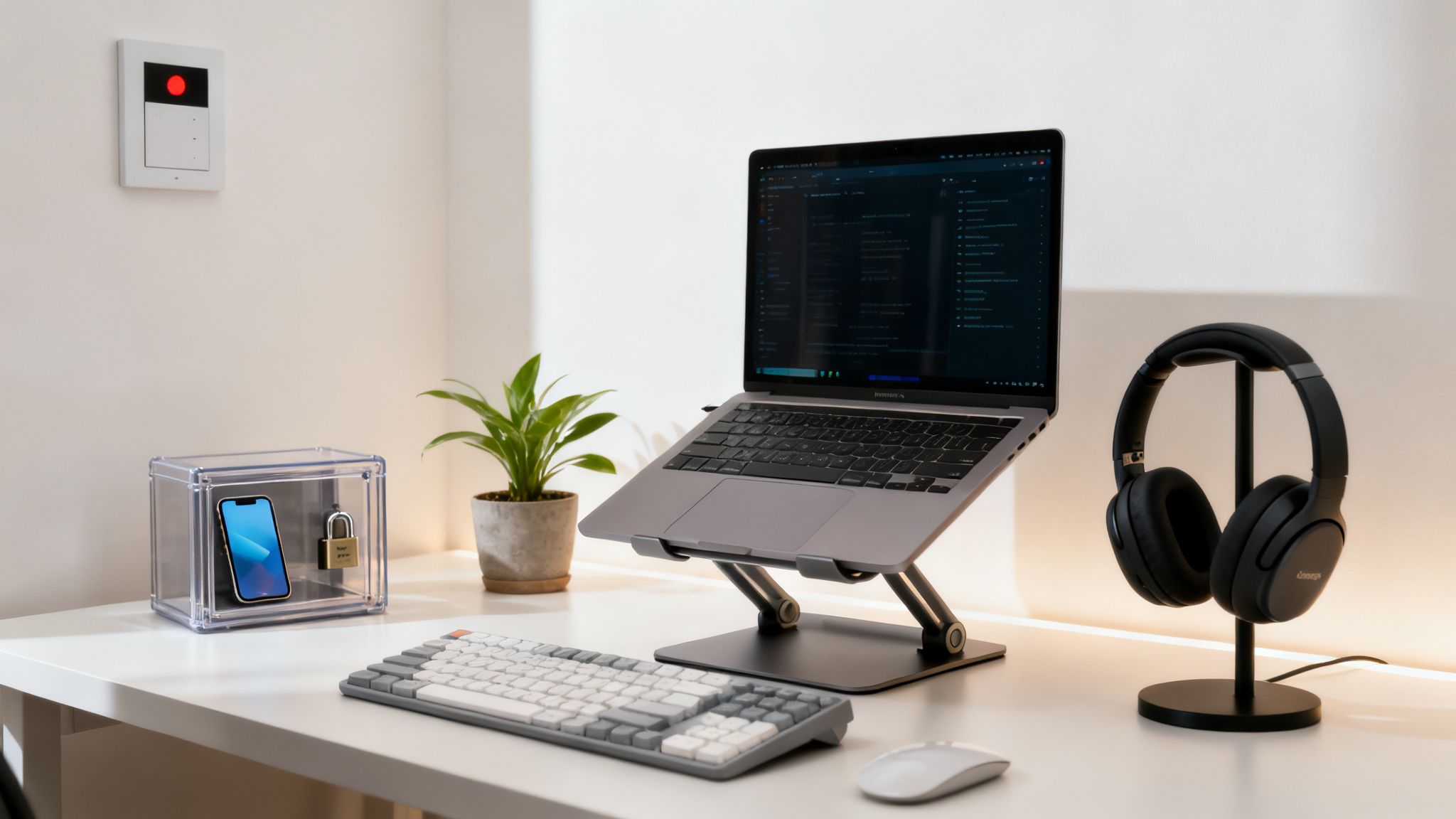
Next, get serious about sensory inputs. Auditory chaos is a notorious focus-killer. A great pair of noise canceling headphones can be a game-changer, creating a bubble of silence that blocks out household chatter or an open-office hum. You can learn more about how light and sound affect cognitive performance in our detailed guide.
Mastering Your Digital Hygiene
Your digital environment is just as crucial—if not more so—than your physical one. The endless stream of notifications is engineered to hijack your attention. To take it back, you have to be ruthless.
Disable Non-Essential Notifications: Go on a notification diet. Turn off all alerts for email, social media, and news apps on your phone and computer. The only pings that should survive are the ones that are genuinely time-sensitive.
Use Blocker Apps: Tools like Freedom or Cold Turkey are your best friends here. They can block distracting websites and apps for set periods, effectively automating your discipline and removing the temptation entirely.
Schedule Your Inputs: Instead of letting email and social media be a constant drip-feed, batch them. Schedule specific blocks of time to check in, like 11 AM and 4 PM only. This puts you back in control.
A “digital sunset” routine is also non-negotiable for protecting your sleep, which is the very foundation of focus. An hour before bed, put all screens away. Wearing blue light blocking glasses in the evening can also help signal to your brain that it’s time to wind down, protecting the melatonin production you need for restorative sleep.
Best Options for Your Focus Toolkit
Picking the right tools can make a massive difference in managing your workspace distractions. Here’s a quick comparison to help you find the best fit for your specific challenges and improve your concentration.
Tool
Best For
How It Improves Focus
Example Scenario
Noise-Canceling Headphones
Open offices or noisy home environments
Reduces auditory distractions that pull your attention away from tasks.
A remote worker uses them to block out household noise during a deep work session.
Phone Lock Box Timer
Chronic phone checkers and social media scrollers
Creates a physical barrier to your biggest distraction, forcing a digital detox.
A student locks their phone for a 2-hour study block to prevent mindless scrolling.
Website/App Blocker Software
Those who get lost in internet rabbit holes
Automates discipline by making distracting sites inaccessible during work periods.
A freelancer blocks social media and news sites from 9 AM to 12 PM daily.
Monitor Light Bar
Reducing eye strain during long screen sessions
Provides focused, non-glare light, which can reduce fatigue and help maintain concentration.
A designer uses one to stay comfortable and focused during late-night projects.
These simple changes can transform your workspace from a source of endless distraction into a sanctuary for deep work. It’s not about finding a magic bullet, but about intentionally layering small advantages that give your focus a fighting chance.
Structuring Your Time to Improve Concentration
A well-designed workspace is a great start, but how you manage your time is what truly shields your focus from the chaos of a normal day. Let’s be honest: the modern workplace often feels like a pinball machine, bouncing you from one reactive task to the next. This leaves almost no room for the deep, intentional work that actually moves the needle.
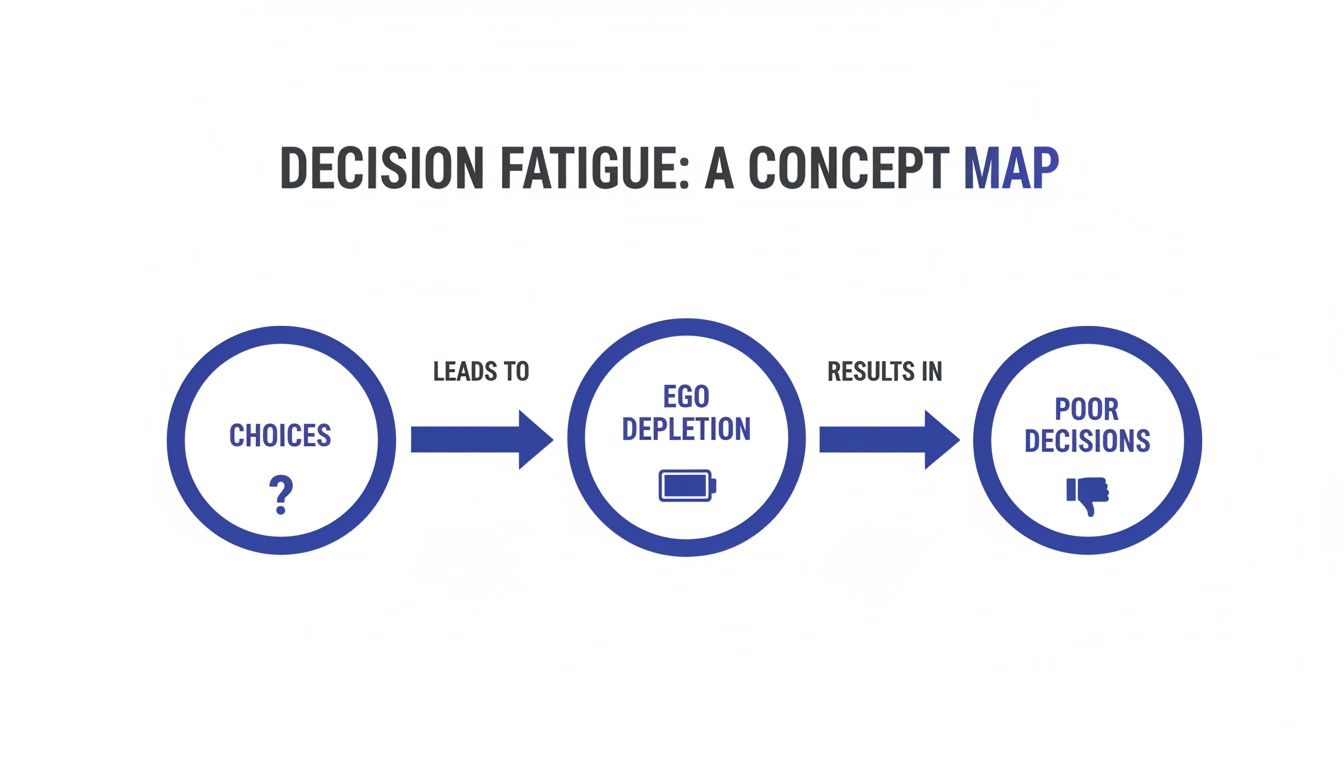
Structuring your day isn’t about creating a rigid, joyless schedule. Think of it as building a container for your attention. When you have a clear framework, you offload the mental work of constantly deciding what to do next. This cuts down on decision fatigue and frees up your brain’s precious resources for the work that matters.
And those resources are under assault. Since 2000, collaborative demands have ballooned by over 50%, with many managers now burning 85% of their week on meetings and messaging alone. Worse, Asana’s Anatomy of Work Index reveals that a staggering 62% of knowledge workers’ hours disappear into ‘work about work’—not the core projects they were hired to do.
How to Choose The Best Time Management Technique
The “best” technique is the one that actually fits your workflow and personality. Some people need long, uninterrupted blocks to get into a flow state, while others thrive on short, intense bursts of effort. Let’s look at a few proven methods so you can find a good match.
Technique
Best For
How It Works
Real-World Scenario
The Pomodoro Technique
Procrastinators & anyone overwhelmed by huge tasks.
Work in focused 25-minute sprints, with 5-minute breaks in between. This makes intimidating projects feel far more approachable. To learn more, read our deep-dive on what is pomodoro technique.
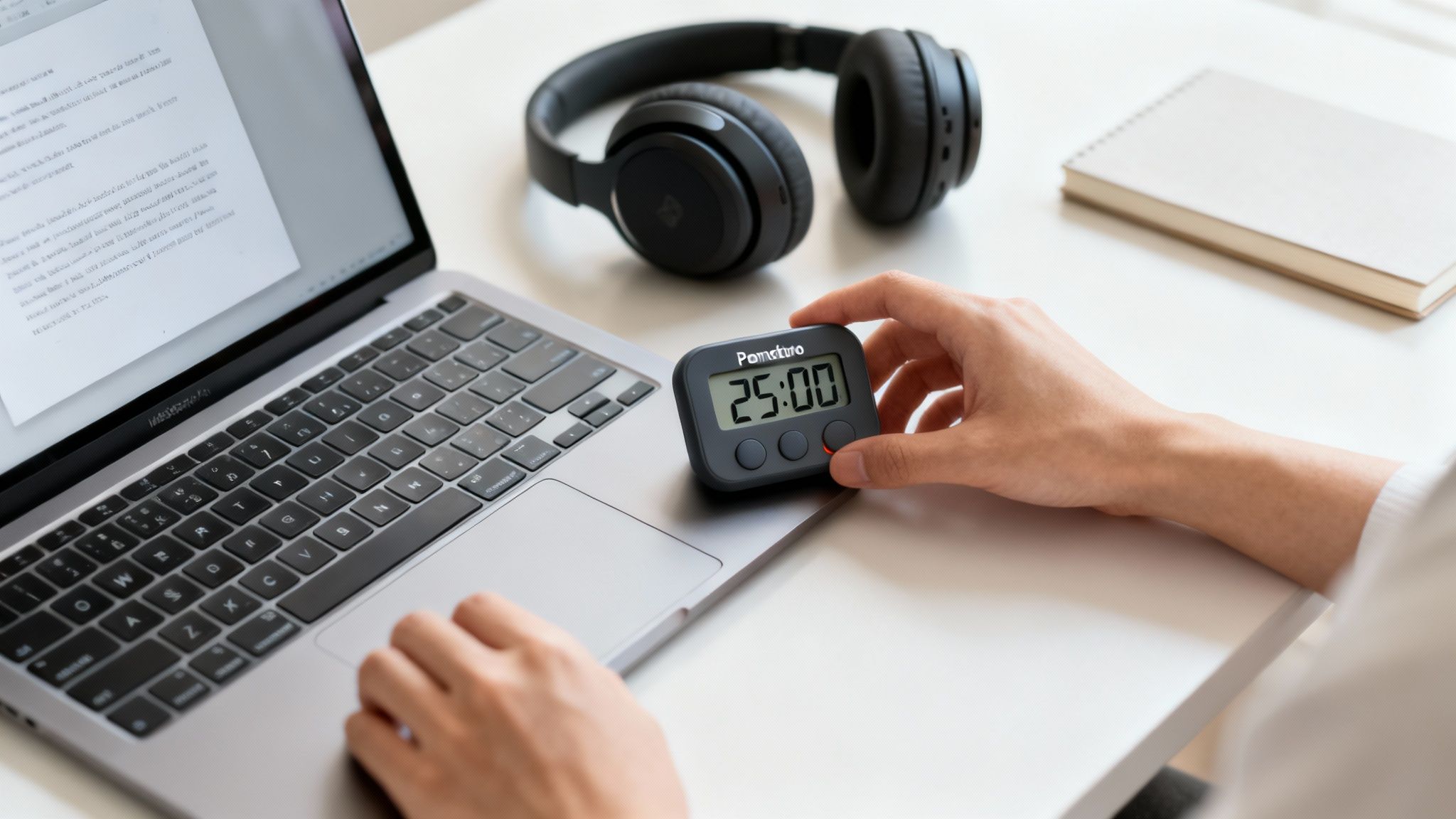
A writer uses a pomodoro timer on their desk to tackle a chapter, breaking it down into four 25-minute sprints with short walks between each one.
Time Blocking
Busy professionals juggling multiple projects and meetings.
Every minute of your day is assigned a specific “job” on your calendar, from deep work to checking email. This prevents your schedule from being dictated by others.
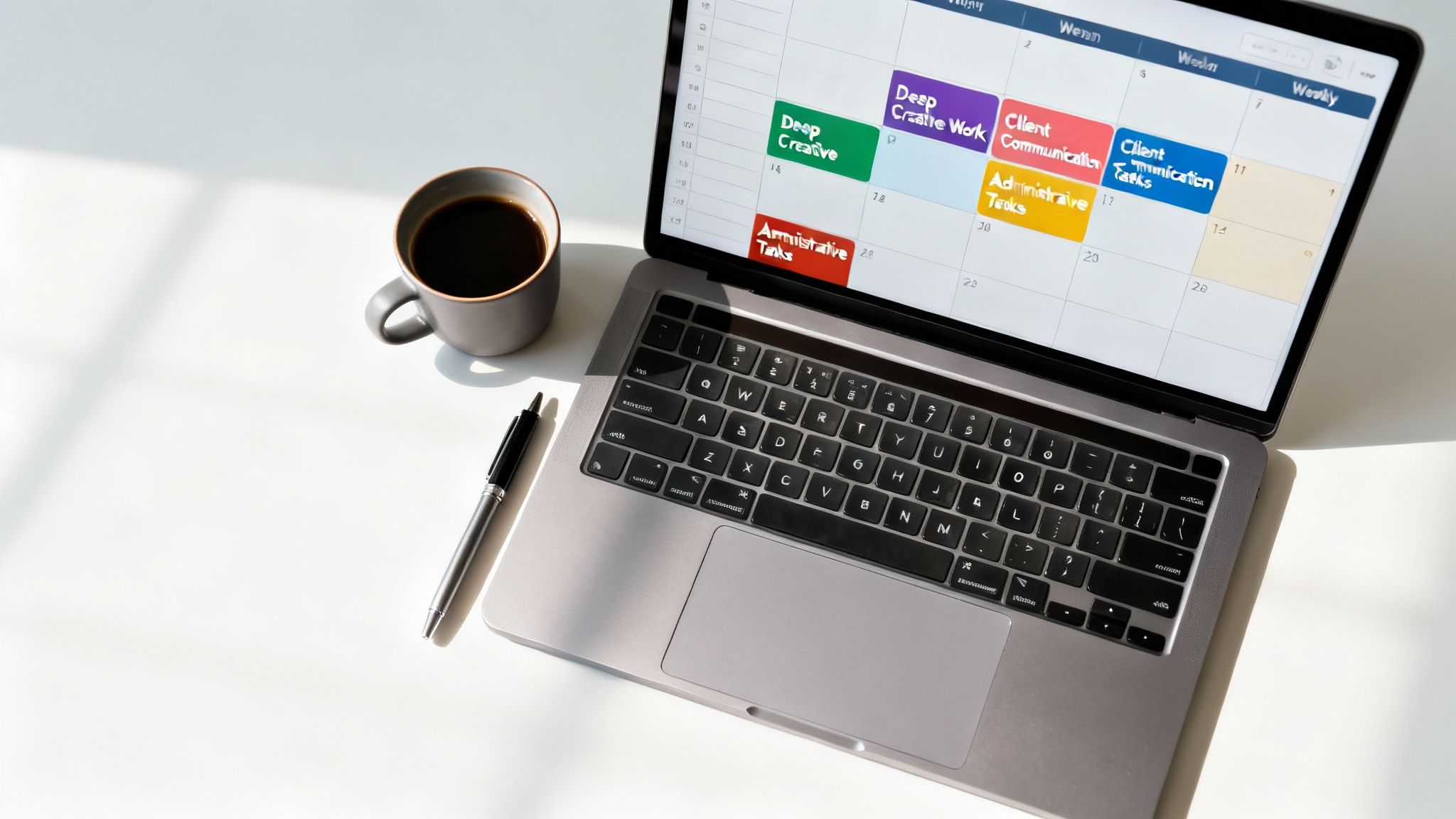
A project manager blocks out 9–11 AM for “Deep Work: Q3 Strategy” and 3–3:30 PM for “Email Triage,” guaranteeing that meetings can’t hijack their most productive hours.
Themed Days
Entrepreneurs & freelancers with a wide range of responsibilities.
Assign a clear theme to each day of the week, like Marketing Mondays, Finance Fridays, or Deep Work Wednesdays.
A small business owner dedicates Mondays to creating content and Tuesdays to client outreach, which stops them from constantly switching between different types of thinking.
The only way to know what works is to experiment. Try one for a week and see how it feels. You might even end up blending methods, like using Pomodoro sprints inside a larger time-blocked schedule.
Putting Time Structures Into Practice
Let’s make this real. Imagine a project manager whose calendar is a battlefield of meeting invites, leaving them with no time for the strategic planning that’s actually their most important work.
To take back control, they start time blocking. Every Sunday evening, they sit down with a time blocking planner and map out the week ahead. The most important change? They schedule a recurring 90-minute “Deep Work” session every morning before their first meeting. This block becomes non-negotiable.
During this protected time, all notifications are silenced, and they focus on nothing but high-level strategy. This simple act of pre-commitment shields their most valuable cognitive hours from the reactive chaos of the day.
To make this even stickier, you can implement effective habit stacking by anchoring this new routine to an existing one. For instance, our project manager might decide their deep work block always starts right after they finish their morning coffee.
This approach is so effective because it externalizes decision-making. Instead of relying on sheer willpower to resist distractions all day, the plan is already set. Your brain isn’t wasting energy deciding what to do; it’s simply executing the plan.
The Lifestyle Habits That Fuel a Focused Mind
Your ability to concentrate isn’t just about willpower or clever time management tricks. It’s deeply rooted in your biology.
Think of your brain as a high-performance engine; it needs the right fuel, proper maintenance, and adequate rest to run smoothly. When you neglect these foundational habits, even the best productivity systems will stall out.
The connection between lifestyle and focus is grounded in neuroscience. Your prefrontal cortex, the brain’s command center for attention and decision-making, is highly sensitive to your physical state. Sleep deprivation, poor nutrition, and a sedentary life directly impair its function, making it harder and harder to sustain attention and resist distractions.
Prioritize Sleep to Sharpen Your Mind
Sleep isn’t a luxury; it’s a non-negotiable maintenance process for your brain. During deep sleep, your brain clears out metabolic waste that builds up during the day. When you don’t get enough quality sleep, this junk remains, leading to that foggy, sluggish feeling that makes concentration feel impossible.
Research consistently shows that even one night of poor sleep can significantly dial down activity in the prefrontal cortex. This means your ability to plan, problem-solve, and stay on task takes a major hit. Building better sleep hygiene is one of the most powerful things you can do for your mind.
A few tips to get started:
Create a consistent schedule: Go to bed and wake up around the same time every day, even on weekends. This helps regulate your body’s internal clock, or circadian rhythm.
Optimize your environment: A dark, cool, and quiet room is essential. A quality sleep mask blackout can make a huge difference in blocking out light pollution.
Design an evening wind-down: Ditch the screens an hour before bed. Consider a gentle, non-digital routine to signal to your brain that it’s time to rest. You can find more strategies in our book on achieving Restful Nights.
This graphic shows how powerful time management techniques—like the Pomodoro Method, Time Blocking, and Themed Days—build on one another. These structures are fantastic, but they work best when your brain has the biological foundation to actually execute them.
Fuel Your Brain with Smart Nutrition and Movement
What you eat and how often you move have a direct, almost immediate impact on your cognitive function. Your brain consumes about 20% of your body’s total energy, so the quality of fuel you provide it matters immensely.
Focus on a balanced diet rich in whole foods. Sugary, processed stuff can cause sharp spikes and crashes in blood sugar, which leads to those familiar energy dips and mental fatigue. Instead, opt for complex carbohydrates, healthy fats, and lean proteins to provide a steady stream of energy. Hydration is also key; even mild dehydration can impair your attention and memory.
Movement is another powerful lever. Physical activity increases blood flow to the brain, delivering more oxygen and nutrients. It also triggers the release of neurochemicals like dopamine and norepinephrine, which play a crucial role in sharpening focus and motivation.
You don’t need grueling gym sessions to get the benefit. Even a short walk can work wonders. Many people find that an under desk walking pad is a great way to incorporate gentle movement throughout the workday without breaking their flow. For more ideas, you might be interested in our guide on 10 good daily habits to adopt.
Real-World Example: A college student was struggling to keep up with their coursework, constantly feeling distracted and tired. Instead of just trying to study longer, they focused on their lifestyle. They set a strict 11 PM bedtime and started taking 15-minute walk breaks between study sessions. Within two weeks, they noticed a dramatic improvement in their ability to concentrate during lectures and retain information.
How to Keep Your Focus for the Long Haul (and Sidestep Burnout)
Intense concentration is a powerful tool, but it’s also a finite resource. Think of it like a muscle—your brain’s ability to lock in and focus gets tired with overuse. Trying to force high-level concentration without a break isn’t discipline; it’s a fast track to cognitive fatigue and, eventually, burnout. The secret isn’t to push harder. It’s to build sustainable habits that balance deep, meaningful work with intentional recovery.
From a behavioral standpoint, your brain absolutely needs downtime to consolidate what you’ve learned and restore the energy reserves required for executive functions like paying attention. When you’re in a state of chronic stress, your body is swimming in cortisol. Over time, that hormone can actually impair the function of your prefrontal cortex—your brain’s command center for focus. This is exactly why relentless hustle almost always backfires, leaving you with diminishing returns and a profound sense of mental exhaustion.
Embrace Intentional Rest and Recovery to Improve Your Focus
To genuinely improve your focus and concentration over the long term, you have to start treating rest as a productive activity in its own right. This means scheduling downtime with the same seriousness you’d schedule a meeting with your boss. This isn’t about being lazy; it’s about strategic, intelligent recovery.
One of the most effective ways I’ve seen this work is by getting lost in hobbies that have absolutely nothing to do with your day job. Activities that fire up different parts of your brain and body give your main cognitive circuits a desperately needed break.
Physical Hobbies: Things like hiking, gardening, or even just playing a sport can boost blood flow to the brain and release endorphins. That’s a double win for improving your mood and melting away stress.
Creative Pursuits: Learning an instrument, painting, or getting into woodworking can nudge you into a state of “flow” that is both deeply restorative and incredibly satisfying.
Mindful Practices: Activities like yoga or simply spending quiet time in nature help calm your nervous system, pulling you out of the chronic “fight or flight” mode that so many of us live in.
By deliberately stepping away from your work, you give your subconscious mind the space it needs to keep chewing on problems in the background. It’s a phenomenon known as the incubation effect, and it’s why your best ideas often show up when you’re in the shower or out for a walk.
Setting Boundaries to Prevent Cognitive Overload
A healthier, more sustainable work rhythm is built on a foundation of firm boundaries. If you don’t draw clear lines between your work life and your personal time, your brain never truly gets the chance to switch off and recover. This is where so many well-intentioned focus strategies completely fall apart.
Setting and, more importantly, enforcing these boundaries is a skill you have to practice. It might look like turning off all work notifications after 6 PM, saying no to non-essential weekend requests, or just communicating your availability clearly to your team. You can find some excellent, real-world burnout prevention strategies in our guide that goes much deeper on this.
Here’s a real-world example: An entrepreneur I know was clocking 70-hour weeks and saw her creativity and decision-making skills absolutely tank. Realizing she was on the verge of burning out, she implemented a strict “no-work-on-weekends” rule. To keep herself honest, she used a habit tracker journal to log her restorative activities: Saturday morning hikes and Sunday afternoons spent reading. Within a month, she felt more energized, and her focus during the workweek was sharper than it had been in years. The lesson? Resting wasn’t lost time; it was a direct investment in her performance.
Editor’s Note: What Really Works to Improve Focus and Concentration
Let’s cut through the noise. While there are a million focus hacks out there, the ones that actually move the needle usually come down to two things: intentionally designing a distraction-free environment and deliberately structuring your time.
That’s it. There’s no magic pill here. Consistency will always matter more than perfection.
This advice is best for knowledge workers, students, and freelancers—anyone who feels like their attention is constantly being pulled in a dozen different directions and wants to get it back.
That said, if you feel you might be dealing with significant issues like anxiety, depression, ADHD, or burnout, please know this article is for educational purposes only. It is not a substitute for medical or psychological care. The best first step is always to talk to a qualified professional. These techniques are powerful, but they take real effort and need to be adapted to how you actually work.
The challenge we’re all facing is very real, and it has a steep cost. Globally, managers lose a shocking 683 hours every year just to interruptions. In the US alone, this distraction epidemic adds up to an estimated $468 billion in lost productivity annually. You can dig into the staggering cost of lost focus in this study from The Economist.
Ultimately, getting your focus back is a marathon, not a sprint. The best approach is to start small, be patient with yourself, and build on whatever works.
Key Takeaways: Your Focus Improvement Checklist
If you’re ready to start reclaiming your attention, here’s a quick summary of the most important takeaways from this guide. Think of this as your starting checklist—four core principles you can put into practice right away.
Shape Your Environment. Start by clearing the decks, both physically and digitally. A clean workspace and a simplified digital setup reduce the constant, low-grade pull on your attention, giving your brain a fighting chance to concentrate.
Structure Your Time. Don’t leave focus to chance. Use proven systems like Time Blocking or the Pomodoro method to build intentional rituals for deep work. This isn’t about rigidity; it’s about protecting your most valuable cognitive hours from decision fatigue.
Work With Your Biology. Never forget the non-negotiable link between your body and your brain. Quality sleep, regular movement, and proper nutrition are the foundational pillars of a focused mind. You can’t out-strategize a tired brain.
Practice Strategic Rest. True focus is a marathon, not a sprint, and your brain needs recovery time. Intentionally schedule downtime to let your cognitive energy recharge. This isn’t laziness—it’s what prevents burnout and makes sustained concentration possible.
Disclaimer: The information in this article is for educational purposes only and is not intended as a substitute for professional medical or psychological advice, diagnosis, or treatment. This post may also contain affiliate links, which means we may earn a small commission if you make a purchase through them, at no extra cost to you.
FAQ: Your Questions on How to Improve Focus and Concentration
We’ve covered a lot of ground on rebuilding focus from the ground up. Still, a few common questions always pop up when people start putting these ideas into practice. Here are some honest answers.
1. How long does it take to actually feel a difference in focus?
You can feel a small, immediate win today. Simple environmental tweaks—like clearing your desk or putting your phone in a drawer—can give you a pocket of clarity almost instantly. However, for deep, lasting change, behavioral research suggests you should expect to put in several weeks of consistent effort. This allows your brain to form new habits through neuroplasticity, making deep focus feel more like your default mode. Be patient. For a primer on this process, The Power of Clarity is a fantastic read.
2. Can I really improve my concentration in a noisy, distracting job?
Absolutely, but you can’t fight a chaotic environment with willpower alone. The strategy here is to create “focus pockets”—short, protected blocks of 15 or 25 minutes where you go all-in on a single, high-value task. It’s about quality, not quantity. Then, use tools to build a personal bubble. A solid pair of noise-canceling headphones is non-negotiable in an open office. You also need to communicate your boundaries with a simple desk sign or a “Heads Down” status on your team’s chat app.
3. What’s the best first step to improve focus for a beginner?
While it’s different for everyone, the single most powerful starting point is creating a distraction-free environment. From a psychological standpoint, your willpower is a finite resource. Every time you have to resist the urge to check your phone or click a notification, you drain that resource. By proactively removing those temptations, you make focus the path of least resistance. Curating your physical and digital workspaces is the foundation that makes all other techniques easier.
4. Is a “dopamine detox” a real way to improve concentration?
The term is a bit of a misnomer, but the underlying concept is sound. You’re not trying to get rid of dopamine, which is a vital neurotransmitter for motivation. Instead, the goal is to reset your brain’s reward circuitry. Our brains get used to cheap, easy rewards from scrolling social media, which makes slower, meaningful work feel dull. By deliberately cutting back on hyper-stimulating inputs, you lower your baseline and allow your brain to find satisfaction in complex tasks again.
5. Are focus supplements and nootropics worth trying?
While some people find that certain supplements, like a magnesium glycinate supplement, may offer a cognitive edge, they are not a magic bullet. They are the potential last 10% of the equation, not the core 90%. The most powerful “supplements” for your brain will always be the fundamentals: high-quality sleep, a balanced diet, consistent physical activity, and strategic work routines. Get those right first. Always.
At Mind Clarity Hub, we believe focus isn’t something you’re born with—it’s a system you build. If you’re ready to design a personalized system for deep work, the next step is finding the right book for your goals.
(A quick heads-up: Some of the links in this article are affiliate links. This means if you decide to purchase something, we may earn a small commission at no extra cost to you. We only recommend tools we genuinely trust and use ourselves.)
The content on this site—including any discussions about focus, mood, or habits—is for educational and informational purposes only. It is not intended to be a substitute for professional medical or psychological advice, diagnosis, or treatment. This includes topics like anxiety, depression, ADHD, burnout, or sleep problems. Always seek the advice of your physician or another qualified health provider with any questions you may have regarding a medical condition. Never disregard professional medical advice or delay in seeking it because of something you have read on this website.
What Is Context Switching and Why It Sabotages Your Day
Ever get to the end of a long workday feeling completely drained, but with almost nothing to show for it? You’re not imagining it. The culprit is almost always context switching—the act of jumping between unrelated tasks, projects, or even different apps on your screen.
Think of your brain’s focus like a computer’s RAM. Your brain’s prefrontal cortex, which manages executive functions like attention, is designed for serial processing, not parallel. When you focus on one task, it runs beautifully. But try to run twenty different mental programs at once, and everything starts to lag. Each time you leap from drafting a report to checking a Slack notification, your brain has to pay a “cognitive tax” to shut down the old context and load up the new one.
This constant toggling isn’t just a minor annoyance; it’s a productivity killer with roots in our cognitive architecture.
The Real Cost of Context Switching by Juggling Tasks
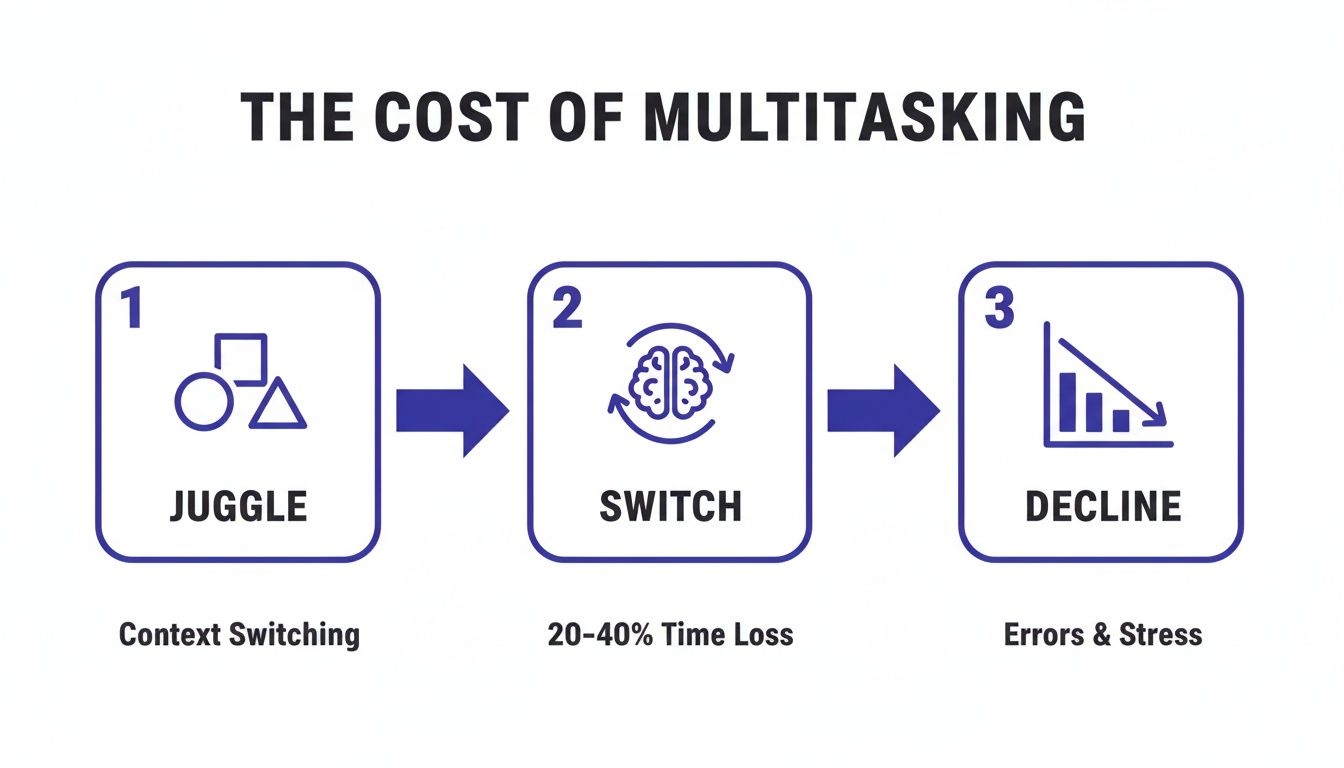
This mental gymnastics has a massive, measurable impact on your performance. Psychological research shows that the constant shift between tasks, apps, and conversations can eat up to 40% of a knowledge worker’s productive time.
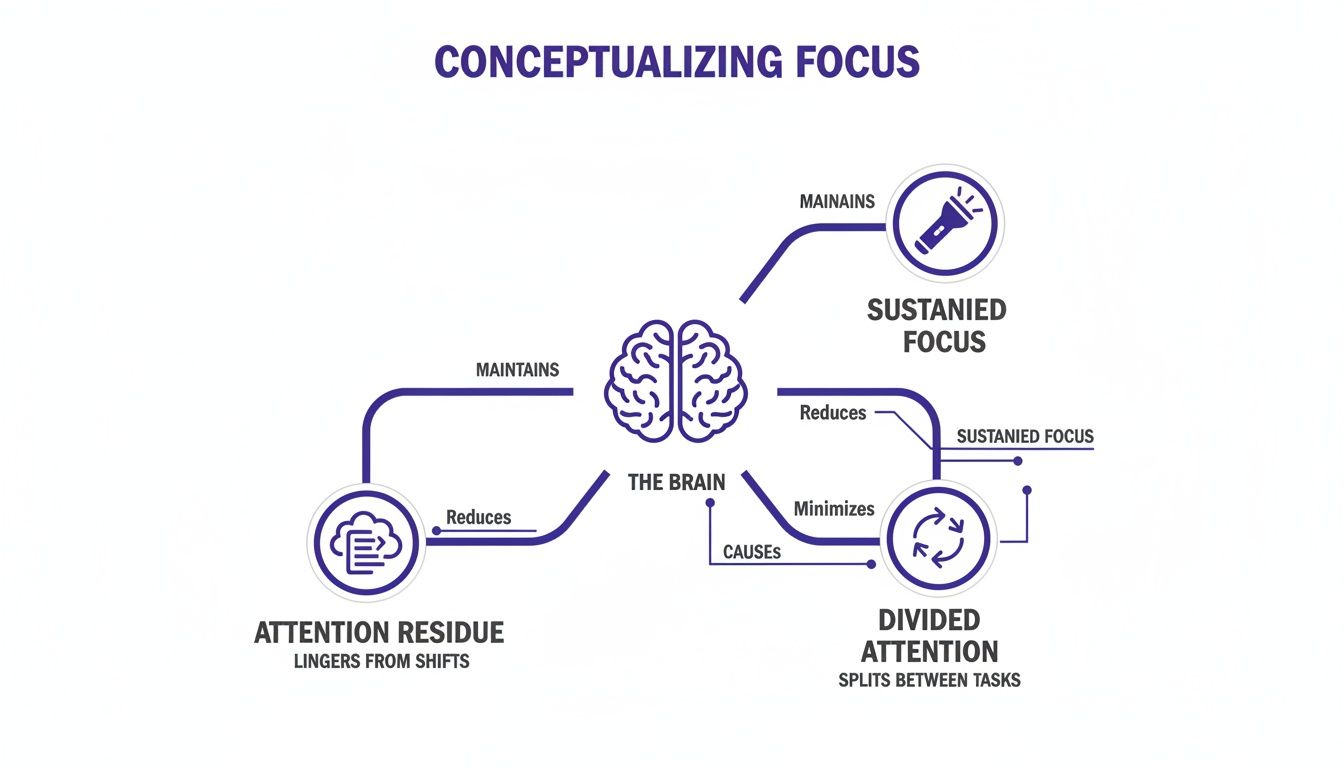
Let that sink in. An 8-hour day effectively shrinks to just 4.8 hours of real, focused output. This staggering loss comes from a phenomenon called “attention residue”—the lingering thoughts from your previous task that stick around and sabotage your focus on the new one. According to research on this cognitive bottleneck, this friction drains your mental energy and can significantly impact performance.
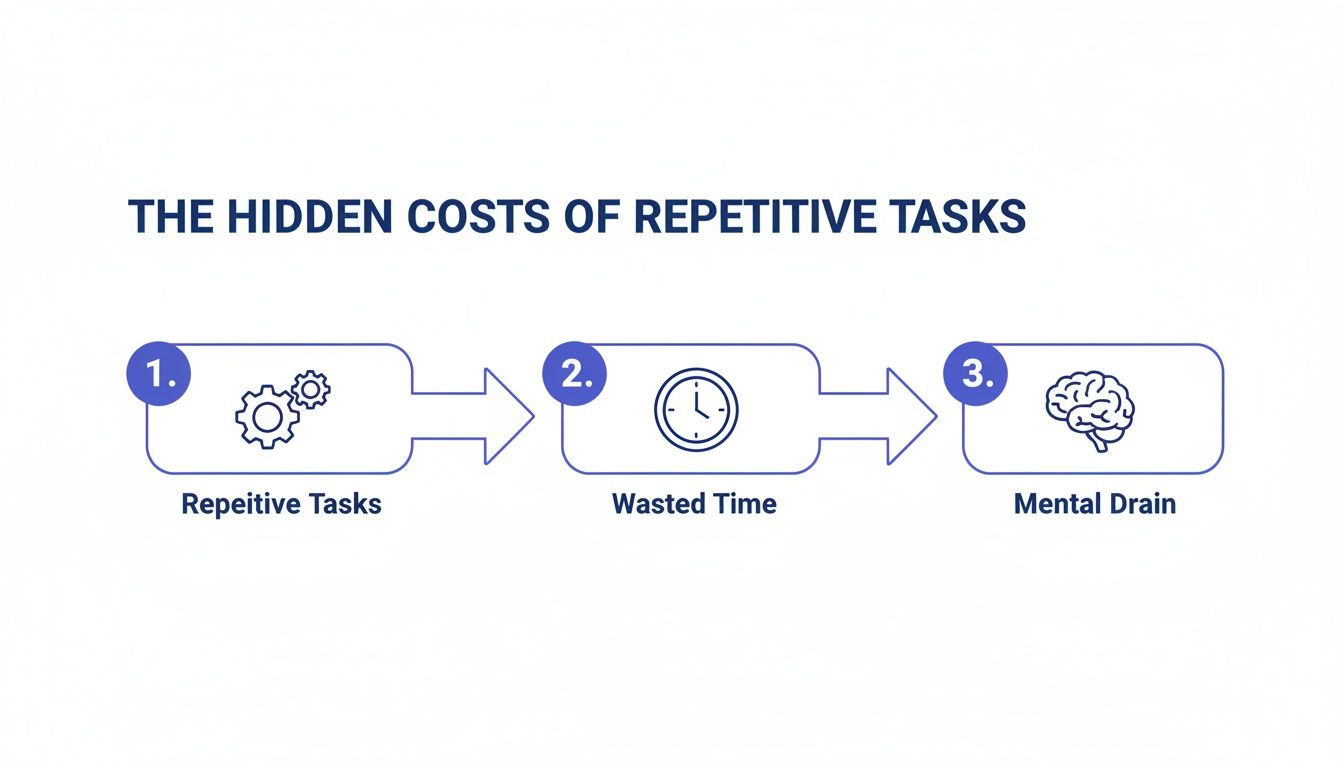
This visual breaks down how that cognitive cost adds up.
As you can see, every single switch fragments your attention. It makes deep, meaningful work almost impossible while ratcheting up your mental strain and stress levels.
The table below offers a quick summary of these hidden costs.
The Hidden Costs of Context Switching at a Glance
Area of Impact
Key Statistic
Real-World Consequence
Productivity
Up to 40% of productive time lost
Feeling busy all day but having little to show for it; projects drag on.
Cognitive Load
Takes up to 23 minutes to fully refocus
You’re never fully “in the zone,” leading to shallow thinking and more mistakes.
Error Rate
Performance can drop by 40% or more
Rushed, sloppy work that requires more time to fix later on.
Mental Energy
Increases cortisol and adrenaline
Leads to chronic stress, decision fatigue, and eventual burnout.
These numbers aren’t just abstract data points; they represent the friction you feel every single day when your attention is pulled in too many directions.
What Context Switching Looks Like in Action
Spotting context switching is the first step to beating it. It often masquerades as productive “multitasking,” but the two are worlds apart. True multitasking is rare, while context switching is the exhausting reality for most of us. (You can learn more in our guide on how to stop multitasking).
Here are a few all-too-common examples of context switching at work:
Mini Scenario: The Notification Trap. You’re deep into building a presentation, but you pause to instantly reply to a non-urgent email or chat message. Your brain has to unload the complex presentation context, load the email context, formulate a reply, and then painstakingly reload the presentation context.
App hopping: You find yourself jumping between your CRM, a spreadsheet, and your project management tool just to pull together information for a single, simple task. Each app jump is a micro-switch that adds to your cognitive load.
Meeting interruptions: You’re trying to sneak in some work on a report during a video call, all while attempting to listen and contribute to the conversation. Your brain isn’t doing both; it’s rapidly switching between the two, doing neither well.
Each of these seemingly small shifts chips away at your focus, drains your energy, and leaves you with that nagging feeling of being perpetually behind. Once you start recognizing these patterns, you can finally begin to take back control of your day. To get started, you can browse the library for a book that fits your focus goals.
The Neuroscience Behind Your Brain’s Switching Tax
That fried feeling you get after a day of bouncing between tasks? It’s not just in your head. It’s a biological reality rooted in the very architecture of your brain.
When you really dig into the neurology of context switching, you start to see why it’s so draining—and how to work with your brain instead of against it.
At the center of it all is your prefrontal cortex (PFC). Think of it as your brain’s project manager. It handles all the big-picture stuff: planning, making decisions, and aiming your attention where it needs to go.
When you settle into a single task, your PFC activates a specific neural network perfectly suited for that job. It’s a clean, efficient connection. But the moment you switch gears—say, pausing a complex report to answer a “quick” email—you force the PFC into a messy, expensive reboot. It has to inhibit one network and activate an entirely different one. This switch is anything but instant or clean.
The Lingering Problem of Attention Residue
Here’s where the real cost kicks in. It’s a phenomenon called attention residue, a term coined by researcher Sophie Leroy. It describes how thoughts and fragments of the last task you were doing cling to your consciousness, getting in the way of the new one.
Even after you’ve clicked over to that spreadsheet, a part of your brain is still mentally polishing the reply to that email. It’s cognitive static. This means you’re never fully present or engaged in the new task because your brain is trying to run two programs at once with limited power.
If you want to go deeper into how your brain is built for focus, our guide on the neuroscience of single-tasking is a great next step.
Mini Scenario: The Meeting Aftermath You just wrapped up an intense budget meeting and immediately pivot to writing a creative proposal. But for the next 15 minutes, your mind keeps replaying a tense moment from the call. You reread the same sentence three times. That’s attention residue in action. Your PFC is stuck, unable to fully allocate its resources to the creative work at hand.
This constant mental friction is incredibly taxing. It burns through glucose, your brain’s main fuel source, far faster than staying on one task ever would. The result is what we all know too well: mental fog, more mistakes, and a weaker ability to think critically. For many, it’s a direct line to burnout, a topic we explore in our book Burnout Interrupted.
How Modern Work Environments Amplify Context Switching
That nagging feeling of being pulled in a dozen directions at once? It’s not a personal failure. It’s a design feature of the modern workplace. Today’s digital environments are practically engineered to shatter our focus, creating the perfect storm for relentless context switching.
Our workdays are now defined by a constant barrage of digital pings. We face endless notifications from team chat apps, a steady stream of emails that all feel urgent, and the unspoken pressure of “always-on” availability. This setup forces us into a reactive, fragmented workflow. Instead of proactively managing our day, we spend it reacting to a firehose of digital demands.
The Digital Whiplash of Daily Work
Think about this all-too-common scenario. You sit down to finally write that important report. Minutes later, a Slack notification pops up, pulling you into a conversation about a totally different project. As you try to toggle back, an “urgent” email from your boss lands in your inbox. You open it, fire off a reply, then jump into your project management tool to update a task related to that very email.
Before you know it, 30 minutes have vanished, and you’ve written maybe two sentences of the original report. This constant digital whiplash is the reality for most of us.
Research from behavioral science shows that the average office worker toggles between different apps and websites around 1,200 times every single day. Even more shocking, many of these switches are followed by another one within just a few seconds. This hyper-stimulus environment is linked to increased levels of cortisol, the stress hormone, contributing to anxiety and fatigue.
This chaotic workflow makes tools like a good pair of noise canceling headphones feel less like a luxury and more like essential survival gear for anyone trying to carve out a moment of concentration.
Why App Overload Is a Major Culprit
The problem gets even worse when you consider the sheer number of tools we’re expected to use. The average employee now juggles around ten different applications every day, from communication platforms to specialized software. Each one lives in its own silo, forcing us to act as the human bridge between them.
This fragmentation is a primary driver of context switching. You might need to pull data from a CRM, reference a conversation in a chat app, and then plug the results into a spreadsheet—that’s three jarring switches just to complete a single action.
Each jump adds another layer of cognitive friction, making deep, focused work feel like a constant uphill battle. If your inbox is a major source of this overload, our guide offers practical tips on how to manage email overload and start reclaiming your focus.
Proven Strategies to Reduce Context Switching
Knowing that context switching is sabotaging your day is one thing; actually fighting back is another. The good news is you can reclaim huge chunks of your focus with a few intentional strategies. This isn’t about finding more hours in the day—it’s about protecting the ones you already have.
The goal is to create an environment where deep, single-tasked work is the default, not the rare exception. By giving your day some structure and removing the constant friction of distractions, you can help your brain stay in a state of flow for much longer.
Embrace Task Batching and Time Blocking to Minimize Context Switching
Two of the most powerful ways to stop the mental whiplash are task batching and time blocking. They sound similar, but they solve slightly different problems.
Task Batching: This is all about grouping similar, small tasks and knocking them out in one dedicated session. Instead of answering emails the moment they land, you schedule two 30-minute “email sprints.” This simple habit stops shallow work from constantly slicing your high-value time into confetti.
Time Blocking: This strategy takes things a step further. You proactively schedule your entire day into specific blocks of time, assigning a single task to a block. A dedicated time blocking planner creates a clear roadmap for your attention, turning your calendar into a shield against random requests. Our guide on how to do deep work dives deeper into frameworks for protecting your time.
Design Your Focus Environment
Your physical and digital spaces have a massive impact on your ability to concentrate. You don’t need a silent cabin in the woods; a few small adjustments can make a world of difference.
Start by taming your digital notifications. Seriously. Turn off all non-essential alerts on your phone and computer. This one simple act puts you back in the driver’s seat, shifting you from a reactive to a proactive state. You decide when to check messages, not the other way around.
Even your meetings can be part of your focus environment. Setting a few essential ground rules for a meeting ensures that when you do have to collaborate, the time is spent on focused, productive discussion.
By combining smarter scheduling with a distraction-free environment, you create the ideal conditions for sustained concentration. These methods help you reclaim precious mental energy, a core concept we explore in our book, Digital Clarity. Starting with just one protected 90-minute deep work session each day can profoundly change your output and slash your mental strain.
How to Choose the Right Tools to Support Deep Work
While building better habits is the ultimate goal, the right tools can act as powerful guardrails, making it much easier to stay focused. But choosing wisely is key. You want aids that actually reduce context switching, not just another digital distraction that adds to the problem. The best tool for you depends entirely on your personal workflow and your biggest focus-killers.
Best Option for Beginners: Analog Timers
A great starting point is deciding between physical and digital aids. An analog tool often has the huge advantage of being single-purpose, which inherently limits its potential to become a distraction itself.
It really comes down to what kind of friction helps you the most. Do you need the finality of a physical timer, or the custom tracking of a digital app? Here’s a quick comparison to help you think it through.
Choosing Your Focus Tool: Analog vs. Digital
Feature
Analog Tools (e.g., a pomodoro timer)
Digital Tools (e.g., Focus App)
Distraction Potential
Low. A single-purpose device has no other functions or notifications to pull you away.
Higher. It lives on your phone or computer, which is a primary source of distractions.
Customization
Limited. You typically get fixed time intervals and basic alarms. That’s it.
High. Most apps allow for adjustable timers, background soundscapes, and integrations.
Mindfulness
Encourages an intentional separation and a physical break from all your screens.
Keeps you tethered to your phone or computer, even during your planned breaks.
Tracking & Data
Manual. You’ll need a separate notebook or system for tracking your focus sessions.
Automatic. Apps often include analytics on your focus sessions and track your progress over time.
For many, the tangible nature of a visual timer for desk use is far more effective at building focus habits than an app buried on a phone. When choosing, consider not just the features but the psychological effect the tool will have on you.
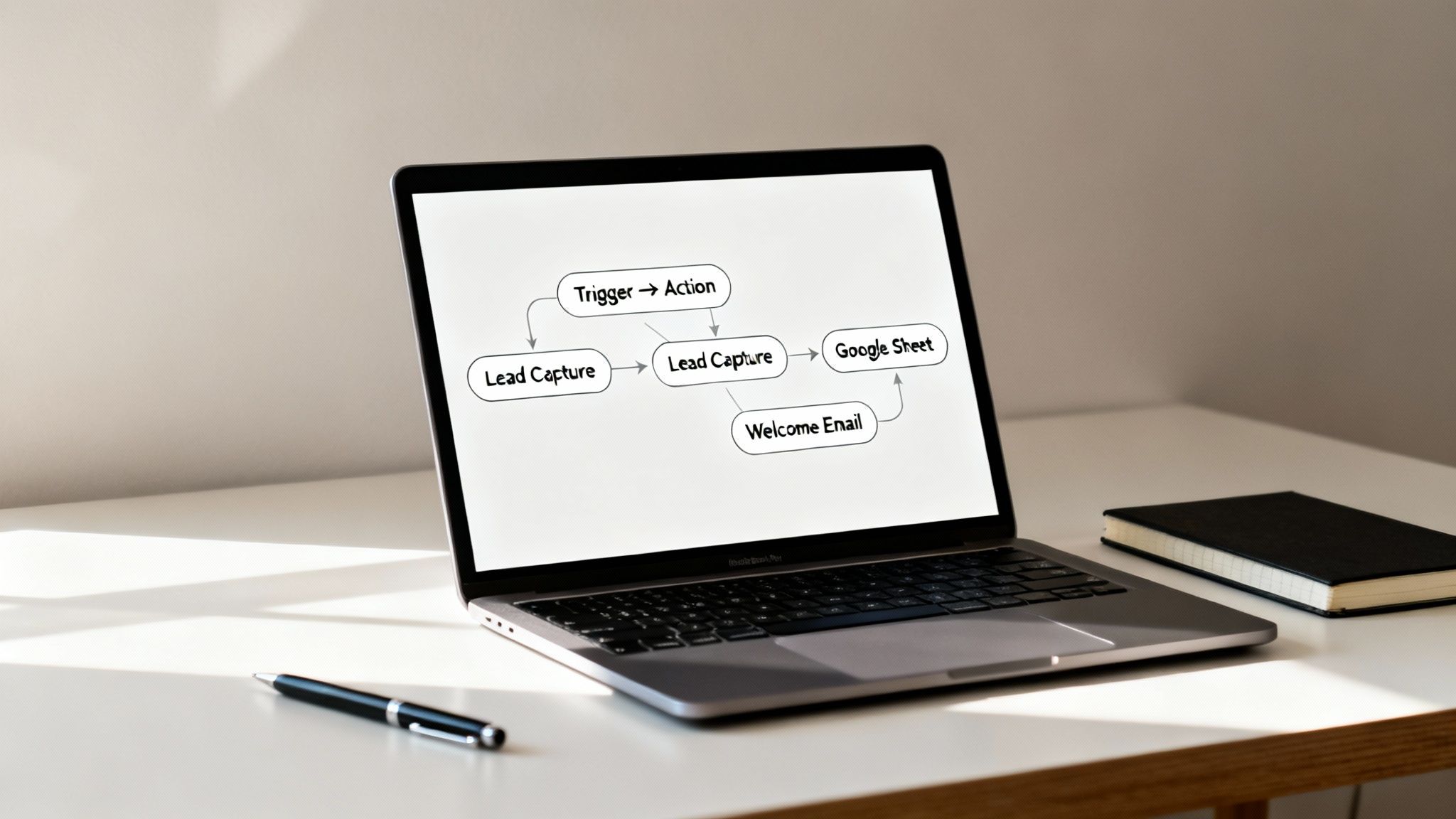
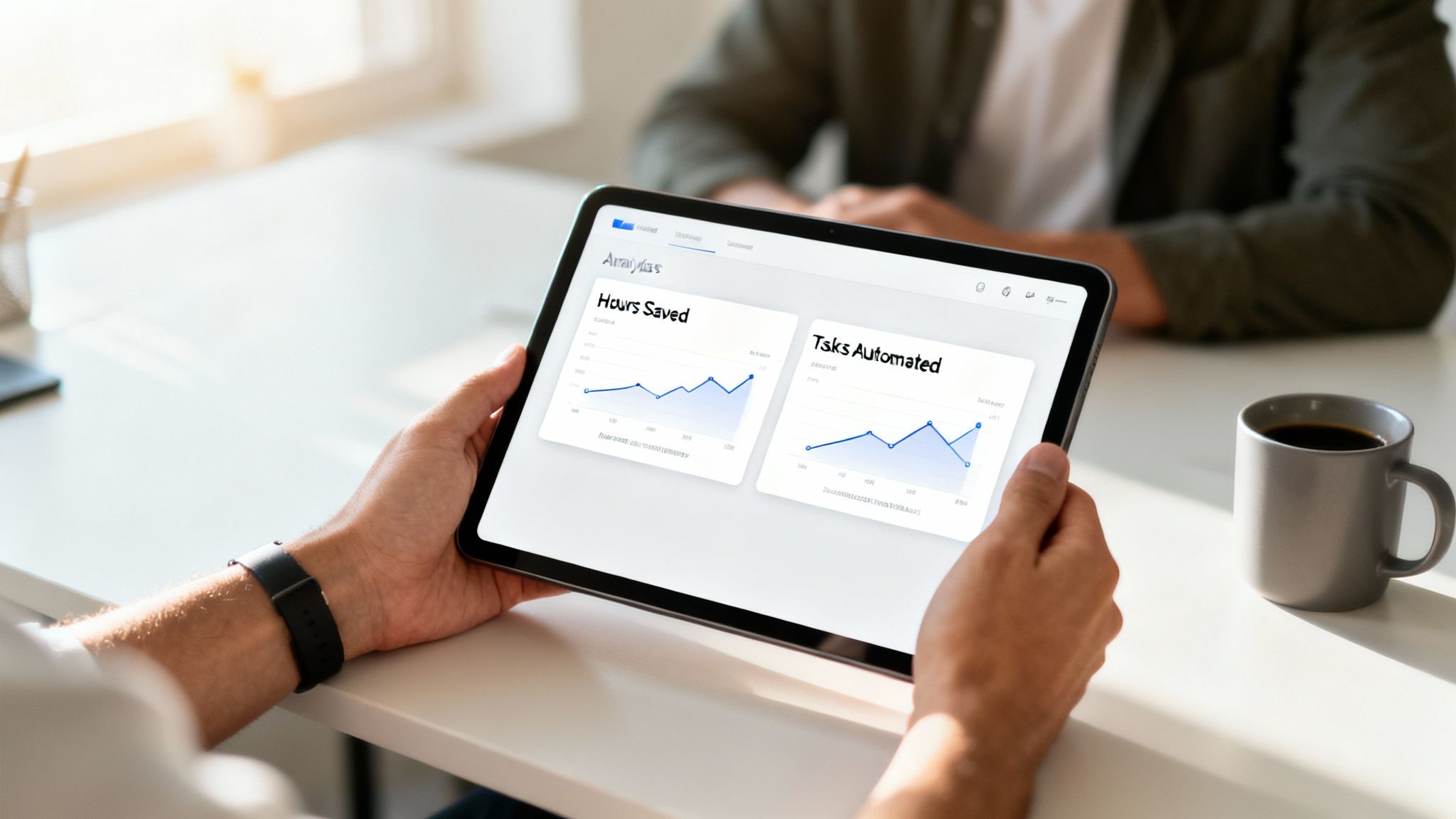
If you struggle with endless digital distractions, a simple phone lock box timer can create a non-negotiable boundary, physically removing the primary source of interruptions. And to free up mental bandwidth, you can use task automation software to handle repetitive work for you. Compare options if you think a smarter digital solution is the answer, but don’t overlook the power of simple, non-digital solutions.
Editor’s Take
The concept of “context switching” sounds technical, but it’s just a name for that frazzled, unproductive feeling we all know. The core issue isn’t a lack of willpower; it’s that our brains are wired for single-tasking, while our digital environment is built for constant interruption.
What Actually Works: Time blocking is the single most effective strategy. Physically scheduling a 60-minute “deep work” block on your calendar—and turning off all notifications during that time—is a game-changer. It feels rigid at first, but it’s liberating. Task batching (e.g., “email hour”) is a close second.
Who This Is For: This advice is gold for knowledge workers, freelancers, students, and anyone with a degree of control over their schedule. It’s less applicable for roles that are inherently reactive, like emergency services or front-line customer support.
Important Caveat: Don’t try to implement everything at once. You’ll get overwhelmed and quit. Pick one thing—like turning off Slack notifications—and stick with it for a week. Small, consistent wins build momentum that lasts.
Key Takeaways on Context Switching
Here’s the TL;DR on why context switching drains your energy and what to do about it.
Context switching is the hidden tax your brain pays every time you jump between unrelated tasks. Research shows this constant gear-shifting can eat up to 40% of your productive time. It’s not about willpower; it’s a cognitive bottleneck.
The modern digital workplace is the primary culprit, with its endless stream of notifications and the pressure to have ten tabs and three chat apps open at all times.
You can reclaim that lost time. Proven tactics like time blocking your calendar, task batching similar work (like clearing all your emails at once), and designing a less distracting digital environment are your best defense.
Ultimately, no single app can fix this. Real change comes from building a few consistent habits. Start small: protect just one 30-minute block of focused time each day. It’s a simple move, but it’s often the first real step toward getting meaningful work done again.
Final Disclaimer and Next Steps
Let’s be honest: there is no magic bullet for eliminating context switching. True, lasting progress comes from building small, sustainable habits.
(Reminder: This article contains affiliate links, which means we may earn a small commission on purchases at no extra cost to you. The content is for educational purposes and is not a substitute for professional medical or psychological advice.)
The best way to begin is small. Please don’t try to change your entire workflow this week. Just find one 30-minute window each day, protect it from notifications, and do one thing. That single, focused block is often the most powerful first step you can take.
And if you’re wrestling with a deeper sense of digital overload and its toll on your mental energy, the strategies we cover in our book, The Power of Clarity, can give you a more structured roadmap for getting back in control.
Answering Your Questions About Context Switching
Let’s clear up a few common questions people have when they start trying to rein in the chaos of a fragmented workday.
1. Is Multitasking Just Another Name for Context Switching?
Not quite, though they’re deeply related. True multitasking—the kind where you’re genuinely doing two complex things at the exact same time—is a myth for over 97% of us, according to neuroscience. Our brains simply aren’t built for parallel processing complex tasks. What we call multitasking is really just rapid context switching in disguise: the frantic toggling between tasks where you pay a hidden mental tax each time.
2. Can I Train Myself to Be Better at Context Switching?
While some people might switch a fraction of a second faster, trying to get “better” at it is like training to become an expert in getting distracted. You’re focusing on the wrong skill. The real win isn’t mastering the switch; it’s needing to switch less often. Your energy is far better spent creating an environment and habits that support deep, single-task work. Reducing interruptions is always more effective.
3. How Long Does It Really Take to Refocus After an Interruption?
The most cited psychological research on this is sobering: it can take an average of 23 minutes and 15 seconds to get back to a state of deep focus after you’ve been pulled away. This is due to “attention residue.” This is why that “quick two-minute question” from a colleague is never just two minutes. The real cost isn’t the interruption itself, but the long, slow climb back to where your brain was before.
4. Are There Any Hidden Benefits to Context Switching?
In a few, very specific situations, maybe. For instance, during wide-open creative brainstorming, bouncing between different ideas can sometimes spark an unexpected connection. However, for the other 99% of knowledge work—the writing, coding, analyzing, and strategic planning that fills our days—it’s a clear net negative. The tiny, occasional upside is completely dwarfed by the massive, consistent costs to your focus and productivity.
5. What’s the Single Best First Step I Can Take to Reduce Context Switching?
Turn off all non-essential notifications. Right now. On your computer, on your phone, everywhere. This one simple behavioral change is the foundation for everything else. It immediately puts you back in control, shifting you from a reactive state (where pings and pop-ups run your day) to a proactive one. You get to decide when it’s time to check for messages, not the other way around.
To overcome decision paralysis, focus on making a good enough decision instead of a perfect one, limit your options to just two or three, and set a strict deadline. This simple approach breaks the cycle of overthinking by forcing you to act, which is often more important than endlessly searching for the single best choice.
As an Amazon Associate, I earn from qualifying purchases at no extra cost to you.
What Is Decision Paralysis and Why Does It Happen
Have you ever stared at a restaurant menu, feeling completely stuck between two great dishes? Or maybe you’ve spent hours comparing project management tools for your team, only to end up choosing none at all.
That feeling of being frozen by choice is decision paralysis. It’s the mental gridlock that happens when your brain gets so overwhelmed by options, information, or the potential fallout of a choice that it just… stops.
Alt: An American professional feeling stuck, illustrating how to overcome decision paralysis.
This isn’t just a sign of being indecisive. It’s a cognitive traffic jam with real psychological roots. One of the biggest drivers is a concept known as the “Paradox of Choice.” Psychologist Barry Schwartz discovered that while we think having more options makes us better off, it often just leads to more anxiety and less satisfaction. When we’re faced with dozens of choices, our brains simply struggle to evaluate them all, and inaction becomes the easiest path.
The Brain Science Behind Overcoming Decision Paralysis
Under the hood, your brain has two key systems for making decisions. Your prefrontal cortex is the logical, analytical part. But when it gets flooded with too much information—a state called cognitive overload—it can get completely exhausted.
This mental drain is often called decision fatigue. When your brain gets that tired, it tends to default to the path of least resistance, which is often making no choice at all. This shutdown state isn’t random. It’s usually triggered by a few common psychological traps:
Information Overload: Trying to research every last detail of every option creates a data tsunami that drowns your ability to think clearly.
Perfectionism: The need to find the single “best” or “perfect” option raises the stakes so high that any choice feels like a potential failure waiting to happen.
Fear of Regret (FOMO): The fear of choosing wrong and missing out on something better can be paralyzing. You get stuck imagining all the ways things could go badly.
Ambiguity: When the options are fuzzy or the outcomes are uncertain, your brain struggles to predict the future, so it stalls out.
One of the biggest contributors to decision paralysis is the vicious cycle of overthinking and anxiety, which creates a feedback loop that makes it incredibly difficult to move forward. This can be especially draining for busy professionals who need to make clear, confident choices to keep momentum.
How to Overcome Decision Paralysis in Real-World High-Stakes Choices
Real-world example: Imagine a manager, Alex, who needs to choose a new software for his team. He spends two weeks buried in feature lists and reviews, but every option has pros and cons. The more he learns, the more paralyzed he feels by the fear of making the “wrong” choice and wasting the company’s money. His prefrontal cortex is experiencing cognitive overload, leading to inaction. A simple productivity journal can help document thought processes like these and reveal where the paralysis pattern begins.
Disclaimer: This article is for educational purposes only and is not a substitute for professional medical or psychological advice. If you are struggling with indecision related to anxiety, depression, ADHD, burnout, or sleep problems, please consult a qualified healthcare provider.
Quick Wins to Break Decision Paralysis in the Moment
When you’re stuck in a mental traffic jam, you don’t need a long-term strategy. You need a fast, effective way to get moving again.
The good news is that several science-backed techniques can break the cycle of overthinking in minutes. These aren’t just clever tricks; they work by offloading the mental burden that keeps you frozen, bypassing your brain’s over-analytical prefrontal cortex. Instead of hunting for the “perfect” answer, you simply make a good one and regain precious momentum.
Alt: A pomodoro timer on a desk shows a strategy on how to overcome decision paralysis.
Use Timeboxing to Force a Choice
One of the most powerful ways to cut through the noise is to give yourself less time to think. It’s called timeboxing. By setting a strict deadline—even an artificial one—you force your brain to switch from endless deliberation to decisive action. A simple visual timer for desk or a Pomodoro app works beautifully for this.
Real-world example: Imagine you need to choose an email marketing platform. The options feel endless, and you’ve already burned a week comparing features. Instead of letting the research drag on, set a timer for 25 minutes. In that time, you review your top three contenders. When the timer dings, you have to make a choice based only on the information you have right now. This constraint is your best friend; it prevents you from falling back into the research rabbit hole.
This technique is so effective because prolonged deliberation drains your working memory and spikes anxiety. It’s a known productivity killer. Setting a hard stop can boost your ability to take action by up to 40% in high-stakes situations.
Key Insight: A good decision made now is almost always better than a perfect decision made too late. Momentum is a powerful force for both productivity and confidence.
Embrace “Good Enough” with Satisficing
Perfectionism is the fuel for so much decision paralysis. We get stuck because we believe there is one perfect choice out there, and that picking anything less is a failure.
The antidote is a concept from behavioral economics called satisficing. The term, a mashup of “satisfy” and “suffice,” means you choose the very first option that meets your essential criteria. You’re not aiming for the absolute best; you’re aiming for “good enough.” This dramatically lowers the stakes and reduces the cognitive load of evaluating every last variable.
Real-world example: You’re picking a hotel for a weekend trip. Instead of spending hours comparing every hotel in the city, you set three simple criteria: under $200, free breakfast, and a good location. The very first hotel you find that checks all three boxes is the one you book. You save hours of mental energy.
How to Choose: Best Option for Your Situation
Not sure whether to use a timer or just aim for “good enough”? This quick guide should help you sort it out.
Tactic
Best for…
When to use it…
Timeboxing
Decisions with many variables and a research component.
Choosing software, planning a project, finalizing a proposal.
Satisficing
Low-stakes decisions where multiple options would work.
Picking a restaurant, choosing what to wear, deciding on a book to read.
This whole approach is grounded in the idea that our mental energy is a finite resource. By saving it on the less critical choices, we have much more in the tank for the decisions that truly matter. For a deeper dive into managing your mental resources, you can always check out Focus Recharged.
Use the Two-Minute Rule to Start Small
Sometimes, the paralysis isn’t really about the decision itself—it’s about the overwhelming task that you know will follow. David Allen’s “Two-Minute Rule” from his Getting Things Done methodology is a game-changer here.
The rule is simple: if a task takes less than two minutes to complete, do it immediately.
You can adapt this beautifully to decision-making. If you can make a decision and take the very first action in under two minutes, just do it now. This could be as simple as replying to that email, scheduling the meeting, or ordering a replacement part online. Each small, quick decision you make builds your “decision muscle” and creates a wave of positive momentum.
And if you’re feeling completely overwhelmed by it all, our guide on how to calm down offers a few more strategies to help you regain control.
Building Long-Term Systems to Prevent Decision Overload
While quick fixes are great for getting unstuck right now, the real win is to stop decision paralysis before it even starts. This is about moving beyond reactive tactics and building a few simple, proactive systems. By adding just a little bit of structure, you can drastically cut down on the number of choices you face each day, saving your precious mental energy for what actually matters.
These strategies aren’t just clever life hacks; they’re grounded in behavioral science. They work by automating the routine stuff, which frees up your brain’s prefrontal cortex to dig into complex, high-value work.
Create Default Rules to Automate Your Day
One of the most powerful ways to fight decision fatigue is by creating default rules. Think of them as pre-made decisions for recurring situations. Instead of draining your battery by figuring out what to do every single time, you just follow the rule you already set for yourself.
It’s like setting your phone to “Do Not Disturb” after 9 PM. You made the decision once, and now it works for you automatically, night after night.
Real-world example: A busy executive decides on two default rules to simplify her week. First: “I only process email at 10 AM and 3 PM.” This one rule kills the constant, focus-shattering internal debate of, “Should I check my inbox now?” Second: “I only take meetings on Tuesdays and Thursdays.” This protects huge, unbroken blocks of time for deep work, preventing her week from turning into Swiss cheese.
These rules aren’t about being rigid; they’re about being smart. They turn a relentless stream of tiny choices into a single, upfront decision. A time blocking planner is a great tool for putting these rules into practice visually.
Use Pre-Commitment to Lock in Future Choices
Pre-commitment is another game-changer. It’s the simple act of making a choice for your future self now, while you’re still thinking clearly and rationally. It’s so effective because it locks you into a course of action, making it much harder to back out when you’re tired, stressed, or overwhelmed later on.
Real-world example: If you struggle with the daily “should I work out?” debate after a long day, you could pre-commit by signing up for a non-refundable class with a friend. The decision is made. The social and financial stakes make it far easier to just go.
Key Insight: Pre-commitment is you becoming the architect of your own future choices. You’re designing an environment where the best decision is also the easiest one to make.
Design Your Environment for Fewer, Better Decisions
Your physical and digital spaces are constantly asking you to make decisions. By thoughtfully designing these environments, you can quietly remove countless unnecessary choice points. This is a foundational principle for building better habits that stick.
A classic example is laying out your gym clothes the night before. You’ve eliminated the morning decision of what to wear and the friction of having to find everything. Want to eat healthier? Stop buying junk food. You make one good decision at the grocery store instead of fighting dozens of small battles with temptation at home.
For knowledge workers, this often looks like this:
Curating Your Digital Workspace: Start your day by closing every unnecessary tab and turning off notifications. This removes the constant, nagging pull of, “What shiny thing should I look at next?”
Organizing Your Physical Desk: Give everything a designated home. A clear desk really does lead to a clearer mind.
By building these systems, you’re not just managing your choices—you’re managing your energy. If you want to take this further, you can learn more about structuring your knowledge by exploring the second brain method, which is all about creating a more organized digital life.
This same principle of turning chaotic choices into a streamlined process can be applied almost anywhere. To prevent decision overload in your personal life, for example, you can master a simple system for meal planning. The core idea is the same: decide once, then execute.
How to Choose the Right Decision-Making Framework
When the stakes are high, those quick, in-the-moment tactics aren’t always enough. For the bigger, more complex choices, you need a more structured approach—something that brings clarity and helps you move forward with confidence.
Decision-making frameworks are just simple mental models that guide your thinking. They help you cut through the noise, organize all the moving parts, and focus on what actually matters. Instead of getting lost in a sea of details, these tools give you a clear path from A to B.
Best for Beginners: The 80/20 Rule for Maximum Impact
One of the most powerful frameworks is the Pareto Principle, better known as the 80/20 rule. The idea is simple: roughly 80% of your results come from just 20% of your efforts. When you apply this to making a decision, it forces you to pinpoint the few critical factors that will make the biggest difference.
This is a fantastic antidote to the kind of perfectionism that so often fuels decision paralysis. That need to find the perfect choice amplifies the fear of making a mistake, leading to what researchers call a “paralysis of cognition and action,” especially under uncertainty. It’s a common trap; only 48% of organizations report making decisions quickly, which means a lot of progress gets stalled.
The 80/20 rule helps you sidestep that trap by dramatically slashing analysis time. You can find more insights on this from the team at Atlassian.
Real-world example: Imagine you’re trying to pick new project management software for your team. You’re facing dozens of options, each with hundreds of features. Instead of comparing every single bell and whistle, you pull out the 80/20 rule. You and the team identify the three most critical features you absolutely need (the 20%). You then evaluate the options based only on those three criteria, ignoring everything else. Suddenly, the best choice becomes clear.
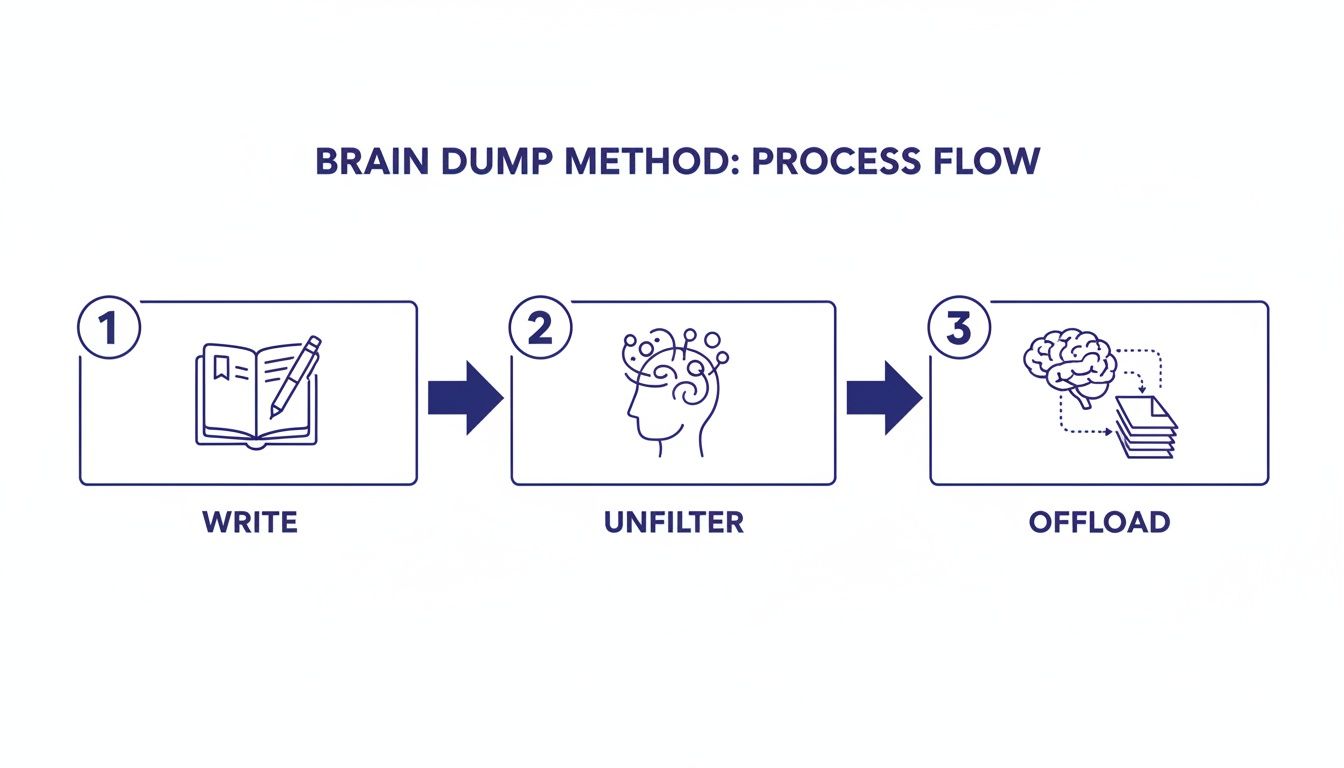
Alt: A flowchart shows a system of how to overcome decision paralysis by preventing overload.
The Pre-Mortem to Outsmart Failure
Another brilliant technique, especially for big projects or team decisions, is the Pre-Mortem. It completely flips the usual post-mortem on its head. Instead of asking “what went wrong?” after a project has already derailed, you gather your team and imagine it has already failed—spectacularly.
From that future vantage point, you work backward to figure out every possible reason why it went wrong. This is an incredibly creative exercise that helps uncover hidden risks, blind spots, and potential roadblocks you would have otherwise missed. It makes talking about failure feel safe and productive, not accusatory.
Real-world example: Your company is about to launch a major new marketing campaign. Before finalizing the plan, you run a pre-mortem. The team brainstorms all the things that could sink the launch: “The ad creative was confusing,” “The landing page crashed on day one,” or “Our main competitor launched a nearly identical offer a day before us.” By identifying these potential failures upfront, you can build safeguards and contingency plans right into your strategy, making the final decision to launch much, much stronger.
Best for Busy Professionals: The Eisenhower Matrix
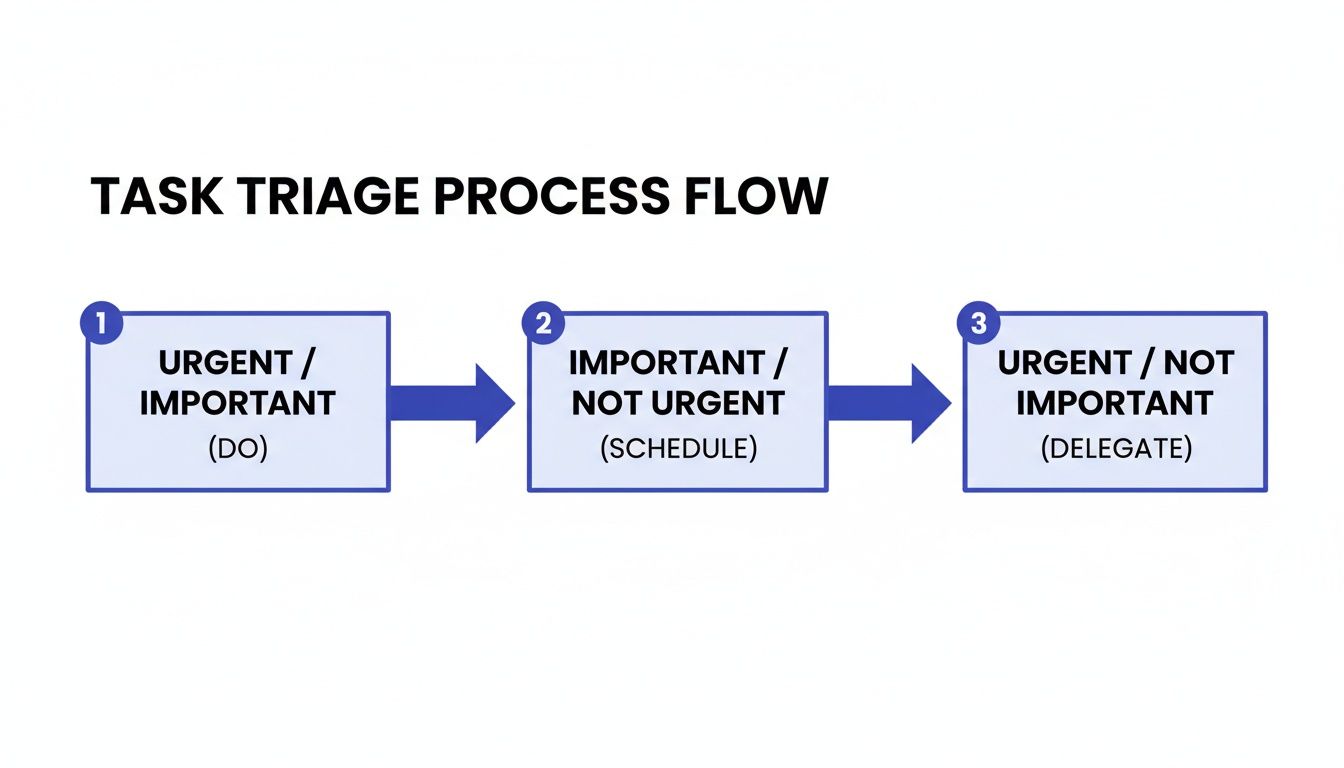
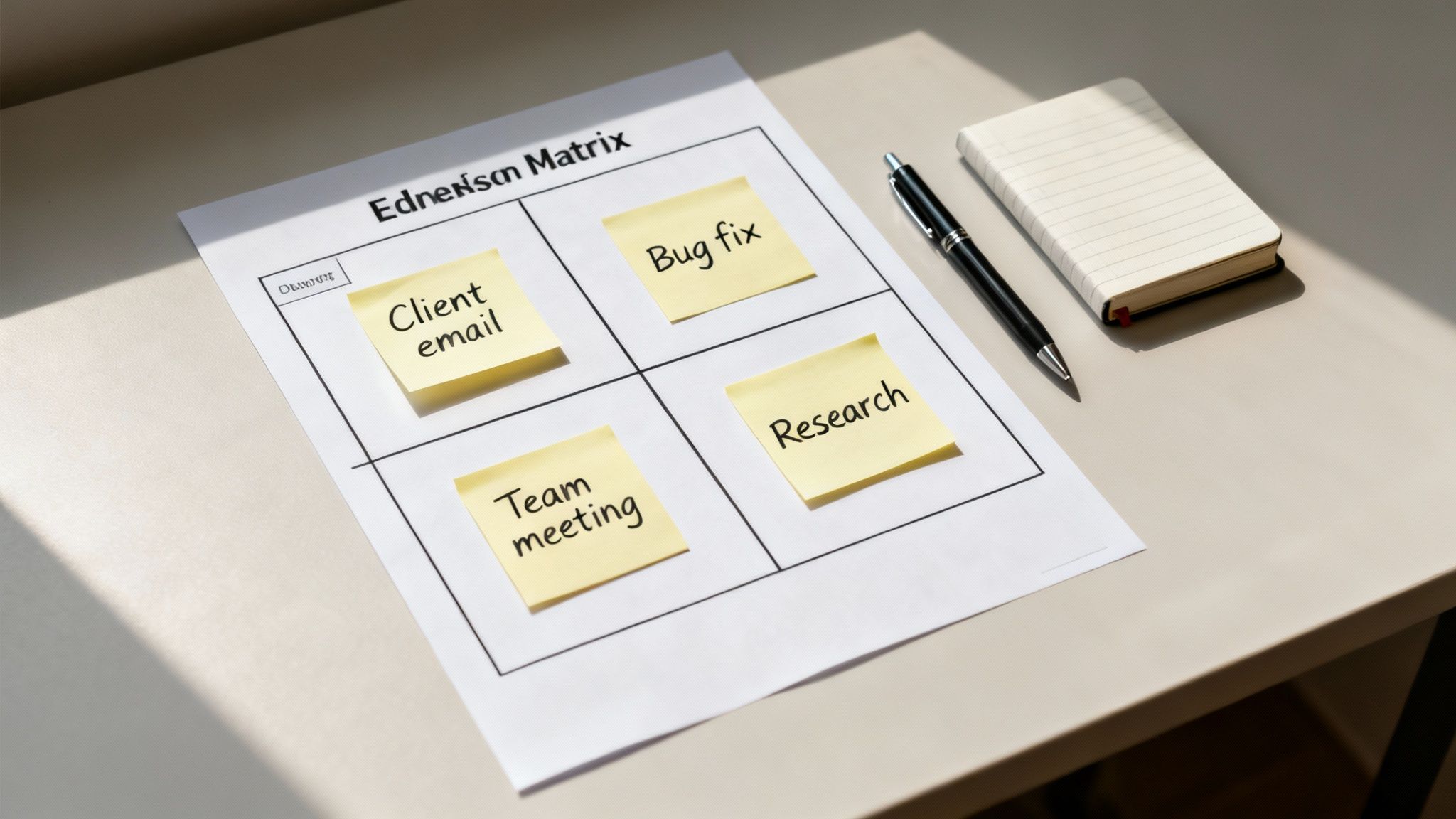
When you’re dealing with choices about how to spend your time and energy, the Eisenhower Matrix is a time-tested classic. It helps you sort tasks into four simple quadrants based on two factors: urgency and importance.
Urgent & Important: Do it now.
Important & Not Urgent: Schedule it.
Urgent & Not Important: Delegate it.
Not Urgent & Not Important: Delete it.
This framework is incredibly effective for breaking out of “reactivity mode.” It forces you to distinguish between what feels urgent (like a notification) and what is truly important (like strategic planning), which are often two very different things. For more on this, check out our guide on how to prioritize tasks effectively.
Compare Options: How to Choose Your Decision Framework
So, how do you pick the right tool for the job? Each of these frameworks shines in different situations. This table breaks it down to help you choose the best one for your specific challenge.
Framework
Best For
Example Scenario
80/20 Rule
Simplifying complex choices by focusing only on the most critical factors.
Choosing a software tool, refining a business strategy, or decluttering your to-do list.
Pre-Mortem
De-risking major projects and making high-stakes, team-based decisions safer.
Launching a new product, planning an event, or making a significant investment.
Eisenhower Matrix
Managing daily tasks and priorities to focus your limited time and energy.
Organizing your weekly workload, clearing your inbox, or planning your day.
These frameworks aren’t meant to be rigid or complicated. Think of them as simple, proven tools to help you think more clearly and act more decisively when you feel stuck.
Editor’s Take: What Actually Works to Overcome Decision Paralysis
When you cut through all the theories and frameworks, what’s the real story? For busy professionals who feel like they’re drowning in daily choices, the most effective path forward combines a couple of immediate tactics with a simple shift in mindset.
This advice is designed for knowledge workers, freelancers, and entrepreneurs who feel like their momentum is constantly getting stalled by overthinking. If that sounds like you, this is the place to start.
Your Most Impactful First Moves
The two most powerful strategies you can put into practice today are satisficing and timeboxing.
First, start practicing satisficing. This means you consciously choose the “good enough” option instead of getting stuck in an endless search for the perfect one. This single habit dramatically lowers the stakes of every small decision you make. It’s a direct way to short-circuit the perfectionism that so often keeps us feeling stuck. A great habit tracker journal can help you stay consistent with this new approach.
Next, use timeboxing to force a conclusion. Give yourself a tight deadline—say, 15 minutes—to make a decision and move on. This simple constraint prevents you from falling down a research rabbit hole that eats up your afternoon.
Who This Advice Is Really For
These strategies are all about reclaiming your mental energy so you can pour it into your most important work. They’re perfect for anyone whose job requires constant judgment calls, from prioritizing projects to answering a mountain of emails.
The goal is to make most decisions quickly so you can save your deep thinking for the few that truly matter.
It’s also crucial to recognize where these tools hit their limits. If you’re dealing with chronic indecisiveness that’s tangled up with persistent anxiety or burnout, these productivity hacks are not a substitute for professional care.
Ultimately, getting past decision paralysis is less about finding a magic formula and more about building the confidence to act, even when you’re not 100% certain. To dig deeper into the right systems for your specific goals, you can always Browse the library for a more targeted roadmap.
Key Takeaways: Your Action Plan to Overcome Decision Paralysis
Embrace “Good Enough”: Stop searching for the perfect choice. Instead, pick the first option that meets your core needs (satisficing) to save mental energy.
Set a Timer: When you feel stuck, use timeboxing. Give yourself a strict, short deadline (like 15-25 minutes) to make a decision and move on.
Build Systems: Automate recurring choices with default rules (e.g., checking email only twice a day) and pre-commit to future actions to reduce daily decision fatigue.
Use Simple Frameworks: For bigger decisions, use tools like the 80/20 Rule to focus on what’s most important or the Eisenhower Matrix to prioritize your actions.
Take Small Actions: If you’re completely frozen, use the Two-Minute Rule. Find one tiny, immediate action you can take to break the inertia and build momentum.
The Bottom Line
If you feel like your brain freezes when faced with a choice, you’re not broken. You’re just bumping up against a well-known bug in the human brain. Getting unstuck isn’t about finding a magical “perfect” answer; it’s about building a repeatable process for making good-enough decisions and moving forward.
Here’s a quick-glance summary of the most important ideas to pull you out of the quicksand of overthinking.
Your Core Action Plan to Overcome Indecisiveness
Forget trying to master a dozen new productivity hacks. The real path to clearer, more confident choices boils down to a few core principles.
Know Your Enemy: Decision paralysis isn’t a character flaw. It’s often a direct result of the Paradox of Choice—the well-researched idea that having too many options makes it harder, not easier, to choose. Just knowing this helps you shift from self-blame to problem-solving.
Use In-the-Moment First Aid: When you’re actively stuck, you need quick interventions, not a long-term strategy. Your two best friends here are timeboxing (setting a timer to force a decision) and satisficing (intentionally picking the first “good enough” option). These tactics are designed to break the overthinking loop right now.
Build Systems to Prevent Future Paralysis: The best way to beat decision paralysis is to make fewer decisions in the first place. Create default rules for recurring choices (e.g., “I only check email at 10 AM and 4 PM”). Use pre-commitment to lock in future actions, which saves you from wasting mental energy on the same debates day after day.
Lean on Simple Frameworks for Big Choices: For complex decisions, don’t reinvent the wheel. The 80/20 Rule is brilliant for helping you zero in on the few factors that actually matter. A Pre-Mortem is your go-to for de-risking a big project by imagining all the ways it could fail ahead of time.
The single most important idea to remember is this: Momentum is more valuable than perfection. A good decision you act on today is almost always better than a perfect decision that never gets made.
How to Overcome Decision Paralysis by Building a Habit of Action
This whole journey is really about building a habit of action. If you want to systematically create better habits around focus and clarity, our guide on The Power of Clarity can help you build a personalized roadmap.
Disclaimer: This article provides affiliate links, and we may earn a small commission on purchases at no extra cost to you. The content is for educational and informational purposes only and is not intended as a substitute for professional medical or psychological advice, diagnosis, or treatment. Always seek the advice of a qualified health provider with any questions you may have.
FAQ: Your Questions About Decision Paralysis Answered
As you start using these strategies, it’s completely normal for questions to pop up. Getting a handle on decision paralysis is a process, not a one-time fix. Here are some straightforward answers to the questions we hear most often from people trying to break free from overthinking.
What’s the difference between decision paralysis and normal hesitation?
Normal hesitation is a brief, productive pause to weigh your options before making a thoughtful choice. It’s a healthy part of the decision-making process. Decision paralysis is when you get so stuck in overthinking that you can’t make any choice at all. It’s a complete shutdown, often driven by a fear of making the wrong move, and it can last for hours or even days.
When is indecisiveness a sign of a bigger issue?
While getting stuck on a choice now and then is normal, pay attention if it becomes a chronic pattern. If your inability to decide causes you significant distress and consistently gets in the way of your life, it might be more than a productivity hiccup. Certain mental health conditions, like anxiety, depression, and ADHD, can show up as extreme difficulty with decision-making. These strategies can help, but they aren’t a substitute for professional care.
How can I help my team overcome decision paralysis?
As a leader, foster psychological safety where “good enough” decisions are valued over a quest for perfection. First, clarify ownership for every decision. Second, set clear constraints like budget and timeline to narrow the options. Third, introduce simple frameworks like the 80/20 Rule. Finally, model decisive action yourself to show that momentum is the priority.
What’s the fastest way to snap out of analysis paralysis?
The quickest way out is to drastically shrink the problem. Forget about the whole decision. Instead, pick one tiny, physical action you can take in the next two minutes. This could be drafting one sentence of an email, sketching a single idea on a mind map, or setting a pomodoro timer for just 10 minutes of focused research. This small action breaks the mental inertia and shifts your brain from passive overthinking into active engagement.
What apps or tools can help manage decision overload?
The right tool can offload some of the mental work of decision-making. Consider to-do list apps (like Todoist) to break big decisions into smaller tasks. Use note-taking apps (like Notion or Evernote) as a “second brain” to organize your thoughts externally. Finally, time-tracking apps (like Toggl) can reveal when you’re stuck in an over-analysis loop, signaling it’s time to make a move. The goal is to find one simple tool that brings structure to the chaos.
Heads up: This post contains affiliate links. If you buy something through a link, we may earn a small commission at no extra cost to you. We only recommend products we trust. Thanks for your support!
The zero inbox method is a system for processing emails with one clear goal: keeping your inbox empty, or nearly empty, at all times.
It’s not about deleting everything in sight. Instead, it’s about making a quick, decisive call on every single email that arrives: delete, delegate, respond, defer, or do. This simple practice stops your inbox from becoming a stressful, cluttered, and endless to-do list.
Why the Zero Inbox Method Matters for Your Brain
That wall of unread emails you stare at every morning? It’s more than just a messy digital habit. From a neuroscience perspective, it’s a silent drain on your brain’s resources. It directly sabotages your ability to do meaningful work.
Every unread message represents an open loop. This is a micro-decision your brain feels compelled to process. It chips away at your mental energy before you’ve even had your coffee. This low-level, constant demand leads straight to what psychologists call decision fatigue. Behavioral research is clear: the quality of our decisions craters after a long session of making choices. Your cluttered inbox forces you to make hundreds of tiny, often meaningless, decisions before you even start your most important tasks for the day.
The Real Cost of Context Switching
Each time you even glance at an email notification, your brain performs a “context switch.” This yanks your attention from your main task over to the inbox. The problem isn’t just the interruption itself; it’s the long recovery time.
Psychological studies show that after checking and handling emails, it can take several minutes to regain your previous level of focus. This constant back-and-forth fragments your attention. It also makes it nearly impossible to enter a state of deep work, a state of peak concentration.
Mini-Scenario: Sarah, a project manager, is finalizing a critical project plan with a deadline two hours away. As she works, notifications for new messages and unimportant CCs keep popping up. Even without opening them, her focus shatters. She sees a subject line from her boss. Her mind immediately starts wondering what it’s about, completely derailing her train of thought.
This is a perfect, everyday example of how a chaotic inbox directly torpedoes productivity. The zero inbox method isn’t just a tidiness hack; it’s a strategic system for reclaiming your mental clarity. Understanding what is cognitive overload helps explain why managing this digital noise is so crucial. A huge part of reclaiming your focus also lies in implementing strong, proactive email communication best practices.
Drowning in Digital Communication: The Zero Inbox Method Solution
The sheer volume of email we face is staggering. Global email traffic is projected to hit 392.5 billion emails sent and received daily.
For the average knowledge worker, this breaks down to around 117 emails hitting their inbox every single day. The cognitive cost is real and measurable. Microsoft data found that workers are interrupted about every two minutes. This leads to significant “cognitive recovery costs” as they struggle to refocus. You can explore more data on how email impacts focus on this detailed analysis.
By adopting the zero inbox method, you’re not just cleaning up. You’re building a defensive strategy against this digital flood. It’s a necessary approach for anyone who wants to protect their focus and energy.
The 5 Core Actions Of The Zero Inbox Method
The real secret to Inbox Zero isn’t a complex new app. It’s a simple, decisive triage system built around 5 core actions. It’s not about getting to zero messages for the sake of it. It’s about making a quick, firm decision on every email you touch. Think of it less like a passive holding pen. Think of it more like an active processing station for your digital life. The goal is to spend less mental energy in your inbox so you have more for the work that matters.
This idea was first mapped out by productivity expert Merlin Mann in 2006. His core insight was brilliant: the problem isn’t the volume of email, but the mental real estate it occupies. He famously defined ‘zero’ not as zero messages, but as “the amount of time an employee’s brain is in his inbox.” The five-action system he created—Delete, Delegate, Respond, Defer, and Do—is still the gold standard. You can find more on the origin story over on Ohai.ai’s blog.
Letting emails pile up has a real, tangible cost. It actively sabotages your focus and output.
As the visual shows, an unchecked inbox creates a direct line from digital clutter to a serious drop in productivity. It’s an attention drain we can no longer afford.
Delete or Archive Fearlessly
Your first and most powerful move is to either delete or archive. Be ruthless here. A huge portion of your inbox is likely informational. This includes CC’d conversations, automated reports, or newsletters you’ve already skimmed. The “delete” key is your new best friend for anything you’ll never need again.
For anything you might need to reference later, hit “Archive.” This whisks the email out of your immediate view but keeps it safe and searchable. The psychological payoff is enormous. Every archived email is a closed mental loop, freeing up your cognitive bandwidth.
Mini-Scenario: An automated daily sales report lands in your inbox. You glance at the key metric, see everything is on track, and immediately hit “Archive.” The task is done. Total time spent: three seconds.
Delegate to the Right Person
Just because an email landed in your inbox doesn’t mean it’s your job. A critical skill for the zero inbox method is quickly spotting tasks that belong to someone else.
When you do this, don’t just forward the email with a vague “FYI.” That just creates more work and confusion. Instead, add a single, clear sentence at the top explaining what needs to happen.
Mini-Scenario: A customer emails you with a technical bug report. You forward it straight to the support team with a note: “Hi team, can you please help this customer with their login issue and CC me on the resolution? Thanks.” The task is now off your plate.
Respond Immediately with the Two-Minute Rule
The two-minute rule is a cornerstone of this system. It’s simple: if you can read, understand, and reply in under two minutes, do it right then and there.
This simple habit prevents tiny, easy tasks from piling up into a mountain of dread. A quick response gets the item out of your inbox and, more importantly, out of your head. It never even gets a chance to fester on your to-do list.
Mini-Scenario: A colleague pings you: “Are you free for a quick 15-minute call tomorrow at 2 PM?” Instead of letting it sit, you glance at your calendar and reply instantly: “Yep, 2 PM works. Sending an invite now.” Done.
Defer for Deeper Work
Of course, some emails require more thought than two minutes. These are the messages you defer. But here’s the crucial part: deferring does not mean leaving it in your inbox to “deal with later.” Your inbox is a terrible to-do list.
Instead, you need to move the task to a dedicated system. This could be your task manager, a calendar event, or even a simple productivity journal. This action clears the email from your inbox while guaranteeing the task won’t be forgotten.
Mini-Scenario: Your boss sends a detailed proposal and asks for feedback. You know this needs at least 30 minutes of focused attention. You immediately move the email to a “To-Do” folder. Then you create a task in your planner: “Friday, 10 AM: Review and send feedback on X proposal.” Then you archive the original email, confident the work is captured.
Do It Now
Finally, there’s the “Do” category. These are tasks that are both important and can be completed relatively quickly, maybe a bit longer than two minutes. They’re high-priority items you can knock out during your scheduled email-processing time. Making these firm decisions is a core part of building mental clarity, a theme we explore in our book, The Power of Clarity.
Mini-Scenario: You get an urgent email to approve a small expense report that’s holding up a team member’s reimbursement. You open the link, review the items, click “approve,” and archive the email. The whole thing takes five minutes and is done on the spot. For more strategies like this, read our guide on how to manage email overload.
Setting Up Your Inbox for Automated Zero Inbox Method Success
If you’re sorting every single email by hand, you’re on a fast track to decision fatigue. The real secret to a sustainable zero inbox method habit isn’t willpower; it’s smart automation. By teaching your email client what to do for you, you create a much calmer inbox. Only the truly important messages—the ones sent by actual humans—will be waiting for your attention.
The goal here is to build a system that pre-sorts all the digital noise. This lets you engage with your inbox on your own terms. Instead of constantly reacting to a flood of new messages, you get to manage it proactively. This is a foundational principle we explore in our book, Digital Clarity, because it shifts you from a reactive posture to an intentional one.
Create Your Automatic Filing System
Your first move is to set up a few simple filters and rules. Think of these as your own personal digital assistant. They work 24/7 to keep your primary inbox clean before you even see it. Both Gmail and Outlook have powerful, built-in tools for exactly this.
The idea is simple: you identify a type of email and tell your inbox what to do with it. For example, you can create rules that:
Auto-Archive Newsletters: Any email from a mailing list can be set to “Mark as Read” and “Archive.” It skips the inbox entirely but is still there if you need to search for it.
Label Client Communication: Emails from specific client domains (like @clientcompany.com) can be automatically tagged with a “Clients” label, making them easy to spot.
Filter Low-Priority Notifications: Internal system alerts or project management pings (like “new comment added”) can be filtered into a separate folder you only check once a day.
Best Automation Rule for Beginners
If you’re just starting your zero inbox method journey, one rule delivers an outsized impact. It is a filter for all your newsletters and marketing emails. These messages often make up the bulk of inbox clutter.
To get started, just find a recent newsletter in your inbox. In Gmail, click the three-dot menu and select “Filter messages like these.” From there, you can create a filter that automatically archives these messages and applies a “Newsletters” label. This one move can dramatically quiet the noise in your inbox overnight.
Mini-Scenario: A Freelancer’s Setup
Alex, a freelance graphic designer, is constantly juggling emails. They receive messages from three active clients, pitches from potential leads, invoices from software subscriptions, and at least a dozen marketing newsletters. It’s a mess.
To get a handle on it, Alex sets up these three rules:
Rule 1 (Clients): Emails from @clientA.com, @clientB.com, and @clientC.com are automatically labeled “Active Clients” and stay in the inbox. These are top priority.
Rule 2 (Admin): Emails with words like “invoice,” “receipt,” or “payment” from services like Adobe or Dropbox get labeled “Admin” and archived. Alex just reviews this folder once a week.
Rule 3 (Marketing): Emails from known marketing lists are automatically marked as read, labeled “Newsletters,” and archived. They never even hit the main inbox.
Instantly, Alex’s inbox is transformed. Instead of 50 mixed messages, only the 5-7 critical client emails are waiting. The mental load is lifted. You can find more strategies like this in our guide on how to automate repetitive tasks.
How to Choose Your Automation Level
Not everyone needs a complex web of rules. The right amount of automation depends on your role and how much email you get. A good way to decide is to observe your inbox for a day. What are the most common types of low-value emails you receive? Start by creating filters for those. Then, browse the library of options to see what fits your goal.
Automation Level Comparison
Automation Level
Who It’s For
Example Rule
Basic
People with low email volume or just starting with the zero inbox method.
Auto-archive and label all newsletters.
Intermediate
Freelancers or managers juggling multiple projects.
Separate rules for each client; filter internal notifications.
Advanced
Executives or those in high-volume communication roles.
Complex rules for VIP senders, specific keywords, and team routing.
You can always adjust your system as your workflow changes. The key is to start small and build on what works for you.
Finally, remember that automation works best with solid time management. Once your inbox is calmer, you can schedule specific blocks for processing email. Using a time blocking planner helps you dedicate focused periods to your inbox. This prevents that constant, distracting “just checking” habit that slowly drains your day.
Choosing The Right Tools For The Zero Inbox Method
While the zero inbox method is really a mindset, the right tools can act as powerful guardrails for your new habits. Think of it less as buying more gear and more as building a personalized support system. The goal here is to make smart, targeted choices that reinforce your focus and make automation feel seamless.
This is all about creating an environment where your brain can do its best work. From a neuroscience perspective, that means reducing the external stimuli that trigger context switching. When you create dedicated blocks of time for email, you are far more effective if you can eliminate the distractions that constantly pull your attention away.
Best Focus Tools for the Zero Inbox Method
Protecting your scheduled email processing time is non-negotiable. This is where physical tools can be surprisingly effective. They create clear, tangible boundaries that both you and others can see.
Investing in a good pair of noise canceling headphones is a game-changer. They create an instant bubble of concentration. This signals to your brain—and just as importantly, to your colleagues—that you are in a deep work session. This simple act reduces the cognitive load of processing ambient sounds, freeing up mental resources.
Another powerful ally is a visual timer for desk. Setting it for a 25-minute email sprint leverages a psychological principle known as timeboxing. The visual cue of a shrinking timer creates a healthy sense of urgency and commitment. It helps you stick to the task without getting sidetracked.
Best Triage and Automation Tools
Your primary tools are the email clients you already use, like Gmail and Outlook. Their built-in features for filters, labels, and rules are the foundation of your automated success. However, a few third-party apps and services can take this a step further.
For those who find themselves constantly pulled away by technology, finding strategies to manage digital distractions is crucial. We explore this in-depth in our book, Burnout Interrupted. It offers practical roadmaps for creating healthier digital boundaries that stick.
Your Zero Inbox Method Toolkit Comparison
Choosing the right tool depends on your specific needs and email volume. This comparison breaks down the options to help you decide what to start with.
Tool Category
What It Does
Best for Beginners
Best for Busy Professionals
Email Triage Apps
Offers built-in snoozing, keyboard shortcuts, and fast triage features.
Native Gmail/Outlook features are a great starting point.
Helps you schedule and protect dedicated email processing sessions.
A simple phone timer or blocking off time in your digital calendar works well.
A physical visual timer for desk creates a clear and respected focus zone.
Focus Aids
Hardware that helps you concentrate during your scheduled email time.
Simply turning off all notifications on your computer and phone is highly effective.
Investing in quality noise canceling headphones actively blocks out external noise.
Automation Services
Services like Unroll.me or SaneBox to automatically filter unimportant emails.
Manually unsubscribing from newsletters each day helps build awareness of clutter.
Using an automated service saves significant time by managing newsletter clutter for you.
Ultimately, the best tools integrate smoothly into your workflow without adding friction. You don’t need all of them. Start with one or two that address your biggest pain points. Compare options to find the best fit. For instance, many people find that exploring AI-powered assistants can be a significant step up in their productivity. You can learn more about how to leverage AI tools for productivity in our dedicated guide. Remember, every tool should serve the primary goal: spending less of your brain’s valuable time inside the inbox.
Now that you have your tools, let’s look at what can go wrong.
Common Inbox Zero Mistakes To Avoid
Getting started with the zero inbox method is a huge step toward reclaiming your focus. But the journey almost always has a few bumps. Someone gets excited, tries the system, gets frustrated, and gives up, concluding it doesn’t work.
But the problem usually isn’t the method itself. It’s a few common, fixable mistakes in how it’s applied. By understanding these pitfalls ahead of time, you can sidestep them and build a habit that actually sticks.
Chasing Perfection Over Progress
The single biggest mistake is taking “zero” literally. This creates a perfectionistic obsession where even one email at the end of the day feels like a failure. Psychologically, this all-or-nothing thinking is a recipe for burnout. Your brain starts to see the task as impossibly rigid, which leads to anxiety and avoidance.
The real goal isn’t an empty screen; it’s an empty mind. “Zero” doesn’t mean zero messages; it means “zero time wasted thinking about email.” The true objective is to simply make a decision on every email and get it out of sight.
Mini-Scenario: The Post-Vacation Avalanche
Imagine returning from a week off to find 300+ emails. The perfectionist approach? Sit there for hours, trying to clear every single one. You’d quickly get overwhelmed and quit.
A better way is to accept that it will take time. First, scan for anything truly urgent. Then, bulk archive or delete all the newsletters and non-critical CCs. Finally, schedule two or three dedicated 30-minute blocks over the next day to process the rest. That’s progress, not perfection.
Using Your Inbox as a To-Do List
Another critical error is letting important but non-urgent emails sit there as reminders. This turns your inbox—a space for communication—into a disorganized, high-stress task list. Every time you open your email, you’re hit with a wall of pending work. This quietly fuels a state of chronic, low-level stress and may contribute to feelings of anxiety.
The fix is to immediately move any email that requires real work (more than two minutes) into a dedicated system. This creates a clean separation between communication and tasks.
Move It Out: When an email with a real task lands, get it out of your inbox. Transfer the actual work to an external tool you trust.
Be Specific: A productivity journal or a task app is perfect for this. Write down the specific action and a deadline.
Archive Immediately: Once the task is captured somewhere else, archive the email. Your inbox is now clear, and the task is safely logged where it belongs.
Failing to Schedule Email Time
Finally, many people fail because they don’t treat email like a scheduled task. They leave their inbox open all day long, letting it constantly interrupt their real work. This reactive approach is the enemy of the zero inbox method, which is built on proactive, batch processing.
By constantly reacting to pings, you’re fragmenting your attention and draining your cognitive resources. The mental cost of these constant choices is very real—it’s a major contributor to what psychologists call decision fatigue.
The only sustainable way forward is to schedule specific times to process email. This flips the script from reactive to proactive. It puts you back in control of your attention and energy.
Key Takeaways: The Zero Inbox Method
It’s a Mindset, Not a Number: The goal is not a literal “zero” messages, but zero time wasted thinking about what’s in your inbox. Make a decision on every email.
Use the 5 Core Actions: Your strategy for every email is one of five things: Delete, Delegate, Respond (if under 2 mins), Defer (move to a task list), or Do.
Automation is Your Ally: Set up filters to automatically archive newsletters and sort low-priority mail. This keeps your main inbox for human-to-human communication.
Schedule Your Email Time: Process email in scheduled batches instead of reacting to notifications all day. This protects your focus and prevents context switching.
Your Inbox is Not a To-Do List: Move tasks out of your inbox and into a dedicated system like a planner or task app. This reduces mental clutter and stress.
Disclaimer: This article contains affiliate links. Purchases may generate a small commission at no extra cost to you. The content provided is for educational and informational purposes only and is not a substitute for professional medical or psychological advice, diagnosis, or treatment.
Editor’s Take
So, what’s the real story with the zero inbox method? Let’s be honest: the true value isn’t a perfectly empty inbox. That’s just a side effect.
The real win is the mental freedom that comes from building a decisive, scheduled processing habit. This system is a game-changer for knowledge workers, freelancers, and anyone feeling crushed by digital communication. It is a powerful tool to reduce cognitive load and the mental strain that can contribute to burnout.
That said, it might be a tough fit for roles that demand constant, real-time email monitoring. Remember, this is a system, not a magic wand. It works best when you pair it with clear communication boundaries and smart time management.
These are the core ideas we dive into in The Power of Clarity, which offers a full roadmap for building the decisive mindset needed to make the zero inbox method a lasting success.
Frequently Asked Questions About the Zero Inbox Method
As you start to put these ideas into practice, a few common questions always seem to pop up. Here are some honest answers based on helping people wrestle their inboxes into submission.
How long does it take to reach inbox zero the first time?
The initial clear-out is the biggest hurdle. If you have thousands of messages, set aside 2-3 hours for the first purge. Be ruthless. Bulk-archive anything older than a month. Aggressively delete old newsletters. The goal is momentum, not perfection. You are creating a clean slate so the new habits can stick.
What if my job requires me to be in my email all day?
You can still use the principles of the zero inbox method. Instead of staying in your inbox, schedule frequent but short “processing blocks.” Try a 20-minute email sprint every hour. During that sprint, apply the five core actions (Delete, Delegate, Respond, Defer, Do). This respects your job’s demands but stops email from hijacking your day.
Is it okay to have a few emails in my inbox at the end of the day?
Absolutely. “Zero” is more a state of mind than a literal number. The real goal is to have zero unanswered questions about what’s left. If you sign off with three emails you’ve intentionally deferred to handle tomorrow, you’ve won. The problem isn’t having emails; it’s having a pile of undecided messages that create mental static and anxiety.
What is the two-minute rule and should I always follow it?
The two-minute rule is a guideline: if a task takes less than two minutes, do it immediately. It’s fantastic for clearing out quick hits. However, if you are in a state of deep focus, do not break your concentration for a trivial email. Protect your focus first. Let that quick reply wait for your next scheduled email block.
Can I use the zero inbox method on my phone?
Yes, and you should! Your phone is perfect for quick triage—deleting, archiving, and fast replies. Use small pockets of downtime, like waiting in line, to clear out junk. For longer, more thoughtful replies, it’s almost always better to wait until you are at a proper keyboard. Some people even find a phone lock box timer useful for creating firm boundaries with their devices.
For a broader look at how automation can supercharge these efforts, you might find some useful ideas in these answers to common business automation questions.
Mind Clarity Hub helps readers find the perfect book to build focus and restore calm. If you’re struggling with distraction and information overload, the next step is building durable habits.
The zero inbox method isn’t just about tidiness; it’s a system for handling email so your inbox stays empty, or close to it, most of the time. The real goal is to stop your email from becoming a chaotic, anxiety-inducing to-do list that someone else controls.
Why Your Overloaded Inbox Is a Cognitive Problem
Affiliate Disclosure: This post may contain affiliate links. If you make a purchase, we may earn a small commission at no extra cost to you. We only recommend products we trust.**
That constant ping of new messages isn’t just an annoyance—it’s actively draining your brain’s resources. The feeling of being buried in email is a genuine cognitive and psychological problem, not just a matter of poor organization.
And the scale of the problem is staggering. In 2025, global daily email traffic hit 376.4 billion messages. The average office worker also gets around 117 emails and another 153 Teams messages every single day. This relentless, multi-channel flood has a real cognitive cost. Research confirms that every time you’re pulled away from a task, it takes significant mental effort to get back on track.
The Science of a Cluttered Inbox
Your brain treats every single unread email like an open loop—a task that’s been started but not finished. This creates a low-grade hum of mental tension that follows you all day. From a neuroscience perspective, this constant task-switching depletes glucose in the prefrontal cortex, the part of your brain responsible for focus and decision-making.
Psychologists call this attention residue. Even after you close the email tab, a part of your brain is still chewing on that vague client request or the “urgent” subject line from your boss. This lingering cognitive load splinters your focus, making it incredibly difficult to sink into deep, meaningful work.
“A person’s brain, I think, is the most important thing. And the inbox is a place where a lot of people’s brains live. A lot of people’s brains are in their inbox.” – Merlin Mann, creator of the Zero Inbox Method
This is precisely why the zero inbox method feels so powerful. Its purpose isn’t just to see an empty screen. It’s about reclaiming your mental clarity by systematically closing those open loops and stopping your inbox from dictating your priorities. You can learn more about how this digital clutter contributes to what is known as cognitive overload in our detailed guide.
From Chaos to Calm: A Real-World Scenario
Imagine Alex, a project manager, sitting down to start the day. They open their laptop to an inbox with 247 unread emails. They frantically scan for fires to put out, reply to a couple of messages, and flag others for later, but the sheer volume is paralyzing. By 10 AM, they’ve touched dozens of emails but haven’t actually accomplished anything substantial. Their focus is completely shot.
Now, picture Alex two weeks after adopting the zero inbox method. They open their email and see just three new messages. They have a system now. One email is deleted, another gets a quick reply, and the third is deferred into a scheduled task block in their time blocking planner. In less than ten minutes, their inbox is clear.
Their mind is calm, ready to tackle the day’s real priorities, free from the background hum of an overflowing inbox. This is the mental freedom the zero inbox method is designed to deliver.
The Five Actions That Power the Inbox Zero Method
At its core, the Inbox Zero method isn’t magic—it’s a system for making quick, decisive choices. This whole approach was designed to fight back against the mental clutter that drains our attention and regain a sense of control.
The idea came from productivity expert Merlin Mann way back in 2007. His goal was never a literally empty inbox. Instead, he wanted to reduce “the amount of time an employee’s brain is in his inbox.” To get there, he created a simple but powerful framework: for every single email, you take one of five possible actions.
Each action turns your passive, cluttered inbox into an active processing station, freeing up your brainpower for work that actually matters. This flowchart nails the critical first choice you face with every new message—either process it decisively or let it slowly drain your focus.
This decision tree shows how the method forces a choice, stopping emails from piling up and becoming another source of cognitive load.
1. Delete or Archive
Honestly, the most empowering action is often the simplest. If an email is irrelevant, spam, or needs zero input from you, delete it immediately. For messages you might need for reference later but don’t need to act on, just hit Archive.
Psychologically, this is a huge win. Deleting provides a satisfying sense of closure. It tells your brain, “This is done,” which prevents it from becoming one of those nagging open loops that sap your mental energy all day.
Real-World Example: That promotional newsletter from a service you no longer use pops up. Instead of letting it sit, you hit “Delete” and “Unsubscribe” in one smooth motion. You just saved your future self from dozens of pointless distractions.
2. Delegate It
You aren’t always the right person to handle every single request that lands in your inbox. If an email is better suited for a colleague or another department, the right move is to forward it immediately.
Effective delegation is a game-changer, whether you’re a leader or part of a team. It ensures tasks get to the person best equipped to handle them, preventing bottlenecks and making the whole operation run smoother. A key part of this is practicing effective email etiquette to keep your hand-offs clear and cut down on back-and-forth.
Real-World Example: A customer emails you, a marketing manager, about a billing issue. You immediately forward it to the accounting team and CC the customer, letting them know they’re in good hands. The task is now off your plate and with the right expert.
3. Respond Now
This one is all about the famous “two-minute rule.” If you can read, understand, and fire off a reply in under two minutes, do it right then and there.
Putting off a quick reply often takes more mental energy than just dealing with it. Your brain has to log the task, remember to come back to it, and then re-read the entire email later. Responding right away saves you from that cognitive tax.
Real-World Example: Your boss shoots you an email asking if you’re free for a quick call at 3 PM. Instead of flagging it, you glance at your calendar and reply, “Yep, 3 PM works!” It takes ten seconds, and the loop is closed.
4. Defer It for Later
Let’s be real: not every email can be handled in two minutes. For tasks that require deeper thought, research, or a more detailed response, the action is to defer it. This is where your inbox meets your task management system.
The key is to move the task out of your inbox and into a dedicated system—a calendar event, a to-do list, or a productivity journal. This keeps your inbox clean while making sure important work doesn’t fall through the cracks. For an in-depth guide to reclaiming your focus, you might find Attention Unleashed particularly useful.
Real-World Example: A client sends over a detailed project brief that needs at least an hour of review before you can reply. You create a new task in your project management app—”Review Client Brief”—and schedule it for tomorrow morning. Then, you archive the email. Done.
5. Do the Task
Finally, if an email contains a quick task you can knock out in just a few minutes, do it immediately. This is a little different from just responding; it’s about executing a small, self-contained action.
Checking these quick to-dos off the list prevents them from piling up into a mountain of small, annoying obligations. Plus, according to behavioral psychology, completing small tasks provides a small dopamine hit, creating positive momentum that can carry you through the rest of your workday.
Real-World Example: A colleague pings you with a link to a document and asks for your approval. You click the link, review the two sentences that need your sign-off, hit “Approve,” and archive the email. The whole thing takes less than a minute.
Building Your System With Filters and Automation
Knowing the five core actions is one thing. Putting them into practice is where you really start to feel the Inbox Zero method click. This is where the magic happens, turning theory into a tangible system inside email clients like Gmail and Outlook.
Automation is your best friend here. Its entire job is to handle the repetitive, low-value emails so your brain doesn’t have to. Every newsletter you filter, every client email you label—that’s one less decision you have to make.
This is a direct counterattack on decision fatigue, a very real state where the quality of your choices nosedives after you’ve made too many of them. By automating the small stuff, you save your best mental energy for work that actually moves the needle.
Setting Up Smart Filters and Labels
Filters are the quiet workhorses of Inbox Zero. Think of them as a digital assistant that sorts your mail before it ever has a chance to distract you.
You can set up rules for pretty much anything—newsletters, receipts, notifications from project management tools, or emails from a specific client. The goal is to get these emails out of your main inbox and into designated folders or tagged with labels. They don’t clutter your view, and you can review them in batches when you’re ready. For instance, setting up a rule to automatically forward email from Outlook can be a game-changer for streamlining specific tasks, like getting all your invoices over to your accounting software without lifting a finger.
Here are a few essential filters to build first:
Newsletters & Promotions: Create a filter for common phrases like “unsubscribe” or “view in browser.” Set it to automatically archive these emails and apply a “Newsletters” label.
Project-Specific: Filter emails from certain clients or with project-specific keywords (e.g., “Project Phoenix”). Have these skip the inbox and go straight to a “Project Phoenix” folder.
Notifications: Tame the flood of automated alerts from apps like Asana, Slack, or Google Docs. Send them all to a “Notifications” folder you can skim once a day.
Real-World Scenario: A Freelancer’s Automated Workflow
Let’s look at Maria, a freelance graphic designer. Her inbox was a constant source of distraction, with a mix of messages from three main clients, a ton of newsletters, and endless software notifications.
She decided to get serious about Inbox Zero by setting up a few key automations in Gmail:
Client Filters: She created a filter for each client based on their email domain (e.g., from:@clientA.com). Each filter automatically applies a colored label—”Client A,” “Client B,” “Client C”—and archives the message so it skips the main inbox.
Action Labels: She made two more labels: “Action Required” and “Waiting For.” As she processes her email, she manually adds one of these to important client messages that need a follow-up.
Newsletter Rule: She set up a broad filter that catches most promotional emails and sends them directly to an “Inspiration & News” folder, keeping them out of sight until she’s ready for them.
The result? Her main inbox now only shows emails that don’t fit a pre-existing rule. She can quickly scan her labeled emails to see what’s urgent. Her workflow went from reactive chaos to organized, proactive control. To dive deeper into building a system like this, check out our guide on how to manage email overload.
Using Templates and Reinforcing the Habit
Another powerful automation is the simple template, or canned response. Just think about the emails you write over and over again: acknowledging a new request, sending a standard quote, or answering a frequently asked question.
Creating a template for these saves an incredible amount of time and mental energy. Most email clients have this feature built right in.
The final piece is making these new habits stick. Using a habit tracker journal can make a huge difference here. Each day you set up a new filter or use a template, check it off. That small, satisfying action helps lock the behavior in until it becomes a completely natural part of your email routine.
Choosing the Best Tools for Your Zero Inbox Method
While the Inbox Zero method is a mindset, the right tools are the scaffolding that makes your new habits stick. Your toolkit doesn’t need to be fancy or complicated. In fact, starting with what you already have is almost always the best way to begin.
The tools you pick should solve your specific pain points. For most people, the built-in features inside Gmail or Outlook are more than enough to get the job done. They offer powerful filtering, labeling, and templating features without adding another subscription to your budget.
But if you’re staring down hundreds of emails every single day, a dedicated app might give you the extra horsepower you need to stay afloat.
This choice isn’t just about software; it’s about creating a focused environment. From a behavioral science angle, setting firm boundaries around when and how you process email is everything. This is where physical tools can be surprisingly powerful. A simple pomodoro timer on your desk creates a potent psychological trigger. When that timer starts, your brain learns it’s time to deal with email—and nothing else.
Best for Beginners: Native Email Features
If you’re just getting started with the zero inbox method, don’t overcomplicate things. Stick with the platform you already use. Both Gmail and Outlook have a surprisingly robust set of free features that are perfect for building your system from the ground up.
Filters and Rules: You can teach your inbox to automatically sort newsletters, receipts, and low-priority notifications without needing a third-party app.
Labels and Folders: These are your best friends for organizing emails by project, client, or priority. They’re essential for creating a clean, actionable view of what’s left.
Templates (Canned Responses): Stop typing the same reply over and over. Saving pre-written responses for common questions saves an incredible amount of time and mental energy.
This approach lets you master the core principles of Inbox Zero—processing, filtering, and organizing—before you even think about paying for more advanced software. You’ll build foundational habits without getting distracted by a bunch of new features you don’t need yet.
Best for Busy Professionals: Dedicated Email Apps
Once you have a solid routine down, you might notice your workflow could be more efficient. This is where dedicated email apps like Superhuman or Spark enter the picture. These tools are built from the ground up for people who live in their inbox and offer features designed for pure speed.
The goal is to find a tool that reduces friction, not adds another layer of complexity. If an app requires a steep learning curve, it might hinder your progress more than it helps.
Think about upgrading to one of these apps if you find yourself needing:
Advanced Keyboard Shortcuts: The ability to navigate and process your entire inbox without ever touching your mouse is a game-changer for high-volume users.
AI-Powered Sorting: Smart inboxes can automatically surface what’s important and hide the noise, so you’re only dealing with what truly matters.
Integrated Task Management: Turn emails directly into to-do items in your favorite project manager without leaving the app.
And if your biggest battle is with constant interruptions, a physical tool like a phone lock box timer can create a fortress of focus. It physically removes the temptation to check your phone, allowing you to dedicate your full attention to your scheduled email blocks. For more ideas, you can explore some of the best AI tools for productivity to see how other technologies can streamline your day.
How to Choose Your Zero Inbox Method Approach
Picking the right approach is personal. What works for a high-volume executive won’t be the right fit for a freelancer just starting out. This table breaks down the most common strategies to help you find the best fit for your workflow and personality.
Approach
Best For
Key Benefit
Potential Downside
Native Email Client
Beginners and budget-conscious users.
Free and already integrated into your workflow.
Requires more manual setup of filters and rules.
Dedicated Email Apps
Power users managing high email volume.
Advanced features like AI summaries and shortcuts.
Often requires a paid subscription.
Time-Blocking & Batching
Those prone to constant distraction.
Protects deep work time and reduces context switching.
Requires discipline to avoid checking email.
AI-Assisted Workflow
Busy executives and teams needing efficiency.
Automated sorting, summarization, and replies.
Privacy considerations and potential for AI errors.
Ultimately, the best tool is the one you’ll actually use consistently. Don’t be afraid to experiment. Try the native features first, and if you hit a wall, then explore a dedicated app. The goal isn’t a perfect system overnight; it’s a sustainable one that gives you back your time and attention. Compare options to find a system that resonates with you.
How to Make the Zero Inbox Method a Lasting Habit
Getting to inbox zero for the first time is a rush. That feeling of calm and control? It’s addictive. But the real work—and the real payoff—isn’t in the initial cleanup. It’s in turning that one-time win into a durable, automatic habit.
This is all about the science of habit formation. Every time you process an email using the five core actions, you’re strengthening neural pathways. What once took deliberate, conscious effort eventually becomes second nature. It’s not about perfection; it’s about consistency.
The Psychology of Sticking With It
The secret to making this last is to focus on small, repeatable actions. Forget trying to maintain a perfectly empty inbox every single day. Behavioral research is clear: it’s the repetition that rewires our brains, making new behaviors feel less like a chore and more like a reflex.
Research by Phillippa Lally shows it takes, on average, about 66 days for a new behavior like this to become automatic. And the investment is tiny—just 2-5 seconds per email to make a decision. The difference between success and failure isn’t the framework itself; it’s the commitment to processing your inbox in small, regular batches.
That’s why consistency is so much more powerful than intensity. A small, daily commitment to triage your email does more to build the habit than one heroic cleanup session every few months.
Practical Strategies for a Lasting Habit
To make this sustainable, you need some practical guardrails. These are the things that keep you on track when you’re busy, overwhelmed, or just don’t feel like it.
Schedule a Weekly “Reset.” Look, nobody is perfect. You’re going to have days where the system breaks down. Instead of feeling guilty about it, block off a non-negotiable 30 minutes every Friday afternoon to clear out any backlog. This little ritual ensures you start every week with a clean slate.
Resist the Morning Check. This is one of the most destructive habits out there. Checking your email first thing in the morning immediately puts you in a reactive state, letting other people’s priorities hijack your day before it’s even started. Get your most important task for the day done before you even open your inbox.
Track Your Progress. Visual cues are incredibly powerful motivators. Using one of the best habit tracking apps can give you that satisfying hit of progress, reinforcing the new behavior each time you stick to your email blocks.
A note on well-being: This article is for educational purposes only. If you are experiencing significant stress, anxiety, or symptoms of burnout from digital overload, please consult with a qualified medical or mental health professional. This content is not a substitute for professional care for conditions like ADHD or sleep problems.
Editor’s Take on the Zero Inbox Method
Honestly, the zero inbox method is a game-changer, but not for its most famous promise. The real magic isn’t the empty screen; it’s the decisiveness it forces. It transforms your inbox from a passive receptacle of other people’s demands into an active processing station where you are in charge.
Who is it best for? It’s ideal for knowledge workers, freelancers, and managers who need to protect large chunks of time for deep work. If your job’s value comes from focused creation or strategic thinking, this system is a powerful defense against distractions.
Important Caveats: This is not a great fit for roles requiring constant, real-time responses, like customer support or live event coordination. In those cases, aggressive filtering and templating are more practical than strict batching. Also, remember the goal is mental clarity, not perfection. Obsessing over a literal “zero” every hour is just trading one form of anxiety for another. Adapt the principles to fit your real-world needs.
Key Takeaways for the Zero Inbox Method
It’s a Mindset, Not a Number: The goal is to spend zero mental energy worrying about your inbox, not necessarily to have zero emails in it at all times.
The 5 Actions Are Your Foundation: For every email, choose one action: Delete, Delegate, Respond (if <2 mins), Defer (to a task list), or Do (if <2 mins).
Automation is Your Ally: Use filters, rules, and labels to sort incoming mail automatically. This saves your decision-making energy for what matters.
Batch Processing Protects Focus: Schedule 2-3 specific times to check and process email. Avoid leaving your inbox open all day to prevent constant context-switching.
Consistency Trumps Intensity: A little bit of processing every day builds a lasting habit far better than a massive cleanup once a month.
Disclaimer: The information in this article is for educational purposes only and is not a substitute for professional medical or psychological advice, diagnosis, or treatment. The content may also include affiliate links, which means we may earn a small commission on purchases at no extra cost to you.
FAQ: Common Questions About the Zero Inbox Method
1. Is the goal to have literally zero emails in my inbox?
No, not necessarily. The true goal is to spend “zero brain time” worrying about what’s lurking in your inbox. It means every email has been assessed and has a place—even if that place is sitting in the inbox awaiting a scheduled follow-up. Control, not emptiness, is the real victory.
2. How often should I check my email with this method?
For most people, scheduling 2-3 specific blocks of time per day to process email is most effective. This “batching” prevents constant interruptions. According to neuroscience, this reduces the cognitive cost of task-switching, preserving your focus for deep work.
3. What if my job requires me to be responsive all day?
You can adapt the method. Instead of batching twice a day, you might need shorter, more frequent check-ins. The key is to keep it intentional. During those checks, fully process what you can (delete, delegate, respond). The goal is to avoid leaving your inbox open as a constant background distraction.
4. How long does it take to get used to the zero inbox method?
Be patient. You’re rewiring a long-standing habit. Behavioral research suggests it can take around 66 days for a new behavior to feel automatic. Focus on consistency over perfection in the first few weeks. Each time you stick to the process, you strengthen the new neural pathway.
5. Can this method truly help with feeling overwhelmed or anxious?
Yes. An overflowing inbox often functions as an unstructured, anxiety-inducing to-do list controlled by others. By giving every email a clear destination, you reduce the cognitive load and restore a sense of order. This feeling of control is a powerful psychological antidote to the stress of digital overload.
Ready to build a system that goes beyond your inbox and brings focus to your entire life? Start by reading The Power of Clarity, our foundational guide to calm productivity.
Disclosure: This post may contain affiliate links. If you make a purchase, we may earn a small commission at no extra cost to you. This helps us continue creating helpful content.
Cognitive load management is really about learning how to organize the traffic inside your brain. It’s the daily practice of reducing the mental effort needed to process information, preventing jams so you can learn faster, make smarter decisions, and feel less overwhelmed.
In simpler terms, it’s about making sure your brain’s resources are spent on what truly matters, not on distractions or confusing information.
What Is Cognitive Load and Why It Matters for Your Brain
Ever feel like your brain has too many tabs open? That’s cognitive load in a nutshell.
Think of your brain’s working memory as a computer’s RAM—it has a finite capacity. Neuroscience research confirms that our prefrontal cortex, which handles complex tasks and decision-making, can only juggle a few pieces of information at once. When you try to run too many demanding programs at once, like listening to a webinar while answering emails and getting pinged with notifications, the whole system slows down. That mental strain is what psychologists call cognitive load.
When your mental bandwidth gets maxed out, you feel drained, distracted, and irritable. Simple tasks suddenly feel impossible, and your ability to solve complex problems nosedives. This is why getting a handle on cognitive load is the first real step toward reclaiming your focus and steering clear of burnout. That constant feeling of being overwhelmed? It’s a direct result of exceeding your brain’s processing limits. You can dig deeper into this state by exploring what is cognitive overload.
The Three Types of Cognitive Load Explained
The concept of cognitive load theory, originally from educational psychologist John Sweller, breaks down all this mental effort into three distinct types. Managing your attention effectively really just means learning how to balance these three forces.
Intrinsic Load: This is the baseline difficulty of a new subject or task. Learning a complex piece of software for the first time, for example, has a high intrinsic load because the information itself is challenging. This type of load is essential for growth.
Extraneous Load: This is all the unnecessary mental clutter that gets in the way of actually learning or doing something. Think distractions like a noisy office, a confusing website layout, or poorly written instructions. This is the “bad” load—the stuff you want to eliminate.
Germane Load: This is the “good” stuff. It’s the productive mental effort you use to build new mental models and truly understand a topic. It’s that “aha!” moment when a concept finally clicks into place. This is the load you want to maximize.
This diagram shows how these three types of load compete for your brain’s limited processing power.
As you can see, while intrinsic and germane loads are productive, that extraneous load is the main source of mental friction we can actually do something about.
How Cognitive Load Management Impacts Your Modern Work Life
In our hyper-connected world, extraneous load is at an all-time high. The relentless pings, dings, and pressure to multitask are absolutely brutal for our productivity and mental well-being.
Behavioral research shows that employees who are constantly tethered to technology can lose up to 40% of their effectiveness due to cognitive overload. It gets worse: an astonishing 79% of employees say they can’t maintain focus for a full hour without being distracted, and many lose concentration in just 30 minutes.
This constant stream of interruptions makes deep, meaningful work feel next to impossible. Sometimes, a simple but powerful tool like a high-quality pair of noise canceling headphones can be the first line of defense, immediately cutting down that external noise so you can protect your focus.
Recognizing the Signs of Cognitive Overload
Before you can start managing cognitive load, you have to learn how to spot it in the wild. Cognitive overload isn’t just a fancy term for “feeling busy.” It’s a specific state of mental saturation, and it shows up in clear, observable ways throughout your day.
This state kicks in when the demands you place on your brain’s prefrontal cortex—the command center for decision-making, focus, and complex thought—simply exceed its capacity. Think of it like a computer with too many programs running. Spotting these signals early is your best defense against full-blown burnout.
Physical and Emotional Symptoms of a High Cognitive Load
Often, the first clues that your mental bandwidth is running low show up in your mood and body. You might not connect these feelings to your workload at first, but they are classic early warning signs.
Increased Irritability: You snap at a coworker for asking a simple question. You feel a surge of white-hot frustration when your computer takes an extra second to load. When your brain is overloaded, its capacity for emotional regulation plummets, making small annoyances feel like major threats.
Mental and Physical Exhaustion: This isn’t just normal tiredness; it’s a deep-seated fatigue that lingers even after a full night of sleep. Waking up already feeling drained is a huge red flag. We dig deeper into this in our guide on the specific signs of mental fatigue.
A Sense of Being Constantly Overwhelmed: It’s that feeling of being permanently behind, with a to-do list that only ever seems to grow. This can feel like a relentless internal battle, what some storytellers would call a man vs self conflict, where you’re constantly fighting against your own limitations.
Performance and Behavioral Red Flags of Poor Cognitive Load Management
Cognitive overload hits your performance where it hurts. Your brain, struggling to process everything at once, starts to drop the ball on things that are normally second nature.
Mini Scenario: Maria is prepping for a team presentation. She’s normally sharp and organized, but today she finds herself re-reading the same slide for the third time, the words just not sinking in. Later, she makes a simple calculation error in a spreadsheet she’s used for years. These uncharacteristic mistakes are her brain sending out an S.O.S.
Here are some of the most common behavioral signs to watch for:
Making Simple Mistakes: You spot typos in an important email moments after hitting send. You forget a routine step in a process you could do in your sleep. These little errors are your brain’s circuits getting crossed.
Procrastination on Complex Tasks: You find yourself avoiding that big, important project and instead opting for easy, low-impact tasks like organizing your inbox. Your brain is actively dodging the high intrinsic load of the more difficult work.
Decision Fatigue: Choosing what to have for lunch suddenly feels as monumental as making a major business decision. When your working memory is overloaded, even the smallest choices feel exhausting.
Inability to Focus: You read the same sentence over and over. You might set a visual timer for desk to work for 25 minutes, only to find yourself checking your phone or staring out the window after just five. Your brain just can’t stay on task.
Strategies for Better Cognitive Load Management
Now that you can spot the warning signs of overload, it’s time to take back the controls. The most effective way to manage cognitive load is to aggressively cut down on extraneous load—all that unnecessary mental static that drains your energy and sabotages your best work.
This isn’t about trying harder; it’s about designing an environment that protects your attention instead of constantly battling for it.
Think of it as practicing good attention hygiene. Just like dental hygiene involves small, consistent habits to prevent cavities, attention hygiene is about the small routines that stop mental clutter from building up in the first place. It all starts with an honest look at where your focus is really going.
Conduct a Distraction Audit
You can’t fight an enemy you can’t see. A distraction audit is a simple exercise to identify your biggest focus thieves. For a day or two, just keep a running log of every time you get pulled off-task. Note what the distraction was, where it came from, and how it made you feel.
You might be surprised to find your “quick” social media checks are eating up an hour a day, or that Slack notifications interrupt your flow every seven minutes. This data isn’t for judging yourself; it’s for building a strategy. Once you know the main culprits, you can start to target them directly.
Your physical and digital environments have a massive impact on your ability to concentrate. The goal here is to set up your spaces for deliberate, single-tasking focus. To effectively reduce mental clutter and reclaim focus, it’s crucial to implement concrete strategies to prioritize tasks and end overwhelm.
Here are a few high-impact changes you can make today:
Curate Your Digital Desktop: Before starting a task, close every unnecessary tab and application. A cluttered screen creates a cluttered mind. Use website blockers during deep work sessions to make distraction a conscious choice, not an automatic reflex.
Optimize Your Physical Desk: Clear everything off your desk except what is absolutely essential for your current task. A minimalist setup sends a powerful signal to your brain that it’s time to focus on just one thing.
Silence the Notifications: Turn off all non-essential notifications on your phone, computer, and smartwatch. Every single ping is a tiny interruption that fractures your attention and adds to your cognitive load.
Mini Scenario: Alex, a freelance writer, used to work with 20+ browser tabs open, his email constantly visible, and his phone buzzing on the desk. After doing an audit, he started a new ritual. Before writing, he closes everything except his document and a few research tabs. He puts his phone in a phone lock box timer for 90-minute blocks. The result? His writing time has been cut in half, and the quality of his work has improved dramatically.
Adopt Brain-Friendly Workflows
Beyond your environment, your daily workflows can either protect your focus or completely destroy it. Adopting structured routines helps offload the mental effort of deciding what to do next, which frees up your precious brainpower for the actual work.
A powerful technique for this is task batching. This just means grouping similar activities together and doing them all in one dedicated block of time. For instance, instead of answering emails as they arrive all day long, you schedule two 30-minute blocks per day only for email.
This method works because it minimizes context switching—the mental toll it takes for your brain to shift from one type of task to another. Research from psychology shows that even these brief mental shifts can cost you up to 40% of your productive time. By batching your tasks, you let your brain stay in one “mode” for a longer period, which drastically reduces that extraneous cognitive load.
Best for Busy Professionals: How to Choose the Right Focus Strategy
There’s no single, perfect solution for managing cognitive load. The best strategy is always going to be deeply personal—it depends on your personality, the kind of work you do, and frankly, how your brain is wired. This section is all about helping you find the right system for you.
The key to building a productivity system that actually sticks is understanding your own preferences. Are you a visual planner who craves structure, or do you thrive in short, intense sprints? Fighting your natural tendencies is just a recipe for frustration.
Instead, let’s explore a few popular, evidence-based techniques so you can make a clear choice. The goal here is to build a system that supports your focus without adding even more mental clutter to your day.
Best Option for Structured Planners: The Time Blocking Method
Time blocking is exactly what it sounds like: you schedule every part of your day, assigning a specific job to each block of time. Instead of working from a rambling to-do list, your calendar becomes your guide. This approach is fantastic for anyone who thrives on structure or has to juggle multiple big projects at once.
The real magic of this technique is how it reduces the cognitive load of constantly deciding what to do next. You make all those decisions in one go during a planning session, freeing up precious mental energy for the actual work.
Your best friend here is a detailed time blocking planner. At the start of your day (or the end of the previous one), you map out your hours with specific tasks—and don’t forget to schedule breaks and admin work, too. Reading my book, The Power of Clarity, can help you define the big goals worth blocking time for.
Best for Beating Procrastination: The Pomodoro Technique
If you find yourself getting easily distracted or feeling paralyzed by huge projects, the Pomodoro Technique is a brilliant place to start. The method couldn’t be simpler: work in a focused 25-minute sprint, then take a 5-minute break. After four of these “Pomodoros,” you take a longer break of 15-30 minutes.
This strategy works because it breaks daunting tasks into bite-sized, manageable intervals, which immediately lowers the intrinsic cognitive load. The short, built-in breaks help reset your attention and stop mental fatigue from creeping in. It’s a simple but powerful bit of behavioral psychology in action.
The only tool you really need is a simple pomodoro timer. It acts as an external cue, signaling to your brain when it’s time to focus and when it’s safe to rest.
Comparison: Time Blocking vs. The Pomodoro Technique
Choosing between these two popular methods depends entirely on your primary challenge. Are you struggling with big-picture planning or moment-to-moment focus?
Choose Time Blocking if: You juggle multiple projects and need a high-level structure to your day.
Choose Pomodoro if: You struggle with procrastination and getting started on large, intimidating tasks.
Time Blocking provides: A clear roadmap for your entire workday.
Pomodoro provides: An easy entry point into a state of deep focus.
Best for: Project managers, freelancers, and executives (Time Blocking).
Best for: Students, writers, and creatives (Pomodoro).
Ultimately, the best strategy is the one you will actually use consistently. So, pick one that feels like the best fit, give it an honest try for a week, and see how it feels. Don’t be afraid to experiment and even combine elements from different methods to create a system that truly works for you. See the book that fits your goal and dive deeper.
For a deeper dive into the power of sustained focus, you might be interested in our guide that explains what is deep work and how to cultivate it.
Key Takeaways for Your Cognitive Load Management Plan
Think of this as your quick-reference guide to building a solid plan for managing cognitive load. The goal isn’t to get it perfect overnight. Instead, it’s about making small, consistent changes that stick.
Understand the 3 Loads: Your main job is to reduce extraneous load (distractions) to make room for intrinsic (task difficulty) and germane (deep learning) load.
Know Your Triggers: Recognize signs of overload like irritability, simple mistakes, and decision fatigue. These are your brain’s early warning signals.
Embrace Single-Tasking: The human brain is not built for multitasking. Focus on one thing at a time to produce higher-quality work with less mental strain.
Curate Your Environment: A clean physical and digital workspace reduces background noise and protects your focus. Close tabs and silence notifications.
Batch Similar Tasks: Group related activities (like answering emails) into dedicated blocks to minimize costly context switching.
Use a System: Choose a method like Time Blocking or the Pomodoro Technique to provide structure and reduce the mental effort of deciding what to do next.
Editor’s Take
Let’s be honest: no app or trendy technique will magically fix cognitive overload. The most meaningful changes come from the quiet, consistent work of designing a life that’s less distracting by default.
The real heart of managing cognitive load is building the discipline to do one thing at a time and ruthlessly protecting your attention. For knowledge workers, creatives, or anyone feeling like they’re drowning in digital noise, this is a total game-changer. Even small pairings make a difference—a focused work block combined with something simple like an ergonomic keyboard can reduce physical friction, which in turn chips away at your extraneous cognitive load.
Who is this for? This advice is best for professionals and students who feel overwhelmed by daily tasks and digital distractions but are not experiencing severe mental health issues.
Limitations: These strategies manage external demands and mental friction. They are not a substitute for professional help if you are dealing with chronic anxiety, depression, or deep burnout, which often require a therapeutic approach. If you’re struggling with the bone-deep exhaustion of burnout, our book Burnout Breakthrough offers a more targeted roadmap.
Cognitive Load Management FAQs
Here are quick answers to common questions about managing your mental bandwidth.
1. How is cognitive load different from stress?
Cognitive load is the specific mental effort required to process information in your working memory. Stress is the broader emotional and physical response to pressure. High cognitive load can cause stress, but they are not the same thing. Think of cognitive load as the traffic jam in your brain, and stress as the road rage that follows.
2. Can you completely eliminate cognitive load?
No, and you wouldn’t want to. A certain amount of “good” load (intrinsic and germane) is essential for learning and problem-solving. The goal of cognitive load management is to eliminate the unnecessary “bad” load (extraneous) from distractions and poor design.
3. How long does it take to see results from these strategies?
You can feel immediate relief from small actions, like turning off notifications for an hour. Building more robust habits, like consistent time blocking, may take a few weeks to feel natural. Consistency is more important than intensity.
4. Do I need expensive tools for better cognitive load management?
Absolutely not. The most powerful tools are often free: a notebook for brain-dumping, your phone’s timer for the Pomodoro Technique, or the discipline to close unnecessary tabs. Paid tools can add convenience but are not essential.
5. How can I use AI to help with my cognitive load?
AI is excellent for offloading repetitive mental tasks. Use it to summarize long documents, draft routine emails, or organize research notes. This frees up your finite mental energy for high-impact creative and strategic thinking. My book, Marketing Magic, explores practical ways to use AI to reduce your workload.
Disclaimer: This article is for informational and educational purposes only. It is not intended to be a substitute for professional medical or psychological advice, diagnosis, or treatment. Always seek the advice of your physician or other qualified health provider with any questions you may have regarding a medical condition. This site may contain affiliate links, which means we may receive a small commission if you make a purchase at no additional cost to you.
At Mind Clarity Hub, we build science-backed, practical guides to help you regain control over your attention. To find the book that best matches your goals for focus and productivity, Browse the library.
This post may contain affiliate links. If you make a purchase, we may earn a small commission at no extra cost to you.
Retraining your attention span isn’t about “trying harder” or finding some magic bullet of willpower. It’s about systematically rewiring your brain with small, intentional habits. The process hinges on dialing down digital noise and bringing in smart focus techniques. This gives your brain’s attention circuits a chance to strengthen again.
Why Your Attention Is Slipping and How to Improve It
Does this sound familiar? You sit down to finally tackle that critical report. A few minutes in, a cascade of pings and alerts pulls you away. Before you know it, an hour has evaporated, and you’ve barely written a single paragraph. If that hits close to home, you’re not alone.
The modern world often feels engineered to shatter our concentration. Between constant notifications and infinite social media feeds, sustained focus feels impossible. From a psychology perspective, this isn’t a personal failing. It’s a predictable behavioral response to an overwhelming digital environment.
The Neuroscience of a Wandering Mind
At the heart of the problem is a bit of neuroscience called the “digital dopamine loop.” Every time you get a notification or a like, your brain releases a tiny bit of dopamine—a feel-good chemical. It’s a small, fleeting reward that conditions your behavior to check devices again and again.
Over time, your brain’s reward system gets wired to seek these quick, easy hits. This habit makes it much harder to sink into deep, focused work. Deep work offers a more delayed and less immediate sense of gratification. Your brain essentially learns to prefer distraction over depth. If you often feel mentally scattered, it’s worth understanding more about what causes brain fog.
This constant switching hijacks our ability to concentrate. Studies show the average adult attention span has now plummeted, making sustained focus a real challenge.
But here’s the good news: neuroscience research shows you can reclaim your focus. For instance, studies show that just 10 minutes of daily mindfulness can boost attention. This happens by rewiring the brain’s prefrontal cortex, the area responsible for executive functions like focus.
Real-World Example: Imagine Sarah, a project manager. She used to check her email every 10 minutes, driven by that dopamine hit. She started a new habit: turning off notifications for one hour. At first, it felt difficult. But soon, her brain adapted, and she could work uninterrupted, feeling more accomplished.
Starting Your Journey to Better Focus
You can fight back against distraction. Improving your attention is a skill you can build with consistent practice. It all starts with making intentional choices to create a supportive environment. For anyone feeling a persistent decline in concentration, exploring guides on how to improve focus and boost concentration can offer valuable starting points.
This guide will walk you through foundational strategies:
Single-Tasking: The surprisingly powerful art of doing one thing at a time.
Strategic Breaks: Using intentional rest to replenish your mental energy.
Mindful Technology Use: Taking back control of your devices.
By adopting these principles, you begin to retrain your brain. You shift from a reactive state to a proactive one, where you command your attention. To build this skill, explore our book, Attention Unleashed.
This article is educational and not a substitute for medical or psychological advice, especially for conditions like ADHD, anxiety, or depression. Please consult a professional for diagnosis and treatment.
Build Your Deep Work Foundation to Improve Your Attention Span
Just deciding to “focus more” is like trying to build a house without a blueprint. It’s a nice thought, but it won’t stand up to the first distraction. To truly rebuild your attention span, you need a solid framework.
Creating a structured routine isn’t about rigid, joyless discipline. It’s about building a protective shield around your most valuable mental resource: your focus. A routine puts you back in the driver’s seat. It lets you intentionally spend your focus on what actually matters.
We’ve all been in that frustrating cycle of losing and reclaiming our attention.
The diagram above pinpoints that critical moment of choice. You can stay stuck in that distracted haze, or you can actively pull yourself out with a structured approach.
The High Cognitive Cost of Context Switching
Let’s be clear: your brain can’t actually multitask on complex projects. What we call multitasking is really context switching—the mental gymnastics of toggling between tasks. Every time you switch, your brain pays a “cognitive cost.” Behavioral psychology research shows it has to slam the brakes on one task and rummage for the context of the new one.
This process is incredibly draining. Research from the American Psychological Association found that even brief mental blocks from switching tasks can devour as much as 40 percent of someone’s productive time.
Real-World Example: Think about a remote worker trying to write a project proposal. They write one sentence, then check an email, then answer a Slack message. Each switch shatters their attention. This makes the core task take far longer. A structured routine is the antidote, allowing you to sink into deep concentration. You can learn more by exploring our guide on what deep work is.
How to Implement a Structured Focus Routine
Building this foundation doesn’t mean you have to overhaul your entire life overnight. It starts with a few simple, proven techniques.
Here are two of my favorite methods to get started:
Time Blocking: This is where you schedule your whole day into dedicated blocks for single tasks. Your calendar becomes your non-negotiable guide. For example, a block from 9 AM to 11 AM might be for “Drafting the Q3 Marketing Report.”
The Pomodoro Technique: This method uses a timer to break down work into focused sprints, typically 25 minutes, separated by short breaks. It’s a fantastic way to break through procrastination and build your focus endurance.
This small shift changes everything. You’re training your brain to sustain focus for a manageable chunk of time. The built-in breaks prevent you from burning out. For a deeper dive into these methods, check out our productivity guide, Focus Recharged.
A strong deep work foundation is all about efficiency. To find more ways to boost your concentration, check out these practical ways to improve productivity at work. By creating a routine, you’re not just managing your time—you’re managing your brain’s energy.
Design a Distraction-Proof Environment to Improve Attention
Let’s be honest: our environment usually dictates our focus. If your desk is a mess and your phone buzzes every two minutes, you’re fighting an uphill battle. Reclaiming your attention span isn’t about finding a secret reserve of willpower. It’s about making focus the path of least resistance.
This means deliberately engineering your surroundings—both digital and physical—to support deep concentration. When your environment is built for focus, you stop wasting precious mental energy. You make focus the easy, default option.
Perform a Digital Dopamine Reset
Your digital world is ground zero for modern distraction. Every notification trains your brain to seek novelty. This shatters your ability to stay on one task. A “digital dopamine reset” is about taking back control and re-sensitizing your brain to more important work.
Start with your smartphone, which is often the biggest offender.
Kill Non-Essential Notifications: Go into your settings and turn off all alerts except for those from actual people. Social media likes and news alerts can wait. This single action stops the constant hijacking of your attention.
Set Firm App Limits: Use your phone’s built-in screen time features to put daily limits on your most-used apps. When the timer goes off, it’s a clear signal to disengage.
Create “No-Phone Zones”: Designate specific areas or times where phones are off-limits. The dinner table is a classic. A simple phone lock box timer can help enforce this habit during family meals, ensuring you’re fully present.
These steps aren’t about ditching technology. They’re about using it on your terms, a core principle explored in books like Digital Clarity and Break the Scroll.
Optimize Your Physical Workspace for Focus
Your physical environment sends powerful cues to your brain. A cluttered desk signals a cluttered mind. An organized space tells your brain it’s time for focused work.
Think of your workspace as a cockpit for productivity. Every item should have a purpose geared toward maximizing concentration. For more great ideas on this, check out our guide on digital detox tips that can transform your environment.
Real-World Example: Mark, a freelance developer, struggled with distractions at home. He invested in a pair of quality noise canceling headphones to block out household noise. He also decluttered his desk, leaving only his laptop and a notebook. This simple environmental change dramatically improved his coding sessions.
By engineering your physical and digital worlds, you remove decision fatigue. This creates a powerful feedback loop: a focused environment promotes focused work.
How to Choose the Best Focus Technique to Improve Your Attention Span
Finding a focus strategy that actually sticks isn’t about chasing the most popular trend. It’s about finding a system that works with your brain’s natural rhythm. Not every method is built for every person, so the key is to experiment.
A freelance writer might find the short, intense sprints of one method energizing. Meanwhile, a project manager needs the clear structure of another to keep all the plates spinning. The goal is to find a system that cuts down on decision fatigue.
Best Option for Beginners: The Pomodoro Technique
The Pomodoro Technique is a fantastic starting point for anyone who gets overwhelmed. It works by breaking your day into focused 25-minute sprints, separated by short breaks. This approach gamifies your work and helps train your brain to sustain focus.
This method is effective because it tackles procrastination head-on. The idea of “write a 10-page report” can be paralyzing. But “work on the report for 25 minutes”? That feels doable. It’s a practical application of time chunking, which helps manage cognitive load. To get the most out of this method, check our guide on what the Pomodoro Technique is.
Best for Busy Professionals: Time Blocking
If your day feels like a chaotic mix of meetings, emails, and deep work, Time Blocking might be your answer. This method involves scheduling every part of your day into specific blocks on your calendar. You assign each task a dedicated time slot.
A marketing director could block 9:00 AM to 11:00 AM for “Q4 Strategy Deck.” This approach turns your calendar into a strategic plan for your attention. It forces you to be realistic about what you can get done. Using a dedicated time blocking planner makes this process even more powerful.
How to Choose Your Focus Technique
The right technique comes down to your personality and workflow. A method that feels liberating for one person might feel restrictive for another. This table can help you choose.
Feature Comparison
Pomodoro Technique
Time Blocking
Best For
Creative tasks, fighting procrastination, building focus stamina.
Makes large projects feel manageable and prevents burnout.
Provides a clear, strategic plan that protects deep work time.
Potential Downside
Constant breaks can disrupt “flow state” for some tasks.
Can feel too rigid for those with unpredictable workflows.
Good First Step
Use a timer for one 25-minute sprint on your most-dreaded task.
Block out one 90-minute “focus session” in your calendar for tomorrow.
After you’ve picked a method, consistency is key. A habit tracker journal is a great way to monitor your progress. Tracking your focused work sessions provides positive reinforcement, which helps strengthen the neural pathways for sustained attention. Now, let’s explore ways to strengthen your brain from the inside out.
Strengthen Your Brain to Improve Attention with Lifestyle Habits
External strategies like time blocking are powerful, but lasting focus doesn’t just come from a better calendar. It starts inside your brain and body.
To truly rebuild your attention span as an adult, you have to build a stronger biological foundation. This means getting serious about the pillars of cognitive function: sleep, exercise, and mental training.
Think of your brain’s ability to focus like a muscle. If you don’t give it the right fuel and recovery time, it will fatigue quickly. These internal habits are the equivalent of proper nutrition and rest for your mind.
Prioritize Sleep to Sharpen Your Prefrontal Cortex
Sleep isn’t a luxury; it’s a critical maintenance period for your brain. During deep sleep, your brain clears out metabolic waste and consolidates memories. When you’re sleep-deprived, that cleanup process gets short-circuited. This directly impacts your prefrontal cortex—your brain’s command center for attention and impulse control.
Even one night of bad sleep can leave you feeling foggy. Chronic sleep debt undermines any other effort you make to improve your focus. For those struggling with sleep due to a restless mind, our book Restful Nights offers targeted strategies.
Real-World Example: Alex was a night owl and often felt groggy. He created a new evening habit. An hour before bed, he put his phone away and used a high-quality sleep mask blackout to create total darkness. Within a week, his mood improved, and he found it much easier to concentrate during his morning meetings.
Train Your Attention with Simple Cognitive Exercises
Just as physical exercise strengthens your body, cognitive exercises can strengthen your brain’s focus circuits. These don’t have to be complicated “brain games.” Some of the most effective methods are remarkably simple.
Reading a physical book is one of the best ways to rebuild your attention span. Unlike scrolling online, a book demands you follow a single narrative without constant distraction. It’s a direct workout for your focus muscles.
Mindfulness meditation is another powerful tool. It involves training your brain to notice when your attention has wandered and gently guide it back. This simple act is the core repetition that builds a stronger attention span over time. For a deeper dive into how your brain’s reward system plays into all this, learn more about the link between dopamine and motivation.
Editor’s Take: What Actually Works to Improve Attention
After years of writing about attention and trying dozens of systems, here’s the honest truth: there’s no magic bullet for a scattered mind. Real, lasting change doesn’t come from a new app or a complicated productivity hack. It’s built on ruthless consistency in a few key areas.
What Actually Works: For most of us drowning in digital noise, the path back to clarity comes from three things: a fierce commitment to single-tasking, aggressively taming your notifications, and unapologetically prioritizing sleep.
Who It’s For: This advice is for busy adults feeling overwhelmed by digital distractions who want practical, neuroscience-backed ways to rebuild focus.
Important Caveats: If you suspect an underlying condition like ADHD or you’re navigating anxiety or burnout, these strategies can help, but they are not a substitute for professional medical or psychological care. The goal is improved focus, not self-diagnosis or treatment. Start small, be consistent, and give yourself grace.
Key Takeaways: Your Path to Better Focus
Understand the “Why”: Your wandering mind is a normal response to a distraction-filled world. The “digital dopamine loop” trains your brain to seek constant novelty.
Build a Structure: Use techniques like Time Blocking or the Pomodoro method to create a routine that protects your focus from interruptions.
Control Your Environment: A decluttered physical workspace and a curated digital life (with fewer notifications) make focus the path of least resistance.
Choose a Method That Fits: Experiment with different focus techniques to find one that aligns with your work style and personality.
Prioritize Brain Health: Quality sleep, regular movement, and cognitive exercises like reading are non-negotiable for improving your attention span.
Disclaimer: This article is for educational purposes and is not a substitute for professional medical or psychological advice. This post may contain affiliate links, which means we may earn a small commission on purchases at no extra cost to you.
FAQ: Your Questions on How to Improve Attention Span
1. How long does it take to actually improve my attention span?
It varies. Many people feel more in control within a few weeks of consistent practice. However, neuroscience research suggests measurable changes in the brain, like from mindfulness, can occur in as little as eight weeks. Consistency is more important than perfection.
2. Is it really possible for adults to retrain their brain for better focus?
Yes, absolutely. Thanks to a brain property called neuroplasticity, you can form new neural connections at any age. Every time you resist a distraction and practice single-tasking, you are actively strengthening the brain circuits responsible for sustained attention.
3. Is multitasking always a bad idea for my attention span?
For any task that requires genuine mental effort, yes. Behavioral research shows it’s actually rapid “context-switching,” which drains energy and increases errors. However, for simple, automatic tasks (like listening to a podcast while folding laundry), it’s generally harmless.
4. If I could only build one new habit, what should it be?
Single-tasking. Committing to doing one thing at a time is the foundational skill for deep focus. It directly counteracts the brain’s learned craving for constant, shallow stimulation from our digital lives.
5. What about “focus supplements”? Do they help improve attention?
The supplement world is complex and largely unregulated. While basics like a healthy diet are crucial for brain function, there is no magic pill for focus. Foundational habits like quality sleep and exercise have a far more scientifically proven impact. Always consult a healthcare professional before starting any new supplement.
Heads up: This post contains affiliate links. If you buy something through a link, we may earn a small commission at no extra cost to you. We only recommend products we trust. Thanks for your support!
To improve your attention span, the first step is to handle digital distractions while making time for focused work. This two-pronged approach trains your brain to ignore constant pings and interruptions. Consequently, you gradually rebuild the neural pathways you need for deep concentration.
Why You Feel So Distracted: The Modern Attention Span Dilemma
Let’s be honest: staying focused feels like a superpower these days. If you can’t get through a single task without instinctively reaching for your phone, you are not alone. This is not a personal failure. It’s a normal response to an environment engineered for interruption.
This article is for educational purposes only and is not a substitute for professional medical or psychological advice. If you are experiencing persistent issues with attention, anxiety, or burnout, please consult a qualified healthcare provider.
Your Brain on Distraction: The Science of Interruption
Every notification—an email ding, a social media like, a news alert—delivers a tiny hit of dopamine. This is the brain chemical linked to pleasure and reward. Your brain’s prefrontal cortex manages focus and decision-making. However, it gets rewired to chase these quick, easy rewards.
This process creates what behavioral psychologists call a “dopamine feedback loop.” This loop makes it incredibly difficult to stick with slower, more demanding work that offers its payoff later. Consequently, your ability to sustain focus diminishes.
For example, imagine a startup founder trying to draft a critical business plan. What should be a two-hour deep work session bleeds into an entire day. It’s shattered by a constant flood of emails, Slack messages, and the magnetic pull of social media. Each interruption forces a “context switch,” which fragments attention and drains mental energy.
Attention Is a Trainable Muscle
But here’s the good news: attention is not a fixed trait you were born with. It’s a cognitive muscle. Just like lifting weights strengthens your biceps, specific habits can strengthen your brain’s ability to focus. Neuroscience research confirms that targeted training can enhance attentional control networks in the brain.
This guide is built on that powerful idea. You can learn how to improve attention span in adults by consciously reclaiming control from digital noise.
Recent data highlights how urgent this is. The average adult attention span has plummeted. Some studies show our ability to focus on a single screen has dropped to just 47 seconds. For a deeper dive into how your brain is being subtly hijacked, check out our guide on digital overwhelm.
As we unpack this dilemma, it’s clear we need a broad toolkit. For more strategies, you can learn how to improve focus and boost concentration. By understanding the mechanics of distraction, you can finally start to take back control.
Building Your Foundation for Unbreakable Focus
Before you can win the daily battle against distractions, you have to get the biology right. Think of it this way: you wouldn’t expect a high-performance car to run on cheap fuel. Similarly, you can’t demand elite focus from a brain starved of sleep, proper nutrients, or physical activity.
This foundational work creates the biological conditions where concentration can happen. Without it, all the focus techniques in the world are just temporary fixes.
Sleep: Your Brain’s Ultimate Cognitive Reset
Sleep isn’t just passive downtime; it’s an essential maintenance period for your brain. While you rest, your brain’s glymphatic system—its “cleanup crew”—works overtime. It clears out metabolic toxins that build up during waking hours. This process is non-negotiable for sharp cognitive function, according to sleep science.
This nightly reset is critical for your prefrontal cortex. This is the command center for attention, planning, and impulse control. When you’re sleep-deprived, this area is one of the first to go offline. That’s why even a single bad night can leave you feeling foggy and unable to concentrate.
Improving sleep is about getting higher-quality rest. Managing your light exposure is one of the most powerful changes you can make.
In the evening: Start a relaxing “wind-down” routine an hour before you plan to sleep. This means dimming the lights and avoiding the blue light from screens. That specific light is notorious for interfering with melatonin, the sleep hormone. A pair of stylish blue light blocking glasses can make a real difference here.
In the morning: Instead of a jarring phone alarm, try a sunrise alarm clock. These devices mimic a natural sunrise by gradually brightening your room. This gentle wake-up call helps regulate your circadian rhythm and can leave you feeling more alert.
Of course, serious disruptions like sleep disorders can severely impair concentration. For anyone struggling, resources on alleviating sleep disorders can be an important part of the solution.
A Real-World Example
Picture a remote worker named Sarah who used to end her evenings scrolling on her phone in bed. After switching to a physical book under a warm lamp, she found it much easier to fall asleep. The next morning, waking up to a gradual light instead of a blaring alarm left her feeling calm and ready to tackle her tasks with a clear mind.
Fueling Your Brain for Sustained Focus
What you eat directly impacts your brain’s ability to fire on all cylinders. Your brain is an energy hog—it consumes about 20% of your body’s total energy. Therefore, the fuel you give it matters immensely.
Here’s how to choose foods that boost your brain:
Prioritize Omega-3 Fatty Acids: Find these in fatty fish like salmon, walnuts, and flaxseeds. These fats are critical for building brain cell membranes and support cognitive functions.
Opt for Complex Carbohydrates: Foods like oatmeal and sweet potatoes provide a slow, steady release of glucose. This is your brain’s primary energy source. This prevents the energy spikes and crashes you get from sugary snacks.
Stay Hydrated: Even mild dehydration can impair attention and memory. Keep a water bottle on your desk all day as a visual reminder.
Exercise: The Natural Way to Improve Attention Span
Finally, don’t underestimate regular physical activity. It’s one of the most effective tools for improving attention span in adults. When you exercise, you increase blood flow to the brain. This delivers a fresh supply of oxygen and nutrients right where they’re needed.
Movement also boosts key neurochemicals, including dopamine, norepinephrine, and serotonin. These chemicals play a direct role in regulating mood, motivation, and your ability to maintain focus.
Even a short, brisk walk can have an immediate effect on your concentration. If you work from a desk, consider an under desk walking pad to incorporate gentle movement. It’s a simple way to stay alert and engaged during long tasks.
Structuring Your Day to Improve Attention Span
Having a solid biological foundation is the first step. However, a strong building also needs a good frame. Similarly, improving your attention span requires structuring your day with intention. This is where you shift from hoping for focus to actively training your brain to sustain it.
The goal isn’t just to get more done. It’s to experience “deep work”—a state of distraction-free concentration. This allows you to master complex information and produce brilliant results in less time. This happens when you create deliberate blocks in your day dedicated to one important task.
Every time you complete a focus session, you strengthen what psychologists call attentional control. This is your brain’s ability to choose what you pay attention to and ignore the rest. You’re literally building the neural circuits that make concentration easier next time.
How to Set Up Your First Focus Session
Getting started is simpler than it sounds. The key is to remove as many decisions and distractions as possible.
Define a single, clear task. Don’t just say “work on the project.” Be specific: “Draft the first three paragraphs of the marketing proposal.” A sharp goal eliminates the mental friction of starting.
Prepare your environment. This is non-negotiable. Close every unnecessary browser tab. Put your phone in another room or use a phone lock box timer. If you’re in a noisy space, a good pair of noise canceling headphones is one of the best investments for your focus.
Set your timer. Use a dedicated timer, not your phone. A simple pomodoro timer on your desk acts as a physical anchor for your commitment. Start with a manageable interval, like 25 minutes.
During this time, your only job is the task. If a distracting thought pops up, jot it down and immediately return to your work.
The visual below illustrates how foundational habits create the right conditions for structured focus sessions.
As you can see, your ability to concentrate is built on the quality of your sleep, the fuel you give your body, and whether you’ve moved.
Best Frameworks for Busy Professionals
While the basic setup is universal, a few methods can help you apply it consistently. The best approach depends on your work style.
Technique
Best For
How It Works
The Pomodoro Technique
Beginners or anyone feeling overwhelmed. It’s excellent for breaking down large projects.
Work in focused 25-minute intervals, separated by 5-minute breaks. After four “pomodoros,” take a longer break.
Time Blocking
People juggling varied tasks. It’s ideal for managing a mix of meetings and creative work.
You assign a specific “block” of time on your calendar for every single task, including emails and breaks.
90-Minute Focus Blocks
Experienced deep workers. Great for complex creative or analytical tasks that demand a flow state.
Based on ultradian rhythms, you work in an uninterrupted 90-minute sprint, followed by a 20-30 minute rest period.
A Real-World Example
Imagine a freelance graphic designer, Alex, who struggles with constant client emails derailing his creative work. He decides to try time blocking. Using a time blocking planner, he carves out a 90-minute, no-interruptions block from 9:00 AM to 10:30 AM for a key client’s logo. He puts on his headphones, sets his phone to Do Not Disturb, and gets to work. By 10:30, he has made more progress than he did in the entire previous afternoon of scattered effort.
Ultimately, structuring your day makes focus the default, not the exception. By creating these rituals, you reduce reliance on willpower and build a system that supports sustained attention. For more practical systems, you can browse the library of our books.
Winning the War on Digital Distractions to Improve Attention
It’s time to talk about the biggest threat to our focus: our digital devices. They’re brilliant tools, but their design often works against our biology. They train our brains to crave constant, easy stimulation. Winning this war isn’t about ditching technology; it’s about reclaiming control.
This starts with a practical ‘dopamine reset.’ The idea is to consciously cut back on high-dopamine, low-effort activities (like scrolling social media). This allows your brain to find satisfaction in quieter, more meaningful tasks again. When your brain isn’t getting a hundred tiny rewards per hour from pings, it becomes easier to settle into deep work.
Your First Move: Disable Non-Essential Notifications
The single most powerful action to improve your attention span is to silence your phone. Every buzz and ding is an invitation to switch contexts, shattering your concentration.
From a neuroscience perspective, each notification triggers a small dopamine release. This creates a potent feedback loop where your brain learns to anticipate these interruptions. This makes it incredibly difficult to focus on anything else for long.
By turning off alerts from social media, news apps, and promotional emails, you break this cycle. You get to decide when to engage, not your apps.
How to Choose Your First Digital Detox Strategy
Feeling overwhelmed by a full digital detox? Don’t be. The key is to start with one simple, high-impact change that feels achievable. This approach builds momentum.
Here’s a quick comparison to help you pick your first step.
Strategy
Best For
Your First Actionable Step
Notification Batching
Busy professionals who need to stay connected but want to eliminate constant interruptions.
Turn off all non-human app alerts. Schedule three specific 15-minute slots per day to check emails and messages.
The Phone Lock Box
Anyone needing 1-3 hours of pure, uninterrupted focus for creative or analytical work.
Start with one 60-minute session for your most important task. Place your phone in a lock box and move it to another room.
Greyscale Mode
People struggling with mindless scrolling and the addictive pull of visually stimulating apps.
Go to your phone’s Accessibility settings and enable greyscale. This makes apps far less appealing and reduces their dopamine hit.
By choosing just one of these, you can immediately reduce digital noise. For a more detailed guide, explore our practical digital detox tips to build a healthier relationship with your devices.
Create a Distraction-Free Digital Workspace
Just as you’d tidy your physical desk, you need to clean up your digital one. A cluttered digital environment with dozens of open tabs is a recipe for fractured attention.
Here are a few rules for a more focused digital space:
One Task, One Window: When working on a report, only have that document and essential research tabs open. Close your email client and anything unrelated.
Use Separate Browser Profiles: Create different browser profiles for “Work” and “Personal.” This prevents getting sidetracked by social media bookmarks.
Batch Your Checks: Schedule specific times to check email—perhaps at 10 AM, 1 PM, and 4 PM. This transforms email from a constant interruption into a scheduled task.
Here’s how this looks in the real world:
Imagine a college student, Maya, preparing for final exams. Her biggest challenge is the compulsive urge to check her phone. She enables greyscale mode to make Instagram less appealing and uses a focus app to block distracting websites for two-hour study blocks. For her most challenging subject, she puts her phone in a lock box. She quickly discovers she can study for hours, retaining more information and feeling less anxious.
Ultimately, winning the war on digital distractions is about being intentional. It’s a conscious choice to protect your most valuable asset: your attention. To get a clear plan, see the book that fits your goal.
Training Your Brain with Mindfulness and Cognitive Exercises
Improving your focus isn’t just about blocking out distractions. It’s also about training your brain from the inside out. When you deliberately engage in mental practices like meditation or deep reading, you’re strengthening the neural networks responsible for attention. Over time, focus starts to feel less like a struggle.
This internal training taps into a core principle of brain science called neuroplasticity. This is your brain’s incredible ability to rewire itself by forming new connections. Every time you practice a skill, you are physically changing your brain.
Using Mindfulness to Strengthen Attention Networks
At its core, mindfulness meditation is a workout for your attention. It’s the repeated practice of bringing your focus to the present moment without judgment. Neuroscience research shows that a consistent mindfulness practice can strengthen the prefrontal cortex. This part of your brain handles attention regulation and impulse control.
Think of your attention like a puppy that constantly wanders off. Each time you gently bring the puppy back, you’re reinforcing the leash. Similarly, every time your mind wanders during meditation and you guide it back to your breath, you are strengthening your brain’s ability to control its focus.
Simple 3-Minute Breathing Exercise to Start Now
Sit comfortably with your back straight and let your eyes close.
Place your hands on your lap and bring your attention to your breath.
Notice the feeling of air entering your nostrils, filling your lungs, and then leaving your body. Just observe it.
When your mind inevitably wanders, gently acknowledge it and guide your focus back to your breath.
Repeat this for three minutes. A visual timer for your desk can help you stay on track without a jarring alarm.
Cognitive Challenges and Brain Plasticity
Just as physical exercise builds muscle, cognitive challenges build a more resilient brain. Pushing yourself just outside your intellectual comfort zone is a powerful way to improve your attention span. This isn’t about rote memorization; it’s about deep, engaged thinking that forces your brain to build and reinforce new pathways.
This process makes your brain more efficient at processing information and sustaining focus.
Best Cognitive Exercises for Beginners
You don’t need a special app or an expensive program. The key is to choose something that is both genuinely interesting and a little challenging for you.
Following intricate plots or dense arguments forces sustained concentration and improves working memory.
Learning a New Skill
Anyone seeking a practical challenge (e.g., a musical instrument, a language).
Requires intense, focused practice and helps build new neural connections related to memory and motor control.
Strategic Games
People who enjoy puzzles and logical thinking (e.g., chess, sudoku, crosswords).
These games demand planning, foresight, and the ability to hold multiple pieces of information in your mind.
A great place to start is by picking up a book on a topic you’re truly curious about.
Consider a manager who starts each day with just 10 minutes of meditation. Over time, they find they are less reactive in stressful meetings and more present during important conversations. This small habit creates a powerful ripple effect, helping you become the master of your attention, not a victim of distraction.
Key Takeaways: How to Improve Your Attention Span
Understand the Science: Your brain gets rewired by constant notifications, creating a “dopamine feedback loop” that craves distraction. Recognizing this is the first step to reclaiming control.
Build Your Biological Foundation: Prioritize 7-9 hours of quality sleep, eat brain-boosting foods like omega-3s, and incorporate regular physical activity to create the biological conditions for focus.
Structure Your Day for Deep Work: Use techniques like the Pomodoro method or time blocking to defend your focus. Create dedicated, uninterrupted sessions for your most important tasks.
Win the War on Digital Distractions: The single most effective starting point is to disable all non-essential notifications on your phone. This breaks the reactive cycle and puts you in charge.
Train Your Brain Directly: Practice mindfulness meditation and engage in cognitively demanding activities (like reading complex books or learning a new skill) to strengthen your brain’s attention networks through neuroplasticity.
Editor’s Take
So, what actually works? Start by silencing all non-essential phone notifications. Right now. It’s the highest-impact, lowest-effort change you can make today. This is especially true for busy professionals and remote workers who feel like their productivity is constantly being shredded. The only catch is consistency; it takes a few weeks for your brain to adapt to the newfound quiet. These strategies are best for adults feeling overwhelmed by digital life, but they require a proactive, not passive, approach to see real change.
Final Disclaimer and Affiliate Notice
This article contains affiliate links, which means we may earn a small commission if you make a purchase at no extra cost to you. The content provided here is for educational and informational purposes only and is not a substitute for professional medical or psychological advice, diagnosis, or treatment. Always seek the advice of your physician or other qualified health provider with any questions you may have regarding a medical condition.
FAQ: How to Improve Attention Span in Adults
1. How long does it take to improve your attention span?
There’s no magic switch, but you can feel progress faster than you think. Within a few weeks of consistent effort, you’ll notice small wins, like completing a 25-minute focus session without getting sidetracked. Significant, lasting improvements in sustained deep work often take a few months to solidify as you are retraining neural pathways.
2. Can you really train your attention like a muscle?
Absolutely. This is grounded in the neuroscience principle of neuroplasticity. Your brain physically changes based on your habits. Every time you practice focusing—whether through meditation or a single-tasking work block—you strengthen the neural circuits in your prefrontal cortex responsible for attention control.
3. Is it better to eliminate distractions or just get better at ignoring them?
Start by eliminating them. Trying to ignore a constantly buzzing phone is a losing battle against a perfectly engineered dopamine machine. Be ruthless about turning off non-essential notifications and clearing your digital workspace. Once you’ve created a quieter environment, your strengthened “attention muscle” can better handle the distractions you can’t control.
4. Will these techniques help if I think I have ADHD?
This guide is educational and not a substitute for medical advice. Many of these strategies—like creating structure, minimizing digital noise, and using mindfulness—can be supportive for anyone looking to improve focus. However, ADHD is a complex neurodevelopmental condition. If you suspect you have ADHD, it is essential to work with a qualified healthcare professional for a proper diagnosis and personalized treatment plan.
5. What is the single best habit to start with today?
If you do only one thing, make it this: silence all non-essential smartphone notifications. This simple action provides the biggest and most immediate return on your effort. It breaks the addictive, reactive loop of distraction and gives your mind the quiet space it needs to begin rebuilding its capacity for deep focus.
At Mind Clarity Hub, our work is all about providing science-backed, practical roadmaps to help you regain control. For a structured, A-to-Z approach to building focus from the ground up, check out our book, The Power of Clarity.
Disclosure: This article may contain affiliate links. If you purchase a product through one of our links, we may earn a small commission at no extra cost to you. This helps support our work in creating valuable content.
In a world saturated with digital noise and endless demands on our attention, the pursuit of productivity can feel overwhelming. The secret to regaining control isn’t found in a single life-altering decision but in the small, consistent actions we take every day. These good daily habits are the foundational building blocks of a focused, intentional, and effective life. They act as a powerful system that runs quietly in the background, automating your success and protecting your most valuable resource: your cognitive energy.
This guide moves beyond generic advice like “wake up early” or “be positive.” Instead, we will explore ten specific, evidence-backed daily habits designed for busy professionals, freelancers, and anyone feeling the strain of digital fatigue. Each habit is presented as a complete toolkit, grounded in principles of neuroscience and behavioral psychology to explain why it works. You will learn not just what to do, but precisely how to implement it with actionable micro-steps.
Disclaimer: This article is for educational purposes only and is not a substitute for professional medical or psychological advice, diagnosis, or treatment. If you are experiencing symptoms of anxiety, depression, burnout, or sleep problems, please consult with a qualified healthcare provider.
Here, you’ll find practical systems to help you cultivate deep work, minimize distractions, and manage your energy without succumbing to burnout. Whether you’re looking to optimize your focus with a reliable productivity journal or reclaim your evenings from screen time, these strategies provide a clear roadmap. Think of this article as your personal blueprint for building a more resilient, productive, and balanced daily routine, one small, powerful habit at a time.
1. Good Daily Habits Start with a Morning Clarity Ritual
Imagine starting your day with clarity and purpose, rather than a frantic rush through notifications. This is the goal of the Morning Clarity Ritual, one of the most impactful good daily habits you can adopt. It involves intentionally delaying engagement with email, social media, and news for the first 60 minutes after waking. This practice protects your most valuable asset: your morning attention.
The Neuroscience of a Calm Start
Neuroscience shows that your brain’s cortisol levels naturally peak in the morning, providing a biological boost for alertness. Simultaneously, your dopamine sensitivity is at its highest. When you immediately reach for your phone, you allow external agendas—emails from your boss, social media updates—to hijack this peak brain state. This reactive mode triggers decision fatigue early, setting a distracted tone for the entire day. By creating a screen-free buffer, you use this prime cognitive window to set your own intentions, dramatically improving focus and proactive decision-making.
How to Implement Your Digital Detox Hour
Making this shift requires a deliberate plan. For example, a freelance writer might start her day by journaling her top three priorities instead of checking client emails. This small change shifts her from a reactive to a proactive mindset.
Create a Tech-Free Zone: The simplest step is to leave your phone in another room overnight. If you use it as an alarm, consider switching to an analog alarm clock to break the habit of grabbing your device first thing.
Replace, Don’t Remove: Fill the new space with a positive, non-digital activity. Replace scrolling with brewing tea, five minutes of journaling in a habit tracker journal, or gentle stretching.
Set Clear Boundaries: Communicate your new routine to family or partners. A simple, “I’m offline until 8 AM to focus,” establishes expectations and creates accountability.
By reclaiming the first hour, you train your brain to prioritize your goals over digital noise. To build a comprehensive plan tailored to your needs, you can learn more about creating a powerful morning routine and take control of your day from the start.
2. Deep Work Block Scheduling: A Foundational Daily Habit
Imagine structuring your workday not by the clock, but by your brain’s natural rhythm for peak focus. Deep Work Block Scheduling is one of the most effective good daily habits for knowledge workers, involving dedicated 90-minute sprints of intense, single-task work. This method moves you from a state of constant distraction to one of profound productivity by aligning your efforts with your mind’s built-in concentration cycles.
The Neuroscience of Ultradian Rhythms
Your brain operates on cycles of high and low energy throughout the day, known as ultradian rhythms. Behavioral research shows these cycles last approximately 90-120 minutes, after which cognitive performance naturally declines. Forcing yourself to push past this limit leads to burnout and diminished returns. By working in 90-minute blocks followed by a 15-20 minute restorative break, you honor this biological reality. This prevents “attention residue,” the lingering cognitive load from switching between tasks, allowing you to return to your next block fully recharged.
How to Implement Your 90-Minute Focus Cycles
Adopting this rhythm requires treating your focus time as a non-negotiable appointment. For instance, a software developer might block 9:00 AM to 10:30 AM for coding, turn off Slack, and then take a 20-minute walk. This structure protects their most demanding cognitive work.
Schedule Your Blocks: Treat your focus cycles like important meetings. Block them out in your calendar using a time blocking planner to signal to yourself and others that this time is unavailable for interruptions.
Eliminate Distractions: During each 90-minute cycle, turn off notifications and use a website blocker. Batch all administrative tasks, such as checking email, for the periods outside your deep work blocks.
Plan Your Breaks: Your break is as important as the focus period. Intentionally plan non-digital activities like a short walk, stretching, or hydrating. Avoid scrolling social media, as it can deplete your focus before the next cycle begins.
By systematically scheduling deep work, you create a powerful structure for achieving your most important goals. To fully master this technique, you can learn more about how to do deep work and transform your productivity.
3. Strategic Notification Elimination as a Daily Habit
Imagine a workday where your attention isn’t constantly hijacked by pings, buzzes, and pop-ups. This is the power of Strategic Notification Elimination, a foundational practice among good daily habits for reclaiming deep focus. This habit involves systematically disabling all non-essential notifications on your devices, moving from a reactive state of constant interruption to one of intentional engagement.
The Neuroscience of Interruption
Our brains are wired to respond to novelty, and a notification is a powerful digital trigger. Each buzz or alert releases a small amount of dopamine, creating an addictive feedback loop that keeps you checking your device. However, this same mechanism also triggers a cortisol response, keeping you in a state of low-grade stress and fractured attention. Behavioral research shows it can take over 20 minutes to fully regain focus after a single interruption. By eliminating these cues, you prevent this addictive cycle, preserving your cognitive resources for meaningful work.
How to Implement Your Notification Shutdown
This isn’t about willpower; it’s about system design. A manager could implement this by turning off email pop-ups and setting a status on Slack that says, “In focused work until 11 AM; will respond then.” This communicates boundaries and protects their team’s focus as well.
Perform a Ruthless Audit: Go through every app on your phone and computer. Turn off all notifications (badges, sounds, and banners) for anything that is not mission-critical and time-sensitive.
Establish Focus Blocks: Use your device’s built-in tools like iOS Focus or Android’s Do Not Disturb modes. Schedule 90-minute blocks where only allowlisted contacts can break through.
Batch Your Communication: Instead of reacting in real-time, schedule two or three specific times per day to check email and messages. Placing your phone in a phone lock box timer during work sprints can make this easier to enforce.
By strategically eliminating notifications, you take back control of your attention. To learn more about curating a focused digital life, explore the principles in my book, Digital Clarity, and build an environment that serves your goals.
4. Dopamine Detox: A Reset for Your Daily Habits
Imagine regaining your ability to find joy in simple activities, like reading or a quiet walk, without feeling the constant pull of high-stimulation distractions. This is the purpose of a Dopamine Detox, a planned fast from activities that flood your brain with cheap rewards. This practice is one of the most transformative good daily habits for restoring focus and appreciating natural sources of satisfaction. It involves periodically abstaining from social media, streaming, and other high-dopamine triggers.
The Neuroscience of a Baseline Reset
Your brain’s dopamine system is designed for seeking rewards, but modern life constantly overloads it. According to neuroscience research, this chronic overstimulation can downregulate your dopamine receptors, meaning you need bigger and bigger “hits” to feel pleasure. This leads to a state where normal, healthy activities feel dull. A scheduled fast allows these receptors to reset, restoring your sensitivity to dopamine. After a detox, a simple conversation or completing a task can feel genuinely satisfying again.
How to Implement Your Dopamine Fast
This isn’t about permanent deprivation but strategic resets. For example, a student feeling burned out from social media might decide to deactivate their accounts from Friday evening to Sunday evening, spending that time hiking and reading instead.
Schedule Your First Fast: Start with a manageable 24-hour period on a low-pressure day, like a weekend. Plan non-digital replacement activities in advance, such as hiking, cooking, or working on a puzzle.
Create a Low-Stimulation Zone: Make it difficult to access your triggers. Place your devices away, shut down your laptop, and keep sugary snacks out of sight. The goal is to reduce temptation, not to test your willpower.
Reintroduce Slowly: After the fast, don’t indulge on everything at once. Reintroduce high-dopamine activities mindfully. This helps you identify which ones most negatively impact your focus and mood, allowing you to build a more balanced digital life.
By scheduling these resets, you can recalibrate your brain’s reward system for sustained motivation. To dive deeper into this practice, you can learn more about how to do a dopamine detox and reclaim your natural drive.
Recharging your focus isn’t about stopping work; it’s about recovering strategically. The Intentional Break Ritual is a system of structured, non-screen breaks designed to restore your attention and dopamine baseline. Unlike mindless scrolling, which further depletes cognitive resources, these purposeful pauses engage your parasympathetic nervous system, making it one of the most effective good daily habits for sustained productivity.
The Neuroscience of Strategic Recovery
Attention Restoration Theory from psychology explains that our brains have two attention systems: directed attention (for focused tasks) and involuntary attention (effortlessly engaged by nature). When directed attention is fatigued, a short walk outside can restore it. This “soft fascination” allows the prefrontal cortex to rest. Fully disengaging from work for 15-20 minutes prevents decision fatigue and resets your brain for the next high-focus session, significantly improving its quality.
How to Implement Your Strategic Recovery Protocol
The goal is to make breaks non-negotiable recovery sessions. For example, a project manager sets a timer for a 15-minute break after a 90-minute planning session. During that time, they leave their desk to stretch and get a glass of water, avoiding their phone entirely.
Schedule and Protect Your Breaks: Treat your breaks like important meetings. Block them out in your calendar to make them a firm commitment.
Create a Recovery Menu: Your brain needs variety. Alternate your break activities: a brisk walk, five minutes of guided meditation, or simple stretching by your desk.
Fully Disconnect to Reconnect: During your break, put your phone on “Do Not Disturb.” The key is to prevent “work leakage” by completely disengaging from professional thoughts, which allows your brain to truly reset.
By making your breaks intentional, you transform them into a powerful tool for enhancing focus. To dive deeper into managing your energy and preventing mental exhaustion, discover strategies in our guide to overcoming burnout and reclaim your peak performance.
6. Evening Digital Sunset: A Crucial Nightly Habit
Imagine ending your day with restorative calm instead of the stimulating glow of a screen. The Evening Digital Sunset is one of the most powerful good daily habits for cognitive recovery. It involves intentionally disconnecting from all screens—phones, laptops, and TVs—for one to two hours before bedtime, creating a crucial buffer that protects your sleep and recharges your mind for the next day.
The Neuroscience of Restful Sleep
Your brain’s sleep-wake cycle is governed by melatonin, a hormone that signals it’s time to rest. According to sleep science, the blue light emitted from digital screens is a potent suppressor of melatonin production. Exposing your eyes to this light in the evening tricks your brain into thinking it’s still daytime, delaying sleep onset and fragmenting vital deep sleep stages. By implementing a screen cutoff, you allow your natural melatonin synthesis to proceed uninterrupted, leading to deeper, more restorative sleep and significantly improved next-day focus.
How to Implement Your Digital Sunset
Making this transition is about creating a deliberate, screen-free pre-sleep ritual. A professional working from home could set an alarm for 9 PM, at which point they plug their phone in the kitchen and pick up a book or listen to a podcast until bedtime.
Create a Landing Zone: Designate a spot outside your bedroom to charge your devices overnight. This simple change removes the bedside temptation to scroll.
Replace and Relax: Fill the new, screen-free time with a calming wind-down activity. Replace social media with reading a physical book, listening to quiet music, or light stretching.
Signal the Transition: Dim the lights in your home and switch to warm-toned bulbs in the evening to mimic a natural sunset. Communicate your boundary to others, saying, “I’m offline after 9 PM to wind down.”
By protecting the hours before sleep from digital interference, you signal to your brain that it is time to recover. To discover more strategies for a healthier tech-life balance, you can explore other effective ways to reduce screen time and reclaim your evenings.
7. Batch Processing: A Habit for Efficient Communication
Imagine reclaiming hours of focused work from the constant stream of notifications. This is the power of Batch Processing, one of the most transformative good daily habits for any knowledge worker. It involves grouping similar tasks, like responding to emails and Slack messages, into specific, dedicated time blocks rather than reacting to them as they arrive. This practice directly combats the productivity drain of constant multitasking.
The Neuroscience of Attention Residue
Psychology research reveals a phenomenon called “attention residue.” When you switch from one task to another, a part of your cognitive bandwidth remains stuck on the previous task. This residue fragments your focus and reduces cognitive performance. Behavioral research shows that batching tasks minimizes this context-switching cost. By handling all communications at once, you allow your brain to fully disengage and then transition completely to your next high-value activity, preserving mental energy.
How to Implement Your Batch Processing System
Adopting an async-first communication model is a deliberate strategy. For example, a remote team leader can set a new norm: “Check emails at 10 AM and 3 PM.” This allows the team to engage in deep work for long stretches without feeling pressure to respond instantly.
Schedule Your Batches: Designate specific times for communication. A common starting point is 10 AM, 2 PM, and 4 PM. Add these blocks to your calendar to visually map out your day.
Communicate Your System: Set clear expectations. Use an auto-responder for email or a status in Slack that says, “I’m in deep work and will be checking messages at 10 AM and 2 PM.”
Eliminate Distractions: When you are in a deep work block, close your email and communication apps completely. Don’t just minimize them. An under desk walking pad can be a great way to stay active during administrative tasks like these.
By batching shallow tasks, you protect your most valuable windows for creative and strategic thinking. You can learn more about defeating digital distractions and build a system that prioritizes deep, meaningful work.
Imagine a digital life where your tools serve your goals, rather than dictate your attention. This is the essence of Intentional Technology Selection. It involves deliberately choosing tools that support focus and adding “friction” to distracting platforms, making it one of the most effective good daily habits for the modern worker. Instead of defaulting to what’s popular, you design an ecosystem that works for you.
The Neuroscience of Digital Friction
Your brain is wired to follow the path of least resistance. Addictive apps are designed with zero friction, using variable rewards and push notifications to trigger dopamine hits and keep you engaged. According to behavioral research, adding friction—such as logging out after each session—interrupts this automated stimulus-response loop. This pause forces your prefrontal cortex, the center for rational thought, to engage. It gives you a moment to ask, “Do I really need to do this now?”
How to Implement Intentional Technology Use
Adopting this habit means becoming the architect of your digital world. For instance, a student struggling with social media distraction could delete the apps from their phone and only access them via a web browser on their laptop. This added step provides enough friction to reduce mindless scrolling.
Audit and Purge: Review every app on your phone and computer. Ask: Does this tool support or drain my focus? Delete anything that doesn’t serve a clear, productive purpose.
Add Intentional Friction: Make it harder to access distracting sites. Log out of social media after each use. Use website blockers during work hours. To truly master your digital environment, explore the best Chrome extensions for productivity.
Replace and Upgrade: Swap high-addiction apps for better alternatives. Replace endless scrolling with curated podcasts. Switch from a distracting tablet to a dedicated e-ink device like a Kindle for reading.
9. Journaling & Reflection: A Habit for Clarity
Transforming your internal monologue into a structured dialogue, this practice moves journaling from a simple diary to a powerful tool for metacognitive clarity. Unlike unstructured venting, this habit involves intentional reflection to externalize thoughts and identify cognitive patterns. It’s one of the most effective good daily habits for converting chaotic mental noise into actionable insights.
The Neuroscience of Externalized Thinking
Neuroscience explains that the act of writing engages multiple brain regions, including the prefrontal cortex, which is responsible for executive functions like planning. When you translate abstract thoughts into written language, you force your brain to structure them logically. This process, known as cognitive offloading, frees up working memory. Research indicates that just 10-15 minutes of daily journaling can reduce anxiety by helping you articulate problems and design solutions with greater clarity.
How to Implement Your Metacognitive Clarity Practice
A team lead could use a 5-minute journal entry each morning to outline their top priority and identify one potential obstacle. This simple act primes their brain for proactive problem-solving throughout the day.
Choose a Consistent Time: Dedicate a specific time for reflection. Morning journaling sets your intentions for the day, while evening journaling helps process events.
Use Simple Prompts: Overcome the blank page by using prompts. Start with questions like, “What is the most important thing I need to accomplish today?” or “What pattern did I notice in my focus today?” A dedicated productivity journal can provide this structure for you.
Keep It Simple and Analog: Aim for just three to five sentences to start. Handwriting thoughts can improve retention and provides a welcome break from digital screens, reducing fatigue.
By consistently externalizing your thoughts, you create a feedback loop that sharpens your thinking. To find the right tools for this habit, you can learn more about journals for productivity and start building deeper self-awareness today.
10. Movement & Exercise: A Habit for Better Cognition
Viewing physical activity as a tool for cognitive enhancement transforms it into one of the most powerful good daily habits. Intentional daily movement is a non-negotiable for busy professionals aiming to boost attention and regulate mood naturally. This isn’t about extreme fitness; it’s about using exercise as a direct intervention to optimize your brain’s performance.
The Neuroscience of a Sharper Mind
Physical exercise is one of the most effective ways to increase brain-derived neurotrophic factor (BDNF), a protein often called “Miracle-Gro for the brain.” BDNF supports the survival of existing neurons and encourages the growth of new ones, which is critical for learning and memory. Neuroscience research shows that even a 20-minute walk can regulate dopamine pathways, improving focus and motivation for hours afterward. Consistent exercise is a cornerstone habit for mental clarity.
How to Implement Your Cognitive Boost
Integrating movement doesn’t require a radical lifestyle change. An executive might replace a mid-morning coffee break with a brisk 15-minute walk outside, returning to their desk feeling more alert and focused than caffeine alone could provide.
Start Small and Stack: Begin with a 20-minute walk before you start your workday or during your lunch break.
Prioritize Consistency Over Intensity: A daily 20-minute walk is more beneficial for sustained cognitive function than one grueling workout twice a week. Consistency is what drives the long-term changes in brain structure and function.
Track the Cognitive Benefit: After exercising, pay close attention to your focus and energy levels. Actively noticing the improvement reinforces the habit loop, making you more likely to stick with it.
The key to sustained cognitive and physical benefits lies in consistency. For practical strategies on building this crucial habit, you can explore guides on how to stay consistent with your workouts to create a routine that lasts.
Editor’s Take
So, what actually works from this list? After years of writing about productivity and testing these habits myself, the two with the highest, most immediate impact are the Morning Clarity Ritual and the Evening Digital Sunset. Protecting the first and last hours of your day from screens creates an incredible buffer for your mind. It sets a proactive tone in the morning and ensures restorative sleep at night, which magnifies the effectiveness of every other habit.
This advice is best for knowledge workers, freelancers, and students who feel overwhelmed by digital distractions and are looking for sustainable, low-cost ways to regain control over their focus. The biggest limitation is that these habits require consistency. You won’t see a change overnight. But by starting with just one—like leaving your phone out of the bedroom—you can build momentum toward a more focused life.
Key Takeaways
Protect Your Bookends: The most impactful habits are protecting the first hour of your day (Morning Clarity Ritual) and the last hour before sleep (Evening Digital Sunset) from screens.
Work With Your Brain, Not Against It: Use 90-minute Deep Work Blocks to align with your brain’s natural ultradian rhythms for peak focus and avoid burnout.
Design Your Environment: Reduce reliance on willpower by strategically eliminating notifications, adding friction to distracting apps, and scheduling breaks.
Recovery is Productive: Intentional, screen-free breaks and daily physical movement are not luxuries; they are essential for restoring cognitive resources and maintaining long-term focus.
Start Small: Don’t try to implement all ten habits at once. Pick one that feels most achievable and commit to it for one week to build sustainable momentum.
Final Disclaimer and Affiliate Disclosure
Please remember that the information in this article is for educational and informational purposes only and is not intended as medical or psychological advice. Always consult with a qualified health professional for any health concerns or before making any changes to your routine. This site may contain affiliate links, which means we may receive a small commission if you make a purchase through our links, at no extra cost to you.
From Information to Action: Your Next Step
You’ve just navigated a comprehensive blueprint for reclaiming your focus in a digitally saturated world. We’ve explored ten powerful, neuroscience-backed good daily habits, from initiating a Morning Clarity Ritual to implementing an Evening Digital Sunset. Each one is a tool designed not just to make you more productive, but to restore your sense of control.
The Power of One Percent Better
The temptation now might be to try implementing all ten habits at once. We strongly advise against that approach. The path to burnout is paved with unsustainable ambitions. Instead, the most effective strategy is to embrace the philosophy of marginal gains. Your goal is not perfection; it is progress.
Your immediate next step is to choose just one habit from this list. Which one resonated the most? Did the idea of a screen-free first hour feel like a breath of fresh air? Pick the single habit that feels both most impactful and most achievable for you right now.
Once you’ve chosen your starting point, commit to it for just one week. Seven days. Don’t worry about mastering it. Simply focus on showing up and trying. Observe the effects without judgment. Notice any small shifts in your mood, your focus levels, or your sense of calm. This initial, small win will build the momentum needed to layer on another habit when you’re ready.
Building Your Personal Operating System
Think of these good daily habits as the building blocks for your personal operating system. By consciously selecting and integrating them, you move from being a passive recipient of digital noise to an active architect of your own attention. You are not just managing your time; you are managing your cognitive energy.
This journey is about replacing reactive, draining routines with proactive, energizing ones. It’s about building a life where your technology serves your goals, not the other way around. For a deeper dive into creating systems that support this transformation, my book, The Power of Clarity, offers a complete framework for structuring your life around what matters most.
Ready to go deeper? If you’re serious about building a focused, intentional life, Mind Clarity Hub offers a complete ecosystem of books and resources designed to help you thrive in the digital age. Explore our library at Mind Clarity Hub to find the perfect guide for your journey toward mastering your attention and achieving your goals.
Frequently Asked Questions (FAQ)
1. What are the 3 most important daily habits?
The three most impactful daily habits for most people are: establishing a screen-free morning routine to set intentions, scheduling dedicated blocks of “deep work” to protect focus, and implementing an evening “digital sunset” to ensure high-quality sleep. These three habits protect your mind at the beginning, middle, and end of the day.
2. How long does it take to form a good daily habit?
While the old “21 days” myth is popular, behavioral research shows it’s more complex. On average, it can take anywhere from 18 to 254 days for a new habit to become automatic. The key is not the timeline but consistency. Focus on showing up every day, even if imperfectly, rather than hitting a specific number of days.
3. Can good daily habits really reduce anxiety or burnout?
Yes, consistent, positive daily habits can significantly impact your mental well-being. Habits like daily movement, journaling, and intentional breaks help regulate the nervous system, reduce cortisol (the stress hormone), and provide a sense of control, which are all crucial factors in managing feelings of anxiety and preventing burnout. However, this content is educational and not a substitute for professional medical or psychological care.
4. What if I miss a day? Have I failed?
Absolutely not. Missing a day is part of the process. The most important rule of habit formation is to “never miss twice.” If you skip a day, simply make sure you get back on track the very next day. Perfection is not the goal; consistency and resilience are.
5. What is the easiest good daily habit to start with?
The easiest habit is often one that requires minimal effort and can be “stacked” onto an existing routine. A great starting point is the “Evening Digital Sunset.” Simply plugging your phone in outside your bedroom an hour before sleep is a small, concrete action with a huge payoff for your sleep quality and next-day focus.
Let’s be honest: the term “inbox zero method” sounds a little intimidating. It conjures images of a perfectly empty inbox, 24/7, a state of digital grace that feels completely out of reach. But that’s not really the point.
This method is less about achieving a literal zero and more about a mental shift. It’s a system for processing email so it no longer drains your attention or dictates how you spend your day. You learn to make quick, decisive choices on every message, turning your inbox from a source of low-grade anxiety into a tool you actually control.
Disclosure: This post contains affiliate links. If you make a purchase, we may earn a small commission at no extra cost to you. We only recommend products we trust.
Why Your Brain Craves the Inbox Zero Method
Staring at a wall of unread emails does something subtle but corrosive to your brain. It triggers a low-grade stress response, a constant hum of unfinished business that pulls at the edges of your focus. Each unread message is an open loop—an unanswered question, a pending task, a decision you haven’t made yet. Neuroscience shows our brains are wired to notice and worry about these “open loops,” which drains our mental resources.
This is where the true value of the inbox zero method clicks into place. It’s not just about organization; it’s about reducing cognitive load.
Productivity expert Merlin Mann, who first developed the system, framed it perfectly. The goal isn’t an empty inbox; it’s spending zero time and mental energy worrying about your inbox. For so many of us, email feels like eliminating manual work and administrative quicksand that swallows up our most productive hours. The Inbox Zero method offers a way out, helping you achieve the focus detailed in books like The Power of Clarity.
The Science Behind Email Overload and the Inbox Zero Method
From a neuroscience perspective, a cluttered inbox is a direct pipeline to decision fatigue. Your brain has a finite capacity for making good choices each day. Forcing it to constantly re-evaluate hundreds of emails—Should I open this? Reply now? Defer?—depletes that resource, leaving you with less mental horsepower for the work that actually matters.
Every time you switch from a deep task to glance at an email notification, you also create what psychologists call attention residue. Thoughts about that email linger in your mind, preventing you from giving your full attention back to your primary task. You can learn more about this effect in our guide on the neuroscience of single-tasking. By processing emails in a structured, batched way, you minimize these costly mental switches.
Mini Scenario: Imagine you’re writing a report and an email alert pops up. You glance at it—it’s a non-urgent question from a colleague. Even though you don’t reply, your brain is now partly thinking about that question, making it harder to get back into the flow of writing your report.
The 5 Core Actions of the Inbox Zero Method
At the heart of the Inbox Zero system are five simple, powerful actions. This isn’t a complex workflow you need to memorize; it’s a decision-making tree for every single email that lands in front of you.
Understanding these five moves is the first step to taking back control.
Action
What It Means
When to Use It
Delete
Immediately get rid of emails that are irrelevant or don’t require action. Think junk mail, old promotions, and CC’d threads you don’t need.
Use this for the vast majority of non-essential emails. Be ruthless. It’s the fastest way to reduce clutter.
Delegate
Forward the email to the person or team who is better equipped to handle it. Then, archive it so it’s out of your sight.
Perfect for when a request falls outside your role, expertise, or current priorities.
Respond
If a reply will take less than two minutes, answer it right away. This simple rule prevents small tasks from piling up and becoming a source of dread.
Ideal for quick confirmations, brief answers, or simple acknowledgments that close the loop.
Defer
Move emails requiring more than two minutes of work into a separate “Action” or “To-Do” folder. Schedule time to handle them later.
Use this for complex requests, research tasks, or thoughtful replies that need your full attention.
Do
If an email contains a quick task (like scheduling a meeting or uploading a file) that takes less than two minutes, do it immediately.
This is for fast actions that are quicker to complete on the spot than to track in a separate system.
Once you get comfortable with these five options, you’ll find that very few emails can stump you. You’ll have a clear, repeatable process for turning a chaotic inbox into a clean, actionable workspace.
Mastering the Five Decisions: How the Inbox Zero Method Works in Practice
Let’s move from theory to practice, because this is where the inbox zero method really clicks. It’s less of a complex system and more of a series of rapid-fire choices you make to retrain your brain for efficiency. When you open your inbox, you’re not just seeing messages; you’re facing a sequence of small decisions. Making them swiftly is what prevents mental clutter and saves your precious cognitive energy.
Back in 2007, Merlin Mann gave the productivity world a massive upgrade when he laid out this system. His core idea boils down to making one of five decisive moves on every single email: Delete, Delegate, Respond, Defer, or Do. Considering that studies show the average worker gets derailed by email alerts around 11 times per hour, Mann’s framework is a powerful way to cut through the noise. You can read more about Merlin Mann’s original framework and its impact to see the full history.
This simple decision tree is the heart of the whole process.
As the visual shows, most emails can be handled with an immediate, simple action. This is key—it stops them from ever becoming a source of lingering stress in the first place.
The Two-Minute Rule: A Powerful Psychological Win
One of the most potent tactics in the entire system is the two-minute rule. The idea is dead simple: if you can read and fully handle an email in less than two minutes, do it right now. Don’t file it, don’t flag it, just do it. This isn’t just about being fast; it’s a brilliant piece of behavioral psychology.
Every time you complete a small task, your brain gets a tiny hit of dopamine, the neurotransmitter tied to reward and motivation. These little wins build momentum, making you feel accomplished and better prepared to tackle the bigger, heavier items on your list. It’s how you stop minor pings from piling up into a mountain of dread.
Real-World Example: A colleague pings you for a link to a shared document. Instead of flagging it for later, you find the link and fire it off in 45 seconds. By using the two-minute rule, you’ve just closed a mental loop instantly, freeing up that much more of your attention.
Delete or Unsubscribe: Your First Line of Defense
Your first and most common decision should always be Delete. Get ruthless. Promotional junk, irrelevant CC threads, newsletters you signed up for three years ago and never read—they all need to go.
For any junk that keeps coming back, take the extra five seconds to hit Unsubscribe. This is a high-leverage move. You’re not just deleting one email; you’re preventing dozens of future ones from ever hitting your inbox.
Delegate and Defer with Purpose
Not every email that lands in your inbox is actually your problem to solve. Learning to Delegate is a critical skill, whether you’re a manager or part of a team.
Scenario: A client sends you a technical question that’s really meant for the IT department. Instead of fumbling for an answer, you forward it to the right person with a quick “FYI – can you take a look at this?” and then you archive the original. Done.
For the emails that genuinely need a thoughtful reply or more than two minutes of work, the Defer action is your best friend. This is where you move the message out of your inbox and into a dedicated folder (I like to use names like “@Action” or “@Reply”).
This simple act transforms your inbox from a messy, anxiety-inducing to-do list into a clean processing station. You’ll tackle those deferred emails during a scheduled block of time, maybe using a pomodoro timer to stay locked in. This approach is a powerful antidote to the mental drain of a constantly full inbox—a key strategy for managing what psychologists call decision fatigue.
Building Your System with Folders and Automation
A trustworthy system is the engine that actually powers the inbox zero method. This is where we stop just making decisions and start building a simple, powerful structure right inside your email client—whether that’s Gmail, Outlook, or something else. The goal isn’t to create a complex library of folders, but a streamlined workflow that does the heavy lifting for you.
You only need a few key folders to get started. I’ve found that a simple two-folder system that lines up with the “Defer” action we talked about is more than enough. This structure turns your inbox back into what it was always meant to be: a processing station, not a permanent home for your to-do list.
Creating Your Core Folders for the Inbox Zero Method
Let’s build that framework. Here’s a little trick I’ve used for years: start your folder names with the “@” symbol. It keeps these critical folders pinned right at the top of your list for easy access.
@Action: This is for any email that requires a real task or a thoughtful response taking more than two minutes. Think of it as your dedicated to-do list, totally separate from the chaos of new mail hitting your inbox.
@Waiting For: Use this for emails where you’ve delegated something or you’re waiting on a reply from someone else. It lets you track all your open loops without having them sit in your main inbox, creating mental clutter.
Here’s a real-world scenario. You get a project update that requires you to review a document. It’ll probably take you about 20 minutes. Instead of leaving it in your inbox where it will nag at you all day, you immediately move it to your @Action folder. Later, during a scheduled work block, you’ll go through that folder and give the task your full attention.
Unlocking the Magic of Automation
Okay, now let’s put your email client to work for you. The real secret to making the inbox zero method stick for the long haul is automation. Filters and rules are your best friends here, automatically sorting all the low-priority messages so you never even have to touch them.
You can set up rules to automatically:
Move all your newsletters into a “Reading” folder.
File away receipts and shipping notifications into a “Purchases” folder.
Send calendar invites and system alerts to a dedicated “Notifications” folder.
This kind of pre-sorting means that when you finally do open your inbox, you’re only looking at messages that truly need your brainpower. You can learn more about setting up these kinds of workflows in our guide on how to automate repetitive tasks. To take it a step further, consider using an AI email responder to handle routine queries and keep things tidy.
Protecting Your Focus with Batch Processing
This might be the most crucial habit of all: batch processing. It just means checking and processing your email at scheduled times only. This practice is a direct counterpunch to the damaging effects of attention residue—that’s the term psychologists use for how thoughts of a previous task linger and wreck your performance on the next one.
When you constantly check email, your brain never fully disengages from it, leaving a cognitive fog that prevents deep work. Batching protects those deep work sessions.
Imagine setting your visual timer for desk for two 25-minute email blocks each day—one at 10 AM and one at 4 PM. Outside of those times, email is closed. Off. Done. This simple ritual reclaims hours of fractured attention and transforms it back into focused, productive time. Pairing this with a good time blocking planner helps you commit to these focus sessions.
The Hidden Benefits: Well-Being and Security
The real magic of the Inbox Zero method isn’t just a clean digital slate. It goes much deeper, touching everything from your personal well-being to your digital security. Let’s be honest: a chaotic, overflowing inbox isn’t just a source of stress—it’s a gaping vulnerability.
Think about it. Malicious phishing emails, the kind designed to steal your credentials or deploy malware, thrive in clutter. They’re designed to blend in, and a sea of unread messages is the perfect camouflage.
When your inbox is clear, suspicious messages have nowhere to hide. They stick out like a sore thumb, making it easy to spot and delete them before they can do any harm. This isn’t a small thing, especially when you consider that a staggering 80-90% of malware infections start with a malicious email.
By keeping your inbox tidy, you’re shrinking your personal “attack surface” and making a cybercriminal’s job much harder. It’s a simple system that doubles as a powerful security habit, as you can learn more about the urgency of email security.
Gaining Psychological Calm and Control with the Inbox Zero Method
Beyond the practical security perks, mastering your inbox delivers a profound psychological payoff. That constant visual nag of an overflowing inbox? It fuels a low-grade, persistent anxiety that hums in the background of your day. A clear system replaces that feeling of being overwhelmed with a genuine sense of control and accomplishment.
This newfound orderliness sharpens your decision-making. Instead of succumbing to decision fatigue from endlessly re-reading the same messages, you learn to make swift, confident choices. This mental clarity is crucial for sidestepping the kind of chronic stress that leads straight to professional burnout. If that strain feels familiar, our guide on how to recover from burnout offers strategies to get back on track.
Mini Scenario: A team lead introduces clear email protocols inspired by this method. They cut unnecessary internal email traffic by 30%, reducing team-wide stress and boosting morale by ensuring everyone feels more in command of their workday.
Ultimately, the goal is to completely reshape your relationship with email. Using tools like noise canceling headphones during your scheduled email blocks can deepen this sense of calm, creating a focused bubble where you are fully in charge. The result is less daily anxiety, sharper focus, and a much more sustainable way to manage your digital life.
How to Turn the Inbox Zero Method Into a Lasting Habit
Getting to inbox zero once is a great feeling. Keeping it that way is a whole different ballgame. The real trick is turning the inbox zero method from a one-time spring clean into a daily, automatic routine. It’s less about forcing yourself through a chore and more about rewiring your brain’s workflow.
The key to making it stick? Start small. Behavioral science is pretty clear on this: trying to build a massive new habit overnight is a recipe for burnout. So instead of demanding a perfectly empty inbox every single day from the get-go, just commit to 15 minutes of focused email processing. That’s it.
This is a classic habit-stacking approach—you anchor the new behavior to one you already do. For example, you might decide to process your email right after you pour your morning coffee. The old habit (coffee) becomes the trigger for the new one (email triage). Keeping a simple habit tracker journal to tick off your progress gives your brain a nice visual reward, which reinforces the new routine and makes it far more likely to stick around.
Overcoming Common Habit Obstacles
As you build this new routine, two psychological hurdles are almost guaranteed to pop up: perfectionism and the fear of missing out (FOMO).
Perfectionism is that nagging voice whispering that if you can’t clear every single email, you’ve failed for the day. You have to fight this by redefining what “success” means. Clearing just your most important messages during your allotted time? That’s a win.
Then there’s FOMO, the feeling that if you aren’t checking your email constantly, you’ll miss something urgent. This is where boundaries become non-negotiable. Think of a student struggling with distractions while studying. By using something as simple as a phone lock box timer to create an interruption-free work block, they train their brain to focus. The world doesn’t end in 30 minutes, and the important work gets done. You can dig deeper into managing these digital impulses in our guide to understanding dopamine and motivation.
At the end of the day, email overload leads to around 11 hourly interruptions, completely shattering any chance of deep work. The real genius of the inbox zero method is that it forces you to treat email as a channel for action, not a messy digital storage unit. Research into habit formation suggests it takes roughly 66 days for a new behavior to feel automatic. For anyone trying to avoid burnout, this process aligns perfectly with the principles of getting things done, a core theme in our book on burnout, Burnout Interrupted.
Editor’s Take: What Actually Works Here
The real goal of the inbox zero method isn’t to maintain a perfectly empty inbox forever—that idea alone can create a whole new kind of stress. The real win is clawing back the mental energy you pour into email every day. It’s about reclaiming your focus for the work that actually moves the needle.
Who It’s Best For: This system is a game-changer for people swimming in high volumes of actionable mail—think project managers, founders, or busy freelancers. If you only get a handful of emails a day, it might feel like using a sledgehammer to crack a nut.
What Actually Works: If you only take two habits from this entire guide, make them batch processing and the famous ‘two-minute rule.’ Even a basic ergonomic setup, like a good laptop stand for desk and an ergonomic mouse, can make your focused email sessions more comfortable and effective.
Important Caveats: Don’t chase perfection. The point is progress, not a flawless record. Some days will be messy, and that’s okay. Steal what works for you and ditch the rest. Consistency with a “good enough” system will always beat chasing a perfect one you never stick to. Think of Inbox Zero less as a rigid dogma and more as a framework for intention. The true aim isn’t zero emails, but zero mental clutter from your inbox.
Key Takeaways: The Inbox Zero Method
Shift Your Mindset: The goal isn’t a literally empty inbox, but spending zero wasted mental energy on email. It’s about reducing cognitive load and anxiety.
Use the Five Actions: Every email can be handled with one of five choices: Delete, Delegate, Respond, Defer, or Do. This creates a fast, decisive workflow.
Embrace the Two-Minute Rule: If an email can be handled in less than two minutes, do it immediately. This builds momentum and prevents small tasks from piling up.
Automate and Organize: Use a simple folder system (like @Action and @Waiting For) and set up rules to automatically filter newsletters, receipts, and notifications.
Protect Your Focus with Batch Processing: Check email in scheduled blocks (e.g., twice a day) instead of reacting to every notification. This is crucial for deep work.
Start Small to Build the Habit: Don’t try to be perfect overnight. Commit to 15-minute processing sessions and use habit-stacking to make the routine stick.
Recognize the Deeper Benefits: A clean inbox improves more than productivity; it enhances your mental well-being, reduces stress, and even bolsters your digital security.
FAQ: Your Inbox Zero Method Questions Answered
When you first hear about Inbox Zero, it’s easy to get tangled in the details. Is it a rigid system? A productivity cult? Let’s clear up some of the most common questions so you can see how this actually works in a real, messy work life.
1. What does “Inbox Zero” actually mean?
It’s not about keeping a literally empty inbox 24/7. That would be a nightmare. The term, coined by productivity expert Merlin Mann, means keeping zero mental energy tied up in your email. It’s a system to process messages so your inbox stops feeling like a chaotic, anxiety-inducing to-do list.
2. How much time should I realistically spend on email each day?
A great place to start is with two or three dedicated blocks of 15-30 minutes. The real magic isn’t the exact time, but the habit of batch processing. You handle email at specific, scheduled moments instead of letting notifications dictate your entire day. This protects the uninterrupted stretches you need for deep work.
3. Is the Inbox Zero Method a good fit for everyone?
It shines brightest for people drowning in a high volume of actionable emails—like project managers, founders, and freelancers. If you only get a handful of messages a day, a full-blown system might be overkill. However, core principles like the two-minute rule are valuable for just about anyone.
4. What happens if I can’t hit zero every single day?
Nothing! That’s completely normal and expected. The goal here is consistency, not perfection. If you end the day with a few emails still sitting there, you haven’t failed. This is about progress and reducing stress, not adopting another rigid standard to beat yourself up with.
5. If I only start with two things, what should they be?
Focus on these two habits first, and you’ll feel a massive shift:
Batch processing: Check your email at set times. No more, no less.
The two-minute rule: If a task or reply takes less than two minutes, do it right then and there. Mastering just these two can cut your email-related clutter and anxiety by more than half.
Making the Inbox Zero Method Work for You
6. Do I need to buy a fancy app for this?
Absolutely not. You don’t need any special software. The entire system is built on features already inside modern email clients like Gmail or Outlook—things like folders, labels, and filters. The most powerful “tool” is your decision-making framework, not an app.
7. What do I do with the thousands of emails already in my inbox?
Don’t try to process them one by one. You’ll burn out before you even start. Instead, declare “email bankruptcy.” Create a folder called something like “Old Archive [Date]” and drag everything older than a month into it. Poof. Done. Now you can start fresh with your new system today.
8. Can this method work in a team environment?
Yes, and it can be incredibly powerful. When a team agrees on clear protocols for delegating, responding, and using subject lines, it dramatically reduces internal back-and-forth. Important messages get the attention they deserve, and collective productivity gets a serious boost.
9. I feel anxious about not checking my email constantly. What do I do?
This is a very real fear of missing out (FOMO). The best way to overcome it is with small experiments. Start by turning off notifications. Commit to just one or two short, distraction-free work blocks. You will quickly discover that almost nothing is so urgent it can’t wait an hour. You’re teaching your nervous system that it’s safe to focus.
10. Can Inbox Zero genuinely improve my work-life balance?
Without a doubt. By setting firm boundaries around when and how you engage with your inbox, you stop it from bleeding into your evenings, weekends, and personal time. This is one of the most crucial steps you can take to prevent burnout and reclaim your life from the endless hum of notifications, a topic explored in Burnout Breakthrough.
Disclaimer & Disclosure:This article is for educational and informational purposes only and does not constitute medical or psychological advice. Always consult a qualified professional for any health concerns, including topics like anxiety, depression, or burnout. This content also contains affiliate links; if you purchase a product through one of these links, we may receive a small commission at no extra cost to you.
Ready to build a system that finally gives you control over your focus and productivity? The books at Mind Clarity Hub are designed to be actionable roadmaps, not just theory. Start with The Power of Clarity to build the foundational habits that make systems like Inbox Zero stick for good.
Feeling paralyzed by a massive to-do list? It’s a modern work epidemic. The answer isn’t about finding more willpower or just working longer hours. It’s about building a smart, simple system to take the load off your brain and make clear choices.
Affiliate Disclosure: Please note that this article contains affiliate links. If you make a purchase through these links, we may earn a small commission at no extra cost to you. This helps support our work in bringing you research-backed content.
Why Prioritizing Tasks Feels Impossible in a Distracted World
You’ve been there. Urgent client emails are piling up, a huge project deadline is looming, and your bookkeeping is three weeks overdue. Instead of picking one thing and starting, you end up doing nothing. You feel frozen by the sheer volume of choices.
This isn’t a personal failing. It’s a predictable outcome of how our brains handle being overloaded.
This state often feels like mental exhaustion, a topic we explore in our guide on what causes brain fog. It’s known as decision fatigue. Your brain’s prefrontal cortex is responsible for planning and making choices. It runs on a limited daily energy reserve. Every decision chips away at it. When you constantly jump between tasks—a behavior called context switching—you drain that reserve even faster. This makes it nearly impossible to think clearly about what actually matters.
Educational Note: This article provides information for educational purposes only. It is not a substitute for professional medical or psychological advice, diagnosis, or treatment. If you are experiencing symptoms of anxiety, depression, ADHD, burnout, or sleep problems, please consult a qualified healthcare provider.
The Neuroscience of Overwhelm
The struggle to prioritize isn’t just a feeling; it’s a documented phenomenon. One research review found that a staggering 98.2% of people struggle with prioritizing tasks effectively. Over 75% face severe difficulty in the middle of a fragmented workday. You can find that data over at Reclaim.ai. This just confirms what we all feel: winging it doesn’t work. Having a system is far more reliable than just hoping for motivation to show up.
Often, the real challenge isn’t just about the clock. It’s about recognizing the crucial distinction between Energy Management vs Time Management. This has a huge impact on your ability to focus. The goal isn’t just to manage hours. It’s to protect your mental energy for the work that delivers real value.
Creating a dedicated, focused environment is a practical first step. Something as simple as putting on a pair of noise canceling headphones can signal to your brain that it’s time to concentrate. This dramatically reduces the cognitive cost of blocking out distractions.
By building a system to offload decisions and protect your focus, you can finally move from feeling overwhelmed to being in control.
The 4-Step Framework for Effective Task Prioritization
When you’re feeling overwhelmed, that’s a clear signal your current system—or lack of one—isn’t cutting it. To move from chaos to clarity, you need a simple, repeatable framework. The goal is to get all those swirling tasks out of your head and onto the page. There, you can make objective decisions instead of letting a stressed-out brain call the shots.
This approach is about externalizing your thoughts. You can see them, sort them, and act on them with confidence. This concept is a cornerstone of my book, The Power of Clarity.
Step 1: Capture Everything in One Place
Stop using your brain as a storage unit. It’s brilliant at coming up with ideas, but it’s a terrible filing cabinet. Trying to hold onto every single task creates a constant, low-level cognitive strain. This quietly drains your focus and energy throughout the day.
The fix is simple. Capture every task, idea, and to-do in a single, trusted source. This could be a dedicated productivity journal, a digital app like Todoist, or even a plain notebook. The tool doesn’t matter as much as the consistency. Just get it all down.
When that to-do list lives in your head, it’s easy to get caught in a downward spiral. The sheer volume of tasks leads to brain drain, which in turn leads to paralysis. You end up doing nothing because you can’t figure out where to even start.
Real-World Example: Imagine you’re a freelance writer. Instead of trying to remember client deadlines, article ideas, and invoicing dates, you capture everything. You might jot down “Follow up with Client X,” “Outline blog post on AI,” and “Send invoice for May.” This simple act frees up mental space.
This cycle is what keeps so many smart people stuck. The key is to break it at the very first step by getting everything out of your head.
Step 2: Clarify and Triage Your Task List
Once everything is captured, it’s time to bring clarity to the chaos. Go through each item on your list. Ask yourself one simple question: “What does ‘done’ actually look like for this?”
A vague task like “work on website” is impossible to prioritize. It’s not a single action. It’s a project in disguise. Break it down into a concrete next step, like “write the final copy for the ‘About Us’ page.” This small act of defining the outcome makes the task less intimidating. It’s far easier to assess. This is a vital skill for anyone managing competing priorities, turning abstract worries into steps you can actually take.
Mini-Scenario: Let’s say your list has “plan vacation.” That’s too vague. Clarifying it might produce smaller tasks. Examples include “research flights to Italy,” “book hotel for first three nights,” and “ask for time off.” Now you have clear, actionable items.
Step 3: Score Your Priorities With the Impact vs. Effort Matrix
Now for the fun part. With a list of clear, actionable tasks, you can start scoring them. Use a simple but incredibly powerful tool: the Impact vs. Effort matrix. This is a visual way to sort your tasks quickly. It helps you get past the “analysis paralysis” that can keep you stuck.
Use this simple matrix to quickly score your tasks. Plotting each task helps overcome analysis paralysis and clarifies your true priorities. It shows you where to focus your energy for the best results.
Category
Description
Action
High Impact / Low Effort
Quick Wins that deliver significant value with minimal time or energy.
Do these first. They build momentum and create immediate results.
High Impact / High Effort
Major Projects that are crucial for long-term goals but require deep focus.
Schedule these. Block out dedicated time on your calendar to make real progress.
Low Impact / Low Effort
Fill-in Tasks that are necessary but don’t move the needle much.
Batch these. Knock them out in a single, low-energy block of time.
Low Impact / High Effort
Time Sinks that consume a lot of energy for very little return.
Avoid or delegate. Question if these tasks need to be done at all.
Let’s say you’re a small business owner prepping for a product launch. You’d plot your tasks like this:
Quick Win: Sending an announcement email to your subscriber list. (High Impact, Low Effort)
Major Project: Building the new product pages on your website. (High Impact, High Effort)
Fill-in Task: Archiving old project files from last quarter. (Low Impact, Low Effort)
Time Sink: Manually redesigning a minor graphic hardly anyone will notice. (Low Impact, High Effort)
This matrix isn’t just about sorting tasks; it’s about giving yourself permission to focus on what creates real value and to intentionally sideline what doesn’t.
Step 4: Select and Schedule Your Work
With your priorities scored and sorted, there’s just one step left: get them on the calendar. A to-do list tells you what you need to do. Your calendar tells you when you’ll do it. For this, a time blocking planner is your best friend.
Assign your “Major Projects” to dedicated, uninterrupted blocks of deep work. Maybe that’s Tuesday and Thursday mornings from 9 AM to 11 AM. Slot your “Quick Wins” in at the start of the week. This builds momentum and creates some early victories.
This final step turns your abstract list of priorities into a concrete, actionable plan for the week ahead. It leaves no doubt about what to work on and when.
Protecting Your Focus With Neuroscience-Backed Habits
A perfectly organized to-do list is useless if your brain is too fried to execute it. Your prioritization system is only as good as the focus you bring to the table. This is where a few simple, science-backed habits can make all the difference. They protect your attention so you can actually do the work that matters.
One of the most battle-tested methods is the Pomodoro Technique. It’s not just a cute timer. It’s a way of working with your brain’s natural energy cycles, not against them. Behavioral research shows that structured breaks can restore focus. By committing to a focused 25-minute sprint followed by a 5-minute break, you prevent mental fatigue. I highly recommend using a physical pomodoro timer on your desk. It’s a simple visual cue that keeps you off your phone and locked into the task.
Don’t underestimate your physical environment, either. It plays a massive role in your ability to concentrate. An uncomfortable setup creates a low-grade physical stress that quietly drains your mental resources all day. Small ergonomic tweaks—like using a laptop stand for desk to get your screen to eye level or investing in a comfortable ergonomic keyboard—remove that friction and preserve your energy for deep work. You can explore these ideas further in my book on productivity, Focus Recharged.
Design Your Deep Work Zone for Effective Task Prioritization
Think of your workspace less like a desk and more like a cockpit designed for focus. Every element should support your goal of sustained concentration, not distract from it. This is a non-negotiable principle for anyone serious about improving focus and concentration.
Real-World Example: A remote worker I know designed their desk as a dedicated “deep work zone.” They added a monitor light bar to reduce eye strain during long writing sessions. They also physically moved their phone to another room during those blocks, perhaps using a phone lock box timer. This intentional design makes it dramatically easier to slip into a state of flow because you’ve removed temptations ahead of time.
Immediate feedback is another powerful, often-overlooked tool. Observational studies show that getting high-quality, instant feedback on tasks can improve multitasking performance by 20-30% in controlled settings. Why? Because that feedback loop clarifies priorities on the fly and reassures your brain that your effort is pointed in the right direction.
Create a Clear End to Your Day
Finally, one of the most crucial habits for avoiding burnout is building a “shutdown ritual.” It doesn’t have to be complicated. At the end of your workday, take five minutes. Review what you accomplished. Capture any new tasks that popped up. Then define your top one or two priorities for tomorrow.
This small ritual acts as a powerful signal to your brain. It says the workday is officially over. Psychology research suggests that such routines help create boundaries, which are essential for mental recovery. This allows you to mentally disengage and truly recharge, preventing the chronic stress that leads to burnout. Creating a clean break between “work” and “rest” is the only way to protect your focus for the long haul, a concept I cover in Burnout Interrupted.
Using AI and Simple Rules for Effortless Prioritization
Even the best prioritization system can feel sluggish when you’re staring down a mountain of tasks. This is where modern tools and simple decision-making shortcuts come in. They can dramatically speed up your workflow. This saves precious mental energy for the deep work that actually moves the needle.
One of the most powerful techniques is assisted triage using artificial intelligence. Instead of manually sorting a chaotic list, you offload the initial heavy lifting to an AI tool.
Mini-Scenario: Imagine you just wrapped up a one-hour brainstorming session. A project manager could paste the entire meeting transcript into an AI. Then they can ask it to “extract and categorize all action items by owner.”
Just like that, a wall of text becomes a clean, actionable list. It’s a concept we explore more deeply in our guide on how to use AI for productivity.
Automate Small Decisions with Simple Heuristics
Beyond high-tech solutions, you can streamline your day with simple rules, or heuristics. These rules kill off tiny decisions before they even start. They are like mental shortcuts that keep decision fatigue at bay.
Here are two of the most effective ones you can start using immediately:
The Two-Minute Rule: Popularized by David Allen, this rule is beautifully simple. If a new task pops up and you can knock it out in two minutes or less, just do it right then. This stops tiny to-dos from cluttering up your list and your mind.
The One-Touch Rule for Emails: The moment you open an email, decide its fate. You can archive it, delete it, reply (if it takes less than two minutes), or move it to a “to-do” folder for later. The one thing you don’t do is close it and leave it in your inbox to be re-read later.
To get these rules to stick without getting sidetracked, I’ve found a visual timer for desk works wonders. Setting it for just two minutes creates a real, tangible boundary. It stops you from accidentally falling down a rabbit hole. For an even more comprehensive strategy, check out these tips on how to use AI for productivity effectively.
The real point of these rules isn’t just about speed. It’s about preserving your best cognitive resources for high-impact work by putting the small stuff on autopilot.
The data backs this up. While global productivity growth has been slow, AI-heavy firms are reporting 72% higher productivity. They also report 59% better employee satisfaction. Even more impressive, generative AI is boosting knowledge worker efficiency by 66% or more. Integrating smart tools with simple rules isn’t just a nice idea. It’s a proven way to get more of the right things done.
Editor’s Take: What Really Works to Prioritize Tasks
After testing dozens of systems, I always come back to two practices that consistently deliver results, especially when life gets chaotic.
First, the Impact/Effort Matrix is the single best tool for instant clarity. It forces an honest conversation with yourself about what’s truly valuable versus what just feels urgent. This exercise is a game-changer for anyone who struggles to see the forest for the trees. It’s the fastest way to stop majoring in minor things.
Second, time blocking is the only method that reliably protects my deep work. If a high-impact task doesn’t have a specific block reserved for it on my calendar, it almost never happens. It just gets pushed around by a flood of emails and small requests. A good habit tracker journal can help make this practice stick.
This combination is best for busy professionals, freelancers, and students. It’s for anyone tired of ending the day feeling busy but not productive. The key caveat is that this system requires a weekly review. You must set aside 30 minutes to clean up your list and plan the week ahead. Without that, even the best system will fall into chaos. The goal isn’t perfection; it’s about building a reliable system for consistent, meaningful progress.
Key Takeaways on Task Prioritization
Externalize Your Brain: Don’t use your mind for storage. Capture every task in a single, trusted system like a notebook or app to free up cognitive resources.
Clarify Before You Organize: Vague tasks like “work on report” cause overwhelm. Break them down into specific, actionable steps like “draft report outline” before prioritizing.
Use the Impact vs. Effort Matrix: This simple 2×2 grid is the fastest way to sort your tasks into Quick Wins, Major Projects, Fill-in Tasks, and Time Sinks. This visual sorting kills analysis paralysis.
Schedule Your Priorities: A to-do list is a wish list until it’s on your calendar. Use time blocking to reserve specific, uninterrupted slots for your most important work.
Protect Your Focus: Your system is useless without the mental energy to execute it. Use neuroscience-backed habits like the Pomodoro Technique and create a distraction-free work zone to protect your focus. An ergonomic mouse might seem small, but it reduces physical strain, saving mental energy.
Automate Small Decisions: Use simple rules like the “Two-Minute Rule” to handle small tasks immediately. This prevents them from cluttering your mind and list, preserving your decision-making power for what matters.
Final Words
When it comes down to it, getting a real handle on your priorities isn’t about a magic app or a single productivity hack. It’s about building a simple, repeatable system that cuts through the noise. It lets you focus on what actually moves the needle. The goal is to move from feeling reactive and overwhelmed to feeling intentional and in control of your day. A great sunrise alarm clock can even help start your day with intention instead of panic.
The goal isn’t perfection. It’s about building a reliable system that helps you make consistent, meaningful progress on the things that actually matter.
Disclaimer: This article contains affiliate links. If you purchase a product through these links, we may receive a small commission at no extra cost to you. The content provided here is for educational and informational purposes only and is not a substitute for professional medical or psychological advice, diagnosis, or treatment.
Frequently Asked Questions (FAQ)
Even with the best system in place, questions pop up. Life is messy, and a good prioritization framework needs to be flexible enough to handle reality. Here are some of the most common questions about making this stick.
1. What do I do about unexpected “urgent” tasks?
This is going to happen. The real skill isn’t preventing surprises; it’s learning how to filter them without derailing your entire day. Before you react, run the new task through your system. Ask yourself: “Is this truly high-impact for our goals, or is it just someone else’s poor planning disguised as urgency?” If it’s a genuine “Do First” crisis, you’ll have to adjust. But if it’s not, your system gives you the confidence to calmly say, “I can look at that this afternoon.”
2. What if everything feels like a high-impact, high-effort task?
This is a classic sign of overwhelm. When everything feels like the number one priority, it usually means your tasks are too big and vague. A task like “Launch New Product” isn’t a task; it’s a massive project. Your list should have things like “Draft the first launch email” or “Finalize product photos.” Breaking it down into smaller, concrete actions makes them much easier to score and schedule.
3. How often should I re-prioritize my list?
For most people, a two-part rhythm works best: a quick daily check-in and a more thoughtful weekly review.
Daily Triage (5-10 minutes): First thing in the morning, give your list and calendar a quick scan to confirm your 1-3 Most Important Tasks for the day.
Weekly Review (30 minutes): Set aside a block of time, maybe Friday afternoon, to look back at what you accomplished and map out your big priorities for the week ahead.
4. How can this system help a procrastinator?
Procrastination is rarely about laziness. It’s usually a symptom of feeling overwhelmed or unclear. This system tackles that head-on. By forcing you to define a small, clear next step, you lower the barrier to getting started. Pairing this with a pomodoro timer is a game-changer. It’s far less daunting to commit to just 25 minutes of focused work than to face the entire project at once.
5. My team members all have different priorities. How do we align?
A shared, visual framework becomes your best friend. Pull up an Impact/Effort Matrix in your next team meeting. Plotting tasks together shifts the conversation from subjective feelings to a more objective discussion about what will move the needle on the team’s shared goals. This single practice can prevent countless conflicts.
Strategies for how to prioritize tasks effectively
6. What if I have zero motivation for my high-priority tasks?
A lack of motivation is often a sign of a disconnect from the “why” or simple decision fatigue. Reconnect with the task’s purpose. How does finishing it get you closer to a bigger goal? Also, be honest about your energy. If you’re running on empty, you might need to prioritize foundational habits like sleep first. Better sleep, perhaps with a sleep mask blackout or a white noise machine, can dramatically improve your mood and motivation.
7. How do I stick with this system when I get insanely busy?
The busier you are, the more you need a system. When things get chaotic, your brain can’t hold all the details. The key is making the habit as frictionless as possible. Keep your capture tool—like a productivity journal—always within arm’s reach. If you fall off the wagon for a day or two, don’t beat yourself up. Just do a quick “brain dump” and jump back in.
8. What’s the “Two-Minute Rule” and how does it fit in?
This is a simple but powerful decision rule. It goes like this: if a new task appears and you can do it in two minutes or less, do it immediately instead of adding it to your list. Think of things like answering a quick scheduling email. This prevents tiny tasks from piling up and creating mental clutter.
9. Are there any apps you recommend for this?
While a simple notebook is incredibly effective, plenty of digital tools can support this workflow.
Todoist is great for capturing tasks and using labels for your priority quadrants.
Asana or Trello are excellent for managing team projects with visual boards. The best tool is always the one you’ll actually use every single day.
10. How can I prioritize when I feel completely burned out?
When you’re burned out, your number one priority is recovery, a topic I detail in my book Burnout Breakthrough. Trying to force productivity will only dig the hole deeper. Be ruthless with your task list. Aggressively cut out any “Time Sinks.” Focus only on the handful of things that are truly mission-critical and give yourself permission to let the rest go for now. When your cognitive resources are low, as explained in our article on what is decision fatigue, managing them is everything.
The Pomodoro Technique is a time management method that breaks your work into focused 25-minute sprints, separated by short breaks. Think of it as a simple system for creating a rhythm of intense effort followed by deliberate rest. This helps you chip away at big projects without feeling overwhelmed.
Disclosure: This post may contain affiliate links. If you make a purchase, we may earn a small commission at no additional cost to you.
Unlocking Deep Focus with Timed Intervals
Imagine your focus is a muscle. Like any other muscle, it gets stronger with the right kind of training, not by running it into the ground. The Pomodoro Technique is its workout plan. This psychological approach helps reframe your relationship with work.
Instead of staring down a massive, multi-hour project, you only have to commit to 25 minutes of pure, uninterrupted effort. That small, manageable chunk of time makes it so much easier to beat procrastination and just get started.
Mini-Scenario: A freelance writer has a 3,000-word article to complete. The thought is paralyzing. Instead of facing the whole task, she sets a pomodoro timer for 25 minutes. Her only goal is to write the introduction. The small commitment feels easy, and she starts typing.
The whole thing was invented back in the late 1980s by Francesco Cirillo. He was then a university student in Italy drowning in intense study schedules. He grabbed a quirky, tomato-shaped kitchen timer—pomodoro is Italian for tomato—and challenged himself to just focus until it rang. After tweaking his method, he landed on the core structure we still use today. This includes 25 minutes of work, a 5-minute break, and a longer rest after four sessions. You can read more about its origins on Todoist.com.
This cycle of work and rest isn’t random; it’s designed to respect your brain’s natural energy limits. From a neuroscience perspective, these short breaks prevent mental fatigue by allowing your prefrontal cortex to recover. This helps you keep your performance high all day long. It’s a powerful way to build sustainable focus systems, which I detail in my book, The Power of Clarity.
The Basic Pomodoro Cycle
This simple cycle is the heart of the technique. It’s a visual reminder of the flow from a work sprint into a short break, repeated over and over.
The method’s power isn’t in its complexity but in its consistent, repeated application. All you really need to begin is a simple timer.
The core idea is to train your brain to drop into a state of flow on command. Each 25-minute block is a practice round in single-tasking. This strengthens the neural pathways tied to sustained attention. By committing to one thing, you build momentum and make steady, tangible progress. This method helps manage cognitive load effectively.
To go deeper on why this works so well, check out our guide on the neuroscience of single-tasking. This structured approach is one of the best ways to reclaim your attention from digital distractions. For a deeper dive into attention management, consider my book Attention Unleashed.
Why The Pomodoro Technique Is So Effective for Your Brain
The Pomodoro Technique feels like more than just a clever time management hack because it is. It’s a system designed to work with your brain’s natural wiring for performance, not against it. Its power comes from syncing up with the cognitive rhythms you already have. It avoids trying to brute-force your way through mental fatigue.
Think of it this way: your brain has built-in cycles of high and low energy. These are often called ultradian rhythms, and they tend to run in 90-120 minute waves throughout your day. By working in short, 25-minute bursts, you’re essentially riding the top of those energy peaks. This prevents you from pushing your brain into cognitive overload and creates a sustainable pace.
Recharging Your Brain’s CEO
Imagine your brain’s prefrontal cortex as its CEO. It’s the part that handles heavy lifting like complex planning, decision-making, and staying on task. Just like any executive, it gets tired after a stretch of intense work. Those scheduled five-minute breaks in the Pomodoro cycle aren’t just for grabbing coffee. They’re critical moments for that CEO to rest and recharge.
This short mental downtime helps you consolidate what you’ve just learned. It also prepares you for the next round of focused effort. Skipping these breaks is like asking a CEO to run back-to-back board meetings all day without a single pause. Eventually, the quality of their decisions will plummet. A good pair of blue light blocking glasses can help reduce eye strain during these work sprints.
The simple, repeatable flow of the technique helps break a massive project into bite-sized pieces. This is fantastic for lowering the mental resistance we all feel when facing a big task.
Mini-Scenario: A student studying for final exams feels anxious about the sheer volume of material. Instead of trying to study for hours, they use Pomodoros. They study one chapter for 25 minutes, then take a 5-minute break to walk around their room. This breaks the cycle of anxiety and makes the study session feel achievable.
This rhythm of work-and-rest also trains your brain. Over time, the timer’s ding becomes a trigger, conditioning your mind to drop into flow more easily. By building this habit, you cut down on procrastination and make deep work feel more automatic. It taps into the brain’s reward system, as each completed Pomodoro delivers a small sense of accomplishment.
The best part about the Pomodoro Technique is how simple it is to get started. There’s no complex setup or steep learning curve. The whole point is to get you moving from planning to doing as quickly as possible. This builds momentum from your very first 25-minute sprint.
The real magic happens when you stop staring at the enormous project on your to-do list. Instead, focus only on the next small step. “Launch marketing campaign” feels overwhelming. But what if your list looked like this instead?
Draft ad copy (1 Pomodoro)
Design visuals (2 Pomodoros)
Set up targeting (1 Pomodoro)
Each one of those is a manageable, bite-sized action. Suddenly, the impossible project feels doable. You can map these out in a time blocking planner to visualize your day.
The Original Six-Step Process
Francesco Cirillo’s method is much more than just a timer. It’s a complete system for planning your work, tracking your progress, and reflecting on where your time actually went. Following these original steps is the key to building a focus habit that actually sticks.
Choose Your Task: Look at your to-do list and pick a single, high-priority thing to work on. Just one.
Set Your Pomodoro Timer: Grab a dedicated pomodoro timer or even a simple kitchen timer and set it for 25 minutes.
Work on the Task: Give that one task your undivided attention. If a random thought pops into your head, quickly jot it down on a notepad and get right back to work. A good laptop stand for desk can improve posture and focus.
End Work When the Timer Rings: As soon as the timer goes off, stop. Put a checkmark on a piece of paper or in your productivity journal.
Take a Short Break: Now for the non-negotiable part: take a 5-minute break. Seriously. Step away from your desk, stretch your legs, or grab a glass of water.
Take a Longer Break: After you complete four Pomodoros, take a longer break of 15–30 minutes. This extended rest lets your brain reset and absorb information before the next round.
This cycle provides you with valuable data on how you work. It’s no surprise that people often report completing 25-40% more work daily compared to their old, unstructured sessions. You can learn more about its history over on Wikipedia.
Gathering Your Tools
You really don’t need much, but having the right tools can make the process feel much smoother. Your goal is to create an environment that sends a clear signal to your brain: it’s time to focus now.
Your main tool, of course, is a timer. While your phone has one, many people find an analog alarm clock or a visual timer for desk far more effective. A physical timer creates a tangible separation between you and the endless digital distractions on your screen. You might even consider a phone lock box timer to eliminate temptations.
Next, you need a way to track your sessions. A simple notebook or a dedicated habit tracker journal is perfect. The physical act of checking off each completed Pomodoro creates a small hit of accomplishment. This reinforces the habit loop and makes you want to do it again. An ergonomic keyboard can also make long work sessions more comfortable.
This simple practice is an incredible first step if you’re serious about learning how to do deep work on a consistent basis. With just a timer and a notebook, you can start building a powerful focus habit today.
Adapting The Pomodoro Technique for Your Unique Workflow
The classic 25/5 cycle is a brilliant starting point, but its real power isn’t in the specific numbers. It’s in the flexibility. The goal is to find a sustainable rhythm that actually works for you. This avoids forcing yourself into a box that just leads to frustration.
Think of the Pomodoro Technique as a template, not a prescription. Your energy levels, the complexity of your work, and your own focus patterns are unique. By customizing the method, you turn it from a rigid process into a personal productivity system. This can prevent the mental fatigue that so often leads to burnout, a topic covered in my book Burnout Breakthrough.
Finding Your Ideal Work-Break Ratio
The only way to find what works is to experiment. The standard 25/5 split is fantastic for knocking out routine tasks. However, some work just needs a different pace.
For deeper work like writing or coding, a longer block lets you sink into flow. On the other hand, for clearing out your inbox, shorter sprints can build momentum fast. An ergonomic mouse and a monitor light bar can also enhance your deep work setup.
Here’s a quick look at how you might adjust your ratios for different kinds of work.
Pomodoro Variations for Different Tasks
Work/Break Ratio
Best For
Example Scenario
50/10 Split
Deep, creative work requiring sustained concentration.
Writing a chapter, coding a feature, or developing a long-term business strategy.
25/5 Split
Standard, moderately complex tasks.
Answering emails, outlining a presentation, or working on daily reports.
15/3 Sprint
Quick, administrative, or low-focus tasks.
Clearing out your inbox, organizing files, or tackling a list of small chores.
This isn’t an exhaustive list, but a starting point. Your job is to listen to your own brain and body. What feels challenging but sustainable? If you work from home, an under desk walking pad can make breaks more active.
Using a planner is a great way to map out your day and assign the right Pomodoro variation to each task. This helps you align your energy with your work, a core concept we explore in our guide on managing energy, not time.
Handling Interruptions Gracefully
Of course, one of the biggest challenges isn’t the timer—it’s the people around you. Unexpected interruptions from colleagues or family can derail the whole system if you’re not prepared.
Protecting your focus doesn’t mean you have to be rude. A simple, polite script can preserve your flow state without damaging relationships.
When a coworker stops by, you can say something like: “I’m in the middle of a focus block right now, but can I circle back with you in about 15 minutes?”
Mini-Scenario: A remote worker is in a 25-minute Pomodoro when their partner asks a question about dinner plans. Instead of getting annoyed, they say, “Hey, I’m on a timer for 10 more minutes. Can we talk about it then?” The boundary is set, and the conversation is delayed, not dismissed.
This small phrase does two crucial things: it acknowledges their request while also setting a clear boundary. This kind of adjustment makes the Pomodoro Technique work in a busy, collaborative world.
Editor’s Take: What Actually Works with the Pomodoro Technique?
So, what’s our honest take? The Pomodoro Technique is a genuine game-changer for anyone whose work demands deep concentration. If you’re a writer, developer, student, or anyone staring down a big, intimidating project, it’s a fantastic tool for getting started and staying on track. It’s one of the simplest ways to beat procrastination by lowering the activation energy needed to begin a task.
However, it’s not a perfect fit for every job. If your role is built around constant interruptions—think frontline customer support or crisis management—the strict, timed structure can feel more frustrating than helpful.
Its rigidity can feel a bit confining at first, but the real power comes when you give yourself permission to experiment with work/break ratios. Ultimately, the Pomodoro Technique is less about the timer and more about intentionally building your “focus muscle” and bringing a predictable rhythm to an otherwise chaotic day. You can amplify that effect by pairing it with quality noise canceling headphones, signaling to your brain that it’s time to sink in. For anyone navigating attention challenges, it can also be an incredibly valuable support for improving focus and concentration.
Who it’s best for: Procrastinators, knowledge workers, students, and anyone with project-based work.
Important Caveat: Its effectiveness depends on your ability to honor the breaks and manage interruptions. Without boundaries, the system falls apart.
Key Takeaways: What Is Pomodoro Technique?
Here’s a quick summary of the most important points to remember about this powerful time management method.
Focus in Sprints: The technique uses 25-minute focused work intervals (Pomodoros) followed by 5-minute breaks to maximize concentration and prevent burnout.
Brain-Friendly: It works with your brain’s natural energy cycles (ultradian rhythms), allowing your prefrontal cortex to rest and recharge during breaks.
Beats Procrastination: By breaking large tasks into small, manageable 25-minute chunks, it lowers mental resistance and makes it easier to start.
Customizable: The classic 25/5 ratio is just a starting point. Adjust the intervals (e.g., 50/10) to fit your personal workflow and the task’s complexity.
Plan for Interruptions: Unexpected distractions are inevitable. Use a polite script to protect your focus blocks without damaging relationships.
Tools Are Simple: All you need is a timer and a way to track your sessions. A physical timer is often more effective than a phone app.
Breaks Are Mandatory: Skipping the short breaks is the biggest mistake you can make. They are essential for sustained performance and preventing mental fatigue.
To really get the most out of your focus sessions, it helps to optimize the other parts of your day. For instance, a chaotic inbox is a major focus killer. Alongside time management, check out these simple email management tips to boost your productivity to keep your digital workspace clear.
Frequently Asked Questions About the Pomodoro Technique
You’ve got the basics down, but making a new system stick in the real world always brings up questions. Here are honest answers to the most common sticking points people hit when they start using Pomodoro timers to find their focus.
Making the Technique Work Day-to-Day
What should I actually do during my Pomodoro breaks? The one non-negotiable rule is to get away from your screen and the task at hand. Your brain isn’t resting if you’re just switching from a spreadsheet to your email inbox. Instead, do something physical and simple. Stand up, stretch, grab a glass of water, or just stare out the window. This allows your prefrontal cortex to actually recharge for the next sprint. A good sunrise alarm clock can also help regulate your daily energy cycles.
What if I get an important interruption during a focus session? Life happens. The trick is to have a plan. If it’s a true emergency, you stop the timer, no guilt. But for most non-urgent pings, try a simple script: “I’m in a deep focus block, can I get back to you in about 15 minutes?” This protects your session while respecting the other person. If you’re getting interrupted constantly, the technique is giving you useful data: you may need to work on setting clearer boundaries. To promote calm, some people find a magnesium glycinate supplement helpful.
Can I use the Pomodoro Technique for group projects? Absolutely. It’s a fantastic way to structure a collaborative work session. Get the team to agree to a 25-minute focus block together. During that time, everyone works independently on their piece of the puzzle. Then, use the 5-minute break for quick sync-ups or questions before the next round. It prevents those long, meandering work sessions where nothing gets done.
How many Pomodoros should I aim for in a day? There’s no magic number. When you’re just starting, aiming for 4 to 8 Pomodoros is a huge win. More seasoned pros might hit 12 to 16 on a good day. The goal isn’t to cram your day with as many timed blocks as possible; it’s about the quality of your focus. Pay attention to your energy, not just the tally. Sustainable productivity is the whole point, a theme I explore in my book, Burnout Interrupted.
Is there a best app for the Pomodoro Technique? Honestly, a simple kitchen timer is surprisingly effective. That said, lots of people like digital tools. Apps like BeFocused, Forest, and Focus Keeper are popular because they track your sessions. The “best” app is whichever one you’ll actually use that doesn’t become a distraction itself. The tool is far less important than the process.
Understanding what is pomodoro technique Finer Points
What if I finish my task before the 25-minute timer rings? Great question. If you wrap up early, the rule is to use the remaining time for “overlearning.” Don’t just stop and check your phone. Instead, review what you just accomplished. Double-check for errors, add a little polish, or organize your notes. You could even use the time to map out your very next Pomodoro. The idea is to stay engaged with the task cluster until the bell rings. Good sleep, using a sleep mask blackout and white noise machine, can also improve focus the next day.
Does the Pomodoro Technique work for creative tasks like writing or design? It does, but you might need to tweak it. For many creatives, a 25-minute block is just too short—it can interrupt you right as you’re hitting a state of flow. The solution is simple: experiment with longer intervals. Try a 50-minute focus block followed by a 10-minute break. This gives you a longer runway to sink into deep, complex work. My book, Digital Clarity, offers more strategies for creative focus.
Can I use this technique if I have ADHD, anxiety, or burnout? Many people with attention or mood challenges find the Pomodoro Technique’s structure helpful. The short sprints can make tasks feel less overwhelming and provide a clear finish line. However, this article is for educational purposes only. It is not a substitute for professional medical or psychological advice for conditions like ADHD, anxiety, depression, or burnout. For personalized strategies, it’s always best to consult with a qualified professional.
What’s the biggest mistake people make when starting out? Hands down, the most common mistake is skipping the breaks. It’s so tempting to push through when you feel like you’re on a roll. But those breaks are non-negotiable. They’re what prevent mental fatigue and keep your focus sharp for the next round. Ignoring them is the fastest path to burning out and deciding the technique “doesn’t work.”
Why is it even called the “Pomodoro” Technique? The name comes from the Italian word for “tomato” (pomodoro). Back in the 1980s, when creator Francesco Cirillo was a university student struggling to focus, he grabbed a tomato-shaped kitchen timer from his counter. He used it to time his first focused study session. The name stuck, and that humble kitchen gadget became an unlikely symbol for focused, productive work.
Disclaimer: This article may contain affiliate links. Purchases made may earn a small commission at no extra cost to you. The content provided is for educational and informational purposes only and does not constitute medical or psychological advice. Always consult a qualified healthcare provider for personalized guidance.
To truly do deep work, you have to carve out specific, scheduled blocks of time for a single, high-value task. This means creating a space completely free from the usual suspects—email, social media pings, and phone notifications. It’s about building rituals that signal to your brain that it’s time to lock in and concentrate.
(Affiliate Disclosure: This article may contain affiliate links. If you purchase through a link, we may earn a small commission at no extra cost to you. We only recommend products we believe in.)
What Is Deep Work and Why It Matters Now More Than Ever
Most workdays feel like a losing battle against interruptions. We bounce between emails, Slack messages, and “urgent” requests, ending the day feeling busy but not truly productive.
This constant, reactive state is what author Cal Newport calls shallow work. It’s the logistical, low-value stuff that fills our calendars but doesn’t move the needle. Think administrative tasks, quick replies, and sorting through your inbox.
In stark contrast, deep work is the ability to focus without distraction on a cognitively demanding task. It’s the zone where you produce your best, most valuable work, pushing your skills to their limit. It’s the difference between clearing 50 minor emails and spending two uninterrupted hours drafting a critical business strategy.
To make this distinction crystal clear, here’s a quick breakdown of what separates the two.
Deep Work vs Shallow Work: A Quick Comparison
This table breaks down the fundamental differences between deep and shallow work. It helps you quickly identify which activities drain your focus versus which ones drive meaningful results.
Characteristic
Deep Work
Shallow Work
Cognitive Demand
High; requires intense concentration
Low; can be done while distracted
Value Creation
High; produces new, valuable output
Low; supports existing value, logistical
Distraction Level
Zero distractions
High; often performed with interruptions
Skill Improvement
Pushes and improves your skills
Does not require or build new skills
Examples
Writing a book, coding a new feature
Answering emails, scheduling meetings
Replicability
Hard to replicate; requires expertise
Easy to replicate; can be outsourced
Once you see the difference, it’s hard to unsee it. You start noticing just how much of the day gets eaten up by the shallow end of the pool. This leaves little time or energy for the deep work that actually matters.
The Science Behind Intense Focus
Deep work isn’t just a trendy productivity hack; it’s rooted in neuroscience. When you engage in intense, single-minded focus, your brain can enter a state of flow. In this state, you become fully immersed in the activity.
During flow, your brain releases neurotransmitters like dopamine and norepinephrine. These chemicals enhance focus, motivation, and creative problem-solving. This is why time seems to fly by when you’re deeply engaged in a challenging project.
Furthermore, our brains operate on natural cycles of energy and rest known as ultradian rhythms. These cycles last about 90 to 120 minutes. Aligning your deep work sessions with these rhythms—working intensely for 90 minutes followed by a short break—allows you to maximize your cognitive output without experiencing burnout. It’s about working with your brain’s biology, not against it.
Why Deep Work Is a Superpower Today
The modern workplace is practically designed to prevent deep work. A staggering report from Gallup revealed that the average office worker is only productive for 2 hours and 53 minutes of an eight-hour day. The rest of their time is consumed by distractions. This environment makes the ability to concentrate deeply an increasingly rare—and valuable—skill.
In an economy where knowledge work is paramount, the ability to perform deep work is like a superpower. It allows you to learn complex things quickly and produce high-quality results at an elite level.
Imagine a marketer named Sarah. Her goal is to develop a new campaign strategy. But her day is fragmented by Slack notifications, impromptu meetings, and a constant stream of emails. She tries to work on the strategy in 15-minute bursts between interruptions. The result? A disjointed, uninspired plan that lacks creative depth.
Now, picture Sarah applying deep work principles. She blocks out a 90-minute session in her calendar, puts her phone away, and closes her email and Slack tabs. Free from distractions, she can fully immerse herself in the task. She connects ideas, thinks critically, and produces a brilliant strategy in a single session.
You can’t expect to do deep, meaningful work in an environment designed for distraction. Every corner of your physical and digital space sends cues to your brain. A cluttered desk and a screen buzzing with notifications signal chaos and multitasking. On the flip side, a clean, dedicated workspace tells your brain it’s time to concentrate.
Creating this sanctuary for focus is a foundational step. It’s not about having a perfect, magazine-worthy office. It’s about intentionally designing a small pocket of your world to support your most important thinking. Whether it’s a dedicated room or just a specific chair at the kitchen table, the key is consistency.
Engineer Your Physical Environment
Your brain forms powerful associations between locations and activities. When you consistently perform deep work in the same spot, that space becomes a trigger for focus. This concept, known as context-dependent memory, means just sitting down in your “deep work chair” can help you slide into a state of concentration more quickly.
Take Alex, a remote software developer working from his small apartment. Initially, he worked from his couch—the same place where he watches TV and scrolls social media. His brain associated the couch with relaxation and distraction, making focus feel like an uphill battle.
He decided it was time to change things. So he picked a quiet, rarely used corner of his living room and turned it into a work-only zone. A proper desk went in first, followed by a comfortable ergonomic keyboard to make long sessions easier. Then he set one clear rule: that spot was only for coding and deep thinking. To support better posture, he added a laptop stand for desk. Once the boundary was real and consistent, the results showed up fast. Before long, his brain started treating that corner as a cue for focus, and getting into a productive state each day felt much more natural.
Declutter Your Visual Field
Visual clutter is mental clutter. A messy desk piled with old mugs, random papers, and tangled wires creates a low-grade cognitive load that constantly pulls at your attention. You don’t have to become a minimalist, but you do need to clear your immediate line of sight of anything unrelated to your current task.
A clean, organized workspace isn’t just about aesthetics; it reduces the number of decisions your brain has to make. By removing visual distractions, you free up mental bandwidth that can be redirected toward your deep work task.
Before each deep work session, take two minutes to tidy your space. Put away anything you don’t need. This small ritual acts as a “reset” button, signaling a clean slate for your mind. You can find more practical tips in our guide to home office organizing ideas to create a truly productive environment.
Eliminate Auditory and Digital Interruptions
Your physical space is only half the battle. Digital and auditory distractions are often the real culprits that derail deep focus. This is where you have to get ruthless about protecting your attention.
Silence Your Biggest Distraction: Your smartphone is the most powerful interruption device ever created. The most effective move is often to make it physically inaccessible. A phone lock box timer is a fantastic tool for this. You set the timer, lock your phone inside, and can’t get it back until the time is up. It removes temptation entirely.
Create a Sound Cocoon: Unexpected noises—a barking dog, a loud conversation, construction outside—can instantly shatter your concentration. High-quality noise canceling headphones are essential for creating an auditory bubble where you control the soundscape.
Curate Your Focus Soundtrack: For some people, silence can be just as distracting. Low-fi music, ambient sounds, or a simple white noise machine can help mask distracting background noise and promote a calm, focused state. Beyond just the sounds, understanding the Lofi aesthetic can help you curate a digital mood that supports calm.
By taking deliberate steps to control your physical and digital environments, as outlined in books like Reclaiming Silence, you build a fortress for your focus. This prep work isn’t procrastination; it’s the essential groundwork that makes deep work possible. It tells your brain, “This time and this space are sacred.”
Building the Rituals That Make Deep Work a Habit
Sustainable deep work isn’t about brute-force willpower; it’s about creating smart systems that run on autopilot. If you rely on motivation alone, you’re signing up for a rollercoaster. Our energy and mood swing wildly from one day to the next.
The real goal is to build simple, repeatable rituals that cue your brain it’s time to focus. When you do this right, concentration becomes the path of least resistance, not a constant uphill battle.
This whole idea is grounded in solid behavioral science. Habits are just shortcuts our brains create to save energy. By designing a deliberate “start-up” routine, you build a powerful psychological trigger. Over time, the mere act of performing this ritual will slide you into a state of focus more easily. This conserves your precious mental reserves just to get started.
Design Your Pre-Work Ritual
Think of your pre-work ritual as a warm-up for your mind. It should be a short sequence of actions—lasting no more than 5-10 minutes—that you perform every single time before a deep work session. Consistency is what wires it into your brain.
This ritual acts as a clear dividing line. It’s a conscious transition from the shallow, distracting world into your protected focus time.
Here are a few components you can mix and match to build your own:
Set the Scene: Tidy your desk, pour a specific drink like coffee or tea, and turn on a monitor light bar to give your workspace a focused glow.
Define Your Goal: Open a productivity journal and write down the single, specific goal you want to accomplish. Clarity is everything.
Start the Clock: Set a visual timer for desk for your chosen duration. Watching the time tick down creates a sense of positive urgency and keeps you honest.
A writer’s ritual, for instance, might be: pour a mug of green tea, open a fresh document, turn on a specific focus playlist, and set a pomodoro timer for 25 minutes. It’s simple, quick, and repeatable. You can find more ideas for structuring your day by learning how to create a morning routine that supports your focus goals.
Master Your Time with Proven Methods
Once your ritual is complete, you need a structure for the work itself. Just diving in can leave you feeling scattered and overwhelmed. Two of the most effective methods are timeboxing and the Pomodoro Technique. Both of these add much-needed boundaries to your focus sessions.
Timeboxing is the practice of assigning a fixed time period—a “box”—to a specific activity. During that block, you work only on that task. This is incredibly powerful for chipping away at larger projects. You can use a dedicated time blocking planner to schedule these blocks in advance, treating them like unbreakable appointments with yourself.
The power of timeboxing lies in its commitment. By deciding in advance what you’ll work on and for how long, you eliminate the constant mental negotiation of “What should I do next?” This frees up cognitive resources for the actual deep work.
The Pomodoro Technique is a cyclical system. You work in focused 25-minute sprints, separated by 5-minute breaks. After four of these “pomodoros,” you take a longer break of 15-30 minutes. This method is brilliant for maintaining high energy levels and preventing mental fatigue, as the frequent breaks help your brain recharge.
Mini-Scenario: A Busy Parent’s Deep Work Plan
Let’s look at Maya, a freelance designer and parent to two young kids. Her schedule is a chaotic mess, and long, quiet stretches of time are a fantasy. She feels like deep work just isn’t for people like her.
Instead of aiming for some unrealistic four-hour monastic session, Maya adapts. She hunts for reliable pockets of time in her day and finds two: from 6:00 AM to 7:00 AM before the kids wake up, and from 1:00 PM to 2:00 PM during their nap.
She uses a timeboxing approach, scheduling these two 60-minute blocks in her habit tracker journal. Her start-up ritual is dead simple: make a coffee, put on her headphones, and open her design software. For that one hour, she works exclusively on her most important client project. No exceptions.
By creating a system that fits the reality of her life, Maya consistently banks two hours of high-quality deep work every single day. As the principles in Focus Recharged suggest, it’s not about finding the perfect system; it’s about building one that actually works for you.
Taming Digital Distractions and Reclaiming Your Attention
Your phone and inbox are the biggest enemies of deep work. That’s not an exaggeration. Each notification, ping, and buzz is a tiny interruption that fractures your focus. It yanks you out of deep thought and back into the shallow, reactive world.
Taking back control isn’t about willpower. It’s about strategically re-engineering your relationship with technology.
This battle for your attention is happening inside your own brain. Every social media like, email notification, and news alert delivers a tiny hit of dopamine. This is the neurotransmitter tied to pleasure and reward. Over time, your brain starts craving these small, frequent rewards. This makes the sustained, quiet focus needed for deep work feel boring and almost painfully difficult.
Reset Your Brain with a Dopamine Detox
The idea of a “dopamine detox” is about intentionally cutting back on these constant, low-value stimuli. By doing this, you help reset your brain’s reward circuits. This makes it more sensitive to the deeper, more lasting satisfaction that comes from accomplishing something truly challenging.
This doesn’t mean you have to go live in a cabin in the woods. It’s about creating deliberate, practical boundaries to reduce endless hyper-stimulation.
Here’s where to start:
Kill Non-Essential Notifications. Go through your phone and computer settings right now. Disable notifications for everything except the absolute essentials (think phone calls or critical calendar reminders). Every banner and badge you kill is one less battle your brain has to fight.
Schedule Your Distractions. Instead of checking email and social media whenever the urge strikes, schedule specific “check-in” times. Maybe you decide to check your inbox at 11:00 AM and 4:00 PM only. This small shift puts you back in the driver’s seat.
Use Tech to Fight Tech. Install website and app blockers on your devices. Set them to block distracting sites like Twitter, news aggregators, and YouTube during your scheduled deep work blocks. This creates an external barrier that makes it harder to give in to that mindless browsing reflex.
By putting these strategies into practice, you start rewiring your brain to seek satisfaction from focus, not distraction. If you’re looking for more ways to manage your tech use, check out our guide on practical digital detox tips.
Build a Fortress Around Your Focus Time
Once you’ve started managing your brain’s cravings, the next step is to build a practical system. This system protects your deep work sessions from outside intrusions. This is where you get tactical about managing your digital environment.
One of the most powerful strategies is to adopt an “offline by default” mindset. Start your deep work session with the Wi-Fi turned off. Only connect to the internet when you have a specific, pre-defined task that requires it, like looking up a particular piece of research.
When you treat the internet as a tool you pull out for specific jobs—rather than a constant environment you live in—you fundamentally change its power over your attention. It becomes a servant to your goals, not the master of your time.
If your work involves long hours in front of a screen, especially in the evening, think about wearing blue light blocking glasses. A growing body of research suggests that exposure to blue light at night can disrupt your body’s production of melatonin. This is the hormone that regulates sleep. Protecting your sleep with a good sleep mask blackout is also crucial for maintaining the cognitive energy you need for deep work.
The ultimate goal, as detailed in the book Digital Clarity, is to transform technology from a source of constant interruption into a set of powerful tools that you command. It’s about moving from a reactive posture to a proactive one, ensuring your digital world supports your deepest goals instead of sabotaging them. This shift is foundational to making deep work a sustainable practice.
Using Smart AI to Create More Time for Deep Work
It’s easy to see artificial intelligence as just another distraction. It can feel like one more shiny object pulling you away from what matters. But when you flip the script, AI can become your single best ally in the quest for more deep work.
The trick is to stop seeing it as an entertainment source and start treating it like a hyper-efficient assistant. Its job? To take on all the shallow, robotic tasks that currently chip away at your day.
Think about all the time sunk into low-value work: summarizing dense reports, drafting boilerplate emails, or wrangling research into an outline. These are perfect jobs for an AI. By offloading this cognitive clutter, you save your best mental energy for the strategic and creative thinking that actually moves the needle.
Making AI Your Productivity Partner
The real goal here is to use AI to automate the prep work that comes before a deep work session. Think of it as clearing the runway so you have a long, uninterrupted stretch for takeoff. Instead of spending an hour manually pulling data for a new project, you could ask an AI tool to compile and summarize the key points in just a few minutes.
The data backs this up. Generative AI users are 33% more productive per hour, saving an average of 5.4% of their work time. In real-world experiments, teams have seen 15% faster issue resolution and 34% quicker task completion when they bring AI into the mix. By automating the shallow stuff, you are literally buying back time for the deep work that matters most. Discover more insights about these productivity statistics on high5test.com.
AI doesn’t do the deep work for you; it creates the time and space for you to do the deep work yourself. It handles the ‘what’ and ‘how’ of shallow tasks so you can focus on the ‘why’ and ‘what if’ of complex problems.
A Creator’s Real-World AI Workflow
Let’s make this concrete. Imagine a content creator named Leo. His most valuable work—the thing that actually grows his business—is writing insightful articles. This requires hours of focused thought.
Before he started using AI, a huge chunk of his time was eaten up by shallow tasks. These included keyword research, brainstorming titles, and creating social media blurbs. Now, Leo has a smarter workflow.
He uses an AI tool to generate a list of relevant keywords and analyze what his competitors are writing about.
He asks it to brainstorm 20 potential headlines for his next article, giving him a great starting point.
After he’s finished his deep writing session, he feeds the final article to the AI. Then, he asks it to generate five different social media posts to promote it.
The result? His precious deep work sessions are now reserved purely for the creative act of writing. He’s not just working faster; the quality of his output has gone up because his best energy is going to the right place. To get a more detailed look at these kinds of systems, check out our full guide on how to use AI for productivity.
Editor’s Take
Let’s be honest about what it takes to do deep work. It’s about consistency, not perfection. This simple shift in mindset is a game-changer for anyone whose job requires real concentration—from writers and developers to strategists and researchers.
But here’s where the advice often falls apart: it can feel impossible in highly reactive roles, like customer service, or jobs with a constant stream of unpredictable demands. The key is to adapt these principles to your real life, not just copy a guru’s four-hour morning routine. Don’t get discouraged if that feels out of reach.
Start smaller. Way smaller. Even 30 minutes of genuinely uninterrupted focus is a massive win. One of the best investments you can make is a simple analog alarm clock to keep time without the black hole of your phone sitting on your desk. For people working from home, an under desk walking pad can also be a great way to stay active without breaking focus.
The real goal is to build a sustainable habit, not to achieve a perfect daily streak. Small, consistent efforts compound. Trust the process.
Key Takeaways on How to Do Deep Work
Schedule It: Treat deep work like a non-negotiable meeting. Block 60-90 minute sessions in your calendar and protect that time fiercely.
Create Rituals: Develop a simple pre-work routine to signal to your brain that it’s time to focus. Consistency is more important than complexity.
Eliminate Distractions: Design your physical and digital environment for focus. This means silencing notifications, using noise-canceling headphones, and putting your phone out of reach.
Work with Your Brain: Align your work sessions with your natural energy cycles (ultradian rhythms). Work in focused sprints of around 90 minutes, followed by a real break.
Automate Shallow Tasks: Use tools, including AI, to offload low-value, repetitive work. This frees up your best mental energy for the tasks that truly matter.
Rest Intentionally: Deep work requires intense energy. Build in genuine downtime and create a clear “shutdown” ritual at the end of the day to prevent burnout.
Your Deep Work Questions, Answered
As you start carving out time for deep work, a few common questions and sticking points always seem to pop up. Think of this section as a quick troubleshooting guide. It’s based on years of helping people navigate these exact challenges.
How Much Deep Work Should I Actually Aim for Each Day?
There’s no magic number here. When you’re just starting, a single, uninterrupted 30-60 minute session is a massive win. Seriously. The goal is consistency, not a heroic multi-hour slog on day one.
For most knowledge workers, a sustainable target to build toward is two to four hours a day. This is usually split into 60-90 minute chunks. Trying to push past four hours of truly intense, concentrated work is a recipe for burnout. I cover this topic in depth in Burnout Breakthrough. Focus on the quality of your attention, not just the minutes on the clock.
What’s the Best Time of Day to Practice Deep Work?
The best time is your time—the window when you have the most mental energy and the fewest built-in interruptions. For a lot of people, that’s first thing in the morning before the day’s chaos really kicks in. The brain is fresh, and willpower hasn’t been chipped away yet. Using a sunrise alarm clock can help you wake up gently and start your day with focus.
But if you’re a night owl who does your best thinking after dark, that’s your window. The key isn’t the specific time on the clock. It’s identifying your personal peak performance hours and then fiercely protecting them on your calendar.
How Do I Handle Interruptions from Colleagues or Family?
This one comes down to a mix of clear boundaries and upfront communication. At the office, block out deep work time on your shared calendar. Also, flip your status to “Do Not Disturb.” These simple signals tell colleagues you’re off-limits for anything non-urgent.
At home, it’s about having a direct conversation. Explain what deep work is and why you need that protected time. A simple sign on your door or a pair of big headphones can serve as a powerful visual cue: “I’m in the zone, please don’t interrupt unless it’s a real emergency.”
Can I Listen to Music During a Deep Work Session?
Yes, but you have to be strategic. The wrong kind of music can sabotage your focus. Anything with lyrics tends to be a bad idea. It activates the language centers in your brain, forcing your attention to compete with itself.
Your best bet is instrumental, ambient, or electronic music with a steady, repetitive beat. The goal is to create a sound cocoon that masks distracting background noise without demanding your active attention.
Many people find that using the same playlist every single time becomes a powerful part of their focus ritual. It’s like a Pavlovian bell for your brain, signaling that it’s time to get to work.
What if My Mind Wanders During a Session?
It will. That’s completely normal, especially when you’re building this new muscle. The goal isn’t to achieve a perfectly silent mind. It’s to get better at noticing when your attention has drifted and gently guiding it back.
When you realize you’re thinking about your grocery list instead of your report, just acknowledge it without judgment. Then, return your focus to the task. Using a timer can be a great external anchor; seeing the time tick down adds gentle pressure to stay on course. Every time you redirect your focus, you’re doing a rep for your attention muscles.
How to do deep work in an open office?
It’s tough, no doubt, but it’s not impossible. A good pair of noise-canceling headphones is non-negotiable. They are the single most important tool for creating a private bubble of concentration in a sea of noise. An ergonomic mouse can also help you stay comfortable during long sessions.
Next, become a focus opportunist. Does your office have quiet rooms, phone booths, or an empty conference room? Claim one for your deep work block. You can also try “time-shifting”—coming in an hour early or staying an hour late to take advantage of the natural quiet time in the office.
Does This Mean I Have to Quit Social Media?
Of course not. The goal isn’t to become a digital monk; it’s to be intentional. The problem with social media isn’t the platforms themselves. It is the way mindless, impulsive scrolling fragments your attention and erodes your ability to concentrate for long periods.
Instead of checking apps whenever you feel a flicker of boredom, schedule your social media time. Decide you’ll spend 15 minutes scrolling during your lunch break or after your deep work is done for the day. This simple shift puts you back in the driver’s seat.
How Long Does It Take to Get Good at This?
Building your deep work “muscle” is a process. You’ll likely feel small improvements within a week or two of consistent practice. But for it to become a deeply ingrained habit that feels almost automatic? That might take a few months.
Be patient. Some days will be easier than others. It can be really helpful to track your sessions in a journal to see just how far you’ve come. Treat this as a skill you’re developing over time, not an on/off switch you’re supposed to flip.
What if My Job Is Mostly “Shallow Work”?
Even in the most reactive roles, there are almost always hidden opportunities for depth. Look for tasks that involve strategy, planning, or learning—things that create future value. Maybe it’s finally documenting a process, analyzing last quarter’s data, or learning a new piece of software.
Even if you can only carve out one 30-minute block each day for a high-value task, that consistent effort will compound dramatically over time. This will boost both your value and your job satisfaction.
How Do I Avoid Burning Out from All This Intense Focus?
The antidote to intense focus is intentional rest. Our brains naturally operate in cycles. Research on ultradian rhythms suggests we work best in focused bursts of about 90 minutes, followed by a genuine 15-20 minute break. Taking a quality magnesium glycinate supplement may also support relaxation and cognitive function, but consult a doctor first.
During that break, you have to truly disconnect. Step away from all screens. Stretch, walk around, or just stare out a window. It’s also crucial to have a firm “shutdown ritual” at the end of the day to create a clean break between your work life and your personal life. That boundary is essential for long-term sustainability, a concept explored in Burnout Interrupted.
Disclaimer: This article contains affiliate links, which means we may earn a small commission if you make a purchase at no extra cost to you. The content provided is for educational and informational purposes only. It is not a substitute for professional medical advice, diagnosis, or treatment. If you have concerns about anxiety, depression, ADHD, burnout, sleep problems, or other health conditions, please consult a qualified healthcare provider.
Mind Clarity Hub is dedicated to providing science-based, actionable guidance to help you master focus and productivity. To dive deeper into these concepts, explore Jeremy Jarvis’s complete library of books. Start your journey with the foundational guide, The Power of Clarity, and learn to build a life of intention and focus.
Disclosure: This post may contain affiliate links. If you purchase through these links, we may earn a small commission at no extra cost to you. We only recommend products we believe in.
If you want to stop multitasking, you have to see it for what it is. It is not a skill but a habit of rapidly switching between tasks. This constant gear-shifting drains your mental energy and tanks your productivity. The fix is to intentionally focus on one single thing at a time. This involves building an environment that protects you from interruptions.
The Hidden Costs of Multitasking
Ever find yourself juggling emails during a meeting while a project deadline looms? You definitely feel busy, but are you actually being productive? This is the core myth of multitasking in action. We believe we’re doing several things at once. However, neuroscience paints a very different picture of this process.
Our brains aren’t wired to run complex tasks in parallel. What’s really happening is task-switching—a frantic back-and-forth between activities. Every single time we switch, our brain pays a price. This is crucial for anyone learning how to stop multitasking.
Understanding the Brain’s ‘Switch Cost’
This mental toll is known as the “switch cost.” Think of it like shifting gears in a manual car. There’s a burst of effort and a brief loss of momentum. When you toggle from a spreadsheet to an email and back again, your brain disengages from one set of rules. Then, it must completely reload another. This constant gear-shifting is exhausting for your brain.
It’s this cognitive friction that leaves you feeling wiped out at the end of the day. You often have little to show for your efforts. You’ve burned more energy managing the act of switching than on the actual work. Over time, this constant drain is a fast track to mental fatigue and burnout. We dive deep into this topic in our book, Burnout Interrupted.
A Real-World Example of Cognitive Friction
Let’s look at Alex, a marketing manager. On their screen are three open windows. These include a creative brief for a new campaign, an active team chat, and their email inbox. This setup is common for people who need to learn how to stop multitasking.
A chat notification pops up. Alex clicks over to answer a “quick question.” Just as they finish, an urgent email arrives. They switch again, draft a response, and finally return to the creative brief. But now, the original train of thought is gone. The creative spark is replaced by a sense of mental clutter. Each tiny interruption derailed their focus. This is the switch cost in real-time, sabotaging deep work.
Alex’s experience is backed by research. A landmark study found that productivity can plummet by as much as 40% when people try to multitask. What we call multitasking is just rapid task-switching. It racks up a hefty cognitive price. In a typical office, it can take up to 23 minutes to regain focus after a single distraction. You can explore the data behind this in this in-depth analysis.
By the end of the day, Alex has touched many tasks but completed none to a high standard. Their brain feels overworked, and the campaign brief remains unfinished. This cycle of fragmented attention is a direct path to cognitive overload.
Understanding this hidden cost is the first, most crucial step. Once you recognize that multitasking is an illusion—a draining habit—you can start looking for a better way. The goal isn’t just to get more done. It’s to do better work with far less mental strain.
Multitasking Myths vs Single-Tasking Reality
It’s easy to stick with multitasking because we’ve been told it’s a valuable skill. But when you look at cognitive science, the story falls apart. Here’s a breakdown of common myths versus the reality of how your brain works. Learning how to stop multitasking starts with busting these myths.
Common Myth About Multitasking
Scientific Reality of Single-Tasking
“Multitasking makes me more productive and efficient.”
“Productivity drops by up to 40%. Single-tasking allows for deep focus, producing higher-quality work in less overall time.”
“I’m good at it—I can handle multiple things at once.”
“Our brains can’t truly do two complex tasks simultaneously. You’re just task-switching, which increases errors and mental fatigue.”
“It’s necessary to keep up in a fast-paced environment.”
“Single-tasking reduces the time lost to re-focusing (up to 23 mins per interruption), making you more agile and responsive.”
“I’ll miss something important if I’m not always connected.”
“Focused work blocks followed by intentional check-ins lead to better outcomes than being in a state of constant partial attention.”
“Doing one thing is boring and slow.”
“Single-tasking creates a state of ‘flow,’ which is deeply engaging and rewarding. It reduces stress and the feeling of overwhelm.”
Seeing the comparison laid out like this makes it clear. The promise of multitasking is a mirage. The real gains in clarity, quality, and well-being come from embracing how our brains are built. They are designed to do one thing well.
How to Stop Multitasking: Laying Your Single-Tasking Foundation
Ready to trade multitasking chaos for the calm of deep focus? This shift doesn’t require a massive life overhaul. It starts with a few foundational habits that gently retrain your brain. You can learn to do one thing at a time, and do it well.
The first step is simply to stop making your brain switch gears so often. This is where task batching comes in. It’s the simple practice of grouping similar activities together. Then you tackle them in one dedicated block of time. Instead of answering emails as they trickle in, set aside two 30-minute windows for your inbox. This is a powerful strategy for those learning how to stop multitasking.
This works because it honors how our brains operate best. By sticking to one type of task, you stay in the same cognitive “mode.” You avoid the jarring mental leap from jumping between different activities. This preserves your precious mental energy.
Embrace the Power of Time Blocking
To put task batching into practice, many people find a time blocking planner is a game-changer. This isn’t just a to-do list. It’s a concrete commitment to how you’ll spend your time.
Mini-Scenario: A freelance writer named Sarah used to start her day by checking emails. Then she would check social media, write a few sentences, and jump back to emails. Her mornings felt scattered. By adopting time blocking, she now dedicates 9:00 AM to 10:30 AM exclusively to writing. Her phone is in another room, and her email client is closed. The result? She produces higher-quality work in less time because her focus is totally undivided.
Frequent multitasking doesn’t just slow you down. It also spikes your stress and burnout risk. This constant context-switching can devour up to 40% of your productive time. You can read the full research on job demands and multitasking to understand the impact.
The following infographic drives this point home. It shows how the juggle of multitasking inevitably leads to a decline in performance.
This visual makes it painfully clear. Every time you switch away from your main task, you pay a hidden cognitive price. This ultimately leads to errors and exhaustion.
Build Focus Endurance with the Pomodoro Technique
If a 90-minute focus block feels intimidating, start smaller. The Pomodoro Technique is a fantastic method for building focus endurance. It’s incredibly simple:
Choose one task. Just one.
Set a timer for 25 minutes. A simple pomodoro timer is perfect for this.
Work on that single task without interruption until the timer goes off.
Take a short 5-minute break. Get up, stretch, or look out a window.
Repeat. After four “Pomodoros,” take a longer break of 15-30 minutes.
This technique trains your brain to sustain attention in manageable bursts. It provides a structure to resist the urge to switch tasks. It proves to yourself that you can stay focused for a set period. If concentration is a battle, our guide on how to train your brain to focus can help.
Conduct a Personal Distraction Audit
Finally, you can’t fight an enemy you can’t see. A distraction audit is a simple exercise to identify your personal focus-killers. For one full workday, keep a notepad handy. Just make a tally mark every time you get distracted or switch tasks on impulse.
At the end of the day, look at your list. Was it the ping of social media notifications? A noisy coworker? The urge to check the news? Identifying your top three distractions is the first step toward creating a targeted plan to neutralize them. This is a practical step in learning how to stop multitasking.
Designing Your Distraction-Proof Environment to Stop Multitasking
Your environment can be your greatest ally or your biggest saboteur. Learning how to stop multitasking often starts with smart, intentional design. When you deliberately engineer your workspaces, you reduce the number of in-the-moment decisions. This helps you control what gets your attention.
Think of your workspace as a cockpit for deep work. Every element should serve a purpose. Anything that doesn’t needs to go. For most of us, that cleanup process starts with our digital world. It is usually the loudest source of interruptions.
Taming Your Digital Space
The constant barrage of notifications is the primary enemy of single-tasking. Each ping, buzz, and banner is a siren call for your brain to switch tasks. This triggers that costly mental gear shift. It’s a tax on your attention.
The first step is to practice a form of digital minimalism. This isn’t about abandoning technology. It’s about using it on your own terms. Turn off all non-essential notifications on your phone and computer. Social media alerts, news, and promotional emails can all wait. You decide when to check them, not the other way around. My book Digital Clarity offers a complete guide on this topic.
Next, reclaim your browser. It’s so easy for it to become a minefield of distraction. Use extensions to block time-wasting websites during your focus blocks. Get into the habit of closing all unrelated tabs. This simple act creates a clean, focused digital canvas.
Engineering Your Physical Focus Zone
The space around you sends powerful cues to your brain. A cluttered desk quietly encourages a cluttered mind. On the flip side, an organized space is a direct invitation to focus. This is a key principle in how to stop multitasking.
Real-World Scenario: I once coached a remote worker, Maria. Her desk was a mess of old mail, coffee mugs, and tangled wires. Her email pinged constantly. She felt scattered all day. By spending just 15 minutes clearing her desk, silencing her phone, and putting on noise canceling headphones, she transformed her space. The headphones sent a clear “do not disturb” signal to her family.
These physical cues are surprisingly effective. They help create a ritual that transitions your brain into a state of deep concentration.
Here are a few simple adjustments that make a huge difference:
A Tidy Workspace: A clear desk means fewer visual stimuli competing for your attention. Keep only the essentials for your current task within arm’s reach.
Ergonomic Comfort: A proper setup minimizes physical discomfort that can pull you out of a flow state. A laptop stand for desk and a quality ergonomic keyboard can prevent strain.
Strategic Boundaries: If you work in a shared environment, physical boundaries are crucial. It’s worth exploring how you can create distraction-free zones.
Mindful Environmental Design
Creating a distraction-proof environment isn’t a one-and-done project. It’s an ongoing practice of being mindful. You need to consider how your surroundings affect your state of mind. You can go deeper by learning how light, sound, and architecture affect cognitive performance in our guide.
By taking control of both your digital and physical environments, you’re building an external support system. You’re making focus the path of least resistance. That’s the real secret to making the single-tasking habit stick for good.
How to Stop Multitasking by Mastering the Psychology of Deep Focus
Winning the war against multitasking is mostly an inside job. Changing your environment is a great start. However, the real victory comes from understanding and taming the internal urges that pull you away. This is the heart of learning how to stop multitasking.
That constant pull toward distraction is rooted in your brain’s chemistry. Every time you switch tasks, your brain gets a tiny hit of dopamine. This neurotransmitter is tied to pleasure and novelty. It creates a powerful feedback mechanism known as a dopamine-seeking loop.
Your brain starts to crave the novelty of the next ping or email. It rewards you for switching, not for focusing. This makes multitasking feel compelling, almost addictive. This happens even when you know it’s wrecking your productivity.
Mindful Awareness Over Willpower
You can’t break this cycle with brute-force willpower. A much better approach is to cultivate mindful awareness. This is the simple act of noticing the impulse to switch tasks without immediately acting on it. It’s about creating a tiny pause between the urge and your action.
Scenario: The Focused Student Picture Leo, a student studying for an exam. His phone is on his desk, silent. He feels a sudden, intense urge to check it. Instead of grabbing it, he pauses. He takes one deep breath and acknowledges the feeling: “There’s the urge to check my phone.” He doesn’t judge it; he just observes it. After a moment, the intensity fades, and he turns back to his textbook.
This small moment of non-reaction weakens the dopamine loop. Each time you notice the urge and gently redirect your focus, you’re retraining your brain. Using a simple habit tracker journal can be a fantastic way to log these small wins.
Think heavy multitaskers are masters of chaos? A classic Stanford study found the opposite. It showed that chronic multitaskers make 50% more errors. They are also slower to switch between tasks than people who focus on one thing. The research makes it clear: multitasking actively erodes the cognitive skills needed for deep work.
Set Boundaries to Protect Your Focus
Managing your internal state also means communicating your needs to others. You have to protect your focus time by setting polite but firm boundaries. Many people hesitate to take this step. They worry they’ll seem unhelpful or rude.
But clear communication is an act of respect—for your own work and for your colleagues. Here are a few simple scripts you can adapt:
For interruptions at your desk: “I’m in a deep focus session right now. Can I swing by your desk in about an hour when I’m at a good stopping point?”
For non-urgent chat messages: “Thanks for reaching out. I’m heads-down on the project report until 3 PM but will get back to you right after that.”
These small scripts protect your concentration without damaging relationships. To really nail this, you need practical strategies to stay focused at work.
Editor’s Take: What Really Works to Stop Multitasking
Let’s be honest: breaking the multitasking habit is a marathon, not a sprint. This guide is for busy professionals, students, and creators who feel scattered. It is for those who know their current approach isn’t sustainable.
If you’re looking for the most effective strategies, design a distraction-proof environment. Also, use a pomodoro timer to build your ‘focus muscles’ in short bursts. These two actions are almost always the most effective.
For most people, combining a time blocking planner with conscious task batching delivers the quickest results. It creates the structure your brain craves. It also minimizes the cognitive whiplash of constantly switching gears. Exploring the principles of what is deep work can give you a powerful framework.
A critical caveat: This content is educational and not a substitute for professional care for conditions like ADHD, anxiety, or burnout. It offers general guidance on productivity and focus for a broad audience. Always consult with a qualified professional for personalized advice.
Ultimately, learning to stop multitasking is less about willpower. It is more about building a system that makes focus the path of least resistance. Small, consistent changes will always beat occasional heroic efforts to “just focus harder.”
Key Takeaways: How to Stop Multitasking for Good
Multitasking is a myth: Your brain is actually task-switching, which drains energy and reduces productivity by up to 40%.
Start with structure: Use time blocking and task batching to group similar activities together, minimizing mental gear-shifting.
Build focus endurance: Practice the Pomodoro Technique (25 minutes on, 5 minutes off) to train your attention span in manageable intervals.
Design your environment: Create a distraction-proof physical and digital workspace by clearing clutter and silencing non-essential notifications.
Understand the psychology: Recognize the dopamine-seeking loop that makes multitasking feel addictive and use mindfulness to create a pause before acting on distractions.
Set clear boundaries: Politely communicate your focus periods to colleagues to protect your concentration and improve work quality.
FAQ: Your Questions on How to Stop Multitasking
Deciding to move away from a habit as wired-in as multitasking is going to bring up some questions. It’s totally normal. Here are some honest answers to the most common concerns.
1. Is It Ever Okay to Multitask?
Yes, but it’s all about the kind of tasks you’re pairing. The real distinction is between tasks that need brainpower and those that are automatic. It’s fine to multitask when one activity is routine. Think listening to a podcast while folding laundry or using an under desk walking pad during an audiobook. These work because one task is on autopilot. Where you run into trouble is trying to pair two things that both demand focus. That’s not multitasking; it’s just doing two things badly.
2. What If My Job Demands I Multitask?
This is a big one. Many jobs create the illusion that you have to be a master multitasker. But what they usually want is someone who can manage multiple priorities without letting anything drop. Instead of juggling everything, start communicating your workflow. Try batching email and Slack messages into dedicated blocks. Politely let your team know when you’re in a deep work session. You’ll find you produce higher-quality work and are actually more responsive. Learning these boundaries is a huge part of what we cover in Reclaiming Silence.
3. How Long Does It Take to Break the Multitasking Habit?
There’s no magic number here. Behavioral science tells us it can take anywhere from a few weeks to several months. The real key is consistency, not perfection. Don’t get discouraged if you slip back into old patterns. Every time you focus on one thing—even for just one Pomodoro session with a visual timer for desk—you’re strengthening the neural pathways for concentration.
4. Can Multitasking Actually Hurt My Brain?
Yes, chronic multitasking can have a real cognitive cost. Research shows that heavy multitaskers often struggle more with filtering out irrelevant information. They also have difficulty managing their working memory and switching tasks efficiently. By constantly practicing distraction, you get better at being distracted. The good news is the reverse is also true. You can retrain your brain for deep work with consistent single-tasking.
5. I Feel Anxious or Bored When I Try to Single-Task. What Should I Do?
This is an incredibly common feeling. Your brain has likely grown accustomed to the constant dopamine hits from jumping between tasks. When you take that away, it can feel like withdrawal. The fix is to start small. Don’t try to leap into a two-hour deep work session overnight. Use the Pomodoro Technique to practice for just 25 minutes. When that urge to switch tasks pops up, just notice it without acting. This helps you build your tolerance for focus.
How to Stop Multitasking in a Distracting World
6. How Do I Actually Start Single-Tasking?
The best way to start is with a few concrete moves. First, grab a time blocking planner and give your day structure. Second, create a distraction-free bubble by turning off notifications and clearing your workspace. Finally, practice the Pomodoro Technique to build focus endurance. These small, structured steps make the transition feel doable. For a full roadmap, our book The Power of Clarity is a fantastic resource.
7. What Tools Can Help Me Stop Multitasking?
A few simple tools can make a huge difference. A physical pomodoro timer gives your focus sessions structure. A productivity journal helps you plan your day with intention. For your environment, quality noise canceling headphones are invaluable. And if your phone is your weakness, a phone lock box timer can be a surprisingly powerful tool.
8. How Do I Handle Interruptions from Coworkers?
Handling interruptions gracefully is a skill. It’s all about being polite but firm in protecting your focus. You can use simple scripts like: “I’m in a focus block right now, but I can circle back with you at 3 PM.” This approach respects your colleague’s needs while honoring your commitment to your work.
9. Will Single-Tasking Make Me Fall Behind?
This is a common fear, but the opposite is almost always true. It might feel slower at first, but single-tasking eliminates the “switch cost.” Because you’re producing higher-quality work with fewer mistakes, you’ll spend far less time on revisions. You’ll end your day with more completed projects, not a long list of half-finished ones.
10. What If I Have ADHD or Another Condition That Affects Focus?
If you have a condition like ADHD, strategies like time blocking and using timers can be helpful. However, it’s important to recognize that generic productivity advice may not fully address your unique neurobiology. This article is for educational purposes and is not a substitute for professional medical or psychological advice. It’s crucial to work with a healthcare professional to build a personalized plan.
Disclaimer: This article is for educational and informational purposes only and does not constitute medical or psychological advice. The content is not intended to be a substitute for professional consultation, diagnosis, or treatment. This post may also contain affiliate links, which means we may earn a small commission on purchases at no extra cost to you.
At Mind Clarity Hub, we believe reclaiming your focus is the first step toward a more productive and peaceful life. Our collection of books, including Attention Unleashed and The Focused Freelancer, provides science-backed roadmaps to help you master your attention in a world full of distractions.
When you’re pulled in a dozen different directions, you’re not just busy—you’re actively draining the part of your brain responsible for smart decisions. When every email and message feels urgent, your brain gets overwhelmed, leading to decision fatigue. This is a real psychological phenomenon. Your prefrontal cortex, the bit that handles planning and focus, runs out of steam, making it hard to concentrate on the work that actually moves the needle.
To fight back, you need a simple, repeatable system to sort through the noise. This isn’t about working harder; it’s about making deliberate choices before you dive in. It’s how you take back control and approach your day with intention instead of just reacting to whatever lands in your inbox.
Affiliate Disclosure: At Mind Clarity Hub, we believe in transparency. This post may contain affiliate links, which means we may earn a small commission if you make a purchase through them, at no extra cost to you. We only recommend products we genuinely believe will add value to our readers.
How To Triage Your Tasks And Stop Drowning In Demands
Feeling pulled in a dozen different directions is a common struggle. When every email, message, and request feels urgent, your brain can easily become overwhelmed, leading to decision fatigue. This is a real psychological phenomenon where the quality of your decisions deteriorates after a long session of decision-making. The prefrontal cortex, responsible for executive functions like planning and focus, gets depleted, making it harder to concentrate on high-impact work.
To combat this, you need a simple, repeatable system to quickly sort through the noise. This isn’t about working harder; it’s about working smarter by making deliberate choices before you dive in. This approach helps you regain control and approach your day with intention rather than just reacting to whatever comes your way.
This article is for educational purposes only and is not a substitute for professional medical or psychological advice. If you are struggling with conditions like anxiety, depression, ADHD, burnout, or sleep problems, please consult a qualified healthcare provider.
The Power Of The Eisenhower Matrix in Managing Competing Priorities
One of the most effective tools for this is the Eisenhower Matrix. It’s a simple framework that helps you categorize tasks into four quadrants based on two criteria: urgency and importance. This behavioral science trick forces you to pause and evaluate what’s in front of you instead of just reacting to the loudest demand.
The matrix is brilliant because it’s so simple. It gives you a visual way to make tough calls quickly, which is exactly what you need when you’re feeling swamped.
This triage system gives you a clear path forward, helping you allocate your limited time and energy to what truly matters.
The Eisenhower Matrix For Rapid Triage
Use this matrix to quickly categorize tasks and decide what to do next. This helps you focus on what truly matters when you’re managing competing priorities.
Category
Description & Action
Example Task
Do (Urgent & Important)
These are your fires and deadlines. Crises with immediate, significant consequences that must be handled now.
A major client reports a critical bug that’s halting their operations.
Schedule (Important & Not Urgent)
This is where high-value, strategic work lives. Your goals, planning, and relationship-building. Get these on the calendar.
Preparing the slide deck for next quarter’s strategy presentation.
Delegate (Urgent & Not Important)
These are often interruptions from others that feel urgent but don’t align with your core goals. Hand them off if you can.
A colleague needs you to find a file for a meeting you’re not in.
Delete (Not Urgent & Not Important)
These are the time-wasters and distractions. Be ruthless about eliminating them from your day.
Scrolling through social media feeds or reading irrelevant newsletters.
Once you get in the habit of running tasks through this mental filter, you’ll find it becomes second nature, saving you from the constant churn of indecision.
A Real-World Triage Scenario
Let’s make this real. Imagine you’re a project manager and you’ve just sat down with your ergonomic keyboard to start the day. You’re immediately hit with three things:
An urgent bug fix reported by a major client.
A flood of unread emails.
A reminder for a team meeting in one hour.
Without a system, it’s tempting to jump into the emails first. It feels productive, right? Clearing the inbox gives your brain a quick hit of dopamine, a neurotransmitter associated with reward and pleasure.
But with the Eisenhower Matrix, your approach changes completely:
Do (Urgent & Important): The client’s bug fix. This is a fire. It’s time-sensitive, critical for the business, and your absolute top priority.
Delegate (Urgent & Not Important): Some of those emails are probably requests that a team member can handle. Instead of becoming a bottleneck, you can use tools to assign and track tasks and keep things moving.
Schedule (Important & Not Important): That future strategy meeting is important, but preparing for it can happen later. Block out time for it after the crisis is handled.
Multitasking is a myth. Behavioral research shows that constantly switching between tasks can slash your efficiency by a staggering 40%. By triaging your work first, you commit to single-tasking on what actually matters, protecting your focus and energy for where it counts.
Ultimately, managing competing priorities isn’t about finding more time. It’s about fiercely protecting the time you already have. This initial triage is the first and most critical step in building a workflow that doesn’t leave you burned out. The demands aren’t going away, which makes this skill non-negotiable for anyone trying to do meaningful work.
Master Your Focus With Neuroscience-Backed Techniques
Okay, you’ve sorted your tasks. Now comes the hard part.
The real challenge in managing competing priorities isn’t just deciding what to do—it’s protecting your attention long enough to actually do it without getting pulled in ten different directions. This is where the science of deep work becomes your most valuable asset.
Think of your brain’s executive functions, which live in your prefrontal cortex, like a muscle. When you’re constantly bouncing between emails, a report, and Slack messages, you’re forcing that muscle into a frantic stop-and-start rhythm. This is called context-switching, and it’s a massive drain on your cognitive energy. It makes deep focus feel almost impossible.
Embrace The Power Of Focused Intervals for Managing Priorities
To fight that mental fatigue, you have to work with your brain’s natural rhythms, not against them. One of the most effective ways to do this is the Pomodoro Technique. It’s almost laughably simple, but it works.
You commit to a 25-minute focused sprint on a single task, followed by a non-negotiable 5-minute break. The structure isn’t random; it’s grounded in the psychology of attention restoration. Those short breaks are a mental reset, preventing the burnout that comes from trying to power through for hours on end. They allow your brain to consolidate information and recharge for the next sprint, keeping your performance sharp.
Mini-Scenario: An accountant has a complex financial report to finish. Instead of staring at the spreadsheet for three hours, she sets a visual timer for desk for 25 minutes. She works intensely, then takes a 5-minute break to stretch and grab water. After four such cycles, she’s made significant progress without feeling mentally drained.
By intentionally scheduling breaks, you’re not wasting time. You’re actively managing your cognitive load—a core skill for anyone who’s serious about producing high-quality work without burning out.
This disciplined approach makes a huge difference. A writer trying to finish a tough chapter will get far more done in four focused 25-minute sessions than they would by trying to force three hours of distracted, unfocused effort.
Engineer Your Environment For Deep Work
Let’s be honest: your ability to focus is heavily shaped by your surroundings. Distractions are the enemy of progress, and your environment is probably full of them. Willpower alone is rarely enough to win against the constant pull of notifications.
So, stop relying on it. Proactively remove the temptations before they even have a chance. Creating a distraction-free bubble for your most important work isn’t a luxury; it’s a non-negotiable part of the process.
Here are a few practical moves:
Silence the Noise: A good pair of noise canceling headphones does more than just block out sound. It sends a powerful signal to your brain—and your colleagues—that it’s time to concentrate.
Lock Away Distractions: The pull of your phone is real and it is strong. Physically removing it with a simple phone lock box timer for a set period is one of the most effective ways to force yourself to stay on task.
Signal Your Intent: Let your team or family know when you’re starting a focus block. A quick “Heads up, I’m going dark for the next 60 minutes to finish this proposal” sets clear expectations and minimizes interruptions.
When you design an environment that supports deep work, you stop spending precious mental energy just trying to resist distractions. All that cognitive bandwidth can go toward the important tasks you identified in the first place. You can even improve your workspace with an ergonomic mouse or a useful laptop stand for desk. Ultimately, mastering your focus is how you ensure that once you’ve decided on the right things to do, you have the mental clarity and stamina to execute them well. To go deeper, you can explore our full guide on improving focus and concentration.
Schedule Your Success With Time Blocking And Task Batching
A prioritized list is a great starting point, but it’s only half the battle. A list tells you what matters, but it doesn’t create the time to actually do it. To truly get a handle on managing competing priorities, you have to translate your intentions into a concrete schedule.
This is where the powerful duo of time blocking and task batching comes in. Together, they turn a wish list into a realistic roadmap for your day.
Time blocking is exactly what it sounds like: you dedicate specific, non-negotiable chunks of your calendar to a single type of work. Instead of staring at a long, vague list of things you could do, your calendar gives you a clear, visual plan. This simple act of assigning a job to a time slot dramatically reduces the mental energy you waste just deciding what to tackle next.
From To-Do List To Action Plan
Let’s picture a freelance graphic designer who feels constantly pulled in three directions: creative work, client management, and business admin. The competing demands are causing a ton of stress and absolutely tanking their productivity.
Using a simple time blocking planner, they could give their day some much-needed structure:
9:00 AM – 12:00 PM: Deep Creative Work (No emails, no calls. Just pure design time.)
12:00 PM – 1:00 PM: Lunch & Walk (A non-negotiable break to reset the brain.)
1:00 PM – 3:00 PM: Client Communication Block (Respond to emails, take scheduled calls.)
This schedule does more than just organize tasks—it fiercely protects the designer’s most valuable asset: their focused attention. Instead of reacting to every ping and notification, they have a proactive plan that honors their most important goals.
Leverage Your Brain’s Momentum With Task Batching
Time blocking works even better when you pair it with another brain-friendly technique: task batching. This is all about grouping similar activities together and knocking them out in one dedicated session.
Think about email. Answering messages as they trickle in forces your brain to constantly switch gears, a process that is incredibly expensive from a cognitive standpoint. But what if you answered all your emails in one focused 45-minute block? It’s far more efficient.
This is because of a psychological principle called “cognitive set.” When you focus on one type of task, your brain gets into a rhythm and becomes faster and more effective. Each email you answer becomes a little easier than the last because your mind is already primed for that specific mode of thinking.
By scheduling your time and batching your tasks, you create a system that cuts down on decision fatigue and harnesses your brain’s natural ability to build momentum. This structure is the key to turning reactive chaos into proactive control.
Protecting Your Scheduled Blocks
Of course, the real world is messy and full of interruptions. The secret to making this system stick is to treat your time blocks with the same respect you’d give an important meeting.
Communicate Your Boundaries: Let colleagues know your schedule. A quick “I’m in a deep work block until noon but will check messages then” sets clear expectations and manages their response time.
Kill the Notifications: Your scheduled blocks are useless if alerts are constantly yanking you away. Silence your phone, close unnecessary tabs, and turn off desktop notifications.
Build in Buffer Time: Don’t schedule every single minute of your day. Leave 10-15 minute gaps between blocks to stretch, grab water, or handle a quick, unexpected issue that pops up.
This structured approach transforms your calendar from a passive record of appointments into a powerful tool for execution. It provides the clarity and control you need to finally move from feeling overwhelmed to feeling accomplished. For a deeper look into creating these focus zones, you can learn more about what is deep work and how to cultivate it.
Learn When To Delegate And How To Say No for Better Prioritization
You can’t do everything. More importantly, you shouldn’t be doing everything. One of the biggest leaps you can make in managing a heavy workload is realizing your time and energy are not infinite. To protect them, you have to get really good at two things: strategic delegation and saying a firm, polite “no.”
This isn’t about dodging work. It’s about taking ownership of your focus so you can pour your energy into the high-impact tasks that only you can do. Setting these kinds of boundaries isn’t a sign of weakness; it’s a mark of a professional who understands their priorities and is committed to delivering quality.
A Simple Framework For Smart Delegation
Good delegation doesn’t create more work for you—it creates leverage. The trick is to hand off tasks in a way that avoids confusion and eliminates the need for endless follow-up questions. For a deeper dive, you can explore how to delegate tasks effectively and start reclaiming your most valuable hours.
Here’s a quick framework to make sure every handoff is crystal clear:
What: Be painfully specific about the task and the desired outcome. What does “done” actually look like? Give them all the context and resources they’ll need right from the start.
Who: Match the task to the right person. Think about their skills, their current workload, and even their own development goals. Don’t just find someone who is available; find someone who is best suited for the job.
When: Set a clear and realistic deadline. This should be a conversation, not a command, to ensure you both agree and are committed.
How: Outline any must-follow processes or standards, but then give them the autonomy to handle the execution. Agree on how you’ll check in on progress so neither of you is left guessing.
This structure turns a vague “Can you look into this?” into a clear, actionable assignment that sets everyone up for success.
The Art Of Saying No Gracefully
Protecting your focus often means turning down requests that pull you away from your most important work. Saying no can feel awkward, but it’s a non-negotiable skill for preventing burnout and staying on track. The key is to be polite, firm, and brief. You don’t owe anyone a long, drawn-out explanation.
Mini-Scenario: Imagine a marketing manager who is head-down planning a major product launch. A colleague from another department asks them to join a new brainstorming committee that meets twice a week. Instead of piling another commitment onto their overflowing plate, they can use a simple script.
“Thanks so much for thinking of me for this committee. While the topic sounds really interesting, my primary focus right now is the Q3 launch, and I need to dedicate all my attention there to make sure it’s a success. I’ll have to pass this time.”
This response is perfect. It’s respectful, it gives a clear reason tied directly to existing business priorities, and it closes the door without damaging the relationship. It’s a textbook example of protecting your most valuable work, a core theme in my book, Burnout Interrupted. You can also create more bandwidth by getting low-value work off your plate entirely. Our guide on https://mindclarityhub.com/how-to-automate-repetitive-tasks/ is packed with strategies for just that.
Build A Weekly Review System That Actually Works
Trying to manage competing priorities without a regular check-in is like trying to navigate a ship without a rudder. You end up reacting to every wave instead of steering toward your destination. This is where a simple, 30-minute weekly review becomes your most powerful tool.
It’s an incredibly high-leverage habit. This small investment of time prevents you from starting Monday morning in a reactive mess, frantically trying to figure out what matters most. Instead, it ensures your daily actions are actually connected to your bigger goals, giving you a sense of clarity and control that lasts all week.
The goal isn’t to create a rigid, hour-by-hour schedule. It’s to set a clear direction, making it far easier to handle the inevitable curveballs life throws your way. This is the cornerstone of any sustainable productivity system.
First, Look Back and Gather Your Data
Before you can plan your week, you need to know what just happened. The first part of any effective review is a quick, honest look back. Think of it as gathering data, not passing judgment.
Ask yourself a few simple, powerful questions:
What were my biggest wins this past week?
Where did I get stuck, feel frustrated, or lose momentum?
Did I actually spend my time on my most important tasks?
This reflection process is more than just a nice idea; it has a real impact on your brain. Neuroscience tells us that regularly reflecting on past events activates the brain’s default mode network. This is the system responsible for integrating past experiences with future goals, which sharpens both your self-awareness and your ability to plan ahead.
Using something like a habit tracker journal can make this feel less like a chore and more like a consistent, automatic practice.
Then, Plan a High-Impact Week
Armed with insights from your reflection, you can now look forward with intention. This is where you map out your “big rocks”—the 3-5 most important things you absolutely need to accomplish in the coming week.
Mini-Scenario: A freelancer reviews her past week and realizes client emails consumed over 10 hours. For the coming week, she identifies her “big rock” as finishing a key project milestone. She blocks out two 3-hour deep work sessions on her calendar specifically for that task before adding anything else.
Pull up your calendar and your master task list. Based on the triage system we covered earlier, decide what truly moves the needle.
Once you have your big rocks, block out time for them first. Treat these blocks like non-negotiable appointments with your most important client: yourself. This proactive scheduling is your best defense against the constant stream of smaller, noisier demands that try to crowd out your deep work. It’s a critical tool for fighting the productivity anxiety that plagues so many of us.
Finally, Reset Your Environment for a Fresh Start
The last step is a quick reset of your physical and digital workspaces. It only takes a few minutes, but the psychological payoff is huge.
Clear off your desk, close out all those unnecessary browser tabs, and do a quick tidy-up of your digital files. You might even use a monitor light bar to improve your workspace lighting. Creating a clean slate reduces visual clutter and mental friction, making it ridiculously easy to dive into focused work first thing on Monday.
This simple ritual signals to your brain that the previous week is complete and a fresh start is here. Juggling endless demands has a real cost; poor employee health, driven by this constant struggle, took a staggering $575 billion toll on US productivity back in 2020. You can find more employee productivity statistics on Yomly.com. A weekly review is a small, personal step toward reclaiming your focus and sanity. For more ideas on effective planning, check out our guide on journals for productivity.
Editor’s Take: What Actually Works for Managing Priorities
After testing countless strategies, the truth about managing competing priorities is simple: a good-enough system you use consistently beats a perfect system you abandon after a week. The Eisenhower Matrix is genuinely effective because it’s fast and forces you to be honest about what’s truly important versus what’s just loud. Time blocking is the game-changer for execution. If it’s not on the calendar, it probably won’t happen.
This advice is best for professionals, students, and freelancers who feel constantly reactive and want to regain control of their workday. It works especially well if you have some autonomy over your schedule. However, these methods can be challenging in jobs where you must be constantly available for unpredictable, urgent tasks (like emergency services or certain customer support roles). Even then, applying these principles to the parts of your job you can control will still provide significant relief.
Key Takeaways for Managing Competing Priorities
Triage First, Act Second: Use a simple framework like the Eisenhower Matrix to sort tasks by urgency and importance before you start working. This prevents you from wasting energy on low-impact activities.
Your Brain Needs Breaks: Work in focused intervals (like the Pomodoro Technique) and take scheduled breaks. This respects your brain’s natural rhythms and prevents cognitive fatigue.
Schedule Your Priorities: A to-do list is not a plan. Move your most important tasks into specific blocks on your calendar to ensure they get done. Using a time blocking planner makes this tangible.
Protect Your Focus Zone: Proactively manage your environment. Use tools like noise canceling headphones and turn off notifications to create a distraction-free space for deep work.
Delegate and Decline: You cannot do everything. Learn to strategically delegate tasks and politely say “no” to requests that don’t align with your core priorities. This is essential for preventing burnout.
The Weekly Review is Non-Negotiable: A consistent 30-minute weekly review to reflect and plan is the cornerstone that holds the entire system together, ensuring you start each week with intention.
A System for Managing Competing Priorities
Look, mastering your workload isn’t a one-time fix. It’s a practice. Building a reliable system to triage, focus, and execute is what turns reactive chaos into proactive control. The strategies in this guide aren’t just theory; they’re a framework for getting your most important work done.
Triage, Focus, Schedule, Protect
Triage Your Tasks First: Before diving into work, you have to know what actually matters. Use a simple tool like the Eisenhower Matrix to separate what’s truly urgent and important from all the noise. This single step stops you from burning energy on low-impact activities.
Work in Focused Bursts: Your brain isn’t built for eight-hour marathons of deep focus. It just isn’t. Lean into that reality with something like the Pomodoro method. Using a pomodoro timer for short, intense sprints followed by real breaks respects your brain’s limits and, counterintuitively, boosts your total output.
Schedule Your Priorities: A to-do list is just a wish list. A plan has a time and a place. Use time blocking to drag your priorities out of a list and drop them into specific slots on your calendar. This turns a vague intention into a concrete commitment, which you can track in a simple productivity journal.
Protect Your Time Fiercely: You can’t do it all, and pretending you can is the fastest path to burnout. Get strategic about it. Learn to delegate tasks that don’t absolutely require your unique skills. And just as important, practice saying a polite but firm “no” to the requests that threaten to derail your most critical work. My book The Focused Freelancer has entire chapters on this.
Maintain Momentum with a Weekly Review: This is the habit that ties everything together. Spend 30 minutes each week looking back at what worked, planning your big priorities for the week ahead, and resetting your workspace. This ensures you start every Monday with clarity instead of confusion.
If you want to go deeper on building these kinds of systems, books like The Power of Clarity offer a full roadmap for creating sustainable focus in a world that wants to fragment it.
Disclaimer: The information in this article is for educational purposes only and is not a substitute for professional medical or psychological advice, diagnosis, or treatment. Always seek the advice of your physician or other qualified health provider with any questions you may have regarding a medical condition. This post may also contain affiliate links, which means we may earn a small commission if you make a purchase, at no extra cost to you.
Frequently Asked Questions About Managing Competing Priorities
Here are answers to common questions about juggling a heavy workload.
1. How do I handle an urgent fire without my whole day going up in smoke?
When a true crisis lands on your desk, pause and ask, “What am I going to postpone to make room for this?” Make a conscious trade-off instead of just piling it on. If it’s merely urgent but not important, try to delegate it or contain it within a very short, focused time block (e.g., 15-25 minutes).
2. What’s the real difference between urgent and important?
Urgent tasks demand immediate attention (e.g., a ringing phone) and are often reactive. Important tasks contribute to your long-term goals (e.g., strategic planning) and are proactive. The goal is to escape the “tyranny of the urgent” and spend most of your energy on what is truly important.
3. My to-do list is a mile long. Where do I even start?
Stop working from the massive list. Each day, identify just 1-3 “Most Important Tasks” (MITs). These are the tasks that, if completed, would make the day a success. Focus on finishing these first before moving on to anything else. A simple habit tracker journal can help you stay on track.
4. How can I get better at saying “no” without feeling guilty?
Practice a simple, polite script. Try: “Thank you for thinking of me, but my current priorities won’t allow me to give this the attention it deserves.” It’s firm, respectful, and frames your “no” as an act of professional responsibility, not rejection.
5. How can I tell if my prioritization system is actually working?
The best sign is feeling a sense of accomplishment at the end of the week, not just exhaustion. Look for concrete evidence: Did you complete your daily MITs? Did you spend more time on important, proactive work? Do you feel more in control of your schedule?
Mastering the Art of Managing Competing Priorities
6. What are the biggest mistakes people make when juggling priorities?
The most common mistakes are: 1) Treating everything as equally important, which lets the loudest task win. 2) Mistaking being busy for being productive (e.g., spending all day in your inbox). 3) Failing to plan, which forces you into a constant state of reaction.
7. Is multitasking ever a good idea?
Neuroscience shows that true multitasking on complex tasks is a myth. What we call multitasking is actually rapid context-switching, which drains mental energy and increases errors. It’s only effective for combining a simple, automatic task with a more demanding one (e.g., listening to music while exercising).
8. How do I stay focused in a noisy, open office?
You must proactively create a “focus bubble.” A good pair of noise canceling headphones is essential. Combine this with time blocking and communicate your schedule to your team (e.g., “I’m in a focus block until 11 AM.”). Protecting your focus also means using tools like blue light blocking glasses to reduce eye strain during long screen sessions.
9. How do I prioritize when all my tasks feel equally important?
This is a sign of cognitive overload. Step back and ask: “If I could only accomplish one thing on this list today to make the biggest impact, what would it be?” Force-ranking your tasks, where you can only have one #1, one #2, etc., is another powerful way to break the “everything is important” deadlock.
10. What if my boss and I disagree on what’s important?
This requires proactive communication. Schedule a brief meeting to align on priorities. Frame it collaboratively: “I want to ensure my efforts are focused on the highest priorities. Can we review my current task list to confirm we’re aligned on what’s most critical for this week?” This shows you are strategic, not just complaining. To learn more, my book The Power of Clarity has a whole section on this.
Focus is the raw ability to point your conscious attention at one thing—a single task, a complex idea, a meaningful conversation—while letting everything else fade into the background. Think of it as a mental spotlight. When it’s working well, it illuminates what matters, letting your brain process information deeply and efficiently. Mastering this skill is the bedrock of learning, problem-solving, and doing work that actually counts.
Affiliate Disclosure:Please note that this article may contain affiliate links. If you make a purchase through these links, we may earn a small commission at no extra cost to you. We only recommend products we trust and believe will add value to your journey.
Why It Feels Impossible to Focus in the Modern World
You know the feeling. You’re staring at a single, important task, but your brain is ricocheting between unread emails, the phantom buzz of your phone, and that nagging to-do list. If your concentration feels like a flickering lightbulb, you’re not alone. The first step to reclaiming your attention is understanding why it feels so scattered in the first place.
The struggle starts with our own brain’s wiring. Your prefrontal cortex is the CEO of your attention, responsible for setting goals and tamping down impulses. The problem is, this executive is easily hijacked by the constant pings, dings, and alerts of our digital world.
Understanding Your Brain’s Flashlight
A great way to think about your focus is as a flashlight beam. You can either shine it brightly on one specific spot or wave it around wildly, trying to catch glimpses of everything at once. Neuroscience gives us a clearer picture of these two modes:
Sustained Focus: This is your brain’s deep-work mode. You’re aiming that flashlight beam steadily on one complex task for a long stretch, which is essential for creative thinking, real learning, and solving tough problems.
Divided Attention: This is what happens when you try to shine the flashlight on several things at the same time—like texting during a meeting. Your brain isn’t truly multitasking; it’s just switching the beam back and forth so fast it creates the illusion of doing both.
This constant switching, however, comes with a heavy cognitive price. Research from psychology and behavioral science shows that our always-on environment is taking a toll. One widely cited study found the average human attention span has shrunk to just 8 seconds. Worse, all that task-switching can slash your productivity by up to 40% as your brain struggles to get back on track after each interruption.
The diagram below gives you a visual for how your brain is trying to manage these competing demands.
As you can see, every time you try to split your attention, you leave behind a trail of mental clutter that makes it harder to return to your main task with any real clarity.
The Problem of Attention Residue
Every time you switch your focus from Task A to Task B, a little piece of your attention gets left behind, still stuck on Task A. Neuroscientists call this phenomenon attention residue. It’s that mental fog that clouds your thinking after you glance at a quick email and then try to dive back into writing a report.
Let’s make this real. Imagine you’re a project manager, deep into finalizing a critical budget proposal. An hour in, you’re fully immersed. Then a chat notification pops up—it’s a non-urgent question, but you fire off a quick reply.
When you turn back to the budget, you can’t just pick up where you left off. Part of your brain is still chewing on the chat message, its implications, and whether your response was clear enough. This mental residue makes it incredibly difficult to regain your previous level of concentration, slowing you down and making mistakes more likely.
The constant build-up of this residue is a key driver of mental exhaustion, a feeling closely related to the broader experience of digital fatigue.
This isn’t a personal failing; it’s a feature of the modern attention economy. Apps, platforms, and websites are meticulously engineered to capture and hold your focus for as long as possible. Understanding these external pressures and your brain’s internal responses is the first step toward building stronger focus—a core theme I explore in my book, The Power of Clarity.
Identifying the Hidden Thieves That Steal Your Attention
Before you can reclaim your focus, you have to know what’s stealing it in the first place. Think of yourself as a detective at a crime scene where the victim is your attention span. The culprits aren’t always obvious. They’re often silent thieves, operating both in your environment and inside your own head.
Recognizing these attention thieves is the critical first step. From the endless lure of digital pings to the quiet drain of mental exhaustion, each one chips away at your ability to do the deep, meaningful work you care about.
External Distractions: The Digital Noise
The external thieves are the easiest to spot. These are the pings, dings, and visual alerts that constantly yank your attention away from what you’re trying to do. The infinite scroll on social media, the flood of notifications, and the “just one more episode” temptation are all engineered to keep you hooked.
Each notification delivers a tiny hit of dopamine that hijacks your brain’s reward system, making you crave more. This is a key driver of what some experts call a micro-dopamine addiction, which can make sustained concentration feel almost impossible. Even physical discomfort like the symptoms of digital eye strain can quietly erode your ability to stay on task.
Your physical world presents its own challenges, too. A cluttered desk creates visual chaos, forcing your brain to work harder just to filter out the noise. Unpredictable background sounds can completely derail your train of thought.
Real-World Scenario: Imagine a freelance writer trying to work from home. Their focus is repeatedly shattered by a barking dog, a delivery at the door, and family members asking questions. Each interruption pulls them out of their deep work state. A simple tool like a pair of noise canceling headphones can create a personal bubble of silence, signaling to their brain—and everyone else—that it’s time to focus.
Internal Culprits: The Battle Within
Internal attention thieves are sneakier but just as destructive. These are the distractions that come from inside your own mind, like anxiety, stress, and plain old mind-wandering. When you’re worried about a deadline or a personal problem, your brain dedicates precious cognitive resources to that worry instead of the task at hand.
Decision fatigue is another powerful internal thief. Every choice you make, from what to wear to which email to answer first, taps into a finite reserve of mental energy. This is why having dozens of open browser tabs feels so draining—each one represents an unresolved decision that taxes your prefrontal cortex, the part of your brain you need for focus.
When your mind is cluttered with unfinished tasks and unresolved decisions, it’s like trying to run a marathon with a backpack full of rocks. Reducing the number of choices you have to make is a powerful way to conserve mental energy for what truly matters.
Burnout is maybe the biggest internal threat to focus. It’s a state of chronic physical and emotional exhaustion that directly impairs your ability to think clearly. For digital knowledge workers, it’s a massive concern, with a 77% prevalence according to recent polls. This is made worse by constant distractions that cost the global economy an estimated $450-550 billion annually in lost productivity. Professionals lose an average of 2.1 hours daily to notifications alone.
It is important to view topics like burnout, anxiety, or ADHD as educational concepts in this context, not medical diagnoses. Recognizing signs like persistent exhaustion is the first step toward building sustainable habits. This article is not a substitute for professional care. These are ideas I explore in my book, Burnout Interrupted. To fight back, you might try using a phone lock box timer to physically remove the digital temptation during deep work. That simple act can free up a surprising amount of mental bandwidth.
Actionable Techniques for Achieving Deep Work
Knowing what’s stealing your attention is half the battle. Now, let’s turn that knowledge into action. This section is all about powerful, evidence-backed techniques you can use to sharpen your concentration and start producing high-quality work, day in and day out. Think of these as your personal toolkit for building a more resilient focus.
The real shift happens when you move from a reactive state—constantly putting out fires and responding to demands—to a proactive one where you intentionally direct your mental energy. With the right strategies, you can train your brain to enter a state of deep work, which is the bedrock of any meaningful achievement.
Master the Art of Timeboxing with Pomodoro
One of the simplest and most effective ways to beat procrastination and build momentum is the Pomodoro Technique. It’s built on a core psychological insight: breaking down huge, intimidating tasks into small, manageable chunks makes them far less scary to start.
Here’s the breakdown: set a timer for 25 minutes and give that time to a single task, pushing all other distractions aside. When the timer dings, you take a 5-minute break. After four of these cycles, you reward yourself with a longer break of 15–30 minutes.
This method works so well because it gives your prefrontal cortex a clear, achievable goal. The short sprints create a gentle sense of urgency that keeps you on track, while the built-in breaks prevent you from burning out. Using a simple pomodoro timer on your desk makes it incredibly easy to stick with the rhythm. A visual timer for desk is even better, as it shows time passing without a distracting digital countdown.
Schedule Deep Work Blocks for High-Impact Tasks
For bigger, more complex projects that demand sustained concentration, the Pomodoro Technique might not be quite enough. This is where deep work blocks come in. Popularized by author Cal Newport, this strategy involves scheduling long, uninterrupted periods—typically 90 to 120 minutes—in your calendar for your most important work. For anyone in a demanding field, mastering deep work for developers and protecting focus time is a game-changer.
During these blocks, the goal is total immersion. That means silencing notifications, closing every unnecessary browser tab, and letting your colleagues know you’re off-limits. You can get a much fuller picture of this powerful concept in our guide on what deep work is.
Real-World Scenario: An entrepreneur needs to write her business plan. Instead of trying to squeeze it in between meetings, she schedules a 90-minute “Deep Work Block” from 8:00 AM to 9:30 AM every single day. Her phone goes in another room, email is closed, and that time is reserved exclusively for strategic thinking. A dedicated time blocking planner is the perfect tool for this, ensuring those sessions are treated with the same seriousness as a client meeting.
Deep work is not a matter of willpower; it is a matter of strategic scheduling. By treating your focus time as a non-negotiable appointment with yourself, you create the structure needed for profound progress.
Reset Your Reward System with a Dopamine Detox
If you find yourself constantly craving the next notification or the quick hit from a social media scroll, your brain’s reward system might be overstimulated. A dopamine detox, also called dopamine fasting, is a behavioral strategy designed to hit the reset button.
It involves intentionally stepping away from high-dopamine activities—like social media, video games, and junk food—for a set period of time. The idea isn’t to eliminate dopamine entirely, but to lower your tolerance for cheap, easy stimulation. This makes your brain more sensitive to the natural, earned rewards that come from accomplishing something meaningful.
When you cut back your reliance on instant gratification, you start finding real satisfaction in challenging work. Your brain relearns how to associate effort with reward, a cornerstone for building the kind of focus that lasts. Keeping a productivity journal can help you track your progress and reflect on how your relationship with technology is shifting. This practice of intentional work is a central theme in my book, The Focused Freelancer, which offers a complete roadmap for building sustained productivity.
Optimize Your Environment for Sustained Concentration
Your ability to lock in and do deep work isn’t just about raw willpower; it’s profoundly shaped by your surroundings and your daily rhythms. To build unwavering concentration, you have to create a foundation that actually supports it. This means moving beyond simple “focus hacks” and deliberately engineering both your physical space and your lifestyle for clarity.
The Foundational Role of Sleep and Nutrition in Brain Health
Before you even sit down to work, your capacity for focus has already been set by how well you’ve cared for your brain and body. Sleep isn’t just a nice-to-have; it’s non-negotiable for cognitive performance. During deep sleep, your brain is busy clearing out metabolic waste that builds up while you’re awake.
When you’re sleep-deprived, your prefrontal cortex—the part of the brain that handles executive functions like attention and decision-making—is one of the first areas to take a hit. This impairment makes it dramatically harder to fend off distractions and sustain your concentration. While a magnesium glycinate supplement before bed might support sleep quality for some, improving your core sleep hygiene is the most crucial first step. You can explore more strategies for better rest in my book, Restful Nights.
What you eat directly fuels your brain, too. A diet heavy on processed foods and sugar will almost always lead to energy crashes and mental fog. On the other hand, a balanced diet rich in omega-3s, antioxidants, and complex carbs provides the steady energy your brain needs to perform at its peak.
Engineer Your Physical Workspace to Enhance Focus
Your physical environment sends constant, quiet signals to your brain about what it should be doing. A cluttered, chaotic desk creates a kind of visual noise, forcing your brain to burn valuable energy just to filter it out. A clean, organized, and ergonomic workspace does the opposite—it promotes clarity and lowers your cognitive load.
Here are a few simple ways to dial in your desk setup:
Declutter Daily: Take five minutes at the end of each workday to clear your desk. Starting the morning with a clean slate makes it infinitely easier to dive into your most important work.
Prioritize Ergonomics: Discomfort is a powerful distraction. An ergonomic keyboard and an ergonomic mouse prevent the kind of physical strain that can pull your attention away from your tasks.
Elevate Your Screen: Using a laptop stand for desk brings your screen to eye level, which improves posture and cuts down on neck strain. A monitor light bar can also reduce eye fatigue without creating screen glare.
By intentionally designing your workspace, you remove the small, nagging frictions that can so easily derail your concentration. To go deeper, you can learn more about how light, sound, and architecture affect cognitive performance in our detailed guide.
The Surprising Cognitive Benefits of Movement for Focus
Sitting still for too long often leads to mental stagnation. It turns out that physical movement, even in small doses, is a surprisingly effective tool for sharpening your focus. Exercise boosts blood flow to the brain, delivering more of the oxygen and nutrients that are vital for healthy cognitive function.
Research shows that even short bursts of activity can enhance executive functions like attention and working memory. Movement also triggers the production of brain-derived neurotrophic factor (BDNF), a protein that supports the growth of new neurons.
Real-World Scenario: A marketing analyst keeps hitting a wall in the afternoons while analyzing data. To fight back, she adds an under desk walking pad to her workstation. By walking at a slow pace while she works, she keeps blood flowing to her brain, stays energized, and finds it much easier to maintain her focus through the afternoon slump.
Mindfulness isn’t about emptying your mind; it’s about filling it with awareness of the present moment. By practicing this, you are actively training the ‘muscle’ of your attention, making it stronger and more resilient against distractions.
Train Your Attention Muscle with Mindfulness
Ultimately, focus is a skill. And like any skill, it can be trained. Mindfulness meditation is one of the most powerful exercises for strengthening your attention. The practice is simple: you sit quietly and pay close attention to your breath, gently redirecting your focus back whenever you notice your mind has wandered.
That simple act of noticing your mind has strayed and then deliberately returning your attention is a direct workout for your prefrontal cortex. With consistent practice, you strengthen the neural circuits responsible for sustained attention. This makes it easier to catch yourself when you get distracted during the workday and consciously guide your focus back to the task at hand. This principle of intentional quiet is a core idea in my book, Reclaiming Silence.
Editor’s Take: What Actually Works for Better Focus
With endless “productivity hacks” floating around, it’s easy to get lost in the noise. So, let’s be honest about what really moves the needle for most of us—the busy professionals, freelancers, and students just trying to get a handle on focus.
Here’s my take: Consistency with a few core habits is far more effective than trying every new technique. The real game-changers are mastering time blocking with a simple planner and ruthlessly minimizing digital interruptions. For many, that’s it. A habit tracker journal can be excellent for reinforcing these daily actions. Instead of chasing novelty, double down on what works.
This advice is best for individuals looking to improve everyday productivity and manage common distractions. It helps rebuild the neural pathways that support sustained attention, a key factor we explore in our guide on dopamine and motivation.
It’s important to remember these strategies are for managing everyday focus challenges. They are absolutely not a substitute for professional care for clinical conditions like ADHD, anxiety, or burnout. Our goal is simply to provide practical, educational guidance you can trust and apply immediately.
Key Takeaways: Your Blueprint for Unwavering Focus
Mastering your focus isn’t about discovering some secret productivity hack. It’s far more practical than that. It’s about consistently applying a handful of core principles until they become the foundation for how you work and live.
Remember, your ability to concentrate is a skill, not a fixed trait. Like a muscle, it gets stronger with deliberate practice and the right strategies. The first step, always, is getting honest about your personal distraction triggers—both the digital pings and the ones that come from your own thought patterns.
Here are the essential ideas you can put into practice right away:
Own Your Time, Don’t Just Manage It: This is where techniques like the Pomodoro method come in, breaking down giant projects into manageable sprints. Using a time blocking planner helps you design your day with intention, pulling you out of a reactive, “whatever comes next” mindset.
Design a Low-Friction Environment: A clear workspace and thoughtful tools, like a good laptop stand for desk, do more than just look nice—they reduce the physical and mental static that drains your attention. Your surroundings have a massive, quiet impact on your ability to concentrate.
Get the Basics Right: Never, ever underestimate the power of sleep, nutrition, and movement. A good night’s sleep, perhaps aided by a sleep mask blackout, is non-negotiable for a sharp prefrontal cortex, the part of your brain running the whole attention show.
Consistency Trumps Intensity: Building focus is a long game. Sticking with these strategies day after day is far more powerful than trying a new trick every week. It’s this steady, patient effort that creates lasting change—a core idea we explore in The Power of Clarity.
Disclaimer:This article contains affiliate links, which means we may earn a small commission if you make a purchase at no extra cost to you. The content provided here is for educational and informational purposes only and does not constitute medical or psychological advice. It is not a substitute for professional care.
FAQ: Your Questions About Focus Answered
You’re not alone in trying to sharpen your attention. Below are some of the most common questions people ask when they start this journey, with honest answers grounded in what we know about the brain.
1. How long does it take to actually feel more focused?
There’s no magic switch, and it really depends on where you’re starting from and how consistent you are. That said, most people feel small but noticeable wins within a week or two of using simple tactics like the Pomodoro method or clearing their workspace.
Real, lasting change—the kind where deep work feels more natural—is a longer game. You’re building new neural pathways, after all. Expect that to take one to three months of steady practice.
2. Is multitasking really that bad for my brain?
From a neuroscience perspective, yes. When it comes to complex tasks, your brain doesn’t truly multitask. Instead, it engages in rapid task-switching, a frantic process of stopping, reorienting, and restarting over and over.
This is incredibly draining on your mental energy. It also creates “attention residue,” where thoughts from the last task you were doing bleed over and make it harder to fully concentrate on the new one.
3. Can I get focused in a noisy, open-plan office?
Absolutely, but you have to be more deliberate about it. A good pair of noise-canceling headphones is non-negotiable; they create a crucial bubble of auditory quiet.
You can also use visual cues to signal to coworkers you’re in a deep work block—even a small sign on your desk can work wonders. If possible, try to schedule your most demanding work for quieter hours or see if you can book a private room for an hour or two.
4. If I could only build one habit for better focus, what should it be?
While so many things help, the absolute foundation is getting consistent, high-quality sleep. Nothing else comes close. Getting an analog alarm clock instead of using your phone can help protect your sleep environment from digital distractions.
When you’re sleep-deprived, it directly kneecaps your prefrontal cortex—the brain region in charge of attention, decision-making, and impulse control. Without proper rest, every other focus strategy you try will feel like you’re fighting an uphill battle.
5. Does my diet seriously impact my ability to concentrate?
It has a huge effect. Your brain is an energy hog, using about 20% of your body’s total calories. The food you eat is its direct fuel.
A diet heavy in sugar and processed foods creates energy spikes and crashes that lead directly to brain fog. On the other hand, a balanced diet full of complex carbs, healthy fats like omega-3s, and antioxidants provides the steady, reliable energy your brain needs to perform at its peak.
How Can I Rebuild Focus After Burnout?
6. What’s the best way to deal with my phone constantly distracting me?
The most reliable strategy is to create friction. Don’t just rely on willpower; make it physically and digitally harder to get to the distracting stuff.
A phone lock box timer can be a game-changer, physically removing the temptation for a set period. On the device itself, kill all non-essential notifications, switch your screen to grayscale to make it less appealing, and schedule specific, short windows for checking email or social media. This is a central theme in my book, Break the Scroll.
7. What is a ‘dopamine detox’ and does it actually help with focus?
A “dopamine detox” is really about resetting your brain’s reward system. You temporarily take a break from high-stimulation activities like social media, video games, or junk food.
The goal isn’t to get rid of dopamine, but to lower your brain’s tolerance for constant, easy rewards. This recalibration makes it easier to find motivation and satisfaction in challenging, meaningful work that requires you to stick with it for a while.
8. How can I possibly focus when I’m feeling anxious or stressed?
When you’re anxious, your brain’s threat-detection center (the amygdala) is on high alert, hijacking the resources your prefrontal cortex needs to maintain focus.
One of the most powerful things you can do in that moment is practice a few minutes of deep breathing or mindfulness. It helps calm your nervous system down, quiet the mental noise from the anxiety, and allows you to gently bring your attention back to the task at hand. Remember, this is for managing everyday stress; persistent anxiety requires professional care.
9. Are there any tools that can genuinely help me focus?
Yes, but they work best when they support good habits, not replace them. A physical time-blocking planner or a productivity journal can be invaluable for setting clear intentions.
Timers, like a basic pomodoro timer or a visual timer for your desk, help add structure to your work sessions. Don’t forget ergonomic tools, either. A good laptop stand and an ergonomic keyboard reduce physical discomfort—a sneaky and surprisingly common source of distraction.
10. I try to focus, but my mind just wanders off. What am I doing wrong?
You’re not doing anything wrong—mind-wandering is what brains do. Think of your attention like a muscle you’re training, not a switch you flip.
The real work is in the return. When you notice your mind has drifted, don’t get frustrated. Just gently guide it back to your task. Every single time you do that, you’re strengthening the neural circuits for focus. It’s one mental rep. The goal isn’t a perfectly still mind, but to get quicker at noticing you’re off track and coming back, a core idea we explore in The Power of Clarity.
Ready to stop the cycle of distraction and start doing your best work? The books at Mind Clarity Hub provide science-backed, step-by-step systems to help you reclaim your attention and build a more focused, productive life.
Affiliate Disclosure: Please note that this article contains affiliate links. If you make a purchase through these links, we may earn a small commission at no extra cost to you. This helps support our work in creating helpful content.
Understanding Analysis Paralysis and Its Triggers
Ever found yourself staring at a spreadsheet, lost in an ocean of data, and completely unable to choose a path forward? That feeling of being mentally stuck is the very core of analysis paralysis. It’s that state of overthinking where a flood of information and options leads not to clarity, but to total inaction.
This isn’t a personal failing; it’s more like a cognitive traffic jam. From a neuroscience perspective, your brain’s prefrontal cortex—the area responsible for complex decision-making—simply gets overwhelmed. Faced with too much information, it struggles to process everything and effectively freezes up, a common issue explored in books like The Power of Clarity.
Recognizing the Signs of Analysis Paralysis
Spotting analysis paralysis is the first real step toward breaking free. The tricky part is that its symptoms often masquerade as diligence. We tell ourselves we’re just being thorough, when in reality, we’re stuck in a loop.
Here’s a quick breakdown of what this actually looks like in practice. This chart helps you distinguish between productive analysis and a cycle of overthinking.
Symptom
What It Looks Like in Practice
Underlying Cause
Constant Procrastination
Repeatedly delaying a decision because you need “just one more piece of data” or a little more time.
Fear of making the wrong choice; seeking an impossible level of certainty.
Endless Research Loops
Spending days researching minor details for a low-stakes choice, like which ergonomic mouse to buy.
The belief that more information will automatically lead to a better or “perfect” outcome.
Chronic Second-Guessing
Immediately questioning a choice after you’ve made it and re-evaluating the options you already discarded.
Lack of confidence in your own judgment; difficulty committing to a path.
Choice Overwhelm
Feeling stressed and mentally drained by simple decisions, like picking a restaurant from a long list.
Too many options flooding the brain’s processing capacity, leading to shutdown.
These signs show how overthinking can stall progress on tasks both big and small. For instance, imagine a freelance writer trying to pick a new project management tool. A week later, they have downloaded seven trials and created complex charts. Yet, they are no closer to a decision and are still using sticky notes. This is a classic case of analysis paralysis.
Often, this pattern is triggered by a deep-seated perfectionism. Therefore, learning strategies for overcoming perfectionism can be a crucial part of the puzzle.
A global Oracle survey found that a staggering 72% of business leaders suffer from analysis paralysis. This indecision has real-world consequences, with 85% of those leaders admitting they regret past choices made in haste or total avoidance.
The Paradox of Too Many Options
Psychological research provides a clear explanation for why more choices often lead to less action. This phenomenon is known as the “paradox of choice.” It suggests that while we think we want more options, having too many actually makes us less satisfied and more likely to freeze.
The key insight here is that deliberately limiting your options can be a powerful strategy. When your brain has fewer variables to weigh, it can make decisions more efficiently and with less stress. This is closely related to another concept you might find interesting: decision fatigue, where your choice quality degrades after making too many decisions.
Ultimately, understanding these triggers helps you reframe the problem. The goal becomes making a “good enough” decision that allows you to move forward.
Use Practical Frameworks to Defeat Decision Fatigue
Knowing what analysis paralysis is doesn’t help much when you’re stuck in it. To actually break free, you need a toolkit of mental models. These are simple but powerful frameworks that give your spinning thoughts structure.
Think of these as guardrails for your brain. When you’re lost in a sea of options, they provide a clear path forward. Consequently, they guide you past decision fatigue and toward confident action.
Embrace Time-Boxing for Rapid Decisions
One of the sneakiest drivers of paralysis is an infinite timeline. If you have all week to decide, you’ll probably take all week. The simplest fix is to give yourself a deadline.
Time-boxing is just what it sounds like. You allocate a fixed, non-negotiable block of time to make a specific choice. Maybe it’s 25 minutes to research a new app or an hour to weigh two job offers. You can use a simple pomodoro timer on your desk to create a little healthy pressure.
When that timer dings, you’re done analyzing. You make the call with the information you have. It works because it forces you to stop chasing every last detail and focus only on what truly matters.
Real-World Scenario: A freelancer needs to choose new accounting software. Instead of letting it bleed into her week, she sets a 45-minute timer using a visual timer for desk. In that block, she defines her three must-have features, compares the top two contenders, and signs up for a trial. Decision made. She moves on.
Distinguish Between One-Way and Two-Way Doors
Not all decisions are created equal, yet we often treat them like they are. Amazon founder Jeff Bezos has a great mental model for this: sorting choices into “one-way doors” and “two-way doors.”
One-Way Doors: These are the big, consequential, and largely irreversible decisions. Think selling your company or making a major career change. These absolutely deserve slow, careful thought.
Two-Way Doors: These make up the vast majority of our daily choices. They’re reversible. If you pick the wrong project management tool, you can switch back. You can walk right back through the door.
Analysis paralysis thrives when we treat a two-way door like it’s a one-way street. By consciously labeling the decision, you give yourself permission to move fast. This skill is foundational for anyone trying to achieve a state of high-quality output, often called deep work.
Adopt Satisficing to Find “Good Enough”
The hunt for the single “best” option is a trap. It’s a fast track to getting stuck, because “perfect” rarely exists. The antidote is a concept called satisficing—a mashup of “satisfy” and “suffice.”
Instead of endlessly searching for the optimal choice, you aim for the first option that meets your core needs. First, write down your non-negotiables: the 3-5 things a solution absolutely must deliver. Then, evaluate your options against that short list. The moment you find one that checks every box, you stop looking.
Wrestling with indecision doesn’t just waste time; it actively drains your cognitive reserves. Neuroscience studies suggest decision fatigue can tank your performance by up to 25%. Adopting a simple framework helps you reclaim those hours. You can dig into more of these structured thinking processes on sites like Clockify.me.
Intentionally Limit Your Options to Simplify Choices
Have you ever spent an hour scrolling through Netflix, only to give up and watch nothing? That feeling of being frozen by too many options is a real, documented phenomenon. We think we want endless choice, but our brains crave a clear, manageable decision.
More isn’t always better. In fact, an abundance of choices often triggers paralysis. This makes it harder to decide and leaves us less confident in whatever we finally pick. This is famously known as the “Paradox of Choice.” The core idea is that too many options overwhelm the brain’s decision-making circuits. The mental effort required creates cognitive strain, so we are more likely to delay or avoid the decision entirely.
Taming the Paradox in the Real World
This strategy works because it dramatically reduces your mental load. Instead of hunting for the “perfect” option, you shift your goal to finding a “good enough” choice from a small list. This approach saves your mental energy for the action that comes after the decision.
Here’s how this looks in practice:
Choosing Software: Instead of demoing ten tools, commit to only evaluating the top three market leaders.
Planning a Vacation: Don’t endlessly browse. Pick three potential locations that fit your budget and timeline.
Updating Your Wardrobe: Instead of scrolling an entire store, filter by your size and two preferred colors.
This intentional limitation is a cornerstone of achieving mental clarity. It’s a key principle for simplifying your digital life, something I explore in my book, Digital Clarity, which offers systems to deal with modern overwhelm. For example, a time blocking planner can help you schedule focused decision-making sessions.
The Power of Three: A Business Case Study
I once worked with a small business owner who offered over twenty different marketing services. She was constantly overwhelmed, and so were her clients. They were paralyzed by the sheer number of packages. Consequently, they often delayed their purchase decisions for weeks.
Realizing this was a major bottleneck, she made a bold move. She streamlined her entire service menu down to just three core packages: Gold, Silver, and Bronze. The result? Her sales shot up by 40% in the next quarter. Her clients found it easier to choose, and her own mental load plummeted.
If you want to build this simplifying habit into your own life, a dedicated habit tracker journal can be an excellent tool. You can use it to note how often you successfully limit your options. This reinforces the behavior until it becomes second nature.
This decision tree visualizes a simple but effective mental model for sorting through choices and sidestepping paralysis.
The key insight here is to quickly sort decisions by their potential impact. This allows you to move fast on low-stakes issues while saving your precious mental energy.
Start Small and Build Confidence
You don’t have to apply this to major life decisions right away. Start with small, everyday choices to build momentum.
Limit yourself to two or three options for what to have for dinner, which movie to watch, or what to wear tomorrow. Each time you make a quick, confident decision with fewer options, you strengthen your brain’s “decisiveness” muscle. This practice is especially helpful for those looking for effective ways to reduce screen time.
Build Momentum with Small, Imperfect Actions
The most effective way to shatter the cycle of overthinking is surprisingly simple: just do something. Even when you feel unprepared, taking one small step forward can break the mental logjam. This creates powerful momentum.
This isn’t just a mindset trick; it’s about intentionally shifting your brain from passive analysis to active engagement. When we act, our brain chemistry actually changes. Small wins trigger the release of dopamine, a neurotransmitter tied to reward and motivation. This creates a positive feedback loop where each tiny action makes the next one feel easier.
Embrace the 2-Minute Rule
One of the most practical ways to build this action-oriented habit is with the “2-Minute Rule.” Popularized by productivity expert David Allen, the rule is dead simple: if a task takes less than two minutes, do it immediately.
This simple heuristic bypasses the decision-making process entirely. Instead of debating whether you should respond to that quick email, you just do it. Over time, this practice retrains your brain to default to action over the familiar comfort of procrastination.
Real-World Scenario: You’re staring at a cluttered desk, feeling overwhelmed. Instead of a grand plan to “organize the office,” you apply the 2-Minute Rule. An empty coffee mug takes less than two minutes to carry to the kitchen. Done. A stack of mail takes less than two minutes to sort. Done. Each tiny completion chips away at the overwhelm and builds momentum for larger tasks like organizing your laptop stand for desk.
Identify the Smallest Possible First Step
But what about the bigger, more intimidating goals? The 2-Minute Rule won’t apply here. This is where analysis paralysis often strikes hardest. The sheer scale of the project feels crushing. The key is to ignore the mountain and just focus on the very first pebble at your feet.
Ask yourself: “What is the absolute smallest action I can take to move this forward?”
The goal is to make the first step so tiny and non-threatening that your brain can’t find a reason to resist it. If you’re struggling to get in the zone, a good pair of noise canceling headphones and an ergonomic keyboard can help create a focused bubble.
Paralyzed about starting a new project? Don’t start with “write the full business plan.” Start with “Google three potential project names for five minutes.”
Overwhelmed by writing a report? Don’t focus on “write the first draft.” Your first step is “open a new document and type a single headline.”
Stuck on redesigning your website? Forget the big picture. Your task is “find one competitor website you like and screenshot it.”
These are neurologically sound strategies. By taking a tiny step, you lower the activation energy required to begin. This makes it much easier to get past that initial wall of resistance. For those interested in building stronger habits, our guide on how to stop procrastinating offers deeper insights. A productivity journal can also help track these small wins.
Celebrate Imperfect Action
Perfectionism is the fuel that keeps analysis paralysis burning. That intense desire to get it “just right” from the start is precisely what keeps us from starting at all. The only antidote is to embrace messy, imperfect action. Give yourself permission to write a “bad” first draft or make a clumsy first attempt.
Remember, the goal isn’t a flawless outcome on your first try. The goal is simply to build momentum. A rough draft can be edited. A messy first workout can be improved. But you can’t improve something that doesn’t exist. By celebrating the act of starting, you shift your focus from the outcome to the process.
Editor’s Take: What Really Works to Beat Analysis Paralysis
After digging through dozens of strategies, let’s get straight to what actually works in the real world. For busy professionals facing a daily onslaught of choices, the most effective method isn’t some complex decision tree. Instead, it’s a simple, pragmatic combo of two ideas: aggressive time-boxing and the “good enough” principle.
Think of it as pure, unapologetic efficiency.
You start by setting a hard, non-negotiable deadline for how long you’ll spend deliberating. A simple analog alarm clock on your desk can be surprisingly effective here, making that deadline feel concrete and real. When that timer dings, you’re done. Period.
Next, you pull the trigger on the very first option that meets roughly 80% of what you truly need. This approach, often called “satisficing,” cuts straight through the noise. It stops you from chasing a mythical “perfect” solution that probably doesn’t exist anyway. This is the skill that saves you from the endless churn of most decisions. Learning how to organize your thoughts can make this process even smoother.
Important Caveat: This advice is best for reversible, low-to-medium-stakes decisions. It is not the right approach for highly complex, irreversible choices like a major career change or a significant financial investment. Those situations demand more careful consideration. This strategy is for reclaiming your time from the hundreds of smaller choices that drain your energy each week, like deciding on a new monitor light bar.
Key Takeaways
Recognize the Signs: Acknowledge when you are stuck in endless research loops or constantly delaying decisions. Awareness is the first step to breaking the cycle.
Time-Box Your Decisions: Set strict deadlines for analysis. Use a timer to force yourself to make a choice with the information you have, not the perfect information you wish you had.
Limit Your Options: Deliberately reduce your choices to just two or three. This lessens cognitive load and makes deciding easier, combating the “paradox of choice.”
Embrace “Good Enough”: Stop chasing perfection. Define your core needs and choose the first option that meets them. This is the fastest way to move forward.
Take a Tiny First Step: Break down overwhelming tasks into impossibly small actions. This builds momentum and rewires your brain to favor action over inaction.
Distinguish Decision Types: Sort choices into “one-way doors” (irreversible) and “two-way doors” (reversible). Move quickly on the two-way doors to conserve mental energy.
Wrapping Up: How to Break Free From Analysis Paralysis
We’ve covered a lot of ground. If you’re feeling overwhelmed, that’s okay. The goal isn’t to master every technique overnight. Rather, it is to have a few reliable tools ready for when you feel yourself getting stuck.
Here’s a quick-glance summary of the most critical ideas:
Spot the Warning Signs. The first step is simple awareness. Recognize when you’re stuck in an endless research loop or just keep pushing off a decision. Acknowledging the pattern gives you the power to change it.
Set Hard Deadlines (Time-Box). Give yourself a fixed window for analysis and stick to it. Using something as simple as a phone lock box timer forces you to make a call with the information you have.
Shrink Your Options. Remember the “Paradox of Choice”—more options often lead to more stress. Be ruthless and cut your list down to just two or three viable choices.
Aim for “Good Enough,” Not Perfect. Chasing the mythical “perfect” solution is a trap. Instead, define your non-negotiable criteria and go with the first option that ticks those boxes.
Take a Tiny, Imperfect Step. Momentum is your best friend. Instead of a huge goal like “write the report,” make your next action impossibly small: “Open a new document and type the title.”
Disclaimer: This article contains affiliate links, which means we may earn a small commission if you make a purchase at no extra cost to you. The content provided is for educational and informational purposes only and does not constitute medical or psychological advice. Please consult with a qualified professional for any health-related concerns.
FAQ: Your Questions About Analysis Paralysis Answered
We’ve covered the frameworks, triggers, and practical steps for breaking free from overthinking. Still, it’s natural for more specific questions to pop up. Let’s tackle some of the most common ones.
1. Is analysis paralysis a sign of an anxiety disorder or ADHD?
This is a really important question. While analysis paralysis can be a symptom for people with anxiety, depression, or ADHD, it is not a diagnosis on its own. Plenty of people without these conditions get stuck, especially when the stakes feel high or they’re burned out. The constant overthinking and avoidance can look a lot like symptoms of anxiety. Similarly, the executive function challenges with ADHD can make it hard to sort information and decide.
Important Note: This article is for educational purposes only. It is not a substitute for professional medical or psychological advice. If you think your struggles with decision-making might be linked to an underlying condition, please talk to a qualified healthcare provider.
2. How do I know if it’s careful planning or actual analysis paralysis?
It’s a fine line, isn’t it? The difference between diligent prep and debilitating paralysis really comes down to momentum and output. Careful planning feels productive. You are gathering relevant data, clarifying goals, and moving steadily closer to a decision. Analysis paralysis is pure stagnation. You are stuck in a loop, gathering data endlessly and feeling less confident as time goes on.
3. What’s the single best thing to do when I’m totally stuck?
When you feel completely frozen, the most powerful move is often the 2-Minute Rule. Find the absolute smallest, most trivial action you can take to move forward and then do it for just two minutes. Don’t even think about solving the whole problem. The only goal here is to break the state of inertia. A tiny action feels safe to your brain, and the small dopamine hit you get from completing it makes the next step easier.
4. How does this play out for teams at work?
In a team setting, analysis paralysis is a project killer. It creates bottlenecks where one person’s indecision grinds everything to a halt for everyone else. This is how you get missed deadlines and frustrated colleagues. It often comes from a fear of accountability. A sharp manager can fight this by fostering psychological safety—an environment where making a reasonable “two-way door” decision is encouraged.
5. How does perfectionism feed into this?
Perfectionism is the rocket fuel for analysis paralysis. At its core, it’s the belief that any outcome less than perfect is a catastrophe. This mindset transforms every decision into a high-stakes exam. That fear of making a mistake sends your brain into overdrive. The analysis never ends, and the action is never taken. The only way out is to embrace “good enough,” a theme I explore in my book Perfectly Imperfect.
How to Overcome Analysis Paralysis with Effective Strategies
6. Are there any specific apps or tools that can actually help?
Absolutely. Sometimes a little external structure is all you need.
Timers: Simple apps like Forest or even a physical timer are fantastic for time-boxing your decision process.
Project Management Apps: Tools like Trello or Asana force you to break overwhelming decisions into smaller, actionable tasks.
Note-Taking Apps: Using an app like Notion or Evernote to build a pros-and-cons list gets thoughts out of your head. This makes it easier to be objective.
7. How can I help a colleague who’s stuck in this loop?
Helping a coworker who’s spinning requires tact. Instead of bluntly saying, “You’re overthinking it,” try a more collaborative approach. Ask clarifying questions like, “What’s the smallest step we could take right now to test this?” or “What would a ‘good enough’ decision look like for now?” You can also help them define the core criteria for the decision, which reduces their cognitive load.
8. Does analysis paralysis get worse with more experience?
It’s less about age and more about experience, but ironically, not in the way you might think. Sometimes the more experience you have, the more you become aware of all the things that could go wrong. This is often called the “curse of knowledge.” An expert might see a dozen potential pitfalls where a novice sees only two. That added complexity can lead to more hesitation.
9. Can mindfulness or meditation help with all the overthinking?
Without a doubt. Mindfulness practices are incredibly effective for this. On a neurological level, mindfulness strengthens the prefrontal cortex, which is responsible for regulating emotional reactions. In practice, this means when you feel anxiety rising around a big decision, you’re better equipped to observe the feeling without letting it hijack your behavior. This is a topic I cover in Reclaiming Silence.
10. What role does sleep play in all of this?
Sleep is everything. When you’re sleep-deprived, the connection between your rational brain (prefrontal cortex) and your emotional brain (amygdala) gets fuzzy. This makes you far more likely to make decisions based on impulse or fear. A well-rested brain is better at managing cognitive load and weighing options logically. Fixing your sleep hygiene by using a sleep mask blackout and a quality white noise machine can be very impactful. For a deeper dive, check out Restful Nights.
Ready to build systems that bring clarity to your work and life? The books at Mind Clarity Hub offer practical, science-backed roadmaps to help you focus, overcome burnout, and take decisive action.
This article may contain affiliate links. If you purchase a product through one of our links, we may earn a small commission at no extra cost to you.
To get a handle on your thoughts, the first move is always to get them out of your head. You need to externalize them—dump every last idea, task, and worry onto paper or a screen. This isn’t just about making a list. From a neuroscience perspective, it’s about reducing the cognitive load on your brain. This frees up the mental space you need to think clearly and set priorities.
Why a Cluttered Mind Is Costing You More Than Just Peace
Ever feel like your brain has way too many tabs open? It’s a universal feeling these days, but it’s more than just a minor annoyance. That constant state of mental chaos directly torpedoes your ability to focus, make good decisions, and keep stress at bay.
From a neuroscience standpoint, this is a real phenomenon called cognitive overload. Your brain’s prefrontal cortex—the part responsible for high-level functions like planning and decision-making—gets completely overwhelmed. When you force it to juggle too much information at once, its ability to function properly plummets. This isn’t a personal failing; it’s a predictable consequence of modern life’s relentless demands. The good news is that organizing your thoughts is a learnable skill, not an innate talent. And it all starts with that crucial first step: getting everything out.
A note on mental health: While organizing your thoughts can help manage feelings of stress or being overwhelmed, this article is for educational purposes only. It is not a substitute for professional medical or psychological advice, diagnosis, or treatment. If you are experiencing symptoms of anxiety, depression, ADHD, or burnout, please consult a qualified healthcare provider.
The Real Cost of Mental Disorganization
This mental clutter isn’t just an internal struggle; it has tangible, real-world consequences. At work, disorganized thoughts quickly turn into lost productivity and a lack of engagement. It’s a quiet killer of performance.
In fact, the global economy loses a staggering $438 billion annually in lost productivity tied directly to low employee engagement—a problem often fueled by this very kind of mental disorganization. With only 21% of workers worldwide feeling genuinely engaged, there’s a massive opportunity for improvement.
Once you grasp the true cost of a disorganized mind, it’s easier to get motivated. There are proven strategies to improve mental clarity and reclaim your focus, and they can pull you out of that constant mental fog. This guide will give you the tools to finally shut down those distracting mental notifications and start thinking clearly again.
The goal is to create a system where your mind is for having ideas, not holding them. By offloading the mental burden, you free up cognitive resources for what truly matters: problem-solving, creativity, and deep thinking.
Getting to this state of mental organization is the foundation of books like The Power of Clarity, which lays out a roadmap for turning mental chaos into focused action. You can start that journey today by committing to the simple, effective techniques we’re about to cover.
The Brain Dump: Your Practical Guide to Mental Decluttering
If you’re searching for the single most effective way to quiet the constant noise in your head, look no further than the brain dump. This simple exercise is the fastest route I know to mental clarity. It’s all about getting every single thought, worry, and to-do item out of your mind and onto paper or a screen.
The psychology behind why this works so well is refreshingly straightforward. Your working memory—the part of your brain juggling information for immediate use—has a surprisingly small capacity. When you try to hold everything in there at once (project deadlines, grocery lists, that brilliant middle-of-the-night idea), you overload the system. This mental multitasking is exhausting, draining your cognitive resources and leaving you feeling scattered and stressed. A brain dump acts as an external hard drive for your mind. It frees up that precious mental RAM for actual thinking and problem-solving.
How to Do a Brain Dump That Actually Works
Getting started is the easy part. The goal here is raw, unfiltered output. Forget about grammar, organization, or what anyone else would think. This is for your eyes only.
First, grab a dedicated productivity journal or just open a blank document. Some people find that putting on a pair of comfortable noise canceling headphones helps signal to the brain that it’s time to focus and minimize distractions.
Next, set a pomodoro timer for just 15 minutes. A short, defined window like this makes the task feel much less intimidating. For those 15 minutes, your only job is to write.
Let everything flow out without judgment. Capture every single thing that crosses your mind, no matter how small or random:
Tasks: “Email finance about that invoice.”
Worries: “I’m really nervous about that upcoming presentation.”
Ideas: “What if we tried a completely new marketing angle for the Q3 launch?”
Random thoughts: “I need to remember to buy new running shoes.”
The real key is to keep your pen moving or your fingers typing for the entire 15 minutes. Don’t stop to edit or analyze anything. Just get it all out. This process is the foundational first step toward the kind of mental peace explored in books like Reclaiming Silence.
A Real-World Brain Dump Scenario
Let’s imagine a project manager named Sarah. She’s completely swamped. Her team is facing three major deadlines, a key designer is out sick, and her inbox is a relentless flood of new requests. She feels totally overwhelmed, jumping from one “urgent” task to another without making any real progress.
Feeling paralyzed by the chaos, she decides to try a brain dump. She blocks off 15 minutes on her calendar, puts on some quiet instrumental music, and just starts writing in a notebook.
“Client X report is due Friday… need to follow up with Mark on the graphics… the budget is way too tight this quarter… did I remember to schedule that dentist appointment?… I’m worried the client is going to hate the new design… need to prep for the team meeting tomorrow… we have to hire a new designer, this isn’t sustainable…”
After 15 minutes, the page is a mess of chaotic, jumbled notes. But for the first time all week, Sarah feels a wave of relief. Seeing everything listed in one place, outside of her head, makes the mountain of stress feel surprisingly manageable. The overwhelming cloud of anxiety starts to lift, replaced by a clear, comprehensive list she can now start to organize and tackle. She has taken back a sense of control.
Once you have everything out of your head, a great next step is to learn how to create a mind map to visually organize and connect all your captured thoughts. And if you find this practice helpful, exploring different types of journals for productivity can help you find the perfect tool to make brain-dumping a regular habit.
Turning Mental Chaos into an Actionable Plan
Getting everything out of your head with a brain dump is a huge win. It’s the first real step to reclaiming your mental space, but it’s only half the battle. Now you’re left with a raw, unfiltered list of thoughts. The next move is to turn that chaos into a clear, organized plan you can actually use. The goal isn’t just to look at your thoughts; it’s to make sense of them. This is where you bring order to the chaos, shifting from feeling overwhelmed to being in control.
A Simple System for Sorting Your Thoughts
First, you need to sort every item from your brain dump into one of three simple buckets. This initial triage stops you from trying to tackle everything at once—a classic recipe for overwhelm. Your brain’s prefrontal cortex, which handles planning and decision-making, works best when it can focus on one type of task at a time.
Here’s the simple sorting framework I use:
Actionable: These are concrete tasks you need to do. Think “email the client,” “schedule a doctor’s appointment,” or “outline the project report.” They have a clear verb attached.
Incubate: These are ideas or possibilities that aren’t ready for action yet. This bucket holds your future business idea, that vacation you want to plan, or a skill you want to learn someday. Give them a separate home so they don’t clutter your immediate to-do list.
Non-Actionable: This category is for your worries, anxieties, and random mental noise that don’t require a task. It’s crucial to acknowledge them, but they absolutely do not belong on your to-do list.
This whole process is about getting thoughts out of your head so you can deal with them logically.
This flow—Write, Unfilter, Offload—is the essential first step before you can sort and prioritize effectively.
Prioritizing Your Actionable Tasks with the Eisenhower Matrix
Now, set aside the “Incubate” and “Non-Actionable” lists and focus entirely on your ‘Actionable’ items. To figure out what to do first, the Eisenhower Matrix is an incredibly effective tool. It forces you to distinguish between what feels urgent and what is truly important—a common stumbling block that leads people to learn how to stop procrastinating.
The matrix divides your tasks into four quadrants based on their urgency and importance. This isn’t just a theoretical exercise; it’s a practical way to decide what gets a spot in your time blocking planner today.
The Eisenhower Matrix A Framework for Prioritizing Your Tasks
Use this table to sort your actionable tasks from your brain dump. This method helps you focus on what truly matters, separating urgent distractions from important, goal-oriented activities.
Quadrant
Description
Example Tasks
Urgent & Important
Tasks with immediate deadlines and significant consequences. Do these first.
Finish a client report due today, respond to a project crisis, fix a critical website bug.
Important & Not Urgent
Tasks that contribute to long-term goals and personal growth. Schedule time for these.
Plan next quarter’s strategy, learn a new skill for your career, exercise and meal prep.
Urgent & Not Important
Tasks that demand immediate attention but don’t move you toward your goals. Delegate if possible.
Answering some emails, scheduling meetings for others, responding to non-critical interruptions.
Neither Urgent nor Important
Distractions and time-wasters. Eliminate or minimize these.
Mindless social media scrolling, watching irrelevant videos, sorting old junk mail.
By sorting your ‘Actionable’ list into these four boxes, you create an instant roadmap for your time and energy. You’ll know exactly what needs your attention now, what can be scheduled for later, and what you can safely ignore.
Applying the Matrix in Real Life
Let’s make this concrete. Imagine a student named Alex who just did a brain dump right before a week of final exams. His actionable list is a jumbled mess of assignments, study topics, and personal errands.
Using the matrix, he sorts his tasks:
Do (Urgent & Important): “Finish history paper due tomorrow.” “Study for the calculus exam in two days.”
Schedule (Important & Not Urgent): “Start research for final biology project.” “Go to the gym three times this week.”
Delegate (Urgent & Not Important): He can’t really delegate schoolwork. However, he realizes that instantly responding to every group chat notification is an “urgent but not important” time sink. He decides to check it only twice a day.
Eliminate (Not Urgent & Not Important): “Binge-watch that new TV series.” “Scroll through social media for hours.”
With this new clarity, Alex can open his planner and block out specific times. He allocates the rest of today to the history paper. He also dedicates focused study blocks for calculus tomorrow. By sorting his thoughts and protecting his time, he’s moved from a state of panic to having a structured, actionable plan.
Building Daily Habits for a Consistently Organized Mind
A brain dump and a well-sorted plan can feel like a massive relief. But that clarity won’t last if it’s just a one-off cleanup. True, lasting mental organization isn’t about grand gestures; it’s built through small, consistent habits that stop the clutter from piling up in the first place. This is about creating a default state of order for your mind.
The secret isn’t willpower—that’s a finite resource that runs out. A much smarter approach is to use a behavioral psychology trick called habit stacking. You simply link a new, tiny routine you want to build onto a habit you already do without even thinking.
Create a Morning Launchpad
Instead of grabbing your phone first thing and getting sucked into a vortex of notifications and emails, you can stack a new habit onto making your morning coffee or tea. Think of it as your “morning launchpad”—a quick, five-minute planning session that sets the trajectory for your entire day.
While the coffee brews, just grab a notebook and jot down the answers to three simple questions:
What is my single most important task for today?
What potential distractions are likely to get in my way?
What will a successful day look like when I’m done?
This tiny ritual shifts your brain from a reactive state into a proactive one. You’re starting the day with a clear target, making it far easier to organize your thoughts as new demands inevitably pop up. For a deeper dive, check out our complete guide on how to create a morning routine that actually sticks.
Implement an Evening Shutdown
Just as you start the day with intention, it’s crucial to end it with a sense of closure. An “evening shutdown” is a 10-minute habit you can stack onto brushing your teeth or getting ready for bed. This routine acts as a signal to your brain that the workday is officially over. This prevents tasks and worries from bleeding into your personal time and wrecking your sleep.
During your shutdown, you can:
Glance at your to-do list and move any unfinished items to tomorrow’s plan.
Do a quick, two-minute brain dump of any last-minute thoughts or anxieties.
Confirm your schedule and top priority for the next day.
This practice offloads the mental burden of trying to remember loose ends. Research shows this directly interferes with your ability to relax and get restorative sleep. A simple habit tracker journal can be a great tool to help make both your morning launchpad and evening shutdown feel automatic.
Optimize Your Environment to Support an Organized Mind
Your physical and digital spaces have a profound impact on your ability to think clearly. Your brain is constantly adapting to its surroundings; a cluttered desk or a chaotic desktop almost always encourages cluttered thinking. The good news is that a few simple tweaks can reduce that friction and support deep focus.
An organized desk, maybe with a good laptop stand for desk and an ergonomic mouse, does more than just look nice—it reduces physical strain and distraction. This frees up your cognitive resources to stay on task instead of being pulled away by discomfort.
Digitally, constant notifications are the number one source of mental fragmentation. To get anything meaningful done, you need to create protected blocks of focus. A phone lock box timer can be a surprisingly effective tool, physically removing your biggest source of distraction for a set period. These practices are essential for preventing the kind of mental drain detailed in Burnout Breakthrough, helping you build a workflow that’s truly sustainable. When you shape your environment, you make it almost effortless for your mind to stay organized.
Editor’s Take on Organizing Your Thoughts
The most effective strategy here, without a doubt, is the daily brain dump. It’s not glamorous, but it works every single time. It acts as a pressure-release valve for your mind. This advice is best for professionals, students, and parents who feel constantly overwhelmed by a high volume of tasks and mental clutter. The main limitation is that it’s a capture tool, not a full system. You must follow it up with sorting and prioritizing, otherwise you just create a new source of stress: a messy, unorganized list. For best results, pair it with the Eisenhower Matrix to turn the raw data into a real action plan.
A Quick-Reference Guide to Organizing Your Thoughts
Mastering your mind isn’t about finding one magic bullet. It’s about building a reliable system that consistently turns mental noise into actionable clarity. This is your quick-reference guide to the most powerful strategies we’ve covered. It is designed to reinforce the core principles you need to organize your thoughts for good.
Think of these takeaways as the foundational pillars for a more focused, organized mind. Each one tackles a different aspect of mental clutter. They range from getting thoughts out of your head to building the daily habits that keep them from piling up again.
The Core Principles of Mental Organization
The journey from chaos to clarity really comes down to a few key actions. Practicing these consistently will build mental muscle and create lasting change. Start by integrating just one or two, then build from there.
Schedule Regular Brain Dumps. Your working memory is for processing, not for storage. Get into the habit of externalizing every task, idea, and worry onto paper or a digital document at least once a day. This single act frees up an incredible amount of cognitive bandwidth, much like clearing the RAM on a computer. You can learn more about finding this kind of focus in my book, Attention Unleashed.
Prioritize with a Framework. A raw, unsorted list is just a different kind of overwhelm. Once your thoughts are out, use a proven system like the Eisenhower Matrix to sort your actionable tasks. Learning to distinguish what is truly important from what is merely urgent is probably the single most critical skill for effective time management and focus.
Build Small, Consistent Daily Habits. Lasting clarity is a result of routine, not a one-time effort. A five-minute “morning launchpad” to set your daily intention and a ten-minute “evening shutdown” to clear your mind for rest are non-negotiable. Using a good sunrise alarm clock can help make waking up for your morning routine easier.
Optimize Your Physical and Digital Spaces. Your environment is a powerful, often overlooked, tool for thought organization. A clean workspace, an ergonomic keyboard, and intentional digital boundaries all work together to minimize distractions. This proactive approach prevents mental clutter from forming in the first place, supporting the deep work principles detailed in The Power of Clarity.
Key Takeaways: How to Organize Your Thoughts
Externalize Everything: The most critical first step is to get all thoughts, tasks, and worries out of your head and onto paper or a screen using a “brain dump.” This reduces cognitive load on your working memory.
Sort and Categorize: Don’t stop at the dump. Sort every item into actionable tasks, ideas to incubate for later, and non-actionable worries. This brings order to the chaos.
Prioritize Ruthlessly: Use a framework like the Eisenhower Matrix to separate urgent tasks from truly important ones. This ensures your energy goes toward what matters most.
Build Daily Routines: Lasting mental clarity comes from small, consistent habits. Implement a 5-minute morning planning session and a 10-minute evening shutdown to maintain organization.
Control Your Environment: A cluttered physical or digital workspace leads to cluttered thinking. Optimize your desk and manage notifications to support focus and prevent overwhelm.
Disclaimer: This article may contain affiliate links, which means we may earn a small commission if you make a purchase. All content is for educational and informational purposes only and is not a substitute for professional medical or psychological advice.
Frequently Asked Questions About Organizing Your Thoughts
Common Questions on Getting Your Mind Organized
We get a lot of questions about the nuts and bolts of this system. Here are some of the most common ones. We have straight-ahead answers based on what we’ve seen work for thousands of people trying to find clarity in the noise.
1. How often should I really do a brain dump?
For most people, a daily 10-minute brain dump is the sweet spot. Doing it first thing in the morning helps you map out the day with a clear head. An evening session, on the other hand, is great for offloading the day’s clutter so you can actually rest. That said, if you’re in a particularly chaotic season at work or home, don’t be afraid to do them more often. A quick, 5-minute capture session can be a lifesaver when you feel the overwhelm creeping in.
2. I’m so overwhelmed I don’t even know where to start. What then?
Feeling too overwhelmed to start is the exact sign that you need this process the most. It’s a common paradox. The trick is to make the first step ridiculously small. Forget about a perfect, exhaustive list. Just grab a visual timer for desk, set it for three minutes, and write down whatever is loudest in your head. That’s it. Giving yourself a tiny, non-threatening runway is often all it takes to break that feeling of paralysis.
3. Is technology a friend or foe in all this?
Honestly, it’s both. Digital note-taking apps and mind-mapping software can be incredible allies for capturing and sorting your thoughts. They’re fast, searchable, and always with you. But let’s be real: the constant pings, alerts, and notifications from our devices are a primary source of mental clutter. The key is to be the master of your tech, not the other way around. Use it with intention. That means turning off non-essential notifications, using focus modes, and setting firm boundaries around your digital tools.
4. Are there specific strategies here that work well for ADHD brains?
While this guide isn’t a substitute for professional medical advice, many people with ADHD find that externalizing their thoughts is a game-changer. Techniques like brain dumps, mind mapping, and using a time blocking planner are often effective because they take the immense pressure off of working memory. Visual and tactile tools can also be incredibly helpful. Think sticky notes on a whiteboard, a physical planner you can touch, or color-coded lists. These methods are more engaging for the ADHD brain and can make it easier to maintain focus.
5. What do I do with all the recurring negative thoughts that come up?
A brain dump is the perfect place to put them. When you drag a negative thought out of the dark corners of your mind and onto a piece of paper, it often loses some of its power. You can see it for what it is—just a thought, not an absolute truth. Simply acknowledge it without judgment. Park it in your “Non-Actionable” or “Worries” category. If you find these thoughts are persistent and causing you real distress, that’s a good signal to reach out to a mental health professional for more dedicated support.
How This System Helps You Get More Done
6. Isn’t this just a fancy way of making a to-do list?
Not at all. A to-do list is just one small outcome of organizing your thoughts. A to-do list only captures your “Actionable” items. True thought organization is the entire process: capturing everything floating around in your head—tasks, half-baked ideas, worries, random memories—and then sorting it all into its proper place. This clears out the other 90% of mental clutter that a simple to-do list never touches, which is what gives you that feeling of genuine clarity.
7. How can I use this to prepare for a difficult conversation?
This is one of the most powerful applications of the whole system. Before you walk into that conversation, do a brain dump focused entirely on that topic. Get it all out:
The absolute must-say points you need to communicate.
What a successful outcome would look like for you.
Your fears and anxieties about how it might go.
How the other person might react, and how you could respond calmly.
By organizing these thoughts beforehand, you arm yourself with clarity. You’re far more likely to stay focused and articulate, rather than getting hijacked by in-the-moment emotions.
8. Will these techniques help with brainstorming and creative work?
Absolutely. Mind mapping, in particular, is a powerhouse for creativity because it mirrors how your brain naturally forms connections—non-linearly. You start with a central idea and let your thoughts branch out organically, uncovering associations you’d never find in a straight list. A good old-fashioned brain dump can also be a goldmine for innovation, unearthing brilliant ideas that were simply buried under the noise of your daily mental clutter.
9. What happens to the ‘Incubate’ and ‘Non-Actionable’ lists? Do they just sit there?
Great question. Your “Incubate” list—the home for your future ideas and “someday/maybe” projects—is a treasure chest. You’ll want to review it periodically, maybe once a week or once a month. This keeps those brilliant ideas alive without having them clog up your day-to-day thinking. For the “Non-Actionable” list of worries and anxieties, the simple act of writing them down is often the most important step. It externalizes them and shrinks their power. This process is a core part of managing things like decision fatigue, as it frees up mental energy you were spending on unproductive loops.
10. How long will it take before this feels natural?
You’ll feel a sense of relief from your very first brain dump. That’s the immediate win. But turning it into a consistent, automatic habit? That usually takes a few weeks of practice. The secret is consistency over intensity. A small, daily routine is far more powerful than a massive, perfect overhaul you only do once. Stick with it, and you’ll find that mental clarity slowly but surely becomes your new normal.
At Mind Clarity Hub, we’re focused on giving you science-backed, actionable strategies to reclaim your focus and build a more intentional life. Explore our collection of books to find the perfect guide for your journey.
A dopamine detox is simply a strategic break from the firehose of high-stimulation activities that saturate modern life. The goal isn’t to eliminate dopamine—that’s impossible and wouldn’t be good for you anyway. Instead, it’s about resetting your brain’s reward pathways.
The idea is to lower your tolerance for constant, easy rewards so you can once again find genuine joy and motivation in simpler, more meaningful activities. It’s a powerful way to reclaim your focus and break free from cycles of compulsive behavior that leave you feeling drained.
Affiliate Disclosure: This article may contain affiliate links. If you purchase a product through one of these links, we may earn a small commission at no additional cost to you.
What a Dopamine Detox Really Means
Let’s clear up one of the biggest misunderstandings right away. The term “dopamine detox” is catchy, but it’s a bit of a misnomer. You can’t actually detox from dopamine. It’s a vital neurotransmitter your brain produces naturally. Neuroscience shows it plays a crucial role in everything from motivation and memory to motor control.
A better way to think of it is as a deliberate recalibration. It’s about consciously stepping back from the constant flood of high-dopamine activities that feel normal today. These are the behaviors that give you instant, effortless gratification—like endlessly scrolling social media, binge-watching an entire series in one sitting, or losing hours to video games.
Why High-Dopamine Habits Hijack Your Brain
From a neuroscience perspective, your brain is wired to seek rewards and repeat whatever behavior led to them. When you check your phone and see a notification, your brain serves up a little hit of dopamine. It feels good. Over time, though, your brain adapts to this high level of stimulation.
This constant exposure can raise your “hedonic set point”—your baseline for what feels pleasurable. As that baseline creeps up, activities that offer a slower, more natural dopamine release, like reading a book or going for a walk, can start to feel flat-out boring. You find yourself needing more and more intense stimuli just to feel normal. To dig deeper into this, you can learn more about the reality of dopamine detoxes and their myths in our full guide.
This isn’t a failure of willpower. It’s a biological response to an environment engineered to capture your attention. The goal is to lower that baseline so you can once again appreciate everyday joys.
A Real-World Example of a Dopamine Imbalance
Consider Alex, a talented graphic designer. Before starting any big project, Alex falls into a familiar pattern. He opens Instagram for “just a minute” of inspiration. An hour later, he’s deep in a rabbit hole of reels, feeling more drained and anxious than motivated.
The project deadline looms, but the deep, focused work required feels monumental compared to the easy satisfaction of another scroll. This cycle of procrastination and digital distraction leaves him feeling unproductive and numb to his own creative passion. He’s trapped in a high-dopamine loop that sabotages the very work he loves.
This pattern is incredibly common. Even before the pandemic, studies showed the global prevalence of digital addiction was already at 6%. But the pandemic threw fuel on the fire. In the U.S., nearly 60% of adults reported an increase in compulsive behaviors like internet gambling and binge eating during that time, as documented by the National Library of Medicine.
Recognizing your own “Alex” moments is the first critical step. A simple habit tracker journal can be an incredibly effective tool for identifying the specific high-dopamine triggers that pull you off course and helping you decide if a reset is the right move for you.
Why Your Brain Loves Distraction (and Hates Deep Work)
Have you ever sat down to do something important, only to find yourself an hour later scrolling through TikTok videos or hopping between news articles? You’re not alone, and it’s not a failure of willpower. It’s a predictable feature of how your brain is wired to work in our modern digital environment.
Think of it this way: our apps and platforms are built on a powerful psychological engine called a variable reinforcement schedule. This is the exact same mechanism that makes slot machines so addictive. You pull the lever (or scroll the feed) never knowing when you’ll get a reward—a funny video, a surprising message, an interesting headline.
This constant unpredictability trains your brain to crave easy, novel stimulation. Every scroll that delivers something new gives you a tiny hit of dopamine, reinforcing the behavior. Over time, your brain adapts. Deep, focused work starts to feel neurologically boring and unsatisfying by comparison. It’s like being offered a sugary snack versus a healthy meal; one gives you an instant rush but leaves you feeling worse, while the other takes more effort but actually builds long-term health.
The Battle for Your Attention
Let’s make this real. Maria is a student cramming for a final exam. She gets her textbook open, settles in at her desk, and within minutes, her phone buzzes. “I’ll just check it for a second,” she tells herself. Twenty minutes later, she’s deep in a social media rabbit hole, the textbook completely forgotten.
Maria’s experience isn’t a personal failing. She’s fighting a battle against some of the most powerful psychological triggers ever designed. The quick, easy dopamine hits from her phone are far more appealing to her brain than the delayed gratification of mastering a tough concept. This is the cycle of distraction that leaves so many of us feeling overwhelmed and unable to concentrate. You can learn more about the neurology of digital overwhelm in our detailed article.
This pattern is so common it’s sometimes called “dopamine-scrolling”—a habitual, almost unconscious pursuit of novel content that can eat up huge chunks of our day.
The scale of this problem is pretty staggering. Research from 2020 showed that over a billion people were spending an average of 3 hours a day scrolling through social media. For a busy professional, that adds up to a massive loss of productive time—somewhere between 19 to 26 full work weeks lost to scrolling every single year. You can dig into the research on scrolling behaviors to see just how deep the impact goes.
Breaking the Cycle with Simple Tools
The first step to regaining control is to create a bit of friction between you and your high-dopamine habits. It’s about making the easy thing a little harder. For anyone who wants a comprehensive set of strategies, our book, Focus Recharged: A Practical Guide to Reclaiming Your Attention, is packed with ways to build a more focused life.
Sometimes, the most powerful tool is a physical one. A phone lock box timer can be a game-changer. By making your phone completely inaccessible for a set amount of time, you force a mandatory break from your biggest source of distraction. This gives your brain the quiet space it needs to recalibrate and finally engage in the more meaningful, low-dopamine activities you’ve been putting off.
How to Plan Your Personalized Dopamine Detox
A successful dopamine detox isn’t about following a rigid, one-size-fits-all rulebook. It’s about designing a reset that actually fits your life, your goals, and your schedule. The most effective approach is one you can stick with. That means choosing an intensity and duration that makes sense for you right now.
The core idea is refreshingly simple: you consciously swap out high-dopamine, low-effort habits for low-dopamine, high-fulfillment activities. Think of it as trading mindless social media scrolling, binge-watching, or sugary snacks for reading a physical book, taking a long walk, or diving into a creative hobby. You’re giving your brain’s reward system a much-needed break from the constant barrage of overstimulation.
This cycle of distraction often follows a predictable pattern: a trigger sparks a craving, which leads to a compulsive action.
A simple notification can kick off a craving in your brain that leads directly to the familiar action of scrolling. Getting clear on this loop is the first real step toward breaking it.
Choosing Your Detox Level
To get you started, we’ve laid out three distinct levels. Pick the one that feels achievable and lines up with what you need most at the moment.
Level 1: The 24-Hour Reset. This is the perfect entry point. It’s just a single day dedicated to unplugging from your biggest digital temptations. It’s short enough to feel manageable but long enough to interrupt a compulsive cycle and give you a real taste of mental clarity.
Level 2: The 3-Day Recalibration. This mid-level option offers a more substantial break from the noise. A three-day period allows your brain to genuinely start resetting its baseline sensitivity to rewards. It’s an ideal fit for a long weekend when you can fully lean into new, healthier patterns without work getting in the way.
Level 3: The 7-Day Deep Dive. This is for anyone ready for a more profound reset. A full week away from your go-to high-dopamine habits can have a huge impact on your focus, mood, and motivation. It requires more planning, but it also offers the greatest potential for lasting change.
Experience with similar protocols, especially in the context of problematic gaming, shows that even a 3-day screen-free period can lead to a significant drop in compulsive behaviors. You can see how this principle works in a clinical setting on Psychiatrictimes.com and understand how it applies more broadly.
Your Dopamine Detox Plan at a Glance
Choose the detox level that best fits your schedule and goals. This table outlines the core rules and suggested replacement activities for each duration.
Detox Level
Activities to Avoid
Recommended Replacement Activities
24-Hour Reset
Social media, news feeds, streaming video, video games, junk food, and online shopping.
Read a physical book, go for a walk in nature, journal, try a new recipe, or pick up a creative hobby like drawing.
3-Day Recalibration
Everything in Level 1, plus podcasts, non-essential web browsing, and stimulating music.
All Level 1 activities, plus light exercise like yoga, meditation, screen-free time with loved ones, or organizing a cluttered space.
7-Day Deep Dive
Everything in Levels 1 & 2, plus caffeine, processed sugar, and all forms of digital entertainment.
All Level 1 & 2 activities, plus volunteering, tackling a home improvement project, writing letters, or exploring your local area on foot.
Using a simple time blocking planner can be a game-changer here. It helps you structure your days. And it makes it much easier to stick to your new routine when you feel boredom creeping in.
Your Pre-Detox Starter Checklist
A little prep work can make all the difference between a successful detox and one that fizzles out. Don’t just jump in cold; take a few moments to set yourself up for success.
Inform Your People. Give your close friends and family a heads-up that you’ll be less available. This manages their expectations and keeps them from worrying when you don’t text back right away.
Prepare Your Environment. This is crucial. Delete the most tempting apps from your phone. Put the gaming console in a closet. Stock your kitchen with healthy, whole foods so you aren’t lured by sugary snacks. Make the right choice the easy choice.
Schedule Your Time. Boredom is the number one enemy of a dopamine detox. Use a productivity journal or a simple calendar to map out what you’ll do instead of scrolling. Having a plan is your best defense against falling back into old habits. For more on this, check out our guide on how to create a morning routine.
Important Disclaimer: This article provides educational information and is not a substitute for professional medical or psychological advice. If you are struggling with conditions like anxiety, depression, ADHD, or burnout, please consult a qualified healthcare professional.
Navigating the Rough Patches (and How to Push Through)
Making the call to do a dopamine detox is a big step, but let’s be honest: the first few days can feel surprisingly rough. Your brain is used to a firehose of easy stimulation, and it’s going to push back. Hard. Getting ahead of the common hurdles—the crushing boredom, the intense cravings, and even the social awkwardness—is the key to making it through to the other side.
That initial withdrawal from constant pings and notifications can be jarring. You might feel restless, irritable, or hit with a profound sense of emptiness. This is totally normal. It’s a sign your brain is recalibrating and adjusting to a much quieter, lower-stimulation baseline.
What to Do When You’re Bored Out of Your Mind
Boredom will likely be the first and biggest challenge to hit you. We’ve trained ourselves to fill every spare second with a scroll or a click, so true quiet can feel deeply uncomfortable. But here’s the reframe: boredom isn’t the enemy. Behavioral research suggests it’s often the necessary quiet space that comes right before a creative breakthrough or a moment of genuine self-reflection.
Instead of running from it, lean into it. See it as an invitation from your brain to think, create, or just be. Get a “boredom toolkit” ready before you start, so you have somewhere to channel that restless energy.
A Journal and Pen: Use the quiet to jot down thoughts, sketch ideas, or map out a project.
A Physical Book: Have a real, paper book ready to go—fiction or non-fiction, your choice.
A Simple Puzzle: A jigsaw or Sudoku puzzle can engage your analytical mind without a screen.
A Musical Instrument: If you play, this is the perfect time to reconnect with it.
Riding the Wave of Intense Cravings
The pull to check your go-to high-dopamine apps will be strong. When those cravings strike, you can use a powerful mindfulness trick called “urge surfing.” Instead of fighting the urge or caving, you just observe it.
Imagine David. It’s day two of his detox, and he feels an almost physical need to check his work email. Instead of reaching for his phone, he just sits with the feeling. He notices the tightness in his shoulders, the anxious thoughts. He doesn’t judge them; he just watches them pass like clouds, breathing through it. After a few minutes, the intensity fades. The wave passes.
This practice teaches you that cravings are temporary. By noticing them without acting, you start to break the automatic link between the trigger and the compulsive behavior. You get your control back.
Dealing with Social Pressure and Your Environment
Telling people you’re on a detox can feel… weird. Friends and family might not get why you’re suddenly offline or not replying to messages. A simple, straightforward heads-up usually works best.
“Hey, just letting you know I’m taking a short break from my phone and social media for a few days to clear my head and get my focus back. I’ll be back online on [Date].”
Setting up your physical environment is just as critical. If you’re trying to work or study, every little distraction can pull you off course. A solid pair of noise canceling headphones can be a game-changer, creating a bubble of focus that signals to others (and to your own brain) that you’re in deep-work mode. If that constant sense of digital drain is a recurring theme for you, you might want to read our guide on what digital fatigue is and how to recover from it.
For a much deeper dive into creating a mental space that supports focus, our book Reclaiming Silence offers practical strategies for finding quiet in a world that never stops talking.
Life After the Detox: Reintegrating Technology Mindfully
Finishing a dopamine detox is a huge accomplishment. But the real win isn’t the break itself; it’s using the clarity you just fought for to build a healthier, more intentional relationship with technology from here on out. Think of the detox as a powerful reset button, not a permanent escape.
The goal now is to reintroduce your digital tools without slipping back into the old, compulsive habits. This is where you turn a short-term experiment into lasting change, putting yourself back in the driver’s seat of your own attention.
Creating Your Mindful Tech Blueprint
The trick is to replace automatic, mindless behaviors with conscious, deliberate choices. This means setting clear, simple boundaries around how and when you use your devices. You’re turning your environment from a source of constant distraction into a space that actually supports your focus.
Here are a few practical strategies I’ve seen work wonders:
Schedule Tech Time. Just like a meeting, block out specific times in your calendar for checking email and scrolling social media. This prevents the constant, low-grade distraction of “just checking” all day long. A visual timer for desk can be a great physical cue to keep you honest.
Kill Non-Essential Notifications. Go into your phone’s settings and ruthlessly turn off every single alert that doesn’t come from an actual human being you need to hear from. This one change can dramatically reduce how many times your attention gets hijacked during the day.
Curate Your Digital World. Unfollow any account that makes you feel anxious, envious, or just plain drained. Actively seek out and follow creators, writers, and pages that inspire you, teach you something, or genuinely make you laugh. Make your feeds a place you choose to visit, not a place you get sucked into.
The Power of a Digital Sunset
One of the most impactful habits you can build post-detox is what I call the “digital sunset.” It’s simple: you disconnect from all screens—phones, laptops, tablets, TVs—at least one hour before you plan to go to sleep.
The blue light from these screens is notorious for messing with your brain’s production of melatonin, the hormone that tells your body it’s time to rest.
A digital sunset isn’t just about avoiding blue light. It’s about giving your mind the quiet, unstructured space it needs to wind down, process the day, and prepare for genuinely restorative sleep.
To make this routine stick, you can integrate a few tools that support better sleep hygiene. Wearing a pair of blue light blocking glasses in the evening can help take the edge off any necessary screen time. Even better, swap your phone’s jarring alarm for a gentle sunrise alarm clock, which makes waking up a much calmer, more natural experience.
And as you look for healthy alternatives to digital stimulation, don’t forget one of the most powerful tools we have. Exploring the science-backed mental health benefits of nature can offer a profound and sustainable way to reset your brain.
Editor’s Take on What Really Works
Let’s be honest. A 24-hour ‘detox’ isn’t a neurological miracle. It’s a fantastic pattern interrupt—an amazing tool for breaking the cycle of mindless, energy-sucking habits.
But the lasting change? That comes from the new, intentional routines you build after the detox is over.
This structured reset is designed for professionals, students, and creators who feel their attention is shattered and need a clear path back to focus. It’s not a substitute for professional help if you’re dealing with clinical addiction, anxiety, or depression.
Remember, the goal here is progress, not perfection. Shaving off even a small amount of high-dopamine screen time is a huge win. Think of this detox as a catalyst—a powerful first step toward building a more intentional, less reactive life. It’s about taking back control over your attention, which is the whole point of our book, The Power of Clarity.
A successful detox is less about what you restrict for a day and more about what you discover about your own habits—and what you choose to do differently moving forward. That self-awareness is the real prize.
Key Takeaways: How to Dopamine Detox Effectively
A dopamine detox is not about eliminating dopamine but recalibrating your brain’s reward pathways by avoiding high-stimulation activities.
The goal is to lower your tolerance for constant rewards so that simpler, more meaningful activities feel enjoyable again.
High-dopamine habits like endless scrolling create a cycle of craving and reward, raising your baseline for pleasure and making focused work feel boring.
Start by identifying your personal high-dopamine triggers, such as social media, binge-watching, or junk food.
Plan your detox by choosing a duration (e.g., 24 hours, 3 days, 7 days) and preparing replacement activities like reading, walking, or creative hobbies.
Expect initial discomfort like boredom and cravings; use mindfulness techniques like “urge surfing” to manage them.
The most crucial part of a successful detox is reintegrating technology mindfully afterward by setting clear boundaries and creating new, intentional habits.
Your Dopamine Detox Action Plan
So, where do you go from here? The best way to start is with a simple, no-nonsense checklist. Think of this as your quick-start guide to pulling back from the noise and reclaiming your focus.
The entire process of learning how to do a dopamine detox is really a journey of self-awareness, not a punishing exercise in restriction.
Know Your “Why”: Remember, the goal isn’t to get rid of dopamine. It’s to reset your brain’s sensitivity so you can find satisfaction in things that truly matter, not just the next notification.
Identify Your Triggers: Get honest about the specific, high-dopamine habits that drain your attention and energy the most. Is it the infinite scroll on Instagram? The quick-hit videos on TikTok? Pinpoint your biggest time sinks
Choose Your Timeline: Pick a detox length that actually fits your life right now. Whether you choose 1, 3, or 7 days, the best plan is one you can stick with without completely overwhelming yourself.
Replace, Don’t Just Restrict: This is crucial. Instead of leaving a void, proactively plan fulfilling, low-stimulation activities to fill the space. A bored mind will almost always run back to old habits.
Plan for the Slump: Expect to feel bored. Expect cravings. It’s a normal part of the process. Have a “boredom toolkit” ready with things like a book, a walking route, or a journal to get you through the rough patches.
Reintegrate with Intention: After the detox, the real work begins. The goal is to build intentional, sustainable habits around your technology. For more ideas on making those changes stick, check out these essential digital detox tips.
Frequently Asked Questions About Dopamine Detoxing
If you’re thinking about trying a dopamine detox, you probably have a few questions. That’s a good thing—it means you’re being thoughtful. Let’s walk through some of the most common ones that come up.
1. So, Can You Really Detox From Dopamine?
Let’s clear this up right away: the term “dopamine detox” is a bit of a catchy misnomer. You can’t actually get rid of dopamine, and you wouldn’t want to. It’s an essential neurotransmitter that your brain needs for motivation, movement, and a whole lot more. A better way to think of it is as a dopamine fast or a reward pathway reset. You’re not eliminating dopamine; you’re just taking a deliberate break from the firehose of easy, high-stimulation rewards. This gives your brain’s tolerance a chance to come back down, letting simpler, more natural pleasures feel good again.
2. How Long Until I Actually Feel a Difference?
This really depends on you and your goals. Many people report a noticeable bump in mental clarity and a drop in cravings after just 24 to 72 hours. That initial stretch is fantastic for breaking the cycle of compulsive phone-checking or scrolling. But for a more significant reset of those reward pathways, a longer period—like a full week—is often where the magic happens. The real, lasting benefits, though, don’t come from the detox itself. They come from using that newfound clarity to build healthier, more intentional habits afterward.
3. Is a Dopamine Detox a Good Idea for ADHD?
This is a tricky one, and there’s no single answer. Some people with ADHD find that a structured break from the usual flood of stimulation helps them feel less impulsive and more in control of their focus. The quiet can sometimes make it easier to manage their internal world. For others, though, stripping away external structure and stimulation can be seriously overwhelming and make things worse.
A critical note: If you have ADHD or any other neurodevelopmental condition, please approach this with caution. This guide is for educational purposes. Always talk to a medical or psychological professional before you make any big changes to your routines or lifestyle.
4. What Are the Side Effects? Am I Going to Feel Awful?
As your brain starts to adjust to a lower level of stimulation, you might hit some bumps. It can feel a bit like withdrawal, and while it’s usually temporary, it can definitely be uncomfortable for a day or two. Here’s what you might run into:
Boredom and Restlessness: This is almost guaranteed. It’s the number one hurdle and often the hardest part.
Irritability or Moodiness: Your brain is used to getting its quick reward hits, and it’s not happy about the change.
Headaches and Fatigue: This is especially common if you’re also cutting back on things like caffeine or sugar at the same time.
A Jolt of Anxiety: The sudden silence can feel jarring and strange at first. These feelings usually start to fade after the first couple of days as your brain recalibrates. A pro tip: using a white noise machine at night can be surprisingly helpful for calming a restless mind and getting better sleep during this phase.
5. Can I Listen to Music During a Detox?
It really depends on how strict you want to be. For a hardcore, deep-dive detox, the usual advice is to skip music. Why? Because it can be another source of easy, passive pleasure that you’re trying to take a break from. But for a lighter reset, listening to some calm, instrumental music is probably fine. The real question to ask yourself is about your intention. Are you putting on music to escape the feeling of boredom, or are you mindfully enjoying it? Be honest with yourself.
How to Dopamine Detox: Making the Benefits Last
6. How Do I Make the Benefits Actually Stick?
This is the most important question of all. A dopamine detox isn’t a one-and-done fix. The whole point is to use the mental space you create to build a more mindful relationship with technology and other high-dopamine habits moving forward. Once your detox period is over, focus on bringing things back in with clear boundaries. That means scheduling specific times for social media, killing all non-essential notifications, and making sure you keep prioritizing those low-stimulation, genuinely fulfilling activities like reading, walking in nature, or exercising. Our book, Break the Scroll: A Digital Detox to Reclaim Your Time, gives you a complete roadmap for making these changes last.
7. What’s the Difference Between a Dopamine Detox and a Digital Detox?
They’re very similar concepts, but a dopamine detox is broader. A digital detox focuses specifically on abstaining from screens and digital technology. A dopamine detox takes it a step further by encouraging a break from any high-stimulation, instant gratification activity. This could include junk food, compulsive shopping, or even excessive socializing, in addition to digital devices. You can learn how to build better habits in our book, Attention Unleashed.
8. Is It Okay to Exercise During a Dopamine Detox?
Yes, absolutely! In fact, light to moderate exercise is a fantastic replacement activity. Physical activities like walking, yoga, or stretching are considered low-dopamine because the reward is natural and earned through effort, rather than passively received. It’s a healthy way to manage restlessness and improve your mood during the detox period. An under desk walking pad is a great way to integrate gentle movement into your day.
9. Will a Dopamine Detox Help with Burnout?
A dopamine detox can be a helpful tool for managing feelings of burnout, especially digital burnout. By forcing a break from the constant stimulation and demands of the digital world, it can create space for mental rest and recovery. However, burnout is a complex issue often linked to work-related stress. A detox can help reset your focus, but it’s not a cure. Addressing the root causes of burnout is essential for long-term recovery, a topic we cover in Burnout Interrupted.
10. Can I Still Work During a Dopamine Detox?
Yes, you can absolutely work. The goal is to eliminate unnecessary and compulsive high-dopamine activities, not all productive tasks. For most people, work is a necessary, low-dopamine activity that provides a sense of purpose. The key is to structure your work environment to support the detox. This means turning off non-essential notifications, avoiding recreational web browsing, and using tools like a pomodoro timer to stay focused on one task at a time.
Disclaimer: The information in this article, including affiliate links to products like a sleep mask blackout, is for educational purposes only. It is not intended as a substitute for professional medical or psychological diagnosis, advice, or treatment. Always seek the advice of a qualified health provider with any questions you may have regarding a medical condition.
Heads up: This article contains affiliate links. If you buy something through a link, we may earn a small commission at no extra cost to you. Your support helps us create helpful content like this!
Medical Disclaimer
The ideas and strategies in this article are for informational and educational purposes only. They are not a substitute for professional medical advice, diagnosis, or treatment from a qualified healthcare provider. This content is not intended to diagnose or treat conditions like anxiety, depression, ADHD, or burnout.
Always talk with your physician or another trusted health professional if you have questions about a medical or psychological condition. Never ignore their guidance or delay seeking it because of something you have read here. For more details on our approach to health information, you can also review Mindful-UK’s Medical Disclaimer.
What Is Decision Fatigue and Why Does It Matter?
Ever get to the end of a long day and find that choosing what to watch on Netflix feels like a monumental task? You’re not just tired. You’re experiencing decision fatigue. It’s the quiet erosion of your ability to make good choices after a long stretch of making them. Think of your willpower as a muscle. The more you use it throughout the day, the more exhausted it gets. Each choice, from what to wear in the morning to how to handle a major project, is like one more rep at the gym.
Eventually, that muscle is spent.
The Science Behind a Tired Brain
This mental wear-and-tear has a name in psychology: ego depletion. The core idea, grounded in behavioral research, is that our self-control is a finite resource. As we go through the day, our brain’s command center—the prefrontal cortex—gets overworked from constantly weighing options, making trade-offs, and resisting impulses.
When that happens, your brain starts looking for shortcuts. It’s too tired for careful analysis, so it defaults to the easiest path. This might mean acting impulsively to get a decision over with, or avoiding the choice entirely. It’s why you might renew a subscription you don’t really need—it’s simply easier than deciding to cancel.
Real-World Scenario: Imagine a project manager. She starts her day fresh, carefully allocating resources for a high-stakes project. By 4 PM, after countless emails, team questions, and budget adjustments, a vendor asks for a contract extension with less favorable terms. Her prefrontal cortex is depleted. Instead of carefully analyzing the new terms, she impulsively agrees just to get the task off her plate.
This is closely related to another common challenge we explore in our guide on what is cognitive overload.
To put it simply, here’s how the process usually unfolds.
alt=”what is decision fatigue: A concept map showing how numerous choices lead to a tired brain and poor decisions.”
As you can see, the path from being overwhelmed with choices to making poor decisions is a straight line, fueled by the slow drain of your mental energy.
To get a clearer picture of how this works, we can break it down into its core components.
Decision Fatigue At A Glance
This table breaks down the core components of decision fatigue, showing its causes, the mental processes involved, and the common outcomes.
Core Concept
Underlying Science
Common Outcome
Too Many Choices
The prefrontal cortex, responsible for executive functions, becomes overworked by constant evaluation.
Mental exhaustion and a reduced capacity for thoughtful decision-making.
Ego Depletion
Willpower and self-control are treated as a limited resource that gets used up throughout the day.
Increased impulsivity, procrastination, or defaulting to the easiest option.
Degraded Quality
The brain conserves energy by taking mental shortcuts instead of engaging in careful analysis.
Poor choices, decision avoidance, and a higher likelihood of making mistakes.
Understanding these interconnected parts is the first step toward managing your mental energy more effectively.
How It Plays Out in the Real World
Decision fatigue isn’t just an abstract concept; it has tangible consequences.
Imagine a freelancer who starts their morning sharp and confident, setting fair rates for a new project. Fast-forward to late afternoon. After a dozen client emails, several small project tweaks, and juggling invoices, a client asks for “just one more thing.” Mentally drained, the freelancer agrees to the scope creep without adjusting the price—a choice they’d never have made with a fresh mind.
Their decision-making quality didn’t just dip; it degraded. Recognizing this pattern is the key to protecting your most important choices, a central theme I explore in my book, The Power of Clarity.
Recognizing the Signs of Decision Fatigue in Daily Life
Decision fatigue isn’t a dramatic breakdown. It’s more like a slow, quiet leak in your mental energy. The first step to plugging that leak is learning to spot the subtle signs that it’s happening. It often shows up looking like laziness or garden-variety stress, but the real root is cognitive exhaustion.
So, how do you know when your decision-making battery is running low? It creeps into your behavior in ways that might seem completely unrelated to the choices you’ve been making all day. Learning to spot these patterns is the key to managing your mental resources before they run dry.
Common Symptoms You Might Overlook
Decision fatigue often wears the mask of procrastination. You know you have three important work emails to answer, but instead, you spend an hour meticulously organizing your desktop icons. This isn’t laziness; it’s decision avoidance. Your brain is too tired to grapple with complex choices, so it defaults to a simple, low-stakes task that feels productive but isn’t.
Another classic sign is impulsive behavior. After a day packed with back-to-back meetings and constant problem-solving, you might find yourself mindlessly adding things to an online shopping cart you don’t need. Your prefrontal cortex, the part of your brain that governs self-control, is depleted. As a result, the easy, gratifying choice—buy the thing—wins out over the more rational one. This can feel a lot like the mental drain that contributes to what causes brain fog, where clear thinking becomes a real struggle.
Finally, there’s a heavy reliance on the default option. This is when you let a subscription renew even though you don’t use it, simply because the act of canceling feels like too much work. To conserve its last scraps of energy, your brain just sticks with the path of least resistance.
“Decision fatigue doesn’t feel like a dramatic breakdown. It feels like taking the easiest path—saying ‘yes’ to one more cookie, skipping the gym, or sticking with the default settings—because you simply lack the mental capacity to argue with yourself.”
Are You Experiencing Decision Fatigue?
Sometimes it’s hard to tell the difference between a tough day and a pattern of cognitive exhaustion. This simple checklist can help you connect your everyday behaviors to the underlying strain of decision fatigue. See if any of these feel familiar.
Symptom
What It Looks Like (Real-World Example)
A Simple First Step
Procrastination
You have a big project to start, but you spend the morning answering unimportant emails and tidying your desk.
Pick one tiny, 5-minute task related to the project and do only that.
Impulsive Choices
After a stressful workday, you order expensive takeout you can’t really afford instead of cooking.
Decide what you’ll have for dinner before 4 PM, when your willpower is stronger.
Decision Avoidance
You put off making a simple choice, like which doctor to call, for days or even weeks.
Ask a trusted friend for their opinion to break the inertia.
Sticking to Defaults
You keep paying for a streaming service you never watch because canceling seems like too much effort.
Set a calendar reminder for 10 minutes tomorrow to find and click the “cancel” link.
Irritability
A simple question like “What do you want for dinner?” makes you feel instantly annoyed and overwhelmed.
Have a go-to “no-decision” meal for tired nights (e.g., eggs on toast, leftovers).
If you see yourself in a few of these examples, it doesn’t mean you’re failing. It’s just a signal that your brain is overloaded and needs more support.
Practical Tools for Real-World Scenarios
Once you start recognizing these signs, you can become proactive instead of reactive. If you notice a pattern of making poor food choices or impulse buys in the evening, you can build systems to protect your future self from your tired self.
Using a time blocking planner to schedule your most important decisions for the morning—when your willpower is at its peak—is a simple but incredibly effective strategy. For those prone to late-night impulse buys, a phone lock box timer can create a physical barrier between you and mindless scrolling. By consciously designing your environment, you drastically reduce the number of in-the-moment choices you have to make when you’re already running on empty.
How Decision Fatigue Chips Away at Your Productivity and Well-Being
Decision fatigue isn’t some vague feeling of being mentally tired. It has real, measurable costs that can quietly sabotage your most important goals. The constant drain on your mental bandwidth doesn’t just make you feel overwhelmed; it directly degrades the quality of your decisions and your overall sense of well-being.
When your brain is fried from making one choice after another, its ability to handle high-level thinking plummets. This isn’t just a hunch; the data backs it up. A working paper from the National Bureau of Economic Research found that the accuracy of financial analysts’ forecasts dropped significantly over the course of a day.
By their fourth or fifth forecast, their prediction errors jumped by a staggering 12-15% compared to their first one. It’s a clear picture of a brain shifting from careful, deliberate analysis to tired, error-prone shortcuts. For anyone running their own business, this is a stark reminder that making critical financial or strategic calls when you’re fatigued can lead to expensive mistakes. You can see the full financial study here.
The Ripple Effect on Your Professional Life
This mental drain has a direct, and often invisible, impact on your productivity.
Think about a manager trying to make a hiring decision late on a Friday. After a full week of back-to-back meetings and putting out fires, their ability to thoughtfully weigh each candidate is shot. They’re far more likely to rush the choice or just go with a gut feeling instead of objective criteria. The result? A bad hire that costs the company precious time and money.
Or picture an entrepreneur who spends all morning making dozens of small operational decisions. By the evening, when it’s time to price a major project, their mental gas tank is empty. They might underprice their work just to get the decision over with, leaving a huge amount of revenue on the table. Even small physical annoyances, like a poorly designed workspace, can pile on. Simply using an ergonomic mouse can reduce the physical strain that quietly adds to this mental load.
The Toll on Your Personal Well-Being
The damage from decision fatigue doesn’t stop when you close your laptop. It’s a major contributor to the downward spiral of burnout, a topic I explore in-depth in my book, Burnout Breakthrough.
When you arrive home completely drained, you have almost no willpower left to make healthy choices. This is the exact reason you might skip a planned workout or grab greasy takeout instead of cooking the healthy meal you intended. Your brain, desperate for the path of least resistance, defaults to whatever brings the quickest reward.
These seemingly small daily choices—the workout you skipped, the easy meal you ordered—add up. Over time, they lead to more stress, worse health habits, and a gnawing sense of being completely underwater. Understanding the science behind dopamine and motivation can really shine a light on why our brains fall into this trap.
Actionable Strategies to Combat Decision Fatigue
Knowing you have decision fatigue is one thing; fighting back is another. The key isn’t just reacting to exhaustion but building systems that actively conserve your mental energy. We can organize these practical, evidence-based tactics into three pillars: Simplify, Automate, and Recharge.
These pillars work together to lower the daily cognitive load that quietly drains your focus and willpower.
Simplify Your Choices
The most direct way to push back against decision fatigue is to eliminate trivial choices from your day altogether. By creating routines, you put low-impact decisions on autopilot, saving that precious brainpower for what truly matters.
Create a “Uniform”: Decide on a few go-to work outfits for the week. This single choice saves you from staring into your closet every morning, burning mental fuel before you’ve even had coffee.
Plan Your Meals: Spend an hour on Sunday mapping out your meals. This prevents the daily “what’s for dinner?” debate that hits right when your energy is at its lowest.
Standardize Small Decisions: Always park in the same area of the lot. Buy the same brand of staple groceries. These micro-decisions add up, and standardizing them removes dozens of tiny mental speed bumps from your day.
A simple habit tracker journal can be a fantastic tool here, helping you build and stick to these new simplifying routines. It’s the consistency that makes these strategies so powerful.
Automate and Batch Your Tasks
Automation isn’t just for complex software; it’s a mindset. It’s about grouping similar tasks together and using tools to handle repetitive work, which frees up your mental RAM.
For instance, instead of letting email interrupt you every 15 minutes, batch it into two or three dedicated blocks per day. This stops the constant context-switching that kills deep focus. A core strategy here is learning how to prioritize tasks at work, which often involves delegating lower-priority items to get them off your plate entirely.
A pomodoro timer is perfect for this batching approach. It helps you focus intensely for a set period and then take a short, deliberate break, structuring your work sessions to protect you from mental drain. For a deeper dive, check out our guide on how to automate repetitive tasks.
Recharge Your Cognitive Battery
You cannot out-work a depleted brain. Strategic rest is non-negotiable for restoring your decision-making capacity. This goes far beyond just getting enough sleep—it’s about weaving recovery moments into your actual workday.
The data on this is startling. One study of physicians found that after making just six consecutive patient decisions, their diagnostic error rates spiked by 15-25%. That’s a massive drop in performance from a relatively small number of choices, and it underscores just how quickly our cognitive batteries drain without proactive rest.
Strategic breaks aren’t a sign of weakness; they are a sign of professional self-awareness. Taking just 5-10 minutes to step away from your screen can help reset your prefrontal cortex, improving the quality of your very next decision.
Putting on noise-canceling headphones for a few minutes of pure silence can be a powerful way to guard your focus and recharge. Ultimately, though, quality sleep is the foundation of all cognitive recovery, a theme I explore in my book, Restful Nights.
Editor’s Take
Here’s the honest truth: the best way to beat decision fatigue is to get ahead of it. It’s less about finding a magic cure for a tired brain and more about building systems that ruthlessly eliminate non-essential choices from your day. This is especially true for busy professionals, creatives, and anyone feeling the slow drain of a ‘death by a thousand cuts’ from dozens of tiny, daily decisions.
A word of caution, though: trying to fix everything at once can ironically cause more fatigue. Start with just one area. Maybe it’s planning your entire work week on Sunday or creating a dead-simple morning routine you don’t have to think about. A productivity journal can be a great ally here, helping you track that slow, sustainable progress.
By systematically chipping away at the number of choices you have to make, you reclaim your best mental energy for the decisions that actually move the needle. This is a core idea I explore in my book, The Power of Clarity.
Key Takeaways
Feeling mentally shot by the end of the day? It’s probably not just you—it’s the sheer weight of choices. Here’s a quick rundown of decision fatigue and how to get a handle on it.
What Is Decision Fatigue, Really? It’s the slow decline in your ability to make good choices after a long stretch of making them. Think of your willpower like a muscle. Each decision, big or small, is another rep. Eventually, that muscle gets tired.
How to Spot It in the Wild: The classic signs are putting off important tasks, making impulsive choices you second-guess later, or just defaulting to the easiest option because you’re too drained to think through anything else.
How to Push Back: You can fight this mental drain. The best tools are simplifying your routines (like planning meals for the week), automating small decisions (like handling all your email in one batch), and taking real breaks to let your brain actually recharge.
Guard Your Best Hours: Your brain is sharpest in the morning. That’s your prime time. Schedule your most important and complex decisions for this window to give them the best mental energy you’ve got.
A Final Note on This Guide
Just so you know, some of the links in this article are affiliate links. This means if you decide to purchase something through them, we might earn a small commission—at absolutely no extra cost to you.
It’s also important to remember that everything here is for informational purposes. This guide isn’t a substitute for professional medical or psychological advice. If you have a health concern, please talk to a qualified professional. Your well-being is the top priority, and a real person can offer guidance that’s tailored to your specific situation.
Your Questions on Decision Fatigue, Answered
To help you put these ideas into practice, I’ve gathered some of the most common questions that come up. Think of this as a quick reference to solidify your understanding and get you started on the right foot.
1. What is the best way to start combating decision fatigue? Start small. Honestly, the single most effective thing you can do is simplify one recurring daily choice. Don’t try to overhaul your entire life overnight. Just pick one thing—like laying out your work clothes for the whole week on Sunday, or eating the same healthy breakfast every weekday. This gives you an immediate, easy win and starts saving you mental energy from day one.
2. Is decision fatigue the same as just being tired? Not quite, though they definitely feel related. General tiredness is that familiar feeling of physical or mental exhaustion after a long day. Decision fatigue, sometimes called ego depletion, is different—it’s a specific decline in the quality of your choices that happens after you’ve made too many of them. You can be physically rested on the couch and still be suffering from a bad case of it.
3. Can decision fatigue affect my physical health? Absolutely, though it’s usually indirect. When your willpower is shot, you’re far more likely to make the easy, less healthy choice. You order the greasy takeout instead of cooking, skip the workout you planned, or stay up an hour too late scrolling. Over time, these small, fatigue-driven decisions can have a huge impact on your well-being. A good night’s sleep is a powerful antidote; tools like a sleep mask blackout can really help improve sleep quality, which is crucial for restoring willpower.
4. How long does it take to recover from a bout of decision fatigue? Recovery time varies, but the good news is that even short, strategic breaks work wonders. A 10–15 minute walk outside, listening to a favorite album with noise canceling headphones, or just stepping away from your screen can start to refill your mental tank. Of course, a solid night of sleep is the ultimate reset button for your brain’s executive functions.
5. Does technology make decision fatigue worse? Without a doubt. Every single notification, email, and app alert forces a micro-decision: “Do I deal with this now?” This constant, low-grade stream of choices is one of the biggest drivers of cognitive overload in modern life. We actually have a whole guide with practical strategies for this, which you can find right here: digital detox tips.
Understanding More About What is Decision Fatigue
6. Are some people more prone to decision fatigue than others? Yes, definitely. People in high-stakes roles who make one critical choice after another—think doctors, air traffic controllers, or senior managers—are highly susceptible. Personality plays a role, too. If you tend to overthink or ruminate on every option, you might find your mental battery drains a lot faster than someone who is naturally more decisive.
7. What is the “default choice” and how does it relate to this? The default choice is simply the option that gets selected if you do nothing. When your brain is fried from making decisions, it desperately wants to conserve energy, so it will almost always stick with the default. This is why you keep paying for a subscription you don’t use or stick with a utility provider that overcharges. It’s a classic sign that your cognitive resources are running on empty.
8. Can I improve my ‘decision-making stamina’ over time? Yes, you absolutely can. Think of it like strength training for your willpower. By building strong habits and routines, you automate the low-impact decisions (what to wear, what to eat for lunch). This builds a much stronger reserve of mental energy for the high-impact choices that actually move your life forward. A habit tracker journal is a fantastic tool for making this process visual and consistent.
9. What’s the difference between decision fatigue and burnout? This is a great question. Decision fatigue is a short-term cognitive state that you can often fix with rest, a good meal, or simplifying your day. Burnout, which I cover in-depth in my book Burnout Interrupted, is a much more severe, long-term state of emotional, physical, and mental exhaustion caused by prolonged stress. Think of it this way: chronic, unmanaged decision fatigue can be a major highway leading directly to burnout.
10. Does my physical workspace affect decision fatigue? It has a much bigger impact than most people realize. A cluttered, messy desk forces your brain to make constant, tiny decisions about where to look and what to ignore. That visual noise is draining. A clean, organized setup with helpful tools like a laptop stand for desk and a monitor light bar reduces that friction, helping you preserve your precious cognitive energy for the work that matters.
Deep work is the ability to lock in, distraction-free, on a mentally demanding task. It’s a state of intense, single-minded concentration that pushes your brain to its limits. This allows you to produce exceptional work and master complex skills in record time.
Affiliate Disclosure: This article may contain affiliate links. If you make a purchase through these links, we may earn a small commission at no extra cost to you.
What Is Deep Work? A Practical Introduction
Picture a master watchmaker, completely absorbed in their craft. They’ve tuned out the entire world. Consequently, every tiny movement is precise and deliberate. That state of intense, distraction-free focus is the essence of deep work.
The term was popularized by author Cal Newport. He argues it’s the key to producing anything of value in our increasingly noisy world.
The opposite of deep work is shallow work. These are the logistical, low-value tasks we often do while distracted. For instance, answering emails, hopping on status calls, or scrolling through feeds. These activities make us feel busy, but they rarely create new, significant value.
In fact, research shows that the constant task-switching between shallow activities can burn up to 40% of a worker’s productive time. This is due to the mental cost of changing focus. It’s a staggering loss hidden in plain sight. You can discover more insights about these productivity costs on Flown.com.
Deep Work vs Shallow Work At a Glance
To quickly spot the difference in your own day, this table breaks down the core characteristics. Use it to identify where your best energy is going. Then, you can start to reclaim it for higher-impact activities.
Characteristic
Deep Work
Shallow Work
Cognitive Strain
High; pushes your mental limits
Low; can be done on autopilot
Attention Required
Full, sustained concentration
Partial, fragmented attention
Value Creation
High; produces new, valuable output
Low; supports existing work
Replicability
Hard to replicate; requires expertise
Easy to replicate; requires little skill
Examples
Writing a strategic plan, learning a new coding language, analyzing complex data
Answering routine emails, scheduling meetings, browsing social media
Outcome
Mastery, innovation, high-quality results
Busyness, maintenance, minimal impact
Seeing the contrast laid out like this makes it clear why a day packed with shallow work can leave you feeling exhausted. Moreover, you may have little to show for it. The goal isn’t to eliminate shallow work entirely—it’s often necessary. Instead, you should protect your best energy for the deep work that truly moves the needle. A helpful tool for this can be a productivity journal.
The Core Difference: Busy vs. Productive
Understanding deep work starts with seeing the gap between high-impact focus and low-value busyness. Our modern work culture often celebrates the appearance of being busy. For example, a packed calendar, a buzzing phone, or a flurry of Slack messages.
But this busyness is usually just a collection of shallow tasks. These prevent us from tackling the complex problems that matter.
Deep work isn’t about working harder; it’s about working smarter on what truly matters. It’s the practice of allocating your best energy to your most important tasks, free from interruption.
For instance, a marketing manager might spend their day firing off dozens of Slack messages and emails (shallow work). In contrast, a single, uninterrupted 90-minute block spent developing a new campaign strategy (deep work) would create far more value. This focused approach is a core theme in my book, The Power of Clarity.
This constant connectivity is a recipe for mental exhaustion. Learning what is digital fatigue and how to recover faster is a crucial first step toward reclaiming the energy needed for deep focus.
Why This Skill Is a Superpower in the Modern Workplace
Here’s the paradox: in our economy, the ability to perform deep work is becoming increasingly rare. This is happening at the exact same time it’s becoming increasingly valuable.
The constant flood of notifications has eroded our collective capacity for sustained focus. As a result, anyone who cultivates an environment for deep concentration gains a massive professional advantage.
They can learn complex subjects faster and solve difficult problems more effectively. In addition, they produce elite-level work that stands out. Cultivating this skill isn’t just about productivity. It’s about reclaiming your attention to find real fulfillment in what you do.
The Neuroscience Behind Uninterrupted Focus
Ever wonder why sinking into deep work feels so powerful? It’s not just about willpower. When you get into that state of intense, uninterrupted focus, you’re physically changing your brain for the better. This is the biological engine that helps you master hard things faster and produce work that actually stands out.
A key process at play here is called myelination. Think of the neural circuits in your brain like small, quiet country roads. Every time you practice a specific skill with intense concentration, your brain wraps those circuits in a fatty tissue called myelin. This coating acts like insulation, letting the electrical signals fire faster and more efficiently.
In short, deep work turns those slow country roads into a neural superhighway. It’s the same reason a guitarist can eventually switch between chords without thinking. Their brain has built a fast, reliable connection for that exact action through focused repetition.
The Hidden Cost of Task Switching
The opposite happens when we constantly jump between tasks. Every time you glance at an email or check a notification, you trigger what’s known as attention residue. It’s a cognitive switching cost. This means that even after you get back to your main task, part of your brain is still thinking about the thing you just looked at.
This mental fog can sabotage your focus for up to 20 minutes following a single, brief interruption. Your brain simply can’t commit its full resources to the complex problem in front of you. This happens because it’s still processing the leftover thoughts from the last distraction.
This scientific reality shows that creating an interruption-free zone isn’t a luxury; it’s a cognitive necessity for high-quality thinking.
Understanding this makes it clear why a good pair of noise canceling headphones or a simple phone lock box timer can have such a dramatic impact. These tools aren’t just blocking out sound; they’re preserving your cognitive resources by preventing the residue that fragments your focus. Protecting your mind this way is at the heart of effective single-tasking, a concept we explore in our guide on the neuroscience of single-tasking.
Getting into a state of uninterrupted focus often requires a calm mind. You might consider a short practice like a guided meditation to clear your mind before a deep work session. By quieting the mental noise first, you create the ideal conditions for your brain to build those strong, myelinated pathways.
The Transformative Benefits of Deep Work
Adopting a deep work practice pays dividends far beyond just a checked-off to-do list. This focused approach can genuinely reshape your career and accelerate your skills. It can also improve your sense of well-being by letting you operate at your cognitive peak. It’s the difference between being merely busy and being truly effective.
One of the most powerful outcomes is the ability to master complex skills rapidly. As we touched on, intense focus strengthens neural pathways. This means a developer who carves out time for deep work can learn a new coding language in weeks instead of months. This is because their brain is building efficient connections without the constant drag of interruptions.
Produce Elite-Level Work with the Power of Deep Work
In a world saturated with digital noise, the quality of your output has become the new currency. Deep work is what allows you to produce work that is difficult to replicate. Consequently, it actually stands out from the crowd.
Think of a marketer who sets aside an uninterrupted morning using a visual timer for desk. They can craft a game-changing campaign strategy. This task is flat-out impossible to do while fielding a constant stream of Slack messages. This kind of high-quality output is a direct result of achieving a state of flow. When you’re completely immersed in a task, your brain makes novel connections. You can explore our guide on how to achieve a flow state to learn practical techniques for reaching this peak mental condition.
Find Deeper Fulfillment and Meaning
Constantly switching between shallow tasks is mentally draining and unsatisfying. You often end the day feeling exhausted but with little sense of real accomplishment. Deep work provides a powerful antidote. It connects your daily efforts directly to meaningful outcomes.
This sense of purpose comes from applying your full capability to a worthy challenge. Research in psychology shows that humans find deep satisfaction not in passive leisure but in structured, goal-oriented activities that stretch their abilities.
For anyone feeling scattered, committing to focused work is a powerful step toward managing digital burnout. By intentionally creating space for concentration, you regain a sense of control and pride in your work. This is a key concept in my book, Burnout Interrupted. Protecting your focus also protects your mental energy. Instead of feeling depleted, you end your sessions with a tangible result. This reinforces a positive feedback loop that makes challenging work feel rewarding.
How to Build Your Deep Work Routine
Knowing what deep work is and why it matters is one thing. Actually making it a habit is another. The real trick is building a routine that makes intense focus feel natural. It should not feel like a constant battle against your own brain. It’s about reducing the friction it takes to get started.
First, you need a high-level approach—a philosophy that actually fits your life. Not everyone can just disappear into a cabin for a week. Cal Newport outlines four styles, and one of them will likely feel more realistic for you than the others.
The Monastic Approach: This is the most extreme path. You drastically reduce or even eliminate shallow work to maximize deep work. It’s a good fit for people with a single, all-consuming professional goal. For example, an author on a deadline or a scientist cracking a problem.
The Bimodal Approach: This model involves splitting your time into clear, extended chunks. You might dedicate two full, uninterrupted days a week to deep work. You would then leave the other three for meetings, email, and everything else. It’s a powerful rhythm if your schedule allows for it.
The Rhythmic Approach: For most people, this is the most sustainable method. You build a simple, repeatable habit of doing deep work for the same block of time each day. For instance, the first 90 minutes of every morning. This turns focus into a steady beat. A habit tracker journal can be a great tool for keeping the rhythm going.
The Journalistic Approach: This is an advanced technique for the mentally agile. It involves dropping into deep work whenever a pocket of free time appears. It requires an incredible amount of discipline to switch gears on a dime.
Once you’ve picked a style that feels right, you can start designing the actual sessions.
This process is about more than just getting things done. It’s a path toward mastering valuable skills. This in turn allows you to produce work of exceptional quality. Ultimately, this cycle is what leads to a deep sense of professional fulfillment.
Schedule and Prepare Your Space for Deep Work
The foundation of any real routine is the schedule. Get out a time blocking planner and book non-negotiable appointments with yourself for deep work. You have to treat this time with the same seriousness you’d give a meeting with your most important client. It’s protected time.
Next, you need to create rituals that signal to your brain it’s time to focus. These are small, repeatable actions that act as psychological triggers. It could be as simple as clearing your desk, adjusting your laptop stand for desk, or turning on a specific monitor light bar. These cues prime your mind for concentration. We dive deeper into crafting these signals in our guide on how to create a morning routine.
Execute with Intention and Unwavering Focus
With your time blocked and your space prepared, the final piece is execution. This is where you have to be ruthless about protecting your attention from distractions.
Put your phone in another room. Seriously. If that’s not enough, use a phone lock box timer to remove the temptation entirely. To signal your unavailability to others, you might even consider implementing a ‘Do Not Disturb’ light so colleagues can see at a glance that you’re in the zone.
But here’s the most critical part: you must have absolute clarity on what you’re trying to achieve. A vague goal like “work on the project” invites procrastination.
Before you start, define a specific, challenging, and measurable objective. Without a clear target, even the most perfect, distraction-free environment won’t produce meaningful results. My book, The Power of Clarity, offers a complete system for identifying exactly what to focus on for the biggest impact.
Editor’s Take: What Really Works for Deep Work
Let’s be honest: becoming a deep work master doesn’t happen overnight. While the principles are powerful, putting them into practice in the real world requires patience and a bit of self-compassion. This advice is best for knowledge workers, creatives, and anyone whose role demands thoughtful problem-solving and strategic thinking. It may be less applicable for roles requiring constant, real-time responsiveness.
The most sustainable way to get started is with the ‘Rhythmic’ approach. Forget trying to carve out a perfect four-hour block right away; that’s just a recipe for discouragement. Instead, aim to schedule just 60-90 minutes of protected, focused time each day. A pomodoro timer can be an excellent tool to structure these sessions.
Consistency is far more important than duration, especially in the beginning. While tools like an ergonomic keyboard and an ergonomic mouse can certainly improve physical comfort during long sessions, the foundational habit is scheduling and fiercely protecting that time. That’s the real core of learning how to focus better at work.
The key is to start small, stay consistent, and forgive yourself when interruptions inevitably happen. Progress, not perfection, is the goal. Each focused session, no matter how short, builds your capacity for concentration over time.
This gradual approach lets your brain adapt without feeling overwhelmed. It helps turn deep work into a sustainable part of your professional life. This is better than a stressful, all-or-nothing effort you’re bound to abandon. Improving sleep with a sunrise alarm clock or sleep mask blackout can also dramatically boost your focus reserves for the next day.
Key Takeaways: Mastering the Skill of Deep Work
Deep Work is a Skill: It’s the trained ability to focus without distraction on a cognitively demanding task. It’s not just “working hard”; it’s working with intense, uninterrupted concentration.
The Brain Changes: Deep work practices physically change your brain through a process called myelination. This strengthens neural circuits, allowing you to learn faster and perform at a higher level.
Shallow Work is the Enemy: Constant multitasking, checking emails, and responding to notifications fragment your attention. This creates “attention residue” that kills productivity.
Start with a Rhythm: The most sustainable way to start is the “Rhythmic” approach. Schedule a recurring 60-90 minute block of deep work each day, and protect it fiercely.
Environment Over Willpower: Don’t rely on willpower to avoid distractions. Instead, engineer your environment. This includes silencing your phone, using noise-canceling headphones, and communicating your focus time to others.
Clarity is Crucial: A deep work session is only as good as the goal you set for it. Before you start, define a specific, measurable outcome for that block of time.
Frequently Asked Questions About Deep Work
Even after you’ve got a plan, putting deep work into practice brings up real-world questions. Here are straightforward answers to the most common ones. They are designed to help you bridge the gap between theory and your actual workday.
1. How Long Should a Deep Work Session Be?
When you’re just starting out, aim for 60 to 90 minutes. That’s the sweet spot. It’s long enough to get into a state of flow, but not so long that you burn out. As your focus “muscle” gets stronger, you can stretch these sessions to two hours or even more. But always remember, consistency beats duration.
2. Can I Do Deep Work in a Noisy or Open Office?
Yes, but you have to be deliberate. High-quality noise canceling headphones are not a luxury here; they’re essential equipment. You can also create a temporary “cave” by booking a small conference room or finding an empty office. A simple desk sign can also work wonders to signal to colleagues that you’re in a focus block.
3. What If My Job Requires Me to Be Constantly Available?
This is a huge challenge, especially in management or client-facing roles. The answer isn’t to disappear for four hours. Instead, you adopt a “bimodal” or “rhythmic” approach. Schedule shorter, fiercely protected deep work sessions during known lulls. Communicate your plan to your team so they know when to expect you back online.
4. How Do I Handle Interruptions from Colleagues or Family?
The best defense is a good offense: proactive communication. Let people know your deep work schedule ahead of time. For those that still get through, have a polite but firm script ready. Something like, “I’m right in the middle of a focused session, can I circle back with you in an hour?” works perfectly.
5. What’s the Best Time of Day for Deep Work?
This is 100% personal and depends on your chronotype—your brain’s natural energy rhythm. Many people have the most cognitive horsepower in the morning. But if you’re a “night owl,” your peak thinking time might be late afternoon. Experiment and track your energy levels in a productivity journal to find your personal prime time.
Understanding what is deep work and its greatest obstacle
6. What Is Deep Work’s Biggest Enemy?
Hands down, the biggest enemy is unstructured connectivity. This is the modern default of being perpetually online and available through email, Slack, and texts. This habit creates an environment of constant context switching. This is the neurological opposite of the sustained focus that deep work requires. You can learn to fight this in Digital Clarity.
7. Does Listening to Music Count as Deep Work?
It depends. For many people, instrumental music—think classical, ambient, or lo-fi beats—can be a huge help. It blocks out distracting background noise. The key is to avoid music with lyrics, as that can engage the language centers of your brain and create a subtle drag on your focus.
8. What If I Feel Restless or Unfocused During a Session?
That’s completely normal, especially when you’re building the habit. Don’t fight the feeling. Instead, acknowledge it and take a very short, scheduled break. A pomodoro timer is brilliant for this. A little restlessness isn’t a sign of failure; it’s a sign you’re stretching your cognitive limits.
9. How Do I Decide What to Work On During My Sessions?
Clarity is everything. Before you start a session, you need one specific, challenging, and measurable goal. A vague intention like “work on the quarterly report” invites your brain to wander. A much better goal is: “Write the first draft of the market analysis section.” My book, The Power of Clarity, offers a full framework for setting these kinds of high-impact goals.
10. How Long Does It Take to Get Good at Deep Work?
Think of it like training for a marathon. You wouldn’t show up on day one and expect to run 26 miles. Building your capacity for sustained focus is a gradual process that takes weeks, and sometimes months, of consistent practice. Be patient with yourself and celebrate the small wins.
Disclaimer: This article contains affiliate links, and we may earn a small commission at no extra cost to you. The content is for educational purposes only and is not a substitute for professional medical or psychological advice. Please consult a qualified healthcare provider for any health concerns or before making any decisions related to your health or treatment. This information is not intended to diagnose, treat, cure, or prevent any disease.
Ready to build a system that makes deep work an effortless part of your daily routine? At Mind Clarity Hub, we specialize in providing science-backed guides to help you master focus, overcome distraction, and achieve your most important goals.
To stop procrastinating, you first have to understand what it really is: an emotional response, not a character flaw. It’s your brain’s go-to coping mechanism for avoiding negative feelings like anxiety, boredom, or self-doubt. The real key isn’t to just “try harder”—it’s to manage those emotions, break overwhelming tasks into tiny steps, and build momentum with a few quick wins.
Affiliate Disclosure: This article contains affiliate links. If you make a purchase through these links, we may earn a small commission at no extra cost to you. We only recommend products we trust.
Why We Procrastinate (It’s Not About Laziness)
That big project is looming, but you suddenly find yourself organizing your spice rack or scrolling through vacation photos from three years ago. Sound familiar?
This detour isn’t a sign of laziness or some deep moral failing. Instead, it’s a profoundly human, brain-based reaction to uncomfortable feelings. Behavioral research shows that procrastination is less about poor time management and far more about managing difficult emotions.
The Brain’s Internal Conflict: How to Stop Procrastinating
At the heart of this struggle is a battle between two key parts of your brain. On one side, you have the amygdala, your brain’s emotional alarm system. Neuroscience explains that it flags any task that triggers feelings of boredom, anxiety, insecurity, or frustration. Subsequently, its only goal is to find immediate relief from that discomfort.
On the other side is the prefrontal cortex, the more rational, evolved part of your brain that handles planning and long-term goals. When the amygdala sounds the alarm, the prefrontal cortex can get completely steamrolled by the immediate emotional reaction.
The result? You choose the short-term mood boost of a distraction over the long-term reward of actually finishing the task. This internal tug-of-war is central to understanding how to stop procrastinating for good. If you want to go deeper on this, our guide on executive function skills is a great next step.
Procrastination is an emotion regulation problem, not a time management problem.
— Dr. Tim Pychyl, Associate Professor of Psychology, Carleton University
A Modern Epidemic
This internal conflict is more common than ever. Back in 1978, only about 5% of the population considered themselves chronic procrastinators. Today, that number has shot up to over 20% of adults worldwide.
That’s a four-fold increase in just a few decades, which tells you something important. Modern distractions are pouring fuel on our brain’s natural tendency to seek comfort. Consequently, to really get a handle on it, it’s crucial to uncover the real reasons for procrastination and move past the myth that it’s just about being lazy.
Recognizing this emotional root is the first and most critical step. Once you reframe the problem, you can shift from self-blame to proactive, practical strategies. The rest of this guide will give you actionable, science-backed methods to manage these feelings, regain control, and finally get things done.
Quick Wins to Break Procrastination Now
When you’re stuck, you don’t need more theory. You need practical, powerful tools that cut through the mental fog right now. The following techniques are grounded in behavioral psychology and designed to give you an immediate sense of control and momentum.
These strategies work because they trick your brain by lowering the perceived effort of a task. In other words, they make the first step feel so small and manageable that your internal resistance just… gives up. Once you build that tiny bit of momentum, it’s far easier to keep the ball rolling.
Use the Pomodoro Technique to Get Started
The Pomodoro Technique is a classic for a reason. It’s a time management method that breaks work into focused, 25-minute sprints separated by short breaks. This approach is a lifesaver for those huge, intimidating projects that feel too big to even think about.
Committing to just 25 minutes of focused work feels way less daunting than staring down an eight-hour day. From a psychological perspective, this short burst helps bypass your brain’s initial “nope” response. Plus, knowing a break is just around the corner gives you a clear finish line, making it easier to stay on track. This method is a core principle in understanding the neuroscience of single-tasking.
Mini Scenario: You have a 10-page report to write, and the thought is paralyzing. Instead of freaking out, you set a timer and tell yourself, “I’m just going to work on the outline for 25 minutes.” When the timer dings, you get up, stretch for five minutes, and then dive into another session. Suddenly, you’re making progress.
Apply the Two-Minute Rule for Quick Wins
Coined by productivity guru David Allen, the Two-Minute Rule is beautifully simple: if a task takes less than two minutes to complete, just do it immediately. This is your secret weapon against the tiny tasks that pile up and create a feeling of overwhelming clutter.
The real goal here isn’t just to clear your to-do list; it’s about building the habit of taking action. Every time you knock out a two-minute task, you get a small dopamine hit from your brain’s reward system. This reinforces a positive feedback loop that makes you feel capable and productive, creating momentum you can carry into much bigger challenges.
Mini Scenario: You see a dirty dish in the sink, remember you need to fire off a quick email, and spot a bill on the counter. Instead of leaving them for “later,” you wash the dish (one minute), send the email (one minute), and pay the bill online (two minutes). In less than five minutes, you’ve erased three sources of low-grade mental static.
Don’t overthink it. Overthinking can be just as paralyzing as procrastination. You can’t do everything you need to do all at once. Break it up in a way that makes sense—just start taking small steps and you will get there.
Leverage Temptation Bundling to Make Tasks Appealing
Temptation bundling is a clever concept from behavioral economics where you pair something you want to do with something you should do. This strategy links an immediate reward with a beneficial but less appealing task you’ve been avoiding.
It works by hijacking your brain’s reward system. Instead of dwelling on the dread of the task, your brain starts anticipating the pleasure of the activity you’ve bundled with it. Consequently, this simple shift makes the undesirable chore feel more attractive and much easier to start.
Mini Scenario: You despise folding laundry. You decide you’re only allowed to listen to your favorite true-crime podcast while you’re folding. Now, the chore is directly linked to an activity you genuinely look forward to, transforming it from a burden into an opportunity.
For an even deeper toolkit of actionable methods, explore these 10 practical ways to stop procrastination. These tactics can provide immediate relief and help you reclaim your focus, one small, manageable step at a time.
How to Stop Procrastinating With Long-Term Systems
Quick fixes are great for snapping out of a moment of paralysis, but let’s be honest—lasting change demands more. If you really want to stop fighting the same battles every week, you have to build better systems. This means creating habits that work with your brain’s natural wiring, not against it. This is where we move beyond sheer willpower and start designing our days to make procrastination the harder path.
Instead of trying to force yourself to do things, you can craft routines that make productive actions feel almost automatic. This isn’t about being perfect; it’s about making good behavior the path of least resistance. Therefore, you can save your mental energy for the work that actually matters.
Use Implementation Intentions to Pre-Decide Your Actions
One of the most effective, science-backed ways to get out of your own way is to use implementation intentions. It sounds complex, but it’s a dead-simple strategy: you decide in advance exactly when and where you’ll tackle a specific task.
The formula is just “If [SITUATION], then I will [ACTION].”
This “If-Then” plan creates a pre-loaded response in your brain, a concept well-supported by behavioral research. When the trigger happens, the action you planned automatically comes to mind. It cuts through the internal debate and the mental friction that so often lead to putting things off.
Mini Scenario: Let’s say you always put off reviewing your weekly finances. You’d create an implementation intention like this: “If I finish my last meeting on Friday afternoon, then I will immediately open my budget spreadsheet and review it for 20 minutes.” When Friday comes and that meeting ends, the next step feels obvious, not like a chore you have to talk yourself into.
Build Momentum with Habit Stacking
Another game-changer is habit stacking. The idea is to anchor a new habit you want to build onto a solid, existing one you already do without thinking. Your current habits are strong, well-worn neural pathways. By linking a new behavior to an established one, you’re essentially borrowing its momentum.
You just need to connect the new action to something you do every single day. For instance, you could link it to brewing coffee, brushing your teeth, or walking in the door after work. The formula looks like this: “After [CURRENT HABIT], I will [NEW HABIT].”
Mini Scenario: You want to get better at planning your day so you don’t feel so overwhelmed. You could decide: “After I pour my first cup of coffee in the morning, I will sit down and write my top three priorities for the day.” The act of pouring coffee becomes a powerful cue, making the new planning habit much easier to lock in.
This tiny, consistent action creates immediate clarity. Moreover, it heads off that aimless feeling that so often fuels procrastination. Discover more strategies for achieving this in my book, The Power of Clarity.
Design Your Environment for Success
Your physical and digital spaces have a massive, often invisible, influence on your behavior. Environment design is all about intentionally structuring your surroundings to make good habits easier and distracting ones harder. It’s about removing the little decision points that stand between you and the task you need to do.
Procrastination loves convenience. If your phone is right there and your project files are buried three folders deep, your brain will almost always choose the easier, more distracting path. The goal is to flip that equation.
Here are a few ways to put environment design into practice:
Increase Friction for Distractions: Log out of your social media accounts when you’re done for the day. Put your phone in another room when it’s time to focus. A little bit of friction goes a long way.
Reduce Friction for Good Habits: Lay out your workout clothes the night before. Put the book you want to read right on your pillow. Make the next right action the most obvious one.
Optimize Your Workspace: Clear your desk of everything except what you need for your current task. This simple act minimizes the visual clutter that creates mental noise.
“A river cuts through rock, not because of its power, but because of its persistence.”
— James N. Watkins
The costs of not building these systems are kind of shocking when you see the numbers. The average person procrastinates for about 3.6 hours per day. That adds up to 55 days of lost productivity every single year. For an individual, that can translate to a financial loss of nearly $8,875 annually. You can discover more insights about the cost of procrastination and see just how much those “I’ll do it later” moments really add up.
By rewiring your habits with these strategies, you’re not just getting more done—you’re reclaiming that lost time and energy for good.
Immediate vs Long-Term Procrastination Strategies
Before we dive deeper into the mental skills you’ll need, let’s clarify the difference between the quick tactics we covered earlier and the long-term strategies we’re discussing now.
This table breaks down the two types of approaches. Immediate tactics are your first-aid kit for getting unstuck right now. Long-term strategies are the lifestyle changes that prevent you from getting stuck in the first place.
Building sustainable systems that prevent procrastination over time.
Automates good behavior by linking it to existing routines and removing environmental friction.
Both are essential. You need the quick fixes for bad days, but you need the long-term systems to have fewer bad days overall. Using them together gives you a complete toolkit for taking consistent, meaningful action.
Mastering the Emotions That Fuel Procrastination
At its core, procrastination is rarely about the task itself. It’s about avoiding the uncomfortable feelings the task brings up—boredom, anxiety, self-doubt, or plain old frustration. To really get a handle on it, you have to go beyond simple productivity hacks and learn to manage the emotional triggers hiding underneath.
This is your mental toolkit, grounded in neuroscience, to help you face challenging tasks with resilience instead of avoidance. It’s about changing your relationship with discomfort so it no longer runs the show.
Please note: This article provides educational information and is not a substitute for professional medical or psychological advice. If you are struggling with severe anxiety, depression, burnout, sleep problems, ADHD, or other mental health concerns, please consult a qualified healthcare provider. This content is not intended to diagnose, treat, or cure any condition.
Use the “Name It to Tame It” Strategy
When that wave of dread hits you before starting a big project, your brain’s emotional hub, the amygdala, is firing on all cylinders. A surprisingly effective technique to calm this down is to simply label the emotion you’re feeling.
This strategy, often called “Name It to Tame It,” involves acknowledging the feeling out loud or just writing it down. Neuroscience research shows that putting feelings into words can dampen the amygdala’s alarm bells and engage the more logical prefrontal cortex. That tiny pause creates just enough mental space to choose a more rational response than running away.
Mini Scenario: You have to prep a presentation, but a knot of anxiety is tightening in your stomach. Instead of reflexively opening a new browser tab, you pause. You say to yourself, “Okay, I feel anxious about this because I’m worried it won’t be good enough.” Just naming that fear dials down its power, making it easier to actually open the file and start on the first slide.
Manage and Protect Your Mental Energy
Every single decision you make all day, no matter how small, chips away at a finite resource of mental energy. This is a real phenomenon known as decision fatigue. When your brain is tired from making endless choices, your ability to exert self-control and tackle difficult tasks takes a nosedive.
Procrastination loves it when your willpower is low. A powerful long-term strategy, then, is to protect your mental energy by creating simple, predictable routines. This cuts down on the trivial decisions you have to make, saving your cognitive bandwidth for what actually matters.
You can learn more about managing your brain’s emotional responses by exploring how to retrain your limbic system for greater calm and focus.
If you struggle with procrastination, the odds are that you won’t learn to stop it overnight. It may take some trial and error. Even when you struggle, though, there is still one thing you can do to avoid repeating the behavior. That step is to pay close attention.
Prioritize True Recovery and Rest
In a culture that glorifies the nonstop hustle, it’s easy to forget that rest isn’t a luxury—it’s a biological necessity for sustained focus and performance. When you’re overworked and exhausted, your brain’s capacity for emotional regulation and executive function weakens. This state of burnout makes procrastination almost inevitable.
True recovery isn’t just about getting more sleep; it’s about intentionally scheduling activities that restore your mental and emotional reserves.
Take Micro-Breaks: Step away from your desk for five minutes every hour. Stretch. Look out a window. Just disconnect.
Disconnect Fully: Set clear boundaries for your workday. Stop checking emails or work messages during your downtime. Seriously.
Engage in Restorative Activities: Spend time in nature, practice mindfulness, or get lost in a hobby that has absolutely nothing to do with being productive.
Building these practices into your life is non-negotiable. For those who find this balance especially tough, books like Focus Recharged and Burnout Interrupted offer practical roadmaps for reclaiming your energy and attention. By mastering your emotional landscape, you get to the root cause of procrastination and build a more resilient foundation for getting things done.
Editor’s Take: What Actually Works to Stop Procrastinating?
After digging through countless tactics, what’s the one thing that truly helps you stop procrastinating? Here’s the honest answer: it isn’t a single magic trick. The most effective approach is a powerful one-two punch that combines an immediate fix with a long-term habit change.
Think of it like this: You use an instant tactic like the Pomodoro Technique to break through the inertia on a task you’re dreading today. At the same time, you start building a long-term strategy like environment design to make starting that same kind of task easier tomorrow.
This dual strategy gives you both instant relief and lasting, sustainable change. It tackles the in-the-moment emotional friction that fuels procrastination while systematically building a foundation that makes future inaction far less likely.
Who This Advice Is Really For
This guide is for motivated professionals, students, and freelancers who know they have a pattern of delay and are ready for practical, science-backed solutions. It’s for anyone who struggles to get started, gets easily sidetracked by digital rabbit holes, or feels paralyzed by big, overwhelming projects.
The key is a genuine willingness to experiment with these small behavioral shifts. If you’re looking for a way to regain control and build consistent momentum, these strategies offer a clear path forward. By focusing on small wins and building better systems, you can create a more productive and much less stressful way of working. For a deeper dive into building these systems, The Power of Clarity offers a structured roadmap.
Important Caveats and Limitations
It’s crucial to understand the scope of this advice. While these strategies are highly effective for managing everyday procrastination, they are not a substitute for professional medical or psychological care.
If your procrastination feels debilitating or is deeply tangled up with symptoms of severe anxiety, depression, burnout, or ADHD, please see these techniques as helpful complements to—not replacements for—guidance from a qualified healthcare provider. They are powerful tools for building better habits, but they aren’t designed to treat underlying clinical conditions. Your mental health always comes first.
Your Action Plan to Overcome Procrastination
Alright, let’s turn these ideas into a real-world action plan. Think of this as your personal checklist for the next time you feel that familiar pull to put something off. These are the core strategies, ready to grab and use today.
Acknowledge the Emotion First Before you do anything else, pause and name the feeling. Procrastination isn’t about laziness; it’s an emotional response. Are you feeling anxious, bored, overwhelmed, or afraid of failing? Just putting a label on it—”Okay, I’m feeling overwhelmed by this report”—can take away some of its power over you.
Shrink the First Step Momentum is everything. Use the 2-Minute Rule to get the ball rolling. If a task takes less than two minutes, just do it. This small win sends a positive signal to your brain, making the next, bigger step feel far less intimidating.
Design a Supportive System to Stop Procrastinating
Here’s the thing: long-term change isn’t about white-knuckling your way through with willpower. It’s about building systems that make the right choices easier.
Automate Your Actions with “If-Then” Plans: This is about removing the decision-making step that so often trips us up. Instead of waiting for motivation, create an implementation intention. For example, “If it’s 3 PM, then I will work on my report for 15 minutes.” This simple script makes the action almost automatic.
Design Your Environment for Focus: Make your desired action the path of least resistance. If you need to focus, put your phone in another room. Clear the clutter off your desk. A clean, well-designed space reduces the friction between you and the work that matters. If you want to dive deeper into this, our guide on how to train your brain to focus is a great next step.
The secret to getting more done is not to work harder, but to remove the barriers that stop you from starting in the first place. Create a path of least resistance to your most important tasks.
When you combine these quick wins with a thoughtfully designed system, you create a powerful, sustainable way to finally move past procrastination for good.
Key Takeaways on How to Stop Procrastinating
Procrastination is an emotional response, not a character flaw. Your brain avoids tasks that trigger negative feelings like anxiety or boredom.
The brain is in conflict. The emotional amygdala seeks immediate relief, often overpowering the logical prefrontal cortex that handles long-term goals.
Start with quick wins. Use the Pomodoro Technique (25-minute sprints) or the Two-Minute Rule to build momentum and trick your brain into starting.
Build long-term systems. Use “If-Then” plans (implementation intentions) and habit stacking to automate good behavior and reduce reliance on willpower.
Design your environment for success. Increase friction for distractions (e.g., phone in another room) and reduce friction for good habits (e.g., workout clothes laid out).
Manage your emotions. Use the “Name It to Tame It” strategy to acknowledge and reduce the power of negative feelings that fuel procrastination.
This advice is educational, not medical. For chronic procrastination linked to conditions like ADHD, anxiety, or depression, consult a professional.
Disclaimer: This article contains affiliate links that may generate a small commission at no extra cost to you. The content provided is for educational and informational purposes only and does not constitute medical or psychological advice. Always consult a qualified healthcare professional for personalized guidance.
Your Procrastination Questions, Answered
Let’s dig into some of the most common questions that come up around procrastination. Getting clear on these ideas will help you move forward with a lot more confidence and a lot less self-blame.
1. Is procrastination just a sign of laziness?
Not at all. This is probably the biggest misconception out there. Laziness is an unwillingness to act. Procrastination is something else entirely—it’s an active choice to do something else, even when you know you probably shouldn’t. That choice is almost always about managing uncomfortable feelings. Think anxiety, boredom, insecurity, or just the sheer overwhelm of a task. It’s an emotional regulation problem, not a character flaw.
2. So why do I always procrastinate on the most important things?
It seems backward, doesn’t it? But we often put off the most important tasks for a few very human reasons. Fear of failure, perfectionism, vague goals, or low self-efficacy can all make the pressure feel too high. Avoiding the task feels safer than facing the possibility of not meeting expectations.
3. Can procrastination be a symptom of something more?
Yes, absolutely. While everyone procrastinates sometimes, chronic and severe procrastination can be a sign of an underlying condition. It’s often linked with ADHD, anxiety disorders, or depression. If your procrastination feels completely debilitating and you’re seeing other persistent symptoms, it’s a good idea to chat with a medical or mental health professional. This guide is for educational purposes and isn’t a substitute for professional care.
4. What’s actually happening in my brain when I procrastinate?
Think of it as a battle between two parts of your brain. On one side, you have the limbic system—your emotional, instant-gratification center. On the other, you have the prefrontal cortex, which handles rational planning. When you face a task you dread, your limbic system screams, “This feels bad! Let’s do something fun instead!” It wants immediate relief and often overpowers the prefrontal cortex.
5. Just how common is this, really?
It’s incredibly common. You are far from alone. While roughly 20-25% of adults are chronic procrastinators, the numbers explode in academic environments. Studies show that 80-95% of college students procrastinate. Researchers have also linked chronic procrastination to serious health issues like hypertension and anxiety. You can read the full research about these academic and health consequences if you want to dig into the data.
6. What can I do right now to stop procrastinating?
To get moving immediately, you have to make the first step ridiculously small. Try the Two-Minute Rule: if something takes less than two minutes, just do it now. No debate. For bigger projects, the Pomodoro Technique is your best friend. Work in a focused 25-minute sprint, then take a short break. These tiny, contained bursts of effort are brilliant for bypassing your brain’s initial resistance.
7. How do I overcome procrastination for good?
Lasting change isn’t about heroic sprints; it’s about building better systems. Use Implementation Intentions—simple “If-Then” plans like, “If it’s 9 AM on Monday, then I will open my project document.” Pair that with Environment Design. Make your workspace a cue for focus by putting your phone in another room and removing distractions. The goal is to make doing the right thing the path of least resistance.
8. Is there ever a good side to procrastination?
In very specific, rare cases, maybe. Some people engage in “active procrastination,” where they intentionally delay a task to use the pressure as a motivator. For them, the adrenaline rush works. But for the vast majority of us, the stress, anxiety, and drop in work quality far outweigh any perceived benefits. It’s generally a losing strategy.
9. What is “revenge bedtime procrastination”?
This one has become really common. Revenge bedtime procrastination is when you sacrifice sleep for leisure time because you feel like your day was completely controlled by other people’s demands. It’s a way of reclaiming a few hours of freedom for yourself. While the impulse is understandable, it backfires. The resulting sleep deprivation tanks your focus and emotional regulation the next day, making you even more likely to procrastinate. If this cycle sounds familiar, the book Restful Nights offers some great strategies for breaking it.
10. How can I help someone else who procrastinates?
The most important thing is to approach them with empathy, not judgment. Criticism will only amplify the shame that’s likely fueling the behavior. Instead, try to understand what’s behind the delay. Offer to help them break a big, scary task into tiny, manageable steps. Sometimes, just offering to be an accountability partner provides the external structure they need to finally get started.
This article may contain affiliate links. If you make a purchase, we may earn a small commission at no extra cost to you. Our recommendations are always based on merit and relevance.
Learning how to automate repetitive tasks isn’t about becoming a programmer overnight. It’s simpler. It is about spotting the low-value work that eats your time. This includes tasks like data entry or sorting emails. Then, you use simple tools to handle it for you. The real goal is to free your mental energy for what matters.
Editor’s Take
Automation works best when you start small. The advice in this guide is ideal for freelancers, small business owners, and professionals buried in administrative tasks. The key is to pick one high-frequency, rule-based task and automate it first. For example, saving email attachments to a specific folder. Tools like Zapier and Make are fantastic, but don’t over-automate. Rigid systems can break. Periodically review your workflows to ensure they still save you time instead of causing new problems.
The Hidden Cost of Repetitive Tasks
That feeling of being swamped by tiny chores is more than an annoyance. It’s a quiet thief of your most valuable resources: focus and energy. These seemingly harmless tasks chip away at your mental bandwidth. They leave you drained when you need to tackle important work.
From a neuroscience perspective, this constant churn creates decision fatigue. Our brains have a finite amount of cognitive resources for a given day. Every small choice consumes a piece of those reserves. Think of it like a mental budget. When repetitive tasks force hundreds of micro-decisions, your capacity for complex problem-solving shrinks. This leaves you feeling depleted.
Mini Scenario: Sarah, a marketer, spends her first hour each day sorting through a generic inbox. She decides which emails to delete, which to forward, and which to file. By the time she starts her main project—designing a new campaign strategy—her brain is already tired from making dozens of low-impact choices. Her creative thinking suffers as a result.
The Financial and Mental Toll of Manual Work
The financial impact is just as real. Mind-numbing administrative processes cost businesses around 19 working days per year for each employee. One study was staggering. It found that HR departments can spend nearly 57% of their time on manual tasks alone.
Even high-performing companies waste a full day of productivity per employee each week on redundant work. For a mid-sized company, that can add up to over 77,000 wasted hours annually. You can see the full research on HR process automation to grasp the problem’s scale.
This constant juggling also pushes you into cognitive overload. This is a state where your brain tries to process more information than it can handle. This doesn’t just hurt performance; it ramps up stress. This state puts you on a fast track to burnout. You can explore this further in our guide on what is cognitive overload.
When you frame automation as a strategy for reclaiming mental clarity, the conversation changes. It becomes a practical tool for your well-being. It’s less about learning to code and more about designing a smarter way to work.
Finding Your Best Opportunities for Automating Repetitive Tasks
Before you automate, you must know what’s worth the effort. The goal is to stop guessing and start measuring. This begins with a simple exercise I call a “task audit.” It’s a quick inventory to pinpoint recurring activities that drain your day.
The point isn’t just another to-do list; it’s about awareness. Behavioral research shows that our brains create habits to conserve energy. This means we often repeat inefficient patterns on autopilot. A task audit forces you to observe these patterns consciously. This is the first step toward changing them.
For just one week, keep a simple log of your work. A basic spreadsheet or notebook will do. You’re creating a data-driven snapshot of where your time and energy go.
Conducting Your Personal Task Audit to Automate Repetitive Tasks
To see this in action, let’s look at a few professionals. They track their work to find hidden automation gems.
Mini Scenario 1 (Freelance Designer): She logs every step of creating a new client proposal. She notes time spent finding old templates, copying portfolio links, and manually drafting follow-up emails. She realizes this sequence happens 5-10 times a week. It eats up 30 minutes each time. This is a prime candidate for automation.
Mini Scenario 2 (Project Manager): He tracks time spent on weekly status reports. This involves chasing updates from team members via chat. He then manually enters data into a spreadsheet. Finally, he formats it for a presentation. This single task burns two hours every Friday.
Mini Scenario 3 (Small Business Owner): She monitors her daily social media routine. She logs time finding content and writing captions for three platforms. She also schedules each post individually. Then she replies to common questions. This “daily routine” adds up to over an hour.
These seemingly small, repetitive tasks compound. They create significant hidden costs beyond wasted minutes.
As you can see, the cycle is predictable. It starts with repetitive tasks, which lead to wasted time. The real damage is the mental drain and reduced focus. This makes your important, creative work much harder.
Scoring and Prioritizing Your Tasks
Once you have a week of data, break down larger processes. The project manager’s “status report” is actually “collecting updates,” “data entry,” and “report formatting.” This breakdown makes it easier to spot prime candidates for automation. Now, use a simple scoring system to decide what to tackle first.
Pro-Tip: Zero in on tasks that are high-frequency, rule-based (follow the same steps every time), and low-creativity. These are your quick wins.
Here’s a simple way to structure your analysis.
Task Automation Suitability Matrix
Use this matrix to score your repetitive tasks. Tasks with the highest total score are your top candidates for automation.
Task Example
Frequency (1-5)
Time Spent (1-5)
Mental Drain (1-5)
Total Score (Out of 15)
Copying sales leads to a spreadsheet
5
3
4
12
Sending weekly reminder emails
4
2
3
9
Scheduling social media posts
5
4
4
13
Brainstorming new campaign ideas
1
5
1
7
The tasks with the highest scores are your best targets. This method strips out emotion and gives you a logical starting point. Email management is often a high-scoring category. If that’s you, it might be worth learning how to manage email overload with targeted strategies. This audit gives you the raw material to design useful automated workflows.
Choosing the Right Tools to Automate Repetitive Tasks
Once you’ve mapped out which tasks are eating your time, find the right tools. The world of automation software can look intimidating. The good news is you don’t need to be a developer.
Many powerful tools today are built for everyone. Avoid getting bogged down by endless options. Instead, think about them in categories based on what they do. This helps you match the right solution to your specific problem.
The momentum here is undeniable. We’re seeing a massive shift. Nearly six in ten companies already use some form of process automation. A staggering 91% of organizations also report that the demand for these solutions is climbing.
Workflow Connectors: The Digital Glue
Think of workflow connectors as the central nervous system for your apps. These platforms don’t perform tasks themselves. They are intermediaries that let your software tools talk to each other.
They are the foundation for anyone learning how to automate repetitive tasks across multiple platforms.
What they do: These tools operate on a simple “if this, then that” logic. A “trigger” in one app sets off an “action” in another.
Best for: Connecting various cloud-based apps without a direct integration.
Mini Scenario: A consultant uses a contact form on her website. Instead of manually copying each lead, she uses Zapier. Now, when a new form is submitted (the trigger), Zapier automatically adds the person to Mailchimp and creates a new task in Trello (the actions). Zero manual entry.
This screenshot from Zapier’s homepage shows how it visually frames its power. It connects thousands of popular apps to make automation feel accessible.
The interface breaks it down into a simple, three-step flow. This reinforces that building complex workflows can be surprisingly straightforward.
Task-Specific Automation Platforms
Some tools automate one specific type of work very well. Instead of connecting apps, they master a single job. These are often the easiest entry points into automation.
These platforms are a fantastic place to start. They solve a single, common pain point without a steep learning curve.
Social Media Schedulers (e.g., Buffer, Hootsuite): These let you plan and schedule all your social media content at once.
Email Marketing Platforms (e.g., Mailchimp, ConvertKit): These services master automating email sequences. When someone joins your newsletter, they can automatically receive a pre-written welcome series.
Simple Scripters and Text Expanders
This category of tools offers big time-saving returns for little effort. They specialize in automating small, repetitive typing tasks.
What they do: Text expanders let you create short snippets that expand into longer phrases or emails.
Best for: Answering FAQs, filling out forms, or inserting common code blocks.
Popular Examples:TextExpander, aText, and built-in keyboard shortcuts.
Mini Scenario: A customer support agent gets the same five questions daily. Instead of typing the same response each time, she creates a snippet. Now, she types “;policy” and it instantly expands into a full paragraph explaining the return policy.
My best advice? Start with one simple tool. Pick one high-impact task and find a single tool that solves that problem. This builds momentum and confidence. As you get more comfortable, exploring how to use AI for productivity can open up new avenues.
Building Your First Automated Workflow
Alright, theory is great, but the real magic happens when you see automation working. Let’s build your first automated workflow from start to finish. Our goal is simple but incredibly useful. We’re going to build a system that automatically handles new leads from a website contact form.
Instead, this workflow will instantly do three things:
Grab the new lead’s info.
Add that info into a new row in a Google Sheet.
Send a personalized welcome email to the new contact.
This is a classic “quick win” automation. It saves time and kills the potential for typos.
The Core Idea: Triggers and Actions
Most no-code automation platforms like Zapier or Make run on a simple principle: Triggers and Actions. Once you get this, you can automate almost anything.
A Trigger is the event that kicks everything off.
An Action is what your workflow does automatically once the trigger fires.
You can chain multiple actions together. For this first one, we’ll keep it simple.
Our Workflow Logic:
Trigger: A new entry is submitted via our website form.
Action 1: Create a new row in a specific Google Sheet.
Action 2: Send a welcome email from our Gmail account.
This structure is the backbone of countless automations.
Setting Up the Lead Capture Workflow
Let’s walk through this using a tool like Zapier. The steps are nearly identical on other platforms. First, you pick your trigger app, like Typeform or Google Forms. After connecting your account, choose the event, like “New Entry.”
Next is mapping the data. The tool will pull in a sample submission. This is where you tell the automation where to put everything.
Map the “Name” field to the “Contact Name” column in your sheet.
Connect the “Email” field to the “Email Address” column.
Link the “Message” content to a “Notes” column.
This mapping ensures your data lands in the right place, perfectly organized.
Adding the Personalized Email
With data flowing into your spreadsheet, it’s time for the welcome email. Add another step and choose your email provider as the action app. This is where you make it personal. For the “To” field, select the “Email” variable from the trigger step.
You can do the same for the email body. A simple personalization might look like this:
“Hi [Name from form submission], thanks so much for reaching out!”
The tool dynamically inserts the person’s name. The email feels human, not robotic. It’s a small touch that makes a huge difference. To take this further, our guide on AI tools for productivity explores how you can build even smarter systems.
Testing and Making Sure It Works
Before you set your workflow live, always test it. Automation tools have a built-in test feature. This is your chance to catch hiccups before they become problems.
If something breaks, it’s usually one of two things:
Authentication Errors: An app got disconnected. Reconnecting the account almost always fixes it.
Incorrect Data Mapping: You accidentally mapped the wrong fields. Go back and ensure everything lines up correctly.
That feeling when you get your first successful test run is a genuine win. It’s proof you can build systems that save you time and mental energy.
Measuring the True Impact of Automating Repetitive Tasks
After you automate your first few tasks, the initial win feels great. But the real benefits of learning how to automate repetitive tasks run much deeper.
Successful automation creates a powerful ripple effect. It transforms not only your output but also your mindset and well-being. It’s a shift from being reactive to proactively designing a more focused work environment.
Beyond Time Saved: The Psychological Wins
The most significant change is often psychological. By cognitively offloading routine work, you free up your brain’s prefrontal cortex. This is the part responsible for complex problem-solving and strategic thinking. Instead of burning mental energy on low-value decisions, you preserve it. This leads to less burnout, higher job satisfaction, and a renewed sense of control.
Automation is a direct investment in your focus. Every task you hand off to a system is a signal to your brain that its attention is too valuable to be wasted on mindless repetition.
Real-World Scenarios: Before and After Automation
Let’s look at how this plays out for real people.
Mini Scenario 1 (Project Manager):
Before: She spends three hours every Friday manually pulling status updates to build a report. It’s tedious and draining.
After: She set up a dashboard that pulls data in real-time. She now uses those three hours for mentoring junior team members. This is a high-value activity that boosts team morale.
Mini Scenario 2 (Small Business Owner):
Before: He manually sends invoice reminders. This creates mental clutter and anxiety about cash flow.
After: He automates the entire invoicing and reminder process. This not only improves cash flow but also removes a persistent source of stress. He can now focus on growing his business.
These shifts prove the true gain is reclaiming cognitive bandwidth. It’s about replacing mental drain with strategic impact. Many find tracking these shifts in journals for productivity helps solidify new habits.
Key Takeaways
Start with a Task Audit: You can’t automate what you don’t measure. Track your daily tasks for one week to identify high-frequency, low-value work.
Focus on Quick Wins: Choose simple, rule-based tasks for your first automation. Success with small tasks builds momentum for more complex workflows.
Match the Tool to the Job: Use workflow connectors like Zapier for multi-app processes. Use task-specific tools like Buffer for single jobs like social media scheduling.
Understand Triggers and Actions: This simple “if this, then that” logic is the foundation of most no-code automation platforms.
Automation Frees Mental Energy: The biggest benefit isn’t just saving time; it’s reducing cognitive overload and decision fatigue, allowing you to focus on high-impact work.
Test and Verify: Always test your automated workflows before setting them live. Periodically review them to ensure they are still effective and haven’t failed silently.
A Final Word on Making Automation Actually Work
The secret isn’t mastering complex software. It’s about starting incredibly small. Real momentum comes from getting a quick, tangible win. Focus on one or two high-impact, low-effort tasks. Think about automatically saving email attachments or sorting client emails.
This advice is for professionals, freelancers, and small business owners buried in admin work. It’s for anyone who needs practical results without a huge learning curve.
One word of caution: it’s easy to over-automate. This can create rigid systems that break when something changes. Periodically review your automated workflows to ensure they’re still helping. Don’t be afraid to tweak or scrap an automation that no longer fits.
Disclaimer: This article is for educational purposes only and is not a substitute for professional medical or psychological advice. The content does not intend to diagnose, treat, or cure any condition. This site may contain affiliate links.
At Mind Clarity Hub, we focus on practical, science-backed strategies to help you reclaim your focus and build smarter workflows. Explore our library of guides and books to find step-by-step systems for calm, effective productivity. Discover your next read at https://mindclarityhub.com.
FAQ: Your Automation Questions, Answered
1. What’s a good first task to automate?
Start with something high-frequency, low-creativity, and rule-based. Good examples include saving email attachments to a cloud folder, scheduling social media posts, or copying data from a form to a spreadsheet.
2. How much do automation tools cost?
Many tools like Zapier and Make offer free plans for simple, low-volume tasks. Paid plans typically start around $20-$50 per month and scale up based on usage and features. Always begin with a free tier.
3. Is my data secure with these tools?
Reputable automation platforms use end-to-end encryption and robust security measures. However, you should also follow best practices like using strong passwords and enabling two-factor authentication.
4. What’s the difference between automation and AI?
Automation follows pre-set rules (if X happens, do Y). It’s for repetitive, predictable tasks. AI simulates human intelligence to analyze data, recognize patterns, and make predictions. AI can make automation “smarter.”
5. Can I automate tasks on my smartphone?
Yes. Many platforms like IFTTT are designed for mobile automation. You can create workflows like automatically saving photos you’re tagged in on social media or getting a notification when an important email arrives.
6. What if my automation breaks?
Most tools provide error logs to help you diagnose the problem. Common issues are disconnected apps (e.g., changed password) or incorrect data mapping. Testing your workflow thoroughly before activating it can prevent most failures.
7. Do I need to know how to code to automate tasks?
No. The vast majority of modern automation tools are “no-code” or “low-code.” They use visual, drag-and-drop interfaces, so you don’t need any programming knowledge to build powerful workflows.
8. What are the psychological benefits of automating tasks?
Automating repetitive tasks reduces cognitive overload and decision fatigue. This frees up mental resources, allowing for better focus, increased creativity, and lower stress levels, which helps prevent burnout.
9. How do I identify tasks worth automating?
Conduct a “task audit” for a week. Log your activities and note how often you do them, how much time they take, and how mentally draining they are. The tasks with the highest scores in all three areas are your best candidates.
10. Can automation help with personal life tasks?
Absolutely. You can automate personal tasks like creating a shopping list from a recipe website, getting weather alerts, logging your workouts automatically, or paying bills. The same principles of triggers and actions apply.
Explore the Mind Clarity Hub Library
Practical books on focus, digital habits, resilience, and building a calmer mind.
A Science-Backed Guide to Improving Problem Solving Skills
Getting better at solving problems isn’t about grinding harder—it’s about thinking smarter. It’s a deliberate process of breaking down challenges, seeing around corners, and actually learning from what happens. This guide gives you a practical, no-fluff program for improving problem solving skills for good.
(Note: This article contains affiliate links. If you purchase a product through one of these links, we may earn a small commission at no extra cost to you. This content is for educational purposes only and is not a substitute for professional medical or psychological advice.)
Why Improving Your Problem-Solving Skills Matters More Than Ever
Ever feel like you’re just staring at a project that’s gone completely sideways? A dozen priorities are screaming for your attention, some unexpected tech glitch just blew up your workflow, and the deadline is breathing down your neck. Your brain gets stuck in a loop, replaying the same bad ideas until you’re completely overwhelmed.
That feeling is often a sign of cognitive overload, and it’s precisely where strong problem-solving skills make all the difference. In today’s messy, fast-moving world of work, the ability to dissect a problem and map out a real solution isn’t a “soft skill” anymore. It’s a core survival tool. It’s what separates reactive stress from proactive progress.
The Real-World Cost of Underdeveloped Skills
Let’s be clear: weak problem-solving isn’t just some abstract career limiter. It has tangible, measurable costs. Research from the OECD shows a direct link between adaptive problem-solving and income, with higher proficiency tied to a 7% increase in hourly wages and better odds of staying in the workforce.
But it’s not just about landing a better job or navigating huge crises. It’s about handling the daily grind with less friction:
Decoding a client’s vague feedback without sinking into an endless cycle of revisions.
Fixing a recurring bug at its root instead of just slapping on another temporary patch.
Navigating a team conflict so people can actually get back to working together.
Without a solid process, we default to our worst cognitive habits. Neuroscience explains that when we’re stressed, the brain’s emotional center (the amygdala) can override the logical, reasoning part (the prefrontal cortex). This triggers what’s known as “solution-jumping”—we grab the first, easiest answer we can think of, not the best one.
(This article is for educational purposes and is not a substitute for professional medical or psychological advice, diagnosis, or treatment. If you are experiencing symptoms of burnout, anxiety, or other mental health concerns, please consult a qualified healthcare provider.)
You Can Systematically Build This Skill
Here’s the good news: problem-solving isn’t some innate talent reserved for a lucky few. It’s a skill, like learning an instrument or a new language. You can train it. By practicing specific mental frameworks and building the right habits, you can literally rewire how your brain approaches a challenge.
This guide isn’t about fuzzy advice like “think outside the box.” We’re giving you a step-by-step program—from honest self-assessment and targeted micro-drills to advanced cognitive strategies. It’s built for busy professionals who need methods that work, not just theories that sound good.
Assess Your Current Approach to Solving Problems
Before you can build stronger problem-solving skills, you need a clear, honest picture of where you’re starting. Think of it like a fitness assessment before a new training plan—without a baseline, you can’t track your progress or focus your energy where it actually counts. This isn’t about some formal quiz; it’s about candid self-reflection.
When a surprise problem lands on your desk and throws your day off course, what’s your first instinct? Do you dive in headfirst, trying solutions on the fly? Or do you take a beat to figure out what’s really going on? Your gut reaction reveals a lot about your default problem-solving style.
Solution-Jumping vs. Problem-Framing
Many of us are conditioned to be “solution-jumpers.” It’s a cognitive shortcut where the brain, desperate to resolve uncertainty, grabs the first plausible fix it finds. It feels productive in the moment, but it’s a trap. This habit often leads to patching up symptoms instead of addressing the root cause, all but guaranteeing the problem will pop up again later.
In sharp contrast, problem-framing is the deliberate practice of defining the issue before you even think about solutions. It means asking clarifying questions, gathering context, and resisting that powerful urge for a quick fix. This more methodical approach is a cornerstone of strong executive function—the mental command center that governs how we plan, focus, and execute complex tasks.
If you feel like this is a constant battle, our guide on how to repair executive function offers deeper, more targeted strategies.
A well-defined problem is a half-solved problem. Rushing this step is like trying to build a house on a shaky foundation—the effort you save upfront will cost you much more down the road.
A Real-World Scenario Uncovering Blind Spots
Consider a project manager, Sarah, who noticed her team kept missing deadlines for a specific type of task. Her immediate, solution-jumping reaction was to blame the project management software and start researching expensive alternatives. It was a classic case of aiming for a fast, visible fix.
But then she paused to assess her own approach. Instead of assuming the tool was the problem, she started framing the issue by asking herself a few sharp questions:
Is this happening with the whole team, or just a few people?
Does the delay occur at a specific point in our workflow?
Have I been crystal clear about the dependencies for this task?
Through this self-assessment, Sarah found the bottleneck. It wasn’t the software at all; it was an ambiguous handoff step between the design and development phases. Team members were making different assumptions, which led to rework and delays. Her blind spot was assuming the process was clear to everyone just because it was clear to her. By framing the problem correctly, she implemented a simple handoff checklist. The issue was solved without spending a dime on new software.
Identify Your Problem-Solving Style
So, how do you typically react when things go sideways? Your habits, your mood, and even your stress levels can dictate your approach. This table isn’t a test, but a mirror. Use it to reflect on your common patterns and see where your default style might be holding you back.
Common Situation
Reactive Approach (Impulsive)
Structured Approach (Mindful)
Facing a vague request
Immediately starts working on what you think is needed.
Asks clarifying questions to define the scope and goal first.
An initial solution fails
Feels frustrated and tries a slightly different version of the same idea.
Pauses to analyze why it failed before formulating a new hypothesis.
Under pressure
Jumps at the first, easiest fix to relieve the immediate stress.
Takes a moment to breathe and map out the core components of the problem.
A complex problem emerges
Feels overwhelmed and avoids the issue, focusing on smaller, easier tasks.
Breaks the large problem down into smaller, more manageable sub-problems.
Looking at these patterns, do you see yourself leaning one way or the other? Recognizing whether your default is reactive or structured is the essential first step. It shines a light on the specific habits you need to build for more effective, reliable problem-solving.
Mastering Core Cognitive Strategies for Improving Problem Solving Skills
Once you get a feel for your default problem-solving habits, you can start upgrading your mental toolkit. This isn’t about finding a single “magic bullet” technique. It’s about mastering a few powerful cognitive strategies—mental models that shift how you see a problem in the first place.
Think of them as different lenses you can look through. Each one reveals a unique angle of a challenge, helping you move past the obvious, surface-level fixes to find more robust, fundamental solutions. These aren’t just abstract theories; they are practical frameworks you can actively use.
And these skills are surprisingly rare. Data from the OECD’s PISA 2012 assessment revealed that, on average, just 11% of 15-year-old students across 44 countries were top performers in problem-solving. This points to a huge gap between basic troubleshooting and the kind of adaptive thinking needed for complex modern challenges. You can check out more insights from this global skills assessment on the OECD website.
Use First Principles Thinking to Deconstruct Problems
One of the most powerful ways to cut through complexity is First Principles Thinking. The idea is to break a problem down into its most basic, undeniable truths—the “first principles”—and then build your solution up from there. Instead of relying on assumptions or what’s always been done, you reason from the ground up.
This approach forces you to question everything. Your prefrontal cortex, the brain’s hub for logical reasoning, is brilliant at this kind of deconstruction when you give it the time and space to work. For a deeper look at specific methods, it’s worth exploring these essential structured problem-solving techniques.
Scenario: The Freelance Web Designer A freelance designer gets a vague but common request from a client: “We need a new, modern website.”
Conventional Approach: The designer immediately starts looking at trendy website templates and creating mockups based on current design fads.
First Principles Approach: The designer hits pause and asks fundamental questions:
What is the absolute core purpose of this website? Is it for lead generation? E-commerce sales? An information hub?
Who is the end-user, and what is the single most important action we want them to take?
Stripped of all jargon, what are the essential elements required to get them to take that action? By reasoning from these first principles, the designer’s focus shifts from just a “modern look” to building a site that serves the client’s foundational business goals. The result is a far more effective final product.
Anticipate Consequences with Second-Order Thinking
While First Principles breaks a problem down, Second-Order Thinking builds it back up by exploring what happens next. It’s the simple practice of thinking beyond the immediate result of a decision. First-order thinking is quick and easy (“This will solve our immediate problem”). Second-order thinking is deeper: “And then what will happen? And what will be the consequence of that?”
This mental model helps you spot unintended consequences and avoid creating new problems down the line. It’s a critical skill for any kind of strategic decision. Sustaining this level of forward-thinking takes real mental energy, which is why our guide on improving focus and concentration can be a valuable resource for building that cognitive stamina.
Second-order thinking is the voice in your head that asks, “And then what?” It separates good decision-makers from great ones by forcing a disciplined look at the chain reaction of effects over time.
Scenario: The Software Team Lead A team lead is tempted to use a “quick and dirty” code patch to meet a tight deadline for a new feature.
First-Order Thinking: “This patch will fix the bug and let us ship on time. The client will be happy.”
Second-Order Thinking: The lead forces themself to ask, “And then what?”
The patch introduces “technical debt,” making future updates slower and more difficult.
The team might get used to taking shortcuts, lowering overall code quality.
If the patch causes another bug after the launch, it will damage the client’s trust far more than a slight delay ever would. Recognizing these long-term consequences, the lead decides to negotiate a one-day deadline extension to implement a proper, stable fix.
Work Backward with Inversion
Sometimes the clearest path forward is found by looking backward. Inversion is a powerful mental model where you start by identifying the outcome you want to avoid, and then work backward to figure out what you need to do to prevent it from happening. Instead of asking, “How can I achieve success?” you ask, “What could cause this to fail completely?”
This little psychological trick helps you sidestep cognitive biases like over-optimism. By focusing on potential failures, you proactively spot risks, weaknesses, and blind spots you might otherwise miss.
Scenario: The Marketing Manager A manager is planning a major product launch campaign.
Conventional Approach: The manager focuses on all the things that need to go right: “We need great ad copy, a smooth website experience, and positive press coverage.”
Inversion Approach: The manager convenes the team for a “pre-mortem” and poses the question: “Imagine it’s six months from now and this launch was a total disaster. What went wrong?”
Team members might suggest failures like: “Our key messaging was confusing,” “The website crashed from all the traffic,” or “A competitor launched a similar product a week before us and stole our thunder.” By identifying these potential failure points upfront, the team can create specific contingency plans—like stress-testing the website or refining the messaging—to prevent those exact disasters from happening.
Building Your Practice Routine for Improving Problem Solving Skills
Knowing the cognitive strategies is one thing, but building real skill happens in the trenches. It comes from consistent, deliberate practice. Just like strengthening a muscle, you can’t improve your problem-solving abilities without a dedicated routine. The goal is to move these mental models from a state of conscious, clunky effort to an automatic, intuitive habit.
This isn’t just a metaphor; you’re literally creating new neural pathways. When you consistently practice a specific way of thinking, your brain strengthens the synaptic connections involved. This process, known as neuroplasticity, makes that thought pattern faster and more efficient over time. This is the heart of habit formation—turning intentional action into second nature.
This diagram shows a simplified flow for how you might apply these powerful cognitive strategies in a practice session.
It’s a great visual reminder of the process: start by breaking a problem down to its core truths (First Principles), then explore the long-term ripple effects of potential solutions (Second-Order Thinking), and finally, spot risks by imagining what could go wrong (Inversion).
Design Your Practice Sessions
An effective routine isn’t about grinding for hours. It’s about a smart balance of short, focused exercises and longer, more immersive sessions. This variety keeps your practice engaging and targets different aspects of your cognitive function.
Micro-Practice Drills (5-10 minutes): These are quick, targeted exercises designed to fit into a busy day. Think of them as mental push-ups. The goal here is pure repetition and reinforcement of a single skill. For example, grab a common workplace problem—like an unclear email request—and spend just five minutes deconstructing it using First Principles. That’s it.
Deep Work Sessions (45-minute blocks): This is your dedicated, uninterrupted time for a complex problem. The time constraint is actually a feature, not a bug—it forces you to focus intensely and push your cognitive limits. Aiming for one deep work session a week is a fantastic way to build mental endurance.
The key is consistency, not intensity. A daily 10-minute drill is far more effective for long-term skill development than one heroic, three-hour session once a month.
Manage Your Brain’s Chemistry for Better Focus
Your ability to sink into deep problem-solving is heavily influenced by your brain’s neurochemical state, especially dopamine. Our modern digital lives often flood our brains with cheap dopamine hits from notifications, social media feeds, and constant context-switching.
Behavioral research shows this endless stimulation trains your brain to crave novelty and distraction. That makes it incredibly difficult to sustain the prolonged focus needed for deep work. It’s not just about productivity; managing your screen time is about protecting your very capacity for clear, methodical thought.
Actionable Tip: Schedule your deep work sessions before you check emails or social media. This saves your prefrontal cortex’s finite daily resources for high-value thinking instead of draining them on reactive, low-value tasks first thing in the morning.
Use AI as a Sparring Partner, Not a Shortcut
AI tools like ChatGPT can be incredible for practice, but only if you use them correctly. The goal is to scaffold your thinking, not to outsource it. It’s tempting to ask for the answer, but that builds zero skill.
Instead, treat AI like a collaborator to push your own thinking further:
Generate Scenarios: “Act as a project manager. Give me a complex scenario where a software launch is behind schedule due to an unexpected technical issue.”
Critique Your Solutions: “Here is my proposed solution to that scenario. What are three potential flaws or unintended consequences of this approach?”
Deepen Your Analysis: “Help me apply Second-Order Thinking to this decision. What are the likely ripple effects in one month? Six months? One year?”
This approach forces you to articulate your thought process and defend your logic, which is where the real learning happens.
Sample Weekly Practice Schedule
A structured plan helps turn good intentions into real action. Here’s a simple template you can adapt to your own schedule and goals. Keeping a dedicated notebook for these exercises can also be a game-changer; you can find great options in our guide to the best journals for productivity.
Day
Focus Activity
Duration
Goal
Monday
First Principles Drill
10 min
Deconstruct a recent work email or request into its fundamental truths.
Tuesday
Inversion Practice
15 min
Take an upcoming project and brainstorm all the ways it could fail.
Wednesday
Deep Work Session
45 min
Tackle a significant, non-urgent problem using your chosen strategies.
Thursday
Second-Order Drill
10 min
Analyze a recent decision you made and map out its potential future consequences.
Friday
AI Sparring Session
20 min
Use an AI tool to generate a new scenario and critique your response.
This blend of micro-drills and deep work creates a balanced routine that builds skill without causing burnout. It makes improving your problem-solving skills a sustainable, lifelong habit.
From Analysis to Action With Decision Frameworks
All the analysis in the world is useless until it leads to a decision. This is where problem-solving stops being a thought exercise and starts creating real-world change. To make that leap without getting stuck, you need a few battle-tested decision frameworks to guide you from insight to action.
Without a good model, it’s incredibly easy to fall into analysis paralysis. This isn’t a character flaw; it’s a known cognitive state where too many options overwhelm your brain’s executive functions. Your prefrontal cortex gets stuck in a loop, endlessly weighing variables without ever landing on a conclusion. Decision frameworks act as a filter, helping you cut through the noise.
This skill is rarer than you might think. OECD data reveals that only 5% of adults reach the highest level of adaptive problem-solving—the very skill needed for smart decisions under pressure. Meanwhile, nearly a third struggle with multi-step tasks, showing a clear need for frameworks to guide action. You can see more on these adult problem-solving skills on OECD.org.
First, Separate the Urgent from the Important
Not all problems are created equal. The Eisenhower Matrix is a brilliantly simple tool for figuring out what truly deserves your immediate attention. It forces you to sort tasks into four quadrants based on just two criteria: urgency and importance.
Urgent & Important: Do these first, and do them now.
Important, Not Urgent: Schedule these. This is where strategic progress happens.
Urgent, Not Important: Delegate these if you can. They’re often other people’s priorities.
Neither Urgent Nor Important: Eliminate these. They’re just distractions.
Scenario: An office manager is swamped. The printer is jammed (urgent, not important), a major quarterly budget report is due next week (important, not urgent), and a coworker just asked for help with a minor spreadsheet formula (urgent, not important). Using the matrix, the manager asks the coworker to wait, calls IT for the printer, and carves out dedicated time to work on the crucial budget report. This prevents the immediate but low-value tasks from derailing strategic work.
Making Smart Calls in Fast-Moving Situations
For problems that are constantly changing, the OODA Loop is an invaluable mental model. Developed by military strategist John Boyd, it’s a four-stage cycle for making decisions in fluid environments: Observe, Orient, Decide, and Act.
The OODA Loop isn’t a linear checklist but a rapid, iterative cycle. The person or team who can cycle through it fastest—observing new information, reorienting their understanding, and acting decisively—gains a significant strategic advantage.
Imagine a small coffee shop owner who notices a new competitor opening across the street with a big marketing splash. Instead of panicking, she pauses and studies what they’re doing—what’s on their menu, how they’re pricing things, and who they seem to be targeting.
Pretty quickly, she sees the pattern: they’re pushing sugary, high-margin drinks and trying to win people with hype and discounts. Her shop, on the other hand, has a reputation for high-quality, single-origin coffee and customers who actually care about taste.
So she makes a clear decision: she’s not going to fight a price war she doesn’t need. She’s going to lean harder into what makes her different. Then she takes action by launching a “Coffee Connoisseur’s Club,” with tasting nights and simple educational workshops that turn casual customers into loyal regulars.
The result is that she doesn’t just survive the new competition—she sidesteps it. By moving through her OODA loop faster and with better judgment, she responds in a way the competitor didn’t anticipate, and she strengthens her position instead of weakening it.
Clarifying Who Does What in Team Decisions
When a decision involves multiple people, ambiguity is the enemy. The RAPID framework is designed to eliminate confusion by clarifying exactly who has which role, preventing stalemates and ensuring someone is accountable.
Recommend: The person who proposes a course of action.
Agree: Stakeholders who must sign off on the recommendation.
Perform: The team that will actually implement the decision.
Input: People who are consulted for information and expertise.
Decide: The single person with the final authority to say “yes” or “no.”
For a visual way to map out more complex choices, using a good decision tree template can provide a clear strategic guide.
Turn Every Outcome into a Lesson
Finally, getting better at problem-solving means learning from your choices—both the good and the bad. After a decision is made and the outcome is clear, take a few minutes to conduct a brief error analysis.
This isn’t about beating yourself up. It’s about taking an honest look at what worked and what didn’t. Ask yourself what you overlooked, which assumptions didn’t hold up, and what you’d change if you had to do it again. The point is to learn from the outcome and use those lessons to make the next attempt smarter.
This simple habit, rooted in behavioral psychology principles of feedback loops, transforms every decision into a lesson for the next challenge. As you get more comfortable with this, you might explore our guide on how to use AI for productivity to help analyze data and outcomes more efficiently.
Editor’s Take: The Truth About Improving Problem-Solving Skills
Let’s cut right to it: you can’t read your way to becoming a great problem-solver. No amount of passively consuming articles on mental models will sharpen your thinking. Real, lasting improvement comes from one place and one place only: consistent, deliberate practice. The frameworks in this guide are powerful, but only if you get your hands dirty.
Who is this advice best for? This approach is for professionals, students, and entrepreneurs who are ready to lean into the cognitive friction that real growth requires. It’s for people who understand that quick fixes are usually just temporary patches.
What are the limitations? The biggest barrier isn’t a lack of information; it’s the mental static and stress that kicks in the moment you face a problem without an obvious solution. These techniques are less effective when you’re burned out or overwhelmed. Managing your well-being isn’t optional; it’s a prerequisite for clear thinking. The path to mastery is measured in months of consistent effort, not days of cramming.
Frequently Asked Questions About Improving Problem-Solving Skills
Here are answers to common questions about sharpening your problem-solving abilities.
1. How long does it take to see real improvement in problem-solving skills?
You can notice small shifts, like pausing before reacting, within a few weeks of consistent practice. However, making these structured approaches your default way of thinking under pressure typically takes several months of dedicated effort.
2. Can I use these techniques for personal problems, too?
Absolutely. Mental models like First Principles Thinking, Second-Order Thinking, and Inversion are universal. They are just as effective for untangling a personal finance issue or navigating a family conflict as they are for a complex work project.
3. What is the single biggest mistake people make?
Solution-jumping. It’s the powerful, instinctual urge to grab the first plausible fix without truly understanding the root cause of the problem. This habit leads to treating symptoms instead of the underlying issue, ensuring the problem will return.
4. How can I practice if my job is repetitive?
Even in a structured role, you can create practice scenarios. Run “what-if” drills: “What if our primary software failed for a full day? What’s our backup plan?” You can also apply these analytical skills to non-work challenges, like planning a vacation or optimizing a fitness routine.
5. Are there any specific apps or tools that help with problem-solving skills?
While no app can do the work for you, some can support your practice. Mind-mapping tools like Miro or XMind help visualize complex problems. Brain-training apps like Luminosity can sharpen analytical thinking, and AI assistants like ChatGPT are excellent for generating practice scenarios.
6. What’s the difference between critical thinking and problem-solving?
Think of critical thinking as the analysis phase. It’s the skill of questioning assumptions, identifying biases, and evaluating evidence. Problem-solving is the entire process that includes critical thinking, but also involves defining the problem, generating solutions, deciding on a course of action, and implementing it.
7. What should I do when a problem feels completely overwhelming?
When you feel overwhelmed, your brain’s emotional centers are overriding its logical ones. The best first step is to disengage to calm your nervous system. Take a short walk, do a few minutes of deep breathing, or write down your worries. Return to the problem only when you feel more grounded.
8. Is it better to solve problems alone or in a group?
It depends on the problem. For highly technical issues where one person has deep expertise, solving it alone can be faster. For complex, ambiguous problems that require diverse perspectives, a collaborative group approach is almost always superior.
9. How can I start teaching these problem-solving skills to my team?
Lead by example. Use the language of these frameworks in meetings. When breaking down a problem, verbalize your thought process. Introduce a “pre-mortem” exercise (a form of Inversion) before your next big project. Insist on a clear, agreed-upon problem definition before anyone suggests solutions.
10. What role does creativity play in logical problem-solving?
Creativity is essential. Logic and structured thinking help you dissect a problem into its core components. Creativity is what allows you to see novel connections between those components and generate innovative solutions that aren’t immediately obvious. The best problem-solvers masterfully blend both.
(Disclaimer: This article contains affiliate links. If you purchase a product, we may earn a small commission at no extra cost to you. The content provided is for educational purposes only and is not a substitute for professional medical or psychological advice. Always consult a qualified professional for personal health concerns.)
We’ve all been sold a myth: that the secret to getting more done is to master your calendar. We cram our days with color-coded blocks, lean on sophisticated apps, and try to wring every last drop of productivity from our 24 hours.
But this relentless focus on time management often leaves us feeling drained, overwhelmed, and surprisingly unproductive. We finish the day having checked all the boxes, yet we feel like we’ve run a marathon with nothing to show for it. The problem isn’t our work ethic; it’s the outdated operating system we’re using.
The real fuel for meaningful work isn’t the clock—it’s your personal energy. Shifting your focus from managing energy to managing your energy is about aligning your most important tasks with your natural cycles of mental and physical vitality. It’s the difference between forcing yourself to work and tapping into a natural, sustainable flow.
Affiliate Disclosure:Please note that some links in this article may be affiliate links. If you make a purchase through them, we may earn a small commission at no extra cost to you. This helps support our work in bringing you science-backed content.
The Flaw in the Old Time-Obsessed Model
Think about Sarah, a project manager who starts her Monday with a perfectly structured plan. She’s blocked out 9 AM for strategic planning and 11 AM for a critical report. But after a morning barrage of emails and an unexpected team issue, her prefrontal cortex—the brain’s command center for focus and decision-making—is overloaded.
She stares blankly at the report, feeling mentally exhausted. Her time is managed flawlessly, but her cognitive energy tank is empty. Behavioral psychology explains this as “decision fatigue,” where the quality of your choices deteriorates after a long session of decision-making. The rest of her day becomes a battle against mental fog.
Sarah’s experience isn’t a personal failure. It’s a systemic one. The old model of time management is built on the false assumption that all hours in a day are created equal. They’re not. An hour at 9 AM when you’re sharp and rested is worth far more than an hour at 3 PM when you’re struggling to stay awake.
To really get to the bottom of this, it’s helpful to see the two approaches side-by-side.
Time Management vs Energy Management: A Fundamental Shift
This table breaks down the key differences between the traditional time-based approach and the more effective energy-based method.
Focus Area
Traditional Time Management
Modern Energy Management
Primary Resource
The clock (hours in a day)
Personal vitality (mental, physical, emotional)
Core Goal
Fill time slots efficiently
Align high-impact tasks with peak energy
View of the Workday
A linear, 8-hour sprint
A series of energy cycles (sprints and rests)
Metric of Success
Tasks completed; hours worked
Quality of output; sustainable performance
Approach to Breaks
Breaks are for when work is “done”
Recovery is a strategic part of the work cycle
Source of Burnout
Inevitable result of “not enough time”
A sign of misaligned energy and recovery
Seeing the contrast makes it clear: one system treats you like a machine, while the other treats you like a human. This isn’t just a semantic difference; it’s a completely different way of approaching your work and life.
Your Brain’s Natural Performance Cycle
Neuroscience gives us a much better roadmap for productivity. Our bodies operate on natural energy cycles called ultradian rhythms, which are 90-to-120-minute waves that occur all day long. During these cycles, our brains move from a state of high alertness into a period of lower focus and fatigue. This is a biological reality, not a sign of weakness.
When we ignore these signals and try to power through the lulls, we’re fighting our own biology. It’s like trying to swim against a current. Working smarter means learning to ride these waves—tackling your most demanding tasks during your energy peaks and using the troughs for rest, recovery, or low-effort activities.
The Data Backs the Energy Approach
This isn’t just a nice idea; the research is clear. Recent findings show that employees who get good at managing their energy are 50% more engaged and 21% more productive than their peers.
On the flip side, the American Psychological Association reports that a staggering 64% of professionals experience work-related stress directly linked to poor energy management. This isn’t about working harder; it’s about working in sync with your body’s natural rhythm.
By focusing on your energy, you stop treating yourself like a machine that can operate at 100% capacity all day. Instead, you begin working like a strategic athlete, alternating periods of intense effort with intentional recovery to achieve sustainable high performance.
To truly unlock your potential, it’s essential to understand how managing your energy improves focus and productivity. This subtle change in perspective can dramatically reshape your workday, transforming feelings of constant depletion into a sense of controlled, effective output. It also provides a clear path for those wondering how to increase productivity at work without simply adding more hours to their schedule.
Please note: This article is for educational purposes only. It is not intended as a substitute for professional medical or psychological advice, diagnosis, or treatment. If you are experiencing symptoms of burnout, anxiety, depression, or other conditions, please consult a qualified healthcare provider.
How To Conduct Your Personal Energy Audit
Alright, let’s move from theory to action. This is where the real change happens. You can’t manage what you don’t measure, so your first job is to become a detective of your own internal resources. A personal energy audit is a simple, low-tech way to map your unique daily patterns of vitality.
This isn’t about complicated bio-hacking or expensive gadgets. It’s just about paying attention. For one week, your goal is to observe and record your energy levels at different points in the day. Think of it as gathering intel to find your natural peaks and troughs. This awareness is the foundation for building a work schedule that actually works with you, not against you.
Tracking Your Four Core Energy Dimensions
To get the full picture, we need to look beyond just feeling physically tired. Our ability to get things done is fueled by four distinct types of energy, and each one needs to be managed and refilled in its own way.
Physical Energy: This is the most obvious one, tied to your body’s health. It’s all about sleep, nutrition, and movement. When you check in, ask: “Do I feel rested and strong, or sluggish and heavy?”
Mental Energy: This is your capacity to focus, solve problems, and think creatively. The key question here is: “Is my mind sharp and clear, or foggy and distracted?”
Emotional Energy: This involves your mood and resilience. It’s about your ability to stay patient, optimistic, and engaged with others. Ask yourself: “Do I feel calm and positive, or irritable and anxious?”
Spiritual Energy: This has nothing to do with religion; it’s about your sense of purpose and meaning. It’s the juice you get from doing work that aligns with your values. A good prompt is: “Do I feel connected to a purpose, or am I just going through the motions?”
The point of an energy audit is to gather data without judgment. There are no “good” or “bad” energy levels—only information. This data will help you understand your natural rhythms so you can make smarter choices about how you structure your day.
If you want to go deeper, understanding the biological basis of energy is key. At the cellular level, it’s all about improving mitochondrial health, which is the engine of your body’s energy production.
A Simple Framework for Your Audit
You don’t need a special app for this—in fact, simpler is often better. A basic notebook or a spreadsheet works perfectly. Many people find that using dedicated journals for productivity helps solidify the habit of self-reflection and keeps everything in one place.
Just set a few reminders on your phone throughout the day. Good starting points are 9 AM, 11 AM, 1 PM, 3 PM, and 5 PM.
When the alarm goes off, take two minutes. Rate each of the four energy dimensions on a simple scale of 1 to 10 (where 1 is completely drained and 10 is fully energized). Then, add a quick note about what you were doing right before the check-in. That’s it.
This simple visual helps capture the shift from just managing the clock to optimizing your internal state.
The goal isn’t just to fill hours; it’s to convert the raw material of time into high-quality, focused energy.
A Real-World Example in Action
Let’s look at a real-world case. Alex, a freelance graphic designer, felt perpetually burned out despite being “productive.” He decided to track his energy for a week and discovered a pattern he never would have guessed.
He had always forced himself to tackle big creative projects first thing in the morning, believing that was “peak time.” His audit, however, showed his mental and creative energy didn’t actually peak until around 10:30 AM.
But he also saw that his emotional energy was highest right at the start of the day. This made his morning the perfect time for client communication—a task he used to dread and put off. He also noticed a sharp, predictable energy crash around 2:30 PM every single day, which he used to fight with more coffee.
Armed with this data, Alex totally restructured his day:
8:30 AM – 10:00 AM: Client emails and project check-ins (high emotional energy).
10:30 AM – 1:00 PM: Deep creative work (peak mental energy).
2:30 PM: A scheduled 20-minute walk outside (strategic renewal instead of caffeine).
This simple shift was a game-changer. By aligning his tasks with his natural energy flow, Alex produced better work in less time and ended his days feeling accomplished instead of drained. That’s the power of managing your energy, not just your time.
Design Your Week Around Your Natural Energy Rhythms
You’ve done the audit. You have the raw data on your personal energy flows. Now it’s time to stop just observing and start architecting. This is where you build a schedule that works with your body’s natural currents instead of constantly fighting against them.
Forget the old model of time blocking, where the goal was just to cram tasks into every available slot. We’re moving to energy blocking—a smarter approach that matches your most critical work to the moments you’re best equipped to handle it. It’s about assigning the right task to the right energy, not just the right hour.
This simple shift turns your calendar from a rigid taskmaster into a strategic asset. You’ll reserve your best mental resources for the work that actually moves the needle.
Aligning High-Impact Work with Peak Energy
Your energy audit almost certainly revealed a 2-3 hour window where your focus is sharpest and your mind is clearest. These are your golden hours. This block of time is precious, and it should be guarded fiercely for deep, cognitively demanding work.
What qualifies as deep work? Think about the tasks that create the most value:
Strategic Planning: Charting the next quarter for your business.
Creative Content: Writing a complex report, designing a new product, or coding a tough feature.
Problem-Solving: Untangling a tricky operational knot that needs your full concentration.
During these peak windows, your brain is primed to enter a state of deep concentration. We break down how to cultivate this in our guide on how to achieve flow state. By reserving this time for your most challenging projects, you dramatically improve the quality of your output.
Conversely, your low-energy periods—like that classic afternoon slump—are perfect for administrative tasks. Answering routine emails, filling out expense reports, or organizing digital files doesn’t require peak brainpower. Shifting this “shallow work” to your energy troughs prevents you from wasting your best hours on low-impact activities.
The Science of Task Batching and Attention Residue
A core strategy here is task batching—grouping similar activities together and knocking them out in one dedicated block. This is so powerful because it minimizes a massive energy drain known as attention residue.
Attention residue is the mental noise that lingers when you switch from one unfinished task to another. Research from psychology shows that even after you’ve moved on, part of your brain is still chewing on the previous item. This cognitive friction saps your mental energy and makes it nearly impossible to focus deeply on the new task.
Studies show the average employee spends a staggering 57% of their time just communicating through meetings, emails, and chats. That leaves a tiny fraction of the day for actual productive work. This constant context switching is an energy catastrophe, leaving a trail of attention residue that kills focus.
By batching your tasks, you let your brain settle into one “mode” for a sustained period. Process all your emails at once. Make all your calls in a single block. Handle all your accounting in one go. This slashes the mental cost of switching gears, preserving your cognitive resources for what truly matters.
A Real-World Energy Blocking Makeover
Let’s look at an entrepreneur named Maria who felt perpetually swamped. Her energy audit showed her mental focus was highest from 9 AM to noon. The problem? Her days were a chaotic mix of client calls, team huddles, and strategic work, all jumbled together.
She redesigned her week using energy blocking:
Mornings (9 AM – 12 PM): This became a sacred, no-meetings zone. She dedicated this time exclusively to product development and marketing strategy—the core growth drivers of her business.
Afternoons (1 PM – 4 PM): She batched all her external communication here. Client calls, vendor meetings, and team check-ins were all scheduled during this lower-energy window.
To pull this off, she had to communicate her new boundaries clearly. She set up a scheduling tool that only offered afternoon slots and added a note to her email signature explaining her new focus-oriented schedule.
At first, she was nervous about pushback. But her clients and team respected her commitment to delivering high-quality work. The result? Her business growth accelerated, and her feelings of burnout vanished.
Strategic Renewal For Sustainable Performance
Sustained high performance isn’t about pushing harder; it’s about recharging smarter. Once you’ve designed your week around your natural energy rhythms, the next move is to build in moments of what I call strategic renewal. Think of it as the essential maintenance that keeps your engine running smoothly.
Without intentional recovery, even the most perfectly planned schedule will eventually lead you straight toward depletion. The goal here is to weave small, science-backed “micro-routines” into your day that replenish your four core energy dimensions. This isn’t about cramming more onto your to-do list. It’s about finally recognizing that brief, deliberate pauses are not a luxury—they are a biological necessity for focus, resilience, and creativity.
Managing your energy, not just your time, means treating recovery as an active part of your workflow, not something you only get to when you’re completely running on fumes.
Fueling Your Physical Energy
Your physical renewal is the bedrock. It’s the foundation that your mental and emotional stamina are built upon. When your body is depleted, your brain’s executive functions—like sharp decision-making and impulse control—are always the first casualties.
One of the most counterintuitive findings in this area comes from the University of Bristol. Their research showed that exercise doesn’t just boost physical health; it directly improves mental-interpersonal skills, time management, and concentration at work. So many of us cite a “lack of time” as the reason we skip a workout, yet the science suggests movement paradoxically creates more usable time by amplifying your energy and focus for hours afterward. Even a small bit of activity is a high-return investment.
Actionable Micro-Routines:
The 10-Minute Walk: A short, brisk walk can increase blood flow to the brain, measurably improving cognitive function for up to two hours. Try scheduling one mid-morning or right when that classic afternoon slump hits.
Hydration Breaks: Dehydration is a notorious saboteur of focus, leading to mental fog and fatigue. I set a recurring timer on my watch to drink a glass of water every 90 minutes.
Mindful Snacking: Instead of grabbing a sugary snack that will inevitably lead to an energy crash, go for something that combines protein and complex carbs. An apple with almond butter, for instance, will stabilize your blood sugar and provide sustained energy.
Recharging Your Mental Energy
Your brain is an energy hog, especially when you’re deep in focused work. Without taking mental breaks, you’ll slide into decision fatigue, a state where the quality of your choices literally deteriorates over time. Strategic mental renewal is all about clearing out that cognitive clutter before it builds up.
The Pomodoro Technique is a perfect, structured example of this in action. It works by breaking your work into 25-minute focused sprints, separated by short 5-minute breaks. This rhythm forces you to step away before mental fatigue can take hold, preserving your cognitive endurance throughout the day.
Mental renewal is about creating deliberate “white space” in your day. It’s in these moments of disengagement that your brain consolidates information and generates its most creative insights.
Protecting Your Emotional Energy
Emotional energy is your capacity to stay calm, patient, and optimistic, especially when the pressure is on. This resource gets drained by negative interactions, constant interruptions, and a lack of clear boundaries.
Picture a manager who spends their entire day in back-to-back meetings, absorbing everyone else’s stress and problems. Without a way to reset, that emotional residue gets carried into the next meeting, and the next, leading to irritability and poor leadership. A simple micro-routine, like taking five deep, slow breaths before joining the next video call, can completely reset their emotional state.
Boundary-Setting Examples:
The “Office Hours” Auto-Reply: Set an auto-responder on your chat app that says, “I’m in deep work until 11 AM but will respond then.” This isn’t rude; it’s clear communication that manages expectations and protects your focus.
The End-of-Day Shutdown: Create a firm ritual to signal that your workday is over. Close your laptop, put your work phone away, and even say it out loud: “My workday is now complete.” This creates a powerful psychological boundary between your work and personal life.
If you find that emotional drain is becoming a chronic issue, it might be a sign of a larger problem. For anyone feeling completely overwhelmed, it’s worth understanding the practical steps outlined in our guide on how to recover from burnout.
Editor’s Take: What Really Works?
Let’s be honest: the whole managing energy, not time idea works best for people who have a decent amount of control over their calendars—like entrepreneurs, freelancers, and knowledge workers. If your day is a wall of back-to-back meetings in a rigid corporate structure, you’ll need to adapt these principles, not just copy them. You probably can’t block out your entire morning for deep work, but you can reclaim your lunch break for actual renewal (a walk outside, not scrolling at your desk). You can also manage your focus inside those meetings by consciously tuning out distractions.
Who is this best for? Anyone who feels busy but not productive and understands that human performance isn’t a straight line.
What’s the biggest limitation? External demands can make perfect implementation difficult. The real win isn’t a flawless schedule; it’s the mental shift of seeing yourself as a human to be cultivated, not a machine to be optimized.
The single most important starting point is the personal energy audit. Self-awareness is the bedrock of this entire approach. This isn’t a one-and-done hack; it’s an ongoing practice of checking in with yourself and making small adjustments. Over time, those adjustments compound into sustainable performance.
FAQ: Your Top Questions on Managing Energy, Not Time
Here are answers to the most common questions about shifting from time management to energy management.
1. What’s the real difference between managing energy and just feeling tired?
Feeling tired is a symptom, a general state of needing rest. Managing energy is a proactive strategy. It’s about intentionally cultivating and spending your four core energy types—physical, mental, emotional, and spiritual—to perform at your best without burning out. Tiredness is the warning light; managing energy is the engine maintenance that prevents the light from coming on.
2. My energy levels are unpredictable. How can I plan my week?
The key isn’t perfect prediction but flexible adaptation. Your weekly plan is a template, not a rigid script. Have a pre-made list of low-energy tasks (e.g., organizing files, clearing your inbox) that you can swap in when a high-energy task suddenly feels impossible.
3. How do I explain this ‘managing energy’ idea to my boss?
Frame it in the language of results and quality. For example: “I’ve analyzed my workflow and found I produce my sharpest strategic work in the morning. To leverage that, I’d like to block off 9-11 AM for deep focus on Project X. I’ll be fully available for meetings in the afternoon when I’m better primed for collaborative work.” This shows strategic thinking, not flakiness.
4. What if I have a high-demand job with zero schedule flexibility?
Focus on what you can control. You might not move a meeting, but you own the 15 minutes before and after. Use micro-renewals: stand up, stretch, or take deep breaths between calls. Guard your lunch break as a non-negotiable recovery period. Manage your energy within constraints by taking notes by hand to stay engaged or tuning out irrelevant side conversations.
5. I did an energy audit, and my energy is just low all day. What now?
Your audit is a diagnostic tool. If it reveals consistently low energy, it’s a signal to examine the fundamentals: are you getting 7-9 hours of quality sleep? Is your diet supporting sustained energy? Are you moving your body regularly? If you’ve addressed these basics and nothing changes, it may be a sign of burnout or an underlying health issue, and consulting a healthcare provider is a good next step.
6. How long does this actually take to work?
You will likely feel small wins within the first week from increased self-awareness. However, completely rewiring your habits typically takes a few weeks of consistent effort. The goal is to make energy-aware choices instinctively, which takes time. Be patient with the process.
7. Can technology help or hurt my energy management?
Tech is a double-edged sword. It can be an energy drain (constant pings, mindless scrolling) or a powerful ally. Use it intentionally: block out focus time on your calendar, use timers to remind you to take breaks, and use apps to block distracting sites during your peak energy hours. Make your tech work for you.
8. Is this just another productivity fad?
No. The core principles—alternating intense effort with strategic recovery—are rooted in human physiology and have been used by elite performers for decades. We are now applying that same logic to knowledge work, recognizing that the brain performs best when we respect its natural cycles. It’s a necessary adaptation to avoid issues like what is cognitive overload.
9. What’s the single biggest mistake people make when starting out?
Trying to be perfect from day one. They design a flawless “ideal week” and then feel like a failure when life inevitably gets in the way. Instead of perfection, aim for 80% consistency. Start small by protecting just one high-energy block each day and build from there.
10. How do I know if this is actually working? How do I measure success?
Success is measured by more than just tasks completed. Look for qualitative signs: do you end the day feeling accomplished instead of drained? Is your focus sharper? Are you more present with others? Also, look for quantitative signs: is the quality of your output improving? Are you spending less total time on tasks?
Disclaimer & Affiliate Disclosure:Please remember that the content in this article is for educational and informational purposes only. It is not intended to be a substitute for professional medical advice, diagnosis, or treatment. Always seek the advice of your physician or other qualified health provider with any questions you may have regarding a medical condition. Some of the links in this post may be affiliate links, meaning we may earn a small commission if you make a purchase, at no extra cost to you.
The pursuit of self-improvement often feels like a vague, never-ending marathon. We set ambitious resolutions only to see them fade by February because they lack structure, clarity, and practical steps. This cycle of starting strong and losing momentum isn’t a personal failing; it’s a systems problem. The most effective goals for self-improvement aren’t just about what you want to achieve, but how you plan to get there with actionable, science-backed systems.
This guide moves beyond generic advice like “be more productive” or “spend less time online.” Instead, it provides a comprehensive roundup of specific, measurable goals designed for the challenges of modern work and life. You’ll find concrete ideas organized into clear categories, from mastering deep work and implementing a digital detox to leveraging AI for smarter productivity and prioritizing intentional rest.
(As an affiliate, we may earn a small commission from qualifying purchases at no extra cost to you. This helps us continue creating helpful content.)
Please Note:This article is for educational purposes only and is not a substitute for professional medical or psychological advice, diagnosis, or treatment. If you are experiencing symptoms of anxiety, depression, burnout, or other mental health concerns, please consult a qualified healthcare provider.
1. Clarity on Values & Life Design as a Goal for Self-Improvement
Establishing your core values is a foundational goal for self-improvement, acting as a compass for every decision you make. This practice involves identifying what truly matters to you—beyond external metrics like income or status—and intentionally designing your life around those principles. Research from positive psychology suggests that aligning your daily actions with your core values can increase life satisfaction and provide a powerful source of resilience during difficult times.
Instead of drifting through choices, values clarification enables you to live proactively. It’s the difference between accepting a job for the salary and choosing a role that honors your value of creativity, even if the pay is lower.
Real-World Example: Sarah, a marketing manager, feels unfulfilled despite a high salary. Her values audit reveals “Community” and “Impact” as top priorities. She starts volunteering for a local non-profit on weekends. Six months later, she transitions to a marketing role at a mission-driven organization, taking a pay cut but experiencing a profound increase in job satisfaction because her daily work now aligns with her core values.
How to Implement Values-Based Living
Conduct a Values Audit: Start by listing 10-15 values that resonate with you (e.g., integrity, curiosity, community). Gradually narrow this list to your top 5 core values. For a structured approach, consider using a free assessment like the VIA Character Strengths Survey.
Define and Align: For each core value, write a single sentence defining what it means to you. For example, “Adventure means seeking new experiences and stepping outside my comfort zone at least once a month.”
Use the ‘Values-First’ Filter: Before making a significant decision, ask yourself, “Which option best honors my core values?” This simple question reframes the choice, focusing on long-term fulfillment over short-term gains.
Schedule Quarterly Check-ins: Set a recurring calendar reminder to review your values. Ask yourself: Are my current projects, relationships, and habits aligned with what I identified as most important? This regular check-in helps you make adjustments before you drift too far off course.
2. Dopamine Detox & Digital Minimalism Goals for Self-Improvement
Implementing a dopamine detox is one of the most impactful goals for self-improvement in our hyper-stimulated world. This practice involves intentionally reducing high-dopamine activities like social media scrolling, constant notifications, and binge-watching. Neuroscience research shows that chronic overstimulation elevates our dopamine baseline, making simple, meaningful activities feel less rewarding. By temporarily removing these intense stimuli, you can help reset your brain’s reward system, restoring focus and finding more joy in everyday life.
A digital detox is one of the most effective goals for self-improvement, allowing you to reconnect with nature and your own thoughts.
This isn’t about abandoning technology forever; it’s about reclaiming control. It’s the difference between mindlessly reacting to every ping and intentionally scheduling deep work hours. By recalibrating your attention, you make space for creativity, reflection, and genuine connection.
Real-World Example: Alex, a student struggling with focus for his exams, realizes he spends hours on TikTok. He decides on a 48-hour dopamine detox for the weekend. He deletes the app, puts his phone in another room, and spends his time reading, going for a run, and cooking. By Monday, he finds it significantly easier to sit down and study, as the urge to constantly check his phone has diminished.
How to Implement a Dopamine Detox
Define Your Detox Period: Start with a manageable timeframe, like a 48-hour weekend or a full 7-day period. A defined end date makes the goal less intimidating and increases the likelihood of completion.
Delete and Create Friction: Instead of just muting notifications, temporarily delete the most distracting apps from your phone. The extra effort required to reinstall them acts as a powerful barrier against impulsive use.
Prepare Replacement Activities: A successful detox requires a plan. Fill the newly created time with fulfilling activities like reading a book, going for a nature walk, exercising, or dedicating time to a creative hobby.
Use the ‘Phone-Free Zone’ Rule: Establish permanent, non-negotiable tech-free zones in your home, such as the bedroom or dining table. This simple environmental change reinforces healthier habits long-term. For a complete strategy, learn more about how to reset your dopamine for focus and clarity on mindclarityhub.com.
3. Mindful Productivity & Intentional Work Systems
This approach moves beyond the hustle culture mindset by merging present-moment awareness with structured productivity systems. It’s a foundational goal for self-improvement because it targets not just what you do, but how you do it, fostering high-quality output without burnout. Psychological research shows mindfulness practices can improve focus and emotional regulation—key components of the brain’s executive functions that are critical for sustainable performance.
Instead of simply tracking hours or tasks, mindful productivity emphasizes aligning your work with your values and energy. It’s the difference between powering through a to-do list while feeling stressed and intentionally focusing on high-impact tasks in a calm, centered state.
Real-World Example: Maria, a project manager, often feels overwhelmed by back-to-back meetings. She implements 5-minute mindful breaks between calls. Instead of checking emails, she closes her eyes and focuses on her breathing. This small habit helps her reset her nervous system, enter each new meeting feeling composed, and make clearer decisions throughout the day.
How to Implement Mindful Productivity
Start with Daily Intention-Setting: Before you begin work, take five minutes to write down your top three intentions for the day. Align them with your larger goals and values. This small habit frames your day around what truly matters.
Use the Eisenhower Matrix: Separate tasks into four quadrants: Urgent/Important, Not Urgent/Important, Urgent/Not Important, and Not Urgent/Not Important. Focus your primary energy on the “Important” tasks to ensure your work has a meaningful impact.
Practice Mindful Breaks: Work in focused blocks, followed by a scheduled 5-minute mindful break. During your break, step away from screens, stretch, or simply pay attention to your breathing to reset your focus.
Create an ‘End-of-Day Reflection’ Ritual: At the end of your workday, list three small wins, one key learning, and one thing you will do differently tomorrow. This practice builds momentum and encourages continuous improvement. For those looking to deepen their focus, you can learn more about how to achieve a flow state with these techniques.
Recovering from burnout is a critical goal for self-improvement that goes beyond taking a simple vacation. It involves systematically addressing the core symptoms of exhaustion, cynicism, and reduced effectiveness by implementing structured rest and rebuilding protective boundaries. Research by psychologists like Christina Maslach highlights that true recovery is a process, often requiring consistent behavioral changes to restore energy and reconnect with a sense of purpose.
This intentional approach prevents relapse far more effectively than short-term breaks. It’s the difference between a week away from work and redesigning your work habits to include a hard stop at 5 p.m., reclaiming your evenings and improving family relationships.
Real-World Example: Ben, a graphic designer, is experiencing classic signs of burnout: he’s cynical about projects, constantly tired, and making simple mistakes. His recovery plan starts with one non-negotiable boundary: no work emails after 6 p.m. He also schedules a 30-minute walk during his lunch break every day, without his phone. These small, consistent actions gradually restore his energy and creative drive over several months.
How to Implement Burnout Recovery
Assess and Establish Boundaries: Start by objectively measuring your burnout level using a validated tool like the Maslach Burnout Inventory. Immediately create non-negotiable boundaries, such as no work emails after 6 p.m. and keeping at least one full day per week completely work-free.
Prioritize Foundational Recovery: Focus on establishing a consistent sleep window before tackling other changes. Quality sleep is the bedrock of neurological and emotional recovery, stabilizing mood and improving cognitive function.
Create a Recovery Plan: Schedule non-work activities that actively replenish your energy. This plan should include weekly time in nature, physical exercise, dedicated hobbies, and social connection with supportive friends or family. Learn more about how to create your own plan with this guide on how to recover from burnout.
Communicate and Adjust Workload: Have a direct conversation with your manager or key stakeholders about creating a sustainable workload. If possible, explore options like a temporary role change, reduced hours, or a planned sabbatical to create the space needed for a full recovery.
5. Digital Detox & Screen-Time Optimization as Goals for Self-Improvement
A digital detox is an intentional and strategic reduction of screen time, designed to improve focus, sleep quality, and mental wellbeing. This goal for self-improvement is not about eliminating technology, but rather about reclaiming control. Behavioral research consistently links excessive screen time, particularly before bed, to increased anxiety, sleep disruption, and attention fragmentation by interfering with the brain’s natural sleep-wake cycles.
Instead of unconsciously scrolling, you learn to use technology with purpose. It’s the difference between ending your day with an hour of mindless social media and choosing to read a book, which actively supports your brain’s need to wind down and prepare for restorative sleep.
Real-World Example: A family notices their evenings are spent in the same room but on separate devices. They implement a “tech-free basket” where everyone deposits their phones from 7 p.m. to 9 p.m. They start playing board games and talking more. After a few weeks, they notice deeper connections and better sleep quality for everyone.
How to Implement a Digital Detox
Audit Your Screen Time: Use your phone’s built-in tools (like iOS Screen Time or Android Digital Wellbeing) to track your usage for one week. Identify the apps that consume the most time and attention.
Create Phone-Free Zones and Times: Designate specific areas, like the dining table and bedroom, as screen-free. Implement “digital bookends” for your day by avoiding screens for the first 60 minutes after waking and the 60 minutes before sleeping.
Reduce Digital Rewards: Move your most distracting apps off the home screen. For a more advanced technique, switch your phone to grayscale mode (iPhone: Accessibility > Display > Color Filters) to make it less visually stimulating to your brain’s reward centers.
Plan Your Replacements: Consciously decide what you will do with the time you reclaim. Replace scrolling with activities like walking, conversing with a friend, or engaging in a hobby. For more structured guidance, you can explore detailed strategies for a healthier tech-life balance. Learn more about digital detox tips on mindclarityhub.com.
6. AI Literacy & Smart Tool Implementation
Developing AI literacy is a crucial goal for self-improvement in the digital age, enabling you to use tools like ChatGPT or Claude to enhance productivity without undermining your core skills. This involves understanding what AI excels at—like generating first drafts or synthesizing research—versus what requires human judgment, such as strategic decision-making and emotional intelligence. Effectively implementing smart AI workflows can reclaim hours of your work week, freeing you for higher-value activities.
Instead of passively accepting AI-generated content, this skill allows you to actively direct these tools as powerful assistants. It’s the difference between asking an AI to “write a blog post” and providing a detailed prompt with a target audience, tone, and key points to create a specific, high-quality draft that you then refine with your unique expertise.
Real-World Example: A small business owner spends hours each week writing social media captions. They learn to use an AI tool by providing it with their brand’s voice and key messages. The AI generates ten caption ideas in minutes, which the owner then quickly edits and personalizes. This saves them 3-4 hours per week, which they now use for strategic business planning.
How to Implement AI Literacy
Master One Workflow: Start with a single tool (like ChatGPT) and a specific, recurring task. For example, use it exclusively to brainstorm content ideas or create initial outlines for your projects before expanding to other uses.
Learn Prompt Engineering: The quality of your output depends on the quality of your input. Be specific in your requests, define the desired format (e.g., “in a bulleted list”), and provide examples of the style you want.
Use the ‘First-Draft’ Filter: Leverage AI for idea generation and creating first drafts, but always reserve final strategic decisions and creative vision for yourself. A writer might use AI to cut drafting time, then spend that saved time on deep editing.
Schedule Quarterly Audits: Set a reminder each quarter to review your AI tools and workflows. Ask: Is this tool still saving me time? Are the outputs accurate? This ensures you are using AI effectively and not just creating busywork. Always verify factual claims.
7. Habit Stacking & Behavior Design as Personal Growth Goals
Habit stacking is a powerful behavior design technique that anchors a new desired habit to an existing, automatic routine. Popularized by experts like B.J. Fogg and James Clear, this method leverages established neural pathways in the brain, making habit adoption significantly more likely than relying on willpower alone. Instead of trying to remember a brand-new action, you link it to something you already do without thinking.
This approach dramatically lowers the cognitive load required to start a new behavior. It’s the difference between vaguely intending to meditate and tying it to a concrete trigger: “After I pour my morning coffee, I will meditate for five minutes.” The coffee is the cue, making the new habit almost effortless to initiate and sustain.
Real-World Example: Emily wants to get stronger but struggles to stick with a workout routine. She knows she always changes into comfortable clothes the moment she gets home from work. She creates a habit stack: “After I change into my sweatpants, I will immediately do 10 push-ups.” The action is small, and the trigger is automatic. Soon, this becomes a consistent part of her day.
How to Implement Habit Stacking
Identify Anchor Habits: List routines you already perform daily without fail, such as brushing your teeth, making coffee, or closing your laptop for the day. These are your anchors.
Create a Specific “Stack”: Formulate a clear, simple rule using this structure: “After [Current Habit], I will [New Habit].” For example, “After I finish lunch, I will walk outside for 10 minutes.” Be precise.
Start Absurdly Small: Make the new habit so easy it’s almost impossible to skip. Aim for two minutes of stretching, reading one page, or writing one sentence. The goal in the first few weeks is consistency, not intensity.
Use Visual Cues and Track Progress: Place a physical reminder at the location of your anchor habit, like a book next to your coffee maker. Track your completion with a simple checkmark on a calendar. This provides positive reinforcement to your brain and builds momentum.
8. Prioritizing Sleep Optimization & Recovery
Sleep optimization is one of the most impactful goals for self-improvement, serving as the biological foundation for focus, mood, and cognitive function. This involves improving not just the quantity of your sleep but its quality, through deliberate changes to your environment and habits. Research from neuroscientists like Matthew Walker shows that optimized sleep can improve learning capacity and cognitive performance significantly.
Optimizing your sleep environment is a powerful and achievable goal for self-improvement that enhances overall well-being.
Instead of viewing sleep as a luxury, prioritizing recovery treats it as a non-negotiable part of peak performance. It’s the difference between an entrepreneur removing all screens from the bedroom to gain restorative sleep and a remote worker simply shifting their bedtime an hour earlier, resulting in a jump in morning focus.
Real-World Example: A college student suffering from afternoon slumps and poor grades realizes they are only getting 5-6 hours of sleep. They implement two changes: no caffeine after 2 p.m. and charging their phone across the room instead of next to their bed. Within two weeks, their sleep duration increases to over 7 hours, and they find it easier to concentrate in class.
How to Implement Sleep Optimization
Anchor Your Circadian Rhythm: Get 15-30 minutes of direct morning sunlight exposure shortly after waking. This signals your brain to start the internal 24-hour clock, which regulates alertness and sleepiness.
Create a Sleep Sanctuary: Optimize your bedroom to be cool (around 65°F / 18°C), completely dark, and quiet. Blackout curtains can make a significant difference. Your brain associates this environment strictly with sleep.
Establish a ‘Power-Down’ Routine: Create a 60-minute pre-sleep ritual that is screen-free. The blue light from screens can suppress melatonin, the hormone that helps you sleep. Activities like reading a physical book or gentle stretching help transition your mind away from the day’s stimulation.
Time Your Consumables: Avoid caffeine after 2 p.m. and alcohol within three hours of bedtime. While alcohol can make you feel sleepy, it severely disrupts your REM sleep later in the night, reducing overall sleep quality.
9. Improving Communication Skills & Boundary Setting
Mastering assertive communication and firm boundary-setting is one of the most impactful goals for self-improvement, especially for preventing burnout and managing stress. This involves clearly articulating your needs and respectfully declining requests that overextend you. Psychological studies consistently show that individuals with strong boundaries experience less stress and report higher relationship satisfaction.
Instead of passively accepting every request, this approach builds mutual respect. It’s the difference between silently working late to accommodate scope creep and calmly stating, “This new task falls outside our initial agreement, but I can add it to Phase 2 for an additional fee.”
Real-World Example: Mark, a freelancer, is constantly stressed by clients contacting him on weekends. He updates his email signature to state his working hours (Mon-Fri, 9-5) and sets an auto-responder for weekends. The first time a client emails on a Saturday, they get the auto-response. On Monday, Mark replies to their request. This simple system professionally trains his clients on his boundaries, protecting his personal time.
How to Implement Better Communication & Boundaries
Identify Your Non-Negotiables: Before you can communicate boundaries, you must know what they are. List your hard limits regarding work hours, availability, and personal time.
Communicate Proactively and Clearly: Don’t wait for a boundary to be crossed. Set expectations upfront. A remote worker might state in their email signature, “My working hours are 9 AM to 5 PM ET. I will respond to messages within that timeframe.”
Practice the Simple, Direct ‘No’: You don’t always need a long explanation. A polite but firm refusal like, “Unfortunately, I can’t take that on right now,” is often sufficient.
Use the ‘No, And…’ Formula: When appropriate, soften a ‘no’ by offering an alternative. For instance, a manager could say, “I can’t approve this for today’s deadline, and here’s what I can do: we can move the deadline to Friday or simplify the requirements.”
Address Violations Promptly: If a boundary is crossed, address it calmly and quickly. For example, if a client calls after hours, you can say, “As we discussed, I’m unavailable after 5 PM. Let’s schedule a call for tomorrow morning to resolve this.”
10. Financial Literacy & System Automation
Building financial literacy and creating automated systems for saving and investing is a self-improvement goal that directly reduces long-term stress. This involves understanding core concepts like budgeting, compound interest, and debt management, then using technology to put your financial plan on autopilot. Behavioral economics shows that automating financial decisions—like auto-transferring money to a savings account on payday—dramatically increases savings rates by removing the need for daily willpower.
It’s the difference between hoping you have money left at the end of the month and ensuring your savings goals are met before you spend anything.
Real-World Example: Maria earns a good salary but never seems to save much. She sets up an automatic transfer of 10% of her paycheck to a high-yield savings account the day after she gets paid. She also automates her credit card payments. Because the money is gone before she sees it, she doesn’t miss it and effortlessly builds an emergency fund without feeling deprived.
How to Implement Financial Literacy
Conduct a Financial Audit: Spend one month tracking every single expense to understand exactly where your money is going. Use an app like Mint or a simple spreadsheet.
Create a Simple Budget: Use the 50/30/20 rule as a starting point: 50% of your after-tax income for needs, 30% for wants, and 20% for savings and debt repayment. Adjust the percentages to fit your life.
Automate Everything: Set up automatic transfers to your savings and investment accounts for the day after your payday. Automate bill payments to avoid late fees. This “pay yourself first” strategy is a cornerstone of building wealth.
Schedule a Quarterly Review: Once a quarter, review your budget, check on your savings goals, and adjust your plan as needed. This ensures your financial system continues to work for you as your life changes.
Editor’s Take
While all ten goals offer value, the most transformative starting points are Sleep Optimization and Habit Stacking. Why? Because quality sleep is the biological foundation for everything else—focus, mood, and decision-making. Without it, pursuing other goals is an uphill battle. Habit stacking is the engine that makes change stick; it’s a meta-skill that applies to any other goal on this list. This advice is best for individuals who feel overwhelmed and don’t know where to start. The key limitation is that these goals require consistency over intensity; you won’t see results overnight, but the long-term impact is profound.
Disclaimer
This article is for educational and informational purposes only and is not intended as medical or psychological advice. The content is not a substitute for professional consultation, diagnosis, or treatment. Always seek the advice of a qualified health provider with any questions you may have regarding a medical or mental health condition. This site may contain affiliate links, which means we may earn a small commission if you make a purchase through our links, at no additional cost to you.
Frequently Asked Questions (FAQ)
1. What are the best goals for self-improvement for beginners? For beginners, the best goals are foundational and have a high return on investment. Start with Sleep Optimization (improving energy and focus) and Habit Stacking (learning the skill of consistent behavior change). These two create a strong base for tackling other goals.
2. How many self-improvement goals should I work on at once? It’s best to focus on only one or two major goals at a time. Trying to change too much at once can lead to overwhelm and burnout, which is counterproductive. Once a new habit or system becomes automatic, you can then add another.
3. How do I stay motivated with my personal growth goals? Motivation often follows action, not the other way around. Use Habit Stacking to make starting ridiculously easy. Track your progress with a simple checkmark on a calendar; seeing your streak builds momentum. Also, connect your goal to a core value to give it deeper meaning beyond just the task itself.
4. Are digital detoxes actually effective? Yes, when done correctly. A digital detox can help reset your brain’s reward pathways, making you less dependent on constant digital stimulation. The key is to have a plan for what you’ll do instead of scrolling and to slowly reintroduce technology with intentional boundaries afterward.
5. What is the difference between self-improvement and self-help? While often used interchangeably, “self-help” can sometimes refer to passive consumption of books or videos. “Self-improvement” implies the active, intentional process of setting and working toward specific personal development goals. This article focuses on the active process of self-improvement through actionable systems.
Ready to build the systems that make these goals a reality? The Mind Clarity Hub offers a complete suite of neuroscience-backed planners, worksheets, and courses designed to help you master focus, build better habits, and achieve your most ambitious goals. Turn your intentions into achievements by exploring our toolkit at Mind Clarity Hub.
Explore the Mind Clarity Hub Library
Practical books on focus, digital habits, resilience, and building a calmer mind.
A well-organized workspace does more than just look good; it can fundamentally change how you think and work. The right **home office organizing ideas** aren’t simply about finding a place for your pens. Instead, they are about designing an environment that reduces cognitive load, minimizes distractions, and supports your brain’s ability to focus deeply on complex tasks. When your physical and digital surroundings are chaotic, your brain expends valuable energy just navigating the clutter, leaving less mental bandwidth for what truly matters.
As an Amazon Associate, I earn from qualifying purchases. This article may contain affiliate links, which means I may earn a small commission from your purchase at no additional cost to you.
This guide moves beyond generic advice to provide a curated collection of actionable, psychologically-grounded strategies. From vertical storage solutions that save precious floor space to digital systems that bring order to digital chaos, you will discover a comprehensive toolkit of techniques. Each idea is paired with practical examples and implementation tips to help you create a sanctuary of productivity. The goal is to help you reclaim your mental clarity and build a workspace that actively works for you, one organized drawer and streamlined workflow at a time.
1. Optimize Vertical Wall Storage and Shelving
One of the most effective home office organizing ideas involves looking up instead of out. Vertical storage utilizes your walls to create space for supplies, documents, and decor, keeping your desk surface clear and your floor space open. Consequently, this strategy is essential for smaller rooms or multi-purpose areas where every square foot counts. By moving items from your desk to the wall, you reduce physical clutter, which in turn minimizes visual noise and cognitive load, helping you focus better.
Why It Works & How to Implement It
Vertical storage frees up valuable real estate on your desk, allowing more room for essential tasks. From a cognitive science perspective, reducing visual stimuli in your direct line of sight frees up mental resources that would otherwise be spent processing that information. This method is incredibly versatile, adapting to any style, from minimalist floating shelves to functional pegboard systems popularized by tech creators for managing cables and gear.
For example, a freelance graphic designer living in a small apartment might use wall-mounted shelves above their desk to hold reference books, Pantone color swatch books, and bins of drawing supplies. This keeps their limited desk space free for their tablet and keyboard.
To implement this effectively:
Install shelves at eye level for items you need to access frequently, like notebooks or reference books. Higher shelves can store less-used items or archives.
Use uniform containers, such as matching fabric bins or acrylic organizers, to create a cohesive and visually calming look. This reduces the mental effort required to scan for items.
Group similar items together. Dedicate specific shelves or sections to categories like “Printing Supplies,” “Active Projects,” or “Inspiration.” This system makes finding and returning items nearly effortless.
Leave empty space. Avoid the temptation to fill every inch. A bit of “white space” on your shelves prevents the area from looking cluttered and overwhelming.
2. Master Cable Management and Cord Organization
A tangle of wires is one of the fastest ways to make a home office feel chaotic and disorganized. A systematic approach to cable management involves bundling, labeling, and concealing the computer, power, and charging cords that clutter your workspace. Not only does this improve the aesthetic appeal of your office, but it also reduces trip hazards and makes it easier to troubleshoot tech issues. By creating a clear and intentional path for every wire, you eliminate a significant source of visual distraction.
Why It Works & How to Implement It
Taming cable clutter is a core principle of effective home office organizing ideas because it directly impacts your focus. Our brains are wired to notice patterns and deviations; a messy web of cables is a form of visual disorder that constantly draws subconscious attention. A clean setup, therefore, reduces the cognitive load associated with visual mess, which can improve your mental clarity and make your workspace feel more professional. This practice is widely adopted by tech reviewers and the r/battlestations community, who have perfected the art of the pristine desk setup.
Imagine a project manager who needs to quickly unplug their laptop for a meeting. Instead of fumbling through a spaghetti-like mess of identical black cords under the desk, they can instantly identify the labeled power brick in their neatly organized cable tray, saving time and frustration.
To implement this strategy:
Use reusable ties and sleeves. Opt for Velcro straps or fabric cable sleeves instead of zip ties. This allows you to easily add or remove cables without having to cut anything.
Label both ends of every cable. Use a label maker to identify what each cord connects to. This saves immense time and frustration when you need to unplug a specific device.
Conceal and contain. Invest in an under-desk cable management tray or a simple cable box to hide power strips and excess cord length, keeping them off the floor and out of sight.
Route cables strategically. Run wires along the back edge of your desk, down a desk leg, or through adhesive cable clips to create clean, intentional lines.
3. Utilize Drawer Dividers and Compartmentalization
Transforming your desk drawers from chaotic catch-alls into models of efficiency is a cornerstone of home office organizing ideas. By using drawer dividers and compartmentalization, you create a dedicated home for every small item, from pens to paper clips. This system prevents the dreaded “junk drawer” effect, where essential supplies become lost in a jumble. Consequently, a well-organized drawer reduces the time and mental energy spent searching for tools, allowing you to retrieve what you need instantly and maintain your workflow without interruption.
Why It Works & How to Implement It
Compartmentalization leverages the brain’s preference for order and categorization. When every item has a designated spot, you create an effortless system for retrieval and return. This minimizes decision fatigue—the mental exhaustion from making too many small choices, like “where did I put the scissors?”—which psychology research shows can deplete your willpower and focus. This method, popularized by figures like Marie Kondo and brands like IKEA with its modular Alex drawer system, turns chaos into a functional, intuitive map of your supplies.
For example, a writer who needs to quickly grab a red pen for edits can open their top drawer and immediately pick it from the “writing tools” compartment, rather than digging through a pile of cables, old keys, and receipts.
To implement this effectively:
Categorize your supplies before you buy. Group all writing tools, fasteners (paper clips, binder clips), sticky notes, and tech accessories together to understand your needs.
Measure your drawers carefully. Purchase modular or adjustable dividers that fit your specific dimensions to maximize every square inch of space.
Use clear acrylic organizers to see contents at a glance, eliminating the need to rummage. For smaller items like staples or USB drives, use tiny boxes or trays within the larger compartments.
Arrange by frequency of use. Keep the most-used items, like your favorite pen or a charging cable, in the front section of the top drawer for the easiest access.
4. Implement Smart Document Management and Filing Systems
A robust document management system is the backbone of an organized home office, tackling the relentless flow of both physical papers and digital files. This involves creating a systematic approach to store, categorize, and retrieve information efficiently. As a result, it prevents piles of paper from taking over your desk and digital desktops from becoming cluttered. A clear system reduces the time spent searching for documents and the mental stress associated with disorganization, making it a critical component of effective home office organizing ideas.
Why It Works & How to Implement It
An intentional filing system, whether physical or digital, frees up cognitive resources. Instead of relying on working memory to recall where a specific contract or invoice is, you rely on a predictable, external structure. This process supports executive functions—the set of mental skills that include working memory, flexible thinking, and self-control. This approach is used by everyone from law firms using color-coded case files to accountants who organize everything chronologically. The key is creating a system that aligns with how you think and work. Learn more about strengthening your brain’s management system on mindclarityhub.com.
Consider a small business owner who needs to find an invoice from six months ago for a tax audit. With a clear digital filing system (Invoices > 2024 > 2024_04_ClientX.pdf), they can find the document in seconds, avoiding panic and wasted time.
To implement this effectively:
Establish a master filing system first. Decide on your main categories (e.g., “Clients,” “Finances,” “Projects”) before you start sorting individual documents.
Use color-coding for at-a-glance identification. Assign a specific color to each major category, such as green for financial documents or blue for client-related files.
Create a consistent naming convention for digital files. A simple formula like YYYY-MM-DD_ClientName_DocumentType (e.g., 2024-10-28_AcmeCorp_Invoice) makes files instantly sortable and searchable.
Scan important papers. Digitize crucial documents like contracts, receipts, and tax forms for a secure backup and to reduce physical clutter. Keep only the essential hard copies.
5. Curate Your Desktop Surface with Minimalism
One of the most impactful home office organizing ideas focuses on the area where you do most of your work: your desktop. Adopting a minimalist approach to your desk surface means consciously removing everything that isn’t essential for the immediate task at hand. This practice, popularized by figures like Marie Kondo and Cal Newport, is designed to reduce visual distractions and mental clutter, creating an environment primed for deep, focused work. A clean workspace signals to your brain that it’s time to concentrate, free from the pull of scattered papers, excess supplies, or random gadgets.
Why It Works & How to Implement It
A minimalist desk directly reduces cognitive load. Neuroscience research shows that a cluttered environment competes for your attention, resulting in decreased performance and increased stress. By removing irrelevant objects from your immediate field of vision, you conserve mental energy. Implementing this idea involves a deliberate shift from using your desk as a storage space to viewing it as a dedicated work-only zone. For more insights on how your environment affects concentration, you can learn more about how to focus better at work.
For instance, a software developer preparing for a coding sprint clears their desk of everything except their monitor, keyboard, and a cup of coffee. This stark, clean environment helps them enter a state of flow without the distraction of mail to be opened or books to be read.
To implement this effectively:
Follow the “rule of three.” Keep only 3-5 essential items on your desk surface, such as your monitor, keyboard, mouse, and a single notebook. Everything else should have a designated home off the desk.
Elevate your tech. Use a monitor arm or laptop stand to lift your screen off the desk. This not only improves ergonomics but also frees up valuable surface area underneath for a cleaner look.
Establish a “closing ceremony.” Spend the last 10 minutes of your workday returning items to their designated storage spots, wiping down the surface, and preparing it for the next day. Behavioral psychology suggests this ritual helps create a clear boundary between work and personal life.
Add a touch of warmth. A minimalist desk doesn’t have to be sterile. Include one personal item, like a small potted plant or a framed photo, to make the space feel inviting without adding clutter.
6. Install Overhead Storage and Shelving Units
Similar to vertical wall storage, overhead shelving units are a fantastic home office organizing idea that maximizes the often-neglected space directly above your desk. By installing cabinets or shelves in this prime real estate, you can keep essential tools and supplies within arm’s reach without cluttering your work surface. This approach is particularly effective for creating a built-in, integrated look that feels intentional and professional, transforming a simple desk area into a cohesive workstation.
Why It Works & How to Implement It
Overhead storage provides immediate access to your most-used items, which reduces the friction involved in starting and completing tasks. This system is a cornerstone of efficient office design seen in systems from brands like IKEA and Herman Miller, as it keeps your primary workspace dedicated to active work. From a behavioral standpoint, placing items in your direct line of sight but off your active workspace makes them easy to remember and access without creating clutter.
To implement this effectively:
Mind the clearance. Install shelves or cabinets at least 18-24 inches above your desk surface to ensure you have enough headroom and don’t feel boxed in.
Balance open and closed storage. Use open shelves for frequently accessed items or decor, and closed cabinets to hide visual clutter like extra cables, paper reams, and less sightly supplies.
Assign zones for accessibility. Place your most-used items, like a stapler, pens, or current project binders, on the lowest, most accessible shelf. Reserve higher spots for archival files or bulk supplies.
Utilize organizational tools. Employ bookends to keep binders upright, small risers to create layered storage for smaller items, and labeled bins to group similar supplies like batteries or charging blocks.
7. Create a Zone-Based Organization with Functional Areas
Treating your home office like a miniature corporate campus, with distinct areas for different tasks, is a powerful organizational strategy. Zone-based organization involves dividing your space into functional areas dedicated to specific activities, such as a primary “work zone” for your computer, a “reference zone” for books and files, and a “supply zone” for stationery. This method reduces context switching by keeping everything you need for a particular task within arm’s reach, thereby minimizing distractions and wasted movement.
Why It Works & How to Implement It
This approach creates a logical flow, making your workflow more intuitive and efficient. Instead of a single, chaotic space, you have a series of micro-environments, each optimized for a specific purpose. This is one of the home office organizing ideas that directly supports mental clarity and focus. Psychologically, this is known as “task-environment pairing,” where your brain forms a strong association between a location and an activity (e.g., this desk is for deep work; that chair is for reading reports). This makes it easier to get into a state of deep work.
For example, a marketing consultant might have a main desk zone for client calls and writing, a comfortable armchair zone for reading industry research, and a shelving unit zone with their printer and mailing supplies.
To implement this effectively:
Identify your core activities. Common zones include a computer/deep work station, a manual tasks area (for packaging, writing), a reference library, and a supply station.
Visually define each zone. Use area rugs, different lighting, or the strategic placement of furniture like a small bookshelf or rolling cart to create subtle but clear boundaries.
Co-locate tools and supplies. Keep your printer and paper in the supply zone, reference binders in the reference zone, and so on. This prevents you from having to cross the room for a single item.
Prioritize accessibility. Place your most frequently used zone, typically the computer desk, in the most accessible and comfortable part of the room. This approach is key to increasing productivity at work.
8. Adopt Container and Bin Organization Systems
A unified system of containers, bins, and boxes is a cornerstone of effective home office organizing ideas, transforming chaotic piles into a streamlined, visually harmonious space. Popularized by organizational experts like The Home Edit, this method uses matching containers to categorize items, making them easy to find while creating a clean, uncluttered aesthetic. By corralling smaller items like pens, cables, and sticky notes into designated homes, you eliminate surface clutter, which in turn reduces distractions and the mental energy spent searching for supplies.
Why It Works & How to Implement It
This strategy works because it imposes order on disparate items, creating a system that is both functional and calming to the eye. The uniformity of containers reduces visual “noise,” allowing your brain to focus on the task at hand rather than processing a jumble of different shapes and colors. Essentially, it turns your shelves and drawers into a manageable, grid-like inventory.
Imagine a YouTuber who needs various cables, memory cards, and batteries. Storing them in clearly labeled, matching bins on a shelf allows them to grab the “Camera Power” bin without a second thought, maintaining creative momentum.
To implement this system effectively:
Declutter first, buy second. Always sort through and purge your items before purchasing containers to ensure you buy the correct sizes and quantities for what you actually need.
Choose a consistent style. Select a uniform color palette, like clear, white, or neutral tones. Clear bins are excellent for quickly identifying contents, while opaque bins create a more minimalist look.
Measure your space. Before you buy, measure your drawers, cabinets, and shelves to ensure the containers will fit perfectly, maximizing every inch of space.
Label everything. Use a label maker or simple handwritten tags to clearly mark the contents of each bin. This simple habit makes retrieval and clean-up effortless and maintains the system long-term.
9. Use Monitor Stands with Built-in Storage
A monitor stand or riser is one of the most underrated home office organizing ideas for reclaiming valuable desk space. By elevating your screen, you not only improve your posture and reduce neck strain, but you also create a new storage zone directly underneath. Subsequently, this simple addition can instantly declutter your primary work surface, moving essential items like notebooks, pens, and external hard drives off your desk but still keeping them within easy reach.
Why It Works & How to Implement It
This strategy creates a “two-tier” workspace on a single desk, maximizing vertical real estate and minimizing surface clutter. This organizational shift reduces visual distractions, which helps lower cognitive load and frees up mental energy for focused work. Brands like Autonomous have popularized ergonomic solutions that integrate this concept seamlessly.
A remote employee can use the space under their monitor stand to tuck away their keyboard and mouse at the end of the day. This simple action helps them mentally “close” their workspace, reinforcing work-life boundaries—a key behavioral habit for well-being.
To implement this effectively:
Prioritize ergonomics first. Position the stand so the top of your monitor is at or slightly below eye level. This prevents you from hunching over and supports better neck and spine alignment.
Use the new space intentionally. Dedicate the area under the monitor for your most frequently used items, like a daily planner or a dock for your phone and headphones. This creates a “command center” effect.
Choose a stand with features. Look for models that include built-in drawers, USB ports, or integrated cable management clips to further streamline your setup and hide unsightly wires.
Check compatibility. Before purchasing, ensure the stand can support your monitor’s weight and size, and measure your desk depth to guarantee a good fit.
10. Develop Digital Organization and Software Systems
A cluttered desktop on your computer can be just as distracting as a cluttered physical one. Digital organization involves using software and creating systems to manage files, tasks, and information, thereby creating a streamlined virtual workspace. This approach complements your physical setup, ensuring that both your tangible and intangible assets are easily accessible. When your digital life is in order, you reduce the mental energy spent searching for files or remembering tasks, allowing for deeper, more focused work.
Why It Works & How to Implement It
Digital systems provide a centralized “second brain” to offload mental clutter, freeing up cognitive resources for complex problem-solving. According to the principles of extended cognition, we use tools to offload mental processes. Apps like Notion or Asana allow knowledge workers and freelancers to build personal wikis and manage complex projects without having to hold all the details in their working memory. This method is one of the most powerful home office organizing ideas for managing information overload.
To implement this effectively:
Establish a folder hierarchy. Create a logical structure for your files (e.g., Clients > [Client Name] > [Project Name]) and stick to it religiously. A consistent system makes retrieval intuitive.
Use a consistent file-naming convention. A simple format like YYYY-MM-DD_Project-Name_Version.ext (e.g., 2024-10-26_Client-Report_V2.pdf) eliminates confusion.
Leverage tags and labels. Most modern software supports tagging. Use tags like #urgent, #draft, or #finance to quickly filter and find related items across different folders.
Create templates. For recurring documents like invoices or project proposals, build a template to save time and ensure consistency.
Audit your files quarterly. Set aside time to delete old files, archive completed projects, and tidy up your digital space, much like you would a physical one. This also helps to manage issues like email overload; you can find more strategies to streamline your digital communication.
Editor’s Take: What Really Works for a Tidy Home Office
After testing countless home office organizing ideas, the two that deliver the biggest impact for the least effort are (1) Master Cable Management and (2) Curate Your Desktop Surface with Minimalism. Taming the “cable monster” instantly makes any space feel 10x more professional and less chaotic. Similarly, clearing your desk of everything but the essentials at the end of each day creates a powerful psychological reset for the next morning. These two habits form the foundation of a focused workspace. While systems like elaborate container organization are great for those who love detailed projects, they can be overkill for others. This advice is best for: Remote workers, freelancers, and students who feel distracted or overwhelmed by visual clutter in their workspace. Caveat: Lasting organization isn’t about a one-time cleaning spree; it’s about building simple, daily habits to maintain order. Start with the desk surface and cables before tackling bigger projects like shelving or filing systems.
Bringing It All Together for Lasting Clarity
You have just explored a comprehensive toolkit of home office organizing ideas, from mastering vertical space and taming cable chaos to implementing zone-based workflows and decluttering your digital life. The journey from a cluttered, distracting workspace to a streamlined, focus-enhancing environment is not about achieving an impossibly perfect, static setup. Instead, it’s about creating a dynamic, supportive ecosystem that evolves with your projects and professional needs.
The true power of these strategies lies in their synergy. A meticulously organized drawer system is valuable, but its impact is magnified when combined with a minimalist desktop and a clear digital filing system. This integrated approach addresses the root causes of distraction and overwhelm, going beyond mere tidiness. By assigning a specific “home” for every item, you are systematically reducing the number of micro-decisions you make each day. This process, grounded in behavioral science, directly combats decision fatigue, freeing up precious cognitive resources for deep, creative, and strategic work.
Your Action Plan for a More Organized Workspace
Embarking on a full-scale reorganization can feel daunting. The key is to start small and build momentum. Therefore, don’t try to implement all ten strategies at once. Instead, choose the one area that causes the most friction in your daily routine.
Identify Your Biggest Pain Point: Is it the “cable monster” behind your desk? The pile of papers with no home? The chaotic sea of icons on your computer desktop? Start there.
Dedicate a “Focus Block”: Schedule a 90-minute block in your calendar this week. Use that time to tackle only that one specific area. For example, you could install drawer dividers or set up your new digital file structure.
Iterate and Refine: Live with your new system for a week. Notice what works and what doesn’t. Does the new container system make sense? Is your digital filing hierarchy intuitive? Make small adjustments as needed.
Layer the Next System: Once your first improvement feels like a habit, move on to the next organizational challenge. By layering these home office organizing ideas one by one, you create a robust, lasting system without burning out.
Ultimately, an organized home office is a powerful tool for self-management and mental clarity. It’s a physical representation of your commitment to focus and intentionality. By transforming your environment, you are not just cleaning up; you are building a foundation that actively supports your productivity, reduces stress, and empowers you to do your best work, day after day.
Disclaimer: The information in this article is for educational purposes only and is not a substitute for professional medical or psychological advice, diagnosis, or treatment. This article may contain affiliate links.
Frequently Asked Questions (FAQ)
1. What is the fastest way to organize a messy home office? Start with your desk surface. Clear everything off, wipe it down, and only put back the absolute essentials (monitor, keyboard, mouse, one notebook). This “clean slate” method provides the biggest psychological win and builds momentum to tackle other areas like drawers or cables.
2. How can I organize my home office with no storage space? Focus on vertical space. Use wall-mounted shelves, pegboards, or over-the-door organizers to get items off your desk and floor. A monitor stand with built-in storage is another excellent way to create space on a small desk.
3. Does an organized office really improve productivity? Yes. From a psychological perspective, a tidy environment reduces cognitive load—your brain isn’t constantly processing visual clutter. This frees up mental energy, which can lead to better focus, less stress, and improved efficiency on complex tasks.
4. How do I stop my home office from getting messy again? Create a simple “end-of-day shutdown routine.” Spend the last 5-10 minutes of your workday putting things back in their designated homes, clearing your desk surface, and tidying cables. This small habit prevents clutter from building up over time.
5. What is the “one-touch rule” for office organization? The “one-touch rule” is a habit where you deal with any paper or item immediately. When a piece of mail comes in, you either file it, scan it, or trash it on the spot instead of putting it in a “to-do” pile. This prevents clutter from accumulating.
Ready to take your focus to the next level? The principles of organization extend beyond your physical desk to your mental habits. Explore the full suite of neuroscience-backed productivity systems and focus-enhancing routines at Mind Clarity Hub, your go-to resource for achieving deep work and lasting mental clarity. Visit Mind Clarity Hub to build your ultimate productivity system.
For more visual inspiration on creating a focused and organized life, check out our boards on Pinterest.
Explore the Mind Clarity Hub Library
Practical books on focus, digital habits, resilience, and building a calmer mind.
To get into a flow state, you need to find that sweet spot between a meaningful challenge and your own skills, set crystal-clear goals, and ruthlessly eliminate distractions. This is that powerful feeling of being “in the zone”—a state where you’re so completely absorbed in what you’re doing that time just melts away, focus feels effortless, and your inner critic finally goes quiet.
Key Takeaways
Create the Right Conditions: Flow requires a clear goal, immediate feedback on your progress, and a task that is challenging but not overwhelming.
Eliminate Distractions: Design a physical and digital “flow sanctuary” by silencing notifications, using blocker apps, and setting clear boundaries to protect your attention.
Build Pre-Work Rituals: Consistent warm-up routines, like a 5-minute meditation or reviewing your top priority, signal to your brain that it’s time for deep focus.
Work with Your Brain, Not Against It: Use techniques like the Pomodoro Method or 90-minute work sprints to align with your brain’s natural energy cycles and prevent burnout.
As an Amazon Associate, Mind Clarity Hub may earn from qualifying purchases, at no extra cost to you. We only recommend products we trust.
What Is the Flow State and How Does It Feel?
Have you ever been so lost in a project that the rest of the world just fades into the background? Maybe you were painting, writing code, playing an instrument, or deep in a spreadsheet. You look up, and suddenly, hours have passed in what felt like just a few minutes.
That immersive, deeply focused experience? That’s the flow state.
The term was coined by psychologist Mihaly Csikszentmihalyi to describe an optimal state of consciousness where we feel our best and perform our best. It’s not about daydreaming or running on autopilot. It’s a state of active, full immersion where your actions and awareness merge into one seamless experience.
“Flow is being completely involved in an activity for its own sake. The ego falls away. Time flies. Every action, movement, and thought follows inevitably from the previous one, like playing jazz.” – Mihaly Csikszentmihalyi
The Brain Science Behind Being in the Zone
So, what’s actually happening inside your brain during this peak state? It’s not magic—it’s straight-up neuroscience.
When you enter flow, your brain kicks off a process called transient hypofrontality. In simple terms, the part of your brain responsible for self-criticism, worrying about the future, and keeping track of time—the prefrontal cortex—temporarily quiets down. This is an adaptive state where your brain reallocates energy away from abstract thought and toward the sensory processing needed for the task at hand.
This neurological shift has some incredible effects:
The Inner Critic Disappears: With your prefrontal cortex taking a backseat, that nagging voice of self-doubt and overthinking gets silenced. You stop judging every move and just do.
Time Perception Warps: The brain’s timekeeping function is also housed in this region, which is why hours can feel like minutes. You’re so present in the moment that tracking time becomes irrelevant.
Focus Sharpens: Your brainwaves shift, often showing a boost in gamma waves, which are linked to highly efficient brain communication. This allows different brain regions to work together in harmony, creating laser-like focus.
At the same time, your brain releases a cocktail of performance-enhancing neurochemicals. Dopamine, the “reward chemical,” floods your system, cranking up your motivation and making the process itself feel incredibly satisfying. This creates a positive feedback loop: the deep focus feels good, which makes you want to stay focused.
Real-World Example: Imagine a rock climber navigating a difficult route. They aren’t thinking about their grocery list or a work deadline. Their prefrontal cortex is quiet, allowing their motor cortex and sensory systems to take over. Every movement gets immediate feedback—a solid handhold feels right, a slippery one doesn’t. Dopamine is released with each successful move, keeping them locked in and motivated.
Achieving flow isn’t random; it depends on a very specific set of conditions. Think of it like a recipe—if you’re missing the key ingredients, you can’t bake the cake. Csikszentmihalyi identified three core pillars that are essential for getting into this state.
1. Clear Goals
You have to know exactly what you’re trying to do from one moment to the next. Vague objectives create mental friction and decision fatigue, but a clear goal acts as a north star for your attention.
Mini Scenario: A writer’s goal isn’t just “write the chapter.” It’s “write the next 500 words, focusing on the dialogue between the two main characters.” This clarity eliminates ambiguity and focuses their effort.
2. Immediate Feedback
Your brain needs constant updates on whether what you’re doing is working. This feedback doesn’t have to come from someone else; it can be the intrinsic sense that your efforts are moving you closer to your goal.
Mini Scenario: A programmer gets immediate feedback when their code runs successfully or throws an error. This instant response allows for quick adjustments, keeping them locked into the problem-solving loop.
3. The Skill-Challenge Balance
This is the big one. The task has to be challenging enough to stretch your abilities but not so difficult that it causes anxiety and frustration. It’s a delicate balance.
Mini Scenario: A musician finds flow playing a piece that’s just beyond their current comfort zone—it demands their full concentration but is still achievable with effort. An easy song would lead to boredom, while a nearly impossible one would just make them want to quit.
When these three conditions click into place, you create the perfect environment for flow to emerge, turning ordinary work into an extraordinary experience.
Crafting Your Environment for Uninterrupted Flow
Your ability to drop into a flow state isn’t just an internal switch you flip; it’s profoundly shaped by the world around you. Your environment can be a powerful ally that invites deep focus, or it can be a constant saboteur that yanks you right out of it.
This is why building a “flow sanctuary”—a physical and digital space engineered for uninterrupted work—is one of the most practical moves you can make.
It all starts with a ruthless purge of distractions. In our hyper-connected world, this takes conscious, deliberate effort. You can’t just try to ignore interruptions; you have to design a space where they can’t even reach you in the first place.
Taming Your Physical Space
Your physical environment sends constant, subtle signals to your brain. A cluttered desk screams stress and disorder, while a clean, organized space signals clarity and control. The goal is to create a setting where physical discomfort or visual noise won’t snap your concentration.
Real-World Example: Imagine a graphic designer staring down a tight deadline. Their desk is a disaster zone of stacked papers, tangled cords, and half-finished projects. Every time they try to focus, their eyes wander, and their focus splinters. By taking just 15 minutes to clear their desk, organize their tools, and create a single-purpose zone for their current project, they reduce cognitive load. A clear space makes for a clear mind, making it infinitely easier to sink into deep work.
You can start with these practical tweaks:
Get Your Ergonomics Right: An uncomfortable chair or a poorly positioned monitor creates low-grade physical pain that constantly chips away at your focus. Adjust your chair, screen height, and keyboard to support a neutral posture.
Dial in Light and Sound: Your brain is incredibly sensitive to its sensory environment. Natural light is best, but if that’s not an option, use soft, diffused lighting to avoid glare and eye strain. For a deeper dive, check out our guide on how light and sound affect cognitive performance.
Set Clear Boundaries: If you share your space, communicate your need for uninterrupted time. A closed door, headphones, or even a simple sign can signal to family or colleagues that you’re in a deep work session and shouldn’t be disturbed.
Conquering Your Digital Distractions
As challenging as the physical world can be, your digital environment is often the greater threat to flow. Every notification, email alert, and social media ping is engineered to hijack your attention.
This is where the concept of attention residue becomes so critical. Behavioral research shows that when you switch from one task to another—even for a moment, like glancing at an email—part of your attention stays stuck on the previous task. This cognitive hangover degrades your performance, making deep focus almost impossible.
Single-tasking isn’t just a preference; it’s a neurological prerequisite for flow. To get there, you have to build a digital fortress that shields your attention from these constant intrusions.
Here’s how to fortify your digital workspace:
Silence All Notifications: Turn off alerts on your phone, computer, and smartwatch. And don’t just use silent mode; disable the badges and banners that create a persistent visual itch to check something.
Use Blocker Apps: Tools like Freedom or Cold Turkey are lifesavers for blocking distracting websites and apps for a set period. This removes the temptation entirely, freeing up your willpower for the actual work.
Curate Your Digital Desk: Close every unnecessary tab and application. A minimalist writing app like iA Writer or a focused coding environment strips away visual clutter, helping you stay centered on the task at hand.
By intentionally designing both your physical and digital spaces, you create the quiet, stable conditions your brain needs to stop fighting distractions and finally enter that state of effortless focus.
Finding Your Flow Trigger with the Skill-Challenge Balance
The secret to dropping into a flow state isn’t about white-knuckling your way through a task. It’s far more elegant. The real trigger lies in a delicate psychological principle: the skill-challenge balance. This is the absolute core of Mihaly Csikszentmihalyi’s groundbreaking research, and getting it right is the closest you’ll get to a guaranteed on-ramp for peak focus.
Think of your attention as a narrow channel. On one side, you have the swamp of boredom—tasks so easy your mind just drifts away. On the other, the raging ocean of anxiety, where a challenge feels so massive you’re paralyzed before you even start.
Flow happens right down the middle of that channel. It’s that perfect sweet spot where the task in front of you demands every ounce of your concentration because it perfectly matches, and just slightly stretches, what you’re capable of doing.
The Goldilocks Zone for Your Brain
This balance is what makes an activity utterly absorbing. Your brain is wired to hunt for challenges it sees as tough but solvable. A task that’s too simple leaves your brain with a ton of leftover bandwidth, so it gets bored and looks for something else to do. A task that’s way too hard kicks your stress response into high gear, flooding you with cortisol and shutting down the very parts of your brain needed for creative thinking.
But that “just right” challenge? It does something incredible. It lights up your brain’s reward system, releasing a steady drip of dopamine as you make small bits of progress. This little neurological reward creates a powerful feedback loop of motivation and focus, pulling you deeper and deeper into the work.
Mini Scenario (The Musician): A guitarist who just learned a few basic chords isn’t going to find flow by attempting a blistering Eddie Van Halen solo. That’s a one-way ticket to the ocean of anxiety. They’ll find it by nailing a simple three-chord song, where the challenge of switching cleanly between G, C, and D is perfectly tuned to their current skill.
Mini Scenario (The Data Analyst): A seasoned data analyst won’t get into the zone by running the same old weekly report for the thousandth time. That’s the swamp of boredom. But they will find it by tackling a project that requires them to merge datasets in a new way or master a new visualization tool—a task that stretches their expertise just enough without feeling impossible.
The payoff for striking this balance is huge. A 10-year McKinsey study found that executives in a flow state are up to 500% more productive. To tap into that, you have to learn to calibrate your work so it stretches you just enough. As recent studies confirm, getting this skill-demand balance right is what triggers the most powerful flow experiences. You can discover more insights on the connection between flow and productivity in recent studies.
How to Audit and Adjust Your Tasks
This isn’t just some abstract theory—it’s a practical tool you can use every day. You can actively engineer your tasks to land in that sweet spot. The trick is to be honest about where you are and adjust accordingly.
Here’s how to recalibrate your work and find that flow channel.
If a Task Feels Overwhelming (Too Challenging):
Break It Down: A massive project like “write the business plan” is a recipe for anxiety. Shatter it into tiny, concrete steps like “research three competitors” or “draft the one-page executive summary.” Each small piece becomes its own manageable challenge.
Lower the Stakes: Temporarily reduce the scope. Instead of trying to write a perfect final version, just aim for a “shitty first draft.” This dials down the pressure and lets you build momentum. The simple act of focusing on one small piece is key. As our guide on the topic explains, trying to do too much at once just fragments your attention. You can learn about the neuroscience of single-tasking in our detailed guide.
If a Task Feels Mind-Numbing (Too Easy):
Add a Constraint: Give yourself a tighter deadline. Challenge yourself to finish in 75% of the usual time. This little bit of manufactured urgency forces you to focus more deeply.
Increase the Difficulty: Add a new layer of complexity. If you’re designing a simple social media graphic, challenge yourself to use a new software feature you’ve been avoiding. If you’re writing a routine email, try to make it the most persuasive or concise one you’ve ever written.
By consciously tweaking the challenge level of your work, you stop waiting for flow to strike like lightning and start creating the precise conditions your brain needs to find it on command.
Building the Habits and Rituals That Ignite Focus
Getting into flow isn’t an accident. It’s the result of preparation. Just like an athlete warms up before a game, you need mental and behavioral triggers that signal to your brain it’s time for deep, focused work. These habits and rituals are the launch sequence for entering the zone.
Without these cues, you’re leaving your focus to chance. But with a consistent routine, you train your brain to recognize when it’s time to quiet the noise and dive deep, making flow something you can summon on command, not just hope for.
Designing Your Pre-Flow Warm-Up Ritual
Think of a warm-up ritual as a cognitive off-ramp, guiding you from the chaotic world of multitasking into the single, focused lane of deep work. From a behavioral psychology perspective, this creates a powerful conditioned response. Your brain learns to associate a specific sequence of actions with the onset of deep concentration.
It doesn’t need to be complicated. In fact, simpler is better. The key is consistency.
Mini-Meditation: Just five minutes of focused breathing can calm your nervous system and clear out the mental chatter, giving you a clean slate.
Priority Review: Take a moment to look at your top one to three priorities for the session. This reinforces goal clarity—a critical pillar of flow.
Curate Your Playlist: Listening to the same instrumental track or ambient soundscape every time you start can act as an auditory cue, telling your brain it’s go-time.
Real-World Example: A writer starts every session by making a cup of tea, opening their writing app, and re-reading the last paragraph they wrote. This simple, three-step process bridges the gap between their everyday mindset and their creative focus. Each step acts as a trigger, making the transition into a flow state smoother and more predictable. To explore more of these powerful routines, check out our guide on how to build morning rituals for focus.
Structuring Attention with Time Management Techniques
Once you’ve started, the next challenge is sustaining that focus. Your attention isn’t an infinite resource; it operates in cycles. Techniques that honor these natural rhythms can help you stay in the flow channel longer without burning out.
The Pomodoro Technique is a classic for a reason. You work in focused 25-minute sprints followed by a 5-minute break. This structure creates a sense of healthy urgency and provides regular, built-in recovery periods, stopping mental fatigue before it even starts.
For more intensive tasks, try 90-minute work sprints. This timing aligns with our brain’s natural energy cycles, known as ultradian rhythms. Working in these focused blocks, followed by a 20-30 minute break, lets you ride your peak energy waves and then fully recharge.
The goal here isn’t just to manage time, but to manage your attention. By creating a container for your focus, you eliminate the mental energy wasted on deciding what to do next or wondering when you’ll get a break.
Creating Immediate Feedback Loops to Stay Engaged
A huge part of sustaining flow is seeing your progress in real time. Your brain thrives on feedback; it needs to know its efforts are paying off. When you see the direct results of your work, it releases dopamine, reinforcing your focus and making the activity itself more rewarding.
The diagram below shows just how critical it is to find that sweet spot between boredom (too easy) and anxiety (too hard). Flow lives in that perfect balance.
This visual highlights that flow exists where the challenge meets your skill level—a state that’s reinforced by clear, immediate feedback on your performance.
This isn’t just theory; it’s backed by solid workplace research. Clear goals paired with immediate feedback are cornerstone triggers for flow. In fact, employees who get daily feedback are three times more likely to be highly productive than those who only get it once a year.
You can build these feedback loops into almost any task:
Checklists: For a complex project, breaking it down into a detailed checklist provides a satisfying sense of accomplishment with every item you tick off.
Progress Bars: If you’re working on a digital task, seeing a progress bar fill up gives you a clear visual cue of how far you’ve come and how close you are to the finish line.
Real-Time Dashboards: For tasks involving data, like sales or marketing, a real-time analytics dashboard provides instant, motivating feedback on your performance.
To help you get started, here’s a quick summary of some practical techniques you can put into practice today.
Flow State Rituals and Techniques
Technique
Best For
How It Works
Pre-Flow Warm-Up
Starting a deep work session
Creates a conditioned response, signaling to your brain that it’s time to focus and transition away from distractions.
Pomodoro Technique
Short, focused tasks or breaking down large projects
Uses 25-minute work sprints and short breaks to maintain high energy and prevent mental fatigue.
90-Minute Sprints
Creative or complex problem-solving
Aligns with the brain’s natural ultradian rhythms, allowing for extended periods of peak focus followed by restorative breaks.
Checklists
Multi-step projects or processes
Provides immediate, satisfying feedback as you complete small milestones, releasing dopamine and fueling motivation.
Progress Bars
Digital tasks with a clear endpoint
Offers a constant visual representation of your progress, making the work feel more tangible and engaging.
By weaving these elements together—a pre-work ritual, structured attention sprints, and immediate feedback—you create a robust system. You stop hoping for flow and start actively inviting it in.
Troubleshooting Common Barriers to Achieving Flow
Even with the perfect setup, some days flow just doesn’t happen. You sit down, ready to dive deep, but your brain refuses to cooperate. This is completely normal. The real skill is learning to recognize what’s blocking you and gently guiding your mind back on track.
When you feel stuck, it’s usually one of a few usual suspects: a racing mind, simple mental fatigue, or the seductive myth of multitasking. Let’s break down how to handle each one.
Quieting a Racing Mind
Internal chatter is one of flow’s biggest enemies. You’re trying to focus on a report, but your mind is stuck replaying a conversation, worrying about your to-do list, or jumping ahead to dinner plans. This is your brain’s default mode network (DMN)—the part responsible for mind-wandering—running wild.
To get into flow, you have to quiet the DMN and fire up your task-positive network.
Try a “Worry Journal”: Before you start, take five minutes. Write down everything on your mind—worries, ideas, reminders, anything. This “brain dump” gets the thoughts out of your head and onto paper, signaling to your brain that they’re captured and can be handled later.
Acknowledge and Redirect: If thoughts pop up mid-session, don’t fight them. That just gives them more power. Instead, notice them without judgment and gently bring your focus back to your breath for a few seconds. This tiny reset is often enough to get back on track without losing all your momentum.
Think of your racing thoughts like clouds passing in the sky. You don’t have to engage with every single one. By simply observing them and letting them drift by, you can maintain your focus on the clear sky beyond.
Disclaimer: While these techniques can help manage everyday stress and distraction, they are for educational purposes only. If you are struggling with persistent anxiety, ADHD, or other mental health concerns, please consult a qualified medical or psychological professional.
Working with Your Brain’s Natural Energy Cycles
Sometimes, a lack of focus has nothing to do with discipline. It’s just mental fatigue. Your brain is a muscle with finite energy. Trying to force concentration when your cognitive tank is empty is a losing battle that only leads to burnout.
Behavioral research shows our brains operate on ultradian rhythms—natural cycles of high-frequency brain activity (around 90 minutes) followed by a necessary period of low-frequency activity (about 20 minutes). Powering through those low points is completely counterproductive.
Instead of fighting fatigue, work with it. Set a timer and work in focused 75-90 minute blocks. Then, take a real, restorative break. Step away from the screen, stretch, look out a window, get some water. Honoring these cycles allows your brain to recharge, making your next focus session exponentially more effective. Our guide on digital overwhelm and attention hijacking offers a deeper dive into this.
Defeating the Ultimate Flow Killer: Multitasking
The belief that we can effectively juggle multiple tasks at once is probably the single greatest enemy of flow. Every time you switch your attention—from your project to an email, to a notification, then back again—you pay a cognitive price.
Psychologists call this context switching. Each switch fragments your attention and drains your mental battery. According to research by psychologist Gerald Weinberg, every additional task you juggle can cost 20-80% of your overall productivity. Your brain is constantly having to re-orient itself, which prevents it from ever reaching the deep, sustained concentration that flow requires.
The solution is simple, but not always easy: commit to single-tasking.
Close every tab, window, and app that isn’t absolutely essential for the task at hand. If you have to, put your phone in another room. By creating a truly clean runway, you give your brain the uninterrupted space it needs to take off into a flow state.
Editor’s Note
Let’s cut through the noise. Getting into a flow state isn’t some mystical switch you flip; it’s a skill, and like any other skill, you build it with intentional practice. After digging through the research and running my own experiments, three strategies stand out as the most reliable for getting into that deep-focus zone.
First is mastering the skill-challenge balance. You need to find that perfect sweet spot where a task is hard enough to engage you fully but not so hard that it becomes overwhelming. Second, you have to be absolutely ruthless about eliminating distractions, both in your physical space and on your digital devices. And finally, creating a simple pre-work ritual—like a five-minute meditation or just tidying your desk—sends a powerful signal to your brain that it’s time to lock in.
This advice is for anyone whose work depends on real, sustained concentration—professionals, students, and creatives alike. But it’s also crucial to have realistic expectations. Nobody maintains a state of flow for eight hours straight. Some days will feel effortless, others will be a grind, and that’s completely normal.
The goal isn’t constant, perfect flow. It’s about consistently creating the right conditions so it shows up more often. Focus on the setup, and the focus will follow.
Final Disclaimer
The content in this article is for educational purposes only and should not be considered a substitute for professional medical or psychological advice, diagnosis, or treatment. Always seek the advice of your physician or other qualified health provider with any questions you may have regarding a medical condition. This post may contain affiliate links, meaning we may earn a small commission on purchases at no extra cost to you.
Frequently Asked Questions About Flow
As you start working with flow, a few questions almost always pop up. Here are some straightforward answers pulled from experience and research.
How Long Does It Take to Actually Get Into a Flow State?
There’s no magic number, but most people find it takes about 15 to 20 minutes of genuinely uninterrupted focus to slip into the zone. This is assuming you’ve already done the prep work—you have a clear goal, a distraction-free space, and a task that perfectly balances your skill against the challenge.
The real trick is fiercely protecting that initial warm-up window. A single notification, a quick “just checking one thing” glance at your email—that’s often enough to reset the clock and force you to start all over again.
Can I Find Flow While Doing Simple Chores Like Washing Dishes?
It’s highly unlikely. Flow absolutely requires a meaningful challenge that stretches your skills. Simple, repetitive chores like folding laundry or washing dishes don’t demand that level of active engagement.
Instead, they usually lead to a state of automaticity. That’s when your mind is free to wander precisely because the task is so easy it doesn’t need your full attention. While that can be a relaxing state, it’s the polar opposite of the deep, dialed-in focus that defines flow. Flow needs your brain to be all in.
What’s the Difference Between Flow and Hyperfocus?
This is a great question, because from the inside, they can feel incredibly similar. The key difference really comes down to the quality of the experience and the context around it.
Flow State is a consistently positive, holistic state of peak performance. You cultivate it intentionally to do your best work, and it tends to leave you feeling energized and accomplished afterward.
Hyperfocus, on the other hand, can sometimes be a trait associated with neurodevelopmental conditions like ADHD. While it involves intense concentration, that focus might not always land on the intended task, and it can sometimes feel difficult to pull yourself away from.
So, while both involve deep concentration, flow is more of an optimal, balanced state of consciousness that actively boosts your well-being. This article is for informational purposes and not a substitute for a professional diagnosis.
Is It a Bad Sign If I Can’t Get Into Flow Every Single Day?
Not at all. In fact, it’s completely normal. It’s crucial to remember that flow is a high-energy, resource-intensive state for your brain. Expecting to be “in the zone” for eight hours a day, every day, is a surefire recipe for burnout. For more ideas on how to build sustainable focus habits, you can find visual guides and tips on my Pinterest profile.
The goal isn’t to live in a constant state of flow. The real skill is learning how to access it more reliably when you need it most—for your most important, challenging, and creative work.
Think of flow as a powerful tool you deploy strategically, not a baseline state you have to maintain 24/7. Celebrate the days it shows up, and be patient with yourself on the days it doesn’t.
Ready to stop fighting distractions and start building a more focused, productive life? At Mind Clarity Hub, we specialize in science-backed guides that help you reclaim your mental space. Explore our collection of books and resources to build the habits that lead to deep work and lasting clarity.
To provide the best experiences, we use technologies like cookies to store and/or access device information. Consenting to these technologies will allow us to process data such as browsing behavior or unique IDs on this site. Not consenting or withdrawing consent, may adversely affect certain features and functions.
Functional
Always active
The technical storage or access is strictly necessary for the legitimate purpose of enabling the use of a specific service explicitly requested by the subscriber or user, or for the sole purpose of carrying out the transmission of a communication over an electronic communications network.
Preferences
The technical storage or access is necessary for the legitimate purpose of storing preferences that are not requested by the subscriber or user.
Statistics
The technical storage or access that is used exclusively for statistical purposes.The technical storage or access that is used exclusively for anonymous statistical purposes. Without a subpoena, voluntary compliance on the part of your Internet Service Provider, or additional records from a third party, information stored or retrieved for this purpose alone cannot usually be used to identify you.
Marketing
The technical storage or access is required to create user profiles to send advertising, or to track the user on a website or across several websites for similar marketing purposes.